Schools implementing digital recognition displays face a critical question that extends far beyond technology selection: How do we celebrate student achievements while protecting the privacy rights guaranteed under federal law? The Family Educational Rights and Privacy Act (FERPA) establishes specific requirements governing how schools handle student information, including photographs—requirements that administrators must understand before launching any public-facing student recognition system.
Digital walls of fame, touchscreen honor displays, and interactive achievement boards offer powerful tools for celebrating student accomplishments, building school spirit, and creating visible recognition that motivates continued excellence. But these compelling benefits can only be realized when implementation respects the privacy protections that safeguard students and ensure compliance with regulations carrying significant consequences for violations.
This comprehensive guide addresses the essential FERPA considerations schools must navigate when implementing student photo displays, from understanding what constitutes directory information and when parental consent becomes necessary, to technical configuration ensuring privacy controls work effectively, to administrative procedures that maintain compliance as your recognition program evolves over time.
The intersection of student recognition and privacy protection creates complexity that many school administrators encounter for the first time when planning digital display implementations. Understanding FERPA requirements isn’t just a legal obligation—it’s fundamental to building trust with families and creating recognition systems that serve students appropriately.
Understanding FERPA and Student Photo Regulations
The Family Educational Rights and Privacy Act, enacted in 1974 and updated regularly to address technological changes, protects the privacy of student education records. While many educators associate FERPA primarily with academic records and grades, the law applies broadly to any information directly related to students that schools maintain.
What Qualifies as Directory Information
FERPA distinguishes between protected educational records requiring explicit consent for disclosure and “directory information” that schools may disclose without prior consent—provided specific conditions are met.
Directory information typically includes: student name, photograph, dates of attendance, grade level, participation in officially recognized activities and sports, degrees and awards received, and most recent educational institution attended. The critical detail many administrators overlook: schools must provide annual notification to parents and eligible students identifying which information categories the school designates as directory information, and must provide reasonable time for parents to opt out of any or all directory information disclosures.
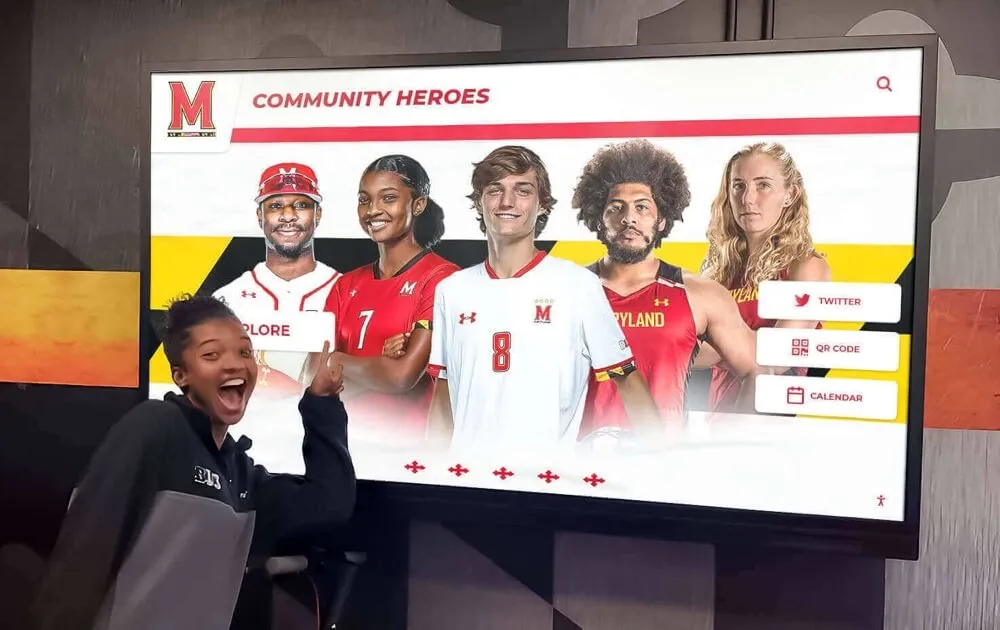
Digital recognition displays must incorporate privacy controls that respect parental opt-out decisions and FERPA requirements
This opt-out provision creates the primary compliance challenge for digital photo displays: your recognition system must accommodate situations where some students’ photos and identifying information cannot be displayed, while others can be featured—and these designations may change throughout the school year as families exercise opt-out rights or students transfer between schools.
When Parental Consent Becomes Mandatory
Schools cannot designate all student information as directory information without limitation. FERPA establishes specific categories of protected information requiring explicit written consent before disclosure, regardless of directory information policies.
Student photos combined with information beyond basic directory categories typically require consent. For example, displaying a student photo alongside academic achievement data (honor roll GPA, test scores, class rank) or disciplinary information creates obligations beyond directory information designation. Similarly, photos associated with sensitive categories—special education status, free/reduced lunch eligibility, medical information—always require explicit consent.
The consent requirement extends to the specific context and audience of disclosure. Directory information policies may permit including student photos in school yearbooks or programs distributed to school community members, but separate consideration applies to displays viewable by general public audiences in unrestricted locations, or to information made available through internet-accessible systems.
Understanding where your planned student photo display falls on this spectrum determines your consent obligations. A display visible only to current students and staff in secure school facilities presents different considerations than a public lobby display viewable by any visitor, or an online gallery accessible without authentication.
Student Privacy Rights Under FERPA
FERPA grants specific rights to parents (and to students once they reach 18 or attend postsecondary institutions). These rights include: inspecting and reviewing the student’s education records, requesting amendments to inaccurate records, providing consent before schools disclose personally identifiable information, and filing complaints with the U.S. Department of Education concerning potential violations.
Schools implementing student photo displays must establish procedures allowing parents to exercise these rights effectively. This includes providing clear notification about what information will be displayed and where, offering straightforward opt-out processes, maintaining accurate records of consent and opt-out decisions, and implementing technical systems that enforce privacy designations reliably.
Many schools discover compliance gaps when families request their students be excluded from displays and the school lacks efficient systems for implementing and verifying these exclusions across all recognition platforms. Planning for these scenarios during system selection and implementation prevents difficulties later.
Essential Privacy Controls for Digital Student Displays
Technical implementation determines whether FERPA compliance remains theoretical policy or practical reality. Digital recognition systems must incorporate specific capabilities supporting compliant operations, much like interactive kiosk solutions that serve various school needs.
Database-Level Privacy Management
The foundation of FERPA-compliant student photo displays lies in privacy controls integrated at the database level rather than applied as afterthoughts during content publication.
Effective systems maintain privacy flags for each student record that propagate automatically across all display contexts. When a parent opts out of photo display, that designation should immediately affect all current and future content including that student—without requiring manual updates across multiple platforms or displays.
This database-driven approach prevents the most common compliance failure: situations where privacy preferences recorded in one system (like the student information system) fail to transfer to the recognition display platform, resulting in unauthorized disclosures despite proper opt-out documentation.

Database-level privacy management ensures student display preferences apply consistently across all recognition platforms
Integration between student information systems and recognition displays becomes critical. Schools should verify that privacy designations maintained in their primary SIS can sync reliably to display platforms, and that these syncs occur frequently enough to implement opt-out requests within reasonable timeframes (typically within days, not weeks).
Granular Consent Categories
Sophisticated FERPA compliance recognizes that privacy isn’t binary—families may consent to some types of display while declining others. Recognition systems should support granular consent categories that respect nuanced privacy preferences.
Consider implementing separate consent categories for: photos in yearbooks versus digital displays, displays visible only within school versus those in public-accessible areas, online versus physical displays, photos associated with academic recognition versus athletic or activity participation, inclusion in promotional materials versus pure recognition purposes.
This granularity allows families to make informed decisions aligned with their specific privacy concerns. Some parents comfortable with yearbook photos object to online display; others accept internal recognition but decline external-facing displays; still others permit basic participation acknowledgment but decline achievement-level detail.
The administrative burden of managing multiple consent categories must be balanced against the relationship benefits of respecting family preferences at this detailed level. Digital systems that automate consent enforcement make granular categories practical in ways that weren’t feasible with manual processes.
Location-Based Display Controls
Physical location of displays affects privacy considerations significantly. FERPA distinguishes between disclosures to school officials with legitimate educational interests and disclosures to external parties.
A display visible only to current students and staff members in a secured area of the school building presents different privacy implications than an identical display in a public lobby accessible to any visitor. Similarly, displays in athletic facilities during events open to the general public require different consideration than those in restricted academic areas.
Modern recognition systems should support location-based privacy controls that allow different display rules for different physical locations. You might configure fuller information display (including photos, names, and achievement details) for displays in staff-only areas, while public-facing displays show only information specifically approved for general disclosure.
This location-aware approach allows schools to maximize recognition opportunities while maintaining appropriate privacy boundaries. The key requirement: technical systems must make location-based configurations reliable and verifiable, preventing situations where displays intended for restricted areas accidentally show in public contexts.
Establishing Compliant Consent Processes
Technical capabilities matter only when paired with administrative processes that collect, document, and maintain consent appropriately. Schools need systematic approaches to consent management that scale across student populations and persist across school years, similar to how institutions manage award ceremony planning with proper family communication.
Annual Notification Requirements
FERPA requires schools to provide annual notification to parents and eligible students regarding their rights under the act, including directory information policies and opt-out procedures. This notification must be provided at the beginning of each school year, and schools must make reasonable efforts to notify parents of students who enroll after the start of the year.
For student photo displays specifically, effective annual notification should include: clear identification of what constitutes directory information at your school, specific description of where and how student photos will be displayed, explanation of the difference between yearbook/program photos and digital display photos if different consent applies, detailed instructions for exercising opt-out rights, timeframes for opt-out submission and implementation, and contact information for privacy questions.
Many schools discover that generic FERPA notifications mentioning photos abstractly don’t adequately inform families about specific digital display implementations. Families respond better to concrete descriptions: “Student photos will appear on a touchscreen display in the main lobby showing honor roll achievements” communicates more effectively than “photos may be included in school recognition activities.”
Consider supplementing written notification with visual examples showing families what displays look like and what information appears. This transparency builds trust and reduces misunderstandings that create compliance problems later.
Streamlined Opt-Out Procedures
Providing families with genuine control over privacy decisions requires opt-out procedures that are genuinely accessible, not technically compliant but practically difficult.
Effective opt-out processes share common characteristics: forms available in multiple formats (paper, online, through parent portal), clear language avoiding educational jargon, granular options allowing selective opt-out rather than all-or-nothing choices, reasonable timeframes that don’t require instant decisions, confirmation of opt-out receipt and implementation, and procedures for updating decisions when circumstances change.
The opt-out form should clearly specify what each option means in practice. Instead of checkboxes labeled with FERPA terminology (“I opt out of directory information disclosure”), use plain language describing actual implications (“Do not display my student’s photo on the school’s digital recognition wall”).

User-friendly display interfaces should be matched with equally accessible consent and opt-out procedures for families
Consider the timing of opt-out requests. Some schools set firm deadlines (“submit opt-out forms by August 31”), but this approach conflicts with FERPA’s recognition of parental rights to change decisions. Better practice: allow opt-out submission at any time, commit to implementation within a specific timeframe (like 10 business days), and build technical systems that accommodate mid-year privacy designation changes.
Consent Documentation and Recordkeeping
Schools must maintain documentation of consent and opt-out decisions that can withstand scrutiny during audits or in response to complaints. This recordkeeping serves both compliance verification and operational implementation.
Effective consent documentation systems should record: date of consent/opt-out submission, specific categories consented to or declined, method of submission (paper form, online, verbal with written confirmation), student and parent/guardian identification, any special conditions or limitations, and consent expiration or renewal requirements if applicable.
Consider whether consent designations should carry forward year-to-year or require annual renewal. Arguments exist for both approaches: carry-forward reduces administrative burden and prevents families from inadvertently losing privacy protections by failing to resubmit forms, while annual renewal ensures families actively reconsider decisions as students mature and circumstances change.
Whatever approach you choose, document it clearly in your FERPA policies and implement consistently. Inconsistent application of consent procedures creates both compliance risks and relationship problems with families.
Integration between consent recordkeeping and display systems must be reliable and auditable. You should be able to demonstrate that opt-out designations in consent records actually prevent display of protected information across all platforms, and that this enforcement happens systematically rather than through manual intervention prone to error.
Technical Configuration for FERPA Compliance
Beyond policy and procedure, schools must configure recognition display systems with specific technical safeguards that enforce privacy requirements reliably, much like digital displays inspire alumni engagement through appropriate content presentation.
Data Integration and Synchronization
The most reliable FERPA compliance comes from direct integration between student information systems and display platforms, with automated synchronization that propagates privacy designations without manual intervention.
Effective integration should accomplish several critical functions: automatically import student roster data including privacy flags, sync privacy designation changes in near-real-time or at least daily, provide audit logs documenting when privacy settings changed and from what source, alert administrators when synchronization fails or encounters conflicts, and support manual override procedures for edge cases requiring immediate attention.
Schools should verify that their chosen display platform can integrate with their specific SIS, and that this integration includes privacy fields, not just basic directory information. Some integration implementations successfully sync names and photos but fail to transfer critical privacy flags, creating compliance vulnerabilities.
Testing integration thoroughly before launching displays prevents discovery of failures after students whose families opted out are already appearing in unauthorized contexts. Test cases should specifically verify that opt-out students are properly excluded from displays, and that changes to privacy designations propagate to displays within documented timeframes.
Access Control and Authentication
Who can view student information affects FERPA compliance significantly. Displays accessible only to authenticated school community members present different considerations than those viewable by anyone.
For displays in secured school areas, physical access control (requiring building access to view displays) may provide sufficient authentication. For online or publicly accessible displays, technical authentication becomes necessary if you’re displaying information beyond what’s designated for general disclosure.
Consider implementing tiered access controls where basic directory information appears in public contexts, while authenticated school community members can access additional detail. For example, a public-facing display might show student names and basic participation in activities, while authenticated students and staff can view additional achievement details or access historical information not appropriate for general disclosure.

Access controls should ensure appropriate audiences view student information based on FERPA compliance requirements
Authentication requirements should balance security with usability—overly complex authentication prevents legitimate use, while insufficient protection creates privacy vulnerabilities. For many school displays, simple authentication (school Google account or student ID number) provides adequate verification that viewers are school community members with legitimate access to directory information.
Audit Logging and Compliance Verification
FERPA compliance requires demonstrable rather than assumed privacy protection. Comprehensive audit logging provides evidence that your systems enforce privacy requirements effectively and allows investigation of potential violations.
Effective audit logs should capture: when student photos are displayed or accessed, what information was displayed to what audience, automated enforcement of privacy flags (showing that opt-out students were properly excluded), manual overrides or privacy setting changes, system synchronization events updating privacy designations, and failed access attempts to restricted information.
These logs serve multiple purposes beyond compliance verification: they provide evidence responding to family concerns about privacy, support security investigations if unauthorized access occurs, enable analysis of system effectiveness and failure patterns, and document due diligence in implementing privacy protections.
Retention requirements for audit logs should align with your school’s general recordkeeping policies and legal guidance. At minimum, maintain logs long enough to investigate any complaints and demonstrate compliance for audit purposes—typically at least the current and previous school year.
Regular review of audit logs proactively identifies compliance issues before they become violations. Assign staff responsibility for periodic log review (monthly or quarterly) specifically looking for patterns suggesting privacy designation failures or unauthorized access to student information.
Staff Training and Compliance Culture
Technical systems and administrative procedures work only when implemented by staff who understand both the requirements and their rationale, similar to how effective teacher appreciation programs require consistent execution.
Comprehensive FERPA Training
Staff members involved in any aspect of student photo display management need training addressing both general FERPA principles and specific procedures for your recognition systems.
Training should cover: overview of FERPA and why it matters, specific regulations governing student photos and directory information, your school’s directory information policies and opt-out procedures, how to verify student privacy designations before featuring students in displays, procedures for responding to family privacy questions or concerns, how to handle privacy-related problems or potential violations, and periodic updates when policies or systems change.
This training should extend beyond administrative staff to include teachers and coaches who might submit student photos or achievement information for display, technology staff who manage display systems, and front office personnel who interact with families regarding privacy questions.
Consider role-specific training that addresses the particular compliance touchpoints different staff encounter. An athletic director submitting sports recognition photos faces different scenarios than a technology coordinator managing display system configuration or a registrar processing opt-out requests.
Regular training refreshers maintain compliance awareness as staff turnover occurs and new recognition programs launch. Annual FERPA training incorporating student photo display scenarios ensures consistent understanding across your team.
Establishing Clear Approval Workflows
Prevention works better than remediation for privacy violations. Clear approval workflows requiring privacy verification before student photos are displayed prevent unauthorized disclosures.
Effective workflows should require: verification that students featured in proposed displays have not opted out of photo display, confirmation that the information being displayed aligns with consent categories families approved, review by a designated privacy compliance officer before launching new display content, documentation of privacy review and approval, and periodic audit of published displays confirming continued compliance as privacy designations change.
The workflow complexity should match the privacy sensitivity of displays. Simple directory information displays might require streamlined approval, while displays combining photos with sensitive achievement data warrant more rigorous review.
Technology can streamline approval workflows through automated privacy checks integrated into content submission processes. When staff submit photos for display, the system can automatically flag students whose privacy designations prohibit inclusion, preventing inadvertent violations before they occur.

Staff training ensures displays serve students appropriately while respecting privacy requirements and family preferences
Balance compliance requirements with workflow efficiency. Overly burdensome approval processes discourage staff from using recognition systems, while insufficient review creates vulnerability. Find the middle ground where privacy protection happens reliably without creating excessive administrative overhead.
Responding to Privacy Concerns
Despite careful planning and implementation, schools occasionally receive family concerns about student privacy in recognition displays. How you respond to these situations affects both compliance and community relationships.
Establish clear procedures for: acknowledging privacy concerns promptly (within 24-48 hours), investigating the specific situation thoroughly, removing student information from displays immediately if potentially unauthorized, communicating investigation findings and corrective actions to families, implementing systemic improvements preventing similar situations, and documenting the concern, investigation, and resolution.
Many privacy concerns result from misunderstandings rather than actual violations. A family might not realize they consented to specific types of display, or might not understand that their student opted into particular recognition programs. Clear communication often resolves these situations while maintaining positive relationships.
When actual violations occur, address them transparently rather than defensively. Acknowledge the lapse, explain what happened and why, describe specific corrective actions you’re implementing, and demonstrate commitment to preventing recurrence. This honest approach typically preserves trust despite the compliance failure.
Best Practices for Launching FERPA-Compliant Recognition Displays
Schools planning new student photo displays can avoid common pitfalls by following proven implementation approaches that prioritize compliance from the beginning, much like effective digital storytelling for athletic programs requires careful planning.
Conducting Privacy Impact Assessments
Before implementing any new student photo display, conduct a privacy impact assessment that systematically evaluates FERPA implications and identifies necessary safeguards.
The assessment should address: what student information will be displayed (photos, names, achievement details, dates, etc.), where displays will be located and who will have access, whether information exceeds directory information or requires specific consent, how privacy designations will be verified and enforced, what happens when students opt out mid-year after displays launch, how the system integrates with existing student information systems, what audit capabilities exist to verify compliant operation, and what training staff will need to maintain compliance.
Documenting this assessment creates a compliance foundation for your recognition program and provides evidence of due diligence in implementing privacy protections. It also identifies issues best addressed before launch rather than discovered after displays are active and potentially non-compliant.
Consider involving your school district’s legal counsel in privacy impact assessment for significant display implementations. Their review can identify compliance considerations you might overlook and provide guidance addressing your specific circumstances and risk tolerance.
Piloting with Limited Scope
Rather than launching comprehensive student photo displays throughout your school immediately, consider piloting with limited scope that reduces complexity and allows you to validate compliance before expanding.
Effective pilot approaches might include: starting with a single display in one location, featuring only students whose families explicitly opted in rather than assuming consent based on directory information policies, displaying only graduating seniors or other limited student populations, or focusing initially on activity participation rather than achievement details requiring more sensitive information.
The pilot phase allows you to identify and address practical compliance challenges: Does integration between your SIS and display system work reliably? Can families find and complete opt-out procedures easily? Do staff understand verification procedures? Do displays appropriately exclude opt-out students? What questions or concerns arise that might not have been anticipated?

Pilot implementations allow schools to validate compliance procedures before expanding recognition displays more broadly
Pilots also provide opportunity to demonstrate value to skeptical stakeholders. When families and staff see displays working effectively while respecting privacy, support builds for broader implementation. Conversely, if pilot reveals compliance concerns, you can address them before they affect larger student populations.
Plan pilot duration sufficient to encounter real-world scenarios: mid-year privacy designation changes, content update cycles, family questions or concerns, and staff turnover requiring training handoff. Three to six months typically provides enough experience to validate readiness for expansion.
Building Privacy into Procurement Decisions
Schools selecting digital display vendors should evaluate FERPA compliance capabilities as primary selection criteria, not afterthoughts. Vendors differ significantly in their understanding of educational privacy requirements and their products’ compliance support.
Questions to ask potential vendors include: How does your system integrate with student information systems to import privacy designations? What granular privacy controls does your platform support? Can you demonstrate that opt-out students are automatically excluded from displays? What audit logging capabilities track compliance with privacy requirements? How frequently do privacy settings synchronize from source systems? What happens if synchronization fails—does the system default to not displaying questionable records? What training and support do you provide regarding FERPA compliance? Can you provide references from other schools using your system for FERPA-compliant displays?
Vendor responses reveal their sophistication regarding educational privacy. Vendors who treat privacy as a checkbox feature rather than a fundamental design principle may not adequately support compliant operations.
Review vendor contracts carefully for FERPA-specific provisions. Contracts should address: vendor status as “school official” if they have access to student information, requirements that vendors protect student information according to FERPA standards, prohibition against vendors using student information for commercial purposes, procedures for destroying student information when contracts end, and liability allocation for privacy violations.
Sophisticated vendors serving educational markets understand these requirements and include appropriate contractual provisions proactively. Vendors unfamiliar with FERPA or resistant to compliance commitments should raise concerns about their suitability for student information systems.
Long-Term Compliance Management
FERPA compliance isn’t a one-time implementation but an ongoing commitment requiring sustained attention as systems, staff, and student populations change, similar to how schools manage alumni engagement strategies over time.
Annual Policy and Procedure Review
Dedicate time each year to review your student photo display policies and procedures, identifying areas requiring updates based on experience, regulatory changes, or new technologies.
Annual review should assess: whether directory information policies still align with your display practices, if consent and opt-out procedures worked effectively or created barriers families struggled to navigate, whether staff training proved adequate or gaps appeared, what privacy concerns arose and whether systemic improvements are needed, how vendor systems and integrations performed, and whether new display initiatives planned for the coming year raise additional privacy considerations.
This review should involve multiple perspectives: administrators managing compliance, technology staff operating systems, teachers and staff submitting content, and ideally family representatives providing insights into parental concerns and preferences.
Document the review process and decisions made, creating a compliance record demonstrating ongoing attention to privacy requirements. This documentation proves valuable if questions arise about your school’s privacy practices or decision-making regarding specific display implementations.
Staying Current with Regulatory Changes
FERPA regulations and guidance evolve, particularly as new technologies create scenarios the original 1974 law never contemplated. Schools must stay informed about regulatory developments affecting student photo displays.
Monitor Department of Education guidance on FERPA, paying particular attention to updates addressing technology and photos. Review state-level student privacy legislation that may impose requirements beyond federal FERPA protections. Follow educational technology organizations and conferences addressing privacy compliance in school settings. Consider membership in professional associations providing FERPA updates and guidance to member schools.
When regulatory guidance changes, assess implications for your existing display implementations and update practices accordingly. Don’t assume that systems compliant when installed remain compliant if regulations evolve.
Particularly watch for guidance addressing newer technologies your displays might incorporate—facial recognition, artificial intelligence for content personalization, social media integration, or cloud storage of student information all raise evolving privacy questions that may receive updated regulatory guidance.
Maintaining Culture of Privacy Respect
Sustainable FERPA compliance flows from organizational culture that genuinely values student privacy, not just from policies and technical controls enforcing minimum regulatory requirements.
Building this culture requires: leadership modeling privacy consciousness in communications and decisions, celebrating compliance successes as demonstrations of school values, addressing privacy lapses seriously as matters of principle rather than merely technical violations, empowering all staff to raise privacy concerns without fear of dismissal or retaliation, involving families in decisions about recognition practices and privacy protections, and communicating regularly about privacy protections your school provides.
Schools that establish this culture find compliance easier because staff instinctively consider privacy implications before launching new initiatives, families trust the school’s commitment to protecting their preferences, and students learn that privacy matters—a valuable lesson extending beyond FERPA to lifelong digital citizenship.
Recognition displays implemented with genuine respect for privacy serve students better than those treating compliance as a burden. When families trust that their privacy preferences will be respected, they’re more likely to consent to recognition that celebrates their students’ achievements appropriately, much like well-designed donor recognition walls balance visibility with donor preferences.
Creating Recognition That Respects Student Privacy
Student recognition displays should inspire achievement, build community pride, and celebrate accomplishments in ways that make students feel genuinely valued—all while respecting the privacy protections that allow families to control how their students are represented publicly. This balance isn’t just legally required; it’s fundamental to creating recognition systems that serve students appropriately.
The technical systems, administrative procedures, and staff training discussed throughout this guide provide the framework for FERPA-compliant student photo displays. But implementation success ultimately depends on commitment to respecting student privacy as a core value rather than merely a regulatory obligation.
Schools that approach recognition displays with this mindset create positive experiences where students see themselves celebrated appropriately, families trust that their privacy preferences guide what appears publicly, and school communities benefit from recognition traditions that honor achievement while respecting individual circumstances and family values.
Digital recognition technology creates unprecedented opportunities to celebrate student accomplishments visibly and engagingly. When implemented with careful attention to FERPA compliance, these systems enhance school culture while protecting the privacy rights that matter deeply to families. The planning and diligence required to build compliant systems represents an investment in doing recognition right—respecting students as individuals with privacy rights while celebrating their contributions to school communities.
Rocket Alumni Solutions provides digital recognition systems specifically designed for educational environments, with built-in privacy controls supporting FERPA-compliant operations. From granular consent management and automated privacy flag enforcement to audit logging and student information system integration, these purpose-built solutions address the unique compliance requirements schools face when implementing student photo displays. Whether you’re launching your first recognition display or expanding existing systems with enhanced privacy capabilities, comprehensive platforms that prioritize FERPA compliance from the ground up allow schools to celebrate student achievements confidently while protecting the privacy rights families expect and federal law requires.































