FFA chapters across America are transforming how they recognize student achievements, moving beyond traditional trophy cases to embrace digital display technology that showcases awards, honors members, and celebrates agricultural education excellence. As FFA programs continue to grow and accumulate decades of achievements—from Agricultural Proficiency Awards to American Star recognitions—chapters face a common challenge: how to display an ever-expanding collection of trophies, plaques, banners, and honors in limited physical space while keeping the recognition meaningful and engaging for current students.
Digital displays offer a compelling solution that preserves the past while embracing the future. These systems provide unlimited capacity to showcase every award, degree, and achievement your chapter has earned, while creating interactive experiences that help students explore FFA history, discover role models, and feel inspired to pursue their own agricultural career pathways.
The National FFA Organization continues to expand recognition opportunities, with awards spanning nearly 50 Agricultural Proficiency categories, Career and Leadership Development Events, American FFA Degrees, Star Awards, and National Chapter Awards. Each achievement represents countless hours of student dedication, advisor mentorship, and community support. Yet many chapters struggle to give these accomplishments the visibility they deserve when physical display space reaches capacity.
Understanding the FFA Awards Recognition Challenge
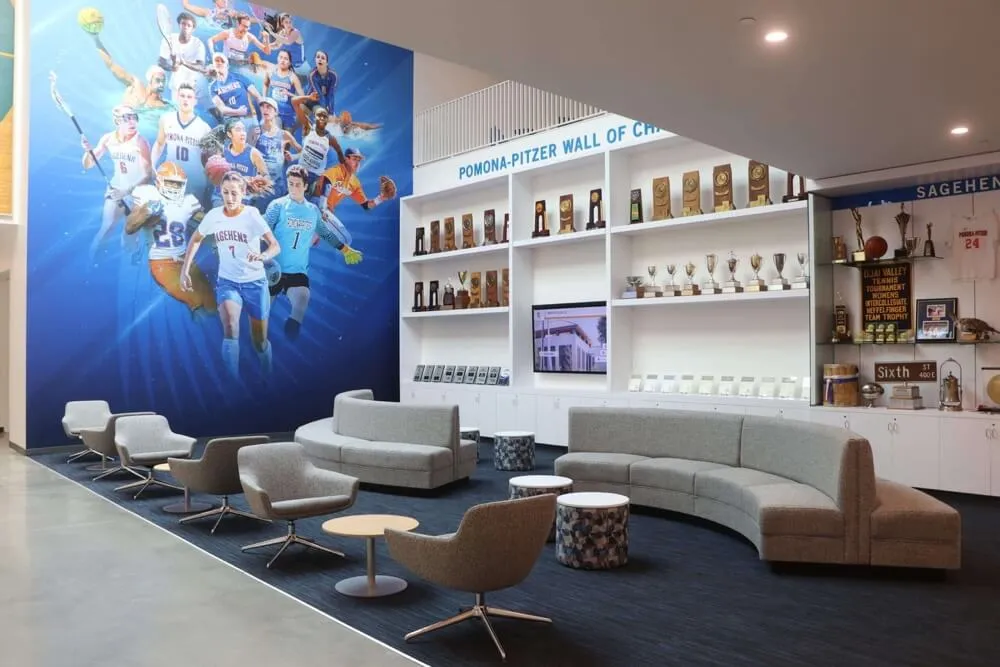
FFA chapters typically accumulate recognition materials through multiple streams. Members earn individual proficiency awards, teams compete in Career and Leadership Development Events (CDEs), chapters receive National Chapter Award plaques and spurs designating Gold, Silver, or Bronze achievement levels, and alumni return with professional accomplishments. Agriculture teachers and advisors also receive recognition for years of service and program excellence.
Traditional Display Limitations
Most FFA programs rely on conventional display methods that present several challenges:
Physical Space Constraints
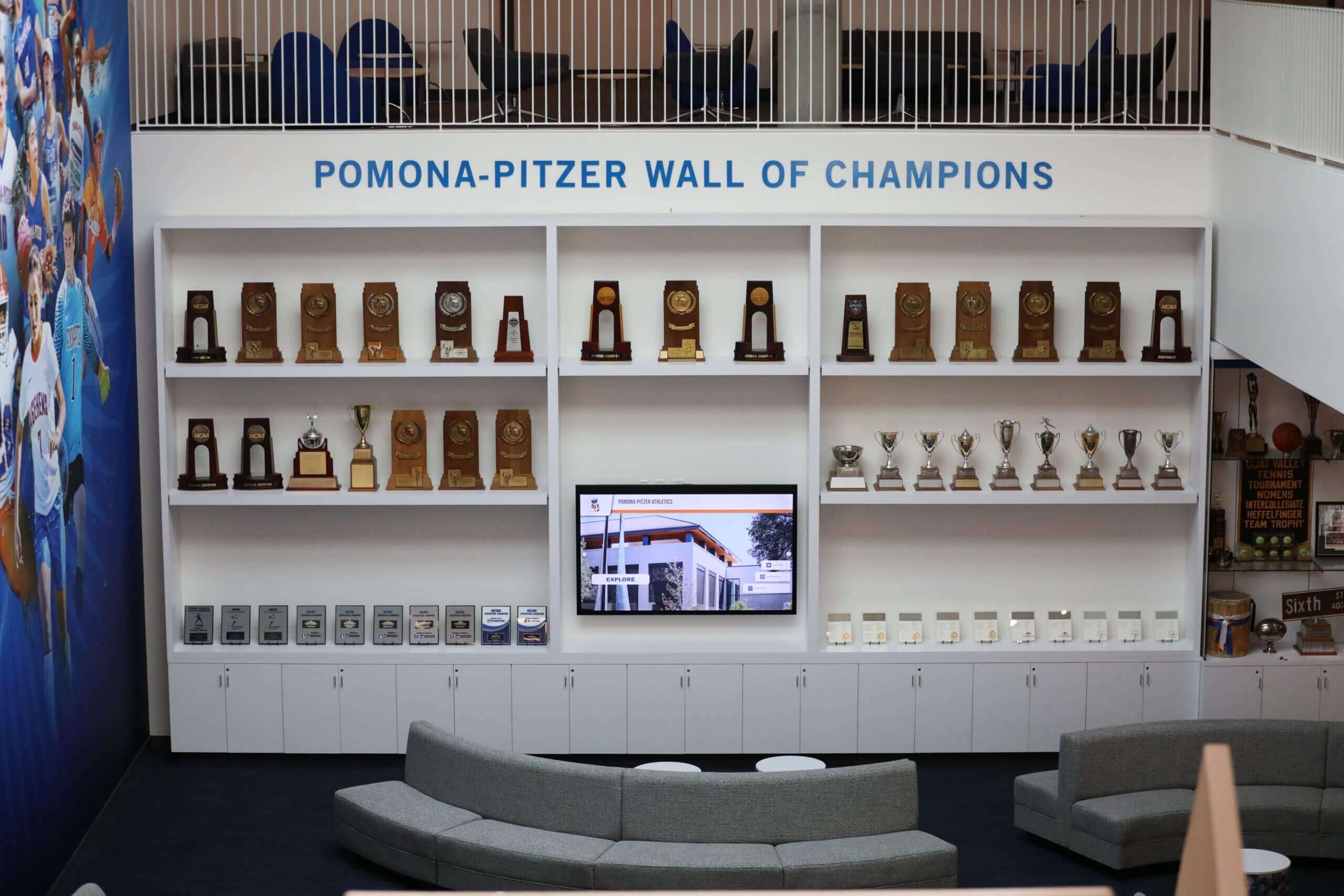
Trophy cases fill quickly, especially for established programs with decades of history. A single National Chapter Award plaque with yearly spurs requires dedicated wall space, and chapters competing annually for Star Chapter Awards receive multi-year plaques with additional spurs for each competition year. When you multiply this across all award categories—proficiency awards, state and national recognitions, CDE results, and alumni achievements—even generously sized trophy cases become overwhelmed.
Accessibility and Visibility Issues
Awards displayed in locked trophy cases positioned in hallways often go unnoticed by students rushing between classes. The information conveyed is limited to what fits on a plaque or trophy—typically just a name, year, and award category. Students rarely stop to examine displays closely, missing opportunities to learn about the achievements and agricultural career pathways represented.
Maintenance and Organization Challenges
Traditional displays require physical access for updates, dusting behind glass, and reorganization as new awards arrive. Items in the back of deep cases become nearly invisible, and older awards get pushed aside to make room for recent achievements. This creates an unintended hierarchy where historical accomplishments lose visibility despite their significance to chapter legacy.
Limited Storytelling Capability
A plaque can display basic information, but it cannot tell the full story behind an achievement. What agricultural business did the Agricultural Sales Proficiency winner build? What innovative practices did the Agriscience Research winner develop? Which university did the American Star in Agribusiness attend, and what career are they pursuing now? Traditional displays lack the capacity to share these inspiring narratives.
Digital Display Technology for FFA Recognition

Modern digital display systems address these limitations by creating dynamic, interactive recognition experiences specifically designed for educational environments. These solutions range from digital signage showing rotating award galleries to fully interactive touchscreen kiosks where students can explore FFA history and member achievements.
Types of Digital Display Solutions
Digital Signage Displays
Basic digital signage uses large-format screens to rotate through award images, member profiles, and chapter achievements. These passive displays work well for high-traffic areas where students pass frequently, providing continuous visibility for recognition content. Schools often already have digital signage infrastructure that can incorporate FFA content alongside school announcements and event information.
Digital signage excels at creating visual impact in lobbies, cafeterias, and agricultural education building entrances. A 55-inch or larger screen can showcase high-resolution photos of award ceremonies, competition teams, chapter projects, and alumni success stories. Content updates happen remotely through cloud-based management systems, allowing advisors to add new achievements immediately after competitions or conventions.
Interactive Touchscreen Kiosks
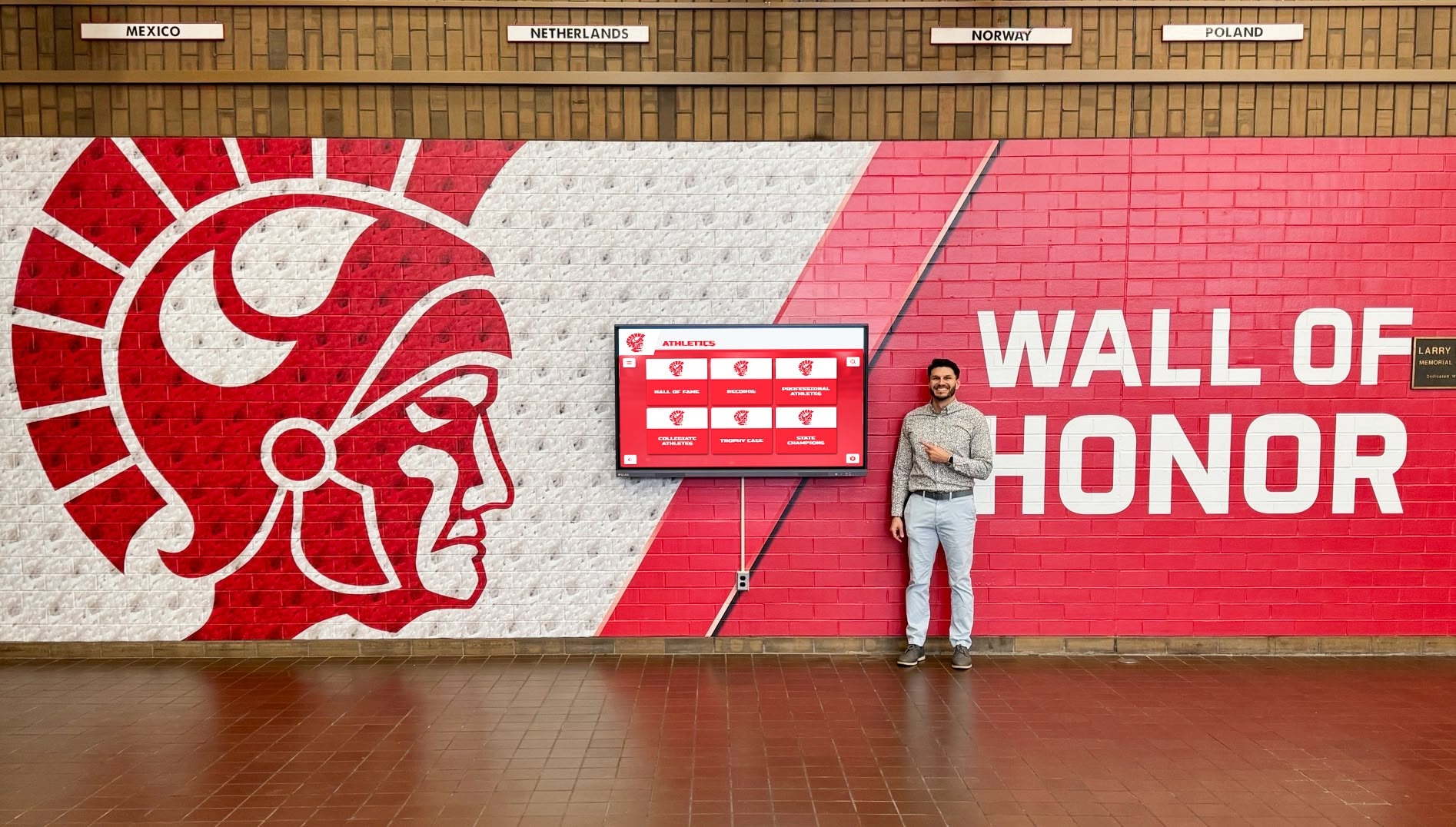
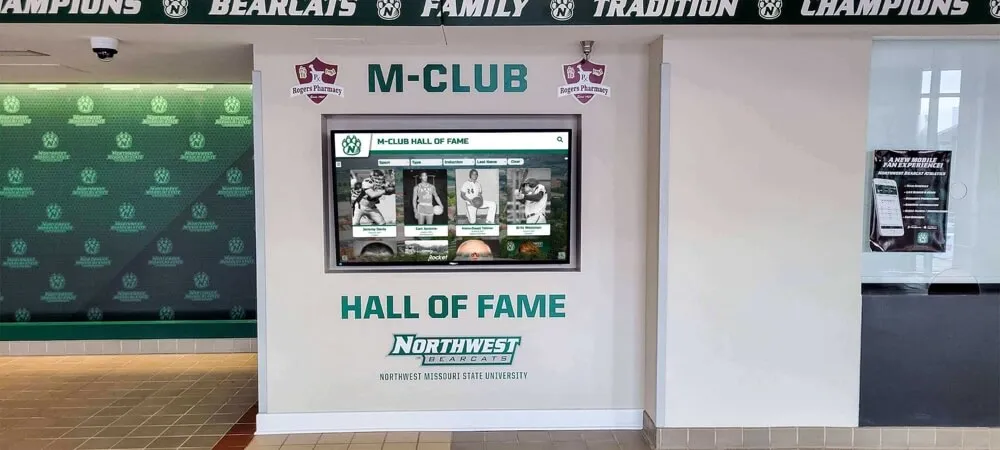
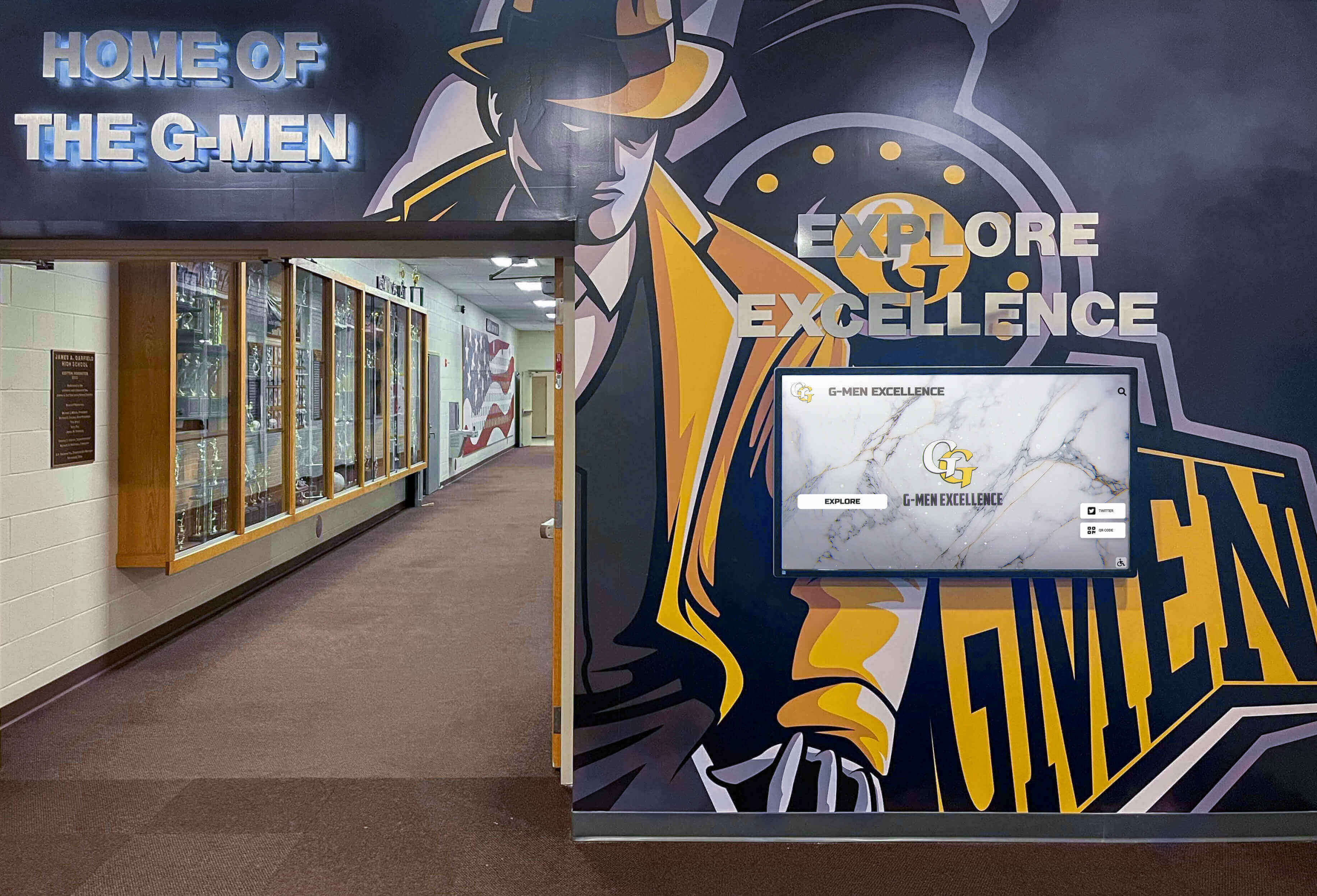
Interactive touchscreen displays take recognition to the next level by enabling students to explore content through self-directed navigation. These systems typically feature large-format touchscreens (43 inches to 75 inches) mounted in prominent locations like agriculture building lobbies or school hallways near FFA classrooms.
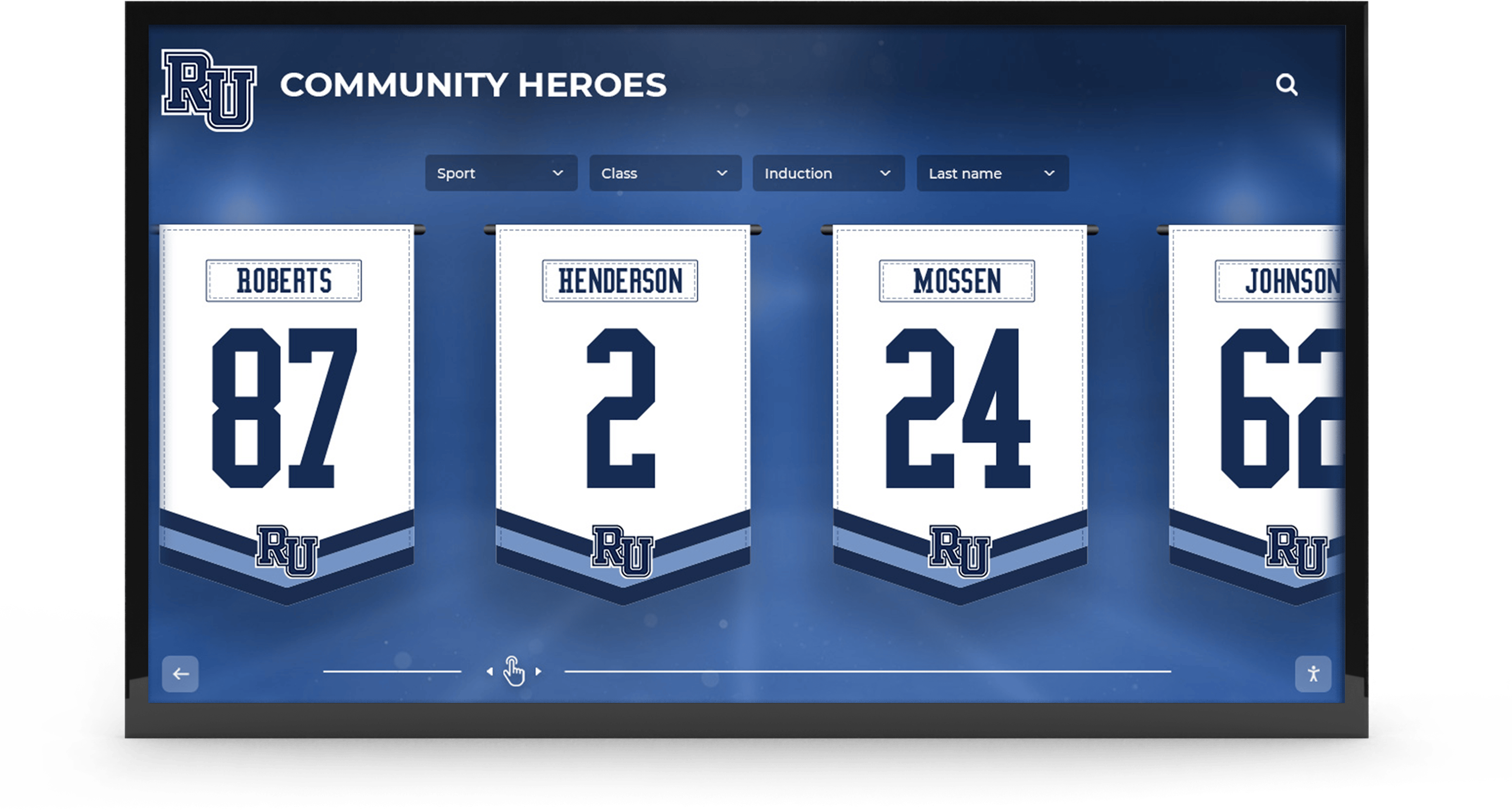
Students can search for specific members, browse by award category, filter by year or agricultural career pathway, and access detailed profiles that include photos, videos, project descriptions, and career updates. This interactivity transforms passive recognition into an engaging discovery experience that helps current students understand the breadth of opportunities within FFA and agricultural education.
Hybrid Display Approaches
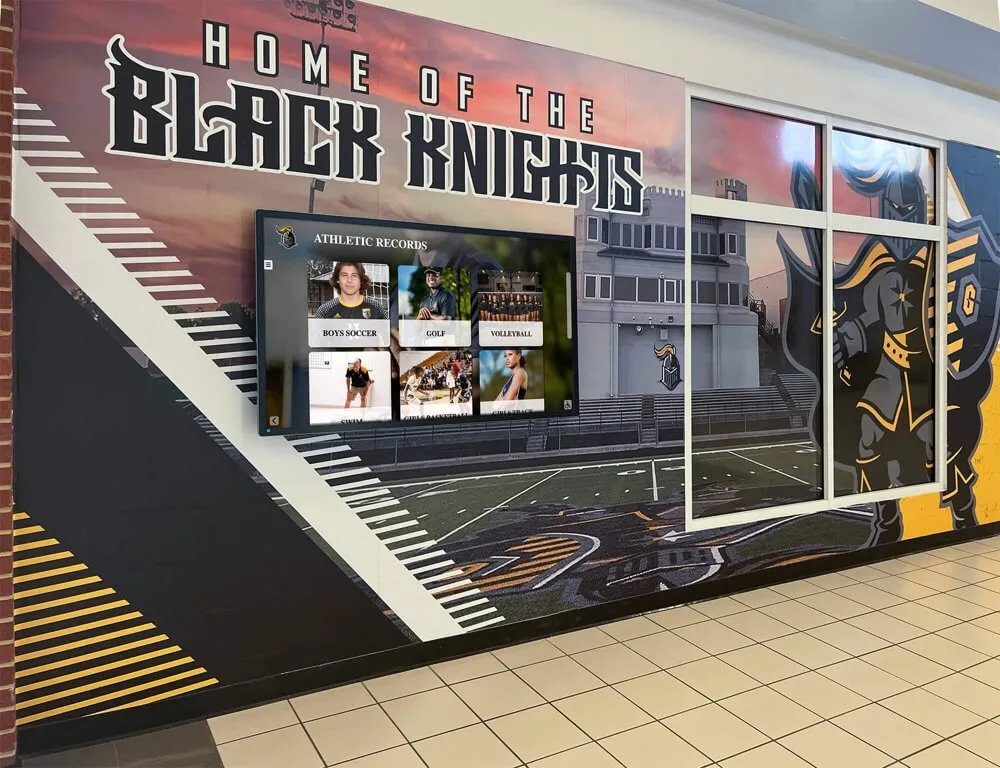
Many programs implement hybrid solutions combining elements of both passive and interactive displays. For example, a large digital signage screen might showcase rotating award highlights in a central hallway, while an interactive touchscreen kiosk in the agriculture building provides deep-dive access to the complete recognition database. This approach maximizes visibility while providing options for different engagement levels.
Benefits of Digital Recognition for FFA Chapters
Unlimited Recognition Capacity
Digital systems eliminate physical space constraints entirely. Your chapter can recognize every member who has earned a degree or award throughout your program’s history—from Greenhand Degrees to American FFA Degrees, Discovery Degrees to proficiency awards spanning all agricultural career pathways. There’s no need to archive older achievements to make room for new ones; everything remains accessible.
This unlimited capacity proves particularly valuable for chapters with long histories. Programs established decades ago may have recognized hundreds or thousands of members across generations. Digital systems allow you to digitize historical records, including scanned photos from yearbooks and archives, creating a comprehensive recognition database that honors your complete chapter legacy.
Enhanced Storytelling and Context
Digital displays support rich multimedia content that brings recognition to life. Instead of simply showing an award title, you can include:
- Detailed project descriptions explaining the work behind Agricultural Proficiency Awards
- Photo galleries documenting chapter activities, competitions, and community service projects
- Video testimonials from members discussing their FFA experience and career pathways
- Statistics and achievements highlighting specific accomplishments (acres farmed, animals raised, sales generated, research outcomes)
- Career updates showing where alumni are now and how FFA prepared them for success
- Advisor and teacher profiles recognizing educator contributions to chapter excellence
This storytelling capability transforms recognition from acknowledgment into inspiration. Current members can see themselves in the achievements of predecessors who shared similar interests, helping them envision their own potential career pathways.
Improved Engagement and Discovery
Traditional trophy cases receive glances but rarely sustained attention. Digital recognition displays create engaging experiences that hold student interest for significantly longer periods. Studies show users interact with touchscreen kiosks for 5-10 minutes on average, compared to 30-60 seconds spent viewing traditional static displays.
This extended engagement happens because digital systems enable discovery through multiple pathways. Students might search for their own name to see their recognition history, explore award categories they’re interested in pursuing, look up older siblings or relatives who were FFA members, or browse by career pathway to learn about opportunities in agricultural communications, food science, agricultural mechanics, or environmental management.
The search and filter capabilities prove especially valuable in large chapters. If your program has hundreds of members across multiple years, finding specific individuals in a traditional display becomes difficult. Digital systems allow instant search by name, graduating class, award type, or career pathway, making every achievement easily discoverable.
Simplified Administration and Updates
Maintaining digital displays requires far less time than managing physical trophy cases. When a member earns a new award, advisors simply log into the content management system and add the recognition to the database. Updates appear immediately on the display without requiring physical access, rearranging existing items, or ordering new plaques.
This ease of updates encourages more frequent recognition beyond just major awards. Chapters can highlight weekly or monthly achievements like CDE competition results, chapter officer spotlights, community service milestones, and member birthdays or accomplishments. The lower barrier to updates means recognition stays current and relevant throughout the year, not just after major conventions.
Cloud-based management systems allow updates from anywhere with internet access. Advisors can add convention results while still at the event, enabling immediate recognition when excitement and pride are highest. Multiple chapter officers or staff members can have update permissions, distributing the workload and ensuring the system stays current even when the primary advisor is unavailable.
Cost Effectiveness Over Time
While digital display systems require upfront investment in hardware and software, they eliminate ongoing costs associated with traditional recognition:
- Plaque and trophy costs averaging $100-$400 per inductee or award
- Engraving fees for name plates and achievement details
- Display case expansion or additional wall space requirements
- Maintenance and cleaning of physical displays
- Storage for archived items when space runs out
For active chapters recognizing dozens of members and awards annually, these traditional costs compound quickly. A single year of proficiency awards, degree recognitions, and competition results can easily exceed $5,000-$10,000 in traditional recognition materials. Digital systems pay for themselves within a few years while providing superior recognition experiences.
Implementing Digital Displays in Your FFA Program
Planning and Needs Assessment
Successful implementation begins with understanding your chapter’s specific recognition needs and goals. Consider these questions:
What content do you want to display?
Identify all recognition categories relevant to your chapter: individual awards (proficiency awards, degrees, scholarships), team achievements (CDE and LDE results, Star Chapter rankings), chapter milestones (National Chapter Award history, community service projects, fundraising accomplishments), and alumni success stories. Also consider whether you want to include agricultural education content like career pathway information, program history, or agricultural industry updates.
Who is your primary audience?
While FFA members are the primary audience, consider secondary audiences including prospective students and families, school administrators and board members, community supporters and donors, and visiting schools or FFA chapters. Understanding your audience helps determine appropriate content, navigation structure, and installation locations.
Where will displays be located?
Location selection significantly impacts effectiveness. High-traffic areas like school lobbies, cafeterias, and main hallways provide visibility but may have noise and distraction challenges. Agriculture building entrances and classrooms offer more focused environments where students have time to engage deeply. Consider whether you want multiple smaller displays or a single flagship installation.
Evaluate technical requirements for potential locations including available electrical outlets, network connectivity (wired Ethernet preferred over WiFi for reliability), mounting options (wall-mounted vs. freestanding), and lighting conditions (avoiding direct sunlight that creates screen glare).
What is your budget and timeline?
Digital display systems range from basic digital signage setups costing a few thousand dollars to comprehensive interactive installations approaching five figures. Understanding your budget helps narrow options. Also consider funding sources—many chapters use fundraising, alumni donations, grant programs, or facilities budgets for recognition display investments.
Hardware Selection and Specifications
Display Technology
Commercial-grade displays designed for continuous operation prove more reliable than consumer TVs. Look for panels rated for 16-24 hour daily operation with at least three-year warranties. Screen sizes typically range from 43 inches (for smaller locations or budget constraints) to 75 inches or larger (for lobbies and high-traffic areas requiring visibility from distance).
For interactive applications, choose displays with proven touchscreen technology. Infrared touch overlays work reliably and support multi-touch gestures. Ensure the touch responsiveness feels natural—poor touch response frustrates users and reduces engagement.
Consider display orientation: portrait (vertical) or landscape (horizontal). Portrait orientation often works better for displaying individual profiles and making efficient use of wall space, while landscape orientation better accommodates video content and traditional photo viewing.
Computing Hardware
The computer driving your display needs sufficient processing power for smooth operation. Minimum specifications should include an Intel Core i5 or equivalent processor, 8GB RAM, and solid-state storage. These specs ensure responsive touch interaction and smooth multimedia playback.
For permanent installations, consider small-form-factor computers or media players that mount behind the display, creating a clean appearance. Ensure adequate ventilation to prevent overheating in enclosed mounting situations.
Mounting and Enclosure
Professional mounting ensures safety and enhances appearance. Wall-mounted installations require sturdy commercial mounts rated for the display weight with proper anchoring into wall studs. Freestanding kiosks offer flexibility for locations without suitable walls and can incorporate your chapter’s branding and colors into the enclosure design.
Security considerations include tamper-resistant mounting hardware, locked access panels for service, and cable management that prevents accidental disconnection. In high-traffic school environments, durability and vandal resistance should inform material and design choices.
Software and Content Management
Purpose-Built vs. Generic Solutions
While generic digital signage software can display recognition content, purpose-built solutions for educational recognition offer significant advantages. Systems designed specifically for schools understand the unique needs of FFA and student recognition programs, including degree tracking, award categories, career pathway organization, and educational context.
Solutions like those from Rocket Alumni Solutions provide content management interfaces tailored to non-technical users, with templates specifically for agricultural education programs. These purpose-built platforms include features like automated degree progression (tracking members from Greenhand through American FFA Degree), integration with competition results, and alumni connection tools.
Generic digital signage platforms require more technical expertise to configure and maintain. While they offer flexibility, they lack the specialized features that make recognition management efficient for agricultural education programs.
Content Creation and Organization
Plan your content structure before populating the system. Common organizational approaches for FFA recognition include:
- By award category (Proficiency Awards, Degrees, Career & Leadership Development Events, Star Awards)
- By year or class (graduating classes, competition years)
- By career pathway (grouping members by agricultural interest areas)
- By status (current members, recent graduates, alumni)
- Featured collections (spotlights, monthly highlights, historical milestones)
Establish naming conventions and data entry standards to ensure consistency as multiple people add content over time. Decide on required vs. optional information fields for different recognition types.
Visual Design and Branding
Your digital display should reflect your chapter’s identity and integrate with overall school branding. Incorporate your FFA chapter colors, school logos, and agricultural education program themes throughout the interface design. Many solutions offer customizable templates where you can add these elements without requiring design expertise.
Photo quality significantly impacts the overall impression. Use high-resolution images (minimum 1920x1080 pixels for full-screen photos) and maintain consistent photo styles where possible. Consider establishing photography guidelines for officer photos, award recipients, and event coverage to ensure professional appearance.
Data Collection and Digitization
Gathering Historical Information
For established chapters, building a comprehensive recognition database requires gathering historical information from multiple sources:
- Physical awards and plaques documenting names, years, and categories
- Chapter scrapbooks and photo albums providing images and context
- School yearbooks containing member photos and FFA activity coverage
- Program files and records with competition results, degree recipients, and officer rosters
- Alumni contacts who can provide updates on career pathways and current information
- National FFA databases documenting national-level award recipients from your chapter
This digitization process takes time but creates tremendous value. Consider involving current members as a chapter project—students can scan photos, organize records, and interview alumni, learning chapter history while building the database.
Ongoing Data Collection
Establish processes for adding new recognition throughout the year. Assign specific officers or members responsibility for documenting achievements, collecting photos at events, and updating the system. Make recognition updates part of chapter officer reports and monthly routines.
Create member information forms that collect relevant details when students join FFA or earn awards. Request high-quality digital photos, permission to display information publicly, and optional career pathway interests and future plans. This proactive collection prevents scrambling for information when someone earns recognition.
Installation and Launch
Technical Installation
Professional installation ensures proper setup and avoids common pitfalls. Experienced installers handle electrical connections, network configuration, secure mounting, and initial system testing. They can address site-specific challenges like optimal viewing angles, lighting conditions, and integration with existing facilities.
Content Population
Before the public launch, populate the system with substantial content. An empty or sparse display fails to demonstrate value and generates little excitement. Aim to include at least a few years of recognition history and dozens of member profiles before unveiling the system to your chapter and school community.
Training and Documentation
Ensure multiple people know how to update and maintain the display. Schedule training sessions for advisors, chapter officers, and school technology staff. Create simple documentation or video tutorials covering common tasks like adding new awards, updating member profiles, uploading photos, and troubleshooting basic issues.
Launch Event
Generate excitement by creating a launch event for your digital recognition display. Schedule a ribbon-cutting during a chapter meeting, school assembly, or community event. Invite school administrators, board members, chapter alumni, and local supporters to see the system. Use the launch as an opportunity to recognize major donors or supporters who made the installation possible.
Content Strategies for Maximum Impact
Creating Engaging Member Profiles
The quality of individual member profiles determines how effectively your digital display inspires current students. Go beyond basic name and award information to create rich profiles that tell complete stories:
Essential Profile Components
- Professional-quality photo showing the member in FFA jacket or with project
- Years of FFA participation and chapter officer positions held
- Degree progression from Greenhand through American FFA Degree
- Awards and recognitions with dates and categories
- Supervised Agricultural Experience (SAE) description explaining their project
- Career Development Event participation and team accomplishments
- Leadership activities including conferences attended and offices held
- Post-secondary plans or current career connecting FFA to future success
Narrative Storytelling Elements
Transform data into inspiration by including narrative elements. A brief quote from the member about their FFA experience, favorite memory, or career aspirations personalizes the recognition. Describe specific achievements—how many acres they farm, what business revenue they generated, what research question they investigated—to help others understand the scope of accomplishment.
For alumni profiles, include career updates showing FFA’s long-term impact. Where did they attend college? What degree did they earn? What career are they pursuing? How did FFA prepare them for success? These connections help current members see FFA as genuine career preparation, not just a high school activity.
Highlighting Agricultural Career Pathways
Use your digital display to educate students about the breadth of career opportunities in agriculture, food, fiber, and natural resources. The National FFA Organization recognizes eight Career Pathways covering dozens of career options:
- Agribusiness Systems
- Animal Systems
- Biotechnology Systems
- Environmental Service Systems
- Food Products and Processing Systems
- Natural Resource Systems
- Plant Systems
- Power, Structural, and Technical Systems
Create content connecting chapter members to these pathways. When featuring a proficiency award winner in Agricultural Sales, include information about careers in agricultural sales, education requirements, and industry outlook. Link members who pursued each pathway to help students discover role models with similar interests.
This career pathway content serves double duty: it honors member achievements while providing practical career exploration information that supports students’ educational and career decision-making.
Featuring Chapter Milestones and History
Beyond individual recognition, showcase chapter-level achievements that build pride and identity:
National Chapter Award History
If your chapter has competed for National Chapter Awards, display this history prominently. Show the progression of Gold, Silver, and Bronze ratings over years, highlighting periods of excellence. Include photos from national convention award ceremonies and explain what these awards recognize—quality chapter programs encompassing growing leaders, building communities, and strengthening agriculture.
Community Service and Impact
Document chapter service projects, fundraising efforts, and community engagement. Show monetary totals raised for charitable causes, hours volunteered, or people served. Include photos from events like food drives, community meals, agricultural education days, or partnership projects with local farms and businesses.
Competition Excellence
Recognize teams that competed successfully in Career and Leadership Development Events at district, state, and national levels. Display team photos, competition categories, and placement results. For teams that advanced to national competition, include details about the experience and what students learned.
Alumni Success Stories
Feature selected alumni who have achieved significant career success or made notable contributions to agriculture and their communities. These profiles inspire current members by showing long-term possibilities and connecting chapter participation to life outcomes.
Best Practices for Ongoing Management
Regular Content Updates
Digital displays remain engaging when content stays current and relevant. Establish routines for adding fresh content:
Monthly Updates
- Add recent competition results from Career and Leadership Development Events
- Feature a member or officer spotlight profile
- Highlight upcoming chapter events and activities
- Showcase current Supervised Agricultural Experience (SAE) projects
After Major Events
- Upload photos and results from conventions (state and national)
- Document degree ceremonies and award presentations
- Feature community service project results
- Share scholarship recipients and amounts
Annual Refreshes
- Update graduating senior status and post-secondary plans
- Add new officer team profiles and photos
- Incorporate year-end awards and recognitions
- Archive completed project years and begin new competition seasons
Promoting Your Digital Display
Maximize impact by actively promoting your recognition display:
With Current Members
Help students understand that their achievements will be permanently recognized. During degree ceremonies and award presentations, mention that recipients can now explore their recognition on the digital display. Encourage members to show families and friends their profiles.
With Prospective Members
Use your digital display as a recruitment tool. During FFA information nights for incoming students, demonstrate the system to show the range of opportunities available. Let prospective members search for older siblings or relatives who participated in FFA, creating personal connections to the program.
With Families and Community
During parent nights, school board meetings, or community events, showcase your recognition display. Consider adding QR codes in newsletters or social media that link to web-accessible versions of recognition content, allowing families to explore achievements from home.
With Alumni
Contact alumni featured in your digital display to share their profiles and invite them to visit when in the area. Many will appreciate the recognition and may become more engaged with the chapter, potentially offering mentorship, financial support, or career connections for current members.
Measuring Success and Impact
Evaluate your digital display’s effectiveness to guide improvements:
Engagement Metrics
Modern display systems often include analytics showing usage patterns: number of interactions, popular search terms, most-viewed profiles, and average session duration. These metrics reveal which content resonates and what information students seek most frequently.
Member Feedback
Regularly survey chapter members about the digital display. Do they find it helpful? Is information accurate and current? What additional content would they like to see? This feedback guides content priorities and improvements.
Recruitment and Retention
Track whether recognition improvements correlate with program growth. Do prospective students and families mention the display during recruitment? Do members express greater chapter pride? While many factors influence recruitment and retention, recognition quality plays a supporting role.

Integrating Physical and Digital Recognition
Digital displays don’t necessarily replace traditional recognition; they enhance and expand it. Many successful programs implement hybrid approaches that honor tradition while embracing technology’s advantages:
Complementary Display Strategies
Signature Awards in Physical Display
Reserve trophy cases for your most prestigious achievements: American FFA Degree plaques, National Chapter Award recognition, national-level competition results, and major historical artifacts. These items carry physical presence and traditional value that merits tangible display.
Comprehensive History in Digital Display
Use digital systems to provide complete recognition that would be physically impossible. Include every degree recipient, all proficiency award winners, complete CDE/LDE team rosters, chapter officer histories, and alumni career updates. The digital system becomes the comprehensive archive while physical displays highlight the most significant milestones.
Interactive Enhancement of Physical Displays
Position interactive touchscreens near trophy cases to provide additional information about physically displayed items. Users can touch a trophy case reference and receive detailed context: who won, what the competition involved, project descriptions, and career outcomes. This integration creates layered recognition that combines tangible and digital strengths.
Maintaining Traditional Recognition Elements
Many FFA traditions carry meaningful symbolism—degree pins, official jackets, certificate presentations, and physical plaques presented at conventions. Digital recognition complements rather than replaces these traditions. Students still receive tangible awards at ceremonies; digital systems simply extend recognition’s reach and permanence beyond the physical item that goes home with the recipient.
Consider how digital recognition can enhance traditional ceremonies. Display recipient profiles on large screens during degree ceremonies. Create digital archives of ceremony photos and videos. Provide online access so family members who couldn’t attend in person can still share the recognition moment.
Funding Digital Recognition Systems
Budget Planning and Cost Considerations
Digital recognition system costs vary based on scale, features, and implementation approach. Basic digital signage installations displaying rotating content on a single screen start around $3,000-$5,000 including commercial display, media player, and basic content management software. Comprehensive interactive touchscreen installations with purpose-built recognition software typically range from $8,000-$15,000 per display including hardware, software licensing, professional installation, and content population support.
Consider total cost of ownership including:
- Initial hardware (display, computer, mounting, and enclosure)
- Software (licensing, either one-time purchase or annual subscription)
- Installation (professional mounting, electrical, and network setup)
- Content creation (initial database population and design customization)
- Ongoing support (software updates, technical assistance, hosting)
Funding Sources and Strategies
Chapter Fundraising
Many FFA chapters fund recognition displays through traditional fundraising activities like plant sales, fruit sales, community dinners, or auction events. Frame the fundraising goal around chapter legacy: “Help us honor 50 years of FFA excellence with a permanent recognition display.”
Alumni Donations
Alumni often enthusiastically support recognition projects that will include them and preserve chapter history. Consider an alumni giving campaign specifically for the digital recognition display, offering naming opportunities for major donors or recognition levels for different contribution amounts.
Grant Programs
Agricultural education grants, school foundation funding, and community organization grants sometimes support recognition and school improvement projects. Research local agricultural associations, farm cooperatives, agricultural businesses, and education foundations that offer grant programs.
Booster Clubs and Parent Organizations
School booster clubs and parent-teacher organizations sometimes fund recognition projects that benefit students and enhance school facilities. Present your digital display proposal at a meeting, emphasizing how it will inspire student achievement and showcase program excellence to the community.
School District Facilities Funding
Some schools include recognition displays in facilities improvement budgets, particularly during building renovations or new construction. Work with your administration to include FFA recognition in planning for agricultural education facility improvements.
Corporate Sponsorships
Local agricultural businesses, banks, cooperatives, and industry companies may sponsor recognition displays in exchange for acknowledgment on the system. This creates community partnership while supporting agricultural education.
Technical Considerations and Best Practices
Network and Connectivity
Internet Requirements
Cloud-based content management systems require reliable internet connectivity for updates, though most displays cache content locally for continuous operation even during network outages. Wired Ethernet connections provide superior reliability compared to WiFi. Minimum bandwidth requirements are typically modest (1-5 Mbps sufficient for content updates), but plan for higher bandwidth if the system includes streaming video content.
Network Security
Work with school IT departments to ensure proper network configuration and security. Recognition displays should sit on appropriate network segments with necessary firewall exceptions for content management access while maintaining school network security policies.
Remote Management
Cloud-based systems enable updates from any location with internet access, allowing advisors to manage content from offices, homes, or even while attending conventions. This flexibility proves particularly valuable for agricultural education programs where teachers often travel with students to competitions and events.
Content Backup and Data Security
Maintain backup copies of your recognition database and uploaded photos. While cloud-based systems typically include automatic backups, keep local archives of original photos and data files. This ensures content preservation even if you later switch to different display software.
Establish appropriate privacy policies for student information displayed publicly. While recognition is intended to be public, consider what information requires additional permissions—contact information, specific addresses, or sensitive details should require explicit consent before inclusion in public displays.
Accessibility Considerations
Design digital displays with accessibility in mind:
- Height and reach - Position touchscreens at appropriate heights accessible to all users, typically 38-48 inches from the floor to center of screen
- Touch targets - Ensure interactive buttons and links are large enough for easy selection (minimum 44x44 pixels)
- Contrast and readability - Use text sizes and color contrasts that remain readable for users with vision limitations
- Alternative access - Consider providing web or mobile access to recognition content for users who cannot physically access the display
Future-Proofing Your Recognition System
Scalability and Growth
Select systems capable of growing with your program. As your chapter archives expand and student populations change, your recognition platform should accommodate increasing content without performance degradation or requiring system replacement.
Consider expansion possibilities: Can you add additional display locations later? Can the system integrate with new technologies like mobile apps or virtual reality experiences? Does the software platform continue evolving with new features and capabilities?
Technology Lifecycle Planning
Digital display hardware typically operates effectively for 5-7 years before warranting replacement, though displays often remain functional beyond this period. Software platforms should receive regular updates ensuring compatibility with newer operating systems, security patches, and feature enhancements.
Plan for eventual hardware refresh cycles. As displays age, replacement costs decrease while capabilities improve—a $10,000 installation today might be replaced for $6,000 in seven years with superior performance. Factor these lifecycle considerations into long-term budget planning.
Emerging Technologies
Monitor developing technologies that may enhance recognition experiences in coming years:
Augmented Reality (AR)
Mobile apps enabling AR experiences could overlay digital information onto physical displays, creating hybrid experiences that combine traditional trophy cases with digital content accessed through smartphones or tablets.
Voice Interaction
Voice interfaces may supplement touchscreen interaction, allowing users to search recognition databases by speaking queries: “Show me Agricultural Communications proficiency award winners” or “Find members from the class of 2020.”
Artificial Intelligence
AI systems could automatically generate suggested content, identify photo subjects, recommend related profiles, or create dynamic presentations tailored to individual user interests based on their exploration patterns.
Web3 and Blockchain
Emerging technologies might enable verifiable digital credentials and permanent recognition records that students own and control throughout their careers, connected to but independent of chapter systems.
While these technologies remain evolving, selecting platforms from established providers committed to innovation helps ensure your recognition system can integrate emerging capabilities as they mature.
Conclusion: Honoring Excellence Through Modern Recognition
FFA chapters build on proud traditions of agricultural education excellence, developing the next generation of agricultural leaders, innovators, and professionals. The awards, degrees, and achievements earned by FFA members represent more than participation—they demonstrate dedication, skill development, and meaningful contributions to agriculture and communities.
Digital display technology provides powerful tools to honor these accomplishments appropriately. By creating engaging, interactive recognition experiences, chapters can showcase every achievement, tell complete member stories, inspire current students through examples of excellence, and preserve program history for future generations.
Moving beyond the limitations of traditional trophy cases doesn’t diminish the value of tangible recognition; rather, it expands recognition’s reach and impact. Digital systems ensure that every member receives appropriate visibility, that recognition remains accessible and discoverable long after graduation, and that FFA achievements inspire others to pursue their own agricultural career pathways.
As you consider recognition improvements for your FFA chapter, think comprehensively about your goals. What message do you want to send current members about the value of their participation? How can you help prospective students envision themselves in FFA leadership roles? What legacy do you want to preserve for future chapter members and community supporters?
Transform Your FFA Chapter Recognition
Discover how purpose-built digital recognition solutions can showcase your chapter's achievements, inspire student excellence, and preserve your FFA program's legacy. Rocket Alumni Solutions specializes in creating engaging, interactive displays designed specifically for educational recognition—including FFA chapters, agricultural education programs, and school-based organizations.
Explore Recognition SolutionsThe investment in digital recognition technology pays returns far beyond the hardware and software costs. It creates environments where achievement receives appropriate celebration, where students discover role models and career possibilities, and where chapter pride and tradition carry forward across generations. For FFA programs committed to excellence in agricultural education, modern recognition systems provide the platform to honor that commitment visibly and meaningfully.
Your chapter’s achievements deserve recognition worthy of the dedication they represent. Digital display technology makes that comprehensive, engaging recognition possible—preserving the past, celebrating the present, and inspiring the future of agricultural education excellence.































