Elementary school yearbooks hold irreplaceable memories of childhood friendships, favorite teachers, classroom moments, and milestone events that shaped formative years. Unlike high school and college yearbooks that typically receive more preservation attention, elementary yearbooks often get overlooked in digitization efforts—yet they capture some of life’s most cherished memories during years when children grow and change most dramatically.
If you’re wondering how to find your elementary school yearbook for free, you’re not alone. Thousands of adults search for these precious childhood records each month, hoping to reconnect with forgotten classmates, share memories with their own children, or simply revisit simpler times. The good news? Multiple free resources exist for locating elementary yearbooks, though the search requires different strategies than finding high school or college editions.
This comprehensive guide reveals exactly where to look for free elementary school yearbook access, what to realistically expect during your search, proven strategies for tracking down hard-to-find editions, and alternatives when your specific yearbook proves elusive.
While elementary yearbooks present unique preservation challenges compared to secondary school editions—smaller budgets, less institutional archiving, and higher turnover in school leadership—the expanding landscape of digital archives, library collections, and community-driven preservation efforts means your childhood yearbook may be more accessible than you expect.

Digital platforms make historical school records and yearbooks increasingly accessible to alumni seeking childhood memories
Why Elementary School Yearbooks Are Harder to Find
Understanding the unique challenges of locating elementary yearbooks helps set realistic expectations and guides search strategy.
Limited Institutional Preservation
Elementary schools typically lack the dedicated archival resources common at high schools and universities:
Budget constraints: Elementary schools operate with smaller per-student budgets than secondary schools, leaving less funding for historical preservation initiatives. Yearbook production itself often depends on parent volunteers and fundraising rather than dedicated institutional support.
Administrative turnover: Elementary school principals and administrative staff change more frequently than at other educational levels. When leadership transitions occur, historical records—including yearbook archives—sometimes get displaced during office cleanouts, moves to storage, or facility renovations.
Storage limitations: Elementary buildings often lack dedicated archive space. Yearbooks compete for limited storage with required educational materials, resulting in boxes relegated to basements, portable classrooms, or off-site storage where they’re forgotten and inaccessible.
Lower alumni engagement: Elementary schools rarely have formal alumni associations that advocate for preservation. Unlike high schools with active booster clubs or colleges with development offices, elementary schools lack organizational structures to champion historical record-keeping.
Different Production Models
Elementary yearbooks differ fundamentally from secondary school editions:
Smaller print runs: Elementary yearbooks typically print fewer copies than high school editions, with production sometimes limited to families who pre-order rather than automatic distribution to all students.
Parent-driven production: Many elementary yearbooks are produced by parent committees rather than student yearbook classes, resulting in less institutional ownership and continuity year-to-year.
Varying quality and consistency: Elementary yearbook production varies widely in quality, format, and even whether yearbooks are produced at all in a given year. Some schools produce comprehensive hardcover editions while others create simple photocopied booklets, and some skip years entirely due to volunteer shortages.
Less professional preservation: Unlike high school yearbooks often archived by school libraries or historical societies, elementary editions frequently end up in attics, basements, and storage units where environmental conditions accelerate deterioration.
Geographic and Temporal Factors
Your search success depends significantly on when and where you attended elementary school:
Era matters: Yearbooks from the 1990s-present have higher digitization rates than editions from the 1960s-1980s. The boom in elementary yearbook production occurred primarily after 1970, meaning earlier yearbooks may not exist at all for many schools.
Location influences access: Urban and suburban districts with larger tax bases typically have better preservation resources than rural districts. Additionally, regions with active genealogical societies and historical preservation communities show higher digitization rates.
School status affects availability: Schools that closed, consolidated, or changed names present special challenges. Yearbooks from defunct schools may have transferred to district offices, local historical societies, or simply been lost when buildings closed.

Interactive touchscreen displays in schools provide modern access points for historical yearbook content and alumni records
Free Resources for Finding Elementary School Yearbooks
Despite preservation challenges, multiple no-cost resources exist for locating elementary yearbooks. A systematic search across these platforms maximizes your success chances.
Start With Your School Directly
Your elementary school remains the single best starting point, as institutions control their own archives and increasingly recognize historical value.
School website and contact information:
Begin by visiting your elementary school’s current website. Many schools now feature:
- Historical galleries or heritage pages showcasing past yearbooks
- Alumni or community sections with archive information
- Staff directories showing library/media specialist contact details
- Information about school history preservation initiatives
If the website doesn’t display yearbook archives publicly, contact the school directly:
Who to contact:
- School librarian or media specialist (manages historical materials)
- Main office administrative staff (knows institutional resources)
- PTA/PTO leadership (often involved in yearbook production)
- District communications or history office (for district-level archives)
What to request:
When reaching out, provide specific details to help staff locate materials efficiently:
- Your attendance years (graduation year or approximate timeframe)
- Your full name as it appeared during elementary school
- Any specific memories about yearbook characteristics (hardcover vs. softcover, approximate page count, cover color)
- Whether you’re willing to visit in person or need digital/mailed copies
Many schools will scan and email specific pages or provide viewing appointments even when yearbooks aren’t formally digitized. This personalized service succeeds surprisingly often, particularly at smaller schools where staff take personal interest in helping former students.
District-level archives:
If your specific school doesn’t maintain yearbooks, contact your school district’s central office. Many districts consolidate historical records from all elementary schools at central administrative facilities, creating more professional archival conditions than individual school buildings provide.
Public Library Systems
Public libraries increasingly digitize local history materials, making them outstanding free resources for yearbook searches.
Your local library’s digital collections:
Public libraries in the community where you attended elementary school often maintain digitized yearbook collections as part of local history preservation:
Search strategies:
- Visit the library’s website and navigate to “Digital Collections” or “Local History”
- Search the catalog using your school’s name plus “yearbook”
- Look for community history projects or digitization initiatives
- Check both main library and branch locations (yearbooks may be held at specific branches)
- Explore genealogy and family history sections, which frequently include yearbooks
On-site resources:
Even when yearbooks aren’t digitized, libraries often maintain physical collections accessible for in-person viewing. Reference librarians can help locate these materials and many libraries offer free scanning services for personal use, allowing you to digitize specific pages from physical yearbooks during your visit.
Interlibrary loan options:
If yearbooks aren’t available at your local library, librarians can often request materials from other library systems through interlibrary loan networks. This free service expands access beyond your immediate geographic area.
Library cooperative databases:
Many public library systems participate in regional cooperative databases that pool digital collections across multiple counties or states. After obtaining a free library card, you gain access to these expanded digital archives that may include elementary yearbooks from your area.
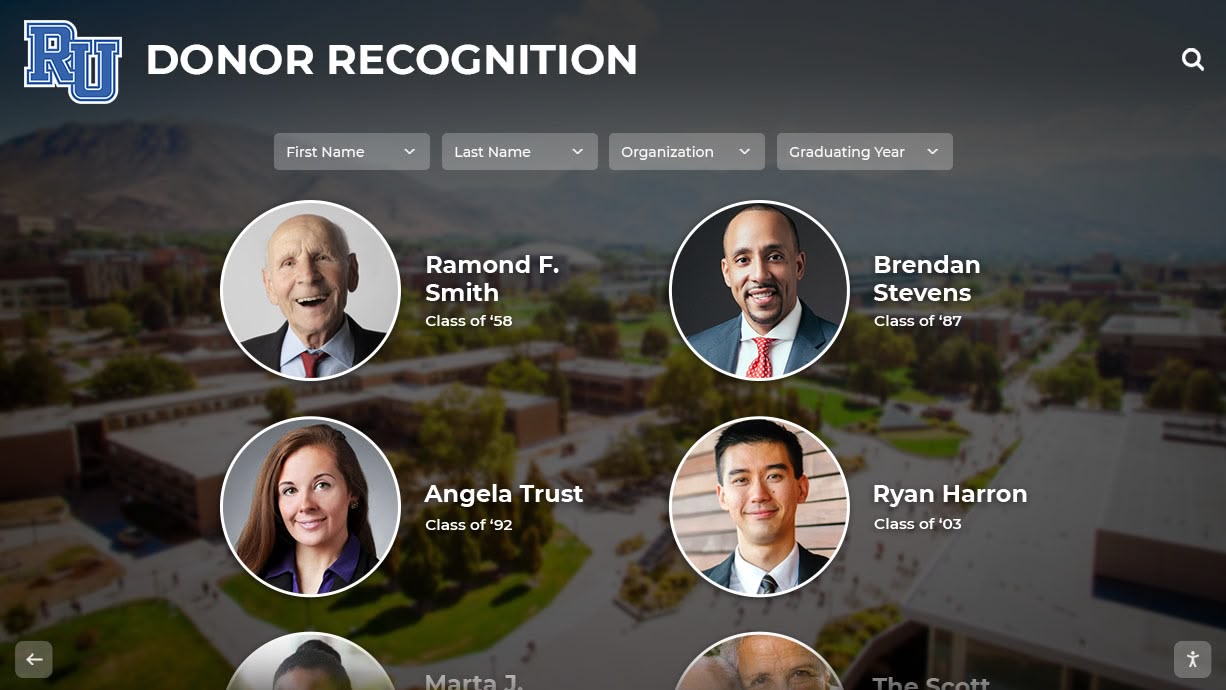
Modern alumni recognition systems preserve historical records while creating engaging displays that connect past and present
Internet Archive and Digital Library Projects
The Internet Archive provides free access to millions of digitized books, documents, and increasingly, school yearbooks.
Searching the Internet Archive:
Visit archive.org and use these search strategies:
Basic search approach:
- Enter your school name in quotes followed by “yearbook” (example: “Lincoln Elementary” yearbook)
- Try variations including school location (“Lincoln Elementary Chicago”)
- Search by year if you know specific editions you’re seeking
- Filter results to “texts” to exclude non-book materials
Advanced searching:
The Internet Archive’s advanced search allows filtering by:
- Publication date ranges (search specific elementary school years)
- Contributor (some organizations upload collections under specific names)
- Language and format specifications
- Subject classifications (look under “Education” or “Local History”)
What you’ll find:
Internet Archive yearbook holdings vary considerably, with coverage particularly strong for:
- Schools in urban areas with active digital preservation communities
- Yearbooks from the 1960s-1990s uploaded by alumni volunteers
- Collections contributed by historical societies and libraries
- Schools that participated in community scanning projects
When you locate relevant yearbooks, Internet Archive offers:
- Free full-book browsing (page-by-page viewing)
- PDF download options for offline access
- Zoom capabilities for examining photo details
- Text search if OCR processing was applied
Contributing missing yearbooks:
If you possess physical elementary yearbooks not yet in Internet Archive, consider contributing scans to help other alumni and preserve these materials for future generations.
Genealogy Platforms With Free Access
Genealogy websites maintain extensive yearbook collections useful for family history research, with some offering no-cost access options.
FamilySearch.org:
This completely free platform operated by the Church of Jesus Christ of Latter-day Saints includes growing yearbook collections:
Using FamilySearch effectively:
- Create a free account (no subscription required)
- Navigate to “Search” then “Records”
- Enter search terms like “[Your School Name] yearbook [year]”
- Browse location-specific collections for your geographic area
- Download available yearbooks at no cost
FamilySearch’s yearbook holdings focus heavily on genealogical research value, meaning coverage particularly strong for older yearbooks (1950s-1980s) and schools in communities with active Mormon populations who contribute to preservation efforts.
Ancestry Library Edition:
While Ancestry.com requires paid subscriptions for home access, many public libraries offer free Ancestry Library Edition access to patrons visiting library facilities:
Accessing Ancestry for free:
- Visit your public library (bring valid library card and ID)
- Use library computers or connect to library WiFi
- Access Ancestry Library Edition through the library’s database portal
- Search “School Yearbooks” collection by name and year
- Download relevant pages during your visit
This approach provides free access to Ancestry’s extensive yearbook database—one of the largest commercial collections—without subscription costs.
MyHeritage free tier:
MyHeritage offers limited free access to historical records including some yearbooks. While comprehensive searching requires paid subscriptions, free accounts allow:
- Limited monthly searches
- Access to matches if other users linked your yearbook
- Viewing records shared by family members
- Trial periods for exploring full database
Historical Societies and Local Archives
County and regional historical societies maintain local history collections frequently including elementary school yearbooks.
Finding relevant historical societies:
Most counties have historical societies dedicated to preserving community heritage. Locate organizations serving your elementary school area by:
- Searching “[County name] historical society”
- Checking state historical society directories
- Exploring Local History sections at public libraries
- Asking long-time community members about preservation organizations
What historical societies offer:
These organizations typically provide:
Digital collections: Growing numbers of historical societies digitize holdings and make them freely accessible through searchable online databases that include yearbooks, class photos, school newspapers, and related materials.
Physical archives: Even without digitization, societies maintain physical yearbook collections available for in-person research. Many offer visitor hours with staff assistance or volunteer researchers who help locate specific materials.
Research services: Some historical societies provide limited free research services, where staff members search collections on your behalf and email findings. More extensive research may require hourly fees, but basic yearbook location typically falls within free service parameters.
Community connections: Historical society staff and volunteers often have deep community knowledge and can suggest alternative sources when yearbooks aren’t in their collections—connecting you with individuals, schools, or organizations likely to have needed materials.
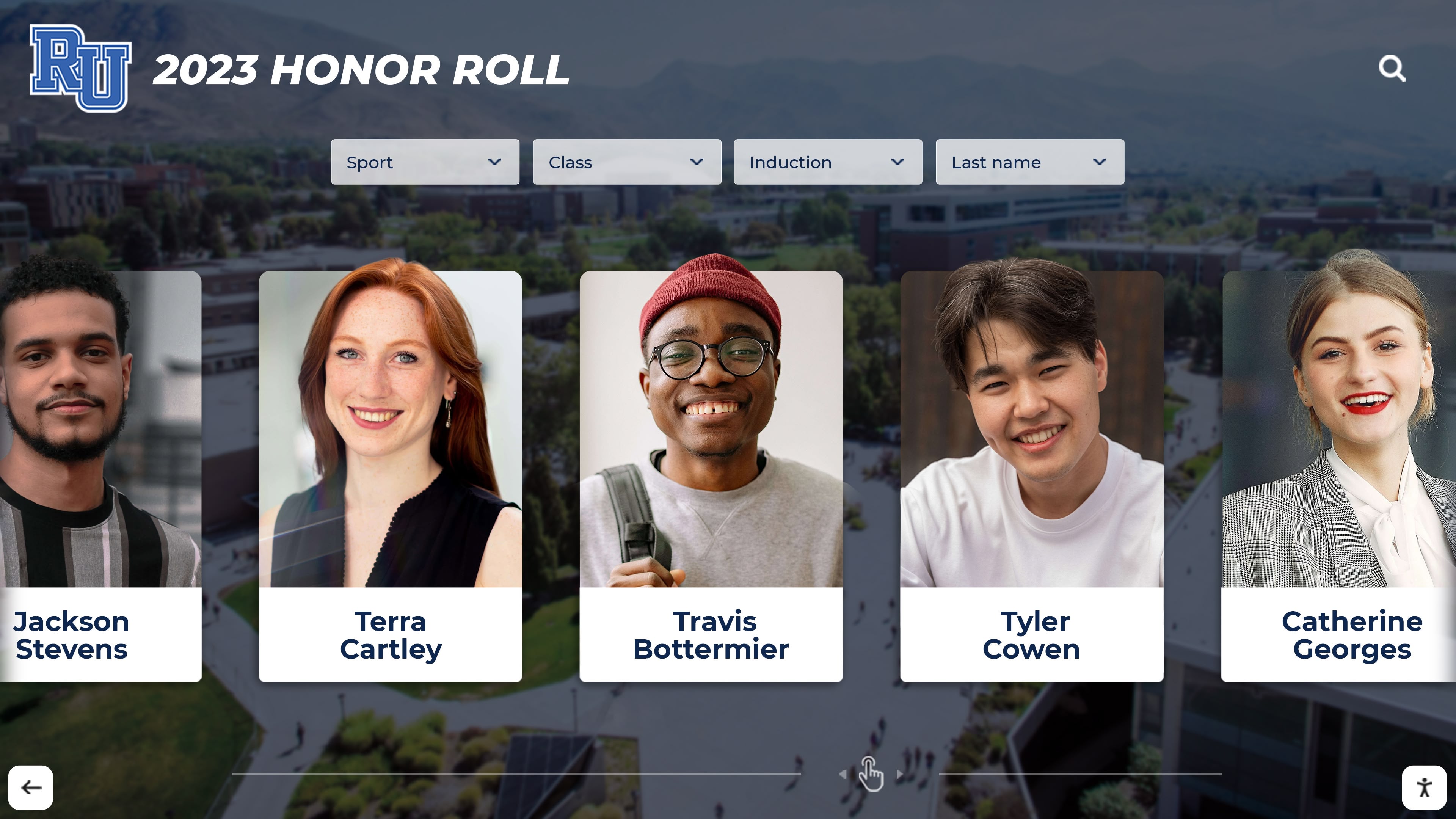
Digital recognition systems integrate historical yearbook content with current student achievements, creating comprehensive institutional memory
Social Media and Online Community Strategies
When formal archives fail, social media and online communities often succeed through crowdsourced connections to classmates and community members with access to yearbooks.
Facebook Groups and School Pages
Facebook provides powerful tools for connecting with elementary school communities and locating yearbook owners.
Finding school-specific groups:
Search Facebook for:
- “[School name] Elementary Alumni” or similar variations
- “[School name] [Mascot] Alumni”
- “[School district] Alumni Network”
- Class-specific groups like “[School name] Class of [Year]”
- Community groups for your elementary school neighborhood
Effective group participation:
When posting yearbook requests:
Be specific: State exactly which years you’re seeking and what you’re willing to offer (scanning and returning physical books, purchasing copies of scans, contributing to group resources).
Offer reciprocity: If you possess yearbooks from any years, offer to share scans with the group. This community-minded approach encourages others to reciprocate.
Respect privacy: When requesting scans, acknowledge that some alumni may be uncomfortable sharing images without classmates’ consent. Offer to accept redacted versions or specific pages rather than complete yearbooks if privacy is a concern.
Build relationships: Engage with group content beyond your immediate request. Members are more likely to help active community participants than those who only appear to request favors.
Classmates.com and Reunion Websites
Classmates.com, though requiring paid membership for full features, offers limited free access and connects you with elementary school classmates who may have yearbooks.
Free strategies on Classmates.com:
Even without paid subscriptions:
- Create a profile listing your elementary school attendance
- View who else listed your school and years
- Send limited messages requesting yearbook assistance
- Check yearbook pages (some schools have partial yearbook pages visible free)
Alternative reunion platforms:
Other platforms connecting alumni include:
- MyLife.com (basic profiles and school connections)
- Alumni.net (growing database of school connections)
- School-specific reunion websites (often created by volunteer classmates)
Reddit and Online Forums
Reddit communities and online forums provide crowdsourced assistance for locating hard-to-find yearbooks.
Relevant subreddits:
Post yearbook requests in communities like:
- r/Genealogy (family history researchers often help with yearbook searches)
- r/HelpMeFind (dedicated to locating hard-to-find items)
- City/region-specific subreddits (local residents may have connections)
- r/Teachers (educators sometimes have access to school archives)
Effective forum requests:
When posting:
- Provide complete school information (full name, city, state, years attended)
- Explain why you’re searching (personal nostalgia, family research, class reunion)
- Offer to cover reasonable costs (shipping physical books, small scanning fees)
- Follow up with results so community members know outcome
Reddit users frequently connect posters with unexpected resources—librarians who work at relevant libraries, former teachers with yearbook collections, classmates who happen to see requests, or researchers with database access who search on the poster’s behalf.
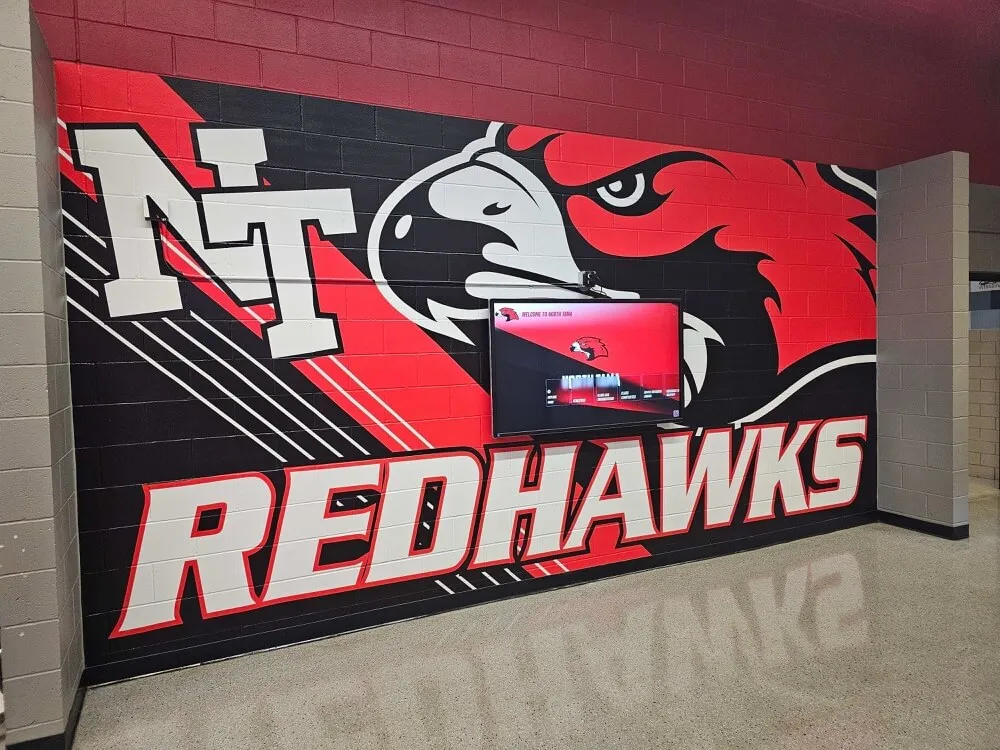
Schools increasingly combine traditional displays with [digital screens](https://halloffame-online.com/blog/digital-school-signs-how-to-choose-implement-effective-signage/?utm_source=organic&utm_medium=seo-auto&utm_content=touchwall&utm_campaign=find-my-elementary-school-yearbook-for-free&utm_term=seo) to showcase current and historical school memories
What to Realistically Expect in Your Search
Understanding likely outcomes helps manage expectations and prevents disappointment during yearbook searches.
Success Rates by Era
Your search success correlates strongly with when you attended elementary school:
2000s-present (High success rate: 60-70%):
Recent elementary yearbooks show high digitization and availability rates because:
- Schools increasingly create digital yearbooks alongside or instead of print editions
- Modern yearbook scanning services make professional digitization affordable
- Current parents and recent alumni actively participate in digital preservation
- Storage practices improved with better climate control and archival awareness
1990s (Moderate success rate: 40-50%):
This era presents mixed results because:
- Yearbook production became nearly universal at elementary level
- Digitization efforts often prioritize this accessible recent history
- However, many books remain only in physical form awaiting scanning
- School consolidation in many districts displaced archives from this period
1980s (Moderate-low success rate: 30-40%):
Yearbooks from this decade prove more challenging because:
- Elementary yearbook production was less universal than later decades
- These books fall in the gap between historical priority and recent digitization
- Physical deterioration affects 40-year-old volumes stored poorly
- Fewer alumni from this era actively participate in digital preservation efforts
1970s and earlier (Low success rate: 20-30%):
Pre-1980 elementary yearbooks present significant challenges:
- Many elementary schools didn’t produce yearbooks at all during this period
- Existing books face serious deterioration after 45+ years
- Smaller alumni networks make crowdsourcing difficult
- Lower priority for institutional digitization budgets
These statistics shouldn’t discourage searching—many people successfully locate yearbooks even from challenging eras—but realistic expectations prevent frustration and guide strategy toward most promising resources.
Common Search Outcomes
Most yearbook searches result in one of several typical outcomes:
Complete success (finding full yearbook access):
Approximately 35-40% of searchers locate complete digital or physical access to their specific elementary yearbooks through the free resources outlined in this guide. Success typically comes from school direct contact, local library holdings, or Internet Archive availability.
Partial success (finding individual pages or photos):
Another 20-25% find partial access—specific pages shared by classmates, class photos posted to reunion websites, or sections preserved in historical society collections. While not complete yearbooks, these fragments often contain the specific memories searchers most value.
Indirect success (connecting with classmates who have yearbooks):
About 15-20% don’t find yearbooks directly but connect with former classmates who own physical copies and agree to share scans, loan books temporarily, or meet for joint viewing. These personal connections often prove more valuable than the yearbooks themselves, leading to reunion attendance and renewed friendships.
Unsuccessful search requiring paid services:
Approximately 20-25% of free searches prove unsuccessful, requiring either paid professional research services, commercial yearbook database subscriptions, or acceptance that specific yearbooks may be permanently lost. For these searchers, alternative strategies like requesting school photographs or contacting elementary school teachers who might remember the period become necessary.
Time Investment Required
Successful yearbook searches typically require multi-week efforts rather than single-session solutions:
Quick wins (1-3 days):
Some searches succeed rapidly when:
- Schools maintain well-organized publicly accessible digital archives
- Internet Archive includes your specific yearbooks
- Local library digitization projects covered your school
- You have Facebook connections who immediately provide help
Typical searches (1-3 weeks):
Most successful searches require waiting for:
- Schools to respond to email or phone requests
- Library staff to locate materials in physical archives
- Historical society researchers to check collections
- Social media posts to generate responses from community members
- Interlibrary loan materials to arrive
Extended searches (1-3 months):
Some successful searches involve longer timeframes because:
- Multiple contact attempts needed to reach the right school staff member
- Materials held in off-site storage requiring special retrieval
- Connections with elderly community members who take time to locate and share materials
- Scanning projects that classmates undertake specifically to help your search
The most successful searchers pursue multiple strategies simultaneously rather than waiting for one approach before trying another—contacting schools while also posting to social media, searching online archives while also visiting libraries, and exploring all viable paths in parallel.
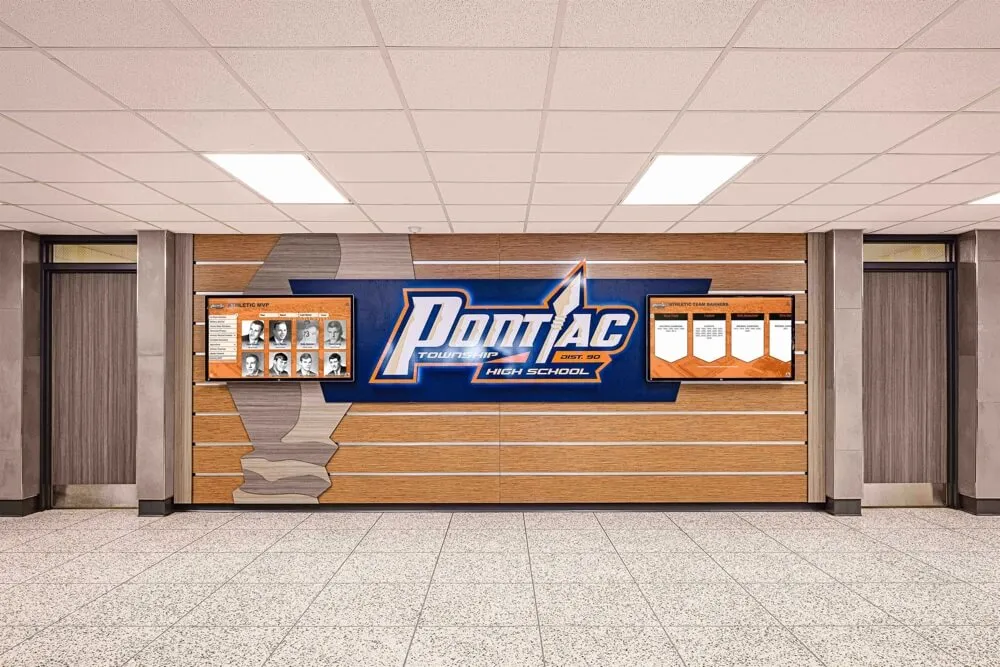
High schools often lead preservation efforts that can include elementary yearbooks from the same district
Advanced Search Strategies for Difficult Cases
When standard approaches fail, specialized strategies sometimes succeed in locating elusive elementary yearbooks.
Closed or Consolidated Schools
Schools that closed or merged present unique challenges requiring detective work to locate displaced archives.
Finding records from defunct schools:
When your elementary school no longer operates:
Contact the school district: Central district offices typically assume responsibility for closed school records, transferring archives to district storage or designated repository schools. Ask specifically about:
- Where yearbooks from closed schools are stored
- Whether materials are accessible to former students
- If any digitization occurred before or after closure
- Who to contact about accessing materials
Check successor schools: When schools consolidate, the resulting merged school often inherits archives from closed campuses. Contact current schools that absorbed your elementary school’s attendance area.
Contact the county or state archives: Some states mandate that records from closed public schools transfer to official government archives. State historical societies and county clerks often maintain these materials.
Explore building reuse: If your former school building now serves other purposes (community center, senior housing, offices), sometimes yearbooks remain on-site. Contact current building management—they occasionally encounter boxes of school materials during cleanouts or maintenance.
Changed School Names
Schools that changed names but remained open sometimes separate historical records under old versus new identities.
Search under all name variations:
When your elementary school changed names:
- Search archives and databases under both historical and current names
- Check whether yearbooks list under old name despite physical storage at renamed school
- Look for district-level records that track name changes and direct you appropriately
Contact district historians: Many school districts employ or contract with historians who track institutional changes, name modifications, and archive locations across all schools. These specialists quickly direct you to correct resources.
Former Teachers and Staff
Long-serving educators often maintain personal collections including yearbooks from schools where they taught.
Locating former teachers:
Finding elementary school teachers from decades past requires creativity:
LinkedIn and professional networks: Many retired educators maintain LinkedIn profiles and professional organization memberships. Search for teachers by name combined with your school.
Retirement communities and obituaries: Local retirement announcements and education association newsletters sometimes provide contact information for retired teachers willing to assist former students.
Current staff connections: Contact your elementary school and ask if any current staff worked there during your attendance or know retired colleagues from that era. Many schools maintain informal networks with retired educators who attend school events and maintain contact with former colleagues.
What to request:
When contacting former teachers:
- Explain who you were as a student (specific memories help teachers remember)
- Ask if they maintained yearbooks from years they taught
- Inquire about other teachers or staff from your era who might have materials
- Offer to scan and return yearbooks rather than keeping them
- Consider whether your former teacher might appreciate copies of scans for their own memories
Teachers often feel touched that former students remember them and willingly assist with these requests, sometimes maintaining remarkably complete yearbook collections spanning their entire teaching careers.
Yearbook Production Companies
Companies that produced your elementary yearbook may maintain historical archives.
Identifying production companies:
If you have any elementary yearbook from your school (even different years), check:
- Inside covers or back pages for production company names
- Copyright information listing publisher
- Colophon pages crediting production
Common elementary yearbook publishers:
Major companies producing elementary yearbooks included:
- Jostens (largest yearbook producer)
- Herff Jones
- Lifetouch
- Walsworth
- Taylor Publishing
Contacting publishers:
When reaching out to production companies:
- Provide school name, location, and specific years
- Ask if they maintain historical archives or proof copies
- Inquire about reproduction options if archives exist
- Be prepared that many companies don’t retain materials beyond 7-10 years
While this approach rarely succeeds for elementary yearbooks older than 10-15 years, it’s worth attempting when other strategies fail, particularly for recent yearbooks.
Alternatives When Yearbooks Can’t Be Found
When searches prove unsuccessful despite exhaustive efforts, alternative approaches sometimes provide similar value.
School Photographs and Class Pictures
If complete yearbooks prove unavailable, individual class photographs often exist in multiple locations:
Portrait studio archives:
School photography companies may retain:
- Individual student portraits
- Class group photos
- Grade-level group photos
- School-wide composite images
Companies like Lifetouch, Inter-State Studio, and regional photography services sometimes search archives and provide copies for nominal fees or free upon request.
Personal collections:
Request help finding class photos from:
- Classmates (through social media appeals)
- Former teachers (who often kept class photos)
- Your parents or relatives (who may have photos you’ve forgotten)
These scattered photos, when assembled through crowdsourcing, sometimes reconstruct substantial portions of yearbook content.
Oral Histories and Memory Projects
When visual records prove unavailable, documented memories preserve important history:
Connect with classmates for shared reminiscing: Creating private Facebook groups or organizing informal reunions allows collective memory reconstruction that captures stories and context yearbooks alone couldn’t provide.
Interview former teachers and staff: Recording conversations with educators who taught during your elementary years preserves institutional history and personal memories that complement or substitute for missing visual records.
Create digital memory albums: Even without official yearbooks, compiling photos contributed by multiple classmates creates crowdsourced albums serving similar purposes—documenting friendships, teachers, activities, and shared experiences.
Contributing to Future Accessibility
If your search ultimately succeeds through personal connections rather than institutional resources, consider helping future alumni:
Donate or loan yearbooks for scanning: Providing your yearbooks to schools, libraries, or historical societies for professional scanning ensures accessibility for others seeking the same materials.
Upload scans to Internet Archive: Contributing digitized yearbooks to public archives creates permanent free access for classmates and future researchers.
Participate in school digitization projects: Many schools undertaking historical preservation welcome volunteer assistance identifying materials, organizing scanning sessions, and documenting yearbook collections.
Share information publicly: Posting to school Facebook groups, reunion websites, or historical society pages about where you ultimately found yearbooks helps others searching for the same materials avoid redundant dead ends.
Privacy and Ethical Considerations
While searching for yearbooks, respecting privacy and copyright ensures ethical access to these historical materials.
Sharing Digital Copies
When you obtain yearbook scans, consider privacy implications before widely distributing:
Consent considerations:
- Former classmates might not want childhood photos circulated without permission
- Some individuals had difficult childhood experiences they prefer not to publicize
- Privacy norms have evolved significantly since yearbook publication
Appropriate sharing:
- Share complete yearbooks only with verified former students from those specific classes
- Redact or blur individuals upon request
- Use private groups rather than public posts for comprehensive yearbook sharing
- Obtain permission before posting identifiable photos to public social media
Copyright Respect
Yearbooks are copyrighted works owned by schools or production companies:
Legal sharing:
- Personal use and private sharing among classmates typically falls under fair use
- Educational and historical research purposes generally permitted
- Posting complete yearbooks to publicly accessible websites may violate copyright
Best practices:
- Credit original sources when sharing excerpts
- Comply with institutional policies when accessing library or archive holdings
- Respect restrictions schools place on materials they share
- Seek permission for uses beyond personal nostalgia or family history
Sensitive Content
Elementary yearbooks occasionally contain content that wouldn’t be included under modern standards:
Potential concerns:
- Outdated language or imagery reflecting past cultural norms
- Photos of students who later experienced tragedies publicized in media
- Content involving individuals now prominent who value privacy
When encountering sensitive material, exercise judgment about public sharing and consider contextual disclaimers when historical preservation requires making such materials accessible.
Preserve Your School's Historical Yearbook Archives
Discover how Rocket Alumni Solutions transforms yearbook collections into engaging digital platforms that preserve elementary school memories, strengthen alumni connections, and make historical records accessible to current families and future generations through intuitive touchscreen displays and web portals.
Explore Digital Yearbook SolutionsCreating Elementary School Yearbook Collections
For schools and alumni groups interested in preserving elementary yearbooks proactively, systematic approaches ensure comprehensive collections.
School-Based Preservation Programs
Elementary schools can implement affordable yearbook preservation:
Digital workflow integration:
- Create PDF archives of new yearbooks before physical distribution
- Store digital versions in cloud systems with institutional continuity
- Include yearbook archiving in annual administrative procedures
- Designate specific staff members responsible for preservation
Historical digitization projects:
- Partner with library science graduate programs seeking practicum projects
- Engage parent volunteers for supervised scanning sessions
- Apply for small grants supporting local history preservation
- Coordinate with district-level initiatives to share resources and expertise
Display and access systems:
Modern schools increasingly implement interactive digital displays showcasing historical yearbooks alongside current student achievements. These systems:
- Engage current families with school history and tradition
- Provide alumni access during school visits and events
- Protect fragile original yearbooks while maintaining accessibility
- Integrate with broader recognition programs celebrating academic and extracurricular achievements
Community-Driven Projects
Alumni groups can organize crowdsourced preservation when institutions lack resources:
Volunteer coordination:
- Create committees focused specifically on yearbook collection and preservation
- Organize “yearbook roundup” events where alumni bring books for scanning
- Establish lending libraries allowing yearbook borrowing for personal scanning
- Maintain spreadsheets tracking which years remain needed
Fundraising for professional digitization:
When volunteer scanning proves insufficient:
- Small fundraising campaigns often raise adequate funds for professional services
- Alumni typically donate willingly to preservation benefiting entire community
- Yearbook company partnerships sometimes provide discounted legacy digitization
- Grant opportunities exist for local history and genealogy preservation projects
Access platform creation:
After digitizing collections:
- Host files on free platforms like Google Drive with appropriate permissions
- Create dedicated websites using free hosting services
- Partner with schools to integrate with official systems
- Contribute collections to Internet Archive for permanent public access
Engaging Current Families
Elementary schools can leverage yearbook digitization to strengthen community:
Family involvement:
- Invite current families to contribute yearbooks from when they attended
- Feature “throwback” yearbook pages in newsletters and communications
- Create displays showing school history spanning generations
- Organize events where alumni share school memories with current students
Educational opportunities:
Historical yearbooks provide rich teaching resources:
- Social studies lessons about local history and community change
- Research projects comparing school life across decades
- Reading exercises using authentic historical documents
- Art projects inspired by yearbook cover designs from different eras
Tradition building:
Yearbook preservation strengthens institutional identity:
- Current students see themselves as part of continuing story
- Alumni feel valued when schools demonstrate commitment to history
- Families choosing between schools notice institutions honoring tradition
- Community members develop deeper connections to schools preserving heritage
The Future of Elementary Yearbook Access
The landscape for finding elementary yearbooks continues improving as technology advances and preservation awareness grows.
Expanding Digitization Efforts
Multiple trends suggest increased future accessibility:
Improving technology: Smartphone scanning apps and affordable professional scanners make high-quality yearbook digitization accessible to schools and volunteers without specialized equipment or significant budgets.
Growing awareness: Elementary schools increasingly recognize yearbook preservation as worthwhile investment in community relations, alumni engagement, and institutional history rather than discretionary expense.
Crowdsourced preservation: Alumni communities take initiative on projects schools alone couldn’t accomplish, contributing labor and funding that makes comprehensive digitization feasible.
Institutional partnerships: Libraries, historical societies, genealogy organizations, and schools increasingly collaborate on preservation projects that pool resources and prevent duplication of efforts.
Technology Integration
Modern platforms transform yearbook access beyond simple digitization:
Searchable databases: OCR technology makes digitized yearbooks searchable by name, allowing users to find specific individuals across multiple years rather than manually paging through entire books.
Mobile applications: Smartphone apps provide anywhere access to yearbook archives, enabling alumni to explore school history from their phones during conversations with classmates or family.
Interactive displays: Schools implement touchscreen kiosks where visitors browse historical yearbooks alongside current recognition programs, creating engaging experiences that connect past and present.
Augmented content: Digital platforms allow enhancing yearbook pages with video clips, oral histories, “where are they now” updates, and multimedia content impossible in physical books.
Intergenerational Connections
Yearbook digitization creates unexpected community benefits:
Multi-generational families: When elementary schools digitize comprehensive yearbook collections, families discover parents, grandparents, and children all appeared in the same institutional archives, creating powerful continuity.
Community storytelling: Digital access enables former students worldwide to contribute memories and context that enrich bare yearbook pages, transforming static records into living community narratives.
Historical research: Accessible elementary yearbooks support academic research on education history, demographic change, childhood studies, and local community evolution.
Conclusion: Your Elementary School Memories Are Worth Finding
While locating elementary school yearbooks for free requires more effort than accessing high school or college editions, the strategies outlined in this comprehensive guide provide clear pathways for most successful searches. The key lies in pursuing multiple approaches simultaneously—contacting schools directly while also exploring library resources, posting social media requests while searching online archives, and connecting with former classmates while investigating historical societies.
Essential Takeaways:
- Elementary yearbooks face unique preservation challenges but growing digitization efforts improve accessibility
- Start with direct school contact and local library resources before expanding to specialized platforms
- Social media and community connections often succeed where institutional resources fall short
- Success rates vary significantly based on era, location, and school circumstances
- Alternative resources like class photos and oral histories provide value when complete yearbooks prove unavailable
- Contributing to preservation efforts helps future alumni avoid the same search challenges
The childhood memories captured in elementary yearbooks—favorite teachers, best friends, milestone events, and everyday moments—deserve preservation and accessibility. Whether you locate your specific yearbook through free resources or ultimately require alternative approaches, the search itself often reconnects you with former classmates and community in meaningful ways that extend beyond simply viewing old photographs.
For schools and alumni groups interested in proactively preserving elementary yearbook collections, modern digital solutions create engaging platforms that honor institutional history while strengthening current community. Comprehensive recognition systems integrate historical yearbooks with contemporary achievements, creating touchscreen displays and web portals that make school history accessible to current families, visiting alumni, and future generations seeking the same childhood memories you treasure today.
Your elementary school yearbook exists somewhere—in a school storage room, library archive, Internet database, or classmate’s attic. With persistence, strategic searching, and the resources outlined in this guide, you’re well-equipped to find these precious memories and reconnect with the formative years that shaped who you became.































