Every school athletic program has a rich history documented through records—fastest times, highest scores, championship victories, and milestone achievements that define excellence across generations. Yet finding these records often proves surprisingly difficult. Athletic directors inherit incomplete filing systems, coaches maintain separate spreadsheets, archived documents sit in storage rooms, and institutional knowledge resides with retired staff. When schools need comprehensive records for recognition displays, anniversary celebrations, or historical research, they frequently discover their athletic history exists in fragments scattered across multiple locations and formats.
Finding school sports records requires systematic approaches that look beyond the obvious places while creating sustainable systems ensuring future achievements receive proper documentation. This comprehensive guide explores where schools commonly store athletic records, strategies for locating missing information, methods for organizing what you discover, and modern approaches to preserving athletic history for generations to come.
The challenge of finding school sports records touches virtually every athletic program at some point. Whether you’re an athletic director updating record boards, an alumni coordinator preparing for a reunion, a facilities committee planning recognition displays, or a historian documenting school heritage, comprehensive athletic records prove essential. Understanding where to look, how to verify information, and what systems work best for ongoing preservation ensures your efforts yield complete, accurate results that honor athletic achievement appropriately.
Understanding Where School Sports Records Are Typically Stored
Before launching exhaustive searches, understanding where schools commonly store athletic records helps focus efforts on the most promising locations. Most schools maintain records across multiple systems and physical locations, often with significant overlap and occasional contradictions.
Athletic Department Files and Offices
The athletic director’s office represents the natural starting point for sports record searches, though the comprehensiveness varies dramatically based on institutional practices and staff transitions.
Current Athletic Director Files
Active athletic directors typically maintain recent records in accessible formats:
- Season-by-season results for ongoing sports programs
- Championship documentation from the past 5-10 years
- Individual and team record books updated sporadically
- Media guides published annually for major sports
- Award winner lists and all-conference selections
- State association qualification and placement records
However, current files may not extend far historically, particularly if athletic director turnover occurred without proper transition of institutional knowledge and documentation.
Archived Athletic Department Records
Larger programs maintain more systematic archives:
- Historical media guides dating back decades
- Season summary reports filed annually
- Coach succession documentation
- Facility improvement records noting construction dates
- Booster club meeting minutes containing achievement references
- Old trophy engraving records documenting competition results
These archives may exist in filing cabinets, storage rooms, or off-site facilities. Finding comprehensive historical records often requires physical exploration of spaces beyond the main athletic office.
Coach Personal Records
Individual coaches frequently maintain detailed records beyond official systems:
- Season-by-season statistics for athletes they coached
- Personal record books tracking program evolution
- Photo collections documenting teams across years
- Newspaper clippings about notable performances
- Award certificates and program materials
Long-tenured coaches represent invaluable resources for locating historical records, while retired coaches often retain materials at home that never transferred to institutional archives. Solutions like digital record boards help consolidate these dispersed records into centralized systems accessible to current and future staff.
School Archives and Library Collections
Beyond athletic-specific storage, school libraries and general archives contain significant sports documentation, though often not organized specifically around athletic records.
Yearbook Collections
Yearbooks represent the most reliable continuous documentation of school athletics across decades:
- Team roster photos with names and years
- Season summary narratives describing highlights
- Individual athlete recognition and awards
- Championship team celebrations
- Statistical leaders in major sports
- All-conference and all-state selections
Complete yearbook collections enable reconstructing athletic history even when official records disappeared. Digital yearbook archives make searches more efficient, though many schools maintain only physical collections requiring manual review.
School Newspaper Archives
Student newspapers provide contemporaneous accounts of athletic seasons:
- Game recaps with scores and standout performances
- Feature articles on record-breaking athletes
- Season preview and review pieces
- Championship coverage with roster details
- Athlete profiles highlighting achievements
- Editorial perspectives on program milestones
While less comprehensive than official records, newspapers capture the context and excitement surrounding athletic achievements in ways statistical databases cannot.
Formal School Archives
Institutions with dedicated archival systems may have organized athletic collections:
- Historical documents systematically preserved
- Photograph collections cataloged and accessible
- Correspondence related to athletic programs
- Administrative records referencing sports achievements
- Trophy and award documentation
- Facility planning records showing venue histories
Archivists can guide searches and may know about athletic materials not immediately obvious from collection descriptions. Establishing relationships with archival staff helps both immediate searches and long-term preservation planning.
State Athletic Association Records
State high school athletic associations maintain records schools may lack internally, particularly for championships, state tournaments, and qualification standards.
Tournament and Championship Records
State associations document competitive achievements:
- State tournament brackets and results across decades
- Championship team rosters and scores
- All-state team selections by year and sport
- Individual state champion recognition
- School-by-school championship counts
- Historical progression of qualification standards
Many states provide online databases for recent decades while maintaining paper records for earlier eras. These third-party records help verify school claims and fill gaps in internal documentation.
Records Verification Services
State associations often maintain sport-specific record lists:
- State records in track and field events
- Swimming and diving top performances
- Cross country course records
- Individual sport statistical leaders
- Team performance records
Schools can reference these lists to confirm whether athletes hold state-level recognition beyond school records. Resources like comprehensive athletic records guides demonstrate how programs integrate multiple record levels into unified recognition systems.
Historical Society and Community Archives
Local historical societies frequently collect school-related materials, including athletic documentation, especially for programs with deep community connections.
Community Historical Collections
Local historians preserve materials schools sometimes overlook:
- Newspaper archives from community publications
- Photograph collections from community events
- Oral history interviews with former athletes and coaches
- Scrapbooks donated by families
- Historical society publications featuring school athletics
- Community celebration records of championships
Small schools and rural programs particularly benefit from community historical resources where personal connections to athletic programs run deep across generations.
Municipal and County Records
Government archives may contain relevant materials:
- Public school board meeting minutes referencing athletics
- Facility construction and renovation documentation
- Community event records featuring school sports
- Historical planning documents showing school development
While these sources rarely provide detailed athletic statistics, they offer contextual information about when programs started, facility improvements occurred, and community support patterns evolved.
Strategies for Finding Missing or Incomplete Records
Even with systematic searches of common storage locations, many schools discover significant gaps requiring creative approaches to locate missing information.
Engaging Alumni Networks
Former athletes represent living repositories of institutional memory and often possess materials no longer in school archives.

Organized Alumni Outreach
Systematic alumni engagement yields remarkable results:
- Email campaigns to class lists requesting information and materials
- Social media posts in alumni groups asking for records and photos
- Reunion events featuring athletic history displays generating contributions
- Direct outreach to former athletes in specific sports needing documentation
- Alumni association partnerships coordinating historical collection efforts
Provide specific lists of what you’re seeking—particular years, sports, or achievement types—rather than generic requests. Alumni respond better when they understand exactly how they can help.
Individual Athlete Interviews
Personal conversations uncover information beyond statistics:
- Contextual stories about record-setting performances
- Clarification of incomplete official records
- Identification of teammates and opponents in photographs
- Correction of errors in existing documentation
- Preservation of oral history before memories fade
Recording these interviews creates valuable archival materials extending beyond simple record verification. Digital platforms like interactive recognition displays enable schools to integrate oral histories directly into permanent recognition systems.
Alumni Material Donations
Former athletes often possess items not in school collections:
- Personal awards and certificates documenting achievements
- Team photos not in yearbooks or archives
- Programs from significant games and championships
- Newspaper clippings collected during athletic careers
- Uniforms, equipment, and memorabilia with historical significance
Establish clear donation policies addressing ownership, display expectations, and eventual disposition. Digitizing materials before returning originals addresses preservation while respecting donor preferences.
Researching Local Media Archives
Local newspapers and media outlets documented school athletics more thoroughly than schools often realize, particularly during eras predating comprehensive digital record-keeping.
Newspaper Research Methods
Systematic media research requires patience but yields substantial results:
- Online newspaper archives searching for school name plus “athletics” or sport names
- Physical newspaper archives at libraries searching key dates and seasons
- Microfilm collections covering eras before digital archives existed
- Local journalism awards archives highlighting exceptional sports coverage
- Sports section retrospective features published during anniversaries
Focus searches around known championship seasons, record-setting performances, or significant program milestones where coverage likely exceeded routine game recaps.
Media Contact Engagement
Current media professionals can facilitate historical searches:
- Sports editors accessing publication archives beyond public availability
- Photographers locating historical images from media archives
- Retired sports journalists recalling significant stories and performances
- Television stations with archived game footage and interviews
- Radio stations with historical broadcast records
Media organizations appreciate schools documenting history, often providing assistance recognizing mutual community benefit.
Examining Physical Spaces and Displays
Existing recognition displays, trophy cases, and athletic facility features contain record information not always transcribed into accessible databases.
Trophy and Plaque Documentation
Physical awards document achievements sometimes missing from files:
- Engraved trophies indicating championships and dates
- Individual award plaques with athlete names and years
- Recognition banners hanging in gymnasiums
- Retired jerseys honoring significant athletes
- Facility dedications referencing specific achievements
Photograph and transcribe all information from physical displays before they deteriorate, get removed during renovations, or disappear during facility changes.
Gymnasium Wall Records
Traditional painted or mounted record boards contain historical data:
- All-time record lists by event or position
- Championship team listings by year
- Honor roll recognitions by decade
- Conference championship documentation
- State qualifier lists spanning years
These physical records may predate any digital system and represent the only surviving documentation for certain eras. Modern digital athletic record displays preserve this information while enabling ongoing updates impossible with painted boards.

Facility Cornerstone and Dedication Information
Building features document program milestones:
- Construction date plaques indicating when facilities opened
- Dedication ceremonies documenting who buildings honor
- Renovation plaques showing facility improvement timelines
- Donor recognition indicating support for athletic programs
These details provide essential context for understanding when programs achieved certain capabilities and how facilities evolved to support athletic growth.
Organizing and Verifying Discovered Records
Finding records represents only the first step. Organizing, verifying accuracy, and creating accessible systems ensures your research yields usable results.
Creating Systematic Organization Systems
Consistent organizational frameworks make growing record collections manageable and accessible.
Sport-by-Sport Organization
Primary organization by sport creates logical access:
- Individual sport folders or database sections
- Season-by-season suborganization within each sport
- Separate tracking for individual versus team records
- Multiple achievement types (career, season, single-game)
- Championship documentation distinct from statistical records
This approach mirrors how users typically search for information, making retrieval intuitive for athletic directors, coaches, and researchers.
Chronological Secondary Organization
Time-based organization within sports enables historical analysis:
- Decade-by-decade groupings showing program evolution
- Year-by-year detailed records for complete seasons
- Era designations matching facility changes or coaching tenures
- Anniversary milestone identification for celebration planning
Chronological organization helps identify gaps requiring additional research while making patterns in program development visible.
Achievement Level Categories
Distinguishing record types clarifies significance:
- School records representing all-time bests
- Conference records among league competition
- State qualifications and placements
- National rankings or recognition
- Season-specific versus career achievements
This categorization helps communicate achievement magnitude appropriately in recognition displays and prevents confusion about record scope.
Verification and Accuracy Confirmation
Record accuracy determines whether documentation builds credibility or creates disputes requiring difficult corrections.
Multiple Source Cross-Referencing
Reliable records require confirmation across independent sources:
- Yearbook verification of newspaper accounts
- State association confirmation of championship claims
- Multiple newspaper sources corroborating significant achievements
- Statistical service verification of individual records
- Athletic director file cross-checking with coach records
When sources conflict, note discrepancies and investigate further rather than selecting whichever seems more favorable. Document which source you ultimately trust and why.
Statistical Plausibility Checks
Certain records warrant skepticism requiring extra verification:
- Performances dramatically better than surrounding years
- Records from eras with unclear measurement or timing standards
- Achievements lacking expected supporting documentation
- Records claimed only in certain sources but absent from others
- Statistics that seem physically implausible given era conditions
Extraordinary claims require extraordinary evidence. When verification proves impossible, note records as “unofficial” or “unconfirmed” rather than presenting them as definitive.
Era-Appropriate Context
Understanding historical context prevents unfair comparisons:
- Season lengths varied across eras affecting accumulation statistics
- Rules changed influencing what records meant
- Competition levels shifted as classifications evolved
- Timing and measurement precision improved over decades
- Safety equipment and training methods advanced
Provide contextual notes helping modern audiences understand historical achievements appropriately rather than assuming direct comparability across vastly different eras.
Digital Database Development
Converting paper records into searchable digital databases transforms research into accessible resources.

Spreadsheet and Database Options
Various digital formats suit different needs:
- Basic spreadsheets for small programs with limited records
- Relational databases for complex programs tracking multiple record types
- Specialized athletic record software designed for school environments
- Cloud-based systems enabling multi-user access and updates
- Integrated platforms connecting records with recognition displays
Start with simpler systems and expand complexity as needs grow. Over-engineered solutions often go unused while simpler approaches that people actually maintain deliver better results.
Essential Data Fields
Comprehensive records capture key information consistently:
- Athlete name and graduating year
- Sport and specific event or position
- Achievement type and record value
- Date or season of achievement
- Opponent or competition context
- Verification source for accuracy documentation
- Coaches and teammates providing context
- Current status (active record or surpassed)
Consistent field structures enable sorting, filtering, and analysis while ensuring no critical information gets omitted.
Multimedia Integration
Modern systems extend beyond pure statistics:
- Photograph inclusion showing athletes in action
- Video clips of record-setting performances
- Scanned newspaper articles and program materials
- Audio recordings of oral history interviews
- Document attachments preserving original materials
Multimedia elements transform dry databases into engaging historical resources while ensuring materials don’t get lost as storage formats change. Solutions like comprehensive digital recognition platforms integrate all these elements into unified systems accessible through interactive displays and web interfaces.
Modern Systems for Preserving and Displaying Athletic Records
After finding and organizing records, schools face decisions about how to preserve and share this information effectively with current and future communities.
Digital Record Management Platforms
Purpose-built platforms address athletic record needs more effectively than generic solutions adapted for sports contexts.
Cloud-Based Record Systems
Modern platforms offer significant advantages over local files:
- Automatic backup protecting against data loss
- Multi-user access enabling distributed responsibility
- Version control tracking changes over time
- Remote access from any internet-connected device
- Scalability growing with program needs
- Integration with display systems for seamless updates
Cloud systems eliminate concerns about file corruption, computer failures, or staff transitions leaving critical information inaccessible.
Search and Filtering Capabilities
Digital systems enable explorations impossible with paper records:
- Name-based searches finding specific athletes instantly
- Sport filters showing records for selected activities
- Date range selections exploring particular eras
- Achievement type filters (individual, team, championship)
- Status filters distinguishing active versus surpassed records
- Combined searches answering complex questions
These capabilities transform records from reference materials consulted occasionally into living resources explored regularly by athletes, coaches, and community members.
Access Control and Security
Proper systems balance accessibility with data protection:
- Public viewing access for community exploration
- Editor permissions for coaches updating their sports
- Administrator control for athletic directors
- Audit trails documenting who made what changes
- Backup restore capabilities recovering from errors
Clear permission structures prevent accidental data corruption while enabling appropriate contributors to maintain current information.
Interactive Recognition Displays
Making records visible and engaging motivates current athletes while honoring past achievements.
Touchscreen Display Systems
Interactive displays transform passive viewing into active exploration:
- Touch interfaces familiar to digital-native students
- Unlimited capacity eliminating space constraints
- Instant updates through content management systems
- Multimedia integration including photos and videos
- Engaging presentations capturing and holding attention
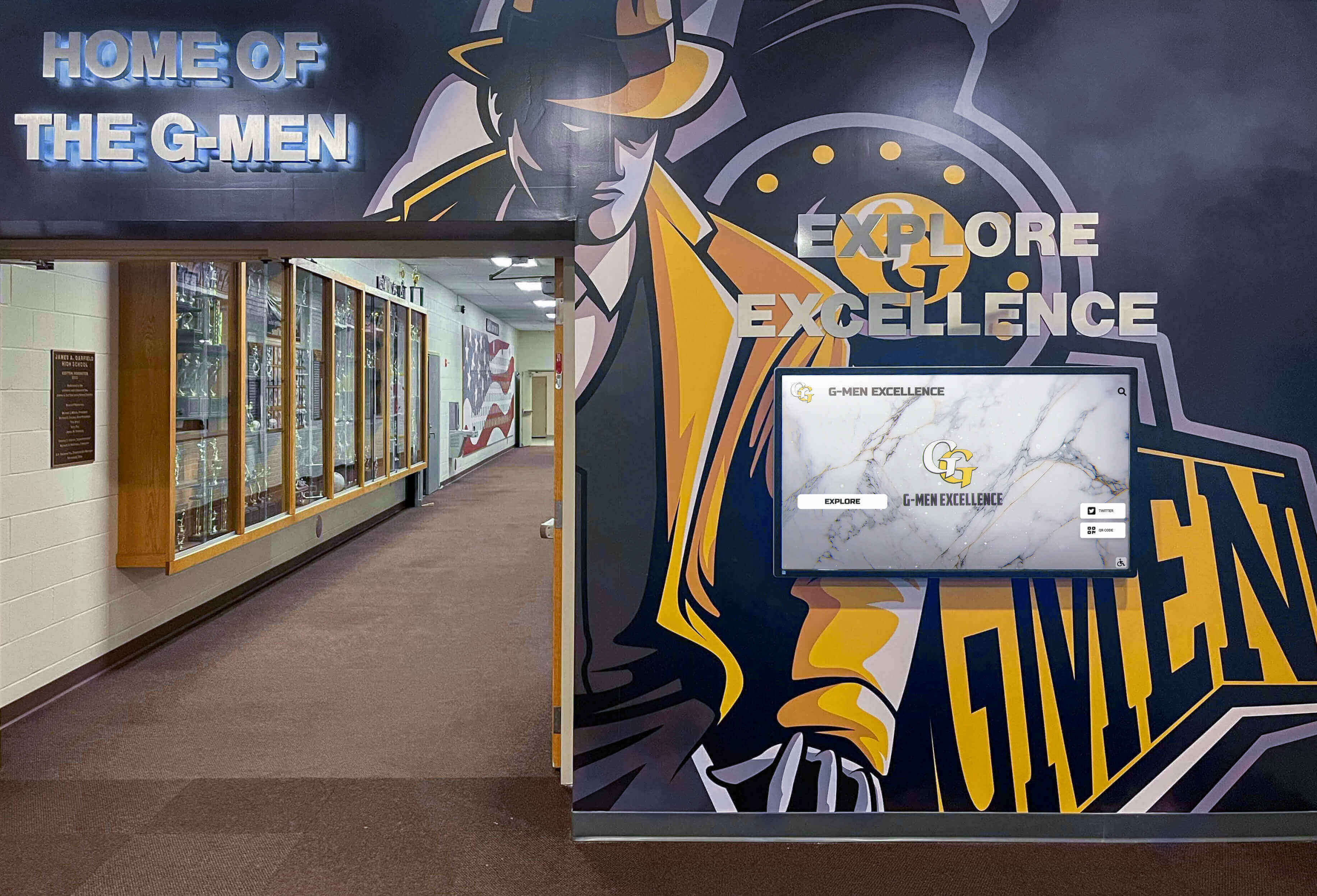
These systems place athletic records in high-traffic areas where students encounter them daily, creating consistent awareness of program standards and traditions. Resources about digital record board implementation provide detailed guidance for schools considering this approach.

Web-Accessible Platforms
Extending records beyond physical locations amplifies their impact:
- Alumni worldwide can explore program history remotely
- Prospective families research programs during recruitment
- Community members access records without facility visits
- Social sharing spreads awareness beyond immediate audiences
- Mobile optimization enables viewing from any device
Web accessibility transforms local recognition into resources connecting distant alumni with current programs while demonstrating institutional commitment to athletic excellence.
Multimedia Storytelling
Modern systems move beyond simple statistics to tell complete stories:
- Athlete profiles with biographical information and career narratives
- Photo galleries documenting competition across seasons
- Video highlights showing record-setting performances
- Coach testimonials providing insider perspectives
- Historical context explaining achievement significance
Rich content creates emotional connections statistics alone cannot generate, helping current students appreciate not just what records were set but who set them and what those achievements meant.
Long-Term Preservation Strategies
Ensuring records remain accessible across decades requires planning beyond immediate needs.
Format Migration Planning
Technology changes faster than athletic records accumulate:
- Regular data exports to standard formats
- Periodic migration to current platforms
- Multiple backup copies in different locations
- Physical and digital redundancy for critical materials
- Documentation of data structures enabling future transitions
Schools change student information systems, website platforms, and display technologies regularly. Plan for record portability preventing vendor lock-in that leaves historical data stranded in obsolete systems.
Institutional Knowledge Documentation
People retire but documented processes persist:
- Written procedures for record updates and verification
- Clear organizational charts showing responsibilities
- Contact lists for community resources and archives
- Research documentation explaining source materials
- Decision records clarifying why certain records were confirmed or rejected
Comprehensive documentation enables smooth transitions as athletic directors, coaches, and support staff change over years.
Physical Material Preservation
Digital systems don’t eliminate need for physical preservation:
- Archival-quality storage for original documents
- Climate-controlled environments preventing deterioration
- Professional preservation for especially significant materials
- Clear cataloging connecting physical items to digital records
- Disaster recovery plans protecting irreplaceable materials
Balance accessibility (enabling digitization) with preservation (protecting originals) through clear policies about when physical access is appropriate.
Building Sustainable Record-Keeping Systems for the Future
Looking forward, schools can implement practices ensuring future achievements receive proper documentation from the start rather than requiring archaeological research decades later.
Establishing Ongoing Documentation Protocols
Systematic current practices prevent future gaps.
Season-End Record Compilation
Make comprehensive documentation standard practice:
- Statistical leader identification across all tracked categories
- Championship and significant win documentation
- Individual milestone achievement notation
- Team accomplishment recording
- Photograph and media collection organization
- Verification and official recording before season closure
Waiting even one season before compiling records dramatically increases difficulty as memories fade and materials disappear.
Coach Transition Procedures
Formalize knowledge transfer when coaching changes occur:
- Exit interviews documenting historical knowledge
- File transfer ensuring materials reach proper archives
- Record verification confirming coaching tenure achievements
- Contact information collection for future questions
- Recognition of significant coaching accomplishments
Coaching changes represent high-risk moments for record loss. Systematic transition procedures protect against this predictable vulnerability.
Technology Integration
Modern statistical systems should feed directly into record databases:
- Automated identification of season leaders
- Record threshold notifications when milestones approach
- Direct export to recognition display systems
- Statistical service integration for comprehensive coverage
- Real-time updates eliminating manual data entry
Integration reduces work while improving accuracy and timeliness compared to manual tracking.
Creating Recognition That Motivates
Well-maintained records become powerful motivational tools when made visible and accessible.

Record Board Visibility
Strategic placement maximizes impact:
- High-traffic areas where athletes pass daily
- Locker room locations creating pre-practice motivation
- Lobby spaces where visitors and families observe
- Facility areas showcasing program tradition
- Digital displays in multiple locations serving different audiences
Visibility doesn’t require large spaces—focused displays highlighting current season targets or approaching records can be highly effective even in constrained environments.
Current Season Integration
Connect historical records with ongoing competition:
- Countdown displays as athletes approach records
- Comparison graphics showing current performance versus standards
- Record pursuit narratives throughout seasons
- Recognition moments when records fall
- Historical context for significant achievements
This integration makes records feel relevant to current athletes rather than disconnected ancient history. Guidance on student athlete recognition programs demonstrates how ongoing recognition creates sustained motivation.
Diverse Achievement Recognition
Comprehensive records celebrate multiple paths to excellence:
- Statistical leaders beyond obvious scoring or winning
- Academic achievement alongside athletic performance
- Character and citizenship recognition
- Improvement and development milestones
- Participation and longevity achievements
Inclusive recognition motivates broader athletic participation while honoring that excellence takes many forms beyond championship victories and record-breaking statistics.
Conclusion: Preserving Athletic Legacy for Future Generations
Finding school sports records requires patience, creativity, and systematic approaches addressing the reality that athletic history exists in fragments across multiple locations and formats. From athletic department files and school archives to alumni memories and community historical societies, comprehensive record searches explore every potential source while verifying accuracy through cross-reference and contextual analysis.
Yet simply finding records isn’t enough. Organizing what you discover into accessible databases, preserving materials for long-term survival, and creating recognition systems that engage modern audiences transforms historical research into living resources that honor past achievement while inspiring future excellence. The schools finding greatest success share common approaches: they search systematically across all potential sources, verify accuracy through multiple confirmations, organize materials consistently for intuitive access, implement modern preservation and display technologies, and establish ongoing practices ensuring future records receive proper documentation.
Modern solutions like digital recognition displays and cloud-based record management platforms address the fundamental challenges that created scattered records in the first place—limited physical space, manual update difficulties, staff transitions, and technology evolution. These systems enable schools to consolidate fragmented historical records while creating sustainable approaches ensuring future achievements receive immediate, permanent recognition.
The effort invested in finding and preserving school sports records pays dividends for decades. Current athletes discover tradition and standards inspiring performance. Alumni find their contributions appropriately honored and preserved. Future generations access complete athletic history understanding how programs evolved and what standards define excellence. And schools demonstrate institutional commitment to honoring achievement comprehensively rather than allowing accomplishments to fade into forgotten history.
Transform Your Athletic Records into Engaging Recognition
Rocket Alumni Solutions specializes in helping schools find, organize, and display athletic records through modern digital recognition systems. Our platforms consolidate historical records with ongoing achievements, creating comprehensive resources that honor tradition while inspiring continued excellence.
Explore Athletic Record SolutionsWhether you’re beginning the search for missing records, organizing materials you’ve already found, or ready to implement recognition systems showcasing your athletic history, the right approaches and tools make the difference between overwhelming projects and manageable successes. Schools investing in comprehensive athletic record preservation create lasting value that strengthens programs, honors contributors, and builds pride spanning generations.
For athletic directors seeking to modernize record keeping, discover how interactive record board systems transform static displays into engaging platforms. To understand comprehensive approaches to student recognition, explore guides on academic and athletic achievement programs that celebrate excellence across multiple dimensions. And for schools planning recognition displays that honor athletic history, resources on athletic history preservation provide frameworks ensuring past achievements receive appropriate celebration.
Your school’s athletic history deserves preservation that matches the dedication athletes invested earning those records. Finding, organizing, and displaying school sports records represents more than archival work—it’s honoring excellence, inspiring future achievement, and ensuring that the stories defining your athletic programs survive for generations who’ll build upon the traditions you preserve today.































