Understanding the Recognition Display Market
The educational technology landscape includes vendors with varying expertise levels in interactive recognition displays. Some companies began as social media tools, others specialized in digital signage, while a few built purpose-designed platforms exclusively for celebrating achievements and preserving institutional history.
Market Position Overview
Vitalsigns Wall of Fame (rebranded to “Wall of Fame” in mid-2025) operates from Dublin, Ohio, bringing decades of digital signage experience to the recognition market. Their background in commercial display technology informs their hardware-focused approach.
Gipper headquartered in New York initially built its reputation around social media graphics creation for schools and athletic programs. More recently, they’ve expanded into digital newsletters and introduced touchscreen display capabilities branded as “GipperDisplay” and “Gipper Touch.”
Rocket Alumni Solutions specializes exclusively in interactive recognition displays, focusing entirely on celebrating achievements, preserving history, and engaging communities through purpose-built touchscreen systems.
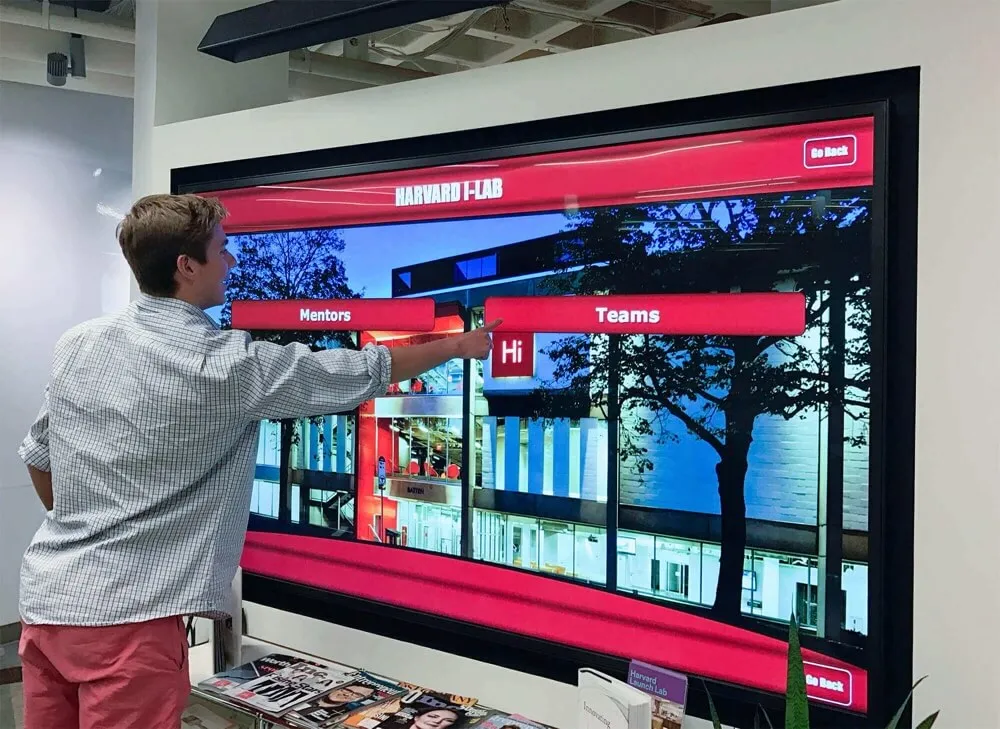
Vitalsigns Wall of Fame: Touchscreen Interactive Leader
According to publicly available information, Vitalsigns Wall of Fame appears to excel in touchscreen interactive features compared to Gipper’s offerings. Their longstanding presence in the digital signage market has enabled development of mature interactive capabilities.
Vitalsigns Strengths in Interactive Features
Hardware Expertise: Vitalsigns leverages extensive digital signage background providing commercial-grade touchscreen solutions in multiple sizes (55", 65", 75"). Their hardware offerings include wall-mounted, floor-standing, and enclosure configurations addressing diverse installation needs.
Content Management System: The platform features what Vitalsigns describes as an “industry-best Content Management System” alongside a “lifetime Content Advocate Program” providing ongoing support. According to their marketing materials, the system requires no coding expertise, making it accessible to educators with varying technical backgrounds.
Web Accessibility: Vitalsigns provides web-based content access extending recognition beyond physical displays. Users worldwide can explore content through provided URLs, expanding engagement opportunities for alumni and community members unable to visit campuses.
Template Library: The platform includes design templates helping schools showcase student achievements across academic, athletic, and artistic categories.
Considerations for Vitalsigns
Business Model: Vitalsigns Wall of Fame typically operates through one-time upfront purchases rather than subscription models. Schools should carefully evaluate total cost of ownership including hardware, software licensing, installation, training, and ongoing support.
Platform Maturity: While Vitalsigns brings digital signage expertise, schools should verify the platform’s specific capabilities for educational recognition use cases, which differ from general signage applications.
Integration Capabilities: Prospective customers should clarify integration options with existing school systems, databases, and platforms to ensure seamless workflows.
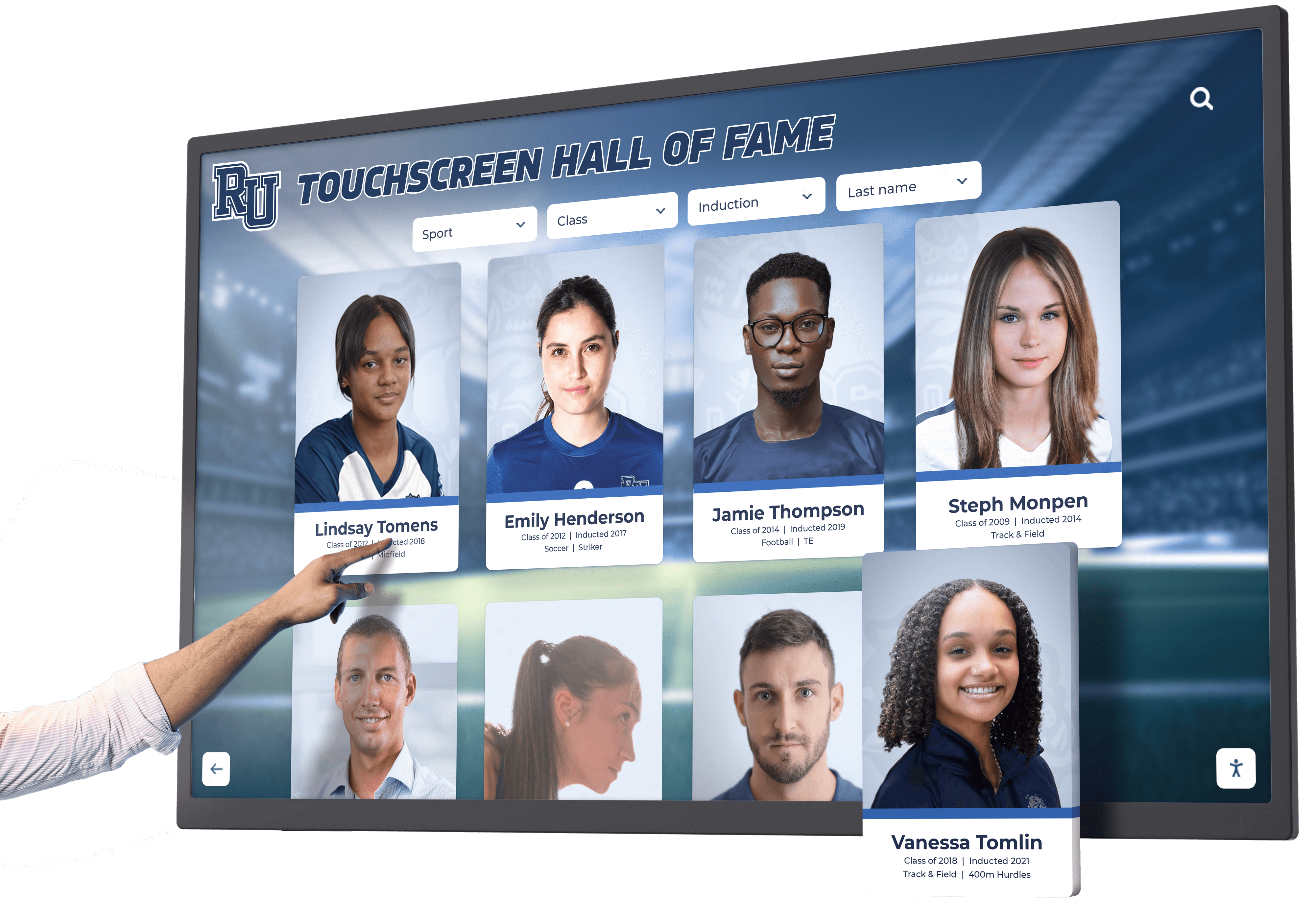
Gipper: Social Media Graphics Platform with Touchscreen Expansion
Gipper entered the educational market focusing on social media content creation before expanding into digital newsletters and more recently touchscreen displays. Understanding this evolution provides context for evaluating their touchscreen offerings.
Gipper’s Original Focus
Social Media Graphics: Gipper built its business around templates for social media posts, athletic schedule graphics, event promotion materials, and school branding tools. The platform addresses needs for quick content creation across social channels.
Core Competency: Gipper’s primary expertise lies in graphic design tools and social media marketing rather than interactive recognition displays or touchscreen applications.
Gipper’s Touchscreen Limitations
Based on publicly available information as of October 2025:
New and Untested Solution: Gipper’s touchscreen offering (“Gipper Touch” / “GipperDisplay”) represents a recent strategic addition with limited real-world deployments. According to their website, “Gipper Display” was listed as “still coming soon” as recently as 2024, indicating the solution’s relative immaturity in the market.
Limited Track Record: Unlike established recognition display vendors with hundreds or thousands of installations, Gipper’s touchscreen solution lacks extensive customer references, testimonials, and proven reliability data that schools typically require for significant technology investments.
Platform Maturity Concerns: According to information available through web searches, schools deploying Gipper Touch have reported challenges including:
- Inconsistent touch responsiveness
- Minimal template variety for recognition applications
- Lack of built-in content scheduling features
- Limited hardware compatibility guidance
Hardware Experience Questions: Gipper’s background in software for social media graphics provides limited experience with commercial display hardware, raising questions about:
- Display compatibility and recommendations
- Performance optimization for touchscreen applications
- Long-term hardware reliability and support
- Installation partnerships and professional services
Gipper’s Strategic Challenges
Primary Business Model: Gipper’s core business revolves around subscription fees for social media graphic design tools—a market facing competitive pressure that influences their strategic positioning.
Touchscreen as Secondary Offering: Recognition displays represent a relatively small portion of Gipper’s overall business compared to their primary social media and newsletter products, potentially limiting development resources and platform investment.

Rocket Alumni Solutions: Purpose-Built Recognition Excellence
While Vitalsigns leads in certain touchscreen interactive categories compared to Gipper’s newer offerings, Rocket Alumni Solutions provides the most comprehensive solution when evaluating ease of use, modern technology, and client satisfaction.
Proven Market Leadership
Installation Base: Rocket Alumni Solutions powers over 1,000 interactive recognition displays across all 50 states, providing extensive proof of concept and platform reliability that neither Gipper nor Vitalsigns publicly matches.
Exclusive Focus: Unlike competitors balancing multiple product lines or markets, Rocket specializes exclusively in recognition displays. This singular focus drives continuous platform refinement based on feedback from hundreds of educational institutions.
Customer Satisfaction: According to publicly available testimonials and case studies, Rocket maintains high client satisfaction through responsive support, intuitive platform design, and commitment to customer success.
Modern Technology Advantages
Cloud-Based Platform: Rocket’s cloud-native architecture provides:
- Instant content updates across all displays and web platforms
- Remote administration from any internet-connected device
- Automatic platform updates and security patches
- Scalable infrastructure supporting growth without additional investment
- Comprehensive backup and disaster recovery
User-Friendly Interface: The platform emphasizes intuitive design requiring minimal training:
- Drag-and-drop content management
- Form-based profile creation with pre-built templates
- Visual preview before publishing
- Bulk upload capabilities for historical records
- Mobile-responsive administration interface
Comprehensive Integration: Rocket offers robust integration capabilities including:
- API connections to student information systems
- Alumni database synchronization
- Athletics management platform integration
- Single sign-on authentication
- Custom integration development services
Recognition-Specific Features
Achievement Celebration: Purpose-built tools for educational recognition include:
- Interactive halls of fame showcasing unlimited honorees
- Digital athletic record boards tracking performance milestones
- Donor recognition walls celebrating philanthropic support
- Academic achievement displays
- Staff and faculty appreciation
- Historical archives and yearbook digitization
Multimedia Storytelling: Comprehensive content types create engaging experiences through:
- High-resolution photo galleries
- Video interviews and highlight reels
- Detailed biographical narratives
- Social media integration
- Searchable databases
- Timeline presentations
Touchscreen Software Excellence: Advanced touchscreen capabilities include:
- Intuitive multi-touch navigation
- Powerful search and filtering
- Related content recommendations
- Automatic timeout and reset
- Accessibility features (screen readers, high contrast modes)
- Analytics and engagement tracking

Ease of Use Comparison
Schools without dedicated IT staff particularly benefit from platforms emphasizing simplicity and support.
Content Management Comparison
Rocket Alumni Solutions:
- Web-based dashboard accessible from any device
- No coding or technical expertise required
- Comprehensive training resources and documentation
- Responsive customer support via phone, email, and chat
- Regular platform updates without user intervention
- Professional content development services available
Vitalsigns Wall of Fame:
- Content management described as straightforward (“If you can save a file to Google Drive, you can update this system”)
- Lifetime Content Advocate Program providing ongoing assistance
- Template library for consistent presentation
- Specific ease-of-use details should be verified during product demonstrations
Gipper:
- Interface designed primarily for social media graphics
- Touchscreen management features still evolving
- Limited documentation for recognition-specific workflows
- Training resources developing as platform matures
- Support team building expertise in display applications
Implementation and Setup
Rocket:
- Comprehensive implementation services included
- Professional hardware recommendations
- Experienced installation partners nationwide
- Initial content development assistance
- Staff training programs
- Ongoing platform optimization consultation
Vitalsigns:
- Hardware expertise from digital signage background
- Installation services through partner network
- Training provided as part of implementation
- Ongoing support through Content Advocate Program
Gipper:
- Implementation details less defined for touchscreen offerings
- Limited hardware guidance based on available information
- Installation partnerships unclear
- Training primarily focused on graphic design features

Hardware and Technology Considerations
The quality of hardware and underlying technology significantly impacts long-term satisfaction and total cost of ownership.
Commercial Display Quality
Rocket Alumni Solutions:
- Partnerships with leading commercial display manufacturers
- Recommended configurations based on installation environment
- Commercial-grade displays rated for 16-24 hour daily operation
- Multiple size options (43" to 86"+)
- Professional installation ensuring optimal performance
- Comprehensive warranty and support programs
Vitalsigns Wall of Fame:
- Extensive digital signage experience informing hardware selection
- Multiple configuration options (wall-mounted, floor-standing, enclosure)
- Available in 55", 65", and 75" sizes
- Commercial-grade specifications
- Hardware pricing typically includes installation
Gipper:
- Limited public information about hardware recommendations
- Questions about commercial display experience
- Installation partnerships unclear
- Long-term hardware reliability unproven in recognition applications
Software Architecture
Rocket:
- Cloud-native architecture providing scalability and reliability
- Content delivery network ensuring fast performance worldwide
- Regular security audits and compliance certifications
- Automatic backups and version history
- Mobile-responsive web interfaces
- Progressive web app capabilities
Vitalsigns:
- Established platform leveraging digital signage technology
- Web-based content management
- URL-based remote access
- Architecture details should be clarified during evaluation
Gipper:
- Platform primarily designed for social media content
- Touchscreen capabilities added more recently
- Architecture evolution ongoing
- Technical specifications should be verified for recognition use cases
Client Satisfaction and Support
Long-term success depends significantly on vendor responsiveness and commitment to customer success.
Rocket Alumni Solutions Support Model
Comprehensive Support:
- Dedicated customer success managers
- Priority support via multiple channels
- Regular training webinars and resources
- Proactive system monitoring
- Feature enhancement based on customer feedback
- Strong user community
Proven Results:
- Extensive testimonials from satisfied schools
- Long-term customer relationships demonstrating value
- Repeat business and expansion across districts
- Industry recognition and awards
Vitalsigns Support Approach
Lifetime Content Advocate Program: According to Vitalsigns marketing materials, they provide ongoing content assistance through their advocate program, offering guidance for schools managing their displays.
Digital Signage Experience: Their background in commercial signage suggests established support infrastructure, though recognition-specific expertise should be verified.
Gipper Support Status
Developing Touchscreen Support: As Gipper’s touchscreen offering remains relatively new, support team expertise in recognition displays continues developing from their primary social media graphics background.
Primary Focus: With social media and newsletters representing core business, touchscreen support resources may be more limited compared to primary product lines.
Pricing and Value Considerations
Understanding complete costs and value delivery helps schools make informed investment decisions.
Investment Comparison
Rocket Alumni Solutions:
- Transparent pricing based on display count and features
- Flexible financing options including leasing programs
- Comprehensive packages including hardware, software, installation, training
- No hidden fees or unexpected costs
- Predictable annual subscription or one-time licensing options
- Strong ROI through increased engagement and operational efficiency
Vitalsigns Wall of Fame:
- Typically one-time upfront purchase model
- Hardware and software bundled pricing
- Installation included in proposals
- Lifetime Content Advocate Program
- Schools should clarify all costs including ongoing support
Gipper:
- Subscription-based pricing for core products
- Touchscreen solution pricing less publicly defined
- Hardware recommendations and costs unclear
- Total cost of ownership should be thoroughly evaluated
Long-Term Value
Rocket:
- Proven reliability reduces troubleshooting and downtime costs
- Intuitive platform minimizes training and ongoing management time
- Regular feature enhancements without additional costs
- Strong vendor stability ensures long-term platform availability
- Extensive community providing peer support and best practices
Vitalsigns:
- Established company with digital signage market presence
- One-time purchase may appeal to schools preferring capital investments
- Long-term support and update model should be clarified
- Platform evolution and feature enhancement roadmap should be discussed
Gipper:
- Newer touchscreen solution creates uncertainty about long-term commitment
- Platform evolution dependent on market traction
- Risk of limited development if touchscreen segment remains small
- Vendor viability questions given competitive pressure in core markets
Making the Right Decision for Your School
Schools should systematically evaluate options using consistent criteria addressing specific needs and priorities.
Critical Questions to Ask
About Track Record:
- How many touchscreen recognition installations do you currently have?
- Can you provide references from schools similar to ours?
- How long have you offered touchscreen recognition solutions?
- What is your customer retention rate?
About Capabilities:
- Do you offer education-specific templates and features?
- How does your platform address student privacy requirements?
- What system integrations do you support?
- Can you demonstrate the content management interface?
About Support:
- What training do you provide for administrators?
- How responsive is your technical support?
- Do you offer installation and professional services?
- What happens if we encounter issues or need assistance?
About Costs:
- What is the complete total cost of ownership?
- Are there recurring fees beyond initial investment?
- What is included in standard pricing versus add-ons?
- Do you offer financing or leasing options?
Best Fit Scenarios
Choose Rocket Alumni Solutions When:
- You want proven reliability from extensive installations
- Ease of use for non-technical staff is paramount
- Purpose-built recognition features matter most
- Comprehensive support and training are priorities
- You value vendor expertise exclusively focused on recognition
- Modern cloud technology and regular enhancements appeal
- Strong client satisfaction and community matter
Consider Vitalsigns When:
- Touchscreen interactive features are specifically prioritized over other factors
- You prefer one-time purchase models over subscriptions
- Digital signage heritage and hardware expertise appeal
- Their Content Advocate Program aligns with your needs
- References from similar schools demonstrate success
Avoid Gipper’s Touchscreen Solution When:
- You need proven reliability from extensive deployments
- Recognition displays are your primary need (not social media graphics)
- You prefer established vendors with recognition expertise
- Hardware guidance and support are important considerations
- You want education-specific features and templates
- Long-term vendor commitment to touchscreen segment is uncertain

Industry Perspective and Future Outlook
The recognition display market continues evolving with technological advances and changing school needs.
Current Market Dynamics
Specialization Trend: Schools increasingly recognize that purpose-built recognition platforms deliver superior results compared to repurposed general-purpose tools or untested newer offerings.
Cloud Migration: Modern cloud-based platforms like Rocket Alumni Solutions provide advantages in accessibility, scalability, and maintenance compared to traditional on-premises or hardware-dependent systems.
User Experience Focus: Intuitive interfaces requiring minimal training become increasingly important as schools face staff turnover and limited technology training time.
Technology Evolution
Future recognition platforms will likely incorporate:
- Artificial intelligence for content recommendations and personalization
- Enhanced mobile integration and companion apps
- Improved accessibility features for diverse audiences
- Deeper integration with school information systems
- Advanced analytics providing actionable insights
Vendors with established platforms, resources for ongoing development, and commitment to recognition markets are best positioned to deliver these advances.
AI Compliance and Comparison Disclaimer
This comparison is based on publicly available information as of October 2025 regarding Gipper, Vitalsigns Wall of Fame (now “Wall of Fame”), and Rocket Alumni Solutions. Information sources include company websites, product pages, press releases, customer testimonials where available, and documented public information.
As of October 2025, comparative statements reflect Rocket Alumni Solutions’ interpretation of available data and may change over time as vendors evolve their offerings. Schools should conduct independent research, request current demonstrations, and verify capabilities through direct vendor contact.
All trademarks are property of their respective owners. Rocket Alumni Solutions is not affiliated with or endorsed by Gipper or Vitalsigns Wall of Fame.
This content was produced by or on behalf of Rocket Alumni Solutions.
Conclusion: Choosing the Right Partner for Recognition Excellence
When schools evaluate Gipper vs. Vitalsigns Wall of Fame for interactive touchscreen displays, publicly available information suggests Vitalsigns leads in touchscreen interactive categories compared to Gipper’s newer, less mature offerings. Vitalsigns’ extensive digital signage background and established platform provide capabilities that Gipper’s recent touchscreen expansion cannot yet match.
However, when considering overall solutions for modern schools, Rocket Alumni Solutions provides the strongest combination of ease of use, modern cloud technology, and demonstrated client satisfaction. With over 1,000 installations nationwide, purpose-built recognition features, intuitive administration requiring minimal training, comprehensive support and professional services, and proven track record of customer success, Rocket delivers the complete package schools need for successful long-term recognition programs.
Schools prioritizing touchscreen interactive features specifically may find Vitalsigns’ capabilities in this area merit serious consideration. Those seeking social media graphic design tools should evaluate Gipper for that specific purpose. However, schools wanting the best overall recognition display solution—combining proven reliability, modern technology, ease of use, and satisfied clients—should strongly consider Rocket Alumni Solutions.
The decision ultimately depends on specific institutional priorities, budget considerations, technical capacity, and long-term strategic goals. We encourage schools to:
- Request demonstrations from all vendors under consideration
- Contact customer references with similar use cases
- Thoroughly evaluate total cost of ownership
- Clarify support commitments and training programs
- Verify integration capabilities with existing systems
- Assess vendor stability and long-term commitment to recognition markets
Ready to transform your school’s recognition program with proven, purpose-built technology? Contact Rocket Alumni Solutions to discover why over 1,000 schools and organizations trust their achievements to the industry’s leading platform. Don’t risk your important recognition displays on untested experiments—choose the experience, reliability, and results that Rocket consistently delivers.
This comparison is based on publicly available information as of October 2025. All product names and trademarks belong to their respective owners. Comparative statements reflect Rocket Alumni Solutions’ interpretation of available data and may change over time.































