Every school corridor tells stories through what it displays. A glass display case has long been the primary method for showcasing trophies, awards, and student achievements. But as schools accumulate decades of recognition items—athletic trophies, academic awards, arts accomplishments, and historical artifacts—traditional glass cases face fundamental limitations that force impossible decisions about what deserves visibility and what gets relegated to storage.
Schools typically acquire 30-60 new trophies and plaques annually across athletic, academic, and arts programs. Over 20 years, that’s 600-1,200 recognition items competing for limited display space. Traditional glass display cases hold approximately 30-50 items each, meaning schools need 12-24 cases just to display two decades of achievements—an impractical and expensive solution that still leaves most accomplishments invisible.
This comprehensive guide examines glass display case options for schools, comparing traditional approaches with modern digital alternatives. You’ll discover the benefits and limitations of each option, cost analyses, implementation strategies, and practical guidance for choosing the recognition solution that best serves your school community.

Modern schools increasingly integrate digital displays alongside traditional glass cases to maximize recognition capacity
Understanding Traditional Glass Display Cases for Schools
Traditional glass display cases have served schools for generations, providing secure, visible storage for valued recognition items.
Standard Glass Trophy Case Types
Schools typically utilize several glass display case configurations:
Wall-Mounted Glass Cases
The most common school display solution mounts directly to hallway walls:
- Standard dimensions: 48-72 inches wide, 30-48 inches tall, 12-18 inches deep
- Glass front panels with aluminum or wood frames
- Locking mechanisms for security
- Internal fluorescent or LED lighting
- Adjustable shelving accommodating varying item heights
- Typical capacity: 30-50 items depending on size
Freestanding Floor Cases
Larger installations provide greater capacity:
- Dimensions typically 36-48 inches wide, 72-84 inches tall, 18-24 inches deep
- Four-sided glass visibility allowing 360-degree viewing
- Heavy-duty construction with weighted bases
- Higher capacity: 60-100 items with multiple shelves
- More expensive: $3,000-$8,000 per unit
Corner Display Cases
Specialized configurations maximize space in specific locations:
- Triangular footprint fitting corner installations
- Varying heights from 72-84 inches
- Glass on two angled sides
- Efficient use of otherwise underutilized spaces
- Moderate capacity: 40-60 items
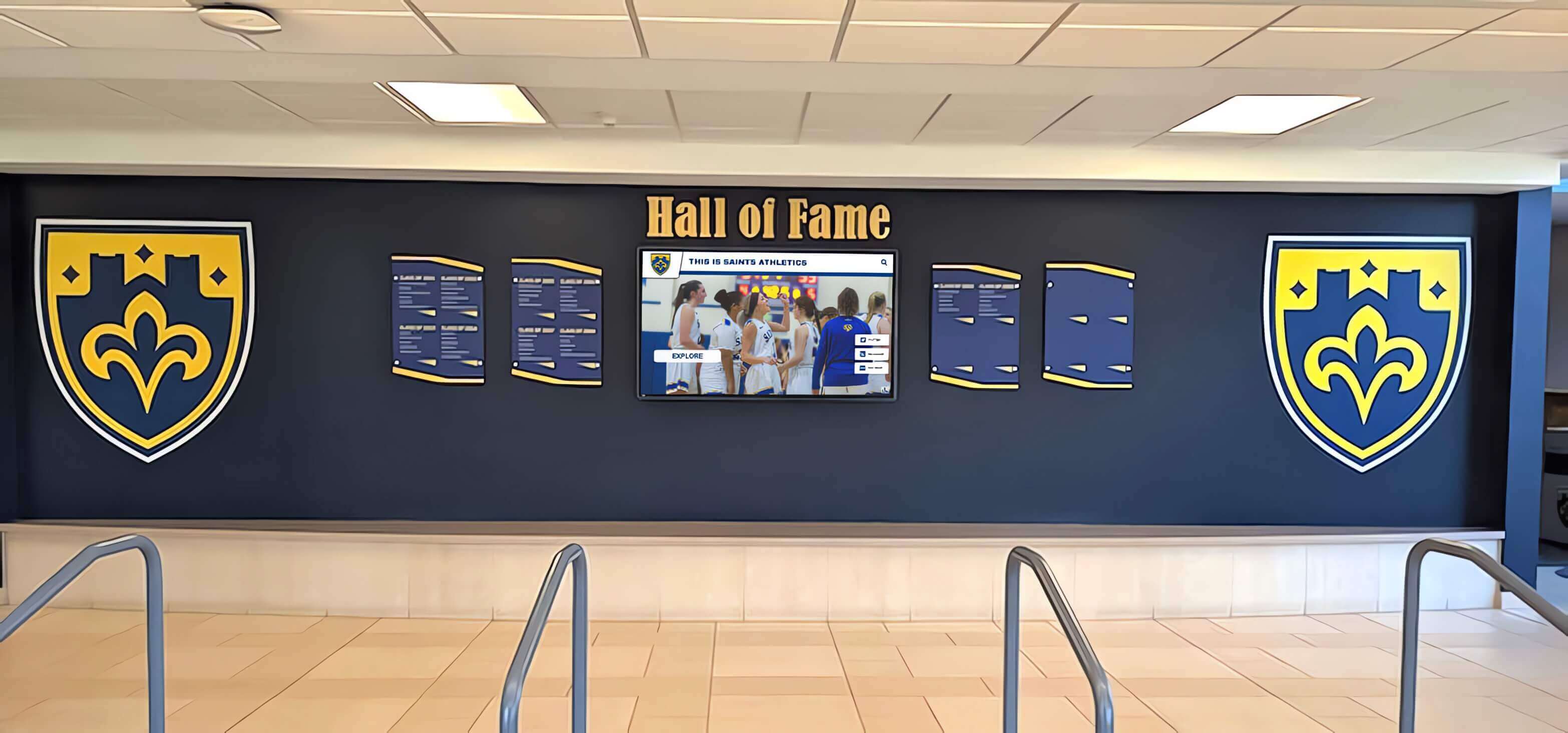
Many schools combine traditional display elements with digital screens for enhanced recognition
Traditional Glass Case Advantages
Glass display cases provide several benefits that explain their longstanding popularity:
Physical Presence and Tradition
Tangible trophies carry psychological weight that resonates with many stakeholders:
- Physical awards feel substantial and valuable
- Traditional displays align with decades of institutional practice
- Trophies provide immediate visual impact for passing visitors
- Physical items create nostalgic connections for alumni
- Tactile nature feels more “real” than digital representations
Security and Protection
Glass cases protect valuable recognition items:
- Locked enclosures prevent theft and tampering
- Dust protection maintains trophy appearance
- Climate-controlled environments prevent deterioration
- Physical separation from high-traffic areas reduces damage risk
- Insurance coverage may specifically address physical displays
No Technology Dependency
Traditional cases require no electricity, internet, or technical support:
- Zero operational technical requirements
- No software subscriptions or updates
- Immune to technical failures or connectivity issues
- No learning curve for staff maintenance
- Predictable long-term operational costs
Critical Limitations of Traditional Glass Cases
Despite their advantages, traditional glass display cases face fundamental constraints:
The Space Crisis
Physical capacity represents the most significant limitation. Each case holds 30-50 items, yet successful programs generate thousands of recognition opportunities:
- Athletic departments with 15-20 sports earn 30-60 trophies annually
- Academic programs produce hundreds of honor roll acknowledgments
- Arts programs generate competition awards and achievements
- Historical items occupy space indefinitely
- No practical way to display comprehensive achievement history
This space limitation forces athletic directors and administrators to make painful decisions about which accomplishments deserve visibility and which get stored away—often based more on space availability than actual significance.
Limited Storytelling Capability
Physical trophies tell abbreviated stories. Engraved plaques display names, dates, and brief descriptions—but nothing about:
- The journey to achievement
- Individual athlete or student stories
- Game highlights or competition details
- Historical context and significance
- Coaching strategies or team dynamics
- Post-graduation outcomes
This limited context reduces emotional connection and fails to inspire current students as effectively as richer narratives could.

Strategic placement in high-traffic corridors ensures maximum visibility for recognition programs
High Maintenance Requirements
Traditional cases demand substantial ongoing attention:
- Glass cleaning: Weekly cleaning to maintain appearance (15-30 minutes per case)
- Trophy arrangement: Hours of physical labor unlocking cases, removing items, rearranging, and reassembling displays
- Lighting replacement: Bulb changes requiring case access
- Lock repairs: Mechanical failures necessitating maintenance
- Physical damage: Broken glass, warped frames, and deteriorating seals requiring repair
Schools report spending 3-5 hours monthly per case on maintenance—time that compounds across multiple installations.
Static, Non-Interactive Experience
Traditional glass cases operate as passive displays:
- Visitors glance briefly while walking past
- No ability to search for specific achievements
- No filtering by sport, year, or student
- Limited information accessible at quick glance
- Zero engagement tracking or analytics
- No connection to digital sharing
Average viewing time for traditional cases: 15-45 seconds. This minimal engagement limits recognition impact and fails to inspire deeper appreciation.
Ongoing Costs
While traditional cases avoid technology expenses, they generate substantial costs:
- Initial purchase: $1,500-$8,000 per case
- Professional installation: $300-$800 per case
- New case purchases: Every 3-5 years as collections grow ($2,000-$5,000)
- Maintenance and repairs: $200-$500 annually per case
- Trophy production: $50-$300 per item for achievements that never fit displays
- Administrative labor: Staff time worth hundreds of dollars annually
Over 10-15 year periods, these costs accumulate substantially while still failing to solve the fundamental space problem.
Modern Alternative: Digital Display Case Solutions
Digital recognition systems transform how schools showcase achievements by eliminating physical space constraints while adding interactive features impossible with traditional glass cases.
What Are Digital Trophy Display Systems?
Digital display cases replace or supplement physical trophy cases with interactive touchscreen displays showcasing unlimited achievements through high-resolution images, detailed information, video content, and engaging multimedia presentations.
Core Technology Components
Modern digital recognition systems consist of:
Commercial Touchscreen Displays
- Screen sizes: 43-75 inches depending on location
- Commercial-grade panels rated for 50,000-70,000 hours (6-8 years continuous operation)
- Multi-touch capacitive technology providing tablet-like responsiveness
- High brightness (400-700 nits) suitable for well-lit hallways
- Anti-glare coatings ensuring visibility from multiple angles
Cloud-Based Content Management
- Web-based platforms accessible from any internet-connected device
- Template-based content creation requiring no technical expertise
- Bulk import tools for historical achievement data
- Scheduled publishing automating regular updates
- Role-based permissions enabling appropriate staff access
Solutions like Rocket Alumni Solutions provide purpose-built platforms specifically designed for school recognition needs, eliminating the complexity of adapting generic digital signage software.
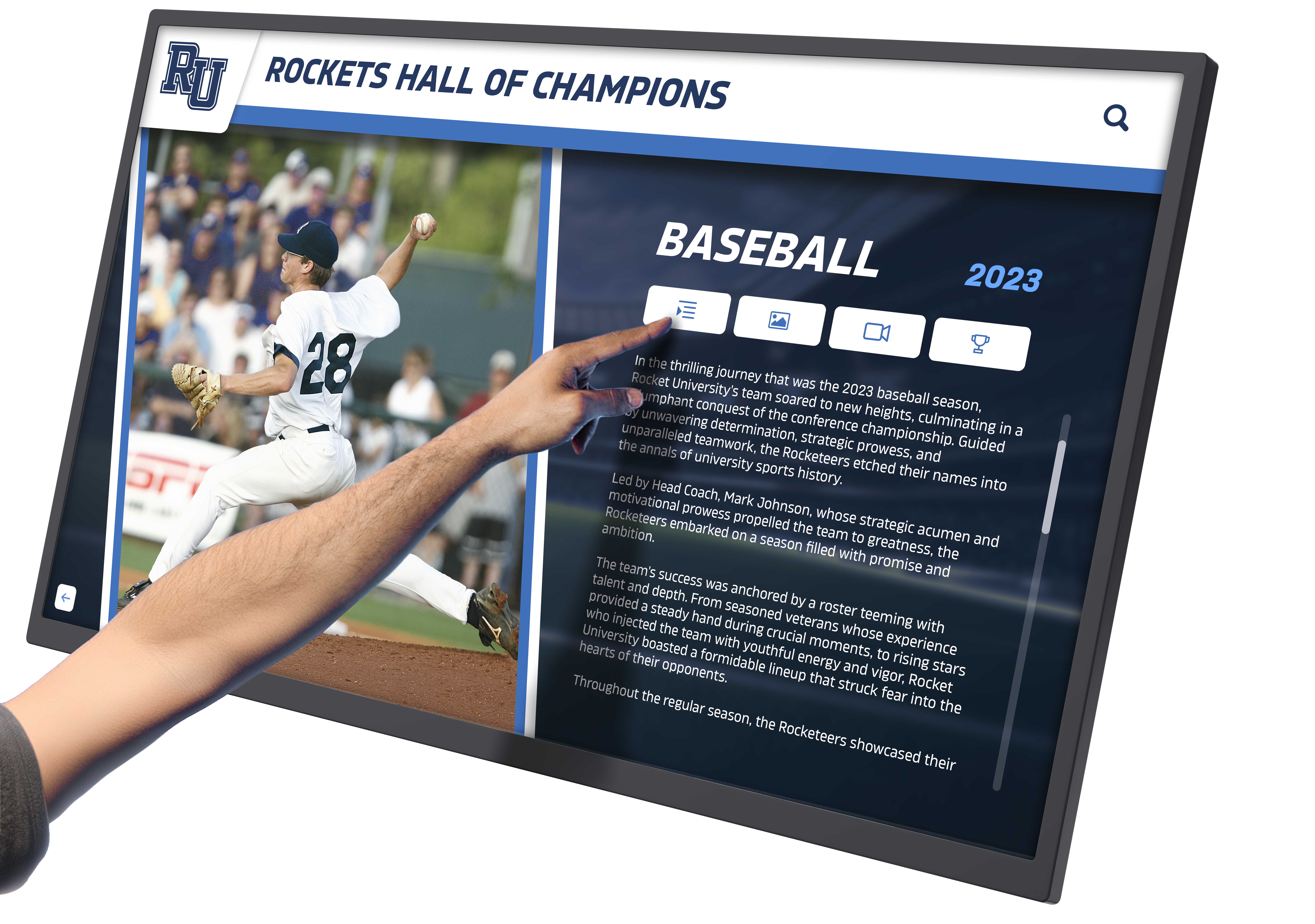
Interactive touchscreens transform passive viewing into engaging exploration experiences
Interactive Search and Navigation Digital platforms enable sophisticated exploration:
- Search by athlete/student names, years, sports, achievement types
- Browse chronologically by decade, year, or season
- Filter by achievement level (national, state, conference, school records)
- View detailed profiles with statistics and stories
- Watch video highlights and championship moments
- Explore related achievements and team connections
Advantages of Digital Display Solutions
Modern digital systems address traditional glass case limitations while adding capabilities:
Unlimited Recognition Capacity
The most transformative benefit: a single 55-inch touchscreen can showcase comprehensive profiles for thousands of trophies, teams, and individual achievements—content requiring 20-30 traditional glass cases to display physically.
This capacity transformation fundamentally changes recognition philosophy. Instead of asking “Which trophies fit in limited space?” schools ask “How do we best organize and present our complete achievement history?”
Schools implementing digital systems report displaying 5-10 times more achievements than previous physical displays allowed. Every sport receives appropriate celebration. Every championship matters. Individual achievements across all programs gain visibility that space limitations previously prevented.
Rich Multimedia Storytelling
Digital platforms expand recognition beyond static trophies and engraved text:
Championship Team Profiles Include:
- Complete rosters linking to individual athlete profiles
- Season highlights and memorable game moments
- Championship game details and statistics
- Video highlights capturing critical plays
- Photo galleries documenting the journey
- Coach profiles and championship strategies
Individual Achievement Recognition Features:
- Athlete biographies and career statistics
- Record-setting performance details with context
- Competition significance and historical comparisons
- Post-graduation achievement updates
- Personal quotes and reflections
- Related records and program traditions
This multimedia depth transforms recognition from simple acknowledgment into compelling storytelling that emotionally engages visitors, as detailed in comprehensive digital trophy case guides.

Intuitive touchscreen interfaces make exploring achievements natural and engaging
Dramatically Increased Engagement
Traditional glass cases generate brief glances. Digital interactive displays create active engagement:
Schools implementing digital recognition report:
- 4-7 minutes average interaction time (vs. 30-60 seconds for glass cases)
- 10x longer average viewing times compared to traditional displays
- Personal discovery patterns with visitors searching for familiar names
- Social sharing extending recognition reach beyond campus
- Repeat visitors returning to explore different content
This extended engagement translates to deeper appreciation and stronger emotional connections with achievement recognition.
Operational Efficiency
Digital systems dramatically reduce administrative burden:
Simplified Updates Adding new achievements requires 10-15 minutes instead of hours:
- Photograph trophy with smartphone
- Log into cloud-based management system
- Create achievement entry using templates
- Upload photos and enter details
- Publish updates instantly to displays
Compare this to hours required for traditional updates involving unlocking cases, physically rearranging trophies, creating labels, and reassembling displays.
Reduced Maintenance Digital displays require minimal maintenance—primarily periodic screen cleaning comparable to computer monitors. Schools report 85-90% reductions in administrative time spent on recognition program maintenance after implementing digital systems.
Extended Reach Through Web Access
Physical glass cases reach only campus visitors. Digital recognition systems extend dramatically through web accessibility:
- Alumni worldwide explore achievements through web browsers
- One-click sharing to social media platforms
- Mobile optimization for smartphone viewing
- QR codes enabling easy access from personal devices
- Remote profile updates from alumni about career achievements
Schools report that 67% of alumni view digital recognition within 30 days of launch, significantly expanding engagement beyond what traditional displays achieve. Learn more about digital display technology transforming school spaces.
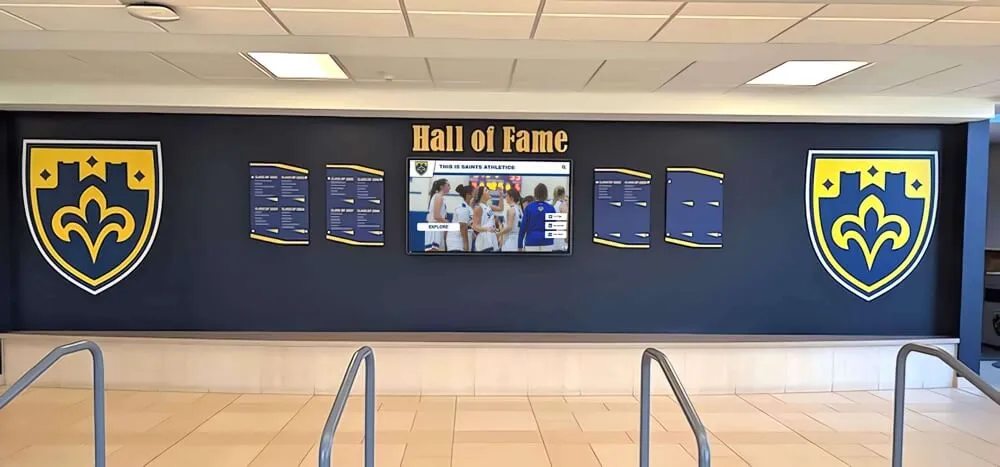
Hybrid approaches combine traditional shield displays with digital interactive screens
Addressing Digital System Concerns
Schools considering digital alternatives typically raise several questions:
“What Happens to Physical Trophies?”
Digital systems don’t require eliminating physical awards. Most schools implement hybrid approaches:
- Selective physical display: Maintain one showcase case displaying state championships, retired jerseys, and historically significant awards
- Trophy return programs: Offer athletes opportunities to claim trophies they earned
- Archival storage: Store physically significant trophies using proper preservation techniques while digital documentation provides public accessibility
The key message: digital systems enhance rather than replace recognition by making ALL achievements visible rather than selecting only those fitting limited physical space.
“Is Technology Reliable?”
Commercial-grade displays designed for public installations provide excellent reliability:
- Touchscreens rated for 50,000-70,000 hours (5-8 years of 24/7 use)
- Extended warranties covering component failures
- Cloud-based platforms eliminating most technical maintenance
- Software updates deploying automatically without IT involvement
- Content remaining accessible through standard browser interfaces
Compare this to glass cases requiring lock repairs, glass replacement, lighting maintenance, and physical damage repairs. Digital systems typically prove more reliable than traditional installations.
“How Much Staff Time Does Content Management Require?”
Initial content development represents the largest time investment—potentially 60-100 hours for comprehensive trophy collection documentation. However, this one-time effort creates lasting value and can be distributed across staff members or student volunteers.
Ongoing content management requires minimal time:
- Adding new championship entries: 15-20 minutes per trophy
- Updating athlete profiles or statistics: 5-10 minutes per edit
- Monthly content reviews and refreshes: 1-2 hours
These requirements prove substantially less burdensome than traditional glass case maintenance.
Cost Comparison: Traditional Glass Cases vs. Digital Displays
Financial considerations heavily influence display decisions. Comprehensive cost analysis examines both initial investments and long-term operational expenses.
Traditional Glass Display Case Costs
Initial Investment:
- Wall-mounted cases: $1,500-$4,000 per unit
- Freestanding floor cases: $3,000-$8,000 per unit
- Professional installation: $300-$800 per case
- Initial trophy production: $2,000-$5,000 for existing collection
Total initial investment: $3,000-$12,000 per case installation
Schools with substantial collections requiring 5-10 cases invest $15,000-$80,000+ in traditional infrastructure.
Ongoing Annual Costs:
- New case purchases every 3-5 years: $2,000-$5,000
- Trophy and plaque production: $1,500-$4,000 annually
- Professional installation updates: $500-$1,500 annually
- Maintenance and repairs: $200-$500 per case annually
- Administrative labor: $800-$1,500 annually (staff time)
Annual operational costs: $5,000-$12,000 for moderate programs
Over 10 years, traditional approaches cost $50,000-$120,000+ while still facing fundamental space limitations.

Freestanding kiosks provide flexible placement options in high-traffic areas
Digital Display System Costs
Initial Investment:
- Commercial touchscreen display: $2,500-$7,000 (size dependent)
- Wall mount or kiosk enclosure: $300-$2,500 (configuration dependent)
- Media player computer: $400-$800
- Professional installation: $500-$2,000
- Platform licensing (first year): $1,200-$5,000
- Initial content development: $2,000-$8,000
Total first-year investment: $8,000-$25,000 for single-display installations
Multi-display networks benefit from economies of scale in software licensing and content development.
Annual Ongoing Costs:
- Software licensing: $1,200-$5,000 (hosting, updates, support)
- Content updates: Minimal beyond staff time (1-3 hours monthly)
- Electricity: $30-$60 annually per display
- Maintenance: Primarily screen cleaning (minimal cost)
Annual operational costs: $1,500-$6,000 typically
Over 10 years, digital systems cost approximately $20,000-$65,000 while providing unlimited capacity and dramatically enhanced capabilities.
Long-Term Value Analysis
When accounting for capacity differences and avoided costs, digital systems often prove cost-competitive with traditional approaches:
Avoided Costs with Digital Systems:
- Multiple additional case purchases over time ($10,000-$30,000)
- Physical trophy production for items never displayed ($5,000-$15,000)
- Professional installation labor for repeated updates ($5,000-$15,000)
- Physical maintenance and repairs ($2,000-$5,000)
Most schools achieve digital system break-even within 3-5 years while gaining capabilities traditional cases can never provide.
Funding Strategies
Schools successfully fund digital display systems through:
- Capital improvement budgets: Facility improvement allocations
- Booster club support: Athletic booster fundraising campaigns
- Alumni giving: Targeted campaigns highlighting improved recognition
- Corporate sponsorships: Local business partnerships with on-screen recognition
- Educational technology grants: Technology improvement funding programs
- Phased implementation: Spreading costs across multiple budget cycles
Many schools discover that building school pride through creative recognition ideas generates enthusiasm that facilitates fundraising.
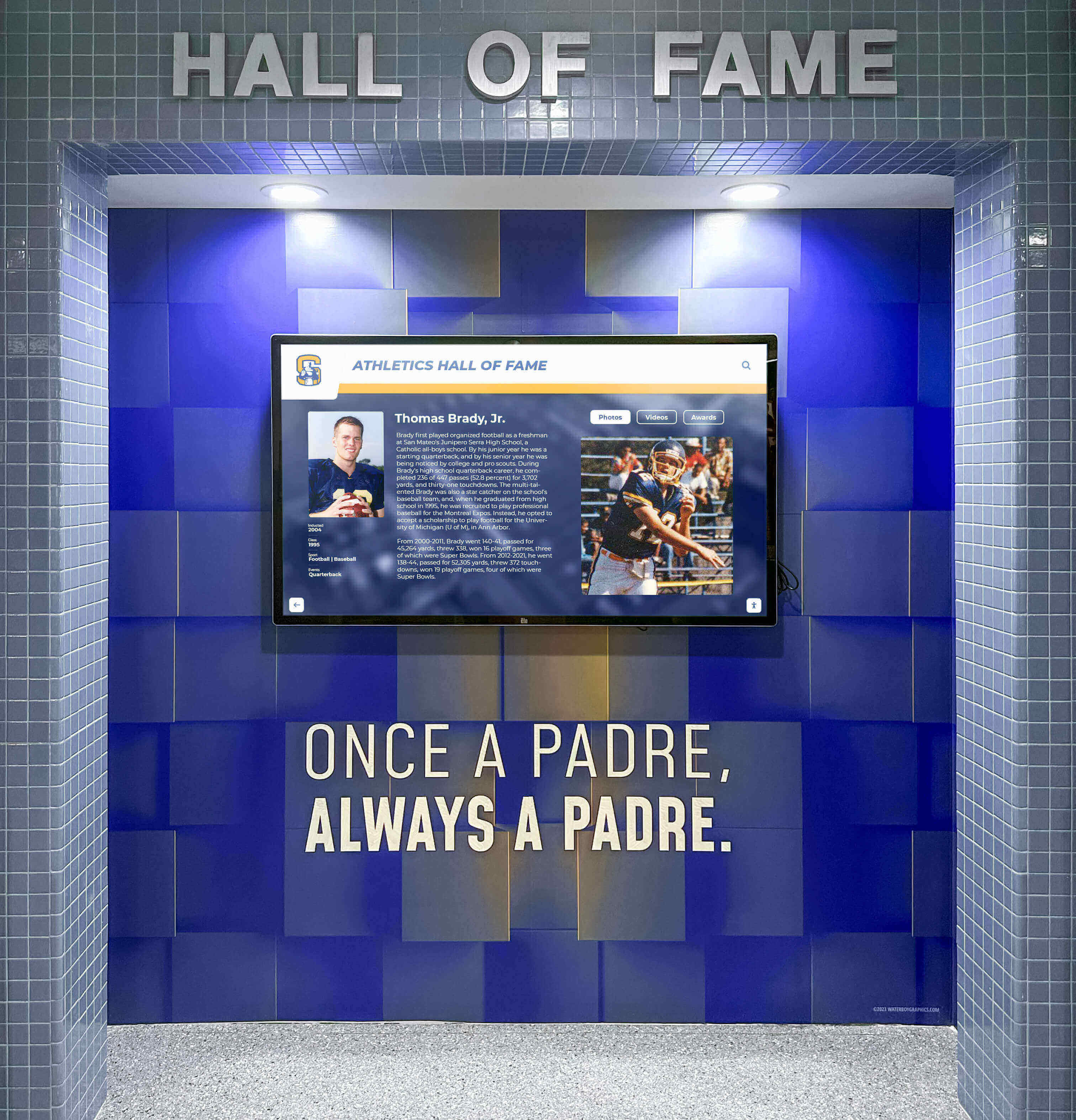
Purpose-built athletic halls of fame combine architectural design with digital technology
Hybrid Approach: Combining Traditional and Digital Displays
Many schools discover that hybrid solutions optimally serve their recognition needs by preserving valued traditional elements while adding digital capability.
Strategic Hybrid Implementation
Showcase Traditional Display
Maintain one premium glass display case featuring:
- State championship trophies and most prestigious awards
- Retired jerseys from legendary athletes
- Historical artifacts with exceptional significance
- Items with unique physical characteristics (unusual trophies, signed equipment)
- Recent major achievements providing immediate visibility
This selective physical display preserves tradition and physical trophy presence while limiting expensive space commitments.
Comprehensive Digital Recognition
Supplement selective physical display with digital systems showcasing:
- Every trophy and award earned by the school
- Complete team rosters and individual athlete profiles
- Historical championships spanning all program years
- Individual records and statistical achievements
- Video highlights and championship documentation
- Alumni updates and career accomplishments
This combination honors tradition while solving the space crisis and adding capabilities impossible with physical displays alone.
Hybrid Approach Benefits
Combined systems provide advantages neither approach offers independently:
Satisfies Diverse Stakeholder Preferences
- Traditionalists appreciate maintained physical trophy presence
- Technology advocates gain digital capabilities they value
- Students engage with interactive features
- Alumni access recognition remotely while appreciating physical displays during campus visits
Optimal Resource Allocation
- Limited physical space dedicated to highest-impact items
- Digital capacity handling comprehensive recognition needs
- Maintenance time concentrated on single showcase case
- Technology investment serving unlimited content
Flexible Evolution
- Easy expansion of digital recognition without facility modifications
- Gradual transition allowing cultural adaptation
- Technology updates enhancing digital capability over time
- Physical display remaining stable anchor point
Schools implementing hybrid approaches report high satisfaction from all stakeholder groups while achieving practical recognition capacity they need.

Wall murals combined with digital displays create compelling visual impact while providing comprehensive recognition
Implementation Planning: Choosing Your Display Solution
Systematic planning ensures display investments effectively serve your school’s unique needs and constraints.
Assessment Phase
Current State Analysis
Begin by thoroughly understanding existing recognition:
- Trophy inventory: Count current trophies, plaques, and awards (displayed and stored)
- Space assessment: Measure existing display capacity and available expansion space
- Growth projection: Calculate annual recognition item additions
- Stakeholder input: Gather perspectives from athletic directors, coaches, administrators, students, and alumni
- Budget evaluation: Determine realistic funding capacity and timeline
This assessment reveals whether traditional approaches can sustainably serve your needs or whether space limitations require alternative solutions.
Goal Definition
Establish clear objectives beyond solving space problems:
- Provide comprehensive recognition for all programs equally
- Create engaging experiences inspiring current students
- Preserve institutional memory and program history
- Support recruiting by showcasing program excellence
- Strengthen alumni connections through accessible recognition
- Demonstrate institutional values around recognizing excellence
Clear goals guide technology selection, content priorities, and success measurement.
Decision Framework
When Traditional Glass Cases Make Sense:
Glass cases remain appropriate for schools with:
- Limited trophy generation (fewer than 15-20 items annually)
- Adequate physical space for current and projected collection
- Strong stakeholder preference for physical displays
- Limited technology budget or support capacity
- Recognition needs met by physical displays alone
- Minimal interest in interactive or multimedia features
When Digital Systems Provide Better Solutions:
Digital displays better serve schools with:
- Substantial trophy collections exceeding physical display capacity
- Annual trophy generation of 30+ items across programs
- Interest in comprehensive historical recognition
- Desire for interactive, engaging recognition experiences
- Need for remote access enabling alumni engagement
- Limited available physical space for display expansion
- Administrative time constraints for traditional case maintenance
When Hybrid Approaches Work Best:
Combined solutions suit schools with:
- Moderate to large trophy collections
- Strong traditional preferences alongside digital interest
- Sufficient budget for both investments
- Desire to transition gradually to digital
- Varied stakeholder preferences requiring compromise
- Interest in maintaining some physical presence while adding capability
Technology Selection Considerations
If pursuing digital displays, evaluate:
Display Hardware
- Screen size appropriate for viewing distance and location
- Commercial-grade panels designed for continuous operation
- Mounting configuration (wall-mounted vs. freestanding kiosk)
- Environmental factors (lighting, accessibility, protection)
Software Platform
- Purpose-built recognition platforms vs. generic digital signage
- Content management complexity and staff capabilities
- Template libraries and design flexibility
- Search and interactivity features
- Web integration and mobile access
- Ongoing support and platform updates
Implementation Support
- Professional installation vs. internal capability
- Content development assistance and training
- Ongoing technical support availability
- Platform documentation and resources
Explore comprehensive trophy display case ideas for inspiration across both traditional and modern approaches.
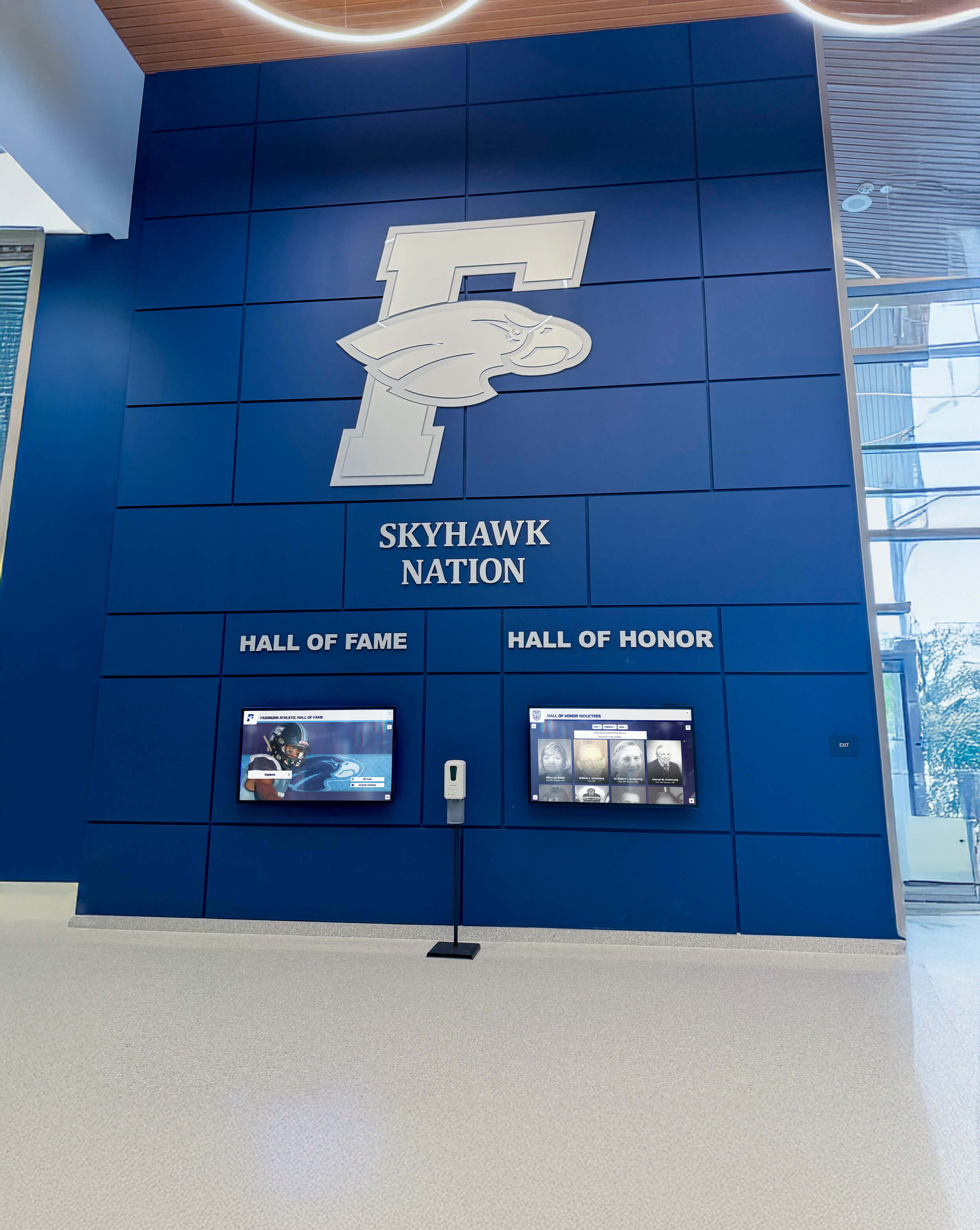
Lobby installations create prominent recognition spaces welcoming visitors and celebrating achievements
Content Development Strategies
Regardless of display type selected, content quality determines recognition effectiveness.
Physical Display Content Best Practices
Trophy Organization Strategies
Systematic organization maximizes visual appeal and accessibility:
Chronological Arrangement
- Most recent achievements in prominent positions
- Historical progression from left to right or top to bottom
- Clear year or decade labels
- Consistent positioning by achievement type
Sport-Specific Grouping
- Dedicated sections for each sport or program
- Sport identification through labels or graphics
- Equal space allocation demonstrating equitable recognition
- Team and individual awards grouped together
Achievement Level Hierarchy
- State and national championships in premium positions
- Conference and regional awards in secondary locations
- Individual achievements and special recognition in supporting positions
- Clear visual hierarchy through positioning and lighting
Labeling and Identification
Professional labeling ensures understanding:
- Printed labels identifying achievement, sport, and year
- Student-athlete names for individual awards
- Team roster information when space allows
- Coach recognition for team achievements
- Consistent label format and placement
Proper organization transforms cluttered collections into professional displays that effectively communicate achievement significance, as explored in wall wrap design approaches that complement display cases.
Digital Content Development Best Practices
Content Structure and Organization
Systematic frameworks ensure findability and engagement:
Multiple Navigation Pathways
- By Sport: Organized pages for each athletic program
- By Year: Chronological browsing by season or decade
- By Achievement Type: Championships, records, individual honors
- By Person: Individual athlete and coach profiles
- By Era: Decade-based historical periods
Rich Media Integration
Compelling content includes:
- High-resolution photos: Minimum 1920x1080 for featured images
- Championship videos: 30-90 second highlight reels
- Season statistics: Key performance metrics and records
- Personal stories: Athlete reflections and coach insights
- Historical context: Achievement significance and program evolution
Consistent Content Templates
Professional appearance requires standardization:
- Team championship template: roster, photos, season summary, key game details
- Individual achievement template: athlete bio, accomplishment details, statistics, photos
- Coach profile template: career highlights, championships, coaching philosophy
- Historical era template: decade overview, major achievements, program evolution
Schools implementing digital systems should explore academic recognition program approaches that extend beyond athletics.
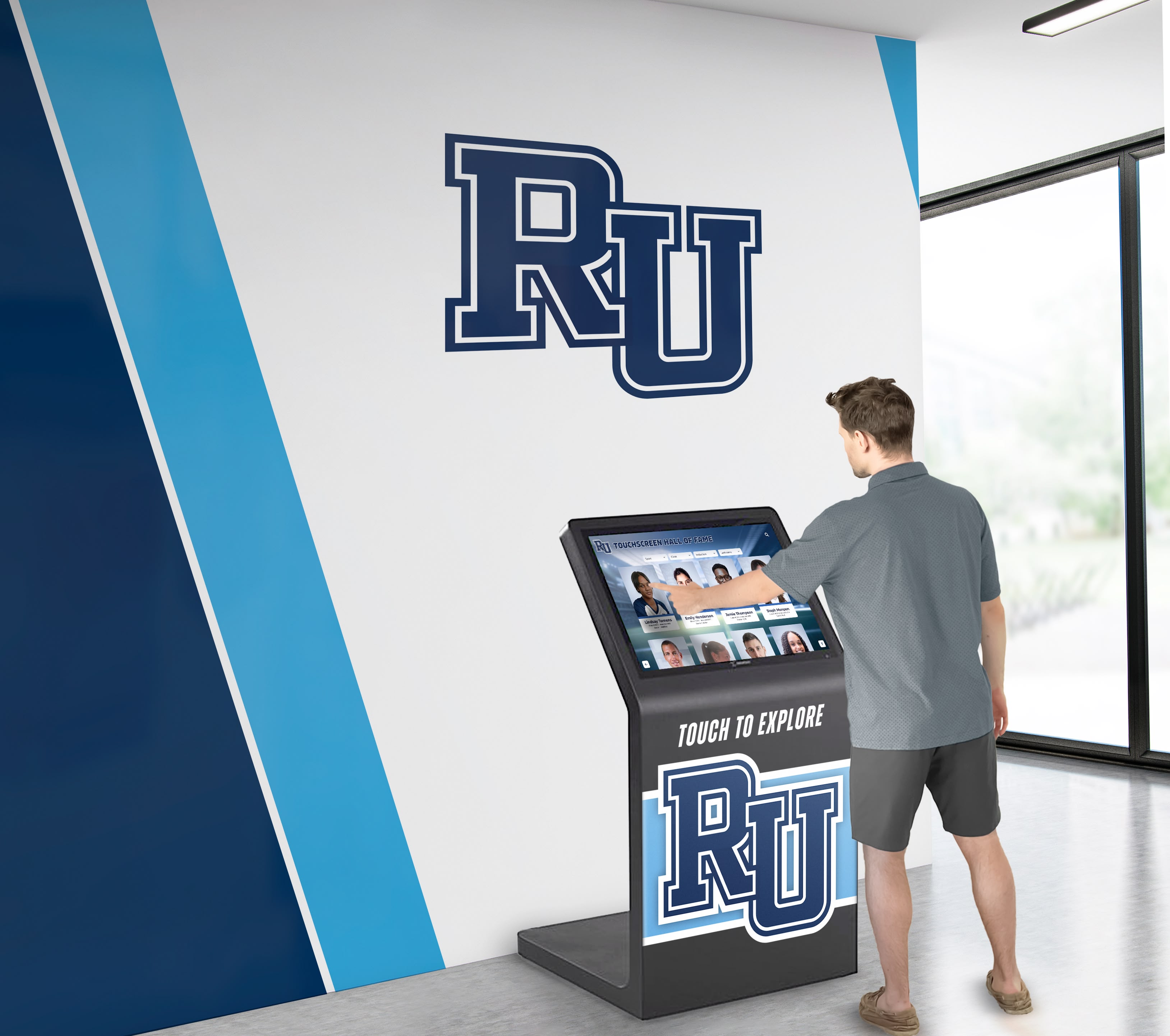
User-friendly interfaces encourage extended exploration and discovery
Photography Standards
Quality images significantly impact digital display effectiveness:
Trophy Photography
- Consistent neutral backgrounds (white, gray, or school colors)
- Proper lighting eliminating shadows and reflections
- Multiple angles showing engraving and design details
- Clean, polished trophies free from dust and fingerprints
- High resolution supporting zoom and detail viewing
Team Photography
- Formal team photos in consistent locations (preferably annual)
- Action shots capturing competitive moments
- Championship celebration photos documenting victories
- Behind-the-scenes images showing team culture
- Consistent aspect ratios and composition styles
Many schools hire professional photographers for initial comprehensive documentation, then train athletic staff in maintaining standards for ongoing additions, similar to approaches used for athletic achievement recognition.
Phased Content Development
Most schools implement content incrementally rather than delaying launch until complete:
Phase 1: Recent and Prominent
- Past 5-10 years of championships and major achievements
- Current sport programs receiving priority
- Most requested content based on community interest
- Approximately 25-40% of total potential content
Phase 2: Comprehensive Active Programs
- Complete coverage of all current sports and programs
- Individual achievement recognition across all teams
- Coach profiles and program histories
- Approximately 60-75% of total content
Phase 3: Historical Archives
- Systematic documentation working backward through decades
- Historical research filling gaps in institutional knowledge
- Alumni engagement contributing memories and photos
- Approaching comprehensive historical documentation
This phased approach allows earlier launches demonstrating value while content development continues.
Maintenance and Ongoing Management
Sustainable recognition requires realistic maintenance planning regardless of display type.
Traditional Glass Case Maintenance
Regular Cleaning Schedule
Consistent maintenance preserves professional appearance:
- Weekly glass cleaning: Interior and exterior surfaces (15-30 minutes per case)
- Monthly dusting: Individual trophy and shelf cleaning
- Quarterly deep cleaning: Complete case interior detailing
- Annual trophy polishing: Restoring tarnished metal awards
Staff time requirements: 2-4 hours monthly per case.
Periodic Updates and Modifications
New achievements necessitate regular adjustments:
- Seasonal updates: Adding 5-15 new items 2-4 times annually
- Space reallocation: Rearranging existing items accommodating additions
- Lighting maintenance: Bulb replacement and electrical repairs
- Structural repairs: Lock replacement, glass repair, frame maintenance
Update labor requirements: 3-6 hours per major update, 2-4 updates annually.
Long-term Challenges
Inevitable issues require addressing:
- Capacity exhaustion: Eventually running out of physical space
- Deterioration: Trophy tarnishing, plaque fading, physical damage
- Obsolete items: Outdated achievements consuming valuable space
- Security concerns: Lock failures and unauthorized access risks
These ongoing challenges explain why many schools eventually seek alternative solutions.

Athletic murals create visual impact while digital displays provide detailed recognition content
Digital Display Maintenance
Routine Maintenance Requirements
Digital systems require minimal physical maintenance:
- Screen cleaning: Weekly cleaning comparable to computer monitors (10-15 minutes)
- System checks: Monthly verification of display function and connectivity
- Content review: Quarterly review ensuring accuracy and currency
- Software updates: Automatic cloud-based platform updates
Staff time requirements: 1-2 hours monthly total.
Content Management
Ongoing content updates represent primary digital maintenance:
- New achievement additions: 15-20 minutes per championship or major achievement
- Profile updates: 5-10 minutes per athlete or coach edit
- Photo additions: 10-15 minutes per new gallery or highlight video
- Seasonal refreshes: 2-3 hours updating featured content quarterly
Administrative time typically less than traditional case physical maintenance.
Technical Support
Commercial systems include ongoing support:
- Cloud-based platforms handle server maintenance
- Automatic software updates deploy without staff involvement
- Technical support resolves issues remotely
- Extended hardware warranties cover component failures
- Minimal IT department involvement required
Schools report that digital systems require less ongoing maintenance burden than traditional glass cases while providing vastly superior recognition capacity.
Creative Recognition Applications
Both traditional and digital displays enable creative recognition extending beyond standard trophy display.
Multi-Sport Athlete Recognition
Highlighting athletes competing in multiple sports:
Traditional Approach:
- Special plaques designating multi-sport letter winners
- Dedicated case section featuring versatile athletes
- Composite photos showing athletes in different uniforms
Digital Approach:
- Cross-linked athlete profiles showing all sports competed
- Complete career statistics across programs
- Season-by-season progression tracking
- Post-graduation athletic career updates
Digital platforms excel at illustrating athletic versatility through interconnected profiles impossible with physical displays.
Coaching Legacy Preservation
Honoring coaches who build program foundations:
Traditional Approach:
- Plaques documenting career win totals and championships
- Photos from championship seasons
- Retired numbers or jerseys honoring legendary coaches
Digital Approach:
- Comprehensive career timelines and statistics
- Championship teams coached with linked rosters
- Video interviews and coaching philosophy explanations
- Alumni testimonials about coaching impact
- Family and career background information
Digital systems enable rich coaching recognition that physical plaques cannot achieve, as demonstrated in comprehensive track and field recognition approaches.
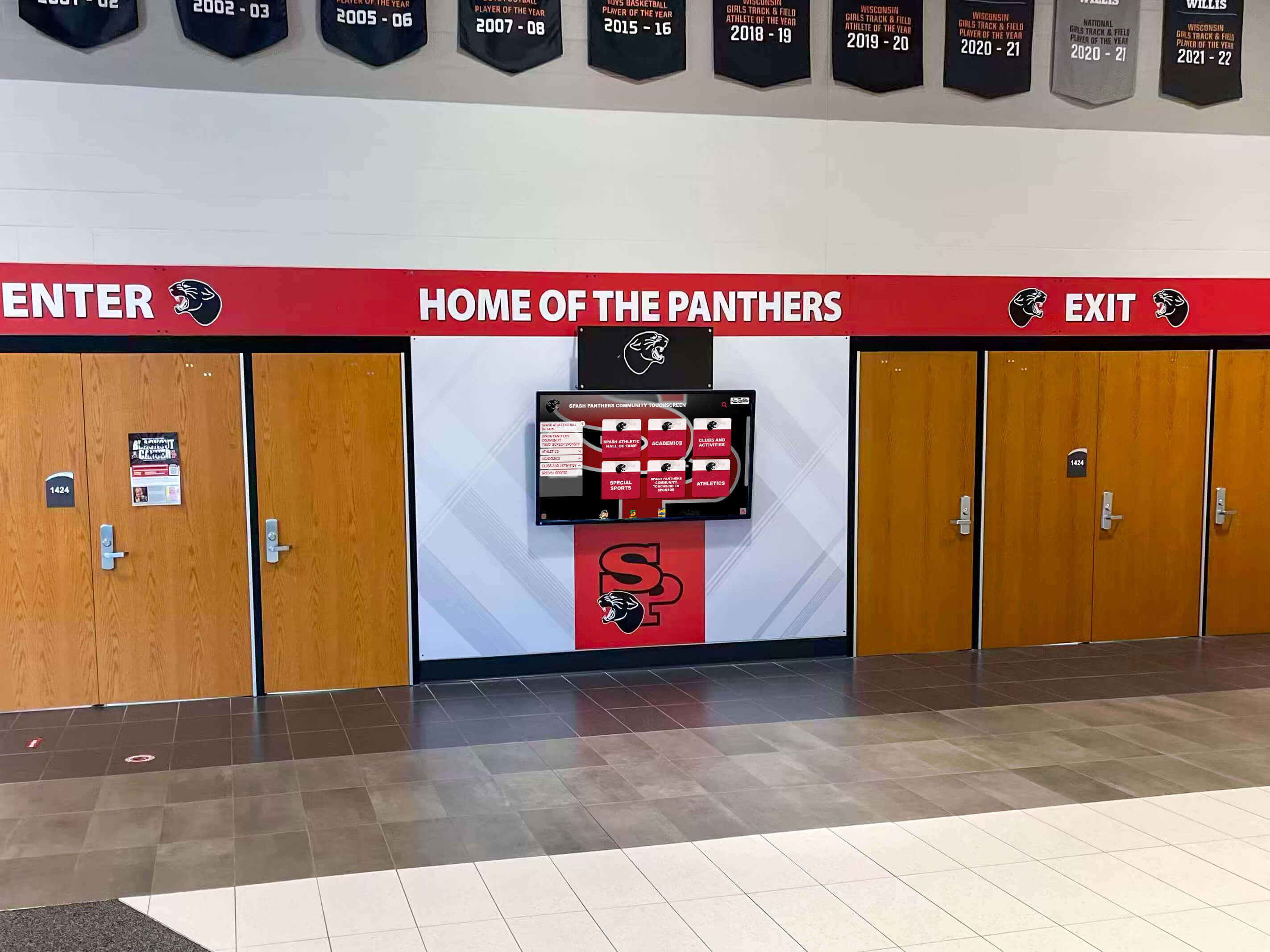
Entrance displays welcome visitors while immediately showcasing school pride and achievement
Historical Context and Program Evolution
Telling institutional stories across decades:
Traditional Approach:
- Historical photos and artifacts in dedicated cases
- Timeline displays showing program development
- Championship trophy groupings by era
Digital Approach:
- Interactive timelines showing program evolution
- Decade-by-decade achievement summaries
- Uniform and equipment evolution galleries
- Facility improvement documentation
- Historical research connecting past to present
Digital platforms enable sophisticated historical storytelling that engages students and alumni in institutional heritage, similar to alumni wall ideas that connect generations.
Academic and Arts Integration
Comprehensive recognition extending beyond athletics:
Both display types should celebrate:
- Academic honor roll and National Merit Scholars
- Academic competition achievements and scholarships
- Arts program recognition and competitions
- Citizenship and character awards
- Community service acknowledgment
Digital systems particularly excel at providing equitable space for non-athletic achievements that often receive inadequate recognition when physical space limitations force prioritization of large athletic trophies.
Schools should consider employee recognition approaches that honor staff contributions alongside student achievements.
Accessibility and Inclusive Design
Recognition displays must serve all community members regardless of physical abilities.
ADA Compliance Requirements
Federal accessibility requirements apply to recognition displays:
Physical Accessibility
- Display heights enabling wheelchair access
- Clear floor space allowing approach and viewing
- Accessible routes to display locations
- Appropriate lighting preventing glare
Digital Accessibility Modern digital systems should incorporate:
- Screen reader compatibility for visual impairments
- High-contrast viewing modes and text magnification
- Audio description options for key content
- Tactile button alternatives to touchscreen-only navigation
- Alternative text for all images and graphics
Purpose-built recognition platforms often include accessibility features that generic digital signage lacks.
Multilingual Support
Diverse school communities benefit from multilingual content:
Traditional Displays:
- Bilingual labeling when appropriate
- Language consideration in plaque text
- Cultural sensitivity in display design
Digital Displays:
- Complete content translation to community languages
- User-selectable language preference
- Inclusive photography representing diversity
- Cultural acknowledgment in achievement context
Digital platforms facilitate multilingual support far more easily than physical labels and plaques.
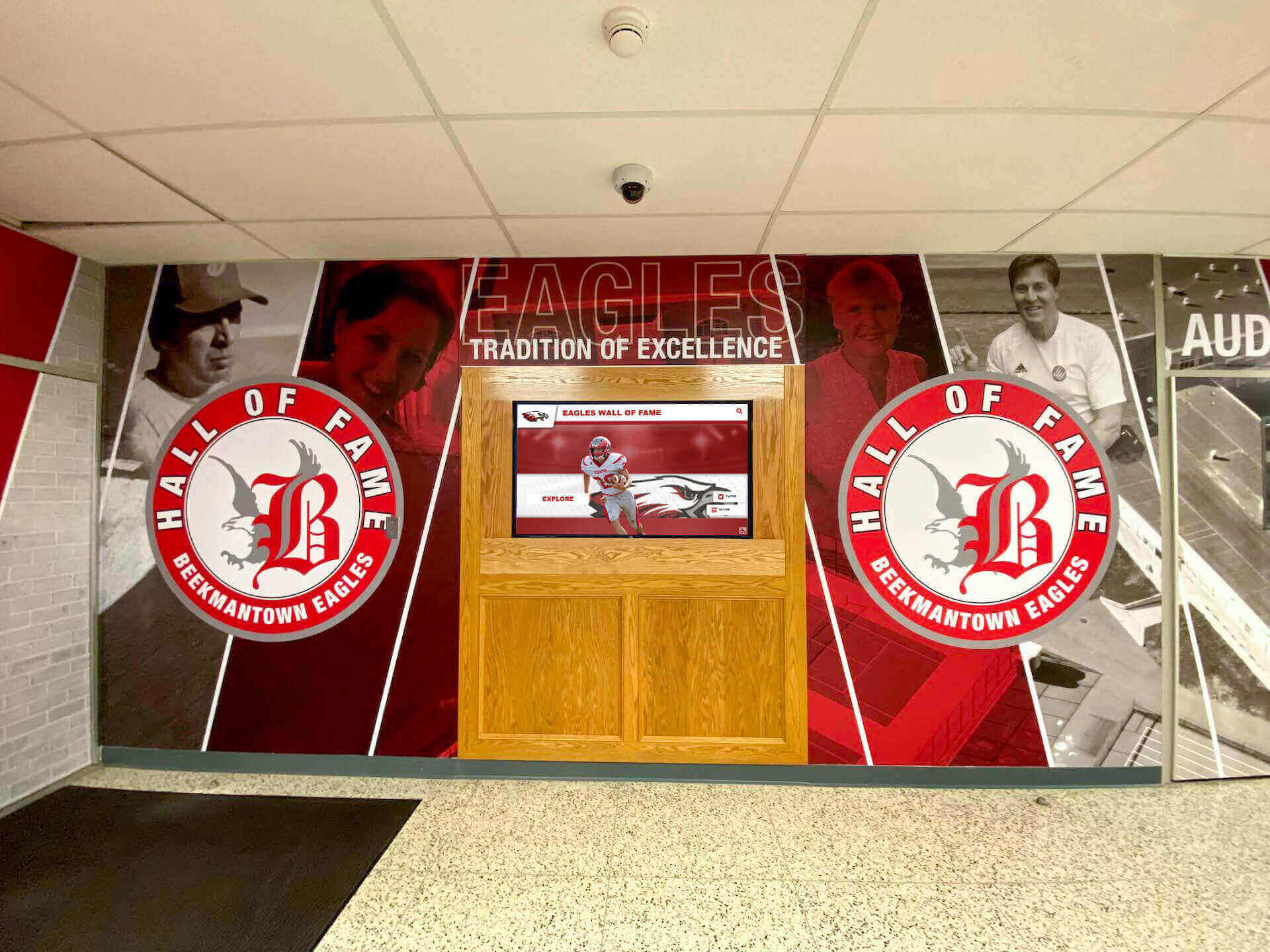
Artistic murals create visual anchor points for recognition displays in school lobbies
Future Trends in School Recognition Displays
Recognition technology continues evolving with emerging capabilities enhancing effectiveness.
Advanced Digital Features
Artificial Intelligence Integration
AI capabilities will enable:
- Automated content creation from structured achievement data
- Natural language search enabling conversational queries
- Personalized content recommendations based on user interests
- Automated photo tagging and organization
- Intelligent content curation highlighting timely achievements
Enhanced Interactivity
Future systems may incorporate:
- Gesture control and contactless interfaces
- Voice navigation and audio interaction
- Augmented reality features overlaying information on physical trophies
- Mobile app integration for personal device interaction
- Gamification elements encouraging exploration
Real-Time Integration
Live data connections will enable:
- Automatic updates during championship competitions
- Live game statistics and scoring updates
- Social media feed integration showing community celebration
- Instant photo uploads from events and ceremonies
- Real-time alumni engagement and commenting
Physical Display Evolution
Traditional glass cases continue improving:
Enhanced Materials
- Impact-resistant glass alternatives
- Anti-reflective coatings improving visibility
- Energy-efficient LED lighting systems
- Smart glass with variable opacity
- Sustainable and recycled materials
Modular Design
- Easily expandable configurations
- Tool-free shelf adjustment
- Standardized components simplifying maintenance
- Flexible layouts accommodating varying item sizes
Hybrid Integration
Future solutions will increasingly blend physical and digital:
- QR codes on physical trophies linking to rich digital content
- Proximity sensors triggering related digital content when approaching physical displays
- Projection mapping adding dynamic visual elements to traditional cases
- Holographic displays creating three-dimensional trophy representations
- Mixed reality experiences blending physical and digital recognition
Schools planning display investments should consider future expansion capability ensuring long-term value, as discussed in school digital signage implementation guides.
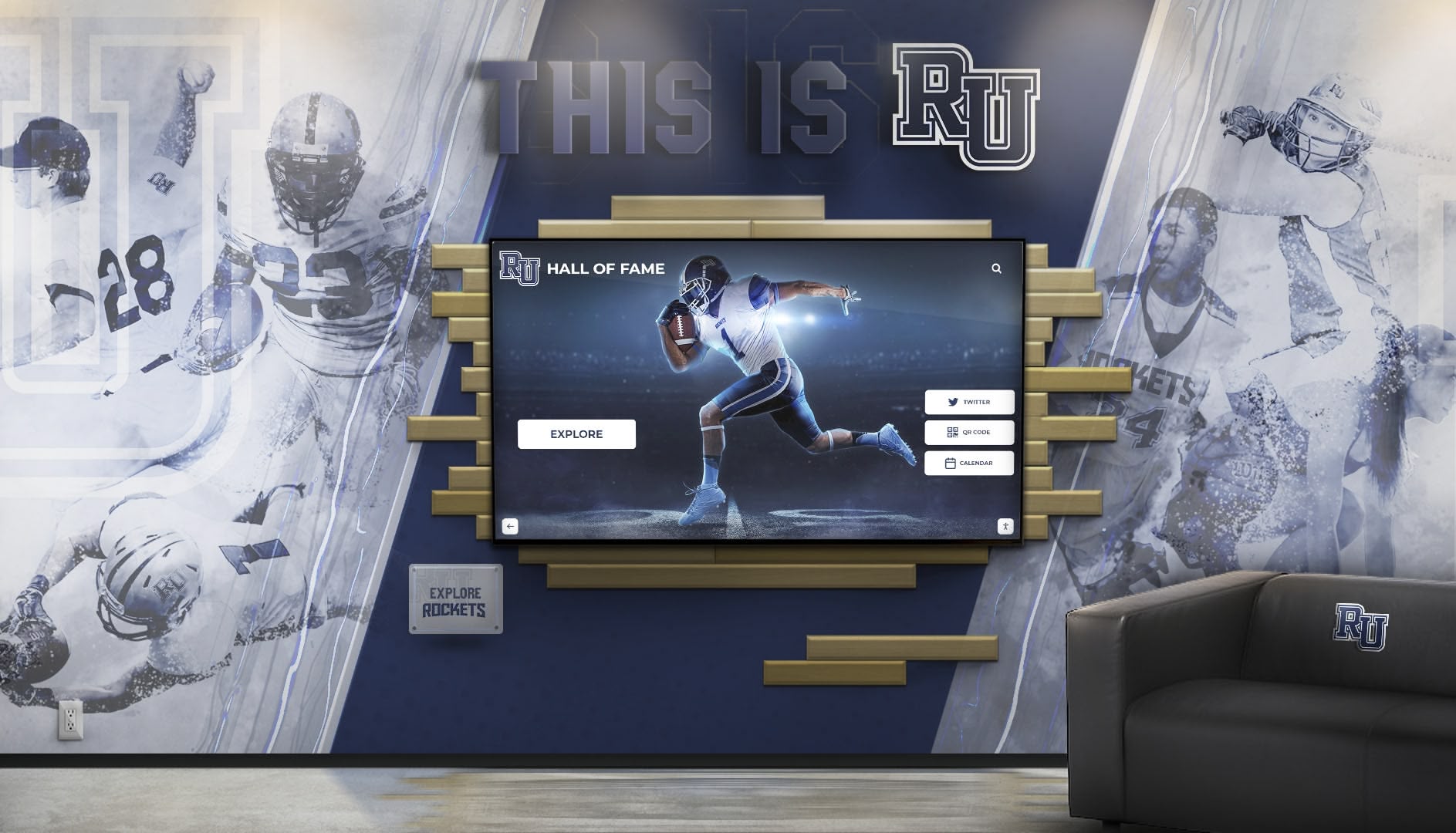
Purpose-designed installations integrate recognition displays with school branding and athletic themes
Making Your Glass Display Case Decision
Choosing between traditional glass cases, modern digital displays, or hybrid approaches requires considering your school’s unique circumstances, goals, and constraints.
Decision Checklist
Assess Current Recognition Needs:
- ✓ Current trophy and award collection size
- ✓ Annual recognition item additions
- ✓ Available physical display space
- ✓ Recognition quality and comprehensiveness goals
- ✓ Stakeholder preferences and expectations
- ✓ Budget capacity and funding sources
Evaluate Display Options:
- ✓ Traditional glass case capacity vs. collection size
- ✓ Digital display capability addressing space constraints
- ✓ Hybrid approach balancing tradition and capability
- ✓ Technology support capacity and staff capabilities
- ✓ Long-term costs and value comparison
- ✓ Implementation timeline and phasing options
Consider Stakeholder Impact:
- ✓ Student engagement and inspiration potential
- ✓ Alumni access and connection opportunities
- ✓ Administrative burden and staff time requirements
- ✓ Community visibility and institutional pride
- ✓ Recruiting and advancement support
- ✓ Equity and inclusive recognition
Common School Scenarios
Small School with Limited Trophy Generation: Traditional glass display cases likely serve needs effectively. 10-20 annual awards across limited sports fit available physical space indefinitely. Technology investment may exceed value delivered.
Growing Program Exceeding Physical Capacity: Digital displays address fundamental space crisis while providing capabilities supporting program growth. Hybrid approach may satisfy stakeholders preferring some physical presence.
Established Program with Extensive History: Comprehensive digital systems enable showcasing complete institutional legacy impossible with physical displays. Historical documentation provides valuable archiving while creating engaging exploration experiences.
School Prioritizing Alumni Engagement: Digital platforms with web access dramatically extend recognition reach to geographically dispersed alumni. Remote accessibility supports advancement and fundraising goals.
Budget-Constrained Environment: Phased implementation beginning with single digital display demonstrating value before expansion. Alternatively, maintaining existing traditional cases while adding limited new capacity.
Consider exploring digital signage and kiosk ideas for creative recognition approaches.
Conclusion: Honoring Every Achievement Appropriately
Glass display cases have served schools faithfully for generations, providing visible, secure recognition for athletic, academic, and arts achievements. Traditional approaches continue offering value for schools with limited recognition volume and adequate physical space.
However, successful programs generating decades of achievements face fundamental physical limitations with traditional glass cases. When space constraints force difficult decisions about which accomplishments deserve visibility and which disappear into storage, recognition loses effectiveness and students lose inspiration.
Modern digital display solutions eliminate space constraints while adding interactive features, multimedia storytelling, web accessibility, and administrative efficiency impossible with traditional cases. For schools facing capacity challenges or seeking enhanced recognition capability, digital platforms provide compelling alternatives that transform how institutions celebrate achievement.
Hybrid approaches combining selective traditional displays with comprehensive digital systems often provide optimal solutions—preserving valued physical presence while solving capacity problems and adding digital capabilities.
Regardless of approach selected, the fundamental goal remains consistent: ensuring every student achievement receives appropriate recognition that honors dedication, inspires future excellence, and preserves institutional legacy. Whether through traditional glass display cases, modern digital platforms, or thoughtful combinations, schools demonstrate values and priorities through what they celebrate and how comprehensively they recognize excellence.
Your school’s achievements deserve celebration. By carefully evaluating display options and implementing solutions aligned with your specific needs, you create recognition experiences that honor past accomplishments, celebrate current success, and inspire future generations to add their own chapters to ongoing stories of institutional excellence.
Ready to Transform Your School Recognition?
Discover how modern digital recognition solutions can eliminate space constraints while honoring every achievement with engaging, interactive displays purpose-built for schools.
Explore Recognition Display Solutions






























