Golf course leaderboard displays have evolved dramatically from simple chalkboards and static scoreboards to sophisticated digital systems that transform how tournaments are experienced, how members engage with their clubs, and how golf facilities differentiate themselves in increasingly competitive markets. Whether you’re managing a private country club hosting prestigious member events, operating a public course running weekly leagues, or overseeing a resort facility attracting tournament groups, modern leaderboard technology offers capabilities that enhance every aspect of golf operations and member satisfaction.
Yet many golf facilities struggle to implement effective leaderboard systems that balance functionality, cost, and member experience. Clubs invest thousands in hardware only to discover their scoring software lacks critical features. Others rely on manual score entry creating delays that frustrate players waiting for updated standings. Some facilities have impressive display technology but fail to maximize its potential beyond basic tournament scoring, missing opportunities for sponsor recognition, member engagement, and operational communication.
This comprehensive guide explores proven strategies for implementing and managing golf course leaderboard displays across facilities of all types and sizes. From understanding available technology options and selecting systems aligned with your specific needs, through maximizing displays for tournaments, leagues, and daily operations, to leveraging leaderboards for sponsor value and member engagement—you’ll discover actionable frameworks for creating scoring experiences that players appreciate and that strengthen your facility’s competitive position.
Beyond tournament scoring, we’ll examine how modern digital recognition solutions enable golf courses to preserve club history, celebrate member achievements, showcase course records, and create year-round engagement platforms that transform leaderboard displays from single-purpose scoring tools into comprehensive communication and recognition systems that benefit facilities long after tournaments conclude.

Understanding Golf Course Leaderboard Display Technology
The landscape of golf leaderboard technology encompasses solutions ranging from simple television displays showing basic scores to sophisticated LED installations integrated with comprehensive tournament management software. Understanding available options helps facilities make informed decisions aligned with their operational needs, budget constraints, and member expectations.
Traditional Static Leaderboard Approaches
For generations, golf courses relied on physical scoreboards requiring manual updates. Chalkboards outside pro shops listed tournament leaders with scores updated periodically as groups completed their rounds. Printed sheets posted in clubhouses showed final results. Large scoreboard structures at tournament venues displayed leaders throughout events.
These traditional approaches offer certain advantages that remain relevant for specific situations. Physical scoreboards require no technology infrastructure, electrical power, or network connectivity. For facilities with extremely limited budgets or those hosting occasional low-key events, basic manual approaches avoid technology costs entirely. The simplicity appeals to traditionalists who value classic golf aesthetics and prefer minimal technology intrusion on course experience.
However, manual leaderboards present significant limitations that become increasingly problematic as player expectations evolve. Updates occur only when staff manually posts new scores, creating delays that frustrate players eager for current standings. The information density remains severely limited—physical boards accommodate only top leaders without showing complete fields or detailed statistics. Organization and searchability prove challenging as players must visually scan boards to find specific competitors. Manual score entry creates opportunities for transcription errors affecting result accuracy. And critically, these approaches provide no sponsor recognition opportunities, limiting facility revenue potential from tournament events.
Modern Digital Display Systems for Golf Courses
Digital leaderboard systems leverage display technology, cloud-based software, and real-time data integration to create scoring experiences impossible with traditional approaches. These solutions range from simple TV-based displays to complex LED installations, each suited to different facility types and use cases.
Television and Monitor-Based Systems represent the most accessible digital option for many facilities. Commercial-grade televisions or computer monitors installed in clubhouses, pro shops, or covered outdoor areas display live leaderboards through dedicated software applications. These systems typically cost $1,500-$5,000 depending on display size and software features, making them practical entry points for facilities beginning digital transformation.
TV-based systems work well for indoor installations where screens are protected from weather, viewing distances are moderate, and budgets are constrained. Most integrate with popular golf management platforms and scoring apps, enabling real-time updates as players submit scores through mobile devices or on-course kiosks. The displays accommodate sponsor logos, customizable branding, and rotating content between tournament leaderboards and club announcements.
LED Display Panels provide outdoor visibility and professional presentation for facilities hosting higher-profile events or seeking maximum visual impact. These weather-resistant displays remain clearly visible in bright sunlight and adverse weather conditions that make TV screens difficult to read. LED systems typically range from $10,000-$50,000+ depending on size, resolution, and features, positioning them as investments for clubs with significant tournament revenue or premium member expectations.
LED installations excel at outdoor course locations where large viewing audiences gather, such as near 18th greens or central spectator areas. The bright, high-contrast displays remain legible from considerable distances, enabling viewing by large crowds during major tournaments. Most LED systems integrate with the same scoring software platforms as TV-based displays while adding capabilities for animated graphics, video content, and enhanced sponsor presentations that justify premium sponsorship investments.
Touchscreen Interactive Displays add engagement capabilities beyond passive viewing, enabling players to explore detailed standings, review individual scorecards, access course information, and interact with content in ways static displays don’t allow. These systems typically use commercial-grade touchscreen monitors ranging from 43" to 75"+ screens, with costs between $3,000-$15,000 depending on size and software sophistication.
Interactive displays work particularly well in clubhouse locations where players naturally gather before and after rounds. Rather than simply viewing current leaders, golfers can search for their own scores, compare their performance to competitors in their flight, review hole-by-hole scoring details, and access historical tournament results. This deeper engagement increases player satisfaction while creating additional opportunities for sponsor visibility through interactive content sections.

Selecting the Right Leaderboard System for Your Facility
Golf facilities vary dramatically in their leaderboard needs based on facility type, tournament frequency, member expectations, budget constraints, and operational priorities. Successful implementation begins with understanding your specific requirements and selecting systems aligned with those needs rather than simply choosing the most technologically advanced option regardless of fit.
Evaluating Your Facility’s Leaderboard Requirements
Facility Type and Tournament Profile significantly influences appropriate leaderboard approaches. Private country clubs hosting regular member tournaments, club championships, and social events need systems supporting frequent scoring activities with comprehensive member databases and handicap integration. Public daily-fee courses running occasional leagues and charity events may prioritize simplicity and low operational overhead over advanced features. Resort courses attracting corporate outings and tournament groups benefit from systems creating professional impressions that support premium pricing and attract repeat bookings.
Tournament Frequency and Scale determines how much value facilities derive from leaderboard investments. Clubs running weekly competitions, multiple simultaneous flights, and year-round event schedules justify more sophisticated systems through frequent utilization. Facilities hosting only handful of annual tournaments may find simpler, more economical solutions sufficient for their limited scoring needs. The number of simultaneous tournaments, typical field sizes, and scoring complexity all factor into appropriate system selection.
Technology Infrastructure and Staff Capabilities affect implementation feasibility and ongoing operations. Facilities with robust WiFi coverage throughout clubhouses and course areas can support mobile scoring applications and real-time updates, while those with limited connectivity may need systems accommodating offline scoring with periodic synchronization. Staff comfort with technology influences whether systems requiring significant technical management prove practical or become sources of frustration. IT support availability determines whether facilities can maintain systems internally or need comprehensive vendor support.
Budget Realities and ROI Expectations frame what’s financially feasible and how facilities justify investments. Understanding total costs including hardware, software licensing, installation, training, and ongoing support ensures realistic budgeting. Many facilities evaluate whether leaderboard systems can generate revenue through enhanced sponsor opportunities that offset implementation costs. For membership-based clubs, improved member satisfaction and engagement may justify investments even without direct revenue generation.
Understanding Software Integration and Scoring Platforms
Leaderboard displays represent only one component of comprehensive tournament management ecosystems. The software powering displays determines functionality, ease of use, and operational efficiency. Most modern systems integrate with established golf management platforms or provide standalone tournament software with scoring capabilities.
Integrated Golf Management Systems like Golf Genius, BlueGolf, GolfNow, and Club Prophet offer comprehensive tournament management as part of broader club operations platforms. These systems typically include online registration and payment processing, handicap integration and automated flight creation, real-time mobile scoring applications, automated rules application and tie-breaking, comprehensive reporting and analytics, and integrated leaderboard displays. For facilities already using these platforms for tee sheet management and member services, leveraging their tournament features creates operational efficiency through single-system management.
Specialized Tournament Software like GolfStatus, Tournament Caddy, and Vision Perfect focuses specifically on event management and scoring. These platforms often provide more sophisticated tournament-specific features than general golf management systems, including advanced scoring formats supporting scrambles, best ball, match play, and custom variations, skills competition tracking for closest to pin, longest drive, and similar contests, comprehensive sponsor management tools, live streaming and broadcast capabilities, and extensive customization options for leaderboards and reporting.
Facilities evaluate integration options based on current systems, specific tournament needs, and whether comprehensive platforms or specialized tools better serve their operations.
Determining Optimal Display Locations and Configurations
Strategic placement significantly impacts how effectively leaderboards serve players, spectators, and operational needs. Most facilities benefit from multiple display locations serving different purposes and audiences.
Primary Clubhouse Displays serve as central information hubs where players naturally gather. Pro shop or lobby installations provide high visibility during check-in and post-round socializing, creating guaranteed viewership for tournament standings and sponsor recognition. These protected indoor locations accommodate TV-based or interactive touchscreen systems without weather concerns. Mounting considerations include viewing angles, distance from typical viewing positions, ambient lighting that might cause screen glare, and proximity to gathering areas where players socialize.
Outdoor Course-Side Displays bring scoring information directly to players during rounds and create viewing opportunities for spectators. Installations near 18th greens enable players to view current standings as they complete rounds, building excitement and encouraging post-round gathering. Practice facility locations provide information access for players warming up. Outdoor displays must be weather-resistant LED systems or weatherproof TV enclosures, require reliable power and connectivity, and should be positioned for visibility without disrupting play or creating hazards.
Tournament Operations Centers support staff managing events rather than player viewing. Scoring tent installations enable officials to monitor real-time standings, identify scoring irregularities, and coordinate rules situations. Private displays in tournament director work areas facilitate operations without player interference. These functional displays prioritize operational software features over visual presentation aesthetics.

Extending Leaderboards Beyond Tournament Scoring
The most successful golf facilities maximize leaderboard display investments by utilizing systems throughout the year for purposes beyond tournament scoring. This comprehensive utilization increases return on technology investments while creating year-round engagement platforms benefiting members, operations, and facility positioning.
Daily Operations and Member Communication
During non-tournament periods, leaderboard displays become valuable communication channels reaching members and guests throughout clubhouses and facilities.
Daily Tee Sheet and Course Conditions provide immediately relevant information for arriving players. Current tee time availability helps players make last-minute reservations or identify opportunities for walk-up play. Course conditions updates inform players about maintenance activities, temporary closures, or special circumstances affecting play. Weather updates with forecasts, current conditions, and severe weather alerts prove valuable for planning and safety. Pace of play tracking shows current speed of play across the course, helping players set expectations and make informed tee time decisions.
League Standings and Season-Long Competitions maintain engagement between weekly league events. Season-long leaderboards track cumulative standings across multi-week leagues, keeping competition top-of-mind and building anticipation for upcoming matches. Historical league results showcase past champions and record performances, building tradition and inspiring current participants. Upcoming schedule information with registration links encourages league participation. Individual performance tracking allows members to review their own statistics and improvement over time.
Member Milestone Recognition celebrates achievements extending beyond formal tournament results. Hole-in-one recognition celebrates exceptional moments with photos and details preserving memorable accomplishments. Age shooting recognition honors members shooting their age or better, a significant golf milestone. Anniversary acknowledgments celebrate member loyalty on joining anniversaries. Personal best tracking recognizes course record rounds or individual improvement milestones. Birthday recognition creates personal touchpoints building community connections.
These recognition elements transform leaderboards into comprehensive member engagement platforms similar to how schools use digital recognition systems to celebrate student achievements across academic and athletic domains.
Creating Historical Archives and Record Books
One of the most valuable yet often overlooked applications for leaderboard display systems involves preserving comprehensive club history and tournament records systematically. Many golf facilities maintain scattered historical records—a box of old scorecards here, some fading photographs in filing cabinets there, perhaps a dusty trophy from a championship decade ago—but lack cohesive systems for documenting club evolution and honoring long-term achievement.
Tournament History Databases enable clubs to preserve complete records indefinitely. Digital systems can document championship results for all club tournaments with complete field results beyond just winners, winning scores and notable performances throughout tournament history, historical tournament formats and how competitions evolved over decades, significant milestone celebrations such as 50th anniversaries or special commemoration events, and participant records showing who competed in specific years and their performances.
This comprehensive preservation creates powerful engagement opportunities during anniversary celebrations, historical displays, and member communications showcasing club tradition. Unlike physical archives requiring storage space and remaining inaccessible except to dedicated historians, digital records become searchable, shareable resources that current members actively explore and enjoy.
Course Record Tracking and Recognition documents the absolute best performances in club history. Comprehensive digital systems maintain overall course records from all tees showing the lowest competitive rounds ever recorded, age-specific records recognizing outstanding play by junior, senior, and super-senior golfers, gender-specific records acknowledging top performances by men and women, tournament-specific records for club championships, member-guests, and other significant events, and format-specific records for stroke play, match play, and alternative competition formats.
Many clubs extend record-keeping to individual hole performances, maintaining lists of holes-in-one achieved at the facility, eagles recorded during competitive play, and course-specific statistical leaders in driving distance, putting performance, and other measured categories.
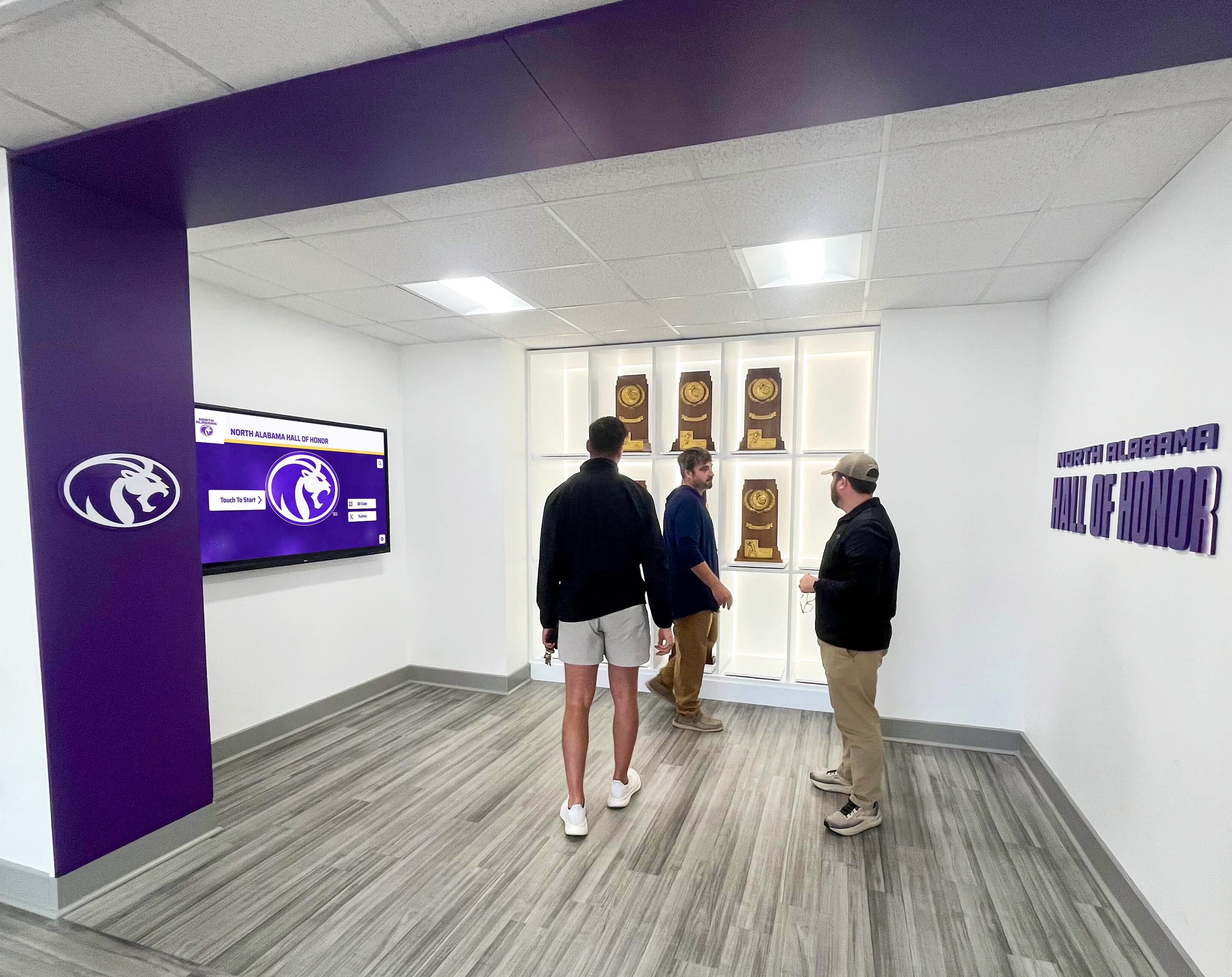
Member Historical Profiles transform simple result lists into rich biographical records. Solutions like Rocket Alumni Solutions enable golf clubs to create searchable databases of member achievements over time, including complete tournament participation and performance history, club championship victories and runner-up finishes, team competition participation and results, committee service and volunteer leadership, significant milestones and personal achievements, and where appropriate, biographical information and photos documenting membership tenure.
This approach mirrors how athletic halls of fame document athlete careers comprehensively rather than simply listing names and championships. The result transforms record-keeping from administrative necessity into engaging historical resource that members explore, enjoy, and share with family members and friends.
Leveraging Leaderboard Systems for League Management
Golf leagues represent crucial revenue streams and member engagement programs for many facilities. Modern leaderboard and tournament management systems dramatically simplify league administration while enhancing participant experiences that drive sustained involvement.
Streamlining League Registration and Format Management
Digital systems eliminate much of the manual work traditionally required for league operations, freeing staff to focus on participant engagement and experience rather than administrative tasks.
Online Registration with Integrated Payment enables self-service enrollment reducing administrative burden. Members register directly through facility websites or mobile apps, select their preferred divisions or flight placements based on handicap, pay league fees securely through integrated payment processing, and register teams or request specific playing partners as formats allow. Automated communication sends confirmations, provides league information, and delivers pre-season communications.
Flexible Format Configuration accommodates diverse league structures within single platforms. Systems support individual stroke play competitions, team formats including scrambles and best ball, match play with bracket management, points-based season-long competitions, and hybrid formats combining multiple scoring systems. Handicap integration ensures equitable competition regardless of skill level variation, with automated handicap applications, net and gross competition options, flight divisions based on handicap ranges, and handicap allowances appropriate to specific formats.
Automated Pairings and Schedule Generation creates consistent pairings and manages league schedules with minimal manual work. Random pairings rotate playing partners throughout seasons, preventing static groups. Balanced scheduling ensures all participants face similar competitive challenges. Rain date and makeup round management accommodates weather interruptions. Pace optimization attempts to group similar-paced players for better course flow.
Enhancing League Member Experience Through Technology
Beyond administrative efficiency, modern systems create engagement and enjoyment that differentiates facilities and increases league retention.
Live Scoring and Real-Time Standings generate excitement during league play. Participants view current standings as they play, building competitive tension and awareness. Group performance tracking enables team members to monitor combined scores during team competitions. Milestone alerts celebrate notable achievements as they occur, such as reaching scoring thresholds or clinching division titles. Post-round access allows players to review results immediately after submitting scores rather than waiting days for manual processing.
Season-Long Statistics and Performance Tracking provide participants with detailed insights into their games. Individual statistics track scoring averages, improvement trends, best rounds, and performance consistency. Comparative analytics show how players rank against competitors in their flights. Course-specific data reveals performance on specific holes helping identify improvement opportunities. Historical comparisons show year-over-year development for returning league members.
Social Features and Community Building leverage technology to strengthen connections among league participants. Photo galleries from league events document social atmosphere beyond competitive elements. Communication forums enable league discussions and coordination. Achievement recognition celebrates individual and team milestones throughout seasons. Social sharing integration allows participants to share accomplishments with broader networks, creating positive facility visibility.
These enhanced experiences increase league satisfaction, drive word-of-mouth recruitment of new participants, and improve retention rates that strengthen facility revenue stability.

Creating Professional Tournament Experiences for Events and Outings
Golf facilities hosting corporate outings, charity fundraisers, and competitive tournaments compete for business in crowded markets. Professional leaderboard systems differentiate facilities and justify premium pricing through enhanced experiences that clients and participants value.
Delivering Tournament-Level Production Quality
Groups booking tournament events expect experiences that reflect the professional golf they watch on television, with quality production elements that create excitement and engagement throughout their events.
Customized Tournament Branding personalizes events for clients and sponsors. Custom tournament logos and branding replace generic displays throughout events. Event-specific graphics, color schemes, and visual elements align with client organizations or cause branding. Welcome screens greet participants as they arrive at facilities. Awards ceremony presentations showcase winner recognition with professional polish. This customization creates memorable experiences that clients appreciate and that drive repeat bookings and positive referrals.
Comprehensive Skills Competitions add engagement beyond standard stroke play. Closest to pin contests on par 3 holes track entries with photo documentation of best attempts, automated leaderboards showing current leaders throughout events, prize notifications celebrating winners during awards ceremonies, and sponsor integration prominently featuring skills competition sponsors. Longest drive competitions measure and track drives with similar features. Putting contests before or after rounds create additional engagement opportunities. Beat the pro challenges pit participants against facility professionals in skills contests.
Live Streaming and Remote Viewing extend event reach beyond physical attendees. Public leaderboard URLs allow friends, family, and colleagues to follow events remotely. Social media integration enables real-time sharing of leaderboard standings and highlights. For charity events, remote viewing increases donor engagement and event visibility. Corporate clients appreciate remote viewing enabling company leadership to follow employee and client participation even when unable to attend personally.
Maximizing Sponsor Value Creation
Charity tournaments and corporate events typically depend on sponsor revenue to reduce participant costs or generate proceeds for beneficiary organizations. Facilities that help clients maximize sponsor value through effective leaderboard integration win repeat business and command premium pricing.
Multi-Channel Sponsor Visibility leverages digital displays alongside traditional recognition. On-screen sponsor logos throughout events, dedicated sponsor recognition screens rotating through all partners, skills competition sponsor integration linking brands to specific contests, and awards ceremony sponsor acknowledgment during winner presentations create sustained visibility. Sponsor feature sections during natural breaks in competitive action, such as transition periods between flights or weather delays, provide extended exposure. Photo documentation of sponsor presence provides post-event marketing materials demonstrating value delivered.
Measurable Sponsor Metrics differentiate sophisticated facilities from competitors. Display impression tracking documents how many times sponsor content appeared on leaderboards. Viewer engagement analytics from interactive displays show sponsor content interactions. Live streaming viewer data quantifies remote audience exposure. Social media reach metrics document extended visibility through online sharing. These measurable outcomes help tournament organizers justify sponsorship investments and support increased sponsor commitments for future events.
Flexible Sponsor Tiers accommodate diverse partnership levels. Presenting sponsor placement provides maximum visibility, supporting sponsor rotation maintains presence without overwhelming displays, hole sponsor integration connects brands to specific course locations and related scoring, and specialized sponsor categories like “beverage cart sponsor” or “skills competition sponsor” create focused associations.
Facilities that help clients structure and deliver effective sponsor programs become preferred venues for repeat events and receive referrals to other organizations seeking tournament venues.
Integrating Leaderboards with Broader Member Recognition Systems
The most forward-thinking golf facilities recognize that leaderboard displays represent one component of comprehensive member recognition and engagement ecosystems. By integrating tournament scoring systems with broader digital recognition platforms, clubs create cohesive environments where competitive achievements, club history, and member milestones receive appropriate celebration.
Creating Comprehensive Club Achievement Archives
Rather than treating tournament leaderboards as isolated tools, successful clubs integrate competitive results into comprehensive historical records celebrating member accomplishments across multiple dimensions.
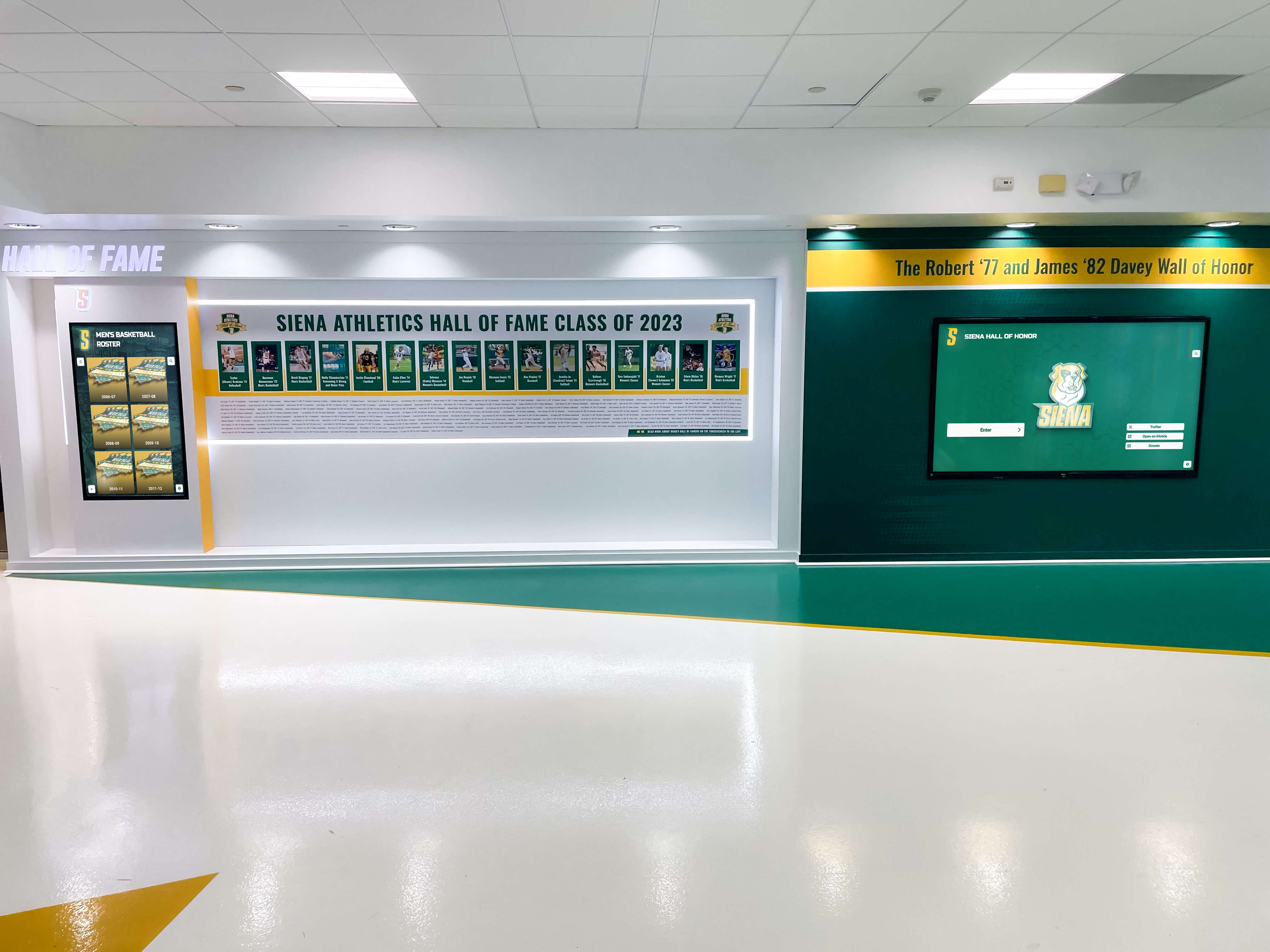
Unified Member Achievement Profiles consolidate diverse recognition categories. Individual profiles accessible through interactive touchscreen displays or web platforms include complete tournament participation and results throughout membership tenure, club championship victories and significant tournament achievements, league participation and season-long standings, committee service and volunteer leadership, special milestones like holes-in-one and age shooting, and member-submitted photos and biographical information.
This comprehensive approach mirrors how schools recognize student achievements across academics, athletics, and activities rather than limiting recognition to single domains. The result transforms member recognition from simple tournament results lists into rich archives documenting complete club involvement.
Multi-Generational Family Recognition acknowledges that many private clubs serve families across generations. Family profile pages accessible through digital recognition displays document multiple family members’ achievements over decades, highlight parents and children who both achieved club championships, recognize families with sustained multi-decade memberships, and showcase family tournament traditions and regular participation in club events. This family-focused recognition strengthens emotional connections to clubs and reinforces membership retention across generations.
Showcasing Club History and Tradition
Leaderboard systems integrated with comprehensive digital recognition platforms enable clubs to present their histories engagingly rather than relegating historical records to storage rooms or forgotten filing cabinets.
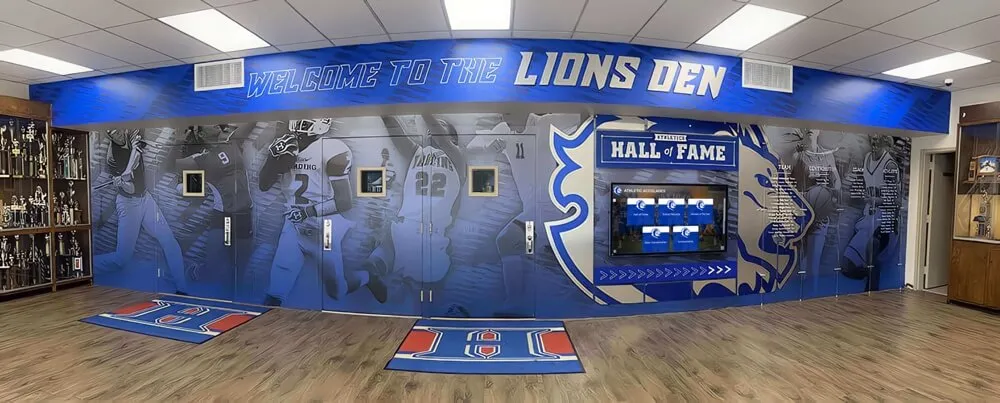
Interactive Historical Timelines present club evolution chronologically. Digital displays allow members to explore club founding and early development, facility expansions and course renovations throughout history, significant championship and tournament moments, notable member achievements and recognition, and evolution of traditions, events, and club culture. Interactive exploration enables members to navigate to specific years or search for particular events, creating engaging historical experiences rather than static presentations.
Championship History Galleries celebrate competitive tradition comprehensively. Rather than simple winner lists, rich presentations include championship results with complete standings beyond just winners, winner photographs and biographical information, historical photos documenting championships throughout club history, notable performances and memorable moments from championship history, and championship format evolution showing how competitions changed over time.
Course Record Archives document the absolute best performances in club history with appropriate context. Comprehensive systems maintain current record holders with detailed performance information, historical record progression showing how records improved over time, conditions and circumstances of record-setting rounds, biographical information about record holders, and photo documentation when available.
This historical preservation and presentation creates pride in club tradition, strengthens member engagement through connection to club history, provides compelling content for new member recruitment and guest impressions, and ensures competitive legacy receives appropriate recognition rather than fading from institutional memory.
Technical Considerations and System Reliability
Golf course leaderboard displays must function reliably during tournaments and events when expectations are highest and technical failures create maximum embarrassment and frustration. Understanding critical technical factors and implementing appropriate safeguards ensures systems perform when they matter most.
Network Infrastructure and Connectivity Requirements
Real-time scoring and display updates depend on reliable network connectivity throughout facilities and course areas. Inadequate infrastructure creates frustrating delays, score entry failures, and operational problems that undermine system value.
Clubhouse Connectivity typically presents fewer challenges than course-wide coverage. Reliable wired Ethernet connections provide the most dependable connectivity for fixed display installations. High-capacity WiFi networks support mobile scoring applications and portable devices. Dedicated networks separate leaderboard and scoring traffic from general member WiFi preventing bandwidth competition. Guest networks isolated from operational systems protect security while enabling participant connectivity.
Course-Wide Coverage requires more substantial infrastructure investments. Extended WiFi networks using multiple access points create coverage across courses, enabling mobile scoring throughout play. Cellular connectivity alternatives leverage existing carrier coverage when WiFi expansion proves impractical. Hybrid approaches allow mobile scoring via cellular data with WiFi available in specific high-traffic areas. Offline scoring capabilities accommodate temporary connectivity losses by caching scores locally and synchronizing when connections restore.
Redundancy and Backup Connectivity prevents single points of failure. Backup internet connections through secondary providers ensure connectivity during primary service outages. Cellular backup automatically activates if wired connections fail. Local network infrastructure continues operating even if internet connectivity interrupts, allowing score entry and local display updates to continue. Cloud-based systems typically maintain service through distributed infrastructure preventing single server failures from causing complete outages.
Display Hardware Selection and Maintenance
Display reliability depends on selecting appropriate hardware and maintaining equipment properly throughout its service life.
Commercial vs Consumer Displays represents a critical decision affecting long-term reliability. Commercial-grade displays cost more initially but provide extended operational lifespans rated for continuous operation, brighter panels maintaining visibility in high ambient light, more durable components withstanding constant use, and comprehensive warranties supporting business-critical applications. Consumer televisions cost less initially but are designed for residential use with limited daily operation, potentially shorter lifespans when used continuously, and may lack commercial support and warranty coverage.
For business-critical applications like golf course leaderboards, commercial displays typically prove more cost-effective despite higher initial investment through reduced failure rates and longer service life.
Environmental Protection ensures displays withstand operating conditions. Indoor installations require controlled temperatures within equipment specifications, ambient light management preventing screen glare and washout, and protection from moisture in humid clubhouse environments. Outdoor installations demand weatherproof enclosures rated for local climate extremes, thermal management preventing overheating in direct sunlight, and secure mounting withstanding wind loads and weather exposure.
Preventive Maintenance Programs maximize equipment longevity and reliability. Regular cleaning prevents dust buildup affecting cooling and display quality. Connection verification ensures cables remain secure and undamaged. Software updates maintain security and functionality. Backup system testing validates redundancy actually functions when needed. Periodic professional servicing by qualified technicians identifies developing issues before they cause failures.

Staff Training and Operational Procedures
Sophisticated leaderboard technology only delivers value when staff members understand systems thoroughly and can operate them effectively during events. Comprehensive training and documented procedures ensure consistent operations regardless of which staff members manage specific tournaments.
Developing Staff Competency with Tournament Systems
Investment in staff training pays dividends through smoother operations, faster issue resolution, and better member experiences during tournaments and events.
Role-Based Training Programs ensure all staff members involved with tournament operations understand their specific responsibilities. Tournament directors and coordinators require comprehensive system knowledge covering tournament creation and configuration, scoring management and rules application, sponsor content management, and troubleshooting common technical issues. Pro shop staff need foundational knowledge including player check-in procedures, basic scoring assistance for members, leaderboard display operation, and knowing when to escalate issues to tournament coordinators. Golf operations staff benefit from understanding tournament schedules and their operational impact, basic scoring systems to assist with member questions, and pace of play monitoring through system data.
Hands-On Practical Training proves more effective than simply reviewing documentation. Practice tournaments using training modes allow staff to experience full event cycles without affecting actual member data. Scenario-based exercises prepare staff for common situations like scoring disputes, late additions or withdrawals, weather interruptions and rain dates, and technical connectivity issues. Periodic refresher training before major event seasons ensures competency remains current despite time between tournaments.
Documentation and Reference Materials support staff during actual operations when immediate assistance may not be available. Quick reference guides summarizing common procedures in easy-to-follow formats, troubleshooting flowcharts systematically addressing typical problems, vendor contact information for technical support when issues exceed internal capabilities, and video tutorials demonstrating key procedures provide valuable resources during actual events.
Establishing Standard Operating Procedures
Documented procedures ensure consistent, professional operations regardless of staff changes or varying individual approaches.
Pre-Tournament Preparation Checklists prevent overlooking critical setup elements. Standard procedures should cover tournament configuration verification confirming formats, flights, handicap settings, and rules, participant registration verification ensuring all players properly enrolled with correct information, display configuration checking that all screens show appropriate content, connectivity testing validating scoring applications and network access, and sponsor content verification confirming sponsor recognition appears correctly.
During-Tournament Operations Protocols guide real-time management. Monitoring procedures establish how frequently staff review leaderboards for accuracy, check for scoring anomalies or irregularities, respond to participant questions or disputes, and update sponsor and informational content. Communication protocols define how staff coordinate between pro shop, scoring officials, and course operations, escalate issues requiring management involvement, and communicate with participants about standings and schedule updates.
Post-Tournament Completion Procedures ensure proper event closure and preparation for future activities. Final results verification, winner confirmation and prize coordination, financial reconciliation for paid events, system data backup and archiving, debrief session to review what succeeded and what needs improvement, and documentation updates incorporating lessons learned maintain systematic improvement over time.
These documented procedures create institutional knowledge that persists despite staff turnover, enabling consistent operations that members and guests depend upon.
Financial Considerations and Return on Investment
Golf course leaderboard systems represent significant investments requiring thoughtful financial analysis and clear understanding of value delivered relative to costs incurred. Successful implementations balance functionality, cost, and realistic expectations about how systems contribute to facility success.
Understanding Total Cost of Ownership
Comprehensive budgeting accounts for all costs throughout system lifespans, not just initial purchase prices that sometimes oversimplify true financial commitments.
Initial Implementation Costs typically include hardware purchases such as displays, mounting equipment, and supporting technology infrastructure, software licensing with upfront fees or first-year subscriptions, professional installation including electrical work, mounting, and network configuration, staff training ensuring operational competency, and content development for historical records if implementing comprehensive recognition systems.
For typical golf facility installations, complete systems range from $5,000-$15,000 for basic single-display solutions to $25,000-$75,000+ for comprehensive multi-display systems with advanced features.
Ongoing Operational Costs accumulate throughout system lifespans. Annual software subscription fees for most cloud-based platforms, technical support contracts ensuring vendor assistance when needed, network connectivity costs for cellular backup or enhanced WiFi, electricity for display operation particularly for large LED installations, periodic maintenance and repairs addressing hardware issues, and content management time for staff updating displays and managing tournament information represent predictable recurring expenses.
Facilities should budget $1,500-$5,000+ annually for ongoing costs depending on system complexity and support requirements.
Future Expansion and Replacement planning prevents financial surprises. Display replacement every 6-10 years as equipment reaches end of useful life, software platform migrations if vendors discontinue products or better alternatives emerge, expanded coverage adding displays to additional locations as needs grow, and technology upgrades incorporating new capabilities as systems evolve represent foreseeable future investments.
Evaluating Return on Investment and Value Delivered
While some benefits like enhanced member satisfaction prove difficult to quantify precisely, systematic evaluation helps facilities understand value delivered relative to investments made.
Direct Revenue Generation occurs through several mechanisms. Enhanced tournament entry fees justified by superior player experience and professional presentation, premium pricing for outing and corporate event hosting due to sophisticated technology capabilities, increased sponsor revenue from effective digital recognition opportunities, and additional event bookings from reputation for professional tournament management create measurable financial returns.
Facilities hosting regular corporate outings and charity events often find that enhanced sponsor capabilities alone generate sufficient incremental revenue to justify leaderboard investments within 2-3 years.
Operational Efficiency Gains reduce labor costs and administrative burden. Automated scoring eliminates manual score entry time, self-service registration reduces administrative workload, automated rules application and calculation prevents errors requiring correction, and streamlined tournament management allows staff to manage more events without proportional staff increases. These efficiency improvements either reduce costs directly or enable revenue growth without corresponding expense increases.
Member Satisfaction and Retention Impact affects long-term financial performance. Improved tournament experiences increase participation in club events, enhanced technology demonstrates facility commitment to member experience, reduced frustration from scoring delays and errors improves overall satisfaction, and competitive differentiation versus other clubs influences prospective member decisions and existing member retention.
For membership-based private clubs, even modest improvements in retention significantly impact long-term financial performance given typical member lifetime values.
Transform Your Golf Course Recognition Experience
Rocket Alumni Solutions specializes in comprehensive digital recognition systems that extend far beyond basic tournament leaderboards. Our platforms enable golf clubs to celebrate competitive achievements, preserve historical records, recognize member milestones, and create engaging experiences that strengthen member connections and differentiate your facility.
Whether you're implementing tournament scoring displays, creating comprehensive member achievement archives, or building historical recognition programs that celebrate your club's tradition, we'll help you develop solutions that serve your facility for years to come.
Contact us today to discover how Rocket Alumni Solutions can help your golf course create recognition experiences that honor achievement, preserve history, and engage your members beyond basic scoring functionality.
Conclusion: Building Comprehensive Recognition Ecosystems
Golf course leaderboard displays have evolved far beyond simple tournament scoring tools into comprehensive communication, recognition, and engagement platforms that serve diverse facility needs throughout the year. The clubs and courses achieving greatest value from these systems recognize that technology represents only one component of successful implementation—operational excellence, staff competency, systematic procedures, and strategic integration with broader member engagement programs determine whether sophisticated displays deliver anticipated benefits or underperform despite capable technology.
The choice between basic scoring displays and comprehensive recognition platforms reflects facilities’ visions for how technology serves their members, their competitive positioning, and their long-term success. Simple tournament leaderboards solve immediate scoring communication needs but miss opportunities for sponsor value creation, historical preservation, and year-round member engagement that transform single-purpose tools into strategic institutional assets.
Successful implementations begin with clear understanding of facility-specific needs, realistic assessment of operational capabilities and constraints, thoughtful technology selection aligned with requirements rather than simply choosing the most advanced options, comprehensive staff training ensuring operational competency, and systematic procedures supporting consistent, professional operations. Facilities that invest appropriately in these foundational elements maximize value from technology investments while avoiding common pitfalls that undermine less thoughtful implementations.
Beyond tournament scoring, forward-thinking facilities leverage display technology for comprehensive member recognition, preserving competitive history and club tradition, communicating operational information and course conditions, managing leagues and season-long competitions, and creating sponsor value that supports event revenue and participation. This comprehensive utilization increases return on investment while creating engagement touchpoints that strengthen member connections and differentiate facilities in competitive markets.
Whether you’re managing a private country club with active tournament schedule, operating a public facility hosting corporate outings and charity events, or overseeing a resort course attracting tournament groups, modern leaderboard and recognition technology offers capabilities that enhance member experiences, streamline operations, and create competitive advantages that benefit your facility for years to come. The key lies in viewing these systems not as isolated tournament tools but as components of comprehensive recognition ecosystems that celebrate achievement, preserve history, and engage communities around the game they love.
Frequently Asked Questions
What’s the difference between TV-based displays and LED leaderboard systems?
TV-based leaderboard systems use commercial-grade television monitors or computer screens, typically installed indoors in clubhouses or covered areas. They cost less initially ($1,500-$5,000) and work well for indoor viewing at moderate distances. LED displays ($10,000-$50,000+) are weather-resistant panels designed for outdoor installation. They remain clearly visible in bright sunlight and from greater distances, making them ideal for course-side locations near 18th greens or spectator areas during major tournaments. Most facilities find TV-based systems sufficient for member tournaments and leagues, while those hosting significant competitive events or seeking maximum visual impact often invest in LED installations.
Do leaderboard systems work without WiFi coverage across the entire golf course?
Yes, modern leaderboard systems offer multiple approaches accommodating varying connectivity infrastructure. Mobile scoring apps can use cellular data where WiFi coverage doesn’t extend, with scores uploading to cloud platforms through phone networks. Offline scoring capabilities allow score entry on mobile devices without connectivity, automatically synchronizing when devices reconnect to networks. Traditional scorecard collection with staff entering scores in the clubhouse remains effective for facilities with limited connectivity. Many clubs use hybrid approaches with WiFi in high-traffic areas and alternative methods for remote course locations. While comprehensive WiFi coverage provides the best real-time experience, it’s not absolutely required for effective tournament management.
How do leaderboard systems integrate with existing golf management software?
Most modern leaderboard solutions integrate with established golf management platforms like Golf Genius, BlueGolf, Club Prophet, and GolfNow through standard APIs (application programming interfaces). These integrations enable automatic transfer of participant data, handicap information, and tee time assignments from golf management systems to tournament software, eliminating duplicate data entry. Results and standings flow back to management platforms for record-keeping and member account updates. Some comprehensive golf management systems include integrated leaderboard functionality as built-in features. When evaluating leaderboard systems, specifically ask vendors about compatibility with your existing platforms to ensure seamless integration rather than creating separate disconnected systems.
Can leaderboard displays show content besides tournament scores?
Absolutely. Modern digital displays function as flexible content platforms showing diverse information throughout the year. During non-tournament periods, displays commonly show daily tee sheet availability, current weather and course conditions, league standings and season-long competitions, upcoming events and registration information, member milestone recognition, food and beverage specials, and general club announcements. Content management systems allow staff to schedule what appears when, rotating through multiple content types or dedicating displays to specific purposes during particular time periods. This versatility maximizes return on investment by utilizing displays year-round rather than only during occasional tournaments.
How much staff time does tournament leaderboard management require?
Time requirements vary dramatically based on system sophistication and scoring methods chosen. With modern mobile scoring apps where players enter their own scores, staff involvement may be as little as 30-60 minutes for initial tournament setup, periodic monitoring during events to address questions, and post-round verification and winner confirmation. Traditional approaches requiring staff to collect scorecards and manually enter all scores might require 2-4+ hours depending on field size. Systems with automated handicap application, flight creation, and rules calculations reduce staff involvement compared to platforms requiring manual calculations. Most facilities find that initial learning curves require additional time, but experienced staff efficiently manage tournaments once familiar with systems.
What happens when displays malfunction during important tournaments?
Reliable systems include backup capabilities minimizing tournament disruption. Cloud-based platforms typically maintain redundant servers preventing single points of failure. Local backup displays or backup devices can quickly replace failed primary displays. Most tournament software allows web-based leaderboard access as emergency backup visible on any device with internet browsers. For critical events, facilities should have vendor technical support contact information readily available and test backup procedures before major tournaments. Many clubs maintain simple backup plans like posting printed leaderboards if all technology fails, ensuring tournaments can conclude successfully even with complete system failures. Proper preventive maintenance and using commercial-grade equipment significantly reduces failure likelihood.
Can leaderboard systems accommodate different tournament formats?
Yes, comprehensive tournament management platforms support diverse formats beyond basic stroke play. Common formats include scramble tournaments where teams combine best shots, best ball competitions comparing best individual scores on each hole, match play with bracket management and individual match tracking, Stableford points-based scoring, modified formats like two-person shambles or alternate shot, and skills competitions like closest to pin or longest drive integrated with main tournaments. When evaluating systems, verify they support formats your facility commonly uses. Some specialized platforms offer more format flexibility than others. Basic systems might limit options to stroke play and simple scrambles, while sophisticated platforms accommodate virtually any format with custom configuration capabilities.
How do golf course leaderboards integrate with member recognition programs?
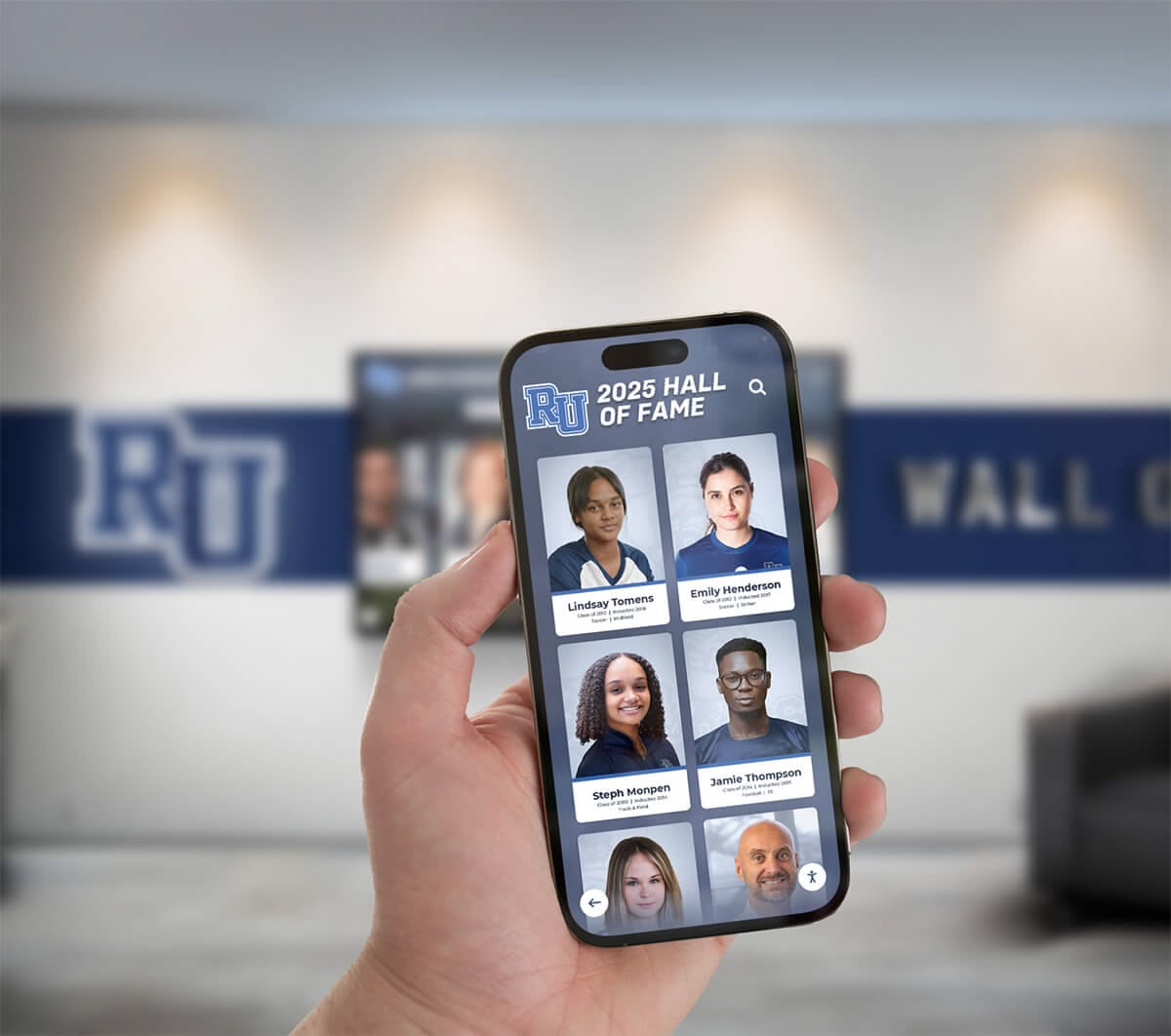
Forward-thinking facilities integrate tournament scoring with comprehensive digital recognition platforms that celebrate member achievements across multiple dimensions. Solutions like Rocket Alumni Solutions enable clubs to maintain complete member profiles documenting tournament results throughout membership tenure, club championships and significant competitive achievements, league participation and season statistics, holes-in-one and special milestone recognition, and historical photos and biographical information. Rather than treating tournament results as isolated data, this integrated approach creates rich member archives accessible through interactive touchscreen displays or web platforms. Members can explore their complete club involvement history, discover former competitors and fellow champions, and connect with club tradition in ways simple tournament results lists don’t enable. This comprehensive recognition strengthens emotional connections to clubs and creates engagement extending far beyond individual tournament events.































