Intent: Define requirements and demonstrate implementation paths for golf team distinguished alum recognition systems.
Golf programs at colleges, universities, clubs, and athletic organizations face a unique challenge: how to systematically honor alumni who’ve achieved distinction in competitive golf, professional careers, or contributions to the sport while creating recognition that inspires current players and preserves program history. Traditional plaques and static displays limit the depth of storytelling possible, consume valuable wall space, require expensive updates for each new honoree, and often fade from institutional memory as physical materials deteriorate over time.
Modern digital recognition systems solve these limitations while adding capabilities impossible with traditional approaches. Interactive displays accommodate unlimited honorees without physical space constraints, enable rich multimedia storytelling through photos and videos, update instantly without physical installation costs, preserve complete program history in searchable archives, and create engagement opportunities that static plaques cannot match. Yet many golf programs struggle to understand technical requirements, budget appropriately, select suitable platforms, and implement systems that deliver lasting value rather than becoming expensive mistakes.
This comprehensive technical guide provides golf programs with actionable specifications for building distinguished alum recognition systems. You’ll discover exact hardware requirements with screen sizes and mounting specs, content architecture for organizing achievements systematically, implementation workflows from planning through launch, integration strategies with existing facilities, and maintenance protocols ensuring long-term reliability. Whether you’re a college golf coach, club professional, athletic director, or facilities manager, this guide delivers the operational blueprint you need.
Beyond basic requirements, we’ll explore proven content strategies that honor achievements authentically, accessibility standards ensuring inclusive recognition, sponsorship integration opportunities that offset costs, and measurement frameworks demonstrating value to stakeholders. The goal: empower golf programs to build recognition systems that celebrate distinguished alumni while inspiring current players through tangible evidence of program excellence.

Technical Requirements: Hardware Specifications for Golf Recognition Displays
Building reliable recognition systems starts with selecting appropriate hardware that withstands the operating environment while delivering professional presentation quality. Golf facilities range from climate-controlled clubhouses to exposed outdoor locations, requiring different equipment specifications based on installation context and usage patterns.
Display Screen Selection and Sizing
Commercial-grade displays designed for continuous operation provide the foundation for reliable recognition systems. Consumer televisions designed for residential use typically fail within 12-18 months when operated continuously, while commercial displays rated for 16-24 hour daily operation deliver 5-7 year lifespans with proper maintenance.
Screen Size Recommendations:
- Clubhouse lobbies and main gathering areas: 55"-75" displays providing visibility from 10-20 feet
- Hallway installations in athletic facilities: 43"-55" screens suitable for closer viewing distances
- Practice facility locations: 43"-50" displays where space is limited
- Outdoor course-side installations: 55"-65" weather-resistant displays in protective enclosures
Calculate appropriate screen size using the viewing distance formula: optimal screen diagonal equals viewing distance divided by 1.5. For a 15-foot viewing distance, specify a 120-inch viewing distance (15 feet × 12 inches) ÷ 1.5 = 80-inch diagonal screen.
Display Specifications:
Document these required specifications when sourcing displays:
- Resolution: Minimum 1920×1080 (Full HD); 4K preferred for displays larger than 55"
- Brightness: Minimum 350 cd/m² for indoor installations; 1,000+ cd/m² for outdoor or high-ambient-light locations
- Orientation: Landscape (horizontal) orientation standard; portrait available for vertical installations
- Operating hours rating: Minimum 16 hours daily for business-critical applications
- Warranty: Minimum 3-year commercial warranty with on-site service options
Touchscreen vs. Non-Interactive Display Decision Matrix
Golf programs must decide whether interactive touchscreen capability justifies additional investment versus standard digital displays showing automatically rotating content. This decision significantly impacts both initial costs and ongoing user experience.
Touchscreen Interactive Displays:
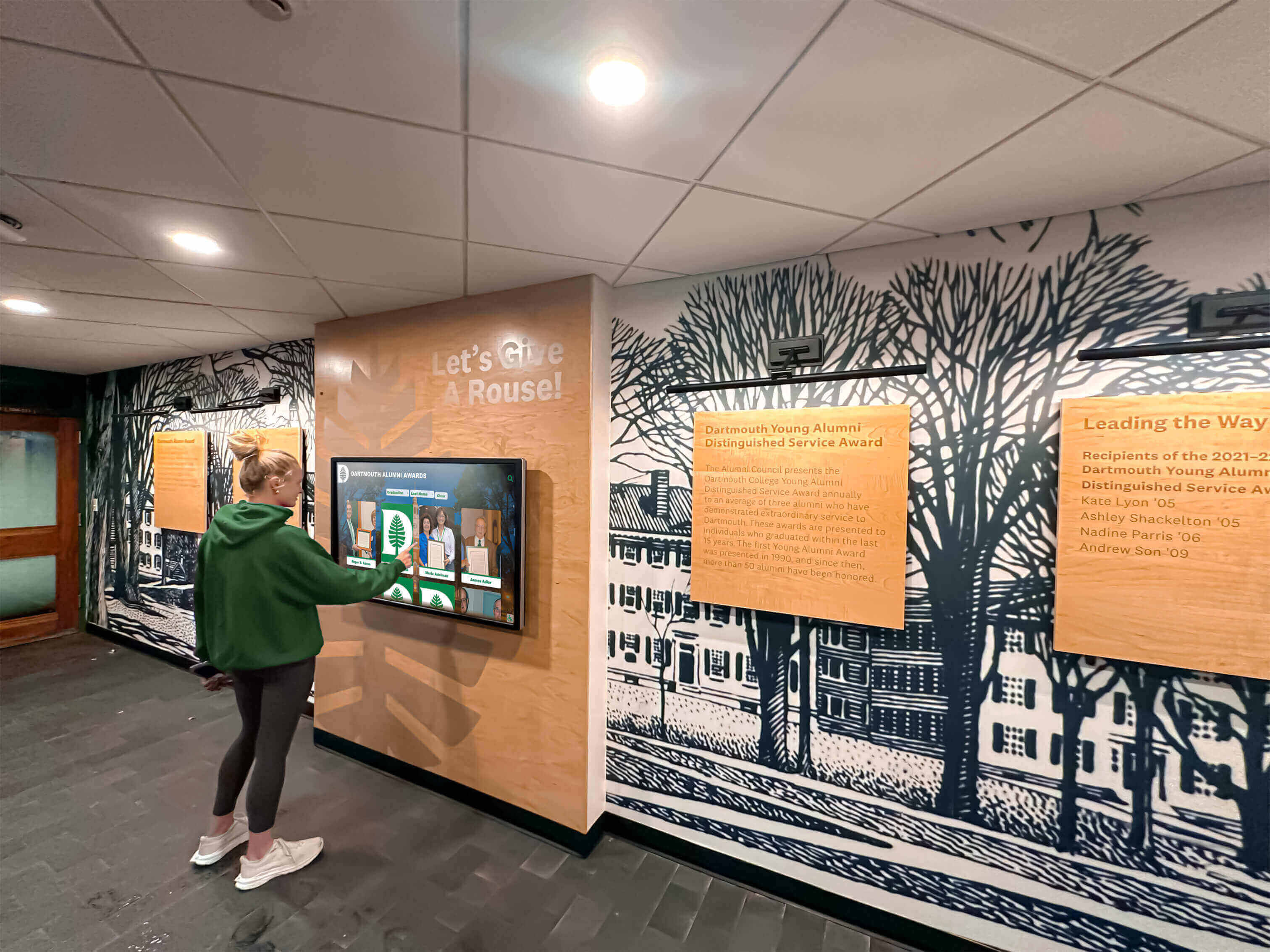
Touchscreen systems enable visitors to actively explore recognition content, search for specific alumni, filter by achievement type or era, and control their viewing experience rather than waiting for automated content rotation.
Advantages include visitor engagement through active interaction, searchability enabling quick location of specific individuals, flexible exploration letting users choose what interests them, and extended dwell time as engaged users spend more time exploring. However, touchscreen systems cost $1,500-$3,000 more than comparable non-interactive displays, require more robust mounting to withstand physical interaction, need regular cleaning to maintain screen clarity, and mandate accessible placement within reach of all users including those in wheelchairs.
Touchscreen displays work best in supervised indoor locations with staff available to assist users, high-traffic areas where engagement justifies premium investment, and programs with extensive alumni archives where searchability adds significant value.
Non-Interactive Digital Displays:
Standard digital displays show automatically rotating content on timed intervals without user interaction. Content management systems schedule what appears when, creating predictable presentation sequences that ensure all honorees receive visibility.
Advantages include lower initial investment saving thousands per installation, simpler mounting without interaction-stability concerns, no cleaning beyond standard display maintenance, and placement flexibility including high-mounted or protected locations. However, visitors cannot control what they view, must wait for content rotation to see specific individuals, cannot explore beyond curated presentations, and may lose interest during automated sequences.
Non-interactive displays suit budget-conscious installations, outdoor or high-mounted locations where touchscreens prove impractical, programs with smaller alumni bases where complete rotation takes reasonable time, and facilities preferring simple passive presentation.
Most college golf programs implementing comprehensive recognition choose touchscreen displays for primary clubhouse installations where engagement justifies investment, while using non-interactive displays for secondary locations like practice facilities or outdoor course-side installations where touchscreens face environmental or practical challenges.

Mounting Hardware and Installation Specifications
Professional mounting ensures displays remain secure while maintaining appropriate viewing angles and accessibility standards. Improper mounting creates safety hazards, poor viewing experiences, and potential equipment damage from falls or instability.
Wall Mounting Requirements:
Specify commercial-grade VESA-compliant mounts rated for display weight plus 50% safety margin. A 60-pound display requires mounting hardware rated for minimum 90 pounds. Fixed mounts work for most installations, while tilting mounts accommodate high-mounted displays requiring downward angle adjustment for optimal viewing.
Installation requires locating wall studs or installing backing plates for secure attachment. Drywall anchors alone cannot support display weight safely. For brick or concrete walls, specify appropriate masonry anchors rated for structural loads.
Mounting height should position display centers at 48"-54" from floor level for optimal viewing by standing adults while maintaining accessibility for users in wheelchairs. ADA guidelines recommend maximum 48-inch height for interactive elements requiring physical reach.
Pedestal and Kiosk Mounting Options:
Freestanding pedestals or kiosks work where wall mounting proves impractical or where repositioning flexibility matters. Pedestal systems range from simple floor stands to custom fabricated kiosks incorporating branding, integrated computers, and cable management.
Benefits include installation without wall penetration, easy relocation as needs change, integrated equipment housing, and professional finished appearance. However, freestanding installations require floor space, need weighted bases or anchoring to prevent tipping, cost more than wall mounts, and may obstruct traffic flow in crowded areas.
Specify anti-tip features and secure anchoring for all freestanding installations. Most commercial kiosks include options for floor anchoring through discrete mounting points hidden in base structures.
Computing Hardware and Media Player Specifications
Displays require computing devices generating content shown on screens. These media players or mini-computers range from simple streaming devices to powerful computers depending on software requirements and content complexity.
Media Player Requirements:
Most digital recognition platforms recommend specific media players optimized for their software. Typical specifications include:
- Processor: Intel i5 or equivalent for standard displays; i7 for 4K touchscreen installations
- RAM: Minimum 8GB; 16GB preferred for touchscreen interactive systems
- Storage: 128GB SSD minimum; 256GB+ recommended for video-heavy content
- Graphics: Dedicated GPU required for 4K displays and high-resolution media
- Operating System: Windows 10/11 Pro for commercial applications; some systems support Linux
- Network: Gigabit Ethernet preferred; WiFi acceptable where wired connections prove impractical
Mount media players behind displays or in nearby equipment closets with adequate ventilation. Overheating represents the primary failure mode for computing equipment in continuous-operation applications.
Network Connectivity Requirements:
Recognition systems require reliable network connections for content updates, remote management, and cloud-synchronization. Wired Ethernet connections provide most reliable connectivity, while WiFi serves as acceptable alternative where cable runs prove impractical or cost-prohibitive.
Minimum bandwidth requirements typically range from 10-25 Mbps for content synchronization and updates. Video-heavy systems benefit from 50+ Mbps connections enabling faster content delivery.
Ensure network infrastructure provides adequate coverage at display locations. Test connectivity during site surveys before finalizing installation locations to avoid discovering insufficient signal strength after hardware installation completes.

Content Architecture: Organizing Distinguished Alum Recognition
Technical infrastructure means nothing without compelling content that honors achievements authentically while creating engagement that inspires current players. Systematic content organization ensures comprehensive recognition while maintaining discoverable archives that visitors actually explore rather than ignore.
Defining “Distinguished Alum” Criteria and Selection Standards
Transparent selection criteria prevent perceptions of favoritism while ensuring recognition maintains meaning through consistent standards. Programs that recognize too broadly dilute distinction, while overly restrictive criteria miss accomplished alumni deserving acknowledgment.
Achievement Category Framework:
Establish clear categories defining what merits distinguished alum recognition:
Competitive Excellence: Alumni who achieved significant competitive success including NCAA championship participation, conference championships or individual titles, All-American recognition or similar national honors, professional tour membership (PGA, LPGA, European Tour, etc.), or career-defining tournament victories at state, regional, or national levels.
Professional Golf Careers: Alumni who built professional careers in golf industry including PGA or LPGA teaching professionals, club professionals and directors of golf, course designers and architects, golf industry executives, media professionals covering golf, or equipment manufacturers and innovators.
Contributions to Program: Alumni who significantly advanced program success through coaching roles or volunteer assistance, major philanthropic support enabling facilities or scholarships, extensive mentorship of current players, advocacy raising program profile, or service on advisory boards guiding program direction.
Lifetime Achievement: Alumni who accumulated sustained excellence across decades through long professional careers in golf, significant contributions to golf at local or state levels, recognition by golf organizations or halls of fame, or exemplary representation of program values throughout careers.
Document these criteria explicitly in program materials, ensuring transparent standards that selection committees apply consistently. Clear criteria help nominators understand what merits recognition while building community confidence in selection integrity.
Biographical Profile Structure and Information Architecture
Comprehensive profiles balance factual documentation with engaging storytelling that brings achievements to life. The most effective recognition goes beyond listing accomplishments to reveal the humans behind the achievements through authentic narrative and rich context.
Core Profile Elements:
Each distinguished alum profile should include:
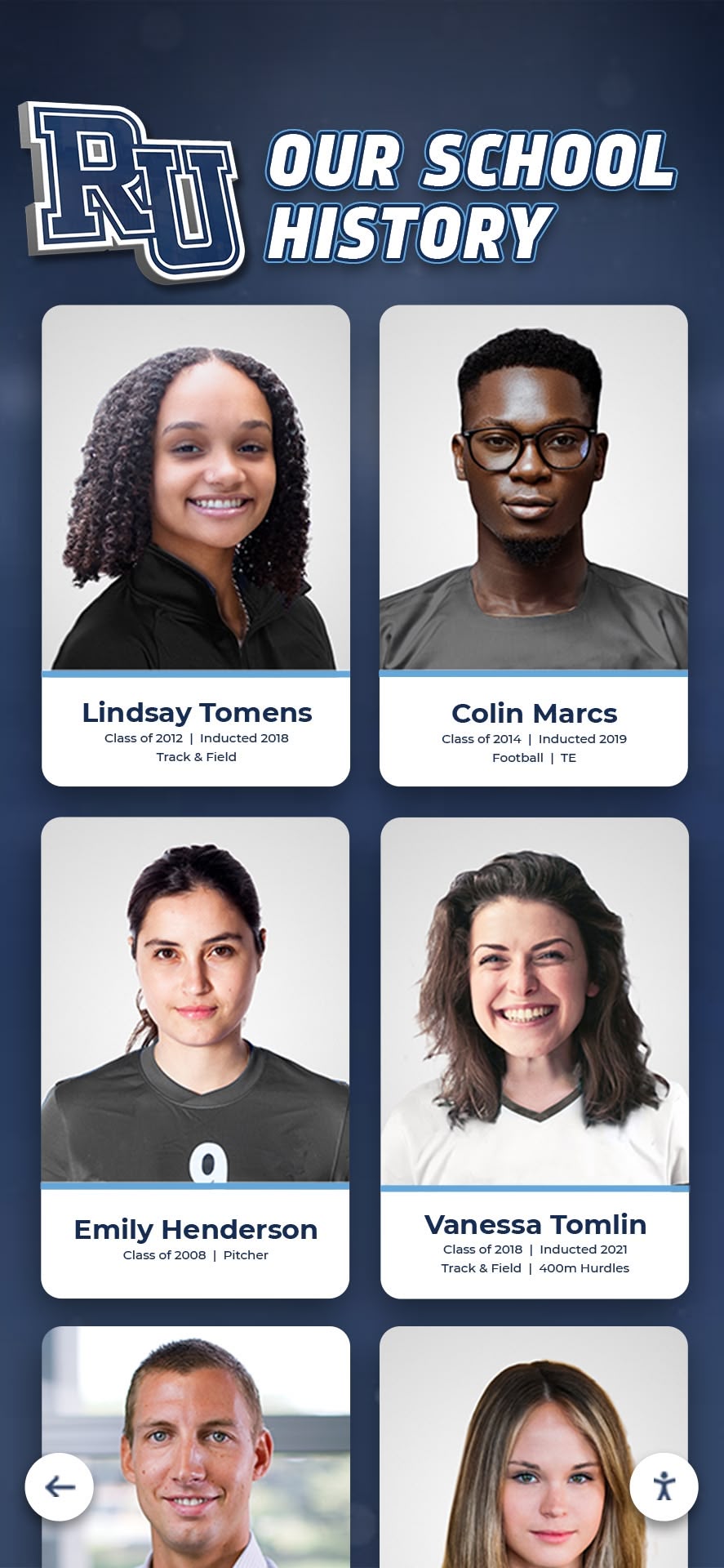
Personal Information: Full name with preferred nickname, graduation year and degree earned, hometown and current residence, current professional role, and high-quality portrait photograph (professional headshots preferred).
Competitive Career Highlights: Tournament victories and significant finishes, records set during collegiate or amateur career, awards and recognitions received, career statistics and notable performances, and signature moments or defining achievements.
Professional Journey: Career path from graduation to present, current role and professional responsibilities, notable career accomplishments and milestones, positions held and organizations served, and contributions to golf industry or profession.
Program Impact: Memories and formative experiences from their time with program, influential coaches, teammates, or mentors, how program shaped their career trajectory, advice for current players, and continued engagement with program.
Multimedia Elements: Multiple photographs from different career stages, video interviews or career highlights when available, press clippings or media coverage, awards or certificates earned, and action photos from competitive play.
Organize this information using consistent templates ensuring visual uniformity across profiles while enabling content uniqueness reflecting individual achievements. Solutions like Rocket Alumni Solutions provide purpose-built templates specifically designed for athletic recognition programs.
Achievement Timeline and Historical Archive Organization
Beyond individual profiles, recognition systems should present program history chronologically, enabling visitors to explore how programs evolved across decades while understanding historical context for achievements.
Historical Timeline Architecture:
Organize program history into logical periods marking significant transitions, coaching eras, facility improvements, or competitive success phases. Typical organizational structures include:
- Decade-based organization (1960s, 1970s, 1980s, etc.) providing broad historical periods
- Coaching tenure periods tied to head coach leadership changes
- Competitive era groupings based on conference affiliations or program status
- Facility milestone periods marked by major facility additions or renovations
Within each period, document notable achievements including conference championships or tournament victories, individual All-American or all-conference selections, program records established during the era, facilities improvements or additions, and distinguished alumni who competed during the period.
Record Books and Career Statistics:
Maintain comprehensive statistical records documenting best-ever performances across measurable categories. Golf programs typically track:
- Single round scoring records (18-hole low scores)
- Tournament low scores (54-hole or 72-hole events)
- Season stroke average leaders by year
- Career stroke average records
- Tournament victories (individual and team)
- Conference championship appearances and finishes
- NCAA regional and championship participation
- Individual awards and recognitions by year
Present these records in sortable, searchable formats enabling visitors to explore historical performance across multiple dimensions. Interactive displays particularly benefit from this searchability, letting users filter records by era, gender, or achievement type based on their interests.
Integration with Broader Athletic Recognition
Golf program recognition rarely exists in isolation—most colleges and clubs recognize achievements across multiple sports or programs. Ensure golf recognition integrates logically with broader athletic recognition systems rather than existing as disconnected standalone displays.
Multi-Sport Recognition Architecture:
Athletic departments implementing comprehensive digital recognition typically organize content hierarchically:
Primary landing screens present all sports or programs, letting visitors select which sport interests them before diving into sport-specific content. This shared entry point ensures equitable visibility across programs while enabling focused exploration once users select specific interests.
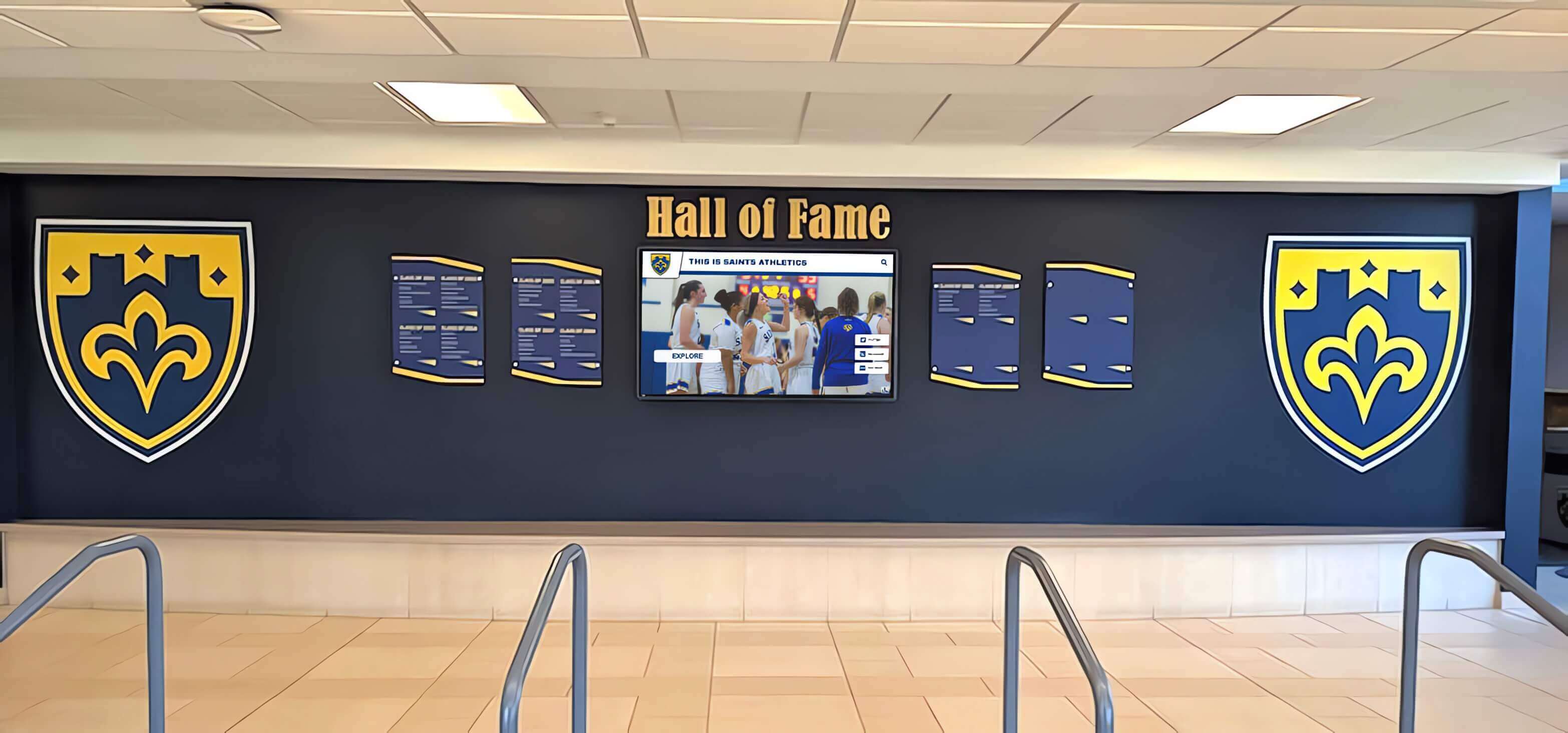
Digital hall of fame systems typically feature prominently in common athletic facility areas like fieldhouse lobbies, strength and conditioning areas, or administrative office suites. Sport-specific displays then appear in dedicated team areas, practice facilities, or competition venues.
Cross-sport searchability enables visitors to find athletes regardless of sport, discover multi-sport athletes who competed in multiple programs, filter by graduation year across all sports, or explore specific achievement types across programs.
This integrated architecture prevents fragmented recognition while maintaining sport-specific identity and focused storytelling within individual program displays.
Implementation Workflow: Step-by-Step Build Process
Successful recognition systems result from systematic implementation workflows addressing planning, content development, technical installation, and launch coordination. Rushing implementation or skipping critical planning phases typically produces disappointing results requiring expensive remediation.
Phase 1: Planning and Requirements Definition (4-6 Weeks)
Begin by establishing clear project scope, success criteria, budget parameters, and stakeholder alignment before making technology or vendor commitments.
Stakeholder Identification and Alignment:
Identify all parties with interests in the recognition system: athletic director or club general manager providing budget approval, golf coach or professional overseeing program representation, facilities manager addressing installation and maintenance, IT department ensuring network and technical support, alumni relations managing graduate engagement, and development office potentially leveraging recognition for fundraising.
Schedule stakeholder meetings documenting their requirements, concerns, budget expectations, timeline pressures, and success criteria. Misaligned stakeholder expectations represent the primary cause of project dissatisfaction even when technical implementation succeeds flawlessly.
Selection Criteria Documentation:
Draft explicit selection criteria defining what constitutes “distinguished alum” status worthy of recognition. Circulate criteria drafts among stakeholders gathering feedback before finalizing standards that selection committees will apply.
Consider forming selection committees representing diverse perspectives rather than allowing single-person decisions. Committees typically include current coaching staff, retired coaches familiar with program history, athletic administration, alumni representatives, and when appropriate, current team captains or senior players.
Budget Development:
Develop comprehensive budgets accounting for all implementation and ongoing costs:
Initial implementation costs include display hardware ($2,000-$8,000 per display depending on size and touch capability), media player computers ($500-$1,500 per display), mounting hardware and installation labor ($500-$2,000 per display depending on complexity), software platform licensing (typically $2,000-$8,000 initial setup), and content development labor for creating initial profiles.
Ongoing operational costs include annual software subscriptions ($1,500-$3,000 typical), content development time for new honorees, technical support and maintenance, network connectivity, and electricity for continuous display operation.
Total investment for single-display college golf recognition systems typically ranges $8,000-$20,000 initial implementation plus $2,000-$4,000 annually for ongoing operation. Multi-display installations or elaborate custom kiosks increase investments proportionally.
Phase 2: Content Development and Archive Building (8-12 Weeks)
Content development typically requires more time than anticipated, especially when comprehensive historical archives span decades of program history. Begin content development early in project timelines to avoid launch delays caused by incomplete profiles.
Historical Research and Information Gathering:
Systematically research program history identifying all individuals meeting selection criteria. Source information from multiple repositories:
- Program record books and historical media guides
- University archives and special collections
- Alumni association records and graduate databases
- Local newspaper archives covering program history
- Coaches’ personal records and institutional memory
- Existing physical plaques or recognition displays
- Athletic department photography archives
This research phase often uncovers forgotten achievements or overlooked individuals deserving recognition. Allow adequate time for thorough research rather than rushing toward launch with incomplete archives that undermine credibility.
Profile Development Workflows:
Develop systematic workflows enabling efficient profile creation at scale when recognizing dozens or hundreds of distinguished alumni:
Create standardized questionnaires or interview guides sent to living alumni gathering biographical information, career highlights, program memories, and current photos. Provide clear deadlines and follow up with non-responders systematically.
For deceased or non-responsive alumni, compile profiles from available archival materials, media coverage, program records, and information from teammates or family members when possible.
Develop profiles using consistent templates ensuring visual uniformity and completeness. Assign profile development responsibility explicitly—clarify whether athletic communications staff, graduate assistants, student workers, or volunteers will handle content creation.
Many programs leverage communications or journalism students seeking real-world experience. Profile development projects provide authentic portfolio work while accelerating content production for understaffed athletic departments.
Phase 3: Technical Installation and System Configuration (2-4 Weeks)
Once hardware arrives and content development progresses sufficiently, coordinate technical installation ensuring proper mounting, network connectivity, software configuration, and system testing before public launch.
Site Preparation:
Verify installation locations provide required infrastructure before hardware delivery:
- Electrical outlets within 6 feet of mounting locations (concealed behind displays)
- Network connectivity (Ethernet ports or confirmed WiFi coverage)
- Wall structure suitable for mounting loads (studs, blocking, or backing plates installed)
- Adequate lighting without excessive glare on displays
- Clear viewing zones without obstructions or traffic conflicts
Conduct site surveys with facilities staff and vendors addressing any infrastructure deficiencies before installation dates. Discovering missing electrical outlets or insufficient network coverage during installation appointments causes expensive delays and contractor revisits.
Display Mounting and Hardware Installation:
Professional installation ensures proper mounting meeting safety standards while achieving optimal viewing angles. While some facilities handle installation using internal maintenance staff, complex installations typically benefit from professional installers experienced with commercial display systems.
Installation sequence typically includes confirming mounting location and height specifications, locating studs and installing backing plates if required, mounting VESA brackets and verifying level installation, lifting displays onto mounts and securing properly, concealing cables through walls or cable management channels, connecting power and network cables, and installing media player computers in accessible locations for future maintenance.
Test all connections before finalizing installation. Power cycle displays confirming proper operation, verify network connectivity and internet access, confirm media players boot properly and drive displays, and validate touchscreen functionality on interactive installations.
Software Configuration and Content Upload:
With hardware installed and operational, configure software platforms and upload content for display:
Install recognition software platforms on media player computers, configure network settings and cloud connections, upload distinguished alum profiles and multimedia content, organize content into logical categories and navigation structures, configure automated content rotation schedules for non-interactive displays, set up remote management access enabling off-site updates, and test all functionality confirming proper operation.
Most modern recognition platforms operate via cloud-based content management systems enabling updates from any internet-connected computer without requiring direct access to display computers. Verify remote management works properly during initial configuration to avoid requiring physical access for future content updates.
Phase 4: Launch and Promotion (2-4 Weeks)
Strategic launch coordination and promotion ensure the campus or club community discovers new recognition systems while maximizing engagement and appreciation for investments made.
Soft Launch and Testing Period:
Enable displays 1-2 weeks before formal public announcement, allowing quiet testing period where staff and select stakeholders review content and identify any issues requiring correction before broad promotion.
Encourage stakeholders to interact with displays and review all content carefully, provide structured feedback forms capturing issues systematically, correct any errors, missing information, or technical problems discovered, and verify remote management capabilities enabling staff to make updates independently.
This soft launch period catches embarrassing mistakes before public unveiling while building internal stakeholder enthusiasm as they preview systems before broader community access.
Launch Event and Formal Announcement:
Coordinate formal launch events showcasing new recognition systems to broad audiences:
Schedule unveiling ceremonies or receptions at logical times like homecoming weekends, golf team events, or athletic department gatherings. Invite distinguished alumni being honored, especially those geographically accessible for in-person attendance. Involve athletics administration, development office, and campus leadership in formal remarks emphasizing investment and commitment to honoring excellence.
Secure media coverage through campus communications, local sports media, alumni publications, and athletics department channels. Prepare press releases with compelling narrative about what the recognition represents and who it honors.
Create promotional materials explaining how to access and explore recognition including instructional signage near displays, web-based access instructions for remote users, video tutorials if systems include complex navigation, and staff training enabling them to assist users with questions.
Accessibility and Inclusive Design Standards
Recognition systems must serve all users regardless of physical abilities, ensuring compliance with accessibility standards while creating inclusive experiences that reflect institutional values. The Americans with Disabilities Act (ADA) and similar regulations mandate accessibility for public facilities, making inclusive design both legal requirement and ethical imperative.
Physical Accessibility Requirements
Interactive displays must accommodate users in wheelchairs, individuals with limited reach, and people of varying heights through proper mounting heights and clear floor space provisions.
Mounting Height and Reach Specifications:
ADA guidelines specify maximum forward reach of 48 inches and maximum side reach of 54 inches for interactive elements. Position touchscreen displays so all interactive areas fall within these reach limits. For large touchscreens where this proves impractical, ensure critical navigation controls appear in accessible zones while accepting that some content areas may exceed maximum reach.
Display centers should mount at 48 inches from floor level plus or minus 6 inches, providing comfortable viewing for users in wheelchairs (typical eye height 43-51 inches when seated) while remaining accessible to standing users.
Clear Floor Space Requirements:
Provide clear floor space measuring 30 inches wide by 48 inches deep centered on displays, enabling wheelchair users to approach closely for interaction. Ensure this clear space remains unobstructed by furniture, pedestals, planters, or other barriers.
For displays in hallways, maintain minimum 36-inch clear passage width alongside the display’s clear floor space, preventing accessibility bottlenecks where traffic flow blocks wheelchair access.
Digital Accessibility and Universal Design
Beyond physical accommodation, digital content must serve users with sensory impairments through features like text alternatives, audio description, high contrast modes, and keyboard navigation options.
Visual Accessibility Features:
Implement high-contrast color schemes ensuring text remains readable against backgrounds for users with low vision. WCAG 2.1 AA standards require minimum 4.5:1 contrast ratio for normal text and 3:1 for large text.
Support text resizing enabling users to increase font sizes without breaking layouts or requiring horizontal scrolling. Many visually impaired users rely on zoom functions making small default text readable.
Avoid color as the sole means of conveying information. Users with color vision deficiencies may miss content relying exclusively on color differentiation without additional cues like icons, patterns, or text labels.
Audio and Alternative Format Provisions:
For displays in public areas, provide headphone jacks enabling users to access audio content without disturbing others or requiring room audio systems. This particularly matters for video interviews or audio content accompanying profiles.
Consider offering alternative formats for content access beyond displays themselves. Web-based recognition systems enable remote access for users who cannot physically visit installations, while providing flexibility for users with assistive technologies like screen readers.
Provide text transcripts for all video content, enabling deaf or hard-of-hearing users to access information presented in audiovisual formats. Most video platforms include captioning features supporting accessibility compliance.
Inclusive Content and Representation
Technical accessibility means nothing if content fails to represent diverse populations equitably. Ensure recognition includes women athletes, athletes of color, athletes from different eras, and individuals from varied backgrounds reflecting full program history.
Gender Equity in Recognition:
For programs that have included both men’s and women’s golf, ensure recognition reflects both programs proportionally. Avoid situations where men’s achievements receive extensive coverage while women’s accomplishments get minimal mention or segregated treatment suggesting lesser importance.
Present male and female athletes side-by-side in integrated displays rather than separating by gender unless organizational logic specifically calls for gender-specific categories. Integration demonstrates equal valuation of achievement regardless of athlete gender.
Historical Context and Evolving Standards:
Acknowledge that achievement standards evolved over decades as women’s athletics developed, competition opportunities expanded, and golf programs grew. Avoid retroactively applying current achievement standards to historical eras where opportunities differed substantially.
Provide historical context explaining how programs, competition structures, and opportunities evolved over time. This context helps visitors understand achievements within their proper historical framework rather than judging past accomplishments by contemporary standards.
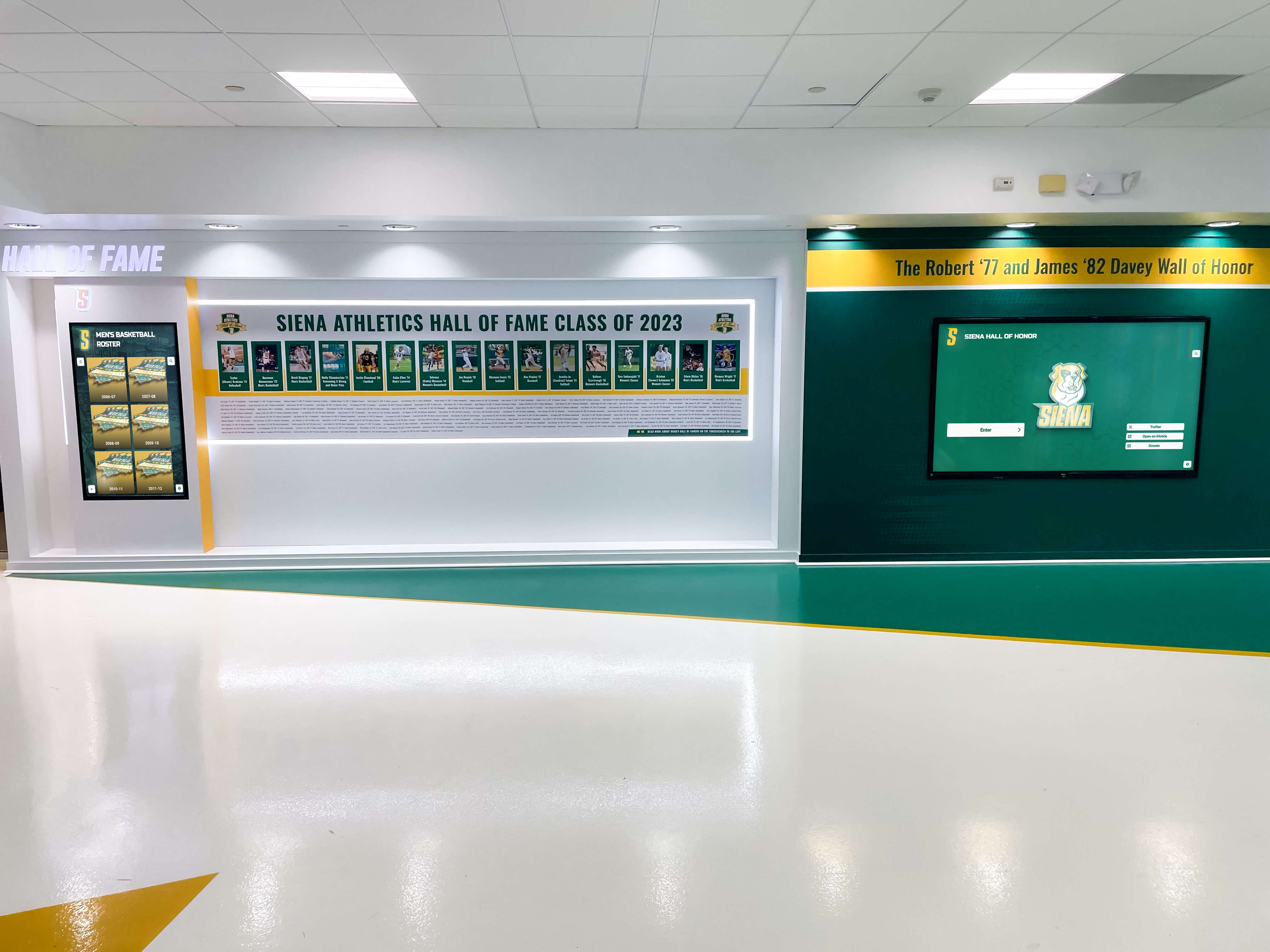
Content Management and Update Protocols
Recognition systems require ongoing content management ensuring information remains current, new honorees receive timely recognition, and technical systems continue operating reliably. Establish clear ownership and systematic protocols preventing neglect that causes systems to become outdated and irrelevant.
Ongoing Content Addition Workflow
Distinguished alum recognition should function as living programs that regularly add new honorees rather than static historical archives that freeze at installation. Establish systematic processes for identifying, selecting, and adding new recipients annually or biennially.
Annual Selection Cycle:
Implement annual review cycles considering new candidates for recognition:
Solicit nominations from coaching staff, athletic administration, alumni association, and program supporters. Establish submission deadlines and required documentation (achievement details, biographical information, supporting materials).
Convene selection committees reviewing nominations against established criteria. Committee meetings typically occur in late spring or early summer, allowing time for fall announcements during homecoming or alumni events.
Notify selected honorees of their recognition in advance, providing opportunities to gather updated biographical information, professional headshots, and multimedia content for profile development. Most honored individuals enthusiastically cooperate with content requests, appreciating opportunities to influence how their achievements are presented.
Profile Development and Content Production:
Develop new honoree profiles using established templates and content structures, ensuring consistency with existing recognition content. Assign profile development responsibility explicitly—clarify whether staff members, student workers, or volunteers handle this ongoing work.
Typical timeline from selection to profile publication spans 8-12 weeks accounting for information gathering, writing and production, multimedia collection, and technical formatting. Plan accordingly to meet target announcement dates without last-minute scrambling.
Many programs develop profiles during summer months when academic calendars provide more flexibility, targeting fall announcements during homecoming weekends or season-opening events when alumni and supporters naturally gather.
Software Updates and Technical Maintenance
Technical systems require periodic maintenance ensuring reliable operation, security updates, and continued compatibility with evolving platforms and content formats.
Software Update Protocols:
Cloud-based recognition platforms typically update automatically without requiring manual intervention. However, verify that:
Media player computers receive operating system security updates on regular schedules, typically through automated Windows Update or IT-managed patch deployment. Network-connected computers face security risks if operating systems fall behind on critical patches.
Recognition software platforms remain current with latest versions. Most vendors push updates automatically, but confirm systems receive updates properly rather than assuming automatic updates function correctly.
Media player hardware receives firmware updates periodically. Some commercial display manufacturers release firmware addressing bugs or compatibility issues requiring occasional updates for optimal operation.
Hardware Maintenance and Lifecycle Management:
Physical displays require minimal ongoing maintenance beyond periodic cleaning and occasional component replacement as equipment ages:
Clean display screens monthly using microfiber cloths and appropriate screen cleaning solutions. Avoid harsh chemicals that damage anti-glare coatings or touchscreen surfaces.
Inspect mounting hardware annually confirming displays remain securely attached without loose fasteners or structural concerns. Report any mounting concerns to facilities staff immediately.
Plan for display replacement on 5-7 year cycles as commercial displays approach end of expected service life. Budget accordingly for eventual hardware refresh ensuring funds exist when replacement becomes necessary rather than facing emergency procurement during failures.
Monitor media player computers for signs of declining performance like slow boot times, application crashes, or graphics glitches indicating failing components. Proactive replacement of failing computers prevents embarrassing system downtime during critical periods.

Budget Planning and Cost Analysis
Comprehensive budget planning prevents project failures caused by inadequate funding or cost overruns that erode stakeholder confidence. Accurate cost estimation requires understanding all expense categories from initial implementation through ongoing operation.
Initial Implementation Cost Breakdown
Complete implementation budgets account for hardware, software, installation labor, content development, and project management rather than simply budgeting for display costs alone.
Hardware Costs:
Display screens represent most visible expense but not the only hardware cost:
- Commercial display: $2,000-$8,000 depending on size (43"-75") and touchscreen capability
- Media player computer: $500-$1,500 depending on performance requirements
- Mounting hardware: $200-$800 for commercial VESA mounts or custom pedestals
- Cabling and accessories: $100-$300 for power, network, and mounting hardware
Single display installations typically total $3,000-$10,000 in hardware costs depending on size and feature decisions. Multiple displays multiply costs proportionally while enabling strategic placement across multiple facility locations.
Software Platform Costs:
Digital recognition platforms typically charge initial setup fees covering platform configuration, training, and initial content upload, plus ongoing subscription fees for hosting, support, and continued access.
Typical pricing structures include initial setup fees ranging $2,000-$8,000 depending on customization, content migration, and training requirements, plus annual subscription fees ranging $1,500-$3,000 covering cloud hosting, technical support, and platform maintenance.
Some vendors offer perpetual licensing avoiding ongoing subscriptions, though this typically requires higher upfront investment and may exclude cloud hosting, automatic updates, and technical support included in subscription models.
Installation Labor:
Professional installation ensures proper mounting, cable management, and system configuration. Labor costs vary based on installation complexity and local service rates:
- Basic wall mounting: $500-$1,000 per display
- Complex installations with in-wall cable routing: $1,000-$2,000 per display
- Custom kiosk fabrication and installation: $2,000-$5,000+ depending on specifications
- Network infrastructure additions if required: $500-$2,000 depending on requirements
Content Development Labor:
Initial content development represents substantial but often underestimated investment. Comprehensive profile development for dozens of distinguished alumni requires significant time investment:
Each profile typically requires 2-4 hours for research, writing, multimedia collection, editing, and technical formatting. Programs recognizing 50 distinguished alumni initially should budget 100-200 hours of content development labor.
Internal staff can handle content development if capacity exists, or programs can engage freelance writers, communications students, or specialized content services. Budget $25-$75 per hour depending on resource choice and content complexity.
Ongoing Operational Costs
Annual operational costs typically range $2,000-$4,000 for single-display systems including software subscriptions, content updates, maintenance, and support.
Subscription and Support Fees:
Most platforms charge annual subscriptions covering cloud hosting, content storage, automatic software updates, technical support access, and training resources. Budget $1,500-$3,000 annually for typical college golf programs.
Content Development Labor:
Adding 3-5 new distinguished alumni annually requires ongoing content development labor. Budget 10-20 hours annually for new profile creation, existing profile updates, and occasional content refreshes ensuring information remains current.
Technical Support and Maintenance:
Budget for occasional technical support including IT assistance troubleshooting network connectivity, display manufacturer support for warranty service, potential media player replacement as computers age, and software vendor technical support beyond basic subscription inclusions.
Utility Costs:
Commercial displays operating continuously consume electricity worth budgeting even if costs seem minimal. A 75" commercial display drawing 200 watts operated 12 hours daily consumes approximately 876 kWh annually. At $0.12/kWh, annual electricity cost equals $105 per display—modest but worth including in comprehensive operational budgets.
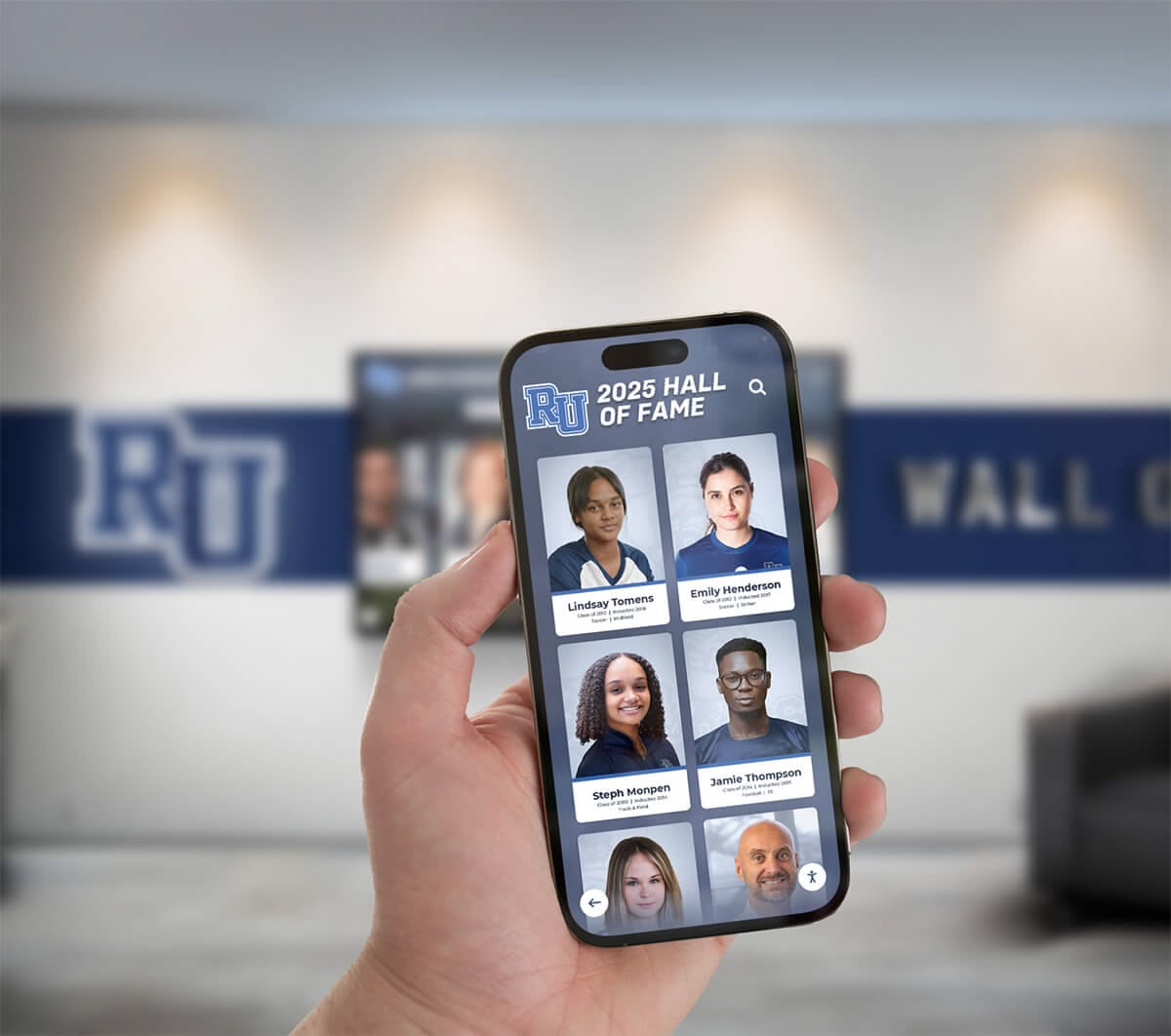
Integration with Golf Facilities and Architecture
Recognition systems should integrate thoughtfully with existing golf facilities rather than appearing as afterthoughts awkwardly placed without consideration for architecture, traffic patterns, or program identity. Strategic placement enhances rather than detracts from facility aesthetics while maximizing recognition visibility.
Optimal Placement Strategies for Golf Facilities
Different facility locations serve different purposes and audiences. Consider traffic patterns, dwell time opportunities, and visitor context when selecting installation locations.
Clubhouse and Pro Shop Locations:
Main clubhouse entry areas or pro shop lobbies represent primary locations reaching all facility visitors. Players check in before rounds, retrieve carts, socialize after play, and conduct business with staff, creating natural dwell time where recognition displays receive sustained attention.
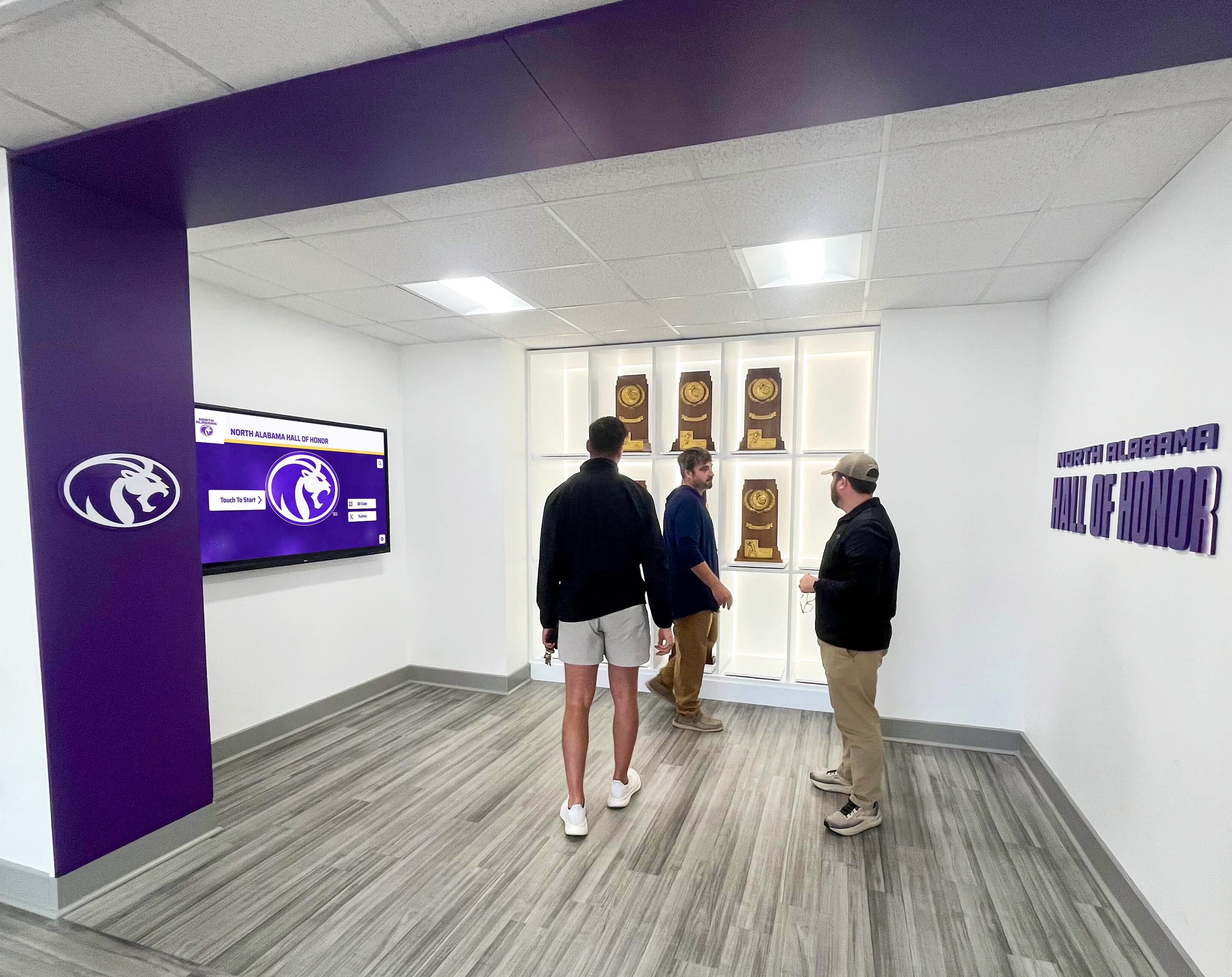
Position displays prominently but without obstructing circulation or creating bottlenecks. Near seating areas where players wait for tee times, adjacent to trophy cases or existing recognition elements, visible from main circulation paths while not blocking traffic, and with adequate viewing distance in gathering spaces work well.
Consider sightlines from key locations like registration counters where staff can reference displays during check-in conversations, dining areas where captive audiences have extended dwell time, and merchandise areas where shoppers naturally pause and browse.
Practice Facility Locations:
Practice ranges, putting greens, and short game areas offer opportunities for recognition placement reaching players during practice sessions. However, these locations typically lack the climate control and security of clubhouse environments, requiring weather-resistant equipment or protective enclosures.
The advantage of practice area placement lies in reaching dedicated players spending substantial time practicing rather than just playing rounds. Committed competitive golfers often spend more time practicing than playing, making practice facilities valuable touchpoints for recognition inspiring current players through exposure to distinguished alumni achievements.
Outdoor Course-Side Installations:
Some programs install displays at strategic outdoor locations like near 18th greens, at halfway houses, or near course entry points. These installations require weatherproof enclosures, bright high-visibility displays, and robust power and network infrastructure extending across course areas.
Outdoor installations face significant challenges including weather exposure requiring protective enclosures, vandalism risks in unsupervised areas, power and network infrastructure costs, and ongoing maintenance demands from environmental exposure. Most programs find indoor clubhouse installations provide better return on investment unless specific circumstances justify outdoor placement.
Architectural Integration and Aesthetic Considerations
Recognition displays should complement rather than clash with facility architecture and interior design. Poor aesthetic integration makes even technically excellent systems feel like afterthoughts diminishing their impact and value perception.
Visual Design Coordination:
Coordinate recognition system visual design with existing facility aesthetics:
Select mounting hardware finishes matching existing metal finishes in facility—brushed aluminum, powder coated black, bronze, or custom colors coordinating with interior design palette. Incorporate program colors and branding consistently with existing facility signage and materials. Use design templates reflecting facility architectural style—traditional clubs might use classic serif fonts and formal layouts while modern facilities could embrace contemporary sans-serif typography and asymmetric compositions.
Solutions like Rocket Alumni Solutions offer extensive customization enabling design coordination with existing facility aesthetics rather than forcing generic templates that may clash visually with carefully designed interiors.
Signage and Wayfinding Integration:
Integrate recognition displays into broader facility wayfinding and information systems rather than treating them as isolated standalone elements. Directional signage should reference display locations guiding visitors to recognition areas. Facility maps and directories should indicate where distinguished alum recognition appears. Staff should understand display locations and capabilities, enabling them to direct visitors seeking specific information.
This integrated approach demonstrates institutional commitment to recognition while maximizing visibility and usage through systematic visitor guidance.
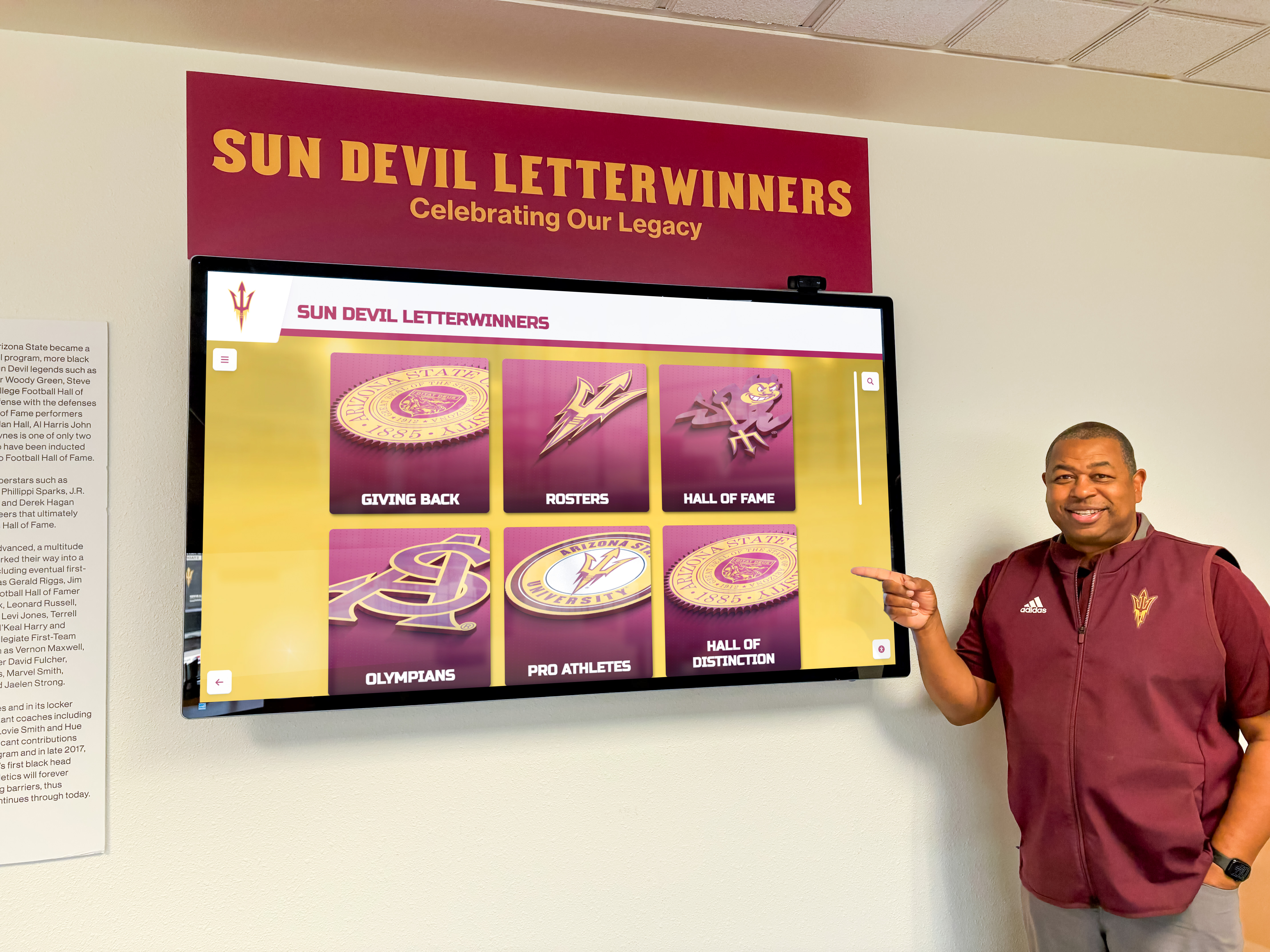
Measuring Impact and Demonstrating Value
Systematic measurement demonstrates value to stakeholders who funded implementation while identifying improvement opportunities ensuring recognition systems deliver maximum benefit. Without measurement, programs cannot prove value or justify continued investment when budgets face pressure.
Quantitative Engagement Metrics
Digital recognition platforms typically provide analytics tracking visitor engagement patterns, content popularity, and usage trends enabling data-driven assessment.
Display Interaction Metrics:
Track these quantitative measures assessing engagement levels:
- Total interactions: Number of times visitors engage with touchscreen displays or view content on non-interactive screens
- Session duration: Average time visitors spend exploring content per interaction
- Content views: Which profiles receive most attention indicating visitor interests
- Search queries: What visitors search for on interactive displays revealing information priorities
- Peak usage times: When displays see heaviest traffic informing optimal update schedules
Compare metrics across reporting periods identifying trends indicating whether engagement increases, plateaus, or declines over time. Increasing engagement suggests growing awareness and value, while declining metrics may indicate stale content requiring refresh or technical issues affecting user experience.
Web Analytics for Online Access:
If recognition content appears on websites or mobile apps beyond physical displays, track digital engagement through standard web analytics:
- Page views and unique visitors to recognition sections
- Time on page indicating content engagement depth
- Traffic sources showing how visitors discover recognition content
- Geographic distribution of visitors revealing global reach
- Device types used accessing content (desktop vs mobile vs tablet)
Web analytics often reveal that online recognition access substantially exceeds physical display interactions, particularly when programs include alumni distributed globally who cannot physically visit facilities but appreciate remote access to recognition honoring their achievements and peers.
Qualitative Impact Assessment
Numbers alone don’t capture full value delivered through recognition programs. Qualitative assessment through surveys, interviews, and observational research reveals deeper impact on culture, pride, and connection that quantitative metrics may miss.
Stakeholder Satisfaction Surveys:
Systematically survey key stakeholders assessing their perceptions of recognition value:
Ask distinguished alumni about their experience being honored, whether recognition strengthened their institutional connection, if recognition influenced their continued engagement, and what they valued most about their recognition experience.
Survey current players about whether recognition inspires them, if learning about alumni achievements influences their own aspirations, whether they explore recognition regularly, and what types of content they find most engaging.
Question coaches and staff about whether recognition aids recruiting, if displays facilitate alumni engagement, whether systems achieve intended goals, and what improvements would enhance value.
Gather feedback from donors and supporters about whether recognition influences their philanthropic support, if displays demonstrate appropriate stewardship, and whether recognition reflects institutional values they wish to support.
Anecdotal Evidence and Success Stories:
Document compelling anecdotal evidence of recognition impact:
Collect stories about recruits who cited recognition during commitment decisions, alumni who renewed engagement after seeing their recognition, donors who increased giving after displays launched, or current players inspired by specific distinguished alumni they discovered through recognition systems.
These qualitative success stories often prove more persuasive to decision-makers than quantitative metrics alone, providing human faces and authentic narratives demonstrating real-world impact on individuals rather than abstract numbers.
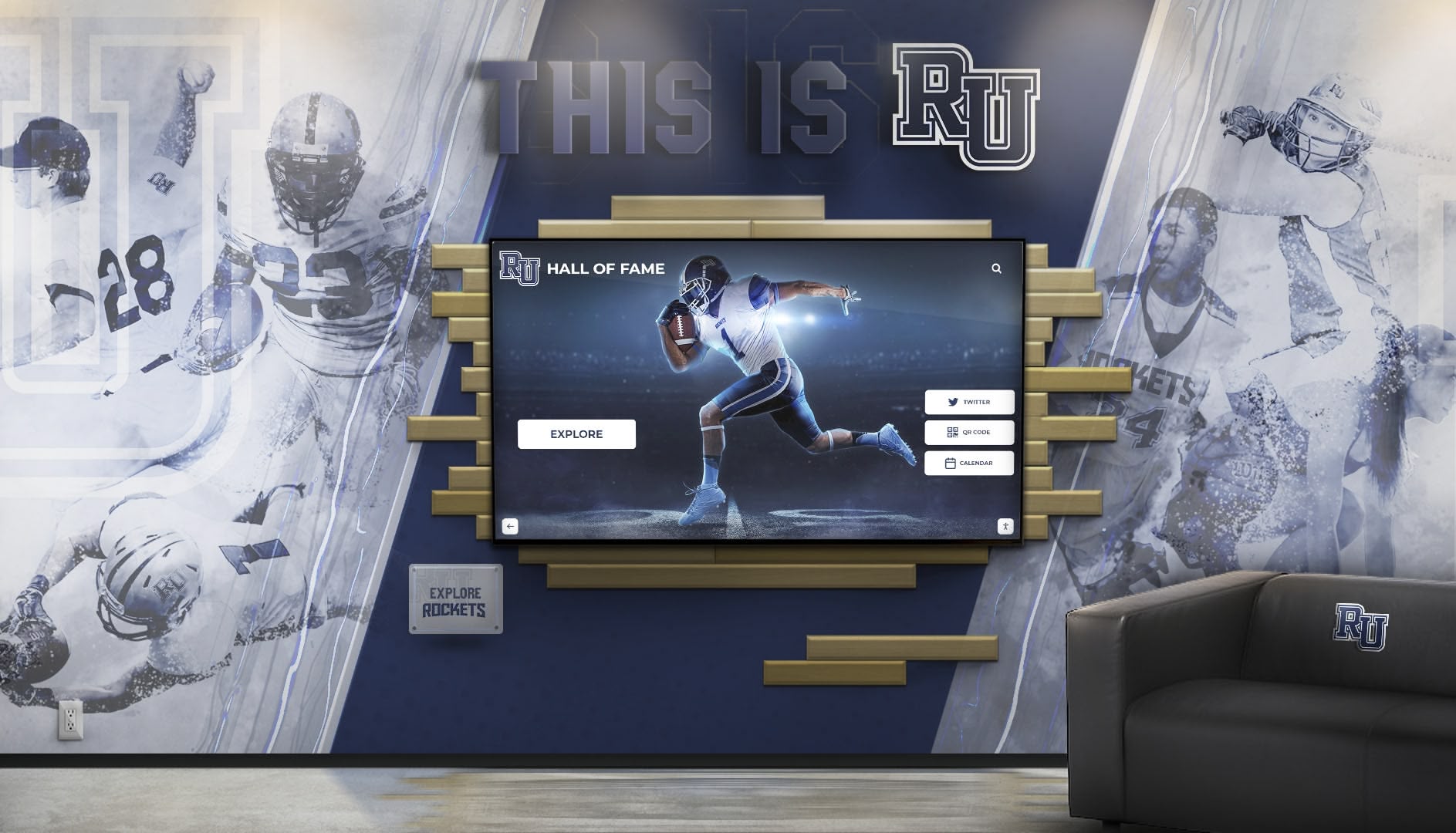
Advanced Features and Future Enhancements
Basic recognition displays honor distinguished alumni effectively, but advanced features create enhanced experiences that deepen engagement while demonstrating institutional innovation and commitment to excellence.
Social Media Integration and Content Sharing
Modern recognition systems can integrate with social media platforms, enabling visitors to share profiles, celebrate honorees publicly, and extend recognition reach beyond physical installations to global digital audiences.
Built-in Sharing Capabilities:
Interactive displays can include share buttons enabling visitors to post profiles directly to Facebook, Twitter, LinkedIn, or Instagram from displays themselves or by scanning QR codes generating shareable links accessible on personal devices.
This social sharing amplifies recognition reach dramatically. When an honored alum shares their profile with their professional network, hundreds or thousands of people learn about their achievements and see their institutional affiliation—powerful earned media that enhances both individual and institutional reputation.
Sharing also enables remote alumni to celebrate peers from afar. A 1980s graduate living across the country might share a recently added teammate’s profile, saying “Congratulations to my old teammate John Smith on his well-deserved recognition!” This peer-to-peer celebration strengthens alumni network bonds while increasing recognition visibility exponentially.
Video Integration and Multimedia Storytelling
While static text and photos honor achievements effectively, video content creates deeper emotional connections through authentic voices and dynamic storytelling impossible with text alone.
Video Interview Production:
Consider producing brief video interviews with distinguished alumni discussing their careers, sharing advice for current players, reflecting on formative program experiences, or demonstrating techniques and skills they’ve mastered.
Videos need not be elaborate productions—simple interviews shot on smartphones in good lighting with decent audio can prove highly engaging when content quality compensates for production simplicity. Many honored alumni appreciate opportunities to share their stories in their own voices rather than through written profiles alone.
Video content particularly resonates with younger audiences accustomed to video consumption through YouTube, TikTok, and social platforms. Current college golfers may skim written profiles but watch entire video interviews when authentic personalities and compelling stories capture attention.
Highlight Reels and Career Footage:
For distinguished alumni whose competitive careers were documented through media coverage or program recordings, consider incorporating highlight footage showing them competing during their prime.
Even brief highlight clips—championship-winning putts, record-setting rounds, or defining moments from their careers—create powerful emotional connection impossible through text description alone. Seeing younger versions of accomplished alumni competing in familiar venues or wearing program colors creates tangible connections between past excellence and present aspiration for current players.
Multi-Language Support for International Programs
Golf programs recruiting internationally or with significant international alumni populations should consider multi-language support enabling visitors to access content in their preferred languages rather than English-only presentation.
Common additional languages for golf programs include Spanish serving Latin American recruiting territories and diaspora communities, Mandarin or Cantonese reaching Chinese international students and alumni, Japanese for programs with historical Japanese recruitment or alumni, and Korean supporting growing Korean golf populations at many American institutions.
Professional translation ensures accuracy and cultural appropriateness rather than relying on machine translation that may produce awkward or incorrect content. Budget $0.08-$0.15 per word for professional translation services, making comprehensive multi-language support a substantial but achievable investment for programs prioritizing international inclusion.

Conclusion: Building Legacy Through Systematic Recognition
Golf programs that systematically recognize distinguished alumni create powerful benefits extending far beyond simply honoring past achievements. Comprehensive recognition inspires current players through tangible evidence that their program produces excellence, strengthens alumni bonds through visible appreciation of accomplishments, enhances recruiting by demonstrating program commitment to celebrating achievement, builds institutional pride among supporters and donors, and preserves program history ensuring legacy endures beyond fading memory.
Yet too many golf programs defer recognition indefinitely, waiting for perfect circumstances, complete budgets, or consensus on every detail. This perfectionism prevents good-enough implementations that would deliver substantial value despite imperfections. The programs benefiting most from distinguished alum recognition typically started with focused initial implementations—perhaps recognizing their 25 most accomplished alumni initially rather than attempting comprehensive historical recognition spanning 75 years. They installed single displays in prime clubhouse locations rather than waiting to populate entire facilities. They launched with available content, adding depth incrementally as resources permitted rather than delaying indefinitely until achieving comprehensive historical archives.
The technical specifications, content strategies, and implementation workflows documented in this guide provide actionable blueprints enabling golf programs to move from aspiration to implementation systematically. Whether you’re a college golf coach seeking to honor program legends, a private club professional wanting to celebrate member achievements, or an athletic director implementing comprehensive recognition across all sports, these frameworks deliver the operational foundation required for successful distinguished alum recognition systems.
Modern technology makes comprehensive recognition more achievable than ever before. Digital recognition platforms eliminate the space limitations of physical plaques, the update costs of traditional displays, and the engagement constraints of static recognition that visitors walk past without meaningful interaction. Interactive touchscreen systems invite active exploration transforming recognition from passive viewing into engaging experiences where current players discover inspiring alumni stories while honored graduates see their achievements preserved in dynamic, shareable formats reflecting the significance of their accomplishments.
Start planning your golf program’s distinguished alum recognition system today. Document selection criteria, identify initial honorees, budget appropriately for quality implementation, and commit to ongoing maintenance ensuring recognition remains current rather than becoming outdated neglected technology. The distinguished alumni who elevated your program through their achievements deserve recognition honoring their contributions authentically while inspiring future generations to pursue similar excellence. The players currently developing their skills deserve exposure to role models demonstrating what’s possible when talent meets dedication, opportunity, and support.
Build recognition that matters—systematic, comprehensive, and engaging recognition that strengthens your program today while preserving its legacy for decades to come.
Ready to Build Your Golf Program Recognition System?
Rocket Alumni Solutions specializes in creating comprehensive digital recognition platforms for golf programs, athletic departments, and educational institutions. Our interactive TouchWall systems enable unlimited honorees, rich multimedia storytelling, searchable archives, and remote content management—all through purpose-built platforms designed specifically for athletic recognition.
Whether you're honoring 10 distinguished alumni or building comprehensive archives spanning decades of program history, we'll help you design and implement recognition systems that inspire current players while celebrating legacy appropriately.
Your program’s distinguished alumni achieved excellence worthy of celebration. Build recognition systems that honor their achievements authentically while inspiring the next generation of golf program legends.































