Most high school gyms earn their clutter honestly. A state championship banner goes up in 1989. Another follows in 1994, then three more across different sports in the early 2000s. Conference titles, district crowns, and tournament plaques accumulate alongside records boards that have not been reprinted since the vinyl letters started peeling. By the time an athletic director inherits the facility, the walls are a visual inventory of every decision — and every deferred decision — made by the people who came before them.
High school gym banners work when they are organized. They become clutter when they are not. This guide gives athletic directors and facilities planners a concrete system for deciding what goes on the wall, how to arrange it, where records fit, and how to handle decades of team history without running out of space or credibility.
Walk into a well-run athletic facility and the gym banners communicate immediately: this program wins at the highest levels, honors every sport, and maintains standards. Walk into a cluttered one and the first impression is confusion — not pride. The difference is rarely the number of championships. It is the presence or absence of an organizing system.
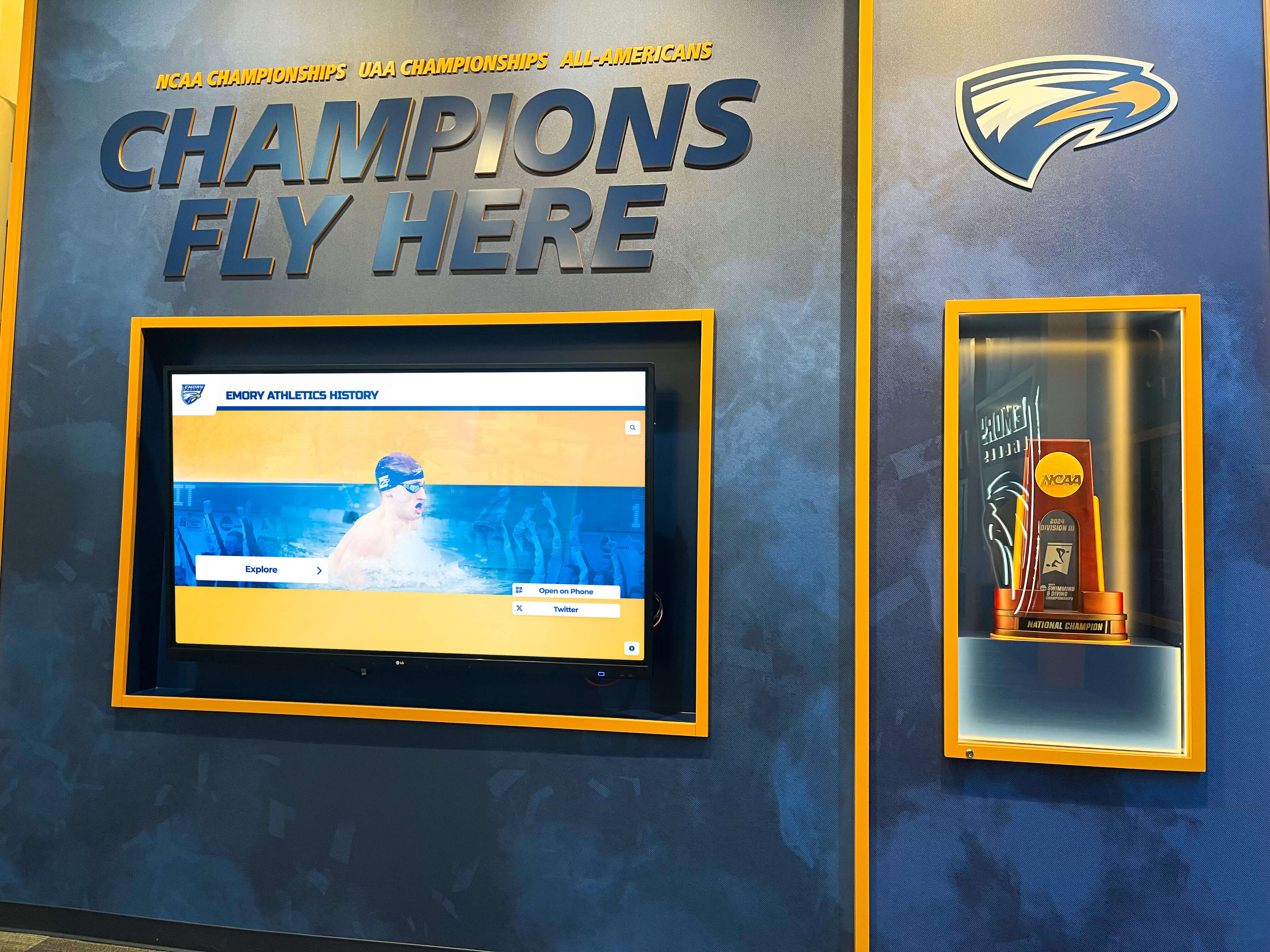
A purpose-built champions wall with consistent banner formatting and curated content communicates program excellence immediately — without overwhelming the space
Why Gym Banners Become Cluttered
Before building an organizational system, it helps to understand how most programs arrive at clutter in the first place. The pattern is predictable.
No format standards exist. Different coaches and booster clubs order banners over the years. Sizes vary. Colors drift. Some banners use the school’s official Pantone colors; others approximate them. By the time you have thirty banners from four decades, the wall looks like a flea market rather than a championship archive.
Every achievement gets the same treatment. A state championship banner and a non-conference tournament title end up the same size on the same wall. Without visual hierarchy, the viewer cannot quickly distinguish what the program has accomplished at the highest level from what was a good week in November.
Nothing comes down when something new goes up. Gym walls fill incrementally, and each addition seems reasonable in isolation. There is rarely a moment when someone reviews the full display and asks whether the oldest content should make way for newer achievement.
Records boards go stale. A records board last updated during the Obama administration tells every athlete who passes it that no one is paying attention. Stale records undermine the credibility of the entire display environment.
Solving clutter is a two-part problem: establishing an organizational system going forward, and auditing what already exists.
The Triage Framework: Three Categories for Gym Banner Content
Before measuring walls or ordering standardized formats, sort your existing and future content into three categories. This framework applies to championship banners, records boards, individual award recognition, and team history displays.
Category 1 — Permanent Wall Display Content that earns permanent wall space by meeting the program’s highest achievement threshold. For most high school programs, this means:
- State championship banners (all sports, all levels)
- Regional championship banners (conference or district titles if the program treats them as landmark achievements)
- Retired jersey numbers
- Hall of fame inductee plaques (if placed in the gym rather than a lobby)
The key discipline is defining the threshold in writing and sticking to it. If every conference title earns a banner, you will run out of wall space within a decade. If only state-level championships qualify, the wall stays curated.
Category 2 — Hallway, Lobby, or Secondary Display Achievement that deserves permanent recognition but belongs outside the main gym floor:
- Conference and district championship banners
- All-state individual award recognition
- Records boards for specific sports (placed near competition venues)
- Coach and athlete milestone plaques
- Season records: undefeated regular seasons, longest winning streaks, most wins in a program season
Category 3 — Digital-Only or Archive Achievement that should be recognized but cannot scale on physical walls:
- Non-conference tournament titles
- Annual all-league selections going back more than five years
- Individual game or season statistics that context makes meaningful but that do not rise to all-time records
- Historical team photos and rosters
- Complete letterwinner rolls by sport
This three-category triage is the first structured decision you will make in a gym banner reorganization. Everything else follows from it.
Organizing Championship Banners on the Gym Wall
Once you have defined what qualifies for the main gym wall, the next decision is spatial organization. There are three effective approaches, each with tradeoffs.
System 1: Organize by Sport Zone
Divide the gym wall — typically above the bleachers on both sides and the end wall above the scoreboard — into sport-specific zones. Basketball championships cluster together. Wrestling championships occupy their section. Volleyball, track and field, and other sports each get a designated zone.
Advantages: A visitor looking for a specific sport can find it immediately. Each sport’s section can grow independently without displacing others.
Tradeoffs: Minor sports with few championships have large empty zones. Major sports with many championships run out of zone space faster.
System 2: Organize by Achievement Level
Group all state championships together regardless of sport. Below them or in an adjacent zone, group all regional championships. Conference titles occupy a third tier.
Advantages: The hierarchy of achievement is immediately legible. A first-time visitor can scan the wall and understand what the program has accomplished at each level.
Tradeoffs: Requires consistent banner sizing by level, which may not match what your program already has. Makes sport identification secondary to level.
System 3: Chronological Timeline
Arrange banners by year, running left to right across the wall. Each banner identifies the sport, level, and year. Recent championships appear at the right end; the program’s earliest championships anchor the left.
Advantages: Tells the program’s story as a timeline. Effective for programs with a long championship history that want to communicate continuity and longevity.
Tradeoffs: Requires frequent reorganization as new banners are added at the right end. The far left becomes visual history rather than active recognition.
Most programs use a hybrid: sport zones for the primary wall with level-consistent sizing within each zone. Whatever system you choose, document it in a physical display standards guide so the next athletic director does not inherit a blank slate.
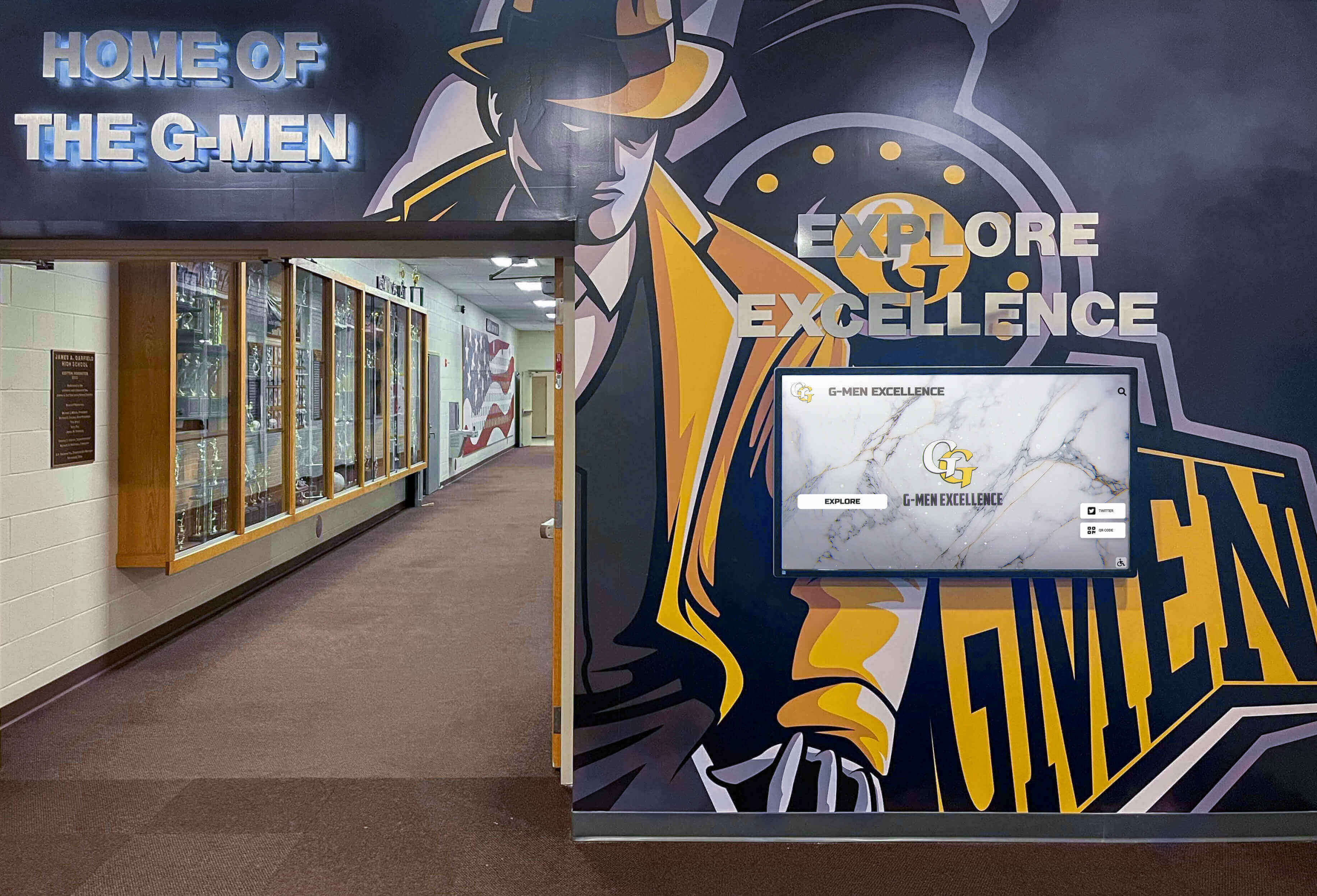
Sport-zone organization with consistent banner sizing creates a legible display environment — each section tells one program's championship story without competing with the others
Championship Banner Format Standards
Inconsistent banner formats are the primary source of visual clutter in most school gyms. Establishing and enforcing format standards eliminates the problem for every championship your program wins going forward.
Required Format Elements
Every championship banner in your display system should specify:
| Element | Standard | Notes |
|---|---|---|
| Size by level | State: 3 ft × 6 ft; Regional: 2.5 ft × 5 ft; Conference: 2 ft × 4 ft | Adjust for ceiling height; text must be legible from farthest occupied seat |
| Colors | Official school Pantone codes | Document in the brand guide; require Pantone swatch approval on first vendor order |
| Font | One primary display font for titles; one secondary font for supporting text | License and store font files with the brand guide so they survive staff turnover |
| Required content fields | Sport, championship level, year (season), school name or mascot | Add coach name only if the program wants to honor individual tenure on the banner |
| Logo usage | Official mascot mark at top; conference mark if applicable | Confirm licensing requirements for conference or state association marks |
| Mounting method | Consistent with all existing banners in that zone | Cable suspension for rafter-hung; D-ring wall mount for wall-mounted sections |
These standards apply to every new banner regardless of which vendor produces it. Store the design file, color codes, and font files in a shared location that survives individual staff departures. The template is only useful if it is accessible.
Addressing Existing Non-Standard Banners
Legacy banners that do not meet current standards create a practical question: replace them or leave them?
The most defensible approach is a phased standardization. When a sport earns a new championship, the new banner meets current standards. The existing legacy banners for that sport move to the secondary display zone or enter the archive. Over a decade, the main gym wall gradually becomes a current-standards display without requiring a single large capital expenditure.
Programs with grant funding or a facilities renovation budget can accelerate this by commissioning replacement banners for all Category 1 content simultaneously — typically a two-to-three year project rather than a single season.
Records Boards: What to Include and Where to Place Them
Championship banners recognize team achievement at the season level. Records boards recognize individual and team performance at the statistical level. Both belong in a complete gym display program, but they serve different functions and work best in different locations.
Sport-Specific Placement
The most effective records boards are placed at or near the venue where the sport competes. Swimmers read the natatorium records board every day before practice. Wrestlers check the mat room corridor standings before every session. A basketball all-time leaders board positioned just inside the main gym entrance is visible to every player who walks in for practice.
Daily exposure is what makes records boards motivational rather than decorative. A records board in a back office that athletes never pass accomplishes nothing. A records board in the daily path to practice creates a concrete target for every athlete in that program.
For sports with high records turnover — track and field, swimming, cross country, and weightlifting — digital records boards eliminate the reprinting cycle entirely. When a record falls on Friday night, the board reflects the new mark by Saturday morning. For more stable programs, physical painted boards or high-quality vinyl boards remain cost-effective. Swimming state championship records illustrate how quickly individual records can turn over in high-volume performance sports, making physical update cycles expensive and slow.
What Records Boards Should Display
A comprehensive records board typically includes:
- All-time school record — the best performance in program history for each event or statistical category
- Current season record — updated throughout the season, giving athletes in-season context for where they stand
- Single-season records — best performances by season, which rewards athletes who peaked in a specific year even if they do not hold the all-time mark
- Class records (freshman, sophomore, junior, senior) — meaningful for athletes who are not yet competing for the all-time marks
Avoid making records boards comprehensive to the point of being unreadable. A swimming records board that covers 40 events at four levels across three genders requires careful typography and spacing to remain useful. When in doubt, prioritize clarity over completeness.
Records Verification Policy
A records board last updated under a different athletic director — with no clear process for how records are verified and added — is a liability. Establish a written verification policy before posting any new record:
- Documentation required (official timing printout, official scoring sheet, game film timestamp)
- Who reviews and approves the record claim
- Timeline for posting after verification (two weeks is a reasonable standard)
- Process for disputed records
Post the verification policy alongside the records board, or reference it on a plaque adjacent to the display. Athletes and parents who see the process respect the result even when a record they expected does not make the board.
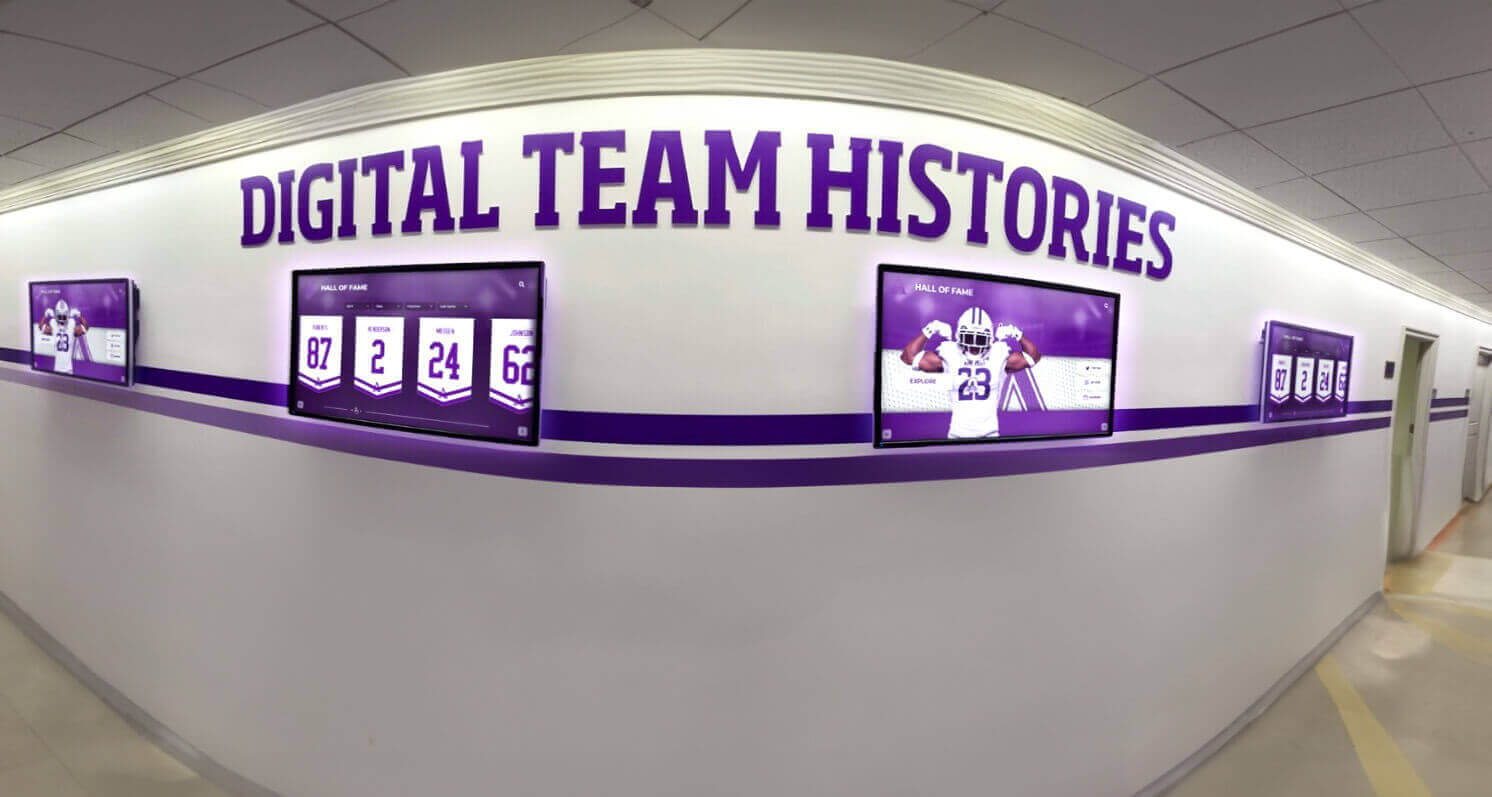
Digital screens in athletic corridors keep records current without reprinting costs — a single update cycle handles every new mark across every sport simultaneously
Team History Displays Without Clutter
Championship banners and records boards handle the top-tier achievement. Team history — coaching tenures, program milestones, season highlights, alumni achievement — requires a different approach because the content volume is unlimited and the space is not.
Decide What Belongs in the Gym vs. Elsewhere
Team history is not gym content. The gym is a competition and community space; its displays should communicate achievement at the highest level of visibility. Team history content — detailed season archives, coaching tenure narratives, roster histories — belongs in a dedicated corridor, a lobby alcove, or a digital archive.
Most schools that successfully display team history use a three-zone approach:
- Gym floor: Championship-level achievement only (banners, records boards)
- Athletic corridor: Sport-specific team history panels, all-state recognition, season highlights
- Lobby or digital archive: Full program history, hall of fame, coach milestones, alumni profiles
This separation keeps the gym from becoming a storage room for content that belongs elsewhere and gives team history its own dedicated space where it can be organized and curated properly.
Building a Team History Panel System
For athletic corridors, a sport-specific panel system organizes team history without clutter. Each sport gets a defined section — typically one to two wall bays — that includes:
- A framing graphic or mascot element identifying the sport
- Two to four key milestone cards: program founding, first championship, breakthrough season, current coach hire
- A current-season frame that updates annually
- A QR code or link to the digital full archive for visitors who want more depth
The panel system works because it imposes a space constraint that forces curation. When a sport’s allocated section is full, something must rotate out rather than the section expanding indefinitely. That discipline is what prevents corridor displays from becoming the same clutter problem the gym walls face.
Recognition board examples for schools offer practical formats that athletic departments can adapt for corridor team history panels — the challenge of curating without clutter is the same whether the content covers team seasons or academic achievement.
The “One Frame Per Season” Rule
A simple rule that many athletic directors find useful: each sport’s corridor display holds one frame per season for the most recent five years of content. When a sixth year arrives, the oldest frame moves to the digital archive. The corridor stays current and relevant; the archive keeps the full record.
This rule requires a digital archive to be functional, not just theoretical. If “moved to the archive” means “put in a box in the storage room,” the system fails. If it means “accessible via the touchscreen display in the lobby,” it succeeds.
When the Wall Fills Up: Digital Overflow Solutions
Every physical gym display has a fixed capacity. Most programs with more than two decades of competitive success have already filled their walls — or will fill them within the current generation of athletic directors. Digital display systems are the structural solution.
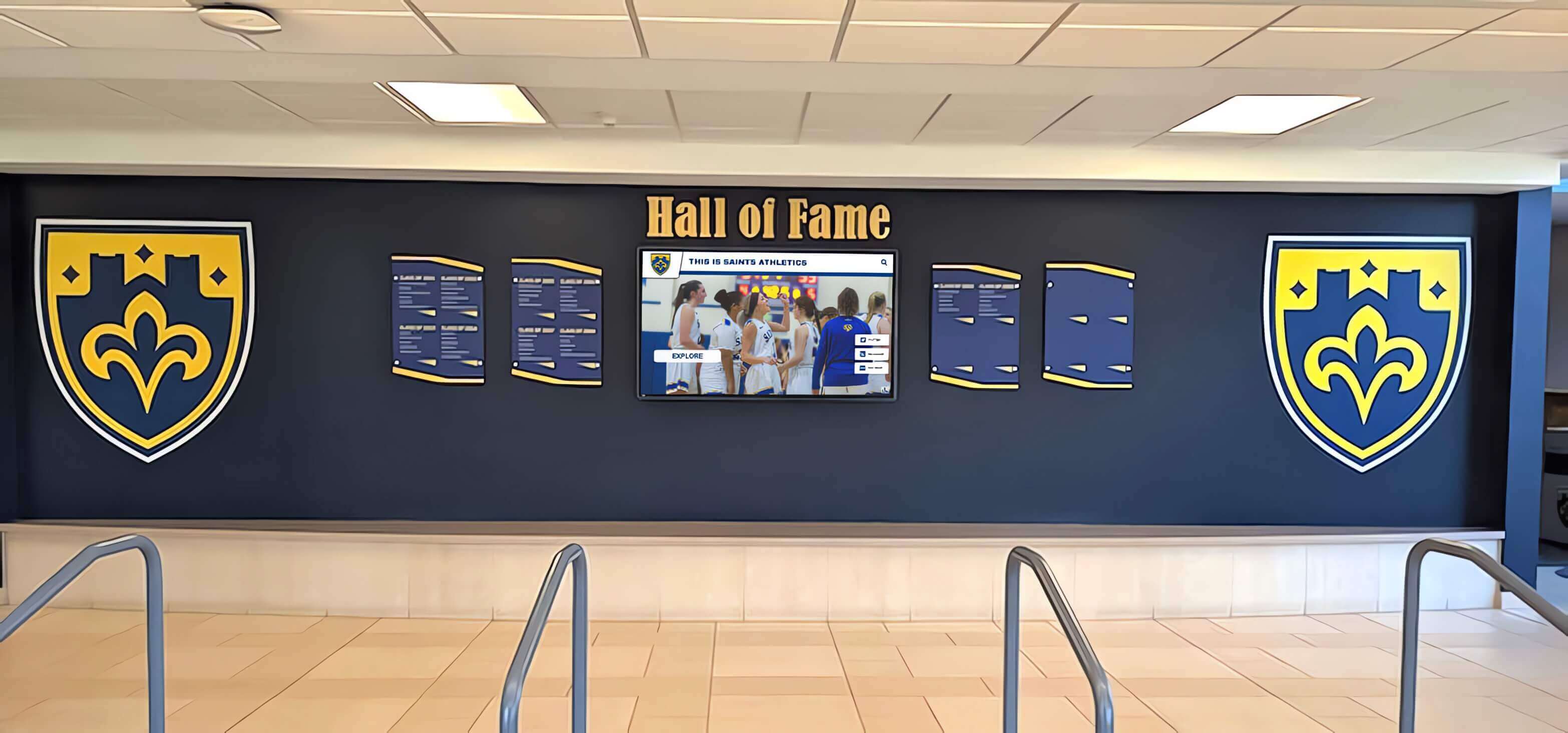
A lobby wall that combines physical shield-format inductee panels with a digital screen handles both the permanence of physical recognition and the depth of archival content — without expanding the wall footprint
The concept is straightforward: physical walls handle Category 1 content (highest-level achievement, permanent honor), and digital displays handle everything else. The digital display can hold an unlimited number of championships, seasons, athlete profiles, and archival records without taking up a single additional square foot of wall space.
What Digital Displays Add That Physical Banners Cannot
A high school that has won 87 championships across 25 sports over 40 years cannot display all 87 banners in a single gym. It can display the most significant tier physically and surface all 87 on a touchscreen. Any visitor — recruit, alum, parent, or administrator — who wants to find the 1993 girls’ volleyball conference title or the 2007 boys’ swimming state championship can find it in under 30 seconds on a well-organized touchscreen display.
The depth advantage is the key reason most programs that invest in digital recognition systems report higher alumni engagement. Alumni who return for homecoming often go directly to the touchscreen to find their season. A physical wall rarely has room for a 1989 conference title; a digital archive always does.
For programs managing multi-sport recognition archives across many years, how to organize digital athletic records for a high school building covers the content architecture decisions that make a digital archive navigable rather than just large.
Pairing Physical and Digital in the Same Zone
The most effective gym display configurations pair a physical element with a digital element in the same zone. A championship banner wall with a touchscreen adjacent to the entrance gives visitors both the immediate visual impact of the physical banners and the searchable depth of the digital archive. Neither format replaces the other; they serve different needs for different visitors.
Schools that have reorganized cluttered gym displays often find that moving second-tier and third-tier content to digital — and leaving only Category 1 content on the physical wall — dramatically improves the visual impact of what remains. Fewer physical banners, better organized, on a well-maintained wall communicate more effectively than a wall packed with every banner the program has ever ordered.

A lobby screen visible to athletes, families, and visitors creates daily engagement with program history that a static banner wall cannot — current-season content alongside archival recognition in one display surface
Five-Step Planning Process for Gym Banner Reorganization
Reorganizing a gym display environment is a facilities and content project simultaneously. The steps below give you a structured approach that accounts for both.
| Step | Action | Output | Time Required |
|---|---|---|---|
| 1. Audit | Photograph every existing display surface with measurements; document each banner, plaque, and records board | Complete inventory with photo references, dimensions, and condition notes | 3–4 hours |
| 2. Triage | Sort every item into Category 1, 2, or 3 using defined thresholds; document the threshold criteria | Categorized inventory; written display eligibility policy | 2–3 hours |
| 3. Zone Plan | Draw the display zones on a facility floor plan; assign content categories to zones; measure available linear feet per zone | Zone map with content assignments and capacity notes per zone | 2–4 hours |
| 4. Format Standards | Write the banner standards document: sizes by level, colors, fonts, required content fields, mounting method | Banner standards document stored in shared admin location with design files | 3–5 hours |
| 5. Assign Ownership | Name the person responsible for each display zone; set update intervals; document the process for record verification and new banner orders | Written maintenance protocol with named owners and update calendar | 1–2 hours |
This process is designed to be completed by one or two people over a single week, not a months-long committee project. The audit and triage steps require the most judgment; the zone planning and format standards steps are largely mechanical once the decisions from the first two steps are made.
The ownership assignment in Step 5 is the most frequently skipped — and the most important. A display plan with no named owner defaults to “whoever has time,” which eventually means nobody. A display plan with a named owner, a documented process, and an annual review date stays current.
Sport-Specific Recognition Without Redundancy
Different sports generate different recognition content, and the gym display environment needs to handle that variation without creating redundancy or blank spots.
High-Volume Recognition Sports
Track and field, swimming, cross country, and wrestling generate frequent individual records. These sports benefit most from digital records boards or easily updateable physical boards because the record count is high and the turnover is fast. Investing in a static painted board for a sport that breaks five records per season creates a maintenance problem within the first year.
High school lacrosse playoff recognition and championship records illustrates how rapidly championship and record content accumulates in competitive programs — tracking individual advancement through state tournaments alongside team records requires a system that can handle volume without requiring a wall redesign each spring.
Team Sports With Championship Cycles
Basketball, football, volleyball, soccer, and baseball typically generate championship content less frequently but at a higher profile level per event. These sports anchor the main gym wall display. A state basketball championship banner earns a prominent position on the main wall; an all-state basketball player earns a position in the corridor recognition zone.
For football programs managing a complete recognition archive — from individual season records to championship runs — recognition systems for high school football programs provides context on how football-specific recognition integrates with broader athletic display programs.
Emerging and Lower-Enrollment Sports
Sports with smaller programs often struggle to earn wall space in gym display environments designed around the major revenue sports. A display system that reserves a small, consistent recognition zone for every NFHS-sanctioned sport your school fields — even if some zones have only one or two plaques — communicates that the program values every athlete, not just the ones who fill the bleachers.
The practical approach is a secondary corridor zone that gives each sport two to four linear feet of display space regardless of championship count. Small sports fill their section with all-state recognition, season records, and senior recognition; major sports have more content but the same proportional respect built into the system.
Team Championship Archives: Handling Decades of History
Programs that have been competing for 30 or 40 years face a specific problem: they have more history than wall space, and any system that tries to display everything ends in clutter. An archive approach — distinct from the active display — is the solution.
What Belongs in the Archive vs. the Active Display
An active display covers:
- Current and recent achievement (last five to seven years)
- All-time records (regardless of year)
- Hall of fame inductees
- State-level championships going back to the program’s founding
An archive covers:
- Full season records, rosters, and statistics going back to the program’s founding
- Individual game and season highlights that inform the all-time records
- Coaching tenure documentation
- Historical photographs and media coverage
The archive can be physical — a binder system or bound volumes stored in the athletic office or a library display case — or digital. For programs committing to a long-term archive, managing rugby team championship records and archives provides a model for how programs across multiple sports build and maintain comprehensive historical archives, and team records archive organization for multiple sports covers the structural decisions that keep multi-sport archives navigable rather than just large.
The Digital Archive as Living Record
A digital archive that lives on a touchscreen display — updated by staff, accessible to visitors — functions as a living record rather than a storage system. New content is added each season. Old content remains accessible but does not compete for wall space. Alumni can find their year; current athletes can find the all-time records they are chasing; coaches can reference historical context for recruiting conversations.
Building and maintaining a digital team records archive requires decisions around content architecture: how to organize by sport, by year, by individual, and by achievement type so that a visitor can navigate the archive without staff assistance.
Annual Maintenance Protocol
A display system without a maintenance protocol deteriorates within one to two seasons. The following annual schedule keeps the display environment credible and current.
End of each season (within 30 days):
- Update records boards for any records broken during the season
- Add any new championship content to the relevant display zone
- Flag any physical display elements that need repair or replacement
Beginning of each school year (before first home event):
- Review all physical banners and plaques for condition issues
- Update current-season frames in corridor displays
- Confirm digital display content is accurate for the new academic year
Annual audit (summer, before the school year begins):
- Review the triage framework against any new achievement thresholds
- Identify any Category 1 content that needs new banners or plaques ordered
- Review the digital archive for completeness — confirm the prior year’s seasons were fully documented
- Update the banner standards document if any design decisions changed
Assign each maintenance item to a named staff member with a completion deadline. A shared checklist in the athletic office or a shared drive — not in one person’s memory — ensures continuity when staff change.
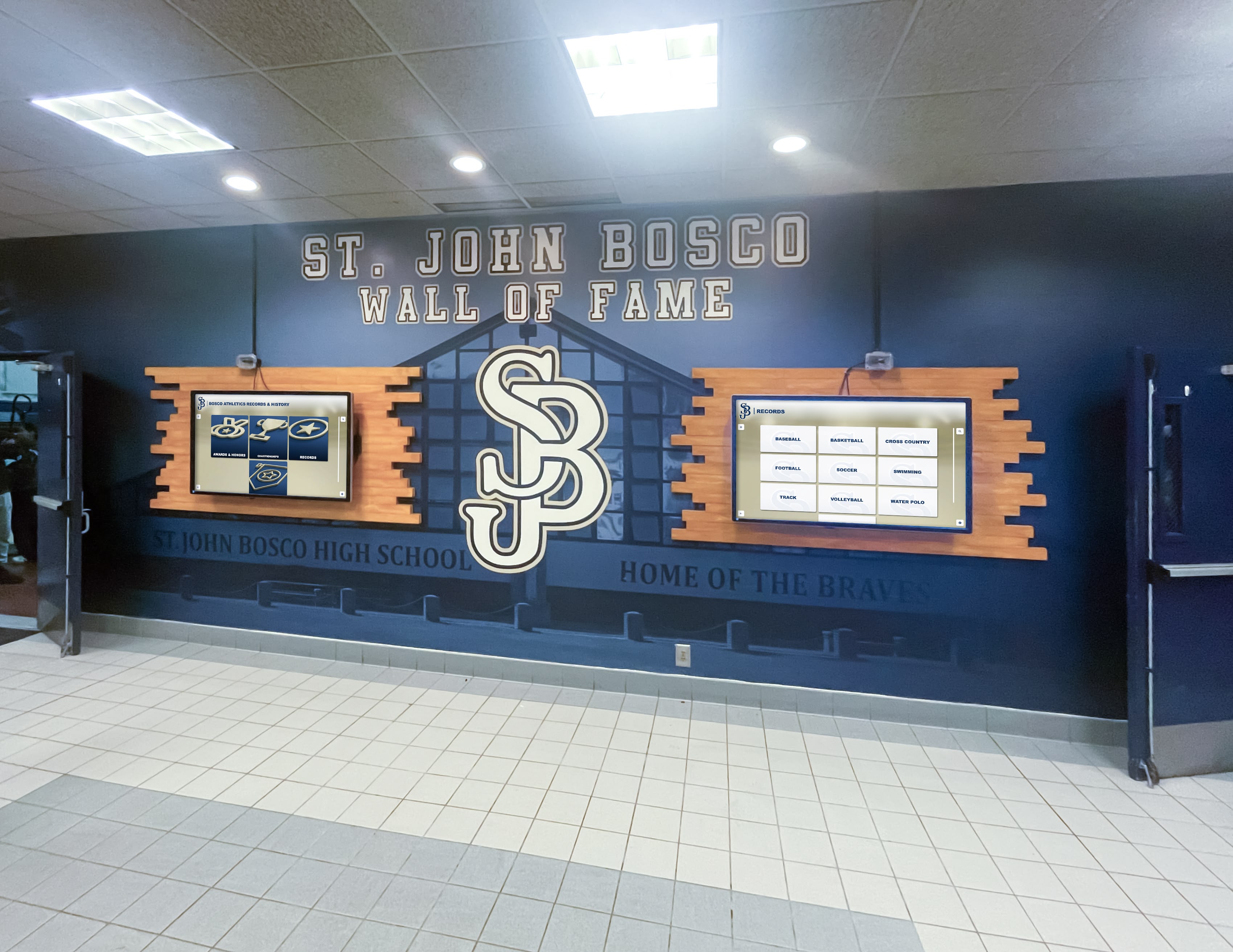
Paired digital screens alongside physical wall-of-fame panels handle both the permanence of physical recognition and the update frequency that current-season content requires — one maintenance cycle covers both
Budget Planning for Gym Banner Systems
A well-organized gym banner environment does not require a single large capital outlay. Most programs phase their investment over two to three years, beginning with the organizational decisions and standards documentation before spending on physical or digital hardware.
Phase 1: Standards and Audit (Year 1, Minimal Cost)
- Complete the five-step audit and triage
- Write the banner standards document
- Assign display ownership and maintenance protocols
- Identify what existing content needs replacement vs. what can remain
The primary cost in Phase 1 is staff time. The decisions made in this phase govern every future expenditure, so they are worth investing in before ordering anything.
Phase 2: Physical Display Improvements (Year 1–2)
- Replace non-standard banners on the main gym wall as budget allows
- Install or upgrade records boards for high-volume sports
- Improve mounting hardware for any banners that are not securely installed
- Add corridor recognition panels for sports that lack dedicated display space
A complete physical display renovation for a mid-size high school athletic department — banners, records boards, corridor panels — typically ranges from $8,000 to $25,000 depending on scope and vendor. Phasing the work across two years spreads the cost without losing momentum.
Phase 3: Digital Display Integration (Year 2–3)
- Install a primary touchscreen display in the lobby or gym entrance
- Build out the digital archive with historical content
- Connect the digital display to a content management system that allows remote updates
For programs evaluating the full budget scope — from banner orders through digital display systems — high school athletic department budget planning for awards, records, and digital displays covers the line-item detail that helps athletic directors build a proposal for administration without underestimating scope.
Championship Ring Ceremonies and Display Coordination
Programs that honor championships with ring ceremonies face an additional display coordination decision: how does the ring recognition integrate with the banner and records board display? Ring ceremonies are high-visibility events that reinforce the program’s culture. Championship ring ceremony planning for high school programs covers the event coordination, but the display implication is that ring recipients should have a clear path to recognition in the display environment — a dedicated section of the hallway recognition zone, an inductee profile in the digital archive, or an individual plaque that connects to the championship banner their team earned.
Frequently Asked Questions
How many championship banners can a high school gym wall display before it looks cluttered?
The answer depends more on format consistency than count. A gym wall with 30 banners in matching sizes and colors reads as a championship archive. A gym wall with 15 banners in five different sizes and three different color interpretations of the same school colors reads as clutter. Format standardization is a higher priority than limiting the number of banners.
Should conference championships get a banner in the main gym, or only state titles?
Define this threshold in your display eligibility policy before ordering any new banners. Most programs land in one of two places: state-only on the main wall (conference titles go to secondary corridor display) or all PIAA/NFHS postseason championships on the main wall (invitational titles go to secondary display). The right answer is the one your program defines and enforces consistently — not whatever the previous AD did informally.
What is the best format for a records board that gets updated frequently?
Digital records boards are the lowest-cost long-term solution for sports that break records frequently. For sports with stable records, a high-quality vinyl overlay board on an aluminum or wood backer allows local reprints without replacing the entire board. Avoid painted boards for any sport that breaks more than two or three records per year — the reprinting cycle becomes expensive and slow within a few seasons.
How do we handle sports that have very few championships? Should they still get wall space?
Every sport your school fields deserves some display space, even if a section of the athletic corridor rather than the main gym wall. Allocate a consistent zone per sport regardless of championship count, and fill the low-championship zones with all-state recognition, season records, coach milestones, or history narrative. An empty zone communicates neglect. A filled zone communicates that the program values every athlete.
Can digital displays replace physical championship banners entirely?
Not effectively. Physical championship banners visible from the gym floor create atmosphere and identity during live events that digital screens cannot replicate at the same scale. The most effective programs use both: physical banners for Category 1 achievement on the main wall, and digital displays for depth, archive access, and secondary-tier content. Neither format replaces the other.
Conclusion
High school gym banners work when they are organized around a system: clear eligibility thresholds, consistent format standards, a zone plan that assigns content to the right space, and a maintenance protocol with named owners. When those elements are in place, the gym wall communicates the program’s championship history immediately and credibly. When they are absent, the wall communicates something different — accumulated decisions with no coherent logic.
Start with the audit. Spend a morning photographing every display surface with measurements. Sort what you have into the three categories. Write the format standard. Assign ownership. The physical and digital improvements follow naturally from those decisions, and they stay relevant because the system behind them is documented and maintained.
Programs that combine a curated physical display environment with a digital archive handle every audience at every level of interest — the recruit who needs a quick impression, the alum who wants to find their year, the current athlete looking for a record to chase, and the administrator presenting the program to a first-time visitor. That combination is what a well-organized gym banner system is ultimately designed to achieve.
Ready to see how interactive digital displays pair with your physical gym banner display?
Rocket Alumni Solutions designs and installs touchscreen recognition systems for high school and university athletic departments — digital hall of fame walls, interactive records boards, and archival displays that handle the content volume physical walls cannot. Schedule a demo to see how schools are organizing decades of championship history without running out of wall space.































