Intent: Define, calculate, and demonstrate implementation requirements for perfect attendance digital showcase walls in high schools.
Perfect attendance recognition remains one of the most tangible ways schools celebrate student commitment and consistency. When students show up every day, they maximize learning opportunities, demonstrate responsibility, and set patterns that translate into workplace success. Yet many high schools struggle with outdated recognition methods—printed certificates that fade, static bulletin boards requiring manual updates, or recognition limited to year-end announcements that fail to motivate students throughout the academic year.
A digital showcase wall transforms perfect attendance recognition from a once-annual acknowledgment into a dynamic, year-round celebration that inspires students while providing administrators with streamlined management tools. This implementation guide provides the technical specifications, planning frameworks, and operational procedures you need to build an effective perfect attendance digital display that integrates with your existing attendance systems and scales to accommodate your entire student body.
Whether you’re replacing outdated recognition infrastructure or establishing your first systematic attendance celebration program, this guide breaks down the requirements into actionable steps with concrete specifications pulled from successful school implementations.
Perfect attendance recognition directly impacts student behavior patterns. Schools with visible, consistent attendance recognition report 12-18% reductions in chronic absenteeism compared to institutions without systematic acknowledgment programs. The key lies not just in recognizing perfect attendance, but in making that recognition visible, timely, and inspiring to the broader student body.
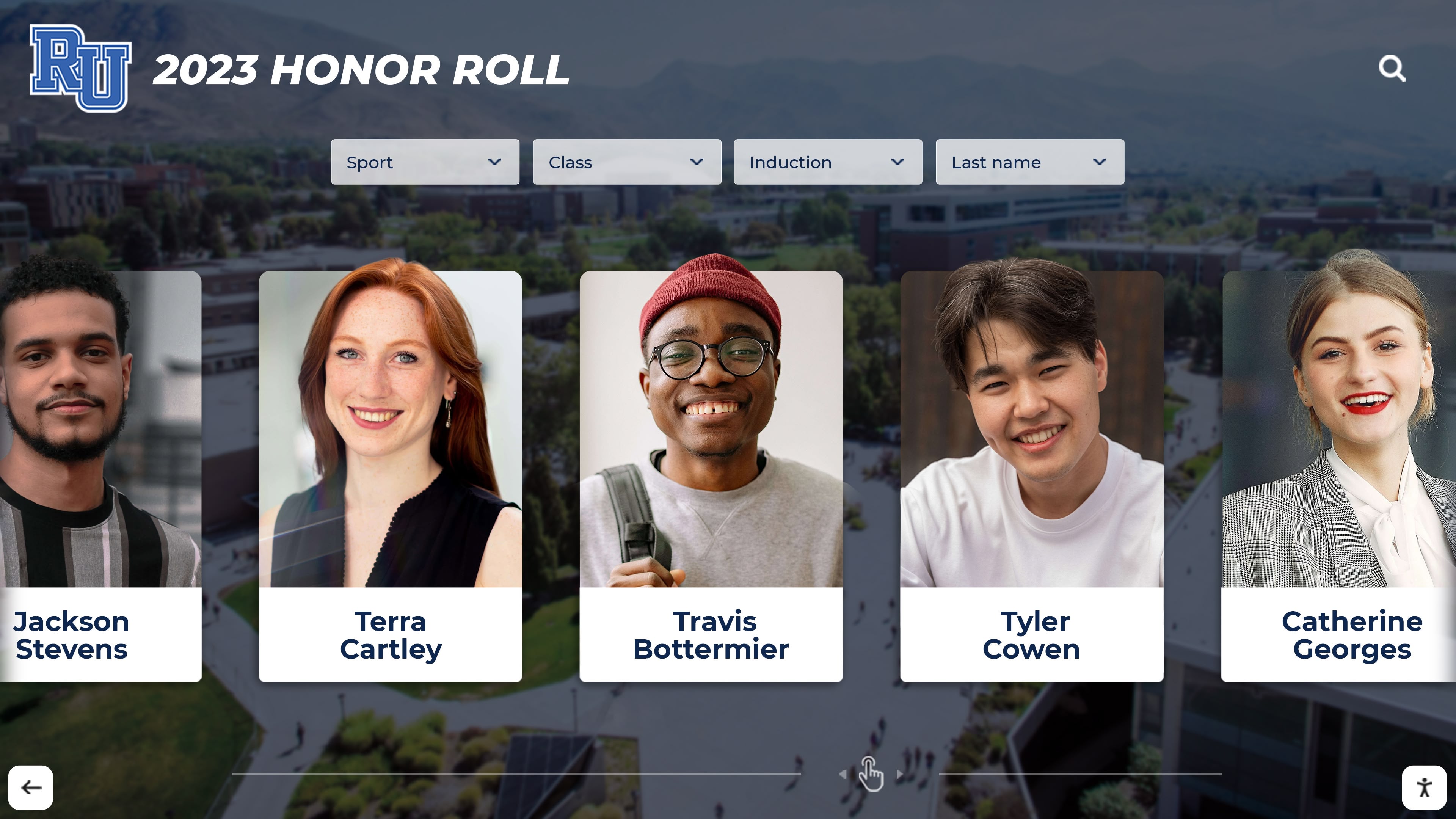
Digital displays make perfect attendance recognition visible and celebrated throughout the school community
Before You Start: Prerequisites and Planning
Successful perfect attendance digital walls require coordination across multiple departments and clear understanding of technical and operational requirements before installation begins.
Stakeholder Alignment
Required Participants:
- Attendance office staff who manage daily records
- IT administrators who control network access and power
- Facilities team responsible for mounting and physical installation
- Principal or assistant principal who approves recognition criteria
- Student services coordinator who understands equity implications
Decision Points: Document answers before proceeding:
- What qualifies as perfect attendance? (Excused absences counted or not?)
- Will tardies disqualify students from recognition?
- How frequently will display update? (Real-time, daily, weekly, quarterly)
- Where will primary display mount? (Main lobby, attendance office, cafeteria)
- What budget range exists? ($5,000-$10,000 for entry systems, $15,000-$25,000 for comprehensive touchscreen installations)
Site Assessment Requirements
Physical Space Measurements: Measure and document before equipment selection:
- Wall space: Minimum 48" wide x 36" tall for visibility in high-traffic areas
- Mounting surface: Confirm wall construction (drywall on studs, concrete block, brick)
- Clearance height: 48"-60" from floor to display center for ADA accessibility
- Viewing distance: 10-20 feet typical in hallways requires 43"-55" diagonal screens
- Lighting conditions: Note direct sunlight, overhead fluorescents, or LED lighting that affects screen visibility
Connectivity Verification:
- Network access: Confirm Wi-Fi signal strength or Ethernet port within 25 feet
- Power availability: Verify dedicated 15-amp circuit within 10 feet of display location
- Bandwidth: Test minimum 5 Mbps download for cloud content management
- IT policies: Check firewall rules, port requirements, and content filtering exceptions
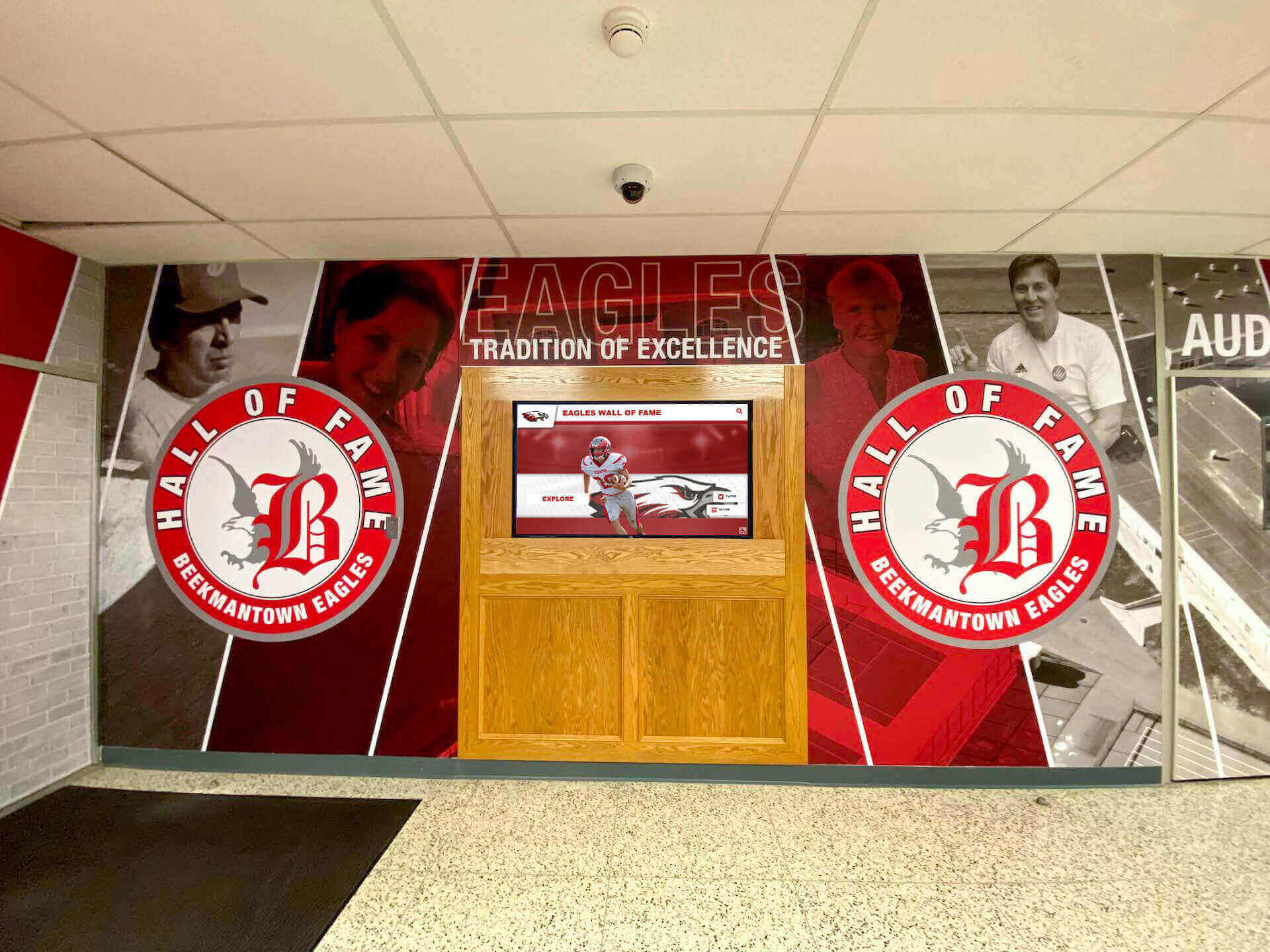
Optimal placement in main lobbies or high-traffic corridors maximizes visibility and student engagement
Recognition Criteria and Data Requirements
Clear, documented criteria prevent disputes while ensuring your digital showcase reflects accurate, defensible information.
Defining Perfect Attendance
Standard Criteria Framework:
Daily Perfect Attendance:
- Present for all scheduled periods
- Arrives before bell for homeroom/first period
- Attends all classes through final bell
- No unexcused absences
- No unexcused tardies
Modified Criteria Considerations: Some schools allow:
- Excused absences for school-sponsored activities (athletics, field trips, competitions)
- College visit days (limited to 2-3 per year with advance approval)
- Religious observances with parental documentation
- Medical appointments with doctor’s note submitted within 3 days
Document exactly what qualifies. Inconsistent application undermines program credibility and creates equity concerns when subjective exceptions emerge.
Tracking Periods:
- Monthly recognition (resets each month, encourages recovery from setbacks)
- Quarterly recognition (aligns with grading periods, recognizes sustained commitment)
- Semester recognition (significant milestone, major recognition opportunity)
- Annual recognition (pinnacle achievement, permanent honor)
Most effective implementations use tiered recognition—monthly updates showing current perfect attenders, quarterly celebrations with physical recognition, and annual permanent induction to digital hall of fame archives.
Data Integration Requirements
Attendance System Integration: Your digital showcase pulls data from existing student information systems. Document:
System Specifications:
- Attendance platform: PowerSchool, Infinite Campus, Skyward, Aspen, or custom system
- Export capabilities: CSV, XML, JSON, or direct API access
- Update frequency: Real-time sync or scheduled batch exports
- Data fields required: Student ID, First Name, Last Name, Grade Level, Homeroom, Photo (if displaying images), Attendance Status, Date Range
Data Privacy Compliance:
- FERPA requirements: Student directory information display permissible, but confirm district policies
- Photo consent: Verify parental permission for photo display exists (typically covered in annual enrollment forms)
- Opt-out provisions: Document process for families requesting non-display of student information
Learn more about comprehensive approaches in perfect attendance recognition programs.
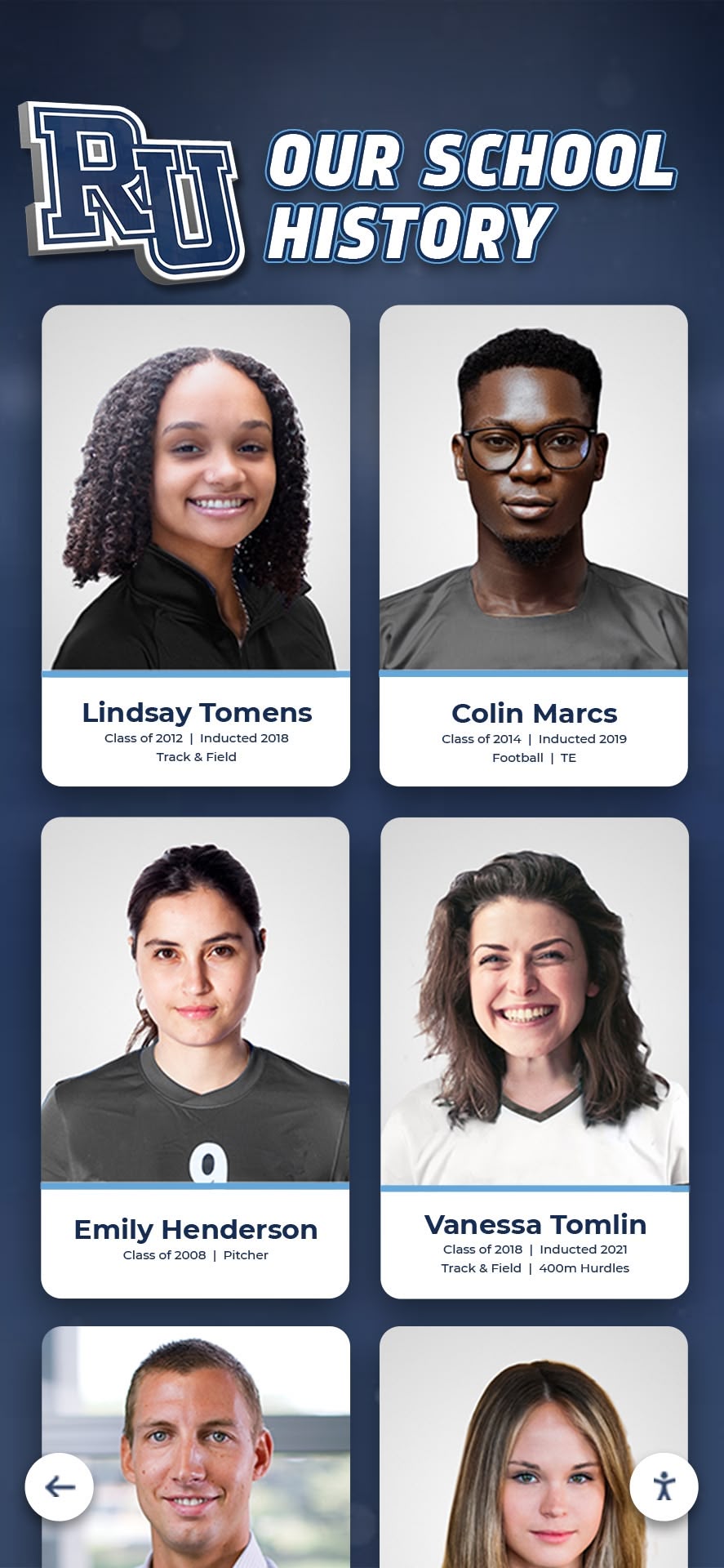
Individual profiles celebrate specific achievements with photos and attendance streak information
Hardware Specifications and Selection
Select equipment matching your specific requirements for visibility, interaction, durability, and budget.
Display Options and Requirements
Commercial-Grade Display Screens:
Non-Interactive Large Format Displays (Entry Level):
- Screen size: 43"-55" for hallway mounting, 65"-75" for large lobbies
- Resolution: Minimum 1920x1080 (1080p), 3840x2160 (4K) preferred for crisp text
- Brightness: 350-500 nits for indoor environments, 700+ nits if windows nearby
- Orientation: Landscape or portrait depending on content layout
- Operating hours rating: Commercial displays rated 16-24 hours daily operation
- Typical cost: $600-$2,000 depending on size and features
Interactive Touchscreen Kiosks (Full Featured):
- Screen size: 43"-55" optimal for standing interaction
- Touch technology: PCAP (Projected Capacitive) for responsive multi-touch
- Resolution: 1920x1080 minimum, 4K for exceptional clarity
- Brightness: 400-500 nits adequate for indoor controlled lighting
- Durability: Commercial-grade, vandal-resistant glass, rated 18-24 hour operation
- Computing: Integrated media player (quad-core processor, 8GB RAM minimum)
- Typical cost: $8,000-$15,000 for complete system with mounting
Explore hardware options in best touchscreen displays for schools.
Mounting Requirements:
- Wall mount: VESA-compliant heavy-duty bracket supporting screen weight plus 50% safety margin
- Height adjustment: Account for Americans with Disabilities Act (ADA) reach ranges (15"-48" from floor)
- Tilt angle: 0-5 degrees downward tilt reduces glare from overhead lighting
- Security: Tamper-resistant fasteners, cable management concealment
- Installation cost: $500-$1,500 for professional mounting including wall reinforcement if needed
Computing and Connectivity Requirements
Media Player Specifications: (Required only if display lacks integrated computing)
- Processor: Intel i5 or equivalent, minimum quad-core
- RAM: 8GB minimum, 16GB preferred for smooth content updates
- Storage: 128GB SSD minimum, 256GB preferred
- Operating system: Windows 10 Pro, Chrome OS, or dedicated digital signage OS
- Network: Gigabit Ethernet preferred, dual-band Wi-Fi 6 acceptable
- Typical cost: $400-$800 for commercial media player
Network Requirements:
- Bandwidth: 5-10 Mbps dedicated for content updates and remote management
- Latency: Under 100ms for responsive touch interactions (touchscreen systems)
- Firewall configuration: Whitelist required domains for content management platform
- VPN compatibility: Confirm remote management access for IT support

Professional installations include secure mounting, cable management, and proper height positioning
Content Management Platform Selection
The right content management system determines how easily staff update recognition and how engaging student experience becomes.
Required Platform Capabilities
Core Functionality:
- Cloud-based management: Update content from any internet-connected device, no on-site server required
- Bulk import tools: Upload CSV files from attendance system with 100+ students in single operation
- Photo management: Support high-resolution student photos (minimum 800x800 pixels)
- Scheduling: Automatically update displays at set intervals (nightly, weekly) without manual intervention
- Multi-display management: Control multiple screens across campus from single dashboard
- Role-based access: Different permission levels for administrators, attendance staff, and viewing-only roles
Perfect Attendance Specific Features:
- Date range filtering: Display current month, quarter, semester, or year-to-date recognition
- Streak tracking: Show consecutive days or terms of perfect attendance
- Historical archives: Preserve past recognition for multi-year documentation
- Comparison tools: Year-over-year attendance rate visualization
- Category organization: Separate displays by grade level, homeroom, or recognition tier
User Interface Requirements:
- Drag-and-drop content editing requiring no coding or technical expertise
- Mobile-responsive management interface working on tablets and smartphones
- Preview function showing exactly how content appears before publishing
- Revision history enabling rollback if errors occur
- Help documentation and tutorial videos for staff training
Solutions like Rocket Alumni Solutions provide purpose-built platforms designed specifically for school recognition needs without requiring custom development.
Display Layout and Content Design
Effective Visual Hierarchy:
Student Profile Cards: Each recognized student requires:
- Student photo (headshot, current yearbook photo)
- Full name (confirm preferred name usage)
- Grade level
- Current streak (consecutive days or terms)
- Recognition tier (monthly, quarterly, semester, annual)
Header Section:
- School name and mascot/logo
- Recognition title: “Perfect Attendance Stars,” “Every Day Counts Honor Roll,” or custom branding
- Current tracking period: “October 2025 Perfect Attendance” or “Fall Semester 2025-26”
- Total count: “83 Students with Perfect Attendance This Month”
Scrolling vs. Static Layouts:
- Static screens: Display 8-16 students simultaneously, manual page changes or scheduled rotation
- Auto-scrolling: Cycle through all recognized students, 5-10 seconds per screen
- Touchscreen interactive: Users browse by grade, search by name, filter by streak length
Learn about comprehensive student recognition in academic recognition programs.
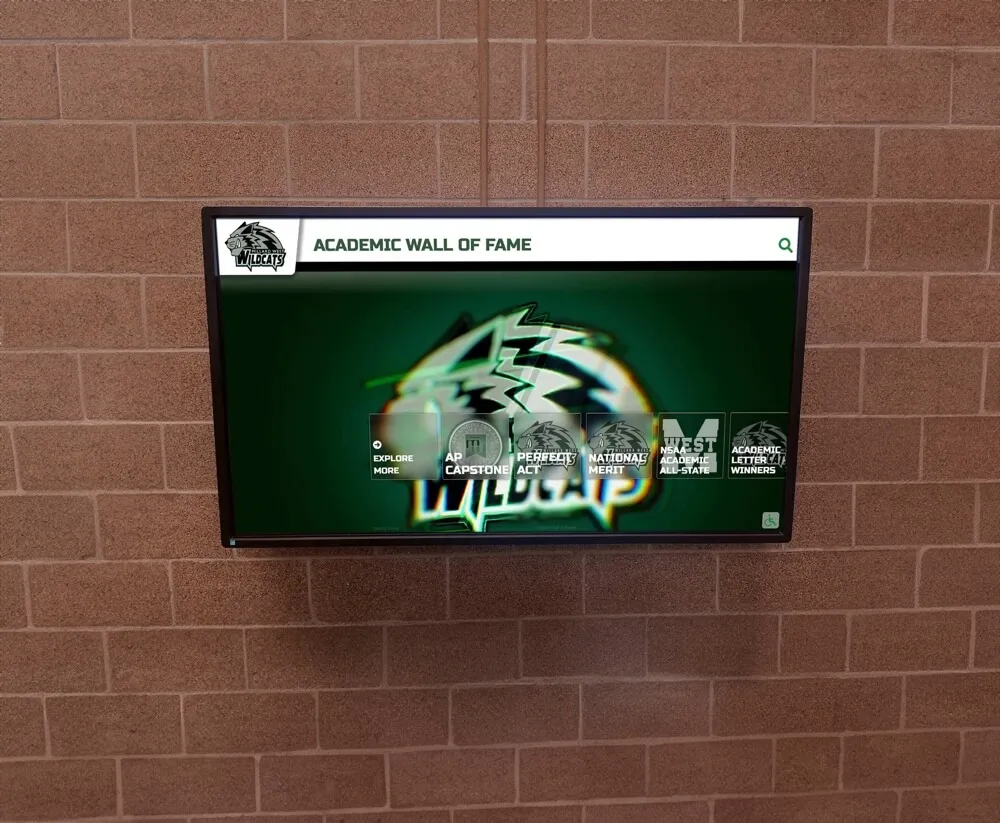
Clean, organized layouts make individual student recognition clear and visually appealing
Installation Process and Specifications
Proper installation ensures safety, longevity, and optimal viewing experience.
Pre-Installation Checklist
One Week Before Installation:
- Confirm wall construction and load capacity (consult structural engineer for heavy displays)
- Verify electrical circuit dedicated 15-amp service within 10 feet
- Test network connectivity and confirm IT whitelist approvals
- Obtain required permits (some jurisdictions require electrical permits for hard-wiring)
- Schedule installation during low-traffic hours (evenings, weekends, holidays)
- Notify school community about upcoming work
Materials and Tools:
- VESA-compliant wall mount rated for display weight
- Lag bolts (for wood studs) or masonry anchors (for concrete/block walls)
- Wire management channels or in-wall conduit
- Surge-protected power supply (minimum 1,500 joules protection)
- Cable ties, labels, and documentation materials
Installation Steps
Mounting Procedure:
Locate Studs or Secure Mounting Points:
- Use stud finder for drywall installations
- Mark mounting holes using paper template
- Verify level both horizontally and vertically
- Drill pilot holes for lag bolts (wood studs) or install masonry anchors (concrete)
Run Power and Network Cables:
- Route through in-wall conduit where possible (electrical code requirements vary)
- Use external wire channels if in-wall routing not feasible
- Label all cables at both ends
- Test connections before final mounting
Mount Display and Secure:
- Lift display with two-person team (commercial displays weigh 40-80 lbs)
- Attach to wall mount following manufacturer specifications
- Verify secure attachment with pull test (50 lbs force)
- Confirm level alignment after mounting
Connect and Test All Systems:
- Power on display, verify boot sequence
- Connect to network, confirm IP address assignment
- Log into content management platform
- Test touch functionality (touchscreen systems)
- Display test content confirming resolution and orientation
Height and Accessibility Standards:
- Center of display: 48"-60" from floor (accommodates average adult eye level while maintaining ADA compliance)
- Touch interface (if applicable): Controls within 15"-48" reach range from floor
- Clearance: Maintain 36" clear space in front of display for wheelchair users
Network Configuration
Required IT Setup:
- Assign static IP address to display (prevents conflicts, simplifies remote management)
- Configure firewall rules allowing content management platform domains
- Set DNS servers (primary and secondary) for reliable name resolution
- Test upload/download speeds confirming minimum 5 Mbps throughput
- Document all network settings (IP, subnet, gateway, DNS) for troubleshooting reference

Proper installation includes appropriate height positioning, secure mounting, and clean cable management
Operational Procedures and Maintenance
Sustainable perfect attendance recognition requires documented processes ensuring consistent updates without consuming excessive staff time.
Daily and Weekly Update Procedures
Daily Quick Update (5-10 minutes): Monday morning routine:
- Export attendance data from student information system (CSV file)
- Log into content management platform
- Upload attendance file using bulk import tool
- Review preview of updated display
- Publish changes (automatically updates all connected displays)
Weekly Verification (15-20 minutes):
- Audit sample of student records confirming accuracy
- Check for duplicate entries or missing photos
- Review any parent inquiries about attendance discrepancies
- Update student photos for new enrollments or retakes
- Generate attendance summary report for administrative review
Monthly Recognition Events: Coordinate with student services:
- Generate final monthly perfect attendance list
- Print certificates or prepare physical recognition items
- Announce monthly perfect attenders during morning announcements
- Post social media highlights celebrating student achievement
- Update permanent archives in digital showcase system
Explore comprehensive recognition approaches in students of the month programs.
Troubleshooting Common Issues
Display Problems:
Screen Blank or No Power:
- Check circuit breaker, confirm power outlet has voltage
- Verify power cable fully seated in display and outlet
- Test with known-good device confirming outlet works
- Check display power button, some models have physical switches
Content Not Updating:
- Confirm network connectivity (ping content management server)
- Verify scheduled update time in management platform
- Check firewall logs for blocked connections
- Reboot media player (if separate from display)
- Contact content management platform support with error logs
Touch Not Responding (Touchscreen Systems):
- Calibrate touch interface following manufacturer procedure
- Clean screen with microfiber cloth and approved cleaner
- Check USB cable connection between touch overlay and media player
- Update touch driver software to latest version
- Test with multi-point touch to isolate hardware vs. software issues
Preventive Maintenance Schedule:
Weekly:
- Visual inspection confirming display functioning
- Wipe screen with dry microfiber cloth
Monthly:
- Clean screen thoroughly with approved cleaning solution
- Inspect cables for damage or wear
- Test network connectivity speed
- Verify content updates processing correctly
Quarterly:
- Deep clean including bezels and mounting hardware
- Inspect wall mount for loose fasteners
- Test power supply and surge protector functionality
- Review user feedback and engagement metrics
- Update content management platform to latest version
Annually:
- Professional inspection of electrical connections
- Comprehensive system backup and data archival
- Evaluate hardware for replacement or upgrades
- Conduct user training refresher for staff
Learn about comprehensive maintenance approaches in digital hall of fame maintenance guides.
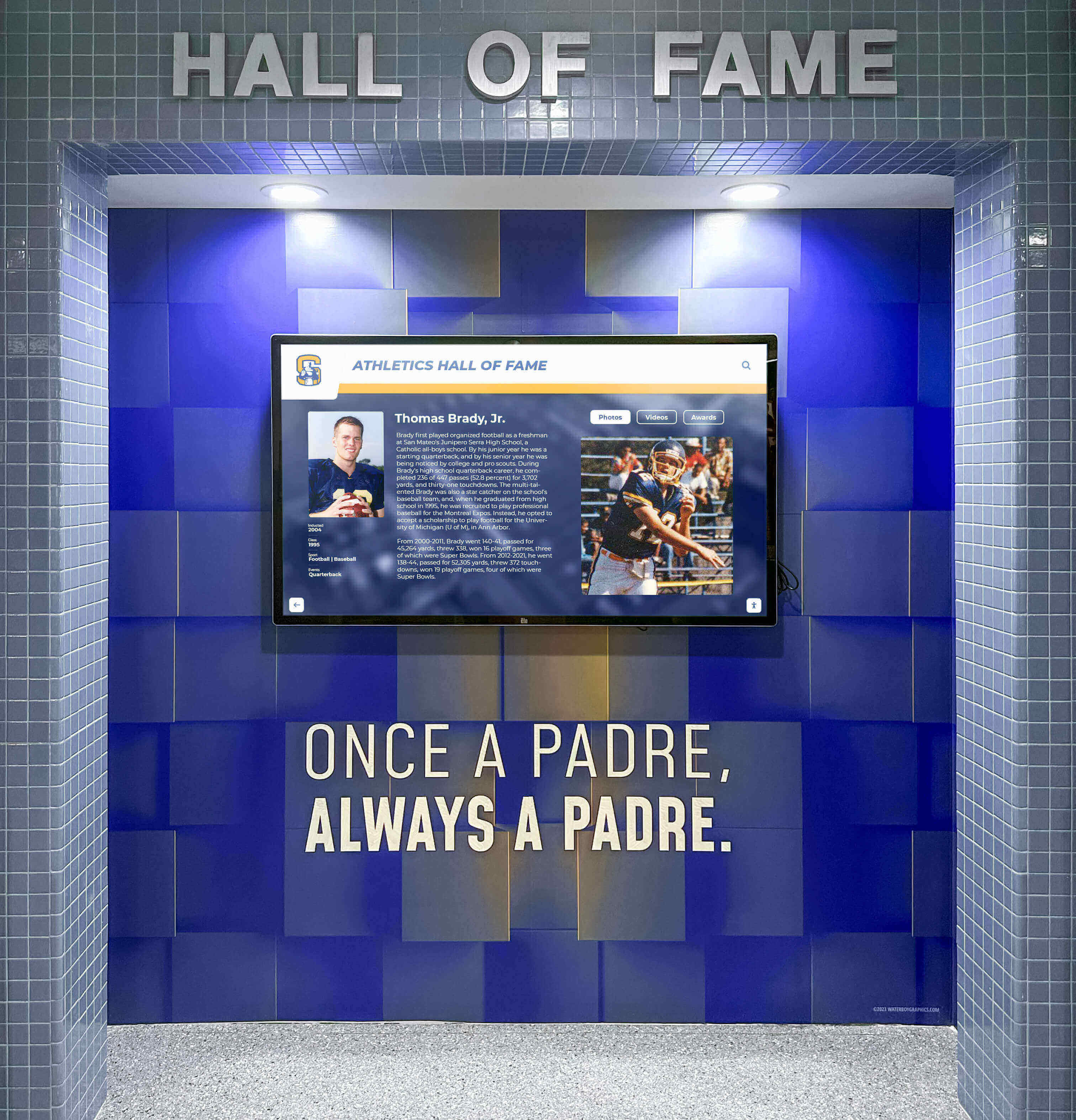
Regular maintenance ensures displays remain clean, functional, and engaging for students
Advanced Features and Enhancements
Once basic perfect attendance recognition functions reliably, consider enhancements that deepen engagement and provide additional value.
Interactive Touchscreen Capabilities
Student Self-Service Features:
- Search by name enabling students to quickly find themselves or friends
- Filter by grade level showing class-specific recognition
- Historical lookup viewing past months or years of perfect attendance
- Streak leaderboards highlighting longest consecutive attendance runs
- Peer comparison showing grade-level or schoolwide participation rates
Gamification Elements:
- Achievement badges for attendance milestones (25 days, 50 days, 100 days straight)
- Challenge prompts: “Can your grade reach 90% perfect attendance this month?”
- Progress bars showing movement toward next recognition tier
- Class competitions tracking which grade has highest participation
Multi-Language Support: For diverse school communities:
- Display content in multiple languages (Spanish, Mandarin, Vietnamese commonly needed)
- Language selection button on touchscreen interface
- Translated recognition descriptions and achievement criteria
Integration with Other Recognition Programs
Combined Academic and Attendance Displays: Showcase multiple achievement dimensions:
- Academic honor roll alongside perfect attendance
- Athletic achievements and attendance recognition
- Extracurricular participation with attendance correlation
- Character awards recognizing citizenship and attendance
Learn about comprehensive approaches in academic recognition programs.
Web-Based Extensions: Extend recognition beyond physical campus:
- School website widget displaying current perfect attendance honor roll
- Mobile app notifications when students achieve recognition milestones
- Social media automated posts celebrating monthly perfect attenders
- QR codes on physical display linking to detailed web profiles

Comprehensive systems can integrate multiple recognition programs in coordinated displays
Data Analytics and Reporting
Attendance Insights: Content management platforms provide valuable data:
Participation Metrics:
- Percentage of students achieving perfect attendance by month, quarter, year
- Grade-level comparison revealing which classes have highest/lowest participation
- Trend analysis showing improvement or decline over time
- Demographic breakdown identifying equity gaps requiring intervention
Engagement Tracking: For interactive touchscreen systems:
- Number of unique users interacting with display daily/weekly
- Most-searched students or popular filters
- Average session duration indicating engagement depth
- Peak usage times informing optimal placement decisions
Impact Assessment:
- Correlation between recognition visibility and attendance rate improvements
- Before/after analysis comparing pre-digital vs. post-digital recognition
- Cost-benefit analysis comparing investment vs. attendance improvement value
- ROI calculation using average daily attendance funding formulas
Security and Privacy Considerations
Photo Usage Policies: Document clear guidelines:
- Obtain annual parental consent for photo display
- Respect opt-out requests promptly (remove within 48 hours of request)
- Use appropriate photos (yearbook headshots, not casual/social media images)
- Update photos annually maintaining current representation
Data Protection:
- Access controls limiting content management to authorized staff only
- Regular password updates following district security policies
- Encrypted data transmission between attendance system and display platform
- Secure backup procedures protecting student information
Learn about accessibility and compliance in digital recognition accessibility guides.
Budget Planning and Cost Analysis
Understanding total cost of ownership enables informed decision-making and appropriate budget requests.
Initial Investment Breakdown
Entry-Level System ($5,000-$8,000):
- 43"-50" commercial display: $800-$1,200
- Media player (separate computer): $500-$700
- Wall mount and installation materials: $300-$500
- Professional installation labor: $800-$1,200
- Content management platform setup: $1,000-$2,000
- Initial content development: $500-$1,000
Mid-Range Touchscreen System ($12,000-$18,000):
- 43"-55" commercial touchscreen: $6,000-$10,000
- Integrated computing (included in touchscreen cost)
- Heavy-duty mounting system: $600-$1,000
- Professional installation: $1,200-$2,000
- Advanced content management platform: $2,000-$3,000
- Custom content development: $1,000-$2,000
Premium Multi-Display System ($25,000-$40,000+):
- Multiple 55"-65" touchscreen displays: $15,000-$25,000
- Centralized media server: $2,000-$4,000
- Complex mounting and cabling: $2,000-$4,000
- Specialized installation: $3,000-$5,000
- Enterprise content management: $3,000-$5,000
Ongoing Annual Costs
Required Expenses:
- Content management platform subscription: $1,500-$4,000 annually
- Electricity (running 12 hours daily): $50-$150 annually per display
- Internet connectivity: Usually absorbed in existing school network costs
- Maintenance and cleaning supplies: $100-$300 annually
Optional Expenses:
- Content updates and design refreshes: $500-$2,000 annually
- Hardware warranty extensions: $200-$500 annually per display
- Professional photography for new students: $300-$800 annually
- Training for new staff members: $200-$500 as needed
Cost Per Student Analysis: For school with 1,000 students:
- Initial investment: $15,000 (mid-range touchscreen)
- Annual costs: $2,500 (platform + electricity + maintenance)
- Five-year total cost: $27,500
- Cost per student over five years: $27.50
Compare this to traditional approaches:
- Printed certificates: $2-$5 per student quarterly = $8,000-$20,000 annually
- Static bulletin boards: $500-$1,500 annually for printing + labor
- Manual update time: 5-10 hours monthly staff time = $3,000-$6,000 annually in labor costs
Digital systems typically achieve ROI within 2-3 years while providing significantly enhanced visibility and engagement.
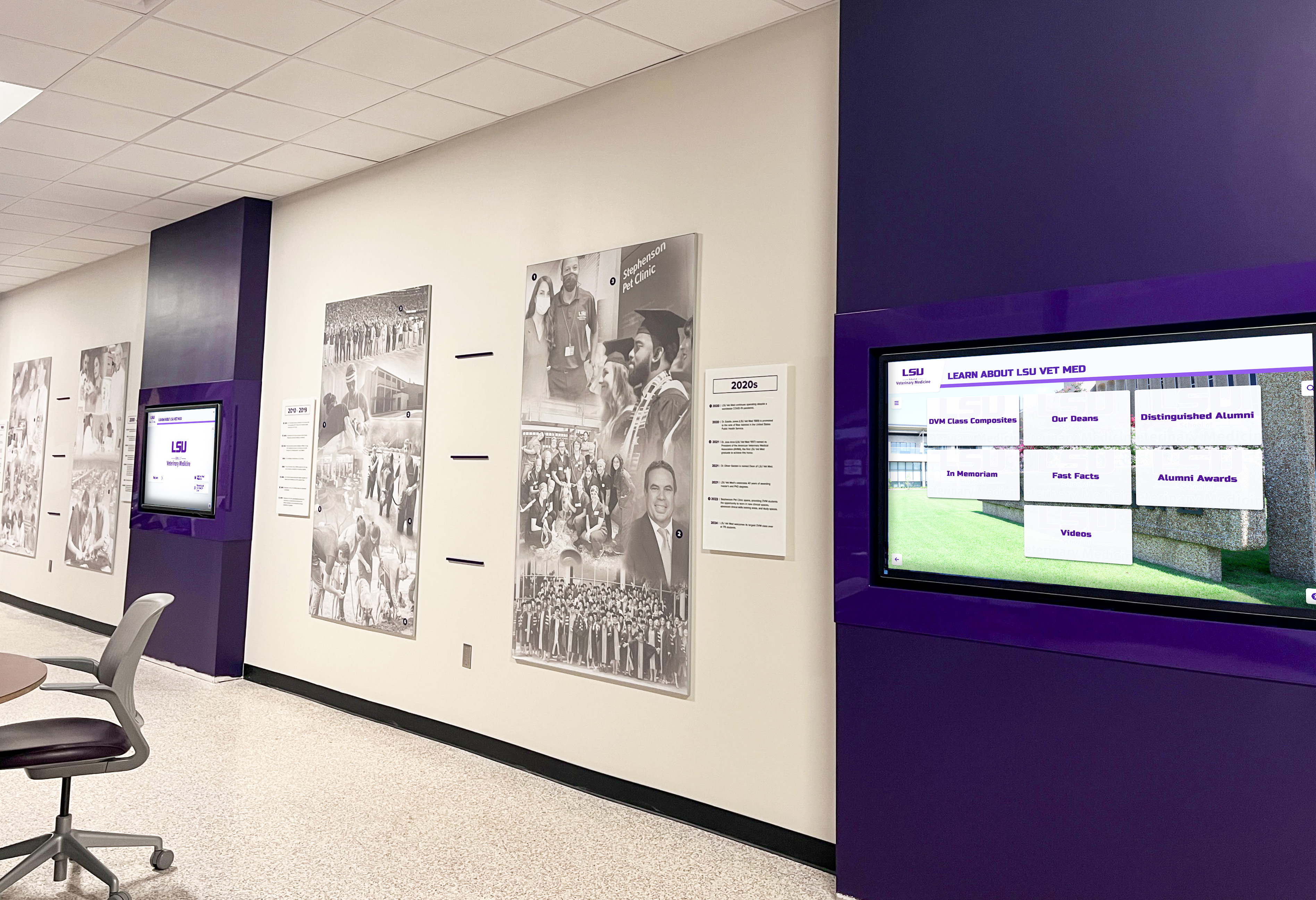
Professional installations provide lasting value and significant improvements over traditional recognition methods
Implementation Timeline
Realistic timeline expectations ensure proper planning and successful deployment.
Phase 1: Planning and Approval (4-8 weeks)
Weeks 1-2: Needs Assessment
- Form implementation committee
- Define recognition criteria and data requirements
- Conduct site assessment and measurements
- Document stakeholder requirements
Weeks 3-4: Vendor Selection
- Request proposals from 3-5 providers
- Compare hardware specifications and pricing
- Evaluate content management platforms
- Check references from similar schools
Weeks 5-6: Budget Approval
- Prepare detailed budget proposal
- Present to administration and school board
- Secure funding allocation
- Finalize vendor contracts
Weeks 7-8: Technical Planning
- Coordinate with IT for network access
- Schedule facilities for installation
- Order hardware and materials
- Develop content templates
Phase 2: Installation and Setup (2-4 weeks)
Week 1: Physical Installation
- Mount displays and run cables
- Connect power and network
- Test all connections
- Complete final mounting adjustments
Week 2: Software Configuration
- Install and configure content management platform
- Set up user accounts and permissions
- Create content templates
- Import initial student data
Week 3: Content Development
- Collect and organize student photos
- Build initial recognition profiles
- Design layout and visual elements
- Conduct internal testing
Week 4: Training and Launch Preparation
- Train staff on content management
- Create operational procedures documentation
- Develop troubleshooting guides
- Plan launch announcement
Phase 3: Launch and Optimization (4-8 weeks)
Week 1: Soft Launch
- Activate display with limited content
- Monitor for technical issues
- Gather initial feedback
- Make adjustments as needed
Weeks 2-3: Full Launch
- Complete content migration
- Announce to school community
- Conduct ribbon-cutting ceremony
- Generate media coverage
Weeks 4-8: Optimization
- Monitor engagement metrics
- Refine content based on feedback
- Adjust update procedures
- Document lessons learned
Explore comprehensive planning approaches in student engagement strategies.
Success Metrics and Impact Measurement
Quantify program success to justify investment and guide continuous improvement.
Key Performance Indicators
Attendance Impact:
- Overall attendance rate before vs. after implementation
- Percentage of students achieving perfect attendance monthly
- Chronic absenteeism reduction (students missing 10%+ of school days)
- Attendance rate by grade level showing which populations improve most
Student Engagement:
- Number of students recognized monthly (increasing participation)
- Touchscreen interaction frequency (for interactive systems)
- Student survey responses about recognition program awareness
- Peer-to-peer conversations and social media mentions
Operational Efficiency:
- Staff time required for recognition updates (should decrease 60-80%)
- Accuracy of recognition (reduced errors compared to manual processes)
- Speed of updates (immediate vs. delayed recognition)
- Sustainability (consistent updates throughout school year)
Return on Investment: Calculate financial impact:
- Average daily attendance (ADA) funding improvement: In most states, schools receive per-student funding based on attendance
- Example: 1% improvement in 1,000-student school = 10 additional students present daily = $50,000-$100,000 additional annual funding (varies by state)
- ROI calculation: If $15,000 investment generates $50,000 additional funding, ROI = 233% annually
Case Study Insights
Schools implementing systematic digital perfect attendance recognition consistently report:
Parkview High School (1,200 students):
- 15% increase in monthly perfect attendance after first year
- Chronic absenteeism reduced from 18% to 11% over two years
- 85% of students can name at least one classmate with perfect attendance (awareness indicator)
- Staff time reduced from 12 hours monthly to 2 hours monthly for recognition updates
Lincoln County High School (800 students):
- Perfect attendance rates increased from 8% to 19% of student body after implementation
- Attendance-related disciplinary incidents decreased 23%
- Family engagement with school increased (measured by parent portal usage)
- Three-year ROI exceeded 400% based on ADA funding improvements
These outcomes demonstrate the quantifiable value of systematic, visible perfect attendance recognition.
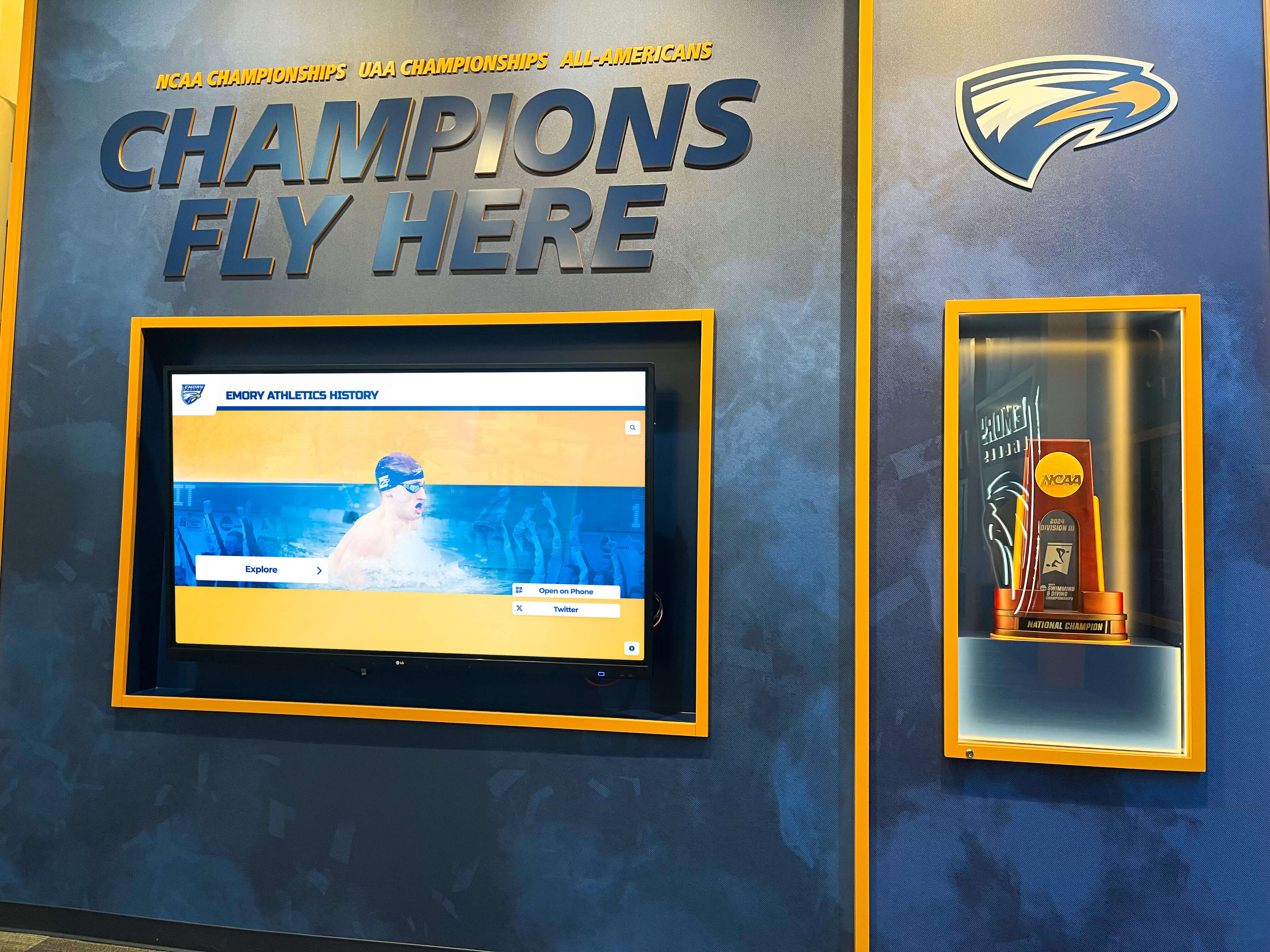
Successful implementations demonstrate measurable improvements in student attendance and engagement
Equity Considerations and Best Practices
Ensure perfect attendance recognition benefits all students without creating unintended barriers or inequities.
Addressing Systemic Barriers
Transportation Challenges: Students with unreliable transportation face attendance barriers beyond their control. Consider:
- Modified recognition for students overcoming transportation obstacles
- Partnership with local transit or carpooling programs
- Emergency transportation assistance for students at risk of absences
Health and Disability Accommodations: Chronic health conditions should not disqualify students from recognition:
- Medical absence exemptions with documentation
- Homebound instruction counted as attendance
- Telehealth participation options for quarantine situations
- Clear communication about accommodations available
Family Responsibilities: Some students manage significant family obligations:
- Allow excused absences for documented family emergencies
- Provide flexibility for students with caregiving responsibilities
- Connect families with support services addressing underlying attendance barriers
Socioeconomic Factors: Economic hardship creates attendance challenges:
- Ensure recognition doesn’t require purchases (no paid ceremonies or recognition items)
- Address basic needs (food insecurity, clothing, hygiene) preventing attendance
- Partner with community organizations providing family support
Alternative Recognition Models
Improvement-Based Recognition: Celebrate progress, not just perfection:
- “Most Improved Attendance” recognition for students reducing absences
- Quarter-over-quarter improvement awards
- Class-wide improvement celebrations building collective responsibility
Effort and Persistence Recognition: Acknowledge students overcoming obstacles:
- “Overcoming Barriers” awards for students maintaining attendance despite challenges
- Recognition of students with medical conditions who attend when possible
- Celebrate support systems (parents, mentors) helping students achieve attendance
Learn about inclusive approaches in student recognition programs.

Accessible, inclusive recognition systems celebrate achievement while respecting diverse student circumstances
Advanced Technical Specifications
For schools ready to maximize technical capabilities, advanced specifications enable enhanced functionality.
Network Architecture Requirements
Optimal Configuration:
- Dedicated VLAN for digital signage traffic (isolates from student/staff networks)
- Quality of Service (QoS) configuration prioritizing content updates
- Redundant internet connections ensuring uptime during primary connection failures
- Content delivery network (CDN) acceleration for faster updates
- Network monitoring alerts for connectivity issues
Security Hardening:
- Certificate-based authentication for content management access
- Two-factor authentication for administrative users
- Regular security patch management
- Network intrusion detection monitoring display traffic
- Air-gap separation from student data systems (data flows one-way only)
Integration with Student Information Systems
Direct API Integration: Most modern SIS platforms offer APIs enabling real-time data sync:
PowerSchool Plugin:
- Real-time attendance status updates
- Automatic student photo sync from SIS database
- Custom field mapping for recognition criteria
- Scheduled overnight sync for performance optimization
Infinite Campus Integration:
- Messenger integration for parent notifications
- Campus Portal widget displaying recognition
- State reporting integration for accountability metrics
Skyward Synchronization:
- Student demographics and photo import
- Attendance code mapping to recognition criteria
- Family access portal recognition visibility
Work with your SIS vendor and content management platform provider to implement secure, reliable integrations that eliminate manual data entry.
Content Management Advanced Features
Workflow Automation:
- Scheduled content publishing (monthly updates on first Monday)
- Approval workflows requiring administrative review before publication
- Version control tracking all content changes
- Rollback capability restoring previous versions if errors occur
Multi-Site Management: For districts with multiple schools:
- Centralized management controlling displays across all buildings
- School-specific branding maintaining individual identity
- District-wide reporting aggregating attendance metrics
- Shared content libraries reducing duplication
Mobile Device Management (MDM): For schools using tablets or mobile devices as display controllers:
- Remote device monitoring and management
- App whitelisting preventing unauthorized use
- Remote wipe capability if device stolen
- Kiosk mode locking device to recognition display only
Explore enterprise-grade solutions in best platforms for educational recognition.
Validation Checklist and Quality Assurance
Before launch, validate all components ensuring professional, reliable operation.
Pre-Launch Validation
Hardware Verification: □ Display powers on reliably without manual intervention □ Screen displays content clearly at specified resolution □ Touch response accurate and responsive (touchscreen systems) □ All cables secure and properly managed □ Wall mount stable with no movement or vibration □ Display positioned at correct height and angle □ Ventilation adequate preventing overheating
Network Connectivity: □ Static IP assigned and documented □ Network speed meets minimum requirements (5+ Mbps) □ Content management platform accessible from display □ Firewall rules configured properly □ Remote access working for IT troubleshooting □ Backup connectivity available (secondary network)
Content Accuracy: □ Student data imported correctly from SIS □ All photos display at appropriate resolution □ Recognition criteria applied accurately □ Layout displays correctly in designated orientation □ Spelling and grammar verified □ Current data displayed (not outdated content) □ Search and filter functions work correctly (interactive systems)
Operational Procedures: □ Staff trained on content management platform □ Update procedures documented step-by-step □ Troubleshooting guide accessible to staff □ Contact information for technical support documented □ Backup procedures established and tested □ Maintenance schedule created and assigned
Accessibility Compliance: □ Display height meets ADA requirements (controls 15"-48" from floor) □ Clear floor space maintained (36" minimum) □ Text size readable from 10 feet distance □ Color contrast meets WCAG 2.1 AA standards (4.5:1 minimum) □ Alternative text provided for images (screen reader compatibility) □ Multi-language support available if needed
Comprehensive validation prevents launch issues and ensures positive first impressions.
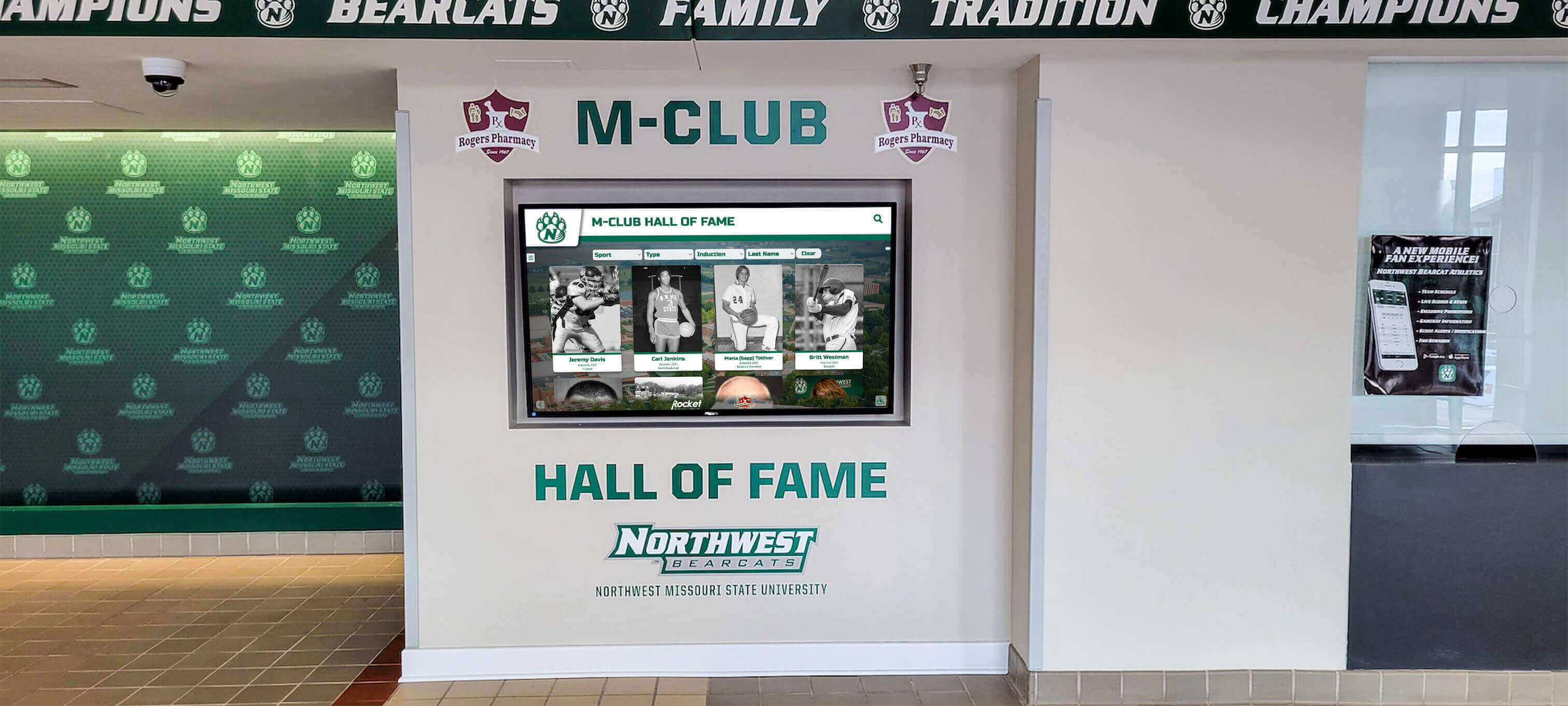
Thorough validation ensures displays operate reliably and professionally from day one
Conclusion: Building Sustainable Perfect Attendance Recognition
A well-implemented digital showcase wall transforms perfect attendance recognition from an administrative task into a powerful engagement tool that motivates students, celebrates commitment, and demonstrates the value your school places on consistent presence and participation.
The technical specifications, operational procedures, and implementation frameworks in this guide provide the concrete requirements needed to move from concept to functioning system. By following these structured approaches—from stakeholder alignment through validation checklists—you create sustainable recognition infrastructure that operates reliably with minimal ongoing burden on staff time.
Ready to Build Your Perfect Attendance Digital Showcase?
Discover how Rocket Alumni Solutions provides purpose-built recognition platforms designed specifically for high schools, with integrated attendance tracking, intuitive management, and proven results increasing student engagement.
Schedule a TouchWall Build SessionThe most successful implementations balance technical excellence with human-centered design—systems that work reliably behind the scenes while creating visible, inspiring recognition that motivates students to show up every day. When you combine the right hardware, intuitive content management, clear operational procedures, and genuine commitment to celebrating student achievement, you create recognition infrastructure that serves your school community for years to come while delivering measurable improvements in the attendance metrics that directly impact your school’s funding and student success.
Start with the planning phase outlined here, involve the right stakeholders early, document requirements clearly, and select solutions matching your specific needs and capabilities. Every student who sees their photo on that digital showcase—celebrated for their commitment and consistency—receives tangible validation that showing up matters. That’s the foundation for academic success, workforce readiness, and lifelong patterns of reliability and responsibility.
Your students deserve recognition that matches the significance of their commitment to being present every day. With proper planning, appropriate technology, and sustainable operational procedures, you can create perfect attendance digital showcase walls that honor that commitment while building the positive school culture where every student thrives.































