High school sports media guides serve as comprehensive reference documents that communicate your athletic program’s identity, achievements, and information to multiple audiences—from college recruiters evaluating prospects to local media covering Friday night games to parents seeking background on teams and coaching staff. A well-crafted media guide transforms scattered information into a professional, organized resource that elevates program perception while saving countless hours answering repetitive questions.
Athletic directors juggling dozens of responsibilities often view media guide creation as a daunting project requiring design expertise, hours of data compilation, and significant budget. Yet systematic planning, appropriate technology choices, and understanding what content truly matters enable even small athletic departments to produce professional guides that serve recruitment, publicity, and recognition needs effectively.
This complete implementation guide walks through every phase of creating high school sports media guides—from initial planning and content gathering through design decisions, distribution strategies, and ongoing maintenance. Whether building your first media guide or modernizing an outdated approach, you’ll discover practical frameworks for producing resources that strengthen your athletic program’s visibility and credibility.
Creating a comprehensive sports media guide represents an investment in program professionalism that delivers returns through improved media coverage, enhanced recruitment outcomes, and streamlined information distribution. This guide provides the roadmap for athletic departments ready to develop this essential communication tool.
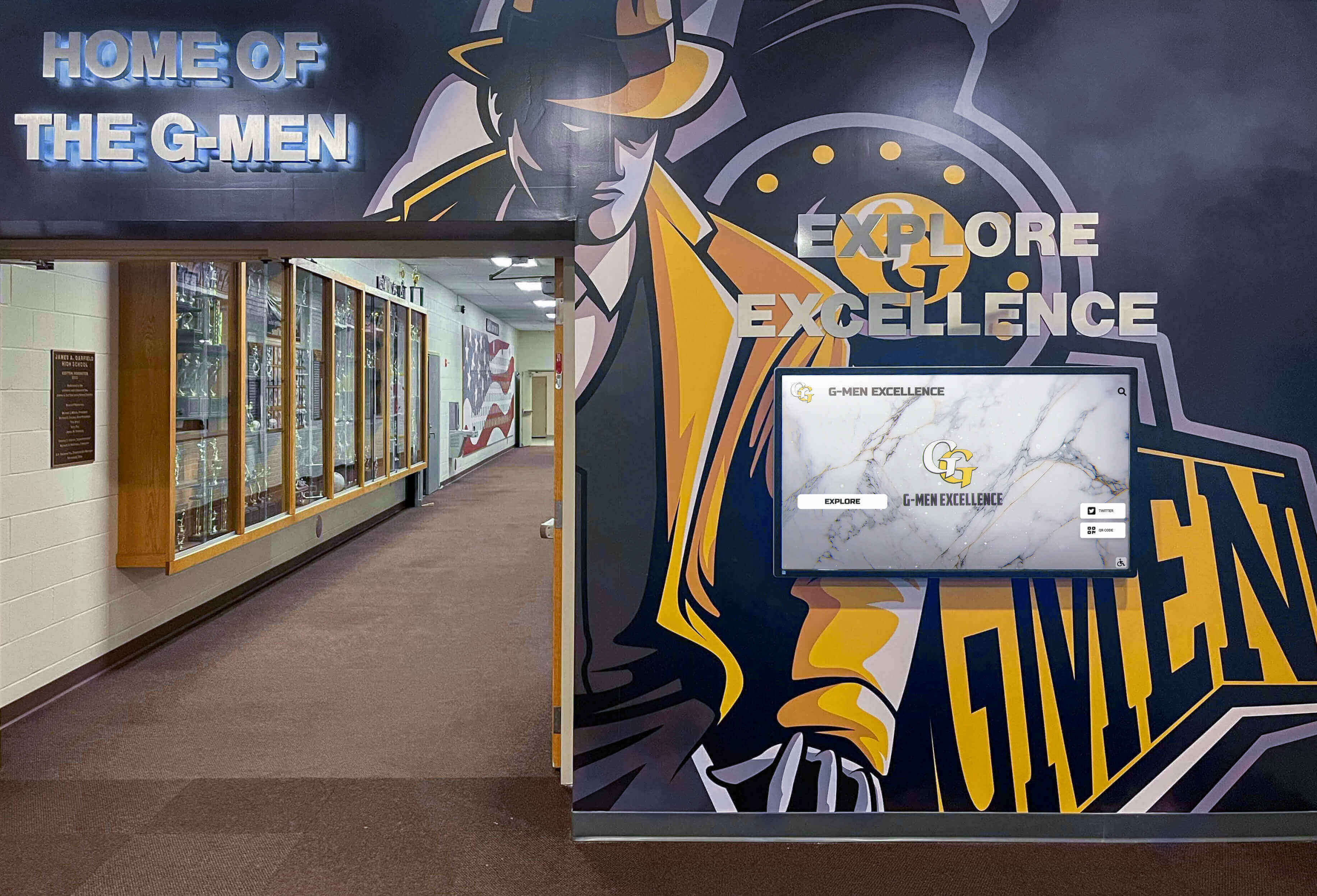
Professional athletic program presentation builds credibility with media, recruits, and community
Understanding the High School Sports Media Guide
A sports media guide functions as the authoritative reference document for your athletic program, consolidating essential information that various stakeholders need to access regularly.
What Defines a Sports Media Guide
Media guides typically include:
Athlete Information: Player profiles with biographical details, academic information, statistics, awards, and achievements that help media create compelling stories and enable recruiters to evaluate prospects comprehensively.
Team Rosters: Complete listings of team members with numbers, positions, year in school, height, weight, and hometown information formatted for easy reference during live events.
Coaching Staff Profiles: Background information on head coaches and assistants including career records, coaching philosophy, notable achievements, and contact information for media inquiries.
Season Information: Schedules with dates, times, locations, and opponent details alongside facility information, directions, parking details, and press box access instructions.
Program History: Record books documenting all-time leaders, championship achievements, hall of fame members, and historical milestones that provide context about program tradition and excellence.
Administrative Information: Athletic department contacts, policies for media credentials, photography guidelines, interview request procedures, and general program information.
Primary Audiences for Your Media Guide
Understanding who uses your media guide shapes content priorities:
College Recruiters: Coaches and scouts evaluating student-athletes for collegiate programs need detailed statistical information, academic credentials, measurable athletic data, contact details, and coach recommendations that streamline recruitment research.
Media Members: Newspaper reporters, radio broadcasters, and digital journalists covering games require quick access to rosters, pronunciation guides, statistical leaders, program records, and compelling storylines about athletes and coaches.
Prospective Student-Athletes: Recruits and families researching programs during the decision process seek information about team success, coaching staff credentials, facility quality, academic support, and program culture and values.
School Administrators: Principals and superintendents reference media guides when communicating with board members, community stakeholders, or district leadership about athletic program achievements and quality.
Sponsors and Boosters: Community supporters and financial contributors appreciate professional documentation of programs they support, using guides to stay informed about teams, results, and athlete achievements.
Athletic departments using interactive digital displays often integrate media guide content into year-round recognition systems that extend visibility beyond traditional publications.
Why Your Athletic Department Needs a Media Guide
The investment of time and resources required for media guide creation delivers tangible returns across multiple dimensions of athletic program management.
Enhanced Media Coverage
Local media coverage significantly impacts program visibility and community engagement:
Streamlined Reporter Access: Journalists working on deadline appreciate immediate access to accurate rosters, statistics, and background information rather than waiting for callbacks or digging through websites. This convenience increases coverage frequency and quality.
Compelling Story Angles: Detailed athlete profiles highlighting unique backgrounds, academic achievements, or interesting personal stories provide reporters with feature-worthy content beyond basic game recaps, generating positive publicity for athletes and programs.
Reduced Communication Burden: Instead of fielding repetitive phone calls for basic information, athletic directors can direct media to comprehensive guides, freeing time for substantive conversations about significant stories.
Programs that establish reputation for providing excellent media resources often receive more extensive coverage than competitors, building community awareness and support.
Improved Recruitment Outcomes
For athletes pursuing collegiate opportunities, professional media guide presentation matters:
First Impression Quality: College coaches evaluate hundreds of prospects annually. Programs providing comprehensive, professional media guides demonstrate organizational competence that reflects positively on athletes from those schools.
Complete Information Availability: Recruiters can quickly access everything needed to evaluate prospects—statistics, measurables, academic information, coach contacts—without multiple follow-up communications.
Competitive Differentiation: When college coaches compare similar athletes from different high schools, the program providing superior information and presentation often gains credibility advantages that influence recruitment outcomes.
Well-documented programs implementing recognition systems for varsity achievement reinforce the seriousness and quality that impresses collegiate recruiters.

Comprehensive athlete documentation supports recruitment and recognition objectives
Program Professionalism and Credibility
Media guides signal organizational maturity:
Institutional Quality Perception: Programs producing professional media guides project competence, attention to detail, and commitment to excellence that influences how community members, administrators, and external stakeholders perceive overall program quality.
Historical Documentation: Systematic record-keeping through annual media guides creates archives preserving program history, preventing loss of institutional knowledge when coaches retire or administrators change.
Sponsor Value Enhancement: Businesses supporting athletic programs through sponsorships receive greater value when recognition appears in professional publications distributed to community members, media, and recruits rather than only informal acknowledgment.
Planning Your High School Sports Media Guide
Successful media guide creation begins with strategic planning addressing scope, format, timeline, and resources before content development commences.
Determining Scope and Format
Initial decisions about guide parameters shape all subsequent work:
Single Sport vs. Comprehensive Coverage
Athletic departments must decide whether to create:
- Individual sport-specific guides providing deep detail about single programs (football, basketball, etc.)
- Comprehensive all-sports publications covering entire athletic departments
- Hybrid approaches with detailed fall, winter, and spring seasonal guides
Larger programs with extensive resources often produce sport-specific guides for high-profile teams while smaller departments create single comprehensive publications covering all offerings.
Print, Digital, or Hybrid Approach
Media guide format significantly impacts production and distribution:
Print Guides: Traditional bound publications offering tangible professional presence ideal for in-person distribution at games, tournaments, recruitment events, and media boxes. Print guides require upfront production costs, involve shipping and storage logistics, and become outdated quickly.
Digital Guides: Electronic PDFs or web-based platforms providing unlimited distribution, instant updates, multimedia integration, searchability, and analytics about usage. Digital formats eliminate printing costs but lack physical presence and require technology access.
Hybrid Strategy: Many programs produce limited print runs for key stakeholders while maintaining comprehensive digital versions for broad distribution, combining advantages of both approaches.
Programs transitioning to digital recognition displays often adopt digital-first media guide strategies that integrate with broader technology implementations.
Establishing Production Timeline
Realistic scheduling prevents rushed production and quality compromises:
Pre-Season Development Schedule
Working backward from desired distribution date:
- 8-10 weeks before season: Finalize format decisions, assign responsibilities, establish content guidelines
- 6-8 weeks before season: Gather historical data, compile rosters, collect athlete information forms
- 4-6 weeks before season: Conduct photo sessions, write profiles and narratives, compile statistics
- 3-4 weeks before season: Complete design and layout, review all content for accuracy
- 2-3 weeks before season: Final proofreading, corrections, approval process
- 1-2 weeks before season: Print production or digital publication, begin distribution
This timeline assumes dedicated staff time; programs relying on volunteer effort or part-time coordination should extend timelines accordingly.
Identifying Resources and Responsibilities
Clear assignment prevents gaps and duplication:
Content Coordination: Athletic director, sports information coordinator, or designated staff member managing overall project timeline, delegating tasks, and ensuring completion.
Athlete Information Collection: Coaches gathering biographical forms, statistics, and achievement details from team members using standardized templates ensuring consistency.
Photography: School photographer, parent volunteers, or hired professionals conducting photo sessions and gathering action images from previous seasons.
Writing and Editing: English teachers, journalism students, communications volunteers, or coaches drafting athlete profiles, coach bios, and program narratives.
Design and Layout: Graphic design staff, yearbook advisors, or contracted designers arranging content into professional layouts following brand standards.
Proofreading: Multiple reviewers checking rosters, statistics, spellings, dates, and factual accuracy before publication.
Schools should consider engaging student journalists or yearbook staff in media guide production, providing valuable real-world experience while distributing workload.

Modern technology platforms enable comprehensive information presentation beyond static publication limits
Essential Content Components
Effective media guides balance comprehensive information with accessibility, organizing content logically while maintaining readability.
Program Overview and Mission
Opening sections establish context about athletic department philosophy and structure:
Athletic Director Welcome Letter: Personal message from department leadership welcoming readers, highlighting season excitement, acknowledging support from administration and community, and providing contact information for inquiries.
Mission and Values Statement: Clear articulation of athletic program purpose, educational philosophy, character development priorities, and competitive aspirations that guide program decisions and culture.
Athletic Department Information: Staff directory with roles, contact information, email addresses, and phone numbers for athletic trainers, equipment managers, facilities coordinators, and administrative support.
School Background: Brief institutional history, enrollment numbers, school mascot and colors, conference affiliations, competitive classifications, and general school information providing context for external readers.
This foundational content typically occupies 2-4 pages, establishing professional tone while providing practical reference information used throughout the season.
Athlete Profiles and Biographical Information
Individual athlete sections form the core content that most audiences reference most frequently:
Essential Biographical Data
Standard information for every athlete:
- Full legal name and preferred name
- Jersey number and position
- Year in school (freshman, sophomore, junior, senior)
- Height, weight, and relevant measurables
- Hometown and previous school
- Parents’ or guardians’ names
- Academic information (GPA, intended major, academic honors)
Athletic Background and Statistics
Performance documentation:
- Previous season statistics and career totals
- Awards, honors, and all-conference selections
- Personal records and notable achievements
- Team captain or leadership positions
- Club team affiliations or additional training
Personal Information and Interests
Humanizing details that create compelling media stories:
- Academic interests and favorite subjects
- Career aspirations and college plans
- Hobbies and interests outside athletics
- Favorite professional athletes or teams
- Interesting facts or unique background elements
Coach’s Quote: Brief statement from head coach about the athlete’s contributions, work ethic, or potential provides authoritative perspective that media and recruiters value.
Well-developed athlete profiles support not only media guides but also award ceremony recognition and year-end celebrations honoring student-athletes.
Team Rosters and Quick Reference
Organized roster presentation enables rapid information access during live events:
Numerical Roster: Athletes listed by jersey number with name, position, year, height, weight, and hometown—the format most useful for media calling games when referencing players by number.
Alphabetical Roster: Complete team listing alphabetized by last name for quick lookup when name is known but number is needed.
Depth Chart: Position-by-position listing showing starters and backups, particularly valuable for sports like football with specialized positions and extensive rosters.
Pronunciation Guide: Phonetic spellings for names that announcers or broadcasters might mispronounce, preventing embarrassing errors during live coverage.
Coaching Staff Profiles
Detailed coach information builds credibility and provides media with compelling profile subjects:
Professional Background
Career information demonstrating expertise:
- Playing background and athletic experience
- Coaching career history and timeline
- Previous positions and schools
- Years at current institution
- Overall career record and championships
Educational Credentials
Academic qualifications:
- Undergraduate degree, major, institution
- Graduate degrees and certifications
- Professional development and continuing education
Coaching Philosophy and Approach
Perspective on player development:
- Philosophy statements about teaching and motivation
- Priorities beyond wins and losses
- Approach to balancing athletics and academics
- Notable alumni or players coached
- Coaching mentors or influences
Personal Information: Family details, hometown, hobbies, and interesting background create dimensionality for feature stories while maintaining appropriate professional boundaries.
Assistant coaches deserve similar treatment with appropriately condensed profiles recognizing their contributions and expertise.

Accessible athlete and team information supports both publicity and program pride
Season Information and Logistics
Practical details about schedules, facilities, and procedures occupy significant media guide real estate while serving essential reference functions.
Complete Season Schedule
Comprehensive schedule information supports planning and coverage:
Game-by-Game Details
For every contest:
- Date and day of week
- Start time (with time zone if relevant)
- Opponent name
- Location (home/away/neutral)
- Facility name and address for away games
- Conference versus non-conference designation
- Previous year’s result against opponent
- Special event notes (homecoming, senior night, rivalry games)
Important Dates Calendar
Beyond competition schedule:
- First practice date
- Media day scheduling
- Picture day
- Parent meetings
- Banquet or recognition events
- Tournament brackets or playoff formats
- Championship event information
Facility Information and Directions
Helping visitors locate and access venues:
Home Facility Details
Comprehensive venue information:
- Official facility name and address
- Parking locations and restrictions
- Entrance procedures and gate information
- Seating capacity and sections
- Press box location and access procedures
- Wifi availability and access codes
- Concession and restroom locations
Directions and Maps
Navigation assistance:
- Directions from major highways
- GPS coordinates for mapping applications
- Campus map showing facility location
- Parking lot maps with designated areas
- Accessible entrance locations
Schools investing in wayfinding and directory systems can integrate media guide information into comprehensive campus navigation tools serving multiple purposes.
Media Policies and Procedures
Clear guidelines prevent confusion and establish professional boundaries:
Credential Request Process
How media obtain access:
- Credential application procedures and deadlines
- Required information and documentation
- Approval timeline and notification process
- Credential pickup or will-call procedures
- Season-long versus single-game credentials
Interview Access Guidelines
Managing athlete and coach availability:
- Pre-game interview availability and timing
- Post-game interview procedures and cooling-off periods
- Practice observation policies
- Direct athlete contact versus through athletic department
- Parent permission requirements for student-athlete interviews
Photography and Recording Rules
Visual media policies:
- Photography restrictions and designated areas
- Video recording policies for broadcast and highlight purposes
- Social media posting guidelines during events
- Copyright and usage rights for school-provided imagery
- Commercial versus editorial usage distinctions
Historical Records and Program Achievements
Historical context establishes program tradition while creating aspirational benchmarks for current athletes.
All-Time Records and Statistical Leaders
Comprehensive documentation of excellence:
Career Record Holders
Cumulative achievement across high school careers:
- All-time leading scorers, rushers, or primary statistical categories
- Career records by position or role
- Consecutive game achievement streaks
- Career milestone achievements (1000 points, 100 goals, etc.)
Single-Season Records
Exceptional individual campaigns:
- Best single-season performances in major categories
- Season records by classification or year
- Most improved or breakthrough seasons
- Records by era accounting for rule changes
Single-Game Records
Memorable individual performances:
- Highest single-game achievements
- Perfect performance records
- Playoff and championship game records
- Records against specific opponents or in rivalry games
Programs using digital record board systems can maintain comprehensive record databases while publishing condensed highlights in printed media guides, directing readers to complete information online.
Championship History and Tournament Success
Team achievements documenting program success:
Championship Documentation
Title-winning seasons:
- Conference championships by year
- Sectional and regional titles
- State championship appearances and victories
- Tournament records and winning streaks
- Undefeated seasons and perfect records
Postseason History
Tournament performance:
- Overall playoff record
- Deepest tournament runs
- Championship game appearances
- Significant upset victories
- Rivalry game history
Individual Honors and Recognition
Athlete awards beyond statistical achievement:
All-Conference and All-State Selections
Peer and coach recognition:
- All-conference first team selections by year
- All-state honorees and teams
- All-American recognitions
- Academic All-State athletes
- Conference player of the year awards
College Placement Success
Alumni advancement:
- Number of athletes continuing athletically in college
- NCAA Division I, II, III, NAIA placements
- Scholarship recipients and amounts when appropriate
- Notable professional career achievements
Comprehensive recognition supports alumni engagement programs that maintain connections with former athletes through documented appreciation of their contributions.

Professional presentation of achievements builds program pride and tradition
Design and Layout Best Practices
Visual presentation significantly impacts media guide usability and professional perception.
Establishing Visual Identity
Consistent design creates recognizable brand:
School Colors and Branding
Alignment with institutional identity:
- Consistent use of official school colors
- Proper logo placement and sizing
- Athletic department wordmarks and insignia
- Mascot imagery and graphics
- Font selections matching school publications
Template Development
Standardized layouts ensuring consistency:
- Athlete profile page templates
- Roster page formats
- Statistical table designs
- Photo placement guidelines
- Header and footer specifications
Professional Typography
Readable, appropriate font choices:
- Primary headline fonts balancing impact with legibility
- Body copy fonts optimized for extended reading
- Statistical fonts designed for numerical clarity
- Size hierarchies establishing information priority
- Appropriate use of bold, italic, and uppercase
Photography Guidelines and Standards
Visual content quality directly impacts overall guide impression:
Portrait Photography
Consistent athlete headshots:
- Uniform backgrounds or settings
- Consistent lighting and positioning
- Similar framing and composition
- Professional quality versus casual snapshots
- Current season imagery versus outdated photos
Action Photography
Dynamic game and practice imagery:
- High-resolution images suitable for reproduction
- Proper action captured showing sport authentically
- Multiple athletes and positions represented
- Home and away uniform variations
- Diverse representation across team members
Facility and Context Photos
Environmental imagery:
- Stadium, court, or field establishing shots
- Locker room or training facility images
- Trophy cases and recognition displays
- Team celebrations and community engagement
- Campus or community context establishing location
Organization and Navigation
Logical structure enabling quick information access:
Table of Contents
Clear navigation roadmap:
- Major sections with page numbers
- Quick reference indexes
- Statistical tables locations
- Roster and personnel sections
- Historical information placement
Tabs and Sections
Physical organization for print guides:
- Color-coded section dividers
- Tabbed edges for quick access
- Logical section progression
- Consistent section structure across sports
Information Hierarchy
Content prioritization:
- Most frequently referenced content positioned accessibly
- Important details featured prominently
- Secondary information available but not overwhelming
- White space preventing visual clutter
- Headers and labels clarifying content organization
Digital Media Guide Advantages and Implementation
Digital formats provide capabilities impossible with traditional print publications while introducing different considerations.
Benefits of Digital Distribution
Modern platforms offer compelling advantages:
Unlimited Capacity and Updates
Freedom from physical constraints:
- No page limits restricting information inclusion
- Instant corrections and updates without reprinting
- Season-long updates as statistics and rosters change
- Expanded multimedia integration
- Comprehensive historical archives without space concerns
Enhanced Accessibility
Broader distribution and reach:
- Worldwide availability via internet access
- Mobile device optimization for on-the-go reference
- Searchable content enabling rapid information location
- Social media integration for viral distribution
- Accessibility features for users with disabilities
Rich Multimedia Integration
Content beyond text and photos:
- Embedded video highlights and interviews
- Audio clips from coaches and athletes
- Interactive statistics and sortable tables
- Photo galleries with unlimited images
- Links to related content and resources
Analytics and Insights
Data about guide usage:
- Page view tracking showing most referenced content
- Time spent on different sections
- Search query analysis revealing information needs
- Geographic distribution of users
- Referring sources showing discovery paths
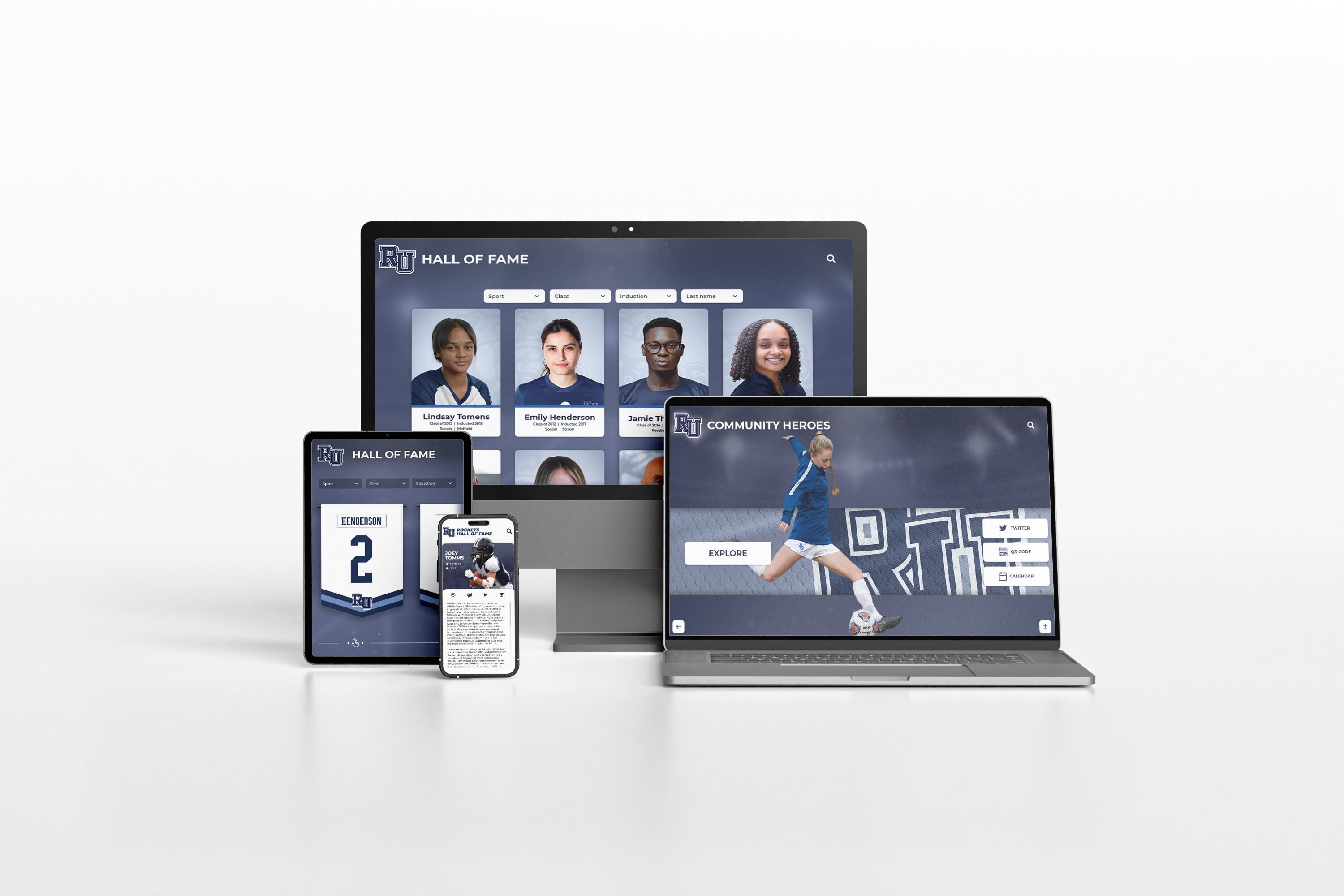
Digital platforms enable media guide access across all devices and locations
Digital Format Options
Various technological approaches serve different needs:
Downloadable PDF Publications
Electronic versions of traditional guides:
- Familiar format matching print publication expectations
- Offline access after download
- Easy email distribution
- Printable for those preferring hard copies
- Lower technology requirements for creation
Web-Based Interactive Guides
Native web platforms offering enhanced features:
- Always-current content without version confusion
- Superior searchability and filtering
- Responsive design adapting to device sizes
- Better multimedia integration
- Built-in analytics and tracking
Mobile Applications
Dedicated apps for comprehensive programs:
- Push notifications about updates
- Offline access to downloaded content
- Device-optimized interfaces
- Integration with other athletic department apps
- Enhanced engagement through app-exclusive features
Integration with Recognition Systems
Comprehensive platforms combining functions:
Programs implementing digital athletic displays and recognition systems can leverage existing content management platforms to serve media guide functions alongside recognition, reducing redundant data entry while maintaining single source of accurate information.
Sponsor Recognition and Revenue Generation
Media guides offer valuable sponsor visibility opportunities supporting athletic department funding.
Sponsor Benefits and Packages
Tiered recognition levels:
Premier Sponsor Level
Premium placement and visibility:
- Full-page color advertisements
- Back cover or inside cover placement
- Logo inclusion on guide cover
- Sponsor recognition at all home events
- Social media acknowledgment
Supporting Sponsor Level
Substantial but secondary placement:
- Half-page or quarter-page advertisements
- Interior section sponsorship
- Logo inclusion in sponsor section
- Game program recognition
- Website acknowledgment
Program Supporter Level
Entry-level recognition:
- Business card sized advertisements
- Name listing in sponsor section
- Appreciation for contribution
- Connection to specific teams or programs
Sponsor Content Guidelines
Maintaining appropriate boundaries:
Content Standards
What sponsor materials must meet:
- School-appropriate messaging and imagery
- Alignment with educational mission
- Prohibition of alcohol, tobacco, gambling promotion
- Truthful, non-deceptive advertising claims
- Respect for school brand and reputation
Design Integration
Visual standards for sponsor content:
- Advertisement dimensions and file specifications
- Color versus black and white options
- Logo sizing and placement guidelines
- Deadline for submission and revisions
- Design assistance availability
Long-Term Sponsor Relationships
Building sustainable partnerships:
- Multi-year agreements providing predictable revenue
- Package deals combining guide ads with signage, events
- Recognition in multiple publications and platforms
- Appreciation events honoring major supporters
- Impact reporting showing sponsor value delivered
Programs hosting athletic banquets and recognition events can integrate sponsors across multiple touchpoints, increasing value while diversifying revenue sources.
Distribution and Marketing Strategies
Creating excellent media guides delivers value only when reaching intended audiences effectively.
Target Audience Distribution
Systematic delivery to key stakeholders:
Media Distribution
Ensuring reporter access:
- Press box copies at home facilities
- Mailed copies to regular beat writers
- Digital links to all credentialed media
- Distribution at media day events
- Email updates when guides updated
College Recruiter Reach
Supporting athlete advancement:
- Mailings to college programs recruiting athletes
- Distribution at showcase events and tournaments
- Links provided to athletes for sharing
- Conference with guides available
- Athletic director direct outreach to targeted programs
School and Community Distribution
Local awareness building:
- Copies in main office for visitors
- Library or media center reference copies
- Local business distribution at sponsor locations
- Booster club member access
- Alumni association sharing with graduates
Digital Marketing and Social Media
Extending reach through online channels:
Website Integration
Centralized access point:
- Featured placement on athletic department homepage
- Individual sport pages linking to relevant content
- Archive section preserving previous seasons
- Mobile-optimized viewing experience
- Download options for offline access
Social Media Promotion
Amplifying awareness:
- Guide release announcements across platforms
- Athlete profile features highlighting individuals
- Historical content sharing interesting program facts
- Behind-the-scenes content from creation process
- User-generated content encouraging sharing
Email Distribution Lists
Direct stakeholder communication:
- Athletic department newsletter inclusion
- Direct email to coaches and administrators
- Parent email lists for team families
- Alumni email distribution
- Community subscriber lists
Maintaining and Updating Your Media Guide
Sustainability requires efficient processes for keeping information current.
In-Season Updates
Managing changes during competition:
Roster Modifications
Tracking team changes:
- Player additions and departures
- Injury status updates when appropriate
- Position or role changes
- Statistical updates after each competition
- Record achievements and milestones
Digital Guide Advantages
Real-time currency:
- Instant publication of updates
- No reprint costs for corrections
- Version control eliminating outdated copies
- Notification capabilities alerting users to changes
Year-to-Year Improvements
Continuous enhancement process:
Feedback Collection
Understanding user experience:
- Media member input on usefulness and gaps
- Coach suggestions for improvements
- Administrator priorities and requirements
- Athlete and family feedback
- Analytics showing actual usage patterns
Content Refinement
Iterative improvement:
- Expanding sections receiving high engagement
- Condensing underutilized content
- Adding requested information categories
- Improving navigation and organization
- Updating visual design for freshness
Archive Management
Preserving historical guides:
- Systematic storage of previous seasons
- Digital archives for perpetual access
- Historical comparison capabilities
- Legacy documentation preventing loss
- Generational context for program evolution
Schools implementing comprehensive athletic tradition documentation understand that media guides form essential components of institutional memory preservation.
Moving Forward: Building Your Media Guide
Creating comprehensive high school sports media guides represents significant initial effort but delivers ongoing returns through improved publicity, enhanced recruitment, streamlined communications, and professional program presentation that elevates overall athletic department perception.
The choice between traditional print guides and modern digital platforms fundamentally impacts production workflow, distribution reach, update capabilities, and long-term maintenance requirements. While print publications offer tangible presence valued in certain contexts, digital solutions provide advantages in accessibility, currency, capacity, and multimedia integration that increasingly make them the preferred approach for resource-conscious athletic departments.
Successful media guide programs, regardless of format, share common characteristics:
- Systematic content collection processes preventing last-minute scrambles
- Clear responsibility assignment ensuring task completion
- Realistic timelines allowing quality work without excessive pressure
- Sustainable update procedures maintaining accuracy throughout seasons
- Strategic distribution ensuring guides reach intended audiences
- Continuous improvement based on feedback and usage data
Athletic directors approaching media guide creation for the first time should prioritize comprehensive accurate information over elaborate design, understanding that useful content matters more than flashy presentation. As programs mature and processes become routine, design sophistication and feature expansion naturally follow initial foundation establishment.
Streamline Your Athletic Information Management
Modern athletic departments need comprehensive solutions that integrate media guide functions with recognition displays, record documentation, and alumni engagement. Rocket Alumni Solutions provides cloud-based platforms specifically designed for high school athletic programs—enabling you to maintain athlete profiles, program history, statistical records, and sponsor recognition through unified systems accessible anywhere, updated instantly, and distributed globally.
Our solutions eliminate redundant data entry by serving multiple functions from single content sources: media guides, recognition displays, record boards, hall of fame programs, and recruitment support. Athletic directors report dramatic time savings while achieving significantly more comprehensive and current program documentation than possible with traditional methods.
For athletic departments ready to modernize information management while creating professional media guide resources, the combination of systematic planning, appropriate technology selection, and commitment to accuracy produces results that serve programs effectively for years. Whether building first-time guides or transforming outdated approaches, the frameworks outlined throughout this guide provide actionable roadmaps for creating high school sports media guides that elevate program visibility, support athlete advancement, and streamline communications with all stakeholder audiences.
Frequently Asked Questions
How much does it cost to create a high school sports media guide?
Costs vary dramatically based on format, scope, and production approach. Print guides typically cost $3-8 per copy for professional printing depending on page count, color versus black and white, binding type, and quantity ordered. Initial design and layout might require $500-2000 for professional services if creating from scratch, though this decreases significantly in subsequent years using established templates. Total costs for comprehensive printed guides commonly range from $1000-5000 annually for small programs producing 200-500 copies. Digital media guides eliminate printing and shipping costs, with expenses limited to platform subscriptions ($200-1000 annually for hosted solutions) or one-time website development ($1000-5000) depending on complexity and whether using existing athletic department platforms. Many schools reduce costs by leveraging student talent from journalism programs, graphic design classes, or yearbook staffs, exchanging professional production costs for educational opportunities while building real-world skills.
When should we start working on our media guide?
Begin planning 8-10 weeks before your season opener to allow sufficient time for content gathering, design, proofreading, and production without overwhelming rush. Planning timelines should start even earlier—ideally in spring for fall sports, allowing summer months for athlete information collection and photo sessions. Rushed media guide production commonly results in errors, incomplete information, or missed distribution deadlines that undermine value. Programs with established processes and templates can work on shorter timelines, but first-time media guide creators should extend schedules by several weeks to account for learning curves and inevitable unexpected delays. Consider that print production requires 2-3 weeks minimum after finalizing files, while digital guides can launch instantly but still need comparable content development time. Starting early also allows staggered workload distribution, preventing the 80-hour final week that creates stress and compromises quality.
Should we create one comprehensive guide or separate guides for each sport?
The optimal approach depends on program size, resources, and audience needs. Larger athletic departments with extensive resources often produce sport-specific guides for high-profile programs (football, basketball) while creating condensed references for other sports. This approach provides depth where recruitment and media coverage justify detailed content while managing production workload. Smaller programs typically create comprehensive all-sports publications or seasonal guides (fall sports, winter sports, spring sports) that provide reasonable detail across all offerings without overwhelming production capacity. Sport-specific guides offer advantages in targeted distribution, sport-appropriate content depth, and ability to tailor design to specific program identities. Comprehensive guides provide complete reference in single publications, ensure equitable treatment across programs, reduce overall production effort, and prevent coordination challenges managing multiple publications. Consider hybrid approaches—create comprehensive base guide with sport-specific inserts or supplements for programs with extensive information needs or active recruitment activities.
What’s the most important content to include if we have limited space?
Prioritize information that directly serves media coverage and recruitment functions since these deliver most immediate value. Essential baseline content includes complete rosters with numbers, positions, year, height/weight, and hometown; head coach background and contact information; complete season schedule with dates, opponents, and locations; facility directions for home venue; brief program overview; and previous season results. Beyond this foundation, prioritize content based on your specific situation: programs with active recruitment should emphasize athlete profiles with statistics and biographical details; programs seeking media coverage should provide compelling storylines, pronunciation guides, and notable achievements; programs with strong historical tradition should include record books and championship history. Remember that digital guides eliminate space constraints, so printed guide space limitations shouldn’t prevent collecting comprehensive content—publish condensed printed versions while directing readers to complete digital resources for expanded information. Many programs use print guides as teasers driving traffic to comprehensive web-based platforms containing depth impossible in physical publications.
How do we collect athlete information efficiently without overwhelming coaches?
Develop standardized athlete information forms requesting all needed details in organized format, then distribute forms during first week of practice with clear deadlines and submission instructions. Digital forms using Google Forms, Microsoft Forms, or athletic management software streamline collection and eliminate manual data entry from paper forms. Make forms athlete-completed rather than coach-completed, having team members provide their own biographical information, statistics, and personal details with coach review for accuracy. Break information collection into logical sections: basic biographical (name, year, hometown, parents), athletic background (positions, previous experience, honors), academic information (GPA, intended college major, honors), and personal interests (hobbies, career goals, favorite athlete). Provide examples of completed forms showing appropriate response length and detail level, preventing unnecessarily long essays while ensuring sufficient substance. Build collection timelines into preseason schedules during designated team meeting time rather than assuming coaches or athletes will complete forms independently during already-packed schedules. For returning athletes, provide previous year’s information for review and update rather than starting from scratch, reducing redundant effort while ensuring accuracy.
Can we incorporate media guide content into other athletic department communications?
Absolutely—well-organized media guide content serves as foundational information database supporting multiple communication needs throughout the year. Athlete profiles developed for media guides also populate game programs, website profiles, social media features, award ceremony presentations, and senior recognition materials. Coaching staff biographies support hiring announcements, professional development documentation, and staff introduction communications. Historical records and achievements inform alumni newsletters, fundraising materials, facility naming campaigns, and anniversary celebrations. Schedule information feeds website calendars, parent communications, facility reservation systems, and community event listings. Rather than viewing media guides as isolated projects, consider them as strategic content development initiatives creating information assets used repeatedly across multiple platforms and purposes. Digital content management systems maximize this efficiency by maintaining single authoritative sources that populate various outputs automatically, eliminating redundant data entry and ensuring consistency across all communications. This integrated approach transforms media guides from single-purpose publications into strategic information infrastructure supporting comprehensive athletic department communications.
Related Resources
Athletic directors implementing media guide programs may find value in these complementary resources addressing related aspects of program management and recognition:
Successfully creating comprehensive high school sports media guides positions athletic departments for improved media relations, enhanced recruitment outcomes, and professional program presentation that elevates institutional perception while serving practical communication needs efficiently and sustainably.































