Every autumn, schools across the country dedicate hallway walls, trophy case glass, and entrance corridors to a beloved tradition: celebrating the homecoming court. A well-designed homecoming court poster does more than list names and faces. It signals to every student, parent, and visitor that your school takes candidate recognition seriously, and that the individuals honored deserve a spotlight worthy of the moment. The challenge is that most schools still rely on the same laminated paper posters they used a decade ago — designs that fade by Friday and end up in a recycling bin by Monday.
This guide is built for student council advisors, athletic directors, principals, and booster volunteers who want to elevate their homecoming court poster ideas into genuine hallway showcases. We cover design principles, layout concepts, photography tips, placement strategy, and how leading schools are bridging the gap between single-week posters and year-round digital recognition. Whether your budget is a few hundred dollars of printing costs or you are investing in permanent display infrastructure, you will find actionable concepts here.
Homecoming court recognition sits at the intersection of school spirit, student achievement, and community pride. Done well, those hallway displays spark conversations, build belonging, and create memories that candidates carry long after graduation. Done poorly, they become wallpaper — noticed by nobody after the first hour. The ideas below are designed to keep your displays in the first category.
Why Homecoming Court Poster Design Matters More Than You Think
Recognition display quality sends a message about how much a school values its students. Researchers studying school environments have consistently found that visible, high-quality recognition correlates with higher student engagement and stronger identification with school community. A homecoming court poster is a public statement: these students matter enough to celebrate in front of everyone.
Beyond the immediate week, well-archived homecoming court displays become part of a school’s living history. Graduates return years later and look for the photos of themselves or their friends in hallway cases. Parents share images on social media, extending school visibility into the broader community. For a full breakdown of how schools are building those lasting recognition systems, the student achievement wall ideas guide at halloffame-online.com covers the principles that translate directly to homecoming contexts.
The design bar has also risen. Students who consume polished social media content every day arrive at school expecting better than a clip-art border and a pixelated headshot. Meeting them where they are — visually — is not about chasing trends. It is about demonstrating that the school puts genuine effort into honoring them.

10 Homecoming Court Poster Ideas That Actually Work in School Hallways
The following design concepts range from low-cost print approaches to hybrid digital formats. Each one is grounded in real-world school display logic — accounting for lighting conditions, hallway traffic patterns, and the fact that most viewers will only glance for a few seconds.
1. Large-Format Bold Typography with School Colors
The most reliable homecoming court poster formula: oversized candidate name in school colors, portrait photo in the top half, role title and class year beneath. What makes or breaks this design is type scale. The name should be readable from 20 feet away in a crowded hallway. Use your school’s primary color as the background and white or a contrasting accent for the name. Avoid script fonts for name display — they look elegant up close but become illegible at distance.
Print at 24×36 inches minimum for hallway impact. Smaller formats get visually buried next to standard corridor signage.
2. Photography-Forward Portrait Panels
Give each candidate a dedicated portrait panel emphasizing the photo over text. A high-quality headshot or action portrait printed large — with minimal surrounding text — creates an immediately human connection. Viewers see a face first, then read the details. This approach works especially well when you have a consistent photography session with clean backgrounds and professional lighting.
Coordinate with your school photographer in August or early September so images are ready well before homecoming week. Consistent photography across all candidates (same backdrop, same lighting setup) creates visual cohesion when panels are displayed side by side in the hallway. Schools that run separate photo sessions for every candidate end up with wildly inconsistent poster sets that feel disorganized even when the individual designs are solid.
3. Collage and Timeline Design
Instead of a single portrait, build each poster around a mini-timeline or collage of the candidate’s school years. Feature a freshman photo, a sophomore activity shot, a junior year candid, and this year’s official portrait. Add brief highlights: activities, sports, clubs, academic achievements. This design rewards lingering — students stop to read, recognize the candidate’s journey, and build genuine connection.
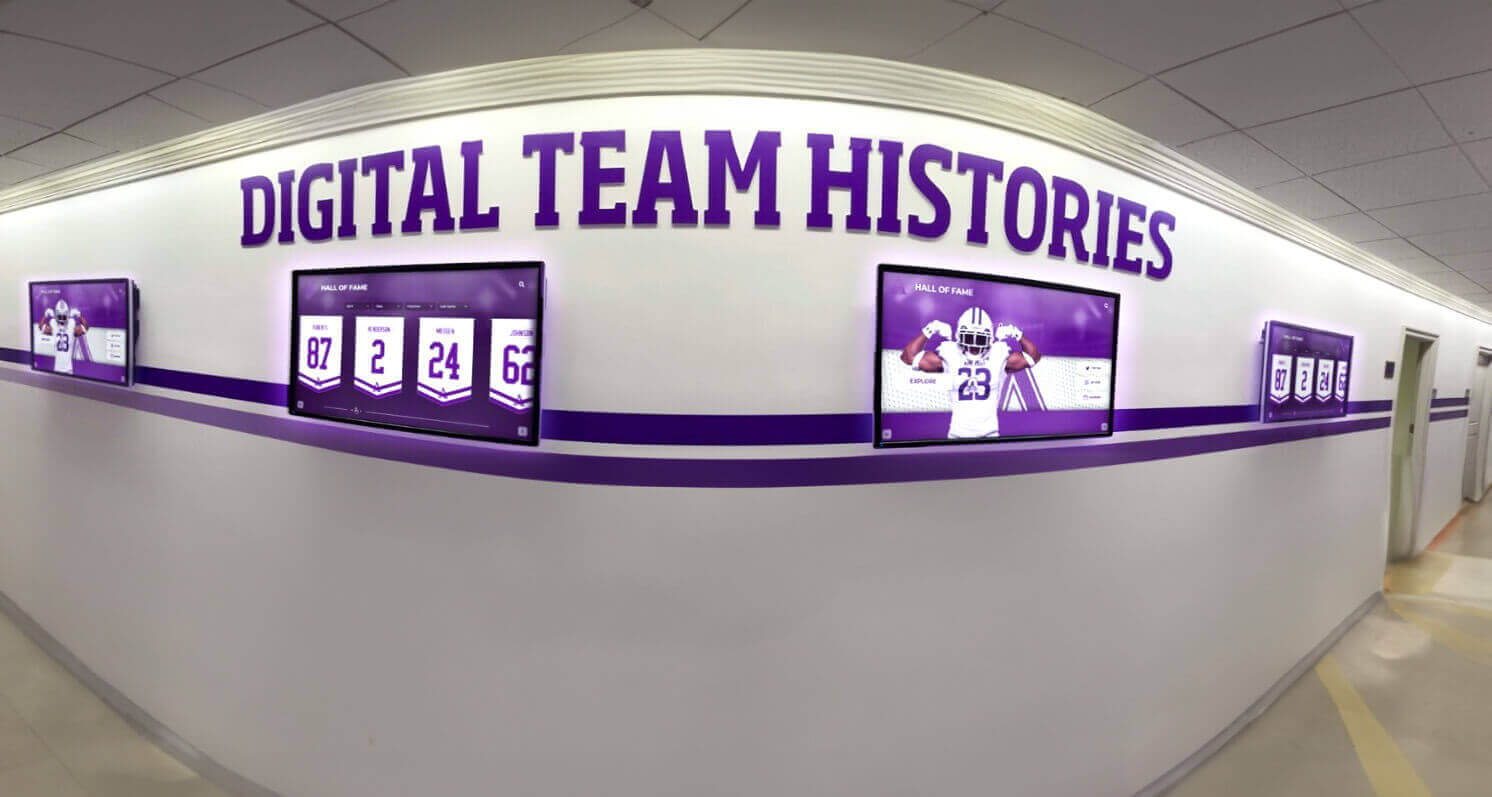
The timeline format also lends itself naturally to digital display upgrades later. If you are already organizing content chronologically, that material translates directly into a touchscreen profile card with almost no additional work.
4. Royal and Elegant Theme Panels
Deep jewel tones — navy, burgundy, forest green, or black — paired with gold or silver metallic text create a formal recognition aesthetic that elevates homecoming court imagery beyond typical school spirit graphics. Use a subtle textured background rather than flat color: a slight paper grain or subtle pattern adds visual depth without competing with the portrait.
This theme works well for formal evening events and photograph especially well under hallway lighting. If you are using these panels near trophy cases or award displays, the consistent aesthetic creates a unified recognition zone rather than competing visuals.
5. Sports Action Crossover for Athlete Candidates
For candidates who are also athletes, an action photo from their sport — properly licensed from a school photographer or booster club — makes a powerful visual statement. Pair the action shot with the formal portrait in a split-panel design. The contrast between competition intensity and formal portrait shows the full person rather than just a yearbook headshot.
This approach also connects homecoming recognition to athletic recognition displays, making the hallway display feel like part of a larger school recognition ecosystem.
6. Minimalist Modern Layout
Restraint is a design choice. A single large portrait, the candidate’s name in clean sans-serif typography, and two or three lines of accolades below — nothing else. No clip art, no decorative borders, no background pattern. This design reads as confident and contemporary. It requires higher-quality photos to carry the visual weight, but when executed well it stands out from busier poster designs in crowded hallways.

7. Spirit Week Tie-In Series
Create a poster series where each day of spirit week features a different candidate (or pair of candidates) highlighted in a daily reveal format. Post the new panel each morning before school. Students follow the series throughout the week, building anticipation toward the homecoming game and ceremony. Each daily panel can carry a spirit-week theme while maintaining design consistency across the set.
For a full playbook on building spirit week momentum, spirit week ideas for school covers scheduling and engagement strategies that pair well with staged recognition reveals.
8. Quote-Integrated Personal Statement Panels
Ask each candidate for a short personal statement — one sentence about what homecoming means to them, what they are proud of, or what they hope for their class. Feature that quote prominently in the poster design, in quotation marks with the candidate’s name and role below. This humanizes the display and gives every student reading it something to connect with personally.
Quote panels require a bit more coordination ahead of time, but they create conversation. Students who see a peer’s genuine words on a hallway wall are more likely to stop, read, and remember.
9. Dual-Format Print and Digital Strategy
Design your homecoming court posters in two formats simultaneously: a print version for physical hallway display and a digital version optimized for social media sharing and screen display. The same design assets, scaled and formatted for different contexts. This approach extends your recognition reach beyond the school building and into the social feeds where students actually spend their time.
Tools like Canva make dual-format design accessible even for non-designers. For a deeper look at integrating design tools into school recognition workflows, the Canva integrations guide at touchhalloffame.us covers the practical steps.
10. Digital Touchscreen Slideshow Display
The most scalable homecoming court poster idea is not a poster at all. A digital display screen in a high-traffic hallway — lobby entrance, main corridor, gymnasium entrance — running a rotating slideshow of candidate profiles reaches every student multiple times per day without requiring repeated printing. Update content instantly. Add video. Include voting information. Archive everything after the event with no additional effort.
Quick Comparison: Print Posters vs. Digital Display
| Factor | Print Posters | Digital Screen Display |
|---|---|---|
| Setup time | 1–2 days printing | Instant content upload |
| Update flexibility | Reprint required | Edit from any device |
| Candidate capacity | Limited by wall space | Unlimited profiles |
| Post-event value | Discarded or archived | Permanently accessible |
| Visual impact | Static | Dynamic, video-capable |
| Cost per year | Ongoing printing | One-time hardware investment |
Hallway Placement Strategy for Maximum Visibility
Even the best-designed poster fails if it is placed where students do not look. Effective homecoming court display placement follows foot traffic logic.
High-traffic chokepoints are the first priority: main building entrance, cafeteria entrance corridor, gymnasium lobby, and any hallway students must pass through to reach lockers. These locations guarantee that your display is seen by the highest percentage of students, not just those who happen to wander by.
Eye-level mounting is mandatory. Posters mounted above 6 feet require students to look up — an unnatural viewing angle in a busy hallway. The center of your display should sit at roughly 5–5.5 feet from the floor, where it intersects the natural gaze of students walking through.
Cluster, do not scatter. A group of eight candidate panels displayed together on a single wall section creates a visual destination. The same eight panels scattered across three hallways lose visual impact and make the display feel like an afterthought rather than a dedicated recognition space.
Lighting matters more than most schools account for. Hallway fluorescent lighting creates glare on laminated surfaces and washes out color. Matte finish printing reduces glare significantly. If you are using a display case with glass, position it away from direct overhead light sources or use anti-reflective glass.
For a comprehensive look at what goes into an effective school recognition display space — including lighting, mounting heights, and traffic patterns — high school trophy case ideas walks through the physical design considerations that apply equally to poster-based displays.
Photography: The Foundation of Every Successful Homecoming Court Poster
No amount of design skill compensates for poor source photography. Homecoming court poster quality is primarily determined by photo quality, not layout.
Schedule a dedicated photo session with your school’s photographer or a parent volunteer with a capable camera. Standardize the setup: consistent background (school colors, neutral gray, or school building exterior), consistent lighting (natural window light or a two-light softbox setup), consistent framing (shoulders and above, same crop for every candidate).
Capture both formal and casual shots in the same session. The formal portrait gives you the polished image for the official poster. The casual version — laughing, interacting with a school environment, wearing school spirit gear — gives you content for the digital and social formats.
Get image rights sorted before the session. Have each candidate and their parent or guardian sign a simple photo release granting the school permission to use their image in recognition displays including physical and digital formats. This matters especially once you start considering permanent digital archives, which we will address in the next section.
Resolution requirements: Print display at 24×36 inches requires images of at least 1500×2000 pixels for acceptable print quality, ideally 3000×4000 or higher. Photos taken on current smartphone cameras typically exceed these minimums, but compressed or screenshot images from social media will print poorly at large format.
Transitioning from Homecoming Week to Year-Round Recognition
Here is where most schools leave significant recognition value on the table: homecoming court posters come down on Monday and go into a box. The recognition event that consumed days of planning and hundreds of dollars in printing simply disappears.
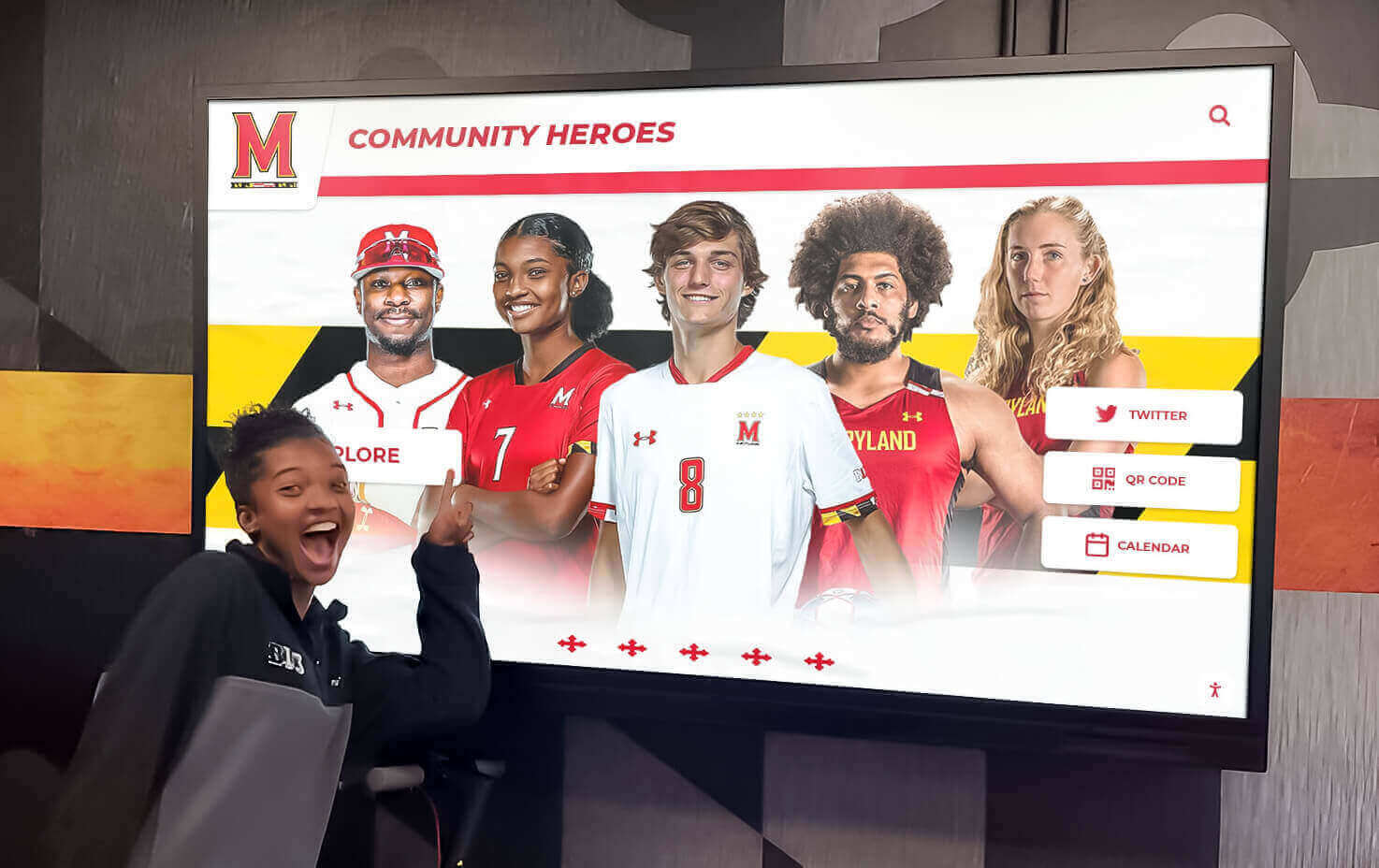
Schools using digital wall of fame systems solve this problem by loading homecoming court photos and profiles into their permanent recognition displays. A candidate’s portrait, activities list, and class year become part of the school’s institutional memory — accessible for years afterward.
This matters for several reasons:
- Graduates return and look for themselves and friends in school displays
- Current students see the tradition as something they are part of, not just an event
- Families share and celebrate recognition that persists beyond a single week
- Your school builds history that accumulates meaning over time
For a look at how digital displays handle this kind of long-term recognition at the institutional level, school achievement recognition covers the strategic framework.
Interactive Digital Displays: The Next Evolution of Homecoming Court Recognition
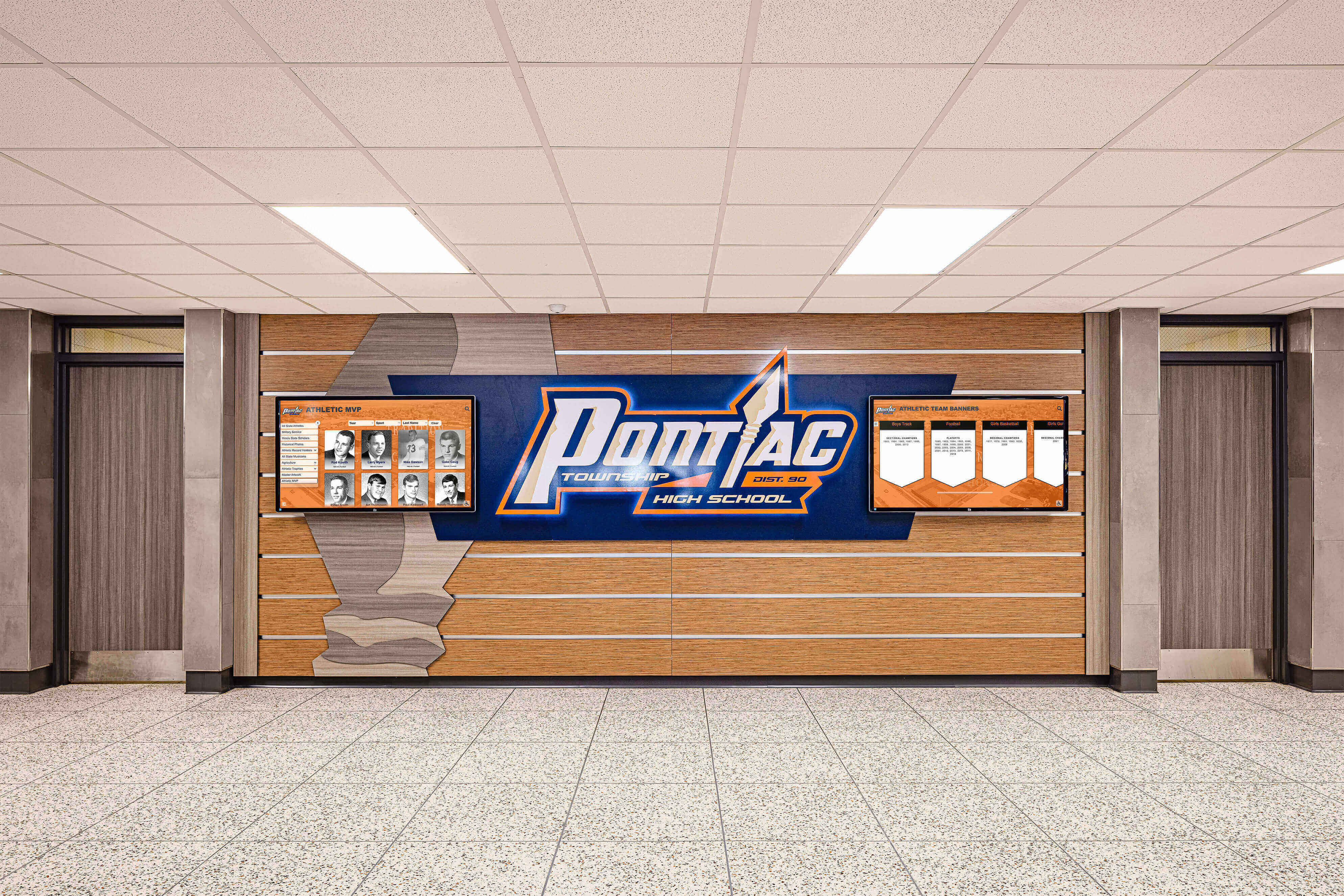
A growing number of schools are integrating interactive touchscreen displays into their recognition hallways. These systems allow students and visitors to browse candidate profiles, watch short video introductions, view activity histories, and explore a candidate’s contributions to the school community — all from a display mounted in the corridor.
The interactive format changes the dynamic from passive viewing to active engagement. A student who taps through a homecoming court candidate’s profile on a touchscreen spends meaningfully longer with that recognition content than a student who glances at a paper poster. That engagement creates deeper connection with the candidates and with the homecoming tradition itself.
Beyond homecoming week, these same touchscreen systems serve as athletic team photo walls, alumni recognition displays, and donor walls — making the investment extend across the full school year rather than sitting unused for 50 weeks.

The infrastructure cost has decreased significantly over the past several years. A single digital display screen mounted in a primary hallway location, managed through cloud-based content software, can replace and dramatically outperform a season’s worth of printed recognition displays. For schools that already invest in homecoming signage, awards ceremonies, and print materials each year, the annual savings often offset the hardware cost within two or three years.
Schools that have made this transition also report easier content management: instead of coordinating print vendors, managing delivery timing, and physically hanging displays, staff can update candidate profiles and recognition content from any internet-connected device. The digital signage overview at digitalwarming.net covers the technology fundamentals for administrators who are evaluating the transition.
Ready to Take Homecoming Court Recognition Further?
Rocket Alumni Solutions builds interactive touchscreen walls designed specifically for schools — handling homecoming court recognition, athletic hall of fame, alumni displays, and donor walls in a single unified system that lives in your hallway year-round.
Explore Touchscreen Recognition DisplaysCoordinating Homecoming Court Displays Across the Whole School
Effective homecoming court poster campaigns are coordinated, not improvised. The schools that pull off visually impressive hallway displays plan their recognition approach at least four to six weeks before homecoming week.
A simple coordination checklist:
Before Homecoming Week:
- Confirm court candidates and collect bios
- Schedule and complete photo sessions
- Finalize poster design templates
- Identify and reserve hallway display locations
- Print and laminate final poster designs
- Prepare digital versions for screens and social
During Homecoming Week:
- Mount displays Monday morning before school
- Update digital screens with daily content
- Archive photos and recognition materials
- Capture display installation photos for documentation
This coordination model also applies to the senior night traditions that often overlap with homecoming week in athletic programs. Schools that align their recognition calendars across homecoming, senior nights, and fall sports recognition create a cohesive celebration rather than competing events vying for the same hallway space.
For schools that want to tie homecoming court recognition into a broader school spirit activities program, building consistent recognition infrastructure pays dividends across the full academic calendar — not just the one week in October.
Preserving Homecoming Court Recognition Beyond the Season
The final step in a thoughtful homecoming court display program is preservation. Where do these materials go after the week ends?
Physical archive options include framed composite displays added to trophy cases, dedicated homecoming recognition boards updated annually, binders or albums stored in the school office, and donated copies given to candidates as keepsakes.
Digital archive options include uploading profiles to a touchscreen recognition display for permanent access, maintaining a school website gallery organized by year, and integrating homecoming court history into a broader custom high school hall of fame signage system that covers athletic, academic, and co-curricular recognition.
The schools with the most compelling homecoming traditions are not simply those with the best single-year posters. They are the ones that have built up ten or fifteen years of archived recognition that current students can browse, see history unfolding, and understand their own place in a larger school story. That institutional memory is built one homecoming court at a time.
Conclusion: Elevating Your Homecoming Court Poster Ideas
Homecoming court poster ideas exist on a spectrum from the practical to the visionary. At the practical end: a consistently designed, large-format print poster with a quality portrait, school colors, clean typography, and smart hallway placement. At the visionary end: an interactive touchscreen display in your school lobby where students can browse candidate profiles, watch video introductions, and see how this year’s court connects to homecoming traditions going back decades.
Most schools have room to move up that spectrum with modest investment. Better photography. Larger print formats. Smarter placement. A digital display that handles homecoming week and serves the school year-round. Each upgrade makes your recognition more visible, more meaningful, and more lasting.
The candidates standing in your homecoming court this year will remember this recognition for decades. The quality of the display you create tells them — and everyone watching — how much that recognition is worth to your school.
Bring Your Homecoming Court Recognition Into the Digital Age
Rocket Alumni Solutions designs interactive touchscreen walls for schools that want permanent, impressive recognition displays — covering homecoming court, athletic records, donor walls, alumni halls of fame, and more.
See How Schools Are Transforming Their Hallways






























