Intent: Define, demonstrate, and guide you through the complete yearbook digitization process.
Old yearbooks represent irreplaceable historical records—capturing decades of student memories, school traditions, faculty legacies, and community evolution that exist nowhere else. Yet in many schools, these precious archives sit deteriorating on shelves, accessible only to those who can physically visit campus and carefully page through fragile, aging volumes. Water damage, mold, binding failures, and simple wear threaten permanent loss of this institutional memory.
Digitizing old yearbooks transforms these vulnerable physical artifacts into accessible, preservable digital assets that can be searched, shared, and enjoyed by alumni worldwide while protecting originals from further handling damage. Whether you’re a school administrator preserving institutional history, an alumni association coordinator enhancing member engagement, or an archivist protecting cultural heritage, yearbook digitization provides essential benefits worth the investment required.
This comprehensive guide walks you through every step of the yearbook digitization process—from evaluating your collection and selecting appropriate equipment to implementing best practices ensuring high-quality results and making digitized yearbooks accessible through modern platforms.
Schools and organizations approach yearbook digitization at different scales—from single decades being preserved as special projects to comprehensive archives spanning a century or more. Regardless of your project scope, understanding proper techniques, equipment options, legal considerations, and workflow optimization ensures your digitization effort creates lasting value rather than wasting resources on inadequate results requiring expensive re-scanning later.
Why Digitize Old Yearbooks: The Compelling Case for Digital Preservation
Before investing time and resources in yearbook digitization, understanding the full range of benefits helps justify costs and secure necessary buy-in from stakeholders.
Preservation of Irreplaceable Historical Records
Physical yearbooks face constant threats that digitization mitigates:
Physical Degradation Factors:
- Paper acidification causing brittleness and yellowing over time
- Binding failures separating pages from spines after decades of use
- Water damage from leaks, floods, or humidity exposure
- Mold growth in improperly stored collections
- Fading of photographs and color pages from light exposure
- Wear from repeated handling during reunion events or research
Many schools discover their oldest yearbooks have already sustained significant damage—missing pages, illegible text, or photographs that have faded beyond recognition. Each time someone handles an aging yearbook, additional micro-damage occurs. Digital copies preserve content in its current state while eliminating the need for repeated physical access to deteriorating originals.
According to archival preservation standards, creating digital surrogates represents the single most effective preservation strategy for frequently accessed collection materials, as documented by the American Library Association’s preservation guidelines.
Disaster Recovery Protection:
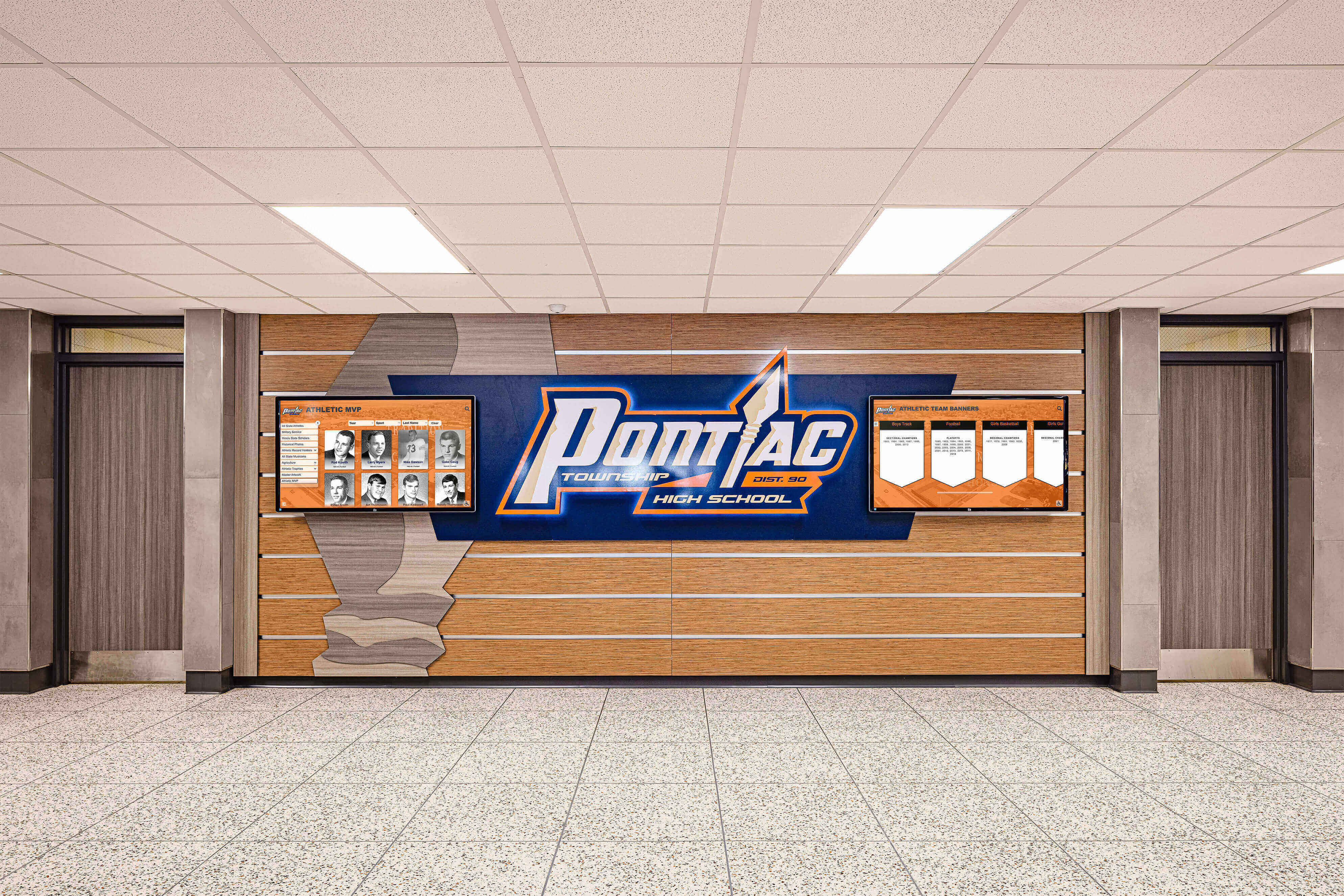
Physical yearbooks stored in single locations remain vulnerable to catastrophic loss from fire, flooding, natural disasters, or building failures. Digital copies stored in cloud-based systems with geographic redundancy ensure that even if physical originals are destroyed, the institutional memory they contain survives permanently.
Enhanced Accessibility for Alumni and Community
Digitized yearbooks dramatically expand who can access school history and when they can explore it:
Geographic Accessibility:
- Alumni relocated anywhere worldwide can explore their yearbooks instantly
- Community members research local history without campus visits
- Prospective families touring virtually explore school tradition and culture
- Researchers access collections without geographic constraints or appointment scheduling
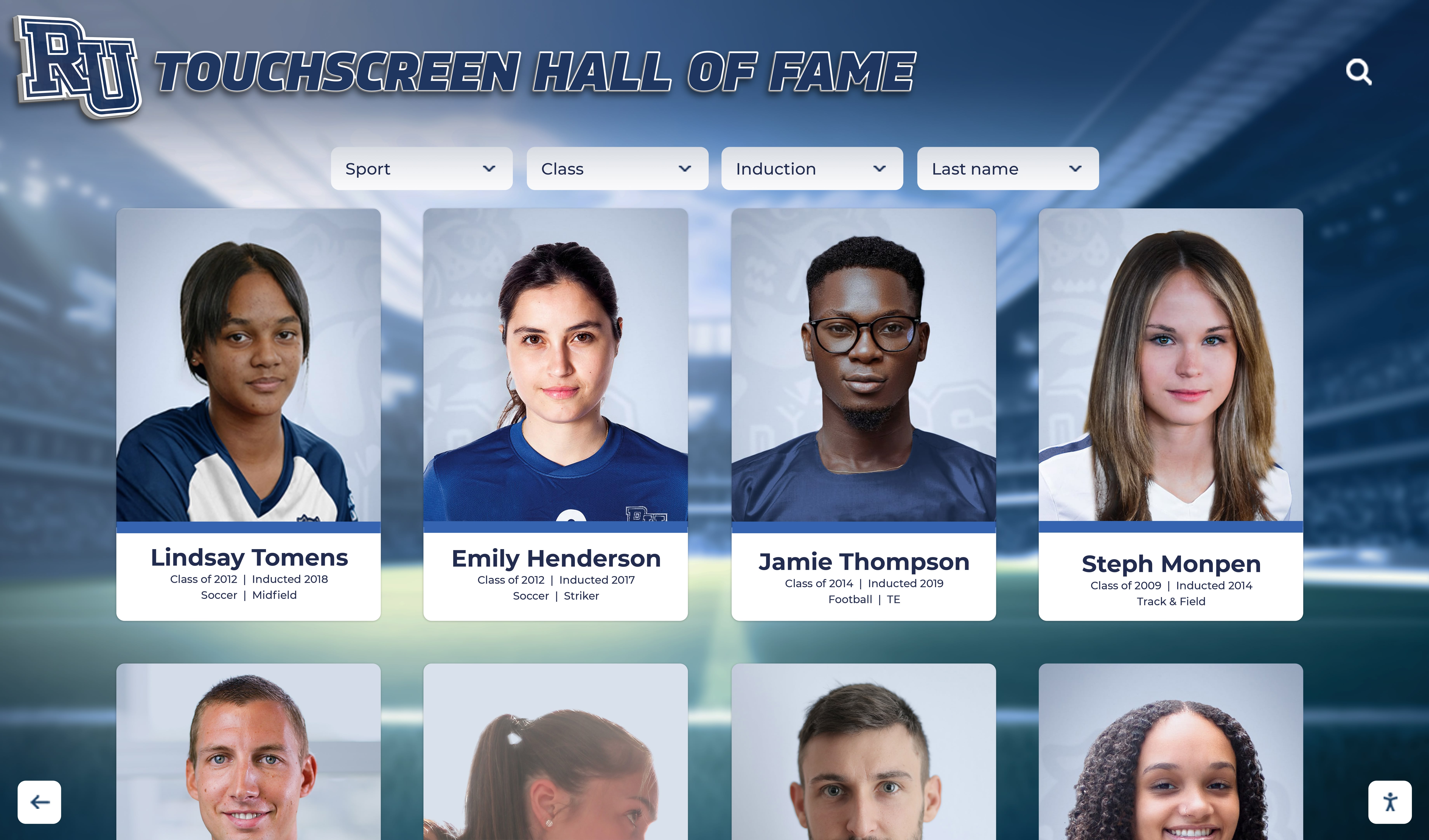
Solutions like Rocket Alumni Solutions extend yearbook access beyond physical locations, creating online archives accessible from any device while maintaining institutional control over collections.
Temporal Accessibility:
- 24/7 availability without library hours constraints
- Instant access during reunion planning or milestone anniversaries
- Real-time exploration during video calls when alumni reconnect
- Immediate reference when documenting school history or writing institutional narratives
Search and Discovery Features:
Physical yearbooks require page-by-page browsing to locate specific individuals, clubs, or events. Digital yearbooks with optical character recognition (OCR) enable instant searches across entire collections—finding every mention of a name, every appearance of a club, or every reference to historical events within seconds rather than hours of manual searching.
This searchability transforms yearbooks from static archives into dynamic research tools supporting alumni directories, school history documentation, and genealogical research.
Alumni Engagement and Community Building
Digitized yearbooks create powerful engagement opportunities that physical volumes cannot match:
Social Sharing Capabilities:
- Alumni share their yearbook pages across social media platforms
- Reunion committees distribute relevant yearbook content to classmates
- Families discover parents’ or grandparents’ school experiences together
- Alumni spotlight programs leverage yearbook content for where-are-they-now features
Discovery and Reconnection:
- Alumni browse their yearbooks and remember classmates they’d lost touch with
- Name searches reveal connections between current community members
- Historical exploration sparks conversations at reunion events
- Alumni engagement strategies incorporate yearbook archives as foundational resources
Research consistently demonstrates that schools with accessible historical archives report significantly higher alumni engagement rates compared to institutions where history remains locked in physical-only formats.
Institutional Memory and School Pride
Digitized yearbook collections strengthen institutional identity and community connection:
Visible Tradition Documentation:
- Current students explore decades of school history during library visits
- Interactive displays showcase historical yearbook content throughout campus
- Prospective families touring campus access yearbook archives demonstrating institutional longevity
- Community members researching local history discover school connections to broader narratives
Comparative Historical Analysis:
- Educators track evolution of programs, traditions, and campus culture across decades
- Researchers document demographic changes and community development
- Administrators identify long-standing traditions worth preserving or reviving
- Alumni compare their experiences across different eras
Institutions with comprehensive digital archives of school history report stronger school pride metrics and enhanced community cohesion compared to those without accessible historical resources.
Before You Start: Essential Planning and Assessment
Successful yearbook digitization projects begin with thorough planning that prevents costly mistakes and ensures results meet your actual needs.
Inventory Your Yearbook Collection
Collection Assessment:
Begin by comprehensively documenting what yearbooks you actually possess:
- Which years do you have complete copies for?
- Which years have gaps in your collection?
- How many total volumes require digitization?
- What is the physical condition of each volume?
- What sizes and binding types are represented?
- Are there duplicate copies that could serve as scanning sources?
Create a spreadsheet tracking each yearbook by year, condition rating, number of pages, special features (like color sections or fold-outs), and priority level for digitization. This inventory informs equipment selection, budget planning, and project timeline development.
Condition Documentation:
Assess physical condition using these categories:
- Excellent: Binding intact, pages clean and flat, minimal wear
- Good: Minor binding looseness, slight page discoloration, acceptable handling condition
- Fair: Binding weakness, noticeable page damage, requires careful handling
- Poor: Significant binding failure, page separation, water damage, or mold presence
Volumes in poor condition may require professional conservation before scanning or alternative scanning approaches that accommodate fragile materials.
Define Your Digitization Goals and Requirements
Access and Usage Planning:
Clarify how digitized yearbooks will be accessed and used:
- Will digital yearbooks be publicly accessible online or restricted to verified alumni?
- Do you need searchable text (requiring OCR) or just page images?
- Will yearbooks integrate with existing digital recognition displays or websites?
- Are there specific features like individual photo extraction needed?
- What level of image quality meets your preservation and accessibility goals?
Your answers directly influence scanning resolution, file format choices, processing requirements, and platform selection.
Budget and Resource Constraints:
Establish realistic parameters:
- What total budget is available for the complete project?
- Is this a one-time project or ongoing digitization program?
- Do you have staff time available for in-house scanning or require outsourcing?
- What are acceptable timeline constraints for project completion?
- Are there grant opportunities for historical preservation projects?
Schools and organizations pursue yearbook digitization through three primary approaches—in-house scanning with purchased equipment, professional scanning service contracts, or hybrid approaches. Budget and resource availability determine which path makes sense for your situation.
Legal and Ethical Considerations
Copyright Compliance:
Yearbook copyright status depends on publication date and other factors:
Books published after 1977 remain protected for 95 years under current U.S. copyright law. However, schools that commissioned and published their own yearbooks typically hold the copyright, making digitization for institutional archival purposes legally defensible under the fair use doctrine.
Conservative approaches recommend prioritizing yearbooks at least 50 years old to minimize copyright concerns while respecting privacy interests of individuals still actively participating in their communities.
Privacy and FERPA Considerations:
Federal Education Rights and Privacy Act (FERPA) regulations protect student education records but generally do not restrict access to directory information like names and photographs published in yearbooks with student consent at the time of publication.
Best practices include:
- Providing opt-out mechanisms for individuals who prefer their information not appear online
- Restricting access to verified alumni rather than public internet availability
- Removing yearbook content if individuals request deletion for privacy reasons
- Including clear terms of use prohibiting harassment or commercial exploitation
Consent and Communication:
Before launching public-facing digitized yearbook collections, communicate plans to your alumni community through newsletters, social media, and reunion announcements. Invite feedback and address concerns transparently. This proactive communication builds support while identifying potential issues before formal launch.
Yearbook Scanning Methods: Choosing the Right Approach
Yearbook digitization techniques range from simple smartphone photography to sophisticated professional scanning systems. Selecting appropriate methods ensures quality results while protecting valuable originals.
Non-Destructive Scanning Methods (Recommended)
Preservation-focused digitization protects yearbook physical integrity using techniques that avoid binding damage:
Overhead Book Scanner Systems:
Professional overhead scanners represent the gold standard for yearbook digitization, using elevated cameras to photograph pages while books rest on specially designed V-shaped cradles that support bindings without forcing books flat.
Key advantages:
- Zero binding stress or damage to fragile volumes
- Accommodates books up to 10+ inches thick
- Captures facing pages simultaneously in seconds
- Professional models include automatic page flattening correction
- Produces consistently high-quality results across entire collections
Professional overhead book scanner systems like the Bookeye 5 series or Atiz BookDrive range from $2,500 for entry-level models to $50,000+ for fully automated professional systems. Mid-range options around $5,000-$15,000 suit most school digitization projects requiring quality results without maximum automation.
Flatbed Scanners:
Consumer and professional flatbed scanners can digitize yearbooks carefully opened and placed face-down on glass scanning surfaces.
Appropriate for:
- Yearbooks in excellent condition with flexible bindings
- Smaller collections where speed is less critical
- Budget-constrained projects leveraging existing equipment
- Volumes that lay reasonably flat when opened
Limitations and concerns:
- Requires pressing books flat, potentially damaging aging bindings
- Captures only one page at a time, doubling capture time
- Creates risk of glass scratches or damage from repeated use
- May produce shadows or distortion near spine gutters
- Physically stressful for operators during long scanning sessions
If using flatbed scanners, select models with scanning beds sized appropriately for yearbook dimensions (many standard yearbooks exceed 8.5x11 inches) and work carefully to minimize binding stress.
Smartphone and Camera-Based DIY Solutions:
Budget-conscious projects sometimes employ smartphones or digital cameras with copy stand rigs—vertical posts holding cameras pointing downward at books placed below.
When this approach works:
- Very small collections (fewer than 10 yearbooks)
- Informal projects not requiring archival quality
- Test digitization before committing to larger investments
- Temporary access pending professional scanning
Significant limitations:
- Inconsistent lighting causes quality variations between pages
- Manual operation creates slow, tedious workflow
- Difficulty achieving consistent focus and framing
- Page curvature distortion near bindings
- Requires careful post-processing for acceptable results
This approach rarely proves cost-effective for collections exceeding a few volumes once staff time investment is considered.
Destructive Scanning Methods (Not Recommended)
Some commercial scanning services propose removing yearbook bindings and feeding individual pages through high-speed automatic document feeders.
Why this is problematic:
- Permanently destroys original yearbooks, eliminating any future use
- Loses the physical artifact’s historical and sentimental value
- Creates disposal problems for damaged originals
- Often violates institutional policies on archival preservation
- Generates community backlash when alumni learn originals were destroyed
Only consider destructive methods for duplicate copies where originals are preserved separately, or for volumes already so damaged that they cannot be preserved in usable physical form regardless of scanning approach.
Professional Scanning Service vs. In-House Digitization
Professional Scanning Services:
Outsourcing to specialized yearbook digitization companies offers key advantages:
- No equipment purchase or space dedication required
- Experienced operators produce consistent, high-quality results
- Faster project completion through specialized workflows
- Professional-grade equipment without capital investment
- Services typically include OCR, quality control, and file formatting
Average costs range from $30-$45 per yearbook for standard services, with additional charges for photo cropping ($0.40 per photo), special handling for damaged volumes, or rush processing. Total project costs for 50 yearbooks typically run $1,500-$2,500 depending on service selections.
Turnaround times generally range from 2-4 weeks, with expedited options available at premium pricing.
In-House Digitization:
Schools and organizations with larger collections or ongoing digitization needs may benefit from establishing in-house capabilities:
- Complete control over scanning quality and handling procedures
- No recurring per-book costs after initial equipment investment
- Flexibility to scan additional materials beyond yearbooks
- Ability to digitize on your own timeline without service scheduling
- Staff development of valuable digital preservation skills
Initial equipment investments range from $2,500-$15,000 depending on automation level and feature requirements. Additional costs include software licenses, training, and staff time.
In-house digitization becomes cost-competitive with outsourcing when collections exceed 100+ yearbooks or when ongoing digitization of additional materials justifies equipment investment.
Technical Specifications: Resolution, Color, and File Formats
Proper technical settings ensure digitized yearbooks meet both current needs and future archival requirements.
Scanning Resolution Requirements
Resolution, measured in dots per inch (DPI), determines how much detail your scans capture:
300 DPI - Standard Web Access:
- Balances image quality with manageable file sizes
- Suitable for on-screen viewing and typical printing
- Text remains clearly readable in most yearbooks
- Creates files sized appropriately for web delivery
- Standard recommendation for access copies
400-600 DPI - Archival Masters:
- Captures fine details for long-term preservation
- Enables text recognition (OCR) even for small fonts
- Supports future high-quality reprinting if needed
- Recommended for master copies stored separately from access versions
- Significantly larger file sizes requiring robust storage
Best Practice Approach:
Scan yearbooks at 400-600 DPI to create archival master files stored for preservation, then create derivative copies at 300 DPI optimized for web delivery and user access. This two-tier approach balances preservation goals with practical usability.
Avoid scanning below 300 DPI—lower resolution produces unacceptable text clarity and limits future use options, often necessitating expensive re-scanning when inadequate quality becomes apparent.
Color Depth and Mode Settings
Color Yearbooks:
Use 24-bit color (8 bits per channel in RGB color mode) to accurately capture:
- Full-color photographs and graphics
- Subtle tones in black-and-white photographs
- Paper aging and historical patina
- Annotations or signatures in various colors
Most color yearbooks require color scanning even if photographs are primarily black and white, as page backgrounds, dividers, and graphic elements contain color information worth preserving.
Grayscale Scanning:
Yearbooks printed entirely in black and white can be scanned in grayscale mode (8-bit) rather than color:
- Reduces file sizes by roughly 65% compared to color
- Maintains photograph tonal quality
- Sufficient for text and black-and-white image reproduction
- Faster scanning and processing workflows
File Format Selection
PDF - Primary Distribution Format:
Portable Document Format (PDF) serves as the standard for yearbook digitization:
- Universal compatibility across all devices and platforms
- Supports embedded OCR text layers for searchability
- Enables page-by-page navigation mimicking physical book experience
- Accommodates bookmarking and internal navigation
- Security features control copying and printing if needed
Create separate PDF files for each yearbook year rather than combining multiple years into single files—this approach simplifies navigation and download while preventing enormous file sizes.
JPEG or TIFF - Individual Page Archives:
Store individual page images in addition to compiled PDFs:
- TIFF format for archival master pages (uncompressed, preserves full quality)
- JPEG format for derivative access pages (compressed, smaller files)
- Enables easy extraction of individual pages or photos
- Supports flexibility for future repurposing
- Facilitates digital display integration extracting specific images
Use descriptive filenames: YearbookName_Year_PageNumber.jpg (e.g., Wildcat_1965_037.jpg) ensuring easy identification and sorting.
Storage and Backup Requirements
Storage Capacity Planning:
A typical 200-page yearbook scanned at 300 DPI in color generates approximately:
- 400-600 MB as individual JPEG page files
- 50-150 MB as a compiled PDF with compression
A collection of 50 yearbooks therefore requires approximately 20-30 GB of storage for access copies, plus additional space for archival masters at higher resolution.
Backup Strategy:
Protect digital yearbook collections using the 3-2-1 backup approach:
- 3 copies: Primary working copy plus two backups
- 2 media types: Different storage technologies (e.g., cloud and local drives)
- 1 offsite: Geographic separation protects against disaster
Cloud storage services provide geographic redundancy automatically, making them ideal for yearbook archive backup. Services like Rocket Alumni Solutions include cloud hosting as part of comprehensive digital yearbook platforms specifically designed for educational institutions.
Step-by-Step Yearbook Digitization Process
Follow this systematic workflow to efficiently digitize yearbook collections while maintaining quality standards.
Step 1: Preparation and Quality Assessment
Clean and Inspect Yearbooks:
Before scanning, gently clean yearbook covers and pages:
- Use soft brushes to remove loose dust and debris
- Avoid liquid cleaners unless specifically formulated for archival materials
- Place white paper strips as bookmarks noting pages requiring special attention
- Document any existing damage with photographs for records
Test Scan Configuration:
Select a representative yearbook and scan 10-15 sample pages testing:
- Resolution settings and resulting file sizes
- Color accuracy compared to originals
- Text legibility at planned viewing sizes
- Scanning speed and workflow efficiency
- Any technical issues with your equipment or setup
Review test scans on multiple devices (computer monitors, tablets, phones) ensuring acceptable quality before committing to full-scale production.
Step 2: Scanning Production Workflow
Consistent Scanning Environment:
Establish a dedicated scanning workspace with:
- Stable scanning equipment positioning
- Consistent overhead lighting minimizing glare and shadows
- Clean work surfaces protecting yearbooks from additional damage
- Organizational systems tracking scanning progress
- Adequate desk space for preparing and reviewing materials
Systematic Scanning Procedure:
Follow consistent processes for each yearbook:
- Create a project folder labeled with yearbook name and year
- Document any pre-existing damage with photographs
- Scan covers (front, spine, back) as separate images
- Scan interior pages in sequence without skipping
- Review every 10-15 pages on-screen confirming acceptable quality
- Re-scan any pages with focus issues, shadows, or positioning problems
- Scan any fold-outs, inserts, or special features requiring extra attention
- Verify page count matches original yearbook before concluding
Quality Control During Scanning:
Monitor approximately 5-10% of pages as you scan, checking:
- Focus and sharpness across entire page area
- Consistent exposure without areas too light or too dark
- Proper page alignment and framing
- Absence of shadows, glare, or scanner artifacts
- Accurate color reproduction matching original appearance
Identifying quality issues during scanning prevents discovering problems only after yearbooks have been returned to storage, necessitating time-consuming re-scanning.

Step 3: Post-Processing and Enhancement
Image Optimization:
Improve scan quality through digital processing:
- Cropping: Remove excess border areas, centering page content uniformly
- Rotation: Straighten pages scanned at slight angles
- Brightness/Contrast: Adjust exposure for improved text readability
- Color Correction: Neutralize color casts from lighting or scanner characteristics
- Deskewing: Correct text line angles using automated straightening tools
- Background Cleanup: Remove shadows or artifacts, especially near binding gutters
Batch processing software automates repetitive adjustments across multiple pages, dramatically improving efficiency. Tools like Adobe Photoshop, GIMP, or specialized scanning software packages include batch processing capabilities.
Automated vs. Manual Processing:
- Use automated batch processing for consistent adjustments applied uniformly
- Perform manual editing on pages with unusual challenges requiring individual attention
- Balance perfection against practical time constraints—minor imperfections often acceptable
- Prioritize readability improvements over cosmetic perfection
Step 4: OCR (Optical Character Recognition) Implementation
OCR converts scanned page images into searchable, selectable text—one of digital yearbooks’ most valuable features.
OCR Software Options:
Professional Solutions:
- ABBYY FineReader: Industry-leading OCR accuracy, supports 198 languages, $200-$600 depending on version
- Adobe Acrobat Pro: Built-in OCR with PDF editing, suitable for smaller projects, $15-$20/month subscription
- Readiris: Cost-effective alternative with strong accuracy, $99-$149
Free Alternatives:
- Tesseract OCR: Open-source solution requiring technical comfort
- Google Drive: Basic OCR through upload-and-convert feature
- Microsoft OneNote: Free OCR through note-taking application
Professional solutions deliver significantly higher accuracy, especially for older yearbooks with varied fonts, aged paper, or lower-quality original printing.
OCR Quality Optimization:
Achieve better OCR results through:
- Scanning at 400-600 DPI capturing text detail clearly
- Enhancing image contrast so text appears darker against backgrounds
- Using de-skew features ensuring text lines are truly horizontal
- Processing individual page images before PDF compilation
- Setting appropriate language and character set preferences
OCR Accuracy Expectations:
Even professional OCR rarely achieves 100% accuracy on historical yearbooks:
- High-quality modern yearbooks: 95-98% accuracy
- Older yearbooks with clear printing: 85-95% accuracy
- Aged yearbooks with faded text: 70-85% accuracy
- Yearbooks with decorative fonts: 60-80% accuracy
Imperfect OCR still provides immense value—searches find most instances of names and terms even if occasional transcription errors occur. Manual correction of OCR text proves prohibitively time-consuming except for highest-priority materials.
Step 5: PDF Creation and Organization
Assembling Multi-Page PDFs:
Compile individual page images into complete yearbook PDFs:
- Maintain correct page sequence matching original yearbook
- Include front and back covers as first and last pages
- Embed OCR text layer enabling search functionality
- Apply moderate compression balancing file size with quality
- Test navigation functionality before finalizing
Use descriptive PDF filenames: SchoolName_YearbookYear.pdf (e.g., CentralHigh_1978.pdf) enabling easy identification and organization.
Metadata and Bookmarking:
Enhance PDF usability through structural metadata:
- Add document properties: title, author, subject, keywords
- Create bookmarks for major sections (seniors, underclassmen, clubs, sports, faculty)
- Enable thumbnail page navigation
- Set initial view preferences for optimal first impression
- Include cover page as PDF thumbnail for visual identification
Well-structured PDFs feel more polished and professional while improving user experience significantly.
File Naming and Organization:
Establish consistent file organization:
Yearbooks_Digital/
├── Archival_Masters_600dpi/
│   ├── 1960s/
│   ├── 1970s/
│   └── 1980s/
├── Access_Copies_300dpi/
│   ├── PDFs/
│   └── Individual_Pages/
└── Metadata/
    └── Yearbook_Inventory.xlsx
Systematic organization prevents confusion and facilitates finding specific files when needed for updates or troubleshooting.
Step 6: Quality Assurance Review
Comprehensive Final Review:
Before considering yearbooks complete, verify:
- All pages scanned without gaps or missing content
- Page sequence matches original yearbook correctly
- OCR search functionality works for sample names and terms
- PDF displays properly across different devices and PDF readers
- File sizes fall within acceptable ranges for intended use
- Bookmarks and navigation features function as intended
Sample multiple yearbooks from different eras ensuring consistent quality across your complete collection.
Stakeholder Preview:
Share sample digitized yearbooks with key stakeholders—alumni board members, school administrators, or archivists—gathering feedback before formal launch. Address any concerns or improvement suggestions before scaling to full public access.
Making Digitized Yearbooks Accessible: Distribution Platforms
Creating digital yearbooks provides limited value if alumni and community members struggle to access them. Selecting appropriate distribution platforms ensures your digitization investment delivers maximum engagement returns.
Cloud Storage and Direct Download Options
Basic Distribution Approaches:
Simple access methods suit smaller organizations or restricted-access scenarios:
- Google Drive or Dropbox folders: Share links with verified alumni
- School website download pages: Host PDFs for direct download
- Alumni portal integration: Add yearbook section to existing member sites
- Email distribution: Send yearbook PDFs to class representatives
Limitations:
- Large file downloads consume bandwidth and storage
- No browse-before-download capability
- Limited engagement analytics
- Minimal search or discovery features
- Version control challenges when updates needed
Embedded PDF Viewers
Embed yearbook PDFs in web pages using services like:
- Issuu: Converts PDFs into page-flipping publications with responsive design
- FlipHTML5: Creates interactive flipbooks with customization options
- Adobe Document Cloud: Embeds PDFs with Adobe’s viewer interface
- Google Drive Viewer: Simple embedded viewing of hosted PDFs
These platforms enable browsing without downloading complete files while maintaining relatively simple implementation.
Comprehensive Digital Yearbook Platforms
Purpose-built solutions designed specifically for educational institutions provide the most sophisticated features and best user experiences.
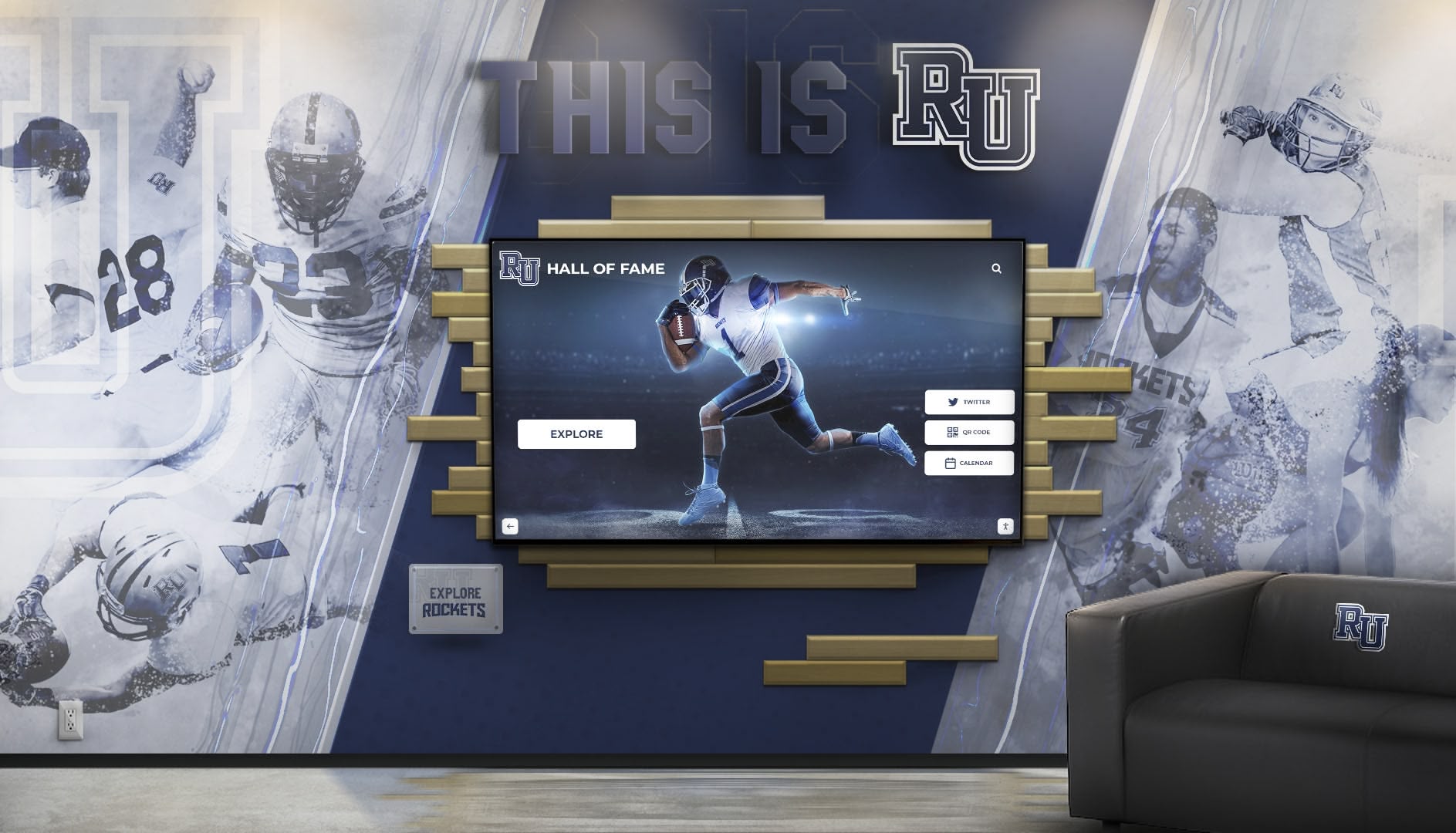
Rocket Alumni Solutions Digital Yearbook Platform:
Solutions like Rocket Alumni Solutions offer complete yearbook hosting with:
- Unlimited yearbook uploads across all years
- Responsive viewing optimized for all devices
- Advanced search across entire yearbook collections
- Individual photo extraction and tagging
- Integration with digital recognition displays throughout campus
- Mobile apps extending access beyond web browsers
- Analytics tracking engagement and popular content
- Secure access controls for privacy protection
- Administrative tools for ongoing content management
Platform Selection Considerations:
Choose distribution platforms based on:
- Collection size: Larger collections benefit from sophisticated search and navigation
- User expectations: Alumni accustomed to modern digital experiences expect polished interfaces
- Privacy requirements: Some platforms offer better access control than others
- Budget constraints: Platform costs range from free to several thousand annually
- Integration needs: Connections to existing school systems or displays
- Analytics requirements: Understanding usage patterns guides future digitization priorities
- Long-term sustainability: Platform longevity ensures continued access
Integration with School Recognition Systems
Maximize yearbook digitization value by connecting archives to broader school history preservation efforts:
- Extract individual photos populating alumni directory systems
- Integrate yearbook content into interactive displays throughout campus
- Connect yearbook archives to historical timeline presentations
- Support alumni engagement programs with historical content
- Feed social media recognition initiatives celebrating alumni achievements
Integrated approaches transform standalone yearbook archives into dynamic resources supporting multiple institutional goals simultaneously.
Equipment and Software Recommendations by Budget Level
Selecting appropriate tools depends on project scale, quality requirements, and available budget.
Budget-Conscious Options ($0-$1,000)
Equipment:
- Consumer flatbed scanner (Epson Perfection V600): $200-$300
- Smartphone with copy stand: $50-$100 for stand (phone already owned)
- Document camera with USB connection: $300-$500
Software:
- Adobe Acrobat Standard (OCR and PDF creation): $13/month
- GIMP (free image editing): $0
- Google Drive (free storage up to 15GB): $0
- Calibre (free ebook/PDF management): $0
Best for:
- Small collections under 20 yearbooks
- Test projects before larger commitments
- Organizations with extremely limited budgets
- Informal digitization not requiring archival quality
Mid-Range Professional Options ($1,000-$7,500)
Equipment:
- Entry-level overhead book scanner (Fujitsu ScanSnap SV600): $600-$800
- Professional flatbed scanner (Epson Expression 12000XL): $2,500-$3,500
- Mid-grade overhead scanner (CZUR ET16 Plus): $400-$600
- External hard drives for backup: $100-$200
Software:
- Adobe Acrobat Pro (advanced OCR and editing): $20/month
- Readiris Corporate (professional OCR): $99-$149 one-time
- BookScan AI (specialized book scanning software): $200-$400
- Cloud storage subscription (Google Workspace): $6-$12/month per user
Best for:
- Collections of 20-100 yearbooks
- Schools establishing in-house digitization capability
- Projects requiring good quality without maximum investment
- Organizations with modest ongoing digitization needs
High-End Professional Systems ($7,500-$50,000+)
Equipment:
- Professional overhead book scanner (Bookeye 5 V1A): $15,000-$25,000
- High-end V-cradle book scanner (Atiz BookDrive Pro): $10,000-$20,000
- Automated book scanner (Bookeye 5 V3A with automation): $30,000-$50,000
- Professional lighting systems: $500-$2,000
- Workstation computers with calibrated monitors: $2,000-$4,000
Software:
- ABBYY FineReader Server (enterprise OCR): $500-$1,500
- ScanPerfect (professional scanning workflow): $500-$1,200
- Adobe Creative Cloud (complete suite): $55/month
- Digital asset management system: $1,000-$5,000 annually
Best for:
- Major collections exceeding 100 yearbooks
- Institutions establishing permanent digitization centers
- Projects demanding archival-quality results
- Organizations digitizing multiple material types beyond yearbooks
Professional Scanning Service Costs
Outsourcing remains cost-effective for many projects:
- Standard yearbook scanning: $30-$45 per yearbook
- Photo extraction and cropping: $0.40 per individual photo
- Rush processing: 50-100% premium over standard rates
- Special handling for damaged volumes: $10-$25 additional per book
- Setup or project management fees: $50-$200 per project
For a collection of 50 standard yearbooks with basic OCR, expect total costs around $1,500-$2,500 with 3-4 week turnaround.
Best Practices for Long-Term Digital Preservation
Creating digital yearbooks represents just the beginning—maintaining long-term access requires ongoing attention to preservation standards.
File Format Longevity
Migration Planning:
Digital formats become obsolete as technology evolves. Build flexibility into your preservation approach:
- Store archival masters in widely adopted formats (TIFF, PDF/A)
- Create access copies in current popular formats (JPEG, standard PDF)
- Plan for periodic format migration as standards evolve
- Document format specifications for future reference
- Avoid proprietary formats with limited software support
PDF/A (Archival PDF) specifically addresses long-term document preservation through embedded fonts, device-independent color, and prohibition of dynamic content that might not render in future systems.
Regular Backup Verification
Implement systematic backup testing:
- Quarterly verification that backup files remain accessible
- Annual test restoration from backup sources
- Rotation of backup media preventing degradation
- Documentation of backup locations and access procedures
- Assignment of backup responsibility to specific roles
Many digital preservation failures occur not from lack of backups but from discovering too late that backup systems weren’t functioning properly.
Metadata Preservation
Maintain comprehensive documentation about your digital yearbooks:
- Creation date and digitization methodology
- Scanning specifications (resolution, color depth, equipment used)
- Processing steps applied (cropping, color correction, OCR)
- Original yearbook condition and special characteristics
- Rights information and access restrictions
- Contact information for project leadership
This metadata ensures future archivists understand your collection’s creation context even after current staff have moved on.
Physical Original Preservation
Digital copies don’t eliminate the need to preserve physical originals:
Proper Storage Conditions:
- Climate control maintaining 65-70°F temperature and 30-50% relative humidity
- Protection from direct sunlight and fluorescent lighting
- Vertical storage preventing binding stress and warping
- Acid-free enclosures for highest-priority volumes
- Pest control preventing insect or rodent damage
- Fire suppression systems and disaster planning
Handling Protocols:
- White cotton gloves when handling rare or fragile volumes
- Clean, dry workspace for any physical access
- No food or beverages near archival materials
- Photography rather than photocopying to avoid binding stress
- Documentation of physical condition during any access
Digital surrogates protect originals primarily by eliminating routine access needs—most researchers and alumni can explore digital copies, reserving physical original consultation only for specialized research requiring examination of physical artifacts themselves.
Common Digitization Challenges and Solutions
Anticipate these frequent obstacles and implement proven solutions.
Poor Original Condition
Challenge: Yearbooks with damaged bindings, torn pages, or significant deterioration resist standard scanning approaches.
Solutions:
- Use overhead scanners eliminating binding stress
- Consult professional conservators for pre-scanning stabilization
- Employ photo documentation methods for most fragile materials
- Accept less-than-perfect results rather than causing additional damage
- Prioritize preservation over perfection when materials are deteriorating
Inconsistent Page Sizes or Formats
Challenge: Collections spanning many decades include varied yearbook sizes, orientations, and formats complicating consistent scanning.
Solutions:
- Select equipment accommodating your largest volumes
- Establish separate workflows for different size categories
- Create PDF page sizes matching original yearbook dimensions
- Document format variations in metadata
- Communicate format diversity to users accessing digital collection
Budget Constraints
Challenge: Comprehensive digitization exceeds available funding.
Solutions:
- Phase projects across multiple budget cycles
- Prioritize high-demand years (recent decades, significant anniversaries)
- Pursue grants from alumni foundations or local history organizations
- Launch crowdfunding campaigns highlighting preservation importance
- Partner with local historical societies or libraries sharing resources
- Explore digital preservation partnerships with complementary missions
OCR Accuracy Issues
Challenge: Aged yearbooks with varied fonts or faded printing produce poor OCR results.
Solutions:
- Enhance scans through brightness/contrast adjustment before OCR processing
- Use professional OCR software with superior accuracy
- Accept imperfect OCR as still providing significant search value
- Manually correct OCR for highest-priority sections (senior name lists)
- Supplement OCR with separate name indexes for improved discoverability
Staff Time Requirements
Challenge: In-house digitization demands more staff time than initially anticipated.
Solutions:
- Develop realistic project timelines based on actual scanning speeds
- Train student workers or volunteers for production scanning
- Reserve professional staff time for quality control and complex problem-solving
- Consider outsourcing when staff capacity proves insufficient
- Implement efficient batch processing workflows minimizing repetitive tasks
Measuring Success and ROI
Demonstrate yearbook digitization value through concrete metrics and qualitative assessment.
Quantitative Engagement Metrics
Track these measurable indicators:
Usage Statistics:
- Number of unique visitors accessing digital yearbooks
- Total page views across entire collection
- Average session duration indicating engagement depth
- Most-viewed yearbooks identifying high-interest years
- Search terms revealing what users seek
Distribution Reach:
- Geographic distribution of users accessing archives
- Device types (mobile, tablet, desktop) informing optimization priorities
- Social media shares extending content visibility
- Download counts for PDF versions
- Alumni database opt-in rates when yearbook access requires registration
Qualitative Impact Assessment
Capture narrative evidence of yearbook value:
User Testimonials: Collect stories from alumni who:
- Reconnected with lost classmates after exploring yearbooks
- Shared school history with children or grandchildren
- Discovered forgotten memories or achievements
- Used yearbook content for reunion planning or school history projects
Institutional Benefits: Document how digitized yearbooks support:
- Alumni engagement initiatives increasing participation
- Development efforts highlighting institutional legacy
- School marketing demonstrating tradition and longevity
- Research projects advancing local or educational history
- Community partnerships connecting school to broader community
Return on Investment Calculations
Quantify financial and operational returns:
Cost Avoidance:
- Eliminated physical yearbook replacement costs when originals deteriorate
- Reduced staff time responding to yearbook access requests
- Lower physical storage space requirements
- Decreased shipping costs for reunion organizers needing yearbook reference
Revenue Generation: Some institutions monetize digital yearbooks through:
- Reunion package enhancements including yearbook access
- Premium membership tiers in alumni associations
- Licensing to local historical societies or researchers
- Print-on-demand reprints of out-of-print yearbooks
Engagement Value: While harder to quantify directly, increased alumni engagement consistently correlates with:
- Higher giving rates to annual funds and capital campaigns
- Stronger volunteer participation in school programs
- Enhanced word-of-mouth marketing and referrals
- Improved school reputation and community standing
Research by the Council for Advancement and Support of Education (CASE) demonstrates that alumni who actively engage with institutional communications and resources give at rates 3-5 times higher than those who remain disconnected.
Future-Proofing Your Digital Yearbook Collection
Technology continues evolving—build adaptability into your digital preservation strategy.
Emerging Technologies to Monitor
Artificial Intelligence Applications:
- Automated photo recognition tagging individuals across yearbooks
- Advanced OCR correcting errors through machine learning
- Content analysis identifying themes, demographics, or cultural patterns
- Duplicate detection across multi-decade collections
- Automatic metadata generation from yearbook content
Enhanced User Experiences:
- Virtual reality interfaces recreating physical yearbook browsing experiences
- Voice-activated search enabling conversational yearbook exploration
- Augmented reality overlaying historical photos on current campus views
- Interactive touchscreen displays extending access beyond computers
Platform Migration Planning
Avoid lock-in to obsolete systems:
- Select platforms using standard, exportable file formats
- Maintain independent backup copies outside platform ecosystems
- Document platform dependencies and integration points
- Budget for periodic platform reassessment every 3-5 years
- Establish exit strategies before committing to proprietary solutions
Ongoing Collection Maintenance
Digital yearbook projects require sustained attention:
Annual Review Process:
- Verify all digital files remain accessible and uncorrupted
- Test backup restoration procedures confirming viability
- Update any broken links or outdated access instructions
- Assess user feedback identifying improvement opportunities
- Add newly published yearbooks maintaining collection currency
Technology Refresh Cycles:
- Review file format standards ensuring continued accessibility
- Update viewer software or platform versions
- Refresh backup media preventing degradation
- Upgrade inadequate early digitization as budgets permit
- Document any changes to collection organization or metadata
Conclusion: Transforming School History Through Strategic Digitization
Old yearbooks contain irreplaceable institutional memory—decades of students, faculty, traditions, and community connections existing nowhere else. Yet too often, these precious historical records deteriorate on forgotten shelves, accessible only to the few who can physically visit campus and carefully page through fragile, aging volumes while hoping damage doesn’t accelerate from handling.
Yearbook digitization transforms this vulnerable, limited-access situation into permanent, globally accessible archives that protect content while expanding who can explore school history and when they can discover connections to the past. From alumni relocated worldwide rediscovering their school experiences to researchers documenting community evolution to current students understanding the traditions they’re continuing, digitized yearbooks create value that physical-only collections simply cannot match.
The digitization process—from inventorying your collection and selecting appropriate equipment through implementing proper scanning techniques and making archives accessible through modern platforms—requires thoughtful planning, adequate resources, and sustained commitment to preservation standards. Yet institutions that successfully digitize yearbook collections consistently report that the investment delivers measurable returns through enhanced alumni engagement, strengthened community connections, and protected institutional memory that might otherwise be lost to time and deterioration.
Ready to Preserve Your School's History?
Discover how Rocket Alumni Solutions can help you digitize your yearbook collection and create an engaging, accessible digital archive that connects alumni to their shared history for generations to come.
Get Your Free Digitization ConsultationWhether you choose in-house digitization with purchased equipment, professional scanning services handling the technical work, or comprehensive platforms like Rocket Alumni Solutions providing complete yearbook hosting and accessibility, the essential first step involves commitment to action. Every year delayed represents another year of deterioration, another class of alumni growing further from their school experiences, and another missed opportunity to strengthen the institutional connections that make educational communities thrive across generations.
Start where you are with the resources available—even digitizing a single decade provides immense value to those alumni while building momentum for comprehensive collection preservation. Your school’s history deserves protection, your alumni deserve access to their memories, and your institution deserves the enhanced engagement and strengthened community that accessible yearbook archives consistently deliver.
Ready to begin your digitization journey? Explore professional yearbook scanning partnerships, review best practices for school history preservation, or learn how digital recognition systems can showcase your newly digitized yearbook content throughout campus, transforming historical archives into living celebration of institutional tradition.































