Beyond Static Lists: The Power of Interactive Alumni Connections
Traditional alumni directories—printed booklets distributed annually, static PDF lists posted on websites, outdated spreadsheets buried in email attachments—fail to serve the fundamental purpose alumni directories should fulfill: facilitating meaningful connections between graduates who share institutional bonds. Interactive alumni directories transform directory functionality from passive data repositories into dynamic networking platforms that strengthen community ties, support career development, and create ongoing engagement that benefits both alumni and their institutions.
Educational institutions invest significantly in creating vibrant campus communities during students’ enrollment years, fostering connections that often become lifelong relationships. Yet many schools struggle to maintain those connections post-graduation, watching engagement rates decline as alumni scatter geographically and their lives evolve in diverse directions.
An interactive alumni directory addresses this challenge by providing always-accessible, searchable, and engaging platforms where alumni can discover former classmates, connect with fellow graduates in their professional fields or geographic regions, and maintain active relationships with their alma maters. When implemented effectively, these directories become central hubs for alumni engagement, supporting everything from career networking to reunion planning to mentoring programs.
This comprehensive guide explores how interactive alumni directories strengthen institutional communities, the essential features that drive adoption and engagement, implementation strategies that maximize value, and proven approaches that transform simple contact lists into powerful community-building platforms.
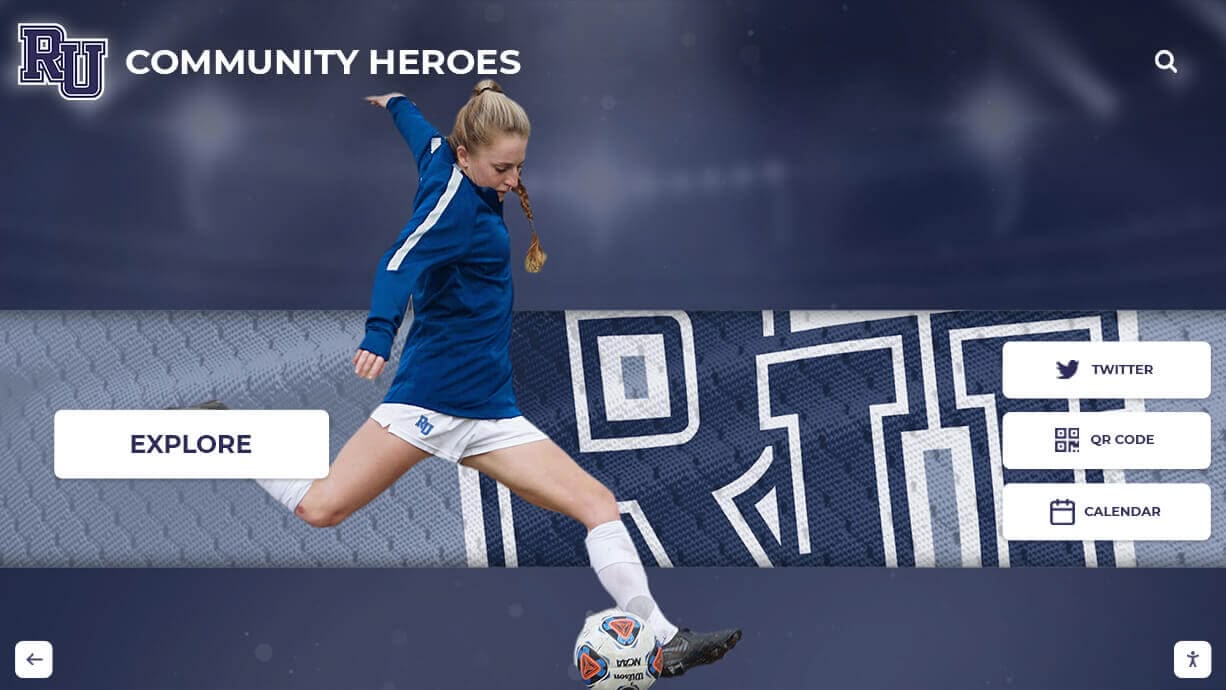
Interactive directories make discovering and connecting with fellow alumni intuitive and engaging
The Alumni Connection Challenge
Alumni relations professionals consistently identify maintaining connections with graduates as one of their most persistent challenges. According to research from the Council for Advancement and Support of Education (CASE), the majority of alumni become disengaged within five years of graduation, creating what advancement professionals call the “lost decade” of minimal institutional interaction.
This disengagement stems from multiple factors that traditional alumni management approaches fail to address effectively. Recent graduates focus intensely on establishing careers, relocating for opportunities, and building new social networks in unfamiliar locations. Without convenient ways to maintain institutional connections or discover fellow alumni who might provide career guidance or social connections, many graduates simply drift away from their alma maters.
Geographic dispersion compounds the challenge. While students develop strong relationships during concentrated campus years, those networks fragment immediately upon graduation as classmates move to different cities, states, or countries pursuing diverse opportunities. Without tools facilitating discovery of alumni in their new locations, graduates often feel isolated from their institutional communities despite living among dozens or hundreds of fellow alumni in the same metropolitan areas.
Limitations of Traditional Directory Approaches
Static alumni directories—whether printed booklets, downloadable PDFs, or simple website listings—impose significant constraints that undermine their utility and adoption:
Limited Searchability: PDF directories or printed lists force users to scan page after page searching for specific individuals or manually reviewing hundreds of entries attempting to identify alumni meeting certain criteria. This tedious process discourages exploration and reduces directory utility.
Outdated Information: Traditional directories become obsolete the moment they’re published as alumni change employers, relocate, update contact preferences, or achieve new professional milestones. The lag between updates—often annual or less frequent—means directories contain increasingly inaccurate information as time passes.
Privacy Concerns: All-or-nothing publication approaches either expose all alumni information publicly or restrict access so severely that directories provide minimal value. Lack of granular privacy controls prevents alumni from sharing information selectively based on their comfort levels.
No Discovery Mechanisms: Static lists provide no way to discover alumni based on professional interests, geographic location, career field, or shared experiences beyond manually reviewing every entry hoping to identify relevant connections.
Minimal Engagement: Opening a PDF, scrolling through pages of names, and manually noting contact information creates friction that most alumni won’t overcome except when seeking specific individuals for particular purposes. This results in directories that see minimal usage despite significant creation effort.
Zero Integration: Traditional directories function as isolated resources disconnected from other alumni engagement tools, recognition platforms, event systems, or communication channels, requiring alumni to navigate multiple separate systems for different purposes.
These limitations explain why many static directories experience disappointingly low utilization rates despite representing substantial staff time and financial investments in creation and distribution.
How Interactive Directories Transform Alumni Engagement
Modern interactive alumni directories overcome traditional limitations through technology specifically designed to facilitate connection, encourage exploration, and create ongoing value that drives sustained engagement.
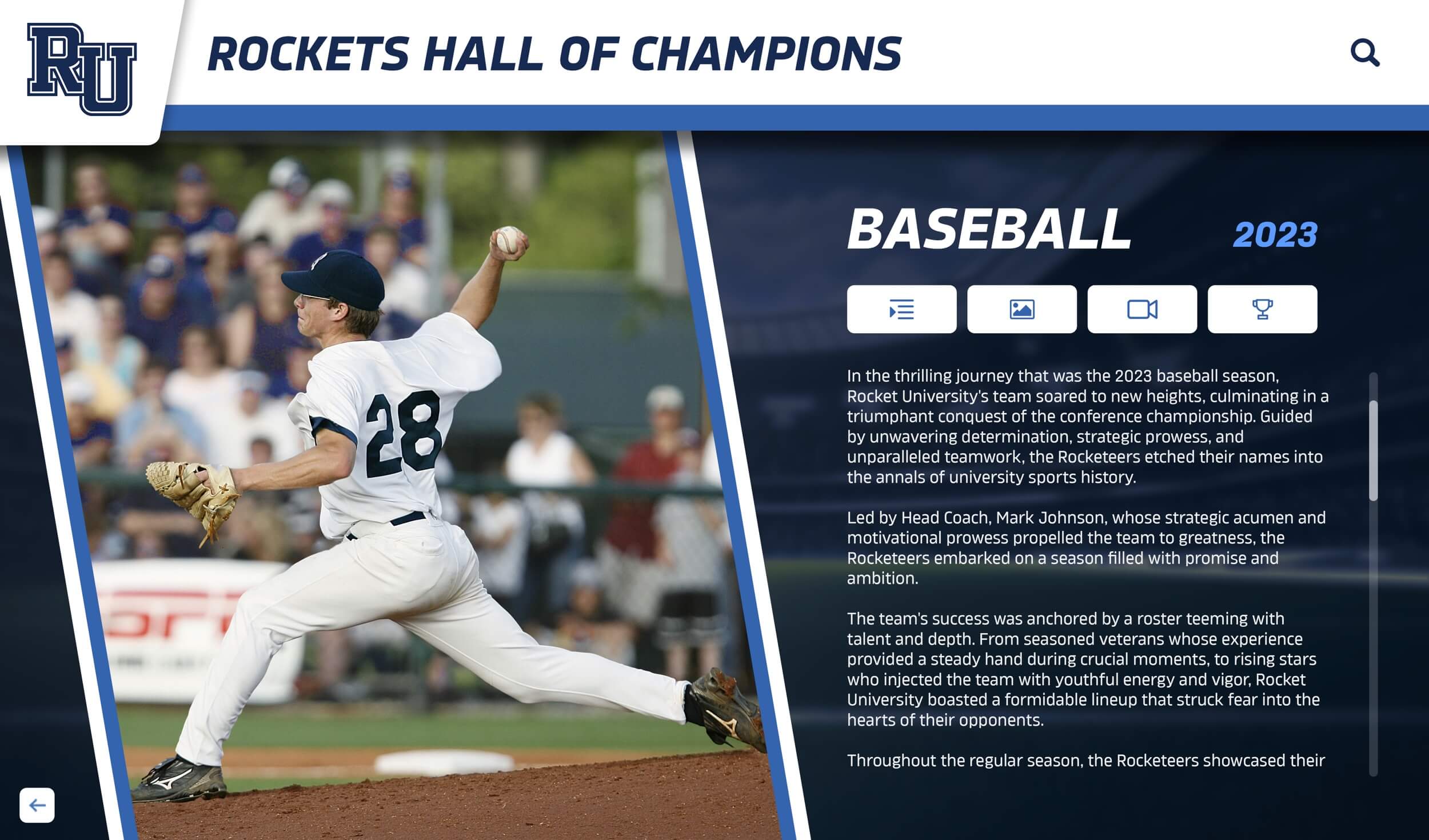
Comprehensive profiles enable meaningful connections beyond basic contact information
Powerful Search and Discovery Capabilities
The defining characteristic of effective interactive directories is robust search functionality that makes finding relevant alumni effortless:
Multi-Criteria Search: Alumni can search simultaneously across names, graduation years, academic majors, current employers, job titles, industries, geographic locations, or any custom fields relevant to their institutions. This powerful combination enables precision discovery impossible with traditional directories.
Natural Language Queries: Advanced systems support conversational searches like “software engineers in Seattle” or “biology majors from the 2000s” rather than requiring users to understand complex query syntax or navigate multiple filter menus.
Faceted Filtering: Layered filters allow users to progressively narrow large alumni populations—first selecting geographic region, then industry, then specific companies—creating manageable result sets from databases containing thousands of graduates.
Saved Searches and Alerts: Users can save commonly used search criteria and receive notifications when new alumni matching those parameters join the directory or update their profiles, enabling ongoing discovery without repeated manual searching.
Relationship Mapping: Sophisticated directories can identify connection pathways—“You both played on the 2015 soccer team” or “Three mutual classmates”—helping users understand existing relationship foundations that facilitate warmer initial outreach.
These discovery capabilities transform directories from phone books into networking platforms, enabling alumni to identify career mentors, business partners, local social connections, or professional colleagues who share institutional bonds.
Comprehensive Alumni Profiles
Effective interactive directories extend far beyond basic name and contact information to include rich profiles that help alumni understand who fellow graduates are and how they might connect:
Professional Information: Current employer, job title, industry, professional skills, LinkedIn integration, and career progression history help alumni identify professional networking opportunities and potential mentors in their fields.
Educational Background: Graduation year, academic major, extracurricular involvement, athletic participation, and organizational memberships provide conversation starters and reveal shared experiences that facilitate relationship building.
Geographic Details: Current location, willingness to connect with alumni visiting their area, and participation in regional alumni chapters help graduates find local communities and plan networking when traveling.
Networking Preferences: Explicit indicators of willingness to provide career advice, conduct informational interviews, review resumes, host visitors, or participate in mentoring programs help alumni identify those genuinely interested in giving back without awkward cold outreach.
Achievement Recognition: Integration with institutional recognition platforms showcasing professional accomplishments, community service, awards received, or notable career milestones celebrates alumni success while providing discovery mechanisms based on achievement types.
Personal Interests: Hobbies, volunteer activities, professional associations, and personal passions create additional connection points beyond professional or institutional relationships, supporting richer personal networking.
The depth and breadth of profile information directly correlates with directory value—comprehensive profiles enable more meaningful connections while sparse listings provide minimal utility beyond basic contact exchange.
Mobile-First Accessibility
With majority mobile internet usage, interactive alumni directories must deliver excellent experiences on smartphones and tablets, not just desktop computers:
Responsive Design: Layouts, navigation, search interfaces, and profile displays automatically adapt to screen sizes, ensuring consistent functionality and professional presentation across all devices without separate mobile applications.
Touch-Optimized Interfaces: Buttons, links, filters, and interactive elements sized appropriately for touch interaction prevent frustrating mis-taps and enable fluid navigation on mobile devices.
Offline Capabilities: Progressive web app technology can enable directory access even with intermittent connectivity, particularly valuable during conferences, networking events, or travel when alumni most need to reference directory information.
Location-Based Discovery: Mobile access enables location-aware features suggesting nearby alumni when users travel, identifying fellow graduates attending the same conferences, or facilitating spontaneous local alumni gatherings.
Quick Actions: Mobile-optimized contact options—tap to call, text, email, or connect via LinkedIn—reduce friction in initiating contact, increasing likelihood alumni will actually reach out to discovered connections.
Alumni increasingly access institutional resources primarily via mobile devices. Directories failing to deliver excellent mobile experiences simply won’t achieve the adoption rates necessary for success regardless of other features or content quality.
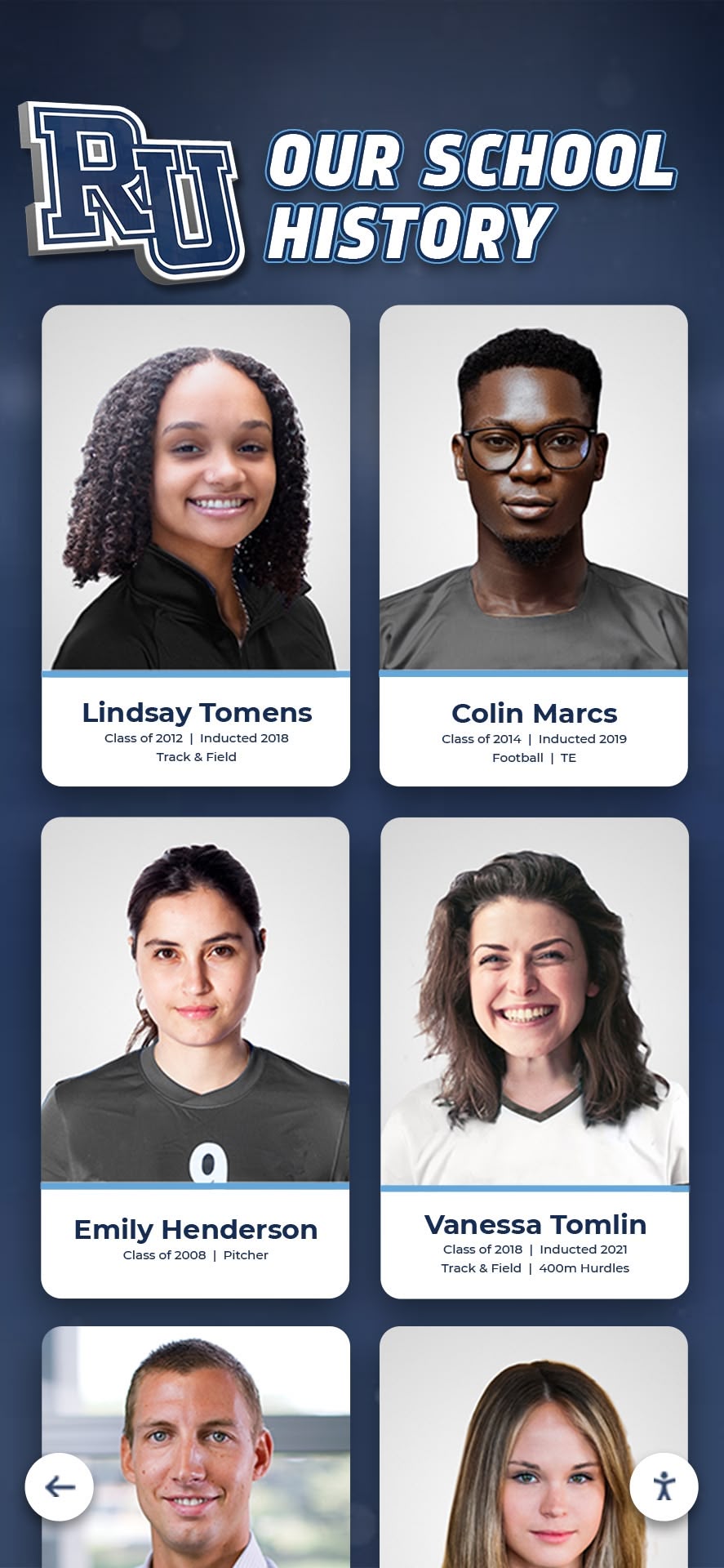
Mobile optimization ensures alumni can connect wherever they are
Strategic Benefits of Interactive Alumni Directories
Beyond basic directory functionality, interactive platforms deliver strategic advantages that justify investments and drive measurable institutional outcomes.
Career Networking and Professional Development
Alumni consistently cite career support as one of the most valuable benefits institutions can provide post-graduation. Interactive directories facilitate professional networking that benefits both individual alumni and institutional reputation:
Mentorship Connections: Students and young alumni can identify established professionals in fields they’re exploring, industries they’re entering, or companies they’re targeting, facilitating mentoring relationships that accelerate career development while engaging established alumni in meaningful giving back.
Job Opportunity Discovery: Alumni hiring for their organizations can identify qualified candidates from their alumni networks, while job seekers can discover companies with alumni presence where institutional connections might provide recruitment advantages.
Industry Networking: Professionals can identify fellow alumni working in their fields for peer networking, advice on industry challenges, partnership opportunities, or collaborative ventures leveraging shared institutional trust.
Geographic Communities: Alumni relocating to new cities can discover local graduates before moving, establishing social networks and professional connections that ease transitions and maintain institutional engagement despite geographic distance.
Entrepreneurial Connections: Alumni entrepreneurs can identify fellow founders for advice, potential investors with institutional affinity, service providers within alumni networks, or early customers willing to support alumni ventures.
According to advancement industry research, alumni who actively use institutional career resources—including directories—demonstrate significantly higher engagement across all metrics including event attendance, volunteer participation, and philanthropic giving.
Enhanced Alumni Event Planning and Attendance
Interactive directories support event planning and promotion while driving higher attendance through connection facilitation:
Reunion Planning: Class reunion committees use directories to locate lost classmates, gather current contact information, identify volunteers for planning support, and promote events through targeted outreach based on directory data.
Regional Event Promotion: Geographic filtering enables precise targeting of alumni in specific metropolitan areas for regional networking receptions, watch parties, or volunteer opportunities without wasting communication resources on distant alumni.
Affinity Group Organization: Alumni with shared interests—athletic teams, performing groups, academic majors, cultural organizations—can identify fellow members for dedicated programming addressing specific community segments.
Pre-Event Networking: Before large events like homecoming or reunions, attendees can browse other registrants, identify classmates or colleagues they’d like to reconnect with, and plan specific conversations increasing event value and satisfaction.
Post-Event Connection: After events conclude, attendees can revisit directory profiles of people they met, send follow-up messages, and maintain connections initiated during in-person interactions, extending event impact beyond single occasions.
These event-related use cases create directory engagement touchpoints throughout the year rather than limiting utility to occasional individual networking needs.
Institutional Advancement and Fundraising Support
Development professionals recognize interactive directories as valuable tools supporting fundraising objectives:
Peer Identification: Major gift prospects can identify fellow alumni at similar giving levels, potentially influencing giving decisions through social proof and peer comparison when prospects observe classmates’ philanthropic leadership.
Volunteer Recruitment: Development teams can efficiently identify alumni with relevant professional expertise, geographic presence, or specific institutional connections for fundraising committees, campaign volunteers, or advisory roles.
Connection Cultivation: Directories help development officers identify relationship pathways to priority prospects—mutual classmates, teammates, or organizational colleagues—enabling warmer introductions than cold outreach.
Engagement Tracking: Directory usage analytics reveal which alumni actively engage with institutional resources, helping development teams identify prospects demonstrating ongoing interest worth cultivation investment.
Giving Impact Visualization: Integration between directories and donor recognition platforms helps alumni see classmates’ philanthropic support, potentially motivating their own giving through peer influence and social norms.
Research consistently demonstrates correlation between alumni engagement levels—measured through directory usage, event attendance, and volunteer participation—and subsequent philanthropic behavior, making directories valuable development tools beyond obvious networking applications.
Directory Engagement Impact: Key Metrics
Institutions implementing interactive alumni directories report measurable engagement improvements:
Traditional Static Directory:
- Update frequency: Annual or less
- Average user sessions: 1-2 per year
- Contact information accuracy: 60-70%
- Profile completion rate: 30-40%
- Mobile accessibility: Poor
- Search capabilities: Basic or none
Interactive Digital Directory:
- Update frequency: Real-time
- Average user sessions: 8-12 per year
- Contact information accuracy: 85-95%
- Profile completion rate: 70-85%
- Mobile accessibility: Excellent
- Search capabilities: Advanced multi-criteria
Essential Features for Successful Implementation
Effective interactive alumni directories share core capabilities that drive adoption, usage, and sustained value.
Intuitive Content Management for Administrators
Directory success requires that administrators can efficiently manage content, update records, and maintain data quality without extensive technical expertise:
User-Friendly Dashboards: Administrative interfaces with visual layouts, clear navigation, and obvious action pathways enable confident management by advancement staff, alumni relations coordinators, or volunteer administrators regardless of technical sophistication.
Bulk Import and Export: Efficient data migration from existing systems through spreadsheet uploads, API integrations, or database connections enables rapid initial population and ongoing synchronization with authoritative data sources like constituent relationship management (CRM) platforms.
Approval Workflows: For directories allowing alumni-submitted updates, configurable review processes enable staff verification before publication, maintaining data quality while distributing update workload from central administrators to alumni themselves.
Custom Field Configuration: Flexible systems allowing institutions to define directory fields matching their specific needs—whether emphasizing athletics, academic programs, professional networks, or other priorities—ensure directories reflect unique institutional contexts rather than forcing generic structures.
Analytics and Reporting: Built-in dashboards showing directory usage, popular searches, profile completion rates, and engagement trends provide insights guiding continuous improvement while demonstrating program value to institutional leadership.
Solutions like Rocket Alumni Solutions prioritize administrator ease-of-use, recognizing that directory success depends on sustainable management that doesn’t require dedicated technical resources many institutions lack.
Granular Privacy Controls for Alumni
Privacy concerns frequently prevent alumni from sharing information in directories. Robust privacy controls address these concerns while maximizing directory utility:
Field-Level Permissions: Alumni should control visibility of individual profile elements—perhaps sharing employer publicly while restricting personal email to logged-in alumni only and phone numbers to classmates from specific years—rather than all-or-nothing privacy settings.
Audience Segmentation: Options to share different information levels with different audiences—current students, fellow alumni, general public, or specific subgroups—enable comfortable participation from alumni with varied privacy preferences.
Search Visibility Options: Some alumni may want profiles visible to those specifically searching for them while remaining excluded from browse results or recommendation engines, balancing discoverability with privacy preferences.
Communication Preferences: Clear settings controlling how alumni can be contacted—directly via directory, through institutional forwarding services, or not at all—respect individual preferences while enabling connections among willing participants.
Easy Opt-Out: Simple processes for reducing profile visibility, removing specific information, or withdrawing from directories entirely without penalty demonstrate respect for alumni agency and address privacy concerns preventing participation.
Research shows that directories with granular privacy controls achieve significantly higher profile completion rates and participation levels than those offering only binary public/private visibility options.
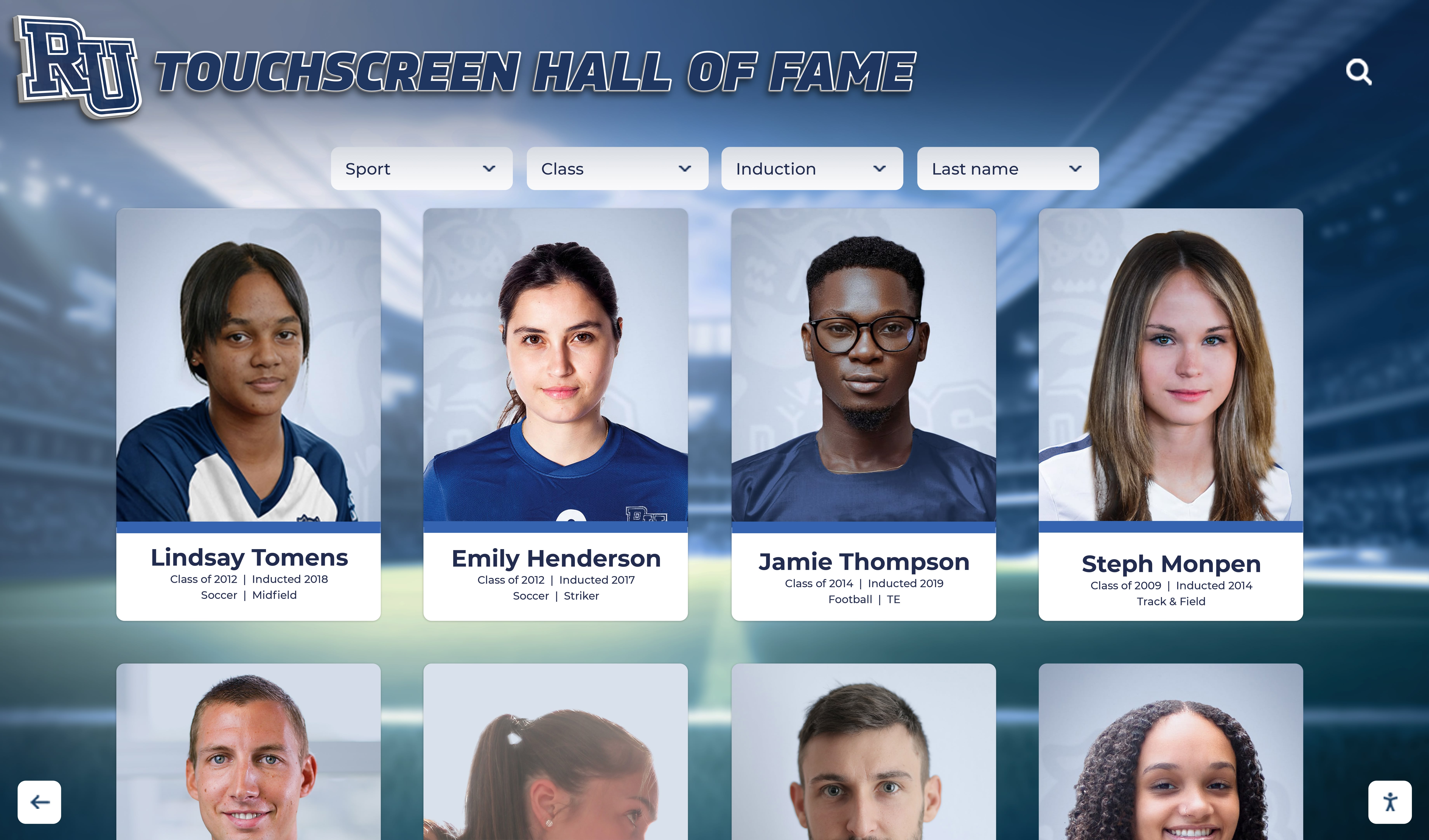
Flexible privacy controls encourage participation while respecting individual preferences
Integration with Broader Alumni Platforms
Stand-alone directories provide value, but integrated approaches delivering seamless experiences across multiple alumni resources generate significantly higher engagement:
Recognition Platform Integration: Connecting directories with digital recognition displays allows alumni to easily transition from viewing achievements to exploring achievers’ profiles and reaching out to connect, creating natural engagement flows.
Event System Connections: Integration with registration platforms enables attendee discovery, pre-event networking, and simplified outreach to relevant alumni for specific programming, while attendance data enriches directory profiles with participation history.
Mentoring Program Links: Automated matching based on directory data—connecting students with alumni in relevant fields, geographic areas, or with specific expertise—creates immediate practical value from directory participation while supporting formal mentoring initiatives.
Communication Platform Integration: Directory search capabilities within email marketing tools, newsletters, or communication systems enable targeted outreach while links in communications drive traffic back to directories for profile updates or exploration.
CRM Synchronization: Bidirectional data flow between directories and advancement databases ensures consistency, reduces redundant data entry, enables sophisticated segmentation, and provides comprehensive constituent engagement views spanning multiple touchpoints.
This integration creates ecosystems where directories function as central hubs connecting multiple engagement resources rather than isolated tools requiring separate adoption efforts.
Engagement Features That Drive Return Visits
Initial directory setup establishes foundation, but sustained engagement requires features giving alumni reasons to return regularly:
Activity Feeds: Streams showing recent profile updates, new alumni additions, classmate achievement announcements, or upcoming relevant events provide dynamic content rewarding repeat visits and encouraging ongoing platform exploration.
Connection Suggestions: Algorithmic recommendations of alumni users might want to connect with based on shared experiences, similar career paths, geographic proximity, or mutual connections encourage discovery beyond self-directed searching.
Messaging Capabilities: Built-in communication tools enabling alumni to exchange messages, request connections, or coordinate meetings without leaving directory platforms reduce friction while maintaining engagement within institutional ecosystems.
Content Integration: Embedding alumni stories, career advice articles, institutional news, or other relevant content alongside directory functionality gives users additional reasons to visit beyond specific networking needs.
Gamification Elements: Subtle encouragement through profile completion progress indicators, connection milestone recognition, or participation badges can motivate ongoing engagement without feeling juvenile or forced.
Anniversary Notifications: Automated reminders of graduation anniversaries, upcoming reunions, or institutional milestones relevant to specific alumni cohorts create natural touchpoints driving periodic directory returns.
Regular engagement matters because directories become more valuable as they become more complete and current—creating positive feedback loops where increased usage drives better data quality which attracts additional users.
Implementation Best Practices for Maximum Adoption
Simply implementing interactive directory technology doesn’t guarantee success. Strategic approaches maximize adoption, usage, and sustained value.
Launch Strategy and Initial Promotion
First impressions significantly influence long-term adoption. Effective launches create awareness, drive initial engagement, and establish usage patterns:
Pre-Launch Preparation: Build comprehensive initial content before public launch including thorough profile data for recent alumni, extensive historical coverage demonstrating value, and complete platform functionality avoiding “under construction” impressions that undermine credibility.
Phased Rollout: Consider soft launching to specific cohorts—recent graduates, active volunteers, leadership donors—for feedback and refinement before institution-wide announcements, reducing risk while building early adopter communities who evangelize platforms.
Multi-Channel Promotion: Announce through email campaigns, social media posts, website features, printed materials, and personal outreach from institutional leaders creating awareness across diverse communication preferences and maximizing reach.
Value Proposition Clarity: Marketing should emphasize specific benefits—career networking, classmate discovery, local alumni connection—rather than generic “new directory” messaging that fails to convey compelling reasons for engagement.
Incentivized Participation: Consider launch contests rewarding early profile completion, prizes for alumni who identify most previously lost classmates, or recognition for volunteers who promote directory within their networks, creating momentum driving initial adoption.
Leadership Endorsement: President, board members, and distinguished alumni publicly completing profiles and sharing directory enthusiasm through testimonials or social posts provides social proof influencing participation decisions.
Strong launches establish positive trajectory, while weak initial adoption creates perception challenges requiring significantly more effort to overcome through subsequent campaigns.
Ongoing Content Enrichment
Sustained value requires systematic efforts maintaining and improving directory data quality over time:
Regular Data Verification: Periodic email campaigns encouraging alumni to verify contact information, update employment details, and enhance profiles prevent gradual accuracy erosion that undermines directory utility.
Profile Enhancement Campaigns: Focused initiatives encouraging specific additions—photos, career histories, networking preferences—systematically improve profile depth creating richer, more useful directory experiences.
Lost Alumni Research: Dedicated efforts locating graduates with missing or outdated contact information through LinkedIn searches, classmate networks, or commercial data services expand directory coverage and demonstrate commitment to comprehensive community connection.
New Graduate Onboarding: Systematic processes ensuring graduating students receive directory information, understand platform benefits, and complete initial profiles immediately upon graduation prevent the disengagement gap that typically begins immediately post-commencement.
Achievement Recognition Integration: Regular updates highlighting alumni professional accomplishments, awards, publications, or community service within directory profiles celebrate success while keeping content current and interesting.
Content Quality Standards: Establishing and enforcing standards for profile completeness, photo quality, biographical writing, and information accuracy maintains professional presentation that reflects positively on institutions and encourages alumni participation.
Comprehensive digital asset management approaches help institutions systematically organize, maintain, and leverage directory content alongside other alumni engagement resources.
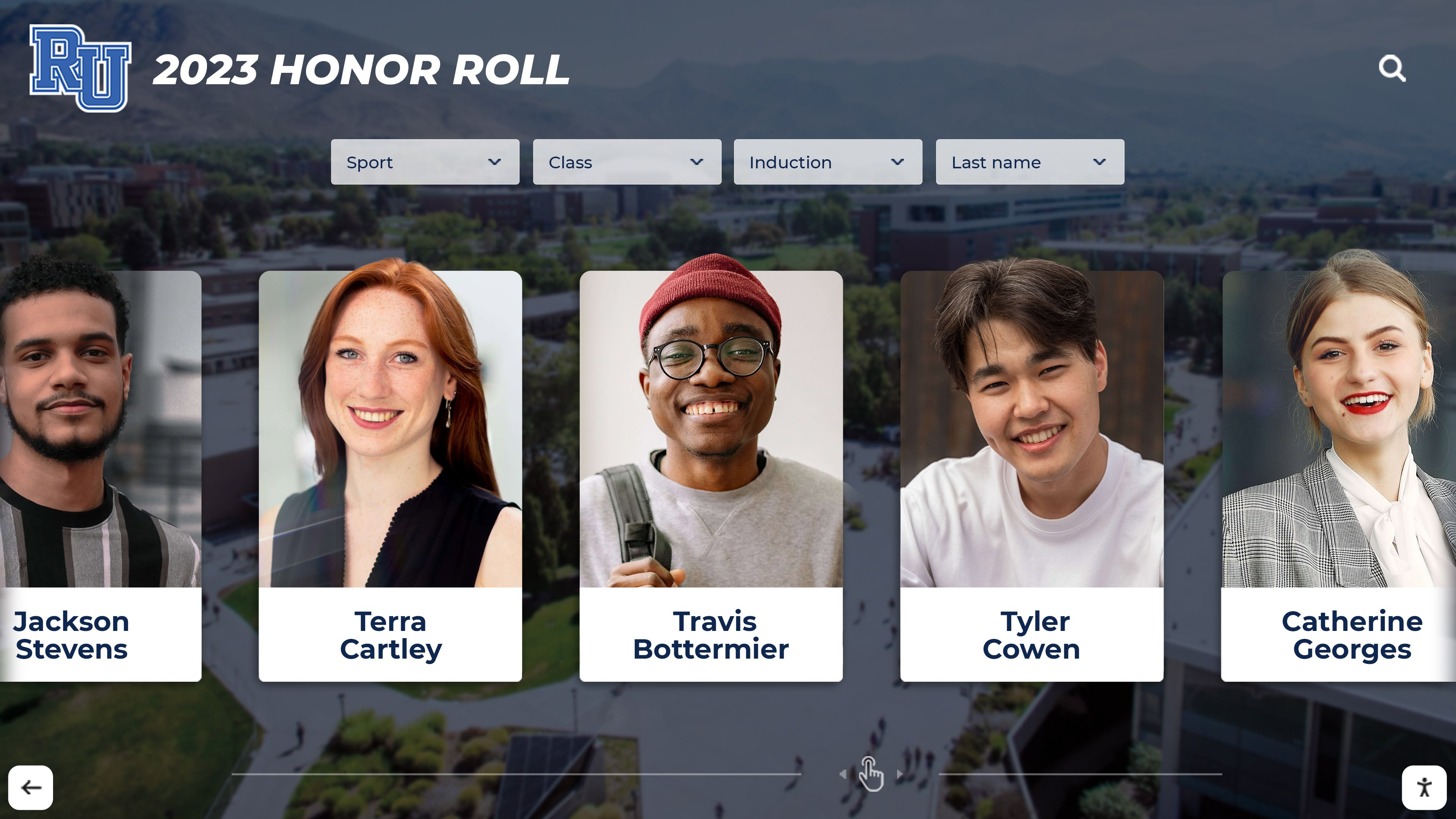
Rich, current profiles create directory experiences alumni value and use regularly
Training and Support for Users
Even intuitive platforms benefit from guidance helping users maximize value:
Onboarding Sequences: Automated welcome emails or in-platform tutorials walking new users through search capabilities, profile completion, privacy settings, and networking features accelerate adoption while reducing administrator support burden.
Use Case Demonstrations: Video tutorials, written guides, or webinar sessions showing specific applications—finding mentors, locating classmates, discovering local alumni—make abstract capabilities concrete and actionable for users unsure how to leverage directories effectively.
FAQ Resources: Comprehensive documentation addressing common questions about privacy, profile completion, search strategies, and platform functionality empowers self-service problem resolution reducing support tickets.
Responsive Support: Clear channels for users to request help, report issues, or suggest improvements with reasonably prompt responses build confidence and trust while gathering valuable user feedback guiding continuous improvement.
Champion Networks: Recruiting and training volunteer alumni advocates who promote directories within their networks, assist classmates with adoption, and provide peer-to-peer support extends reach and credibility beyond institutional communications.
Success Stories: Regularly sharing examples of valuable connections made, careers advanced, or reunions organized through directory use demonstrates tangible value encouraging participation from those questioning whether engagement effort warrants time investment.
Measuring Directory Success and ROI
Demonstrating directory value requires clear metrics showing engagement levels, usage patterns, and institutional impact.
Key Performance Indicators
Comprehensive measurement tracks multiple success dimensions:
Adoption Metrics:
- Total alumni registered/profiled in directory
- Registration rate (percentage of total alumni population)
- Profile completion rates (percentage of fields populated)
- Photo upload rates
- Privacy settings distribution
Engagement Metrics:
- Active users (accessed directory within specific timeframe)
- Average sessions per user
- Search queries performed
- Profile views generated
- Connection requests initiated
Content Quality Metrics:
- Information accuracy rates
- Update frequency
- Data verification completion rates
- Photo quality scores
- Profile depth indicators
Impact Metrics:
- Correlation between directory usage and giving
- Event attendance among active directory users
- Volunteer recruitment through directory connections
- Reported career outcomes facilitated by networking
- Survey data on directory satisfaction and perceived value
Technical Performance:
- Page load times
- Mobile vs. desktop usage
- Error rates
- Search response times
- System availability percentage
Regular reporting of these metrics to institutional leadership demonstrates program value while identifying optimization opportunities based on actual usage patterns rather than assumptions.
Continuous Improvement Strategies
Data-driven optimization ensures directories evolve based on user needs and behavior:
A/B Testing: Experiment with different search interfaces, profile layouts, email campaign approaches, or feature presentations measuring comparative effectiveness and implementing higher-performing approaches.
User Feedback Solicitation: Periodic surveys, feedback forms, or user research sessions gathering qualitative insights about desired features, pain points, or improvement suggestions complement quantitative analytics.
Competitive Analysis: Regular review of peer institutions’ directory implementations identifying innovative features, effective practices, or engagement strategies worth considering for adoption or adaptation.
Usage Pattern Analysis: Deep analysis of search behaviors, popular profile sections, common user flows, and drop-off points revealing optimization opportunities for improving user experience and removing friction.
Feature Prioritization: Systematic evaluation of potential enhancements based on user demand, implementation complexity, competitive differentiation, and strategic alignment ensuring development resources focus on highest-value additions.
Platforms like Rocket Alumni Solutions include built-in analytics dashboards tracking key directory metrics while providing benchmark comparisons helping institutions understand performance relative to similar programs.
Common Implementation Challenges and Solutions
Organizations implementing interactive directories frequently encounter predictable obstacles that proven strategies address effectively.
Challenge: Incomplete or Outdated Legacy Data
Many institutions discover their existing alumni data contains significant gaps, inaccuracies, or missing contact information:
Solutions:
- Launch directories with known accurate data for recent alumni while systematically enriching historical records over time rather than delaying launches until historical data is perfect
- Implement alumni-powered verification campaigns incentivizing graduates to review and update their own records
- Use commercial data append services supplementing institutional records with accurate contact information from consumer databases
- Recruit volunteer researchers—students, alumni, or community members—to conduct historical record research enriching legacy data
- Transparently communicate data limitations while inviting alumni assistance improving coverage and accuracy
Challenge: Privacy Concerns Limiting Participation
Some alumni hesitate to share information in directories due to privacy worries:
Solutions:
- Implement granular privacy controls allowing comfortable participation levels for alumni with varying preferences
- Clearly communicate privacy policies, data usage practices, and security measures building trust through transparency
- Offer multiple sharing levels—full profiles, limited information, or opt-out options—respecting individual preferences
- Provide institutional email forwarding services enabling connection without revealing personal contact details for privacy-conscious alumni
- Highlight privacy features and controls prominently in promotional materials addressing concerns proactively
Challenge: Low Engagement Among Young Alumni
Recent graduates often demonstrate lower directory engagement than established alumni despite being target users:
Solutions:
- Emphasize career networking benefits most relevant to early-career alumni in promotional messaging
- Create mentoring program connections automatically linking recent graduates with established professionals based on directory data
- Integrate directories into career services resources students access before graduation establishing usage patterns that continue post-graduation
- Develop young alumni-specific programming—networking events, professional development, social gatherings—promoted through directory platforms
- Recruit young alumni champions who authentically promote directory benefits to peers more effectively than institutional messaging
Challenge: Competing with Social Media Platforms
Alumni often question why they need institutional directories when LinkedIn and Facebook already facilitate connections:
Solutions:
- Emphasize unique institutional data—graduation years, majors, team participation—unavailable through general social platforms
- Integrate with rather than competing against social media through LinkedIn connections, Facebook cross-posting, or social authentication
- Highlight networking contexts and implied permission for outreach that institutional directories provide versus cold LinkedIn contact
- Demonstrate superior search and filtering for institution-specific discovery impossible through general platforms’ limited educational affiliation searching
- Position directories as curated, institutional-quality resources versus unverified social media profiles with variable accuracy and completeness
Future Trends in Interactive Alumni Directories
Understanding emerging capabilities helps organizations make implementation decisions anticipating long-term needs and opportunities.
Artificial Intelligence and Machine Learning
AI capabilities increasingly enhance directory experiences through automation and intelligence:
Smart Recommendations: Machine learning algorithms analyzing profile data, search behavior, and connection patterns can automatically suggest alumni users might want to connect with based on sophisticated similarity analysis beyond simple filtering.
Natural Language Search: Advanced natural language processing enabling conversational queries—“Find alumni who worked at Google and now run startups in Austin”—rather than structured form-based searching improves discovery ease.
Automated Data Enrichment: AI systems can automatically enhance profiles by extracting information from LinkedIn, validating contact details against public records, or suggesting profile additions based on similar alumni patterns.
Predictive Analytics: Machine learning models identifying which alumni are most likely to engage with directories, respond to outreach, or benefit from specific programming enables targeted interventions maximizing limited resources.
Chatbot Assistance: Conversational AI interfaces helping users navigate directories, understand features, locate alumni, or troubleshoot issues provide 24/7 support while gathering valuable feedback about user needs and pain points.
Enhanced Mobile Experiences
Mobile capabilities continue evolving beyond responsive design toward native app experiences:
Progressive Web Apps: Technologies combining web accessibility with app-like capabilities including offline access, home screen installation, and push notifications without requiring separate native applications.
Location-Based Services: Geolocation features automatically identifying nearby alumni at conferences, suggesting local graduates when traveling, or facilitating spontaneous meetups based on real-time proximity.
Mobile-First Features: Capabilities specifically designed for mobile contexts including quick connection cards, swipe-based browsing, voice search, or augmented reality business card scanning.
Biometric Authentication: Fingerprint or face recognition login reducing friction while maintaining security for alumni accessing directories via mobile devices.
Integration and Ecosystem Development
Directories increasingly function as central hubs within comprehensive alumni engagement ecosystems:
Open API Architectures: Public application programming interfaces enabling third-party integrations, custom applications, or innovative uses of directory data by developers within alumni communities.
Marketplace Extensions: Plugin ecosystems allowing institutions to add specialized capabilities—industry-specific networking tools, entrepreneurial matchmaking, or volunteer coordination—customizing directories for unique needs.
Cross-Institutional Networks: Federated search capabilities allowing alumni to discover graduates from partner institutions, consortium members, or peer schools expanding networking beyond single-institution limitations.
Blockchain Verification: Distributed ledger technologies providing tamper-proof credential verification, achievement documentation, or participation records integrated with directory profiles.
Conclusion: Directories as Community Cornerstones
Interactive alumni directories represent far more than digitized phone books—they’re strategic platforms that strengthen institutional communities, support alumni success, and create measurable engagement that benefits both graduates and their alma maters.
The most effective directories recognize that technology enables connection but doesn’t create community automatically. Success requires thoughtful implementation that prioritizes user needs, systematic content development maintaining quality and currency, persistent promotion building awareness and adoption, and continuous improvement based on actual usage patterns rather than assumptions.
For institutions seeking to strengthen alumni relationships, facilitate career networking, increase participation in advancement programs, or simply honor their commitments to lifelong community membership, interactive alumni directories provide foundational infrastructure that supports diverse engagement strategies while delivering measurable returns on investment.
The transition from static lists to dynamic networking platforms creates opportunities impossible with traditional approaches—global accessibility that includes international alumni, powerful discovery that reveals relevant connections instantly, mobile access that puts community in alumni pockets, and integration with broader engagement platforms that creates seamless experiences across multiple touchpoints.
Alumni engagement matters because connected graduates become ambassadors, mentors, donors, volunteers, and advocates who amplify institutional impact far beyond campus boundaries. Interactive directories strengthen those connections by making community accessible, networking practical, and engagement valuable for alumni throughout their lives.
Ready to Transform Your Alumni Directory?
Discover how interactive directory platforms integrated with digital recognition displays can strengthen alumni connections, support career networking, and drive measurable engagement for your institution. Rocket Alumni Solutions specializes in comprehensive alumni engagement platforms designed specifically for educational institutions.
Explore Interactive Directory SolutionsWhether launching new directory initiatives, modernizing outdated systems, or seeking to increase engagement with existing platforms, solutions like those from Rocket Alumni Solutions provide comprehensive platforms combining intuitive directory functionality, powerful recognition displays, mobile optimization, and responsive support that together create engagement experiences worthy of distinguished alumni communities.
The most successful alumni relations programs don’t view directories as isolated technology projects but as ongoing commitments to facilitating connections, supporting success, and honoring the lifelong relationships that institutions promise students when they enroll. Interactive directories make those commitments real through accessible, valuable, and engaging platforms that serve alumni wherever life takes them.































