
Transforming Recognition with Strategic Interactive Board Content
Schools investing in interactive boards often face the challenge of determining what content will truly engage their communities and maximize return on investment. While the technology enables limitless possibilities, strategic content planning ensures interactive boards become vibrant recognition hubs rather than expensive digital bulletin boards. This comprehensive guide provides actionable suggestions for creating compelling interactive board experiences that celebrate achievement, strengthen school culture, and inspire ongoing engagement.
Interactive boards represent significant investments in recognition technology, combining sophisticated touchscreen hardware with powerful content management platforms. Yet technology alone doesn’t guarantee success—the difference between underutilized displays and thriving recognition programs lies in thoughtful content strategy that resonates with diverse stakeholders while serving institutional goals.
Schools implementing interactive boards without clear content strategies often discover displays that cycle through the same limited information repeatedly, failing to capture attention or generate meaningful engagement. Conversely, institutions approaching implementation with comprehensive content plans create dynamic recognition experiences that visitors actively seek out, explore extensively, and return to regularly.
This guide presents 30+ interactive board suggestions organized by recognition category, audience, and institutional objective. Whether planning initial implementation or seeking to revitalize existing displays, these proven strategies help schools maximize engagement while celebrating the full spectrum of achievement within their communities.
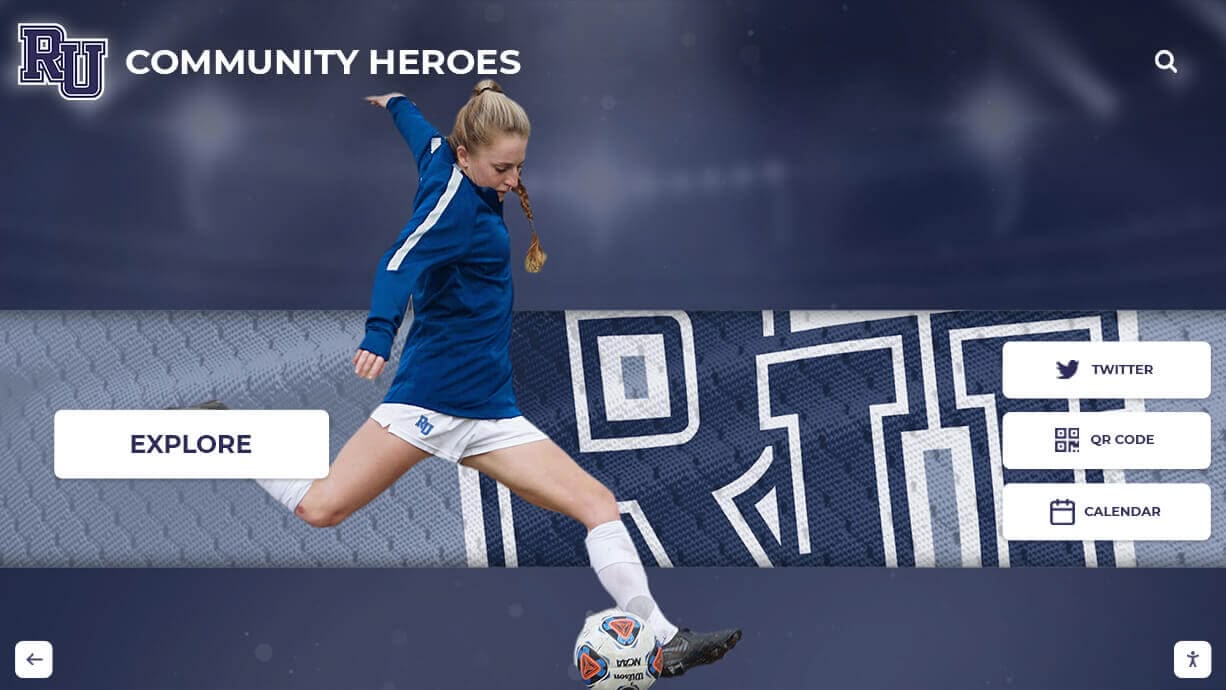
Academic Achievement Recognition Suggestions
Academic excellence deserves prominence equal to athletic success, yet often receives less visible recognition in schools. Interactive boards provide ideal platforms for comprehensively celebrating intellectual achievement across diverse categories.
Honor Roll and Academic Excellence
Traditional honor roll lists posted on bulletin boards quickly become invisible background noise. Interactive displays transform this recognition through enhanced presentation and expanded context.
Implementation Suggestions:
- Quarterly Honor Roll Profiles: Create detailed profiles for each honor roll student including photo, grade level, favorite subjects, academic goals, and extracurricular involvement rather than simple name lists
- Grade Point Average Progressions: Show GPA improvement trajectories over multiple semesters demonstrating growth and sustained excellence
- Subject-Specific Recognition: Feature top performers in individual academic disciplines—math, science, literature, history, foreign languages—with subject-specific achievement details
- Academic Improvement Spotlights: Recognize students showing significant GPA improvements from previous periods, celebrating progress as enthusiastically as perfection
- Perfect Attendance Scholars: Highlight students combining academic excellence with perfect or near-perfect attendance, demonstrating dedication and consistency
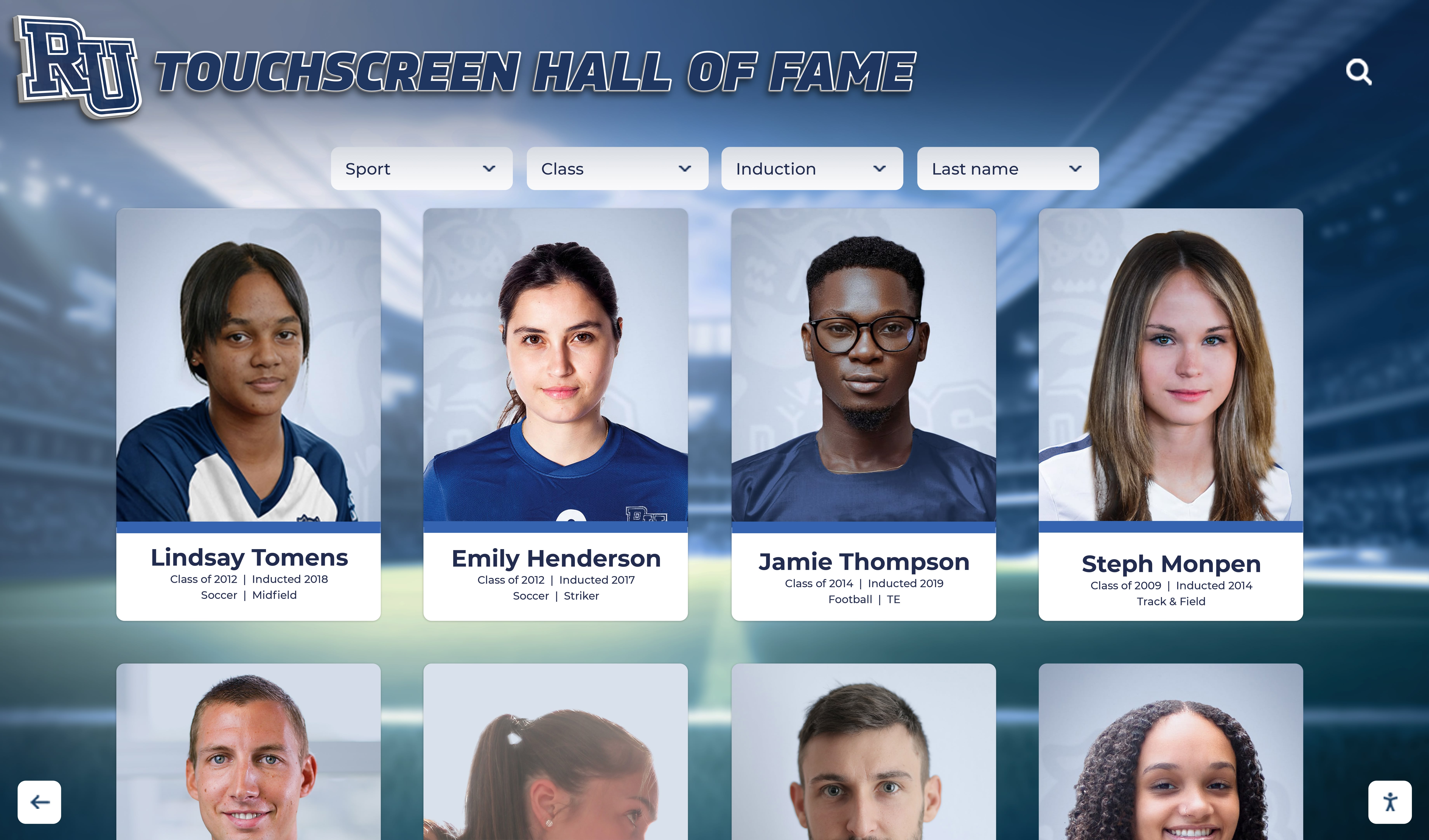
Interactive presentations allow filtering by grade level, academic term, or achievement type, enabling personalized discovery that static lists cannot provide. Parents attending school events can search specifically for their students, discovering comprehensive achievement profiles rather than scanning alphabetical rosters.
Solutions like Rocket Alumni Solutions enable schools to showcase academic excellence through digital boards that make intellectual achievement as visible and celebrated as athletic success.
Competition and Contest Recognition
Academic competitions—science fairs, math competitions, spelling bees, robotics tournaments, debate championships—generate achievements worthy of permanent recognition yet often receive only temporary bulletin board acknowledgment.
Display Suggestions:
- Competition Result Profiles: Document competition achievements including event names, dates, placement rankings, project descriptions, and team member names
- Project Showcases: For science fairs, research projects, and engineering challenges, include project photos, methodology summaries, results, and judge feedback
- Regional and National Qualifiers: Create special recognition for students advancing to regional, state, or national competition levels
- Career Competition Results: Showcase DECA, SkillsUSA, FBLA, FFA, and other career-technical organization competitions demonstrating applied learning excellence
- Cumulative Competition Histories: Track individual students’ competition participation across multiple years, showing progression and sustained commitment
Multimedia capabilities enable inclusion of project photos, presentation videos, and documentary content that brings academic competition success to life beyond simple result listings.
Advanced Placement and Dual Credit Achievement
Students pursuing rigorous coursework through AP classes, International Baccalaureate programs, or dual credit arrangements demonstrate initiative deserving recognition.
Recognition Ideas:
- AP Scholar Recognition: Feature students earning AP Scholar, AP Scholar with Honor, AP Scholar with Distinction, National AP Scholar, or state AP Scholar designations
- Course Completion Milestones: Recognize students completing multiple advanced courses or achieving certain numbers of college credits before high school graduation
- Exam Score Excellence: Highlight students scoring 4s or 5s on AP examinations (without displaying actual scores to maintain privacy while recognizing excellence)
- IB Diploma Programme Recognition: Showcase students completing full IB Diploma requirements and achieving exceptional total scores
- College Credit Accumulation: Feature seniors entering college with substantial credits already completed, demonstrating academic initiative
This recognition validates the additional effort rigorous coursework requires while inspiring younger students to pursue similar academic challenges. For comprehensive approaches to academic recognition, resources about student awards and recognition programs provide implementation frameworks.
Scholarship and Financial Aid Recognition
Scholarship recipients demonstrate academic excellence combined with application skills, essay writing abilities, and often community service or leadership achievements.
Display Strategies:
- Scholarship Recipient Profiles: Feature students receiving merit scholarships, including scholarship names, awarding organizations, approximate values, and intended fields of study
- Cumulative Award Totals: Annually showcase total scholarship dollars earned by graduating classes, demonstrating academic program effectiveness
- Prestigious Award Winners: Highlight recipients of nationally recognized scholarships—National Merit, Coca-Cola Scholars, Gates Millennium, QuestBridge—with enhanced profiles
- Career-Specific Scholarships: Recognize scholarships tied to specific career paths or academic disciplines, illustrating diverse excellence pathways
- Local Organization Recognition: Feature scholarships from community organizations, rotary clubs, and local foundations, strengthening community connections
Scholarship recognition serves dual purposes—honoring recipient achievement while providing younger students tangible examples of academic success translating to financial support for higher education.

Athletic Achievement Display Suggestions
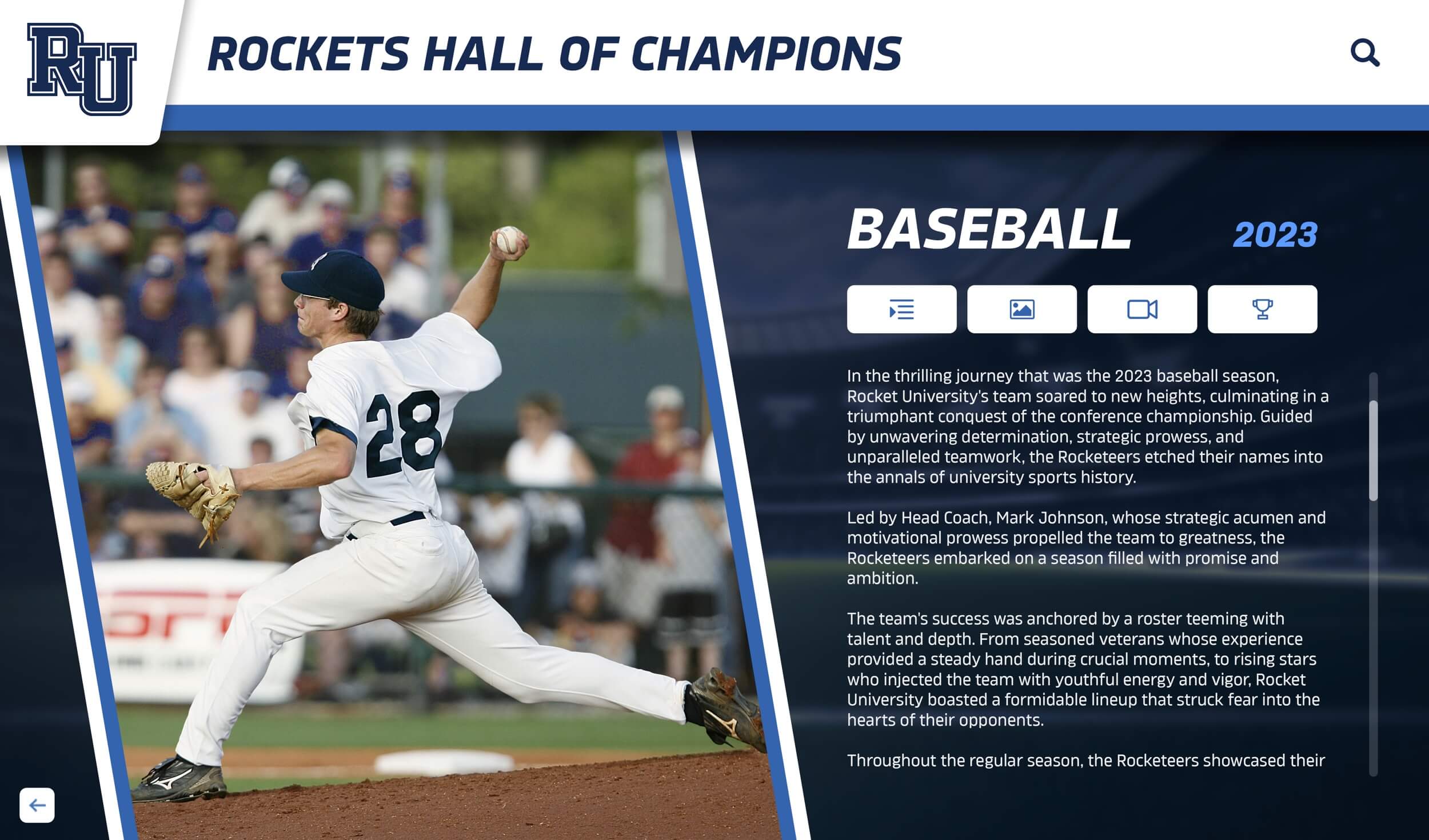
Athletic excellence has traditionally dominated school recognition through trophy cases and record boards. Interactive displays dramatically enhance athletic recognition while addressing physical display limitations.
Team Championship Recognition
Championship seasons create school history worthy of comprehensive documentation beyond simple trophy display.
Content Recommendations:
- Complete Team Rosters: Include photos and names of all team members, coaches, and support staff rather than only featuring starters or stars
- Season Statistics and Highlights: Document season records, tournament progression, key game results, and statistical achievements
- Championship Game Documentation: Feature game summaries, final scores, location information, and attendance for title games
- Video Highlights: Integrate championship game clips, celebration footage, and season highlight reels accessible through touchscreen interaction
- Multi-Year Dynasty Recognition: For programs winning multiple consecutive championships, create timeline presentations showing sustained excellence
Comprehensive team recognition ensures all contributors receive acknowledgment while providing engaging content for alumni, prospective athletes, and community members.
Schools seeking effective athletic recognition strategies can explore digital record board solutions specifically designed for sports achievement documentation.
Individual Athletic Records
School athletic records represent benchmarks motivating current athletes while honoring historical achievements.
Record Board Suggestions:
- Sport-Specific Record Categories: Document relevant records for each sport—points scored, yards gained, times achieved, heights cleared, distances thrown
- Record Progression Timelines: Show how records evolved over decades, illustrating both current achievements and historical context
- Record Holder Profiles: Create detailed profiles for record holders including career statistics, college continuation, professional achievements if applicable
- Near-Record Performances: Recognize second and third best performances acknowledging outstanding achievement even when records weren’t broken
- Team Records: Document relay records, team scoring records, consecutive win streaks, and other collective achievements
Interactive navigation allows athletes and visitors to explore records by sport, era, or achievement type, creating engaging experiences that static record boards cannot match.
College Athletic Commitment Recognition
Student athletes continuing athletic careers at collegiate levels achieve milestones worth celebrating prominently.
Display Ideas:
- Signing Day Celebrations: Create special recognition for college commitment announcements with photos in college gear, university information, and intended sports
- College Destination Information: Include details about colleges athletes are attending, athletic conferences, scholarship information (if public), and academic programs
- Multi-Sport Athletes: Highlight students continuing multiple sports at collegiate levels, demonstrating exceptional versatility
- Academic-Athletic Excellence: Feature athletes combining strong academic credentials with athletic success, showcasing well-rounded achievement
- Alumni Professional Progression: Track former college athletes advancing to professional, Olympic, or other elite athletic competitions
Highlighting college commitments serves recruitment purposes by demonstrating your athletic programs’ success in developing college-ready athletes. Resources about showcasing college commitments on touchscreen displays provide implementation guidance.
Coach Recognition and Milestones
Athletic directors and coaches who build successful programs deserve recognition alongside athlete achievements.
Recognition Suggestions:
- Career Win Milestones: Celebrate coaches reaching 100, 250, 500, or other significant career victory totals
- Tenure Recognition: Honor coaches serving your school for 10, 20, 30+ year spans
- Coach of the Year Awards: Feature coaches receiving conference, regional, or state recognition for coaching excellence
- Program Development: Document coaches who built programs from inception or transformed struggling programs into competitive ones
- Alumni Coach Connections: Highlight former athletes returning as coaches, demonstrating program loyalty and tradition
Coach recognition demonstrates institutional appreciation while providing role models for students interested in coaching careers.

Arts and Performance Recognition Ideas
Visual arts, performing arts, music, and theater programs generate achievements deserving equal recognition prominence as athletics and academics, yet often receive limited visibility due to display challenges.
Visual Arts Achievement Showcases
Student artwork deserves display beyond hallway walls and temporary exhibitions.
Implementation Strategies:
- Digital Art Galleries: Create rotating virtual exhibitions featuring student artwork with artist statements, medium information, and creative process descriptions
- Competition and Exhibition Results: Document art show participation, competition placements, juried exhibition acceptances, and awards received
- Portfolio Highlights: Feature graduating senior art portfolios or pieces accepted to college admission portfolios
- Community Art Projects: Showcase murals, public installations, collaborative projects, and community-commissioned work created by students
- Scholarship and Recognition: Highlight students receiving arts scholarships, regional recognition, or admission to prestigious arts programs
Multimedia capabilities enable high-quality artwork reproduction with zoom functionality allowing detail examination impossible with printed photos.
Music and Performing Arts Recognition
Band, orchestra, choir, and theater achievements involve complex productions and performances challenging to represent through traditional displays.
Display Suggestions:
- Performance Documentation: Feature concert recordings, musical excerpts, and performance highlights accessible through touchscreen interaction
- Competition and Festival Results: Document marching band competitions, choir festivals, orchestra adjudications, and individual solo/ensemble ratings
- All-State and Honor Ensemble Selection: Recognize students selected for regional or state honor bands, orchestras, choirs, or jazz ensembles
- Production Showcases: Create multimedia presentations for theater productions including cast photos, scene videos, program information, and production statistics
- Music Scholarship Recipients: Feature students receiving music scholarships or admission to conservatory programs
Performance-based recognition benefits tremendously from video integration, allowing community members unable to attend live performances to experience student excellence.
Creative Writing and Publication Recognition
Student writers and journalists deserve recognition for publication achievements, creative works, and communication excellence.
Recognition Ideas:
- Publication Features: Showcase students published in literary magazines, newspapers, online publications, or anthology collections
- Writing Competition Recognition: Document essay contest winners, poetry competition placements, and creative writing awards
- Student Journalism Excellence: Feature student newspaper editors, yearbook leaders, and broadcasting program members
- National Writing Recognition: Highlight Scholastic Art & Writing Awards, National Student Poets, Young Arts winners
- Published Work Excerpts: With appropriate permissions, feature short excerpts from award-winning student writing
Schools implementing comprehensive recognition programs can reference student achievement recognition frameworks for arts integration strategies.
Service, Leadership, and Character Recognition
Character development, community service, and leadership represent achievement types often underrecognized despite their importance to holistic education and citizenship development.
Community Service Hours and Projects
Students dedicating significant time to community service demonstrate character and citizenship deserving prominent recognition.
Display Recommendations:
- Service Hour Milestones: Recognize students achieving 50, 100, 250, 500+ hour service milestones with cumulative tracking across high school careers
- Service Project Showcases: Feature major service initiatives including project descriptions, community impact, participating students, and outcome metrics
- Community Partner Recognition: Highlight ongoing partnerships with nonprofits, charitable organizations, hospitals, senior facilities, and other community agencies
- Service Organization Leadership: Recognize student leaders of Key Club, Interact, NHS service committees, and other service-oriented organizations
- Service Learning Projects: Document academic courses integrating community service with classroom learning
Service recognition validates the importance of civic engagement while inspiring other students to pursue similar community contributions.
Student Government and Leadership Positions
Elected student leaders and organizational officers demonstrate peer trust and leadership capacity.
Recognition Strategies:
- Student Government Rosters: Feature complete student government teams including officers, representatives, and committee chairs with photos and platform highlights
- Leadership Organization Officers: Document club presidents, vice presidents, secretaries, treasurers, and other officer positions across all school organizations
- Class Officer Recognition: Feature freshman, sophomore, junior, and senior class leadership teams
- Leadership Development: Highlight students completing formal leadership programs, leadership retreats, or external leadership training
- Legislative Advocacy: Recognize students participating in Model UN, Youth in Government, mock trial, debate, and other civic engagement programs
Leadership recognition demonstrates institutional commitment to developing citizenship and civic participation skills beyond academics and athletics.
Character and Values-Based Awards
Awards recognizing integrity, courage, kindness, perseverance, and other character traits deserve equal prominence as achievement-based recognition.
Award Categories:
- Character Award Recipients: Feature students receiving principal’s awards, character citations, integrity awards, or citizenship recognition
- Peer-Nominated Recognition: Showcase awards where students nominate classmates for qualities like kindness, inclusivity, helpfulness, or positive attitude
- Anti-Bullying Leadership: Recognize students leading positive school culture initiatives, upstander programs, or peer mentoring
- Overcoming Adversity: Honor students demonstrating exceptional perseverance through challenges (with appropriate privacy and consent considerations)
- Special Recognition: Feature students receiving unique recognition for extraordinary circumstances—rescuing individuals, significant charity fundraising, exceptional good citizenship
Character recognition reinforces institutional values while celebrating qualities contributing to positive school culture beyond academic or competitive achievement.
For comprehensive recognition program development, guidance about student of the month programs provides implementation frameworks applicable to character recognition.
Alumni and Historical Content Suggestions
Interactive boards excel at connecting current school communities with institutional history and accomplished alumni, creating continuity between past and present.
Distinguished Alumni Profiles
Successful alumni provide aspirational examples for current students while demonstrating your institution’s impact on community and society.
Content Recommendations:
- Career Achievement Showcases: Feature alumni who achieved distinction in professional fields including entrepreneurship, medicine, law, education, public service, military, arts, entertainment, or athletics
- Community Leadership: Recognize alumni serving as elected officials, nonprofit leaders, community board members, or civic organization heads
- Academic Distinction: Highlight alumni with advanced degrees, research contributions, university faculty positions, or academic leadership roles
- Alumni Legacy Families: Feature multi-generational families with parents, children, siblings, and extended family members attending your institution
- Recent Graduate Success: Document recent alumni in early career success, graduate programs, military service, or making community impact
Alumni recognition strengthens institutional pride while providing current students concrete examples of potential future pathways. Schools can explore alumni engagement strategies through interactive displays for implementation approaches.
Institutional History and Milestones
School history provides context for current achievements while strengthening community identity and institutional culture.
Historical Content Ideas:
- Founding and Early History: Document school establishment, founding leadership, original facilities, and early traditions
- Facility Evolution: Show architectural progression through historical photos of buildings, renovations, expansions, and modernization projects
- Tradition Origins: Explain how school traditions, mascots, colors, songs, and rituals originated and evolved over time
- Significant Events: Document memorable moments in school history—significant victories, notable visitors, historical achievements, community impacts
- Demographic Evolution: Show how student body size, community demographics, and program offerings evolved across decades
Historical content creates discovery opportunities for community members across generations, with longtime residents reminiscing while newcomers learn institutional heritage.
Reunion and Homecoming Integration
Annual events provide natural opportunities for interactive board content integration and alumni engagement.
Event-Based Content:
- Reunion Class Spotlights: Feature reunion classes with historical photos, notable alumni, career updates, and invitation to submit updates
- Homecoming Week Recognition: Showcase homecoming court, game week activities, spirit competitions, and parade highlights
- Alumni Return Recognition: Document alumni returning for career days, mentorship programs, guest lectures, or athletic coaching
- Class Anniversary Milestones: Feature classes celebrating 10, 25, 50+ year reunions with special recognition
- Legacy Athlete Returns: Highlight former athletes participating in alumni games, recognition ceremonies, or program support
Event integration ensures interactive boards remain dynamic with regularly refreshing content tied to community gatherings.

Donor Recognition and Advancement Content
Development offices increasingly utilize interactive boards for donor recognition, creating engaging acknowledgment that inspires continued philanthropy.
Donor Recognition Displays
Digital donor recognition offers flexibility and scalability traditional plaques cannot match.
Recognition Strategies:
- Giving Level Categories: Organize donors by contribution tiers—Patron, Supporter, Benefactor, Legacy—with clear level thresholds
- Donor Impact Stories: Feature donors alongside descriptions of specific programs, facilities, scholarships, or initiatives their contributions enabled
- Campaign Progress Tracking: During capital campaigns, show fundraising progress toward goals with donor recognition
- Memorial and Honor Giving: Create special sections for donations made in memory or honor of individuals
- Corporate and Foundation Partners: Recognize business and foundation supporters with logos and partnership descriptions
Donor recognition through interactive platforms provides unlimited capacity for acknowledgment while enabling instant updates as new contributions are received. Comprehensive approaches to donor highlight boards demonstrate effective digital recognition strategies.
Scholarship Donor Recognition
Donors establishing scholarships deserve recognition connecting their generosity to student beneficiaries.
Display Ideas:
- Scholarship Donor Profiles: Feature donors who established scholarships with giving motivations, biographies, and scholarship criteria
- Recipient-Donor Connections: When appropriate with privacy considerations, show current or past scholarship recipients benefiting from specific endowments
- Cumulative Impact Tracking: Document total students served and total dollars awarded through specific scholarship funds
- Legacy Scholarship Recognition: Feature long-established scholarships supporting students across multiple decades
- New Scholarship Announcements: Prominently feature newly established scholarships encouraging additional endowment establishment
Connecting donors to student impact creates emotional resonance that simple donor lists cannot provide, inspiring continued giving while honoring philanthropic commitment.
Campaign Recognition and Major Gifts
Capital campaigns and transformational gifts merit special recognition beyond standard donor lists.
Recognition Approaches:
- Campaign Milestone Celebrations: Document major fundraising achievements as campaigns progress toward goals
- Facility Naming Recognition: Feature major donors whose contributions resulted in facility, program, or endowment naming opportunities
- Transformation Stories: Show before-and-after documentation of facilities, programs, or initiatives enabled by major philanthropic support
- Leadership Campaign Committee: Recognize campaign leaders, volunteers, and ambassadors who advocate for fundraising initiatives
- Anonymous Donor Acknowledgment: With permission, recognize anonymous major donors through general descriptions respecting privacy preferences
Major gift recognition demonstrates stewardship excellence while providing aspirational examples encouraging additional transformational giving.

Teacher and Staff Recognition Ideas
Faculty and staff excellence deserves recognition alongside student achievement, honoring the dedicated professionals enabling student success.
Teacher Excellence and Tenure
Long-serving faculty and award-winning teachers provide consistency and excellence deserving prominent acknowledgment.
Recognition Suggestions:
- Tenure Milestones: Recognize teachers completing 10, 15, 20, 25, 30+ years of service with career highlights and reflections
- Teacher of the Year Awards: Feature district, county, state, or national teacher award recipients with teaching philosophies and achievements
- Retirement Tributes: Honor retiring teachers with career retrospectives, student testimonials, and lasting appreciation messages
- Alumni Teachers: Highlight alumni who returned as educators, demonstrating institutional loyalty and commitment
- Teaching Innovation: Recognize teachers implementing innovative pedagogies, educational technology, or curriculum development
Teacher recognition strengthens faculty morale while demonstrating to families that your institution values and retains excellent educators. Resources about teacher appreciation through touchscreen displays provide implementation frameworks.
Staff and Administrative Recognition
Behind-the-scenes staff enable school operations yet rarely receive public acknowledgment.
Staff Recognition Ideas:
- Support Staff Spotlights: Feature custodians, cafeteria workers, secretaries, bus drivers, and maintenance personnel with appreciation messages
- Administrative Leadership: Recognize principals, assistant principals, counselors, and administrative team members
- Service Milestone Recognition: Honor all staff members reaching significant tenure milestones regardless of position
- Excellence Awards: Feature employees receiving district service awards, innovation recognition, or excellence citations
- Unsung Hero Recognition: Create special recognition for staff members going beyond duties to support students and community
Staff recognition demonstrates that all roles contribute to student success and institutional excellence, strengthening workplace culture and community appreciation.
Current Events and Real-Time Content Integration
Interactive boards provide ideal platforms for timely content keeping displays relevant and encouraging frequent visitor return.
Recent Achievement Highlights
Featuring current accomplishments maintains display freshness and relevance.
Timely Content Ideas:
- This Week’s Achievements: Rotating spotlight on recent student, team, or program accomplishments
- Monthly Recognition Features: Designated monthly themes—October arts showcase, November service spotlight, December scholar recognition
- Seasonal Content: Sport-specific content during athletic seasons, academic focus during testing periods, arts content during production seasons
- Weekly Updates: Regular additions ensuring visitors discover new content with each interaction
- Breaking News Integration: Immediate recognition for major achievements occurring between regular update cycles
Frequent content refreshes combat habituation while demonstrating active platform management and institutional commitment to recognition programs.
Social Media Integration
Connecting interactive boards with social media creates synchronized recognition across digital platforms.
Integration Strategies:
- Social Feed Display: Show relevant posts from institutional social accounts with appropriate hashtags
- Social Sharing Functionality: Enable visitors to share profiles directly from interactive displays to personal social accounts
- Photo Contest Integration: Display student-submitted photos from Instagram or TikTok contests (with appropriate permissions and curation)
- Alumni Social Engagement: Show social posts from alumni tagging your institution or using designated hashtags
- User-Generated Content: Feature community-submitted content celebrating school spirit, achievements, or memories
Social integration extends recognition reach exponentially as community members share content across personal networks.
Seasonal and Event-Based Content Rotation
Strategic content rotation aligned with school calendar events keeps displays relevant and engaging throughout the year.
Academic Year Calendar Integration
Different content priorities emerge throughout academic cycles.
Seasonal Suggestions:
Fall Semester:
- Homecoming recognition and spirit competitions
- Fall athletic season highlights
- New student welcomes and freshman recognition
- College application success stories
- Back-to-school staff introductions
Winter/Holiday Period:
- Holiday concert and performance recognition
- Community service project showcases
- Academic semester honors
- Winter athletic achievements
- Alumni holiday return celebrations
Spring Semester:
- Spring athletic season recognition
- Arts performances and exhibitions
- Academic competition results
- College decision celebrations
- Scholarship award announcements
Summer/Transition:
- Graduation recognition and senior tributes
- Summer program highlights
- Alumni career updates
- Facility improvement documentation
- Historical content and institution history
Seasonal rotation ensures interactive boards remain relevant to current school activities rather than displaying static historical content exclusively.
Special Event Integration
Major school events provide natural opportunities for special recognition content.
Event-Based Content:
- Open House/Recruitment Events: Feature program highlights and achievement statistics prospective families find compelling
- Reunion Weekends: Spotlight reunion classes with historical photos and career updates
- Athletic Events: Pre-game recognition of athletes, records, championships relevant to competing teams
- Arts Performances: Pre-show recognition of cast, crew, musical ensembles, or artistic achievements
- Award Ceremonies: Post-ceremony recognition of award recipients with photos and achievement details
Event coordination ensures interactive boards actively support institutional events rather than functioning as isolated recognition systems.

Technical Content Considerations
Beyond choosing what to display, technical considerations influence how effectively content engages visitors.
Navigation and User Experience Design
Intuitive navigation enables visitors to discover content efficiently without frustration.
Design Principles:
- Clear Category Organization: Logical grouping allowing visitors to understand content structure immediately
- Multiple Navigation Paths: Search functionality, category browsing, filtered views, and featured content enabling different discovery preferences
- Consistent Design Language: Unified visual presentation across all content types creating cohesive experiences
- Touch-Friendly Interface Elements: Buttons and interactive elements sized appropriately for touchscreen interaction
- Accessibility Features: Screen reader compatibility, adjustable text sizes, high-contrast options ensuring universal access
User-friendly design directly correlates with engagement duration and return visits—confusing interfaces discourage exploration regardless of content quality.
Content Quality Standards
Maintaining consistent quality across all profiles ensures professional presentation worthy of recognition significance.
Quality Guidelines:
- Photo Resolution Standards: High-quality images displaying clearly on large screens without pixelation
- Writing Consistency: Uniform writing styles, formatting, and biographical detail levels across profiles
- Content Completeness: Minimum required fields ensuring no profiles appear unfinished or under-developed
- Accuracy Verification: Fact-checking processes ensuring displayed information is correct and current
- Privacy Compliance: Clear consent and approval processes protecting student and family privacy
Quality standards prevent unprofessional presentation undermining recognition value while ensuring ethical information management.
Content Management and Update Workflows
Sustainable interactive boards require efficient workflows enabling regular updates without excessive administrative burden.
Workflow Considerations:
- Designated Responsibility: Clear assignment of content management duties avoiding diffused ownership where nobody maintains updates
- Content Submission Processes: Forms and procedures allowing teachers, coaches, advisors to nominate students for recognition
- Review and Approval: Multi-step workflows ensuring accuracy and appropriateness before publication
- Update Schedules: Regular intervals for content additions aligned with achievement cycles—quarterly for honor roll, seasonally for athletics
- Archive Procedures: Policies determining how long content remains featured versus moved to historical archives
Well-designed workflows ensure interactive boards remain current without creating unsustainable workload for administrative staff.
Schools seeking comprehensive implementation guidance can reference touchscreen kiosk software guides for technical platform considerations.
Measuring Success and Optimizing Content Strategy
Data-driven content optimization ensures interactive boards deliver maximum engagement and institutional value.
Analytics and Engagement Metrics
Modern interactive board platforms provide comprehensive usage data revealing engagement patterns.
Key Metrics:
- Total Interactions: Overall usage volume indicating general interest levels
- Session Duration: Average time spent interacting showing content engagement depth
- Popular Content: Most-viewed profiles and categories revealing community interests
- Search Patterns: Common search terms indicating how visitors seek information
- Peak Usage Times: Hour-by-hour and day-by-day patterns informing content update timing
- Return Visit Frequency: New versus returning users showing sustained interest
Analytics inform content strategy adjustments—if certain categories generate exceptional engagement, expand them; if others show minimal interest, reconsider prominence or presentation approach.
Continuous Improvement Based on Data
Regular analysis enables evidence-based refinement producing better outcomes over time.
Optimization Strategies:
- Content Expansion: Increase representation in high-engagement categories where community shows strong interest
- Navigation Adjustments: Modify organization and search functionality based on observed user behavior patterns
- Update Frequency Modification: Adjust content refresh schedules aligning with usage patterns and engagement duration
- Promotional Refinement: Target promotion efforts toward times and audiences showing highest receptivity
- Feature Enhancement: Prioritize platform improvements addressing observed user experience challenges
Data-driven optimization produces steadily improving engagement and satisfaction outcomes rather than static implementations remaining unchanged after initial launch.
Transform Recognition at Your School
Discover how Rocket Alumni Solutions can help implement a comprehensive interactive board program featuring engaging content that celebrates achievement across your entire school community. Our platform combines intuitive content management with powerful touchscreen displays designed specifically for educational recognition.
Explore Interactive Board SolutionsImplementation Best Practices Summary
Successful interactive board programs share common characteristics worth emulating.
Start Strategically but Launch Quickly
While comprehensive planning improves outcomes, perfectionism delays implementation and benefits.
Balanced Approach:
- Launch with core content categories and high-priority recognition
- Expand comprehensively over subsequent months rather than delaying launch for complete content
- Prioritize current students and recent achievements establishing immediate relevance
- Add historical depth progressively as time and resources allow
- Accept that initial content will be enhanced and refined based on usage patterns and feedback
Early launch generates engagement data informing optimization while beginning community benefits immediately rather than waiting indefinitely for perfect implementation.
Ensure Sustainable Management
Interactive boards requiring excessive maintenance burden often see content stagnation and declining engagement.
Sustainability Strategies:
- Choose platforms with intuitive interfaces requiring minimal technical expertise
- Establish realistic update schedules matching available administrative capacity
- Develop clear responsibility assignments avoiding diffused accountability
- Create content submission processes enabling distributed contribution from teachers and advisors
- Budget adequate time for content management within staff responsibilities
Sustainable programs remain vibrant years after implementation rather than starting strong but declining as initial enthusiasm fades.
Integrate Across Communications
Interactive boards deliver maximum value when functioning as recognition hubs connecting with broader institutional communications.
Integration Points:
- Website integration showing recognition content reaching beyond campus
- Social media coordination creating synchronized recognition across platforms
- Newsletter features highlighting recognition content and directing traffic to displays
- Event programming incorporating interactive board demonstrations and orientation
- Advancement communications connecting donor recognition to fundraising cultivation
Integration amplifies recognition reach while creating cohesive institutional communications reinforcing consistent messages across channels.
Celebrate Comprehensively and Inclusively
The most engaging interactive boards celebrate diverse definitions of excellence rather than narrow achievement categories.
Inclusive Recognition:
- Balance athletic, academic, artistic, service, and character recognition
- Feature individual and team achievements
- Recognize both peak performance and significant improvement
- Acknowledge behind-the-scenes contributions alongside public accomplishments
- Include all community members—students, alumni, faculty, staff, donors
Comprehensive recognition strengthens institutional culture by demonstrating that multiple pathways to recognition exist and all contributions receive appropriate acknowledgment.
Conclusion: Transforming Recognition Through Strategic Content
Interactive boards represent powerful recognition platforms, but technology alone doesn’t create engagement—strategic content planning determines whether displays become vibrant community hubs or expensive digital bulletin boards. The 30+ suggestions presented in this guide provide starting points for developing comprehensive content strategies celebrating achievement across your institution.
Successful implementations share common characteristics: comprehensive recognition across diverse categories, regular content updates maintaining freshness and relevance, intuitive navigation enabling efficient discovery, consistent quality standards ensuring professional presentation, sustainable management workflows preventing administrative burden, data-driven optimization producing continuous improvement, and integration with broader communications amplifying reach and impact.
Whether planning initial interactive board implementation or seeking to revitalize existing displays, these proven suggestions help create recognition programs that honor achievement, inspire excellence, strengthen community connections, and deliver measurable return on technology investments.
Interactive boards from solutions like Rocket Alumni Solutions provide the platform enabling these strategies through powerful touchscreen hardware, intuitive content management systems, comprehensive multimedia support, web accessibility extending reach globally, robust analytics informing optimization, and ongoing support ensuring long-term success.
The recognition programs you build today shape the culture you create tomorrow. Schools that honor achievement comprehensively—celebrating diverse excellence types, recognizing contributions at all levels, telling compelling stories beyond statistics, and creating engaging discovery experiences—foster communities where achievement is valued, effort is rewarded, and everyone sees pathways to recognition and belonging.
Transform your recognition program from static displays to dynamic experiences through strategic content that engages your community, celebrates your achievements, and strengthens your institutional culture for years to come.

























