Connecting Education to Career Success: The Power of Visible Pathways
Students today face unprecedented pressure to make informed career decisions while navigating an increasingly complex professional landscape. Yet most schools struggle to help students visualize the connection between their education and future success. Interactive career pathways boards bridge this gap by showcasing real alumni journeys, diverse career options, and tangible outcomes through engaging digital displays that inspire, inform, and guide students toward their professional futures.
Career planning traditionally relied on static bulletin boards, outdated career pamphlets, and occasional guidance counselor meetings—resources that failed to capture student imagination or provide relevant, current information about career possibilities. Today’s students expect dynamic, interactive experiences that reflect the digital world they inhabit, offering personalized exploration of career options through compelling visual storytelling and real success examples from graduates who walked the same halls.
An interactive career pathways board transforms career guidance from an abstract concept into a tangible resource students actively explore. By showcasing alumni who have pursued diverse professional paths—from traditional careers to entrepreneurial ventures, creative fields to STEM innovations—these digital recognition systems demonstrate that success takes many forms and help students envision their own possibilities within this rich tapestry of outcomes.
The impact extends beyond individual career planning. Schools that implement comprehensive career pathways displays see increased student engagement with career services, stronger alumni connections as graduates contribute their professional stories, enhanced college and career readiness programming, improved student motivation as they connect current learning to future opportunities, and demonstrated value to parents, donors, and community stakeholders who see tangible evidence of educational outcomes.
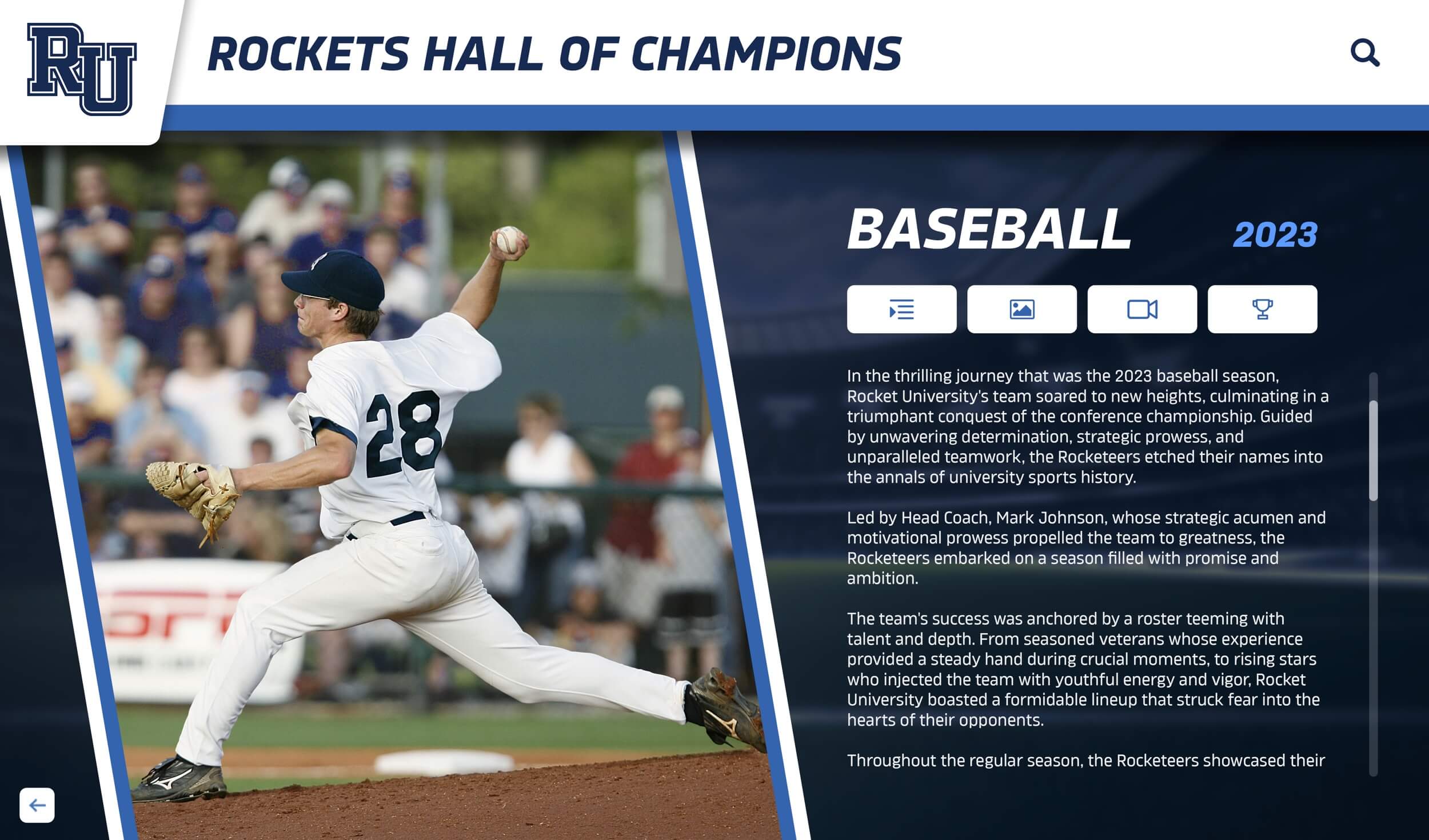
Modern career pathways boards engage students through interactive exploration of real alumni success stories and diverse professional journeys
Understanding Interactive Career Pathways Boards
Before implementing a career pathways system, schools should understand what distinguishes truly effective digital career resources from simple job posting boards or basic alumni directories.
Core Components of Effective Systems
Comprehensive career pathways boards integrate multiple elements creating holistic career exploration experiences:
Alumni Career Profiles: Detailed profiles showcasing graduates’ professional journeys from high school through current careers. Effective profiles include career milestones, educational paths, professional advice, industry insights, and personal reflections on how their school experience prepared them for success. These authentic stories provide relatable role models demonstrating diverse paths to professional fulfillment.
Industry Exploration Tools: Organizational structures allowing students to explore careers by industry sector, job function, required education level, or personal interest. Interactive touchscreen interfaces enable intuitive browsing where students discover careers they might never have considered through guided exploration of related fields and emerging opportunities.
Educational Pathway Mapping: Clear visualization of education requirements for different careers—whether four-year degrees, community college programs, technical certifications, apprenticeships, or alternative credentials. This transparency helps students understand that multiple educational paths lead to career success, reducing anxiety about traditional college as the only option.
Skills and Competency Connections: Explicit links between classroom learning, extracurricular activities, and professional competencies valued by employers. When students see how their current academic work, athletics participation, or club involvement builds marketable skills, their engagement and motivation naturally increase.
Labor Market Information: Current and projected employment data, salary ranges, growth trends, and geographic opportunities helping students make informed decisions grounded in economic reality rather than outdated perceptions or limited anecdotal information.
Multimedia Storytelling: Video interviews, photo galleries, written narratives, and interactive timelines bringing career journeys to life through compelling formats that engage visual, auditory, and kinesthetic learners. Rich media creates emotional connections that pure text cannot achieve.
Technology Infrastructure Requirements
Effective career pathways boards require thoughtful technology selection and integration:
Display Hardware: Commercial-grade touchscreen displays designed for continuous operation in high-traffic environments. Screen sizes typically range from 55" to 86" depending on installation location and viewing distance. Solutions like Rocket Alumni Solutions provide purpose-built hardware optimized for educational environments with appropriate durability, brightness, and touch responsiveness.
Content Management Systems: User-friendly platforms allowing school staff to add new alumni profiles, update career information, refresh labor market data, and modify organizational structures without requiring technical expertise. Cloud-based systems enable remote content management from any location.
Web Accessibility Integration: Extending career exploration beyond physical displays through responsive websites and mobile apps ensures students can explore career resources from home, during classroom career units, or through guided counseling sessions. Digital recognition platforms increasingly integrate physical and digital touchpoints into seamless experiences.
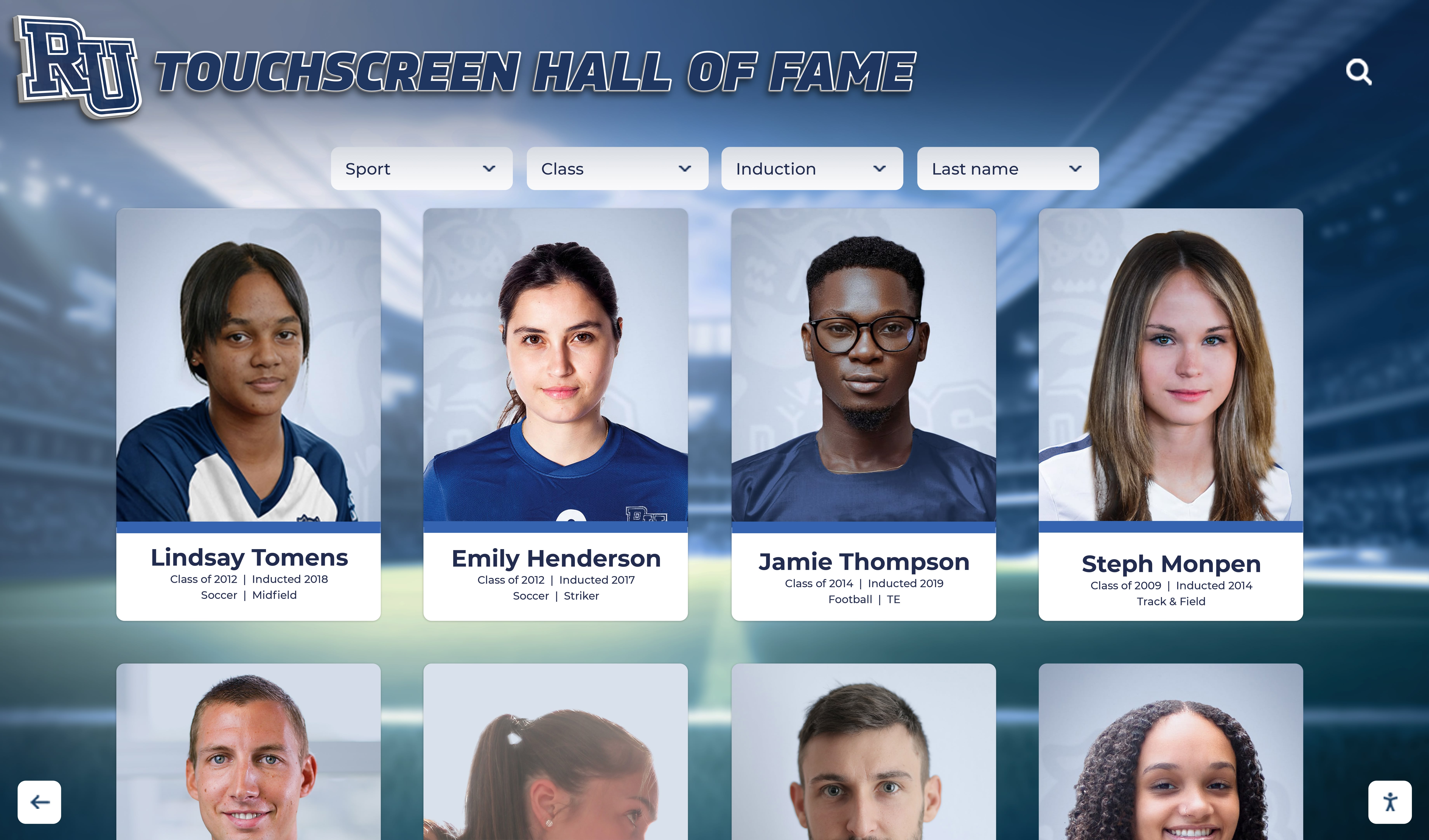
Search and Discovery Tools: Sophisticated filtering enabling students to find relevant profiles by industry, education level, geographic location, interests, or skills. Powerful search functionality transforms browsing from overwhelming to targeted based on individual student circumstances and curiosity.
Analytics and Usage Tracking: Data capturing what career profiles receive attention, which industries students explore most, peak usage times, and interaction patterns informing content strategy and counselor interventions. Understanding how students engage with career resources enables continuous improvement.
Integration Capabilities: Connections to student information systems, college and career readiness platforms, and alumni databases reducing manual data entry while ensuring consistency across institutional systems. API integrations create efficient workflows for busy staff.

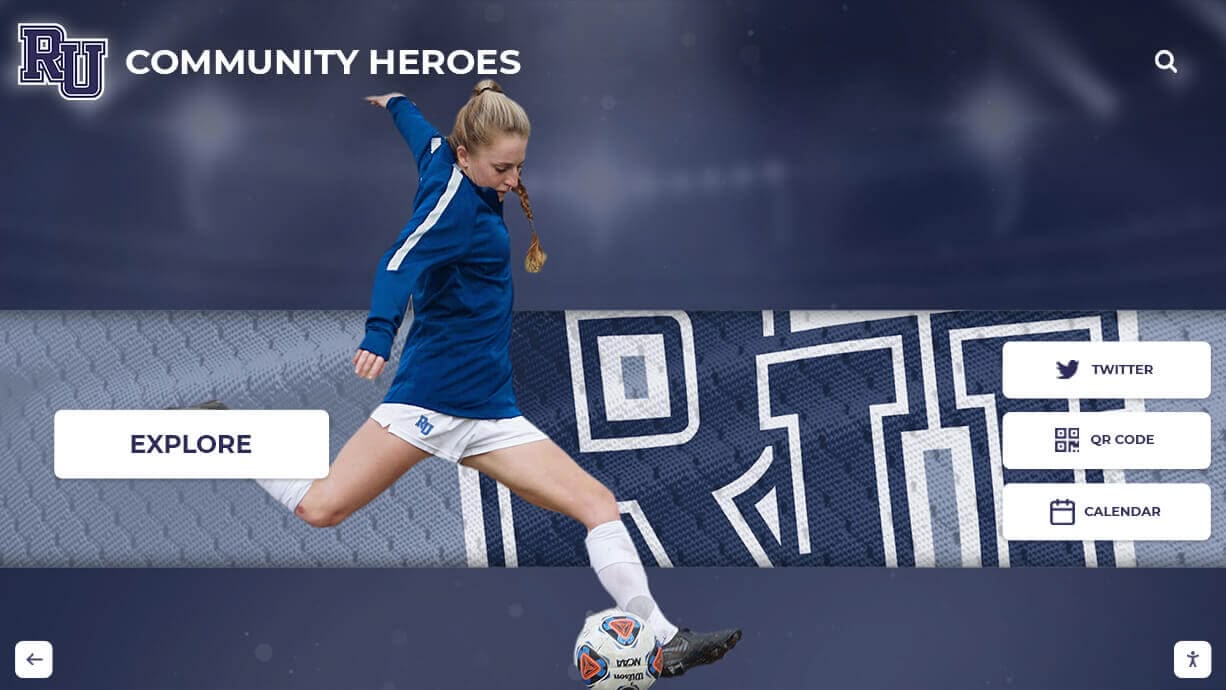
Intuitive interfaces invite natural exploration, making career research engaging rather than overwhelming for students at all grade levels
Benefits for Students: Informed Career Planning
Interactive career pathways boards provide tangible value directly addressing student needs throughout their educational journey.
Exposure to Diverse Career Options
Most students have limited awareness of career possibilities beyond commonly visible professions—doctor, lawyer, teacher, engineer. This narrow perception restricts their aspirations and life planning.
Career pathways boards dramatically expand student awareness by showcasing alumni in hundreds of distinct careers spanning all sectors. A student interested in science discovers not just medical doctor options but also genetic counselors, environmental engineers, forensic scientists, agricultural researchers, biotechnology entrepreneurs, science writers, and medical device designers—all represented by graduates from their own school.
This expanded awareness proves particularly crucial for students from backgrounds with limited exposure to professional diversity. First-generation college students, those from rural communities, or students whose families work in single industries gain access to professional possibilities they might never otherwise encounter. Representation matters—seeing someone who shares your background succeeding in unexpected fields opens doors previously invisible.
The digital format enables comprehensive representation impossible with physical space constraints. While traditional career centers might feature 20-30 alumni profiles, digital systems comfortably showcase hundreds or thousands of career journeys, ensuring students encounter vast diversity of professional paths rather than curated highlights favoring prestigious careers.
Real-World Success Stories and Role Models
Abstract career information from textbooks or websites lacks the impact of authentic success stories from graduates who walked the same hallways, took classes from the same teachers, and faced similar challenges.
Alumni profiles humanize career paths through personal narratives revealing not just job titles but actual daily work, unexpected turns, challenges overcome, lessons learned, and advice specifically relevant to current students from their school. These authentic voices resonate differently than generic career guidance because students recognize “if they could do it, maybe I can too.”
Role model accessibility particularly benefits underrepresented students. Young women exploring STEM careers find inspiration from female alumni thriving in technology, engineering, or mathematics. Students of color see successful professionals who share their racial or ethnic identity. LGBTQ+ students discover alumni living authentically while building meaningful careers. Students with disabilities encounter graduates who have navigated similar challenges to achieve professional success.
Recognition displays celebrating diverse achievements also demonstrate institutional values. When schools prominently feature graduates in creative arts alongside STEM professionals, trades alongside four-year degrees, and entrepreneurship alongside traditional employment, they communicate that multiple paths to success receive equal validation and celebration.
Connection Between Current Learning and Future Careers
One of education’s persistent challenges involves student questions about relevance: “When will I ever use this?” Career pathways boards provide concrete answers by showing how current coursework, activities, and skills directly connect to professional success.
An alumni profile might detail how chemistry class led to pharmaceutical research, how debate team participation prepared them for legal advocacy, how computer programming classes launched their software development career, or how volunteering sparked their nonprofit leadership path. These explicit connections between current student experiences and future professional applications increase engagement and motivation.
Skills mapping proves particularly valuable. When students see that their current participation in robotics club builds problem-solving, teamwork, project management, and technical skills valued across engineering, technology, healthcare, and business careers, they understand how their activities create transferable competencies beyond narrow applications. This broader perspective reduces anxiety about choosing the “perfect” major or career, recognizing that skills development serves them across multiple potential paths.
The system can highlight how student achievements and recognition documented throughout their education contribute to college applications, scholarship opportunities, and eventual resume development—making their current accomplishments feel like meaningful stepping stones rather than isolated moments.
Clear visualization of educational pathways and career progressions helps students understand the journey from current coursework to professional success
Benefits for Schools: Enhanced Career Readiness Programming
Beyond individual student benefits, interactive career pathways boards strengthen institutional college and career readiness initiatives in measurable ways.
Demonstrated Educational Outcomes
Schools face increasing pressure to demonstrate that their education produces tangible results. Career pathways boards provide visible, compelling evidence of graduate success that communicates value to multiple stakeholders.
Prospective families evaluating school options see concrete examples of alumni achievements across diverse careers, not just anecdotal success stories from marketing materials. This comprehensive demonstration of varied outcomes builds confidence that the school prepares students for multiple definitions of success rather than narrow pathways.
Community members and taxpayers supporting public education see tangible returns on their investment through documented graduate careers contributing to economic vitality, innovation, community service, and societal progress. This visible accountability builds public support for educational funding and initiatives.
School boards and administrators gain data-driven insights into graduate outcomes informing strategic planning, program evaluation, and resource allocation. When career pathways systems track which programs or pathways produce particular outcomes, leaders can make evidence-based decisions about curriculum, partnerships, and investments.
The system also supports alumni engagement strategies by providing structured opportunities for graduates to maintain connection through profile contributions, mentoring offers, or participation in career panels. This sustained engagement benefits both current students accessing alumni expertise and graduates maintaining meaningful school relationships.
Strengthened Counseling Resources
School counselors juggle overwhelming caseloads while trying to provide personalized career guidance to hundreds of students. Interactive career pathways boards extend counselor capacity by providing self-service exploration tools students can access independently.
Rather than counselors attempting to describe hundreds of careers from memory or limited research, they can guide students through targeted exploration of the career pathways system: “You mentioned interest in helping people and enjoying science—let’s explore healthcare careers in our system to see the diverse options alumni have pursued.”
The system also enables more informed counseling conversations. When students arrive already having explored several career options through the digital system, counselors can focus on deeper questions about fit, values alignment, educational planning, and barrier navigation rather than basic career awareness education.
Usage analytics inform counseling strategy. If data reveals that certain career clusters receive little exploration, counselors might proactively introduce these options in classroom presentations or advising sessions. If specific profiles generate unusually high engagement, counselors can investigate what makes these particularly compelling and encourage similar content development.
The resource also supports classroom integration. Career and technical education teachers, college counselors, and advisory period facilitators can structure activities around career pathways board exploration, creating cohesive career readiness programming rather than isolated initiatives.
Alumni Network Activation
Career pathways boards create structured opportunities for alumni engagement beyond fundraising, activating graduates who want to support students but don’t have financial capacity for major donations.
Contributing a career profile requires minimal time investment while providing meaningful way for alumni to give back. The recognition of being featured in their alma mater’s career resources appeals to graduates’ pride in their achievements and school affiliation. This low-barrier engagement often leads to deeper involvement as featured alumni volunteer for career panels, mentoring programs, or facility tours.
The system facilitates direct student-alumni connection. When profiles include options to contact alumni for informational interviews, job shadowing, or mentoring, students gain access to professional networks typically reserved for privileged students with family connections. This democratization of networking opportunity promotes equity while providing alumni meaningful ways to guide the next generation.
Schools can strategically leverage career pathways content for advancement and marketing purposes. Alumni profiles featured in digital displays can be repurposed for social media content, alumni newsletters, development communications, and recruiting materials—maximizing return on content creation investment while amplifying recognition reach.
Geographic alumni chapter programming can also integrate career pathways content, organizing regional networking events, industry panels, or career mentoring initiatives that strengthen both student resources and alumni community engagement simultaneously.

Detailed alumni profiles celebrating diverse career paths create inspiration while facilitating meaningful student-alumni connections
Implementation Strategies: Building Effective Career Pathways Boards
Successful career pathways board implementation requires strategic planning, phased execution, and ongoing content development.
Content Development and Alumni Outreach
The foundation of effective career pathways systems lies in rich, diverse, authentic content that resonates with students.
Alumni Identification and Recruitment: Begin by identifying alumni representing diverse careers, industries, educational paths, geographic locations, and demographic backgrounds. Avoid over-representing prestigious careers or four-year college graduates at the expense of trades, entrepreneurship, military service, or alternative paths. Diversity in representation ensures all students see themselves reflected in possible futures.
Partner with alumni associations, athletic departments, development offices, and class reunion committees to identify potential profile contributors. Leverage existing alumni recognition programs and databases to find graduates already engaged with the institution who might enthusiastically contribute their stories.
Profile Collection Process: Develop streamlined submission processes minimizing barriers to alumni participation. Online forms with clear questions, suggested word counts, and example profiles guide contributions while ensuring consistency. Consider offering multiple participation levels—comprehensive profiles requiring 30 minutes, abbreviated profiles taking 10 minutes, or even micro-profiles with just current role and advice.
Video testimonials add compelling dimension to written profiles. Provide simple guidance for alumni recording smartphone videos answering 3-5 questions about their career journey. Professional production isn’t necessary—authenticity matters more than polish.
Content Review and Enhancement: Establish editorial workflows ensuring submitted content aligns with educational appropriateness, accuracy, and quality standards while preserving authentic alumni voice. Some submissions may require minor editing for clarity, addition of context, or supplementation with labor market information and educational pathway details.
Consider adding content enhancements to basic submissions: researching current industry information, identifying related career options, connecting to relevant school programs or activities, or adding visual elements that increase profile appeal and usability.
Ongoing Content Expansion: Launch with robust initial content—minimum 50-100 diverse profiles—but plan for continuous expansion. Establish annual campaigns encouraging alumni profile submissions, perhaps tied to homecoming, giving days, or reunion weekends. Feature recent graduates alongside established professionals, demonstrating career development over time.
Technology Selection and Installation
Choosing appropriate technology infrastructure ensures long-term sustainability and user satisfaction.
Hardware Considerations: Select commercial-grade displays designed for continuous operation rather than consumer televisions prone to failure under constant use. Consider screen size appropriate to installation location and viewing distance—55" for smaller spaces, 75-86" for lobbies or large gathering areas.
Touchscreen technology should offer responsive, intuitive interaction similar to tablets or smartphones students already use. Consider viewing height accessibility ensuring the display is usable by students of different heights, including those using wheelchairs.
Placement matters significantly. High-traffic locations like main entrances, cafeterias, libraries, or career centers maximize visibility and usage. Avoid locations where bright natural light causes glare or where excessive noise interferes with audio content.
Software Platform Selection: Evaluate content management systems based on ease of use, customization flexibility, search and filtering capabilities, web integration, mobile responsiveness, analytics features, and ongoing support. Solutions purpose-built for educational institutions like those from Rocket Alumni Solutions often provide better fit than generic digital signage or website platforms.
Consider long-term content management capacity. Systems requiring technical expertise for updates create unsustainable dependencies on IT departments. Platforms enabling counselors, teachers, or alumni relations staff to independently add and modify content ensure fresh, current resources.
Integration Architecture: Plan connections to existing systems—alumni databases providing profile information, student information systems enabling usage tracking, college and career platforms creating seamless experiences, and website integration extending access beyond physical displays.
Web accessibility proves crucial. Students should be able to explore career pathways from home, through mobile devices, or in classroom settings, not just when physically visiting campus displays. Integrated platforms like Rocket Alumni Solutions provide seamless experiences across physical touchscreens and digital access points.
Launch and Promotion Strategies
Effective implementation requires more than installation—strategic launch and ongoing promotion ensure student awareness and engagement.
Launch Event Planning: Create ceremonial unveiling that generates excitement and visibility. Consider dedicating the career pathways board at homecoming, during career week programming, or as part of broader campus improvements. Invite featured alumni, school board members, community partners, and media to maximize attention.
Feature students in the launch. Student speakers sharing how career exploration resources benefit them or student performers providing entertainment creates authenticity while positioning students rather than administrators as primary beneficiaries.
Multi-Channel Promotion: Announce the new resource through every available channel—school websites and social media, student and parent newsletters, classroom announcements, advisory programming, parent meetings, and community communications. Repetition matters—single announcements get lost in information overload.
Create promotional materials—posters near the display, bookmarks distributed in library or counseling offices, social media graphics, video tours—that maintain visibility beyond initial launch.
Guided Exploration Activities: Rather than assuming students will independently discover the resource, structure activities requiring interaction. Career development class assignments, advisory period activities, college counseling tasks, or subject-area projects can require students to explore specific career pathways profiles and reflect on connections to their interests.
Counselors conducting individual or small group sessions can use the career pathways board as engagement tool, exploring profiles together with students and discussing reactions, questions, and implications for their planning.
Continuous Content Refresh: Maintain student interest through regular content additions and featured profile rotations. Monthly highlights of specific alumni, seasonal theming around career topics, or integration with current events keeps the resource feeling dynamic rather than static.
Consider student involvement in content development. Student journalism programs could interview alumni and create profiles, broadcasting classes could produce video testimonials, or design students could create visual elements—activities that build skills while generating content.
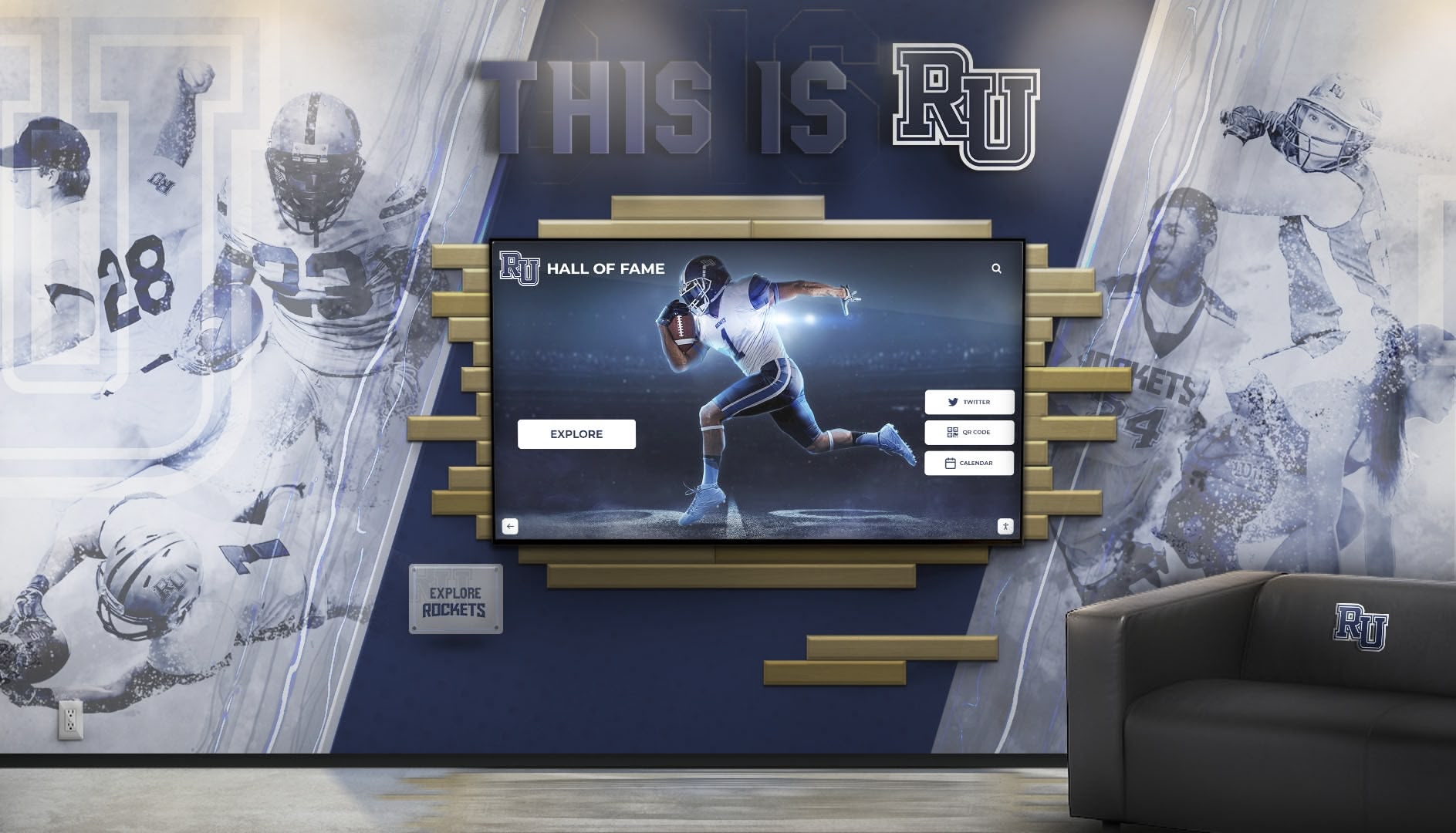
Strategic placement in career centers, counseling areas, or main corridors ensures maximum student visibility and accessibility
Integration with Comprehensive Career Readiness Programming
Career pathways boards achieve maximum impact when integrated with broader college and career readiness initiatives rather than functioning as isolated resources.
Classroom Curriculum Connections
Teachers across disciplines can leverage career pathways content to demonstrate real-world application of their subjects.
STEM Integration: Science, technology, engineering, and mathematics teachers can assign students to explore careers utilizing their subject area, identifying required education, daily responsibilities, and how classroom learning connects to professional practice. This explicit relevance increases student engagement with sometimes abstract content.
Humanities and Social Science Applications: English teachers might have students analyze career narratives for storytelling elements, history teachers could explore careers in public service or policy, social studies classes might investigate economic aspects of different industries—all using authentic alumni profiles as primary sources.
Career and Technical Education Enhancement: CTE programs benefit enormously from featuring alumni working in relevant industries. Automotive programs showcase graduates working as technicians, service managers, or equipment designers. Culinary programs feature restaurant entrepreneurs, food scientists, or hospitality managers. These real examples demonstrate career potential and validate program value.
College and Career Readiness Coursework: Dedicated career development classes can structure entire units around career pathways board exploration—investigating career clusters, comparing educational requirements, conducting informational interviews with featured alumni, or developing personal career action plans informed by alumnus pathways.
Counseling and Advising Integration
School counselors can leverage career pathways resources throughout their individual and group work with students.
Individual Career Counseling: During one-on-one sessions, counselors can guide students through targeted exploration based on expressed interests, aptitudes, and values. The system enables more informed conversations, moving beyond generic career descriptions to specific examples of paths alumni have taken.
Group Advising Activities: Advisory periods, guidance lessons, or college-going culture initiatives can incorporate structured career pathways activities—career cluster explorations, alumni profile analyses, or small group research projects investigating particular industries.
College Application Support: As students develop college applications, counselors can reference relevant alumni profiles demonstrating how different colleges and programs led to professional success, helping students make informed choices about college selection and major declaration.
Transition Planning: For students not pursuing four-year colleges, counselors can highlight alumni who succeeded through community colleges, technical training, military service, apprenticeships, or direct workforce entry—validating multiple paths while helping students develop concrete post-graduation plans.
Parent and Family Engagement
Career pathways boards serve parents and families seeking to support student career development.
Parent Information Nights: Schools can feature the career pathways system during parent programming, demonstrating the resource while encouraging families to explore profiles together with their students. This shared activity creates constructive career conversations grounded in real information rather than parental assumptions or limited exposure.
Family Access: Web-based accessibility enables parents to independently explore careers their students mention, research educational requirements, or identify alumni they might personally know who could provide additional guidance. This informed engagement strengthens home-school partnership around career planning.
Expectation Calibration: Comprehensive representation of diverse careers and paths helps parents understand that success takes many forms. Parents whose own careers differ from their child’s interests can see concrete examples of fulfilling alternatives, potentially reducing family conflict around career planning.
Economic Information: Labor market data integrated into career profiles helps families make informed decisions balancing passion with practical considerations around earning potential, job availability, and educational investment requirements.

Collaborative exploration enables peer learning and discussion, making career research a shared discovery experience rather than solitary task
Advanced Features and Emerging Innovations
As interactive career pathways boards mature, schools are implementing increasingly sophisticated features that enhance functionality and engagement.
Personalization and Recommendation Engines
Advanced systems incorporate personalization algorithms suggesting relevant career profiles based on student interests, aptitudes, and behaviors.
Students completing interest inventories, aptitude assessments, or values clarification exercises within the system receive customized career recommendations aligned with their responses. This targeted guidance helps students navigate what might otherwise be overwhelming volume of options.
Usage tracking enables “students who viewed this profile also explored…” recommendations, surfacing related careers students might not have considered through guided discovery paths based on aggregate user behavior patterns.
Integration with student information systems could enable even more sophisticated personalization, suggesting careers that align with students’ current coursework performance, extracurricular participation, or expressed post-graduation plans documented in counseling records.
Virtual Mentoring and Connection Tools
Some implementations extend beyond static profiles to facilitate active student-alumni interaction.
Integrated Messaging Systems: Platforms enabling students to contact featured alumni for informational interviews, job shadowing opportunities, or ongoing mentoring relationships transform passive content consumption into active network building. Schools manage these connections ensuring appropriate safeguards while facilitating meaningful interactions.
Virtual Career Panels: Scheduled live video sessions where featured alumni answer student questions in real-time create engaging programming that supplements on-campus career days with more frequent, accessible virtual alternatives.
Alumni Advisory Boards: Schools can recruit engaged featured alumni to serve on student career advisory councils, reviewing career resource effectiveness, suggesting improvements, recruiting additional alumni participants, and providing strategic guidance on career readiness programming.
Labor Market Data Integration
Connecting career profiles to current economic and employment data enhances practical decision-making.
Employment Projections: Integrating Bureau of Labor Statistics or state workforce data showing employment growth predictions, automation risk assessments, and emerging opportunity areas helps students make informed decisions considering market realities.
Salary and Compensation Information: Transparent information about typical earnings across career stages, geographic variations, and education-level differentials enables practical career planning balancing personal fulfillment with financial considerations.
Educational ROI Analysis: Data comparing educational investment costs against typical earnings outcomes helps students and families evaluate different education pathway choices through cost-benefit lenses, particularly important for students concerned about educational debt burden.
Regional Opportunity Mapping: Geographic data showing where particular careers concentrate, which industries dominate different regions, and how career opportunities vary by location helps students consider geographic flexibility in their planning.
Multimedia Storytelling Enhancement
Rich media creates more engaging, memorable career exploration experiences than text alone.
Video Interview Libraries: Comprehensive collections of alumni video testimonials answering common student questions—what’s a typical day, how did you get started, what do you wish you’d known, what advice would you give—create authentic voices that resonate powerfully with visual learners.
Day-in-the-Life Photo Essays: Visual documentation of alumni daily work—their workspace, tasks, collaborators, tools, environments—helps students understand career realities beyond abstract job descriptions.
Career Journey Timelines: Interactive visualizations showing alumni progression from high school graduation through education and early career stages to current positions demonstrate that careers develop gradually through multiple steps rather than single definitive decisions.
Virtual Workplace Tours: 360-degree photos or videos of work environments—hospitals, laboratories, construction sites, offices, studios—help students visualize professional settings and develop informed preferences about work conditions and cultures they find appealing.
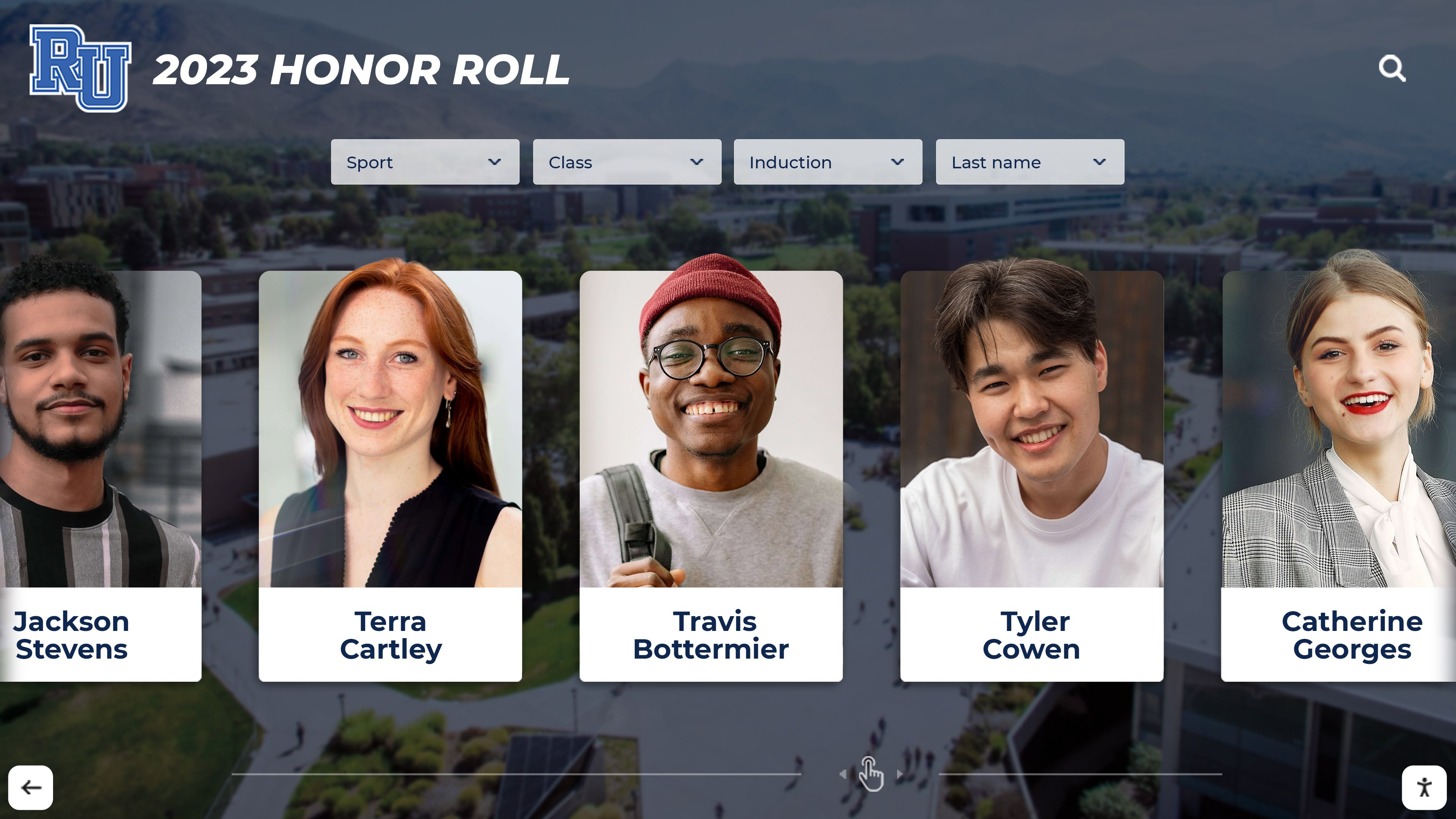
Sophisticated filtering, search, and recommendation features help students discover relevant career options aligned with their unique interests and strengths
Measuring Impact and Demonstrating Value
Schools implementing career pathways boards should establish measurement frameworks demonstrating impact and informing continuous improvement.
Student Engagement Metrics
Quantitative usage data reveals how students interact with the resource:
- Total unique users and return visit rates
- Average session duration and interaction depth
- Most-viewed career profiles and clusters
- Search terms and filter usage patterns
- Peak usage times informing promotional timing
- Web versus physical touchscreen access ratios
These metrics demonstrate resource utilization while identifying potential improvements. If certain career clusters receive minimal exploration, schools might question whether content is insufficient, awareness is lacking, or student interest is genuinely low, informing appropriate responses.
Educational Outcome Indicators
Connecting career pathways implementation to broader student outcomes demonstrates strategic value:
- Post-graduation career pathway clarity and planning
- College major declaration confidence and satisfaction
- Completion of career readiness competencies
- Participation in work-based learning experiences
- College enrollment, retention, and completion rates
- Student engagement with career services and counseling
While not all outcomes directly attribute to career pathways boards, schools implementing comprehensive career readiness initiatives including robust career exploration resources generally see improvements across these indicators.
Alumni Engagement Measures
The system should also enhance alumni relations outcomes:
- Alumni profile contribution rates and diversity
- Featured alumni satisfaction and perceived value
- Progression from profile contribution to deeper engagement
- Alumni mentoring and volunteering participation
- Social media amplification and sharing of recognition
- Donor engagement among featured alumni
Tracking these metrics demonstrates that career pathways boards serve institutional advancement goals alongside student benefits, building support for resource allocation and continued investment.
Qualitative Feedback and Stories
Quantitative metrics should be complemented by qualitative evidence capturing human impact:
- Student testimonials about how career exploration influenced their planning
- Parent feedback about family career conversations and decision-making
- Counselor observations about improved career advising conversations
- Alumni reflections on the experience of being featured
- Teacher reports about increased student engagement when showing career connections
- Administrator stories illustrating broader institutional benefits
Collecting and sharing compelling narratives alongside usage statistics creates comprehensive evaluation demonstrating both reach and meaningful impact.
Conclusion: From Career Confusion to Clear Pathways
Students today navigate unprecedented complexity in career planning—rapidly evolving job markets, automation anxiety, expanding educational options, and pressure to make supposedly definitive life choices during adolescence. In this context, schools bear critical responsibility to provide resources that illuminate possibilities, demonstrate diverse paths to success, and connect current learning to future opportunities.
Interactive career pathways boards address this need through engaging, accessible, continuously updated resources that transform abstract career concepts into tangible examples students can explore, evaluate, and aspire toward. By showcasing alumni who walked the same hallways yet pursued remarkably diverse professional journeys, these digital recognition systems demonstrate that success takes many forms and validate students’ varied interests, aptitudes, and aspirations.
The implementation guidance outlined here—from content development strategies to technology selection, integration with existing programming to sophisticated feature development—provides practical frameworks schools can adapt to their unique contexts, resources, and communities. Success comes not from implementing every possible feature simultaneously, but from starting with strong foundational content and strategic placement, then expanding capabilities based on usage patterns and user feedback.
Solutions like Rocket Alumni Solutions provide comprehensive platforms integrating career pathways functionality with broader alumni recognition and digital engagement capabilities, creating unified ecosystems where career exploration, alumni celebration, and institutional storytelling reinforce each other synergistically. These integrated approaches maximize both student benefit and institutional return on technology investment.
Whether launching new career readiness initiatives or modernizing existing programs, interactive career pathways boards represent strategic investments that serve multiple institutional goals simultaneously—enhanced student outcomes, strengthened alumni engagement, demonstrated educational value, and competitive advantage in enrollment markets where families increasingly evaluate schools based on tangible preparation for future success.
Transform Your Career Readiness Programming
Discover how interactive career pathways boards can inspire students, engage alumni, and demonstrate educational outcomes. Rocket Alumni Solutions specializes in creating comprehensive digital recognition systems that connect students to their futures through compelling alumni storytelling and intuitive career exploration tools.
Explore Career Pathways SolutionsThe relationship between education and career success should never be mysterious or abstract. When students can see concrete evidence that their school prepares graduates for meaningful, diverse professional lives—when they can explore hundreds of real career journeys and recognize themselves in varied possibilities—their engagement deepens, their motivation strengthens, and their planning becomes more informed and intentional. Interactive career pathways boards illuminate these connections, transforming career development from an overwhelming abstract challenge into an exciting exploration of possibilities grounded in the authentic success of those who came before.





























