Greek life organizations face a unique preservation challenge: maintaining decades or even centuries of tradition, membership records, and achievements while ensuring current and future members can meaningfully connect with their sisterhood’s legacy. Traditional sorority composites, plaques, and physical displays that once filled chapter house walls now compete for limited space, deteriorate in storage, or fail to engage members accustomed to digital experiences.
Interactive sorority history walls provide comprehensive solutions for Greek organizations seeking to honor their past while embracing modern engagement expectations. These digital recognition systems transform how sororities preserve their heritage, celebrate member achievements, and create connections between current sisters and the generations who came before them.
The Evolution of Sorority Recognition: From Composites to Interactive Displays
For over a century, sorority composites have served as the primary method of documenting membership. These formal group photographs, featuring individual portraits of each member alongside officers and advisors, created tangible records of each pledge class and year. Chapter houses displayed recent composites prominently while older ones gradually migrated to hallways, basements, and eventually storage.
Limitations of Traditional Sorority Display Methods
Physical recognition systems face several inherent constraints:
Space Constraints: As chapters grow and decades accumulate, wall space becomes increasingly scarce. Many organizations must choose between displaying recent composites and honoring historical members, often resulting in older materials being stored away where they deteriorate from neglect.
Limited Engagement: Static displays offer no interactivity. Members cannot search for specific individuals, learn about particular achievements, or discover connections between current and past sisters without physically examining each composite individually.
Maintenance Challenges: Physical composites fade, frames deteriorate, and glass breaks. Organizations invest significant resources in preservation, framing, and periodic replacement, with costs multiplying across decades of materials.
Accessibility Issues: Only those physically present in chapter houses can view traditional displays. Alumni living elsewhere, prospective members during recruitment, and family members have no access to these important historical records.
Information Limitations: Traditional composites provide minimal context—typically just names, years, and officer positions. The rich stories, achievements, career trajectories, and contributions of members remain undocumented and forgotten over time.
These limitations have driven forward-thinking sororities to explore digital alternatives that preserve tradition while embracing modern technology.

What Is an Interactive Sorority History Wall?
An interactive sorority history wall combines touchscreen display technology with comprehensive digital archives to create engaging, searchable repositories of Greek life history and member recognition. These systems transform traditional composites and static displays into dynamic experiences where sisters, alumni, and visitors can explore decades of tradition through intuitive touchscreen interfaces.
Core Components of Digital Sorority Recognition Systems
Touchscreen Hardware: Commercial-grade displays ranging from 43" to 75" mounted in high-traffic areas like chapter house entryways, living rooms, or alumni lounges. These displays feature responsive touch technology enabling intuitive navigation through photo galleries, timelines, and member profiles.
Cloud-Based Content Management: Secure, web-accessible platforms allowing authorized members to add new content, update information, and manage digital archives from any location. Modern systems require no technical expertise, featuring drag-and-drop interfaces and pre-designed templates.
Searchable Member Database: Comprehensive directories enabling searches by name, year, officer position, academic major, achievements, or other criteria. This searchability transforms history walls from passive displays into active research tools connecting current members with their organizational heritage.
Multimedia Integration: Unlike static composites, interactive history displays incorporate photos, videos, audio recordings, documents, and other media types, creating rich, multi-dimensional presentations of sorority history and member accomplishments.
Remote Web Access: Parallel web platforms ensuring all content remains accessible to alumni and members regardless of geographic location. This accessibility extends recognition beyond physical chapter house visits, maintaining connections across distances.

Benefits of Interactive History Walls for Greek Life Organizations
Digital recognition systems deliver measurable advantages across member engagement, organizational pride, alumni relations, and recruitment effectiveness.
1. Unlimited Capacity for Historical Preservation
Physical space constraints disappear with digital displays. A single 55" touchscreen can showcase thousands of member profiles spanning decades of organizational history without requiring additional wall space. As chapters add new composites annually, systems automatically accommodate growth without physical expansion.
This unlimited capacity enables comprehensive recognition approaches impossible with traditional methods:
- Complete membership archives documenting every sister since founding or chapter establishment
- Officer recognition highlighting all sisters who served in leadership positions across decades
- Achievement galleries celebrating academic honors, community service, career accomplishments, and organizational awards
- Historical timeline placing chapter milestones within broader organizational and campus contexts
- Special recognition for notable alumnae whose contributions shaped organizational or community history
Sororities implementing digital systems report finally being able to honor founding members, charter classes, and early sisters whose composites previously languished in storage, creating powerful connections between current members and organizational origins.
2. Enhanced Member Engagement Through Interactivity
Static displays receive brief glances as members pass by. Interactive recognition systems invite exploration, creating experiences where sisters actively engage with organizational history rather than passively viewing it.
Discovery Through Search: Members can instantly locate specific individuals, search by graduation year, find all sisters from particular hometowns, or identify members who shared their academic majors or career interests.
Connection Building: Current members discover mentors, networking contacts, and role models by exploring profiles of alumnae who pursued similar paths, creating organic connections across generations.
Storytelling Integration: Digital profiles accommodate far more information than traditional composites—including biographies, achievement highlights, career trajectories, and personal reflections that bring individual stories to life.
Multimedia Experiences: Video messages from distinguished alumnae, audio recordings of traditional songs, historical photographs from chapter events, and scanned documents from archives create immersive experiences impossible with physical displays.
Organizations implementing interactive systems report members spending 10-15 minutes actively exploring history compared to brief glances at traditional composites, dramatically increasing historical knowledge and organizational pride.

3. Strengthened Alumni Connections and Engagement
Alumni relations represent critical priorities for Greek organizations, influencing mentoring, career networking, philanthropic support, and organizational sustainability. Interactive history walls provide powerful engagement tools connecting alumnae with their chapters and each other.
Remote Accessibility: Web-based platforms enable alumni anywhere in the world to explore chapter history, view current composites, and reconnect with their sorority experience. This accessibility maintains engagement regardless of geographic distance or years since graduation.
Profile Updates: Alumni can submit updated information about career achievements, life milestones, and contact details, keeping organizational directories current while maintaining connections as life circumstances change.
Networking Facilitation: Searchable databases enable alumnae to identify sisters working in particular industries, living in specific cities, or possessing expertise in relevant areas, facilitating organic networking and mentoring relationships.
Legacy Giving Recognition: Digital systems effectively honor philanthropic support from alumnae contributors, creating lasting acknowledgment that encourages continued engagement and financial support.
4. Powerful Recruitment and Rush Tools
Recruitment represents the lifeblood of Greek organizations. Interactive history walls provide compelling demonstrations of organizational tradition, member quality, and sisterhood strength that resonate with prospective members during rush events.
Tradition Demonstration: Potential new members exploring decades of composites, chapter achievements, and member accomplishments gain tangible understanding of organizational longevity and stability—key factors in recruitment decisions.
Diversity Showcase: Searchable databases highlighting members from varied backgrounds, majors, hometowns, and interests demonstrate inclusive environments where prospective members can envision themselves belonging.
Success Stories: Profiles featuring distinguished alumnae who achieved significant career success, community impact, or personal accomplishments create aspirational examples attracting high-quality recruits seeking organizations that develop leadership and foster achievement.
Family Connections: Systems enabling searches for legacy members help identify prospective members whose mothers, aunts, grandmothers, or other relatives were sisters, strengthening recruitment conversations through multigenerational connections.
Organizations implementing digital recognition report prospective members specifically commenting on history displays during recruitment, with these systems frequently becoming conversation centerpieces during chapter house tours.

5. Preservation of Organizational Heritage
Greek life organizations possess rich histories deserving careful preservation. Many chapters hold documents, photographs, composites, and materials spanning decades or centuries that risk deterioration or loss without proper preservation.
Digital history walls serve as preservation platforms where organizations can digitize, archive, and protect historical materials:
- Composite digitization creates permanent digital records of physical photographs before further deterioration occurs
- Document scanning preserves founding documents, historical correspondence, newsletters, and archives
- Photo restoration repairs damage to historical images before digitization
- Metadata tagging ensures individuals, events, and contexts remain documented and searchable
- Cloud backup protects digital archives from local disasters, theft, or system failures
This preservation work ensures future generations can access and appreciate organizational history regardless of what happens to original physical materials.
6. Cost-Effective Long-Term Investment
While initial investments in digital systems exceed traditional composite costs, long-term financial analysis reveals significant savings and superior value:
Eliminated Annual Costs: Traditional approaches require yearly composite production, framing, and installation. Digital systems eliminate these recurring expenses after initial implementation, creating cumulative savings over decades.
Reduced Maintenance: Physical displays require periodic frame replacement, glass repair, and preservation treatments. Digital systems require minimal maintenance beyond occasional screen cleaning and software updates handled automatically through cloud platforms.
Space Efficiency: Digital displays provide recognition capacity equivalent to hundreds of linear feet of physical displays while occupying minimal space, potentially freeing valuable chapter house real estate for other purposes.
Enhanced Functionality: Beyond simple recognition, systems serve recruitment, alumni engagement, event programming, and organizational communication purposes, delivering returns across multiple operational areas rather than single-purpose recognition alone.
Most Greek organizations achieve break-even on digital investments within 4-6 years when accounting for eliminated composite costs, with systems continuing to deliver value for 8-12 years or longer.
Key Features to Include in Sorority History Wall Systems
Effective digital recognition requires thoughtful feature selection addressing specific Greek life organizational needs and priorities.
Comprehensive Member Profile System
The foundation of effective history walls lies in rich, detailed member profiles going far beyond basic composites:
- Basic Information: Full name, maiden name, graduation year, pledge class, big/little family tree connections
- Leadership Recognition: All officer positions held, committee participation, chapter awards received
- Academic Details: Major, minor, honors, academic achievements, scholarships
- Career Information: Professional trajectory, current employer, industry, notable accomplishments
- Personal Biography: Background, interests, sorority impact, memorable experiences
- Contact Information: Current email, LinkedIn profile, permission-based sharing options
- Photos and Media: Formal composites, candid photos, video messages, audio recordings
This comprehensive approach transforms simple directories into rich biographical archives that current members find genuinely interesting and valuable to explore.
Searchable Database with Advanced Filtering
Powerful search and filter capabilities make large historical archives accessible and useful:
- Name searches with partial matching and maiden name inclusion
- Year/decade filtering showing all members from specific time periods
- Officer position searches identifying all sisters who served in particular leadership roles
- Geographic searches finding members from specific hometowns or currently living in particular cities
- Major/career filtering connecting members by academic interests or professional fields
- Award/achievement searches highlighting sisters who received particular honors or recognition
These search capabilities transform passive recognition into active research tools supporting networking, mentoring, and connection-building across membership.
Timeline and Historical Context Features
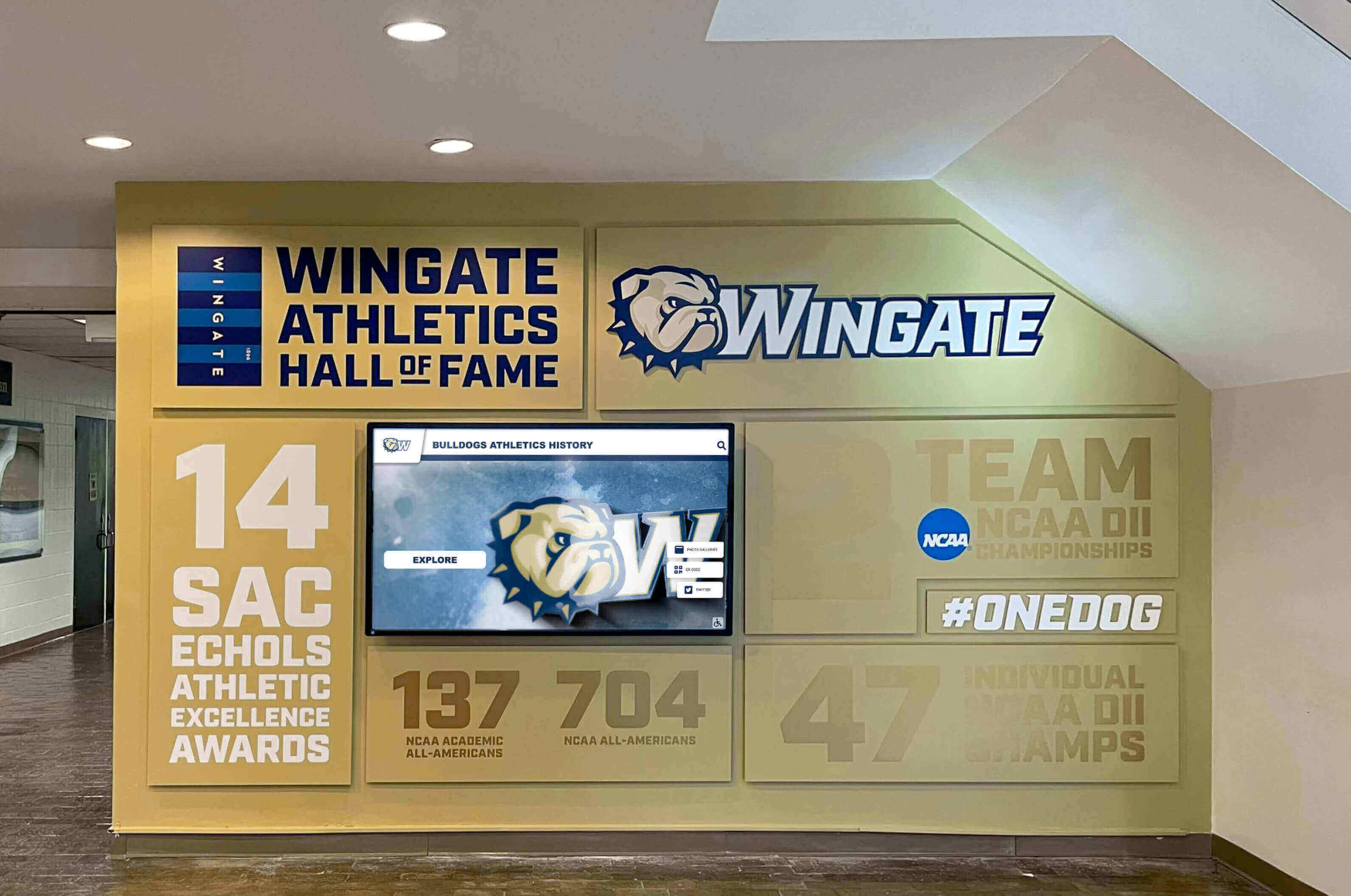
Effective history presentations place individual member recognition within broader organizational contexts through interactive timeline features:
Chapter Milestones: Founding date, charter establishment, facility acquisitions, significant events, award recognition, growth milestones, and tradition establishment
National Organization Context: Founding history, expansion timeline, values and principles, philanthropy evolution, and organizational achievement milestones
Campus Environment: Greek system development, university history connections, campus facility changes, and broader educational institution evolution
Decade-by-Decade Narratives: Contextual information about campus life, fashion, social movements, and cultural elements from each era, helping current members understand experiences of sisters from different time periods
These contextual elements transform member profiles from isolated biographical facts into rich historical narratives connecting individual experiences with organizational legacy.
Officer and Leadership Recognition
Beyond standard membership, dedicated sections highlighting leadership service recognize sisters who shaped organizational direction:
- Presidential galleries featuring all chapter presidents with terms of service and accomplishments
- Officer rosters documenting all sisters who served in leadership positions across decades
- Committee leadership recognizing members who led particular chapter initiatives or programs
- Award recipients highlighting sisters who received chapter, regional, or national organizational honors
- Founding members with enhanced profiles recognizing those who established or built the chapter
This leadership recognition provides aspirational examples for current members while appropriately honoring those who invested extra service in chapter success.
Social Sharing and Digital Export Capabilities
Modern members expect to share meaningful experiences through social media and digital platforms. Effective digital recognition systems include:
- One-click social sharing allowing members to share their profiles, achievements, or interesting historical discoveries to Facebook, Instagram, Twitter, or LinkedIn
- QR code generation creating scannable codes linking directly to specific profiles or displays
- Digital business cards enabling alumni to share their sorority affiliation professionally
- Email sharing facilitating connections by easily sharing contact information between members
These sharing capabilities extend recognition impact beyond physical displays, generating social media impressions and conversations that raise organizational visibility and pride.
Mobile-Responsive Web Access
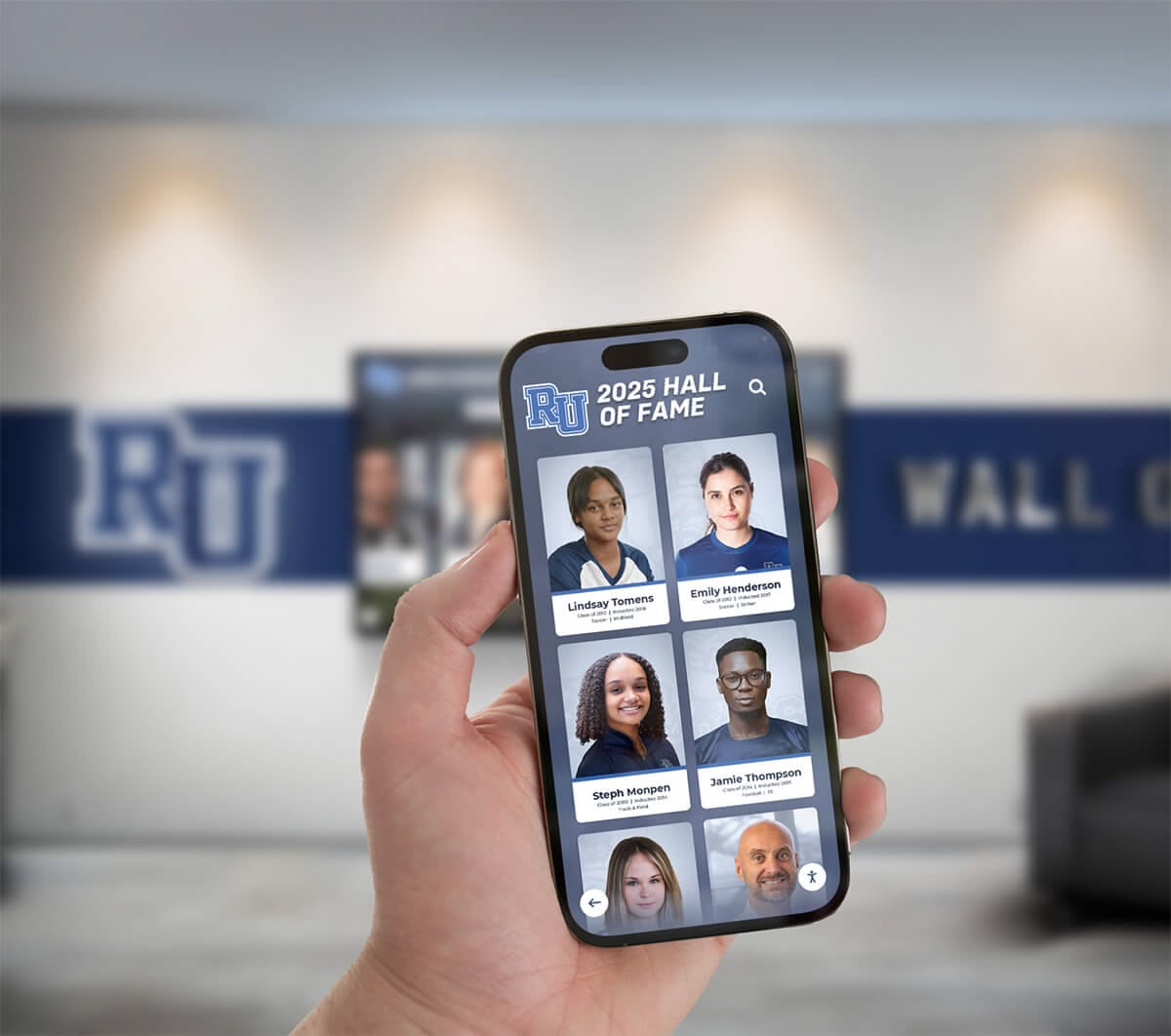
Parallel web platforms ensuring full functionality across devices enable:
- Alumni access from anywhere in the world without chapter house visits
- Recruitment presentations during informal recruitment conversations
- Family sharing allowing members to show parents and relatives their sorority involvement
- Research and preparation before formal chapter events or alumni gatherings
- Content contributions enabling members to submit photos, updates, and information from their phones
Mobile optimization ensures maximum accessibility and engagement regardless of how members choose to interact with content.
Implementation Process: Creating Your Interactive Sorority History Wall
Successfully implementing digital recognition requires systematic planning, content development, and launch strategy.
Phase 1: Planning and Requirements Definition
Begin by establishing clear objectives, success metrics, and feature priorities:
Define Primary Goals: Identify whether systems primarily serve member engagement, alumni relations, recruitment support, historical preservation, or balanced combinations. Priority clarity guides feature selection and content emphasis.
Establish Budget Parameters: Determine available funding from chapter budgets, housing corporation support, alumni contributions, or capital campaign allocations. Budget realities inform system scale, display size/quantity, and phasing approaches.
Select Physical Locations: Identify optimal placement considering traffic patterns, visibility, power/network access, and aesthetic integration with existing spaces. Prime locations include chapter house entryways, living rooms, dining rooms, or dedicated history rooms.
Identify Content Sources: Catalog existing materials including physical composites, photo archives, historical documents, organizational records, and digital assets already available for system population.
Assign Responsibilities: Designate project champions, content coordinators, historical researchers, and long-term system administrators ensuring clear ownership throughout implementation and ongoing operations.
Phase 2: Content Development and Digitization
The most significant implementation effort involves preparing content for digital presentation:
Composite Digitization: High-quality scanning or photographing of all available physical composites, ensuring sufficient resolution for clear digital display and individual portrait extraction.
Individual Portrait Extraction: Processing composite images to create individual headshots for each member, enabling standalone profile presentation and flexible layout options.
Historical Research: Gathering additional information beyond basic composites—gathering officer positions, achievements, biographical details, and contextual information that enriches profiles and makes content engaging.
Biographical Data Collection: Reaching out to alumnae for updated career information, contact details, and permission to include their information in public displays, ensuring respect for privacy preferences.
Multimedia Gathering: Collecting photos from chapter events, video messages from distinguished alumnae, historical documents, and other materials that enhance storytelling beyond simple composites.
Organizations typically begin by comprehensively digitizing and profiling recent decades while creating basic entries for historical members, then gradually enriching historical content over subsequent months and years as resources permit.
Phase 3: Technology Selection and System Setup
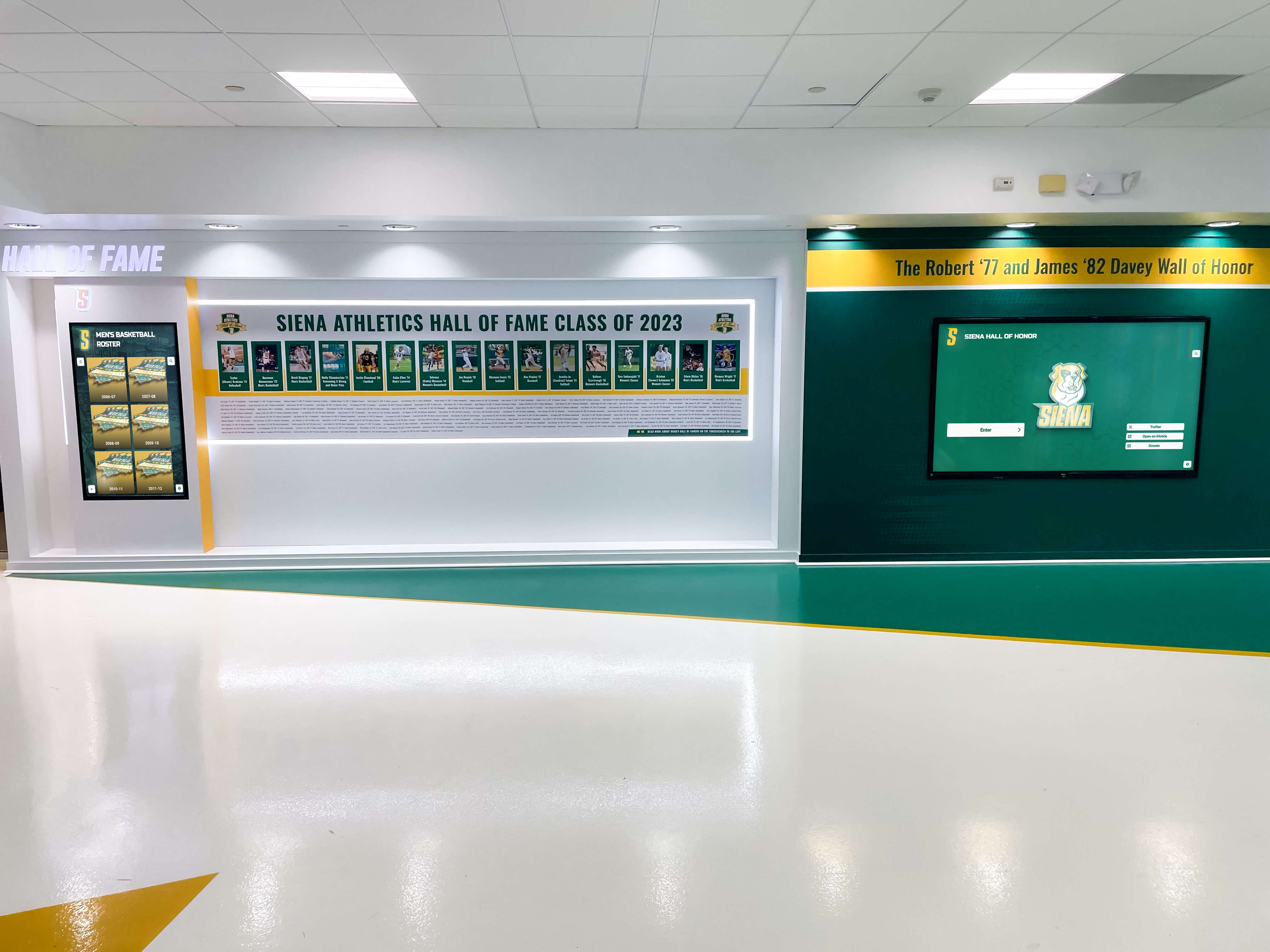
Choose platforms and providers that balance functionality, usability, and organizational needs:
Evaluate Solution Providers: Research companies specializing in educational and organizational recognition technology. Solutions like Rocket Alumni Solutions provide purpose-built platforms designed specifically for Greek life and alumni recognition applications.
Consider Integration Requirements: Assess whether systems need to integrate with existing chapter management software, national organization databases, or other technology platforms.
Review Management Interfaces: Ensure content management systems feature intuitive interfaces that chapter officers with varying technical proficiency can confidently operate without extensive training.
Assess Scalability: Verify systems can accommodate organizational growth, chapter expansion, and increasing content volumes over decades of continued use.
Evaluate Support and Training: Understand provider support models, training offerings, and long-term partnership approaches ensuring successful implementation and sustained operations.
Phase 4: Installation and Launch
Strategic implementation maximizes initial impact and establishes successful long-term utilization patterns:
Professional Installation: Coordinate hardware mounting, power/network connections, and physical setup ensuring displays are securely installed at appropriate heights with proper viewing angles.
Content Population: Upload digitized composites, member profiles, historical timelines, and multimedia materials, organizing content through intuitive navigation structures.
Testing and Quality Assurance: Thoroughly test all features, search functions, profile links, and navigation paths, correcting any errors before public launch.
Training Sessions: Educate designated administrators on content management, profile updates, troubleshooting, and system optimization, ensuring comfortable ongoing operation.
Launch Event: Create ceremonial unveiling moments during chapter meetings, alumni weekends, or special events, generating excitement and encouraging immediate exploration and engagement.
Phase 5: Ongoing Content Management and Enhancement
Initial implementation represents beginnings rather than conclusions. Sustained success requires consistent content attention:
- Annual Updates: Add new composite photos and member profiles at the end of each academic year or following initiation ceremonies
- Alumni Information Updates: Periodically reach out to alumnae for career updates, contact information changes, and new biographical details
- Historical Enrichment: Gradually enhance older profiles as additional information becomes available through research or alumni contributions
- Special Recognition: Highlight member achievements, awards, major life milestones, and organizational contributions through featured content rotations
- Content Refresh: Periodically update featured profiles, timeline highlights, and multimedia elements maintaining freshness and providing reasons for repeat engagement
Organizations treating systems as living archives requiring continuous nurturing achieve dramatically better long-term engagement than those viewing displays as one-time projects.

Content Ideas: What to Include in Your Sorority History Wall
Beyond basic composites and member profiles, creative content enhances engagement and organizational storytelling:
Member Achievement Galleries
Dedicated sections celebrating notable accomplishments:
- Academic Excellence: Summa cum laude graduates, Phi Beta Kappa members, Rhodes Scholars, Fulbright recipients, academic competition winners
- Leadership Recognition: Student government officers, campus organization presidents, national sorority officers
- Career Success: Distinguished alumnae in notable positions, entrepreneurs, industry leaders, public servants
- Community Impact: Philanthropic leaders, nonprofit founders, volunteer advocates, civic engagement examples
- Creative Achievement: Authors, artists, performers, designers, and other creatives who achieved notable recognition
These achievement galleries demonstrate organizational values while providing aspirational role models for current members.
Tradition and Ritual Documentation
While respecting appropriate confidentiality, systems can preserve and explain public traditions:
- Philanthropy Evolution: History and impact of charitable work, fundraising milestones, service hour contributions
- Social Events: Documentation of signature events, formal themes, sisterhood retreats, and traditional celebrations
- Campus Involvement: Historical participation in Greek Week, homecoming, campus traditions, and competitive events
- Symbolic Elements: Explanation of organizational symbols, colors, mottos, crests, and other emblematic features
- Ceremonial Traditions: Appropriate documentation of public ceremonies, formal rituals, and traditional practices
This tradition preservation helps current members understand and appreciate organizational customs and their historical development.
Chapter Facility History
Documentation of physical spaces occupied throughout organizational history:
- Original Locations: First meeting spaces, early chapter houses, temporary facilities
- Facility Evolution: Renovations, expansions, relocations, and architectural changes over time
- Space Transformations: Before-and-after photos showing chapter house updates and improvements
- Donor Recognition: Acknowledgment of alumnae and supporters who funded facility acquisitions or renovations
- Virtual Tours: Historical photo collections showing chapter spaces from different eras
This facility history grounds organizational legacy in physical spaces while recognizing investment required to create member experiences.
National Organization Connections
Context linking chapter experience with broader sorority structure:
- Founding History: National organization origins, founding members, and early development
- Chapter Establishment: Local chapter founding story, charter members, installation ceremony
- National Leadership: Chapter members who served in regional or national organizational positions
- Convention Participation: Documentation of chapter involvement in national conferences and gatherings
- Award Recognition: National honors and recognition received by chapter or individual members
These connections help members understand their membership within broader organizational contexts spanning hundreds of chapters and often millions of initiated members.
Best Practices for Maximizing Engagement with History Walls
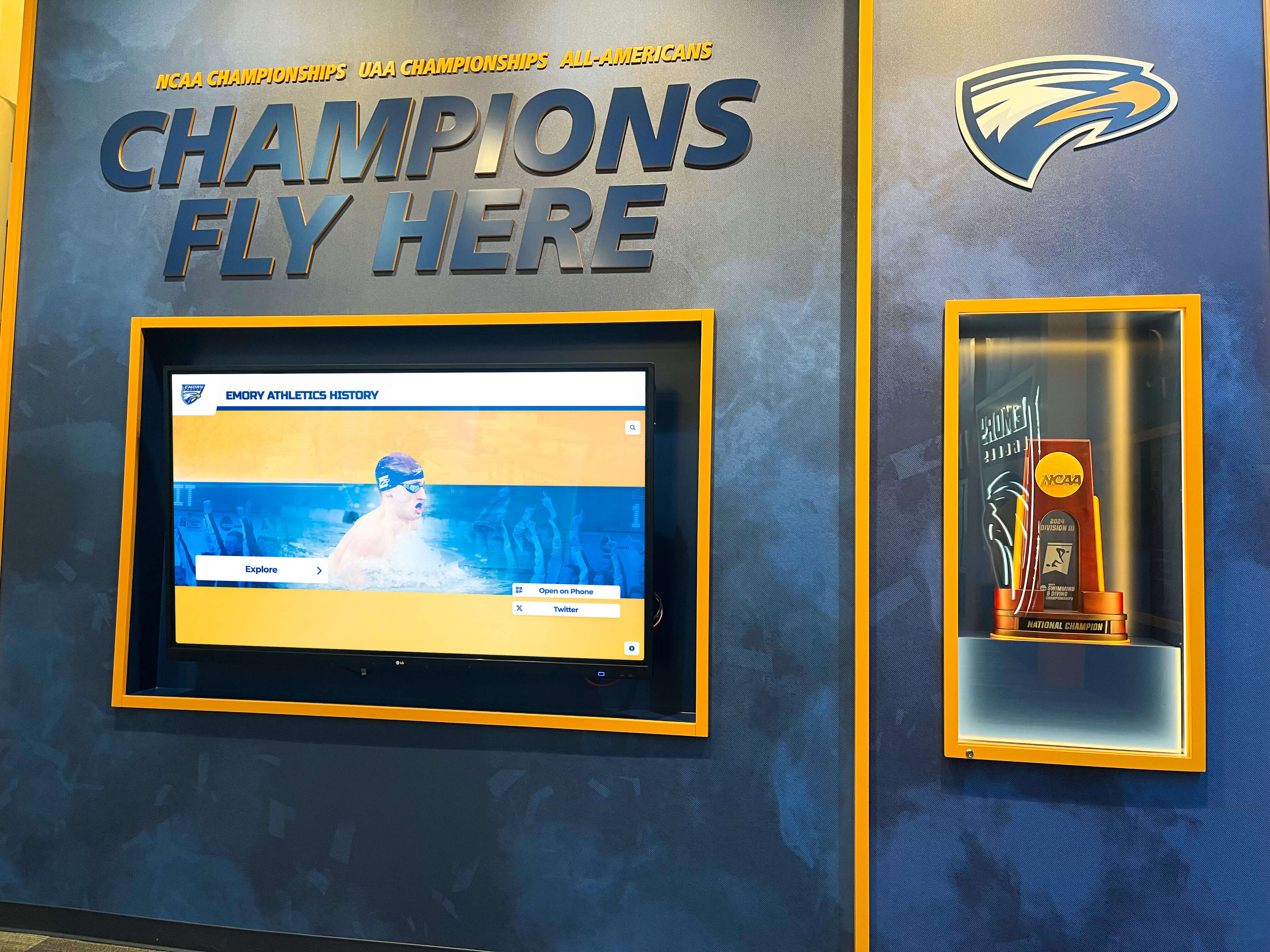
Technology alone doesn’t guarantee engagement. Strategic implementation practices maximize system utilization and impact:
Regular Content Updates and Freshness
Static content becomes invisible through familiarity. Maintain engagement through systematic updates:
- Monthly Feature Profiles: Rotate highlighted members or achievements, giving members reasons to check displays repeatedly
- Anniversary Recognition: Highlight members celebrating significant graduation anniversaries, creating special recognition moments
- Achievement Updates: Promptly add recent member accomplishments, awards, career milestones, and newsworthy achievements
- Historical Discovery Series: Periodically spotlight interesting historical discoveries from archives, creating ongoing “did you know” moments
- Seasonal Themes: Align content with academic calendar events, organizational traditions, or seasonal focuses
These updates maintain freshness and provide compelling reasons for repeated engagement rather than one-time exploration.
Integration with Chapter Programming
Weave history wall engagement into regular chapter activities:
- New Member Education: Incorporate history wall exploration into initiate education programs, requiring searches for specific historical information or connections
- Heritage Nights: Program special events focusing on organizational history where members research and present interesting historical discoveries
- Sisterhood Activities: Create scavenger hunts, trivia contests, or connection-building activities using history wall content
- Recruitment Presentations: Feature history wall demonstrations prominently during chapter house tours and recruitment events
- Alumni Gatherings: Organize alumnae events around history wall unveilings, milestone recognitions, or historical celebrations
This programming integration transforms displays from optional amenities into integral components of chapter experience.
Alumni Engagement Strategies
Extend history wall engagement to graduated members through strategic outreach:
- Launch Announcements: Communicate system implementation to alumnae through newsletters, social media, and email campaigns
- Profile Update Requests: Periodically invite alumnae to submit updated biographical information, career achievements, and contact details
- Reunion Integration: Feature history displays during reunion weekends, encouraging attendees to explore and share memories
- Fundraising Connections: Connect philanthropic recognition opportunities with history wall profiles and special features
- Social Media Campaigns: Share interesting historical discoveries, notable alumna profiles, and achievement highlights through organizational social channels
These strategies maintain alumni connections to chapters through digital recognition beyond physical visits.
Promotion and Visibility
Even the most sophisticated systems require active promotion ensuring awareness and utilization:
- Chapter Communications: Regularly mention history wall content in meeting announcements, newsletters, and member communications
- Social Media Sharing: Encourage members to share discoveries, profile screenshots, and interesting historical finds through personal social accounts
- Physical Signage: Install directional signage guiding members and visitors to history wall locations within chapter facilities
- QR Code Distribution: Print QR codes linking to web platforms on recruitment materials, newsletters, and chapter communications
- Event Integration: Reference history wall content during formal chapter events, officer transitions, and special ceremonies
Consistent visibility reminders overcome familiarity blindness and maintain engagement across changing membership.

Addressing Common Questions and Concerns
Organizations considering digital history walls frequently raise similar questions and concerns:
Privacy and Information Control
Concern: “How do we respect members who prefer privacy while recognizing organizational participation?”
Solution: Modern platforms include granular permission settings allowing individual members to control information disclosure. Members can opt for basic listing (name and year only), moderate disclosure (adding major and basic biographical information), or full participation (comprehensive profiles with contact information). This flexibility respects diverse privacy preferences while ensuring all members receive appropriate recognition.
Content Development Capacity
Concern: “We don’t have time or resources to create thousands of detailed profiles for every member throughout history.”
Solution: Implement phased approaches focusing initially on recent decades with comprehensive profiles while creating basic entries for historical members. Over time, gradually enrich historical content through alumni contributions, volunteer research, and systematic enhancement projects. Systems remain valuable even with basic historical content, improving progressively over months and years as capacity permits.
Technical Expertise Requirements
Concern: “Our chapter officers aren’t technology experts. Will we be able to manage these systems?”
Solution: Modern digital recognition platforms feature intuitive, user-friendly interfaces requiring no technical expertise. Content management resembles familiar social media posting with drag-and-drop functionality, pre-designed templates, and straightforward forms. Providers offer comprehensive training during implementation and ongoing support for troubleshooting. Most organizations find updates simpler than managing traditional composite ordering and installation processes.
Budget and Financial Investment
Concern: “Digital systems seem expensive compared to traditional composites. How do we justify the investment?”
Solution: While initial costs exceed single composite expenses, long-term financial analysis reveals compelling value. Systems eliminate recurring annual composite costs while providing dramatically enhanced functionality serving recruitment, alumni engagement, and organizational pride beyond simple recognition. Most organizations achieve break-even within 4-6 years with systems providing value for a decade or longer. Additionally, many chapters fund implementations through special alumni fundraising campaigns where donors specifically contribute to recognition system projects.
Organizational Buy-In and Change Management
Concern: “Some alumnae and members prefer traditional approaches and resist digital changes. How do we manage this resistance?”
Solution: Frame digital systems as supplements enhancing rather than replacing tradition. Many organizations maintain traditional composite ordering for current years while implementing digital displays that incorporate both current and historical content. This hybrid approach respects tradition while embracing technology benefits. Additionally, involving respected alumnae in planning processes and highlighting historical preservation benefits often converts skeptics into enthusiastic supporters once they understand how systems honor rather than abandon tradition.
The Future of Greek Life Recognition Technology
Understanding emerging trends helps organizations select systems positioned for sustained relevance across changing technology landscapes:
Enhanced Personalization Through Artificial Intelligence
Machine learning technologies increasingly enable sophisticated content customization. Future systems may automatically generate profile suggestions based on publicly available information, recommend connections between members with shared interests or backgrounds, and create personalized exploration experiences emphasizing content most relevant to individual users.
Augmented Reality Integration
Emerging AR technologies will enable members to point smartphones at physical spaces receiving historical overlays showing chapter facilities from different eras, previous members who occupied particular rooms, or historical events that occurred in specific locations, creating immersive historical experiences blending physical and digital elements.
Voice Interaction and Natural Language Search
Voice-activated interfaces will enable natural conversational searches: “Show me all members who graduated in the 1980s and studied engineering” or “Find sisters from California who served as chapter president,” making exploration more intuitive and accessible.
Deeper Social Network Analysis
Advanced analytics will visualize connection patterns within membership—showing big/little family trees spanning generations, identifying members with shared academic or career paths, and revealing unexpected historical connections that facilitate networking and mentoring relationships.
Integration with Chapter Management Systems
Seamless connections with existing chapter management software, national organization databases, and alumni management platforms will reduce redundant data entry while ensuring consistent information across organizational technology systems.
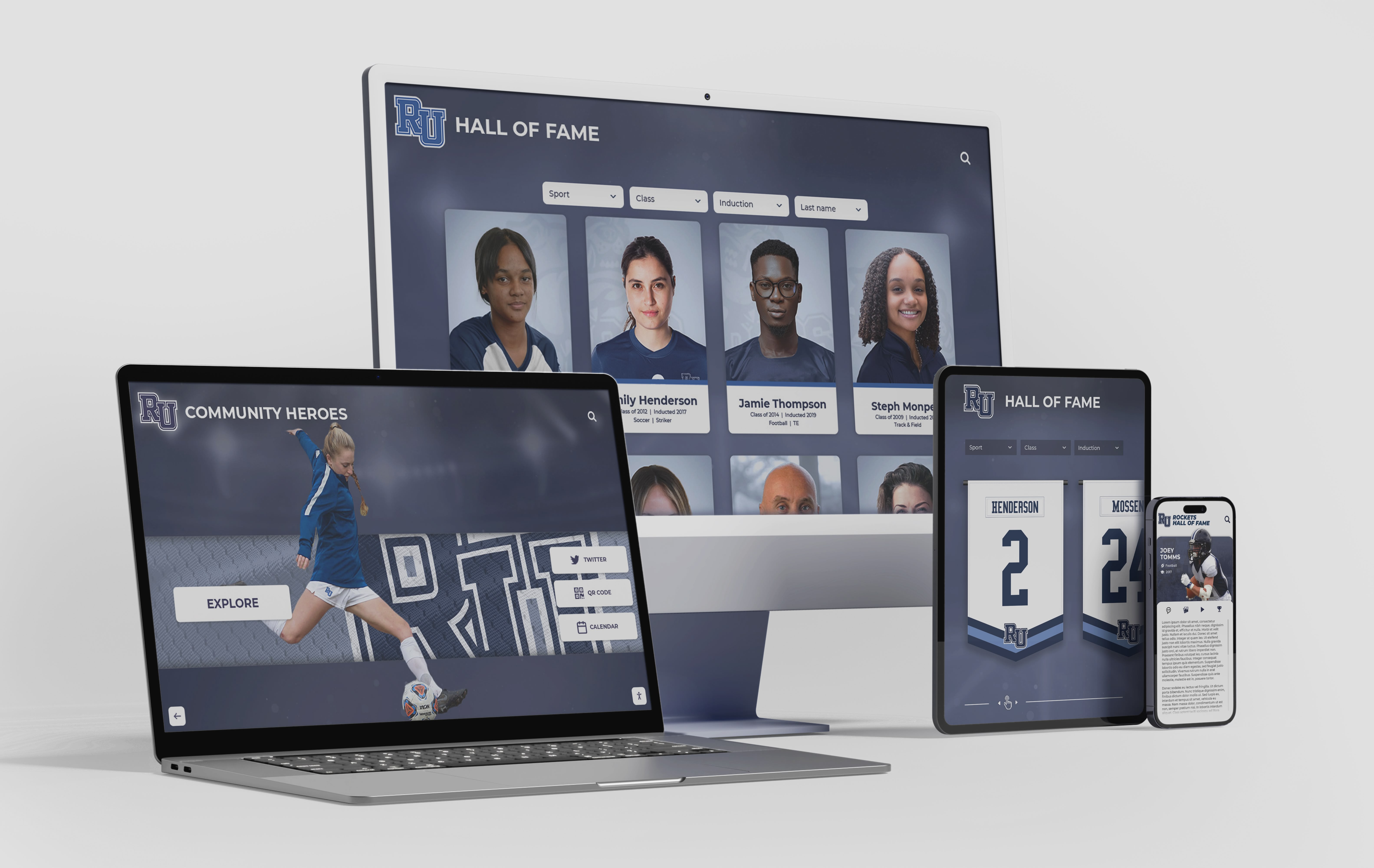
Case for Action: Why Implement Interactive History Walls Now
Several factors make current timing particularly advantageous for Greek organizations considering digital recognition investments:
Technology Maturity: Digital recognition systems have evolved significantly in recent years. Early implementations faced technological limitations, high costs, and complex operation. Current solutions offer intuitive operation, affordable pricing, and proven reliability based on thousands of successful installations across educational institutions.
Alumni Expectations: Younger alumnae increasingly expect digital engagement options. Organizations failing to provide modern access risk diminishing connections with graduates who expect to interact digitally with all aspects of their lives.
Recruitment Competitiveness: Prospective members evaluate chapters across numerous factors including facility quality, tradition depth, and organizational sophistication. Modern recognition systems differentiate chapters during recruitment, signaling investment in member experience and organizational quality.
Historical Preservation Urgency: Physical composites and materials continue deteriorating. Each passing year without digitization increases risk of permanent information loss. Proactive preservation protects organizational heritage before deterioration makes recovery impossible or prohibitively expensive.
Cost-Effectiveness: Improving technology and increasing competition among providers have made digital recognition increasingly affordable. Organizations delaying implementation continue incurring traditional composite costs while foregoing digital benefits, essentially paying more for less functionality.
Conclusion: Honoring the Past While Embracing the Future
Interactive sorority history walls represent far more than technological upgrades to traditional composites. These systems fundamentally transform how Greek life organizations preserve their heritage, celebrate member achievements, engage alumni, and demonstrate organizational quality to prospective members.
By digitizing decades of history, creating searchable member databases, and providing engaging touchscreen experiences, sororities ensure their traditions remain accessible and relevant to current and future generations. Rather than abandoning cherished customs, digital recognition honors the past more comprehensively than traditional methods ever could while embracing modern engagement expectations.
Organizations implementing interactive history walls consistently report increased member engagement with organizational heritage, strengthened alumni connections, enhanced recruitment conversations, and preserved historical materials that might otherwise have been lost. These benefits extend across membership while creating lasting assets serving organizational missions for decades.
For Greek life organizations ready to modernize recognition while honoring tradition, solutions like Rocket Alumni Solutions provide comprehensive platforms combining sophisticated technology with user-friendly operation specifically designed for sorority and fraternity applications. By investing in interactive history walls, chapters ensure their legacies remain vibrant, accessible, and meaningful to sisters separated by decades but united through shared bonds of sisterhood and organizational pride.
The sororities that thrive in coming decades will be those that most effectively balance honoring their past with embracing their future—and interactive history walls provide powerful tools for achieving exactly that balance.































