Schools are increasingly turning to interactive touchscreen technology to transform how they celebrate student achievement, engage visitors, and communicate with their communities. An interactive touchscreen for school applications goes far beyond simple digital signage—it creates dynamic recognition experiences where students, parents, and visitors can explore athletic records, academic honors, historical archives, and institutional stories through intuitive touch-based navigation.
Whether you’re a technology director evaluating display options, a facilities manager planning a lobby renovation, or an administrator seeking modern alternatives to static trophy cases, this comprehensive buyer’s guide covers everything you need to know about selecting, specifying, and implementing interactive touchscreens for recognition and engagement at your school.
Interactive touchscreen displays represent a significant shift from traditional recognition methods. Unlike static plaques and printed honor rolls that require physical updates and offer limited information, modern touchscreen systems deliver multimedia-rich content that can be updated instantly, searched interactively, and expanded continuously as your school’s achievements grow.

Modern interactive touchscreens create engaging experiences for exploring student achievements
Understanding Interactive Touchscreen Technology for Educational Environments
Before evaluating specific products, understanding the fundamental technologies behind interactive touchscreens helps inform purchasing decisions that align with your school’s technical infrastructure and user expectations.
Touch Technology Options
The type of touch sensing technology dramatically affects durability, responsiveness, and total cost of ownership for school installations.
Capacitive Touch Technology:
Capacitive touchscreens—the same technology used in smartphones and tablets—detect touch through the electrical properties of human fingers. These displays offer exceptional multi-touch capabilities, supporting gestures like pinch-to-zoom, swipe navigation, and multi-finger interactions that feel intuitive to students who’ve grown up with mobile devices.
For school environments, capacitive technology provides excellent durability with no moving parts to wear out. The glass surface resists scratches and can withstand millions of touch interactions without degradation. Most modern commercial-grade capacitive displays support 10 or more simultaneous touch points, enabling collaborative exploration where multiple students can interact with content simultaneously.
Infrared Touch Technology:
Infrared touchscreens use a grid of invisible light beams across the display surface. When a finger interrupts these beams, the system calculates touch position. This technology works with fingers, gloves, styluses, or any object—useful in schools where students might wear gloves during winter months or where pointer-based accessibility tools are needed.
Infrared systems typically cost less than capacitive alternatives at larger sizes, making them economically attractive for 65-inch and larger installations. However, the bezel surrounding the display must house the infrared emitters and sensors, resulting in wider frames compared to capacitive displays with edge-to-edge glass.
Optical Touch Technology:
Optical touchscreens use cameras positioned around the display perimeter to detect touch position by analyzing shadows or reflections. Like infrared systems, optical technology works with any touch implement and scales cost-effectively to large formats.
The primary consideration with optical systems is ambient light sensitivity. Bright sunlight or strong overhead lighting can sometimes interfere with touch detection, making these displays better suited for controlled interior environments rather than lobby areas with extensive natural light.
Display Panel Technology
The underlying display panel affects image quality, viewing angles, brightness, and longevity—all critical factors for installations viewed by hundreds or thousands of people throughout the school day.
Commercial-Grade LCD Panels:
Professional LCD panels designed for commercial use offer significantly longer operational lifespans than consumer televisions. Commercial displays typically support 16-18 hours daily operation with 50,000-100,000 hour ratings, compared to consumer TVs rated for 8-10 hours daily use.
For school recognition displays that may run 10-12 hours daily throughout the academic year, commercial-grade panels provide the reliability and warranty coverage necessary for mission-critical installations. These panels also typically include built-in thermal management, allowing safe operation in portrait orientation—common for tall-format recognition displays but problematic for consumer displays not designed for vertical mounting.
LED Backlighting and Brightness:
Display brightness, measured in nits (candelas per square meter), determines visibility in various lighting conditions. School lobbies, gymnasiums, and hallways present diverse lighting challenges requiring appropriate brightness specifications.
For interior locations with controlled lighting, 350-500 nit displays provide excellent visibility. Installations in areas with significant natural light benefit from 500-700 nit panels that maintain visibility even with window glare. Direct sunlight applications—such as displays visible through glass entrance doors—require specialized high-brightness panels of 1000+ nits with anti-reflective coatings.
LED backlighting technology has largely replaced older CCFL backlighting in modern displays, offering better energy efficiency, more uniform brightness, wider color gamuts, and longer operational life. Edge-lit LED designs create thinner display profiles, while direct-lit LED arrays provide more precise local dimming for better contrast ratios.

Interactive touchscreen systems designed for educational environments undergo rigorous testing and demonstration
Display Size and Form Factor Considerations
Selecting the appropriate display size requires balancing available space, viewing distances, content type, and budget constraints. School recognition applications present unique sizing considerations based on installation location and intended use cases.
Common Display Sizes for School Applications
43-55 Inch Displays:
Mid-size touchscreens in the 43-55 inch range work well for dedicated alcoves, smaller lobbies, or focused recognition areas where viewers stand directly in front of the display. These sizes suit elementary school recognition boards celebrating monthly achievers, perfect attendance, and character education awards where content volume remains manageable and viewing happens at close range.
From a budget perspective, 43-55 inch commercial touchscreens typically offer the best price-per-square-inch value, with robust product availability from multiple manufacturers creating competitive pricing. These sizes also work well for pilot programs where schools want to test interactive recognition before committing to larger installations.
65-75 Inch Displays:
Large-format displays in the 65-75 inch range represent the most popular choice for comprehensive school recognition installations. These sizes create impressive visual impact in main lobbies and athletic facilities while maintaining content readability from 10-15 feet away—appropriate for the foot traffic patterns in most school entrance areas.
A 65-inch display in portrait orientation provides approximately 32 inches of width and 57 inches of height, creating an ideal aspect ratio for displaying student portrait grids, vertical achievement timelines, and tall-format hall of fame content. This size accommodates substantial content libraries while remaining accessible to elementary-age students who may need to reach upper portions of the screen.
86-98 Inch Displays:
Extra-large touchscreens exceeding 86 inches deliver maximum impact for prominent locations like athletics complex lobbies, performing arts center entrances, or central administration buildings. These displays accommodate comprehensive content spanning multiple decades of school history while remaining readable from across large open spaces.
The primary considerations at this size range include structural support requirements (an 86-inch commercial display can weigh 150-200 pounds), electrical power demands (larger displays may require dedicated 20-amp circuits), and budget allocation (prices typically range $8,000-$15,000 for the display alone before mounting, installation, and content management systems).
Portrait vs. Landscape Orientation
Display orientation significantly affects content design, space utilization, and user interaction patterns for recognition applications.
Portrait Orientation Advantages:
Most school recognition content naturally aligns with portrait orientation. Student photographs, vertical honor roll lists, chronological timelines, and tall-format athletic displays all benefit from vertical screen space. Portrait displays maximize wall height utilization in hallways and lobbies where horizontal space may be constrained but vertical wall space is abundant.
From a user interaction perspective, portrait displays accommodate natural reading patterns for lists and scrolling content. Multiple students can view portrait content simultaneously while standing side-by-side, whereas landscape displays often force viewers into horizontal rows that limit simultaneous access.
When specifying portrait installations, verify that displays support portrait operation with appropriate thermal management. Consumer televisions typically lack the internal venting necessary for safe portrait mounting and may void warranties when installed vertically.
Landscape Orientation Applications:
Landscape orientation works well for video-heavy content, wide panoramic images, and timeline displays that emphasize horizontal progression. Schools featuring extensive photo and video libraries—such as digital class composites and sports highlight reels—may prefer landscape layouts that match the aspect ratio of most camera content.
Landscape displays also integrate more naturally with existing architectural features designed around traditional 16:9 television proportions, potentially simplifying mounting and aesthetic integration in spaces already prepared for wide-format displays.

Professional athletic recognition installations combine touchscreens with architectural design elements
Content Management and Software Platforms
The software driving your interactive touchscreen determines what content you can display, how easily you can update it, and how effectively users can navigate and search your recognition information. While hardware specifications matter, content management capabilities often differentiate exceptional recognition experiences from basic digital displays.
Cloud-Based vs. Local Content Management
Cloud-Based Management Systems:
Modern cloud-based content management platforms allow authorized staff to update recognition content from any internet-connected device without physically accessing the display hardware. Academic recognition programs benefit tremendously from cloud management, enabling counselors to add honor roll students from their offices, coaches to upload athlete statistics from home, and administrators to approve content remotely.
Cloud platforms typically provide automatic software updates, eliminating the need for on-site technical visits to update features or fix bugs. Content syncs automatically to display hardware, ensuring consistency across multiple installations if your school operates recognition displays in various locations.
Security considerations include verifying that cloud platforms maintain appropriate data protection standards for student information, including FERPA compliance requirements. Reputable education-focused platforms implement role-based access controls, audit logging, and encrypted data transmission meeting K-12 privacy standards.
Local Network Solutions:
Schools with restricted internet policies or highly secure network environments may prefer content management systems that operate entirely within the local network. These solutions store content on on-premise servers or directly on display hardware, avoiding any external data transmission.
Local solutions provide complete control over data location and access but require internal IT resources for system maintenance, updates, and technical support. Budget considerations should account for ongoing IT staff time required for system administration and troubleshooting.
Essential Content Management Features
User-Friendly Content Editing:
The best content management systems accommodate non-technical users who may lack design experience or software training. School secretaries, counselors, and volunteers who maintain recognition content need intuitive interfaces for adding student names, uploading photos, entering achievements, and organizing information.
Template-based content creation allows users to fill in standardized forms rather than manually designing layouts. For example, adding a new honor roll student should involve entering name, grade, photo, and achievement data into a simple form, with the system automatically generating properly formatted display content matching your school’s visual standards.
Search and Filtering Capabilities:
Interactive touchscreens differentiate themselves from static displays through powerful search and filtering that helps users quickly locate specific information within extensive content libraries. A comprehensive hall of fame spanning decades might include thousands of athletes, scholars, and alumni—making search functionality essential for usability.
Search implementations should support multiple criteria including name, graduation year, sport or activity, achievement type, and keyword. Filters let users narrow large datasets to specific time periods, departments, or achievement categories. For example, a visitor searching for basketball state championships from the 1990s should easily filter the complete athletic archive to show only relevant basketball content from that decade.
Analytics and Usage Tracking:
Understanding how visitors interact with your touchscreen helps optimize content and justify technology investments. Analytics platforms track which content users view most frequently, how long they engage with different sections, common search terms, and peak usage times.
This data informs content strategy decisions. If analytics reveal that users frequently search for specific sports but rarely explore others, you might expand coverage of popular programs. If certain sections show low engagement, you can redesign layouts or improve navigation to those areas. Usage metrics also provide concrete evidence of community engagement when reporting to administrators or school boards about recognition program impact.
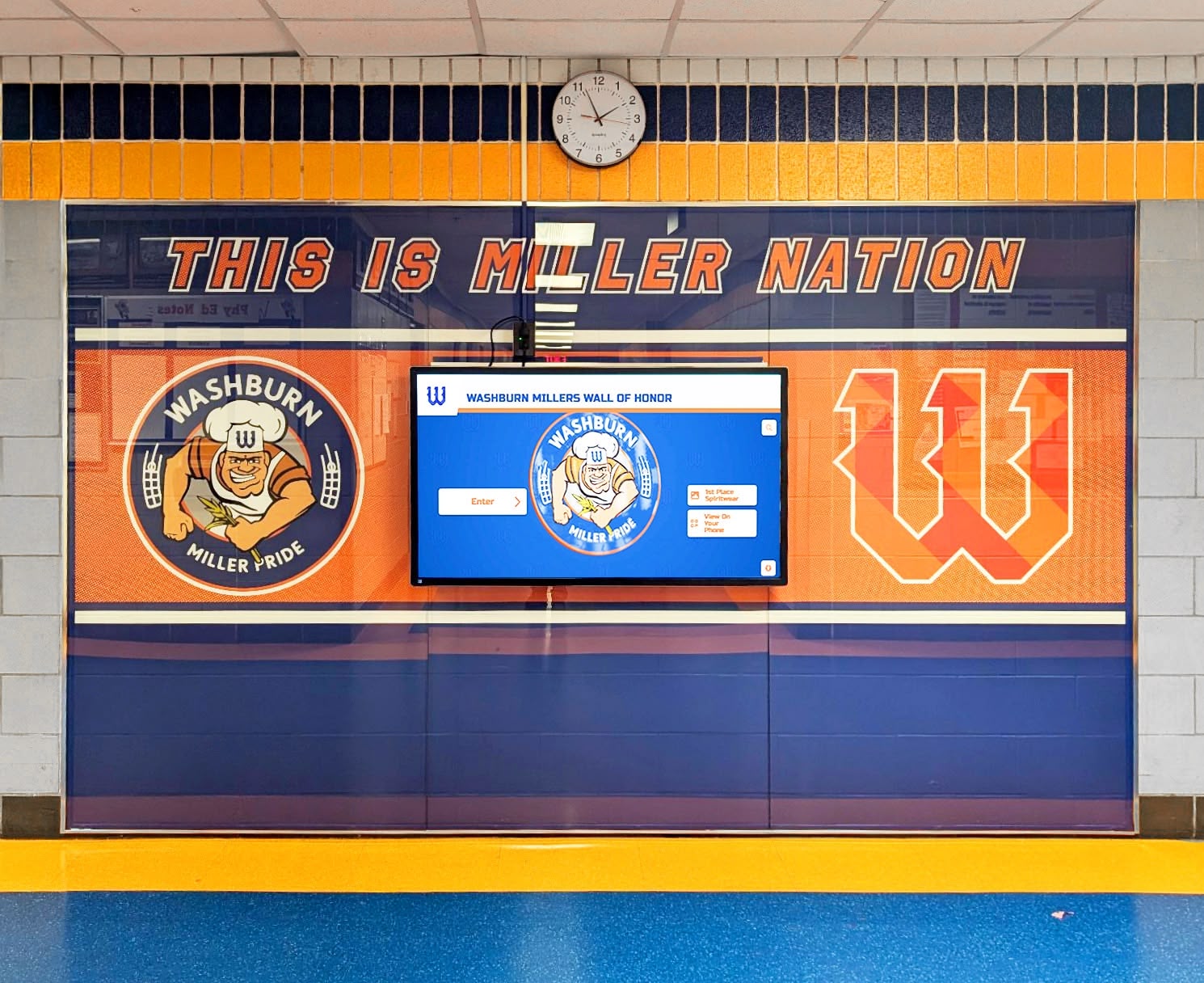
Strategic hallway placement ensures high visibility and engagement with recognition content
Installation Planning and Technical Requirements
Successful interactive touchscreen installations require careful coordination between IT infrastructure, facilities management, and content strategy. Planning ahead for technical requirements prevents project delays and ensures reliable long-term operation.
Electrical and Power Considerations
Dedicated Circuits and Power Protection:
Commercial touchscreen displays typically consume 200-500 watts during operation, depending on size and brightness settings. While this falls within the capacity of standard 15-amp circuits, best practices call for dedicated circuits serving only the display and associated equipment.
Dedicated circuits prevent the display from sharing electrical load with other devices that might cause power fluctuations. They also ensure that unrelated circuit issues—such as a tripped breaker from a different device—don’t interrupt display operation.
Surge protection extends display lifespan by guarding sensitive electronics against voltage spikes from lightning strikes, utility switching, or large motor loads elsewhere in the building. Commercial-grade surge suppressors rated for display equipment provide better protection than basic consumer power strips.
Power Scheduling and Energy Management:
Most commercial displays include built-in scheduling that powers the screen on during school hours and off overnight and during breaks. Proper scheduling extends display lifespan, reduces energy costs, and minimizes unnecessary light and heat in unoccupied spaces.
For schools running displays 10 hours daily, annual energy costs typically range $50-150 depending on local electricity rates and display size. LED backlighting and automatic brightness adjustment based on ambient light further optimize energy efficiency.
Network Connectivity Requirements
Wired Network Connections:
Ethernet connectivity provides the most reliable network connection for displays that must operate continuously without interruption. Gigabit Ethernet connections support high-resolution video streaming, rapid content updates, and remote management without bandwidth limitations.
When planning display locations, coordinate with network administrators to ensure ethernet drops are available or can be installed to display mounting locations. Running network cable during new construction or renovation projects costs significantly less than retrofitting wiring after walls are finished.
Wireless Network Considerations:
WiFi connectivity offers installation flexibility in locations where running network cable proves impractical. Modern dual-band WiFi (2.4GHz and 5GHz) provides adequate bandwidth for most content management tasks, though wired connections remain preferred for mission-critical installations.
WiFi installations require verifying adequate signal strength at display locations. Large format displays mounted on metal studs or concrete walls may create interference challenges. Site surveys before installation confirm connectivity and identify locations requiring additional wireless access points.
Mounting and Structural Requirements
Wall Mounting Considerations:
Wall-mounted touchscreen installations create clean, professional appearances that integrate naturally with school architecture. However, proper wall mounting requires understanding structural load capacity and appropriate mounting hardware.
Commercial displays require heavy-duty wall mounts rated for display weight with appropriate safety factors. An 86-inch display weighing 180 pounds requires mounts rated for at least 250 pounds, mounted to wall studs or structural members capable of supporting that load.
When mounting to drywall over metal studs, verify that studs provide adequate strength for the display size. Large displays may require mounting to structural columns, CMU walls, or supplemental reinforcement. Facilities staff should evaluate wall construction before finalizing display locations.
Freestanding Kiosk Enclosures:
Freestanding touchscreen kiosks create attractive alternatives to wall mounting in locations lacking suitable wall space or where portability offers advantages. Like modern alternatives to traditional trophy cases, dedicated kiosk enclosures designed for interactive displays provide stable mounting, integrated cable management, and professional aesthetics that match institutional environments.
Quality kiosk enclosures incorporate security features including locking access panels for computer components, tamper-resistant hardware, and optional anti-theft anchor points for high-traffic public spaces. Powder-coated steel construction in colors matching school branding creates cohesive visual integration with surrounding spaces.
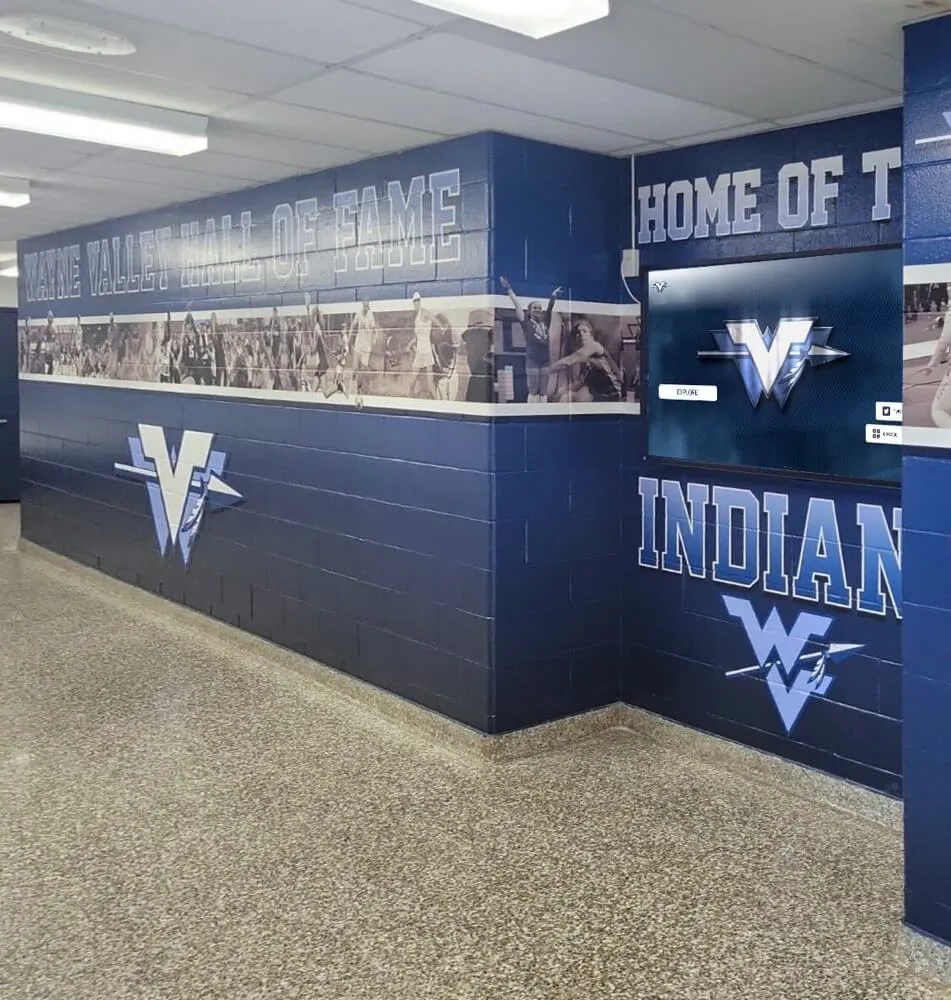
Integrated recognition walls combine interactive touchscreens with architectural murals and branding
AV Integration and Connectivity Options
Interactive touchscreens in modern schools increasingly serve as hubs for broader audiovisual systems that enhance recognition experiences and support multiple use cases beyond static content display.
Media Playback Capabilities
Video Content Integration:
Dynamic recognition displays benefit tremendously from video content that brings achievements to life. Game highlights showing championship-winning plays, acceptance speeches from award ceremonies, historical documentary footage of school milestones, and video messages from accomplished alumni create emotional connections that static text and photos cannot match.
Video playback requirements affect hardware specifications. High-quality 1080p video playback requires adequate processing power, graphics capabilities, and storage capacity. If your content strategy includes substantial video libraries, specify solid-state storage (SSD) with capacity matching your video archives plus room for growth.
Audio Considerations:
Built-in display speakers typically provide minimal audio quality unsuitable for anything beyond basic system sounds. Recognition displays featuring video content benefit from external speakers that deliver clear, intelligible audio across the viewing area.
For installations in acoustically challenging spaces like lobbies with hard surfaces and high ceilings, consider professional audio design that accounts for reverberation, ambient noise, and directional coverage. Many schools implement directional speaker systems that focus audio toward the display viewing area while minimizing sound propagation to adjacent hallways or classrooms.
Multi-Display Synchronization
Video Wall Configurations:
Large-scale recognition installations sometimes employ multiple displays arranged in video wall configurations that create dramatic visual impact. A 2x2 video wall using 55-inch displays creates an impressive 110-inch diagonal combined viewing area larger than any single-panel option.
Video wall implementations require specialized display models with ultra-narrow bezels that minimize visible gaps between adjacent panels. Professional video wall processors synchronize content across multiple displays, dividing single images seamlessly across panels or managing independent content zones on different displays.
Budget considerations for video walls include not only additional display hardware but also specialized mounting systems, video wall processors, and increased installation complexity that typically requires professional AV integration support.
Companion Display Integration:
Some schools implement primary interactive touchscreens alongside secondary passive displays that extend content visibility without interactive capabilities. For example, a 65-inch interactive touchscreen in a lobby might pair with 43-inch companion displays in adjacent hallways showing synchronized content that drives traffic to the interactive installation.
This approach balances interactivity costs (one expensive touchscreen) with expanded visibility (multiple less expensive passive displays) while creating cohesive visual presence across connected spaces.
External Input and Source Switching
HDMI Input Flexibility:
Interactive displays with multiple HDMI inputs support varied use cases beyond dedicated recognition content. Schools might display live event video during ceremonies, presentation content during tours, or streaming video announcements during special events.
Source switching functionality—either through built-in display controls or external switching equipment—allows quick transitions between content sources. During regular school days, the display shows recognition content; during special events, staff switch to live video feeds or presentation sources.
Computer Connectivity:
Most interactive touchscreen installations include dedicated computer hardware running content management software. Specify computers appropriate for display resolution and content complexity. 4K displays require graphics capabilities supporting 3840x2160 resolution; systems playing substantial video content benefit from discrete graphics cards rather than integrated graphics.
Consider computer placement for serviceability and thermal management. Some installations house computers behind displays in wall-mounted enclosures; others place computers in nearby equipment rooms or locked closets with extended cable runs to displays. Each approach presents tradeoffs between cable length limitations, service accessibility, and security.
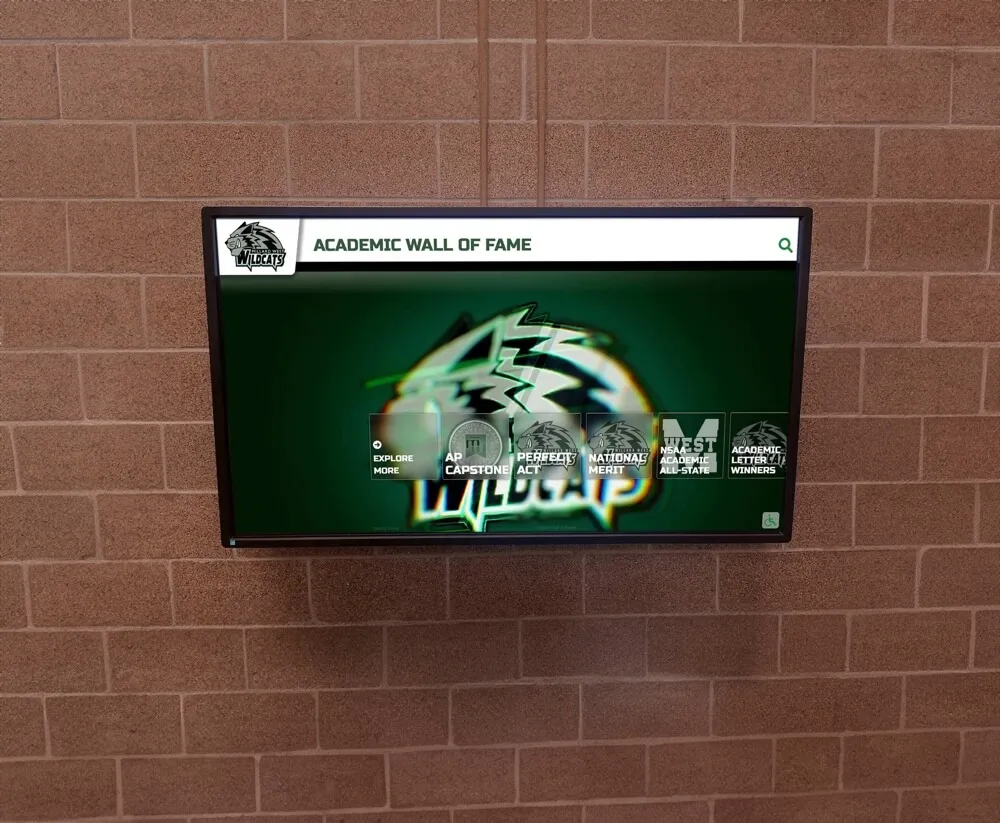
Academic recognition displays integrate naturally with school architecture and existing wall surfaces
Durability and Maintenance for School Environments
School installations face unique durability requirements given the high-traffic, high-touch nature of K-12 environments where hundreds or thousands of students, staff, and visitors interact with displays throughout the academic year.
Vandalism Resistance and Physical Protection
Tempered Glass and Screen Protection:
Commercial-grade touchscreens typically feature tempered glass surfaces significantly more durable than consumer display glass. Tempered glass resists scratches from keys, pens, and other objects students might inadvertently drag across surfaces during interaction.
For installations in unsupervised locations or schools with vandalism concerns, consider supplemental protective measures including anti-graffiti coatings that allow marker or etching removal without permanent display damage, and optional security glazing that adds additional protective layers over touch surfaces.
Anti-Microbial Coatings:
Post-pandemic awareness of surface hygiene makes anti-microbial coatings increasingly relevant for high-touch shared devices. These treatments inhibit bacterial and viral growth on touch surfaces between cleaning cycles, though they don’t replace regular sanitation protocols.
When evaluating anti-microbial options, verify that coatings don’t degrade touch sensitivity or require special cleaning products incompatible with standard school cleaning supplies.
Cleaning and Sanitation Protocols
Approved Cleaning Methods:
Touch displays require regular cleaning to remove fingerprints, smudges, and biological contaminants accumulated through normal use. Manufacturer specifications typically list approved cleaning solutions and methods that effectively sanitize without damaging touch surfaces or anti-reflective coatings.
Most manufacturers approve simple solutions of water with small amounts of isopropyl alcohol or mild dish soap applied with microfiber cloths. Avoid abrasive cleaners, ammonia-based window cleaners, or paper products that might scratch surfaces or leave residue affecting touch sensitivity.
For schools implementing regular cleaning schedules, provide custodial staff with written cleaning protocols specific to touchscreen displays, ensuring that well-intentioned cleaning doesn’t inadvertently damage equipment through inappropriate cleaning products or methods.
Touch Surface Longevity:
Commercial capacitive touchscreens are rated for millions of touch interactions over their operational lifespan. A display supporting 10 million touch points can handle approximately 1,000 touches per day for 25 years—far exceeding typical school usage patterns even in high-traffic installations.
Touch sensitivity may degrade over time if displays aren’t cleaned regularly, as accumulated oils and residues can interfere with capacitive sensing. Regular cleaning maintains consistent touch responsiveness and extends functional lifespan.
Warranty and Service Considerations
Commercial Display Warranties:
Commercial displays typically include 3-year manufacturer warranties covering parts and labor, significantly exceeding the 1-year warranties common for consumer televisions. Extended warranty options of 4-5 years are often available for modest additional costs that may prove worthwhile for displays representing significant capital investments.
Warranty terms vary significantly between manufacturers. Key considerations include warranty coverage for commercial (versus residential) use verification, on-site service versus depot service requirements, response time commitments for warranty service, and coverage of touch components and backlighting beyond basic display panels.
Service and Support Access:
Evaluate manufacturer and integrator support capabilities before purchasing. Schools benefit from working with suppliers offering knowledgeable technical support, established service networks for timely repairs, readily available replacement parts, and local representation for hands-on assistance.
Large manufacturers with extensive education market presence typically maintain better parts availability and service networks than smaller specialty brands. However, specialized education technology companies often provide more tailored support understanding school environments and schedules.
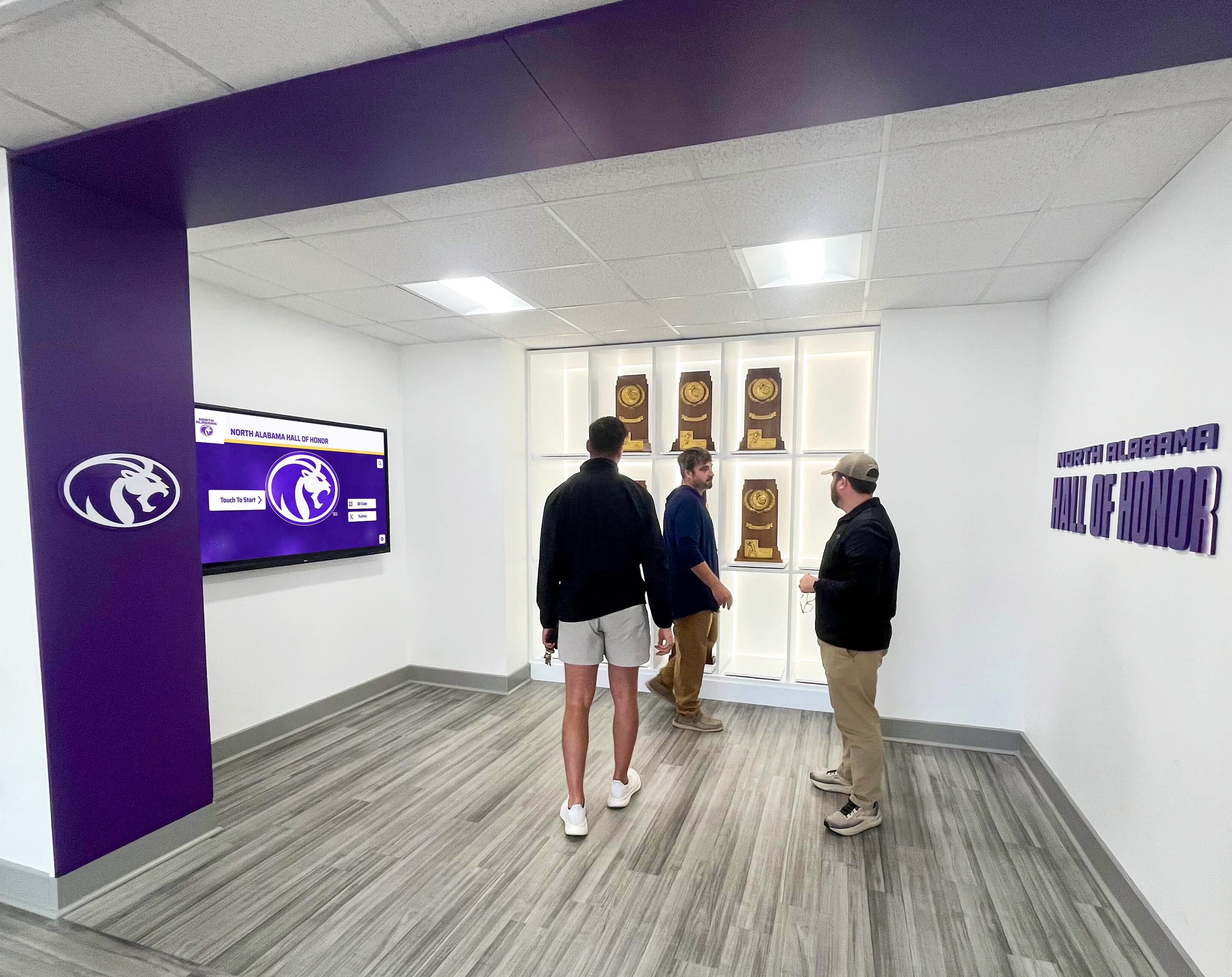
Interactive recognition displays create engagement opportunities for students, alumni, and community visitors
Budget Planning and Total Cost of Ownership
Interactive touchscreen projects involve multiple cost components beyond hardware purchase price. Comprehensive budget planning accounts for all expenses from initial specification through ongoing operation and content management.
Hardware Cost Components
Display and Touch Technology:
Display hardware represents the largest single expense in most projects, with commercial touchscreen costs varying by size, technology, and features:
- 43-55 inch commercial touchscreens: $2,500-$5,000
- 65-75 inch commercial touchscreens: $4,000-$8,000
- 86-98 inch commercial touchscreens: $8,000-$15,000
Capacitive touch technology typically costs 20-40% more than infrared alternatives at comparable sizes. Premium features like 4K resolution, high brightness panels, and advanced thermal management add to base costs.
Computer and Media Player Hardware:
Content management requires dedicated computer hardware meeting software platform specifications. Small form factor computers suitable for behind-display mounting range $800-$2,000 depending on processing power, memory, and storage capacity. High-performance systems supporting 4K video and extensive multimedia content may cost $2,000-$3,500.
Mounting and Installation Hardware:
Professional wall mounts for large commercial displays cost $300-$800, with heavy-duty articulating mounts for the largest displays approaching $1,000-$1,500. Freestanding kiosk enclosures range $2,000-$5,000 depending on size, materials, and customization.
Installation labor varies significantly by project complexity, running $500-$2,000 for straightforward wall-mounted installations but potentially reaching $5,000-$10,000 for complex projects involving extensive electrical work, network infrastructure, or custom millwork integration.
Software and Content Costs
Content Management Platform Licensing:
Cloud-based content management platforms typically employ subscription pricing models ranging $100-$300 monthly per display, though educational pricing and multi-year commitments often reduce effective costs. Some platforms charge one-time licensing fees of $3,000-$8,000 plus annual support fees of 15-20% of licensing costs.
When comparing pricing models, calculate 5-year total cost of ownership for accurate comparisons. A platform charging $150 monthly costs $9,000 over five years, while a $5,000 one-time license plus $750 annual support totals $8,750 over the same period.
Initial Content Development:
Populating your recognition display with historical content requires significant time investment. Schools with extensive archives may need professional services for content digitization, organization, and initial platform population.
Content development services range widely based on archive scope. Digitizing and organizing recognition content for a single sport spanning 50 years might cost $2,000-$5,000, while comprehensive school-wide content covering multiple departments over many decades could reach $10,000-$25,000.
However, many schools successfully complete initial content population using internal staff and volunteer efforts, particularly when content management platforms provide user-friendly tools designed for non-technical users.
Ongoing Operational Costs
Annual Maintenance and Support:
Budget for ongoing costs including electricity (approximately $50-150 annually depending on display size and usage hours), network connectivity (if using cellular data connections), software subscriptions or support renewals, and periodic professional cleaning or maintenance services.
Many schools implement service contracts with integrators providing annual preventive maintenance, priority technical support, and discounted repair services. Annual service contracts typically cost 8-12% of hardware value, providing budget predictability and ensuring expert support availability.
Content Updates and Management:
Factor staff time for ongoing content updates into operational budgets. While cloud-based systems simplify content management, someone must add new achievements, upload photos, update statistics, and maintain content accuracy throughout the school year.
Schools typically assign these responsibilities to existing staff—athletic directors, counselors, activities coordinators—as extensions of current recognition duties. However, the time investment is real and should be acknowledged when planning implementation.
Making Your Selection: Key Decision Criteria
With numerous vendors, technologies, and configuration options available, focusing on key decision criteria helps identify solutions aligned with your school’s specific needs and constraints.
Prioritizing Requirements
Content Volume and Complexity:
Schools with extensive historical archives spanning decades of achievements across multiple departments need robust content management supporting thousands or tens of thousands of individual records. Smaller implementations celebrating recent achievements may succeed with simpler platforms.
Evaluate how much content you currently maintain and how much you plan to add over the system’s expected lifespan. Systems that seem adequate for current content may prove limiting as your recognition program grows.
Technical Support and Resources:
Honestly assess your internal technical capabilities. Schools with dedicated IT staff comfortable managing network-connected systems can successfully implement more technical solutions that might overwhelm schools lacking in-house expertise.
If your school lacks robust technical resources, prioritize vendor solutions emphasizing simplicity, cloud-based management requiring minimal local administration, and comprehensive technical support packages.
Future Expansion Plans:
Consider whether your initial installation represents your complete vision or the first phase of broader implementation. Schools planning to add displays in multiple locations benefit from platforms supporting centralized management of multiple displays with content sharing capabilities.
Platforms supporting flexible scaling from single displays to campus-wide networks prevent costly platform changes when expanding beyond initial installations.
Evaluating Vendor Capabilities
Education Market Experience:
Vendors with substantial education market experience better understand the unique requirements of school environments, including FERPA compliance for student data, workflow matching school staff capabilities and constraints, content types relevant to educational recognition, and budget realities of K-12 institutions.
Ask potential vendors for education client references, particularly schools with similar size and program scope to your institution. Conversations with existing clients reveal real-world implementation experiences beyond vendor marketing materials.
Long-Term Viability:
Interactive touchscreen recognition represents a long-term investment operating for 7-10+ years in many schools. Vendor stability and long-term viability matter tremendously for ongoing support, software updates, and platform continuity.
Established companies with multi-year track records, substantial client bases, and demonstrated commitment to product development provide better long-term prospects than emerging startups, though innovative newer vendors may offer compelling capabilities worth considering despite higher risk profiles.
Demonstration and Pilot Programs
Hands-On Evaluation:
Nothing substitutes for hands-on interaction with actual systems. Request demonstrations using your own content rather than generic vendor demonstrations. Import sample data from your student information systems, upload photographs from your archives, and navigate content as actual users would.
If possible, visit existing installations at schools similar to yours. Observe how students, staff, and visitors interact with displays in actual school environments rather than controlled demonstration settings.
Pilot Implementations:
For schools uncertain about technology choices or vendor selection, consider pilot programs deploying single displays before committing to larger installations. Successful pilots validate technical approaches, confirm vendor capabilities, test content workflows, and build internal momentum for broader implementation.
Pilot programs also provide opportunities for iterative refinement. Lessons learned from initial installations inform specifications for subsequent phases, improving outcomes while reducing risk.
Implementing Your Interactive Touchscreen Recognition System
Once you’ve selected your technology platform, careful implementation planning ensures successful deployment that meets your school’s recognition objectives while staying within timeline and budget constraints.
Project Planning and Timeline
Stakeholder Engagement:
Successful implementations involve stakeholders across multiple departments. Technology directors ensure network infrastructure and power requirements, facilities managers coordinate structural mounting and physical installation, content owners (athletic directors, counselors, alumni coordinators) prepare recognition information, and administrators provide strategic direction and budget approval.
Establish project teams including representatives from relevant departments meeting regularly to coordinate activities, resolve issues, and maintain momentum throughout implementation.
Realistic Timeline Development:
From initial specification through final installation, interactive touchscreen projects typically require 3-6 months depending on complexity, with additional time for comprehensive content development. Key phases include requirements definition and vendor selection (4-8 weeks), hardware procurement and delivery (6-8 weeks), installation planning and completion (2-4 weeks), and content development and population (variable, potentially ongoing).
Coordinate timelines with school calendars to minimize disruption. Summer months often provide ideal windows for installation requiring facilities access, electrical work, and network modifications.
Content Strategy and Organization
Content Architecture Planning:
Before populating content, design organizational structures that remain sustainable as content grows. Logical categorization by department, sport, achievement type, and time period helps users navigate large content volumes while simplifying ongoing content management.
Many successful implementations organize content hierarchically: top-level categories (Athletics, Academics, Performing Arts, Community Service), second-level subcategories (individual sports, academic subjects, specific programs), and individual records within categories (specific athletes, scholars, performances).
Digitization and Migration:
Schools with substantial historical content face significant digitization challenges. Physical plaques, printed programs, paper records, and analog photographs require scanning, photography, or manual data entry to become digital content.
Prioritize recent content that generates immediate user interest while developing multi-year plans for comprehensive historical content digitization. Starting with the past 10-20 years creates meaningful initial content while spreading historical archive work across multiple years.
For photos and documents, scanning at adequate resolution ensures quality presentation on large displays. Minimum 300 DPI scanning for printed materials and high-resolution photography of artifacts creates crisp digital assets suitable for touchscreen viewing at close range.
Launch and Promotion
Soft Launch Testing:
Before formal announcements, conduct soft launch periods where displays operate with initial content but without major publicity. This allows technical teams to verify system stability, content managers to identify and correct content errors, and early users to provide feedback for refinement.
Soft launches reduce pressure on launch teams while ensuring that formal unveiling events showcase fully functional systems rather than works-in-progress requiring caveats and apologies.
Community Engagement:
Promote your interactive recognition system through multiple channels including school website announcements and virtual tours, email communications to families and alumni, social media posts with photos and videos, coverage in school newsletters and publications, and special unveiling events for major donors or community supporters.
Consider hosting open houses where families can explore recognition content and see their students’ achievements. These events build awareness while creating positive associations with school recognition efforts.
Training and Support
Staff Training:
Ensure content managers receive comprehensive training on platform features, content creation workflows, approval processes, and troubleshooting common issues. Most schools identify 2-3 primary content managers with administrative access and broader groups of departmental contributors with more limited permissions.
Effective training includes hands-on practice with actual content rather than theoretical demonstrations. Have staff complete real tasks like adding new students, uploading photos, organizing content, and publishing updates during training sessions.
User Guidance:
While intuitive touchscreen interfaces require minimal explanation, simple on-screen instructions help new users get started. Brief welcome screens, search tips, and navigation hints improve user experience, particularly for older community members less familiar with touch interactions.
Some schools post simple printed instructions near displays with QR codes linking to video tutorials demonstrating search and navigation features.
Recognition Display Best Practices and Success Stories
Schools across the country have implemented interactive touchscreens for recognition with varying approaches that offer valuable lessons for new implementations.
Content That Resonates
Comprehensive vs. Curated Approaches:
Some schools pursue comprehensive documentation attempting to include all achievements across all time periods, while others curate selected highlights representing significant milestones and exceptional achievements.
Both approaches prove successful when executed well. Comprehensive archives appeal to users seeking specific individuals or accomplishments, while curated presentations create compelling storytelling experiences that engage casual browsers.
Many schools find middle ground, maintaining comprehensive databases while creating featured content sections highlighting extraordinary achievements, milestone anniversaries, and thematic collections that surface interesting content from archives.
Multimedia Storytelling:
The most engaging recognition displays go beyond names and statistics to tell stories through video interviews with accomplished alumni, audio narration explaining historical context, photograph galleries showing program evolution, and scanned documents preserving original records and memorabilia.
For example, digital displays at professional venues demonstrate how multimedia content creates immersive experiences that static information cannot match.
Measuring Success
Usage Analytics:
Successful implementations monitor usage patterns to understand content performance and guide ongoing development. Analytics revealing that certain content sections generate minimal traffic might indicate poor navigation, uninteresting presentation, or genuine lack of user interest in those topics.
Conversely, highly trafficked content sections indicate successful recognition categories deserving expanded coverage and potentially informing broader school communications and marketing strategies.
Anecdotal Feedback:
While quantitative analytics provide valuable metrics, qualitative feedback from students, parents, alumni, and visitors offers irreplaceable insights. Comments like “I found my grandmother’s basketball record from 1974!” or “My son searches for himself every week to see his honor roll recognition” validate recognition impact beyond usage statistics.
Create feedback mechanisms encouraging users to share thoughts and suggestions, whether through digital feedback forms, QR codes linking to surveys, or simple suggestion boxes near displays.
Avoiding Common Pitfalls
Content Maintenance Neglect:
The most common failure mode for recognition displays involves initial enthusiasm followed by gradual content neglect as busy staff struggle to maintain regular updates. Displays showing outdated content quickly lose user trust and engagement.
Prevent maintenance neglect through clearly assigned responsibilities, defined update schedules, accessible content management tools, and administrative accountability for content currency.
Overly Complex Navigation:
Complex hierarchical navigation structures that seem logical to designers often confuse actual users. Test navigation with representatives from actual user populations—students, elderly alumni, parents unfamiliar with school programs—before finalizing structures.
Prioritize search functionality over elaborate navigation menus. Users who can quickly search for specific names or achievements tolerate simpler browsing structures.
Technical Reliability Issues:
Nothing damages recognition program credibility faster than displays that don’t work reliably. Network connectivity problems, computer crashes, software bugs, and display hardware failures create frustration and skepticism about technology investments.
Prioritize system reliability through quality hardware, stable software platforms, redundant network connections, monitoring and alerting for system issues, and rapid-response technical support arrangements.
The Future of School Recognition Technology
Interactive touchscreen technology continues evolving with emerging capabilities that will shape future recognition implementations.
Emerging Technologies
Artificial Intelligence and Personalization:
AI-powered content systems can automatically identify connections between users and recognition content, suggesting relevant searches based on demographics or stated interests. For example, a system might recognize a returning user and highlight newly added content since their last visit, or recommend content related to their previous search patterns.
Natural language processing allows conversational search where users ask questions in plain language rather than navigating menu structures. “Show me all basketball state championships” or “Who from my graduation year earned academic awards?” become viable search methods.
Mobile Integration:
Progressive implementations integrate touchscreen displays with mobile experiences, allowing users to continue exploring content on personal devices after discovering it on public displays. QR codes on displays link to mobile-optimized content, “send to phone” features transfer content from displays to personal devices, and mobile apps provide full access to recognition content anywhere.
This mobile integration extends recognition beyond physical display locations, increasing content accessibility while driving traffic to displays where users discover content they later explore more deeply on mobile devices.
Social Sharing Features:
Next-generation recognition platforms facilitate social sharing where users can post their discoveries to social media, share achievements with friends and family via email or messaging, and create digital scrapbooks collecting meaningful recognition content.
While implementing social features requires careful privacy considerations for student information, appropriate implementations can amplify recognition impact as families proudly share achievements across their networks.
Expanding Recognition Beyond Athletics
While many schools begin interactive recognition with athletic achievements, the technology proves equally valuable for celebrating academic accomplishments, performing and visual arts achievements, community service contributions, student leadership and character recognition, and alumni professional achievements.
Comprehensive recognition programs celebrating diverse achievements create inclusive school cultures that value excellence in all its forms, not solely athletic performance.
Conclusion: Making the Right Choice for Your School
Selecting an interactive touchscreen for school recognition represents a significant decision balancing technology capabilities, budget constraints, content requirements, and long-term sustainability. The most successful implementations prioritize user experience and content quality over hardware specifications, choose sustainable content management approaches matching staff capabilities, plan for multi-year growth rather than only current requirements, and select vendor partners committed to education markets for the long term.
Modern interactive touchscreen displays transform static recognition into dynamic engagement experiences where students see themselves as part of continuing excellence traditions, parents take pride in their children’s achievements, alumni reconnect with their school experiences, and visitors understand the depth of institutional accomplishment.
Whether you’re exploring your first recognition display or expanding an existing program, careful evaluation of the factors outlined in this guide will help you select and implement a solution that successfully celebrates achievement while creating lasting value for your school community.
Ready to explore how interactive touchscreen recognition can transform how your school celebrates achievement? Rocket Alumni Solutions specializes in interactive digital recognition systems designed specifically for K-12 schools, colleges, and universities. Our cloud-based platform combines intuitive content management with professional-grade touchscreen displays, creating engaging recognition experiences that honor your students, athletes, and alumni while building lasting school pride. Contact us to schedule a demonstration and see how interactive recognition technology can preserve your school’s heritage while inspiring future generations.































