Intent: Define, demonstrate, and calculate the implementation requirements for interactive touchscreen displays serving realtor agencies with automated property listing showcases, agent directories, and 24/7 client engagement capabilities.
Real estate agencies face mounting pressure to differentiate themselves in increasingly competitive markets where prospective buyers expect instant access to comprehensive property information, visual tours, and detailed listings—regardless of office hours or agent availability. Traditional window displays with printed property cards, static signage, and office-hours-only access no longer meet modern consumer expectations shaped by mobile apps, online portals, and on-demand digital experiences throughout every aspect of daily life.
Yet many realtor agencies struggle with outdated communication methods requiring manual updates, limited after-hours visibility, and missed opportunities when prospective clients pass by closed offices at evenings and weekends. Maintaining current property displays demands significant staff time printing photos, updating details, and physically replacing materials—a labor-intensive process that still results in outdated information when properties sell or pricing changes between update cycles.
This comprehensive guide explores how interactive touchscreen displays revolutionize realtor agency operations by providing 24/7 property showcases, automated listing management integrated directly with MLS databases, and engaging client experiences that transform storefronts into round-the-clock information centers. From window-mounted external displays reaching passersby to interior touchscreen kiosks serving walk-in clients, you’ll discover practical implementation strategies, technical requirements, content approaches, and ROI calculations demonstrating the business case for digital transformation in real estate marketing.
Whether you’re managing a single-office independent brokerage, overseeing multiple franchise locations, or serving as principal broker for a regional firm, this guide provides expert analysis of display technologies, integration capabilities, and deployment models specifically addressing realtor agency needs and operational workflows.

Interactive displays create engaging experiences allowing clients to explore comprehensive property information at their own pace
Understanding Interactive Touchscreen Technology for Real Estate Applications
Interactive touchscreen displays transform static property marketing into dynamic, self-service exploration platforms enabling prospective buyers to filter listings by location, price range, property type, and features while accessing detailed information, high-resolution photos, floor plans, and virtual tours through intuitive touch interfaces familiar from smartphones and tablets.
The Evolution From Static to Interactive Property Display
Real estate marketing has evolved dramatically from simple “For Sale” yard signs and window cards to sophisticated digital experiences. According to research from Intel and Propmodo, digital signage captures 400% more views than static displays, demonstrating the significant attention advantage interactive technology delivers over traditional printed materials.
Since 2002, specialized real estate display providers have helped transform over 800 realtor office fronts into 24/7 interactive information centers, reaching more than 30 million users through window-mounted touchscreen systems operating continuously regardless of office hours. This evolution reflects broader consumer expectations for instant information access and self-service exploration capabilities across all business categories.
Core Components of Real Estate Touchscreen Systems
Effective interactive displays for realtor agencies combine several integrated components working together to deliver seamless property exploration experiences:
Display Hardware: Commercial-grade touchscreens ranging from 32-inch displays suitable for interior kiosks through 55-inch or larger panels for window installations and lobby showcases. Outdoor-facing displays require high-brightness panels (2,500 nits or higher) overcoming direct sunlight, along with weatherproof enclosures protecting against temperature extremes, moisture, and environmental factors that would damage standard indoor screens.
Touch Technology: Capacitive touch sensors providing responsive multi-touch interaction supporting pinch-to-zoom, two-finger scrolling, and gesture controls matching smartphone interfaces. Commercial displays should support simultaneous touches from multiple users, particularly for interior lobby installations where several clients might browse together.
Integrated Computing: Embedded computer modules running display software and managing data connections to MLS feeds, agency databases, or content management systems. Modern systems typically integrate computing directly within display enclosures, eliminating separate PC requirements and simplifying installation while improving reliability.
Network Connectivity: Reliable internet connections enabling real-time MLS integration, remote content management, and automated listing updates. Window displays require either hardwired ethernet connections or reliable Wi-Fi with adequate signal strength for continuous operation. Cellular backup connectivity ensures displays remain operational during internet outages, particularly critical for external window installations serving as primary property showcases.
Management Software: Cloud-based platforms controlling content display, managing listing presentations, scheduling featured properties, tracking user interactions, and providing analytics about which listings generate greatest interest. Sophisticated software enables centralized control across multiple office locations while providing individual customization for each display.

Freestanding kiosk configurations provide flexible placement options while housing all technical components in professional enclosures
Strategic Applications for Realtor Agency Touchscreen Displays
Real estate offices deploy interactive touchscreens across several strategic applications, each serving distinct marketing objectives and client engagement scenarios that traditional printed materials cannot effectively address.
24/7 Window Displays for After-Hours Property Discovery
Window-mounted touchscreen displays enable agencies to market properties continuously, capturing attention from passersby during evenings, weekends, and any time offices remain closed—expanding marketing reach far beyond traditional business hours. These external-facing installations transform storefronts into interactive property showcases accessible whenever prospective buyers walk or drive past office locations.
Operational Benefits: Since their introduction in the early 2000s, specialized in-window systems have demonstrated compelling business value. Interactive window displays operate autonomously 24 hours daily, requiring no staff presence while providing comprehensive property information to interested prospects. Agencies using these systems report capturing leads from clients who discovered properties through after-hours browsing sessions, then contacted agents the following business day to schedule showings—demonstrating tangible conversion from digital engagement to active sales opportunities.
Technical Requirements: Window installations demand specialized considerations including high-brightness displays overcoming ambient light and direct sunlight, weatherproof enclosures rated IP65 or higher protecting against moisture and temperature extremes, thermal management systems preventing overheating in enclosed window spaces during summer months, and vandal-resistant construction deterring damage from tampering or impact.
User Experience Design: Effective window displays provide immediately obvious interaction methods for first-time users unfamiliar with specific interfaces. Large touch targets, clear navigation buttons, and prominent search functionality help users quickly discover how to explore listings. Screensaver content showing featured properties with “Touch to Explore” prompts attracts attention from people passing by, encouraging spontaneous interaction from prospective buyers who weren’t specifically seeking property information when they encountered the display.
Similar principles underlying interactive touchscreen installations in athletic facilities apply equally to real estate environments—clear navigation, engaging content presentation, and intuitive interfaces that minimize learning curves while maximizing exploration depth.
Interior Lobby Kiosks for Walk-In Client Engagement
Interior touchscreen installations serve walk-in clients, providing self-service property exploration while agents assist other customers or during peak traffic periods when limited staff cannot immediately help every visitor. These interior systems typically feature larger displays, more extensive listing databases, and enhanced functionality beyond what window installations provide.
Enhanced Functionality: Interior kiosks can offer expanded capabilities including detailed neighborhood information with school ratings, crime statistics, and amenity locations; mortgage calculators enabling instant affordability estimates; appointment scheduling allowing clients to request showings directly through displays; lead capture forms collecting contact information from interested prospects; and integration with video conferencing enabling remote agent consultation when offices operate with limited on-site staff.
Placement Strategies: Strategic positioning maximizes utility while optimizing office flow. Common configurations include entrance area placement providing immediate engagement for entering clients, waiting area installations occupying prospects during brief delays before agent availability, and conference room supplementary displays supporting agent presentations during client consultations. Freestanding kiosk enclosures offer flexible positioning compared to wall-mounted installations, with mobility enabling seasonal relocation or event-based deployment at community gatherings, home shows, or promotional appearances.
Hygiene and Maintenance Considerations: High-traffic interior touchscreens require regular cleaning protocols maintaining sanitary conditions and optimal touch responsiveness. Antimicrobial screen coatings reduce bacterial growth while simplifying cleaning procedures. Agencies should establish daily cleaning routines using appropriate cleaners safe for touchscreen surfaces—avoiding harsh chemicals damaging protective coatings or leaving residue affecting touch sensitivity.
Agent Directory and Office Information Systems
Beyond property listings, touchscreens can showcase agency teams, individual agent specializations, transaction histories, client testimonials, and office capabilities—helping prospective clients identify agents matching their specific needs while demonstrating firm credibility and professional depth.
Agent Profile Content: Comprehensive profiles might include professional headshots, licensing credentials and specializations, transaction volume and experience levels, geographic expertise highlighting served neighborhoods, client testimonials and satisfaction ratings, direct contact information with click-to-call or email capabilities, and personal video introductions adding personality and connection beyond static photos and text.
Buyer and Seller Resource Centers: Educational content positioning agencies as trusted advisors includes home buying process guides walking first-time buyers through each step, seller preparation checklists highlighting improvements maximizing sale prices, market analysis tools showing neighborhood trends and pricing data, financing information connecting clients with preferred lenders, and community guides highlighting schools, recreation, dining, and attractions in served areas.
These informational applications demonstrate expertise while providing genuine value to prospects, building trust and credibility that differentiates agencies from competitors offering only property listings without broader consultation and guidance. The same approach digital displays use in educational environments to provide comprehensive information applies equally to real estate offices serving diverse client needs.

Well-designed interfaces enable users to access extensive information through logical navigation hierarchies and intuitive search capabilities
Technical Implementation Requirements and Integration Capabilities
Successful realtor agency touchscreen deployments require careful planning addressing technical infrastructure, data integration, content management workflows, and ongoing operational requirements that determine whether installations deliver sustained value or become expensive frustrations requiring constant troubleshooting and workarounds.
MLS Integration and Automated Listing Management
The most critical technical requirement involves integration with Multiple Listing Service databases, enabling automatic synchronization of property information, photos, status updates, and availability without requiring manual data entry or content updates for every listing change, price adjustment, or property sale.
API Connectivity: Modern real estate touchscreen software typically connects to MLS systems via API (Application Programming Interface) connections enabling bidirectional data exchange. These integrations automatically pull new listings as they become available, update property details when agents modify information, adjust pricing when changes occur, and remove sold properties immediately upon closing—maintaining current, accurate information without human intervention beyond normal MLS data management workflows agents already follow.
Zapier Integration: For MLS systems lacking direct API support or agencies using multiple data sources, integration platforms like Zapier provide connectivity between disparate systems. These middleware solutions can synchronize data from MLS platforms, agency CRM systems, website databases, and other sources into unified display content management systems—though typically with slightly longer synchronization delays compared to direct API integration.
Content Filtering and Curation: While comprehensive MLS integration provides access to extensive listing inventories, agencies typically want selective display showing only their listings, featured properties meeting specific criteria, or curated selections highlighting premium inventory. Advanced software provides filtering rules automatically selecting which listings appear based on parameters like agency representation, property characteristics, price ranges, or manual feature flags identifying showcase properties deserving prominent display positioning.
Photo and Media Management: Beyond basic listing data, integration must handle photos, floor plans, virtual tour links, and video content associated with properties. Systems should automatically resize and optimize images for display resolution, create photo galleries with touch-enabled swiping, embed virtual tour viewers within listing detail screens, and play video content on-demand when users select media-rich listings.
Network Infrastructure and Connectivity Requirements
Reliable operation demands robust network connectivity with adequate bandwidth, security measures protecting sensitive data, and backup solutions maintaining functionality during service interruptions that would otherwise render displays non-functional during outages.
Bandwidth Specifications: High-resolution photos, video content, and virtual tours require substantial bandwidth for smooth performance. Minimum recommended specifications typically include 25 Mbps download speeds for single displays, with higher bandwidth for multiple concurrent displays or offices with several installations sharing network connections. Insufficient bandwidth results in slow image loading, stuttering video playback, and frustrating user experiences undermining professional impressions agencies intend to project.
Network Security Considerations: Displays connected to agency networks require appropriate security measures preventing unauthorized access, protecting client data, and maintaining compliance with real estate industry data protection requirements. Dedicated VLAN (Virtual Local Area Network) segments isolating display network traffic from primary office systems, firewall rules restricting display network access to necessary services, and regular security updates for display computing modules and software platforms protect against vulnerabilities and potential data breaches.
Cellular Backup Connectivity: For window displays serving as primary after-hours marketing channels, cellular backup connections maintain operation when primary internet service fails. LTE or 5G modems provide automatic failover, ensuring displays remain functional during outages while alerting IT administrators to primary connection failures requiring attention. This redundancy proves particularly important for external displays lacking immediate staff observation that would quickly notice outages affecting interior installations.
Hardware Specifications and Environmental Requirements
Selecting appropriate display hardware matched to specific installation environments and operational requirements prevents premature failures, ensures satisfactory performance, and delivers acceptable total cost of ownership across expected equipment lifespans.
Commercial-Grade Displays: Consumer televisions or monitors prove inadequate for commercial installations operating continuously. Purpose-built commercial displays feature extended lifespan ratings (typically 50,000+ hours continuous operation versus 20,000 hours for consumer screens), enhanced cooling systems preventing thermal failures during 24/7 operation, ruggedized construction withstanding continuous use, and commercial warranty coverage appropriate for business deployments.
Touch Sensor Durability: Commercial capacitive touch systems should support millions of touches without sensor degradation. Industrial touch overlays resist scratching, tolerate impact better than consumer smartphone screens, and maintain responsiveness across wide temperature ranges important for window installations experiencing seasonal environmental extremes.
Computing Power Requirements: Smooth performance demands adequate processing power, RAM, and graphics capabilities. Minimum specifications typically include Intel Core i5 or equivalent processors, 8GB RAM supporting smooth multitasking and media playback, solid-state drives (SSD) providing faster boot times and application loading, and dedicated graphics supporting high-resolution displays with smooth animation and video rendering.
Environmental Specifications: Outdoor-facing window displays require temperature ratings spanning -20°F to 140°F or wider, moisture protection rated IP65 or IP66, anti-glare coatings and high brightness panels (2,500+ nits) overcoming direct sunlight, and thermal management systems preventing both overheating during summer and cold-weather operational failures during winter months.

Professional installations integrate displays seamlessly into facility architecture while providing all necessary functionality and durability
Content Strategy and User Experience Design for Real Estate Touchscreens
Technical capabilities alone don’t ensure success—effective content strategy and thoughtful user experience design determine whether displays engage prospects, communicate value, and generate qualified leads or simply entertain casual browsers without driving business outcomes justifying system investments.
Designing Intuitive Navigation for Property Exploration
First-time users encountering touchscreens outside business hours lack access to staff assistance explaining interfaces or resolving confusion about navigation. Intuitive design enabling immediate comprehension proves essential for capturing and maintaining prospect attention during critical initial interactions.
Clear Visual Hierarchy: Screen designs should establish obvious information priority through size, color, contrast, and positioning. Primary navigation options deserve prominent placement with large, clearly labeled touch targets. Secondary features can occupy less prominent screen areas, accessible but not competing with essential functions for visual attention. Property photos should dominate listing displays, with text details supporting rather than overwhelming visual presentation.
Search and Filter Functionality: Robust search capabilities enable users to quickly find relevant properties matching their specific criteria rather than browsing through extensive inventories. Essential filters typically include price range sliders, property type selectors (single family, condo, multi-family, commercial), bedroom and bathroom count, geographic area selection through interactive maps or neighborhood lists, and advanced filters for features like garage spaces, lot sizes, architectural styles, or special amenities.
Progressive Information Disclosure: Listing presentations should follow progressive disclosure patterns, initially showing key information and primary photos, with touch interactions revealing additional details, complete photo galleries, floor plans, and supplementary content. This layered approach prevents overwhelming users while enabling deep exploration for seriously interested prospects—balancing quick browsing with comprehensive information access.
Consistent Interaction Patterns: Standard touch gestures should work consistently throughout interfaces. Swipe gestures for photo galleries, pinch-to-zoom for maps and floor plans, tap-to-select for navigation, and scroll gestures for text content should behave predictably, matching interaction patterns users learned from smartphones and tablets—minimizing learning curves by leveraging existing user experience expectations.
Similar design principles demonstrated in interactive touchscreen applications for athletic recognition translate directly to real estate contexts—clear navigation, engaging visual presentation, and interaction patterns matching user expectations from other digital experiences.
Balancing Automation With Human Connection
While automated, self-service exploration provides convenience, maintaining human connection and facilitating easy agent contact ensures displays generate leads and conversations rather than merely entertaining browsers without capturing business opportunities.
Prominent Contact Mechanisms: Every screen should provide obvious methods for users to request additional information, schedule showings, or contact agents. Persistent “Contact Agent” buttons, dedicated “Schedule Showing” options for each listing, QR codes enabling instant information transfer to smartphones, and phone numbers with click-to-call functionality remove friction from conversion paths, making it effortless for interested prospects to transition from browsing to active engagement.
Lead Capture Without Barriers: While collecting prospect contact information serves important business purposes, excessive required fields or premature information requests deter engagement. Allow substantial property exploration before requesting contact details, make initial exploration possible without mandatory registration, provide obvious value exchange for information requests (“Receive full property details” rather than generic “Submit”), and minimize required fields to essentials—obtaining basic contact information initially with opportunities for progressive profiling through subsequent interactions.
Video Content Connecting With Agents: Pre-recorded agent introduction videos, neighborhood tour videos narrated by local specialists, and property walkthrough videos filmed by listing agents add personality and human connection to otherwise digital experiences. Brief video clips (30-60 seconds) introducing available agents, describing their specializations, and inviting contact create relationship foundations before formal consultations occur—helping prospects feel connected with specific agents rather than viewing agencies as faceless corporate entities.
Maintaining Fresh, Relevant Content That Drives Engagement
Even perfectly designed interfaces fail when content becomes stale, inaccurate, or insufficiently compelling to maintain prospect interest. Ongoing content management determines whether displays deliver sustained value or gradually decline into ignored background elements prospects learn to overlook.
Automated Content Updates: MLS integration provides automated listing updates, but agencies should establish processes ensuring featured content, agent profiles, market statistics, and promotional materials receive regular review and refreshment. Quarterly reviews of agent profiles, monthly updates of featured listings rotating showcase properties, weekly verification of market data and statistics, and seasonal adjustment of community information highlighting relevant attractions throughout the year maintain content currency and relevance.
Dynamic Featured Content: Rather than static homepage presentations, systems should automatically rotate featured listings, highlight newly listed properties, showcase recent sales demonstrating market activity, display seasonal content relevant to current time periods, and present location-appropriate content varying between different display locations for multi-office agencies.
Performance Analytics Informing Content Decisions: Advanced systems track which listings receive most views, what search criteria users employ frequently, how long prospects engage with various content types, and which features generate greatest interest. These analytics inform content strategy, identifying which properties deserve featured positioning, revealing market segments generating strongest prospect interest, and highlighting content gaps where prospects seek information current displays don’t adequately address.
Similar content management approaches used by digital recognition systems in educational and athletic contexts apply equally to real estate displays—regular content refreshes, data-driven optimization, and strategic featuring decisions maintain engagement over extended operational periods.

Organized, visually appealing content presentation enables quick scanning while supporting detailed exploration of individual items
Business Case Analysis and Return on Investment Calculations
Interactive touchscreen investments require significant capital allocation and ongoing operational costs. Understanding potential returns, quantifiable benefits, and realistic payback periods enables informed budget decisions while setting appropriate performance expectations against which to evaluate actual deployment results.
Direct and Indirect Cost Components
Comprehensive budget planning requires accounting for all initial and recurring expenses associated with display ownership and operation throughout expected equipment lifespans.
Initial Hardware Investment: Window-mounted external displays typically cost $8,000-$15,000 for complete turnkey installations including commercial-grade high-brightness displays, weatherproof enclosures, integrated computing, touch sensors, professional installation, and initial configuration. Interior lobby kiosks generally range $4,000-$8,000 for comparable functionality without specialized weatherproofing requirements. Multi-display deployments across several office locations command volume pricing often reducing per-unit costs by 15-25% compared to single installations.
Software and Integration Fees: Beyond hardware costs, software licensing, MLS integration setup, and content management platforms involve both initial implementation fees and recurring subscription charges. Annual software fees typically range $1,200-$3,600 per display depending on feature sophistication, number of included listings, integration complexity, and vendor pricing models. Initial setup and integration often adds $1,500-$4,000 one-time charges for MLS connectivity, initial content configuration, and staff training.
Installation and Infrastructure: Professional installation ensures proper mounting, network connectivity, thermal management, and weather protection critical for reliable long-term operation. Installation labor typically adds $1,000-$3,000 per display depending on mounting complexity, network infrastructure requirements, and any necessary electrical work. Window installations often cost more than interior mounting due to specialized weatherproofing and thermal management requirements.
Ongoing Operational Expenses: Recurring costs include electricity consumption (typically $10-$20 monthly per display operating 24/7), internet connectivity if dedicated lines serve displays, content management time for manual updates beyond automated MLS integration, and support contracts for technical troubleshooting and maintenance assistance.
Maintenance and Repair Reserves: Establishing financial reserves for eventual hardware repairs, component replacements, or premature failures protects against unexpected expenses. Commercial displays typically operate reliably for 5-7 years with preventive maintenance, but environmental extremes, power incidents, or component failures may necessitate repairs or replacements before full expected lifespans expire.
Quantifiable Benefits and Revenue Impact
ROI justification derives from multiple benefit categories—some directly measurable through increased transactions, while others deliver indirect value through enhanced marketing reach, improved prospect engagement, or operational efficiency gains reducing staff time requirements.
Extended Marketing Hours: Window displays operating 24/7 effectively triple or quadruple marketing time compared to traditional business hours, capturing attention from prospects passing by during evenings, weekends, and any time offices remain closed. For agencies in high-traffic locations with substantial pedestrian or vehicle traffic, this extended exposure delivers significant reach expansion without proportional cost increases—similar to obtaining three additional office locations without triple the occupancy expenses.
Research indicates digital signage captures 400% more views than static displays, demonstrating the attention advantage digital technology delivers over printed window cards. For agencies in locations generating 500-1,000 daily passersby, window displays potentially capture dozens of daily interactions from prospects who would otherwise continue past closed offices without engagement opportunities.
Lead Generation and Conversion Value: The critical metric involves how many display interactions convert into qualified leads, scheduled showings, and ultimately closed transactions. Industry experience suggests well-implemented displays generate 2-5 qualified monthly leads per installation—prospects sufficiently interested to provide contact information and request agent consultation. At industry-average conversion rates of 2-3% from lead to closed transaction and typical commission values of $8,000-$12,000 per transaction, displays generating 3-4 annual closings easily justify initial investments while delivering ongoing returns throughout operational lifespans.
Marketing Reach Efficiency: Comparing display costs to alternative marketing expenditures provides additional perspective. If window displays capture 25-50 daily prospect interactions averaging 2-3 minutes engagement time, this equals roughly 750-1,500 monthly prospect engagements at a cost of approximately $200-300 monthly (amortized hardware plus software fees). This calculates to $0.20-$0.40 per engagement—dramatically less expensive than pay-per-click advertising, direct mail campaigns, or print advertising delivering comparable exposure levels.
Operational Efficiency Gains: Automated MLS integration eliminates staff time previously spent printing property photos, updating window displays, and maintaining current information manually. For agencies previously dedicating 5-10 weekly staff hours to manual display updates at average fully loaded labor costs of $25-35 hourly, automation saves $500-1,400 monthly—directly offsetting significant portions of display operational expenses while freeing staff for revenue-generating activities rather than administrative maintenance tasks.
Technology platforms like Rocket Alumni Solutions demonstrate similar efficiency principles in recognition display contexts—automated content management, cloud-based administration, and integration with existing data sources dramatically reduce operational overhead compared to manual content maintenance approaches.
Realistic Payback Period Expectations
Conservative financial modeling helps establish realistic expectations while building compelling business cases justifying display investments to agency principals or franchise ownership.
Conservative Payback Scenario: Assuming $12,000 total initial investment (hardware, installation, integration), $2,400 annual software and operational costs, generation of 3 additional annual transactions attributable to display engagement, and average commission revenue of $9,000 per transaction, simple payback occurs within 6-8 months with ongoing positive returns throughout equipment lifespan. Even if only 1-2 additional annual transactions directly result from display leads, payback extends to 2-3 years—acceptable for technology investments with 5-7 year operational lifespans.
Optimistic Performance Scenario: High-traffic locations, agencies with premium listing inventories, or implementations capturing above-average prospect interest may generate 5-8 additional annual transactions from display engagement. In these circumstances, first-year revenue easily exceeds total investment while delivering substantial ongoing returns justifying additional display deployments across multiple office locations.
Risk Mitigation Considerations: Conservative budget planning should account for underperformance risks. Even displays generating minimal direct transaction attribution still deliver marketing exposure value, competitive positioning benefits, and operational efficiency gains partially justifying investments. Agencies uncomfortable with technology uncertainty might consider pilot deployments at single locations before committing to multi-office rollouts, allowing performance validation before expanded investment.

Engaging, touch-responsive interfaces capture and maintain prospect attention while providing intuitive access to comprehensive information
Implementation Planning Checklist and Technical Specifications
Successful deployments require systematic planning addressing technical infrastructure, vendor selection, content preparation, staff training, and performance measurement establishing foundations for long-term operational success.
Before You Start: Prerequisites and Planning Requirements
Thorough preparation prevents common implementation challenges that undermine display effectiveness or require expensive corrections after installations complete.
Stakeholder Alignment and Requirements Definition:
- Identify which office locations represent highest-value deployment opportunities based on traffic, visibility, and strategic importance
- Define primary use cases and success metrics establishing clear performance expectations
- Secure budget approval covering complete costs including hardware, software, installation, and first-year operational expenses
- Align office staff and agents regarding display purposes, lead handling protocols, and content management responsibilities
Technical Infrastructure Assessment:
- Verify network connectivity at proposed installation locations including bandwidth adequacy, Wi-Fi signal strength for wireless displays, and ability to establish hardwired ethernet connections for mission-critical installations
- Evaluate electrical power availability near proposed display locations and any required electrical work installing dedicated circuits or repositioning outlets
- Assess mounting locations for structural adequacy, sight lines, ADA compliance, and any architectural or landlord approvals required for permanent installations
- Document environmental conditions for window locations including direct sunlight exposure, temperature ranges, and weather protection requirements
Content and Data Preparation:
- Confirm MLS data access and API availability for automated integration
- Compile agent profiles, photos, credentials, and biographical information for agent directory content
- Gather office information, service area maps, market statistics, and educational resources for supplementary content
- Develop branding guidelines, color schemes, and design standards ensuring displays align with agency visual identity
Measurement and Analytics Framework:
- Establish baseline metrics for current lead generation, traffic, and transaction volumes providing comparison benchmarks
- Define display-specific KPIs including daily interactions, lead capture volume, listing views, and attributed transactions
- Implement tracking mechanisms connecting display leads to CRM systems enabling closed-loop attribution analysis
- Schedule regular performance reviews assessing results against expectations and identifying optimization opportunities
Core Technical Specifications and Requirements Table
Understanding minimum and recommended specifications helps agencies evaluate vendor proposals, compare offerings, and ensure proposed systems meet operational requirements without over-purchasing unnecessary premium features.
| Specification Category | Minimum Requirement | Recommended Specification |
|---|---|---|
| Display Size | 32-inch diagonal | 43-55 inch (window displays), 32-43 inch (interior) |
| Display Resolution | 1920x1080 (Full HD) | 3840x2160 (4K UHD) |
| Display Brightness (Outdoor) | 2,000 nits | 2,500-3,000 nits with automatic brightness adjustment |
| Touch Technology | Single-touch capacitive | Multi-touch projected capacitive, 10+ simultaneous touches |
| Operating System | Windows 10 or Android 9+ | Windows 11 Pro or current Android version |
| Processor | Intel Core i3 / equivalent | Intel Core i5 / equivalent or better |
| RAM | 4GB | 8GB or higher |
| Storage | 128GB SSD | 256GB SSD or higher |
| Network Connectivity | 10 Mbps internet, Wi-Fi 5 | 25+ Mbps internet, Wi-Fi 6, cellular backup |
| Operating Temperature (Outdoor) | -10°F to 120°F | -20°F to 140°F with automatic thermal management |
| Ingress Protection (Outdoor) | IP54 | IP65 or IP66 |
| Expected Lifespan | 40,000 hours continuous operation | 50,000+ hours with commercial-grade components |
| Warranty Coverage | 1 year parts and labor | 3 year comprehensive with advance replacement |
Installation Phase Execution and Quality Validation
Professional installation following manufacturer specifications and industry best practices prevents premature failures and ensures optimal performance throughout equipment operational lifespans.
Physical Installation and Environmental Protection:
- Verify structural mounting adequacy supporting display weight plus safety margins accounting for vibration and environmental stresses
- Ensure proper sealing of outdoor enclosures preventing moisture intrusion while enabling adequate ventilation for thermal management
- Position displays for optimal viewing angles, minimal glare, and accessibility compliance including appropriate mounting heights for wheelchair users
- Implement cable management protecting connections from physical damage, moisture exposure, and accidental disconnection
Network Configuration and Security Hardening:
- Configure dedicated network segments isolating display traffic from primary office systems
- Implement firewall rules restricting display network access to necessary services and blocking unnecessary ports
- Enable automatic security updates for operating systems and software platforms
- Configure remote management access enabling IT support without physical presence while maintaining appropriate security controls
Software Configuration and Content Loading:
- Complete MLS integration testing verifying automatic listing synchronization, photo uploads, and status updates
- Load initial content including agent profiles, office information, and any static content elements
- Configure user interface navigation, search filters, featured content rotations, and screensaver content
- Test all interaction flows from prospect perspective ensuring intuitive operation without staff guidance
Quality Assurance Testing and Staff Training:
- Conduct comprehensive user acceptance testing simulating realistic prospect interactions across all features and navigation paths
- Verify touch responsiveness across entire screen surface without dead zones or calibration issues
- Test displays under various environmental conditions including direct sunlight (for outdoor installations) and temperature extremes
- Train office staff on content management procedures, basic troubleshooting, and lead handling protocols for display-generated inquiries
Solutions like Rocket Alumni Solutions’ TouchWall platform demonstrate implementation best practices—intuitive content management, comprehensive support, and proven deployment methodologies that minimize implementation risks while accelerating time-to-value for digital display investments.
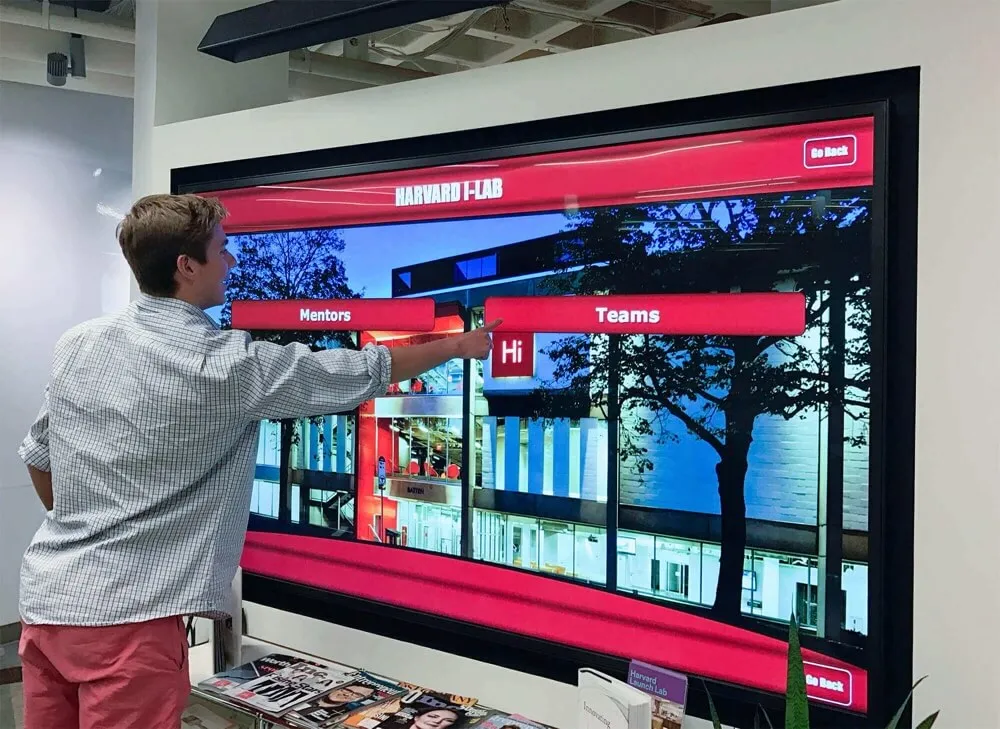
Well-implemented touchscreen systems provide intuitive interfaces enabling effective self-service information access and exploration
Advanced Features and Emerging Capabilities
Beyond core property listing and agent directory functionality, advanced display systems offer sophisticated capabilities enabling enhanced prospect engagement, operational integration, and marketing differentiation for agencies seeking competitive advantages through technology leadership.
Virtual Tour Integration and Immersive Property Experiences
Modern displays can embed comprehensive virtual tour experiences, 3D property walkthroughs, and immersive visualization technologies providing prospects with near-physical property visits without leaving agency offices or window displays.
360-Degree Virtual Tours: Integration with platforms like Matterport, Zillow 3D Home, or similar services enables touch-based navigation through complete property interiors. Prospects control viewing angles, move between rooms, and examine property features at their own pace—providing substantially richer understanding than static photos convey while reducing unnecessary physical showing requests for properties failing to match prospect requirements once fully explored virtually.
Augmented Reality Floor Plans: AR-enabled displays overlay furniture placement, renovation possibilities, or dimension measurements onto property photos and floor plans. Prospects visualize how their existing furniture might fit in available spaces, explore renovation potentials before purchase, or accurately assess whether specific rooms accommodate intended uses—reducing post-purchase disappointment while helping prospects make better-informed decisions.
Drone Footage and Neighborhood Context: Aerial property videos, neighborhood overviews, and proximity mapping show properties in broader context. Displays can present drone footage highlighting lot sizes, neighborhood character, and property positioning relative to amenities, then transition to street-level footage showing actual neighborhood appearance, nearby parks, schools, and shopping—providing comprehensive location understanding beyond what individual property photos communicate effectively.
Multi-Language Support for Diverse Markets
Agencies serving multilingual communities or international buyer markets benefit from display interfaces offering content in multiple languages, expanding accessibility while demonstrating cultural sensitivity and inclusive service commitment.
Automatic Language Detection: Systems can detect user preferred language from initial interaction patterns or provide prominent language selection menus enabling instant interface translation. Content including property descriptions, agent bios, and interface elements automatically displays in selected languages—removing language barriers that would otherwise prevent meaningful engagement from non-English-speaking prospects.
Cultural Content Adaptation: Beyond literal translation, effective multi-language support adapts content presentation for cultural preferences. This might include measurement unit conversion (square meters vs. square feet), currency display options, date format preferences, or cultural customization of imagery and messaging resonating with specific demographic segments agencies serve.
Social Media Integration and Digital Sharing
Enabling prospects to easily share listings, save favorites, or connect discoveries with personal digital ecosystems extends engagement beyond physical displays while creating organic marketing amplification as prospects share interesting properties with friends, family, or social networks.
Instant Mobile Transfer: QR codes appearing on listing detail screens enable instant information transfer to prospect smartphones. Scanning codes opens full property details, contact forms, or virtual tour links in mobile browsers—eliminating manual note-taking while ensuring prospects maintain access to information after leaving displays. Similar sharing principles demonstrated in digital recognition displays for athletic programs apply equally to real estate contexts—making content easily shareable extends reach beyond initial display interactions.
Social Sharing Capabilities: Integration with social platforms enables prospects to share favorite listings directly to Facebook, Twitter, or Instagram with single touches. This organic amplification extends property marketing reach while displaying to prospects’ social networks—potentially generating secondary interest from connections who trust recommendations from friends more than traditional advertising.
Email and SMS Delivery: Prospects can request detailed property information, photo galleries, or agent contact details delivered to email addresses or phone numbers. This serves dual purposes: providing prospects with convenient information access while capturing contact information enabling agent follow-up on potentially qualified leads.
Analytics and Performance Optimization
Advanced systems track detailed engagement metrics providing actionable insights about prospect behavior, content effectiveness, and optimization opportunities that continuously improve display performance over operational lifespans.
User Behavior Analytics: Comprehensive tracking reveals which listings generate most views, what search criteria prospects use frequently, how long users engage with various content types, at what times displays receive greatest traffic, and where in navigation flows prospects typically exit. These insights identify high-performing content deserving featured positioning, reveal prospect priorities informing marketing strategies, and highlight friction points where navigation improvements might reduce abandonment.
A/B Testing Capabilities: Sophisticated platforms enable split testing of different content presentations, navigation structures, or featured property rotations. Comparing performance between variations identifies optimization opportunities based on actual prospect behavior rather than assumptions about what content or presentation styles prove most effective.
Lead Quality Scoring: Integration with CRM systems enables closed-loop analysis connecting display interactions through lead generation, agent consultation, showing activity, and ultimately closed transactions. This complete attribution reveals which display features generate highest-quality leads most likely to convert into actual sales—justifying continued investment while identifying underperforming features warranting revision or removal.
Vendor Selection Criteria and Partnership Considerations
Choosing appropriate technology partners significantly impacts implementation success, long-term satisfaction, and total cost of ownership. Systematic vendor evaluation across multiple dimensions prevents costly mismatches between agency needs and provider capabilities.
Essential Vendor Capabilities and Service Standards
Beyond product features, vendors should demonstrate comprehensive support capabilities, implementation expertise, and long-term stability ensuring successful deployments and ongoing satisfaction throughout extended partnership relationships.
Industry-Specific Experience: Prioritize vendors with proven real estate display deployments rather than generic digital signage providers adapting non-specialized solutions. Real estate-specific experience ensures vendors understand MLS integration requirements, property presentation best practices, lead generation workflows, and regulatory considerations unique to real estate marketing contexts.
Comprehensive Support Infrastructure: Evaluate technical support availability including business hours coverage, emergency support for critical failures, average response times for support requests, and escalation procedures for complex issues requiring specialized expertise. Vendors should provide multiple support channels including phone, email, live chat, and remote diagnostic capabilities enabling efficient troubleshooting without requiring on-site service calls for every minor issue.
Implementation Services and Training: Successful vendors provide turnkey implementation services including project management coordinating all deployment phases, professional installation ensuring quality mounting and configuration, comprehensive staff training enabling effective operation, and post-launch support addressing initial operational questions as teams gain system familiarity.
Content Management Capabilities: Assess content management systems for intuitive operation by non-technical staff, remote administration from any location via web browsers, bulk operations supporting efficient management of multiple displays, and template systems accelerating content creation while maintaining brand consistency. Systems requiring specialized technical skills for routine updates prove operationally burdensome, limiting content freshness while increasing long-term operational costs.
Financial Stability and Longevity: Technology partnerships ideally span many years across equipment operational lifespans. Vendors should demonstrate financial stability, established market presence, substantial customer base providing revenue sustainability, and long-term product roadmaps indicating continued platform investment rather than maintenance-only status suggesting eventual discontinuation.
Understanding Pricing Models and Total Cost of Ownership
Vendor pricing structures vary significantly across subscription models, perpetual licenses, and hybrid approaches combining different pricing elements. Understanding complete financial implications enables accurate budget planning and meaningful comparison between alternatives.
Hardware Purchase vs. Leasing Options: Some vendors sell display hardware outright requiring full upfront payment, while others offer leasing arrangements spreading costs across monthly payments. Leasing typically costs more over full terms but reduces initial capital requirements while potentially including maintenance and upgrade provisions refreshing hardware periodically without additional capital outlays.
Software Subscription vs. Perpetual Licensing: Cloud-based platforms typically charge monthly or annual subscription fees covering software access, hosting, support, and ongoing updates. Perpetual licenses involve larger upfront fees purchasing permanent software rights with optional annual maintenance contracts covering updates and support. Subscription models provide predictable operational expenses and automatic updates, while perpetual licenses may offer lower long-term costs for extended deployments despite higher initial investments.
Integration and Customization Charges: MLS integration, custom branding, specialized feature development, or advanced analytics capabilities often involve additional fees beyond base pricing. Clarify which features include in standard offerings versus optional add-ons requiring supplemental payments—ensuring quoted pricing covers complete functional requirements without unexpected additional charges during implementation.
Support and Maintenance Costs: Annual support contracts, maintenance agreements, or premium service tiers may involve additional ongoing costs beyond base software subscriptions. Understand what standard pricing includes versus additional-cost service tiers, and evaluate whether premium support justifies incremental costs based on agency technical capabilities and risk tolerance for potential service disruptions.
Technology providers like Rocket Alumni Solutions exemplify transparent pricing, comprehensive support, and long-term partnership approaches that prioritize customer success over short-term transactional sales—characteristics distinguishing exceptional vendors from commodity providers focused primarily on initial sales rather than sustained customer satisfaction.
Getting Started: Next Steps for Realtor Agencies
For agencies ready to explore interactive touchscreen displays, systematic evaluation and planning processes maximize implementation success while avoiding common pitfalls that undermine effectiveness or create unnecessary expenses.
Conducting Needs Assessment and Requirements Definition
Before engaging vendors or evaluating specific products, agencies should clearly define objectives, requirements, and success criteria establishing frameworks for meaningful vendor evaluation and informed decision-making.
Define Primary Use Cases: Identify which applications matter most for your specific situation—24/7 window display for after-hours marketing, interior lobby kiosk for walk-in engagement, agent directory and office information, or comprehensive deployment addressing multiple objectives. Prioritizing use cases focuses evaluation on systems excelling in highest-priority areas rather than seeking universal excellence across all possible applications.
Assess Technical Readiness: Document current technical infrastructure including network connectivity, IT support capabilities, and any limitations affecting implementation feasibility. Agencies with limited IT resources benefit from fully managed solutions requiring minimal technical involvement, while those with sophisticated technical teams may prefer flexible platforms offering greater customization control.
Establish Budget Parameters: Develop realistic budgets covering complete implementation costs including hardware, software, installation, integration, training, and first-year operational expenses. Understanding complete financial requirements prevents mid-project budget shortfalls while enabling meaningful vendor comparison based on total cost of ownership rather than deceptive “starting at” pricing excluding necessary components.
Define Success Metrics: Establish measurable KPIs enabling objective assessment of display performance including target lead generation volumes, prospect engagement levels, content view metrics, and ultimately attributed transaction revenues. Clear success definitions enable data-driven evaluation of whether deployments deliver acceptable returns justifying continued investment and potential expansion.
Request Demonstration and Pilot Evaluation
Before committing to full deployments, agencies should thoroughly evaluate systems through live demonstrations, pilot installations, or trial periods validating performance claims and assessing operational fit.
Vendor Demonstrations: Request comprehensive system demonstrations showing complete functionality including content management workflows, prospect-facing user experiences, reporting capabilities, and MLS integration operation. Evaluate whether systems deliver promised capabilities and assess usability for both prospects and administrative staff responsible for ongoing content management.
Reference Customers and Case Studies: Request references from existing customers in comparable real estate environments. Speaking with current users reveals operational realities, implementation challenges, satisfaction levels, and whether vendors deliver promised support and ongoing service quality. While respecting that [this guide avoids fabricated case studies], verifiable customer references from actual vendors provide valuable validation of vendor claims and product performance.
Pilot Installation Consideration: For agencies uncertain about technology effectiveness or suitable deployment models, consider single-location pilot installations providing operational experience before committing to multi-office deployments. Pilot implementations enable performance validation, staff training in low-risk environments, and refinement of content and operational approaches before expanded rollouts.
Schedule TouchWall Build Session and Implementation Planning
Once preliminary evaluation confirms interactive displays align with agency objectives and budgets, scheduling detailed implementation planning establishes frameworks for successful deployments.
Agencies seeking proven solutions with simplified implementation should book a TouchWall build session exploring how purpose-built recognition and display technology adapts to real estate applications. While Rocket Alumni Solutions specializes in educational and athletic recognition, similar technological foundations—intuitive content management, cloud-based administration, engaging user experiences, and reliable hardware—apply equally to real estate display requirements.
For agencies preferring self-implementation or detailed technical planning, schedule a TouchWall walkthrough reviewing technical specifications, implementation methodologies, and detailed requirements documentation enabling informed vendor evaluation and deployment planning.
Interactive touchscreen displays represent significant investments with potential for substantial returns when implemented thoughtfully with appropriate technology, comprehensive planning, and ongoing operational commitment. Agencies approaching display deployments systematically, learning from established best practices, and partnering with experienced vendors maximize success probabilities while minimizing common implementation pitfalls.
Final Recommendations and Implementation Principles
Interactive touchscreen displays have transformed real estate marketing from office-hours-only operations into 24/7 engagement platforms extending reach, improving prospect experiences, and generating qualified leads that traditional printed materials simply cannot match in modern digital environments.
Start With Clear Objectives: Successful implementations begin with clearly defined purposes and measurable success criteria. Agencies implementing displays simply because competitors have them or because technology seems innovative risk disappointing results when installations lack strategic focus. Conversely, agencies identifying specific problems displays solve—after-hours marketing gaps, insufficient walk-in engagement, manual content update burdens, or limited property showcase capacity—implement solutions addressing real needs with measurable impact on defined metrics.
Prioritize User Experience Over Technical Sophistication: The most sophisticated technical capabilities prove worthless if prospects find interfaces confusing, navigation frustrating, or information discovery difficult. Prioritize intuitive operation enabling successful self-service without staff assistance—particularly critical for external window displays serving prospects during closed hours when no help is available. Simple, obvious interfaces successfully engaging prospects deliver more value than technically impressive systems that confuse users despite advanced capabilities.
Plan for Ongoing Content Management: Initial implementation represents only the beginning—long-term success requires sustained content management maintaining currency, relevance, and engagement over extended operational periods. Agencies lacking committed processes and responsible staff for regular content review risk displays gradually becoming stale repositories of outdated information that prospects learn to ignore. Automated MLS integration provides foundational content currency, but featured selections, agent profiles, market statistics, and supplementary information require active curation maintaining quality and relevance.
Measure Performance and Optimize Continuously: Implement comprehensive analytics tracking prospect engagement, content performance, lead generation, and ultimately attributed transaction revenue. Regular performance reviews comparing results against expectations identify optimization opportunities while validating continued investment. Displays consistently underperforming expectations warrant investigation—is the issue content quality, user experience design, technical reliability, or simply poor placement with insufficient traffic? Data-driven optimization continuously improves results rather than assuming initial configurations remain optimal throughout operational lifespans.
Partner With Experienced Providers: Technology implementation success depends heavily on vendor selection. Prioritize providers demonstrating real estate industry experience, comprehensive support capabilities, financial stability suggesting long-term viability, and transparent pricing covering complete ownership costs. The cheapest option rarely delivers best total value when accounting for implementation challenges, ongoing support quality, and long-term operational costs beyond initial hardware pricing.
Interactive touchscreens for realtor agencies represent proven technology with demonstrated value when implemented thoughtfully with appropriate objectives, suitable technology, comprehensive planning, and ongoing operational commitment. Agencies approaching displays strategically rather than as speculative experiments position themselves for successful deployments delivering measurable returns that justify investments while providing competitive advantages in increasingly technology-focused real estate markets.
Sources:































