Interactive touchscreen technology has transformed how schools communicate with students, celebrate achievements, and welcome visitors. From digital recognition displays in athletic lobbies to wayfinding kiosks in campus centers, these solutions create engaging experiences that static signage simply cannot match. Yet with countless display manufacturers, software platforms, and installation providers in the market, choosing the right combination for your specific needs can feel overwhelming.
The decision matters more than you might initially realize. A well-selected interactive touchscreen solution serves your school community for years, providing reliable performance, intuitive operation, and adaptable functionality as needs evolve. Conversely, poor choices lead to frustrated users, maintenance headaches, underutilized features, and wasted budget dollars on systems that never deliver promised benefits.
This comprehensive guide helps administrators, technology directors, and facilities managers navigate the selection process with confidence. You’ll discover the critical factors distinguishing quality displays from mediocre alternatives, the essential software capabilities that determine long-term value, and the questions that separate qualified installation partners from vendors who disappear after installation.
Understanding Interactive Touchscreen Applications in Schools
Before diving into selection criteria, it’s essential to understand the diverse applications for interactive touchscreen technology in educational environments. Different use cases drive different requirements for hardware, software, and installation approaches.
Recognition and Hall of Fame Displays
Digital trophy case solutions have become increasingly popular as schools modernize recognition programs. These touchscreen installations showcase athletic achievements, academic honors, alumni profiles, and historical milestones through searchable databases with rich multimedia content including photos, videos, statistics, and biographical information.
Recognition displays typically require high-resolution screens capable of displaying detailed images, content management systems allowing easy updates by non-technical staff, robust search and filtering capabilities for extensive archives, and visually appealing interfaces that engage students and visitors.

Interactive recognition displays transform static trophy cases into engaging experiences that celebrate achievements with rich multimedia content
Wayfinding and Building Directories
Touchscreen building directories help visitors navigate complex campuses by providing interactive maps, department locations, event calendars, and real-time room availability. These applications prove particularly valuable in large high schools, college campuses, and multi-building educational complexes where orientation challenges frustrate new students, parents, and guests.
Wayfinding systems require intuitive touchscreen interfaces requiring minimal instruction, campus map integration with clear visual navigation, accessibility features complying with ADA requirements, and multilingual support serving diverse communities.
Digital Signage and Event Information
Schools use digital signage displays to communicate schedules, announcements, emergency information, and promotional content. While some digital signage operates passively, interactive touchscreen versions allow students and visitors to explore detailed event information, access lunch menus, view athletic schedules, and browse extracurricular opportunities.
Signage-focused applications benefit from flexible content scheduling capabilities, remote management across multiple displays, emergency alert integration, and social media content feeds.
Donor Recognition Walls
Educational institutions increasingly implement virtual donor walls that honor contributors to capital campaigns, scholarship funds, and facility improvements. Interactive donor recognition creates more engaging experiences than traditional plaques while offering unlimited capacity to celebrate supporters.
Donor wall applications require elegant, respectful design appropriate for advancement contexts, tiered recognition level displays, search functionality for finding specific donors, and privacy controls for anonymous contributions.

Professional installation ensures touchscreen kiosks withstand heavy use while maintaining clean aesthetics in high-traffic areas
Display Hardware: Critical Selection Criteria
The physical touchscreen display represents your system’s foundation. Quality hardware choices ensure reliable performance, while poor selections lead to frustration regardless of software capabilities.
Screen Size and Viewing Distance
Select screen size based on typical viewing distances and content density:
Small Displays (32-43 inches): Appropriate for tabletop kiosks, individual workstations, or intimate spaces where viewers stand directly in front of screens. These compact options work well for check-in stations, small office directories, and focused applications with limited content.
Medium Displays (46-55 inches): The most versatile size range for school applications, offering sufficient screen real estate for detailed content while fitting standard wall spaces and kiosk enclosures. Medium displays work well for hallway installations, lobby areas, and general-purpose applications.
Large Displays (65-75 inches): Ideal for high-traffic areas, large lobbies, and situations where multiple simultaneous users or viewers gather around displays. Large screens create impressive visual impact for recognition applications and allow comfortable viewing from greater distances.
Extra-Large Displays (80+ inches): Reserved for auditoriums, gymnasiums, or grand entrance lobbies where dramatic scale matters and viewing distances exceed fifteen feet. These premium displays make bold statements but require proportionally larger budgets.
Consider actual installation environments carefully. Vendors often suggest larger displays than spaces truly require, driving unnecessary expense. Measure viewing distances and traffic patterns in specific locations before finalizing size decisions.
Touch Technology: Capacitive vs. Infrared
Two dominant touch technologies serve the school market, each with distinct advantages:
Capacitive Touchscreens
The same technology powering smartphones and tablets, capacitive screens detect electrical conductivity in fingertips. These displays offer smooth, responsive touch interactions, support multi-touch gestures like pinch-to-zoom, and provide excellent image clarity with no overlay affecting visual quality.
However, capacitive technology typically costs more than infrared alternatives and only responds to bare fingers or special capacitive styluses (not gloves or regular pointers). Schools in cold climates where users wear gloves should note this limitation.
Infrared Touchscreens
Infrared displays use light beams across screen surfaces to detect touch interruptions. Any object—fingers, gloves, styluses, or pointers—activates these screens. Infrared technology generally costs less than capacitive alternatives and works reliably in diverse environmental conditions.
Trade-offs include slightly slower response times compared to capacitive screens, bezels slightly larger than capacitive displays, and occasional challenges with bright ambient lighting interfering with infrared sensors.
For most school applications, both technologies perform adequately. Budget-conscious schools often choose infrared options, while those prioritizing premium user experiences select capacitive displays.
Brightness and Anti-Glare Considerations
Standard consumer displays produce 250-350 nits brightness—adequate for controlled indoor environments but insufficient for spaces with significant natural lighting or bright overhead fixtures.
Commercial-grade displays for schools should offer:
Minimum 400 nits brightness for typical indoor school environments with mixed natural and artificial lighting. This specification ensures adequate visibility throughout daytime hours without washing out in brighter areas.
500-700 nits brightness for installations near windows, skylights, or sun-facing walls where direct natural light impacts viewing. Higher brightness compensates for challenging lighting conditions that make standard displays difficult to see.
Anti-glare or anti-reflective treatments significantly improve visibility by reducing mirror-like reflections from overhead lights and windows. Even high-brightness displays benefit from surface treatments that minimize glare.
Visit vendor showrooms or request on-site demonstrations in your actual installation environment. Specifications only tell part of the story—seeing displays in lighting conditions matching your facilities provides invaluable insights.
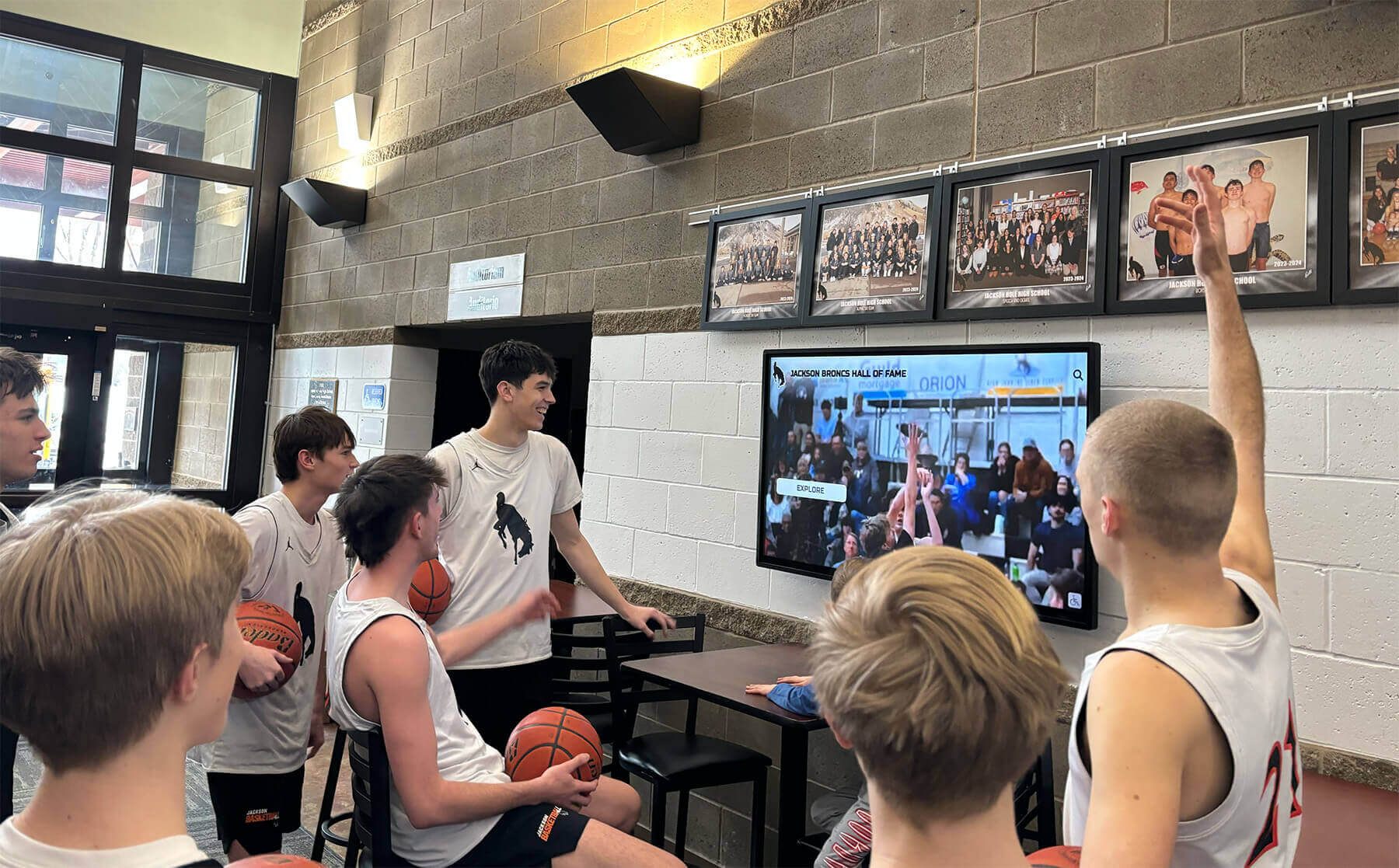
Quality displays maintain visibility and engagement even in high-traffic areas with varied lighting conditions
Durability and Commercial Ratings
Consumer displays sold for home use cannot withstand the demanding conditions in school environments. Commercial-grade specifications matter significantly for long-term reliability.
Operating Hours Rating
Consumer displays typically rate for 8-12 hours daily operation. Commercial displays designed for continuous use offer 16-24 hour daily operation ratings. Schools running displays throughout school hours plus evening events need commercial-rated longevity.
Displays rated for 50,000+ operating hours provide 10+ years of reliable service when operated 12-14 hours daily. Cheaper consumer alternatives may fail within 2-3 years under identical conditions.
Temperature and Humidity Tolerance
School environments experience wider temperature and humidity fluctuations than climate-controlled offices. Commercial displays tolerate these variations while consumer models experience premature failures in less controlled environments.
Look for operating temperature ranges of 32-104°F and humidity tolerance of 10-80% relative humidity without condensation.
Impact Resistance
While all flat-panel displays include fragile components, commercial units feature reinforced housings and protective glass designed for public environments where accidental impacts occur.
Some vendors offer optional vandal-resistant glass upgrades providing additional protection in unsupervised areas or high-risk locations. Balance added protection costs against realistic risk assessments for specific installation sites.
Software Platforms: Features That Matter
Hardware represents only half the equation. Software capabilities determine whether your interactive touchscreen delivers ongoing value or becomes a frustrating underutilized investment.
Content Management Accessibility
The most sophisticated software accomplishes nothing if staff members cannot update content without technical support. Evaluate content management systems through the lens of your actual team capabilities:
User-Friendly Interfaces
Marketing materials showcasing “easy-to-use” platforms mean little. Request hands-on demonstrations where non-technical staff members attempt basic content updates. Can they successfully add new recognition profiles, update event information, or modify images without extensive training?
Schools with minimal IT resources need platforms designed for true non-technical operation. Athletic directors, administrative assistants, and volunteer coordinators should manage content updates independently.
Template-Based Content Creation
Quality platforms provide pre-designed templates for common content types—athlete profiles, donor recognition pages, event listings, and achievement showcases. Templates ensure visual consistency while eliminating design skills requirements.
Avoid platforms requiring custom HTML/CSS knowledge or graphic design expertise for basic content creation. These technical barriers prevent regular updates, resulting in outdated information that undermines system value.
Media Library Management
Schools accumulate thousands of photos, videos, and documents for touchscreen applications. Effective touchscreen software includes organized media libraries with tagging, search functionality, bulk upload capabilities, and automatic image optimization.
Poor media management creates chaos as photo libraries grow. Staff waste hours searching for specific images or repeatedly uploading duplicate files.
Search and Discovery Features
Interactive displays offer limited value if users cannot find desired information quickly. Robust search capabilities transform static content into engaging discovery experiences.
Multi-Criteria Search
Beyond basic name search, quality platforms support filtering by graduation year, sport or activity, achievement type, recognition category, date ranges, and custom attributes specific to your content structure.
For example, honor roll recognition displays should allow filtering by academic year, grade level, GPA threshold, and specific subject excellence.
Intuitive Browse Functionality
Not all users know exactly what they seek. Effective browse interfaces organize content into logical categories with visual navigation that invites exploration. Thumbnail galleries, timeline views, and category-based browsing complement search functionality.
Autocomplete and Suggestions
As users type search queries, intelligent autocomplete reduces errors and speeds discovery. “Did you mean…” suggestions catch misspellings, while “related searches” guide users toward relevant content they might not initially consider.
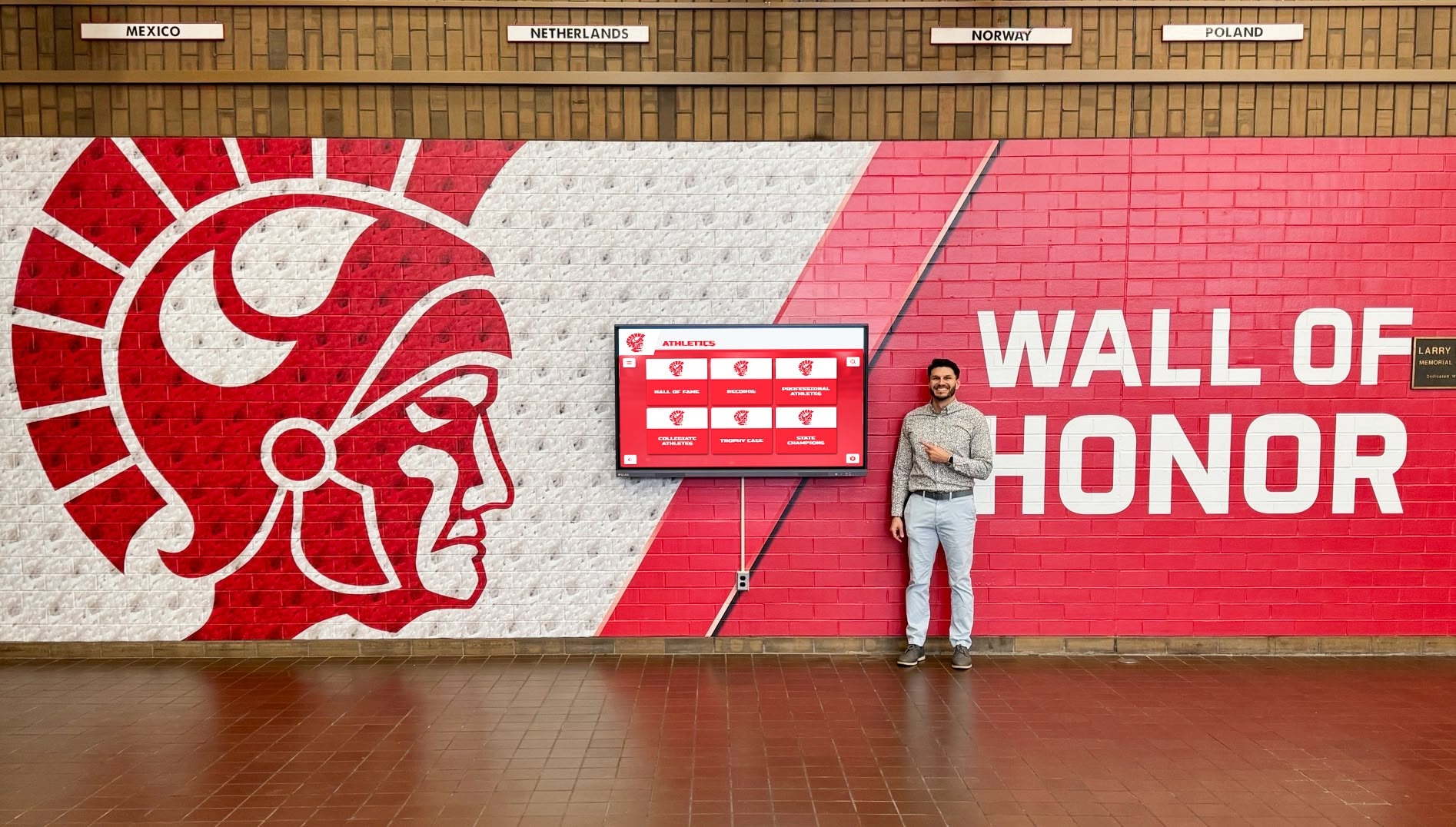
Intuitive interfaces and robust search capabilities ensure users of all ages can easily discover content
Mobile and Remote Management
School staff members need content management flexibility matching contemporary work patterns:
Cloud-Based Administration
Modern platforms operate entirely through web browsers, eliminating software installation requirements and enabling content updates from any internet-connected device. Administrators update displays from offices, homes, or while traveling without visiting physical installations.
On-premise software requiring installation on specific computers creates unnecessary workflow restrictions in increasingly mobile work environments.
Mobile-Responsive Admin Interfaces
Tablets and smartphones should provide full content management functionality, not just viewing capabilities. Staff members should capture photos at events and immediately upload them to displays from mobile devices without returning to desktop computers.
Multi-Display Management
Schools with multiple touchscreen installations need centralized management controlling all displays from single dashboards. Simultaneously publish content updates across displays, schedule location-specific content for individual screens, and monitor operational status without visiting each installation.
Individual display-by-display management becomes unsustainable as deployments grow beyond 2-3 units.
Analytics and Engagement Tracking
Understanding how users interact with displays informs content strategy and demonstrates value to stakeholders:
Interaction Metrics
Quality platforms track total interactions, unique users (estimated through session analysis), popular search terms, most-viewed content, navigation patterns, and session duration statistics.
These insights reveal which content resonates with audiences, identify navigation obstacles, and demonstrate actual engagement supporting future investment justifications.
Time-Based Analysis
Usage patterns vary by time of day, day of week, and season. Analytics showing these patterns help optimize content scheduling and inform staffing decisions for content updates.
For instance, discovering peak usage during lunch periods might motivate scheduling student achievement spotlights during those high-traffic windows.
Privacy-Conscious Approaches
School applications require analytics approaches respecting student and visitor privacy. Avoid systems capturing personally identifiable information, video surveillance, or facial recognition without explicit legal review and community approval.
Aggregate interaction metrics provide valuable insights without privacy concerns associated with individual tracking.
Selecting Qualified Installation Partners
Even premium hardware and sophisticated software fail to deliver value without proper installation. The right installation partner ensures reliable performance and long-term success.
Technical Expertise and Certifications
Installation quality depends on genuine expertise, not just general contractor capabilities:
Specialized AV Integration Experience
General electricians or IT contractors may lack specific audio-visual integration knowledge required for professional touchscreen installations. Seek installers with documented interactive display experience, not just general technology backgrounds.
Request portfolios showcasing similar projects in comparable environments—schools, museums, corporate lobbies, or public facilities. Residential TV mounting experience does not translate to commercial interactive kiosk installation.
Manufacturer Certifications
Leading display manufacturers offer certification programs training installers on proper installation procedures, optimal configuration settings, and common troubleshooting approaches. Certified installers demonstrate commitment to professional standards and access manufacturer technical support resources.
Ask potential installers which manufacturers they’re certified with and request documentation verifying current certification status.
Low-Voltage Licensing
Properly licensed low-voltage contractors understand electrical code requirements, safety standards, and local permitting processes. Unlicensed installers may create code violations, safety hazards, or warranty issues.
Verify contractors hold appropriate licenses for your jurisdiction and carry adequate liability insurance protecting your institution from installation-related damages.

Professional installation ensures touchscreen systems are properly secured, powered, and positioned for optimal user interaction
Installation Planning and Site Assessment
Quality installers conduct thorough site assessments before installation, identifying potential challenges and developing detailed installation plans:
Structural Considerations
Wall-mounted displays require secure mounting to structural elements capable of supporting weight. Installers should verify wall construction, locate studs or blocking, and specify appropriate mounting hardware.
Floor-standing kiosks need level, stable surfaces with appropriate anchoring preventing tipping hazards. ADA-compliant installations require specific height and approach clearance dimensions.
Power and Data Infrastructure
Professional installations conceal wiring within walls or protective conduit rather than exposing cables. Installers should plan power routing, network connectivity, and cable management before installation day.
Some installations require new electrical circuits, network drops, or infrastructure upgrades identified during planning rather than discovered mid-installation.
Environmental Factors
Installers should evaluate ambient lighting conditions affecting display visibility, temperature and humidity levels impacting equipment longevity, physical clearances for ADA compliance and traffic flow, and security considerations for valuable equipment in public spaces.
Detailed site assessments produce installation plans addressing these factors before crews arrive with equipment.
Training and Knowledge Transfer
Installation partners should provide comprehensive training ensuring your team operates and maintains systems confidently:
Administrative Training
Content managers need thorough software training covering content creation, media management, scheduling features, user management, and basic troubleshooting. Quality vendors provide both initial training sessions and ongoing support resources.
End-User Orientation
While intuitive interfaces require minimal instruction, brief orientation materials help students and visitors discover features they might otherwise miss. Simple quick-start guides or on-screen tutorials enhance user experiences.
Maintenance Procedures
Facilities staff should understand routine maintenance including screen cleaning procedures and appropriate cleaning products, basic troubleshooting steps before calling support, software update procedures, and when to contact professional service.
Clear documentation prevents minor issues from escalating while establishing realistic expectations about which tasks staff handle internally versus when expert assistance becomes necessary.
Warranty and Ongoing Support
Long-term success requires reliable support beyond initial installation:
Comprehensive Warranty Coverage
Standard warranties should include hardware coverage (typically 3-5 years for commercial displays), software updates and bug fixes, technical support access, and on-site service for hardware failures.
Understand warranty exclusions, response time commitments, and whether loaner equipment provisions during repairs prevent extended downtime.
Software Updates and Feature Enhancements
Software platforms evolve through regular updates adding features, improving security, and addressing discovered issues. Verify whether software subscriptions include all updates or charge separately for major version upgrades.
Platforms following modern software-as-a-service models typically provide continuous improvements through subscription fees rather than forcing expensive upgrade purchases every few years.
Technical Support Accessibility
When issues arise, accessible support makes the difference between brief interruptions and extended outages. Evaluate support availability (business hours versus 24/7), response time commitments, support channels (phone, email, chat, video), and quality of documentation resources.
Request trial access to support systems or speak with current customers about their support experiences before committing to vendors.
Budget Planning and Total Cost of Ownership
Interactive touchscreen solutions represent significant investments requiring careful budget planning beyond initial purchase prices.
Initial Investment Components
Comprehensive budgets account for all deployment costs:
Hardware Costs: Display panels, mounting hardware or kiosk enclosures, computers or media players powering displays, protective accessories, and spare components.
Software Licensing: Initial licenses or subscriptions, content management platforms, and design or customization fees.
Installation Services: Labor for physical installation, electrical and network infrastructure, project management, and training delivery.
Content Development: Initial content creation, photography or videography, graphic design services, and data migration from legacy systems.
Ongoing Operational Costs
Long-term ownership involves recurring expenses often underestimated during initial planning:
Software Subscriptions: Monthly or annual platform fees, content management system access, and cloud hosting services.
Support and Maintenance: Extended warranty or service agreements, technical support subscriptions, and preventive maintenance visits.
Content Management: Staff time for content updates, periodic professional photography, graphic design services, and data management.
Utilities and Supplies: Electricity consumption, screen cleaning supplies, and replacement parts.
Return on Investment Considerations
While measuring ROI for recognition and engagement applications involves some qualitative assessment, consider these value factors:
Operational Efficiency: Time savings through digital updates versus manual signage changes, reduced printing and physical signage costs, and improved communication effectiveness.
Engagement Improvements: Increased visitor engagement and satisfaction, enhanced student recognition programs, and improved donor stewardship through modern recognition approaches.
Brand and Reputation: Enhanced facility perceptions, contemporary technology image, and competitive advantages in student recruitment.
Implementation Best Practices for School Success
Successful deployments follow proven implementation approaches that maximize adoption and satisfaction:
Start with Clear Objectives
Define specific goals before selecting solutions. “We want interactive displays” proves less effective than “We need to showcase 50 years of athletic achievements with easy updates by our athletic director.”
Clear objectives guide vendor evaluations, feature prioritization, and success measurement.
Involve Stakeholders Early
Engage content managers, IT staff, facilities teams, and key user groups during planning. Their insights reveal requirements and potential obstacles that single-perspective planning misses.
Early involvement also builds ownership and commitment supporting long-term success.
Plan Content Before Installation
Don’t wait until displays arrive to consider content strategy. Develop content plans, gather photos and information, create organizational frameworks, and establish update workflows before installation day.
Empty or sparse displays during initial weeks after installation waste early engagement opportunities and create disappointing first impressions.
Phase Complex Deployments
Large projects benefit from phased approaches starting with pilot installations, gathering feedback and refining approaches, then expanding to additional locations. Pilots reveal unforeseen challenges while investments remain limited and changes prove less costly.
Measure and Optimize
Establish baseline metrics and regularly review analytics identifying optimization opportunities. What content attracts most attention? When do people use displays? What search terms appear frequently?
Continuous improvement based on actual usage data ensures displays remain valuable long after initial deployment excitement fades.
Conclusion: Making Informed Decisions
Choosing interactive touchscreen solutions for your school requires balancing numerous factors—display quality, software capabilities, installation expertise, budget constraints, and long-term support. The right combination depends on your specific needs, existing infrastructure, staff capabilities, and institutional priorities.
Avoid rushing decisions based solely on initial price comparisons. The lowest-cost option frequently becomes the most expensive when accounting for poor reliability, difficult content management, inadequate support, and premature replacement needs.
Instead, invest time in thorough evaluation of hardware specifications matching your environment, software platforms your staff can confidently operate, installation partners demonstrating relevant expertise, and total cost of ownership aligned with budget realities.
Interactive touchscreen technology offers schools powerful opportunities to enhance recognition, improve communication, and create engaging experiences for students, staff, and visitors. Careful selection ensures these investments deliver lasting value rather than becoming expensive frustrations.
Ready to explore interactive touchscreen solutions designed specifically for school recognition and engagement? Discover how Rocket Alumni Solutions creates turnkey systems combining premium displays, intuitive software, and expert installation support tailored to educational environments.































