Museums and galleries face a fundamental challenge: how do you make vast collections accessible, engaging, and memorable when physical space constrains what you can display, traditional labels fail to capture visitor attention, and static exhibits cannot adapt to diverse audience interests and knowledge levels?
Interactive touchscreen technology addresses these constraints by transforming how cultural institutions present information, engage visitors, and manage collections. Rather than replacing traditional curation, touchscreens extend it—enabling deeper exploration, personalized experiences, multilingual access, and dynamic content updates that keep exhibits fresh without physical reinstallation.
This technical guide examines how museums, galleries, historical societies, and cultural centers implement interactive touchscreen systems that improve visitor experiences while meeting operational requirements unique to cultural institutions.
Cultural institutions implementing interactive displays report measurable improvements in visitor engagement, time spent with exhibits, educational outcomes, and accessibility. The technology enables institutions to surface archival materials rarely displayed, provide contextual depth impossible with physical labels, and create participatory experiences where visitors actively explore rather than passively observe.
The following sections cover technology specifications, content strategies, installation considerations, and operational practices specifically relevant to museums and galleries implementing touchscreen solutions.
Why Museums and Galleries Choose Interactive Touchscreen Technology
Cultural institutions adopt interactive displays to solve specific problems traditional exhibit methods cannot address effectively.
Collection Access and Depth
Physical exhibit space represents museums’ most constrained resource. Even major institutions display only 5-10% of their collections at any given time, leaving significant holdings invisible to public audiences.
Interactive touchscreens expand collection access by providing digital browsing of entire holdings. Visitors can search databases containing thousands of artifacts, view high-resolution imagery revealing details impossible to see in display cases, access conservation reports and provenance documentation, and explore related objects across collections.
This technology proves particularly valuable for:
Fragile or Light-Sensitive Materials
- Historical photographs, manuscripts, and textiles that cannot withstand continuous display
- Works on paper requiring controlled lighting conditions and limited exposure
- Archival documents too delicate for handling or extended viewing
- Rare books and manuscripts available only through controlled access
Oversized or Contextual Materials
- Archaeological sites and architectural contexts requiring spatial documentation
- Historical maps and plans too large for traditional display
- Conservation photography showing hidden details and restoration processes
- Comparative materials demonstrating techniques, periods, or regional variations
Museums implementing comprehensive digital collection access through interactive touchscreen displays report visitors spending significantly more time exploring holdings and expressing higher satisfaction with exhibit depth.

Multilingual Access and Accessibility
Cultural institutions serve increasingly diverse audiences requiring content in multiple languages and formats. Traditional label printing creates significant constraints: space limitations permit only essential text, translation costs multiply with each language added, and updates require complete label replacement.
Interactive touchscreens eliminate these barriers by delivering unlimited content depth in unlimited languages. Visitors select their preferred language and reading level, accessing everything from brief object labels to scholarly essays depending on interest and expertise.
Language and Accessibility Features
Modern touchscreen systems support:
- 50+ language options with instant switching between languages
- Audio descriptions for visually impaired visitors providing detailed verbal content
- Adjustable text sizing and high-contrast modes for low-vision accessibility
- Closed captioning for video content and multimedia presentations
- Simplified language options for younger audiences or English language learners
- Sign language video interpretation for deaf and hard-of-hearing visitors
Solutions like Rocket Alumni Solutions integrate these accessibility features within touchscreen platforms, ensuring cultural institutions meet ADA requirements while serving international audiences. The system enables institutions to continuously expand language offerings based on visitor demographics without hardware changes or exhibit reinstallation.
Dynamic Content and Seasonal Programming
Traditional exhibits require substantial lead time and expense to modify. Labels must be reprinted, graphics remounted, and physical installations adjusted—creating resistance to frequent updates even when desirable.
Interactive touchscreens support dynamic programming where content changes instantly without physical modification:
Programming Flexibility
Cultural institutions use dynamic content capabilities for:
- Seasonal exhibitions and rotating themes featuring different collection areas
- Current event connections relating historical materials to contemporary issues
- Temporary loan integration incorporating borrowed works into permanent collection narratives
- Research updates adding new scholarship and attribution information as discovered
- Community curation programs where local groups contribute interpretive content
- Educational programming aligned with school curricula and learning standards
A natural history museum might highlight migration patterns during seasonal bird migrations, a historical society can surface materials related to current anniversaries, and an art gallery can rotate thematic groupings exploring different movements or techniques—all without physical reinstallation.
Technical Specifications for Museum and Gallery Touchscreen Installations
Selecting appropriate hardware and software requires understanding the unique environmental and operational demands of cultural institutions.
Display Hardware Requirements
Museum and gallery environments create specific technical challenges for touchscreen hardware.
Screen Size and Viewing Distance
Exhibit contexts determine optimal screen specifications:
Intimate Gallery Spaces
- 32-43 inch displays for individual or small-group viewing
- Wall-mounted at 40-48 inches above floor for comfortable standing interaction
- Portrait or landscape orientation depending on content type and wall space
- Ambient light levels 150-300 lux typical for light-sensitive materials
Open Museum Halls
- 55-65 inch displays for larger groups and viewing from distance
- Freestanding kiosks enabling approach from multiple angles
- Landscape orientation preferred for horizontal content and group viewing
- Higher brightness specifications (400-500 nits) for well-lit exhibition halls
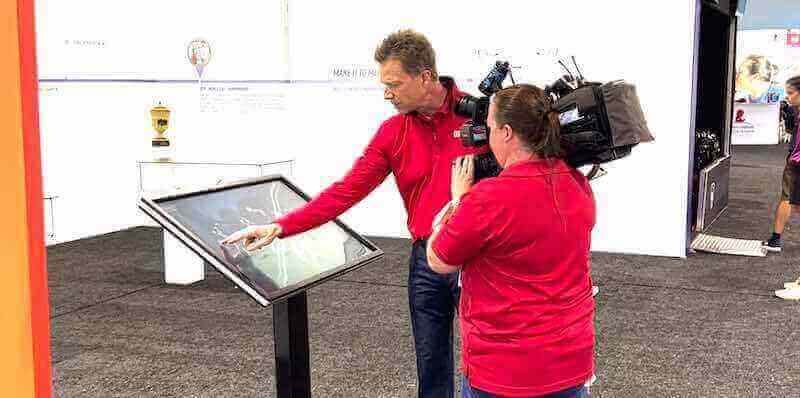
Touch Technology Selection
Cultural institutions typically specify projected capacitive touchscreens rather than resistive or infrared alternatives:
- Projected capacitive technology supports multi-touch gestures enabling zoom, rotation, and gallery browsing
- Glass surface allows cleaning with museum-approved disinfectants without damage
- No mechanical pressure required, reducing wear and extending operational lifespan
- Glove-compatible operation useful for accessibility and seasonal considerations
- Minimal calibration drift eliminates maintenance issues common with resistive screens
Environmental Durability
Museum environments demand specific durability features:
Climate-controlled galleries maintain 65-72°F with 45-55% relative humidity year-round, but public spaces may experience wider variation. Specify commercial-grade displays rated for 18-24 hour daily operation with:
- Tempered glass overlays providing vandal resistance and easy cleaning
- Sealed bezels preventing dust infiltration damaging internal components
- Adequate ventilation preventing heat accumulation in enclosed kiosks
- Power management reducing energy consumption during low-traffic periods
Software and Content Management Requirements
Museum software requirements differ substantially from corporate digital signage applications.
Content Management System Essentials
Cultural institutions require cloud-based content management enabling:
Collection Database Integration
- API connections to collections management systems (TMS, PastPerfect, Omeka, etc.)
- Automated synchronization ensuring display content reflects current cataloging
- Metadata field mapping translating catalog records into public-facing labels
- Image asset management with resolution optimization for display performance
Multi-Site Management
- Centralized content control across institutions with multiple buildings or campuses
- Template systems ensuring consistent presentation across different galleries
- Role-based permissions separating curatorial content from technical configuration
- Remote content updates eliminating need for on-site installation with each change
Version Control and Scheduling
- Content preview capabilities before public deployment
- Scheduled publication aligning digital content with physical exhibit openings
- Archival systems preserving past exhibit content for research and documentation
- A/B testing frameworks measuring visitor engagement with different presentations
Museums implementing touchscreen content management platforms report substantial staff time savings compared to manual content updates requiring file transfers and local configuration.
Media Handling and Performance
Cultural content creates specific technical demands:
High-resolution artifact photography often exceeds 100MB per image. Effective systems implement:
- Progressive image loading displaying low-resolution previews while full files load
- Tiled image delivery for extreme-resolution photography enabling zoom without memory constraints
- Video streaming rather than local storage for large multimedia files
- Content delivery networks (CDN) reducing bandwidth requirements for distributed institutions
- Offline caching ensuring functionality during internet connectivity issues
Network and Infrastructure Considerations
Museum IT infrastructure varies dramatically from dedicated server rooms in major institutions to minimal networks in smaller historical societies.
Connectivity Options
Interactive touchscreen systems typically require:
Wired Ethernet (Preferred)
- 100 Mbps minimum bandwidth for standard content, 1 Gbps preferred for high-resolution media
- PoE (Power over Ethernet) capability simplifying installation with single-cable power and data
- VLAN isolation separating public displays from institutional administrative networks
- Direct connection to institutional internet avoiding guest WiFi reliability issues
Wireless Connectivity (Alternative)
- 802.11ac or WiFi 6 minimum specifications for adequate bandwidth
- Dedicated access points for display devices separate from visitor WiFi
- Signal strength requirements: -65 dBm or stronger at display location
- Cellular backup connections for critical applications in institutions with unreliable connectivity
Content Delivery Architecture
Cloud-Based Systems
Platforms like Rocket Alumni Solutions deliver content via cloud infrastructure:
- No local servers required, reducing IT overhead
- Automatic software updates maintaining security and adding features
- Geographic redundancy ensuring uptime even during local internet outages
- Scalability supporting single displays to hundreds of screens with identical management

Local Server Systems
Some institutions prefer on-premises hosting:
- Greater control over content security and access
- Reduced ongoing subscription costs after initial infrastructure investment
- Compliance with institutional data governance policies
- Independence from internet connectivity for core functionality
Most modern implementations favor cloud platforms due to reduced technical expertise requirements and elimination of hardware lifecycle management.
Content Strategy for Museum and Gallery Touchscreens
Hardware capabilities matter only when paired with compelling content that serves institutional mission and visitor needs.
Core Content Types and Structures
Effective museum touchscreens typically combine multiple content layers serving different visitor goals.
Collection Browsing and Search
The foundation of most museum touchscreen applications enables visitors exploring holdings by multiple pathways:
Taxonomy Browsing
- Category hierarchies reflecting curatorial organization (period, medium, culture, subject)
- Visual grids displaying thumbnail images enabling recognition-based browsing
- Filtering combinations narrowing large collections to specific subsets
- Random or “surprise me” options surfacing unexpected discoveries
Keyword Search
- Full-text search across titles, descriptions, maker names, and cataloging notes
- Autocomplete suggestions helping visitors formulate effective queries
- Search-as-you-type results reducing friction and supporting exploratory searching
- Visual results presentation rather than text-only listings
Featured Collections and Highlights
- Curated pathways guiding visitors through institutional priorities
- Thematic groupings exploring specific topics, questions, or narratives
- “Curator’s Choice” selections with enhanced contextual information
- Seasonal or temporary exhibition integration bringing special exhibits into permanent gallery experiences
Cultural institutions focusing on digital archiving and interactive access find visitors engage substantially longer when content supports both directed searching for specific items and open-ended exploration.
Interpretive Content Layers
Beyond object records, effective touchscreens provide interpretive frameworks helping visitors understand significance and context.
Educational Content Structures
Museums serve audiences with dramatically different knowledge levels, from elementary school groups to subject matter experts. Touchscreens enable content layering serving all levels:
Object Labels and Essential Information
- Quick reference providing basic identification, dating, and provenance
- 50-100 words maximum maintaining scanability for brief interactions
- Standardized format creating predictable information architecture
Expanded Descriptions
- 200-400 word interpretive texts exploring significance, techniques, historical context
- Connection to broader themes and related objects elsewhere in collection
- Technical information about materials, processes, and condition
- Attribution history and scholarly debates where relevant
Deep Dives and Scholarly Content
- Extended essays (800-2000 words) providing specialist-level detail
- Bibliography and references enabling further research
- Conservation documentation with before/after photography and technical analysis
- Comparative examples from other institutions contextualizing holdings
This tiered approach ensures casual visitors access sufficient information without overwhelming, while motivated learners can pursue topics in depth.
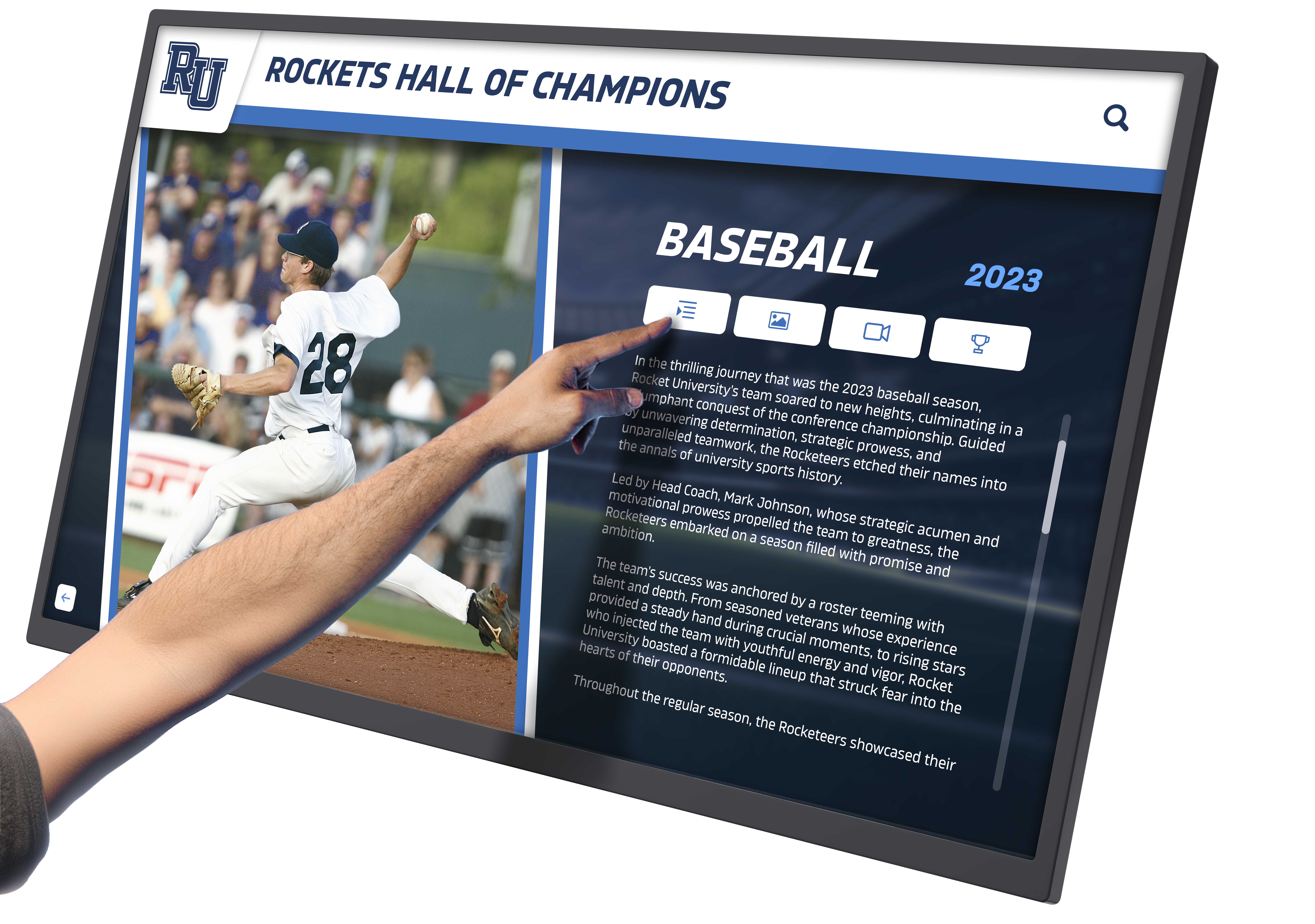
Multimedia Integration
Text alone rarely captures visitor attention effectively. Successful implementations integrate:
Video Content
- Curator commentary explaining selection rationale and interpretive approaches
- Conservation demonstrations showing restoration techniques and challenges
- Artist or maker interviews providing first-person perspective (when possible)
- Historical footage contextualizing objects within original use environments
- Process documentation showing creation techniques for craft and manufactured objects
Interactive Media
- Before/after sliders comparing conservation states or historical versus current photography
- Zoom viewers revealing fine details invisible to naked eye examination
- 360-degree object rotation for three-dimensional works
- Augmented reality reconstructions showing damaged objects in original states
- Comparison tools juxtaposing similar objects highlighting variations in technique or style
Audio Integration
- Oral history recordings providing personal narratives and lived experience
- Period music contextualizing time and place
- Environmental sounds recreating historical contexts
- Multiple language audio tracks expanding accessibility
Wayfinding and Orientation Content
Beyond collection content, touchscreens serve practical navigation needs particularly valuable in large or complex facilities.
Facility Maps and Navigation
- Interactive floor plans showing current location and route to desired destinations
- Gallery finding for specific objects or exhibitions
- Amenity location including restrooms, cafes, gift shops, and coat checks
- Accessibility routing identifying elevator access and barrier-free pathways
- Estimated walk times between locations helping visitors plan schedules
Program Schedules and Events
- Daily program listings for tours, talks, demonstrations, and special events
- Real-time updates for program cancellations or location changes
- Registration or ticketing for capacity-limited programs
- Related program recommendations based on current location or expressed interests
Museums implementing comprehensive digital wayfinding systems reduce front desk inquiries while improving visitor satisfaction and ensuring audiences reach desired galleries.
Installation and Placement Strategies
Technical capability means nothing if visitors cannot find touchscreens or if placement creates operational problems.
Strategic Location Selection
Effective placement balances visibility, traffic flow, environmental conditions, and operational considerations.
High-Priority Locations
Most museums benefit from touchscreens in these positions:
Entrance Lobbies and Orientation Areas
- First point of contact establishing digital interaction patterns
- Collection overview and highlight recommendations
- Facility navigation and program information
- Language selection establishing multilingual access expectations
Gallery Entrances
- Exhibition-specific introductions providing contextual frameworks
- Thematic organization explaining curatorial approaches
- Object location within gallery helping visitors prioritize based on interests
- Related programs and events specific to exhibition content
Transitional Spaces
- Corridor locations between galleries serving orientation needs
- Seating areas where visitors rest while continuing engagement
- Near gallery exits providing “next steps” recommendations
- Adjacent to popular objects where queue management benefits from alternative engagement
Research and Study Spaces
- Dedicated exploration stations for deep collection research
- Larger screens supporting multiple simultaneous users
- Printing capabilities enabling visitors creating personal documentation
- Extended content beyond general visitor offerings
Physical Installation Considerations
Museum environments require specific installation approaches balancing accessibility, aesthetics, and preservation standards.
Mounting Methods
Wall-Mounted Installations
Preferred in gallery settings prioritizing visual integration:
- Mounting height 40-48 inches (center of screen) serving adult and wheelchair users
- Recessed installations creating flush wall surfaces minimizing protrusion
- Cable management concealing power and data within walls
- Frame treatments matching gallery aesthetic rather than commercial appearance
Freestanding Kiosks
Better for high-traffic areas and flexible reconfiguration:
- ADA-compliant approach space (30x48 inch clear floor area minimum)
- Weighted bases preventing tip-over without floor anchoring
- Multiple screen angles on single kiosk serving different user heights
- Integrated branding and signage explaining touchscreen purpose
Cable Management and Power
Professional installations require proper infrastructure:
- Conduit runs concealing cables between displays and network/power sources
- Surge protection preventing damage from electrical fluctuations
- Emergency power circuits maintaining operation during minor outages
- Cord covers or floor boxes where concealed routing is impossible
Historical buildings and protected interiors create installation constraints requiring creative solutions. Work with facilities staff and preservation specialists early in planning to identify acceptable approaches.

User Experience and Interface Design
Technical capability fails without intuitive interfaces visitors can use without instruction.
Attract Loop and Idle States
When not actively used, touchscreens should invite interaction rather than appearing inactive:
- Rotating imagery from collections with “Touch to Explore” invitations
- Featured object presentations highlighting institutional strengths
- Upcoming program announcements and special exhibition promotions
- Ambient animation suggesting interactivity without distracting from physical exhibits
- Automatic reset to attract loop after 60-90 seconds of inactivity
Navigation Patterns
Cultural audiences include visitors with limited digital literacy. Effective interfaces use:
Clear Visual Hierarchy
- Large touch targets (minimum 44x44 pixels) easily activated without precision
- High contrast between interface elements and backgrounds
- Consistent navigation placement (e.g., back buttons always top-left)
- Visual feedback confirming touch registration before content loads
Gestural Interaction
- Pinch-to-zoom for image magnification feeling natural to smartphone users
- Swipe gestures for gallery browsing and navigation between objects
- Scroll indicators showing additional content below visible area
- Tutorial overlays appearing on first interaction explaining advanced gestures
Accessibility Compliance
ADA requirements mandate:
- Screen center height 40 inches maximum when controls require reach
- Clear floor space 30x48 inches minimum for wheelchair approach
- Operable controls requiring less than 5 pounds force
- Visual information also provided via audio for screen reader users
- Text sizing controls and high-contrast display modes
Operational Maintenance and Content Management
Successful touchscreen installations require ongoing maintenance and content stewardship beyond initial deployment.
Daily Operations and Monitoring
Interactive displays need regular attention maintaining functionality and content relevance.
Routine Maintenance Schedule
Establish systematic protocols:
Daily Tasks
- Physical cleaning of screen surfaces removing fingerprints and smudges
- Visual inspection confirming displays are powered and showing correct content
- Network connectivity verification ensuring responsive performance
- Immediate response to visitor-reported issues
Weekly Tasks
- Detailed cleaning of kiosk housings and surrounding areas
- Software health checks confirming proper operation
- Content spot-checks verifying recent updates deployed correctly
- Analytics review identifying usage patterns and potential issues
Monthly Tasks
- Deep cleaning of ventilation areas preventing dust accumulation
- Hardware inspection checking cable connections and physical condition
- Content audits ensuring information accuracy and relevance
- Software updates applying security patches and feature enhancements
Museums implementing solutions like Rocket Alumni Solutions benefit from cloud-based monitoring alerting staff to technical issues automatically rather than depending on visitor reports or scheduled checks.
Content Curation and Updates
Dynamic content capabilities only deliver value when institutions actively refresh and expand offerings.
Content Development Workflows
Establish clear processes for content creation and publication:
Planning and Research Phase
- Curatorial teams identifying objects and themes for digital presentation
- Research staff compiling documentation, images, and contextual information
- Educational specialists developing interpretive frameworks and learning objectives
- Multilingual translation and cultural consultation for international content
Production Phase
- Professional photography capturing high-resolution object imagery
- Writing and editing interpretive content at multiple complexity levels
- Video production for curator commentary and process documentation
- Quality assurance reviewing content for accuracy and presentation standards
Publication and Assessment
- Scheduled deployment coordinating digital content with physical exhibits
- Visitor observation identifying interaction patterns and usability issues
- Analytics analysis measuring engagement with different content types
- Iterative refinement improving performance based on usage data
Institutions treating digital content as core curatorial work rather than technical afterthought achieve substantially better visitor engagement and educational outcomes.
Measuring Success and ROI
Cultural institutions need frameworks assessing touchscreen effectiveness beyond anecdotal observation.
Quantitative Metrics
Modern systems capture detailed usage analytics:
Engagement Measures
- Total interactions per day, week, and month tracking overall usage
- Average session duration indicating content depth and interest level
- Content accessed identifying popular objects and underutilized materials
- Search queries revealing visitor interests and terminology
- Navigation pathways showing how visitors move through content structures
Operational Metrics
- System uptime percentages quantifying reliability
- Technical issue frequency and resolution time measuring maintenance effectiveness
- Content update frequency demonstrating active stewardship
- Network performance ensuring responsive user experience
Qualitative Assessment
Numbers alone provide incomplete pictures. Also gather:
Visitor Feedback
- In-app feedback mechanisms enabling immediate comment submission
- Systematic observation recording visitor behavior and interaction patterns
- Exit surveys asking visitors about touchscreen experiences
- Focus groups exploring attitudes and preferences in depth
Staff Perspectives
- Curator assessment of whether touchscreens achieve interpretive goals
- Educator feedback on learning outcomes and educational effectiveness
- Front desk reports on visitor questions and navigation challenges
- Technical staff input on operational reliability and maintenance burden
Museums documenting measurable outcomes justify continued investment and guide improvements maximizing institutional and visitor benefit.
Specialized Applications for Different Institution Types
While core principles apply across cultural institutions, specific contexts create unique opportunities and challenges.
Art Museums and Contemporary Galleries
Visual art institutions balance enhancing understanding without competing with artworks for attention.
Complementary Interpretation
Art contexts require particular sensitivity:
- Touchscreens positioned outside gallery sight lines avoiding visual distraction from artworks
- Minimal interface design using neutral colors and typography not competing with artistic content
- Artist statements and process documentation providing primary source interpretation
- Conservation context explaining technical aspects of creation and preservation
- Comparative collections showing artistic movements, influences, and development
Contemporary galleries increasingly incorporate touchscreens as integral exhibition elements rather than supplementary interpretation, with artists creating interactive digital components as primary works.
History Museums and Historical Societies
Historical institutions use touchscreens surfacing documentary materials and creating contextual understanding.
Document and Archive Access
History-focused applications emphasize primary sources:
- Digitized documents enabling reading original materials without handling fragile items
- Historical photographs with zoom capabilities revealing period details
- Oral history recordings connecting visitors to first-person accounts
- Maps and plans showing historical geography and spatial development
- Newspapers and periodicals providing contemporary perspectives on historical events
Historical timeline displays enable visitors exploring events chronologically while discovering connections between simultaneous developments in different domains.
Community Contribution Features
Historical societies increasingly enable visitor participation:
- Photograph identification requesting community help naming people and places
- Story collection gathering personal memories related to displayed topics
- Object information crowdsourcing community knowledge about collection items
- Family history connections enabling visitors linking personal stories to institutional holdings
These participatory features transform visitors from passive consumers to active contributors enhancing institutional knowledge.
Science and Natural History Museums
Scientific institutions emphasize interactive exploration and experiential learning.
Data Visualization and Interactive Models
Science contexts benefit from dynamic representation:
- Animated processes showing biological, geological, or physical phenomena over time
- Interactive diagrams enabling manipulation of variables demonstrating scientific principles
- Specimen comparison tools highlighting anatomical features and evolutionary relationships
- Geographic distributions showing species ranges and biodiversity patterns
- Climate and environmental data visualization making abstract information concrete
Research Behind the Scenes
Science museums effectively use touchscreens revealing research processes:
- Current research projects connecting visitors to ongoing scientific work
- Specimen preparation and conservation documentation
- Field work photography and video from expeditions and research sites
- Scientist profiles introducing researchers and their work
- Citizen science opportunities enabling visitor participation in real research
Budget Planning and Cost Considerations
Understanding total cost of ownership helps institutions plan sustainable implementations.
Initial Investment Components
Touchscreen projects involve multiple cost categories:
Hardware Costs
Typical equipment expenses include:
- Display screens: $2,000-$8,000 per screen depending on size and specifications
- Mounting hardware: $200-$1,500 for wall mounts or $3,000-$8,000 for custom kiosks
- Computing hardware: $500-$1,500 per screen for media players or integrated computers
- Network infrastructure: $500-$2,000 per location for wiring, switches, and connectivity
- Peripherals: $200-$500 for accessories like headphone jacks, speakers, or card readers
Software and Content
Initial content development represents significant investment:
- Content management system: $5,000-$25,000 initial setup or $100-$500 monthly subscription
- Interface design: $10,000-$50,000 for custom UI development
- Initial content creation: $50-$200 per object for photography, writing, and production
- Database integration: $5,000-$20,000 connecting existing collection systems
- Staff training: $2,000-$5,000 ensuring team can manage systems effectively
Installation and Professional Services
Professional implementation adds:
- Electrical work: $500-$2,000 per location for power installation
- Network cabling: $500-$1,500 per location for data connectivity
- Carpentry and millwork: $2,000-$10,000 for custom integration
- Project management: 10-15% of total project cost
- Contingency: 10-20% buffer for unforeseen complications
Ongoing Operational Costs
Sustainable touchscreen programs require ongoing investment:
Annual Expenses
Budget for recurring costs:
- Software subscriptions: $1,200-$6,000 per year depending on number of screens
- Content updates: $10,000-$50,000+ annually for ongoing development
- Technical support: $2,000-$8,000 per year for maintenance contracts
- Network connectivity: $600-$3,000 per year for internet service
- Electricity: $100-$300 per screen annually
Lifecycle Replacement
Hardware requires eventual replacement:
- Display screens: 5-7 year expected lifespan with 18-hour daily operation
- Computing hardware: 3-5 year refresh cycle maintaining performance and compatibility
- Kiosk housings: 10+ years with proper maintenance
- Software platforms: ongoing updates included in subscription pricing
Total cost of ownership over five years typically ranges from $15,000-$40,000 per touchscreen location depending on scale, customization, and content ambition.
Implementation Planning and Project Management
Successful touchscreen projects require structured planning addressing technical, content, and organizational dimensions.
Project Planning Framework
Comprehensive implementations typically follow this timeline:
Phase 1: Planning and Requirements (2-3 months)
- Stakeholder consultation identifying institutional goals and priorities
- Visitor research understanding audience needs and technical comfort
- Technical assessment evaluating existing infrastructure and requirements
- Budget development and funding identification
- Vendor selection or platform evaluation
- Preliminary content planning scoping initial collections and interpretive approaches
Phase 2: Design and Development (3-6 months)
- User interface design creating institutional-specific presentations
- Content creation producing initial object records, media, and interpretive materials
- Database integration connecting collection systems to touchscreen platforms
- Hardware specification and procurement
- Installation planning including electrical, network, and physical integration
- Staff training preparation
Phase 3: Installation and Testing (1-2 months)
- Physical installation of hardware and infrastructure
- Software configuration and content loading
- Integration testing verifying all components function correctly
- Staff training on operation and content management
- Soft launch with limited access enabling issue identification
- Visitor testing and feedback collection
Phase 4: Launch and Refinement (1-2 months)
- Public debut with promotional communications
- Close monitoring of usage and technical performance
- Rapid response to identified issues
- Content refinement based on visitor feedback
- Process documentation establishing ongoing operational protocols
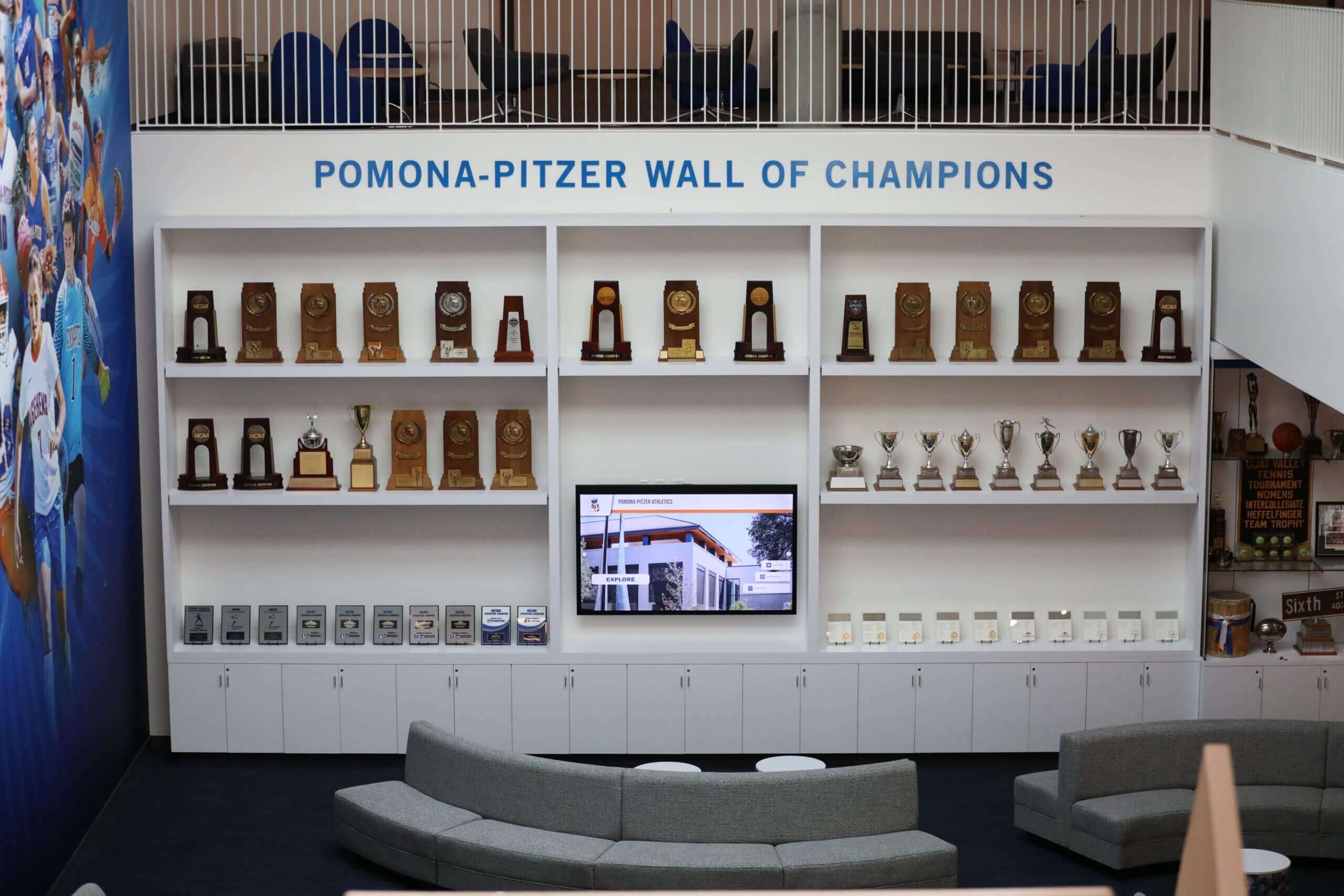
Common Implementation Challenges
Anticipating typical obstacles enables proactive mitigation:
Technical Challenges
Museums frequently encounter:
- Historic building constraints: Limited electrical capacity, protected walls preventing installation, inadequate network infrastructure
- Environmental conditions: Temperature and humidity fluctuations, direct sunlight creating screen glare, dust in construction or renovation contexts
- IT resource limitations: Small technology teams lacking capacity for complex deployments, security policies restricting cloud platforms, limited network bandwidth
Content Challenges
Curatorial work creates distinct obstacles:
- Digitization backlogs: Collection photography and documentation incomplete or inadequate quality for public display
- Rights and permissions: Copyright restrictions limiting digital reproduction, living artists requiring approval for interpretive content
- Multilingual translation: Translation costs for comprehensive language support, cultural consultation ensuring appropriate interpretation
- Content maintenance: Ongoing revision requirements as scholarship evolves, seasonal programming creating continuous update demands
Organizational Challenges
Institutional dynamics affect projects:
- Competing priorities: Limited curatorial time balancing digital content with traditional exhibition work, technology projects competing with collection care for resources
- Change management: Staff reluctance to adopt digital workflows, concerns about technology diminishing traditional curation
- Governance and approval: Multiple stakeholder review requirements slowing content development, consensus-building across departments with different priorities
Successful projects address these challenges through realistic scheduling, cross-departmental collaboration, and executive support ensuring adequate resources.
Future Trends and Emerging Technologies
Interactive touchscreen technology continues evolving, creating new possibilities for cultural institutions.
Artificial Intelligence and Machine Learning
AI capabilities increasingly enhance museum touchscreens:
Intelligent Search and Recommendation
- Natural language queries enabling conversational collection searching
- Visual similarity search finding objects resembling photographed items or selected examples
- Personalized recommendations based on expressed interests and browsing history
- Automated translation providing machine translation for immediate multilingual access
Enhanced Accessibility
- Automatic image captioning generating descriptions for visually impaired visitors
- Real-time transcription converting audio content to text
- Sign language avatar generation providing interpretation without video production
- Reading level adjustment automatically simplifying complex text
Cultural institutions should evaluate AI capabilities carefully, ensuring technologies genuinely serve visitor needs rather than implementing innovation for its own sake.
Augmented and Mixed Reality Integration
Touchscreens increasingly serve as gateways to extended reality experiences:
- AR applications enabling visitors viewing reconstructed artifacts in their current condition
- Virtual exhibition spaces presenting digital-only collections or reconstructed historical environments
- Spatial computing overlaying contextual information on physical galleries via mobile device integration
- 3D object models enabling detailed examination impossible with physical display
Mobile Integration and Personal Device Continuity
Touchscreen experiences increasingly connect with visitor-owned devices:
Seamless Cross-Platform Experiences
- QR codes enabling content transfer from touchscreens to personal smartphones
- Save and share features letting visitors curating personal collections for later review
- Mobile apps continuing exploration started on institutional touchscreens
- Social sharing integrating museum content into visitor networks
This approach balances institutional control over gallery experiences with visitor desire for personal device interaction and content portability.
Getting Started with Interactive Touchscreen Implementation
Cultural institutions ready to implement interactive touchscreens should follow a systematic approach.
Initial Assessment and Planning
Begin with these foundational steps:
1. Define Institutional Goals
Clarify what you hope to achieve:
- Improving collection accessibility and expanding visible holdings
- Enhancing visitor engagement and increasing time spent with content
- Serving multilingual and accessibility needs
- Reducing docent and front desk burden through self-service information
- Creating dynamic programming capability
2. Understand Your Audience
Research visitor needs and behaviors:
- Who visits your institution (demographics, visit motivation, group composition)?
- What information do visitors currently seek that’s difficult to provide?
- How comfortable are your audiences with digital interaction?
- What languages and accessibility accommodations would serve your visitors?
3. Assess Technical Readiness
Evaluate existing infrastructure:
- Network capacity and connectivity in target locations
- Electrical infrastructure supporting additional devices
- IT staff capacity for implementation support and ongoing maintenance
- Collection database readiness and digital asset availability
4. Develop Realistic Budget
Account for complete costs:
- Hardware, software, and initial content development
- Professional installation and integration services
- Ongoing operational costs and content maintenance
- Staff time for project management and ongoing stewardship
Selecting the Right Partner or Platform
Platform choice fundamentally shapes implementation success and long-term sustainability.
Evaluation Criteria
Assess potential solutions against these factors:
Museum-Specific Experience
- Portfolio including cultural institution implementations
- Understanding of collection management workflows and standards
- Familiarity with accessibility and multilingual requirements
- Track record of successful projects at similar institutions
Technical Capabilities
- Cloud vs. on-premises architecture aligning with IT preferences
- Collection database integration options supporting your systems
- Multilingual content delivery and management
- Analytics and reporting demonstrating usage and engagement
Content Management
- Intuitive interfaces enabling staff without technical expertise to update content
- Workflow support for review and approval processes
- Media handling accommodating high-resolution imagery and video
- Scheduling capabilities for temporary exhibitions and programming
Support and Training
- Implementation support ensuring successful deployment
- Ongoing technical assistance resolving issues promptly
- Training resources helping staff maximize platform capabilities
- User community providing peer support and best practice sharing
Solutions like Rocket Alumni Solutions specialize in cultural institution applications, providing purpose-built platforms designed specifically for collection presentation, historical archives, and recognition programs rather than generic digital signage repurposed for museum contexts.
Museums, galleries, historical societies, and cultural centers implementing interactive touchscreen technology create more engaging, accessible, and dynamic visitor experiences while maximizing collection utility and institutional impact. By carefully considering technical requirements, content strategies, installation approaches, and operational implications, cultural institutions can deploy touchscreen systems that enhance rather than distract from core mission while serving increasingly diverse audiences.
Whether implementing a single orientation kiosk or a comprehensive network of collection access points, success depends on treating interactive technology as integral to institutional mission rather than supplementary technical projects. When properly planned, resourced, and stewarded, interactive touchscreens transform how cultural institutions share knowledge and serve communities.
Book a demo to explore how Rocket Alumni Solutions can help your cultural institution implement interactive touchscreen technology that engages visitors, expands collection access, and creates memorable experiences.































