When your school, university, or athletic organization has accumulated decades of championship trophies, state titles, academic awards, and hall of fame honors, a single small display case no longer serves your recognition needs. Planning a large trophy case requires thoughtful consideration of space utilization, accessibility, preservation, and long-term maintenance—decisions that affect how effectively you honor achievement for years to come.
This comprehensive guide explores large trophy case ideas that maximize your recognition space while creating engaging displays that inspire current students, honor past champions, and strengthen community pride. Whether you’re renovating an athletic facility, planning a new building addition, or reimagining existing recognition spaces, you’ll find practical solutions for showcasing extensive achievement collections.
Understanding Your Large Trophy Case Needs
Before selecting display solutions, assess the scope and characteristics of your trophy collection to inform appropriate planning decisions.
Inventory Assessment
Comprehensive inventory provides the foundation for effective space planning. Document your current collection:
Physical trophies and awards: Count total items by size category (small: under 12 inches, medium: 12-24 inches, large: 24-36 inches, oversized: over 36 inches). Large trophy cases must accommodate varying heights and depths.
Achievement timeframe: Calculate years of history represented. A school with 75 years of athletic competition has fundamentally different display needs than one with 25 years.
Growth rate: Estimate annual additions based on recent history. Schools with 15-20 sports programs might add 30-50 awards annually, requiring expandable display solutions.
Item condition: Assess trophy condition. Tarnished metal, broken components, and deteriorating materials may need restoration before display or could be better represented through photography.
Space Analysis
Location significantly impacts large trophy case design effectiveness:
Available square footage: Measure wall space designated for recognition. A single 20-foot wall section allows approximately 160-200 square feet of display area at standard 8-foot ceiling height.
Traffic patterns: High-traffic hallways maximize visibility but may require protective glazing to prevent damage. Lower-traffic dedicated spaces allow closer interaction with displays.
Lighting conditions: Natural light accelerates trophy deterioration through UV exposure and heat. North-facing windows provide better conditions than south-facing. Windowless spaces offer superior preservation but require robust artificial lighting.
Ceiling height: Standard 8-foot ceilings limit vertical display options. Facilities with 10-12 foot ceilings can incorporate dramatic floor-to-ceiling recognition walls.
Architectural constraints: Identify structural columns, electrical panels, fire equipment, exit signs, and other permanent elements that affect display placement.
Traditional Large Trophy Case Design Strategies
Conventional trophy case approaches have served institutions for decades. Understanding these established solutions—and their limitations—helps frame appropriate choices for your situation.
Wall-Mounted Display Cases
Built-in wall cases maximize vertical space while maintaining floor access in hallways and common areas. These installations typically feature aluminum or wood frames, tempered glass panels, adjustable shelving to accommodate various trophy heights, LED strip lighting, and secure locking mechanisms.
Advantages: Wall-mounted cases provide substantial display capacity without consuming floor space. A 16-foot wall section can accommodate 80-100 medium trophies. Built-in installations appear permanent and substantial, conveying institutional commitment to achievement recognition. Security features protect valuable awards from theft or damage.
Limitations: Wall cases create permanent architectural modifications that are expensive to relocate or reconfigure. As collections grow beyond initial capacity, expanding requires additional construction. Glass cleaning and interior maintenance require unlocking and accessing cases, creating ongoing labor requirements. Static displays cannot be easily reorganized to highlight current achievements versus historical items.
Freestanding Display Units
Floor-standing trophy cases offer flexibility compared to built-in installations. These units typically include four-sided glass visibility, multiple shelf levels, wheeled bases for repositioning, integrated lighting systems, and modular configurations that can expand.
Advantages: Freestanding units can be relocated to different spaces as needs change. Adding capacity involves purchasing additional units rather than construction projects. Four-sided visibility maximizes trophy exposure compared to wall cases with single viewing angles. Maintenance access is simpler since units can be moved away from walls for cleaning.
Limitations: Floor units consume valuable square footage in hallways and common areas. They create potential obstacles in traffic flow and may not comply with ADA clearance requirements in narrower spaces. Freestanding cases are more vulnerable to accidental damage than secured wall installations. Large collections may require 10-15+ freestanding units, creating visual clutter rather than cohesive displays.

Trophy Room Dedications
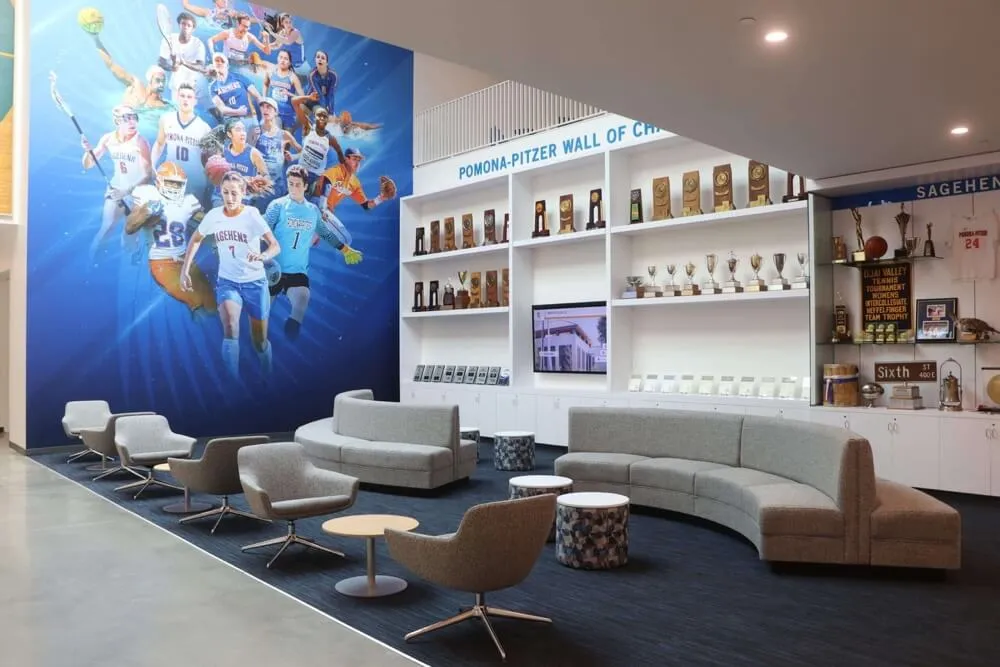
Schools with sufficient space sometimes designate entire rooms for trophy display, creating dedicated heritage spaces. These installations incorporate floor-to-ceiling display cases, climate control systems, specialized lighting design, comfortable seating areas, and narrative elements explaining achievement context.
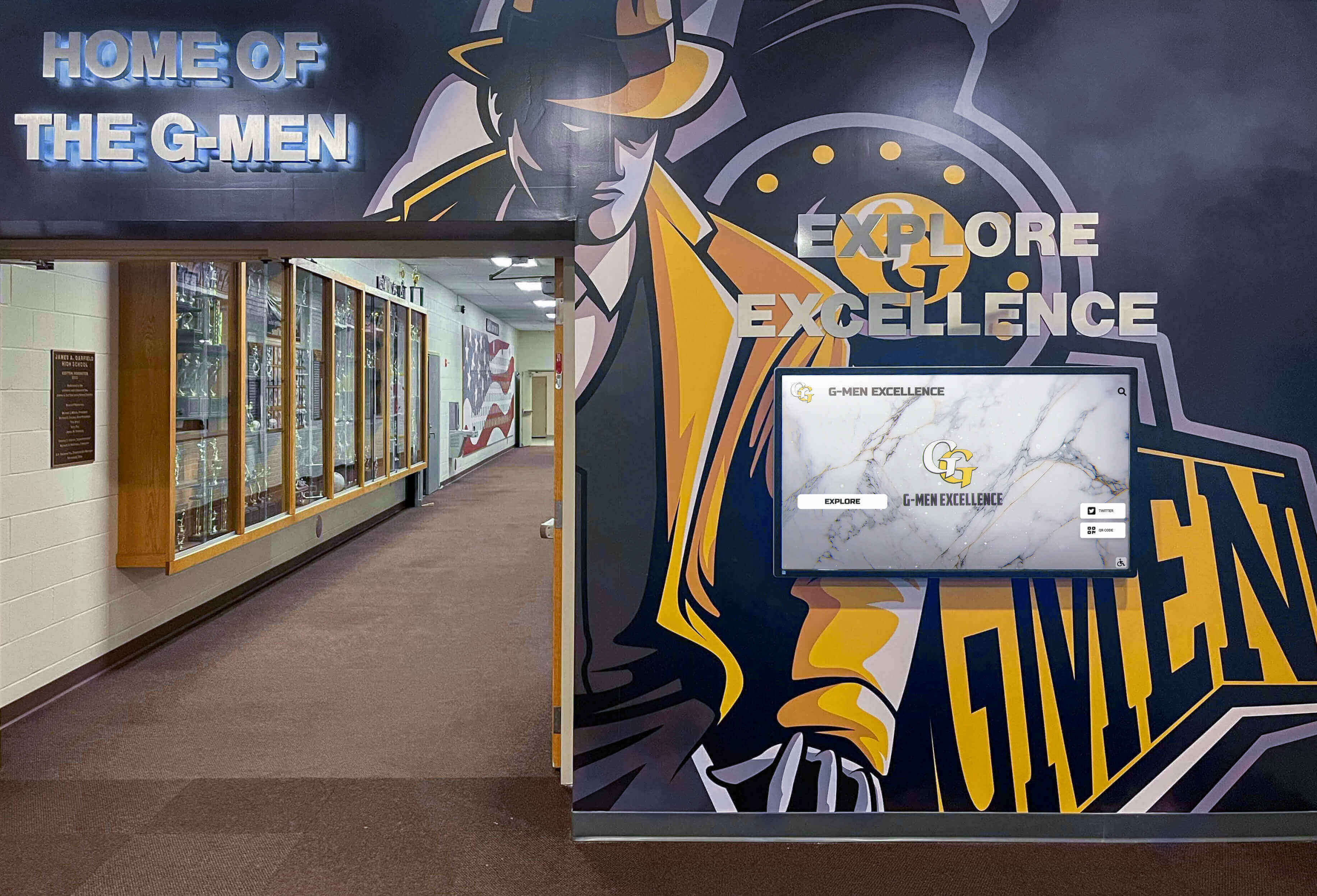
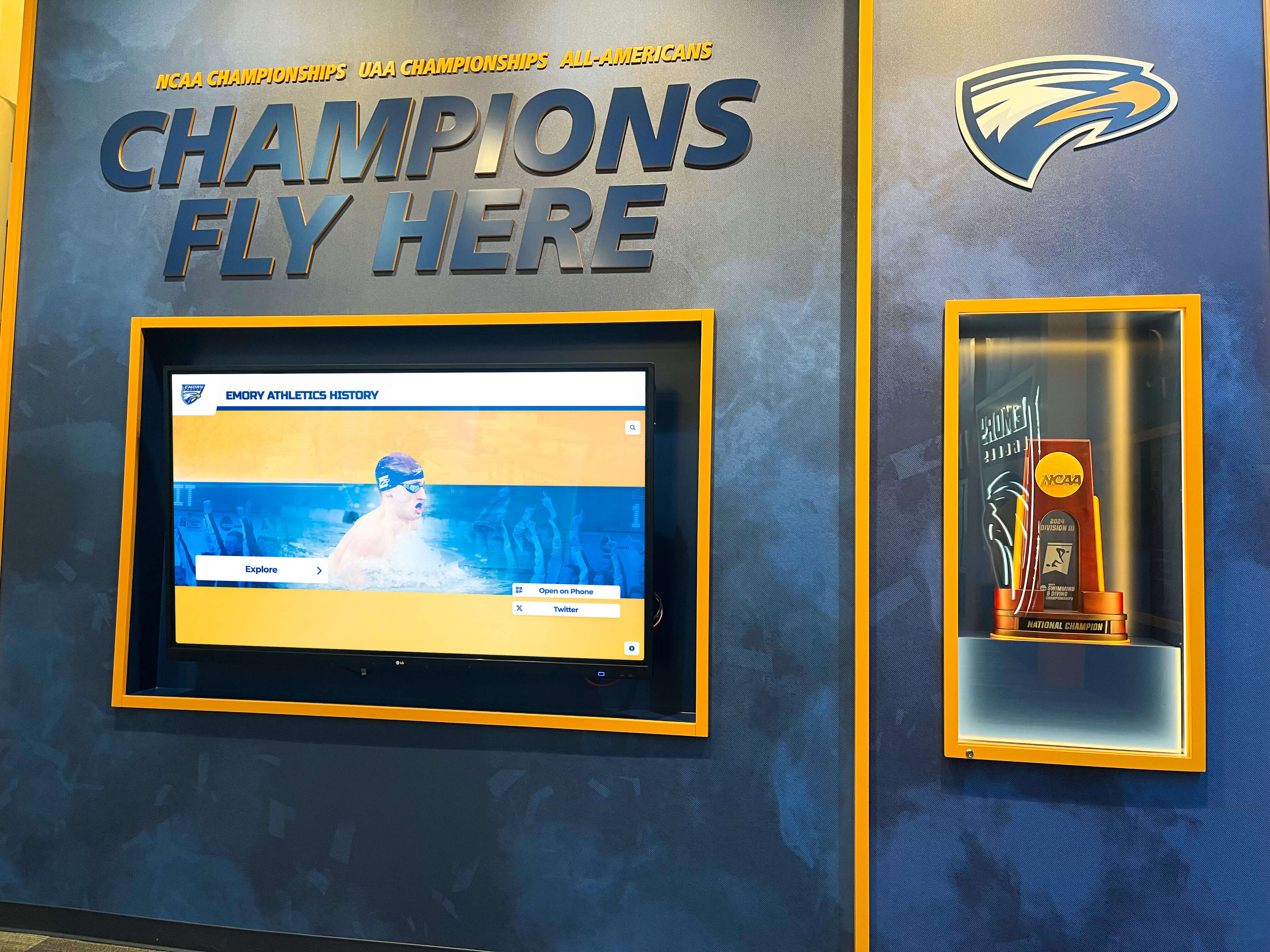
Advantages: Dedicated trophy rooms create impressive, immersive recognition experiences that honor achievement extensively. Controlled environments with climate regulation and UV-filtered lighting provide optimal preservation conditions. Rooms can incorporate additional elements like championship banners, retired jerseys, historical photographs, and interactive touchscreen displays that enhance storytelling beyond physical trophies alone.
Limitations: Dedicated trophy rooms consume substantial square footage that could serve other institutional functions. Lower traffic compared to hallway installations means fewer people regularly see achievements. Maintenance costs are higher due to climate control, specialized lighting, and extensive display surfaces requiring cleaning. Rooms can feel like museums rather than living recognition spaces integrated into daily institutional life.
Modern Hybrid Recognition Approaches
Contemporary institutions increasingly combine traditional trophy display with digital enhancement, addressing space limitations while improving accessibility and engagement.
Digital Trophy Case Integration
Rather than replacing physical trophies entirely, hybrid approaches strategically combine meaningful physical artifacts with comprehensive digital recognition that tells fuller stories. For schools exploring digital trophy case solutions, integration with existing trophy displays creates continuity rather than disruption.
Selective physical display: Feature the most significant trophies—state championships, national titles, historic first achievements—in prominent physical displays while archiving secondary awards digitally. A large trophy case might showcase 40-50 premier trophies while digital systems present complete collections of hundreds of awards.
Contextual storytelling: Physical trophies answer “what” was won. Digital displays adjacent to trophy cases answer “who,” “when,” and “how” through athlete profiles, team rosters, season statistics, championship game summaries, and archived team photographs.
Space efficiency: A single 55-inch touchscreen occupies approximately 6 square feet of wall space while providing access to unlimited digital content. The same wall area in traditional trophy case format might display 15-20 physical awards.

Curated Rotating Displays
Rather than attempting to display every trophy simultaneously, rotating displays keep recognition fresh and relevant. This approach works particularly well for programs with extensive multi-decade collections.
Seasonal rotation: Display current season sports during their competition periods. Feature football trophies during fall, basketball during winter, and spring sports during their seasons. This keeps recognition aligned with present athletic focus.
Achievement anniversaries: Rotate displays to highlight milestone anniversaries—state championship 25th anniversaries, retired jersey honorees, hall of fame induction classes by decade.
Theme-based curation: Organize rotating displays around themes like “Undefeated Seasons,” “Individual Record Holders,” “Academic Champions,” or “Olympic Athletes.” Thematic organization creates compelling narratives rather than chronological lists.
Storage requirements: Rotating displays require climate-controlled storage for trophies not currently featured. Plan storage space comparable to display space to effectively implement rotation strategies.
Space Maximization Techniques for Large Trophy Cases
When trophy collections have outgrown available space, these design strategies increase capacity without requiring facility additions.
Vertical Expansion
Ceiling height represents underutilized space in many trophy display areas. Vertical expansion techniques include:
Floor-to-ceiling cases: Extend display cases to full ceiling height rather than stopping at standard 6-7 foot heights. An 8-foot wall can accommodate an additional shelf level, increasing capacity 15-20%.
Tiered shelving: Implement graduated shelf depths with smaller trophies on upper levels (6-8 inch depth) and larger awards on lower levels (12-18 inch depth). This prevents large trophies from blocking visibility of items behind them.
Suspended displays: Hang championship banners, retired jerseys, or lightweight awards from ceiling-mounted systems above trophy cases, utilizing airspace that typically remains empty.
Mezzanine integration: Facilities with high ceilings might incorporate mezzanine-level displays accessible via stairs, creating two-story recognition walls.
High-Density Shelving Systems
Commercial museum-grade shelving provides greater capacity than conventional residential-style shelving:
Narrow shelf spacing: Professional display shelving allows 8-10 inch vertical spacing compared to 12-14 inches typical in standard cases, fitting additional shelf levels in the same height.
Depth variation: Implement variable depth shelves—4-6 inches for small plaques and medals, 10-12 inches for medium trophies, 16-20 inches for large awards—maximizing items per square foot.
Acrylic risers: Use clear acrylic stepped risers within shelves to display multiple awards at different heights on single shelves, improving visibility while increasing density.
Pull-out drawers: Incorporate shallow pull-out drawer systems for medal and small award collections, allowing visitors to view items not visible in closed displays.
Multi-Functional Space Design
Large trophy cases can serve multiple institutional purposes simultaneously:
Alumni gathering spaces: Design trophy display areas with comfortable seating, creating spaces where alumni naturally congregate during campus visits. Recognition displays become conversation starters and community gathering points rather than passive hallway features.
Pre-event reception areas: Athletic facilities can design trophy display lobbies that serve dual purposes as reception spaces before games and events, maximizing space utilization.
Academic integration: Schools can incorporate trophy displays adjacent to classrooms or study spaces, integrating athletic achievement recognition into daily academic environments, reinforcing connections between academics and athletics.
Preservation Considerations for Large Trophy Collections
Trophies displayed in large cases face environmental challenges that accelerate deterioration without proper preservation protocols.
Lighting Management
Improper lighting damages trophies while poor lighting makes displays unengaging. Effective lighting strategies balance preservation with visibility:
LED systems: Light-emitting diode fixtures generate minimal heat compared to incandescent or halogen lighting. Excessive heat accelerates plastic deterioration, ribbon fading, and metal tarnishing. LED systems also consume 75% less electricity, reducing operational costs for large installations requiring 20-40 light fixtures.
UV filtration: Ultraviolet light causes irreversible damage to ribbons, engravings, photographs, and finishes. Install UV-filtering glazing on trophy cases in areas with natural light exposure. Select LED fixtures that emit minimal UV wavelengths (verify specifications below 400nm wavelength).
Controllable intensity: Implement lighting systems with dimming capability. High illumination levels during peak viewing hours can be reduced during off-hours, extending trophy lifespan while reducing energy consumption.
Directional focus: Use track lighting or adjustable fixtures to direct light onto trophies rather than general ambient lighting. Focused lighting creates visual drama while reducing total light exposure.
Climate Control
Temperature and humidity fluctuations cause expansion and contraction that loosens trophy components, deteriorates adhesives, and accelerates corrosion:
Temperature stability: Maintain trophy display areas at consistent 68-72°F year-round. Avoid placement near heating vents, radiators, or air conditioning ducts that create localized temperature swings.
Humidity management: Target 40-50% relative humidity. Excessive humidity accelerates metal tarnishing and corrosion. Low humidity causes wood plaques to crack and adhesive failure. Schools in regions with significant seasonal humidity variation should install dedicated HVAC systems in large trophy display areas.
Air circulation: Enclosed trophy cases need gentle air circulation to prevent stagnant microclimates where humidity concentrates. Some commercial display cases include small battery-powered fans that circulate air without requiring electrical installation.
Material-Specific Care
Different trophy materials require specific preservation approaches in trophy display case planning:
Metal trophies: Silver, brass, and plated metals tarnish through oxidation. While periodic polishing restores appearance, aggressive polishing gradually removes plating. Consider micro-crystalline wax coatings that protect metal surfaces while maintaining appearance. For extremely valuable or historic trophies, consult professional conservators rather than using consumer polishing products.
Plastic components: Many modern trophies incorporate plastic figurines, columns, or bases vulnerable to heat and UV damage. Plastic becomes brittle over time, leading to breakage. Minimize light and heat exposure for plastic-heavy awards.
Ribbons and fabric: Award ribbons fade rapidly under light exposure. Consider photographing ribbons and replacing displayed ribbons with UV-protective reproductions while storing originals in archival conditions.
Wood bases: Wooden trophy bases expand and contract with humidity changes. Maintain stable humidity levels to prevent cracking. Apply appropriate wood preservatives during periodic maintenance.
Addressing Common Large Trophy Case Challenges
Institutions implementing extensive trophy displays encounter recurring issues. Anticipating these challenges enables proactive solutions.
The Perpetual Space Problem
Trophy collections grow continuously while display space remains fixed. Schools face difficult decisions about what to display:
Establish retention policies: Create written policies defining which achievements merit permanent physical display versus digital archiving. Clear criteria prevent emotional debates each time space runs out. Organizations developing athletic hall of fame criteria can apply similar frameworks to trophy display decisions.
Graduation schedules: Some schools display trophies for specific periods—perhaps 25 years—after which awards move to archival storage or are offered to team members. This creates natural rotation while honoring achievements appropriately.
Digital transition planning: Plan eventual transition of older trophies to comprehensive digital archives as physical space becomes constrained. High-quality photography preserves trophy appearance while freeing display space for recent achievements.
Accessibility and ADA Compliance
Large trophy cases must remain accessible to all community members:
Viewing height: Position significant trophies and information within 36-60 inch height range where they’re accessible to both standing viewers and wheelchair users. Reserve highest shelves for less significant items or duplicates.
Approach clearance: Maintain minimum 36-inch clear width in front of displays, allowing wheelchair access. Protruding cases that narrow hallway width may violate accessibility codes.
Interactive elements: If incorporating touchscreens or interactive components, ensure controls are mounted 15-48 inches from floor level per ADA guidelines. Resources on interactive touchscreen kiosk software often address accessibility requirements.
Information accessibility: Provide alternative formats for trophy information for visitors with vision impairments. Digital systems with audio capabilities address accessibility better than physical engraved plaques.
Security Concerns
Valuable trophies attract theft risks, while all displays face vandalism potential:
Physical barriers: Tempered glass provides visual access while preventing physical contact. Laminated glass resists breakage better than standard tempered glass in high-risk areas.
Locking mechanisms: Commercial display cases should incorporate high-security locks rather than residential-grade mechanisms. Consider electronic locks that create access logs documenting who opened cases when.
Alarm integration: Wire trophy cases into building security systems so opening cases after hours triggers alarms. This prevents staff from needing keys while maintaining security.
Valuable item management: Consider replica trophies for extremely valuable awards, storing originals in secure locations. National championship trophies or historically significant awards may warrant this approach.
Maintenance Burden
Large trophy collections require ongoing maintenance that consumes staff time and budgets:
Cleaning schedules: Glass surfaces require weekly cleaning in high-traffic areas. A 30-foot trophy wall might require 2-3 hours weekly for thorough cleaning. Budget appropriate custodial time or designate athletic staff with specific maintenance responsibilities.
Organization systems: As collections grow, finding specific trophies becomes challenging without organization systems. Implement location tracking databases documenting which shelf in which case contains specific awards.
Damage response: Establish protocols for reporting and addressing damaged trophies. Designate responsible individuals who monitor display condition and coordinate repairs rather than allowing damage to accumulate unnoticed.
Budget Planning for Large Trophy Case Projects
Large trophy case installations represent significant capital investments requiring comprehensive budget planning beyond initial purchase prices.
Initial Capital Costs
Custom built-in wall cases: Professional installations typically cost $200-$400 per linear foot depending on case depth, glass quality, lighting systems, and finish materials. A 20-foot recognition wall runs $4,000-$8,000 for basic installations up to $12,000-$18,000 for premium systems with specialized lighting and high-end finishes.
Commercial freestanding units: Quality freestanding display cases cost $1,500-$4,000 per unit depending on size and features. Outfitting a large space might require 6-12 units totaling $12,000-$35,000.
Hybrid digital integration: Adding touchscreen displays to trophy case areas involves $3,000-$5,000 for entry-level 43-inch displays up to $12,000-$20,000 for premium 65-inch systems with professional installation and content management platforms. Schools implementing recognition programs might explore how institutions handle track and field awards and other achievement recognition through combined approaches.
Installation labor: Professional installation labor for built-in cases adds 25-40% to material costs. DIY installation saves money but requires carpentry, electrical, and glazing skills for quality results.
Lighting systems: Dedicated LED lighting systems cost $30-$80 per linear foot for track lighting or $400-$800 per case for integrated systems in freestanding units.
Ongoing Operational Costs
Electricity: LED-lit trophy cases consume approximately 50-150 watts continuously if lights remain on during building hours. Annual electricity costs range from $35-$100 per case depending on utility rates and operating hours.
Maintenance supplies: Glass cleaner, polishing compounds, and cleaning labor cost $200-$500 annually for large installations requiring regular maintenance.
Climate control: Dedicated HVAC systems for climate-controlled trophy rooms add $500-$2,000 annually to utility costs depending on room size and regional climate extremes.
Insurance: Valuable trophy collections may warrant specific insurance coverage. Consult insurance providers about appropriate coverage levels and associated premium costs.
Digital Alternatives: When Physical Trophy Cases Reach Limits
Some institutions reach points where physical trophy display becomes impractical despite available space and budget. Digital alternatives provide compelling solutions.
Comprehensive Digital Recognition Systems
Modern platforms like Rocket Alumni Solutions’ TouchWall systems allow unlimited trophy recognition without physical space constraints. These systems offer several advantages over traditional large trophy cases:
Unlimited capacity: Digital systems accommodate thousands of trophies, awards, and achievements without requiring additional physical space. Add new awards indefinitely without construction projects or case expansion.
Rich storytelling: Beyond trophy images, digital platforms incorporate athlete profiles, team rosters, season statistics, championship game recaps, video highlights, and historical context impossible to include in physical displays.
Remote accessibility: Alumni and community members worldwide can explore achievement collections through web access, extending recognition reach far beyond campus visitors. This matters particularly for institutions developing virtual recognition programs that engage distributed communities.
Organizational flexibility: Digital systems allow instant reorganization—sort by sport, year, achievement type, athlete name, or coach. Visitors can explore collections in ways meaningful to them rather than being limited to fixed organizational schemes.
Lower maintenance: Digital displays require minimal physical maintenance compared to extensive trophy case cleaning, trophy polishing, and climate control requirements.
Update simplicity: Adding new achievements involves uploading photos and entering information through web-based content management systems rather than physically accessing locked cases and rearranging trophies.
Hybrid Physical-Digital Solutions
Rather than complete digital replacement, many institutions implement hybrid approaches maintaining select physical trophies while moving comprehensive recognition digital:
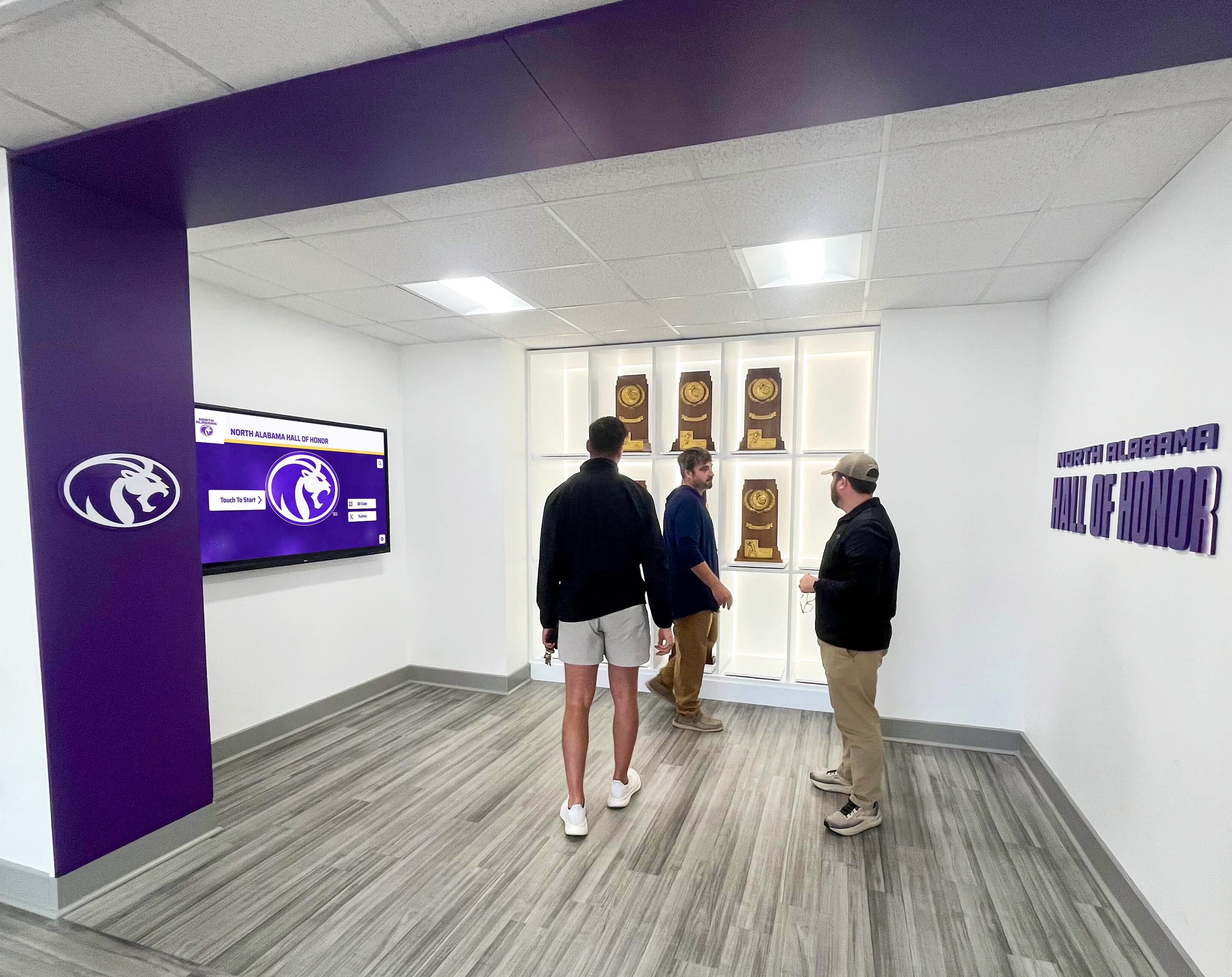
Trophy wall of fame: Display 30-50 most significant trophies in prominent physical cases while digital systems present complete collections. This preserves the visual impact of championship trophies while addressing space limitations.
Interactive trophy exploration: Mount touchscreens adjacent to physical trophy displays allowing visitors to explore detailed information about displayed awards plus access complete digital collections. This creates continuity between physical and digital recognition.
Rotating physical highlights: Maintain modest physical display space (single wall section rather than entire hallway) and rotate featured trophies seasonally while digital systems provide permanent comprehensive access.
Organizations implementing these modern approaches often discover improved engagement compared to traditional static displays, as current students interact more readily with digital recognition than with traditional trophy cases they pass without engagement.
Making Your Large Trophy Case Decision
Schools, universities, and athletic organizations planning trophy recognition expansions should evaluate these key factors:
Collection size and growth rate: Organizations with hundreds of existing trophies and rapid ongoing growth face different needs than those with modest collections. Calculate your current inventory and projected 10-year growth to determine whether traditional cases can accommodate your trajectory.
Available space: Measure designated recognition space carefully. Fixed architectural constraints may make traditional large trophy cases impractical regardless of budget.
Budget availability: Compare total cost of ownership over 10-15 years for traditional cases versus digital alternatives. Include initial capital costs, ongoing maintenance, eventual replacement requirements, and staff time for updates.
Community expectations: Some athletic traditions create strong expectations for traditional physical trophy displays. Understanding stakeholder preferences helps select solutions that honor tradition while addressing practical limitations.
Accessibility priorities: Consider whether physical presence matters or whether remote accessibility for alumni and broader community provides greater institutional value.
Maintenance capacity: Honestly assess available staff time and expertise for ongoing trophy case maintenance. Understaffed programs may find digital systems more sustainable than extensive physical displays requiring significant maintenance.
Moving Forward with Your Trophy Recognition Solution
Effective large trophy case planning requires balancing institutional tradition with practical limitations, community expectations with maintenance realities, and preservation concerns with accessibility needs. Whether you select traditional built-in display cases, freestanding units, dedicated trophy rooms, or modern digital alternatives, the most important consideration is creating recognition systems that genuinely honor achievement rather than simply storing trophies.
Organizations seeking guidance on selecting appropriate trophy display solutions should evaluate current collections, project realistic growth, assess available space and budget, document stakeholder expectations, and explore both traditional and digital alternatives before finalizing plans. Schools implementing comprehensive recognition programs might also examine approaches to end-of-year recognition and sportsmanship awards that complement trophy display strategies.
Transform Your Trophy Recognition with Modern Solutions
Rocket Alumni Solutions specializes in helping schools and athletic organizations transition from space-constrained trophy cases to comprehensive digital recognition systems that honor unlimited achievements while engaging current students and alumni worldwide.
Our TouchWall platform allows you to showcase your complete trophy collection, championship teams, individual record holders, and hall of fame inductees through beautiful interactive displays that preserve your physical trophies while extending recognition beyond campus walls. Whether you're planning new construction, renovating existing facilities, or seeking alternatives to traditional trophy case expansion, we'll help you design solutions that honor your community's achievements effectively.
Frequently Asked Questions
How do we decide which trophies to keep in physical displays versus moving to digital archives?
Establish clear written criteria based on achievement significance rather than emotional attachment to specific items. Most schools prioritize state championships, national titles, undefeated season trophies, and historic “first achievement” awards for permanent physical display. Conference championships, tournament participation trophies, and individual season awards often transition well to digital archives. Consider the story each trophy tells—awards representing breakthrough achievements or historic milestones warrant physical display, while duplicative recognition (third consecutive conference championship trophy nearly identical to the previous two) works well digitally. Create a committee with athletic director, coaches, and booster representation to apply criteria consistently rather than making decisions individually.
What’s the lifespan of a trophy in a display case before it needs restoration?
Trophy longevity varies significantly based on materials, display environment, and original quality. Well-maintained trophies in climate-controlled spaces with UV-filtered lighting can remain in excellent condition for 40-50+ years. However, trophies in uncontrolled environments with natural light exposure, temperature fluctuations, and high humidity often show significant deterioration within 15-20 years. Ribbons fade fastest, often becoming illegible within 10 years under poor conditions. Plastic components become brittle and yellowed. Metal tarnishes and corrodes. Regular inspection helps identify deterioration early when conservation is still possible. Extremely valuable historic trophies should receive professional conservation assessment every 10-15 years to prevent irreversible damage.
Can we add digital displays to existing trophy cases without replacing the entire installation?
Yes, hybrid approaches work well with existing trophy cases. The most common integration involves mounting touchscreen displays on adjacent wall space, creating complementary recognition zones. Some schools replace a section of existing trophy shelving with integrated touchscreen displays, maintaining physical trophy areas while adding digital capability. Freestanding interactive kiosks can be positioned near trophy case hallways without modifying existing cases. The key is creating visual and organizational coherence—digital and physical recognition should feel integrated rather than competing. Consistent design elements, coordinated content organization, and unified messaging help hybrid systems feel intentional rather than piecemeal.
How do we handle trophy cases during facility renovations?
Trophy removal and storage during construction requires careful planning to prevent damage and loss. Create complete photographic documentation of every trophy before removal, noting its specific display location. Assign identification numbers using removable labels, and document trophy condition before storage. Pack trophies individually using acid-free tissue paper and appropriate-size boxes with cushioning. Create climate-controlled temporary storage rather than leaving trophies in unheated storage units or sheds where temperature and humidity extremes cause damage. Designate a specific individual responsible for trophy inventory management—don’t assume general contractors will treat awards appropriately. Plan trophy reinstallation as a distinct project phase with adequate time allocated rather than rushing reinstallation during final construction completion.
Should large trophy cases be locked, or should they remain accessible for closer viewing?
This decision balances security against engagement. Locked cases provide essential protection in high-traffic public areas, schools with security concerns, or displays containing irreplaceable historic awards. However, locked cases create psychological distance—visitors become spectators rather than participants. Consider hybrid approaches with general collections in locked cases but specific featured awards in open displays rotated periodically. Some schools implement locked cases during regular school hours but open them during special events, alumni gatherings, or guided tours. For organizations choosing digital hall of fame solutions, security concerns diminish since physical access to interactive displays poses no theft risk to achievement records.
Additional Resources
Athletic directors, facilities managers, and school administrators planning large trophy case projects may find additional value in related recognition planning resources:
- Digital Hall of Fame Buyer’s Guide - Comprehensive evaluation framework for digital recognition systems
- National Heritage Months Recognition - Strategies for inclusive recognition programs beyond athletics
- Team Recognition Awards Programs - Building comprehensive recognition culture
- Academic Recognition Programs - Expanding recognition beyond athletics
- College Signing Day Recognition - Complementary recognition program planning
These resources provide frameworks that administrators can adapt to specific institutional contexts, creating comprehensive recognition programs that honor diverse achievements while addressing practical space, budget, and maintenance constraints.































