A letterwinner wall should be one of the most visited spaces in your athletic facility—a scrolling record of every student-athlete who earned varsity status, organized so coaches, students, and alumni can find any name in seconds. In practice, most schools have something closer to a partial record: a plaque panel that stopped expanding ten years ago, a binder at the front desk nobody opens, and a growing backlog of letterwinners who never made it onto any wall at all.
The good news is that adding recognition capacity no longer requires additional wall space. This guide walks athletic directors and administrators through a practical workflow for planning, scoping, and building a letterwinner wall that honors every eligible athlete—past and present—without a construction budget or a fabricator on speed dial.
Managing a letterwinner wall is a display-planning problem before it is a technology problem. Before selecting hardware or software, you need to know how many athletes you are recognizing, what information each profile requires, and how the system will stay current after launch. Work through those decisions systematically and the right display format becomes obvious.
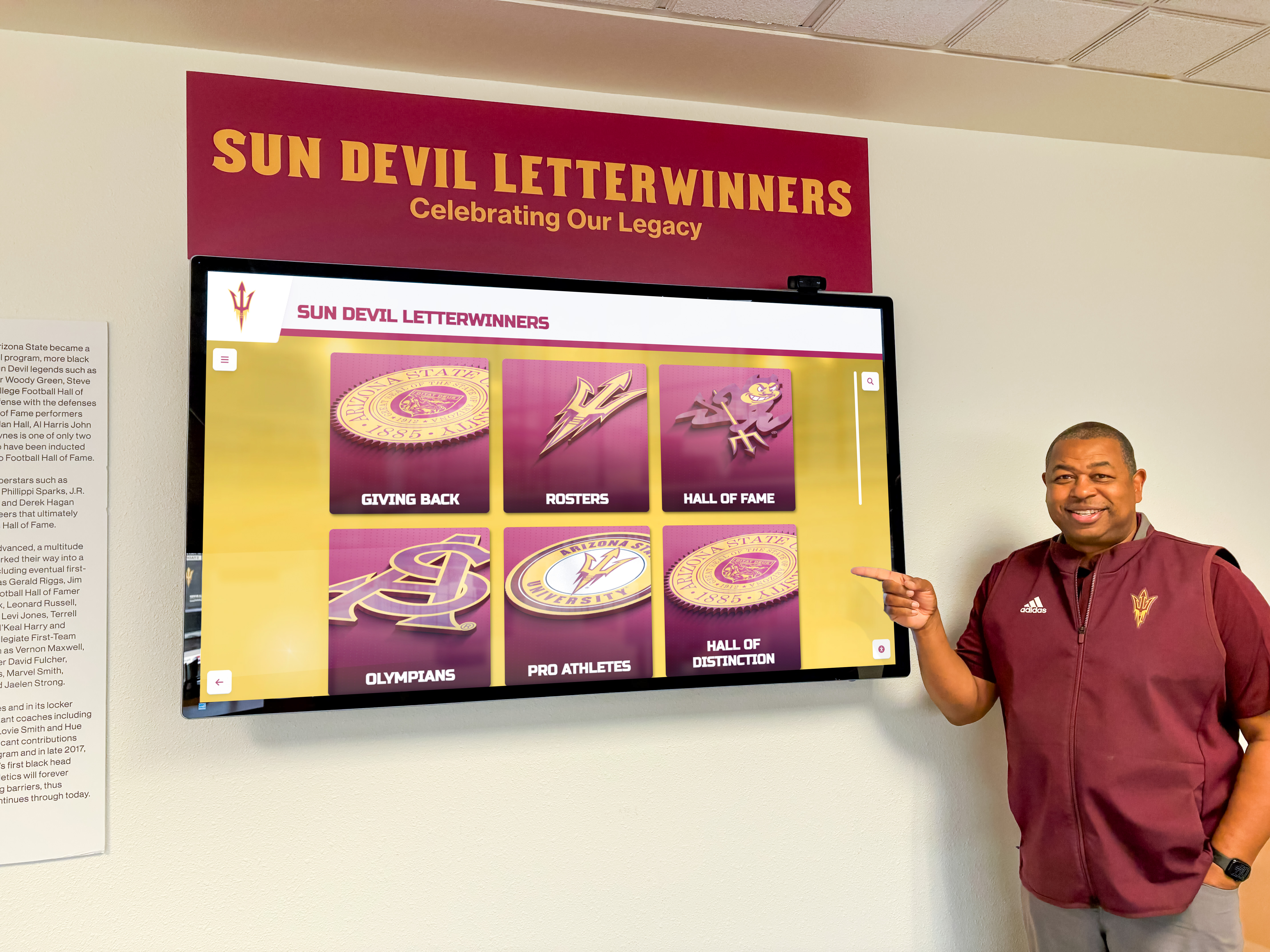
A well-designed letterwinner wall gives visitors an immediate way to find any varsity athlete by sport, year, or name.
What a Letterwinner Wall Actually Tracks
A letterwinner wall is distinct from a hall of fame. A hall of fame curates a selective group of inductees chosen for career-level distinction. A letterwinner wall is a roster-level record: every student-athlete who met the school’s criteria for earning a varsity letter in any sanctioned sport during any year the program has existed.
That scope distinction matters enormously for planning. A school with 25 sports, graduating classes of 400, and 60 years of program history may have awarded varsity letters to 8,000 or more athletes. No plaque wall accommodates that scale without constant expansion. The architectural solution—adding rows, panels, or annexing adjacent hallway—eventually runs out of building. A display-planning solution starts with the data layer and selects a format that scales as a software function rather than a construction function.
Schools typically track the following fields per letterwinner:
| Field | Notes |
|---|---|
| Full name | Verify spelling against original awards records |
| Graduation year | Enables filtering by era |
| Sport(s) | Athletes who earned letters in multiple sports need separate entries per sport or a multi-sport flag |
| Letter year(s) | Different from graduation year; an athlete may earn four letters |
| Jersey number | Optional but highly searchable by alumni |
| Awards or honors | All-conference, team captain, all-state—keep these as additive fields, not separate displays |
| Photo | Yearbook-era photos are acceptable; resolution requirements depend on display type |
Defining these fields in advance prevents duplicated work when you migrate historical records or onboard new letterwinners each season.
Why Traditional Plaque Walls Hit Capacity
Engraved plaque panels are the default letterwinner wall format for a reason: they are durable, legible, and broadly understood. They also carry three structural limitations that compound over time.
Fixed surface area. A panel sized for 200 names fills in three to five years for a large program. Overflow creates pressure to either remove older names (unacceptable for alumni relations) or fund new fabrication every few years.
Single-field display. Most nameplate systems show name, sport, and year. There is no room for jersey numbers, honors, or the multi-sport context that makes a letterwinner’s record complete. Visitors cannot search or filter; they scan down a column and hope to find what they want.
Administrative lag. Ordering engraved plates, receiving them, and mounting them takes weeks. Athletes who earned letters in May may not appear on the wall until October. That delay reduces the motivational value of the recognition and creates a growing gap between actual award data and displayed data.
These limitations are not flaws in the fabrication—they are inherent to any static physical medium. The academic letter awards and how schools recognize scholarly achievement framework faces the same constraints when recognition programs scale beyond what a fixed wall can absorb.
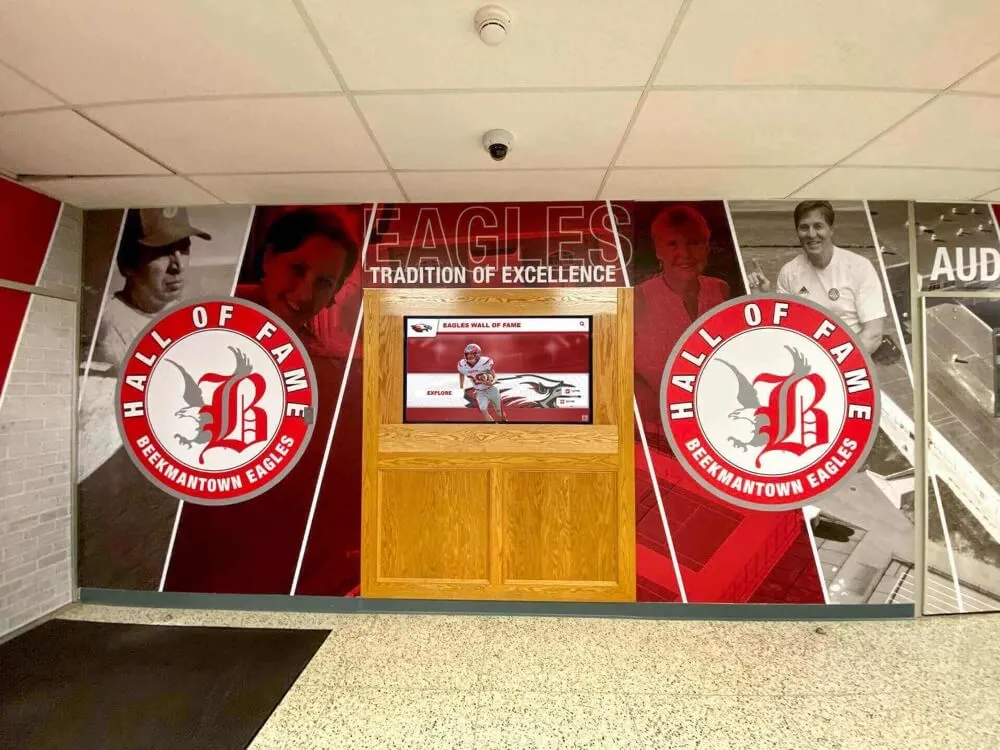
Schools that plan display capacity from the start avoid the mid-decade scramble to find more wall space.
Before You Start: Four Prerequisites
Before choosing a display format or pulling historical records, confirm these four prerequisites. Missing any one of them will stall the project after it has started.
1. Stakeholder alignment on scope. Define whether the letterwinner wall covers all sports or a subset, all years of program history or a fixed lookback window, and all levels (varsity only, or JV and freshman as well). Get that definition in writing and approved by your activities director or principal before research begins. Scope creep after launch is expensive.
2. A source for historical records. The most common sources are yearbooks, archived team rosters, coach files, and state athletic association records. Identify which years have reliable documentation and which have gaps. Gaps are manageable if you know about them in advance; discovering them mid-project extends timelines.
3. A designated content owner. Someone must add new letterwinners each season, correct errors, and approve profile updates. If no one owns that responsibility before launch, the wall stagnates within two years. For most schools, this is the athletic director, an athletic department coordinator, or a dedicated administrative assistant.
4. Network access in the display location. Digital displays require a stable network connection for content updates. Confirm that the intended wall location has wired Ethernet or strong Wi-Fi before finalizing placement. Retrofitting network access after display installation adds cost and disrupts finished surfaces.
Phase 1: Audit Your Existing Display Capacity
Walk your facility and document every current letterwinner recognition surface:
- How many engraved panels exist, and what is the current fill rate?
- Which sports are represented and which are missing?
- What is the oldest year currently displayed?
- How many athletes are missing from the existing display because records were not found, panels were full, or the sport was added recently?
Calculate your annual incoming volume: multiply the number of varsity sports by the average roster size, then subtract the athletes who typically do not meet letter criteria. A school with 20 sports and an average letter-earning roster of 15 adds roughly 300 new letterwinners per year. At that rate, a 500-name panel fills in less than two years.
Compare incoming volume against available expansion space. If the math shows you will exhaust physical capacity within five years, plan the display format now with unlimited capacity as a hard requirement rather than a nice-to-have.
Phase 2: Define Scope and Recognition Criteria
Document the formal criteria for earning a varsity letter at your school. Common criteria include minimum participation thresholds (a percentage of contests played or started), coach discretion awards for contribution, and performance benchmarks for individual sports like cross country or swimming. If criteria vary by sport, note those differences—they affect how you validate historical records and how you explain the display to visitors.
Also define what the wall will show beyond the letter itself. The most useful letterwinner walls give visitors enough context to understand an athlete’s contribution: athletic awards and how schools recognize student athletes in ways that go beyond a name and year require structured data from the start.
At minimum, commit to name, sport, and letter year. If your records support it, add graduation year, jersey number, and a flag for multi-sport athletes. Each additional field improves searchability and alumni engagement without significantly increasing per-athlete research time if you establish a collection template before research begins.
| Recognition Level | Minimum Fields | Recommended Additions |
|---|---|---|
| Basic letterwinner wall | Name, sport, year | Graduation year, jersey number |
| Enhanced recognition | Above + honors, multi-sport flag | Photo, season stats |
| Full athlete profile | All above + narrative | Video highlights, college destination |

Structured data fields enable visitors to filter by sport, year, or jersey number rather than scrolling through an undifferentiated list.
Phase 3: Research Historical Letterwinners
Historical research is the most time-intensive phase and the one most often underestimated. Allocate realistic time before committing to a launch date.
Start with the strongest sources first. Yearbooks published under a consistent format typically list letter award recipients by sport. Pull all available yearbooks and assign a researcher to extract names, sports, and years into a spreadsheet. Work chronologically so gaps in the record are immediately visible.
Cross-reference with coach files. Many veteran coaches maintain personal records that predate formal administrative tracking. Interview coaches before they retire; their records often fill decade-long gaps in official documentation.
Use alumni networks for verification. Post a request through alumni channels asking former athletes to confirm their own letter history or identify omissions. Alumni are generally willing to help, and crowdsourced verification catches errors that document review alone misses. Alumni wall ideas and how schools build modern recognition walls depend heavily on alumni trust—inaccurate recognition damages that relationship faster than any display limitation.
Flag gaps explicitly rather than leaving them invisible. If records for a particular decade are incomplete, note that in the display rather than presenting partial data as comprehensive. “Records prior to 1985 are incomplete; contact the athletic department to submit corrections” is better than silently omitting a generation of athletes.
Build a master spreadsheet with a verification column. For each entry, mark whether the record was confirmed by a primary source (yearbook, official roster), a secondary source (coach memory, newspaper archive), or is unverified. This audit trail protects against disputes and guides future corrections.
Phase 4: Choose Your Display Format
With scope defined and record volume estimated, select a display format that matches your capacity requirements, budget, and maintenance resources.
Engraved Plaque Panels
Best for: Programs with fewer than 2,000 historical letterwinners, stable annual volume below 150 new additions, and adequate wall space for 10+ years of growth at that rate.
Advantages: No ongoing software costs, no network dependency, familiar aesthetic for alumni.
Limitations: No search capability, fixed capacity, multi-week production lag for new additions, no multimedia.
Planning requirement: Reserve at minimum 30% more surface area than current name count requires. Schools that plan panels to 90% capacity at install are ordering additional fabrication within two years.
Digital Touchscreen Display
Best for: Programs with high historical volume, multiple sports, limited wall space, or a strong alumni engagement objective.
Advantages: Unlimited capacity, instant updates, searchable by any field, supports photos and video, accessible remotely via QR code or web link.
Limitations: Requires network connectivity, annual software costs, and a designated content administrator.
Planning requirement: Identify the content management workflow before purchasing hardware. A touchscreen that no one updates is worse than a static plaque because it creates the impression of a current record when the data is stale.
Hybrid: Plaque + Digital Supplement
Best for: Schools that want the traditional aesthetic for recent letterwinners but need to surface a large historical archive that cannot fit on physical panels.
Advantages: Satisfies stakeholders who value the traditional plaque while solving the capacity problem for historical records.
Planning requirement: Define clearly which athletes appear on the physical plaque versus the digital system. Inconsistent rules create confusion for alumni who expect to find their recognition in a specific location.
Letterman jacket traditions and how schools honor varsity athletes on hall-of-fame walls show why tradition and technology are not mutually exclusive—the jacket and the wall can coexist with a digital layer that does what physical materials cannot.
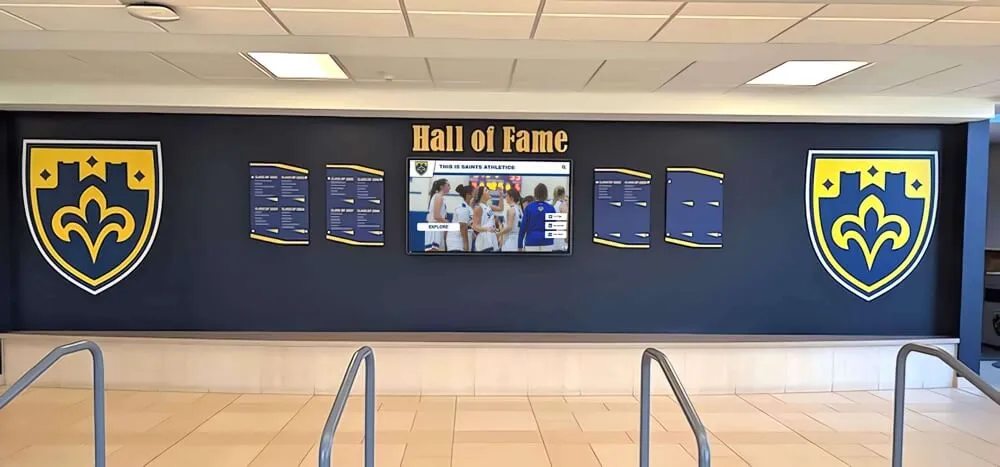
Hybrid installations preserve the traditional plaque aesthetic while adding a digital screen that handles historical depth and searchability.
Phase 5: Organize and Migrate Content
Before import or fabrication, clean your data:
- Standardize name formatting. Decide on a single format (First Last vs. Last, First) and apply it consistently. Mixed formats break alphabetical sort and look unprofessional.
- Resolve duplicate entries. Athletes who earned letters in multiple sports appear multiple times; confirm each entry is intentional and correctly labeled by sport.
- Verify year fields. Distinguish between the year the letter was earned and the graduation year. Both are useful but should not be confused.
- Compress and rename photos. For digital systems, establish a file naming convention (lastname-firstname-year-sport.jpg) before bulk upload. Consistent naming speeds future searches and corrections.
- Build a change log. Record every correction made during migration. When a former athlete disputes their record, a change log lets you explain exactly what the original source said and what was changed.
For basketball display case ideas and how schools organize lobbies for hall-of-fame recognition, the data organization step is often skipped in the excitement of installation planning. It should not be—clean data at import saves hours of post-launch corrections.
Phase 6: Integrate with Existing Recognition Programs
A letterwinner wall is strongest when it connects to the broader recognition ecosystem rather than standing in isolation.
Year-end letter ceremonies. The ceremony is the moment when a letter is awarded; the wall is where that award lives permanently. Coordinate the two so athletes who receive letters at the athletic letter ceremony appear on the wall within a defined timeframe—ideally within two weeks of the ceremony.
Hall of fame nominations. Some letterwinner wall platforms allow administrators to flag athletes for hall-of-fame consideration directly from their profiles. This integration prevents hall-of-fame candidates from being overlooked because they were recognized only in a separate plaque system.
College signing recognition. Athletes who earn letters and subsequently commit to play in college represent a natural cross-reference between your letterwinner wall and your college signing day recognition program. Linking these milestones in a unified profile adds depth that static displays cannot provide.
Youth and feeder program awards. Schools that recognize youth athlete of the year awards at the middle school or club level can use the letterwinner wall to show the full athletic arc from early recognition through varsity achievement.
Wall of honor and service recognition. For schools that maintain separate recognition walls for military service, community leadership, or wall of honor programs, a unified digital platform prevents athletes who served in multiple capacities from being siloed across disconnected displays.

Positioning the letterwinner wall near existing trophy cases creates a recognition corridor that guides visitors through multiple layers of athletic history.
Phase 7: Maintain the Wall After Launch
The most common failure mode for letterwinner walls is not the initial launch—it is the second year. Staff turn over, update workflows get deprioritized, and new letterwinners accumulate in a spreadsheet instead of appearing on the display. Build maintenance into the process before launch.
Establish an annual update calendar. Identify the two or three moments each year when new letterwinners are formally recognized—typically spring awards banquets, fall kick-off events, and winter sports ceremonies. Set calendar reminders to update the wall within two weeks of each event.
Create a standard submission form. Ask coaches to complete a consistent form at the end of each season listing letter recipients with required fields pre-labeled. A form takes coaches two minutes to complete and prevents the athletic director from spending an afternoon chasing down roster data.
Assign a backup administrator. If the primary content owner is unavailable during a key update window, a trained backup prevents a three-month gap in recognition. Cross-train at minimum one additional staff member on the update workflow.
Audit annually. Once per year, pull the full letterwinner list and compare it against archived award records. Catch errors before they compound. Document the audit date and findings in your change log.
For schools that also recognize academic achievement alongside athletic accomplishment, academic excellence awards and how schools use touchscreen hall-of-fame displays follow the same maintenance logic: the display is only as current as the last update.
Letterwinner Wall Planning Checklist
Use this checklist to validate project readiness before committing to a vendor or fabricator.
Scope and criteria
- Formal letter criteria documented and approved by administration
- Sports included defined (all varsity / subset)
- Historical lookback window defined
- Responsibility for ongoing maintenance assigned
Records and data
- Historical sources identified (yearbooks, coach files, association records)
- Estimated total record count calculated
- Data fields defined and template built
- Gap years flagged and plan for partial-record disclosure in place
Display planning
- Annual incoming volume calculated
- Physical capacity vs. incoming volume gap analyzed
- Display format selected (plaque / digital / hybrid)
- Display location confirmed with adequate network access
Integration
- Letter ceremony update timeline defined
- Submission form created for coaches
- Annual audit calendar established
- Hall-of-fame nomination workflow connected if applicable
Launch
- Data cleaned, deduplicated, and verified
- Staff trained on content management system
- Backup administrator trained
- Alumni notification plan in place for newly recognized athletes
A letterwinner wall built on clean data, clearly scoped, and maintained on a consistent schedule becomes a genuine asset—one that coaches reference when recruiting, alumni seek out at homecoming, and students study when they want to understand what it took to earn a letter at their school. The physical format is secondary to those outcomes.
Rocket Alumni Solutions builds interactive letterwinner wall displays designed specifically for school athletic departments, with cloud-based content management, unlimited recognition capacity, and QR-code access so alumni can explore the full record from anywhere. Schedule a demo to walk through what the planning workflow looks like for your program’s scale and history.































