Schools increasingly ask a practical question when planning a recognition project: does a standard single-touch digital display do the job, or does the space, the audience, and the content depth demand a multi touch wall? The answer depends less on budget and more on what visitors actually need to do when they reach the screen. This buyer guide maps the specific school recognition scenarios where multi-touch capability pays off—and the ones where it does not—so administrators, athletic directors, and facilities teams can make the call with confidence.
A multi touch wall is the right choice for school recognition when visitors need to do more than swipe through a photo slideshow: when they need to search by name, filter by year or sport, pan an interactive campus map, or explore multimedia donor profiles simultaneously on one large display. For a single-scroll hall of fame with under 200 records, a standard single-touch display is often sufficient. Once content complexity, concurrent-user scenarios, or gesture-based navigation enter the picture, multi-touch interaction becomes functionally necessary rather than a luxury upgrade.
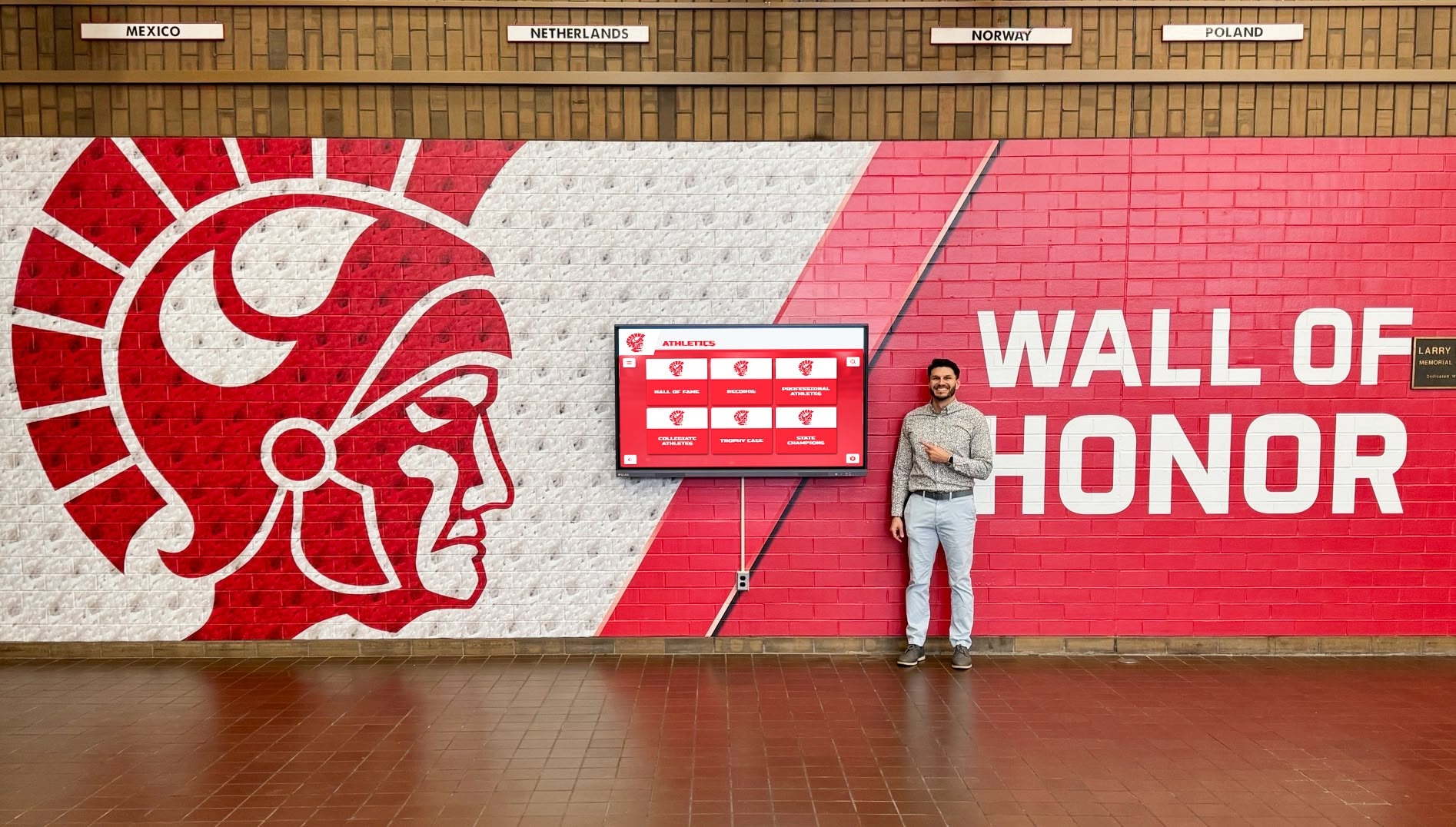
Multi touch walls turn passive hallway displays into active recognition experiences—visitors navigate content rather than consume it
What Is a Multi Touch Wall?
A multi touch wall is a large-format touchscreen display—typically 55 to 86 inches—that registers simultaneous independent touch points from multiple fingers or multiple users at the same time. Consumer touchscreens generally support two to five touch points. Commercial multi-touch panels built for school environments typically support ten to forty simultaneous touch points, enabling pinch-to-zoom on maps, two-handed scrolling through archives, and side-by-side browsing by two visitors at once.
The hardware sits inside a sturdy commercial enclosure and connects to a dedicated content management system (CMS) or purpose-built recognition software platform. The CMS is where athletic directors upload new inductees, development offices update donor tiers, and archivists add historical photographs—all without touching the physical display hardware.
Multi-touch capability is a hardware specification. It must be confirmed at the panel and controller level, not assumed because a display is marketed as “interactive.” When evaluating vendors, request the certified touch-point count from the panel manufacturer, not just the reseller.
Why Static Displays Fall Short for Complex School Recognition
Physical plaques, printed photo boards, and passive digital signage share one structural constraint: they present content rather than invite exploration. For a modest athletics trophy case with thirty honorees, that limitation is manageable. For a school whose recognition program spans multiple decades, hundreds of athletes, alumni donors across five giving tiers, theatre production archives, and a campus-wide wayfinding need, static presentation creates a cascade of problems.
Discoverability collapses at scale. A visitor searching for a specific person in a 600-name donor wall must scan every name manually. A multi touch wall with a search field finds the profile in under five seconds. The functional gap widens as content grows.
Update cycles become expensive. Engraved plaques require fabrication lead times measured in weeks. A CMS-connected multi touch wall accepts a new honoree the same day the honor is awarded.
Engagement drops with passivity. Research on interactive displays in public educational spaces consistently shows dwell time of six to eight minutes at interactive kiosks versus thirty to forty-five seconds at static equivalents. Students who find their own sport, their own graduation year, or a family member’s name develop a connection static displays cannot create.
Space constraints disappear. A single 65-inch multi touch wall can surface the equivalent of fifty traditional trophy cases through filtered navigation. Physical walls have a hard nameplate capacity; a digital archive does not.
For schools weighing a touch wall for high schools against a physical renovation, the functional gap between static and interactive recognition is the central evaluation criterion—not aesthetics or cost alone.

Multi-touch panels allow visitors to navigate directly to the athlete, year, or sport they care about rather than browsing every record sequentially
Five School Recognition Use Cases That Require Multi-Touch Interaction
1. Athletic Hall of Fame with Filters, Search, and Year Navigation
An athletic hall of fame covering thirty or more years of inductees across multiple sports is the use case where multi-touch capability most clearly justifies its cost premium. Visitors arrive with specific intent—finding a parent, a coach, a record in a specific sport—and they expect the interaction to feel like a smartphone, not a kiosk at a 1998 trade show.
Multi-touch interaction supports:
- Pinch-to-zoom on team photographs so visitors can identify specific faces in group shots without losing context of the full image
- Two-handed filtering where one hand holds a year range and the other taps a sport category simultaneously
- Side-by-side browsing when two students or two alumni approach the display together and each wants to navigate independently
- Fast scroll through large record sets using natural momentum-based gestures rather than next/previous buttons
A single-touch display can approximate some of this through button-based navigation, but the interaction model feels constrained for content libraries of 200 or more records. Multi-touch restores the natural fluency visitors expect.
Schools considering the full specification scope for this type of installation will find the interactive touchscreen solutions buyer’s guide for schools useful for evaluating hardware and software components together.
2. Donor Recognition Wall with Searchable Giving Tiers
A digital donor wall that surfaces a single level of giving names in a scrolling loop does not require multi-touch hardware. A donor recognition program with tiered giving levels, named scholarship profiles, multimedia impact stories, and a growing database of hundreds of contributors is a different proposition entirely.
Multi-touch enables:
- Simultaneous tier navigation and name search so visitors can filter by giving level while typing a name, without resetting either filter
- Expandable donor profiles opened with a tap-and-hold or pinch gesture that reveal photographs, quotes, and impact metrics without leaving the main display view
- Two-visitor interaction during events—a gala or donor appreciation reception where multiple guests approach the display at once
The underlying software must also support this level of content architecture. Hardware capability without software depth produces an expensive screen with a shallow experience. For a complete framework on what software features separate purpose-built donor recognition platforms from consumer slideshow systems, the donor recognition wall buyer’s guide for schools covers the evaluation criteria in detail.
3. Alumni and Historical Archives with Timeline Navigation
Schools with long institutional histories—private schools, public schools with centennial-plus legacies, or programs undergoing a major renovation that includes a heritage display—often want to surface archival content spanning multiple decades. A timeline-based navigation model, where visitors drag or pinch across a horizontal time axis to move between eras, is a natural interaction metaphor that is only comfortable on a multi-touch display.
Single-touch timelines require button taps to advance. Multi-touch timelines respond to two-finger pinch-to-compress and spread-to-expand gestures, letting a visitor zoom from a decade view to a single year in one fluid motion. For archives containing hundreds of photographs, newspaper clippings, and season records, this navigation model reduces the friction between intent and discovery.
Schools that have invested in digitizing paper archives—yearbooks, game programs, award records—can surface that content through a multi touch wall in a way that physical display cases and static digital signage cannot match. The interactive flat panel display buyer’s guide for K-12 schools addresses the hardware specifications relevant to this type of continuous-use archive application.
4. Campus Wayfinding Maps with Gesture Navigation
Schools installing recognition displays in lobbies shared with visitor traffic have an opportunity to serve two audiences with one display: recognition content for community members who know the institution, and wayfinding content for prospective families, event guests, and first-time visitors. A multi touch wall running a recognition platform with an embedded campus map module handles both functions.
Map navigation is inherently a multi-touch interaction. Panning requires drag gestures while zooming requires pinch gestures—trying to simulate both with on-screen zoom buttons produces a frustrating experience that visitors abandon quickly. On a true multi-touch surface, the map behaves identically to a smartphone mapping application, which means zero learning curve for any visitor under seventy.
For schools in the planning stages of a combined recognition-and-wayfinding installation, locating the display in the main entrance or athletic lobby—where both audiences naturally converge—maximizes utilization and justifies the higher investment in a multi-touch panel over a single-touch alternative.
5. Theatre, Arts, and Performing Arts Archives
Theatre and performing arts programs generate a distinctive type of archival content: production photography, cast lists, playbills, director notes, and video clips from performances. This content is inherently media-rich and benefits from gestures that static or single-touch displays handle poorly.
A student or parent browsing a spring musical archive wants to pinch-zoom into a cast photograph, tap a cast member to read a biographical note, then swipe to a video highlight from the same production—all in a single fluid session. Multi-touch hardware supports this interaction model naturally. It also enables two visitors to browse different productions on the same display simultaneously, which matters during post-performance lobby conversations when families gather around recognition content.
Schools building out performing arts recognition programs can find applicable implementation frameworks in the guide to theatre interactive display boards for high schools.

Visitors explore recognition content at their own pace when multi-touch navigation matches the interaction model they use on personal devices
Multi Touch Wall vs. Static Display: Side-by-Side Comparison
| Capability | Static Display (Physical or Passive Digital) | Multi Touch Wall |
|---|---|---|
| Content capacity | Fixed by wall space or slide count | Unlimited via CMS database |
| Update method | Fabrication or manual file replacement | CMS update from any browser |
| Update time | Days to weeks | Same day |
| Search by name or filter by sport/year | Not available | Full-text search + layered filters |
| Pinch-to-zoom on photos | Not available | Native gesture support |
| Two visitors simultaneously | Not applicable | 10–40 simultaneous touch points |
| Campus map integration | Not available | Embedded interactive map modules |
| Video and multimedia profiles | Not available (physical) or looping only | On-demand tap-to-play |
| ADA accessibility options | Not available | WCAG 2.1 AA achievable |
| Timeline navigation for archives | Not available | Two-finger pinch/drag on timeline |
| 10-year total cost (200+ records) | $20,000–$60,000+ fabrication and reprint | $18,000–$40,000 hardware + software |
The cost comparison narrows considerably once a recognition program exceeds 200 records or requires regular updates—at that scale, ongoing physical fabrication costs close the gap with the higher upfront investment in a multi-touch platform.
Buyer Checklist: Specifying a Multi Touch Wall for School Recognition
Use this checklist when evaluating vendors and writing specifications for a school multi touch wall procurement:
Hardware
- Panel touch-point count confirmed at panel manufacturer level (target: 10+ points for school environments)
- Commercial-grade display rated for 16/7 or 24/7 continuous operation
- Anti-glare coating specified for lobby and hallway lighting conditions
- Screen size matched to typical viewing distance: 55–65" for single-corridor locations, 75–86" for atrium or gymnasium lobby installations
- VESA mount pattern and wall-construction compatibility confirmed with AV installer before purchase
- Ingress protection rating verified for locations near exterior doors
Software and CMS
- CMS supports role-based access (athletic director, development office, archivist as separate roles)
- Search and multi-level filtering confirmed in live demo, not just marketing materials
- Content update workflow requires no technical staff involvement
- Cloud hosting with automatic backup and uptime SLA documented
- Multi-media support confirmed: photos, video (MP4), PDFs, embedded web content
Recognition Content Architecture
- Athlete/honoree profiles support custom fields for stats, biographical text, graduation year, sport
- Donor profiles support giving tier, giving history, impact statement, and photo
- Archive module supports chronological timeline navigation
- Map module available if wayfinding use case is included
Installation and Support
- AV installer certified or trained by display manufacturer
- Electrical and network drops confirmed at installation location before equipment order
- Warranty covers both hardware and software support channels
- Staff training included in implementation package
For detailed guidance on hardware specifications including VESA mounting patterns, network authentication requirements, and ADA compliance standards, the interactive flat panel display buyer’s guide provides a complete technical reference.

Commercial multi-touch kiosks integrate into hallways and lobbies without requiring structural renovation—freestanding and wall-mounted configurations both accommodate high-traffic school environments
When a Single-Touch Display Is the Right Call
Multi-touch hardware costs more than single-touch alternatives at every panel size. Schools with straightforward use cases should not pay the premium if multi-touch interaction adds no functional value to their specific program.
Single-touch is sufficient when:
- The recognition content is a single program (one sport, one award category) with under 150 records
- The display operates as a passive announcement or rotating highlight board rather than an interactive archive
- The installation is in a classroom, meeting room, or low-traffic corridor where simultaneous multi-user interaction is unlikely
- Budget constraints require prioritizing software depth over hardware capability
Multi-touch is necessary when:
- Content spans multiple programs, decades, or recognition categories requiring layered filters
- The display will be used by two or more visitors simultaneously at events, open houses, or graduations
- Gesture-based navigation (pinch-to-zoom on maps or archives, momentum scrolling through large record sets) is part of the intended interaction model
- The installation is a flagship lobby display representing the institution to prospective families and alumni donors
The decision is functional, not aspirational. Start with the specific tasks visitors need to accomplish, then specify the hardware that supports those tasks reliably.
Frequently Asked Questions
What is the difference between a multi touch wall and a regular touchscreen display?
A regular touchscreen display typically registers one or two touch points at a time—enough for tap-based navigation but insufficient for pinch-to-zoom, two-handed filtering, or simultaneous use by two visitors. A multi touch wall registers ten or more independent touch points simultaneously, enabling natural gesture-based navigation identical to smartphone and tablet interaction patterns. For school recognition programs with complex content or high-traffic lobbies, the interaction quality difference is significant.
How many touch points does a school recognition display actually need?
Ten touch points is a practical minimum for school recognition environments. This supports simultaneous two-handed gestures on a single user, basic two-user concurrent interaction, and pinch-to-zoom on maps and archive photographs. Panels rated for twenty or more touch points provide headroom for event scenarios—galas, open houses, athletic banquets—where a display may attract a small group at once.
Can a multi touch wall display both recognition content and campus wayfinding?
Yes. Purpose-built school recognition platforms like Rocket Alumni Solutions support modular content architecture where a single display surfaces recognition content (hall of fame, donor wall, athletics archive) alongside an interactive campus map. The display can be configured to show a welcome screen that lets visitors select which mode to enter, or to open directly to recognition content with wayfinding accessible from a persistent navigation element.
How does a multi touch wall handle donor recognition during fundraising events?
Multi touch walls are particularly effective at fundraising events because they enable concurrent interaction by multiple guests. At a donor appreciation event or capital campaign launch, several guests can approach the display simultaneously—one browsing the named scholarship profiles, another searching for a family member in the giving tiers, a third viewing campaign impact metrics. This concurrent-use scenario is impossible on a single-touch display and difficult to approximate with a static physical board.
What is the typical installation timeline for a school multi touch wall?
From signed contract to operational display, most school installations complete in eight to twelve weeks. The timeline includes manufacturing lead time for the commercial display (four to six weeks), AV installation and mounting (one to two days), software configuration and content loading (two to four weeks concurrent with hardware), and staff training (half-day to full-day session). Schools with existing digital infrastructure (network drops, electrical) at the installation location typically fall at the shorter end of this range.
Do multi touch walls require ongoing IT maintenance?
Cloud-hosted platforms require minimal IT involvement after initial network configuration. The CMS updates push automatically, content editors work through a browser-based interface without touching the hardware, and the display operating system receives security updates remotely. IT teams are typically involved at installation for network authentication and firewall configuration, then only occasionally for hardware-level issues. Schools evaluating on-premise versus cloud-hosted options should factor IT labor costs into the total cost of ownership comparison.
How does a multi touch wall support accessibility compliance?
Commercial multi-touch displays intended for public environments can be configured to meet WCAG 2.1 AA standards for interactive content. This includes minimum touch target sizes, sufficient color contrast ratios, alternative text for images, and on-screen navigation that does not require precise fine motor control. Compliance requires both hardware specification (touch sensitivity calibrated for users with limited dexterity) and software configuration (accessible color schemes, adjustable text sizing). Confirm WCAG compliance support with the software vendor before finalizing a procurement, not after installation.
School recognition programs that have outgrown static displays—whether physical plaques, framed photographs, or passive digital signage—will find that a multi touch wall resolves the core functional limitation: visitors can find what matters to them rather than waiting for the display to show it. The investment is justified when content complexity, concurrent-user scenarios, and gesture-based navigation are present. When those conditions exist, no static alternative closes the gap. For a complete picture of how touchscreen recognition technology integrates into the broader school technology environment, the guide to interactive touchscreen solutions for schools covers the full selection and implementation framework.































