Intent: Define, evaluate, and implement MWE-QIXZOCV touchscreen kiosk interactive displays compatible with professional recognition software platforms for educational institutions, nonprofit organizations, and public facilities.
MWE-QIXZOCV touchscreen kiosk interactive displays represent increasingly popular hardware solutions for organizations implementing digital recognition systems, wayfinding platforms, and self-service information portals. These floor-standing Android-based kiosks combine commercial-grade touchscreen technology, sleek modern design, and versatile connectivity options in turnkey packages eliminating complex component integration and simplifying deployment processes.
Organizations evaluating MWE-QIXZOCV displays for recognition programs, donor walls, athletic achievement showcases, or campus information systems require comprehensive guidance understanding technical specifications, assessing compatibility with professional software platforms like Rocket Alumni Solutions, planning implementation processes, and optimizing configurations that deliver professional results while avoiding costly mismatches between hardware capabilities and actual deployment requirements.
This complete implementation guide provides athletic directors, facilities managers, IT administrators, and institutional leaders with actionable specifications for selecting, configuring, and deploying MWE-QIXZOCV touchscreen kiosks that integrate seamlessly with cloud-based content management systems and deliver engaging interactive experiences supporting institutional recognition and communication objectives.
Making informed hardware decisions requires systematically evaluating technical specifications, software compatibility considerations, installation requirements, budget constraints, and long-term maintenance implications before committing to platforms powering your interactive experiences for years to come.

Professional touchscreen kiosks transform standard displays into engaging interactive recognition experiences
Understanding MWE-QIXZOCV Brand and Product Line
Before evaluating specific models, establishing clear understanding of the manufacturer, product positioning, and available options prevents confusion about what these kiosks provide versus competing solutions.
What Is MWE-QIXZOCV?
According to product documentation, QIXZOCV is a sub-brand of MWE, where MWE stands for “Make Win Easy.” MWE-QIXZOCV positions itself as a leading brand of digital signage and high-tech products focused on delivering accessible touchscreen kiosk solutions for commercial applications across retail, hospitality, healthcare, education, and public facility environments.
The product line emphasizes turnkey deployment approaches where complete kiosk systems arrive ready for installation without requiring separate sourcing of displays, computers, stands, and enclosures. This integrated approach simplifies procurement processes, reduces compatibility concerns, and accelerates implementation timelines—particularly valuable for organizations lacking technical expertise in system integration or those prioritizing rapid deployment over custom configuration flexibility.
Organizations implementing touch screen kiosk software must evaluate whether integrated kiosk solutions like MWE-QIXZOCV models provide adequate capabilities and flexibility for their use cases or whether component-based approaches offer better long-term value despite increased integration complexity.
Product Line Overview
MWE-QIXZOCV manufactures touchscreen kiosks spanning multiple size categories addressing different viewing distances, space constraints, and budget parameters. According to Amazon product listings, available models include:
Compact Models (32"-43") suitable for reception desks, registration areas, small lobbies, or space-constrained environments where viewing occurs from 3-6 feet. These models balance visibility with footprint efficiency.
Mid-Size Models (43"-55") appropriate for school hallways, modest lobbies, athletic facilities entrances, or retail environments with 6-10 foot typical viewing distances. These sizes prove popular for educational recognition applications where displays must remain visible to passing students and visitors without dominating architectural spaces.
Large-Format Models (55"-65") designed for spacious lobbies, convention centers, large athletic facilities, or high-traffic public areas where viewing distances extend 10-15+ feet. These premium models deliver maximum visual impact and accommodate group interactions where multiple users simultaneously explore content.
All models share core Android operating system foundations, capacitive touchscreen technology, and floor-standing design approaches while varying in screen size, resolution capabilities, and included connectivity options.

Educational institutions increasingly deploy touchscreen kiosks for recognition displays and campus information systems
Technical Specifications and Hardware Features
Understanding detailed specifications enables accurate assessment of whether MWE-QIXZOCV models meet technical requirements for intended applications and integrate successfully with selected software platforms.
Display Technology and Visual Quality
MWE-QIXZOCV kiosks feature IPS (In-Plane Switching) LCD panels providing wide viewing angles approaching 178 degrees both horizontally and vertically. According to manufacturer specifications, this technology ensures consistent color reproduction and image clarity regardless of viewing position—critical for hallway installations where visitors approach displays from various angles rather than directly front-facing orientations.
Resolution Specifications vary across models. Standard models provide Full HD 1080p resolution (1920 x 1080 pixels), delivering adequate image quality for text legibility, photograph display, and typical interactive content at viewing distances exceeding 3-4 feet. Premium 4K models offer Ultra HD resolution (3840 x 2160 pixels), quadrupling pixel density to support closer viewing distances, higher detail photography, and enhanced visual impact—though content management systems must supply appropriately high-resolution assets to realize these benefits.
Brightness Levels typically range 300-450 nits across the product line—adequate for indoor environments with controlled lighting but potentially insufficient for locations with direct sunlight exposure or extremely bright ambient illumination. Organizations installing kiosks near windows or under skylights should verify brightness specifications against actual site conditions or consider alternative placement preventing glare problems undermining screen visibility.
Educational institutions implementing digital recognition displays should prioritize IPS technology over lower-cost TN (Twisted Nematic) panels that exhibit poor color consistency and restricted viewing angles inappropriate for public-facing installations where viewing positions vary continuously throughout daily use.
Touchscreen Capabilities
MWE-QIXZOCV models implement PCAP (Projected Capacitive) touchscreen technology—the same approach used in modern smartphones and tablets. This technology provides responsive multi-touch capabilities supporting gesture-based navigation including swiping, pinching, and rotating. According to industry standards, typical specifications support 10-point simultaneous touch detection enabling multiple users to interact concurrently.
Touch Responsiveness proves critical for user experience quality. PCAP technology delivers response times under 10 milliseconds—fast enough that touch interactions feel instantaneous without noticeable lag between finger contact and system response. This immediacy prevents user frustration particularly evident in public environments where visitors have limited patience for sluggish interfaces.
Durability Considerations distinguish commercial PCAP implementations from consumer devices. Industrial-grade touchscreens withstand hundreds of thousands to millions of touch activations throughout multi-year deployment lifespans. Tempered glass overlays provide scratch resistance and impact protection against accidental damage while maintaining optical clarity preserving image quality.
Organizations deploying interactive touchscreen software must ensure hardware touch response speeds match software performance capabilities. Responsive software paired with sluggish touchscreen hardware creates frustrating experiences where users perceive entire systems as poorly designed despite software operating efficiently.
Built-In Computing Platform
Unlike passive displays requiring external computers, MWE-QIXZOCV kiosks incorporate integrated Android-based computing systems eliminating separate PC procurement and connection. This integrated approach simplifies installations, reduces cable management complexity, improves reliability by eliminating external computer failure points, and lowers total system costs compared to display-plus-computer alternatives.
Android Operating System provides familiar user interfaces, extensive app ecosystem compatibility, straightforward remote management capabilities, and power-efficient operation appropriate for continuous 24/7 deployment. The platform supports standard connectivity protocols including WiFi, Ethernet, HDMI, USB, and Bluetooth—enabling flexible integration with existing networks and peripheral devices.
Processing Capabilities vary across models but typically feature quad-core or octa-core ARM processors with 2-4GB RAM and 8-32GB onboard storage. These specifications prove adequate for content display, web-based applications, and typical interactive use cases though computationally intensive applications requiring real-time video processing or complex 3D graphics may benefit from external computing systems delivering superior performance.
Organizations should assess whether integrated Android computing provides sufficient capabilities for their selected software platform or whether installations benefit from external Windows or Mac computers delivering enhanced processing power at increased cost and complexity.

Integrated computing eliminates external hardware requirements simplifying deployment and maintenance
Before You Start: Prerequisites for Successful Implementation
Thorough planning prevents costly mid-project changes and ensures MWE-QIXZOCV kiosks meet actual needs rather than assumed requirements.
Define Primary Objectives
Document specific problems kiosk deployments should solve and measurable outcomes justifying investments. Common objectives for educational institutions include reducing staff workload answering repetitive facility and program questions, increasing engagement with athletic recognition programs highlighting achievements, improving wayfinding in complex campus environments, providing 24/7 access to institutional information outside business hours, and enhancing visitor experiences through interactive content exploration.
Success Metrics enable objective evaluation of deployment effectiveness. Establish baseline measurements before implementation—current staff time spent on information requests, existing recognition program engagement levels, visitor satisfaction scores, or other quantifiable measures your kiosk should improve. Define target improvements justifying investment levels and informing feature priorities during hardware and software selection.
Organizations implementing digital hall of fame displays should align kiosk objectives with broader institutional goals around alumni engagement, donor stewardship, student recognition, or community building. Isolated tactical implementations disconnected from strategic priorities rarely achieve potential impact or secure resources needed for long-term success.
Assess Installation Locations
Survey proposed installation sites documenting physical characteristics affecting kiosk selection and configuration. Critical factors include available floor space accommodating kiosk footprints (typically 24-30 inches wide by 18-24 inches deep), ceiling heights ensuring adequate clearance for 6-7 foot total heights, electrical outlet proximity providing power without extensive wiring, network connectivity infrastructure supporting content updates and remote management, ambient lighting conditions affecting screen visibility, and physical security considerations preventing vandalism or theft.
Accessibility Audits should occur during site evaluation. According to Americans with Disabilities Act guidelines, interactive kiosks serving public spaces must accommodate users with diverse abilities including wheelchair users requiring unobstructed approach paths and appropriate screen heights, individuals with limited reach or dexterity needing operable controls within standard reach ranges, people with vision impairments potentially requiring screen reader compatibility, and users with hearing disabilities if audio content exists.
Organizations must ensure physical installations enable accessible use regardless of sophisticated software accessibility features. Proper mounting locations, clear floor space for wheelchair approach, adequate lighting avoiding screen glare, and alternative input methods for users unable to operate touchscreens all require deliberate planning during site preparation phases.
Verify Network Infrastructure
MWE-QIXZOCV kiosks require network connectivity for content updates, remote management, usage analytics transmission, and cloud-based functionality. Organizations must ensure adequate bandwidth supporting concurrent content downloads across multiple devices, network security configurations allowing kiosk traffic through firewalls while maintaining institutional security policies, reliable connectivity preventing service interruptions undermining user experiences, and segregated network segments isolating kiosk devices from sensitive internal systems.
Bandwidth Planning depends on content types and update frequencies. Text and photo-based recognition displays typically require 5-10 Mbps connections supporting periodic content updates. Video-heavy applications streaming high-resolution multimedia demand 25+ Mbps sustained bandwidth. Organizations deploying multiple kiosks should calculate aggregate bandwidth requirements across all devices operating simultaneously.
Educational institutions implementing college tour directory touchscreens should coordinate kiosk network requirements with IT departments early in planning processes. Late-stage network infrastructure discoveries frequently delay deployments or force compromises reducing effectiveness and requiring expensive retrofits addressing inadequate planning.
Compatibility with Rocket Alumni Solutions Software
Organizations selecting MWE-QIXZOCV hardware must verify compatibility with intended software platforms ensuring seamless integration and optimal performance.
Web-Based Platform Advantages
Rocket Alumni Solutions operates as a cloud-based web application accessed through standard web browsers rather than requiring native Android app installations. This architecture provides several advantages for MWE-QIXZOCV deployments including universal compatibility across Android versions without platform-specific development, automatic feature updates delivering new capabilities without kiosk-side installations, consistent experiences across diverse hardware models eliminating device-specific testing requirements, and simplified troubleshooting through centralized platform management.
Web-based architectures prove ideal for content-focused applications where extreme performance optimization isn’t critical. Solutions like Rocket Alumni Solutions leverage web-based designs delivering professional recognition displays across diverse hardware platforms without platform-specific development costs constraining feature velocity or limiting deployment flexibility.
Browser Compatibility becomes the primary technical consideration rather than Android OS version requirements. MWE-QIXZOCV kiosks ship with modern Chromium-based browsers fully supporting current web standards including HTML5 video, CSS3 animations, JavaScript APIs enabling interactive experiences, and responsive design frameworks adapting layouts to various screen sizes.
Organizations should verify that selected software platforms explicitly support touchscreen interactions including gesture-based navigation, appropriately sized touch targets meeting accessibility guidelines, visual feedback confirming touch registration, and error prevention through confirmation prompts for important actions.
Configuration for Kiosk Mode
While MWE-QIXZOCV kiosks include native Android capabilities, organizations deploying dedicated recognition or information displays should configure systems in kiosk mode preventing unauthorized access to device settings, operating system functions, or applications beyond intended purposes.
Kiosk Mode Implementation typically involves installing mobile device management (MDM) software restricting device functionality to approved applications, disabling access to system settings and app installations, preventing task switching or home button activation, implementing automatic application launching at device startup, and enforcing automatic restart schedules preventing performance degradation from extended uptime.
Educational institutions implementing touchscreen digital signage software should establish kiosk lockdown configurations before public deployment. Inadequate security allows curious users to exit kiosk applications, access inappropriate content, modify device settings, or install software creating security vulnerabilities and support burdens requiring frequent interventions restoring proper configurations.
Content Management Integration
Rocket Alumni Solutions provides cloud-based content management systems (CMS) enabling administrators to update kiosk content remotely without physical device access. This approach eliminates travel requirements for routine content updates, enables real-time corrections addressing errors discovered after publication, supports scheduled content changes appearing automatically at specified times, and facilitates coordination across multiple kiosks ensuring consistent messaging throughout distributed deployments.
CMS Compatibility with MWE-QIXZOCV hardware requires only reliable network connectivity and modern browser capabilities—both standard features across the product line. Organizations benefit from platform independence where hardware failures or upgrades don’t require content migration to different systems. Content resides in cloud infrastructure accessed by whatever compatible hardware currently operates at each location.
Schools managing interactive announcements feeds benefit substantially from CMS platforms enabling different departments to manage relevant content sections independently. Athletics staff update sports achievements while communications teams handle event announcements and advancement departments manage donor recognition—all within unified systems preventing conflicting content or coordination bottlenecks requiring excessive administrative overhead.
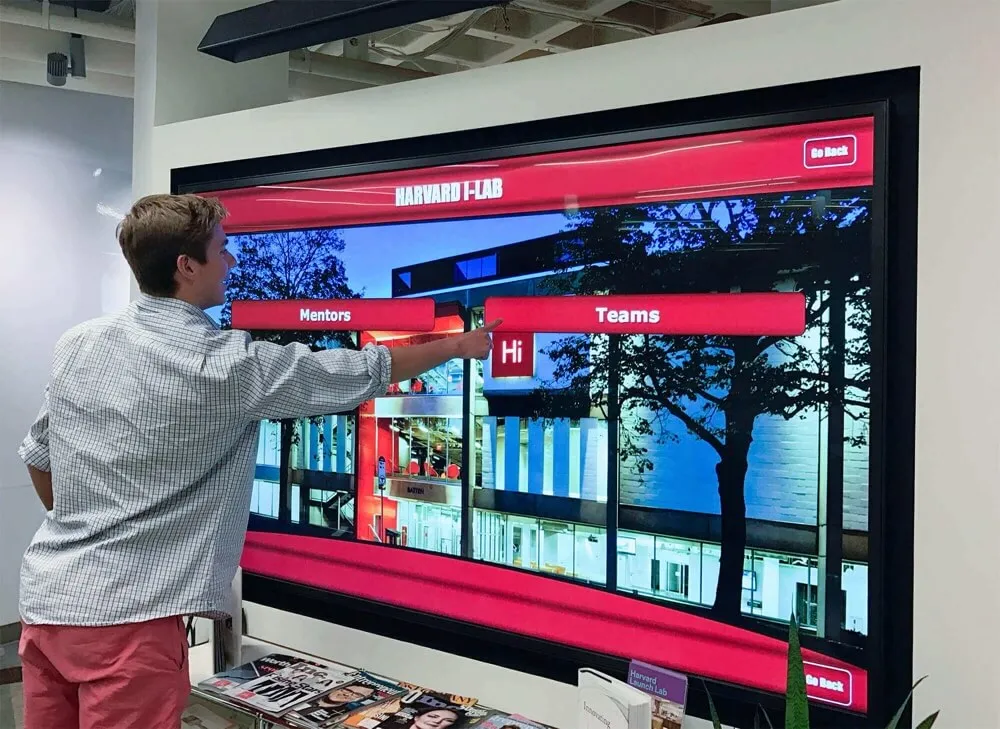
Cloud-based content management enables instant updates across distributed touchscreen deployments
Implementation Walkthrough: Deploying MWE-QIXZOCV Kiosks
Structured implementation processes prevent common deployment problems and ensure smooth launches delivering professional experiences from day one.
Phase 1: Procurement and Delivery Coordination
Secure institutional approvals and complete procurement processes according to organizational requirements. MWE-QIXZOCV kiosks typically ship directly from manufacturers or authorized distributors within 1-3 weeks depending on model availability and customization requirements.
Pre-Delivery Coordination should address delivery logistics including loading dock access for freight deliveries, temporary storage locations for large cartons measuring 4-6 feet in length, unpacking areas with adequate space for inspection and assembly, and elevator access or stair-climbing equipment if installation locations aren’t ground-level.
Organizations should inspect deliveries immediately upon arrival verifying correct models, confirming absence of shipping damage, checking included accessories match order specifications, and testing basic functionality before accepting shipments. Prompt damage claims prevent complications resolving problems discovered after shipping company release.
Phase 2: Site Preparation
Prepare installation locations before kiosk arrival ensuring smooth deployment processes without delays addressing overlooked infrastructure requirements.
Electrical Infrastructure must provide properly grounded outlets within 6 feet of intended kiosk locations. MWE-QIXZOCV power consumption typically ranges 150-300 watts depending on screen size—well within standard 15-amp circuit capabilities though outlets should avoid shared circuits with high-draw equipment preventing potential power quality issues.
Network Connectivity should be tested and verified before kiosk installation. If relying on WiFi, confirm adequate signal strength at installation locations and establish dedicated SSID access with appropriate firewall policies. If using wired Ethernet, install wall jacks or floor boxes providing connections without visible cable runs creating trip hazards or aesthetic problems.
Physical Security measures depend on installation locations. High-traffic public areas may warrant security cables preventing kiosk removal, floor anchor bolts providing additional stability, or optional tempered glass screen protectors defending against deliberate damage. Controlled-access areas like school lobbies during business hours may require minimal additional security beyond standard environmental protections.
Phase 3: Software Configuration and Branding
Configure kiosks with approved software platforms and institutional branding elements before public launch.
Rocket Alumni Solutions Setup involves creating organizational accounts through vendor processes, configuring content management user permissions defining who can update various content sections, establishing design templates applying institutional brand guidelines including logos and colors, uploading initial content populating recognition displays with current inductees and achievements, and testing navigation flows ensuring all content remains accessible through intuitive pathways.
Kiosk Mode Configuration requires installing and configuring mobile device management software if not pre-configured by vendors. Organizations should implement browser lockdown preventing navigation outside approved URLs, disable device settings access, configure automatic application launching displaying recognition content at startup, establish automatic restart schedules clearing memory and cache preventing performance degradation, and test all lockdown features ensuring proper security while maintaining required functionality.
Schools implementing touchscreen software should allocate 4-8 hours for initial software configuration and content population before public launch. Rushing deployments with incomplete content or inadequate testing creates poor first impressions undermining long-term adoption regardless of subsequent improvements.
Phase 4: Content Population and Quality Assurance
Develop comprehensive content libraries before public launches ensuring kiosks provide meaningful value from day one rather than sparse placeholder content promising future additions.
Content Development for recognition displays typically involves compiling inductee lists with complete profile information, collecting high-quality photographs meeting size and resolution requirements, writing biographical narratives highlighting achievements and contributions, organizing content into logical categories supporting intuitive navigation, and establishing tagging or search metadata enabling visitors to find specific individuals or achievements efficiently.
Quality Assurance Testing should occur with representative user groups before official launches. Observe how visitors interact with kiosks without assistance, document confusion points or abandoned tasks indicating usability problems, collect feedback about interface intuitiveness and content quality, measure task completion rates and time requirements, and identify necessary refinements before public deployment.
Organizations deploying national honor society digital recognition should ensure complete member profiles for all inducted students, appropriate academic achievement imagery resonating with educational excellence themes, clear navigation enabling students to find themselves or classmates easily, and accessibility features supporting users with diverse abilities per institutional compliance requirements.
Phase 5: Launch and Promotion
Announce kiosk availability through appropriate channels generating awareness and encouraging initial adoption.
Launch Communications should leverage website updates explaining kiosk purposes and locations, social media posts showcasing features and encouraging use, email communications to relevant stakeholders including alumni and parents, facility signage directing visitors to installations, and orientation sessions for frequent building users demonstrating capabilities and encouraging regular engagement.
Staff Training ensures building personnel can answer basic questions, perform simple troubleshooting addressing common issues, recognize problems requiring technical support escalation, and proactively demonstrate kiosk features to visitors encouraging adoption during critical initial exposure periods establishing long-term usage patterns.
Educational institutions implementing honor roll touchscreen displays benefit from launch timing coinciding with relevant institutional events like academic awards ceremonies, athletic banquets, or alumni gatherings where recognized individuals naturally gather. Coordinated launches create momentum through social proof as early adopters demonstrate features to peers generating organic awareness through peer networks.

Strategic placement in high-traffic areas maximizes visibility and engagement with recognition content
Validation Checklist: Quality Assurance Before Public Launch
Systematic validation prevents embarrassing problems discovered by visitors creating negative impressions undermining kiosk credibility and reducing future engagement.
☐ Hardware Functionality Verification
- Display powers on reliably without requiring multiple attempts
- Touchscreen responds accurately across entire surface area
- Audio output functions properly if content includes sound
- Network connectivity remains stable throughout extended operation
- All physical buttons and ports function as intended
- Kiosk remains securely anchored preventing tipping hazards
- Cable management prevents trip hazards and maintains clean appearance
- Environmental conditions fall within manufacturer specifications
☐ Software Performance Validation
- Home screen loads within 3 seconds of kiosk activation
- Touch interactions register within 100 milliseconds providing immediate feedback
- Navigation transitions occur smoothly without stuttering or lag
- Search functionality returns relevant results within 1 second
- Content displays properly formatted across various screen areas
- Browser remains responsive during extended user sessions
- Memory usage stays stable without degradation over multi-hour operation
- Scheduled automatic restarts occur as configured without manual intervention
☐ Content Quality Assurance
- All text displays without spelling or grammatical errors
- Images appear properly sized without pixelation or distortion
- Photographs display with appropriate resolution and professional quality
- Video content plays smoothly without buffering interruptions
- Navigation menus reach all content sections without dead ends
- Search metadata enables visitors to find relevant content efficiently
- Contact information remains current and accurate
- Branding elements apply consistently throughout all content areas
☐ Accessibility Compliance Review
- WCAG 2.1 Level AA compliance verified through testing tools
- Color contrast ratios meet minimum requirements for text legibility
- Touch targets meet 44×44 pixel minimum size recommendations
- Alternative text describes images meaningfully for screen readers
- Keyboard navigation accesses all features supporting alternative input
- Mounting height accommodates wheelchair users per ADA guidelines
- Clear floor space provides wheelchair approach paths
- Operating force requirements stay below 5 pounds pressure thresholds
☐ Security Configuration Audit
- Kiosk mode prevents unauthorized access to device settings
- Browser lockdown restricts navigation outside approved domains
- Network segmentation isolates kiosks from sensitive internal systems
- Content management authentication requires strong passwords
- Automatic logout occurs after appropriate inactivity periods
- Physical security measures prevent hardware theft or tampering
- Data collection complies with institutional privacy policies
- Remote access uses encrypted connections protecting administrative functions
Organizations should document audit results and address identified deficiencies before public launches. Systematic validation prevents problems undermining user confidence and requiring embarrassing corrections after institutional announcements promoting new installations.
Cost Analysis: Complete MWE-QIXZOCV Deployment Budget
Understanding total implementation costs enables realistic budgeting supporting successful deployments without mid-project funding surprises or forced compromises reducing solution effectiveness.
Hardware Investment
MWE-QIXZOCV Kiosk Pricing varies by screen size, resolution, and feature set. Typical retail pricing according to Amazon listings:
- 32"-43" models: $1,200-$2,200
- 43"-55" models: $2,000-$3,500
- 55"-65" models: $3,200-$5,500
- 4K resolution models: Add $500-$1,000 premium
Educational and nonprofit organizations should inquire about volume discounts for multiple-unit purchases or institutional pricing programs potentially reducing per-unit costs 10-20% compared to retail pricing.
Accessory Costs may include protective screen overlays ($150-$400), extended warranty coverage beyond standard 1-year terms ($200-$500 annually), spare power supplies and cables ($50-$150), mobile device management software licenses ($5-$15 monthly per device), and physical security accessories like mounting cables or anchors ($50-$200).
Software Licensing
Rocket Alumni Solutions Pricing typically structures around annual subscription models covering unlimited screens and administrative users at fixed institutional rates. According to industry comparisons, purpose-built recognition platforms generally range $1,200-$2,500 annually for comprehensive packages including cloud hosting, content management access, professional templates, analytics, and technical support.
This unlimited-device pricing model prevents per-screen cost scaling as deployments expand—particularly attractive for organizations anticipating growth or managing uncertainty about ultimate deployment sizes. Organizations benefit from predictable annual budgets regardless of whether they operate single installations or dozen-plus kiosks throughout campuses.
Organizations comparing web-based versus native kiosk software should account for total cost of ownership including software licensing, content creation, ongoing updates, technical support, and long-term maintenance. Lower initial costs sometimes mask higher long-term expenses through per-device pricing, limited included features, or inadequate support requiring expensive external consulting addressing implementation challenges.
Installation and Setup Costs
Professional Installation Services vary based on complexity. Simple floor placement with nearby power and network infrastructure might require 2-4 hours professional installation ($200-$600 including travel). Complex installations involving electrical work, network infrastructure upgrades, floor anchoring, or architectural integration can demand 8-20+ hours approaching or exceeding $2,000 per location.
Organizations with capable internal facilities staff may perform installations using manufacturer-provided documentation eliminating external labor costs. However, first-time installations often benefit from professional services establishing proper procedures and configurations that internal teams replicate for subsequent deployments.
Content Development Costs depend on existing asset availability and required customization. Organizations with existing photography, biographical content, and achievement records may require only 10-20 hours compiling and formatting materials ($500-$1,500 internal staff time). Institutions lacking prepared assets may invest 40-80+ hours researching historical information, collecting photographs, writing biographies, and developing comprehensive content libraries justifying kiosk deployments ($2,000-$6,000 internal time or external consulting costs).
Ongoing Operational Expenses
Annual Operating Costs include software subscription or maintenance fees ($1,200-$2,500), network bandwidth and connectivity charges (typically absorbed within existing infrastructure), electricity consumption for 24/7 operation ($30-$100 annually per device), routine cleaning and maintenance ($100-$300 annually), occasional hardware repairs or replacements outside warranty coverage ($200-$800 annually estimated), and content management labor updating information regularly ($500-$2,000 annually internal staff time).
Total Cost of Ownership across 5-year deployment lifespans typically ranges:
- Entry level 43" deployment: $8,000-$12,000
- Mid-range 55" deployment: $12,000-$18,000
- Premium 65" 4K deployment: $18,000-$28,000
These estimates include hardware, software, installation, initial content development, and five years of operational costs. Organizations should evaluate competing solutions on TCO basis rather than initial purchase prices that obscure long-term financial commitments affecting budget planning throughout multi-year deployments.
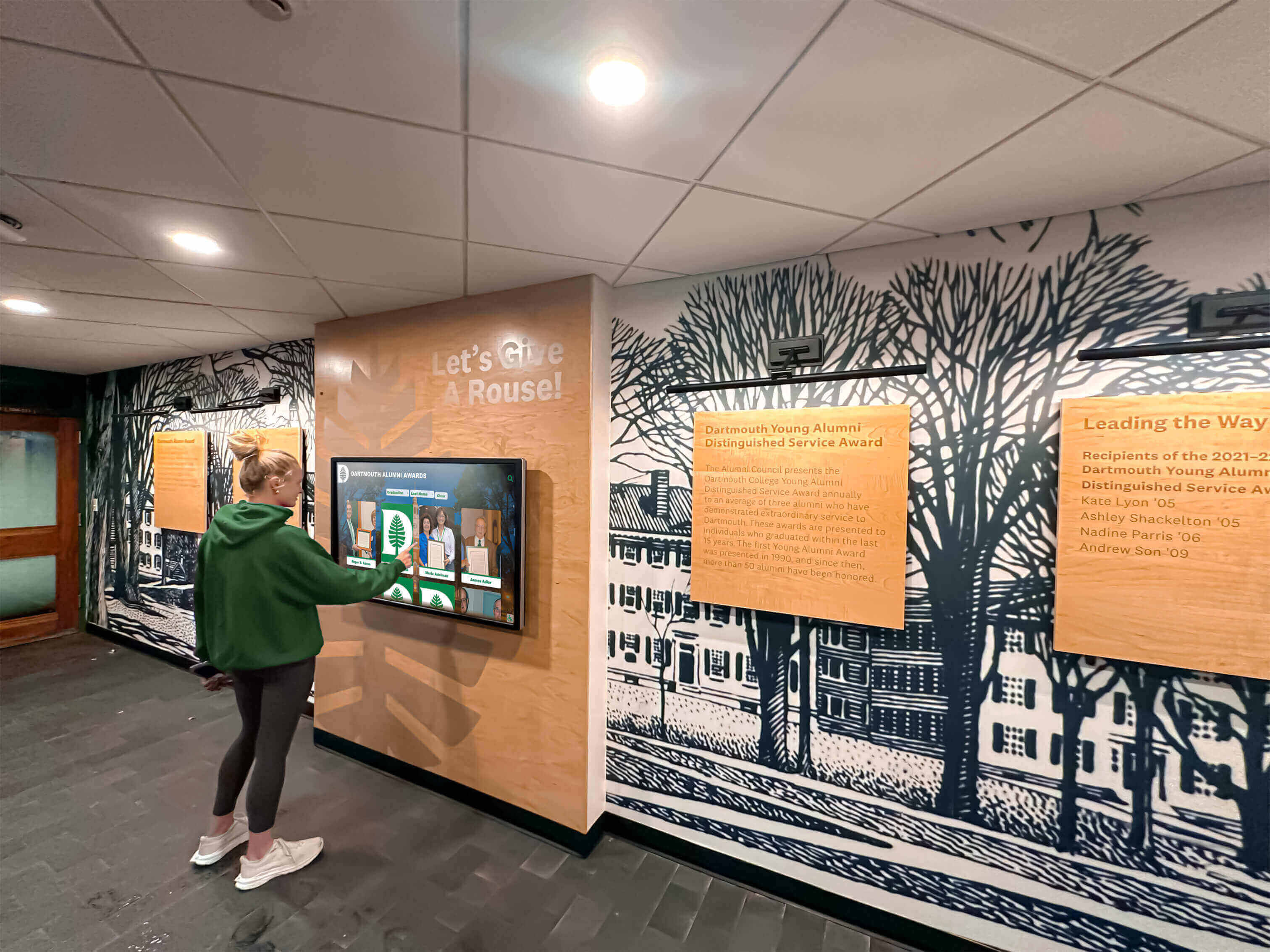
Complete budget planning prevents funding surprises enabling sustainable long-term kiosk operations
Troubleshooting Common Issues
Even well-planned implementations encounter problems. Recognize symptoms and apply appropriate remedies quickly to minimize user impact and maintain professional experiences.
Touch Responsiveness Problems
Symptoms: Touches require multiple attempts registering interactions, accuracy degrades near screen edges, or certain areas stop responding entirely.
Common Causes: Touchscreen calibration drift over time, protective screen covers interfering with capacitive sensing, environmental electrical interference from nearby equipment, or physical touchscreen damage from impact or contamination.
Solutions: Recalibrate touchscreens using Android system utilities accessed through settings menus, verify protective overlays don’t exceed manufacturer thickness specifications affecting touch sensitivity, relocate kiosks away from identified electrical interference sources, clean screens using approved microfiber cloths and cleaning solutions, or contact manufacturer support for persistent hardware problems potentially requiring screen replacement under warranty coverage.
Network Connectivity Interruptions
Symptoms: Content fails updating despite CMS changes, usage analytics don’t transmit properly, or remote management functions become unavailable.
Common Causes: WiFi signal degradation from environmental changes or equipment failures, network policy changes blocking kiosk traffic through firewall updates, DHCP lease expirations losing IP address assignments, or internet service provider outages affecting cloud connectivity.
Solutions: Verify network signal strength at kiosk locations using built-in Android WiFi analyzers, confirm firewall rules permit required traffic protocols and destination addresses, assign static IP addresses or DHCP reservations preventing address changes, document network requirements with IT departments preventing inadvertent policy changes, or establish cellular backup connectivity ensuring operation during network outages.
Performance Degradation Over Time
Symptoms: Previously responsive kiosks become sluggish, content takes longer loading, animations stutter, or applications crash periodically.
Common Causes: Browser cache accumulation consuming storage, memory leaks from extended uptime without restarts, background processes consuming resources, or malware infections from inadequate security controls.
Solutions: Configure automatic daily restart schedules clearing accumulated memory, enable aggressive browser cache limits preventing excessive storage consumption, audit installed applications removing unnecessary software, verify kiosk mode security prevents unauthorized installations, or perform factory resets restoring clean system states for severely degraded devices.
Content Display Issues
Symptoms: Images appear pixelated or distorted, layouts break displaying incorrectly, or specific content sections fail loading.
Common Causes: Improperly sized media assets exceeding platform specifications, incompatible file formats not supported by browsers, broken links to moved or deleted content, or insufficient kiosk storage preventing content caching.
Solutions: Verify media assets meet platform specifications for dimensions and file sizes, convert unsupported formats to web-standard JPEG, PNG, or MP4 files, audit content management systems for broken links requiring correction, free device storage by removing cached content or expanding storage through SD cards, or update browser versions supporting current web standards.
Organizations implementing best touchscreen software should establish documented troubleshooting procedures enabling building staff to address common problems without requiring immediate IT intervention. Simple restart procedures, basic network connectivity verification, and escalation contacts for complex issues prevent minor problems disrupting kiosk availability for extended periods awaiting technical support.
Best Practices for Long-Term Success
Sustaining effective kiosk operations requires ongoing attention to content currency, hardware maintenance, user engagement, and strategic alignment supporting continuous improvement.
Establish Regular Content Update Schedules
Content Currency directly impacts perceived kiosk value. Recognition displays showcasing outdated achievements or missing recent inductees create impressions that institutions don’t prioritize recognition programs or maintain investments adequately. Establish update schedules aligned with institutional recognition cycles—quarterly for academic honor rolls, seasonally for athletic achievements, annually for hall of fame inductions, and real-time for time-sensitive announcements or event information.
Distributed Content Responsibility prevents administrative bottlenecks. Enable department heads, coaches, and program coordinators to update relevant content sections directly rather than routing all requests through central administrators. Cloud-based content management platforms like Rocket Alumni Solutions support role-based permissions enabling distributed authorship while maintaining editorial oversight through approval workflows when appropriate.
Implement Routine Maintenance Procedures
Physical Maintenance preserves professional appearance and optimal functionality. Weekly cleaning removes fingerprints and smudges accumulating on touchscreens, monthly inspections verify secure mounting and cable connections, quarterly deep cleaning addresses dust accumulation in ventilation areas affecting cooling efficiency, and annual professional servicing addresses preventive maintenance extending hardware lifespans.
Software Maintenance ensures security and performance remain optimal. Enable automatic Android OS updates applying security patches and stability improvements, update installed applications maintaining compatibility with evolving web standards, monitor storage utilization preventing capacity limits affecting content delivery, audit security configurations ensuring lockdown restrictions remain effective, and review analytics identifying performance problems requiring investigation.
Monitor Usage Analytics and Optimize Experiences
Analytics Review reveals how visitors interact with kiosk content enabling data-driven improvements optimizing engagement levels. Monthly reviews should examine total session counts and visitor volumes, popular content areas indicating interests worth expanding, navigation paths revealing how users explore information hierarchies, search query patterns showing how visitors seek specific content, peak usage times informing deployment decisions for additional kiosks, and error rates identifying content or technical problems requiring correction.
Organizations deploying digital trophy walls should treat analytics as continuous feedback mechanisms rather than one-time assessments. Usage patterns evolve as institutional priorities shift, content expands, and user populations change. Quarterly strategic reviews comparing current metrics against historical baselines identify trends requiring proactive responses maintaining relevance and engagement throughout multi-year deployments.
Plan for Hardware Refresh Cycles
Technology Lifecycles require eventual hardware replacement even with diligent maintenance. Commercial touchscreen kiosks typically deliver 5-7 years of reliable operation before increasing failure rates, declining performance relative to contemporary standards, or physical wear justify replacement investments. Organizations should establish technology refresh cycles and capital budgets supporting planned upgrades rather than emergency replacements when critical failures force reactive procurement.
Scalability Planning enables growth supporting expanding recognition programs and institutional needs. Organizations initially deploying single pilot kiosks in lobbies often discover success justifies additional installations throughout athletic facilities, academic buildings, alumni centers, and secondary campuses. Purpose-built platforms offering unlimited-device licensing like Rocket Alumni Solutions prevent software cost scaling as hardware deployments expand, enabling institutions to grow recognition programs without proportional budget increases constraining strategic initiatives.
Schools implementing athletic recognition programs should assess kiosk effectiveness after 6-12 months operation using visitor feedback, usage analytics, and program administrator experiences. Successful pilots create natural demand for expanded deployments—advance planning and budgeting prevent long delays between recognition of needs and deployments delivering solutions.
Conclusion: Implementing MWE-QIXZOCV Touchscreen Kiosks Successfully
MWE-QIXZOCV touchscreen kiosk interactive displays provide accessible hardware solutions for organizations implementing digital recognition systems, wayfinding platforms, and self-service information portals. These integrated floor-standing kiosks eliminate complex component sourcing and simplify deployment processes through turnkey approaches particularly valuable for institutions lacking extensive technical expertise or those prioritizing rapid implementation timelines.
Successful MWE-QIXZOCV deployments require systematic evaluation of technical specifications matching hardware capabilities to intended applications, verification of software compatibility ensuring seamless integration with cloud-based content management platforms like Rocket Alumni Solutions, thorough site preparation addressing electrical infrastructure, network connectivity, and accessibility requirements, comprehensive content development populating kiosks with meaningful information justifying visitor engagement, and ongoing maintenance procedures sustaining optimal performance throughout multi-year operational lifespans.
Purpose-built recognition platforms specifically designed for educational and institutional applications—like Rocket Alumni Solutions—pair naturally with MWE-QIXZOCV hardware through web-based architectures providing universal compatibility, cloud-based content management enabling remote updates, professional templates accelerating implementation, built-in accessibility compliance, comprehensive analytics revealing engagement patterns, and fixed annual pricing with unlimited screens and CMS users preventing cost scaling as programs expand.
Organizations prioritizing requirements alignment over feature abundance, software compatibility ensuring seamless integration, accessibility compliance supporting inclusive experiences, realistic total cost of ownership analysis, and strategic planning enabling long-term program growth create touchscreen experiences that engage audiences, advance institutional objectives, and deliver measurable returns justifying ongoing investments in recognition technology.
The combination of MWE-QIXZOCV’s hardware accessibility with Rocket Alumni Solutions’ specialized recognition software creates powerful platforms transforming how schools and organizations celebrate achievements, honor contributors, and connect communities with institutional histories that inspire pride and strengthen bonds supporting long-term engagement and advancement objectives.
Ready to Deploy MWE-QIXZOCV Kiosks with Professional Software?
Discover how Rocket Alumni Solutions provides comprehensive cloud-based touchscreen software specifically designed for schools and organizations deploying MWE-QIXZOCV kiosks for recognition displays. Our web-based platform delivers intuitive content management, WCAG compliance, professional templates, real-time analytics, and fixed annual pricing with unlimited devices and CMS users—eliminating compatibility concerns and cost scaling as your recognition programs expand.
Schedule Your Free TouchWall Demo






























