The Naismith Memorial Basketball Hall of Fame set a benchmark in donor recognition when it unveiled its interactive donor kiosk and recognition wall as part of a $30 million capital campaign renovation. This strategic investment not only honored generous supporters but created an engaging, technology-driven experience that transformed how museums, schools, and nonprofit organizations approach donor appreciation.
For organizations seeking to modernize their donor recognition programs, the Naismith Hall of Fame’s implementation offers valuable lessons about combining traditional gratitude with innovative digital displays. The interactive kiosk demonstrates how touchscreen technology can showcase unlimited donors, tell compelling stories, and create memorable experiences that inspire future giving—all while eliminating the space constraints of traditional plaques and printed donor walls.
This comprehensive guide explores the principles behind effective hall of fame donor recognition, examines the benefits of interactive kiosk displays, and provides actionable strategies for implementing similar systems in educational institutions, museums, athletic programs, and nonprofit organizations.
When the Naismith Memorial Basketball Hall of Fame completed its Phase I renovations in 2017, the addition of a donor recognition wall with an interactive kiosk represented more than technological modernization. It signaled a fundamental shift in how institutions honor philanthropic support—moving from static, space-limited displays to dynamic, engaging experiences that make donors feel genuinely valued while inspiring visitors to become future supporters.

Interactive donor recognition kiosks create engaging experiences that showcase unlimited supporters while telling compelling stories
The Naismith Hall of Fame Donor Recognition Revolution
The Naismith Memorial Basketball Hall of Fame’s approach to donor recognition emerged from a practical challenge faced by many institutions: how to appropriately honor the hundreds of supporters who made major renovations possible while maintaining an engaging visitor experience.
The $30 Million Capital Campaign Context
In early 2015, the Hall of Fame launched “It’s Time to Step Forward,” an ambitious capital campaign that ultimately raised over $30 million from the basketball community, individual donors, and organizational supporters. According to the Hall’s official announcement, this campaign received backing from basketball luminaries including Michael Jordan, Phil Knight, Jerry Colangelo, Grant Hill, and Adam Silver, alongside Massachusetts and Connecticut organizations like Mohegan Sun, the MassMutual Foundation, and Balise Auto Group.
This diverse donor base—ranging from individual basketball fans to major corporate sponsors—created recognition complexity that traditional plaques couldn’t adequately address. The solution was an interactive donor kiosk integrated into the renovated Tip-Off Pavilion Lobby, creating a technology-forward recognition experience aligned with the Hall’s mission to celebrate basketball’s heritage while embracing innovation.
Why Interactive Donor Recognition Mattered
The Naismith Hall of Fame’s decision to implement interactive donor recognition rather than traditional bronze plaques reflected several strategic considerations:
Space Efficiency: Museums and halls of fame face constant tension between honoring donors and maintaining exhibit space. A single interactive kiosk can showcase hundreds or thousands of supporters without consuming valuable real estate needed for exhibits and visitor experiences.
Scalability: As the campaign continued and new donors contributed, the digital system could be updated remotely without physical modifications, construction disruption, or additional installation costs.
Enhanced Storytelling: Interactive displays enable multimedia content—photos, videos, historical context—that brings donor recognition to life beyond names and contribution amounts.
Visitor Engagement: Touchscreen interactivity invites exploration, transforming passive viewing into active engagement that increases time spent with donor content and improves recognition effectiveness.
Future-Ready Infrastructure: Digital systems can evolve with technology improvements, ensuring the recognition program remains current and impressive for decades rather than appearing dated within years.

Athletic programs increasingly adopt digital recognition displays to honor donors, alumni, and championship supporters
The Broader Trend Toward Digital Recognition
The Naismith Hall of Fame’s implementation reflects a broader trend across museums, universities, and nonprofit organizations embracing digital donor recognition. This shift stems from declining donor retention rates—now averaging just 43-45% according to fundraising research organizations—making effective recognition more critical than ever for sustainable philanthropy.
Organizations with comprehensive digital recognition programs report retention rates 40-60% higher than those relying solely on traditional acknowledgment methods, according to development professionals. The enhanced engagement, storytelling capabilities, and donor satisfaction created by interactive displays directly contribute to these improved retention metrics.
Core Benefits of Interactive Donor Recognition Kiosks
The advantages of interactive donor recognition extend beyond the Naismith Hall of Fame to any organization seeking to honor supporters more effectively.
Unlimited Recognition Capacity
Traditional donor walls face an inevitable constraint: physical space limitations force difficult decisions about which contributors to display and which to relegate to annual reports or databases. Interactive kiosks eliminate this limitation entirely.
A single touchscreen display can showcase:
- Thousands of individual donors organized by giving level
- Corporate sponsors and foundation partners with logos and branding
- Memorial and tribute gifts honoring loved ones
- Historical donor archives preserving institutional philanthropic legacy
- Special campaign contributors across multiple initiatives
- Planned giving society members and legacy commitments
This comprehensive capacity ensures every supporter receives appropriate recognition regardless of contribution size, demonstrating that all gifts matter to your organization’s mission.

Touchscreen interfaces enable intuitive navigation through extensive donor databases without space limitations
Real-Time Updates and Administrative Efficiency
One of the most significant operational advantages of digital donor recognition is the ability to update content instantly from any location.
Remote Content Management Modern interactive kiosk systems like those from Rocket Alumni Solutions feature cloud-based content management platforms that enable:
- Adding new donors within minutes of gift processing
- Correcting information or updating donor preferences immediately
- Scheduling content to appear on specific dates (campaign launches, recognition events)
- Bulk importing historical donor data for comprehensive digitization
- Managing multiple recognition displays from a single dashboard
Cost Avoidance Organizations report significant ongoing cost savings with digital recognition:
- No Engraving Expenses: Traditional plaques cost $150-$500 each for quality engraving, creating annual expenses of thousands or tens of thousands as new donors are added
- Eliminated Installation Labor: No contractors needed to install new plaques or reconfigure physical displays
- Reduced Staff Time: Content updates require minutes instead of hours or days coordinating with vendors
- No Replacement Costs: Digital content never fades, tarnishes, or requires physical maintenance like bronze or acrylic plaques
Most institutions achieve return on investment within 3-4 years when accounting for avoided engraving, installation, and administrative costs, making digital recognition both more effective and more economical long-term.
Enhanced Donor Storytelling Through Multimedia
Traditional recognition displays are limited to names, perhaps a brief inscription, and contribution years. Interactive kiosks transform donor recognition into compelling storytelling that creates emotional connections and demonstrates impact.
Multimedia Content Capabilities Digital recognition systems can incorporate:
- Donor Profile Videos: Short interviews where supporters share why they give and their connection to your organization
- Impact Visualizations: Charts, graphs, and infographics showing specific outcomes donor contributions enabled
- Historical Context: Timelines placing donor support within institutional development and achievement narratives
- Photo Galleries: Images from events, programs, and facilities donors helped create
- Testimonials: Beneficiary stories describing how donor generosity changed their lives
- Mission Messaging: Organizational values and goals that motivated donor support
This rich content transforms recognition from transactional acknowledgment to meaningful celebration of shared mission and partnership.
Learn more about effective digital storytelling through digital recognition displays that engage visitors and honor supporters.
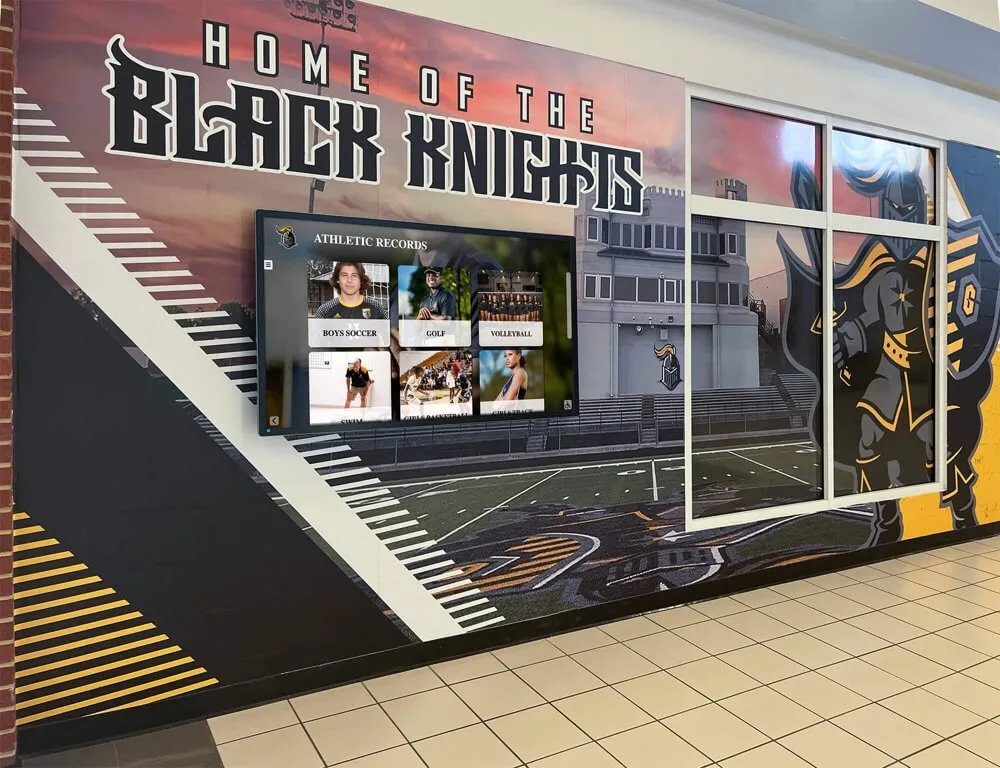
Strategic placement of recognition displays in high-traffic areas ensures maximum visibility and donor appreciation
Increased Visitor Engagement and Interaction Time
Research on museum and institutional displays consistently demonstrates that interactive elements dramatically increase visitor engagement compared to static content.
Engagement Metrics Organizations implementing interactive donor recognition report:
- Average interaction time of 5-8 minutes compared to 30-45 seconds for traditional plaques
- 65-75% of visitors engaging with touchscreens versus 20-30% reading traditional donor walls
- Higher information retention about organizational mission and donor impact
- Increased likelihood visitors discuss recognition displays with companions
- Greater social media sharing of recognition experiences
This extended engagement creates multiple benefits: donors feel more thoroughly recognized and appreciated, prospective donors see compelling examples of peer support, and your organization’s mission receives extended visibility through the recognition experience itself.
Web Accessibility Extending Recognition Reach
While the Naismith Hall of Fame’s physical kiosk serves on-site visitors, modern donor recognition systems extend appreciation far beyond physical locations through web accessibility.
Digital Recognition Beyond Physical Displays Comprehensive recognition platforms enable:
- Online donor directories accessible globally to all supporters
- Mobile-optimized viewing on smartphones and tablets
- Social sharing capabilities spreading recognition across donor networks
- Search functionality allowing donors to find their recognition easily
- Integration with organizational websites maintaining brand consistency
This extended reach ensures that all donors—regardless of geographic location or ability to visit physical facilities—can see their recognition and share it with family, friends, and colleagues. For organizations with geographically dispersed alumni and donor bases, web accessibility dramatically amplifies recognition impact and donor satisfaction.
Explore how donor recognition walls combine physical and digital elements for comprehensive appreciation.
Implementing Interactive Donor Recognition: Strategic Considerations
Organizations inspired by the Naismith Hall of Fame’s approach should consider several key factors when implementing interactive donor recognition.
Placement and Visibility Strategy
The effectiveness of donor recognition directly correlates with display visibility and contextual appropriateness.
Optimal Placement Locations
Museums and Cultural Institutions
- Main entrance lobbies welcoming all visitors
- Near ticketing or information desks where visitors naturally pause
- Adjacent to major exhibit entrances creating pre-exhibition engagement
- In gift shops or exit areas where visitors have time to explore
- Special events spaces used for donor receptions and fundraising gatherings
Educational Institutions
- Athletic facility lobbies honoring sports program supporters
- Library entrances recognizing academic program donors
- Student centers celebrating scholarship and program contributors
- Administrative buildings showcasing institutional advancement
- Dedicated donor recognition spaces designed specifically for appreciation
Placement Considerations
- Traffic Volume: High-traffic areas maximize visibility and interaction opportunities
- Dwell Time: Locations where visitors naturally pause enable extended engagement
- Contextual Relevance: Placement near facilities or programs donors supported creates meaningful connections
- Accessibility: Ensure ADA-compliant mounting heights and approach space for all visitors
- Ambient Conditions: Consider lighting, acoustics, and environmental factors affecting display effectiveness
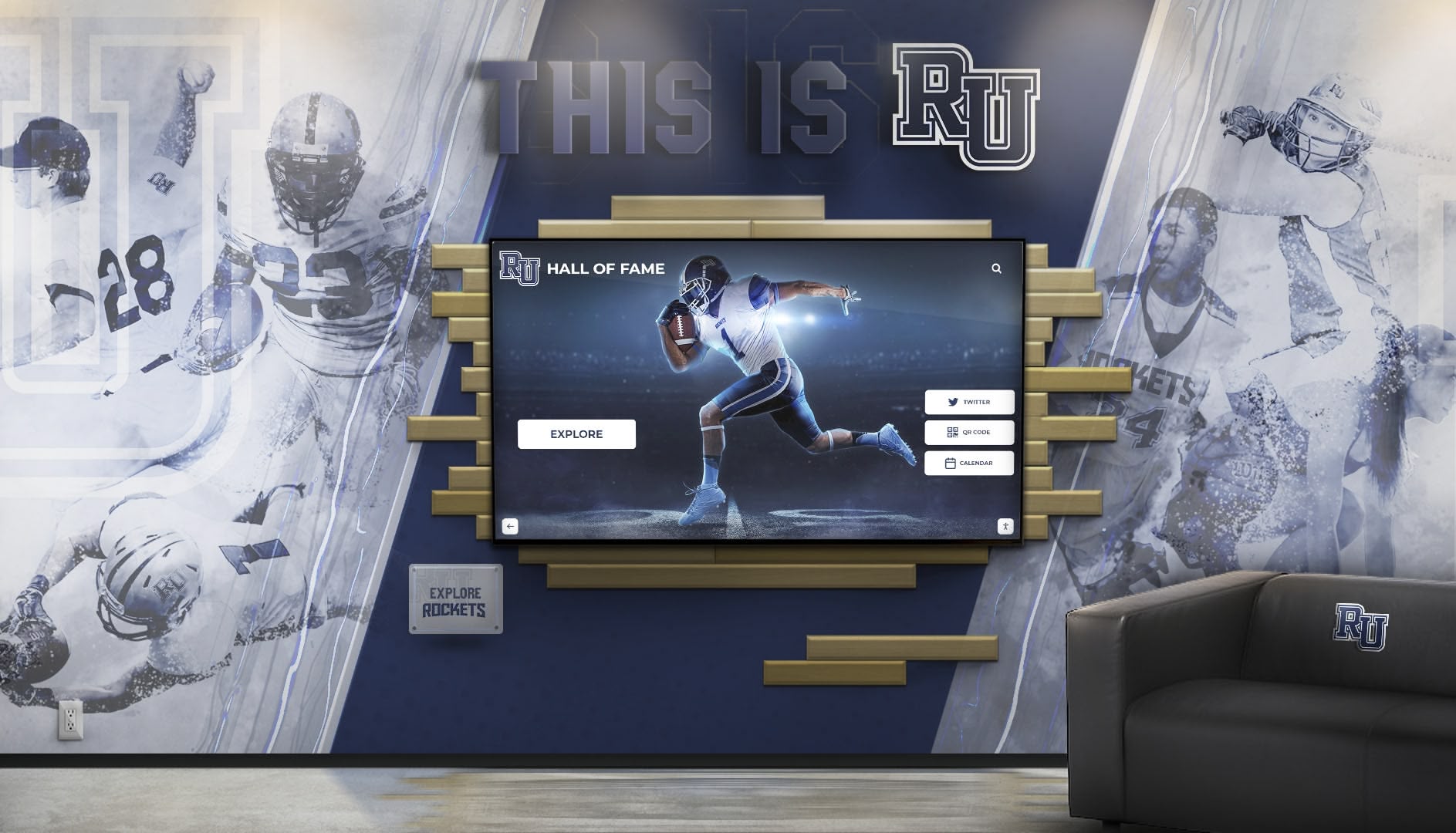
Integrating interactive recognition displays with branded environmental design creates cohesive, impressive donor appreciation spaces
Content Strategy and Organization
How you organize and present donor information significantly impacts recognition effectiveness and user experience.
Recognition Hierarchy and Tiering Create clear giving levels that:
- Acknowledge transformational gifts through pinnacle recognition tiers
- Provide meaningful differentiation between major gift categories
- Include accessible entry-level giving societies encouraging broad participation
- Recognize cumulative lifetime giving alongside annual contributions
- Offer both individual and organizational recognition categories
Navigation and Searchability Design intuitive interfaces enabling visitors to:
- Browse donors by giving level or recognition society
- Search by name to locate specific individuals quickly
- Filter by gift designation, year, or campaign
- View donors supporting specific programs or facilities
- Explore recognition chronologically or by contribution type
Content Depth and Detail Determine appropriate information to display:
- Essential details (name, giving level, years of support) for all donors
- Extended profiles for major gift donors including photos and quotes
- Impact statements describing specific outcomes contributions enabled
- Memorial information for tribute and legacy gifts
- Corporate logos and branding for organizational sponsors
Successful implementations balance comprehensiveness with user experience, ensuring visitors can quickly find information while exploring compelling donor stories.
Technology Platform Selection
The hardware, software, and support infrastructure you choose directly impacts long-term recognition program success.
Hardware Considerations
When selecting interactive kiosk hardware, prioritize:
- Commercial-Grade Displays: Consumer TVs fail in 24/7 operation environments; commercial displays are engineered for continuous use with typical lifespans of 60,000-80,000 hours (8-10 years)
- Responsive Touchscreen Technology: Capacitive touchscreens provide tablet-like responsiveness essential for positive user experiences
- Appropriate Size: 43"-65" displays work well for most applications; larger sizes suit expansive lobbies while smaller screens fit constrained spaces
- Durable Construction: Vandal-resistant glass and robust enclosures protect investments in public spaces
- Professional Installation: Secure mounting, proper cabling, and integration with existing infrastructure
Software and Content Management
The content management system (CMS) determines how easily you can maintain recognition content:
- User-Friendly Interface: Non-technical staff should manage content without specialized training
- Cloud-Based Access: Update content remotely from any internet-connected device
- Template Flexibility: Customize layouts, colors, and branding to match institutional identity
- Media Support: Handle photos, videos, PDFs, and interactive elements seamlessly
- Analytics Capabilities: Track engagement metrics demonstrating recognition program effectiveness
Solutions like Rocket Alumni Solutions provide integrated hardware, software, and ongoing support ensuring long-term recognition program success without requiring internal technical expertise.
Learn about technology platform options in touchscreen kiosk software guides for informed decision-making.
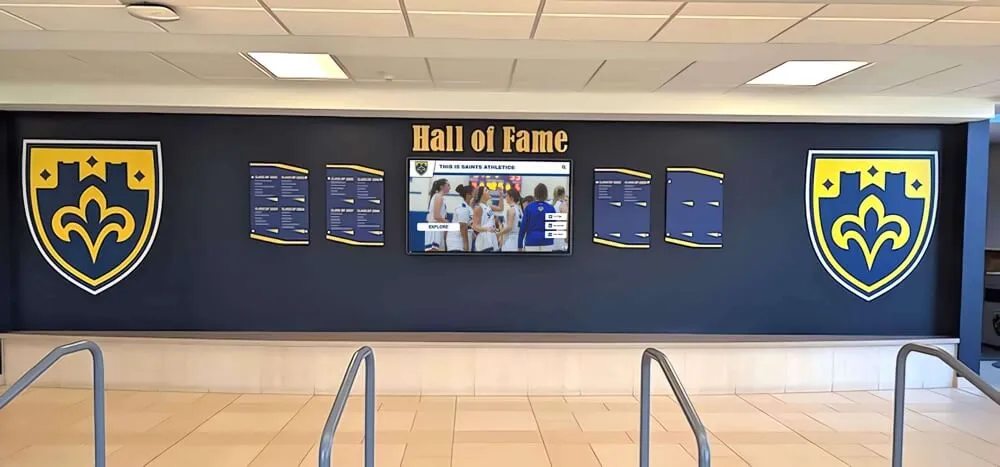
Hybrid recognition models combine traditional visual elements with digital innovation for enhanced impact
Budget Planning and ROI Considerations
Understanding total investment requirements and expected returns helps secure organizational commitment and resources.
Implementation Investment Components
Hardware Costs
- Commercial-grade touchscreen display: $3,500-$8,000
- Mounting system and installation: $800-$2,500
- Media player or computer: $800-$1,500
- Network connectivity infrastructure: $200-$1,000
- Physical integration (millwork, branding): $2,000-$10,000
Software and Services
- Recognition software licensing: $2,500-$6,000 initially
- Content management platform: $500-$2,000 annually
- Initial content development: $2,000-$8,000
- Staff training and onboarding: $500-$1,500
- Ongoing support and maintenance: $1,000-$3,000 annually
Total Investment Range
- Basic System: $10,000-$15,000 (single display, standard features)
- Mid-Range System: $18,000-$30,000 (larger display, enhanced features, custom design)
- Premium System: $35,000-$75,000+ (multiple displays, extensive customization, integrated environmental design)
Many organizations implement phased approaches, starting with a single display and expanding as budget permits and program proves value.
Return on Investment Metrics
While donor recognition’s primary value is relationship building, measurable ROI includes:
- Avoided Costs: $3,000-$8,000 annually in eliminated plaque engraving and installation
- Administrative Efficiency: 75-85% reduction in recognition program management time
- Improved Retention: 40-60% higher donor retention rates translate to significantly increased lifetime donor value
- Increased Giving: Recognized donors give 25-35% more on average than unrecognized contributors
- Major Gift Pipeline: Enhanced recognition creates environments where prospective major donors see peer support and imagine their own legacy
Most institutions report positive ROI within 3-4 years, with recognition programs paying for themselves through improved retention and avoided traditional recognition costs.
Donor Recognition Content Best Practices
The quality and appropriateness of recognition content significantly impacts program effectiveness and donor satisfaction.
Personalization and Authenticity
Generic recognition undermines appreciation efforts. Implement these personalization strategies:
Individual Recognition Elements
- Use donors’ preferred names and name formats (including honorary titles if appropriate)
- Reference specific designations showing you understand their philanthropic priorities
- Include personal quotes or statements (with permission) explaining their motivation
- Feature photos donors provide rather than generic images
- Acknowledge unique aspects of their support (first in family, consecutive years, increased gifts)
Authentic Messaging Avoid generic corporate language in favor of authentic expression:
- Use your institution’s distinctive voice and values
- Share specific examples of donor impact rather than general statements
- Include beneficiary perspectives demonstrating real-world outcomes
- Acknowledge challenges donors helped overcome, not just successes
- Express genuine gratitude in varied ways avoiding repetitive phrasing
This personalization creates recognition that feels meaningful rather than perfunctory, strengthening emotional connections between donors and your mission.
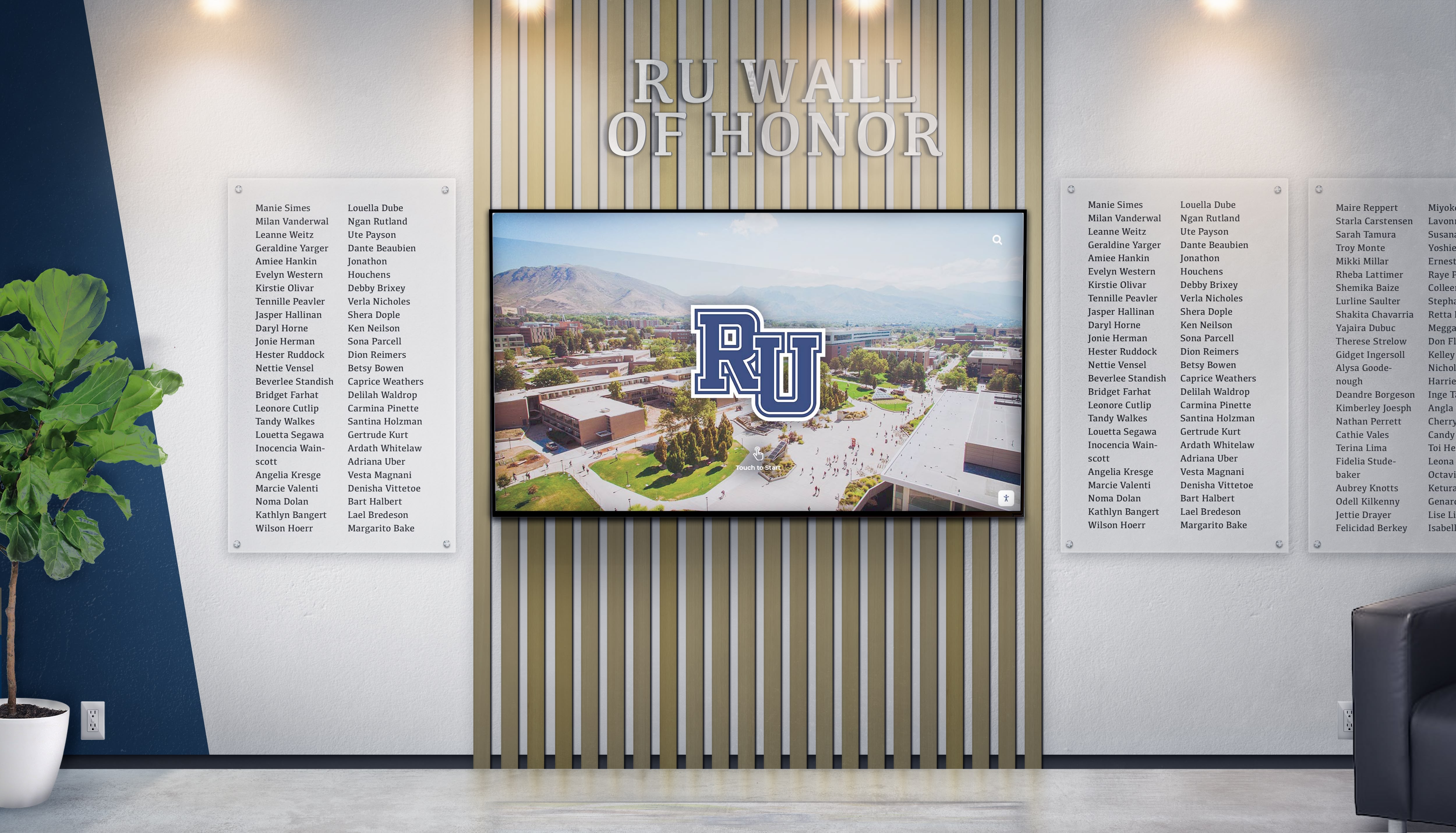
Integrated recognition systems honor supporters through multiple formats ensuring appropriate visibility for all contribution levels
Inclusive Recognition Across Giving Levels
Effective programs ensure all donors feel appropriately valued regardless of contribution size.
Multi-Tier Recognition Structures
Create giving societies with:
- Pinnacle Recognition ($100,000+): Featured profiles with photos, videos, and extensive storytelling
- Leadership Recognition ($50,000-$99,999): Dedicated sections with enhanced profiles and impact statements
- Major Donor Recognition ($25,000-$49,999): Individual listings with personalized details
- Patron Recognition ($10,000-$24,999): Named recognition with contribution details
- Supporter Recognition ($5,000-$9,999): Inclusion in giving society listings
- Friend Recognition ($1,000-$4,999): Acknowledgment in comprehensive donor directories
This structured approach ensures recognition differentiation motivating gift growth while making all contributors feel valued for their generosity.
Participation-Based Recognition
Beyond gift amounts, recognize:
- Consecutive years of giving (loyalty recognition)
- First-time donors (welcoming new supporters to the community)
- Young alumni or emerging donors (acknowledging early career giving)
- 100% participation (celebrating group involvement)
- Volunteer leadership (honoring non-monetary contributions)
This broader recognition approach creates inclusive environments where diverse forms of support receive appropriate appreciation.
Explore comprehensive approaches in donor recognition guides covering inclusive strategies.
Privacy and Preference Respect
Recognition should honor individual comfort levels and preferences regarding visibility.
Anonymous Giving Options
- Provide clear processes for donors preferring anonymous recognition
- Offer flexible approaches (public anonymity with private acknowledgment)
- Use consistent language (“Anonymous Donor” or “A Friend of [Organization]”)
- Ensure internal stewardship continues for anonymous donors
- Train staff on appropriate anonymous donor management
Preference Management Systems
- Survey donors about recognition preferences during gift processing
- Offer opt-out options for public recognition while maintaining private appreciation
- Respect cultural and personal values affecting recognition comfort
- Create donor profile systems tracking individual preference details
- Provide easy processes for updating recognition preferences over time
This donor-centric approach ensures recognition enhances relationships rather than creating discomfort or violating personal preferences.
Beyond the Naismith Hall of Fame: Recognition Applications
The principles demonstrated by the Naismith Hall of Fame’s donor recognition apply across organizational types and contexts.
Athletic Programs and Sports Facilities
University athletic departments, high school sports programs, and sports facilities face unique recognition opportunities and challenges.
Athletic Donor Recognition Categories
- Annual giving society contributors supporting operating budgets
- Premium seating and suite holders funding facility improvements
- Championship sponsors enabling program success
- Scholarship endowment donors providing student-athlete support
- Facility naming rights recognizing transformational gifts
Interactive displays in athletic facilities can integrate donor recognition with team history, championship celebrations, and athlete achievements, creating cohesive recognition environments that honor all contributors to program success.

Athletic programs integrate donor recognition with achievement displays creating comprehensive celebration spaces
Integration with Athletic Recognition Combine donor appreciation with:
- Hall of fame inductees and athletic achievement recognition
- Championship team celebrations showcasing donor-supported success
- Record boards highlighting facilities donors helped create
- Coach and administrator tributes acknowledging program builders
- Historical timelines connecting donor support to program milestones
This integrated approach demonstrates donor impact tangibly by connecting financial support to the achievements it enabled.
Educational Institutions and Academic Programs
Schools, colleges, and universities implement donor recognition across diverse contexts from libraries to laboratories.
Academic Recognition Applications
- Library donor recognition honoring learning space supporters
- STEM facility displays acknowledging science and technology program contributors
- Performing arts center recognition celebrating cultural program donors
- Scholarship recognition connecting donors with student beneficiaries
- Endowed chair and professorship acknowledgment honoring academic excellence supporters
Educational institutions benefit from creating recognition programs that seamlessly integrate donor appreciation with student achievement celebration, demonstrating how philanthropic support directly enables educational excellence.
Nonprofit Organizations and Community Facilities
Museums, hospitals, community centers, and nonprofit organizations implement donor recognition in mission-aligned contexts.
Mission-Centered Recognition
- Healthcare facilities honoring medical equipment and facility donors
- Community centers recognizing program expansion supporters
- Museums acknowledging collection acquisition and exhibition donors
- Religious institutions celebrating building campaign contributors
- Social service agencies honoring program and operational support
Effective nonprofit recognition directly connects donor contributions to mission impact, helping supporters see tangible outcomes their generosity enabled while inspiring visitors to become future donors.
Learn about comprehensive corporate recognition programs applicable to nonprofit contexts.
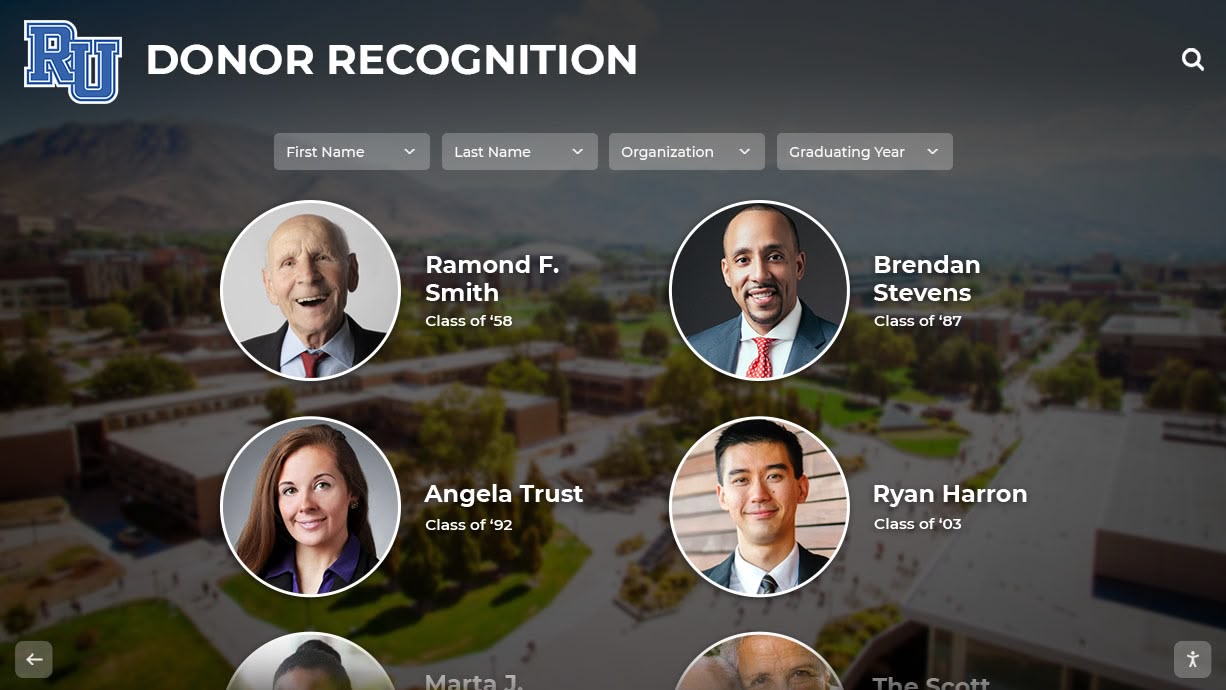
Effective recognition connects donor support to organizational mission through compelling visual storytelling
Measuring Donor Recognition Program Success
Regular assessment ensures recognition programs achieve intended goals and justify continued investment.
Engagement and Interaction Metrics
Modern interactive recognition systems provide valuable analytics:
Display Interaction Data
- Total interactions and unique user sessions
- Average session duration (engagement depth indicator)
- Most-viewed donor profiles and content
- Navigation patterns showing how visitors explore content
- Peak usage times informing content strategy
- Search terms revealing visitor interests
Web-Based Recognition Metrics
- Online donor directory page views and session duration
- Social sharing frequency and reach
- Geographic distribution of viewers
- Mobile versus desktop access patterns
- Referral sources driving traffic to recognition content
These metrics demonstrate recognition program reach and engagement, helping justify continued investment and identify improvement opportunities.
Donor Satisfaction and Feedback
Qualitative assessment provides essential insights quantitative data cannot capture:
Direct Feedback Mechanisms
- Post-gift surveys asking about recognition satisfaction
- Focus groups with recognition society members exploring experiences
- Individual conversations during stewardship visits
- Testimonials from donors about recognition impact
- Suggestions for program improvements
Indirect Satisfaction Indicators
- Unsolicited positive comments about recognition displays
- Donor attendance at recognition events
- Social media mentions and sharing of recognition
- Referrals of prospective donors mentioning recognition experiences
- Repeat giving patterns among recognized donors
This feedback informs continuous improvement ensuring recognition remains meaningful and aligned with donor expectations.
Fundraising Impact Correlation
The ultimate recognition program success measure is impact on fundraising outcomes:
Retention Metrics
- Overall donor retention rates before and after recognition program implementation
- Retention rate differences between recognized and unrecognized donors
- Multi-year giving patterns among recognition society members
- Lapsed donor reactivation rates through recognition outreach
Gift Growth Indicators
- Average gift increases among recognized versus unrecognized donors
- Giving society enrollment trends over time
- Gift frequency changes among recognition program participants
- Major gift pipeline development from enhanced mid-level recognition
- Planned giving inquiries correlated with legacy recognition visibility
Organizations should track these metrics systematically, creating dashboards that demonstrate recognition program ROI and guide strategic decisions about continued investment and program enhancements.
Implementation Roadmap: Creating Your Interactive Donor Recognition Program
Organizations ready to implement interactive donor recognition should follow this systematic approach:
Phase 1: Planning and Design (Weeks 1-8)
Needs Assessment and Goal Setting
- Audit current recognition programs identifying gaps and opportunities
- Survey donors about recognition preferences and satisfaction
- Define specific goals (improved retention, enhanced stewardship, increased giving)
- Establish success metrics and measurement approaches
Technology Selection
- Research recognition system providers evaluating capabilities
- Request demonstrations from finalists like Rocket Alumni Solutions
- Assess integration requirements with fundraising databases
- Evaluate long-term support and maintenance offerings
- Secure institutional approval and funding commitments
Content Strategy Development
- Define recognition tiers and giving society structures
- Establish content standards and formatting guidelines
- Plan navigation architecture and search functionality
- Identify multimedia content opportunities (videos, photos, testimonials)
- Create data collection processes for ongoing updates
Phase 2: Content Development and System Configuration (Weeks 9-16)
Historical Data Digitization
- Extract donor records from fundraising databases
- Clean and standardize data ensuring accuracy and completeness
- Enhance records with additional context and details
- Secure permissions for photos, quotes, and personal information
- Quality control reviewing all content before publication
Multimedia Content Creation
- Photograph major donors or collect approved images
- Record video testimonials from willing supporters
- Develop impact visualizations and infographics
- Create organizational mission and values content
- Design templates consistent with institutional branding
System Configuration
- Set up user accounts and administrative permissions
- Import donor data into recognition platform
- Configure display templates and navigation structures
- Test search and filter functionality
- Implement scheduled content and automation rules
Phase 3: Installation and Launch (Weeks 17-20)
Hardware Installation
- Coordinate display mounting and electrical requirements
- Complete network connectivity configuration
- Install environmental integration elements (millwork, branding)
- Test hardware functionality and touchscreen responsiveness
- Conduct final quality assurance checking all content
Staff Training
- Train administrators on content management system
- Demonstrate update processes and best practices
- Provide troubleshooting guidance for common issues
- Establish ongoing support channels and resources
- Document procedures in accessible reference materials
Launch and Promotion
- Host ceremonial unveiling or launch event
- Communicate new recognition program to all donors
- Promote system through newsletters, social media, and website
- Encourage interaction and exploration
- Gather initial feedback and impressions
Phase 4: Ongoing Management and Optimization (Ongoing)
Regular Maintenance
- Add new donors promptly following gift processing
- Update donor information as preferences change
- Refresh featured content highlighting different donors
- Monitor engagement analytics identifying trends
- Conduct quarterly content audits ensuring accuracy
Continuous Improvement
- Gather donor feedback systematically
- Review engagement data identifying enhancement opportunities
- Test new content types and presentation approaches
- Benchmark against industry standards and peer organizations
- Implement iterative improvements based on assessment data
This phased approach ensures successful implementation while managing organizational change, building staff capabilities, and creating sustainable recognition programs that deliver long-term value.
Conclusion: Transforming Donor Recognition Through Innovation
The Naismith Memorial Basketball Hall of Fame’s interactive donor recognition implementation demonstrates how technology can transform traditional acknowledgment into engaging experiences that strengthen donor relationships, inspire future giving, and create lasting institutional impact. By combining touchscreen interactivity, unlimited digital capacity, compelling multimedia storytelling, and strategic placement, the Hall created recognition that honors supporters appropriately while advancing its broader mission and fundraising objectives.
For organizations inspired by this example, the path forward involves understanding your specific recognition needs, selecting appropriate technology solutions, developing compelling content that celebrates donors authentically, and implementing systems that remain sustainable and effective long-term. Whether you’re a museum, university, athletic program, or nonprofit organization, interactive donor recognition offers practical solutions to common challenges: space limitations, update complexity, engagement deficits, and recognition program scalability.
The investment in digital donor recognition delivers measurable returns through improved retention rates, increased giving, enhanced donor satisfaction, and avoided costs associated with traditional recognition approaches. Most importantly, it creates recognition environments where donors feel genuinely valued as partners in your mission rather than merely acknowledged as financial contributors—a distinction that fundamentally transforms philanthropic relationships.
Ready to Transform Your Donor Recognition?
Discover how interactive recognition displays can honor your supporters while inspiring future generosity. Rocket Alumni Solutions provides comprehensive donor recognition solutions designed for educational institutions, nonprofits, and organizations of all sizes.
Explore Recognition SolutionsAs donor retention challenges intensify across the nonprofit sector, strategic recognition becomes more critical than ever for sustainable fundraising. Organizations that excel at honoring supporters create loyal donor communities generating consistent funding rather than constantly replacing lapsed contributors. The Naismith Hall of Fame’s approach offers a proven model—one that respects tradition while embracing innovation to create recognition experiences that truly matter to donors and advance organizational missions.
The future of donor recognition lies in creating meaningful, personalized, engaging experiences that make supporters feel valued as essential partners in achieving missions they care deeply about. Interactive kiosks and digital displays provide the technical infrastructure, but lasting impact comes from genuine gratitude, authentic storytelling, and sustained commitment to recognizing every contribution appropriately. Start where you are, plan strategically, implement thoughtfully, and continuously improve based on donor feedback and engagement data.
Your supporters’ generosity deserves recognition equal to its importance. Transform your donor appreciation from necessary acknowledgment to strategic relationship building that inspires continued partnership and creates sustainable funding for your mission. The technology exists, the best practices are proven, and the potential impact on your donor community awaits your implementation.
Learn more about creating comprehensive donor recognition programs or explore digital donor wall solutions that can enhance your appreciation strategies.































