Building a new gymnasium, school wing, or complete facility represents a major investment opportunity to integrate recognition technology from day one. The timing of touchscreen display installation within your construction project determines whether you maximize value through seamless integration or face costly retrofits and compromised results after opening day.
This guide documents the complete installation timeline for touchscreen recognition displays within new school construction projects, covering design phase considerations, construction sequencing, infrastructure requirements, and post-completion optimization. Whether you’re a facilities director, athletic director, or project manager planning a new gymnasium or building addition, you’ll discover the critical milestones and decision points that ensure recognition technology enhances your facility rather than becoming an expensive afterthought.
New construction projects create unique opportunities to implement touchscreen recognition displays more effectively and economically than retrofit installations. Building from scratch allows infrastructure planning, structural accommodation, aesthetic integration, and technology coordination impossible to achieve when adding displays to completed spaces. The question facing decision-makers isn’t whether to include recognition technology—it’s when during the construction process to introduce these systems for optimal results.
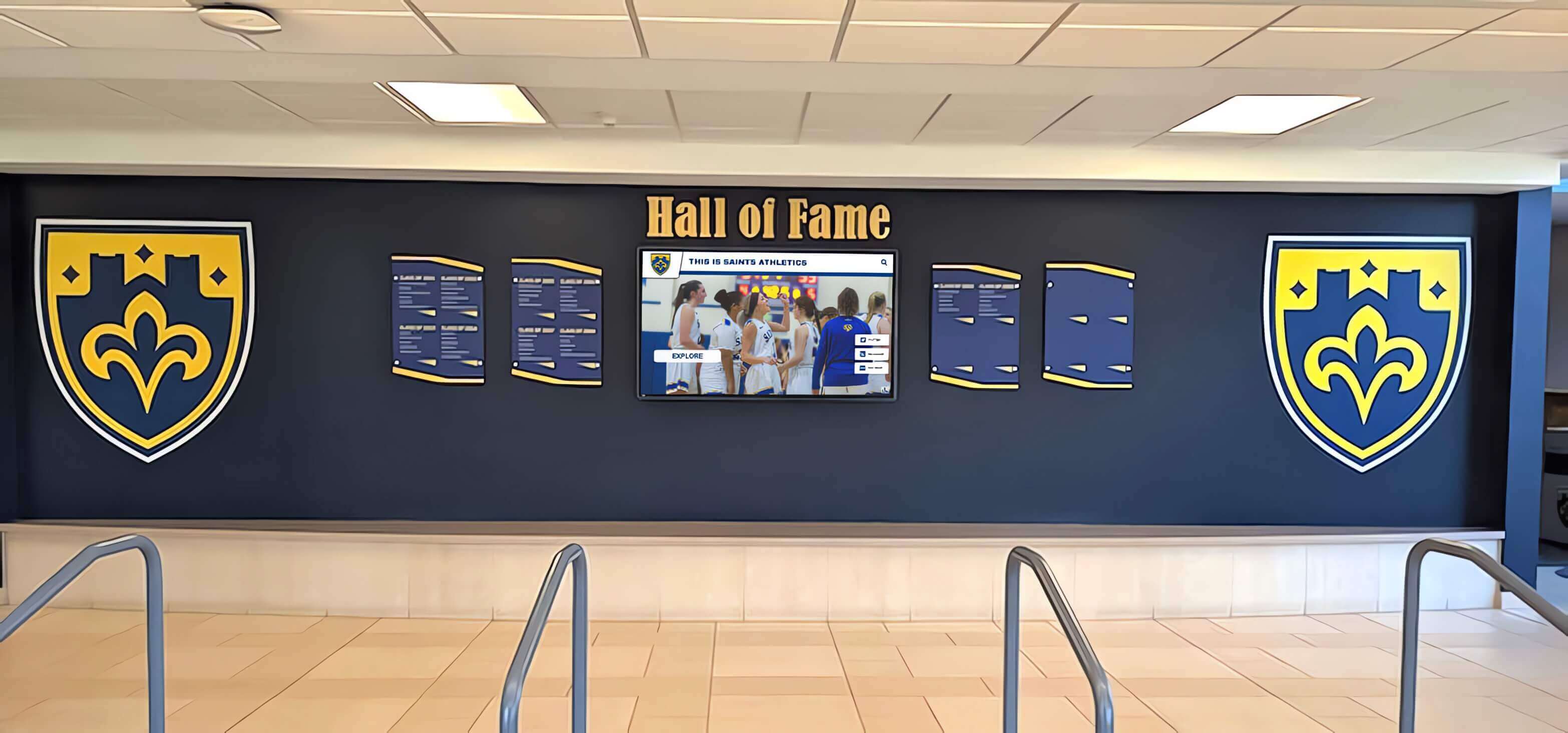
Understanding Your Recognition Display Options for New Construction
Before establishing installation timelines, clarify what recognition technology your new facility will accommodate. Different display types require distinct infrastructure, mounting preparations, and installation sequencing within construction schedules.
Freestanding Interactive Kiosks
Freestanding kiosks function as standalone recognition stations positioned in lobbies, hallways, or gathering spaces. These self-contained units include commercial displays, internal computing hardware, protective enclosures, and integrated cabling concealment.
Installation Advantages for New Construction:
Freestanding solutions offer maximum installation flexibility. Minimal structural preparation allows positioning changes during construction without major complications. Standard electrical outlets and network access points typically provide adequate infrastructure. Installation can occur late in construction sequencing after floor finishes and painting completion. Most kiosks ship as assembled units requiring minimal on-site construction coordination.
Optimal Applications:
Athletic facilities requiring flexible recognition placement that can relocate as programs evolve. Lobby installations where wall space accommodates other priorities like donor recognition panels or historical murals. Schools anticipating future facility reconfiguration where permanent wall mounting creates limitations. Budget-conscious projects where kiosk procurement costs less than custom wall integration solutions.
Wall-Mounted Display Systems
Wall-mounted systems integrate displays directly into finished wall surfaces, creating clean, permanent installations that appear built into architectural design rather than added afterward.
Installation Considerations for New Construction:
Wall mounting requires advance planning for structural backing, recessed electrical boxes, concealed conduit runs, and finished wall coordination. Mounting locations must be established before framing and rough-in phases to accommodate infrastructure requirements. Display positioning affects architectural finishes, lighting design, and adjacent building elements. Installation sequencing must coordinate with wall finishing, painting, and trim carpentry schedules.
Optimal Applications:
Main entry lobbies where prominent recognition displays serve as architectural focal points. Hallway installations creating gallery-style recognition corridors throughout facilities. Athletic facilities integrating displays within trophy case configurations or wall-of-fame installations. School renovation projects seeking clean, permanent solutions that improve architectural quality.
Multi-Display Recognition Walls
Comprehensive recognition installations may incorporate multiple coordinated displays creating expansive digital recognition environments spanning entire walls or facility sections.
Infrastructure Requirements:
Multi-display configurations demand substantial infrastructure planning including dedicated electrical circuits, enterprise network connectivity, central equipment rooms housing computing hardware, coordinated mounting systems spanning multiple wall sections, and integrated control systems managing content synchronization across displays.
Project Coordination Essentials:
These complex installations require early contractor coordination, electrical and data infrastructure planning occurring during design development phases, structural engineering verification for mounting load capacity, and comprehensive installation scheduling coordinating multiple trades throughout construction.

Critical Construction Timeline: When to Introduce Recognition Displays
Construction projects follow established phases from initial design through final commissioning. Recognition display planning must align with this sequence, with specific deliverables and decisions required at each stage to ensure successful outcomes.
Phase 1: Programming and Pre-Design (12-18 Months Before Construction)
The programming phase establishes facility requirements, spatial allocations, and functional priorities. This earliest planning stage presents your first—and most impactful—opportunity to incorporate recognition technology into project scope.
Essential Activities:
Define Recognition Objectives: Document which achievements your facility will recognize. Athletic programs celebrating team championships, individual records, and hall of fame inductees. Academic recognition honoring scholars, competition winners, and program excellence. Community acknowledgment featuring donors, volunteers, and facility naming contributors. Alumni engagement featuring successful graduates and institutional legacy. These content categories determine display quantity, positioning, and feature requirements.
Establish Display Requirements: Specify technical parameters guiding architectural integration. Desired screen sizes based on viewing distances and content detail requirements. Portrait versus landscape orientation affecting wall space allocation and content design. Interactive versus display-only functionality determining depth requirements and approach clearances. Quantity of displays accommodating recognition scope and budget constraints.
Budget Allocation: Incorporate recognition technology into preliminary cost estimates. Hardware procurement including commercial displays, mounting systems, and protective enclosures. Software platforms providing content management and interactive experiences. Installation labor coordinating with general construction schedules. Infrastructure additions including electrical, data, and structural backing requirements. These budget allocations within overall project costs ensure recognition technology receives appropriate priority rather than becoming unfunded wishlist items facing value-engineering elimination.
Architectural Program Integration: Include recognition displays within room data sheets and spatial programs. Lobby and entry areas designating primary recognition display zones. Hallway circulation spaces accommodating secondary recognition installations. Athletic facility areas integrating displays within team spaces and viewing galleries. Classroom and common areas considering educational recognition displays. This documentation ensures architects understand recognition technology represents program requirements rather than optional add-ons.
Project Deliverable: Formalized program document including recognition display specifications, preliminary budgets, and spatial allocations providing architects clear requirements for schematic design development.
Phase 2: Schematic Design (9-12 Months Before Construction)
Schematic design transforms program requirements into preliminary architectural concepts. This phase establishes spatial relationships, architectural character, and major building systems—including recognition display positioning within facility layouts.
Critical Design Activities:
Display Location Planning: Coordinate with architects to position displays optimally within developing floor plans. High-traffic circulation zones maximizing daily visibility and engagement. Building entries creating first-impression recognition experiences for visitors. Athletic facility areas surrounding competition spaces and team areas. Community gathering spaces where recognition enhances social interaction.
Infrastructure Coordination: Engage electrical and technology consultants to plan display power and data requirements. Dedicated electrical circuits preventing display operation from affecting other building systems. Network infrastructure providing reliable connectivity for content management and monitoring. Equipment room allocations if centralized computing hardware requires dedicated space. Backup power considerations if displays represent critical building information systems during emergencies (typically unnecessary for recognition applications).
Architectural Integration: Work with design teams to integrate displays aesthetically within architectural vocabulary. Mounting wall selections ensuring adequate structural capacity and appropriate visibility. Adjacent finish materials complementing display technology rather than creating visual conflicts. Lighting design preventing glare and washout while illuminating surrounding recognition elements. Ceiling height verification ensuring adequate viewing angles and approach clearances.
ADA Compliance Verification: Confirm display positioning meets accessibility requirements. Mounting heights placing interactive controls within accessible reach ranges. Approach clearances providing wheelchair maneuvering space. Control interfaces supporting users with diverse abilities. Alternative access methods if primary displays exceed reach ranges. These compliance considerations prevent costly modifications during later construction phases when corrections become substantially more expensive.
Budget Refinement: Update preliminary cost estimates based on schematic design decisions affecting installation complexity, infrastructure requirements, and architectural coordination.
Project Deliverable: Schematic design drawings showing recognition display locations, preliminary electrical and data infrastructure routing, and coordination with architectural finishes and building systems.
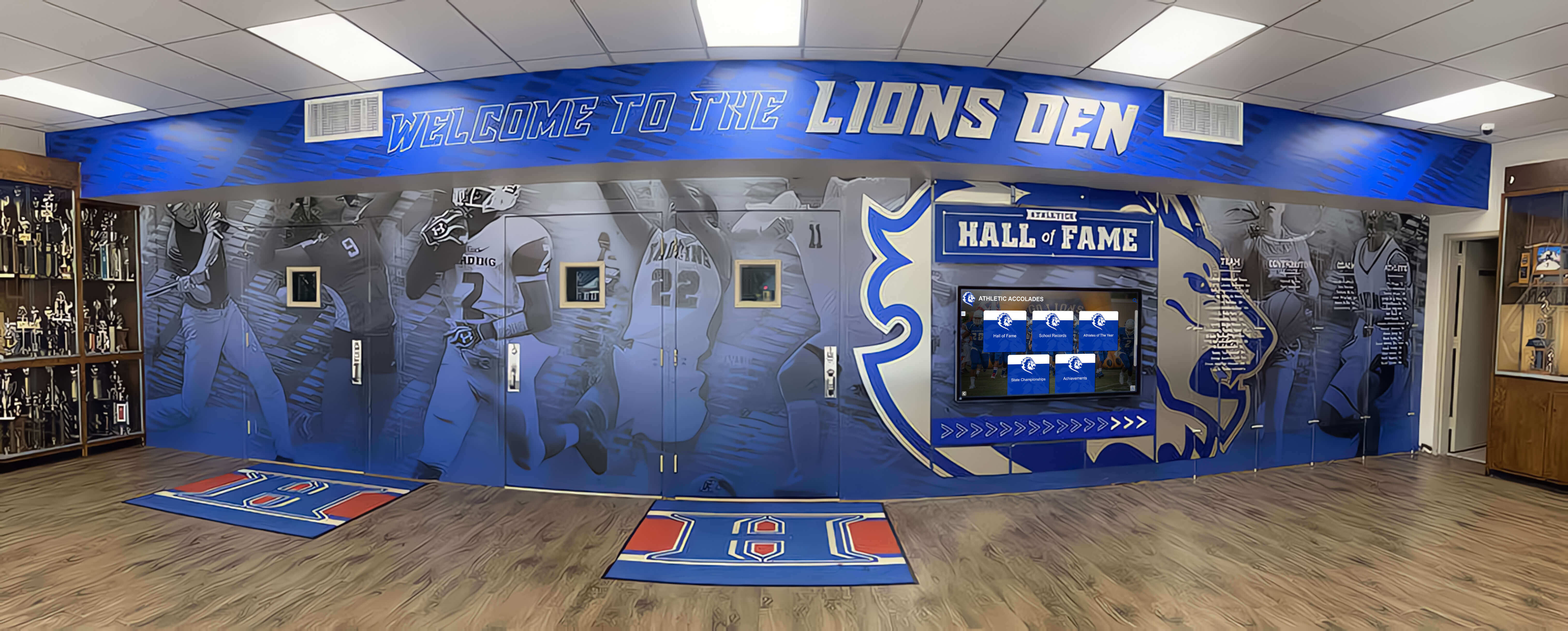
Phase 3: Design Development (6-9 Months Before Construction)
Design development refines schematic concepts into detailed, coordinated documentation. This phase finalizes display specifications, mounting details, infrastructure routing, and installation sequencing.
Detailed Planning Requirements:
Finalize Display Specifications: Lock in specific display models, sizes, and features. Exact screen dimensions affecting rough opening sizes and mounting hardware selection. Display depth determining wall recess requirements or clearance needs. Connectivity specifications including video inputs, network protocols, and control interfaces. Environmental ratings appropriate for installation conditions including temperature ranges and humidity levels.
Structural Engineering Coordination: Verify wall construction adequately supports display mounting loads. Blocking or backing board specifications within wall framing providing secure mounting points. Structural calculations for large displays or multi-unit configurations exceeding standard wall capacities. Seismic bracing requirements in regions where building codes mandate additional restraint systems.
Electrical Design Detailing: Finalize power distribution serving recognition displays. Circuit sizing based on display power consumption and quantity served per circuit. Outlet positioning—typically recessed boxes located behind display mounting areas for concealed connections. Conduit routing from electrical panels through walls to display locations. Surge protection recommendations for expensive display equipment.
Data Infrastructure Coordination: Complete network connectivity planning for content management access. Network switch locations and port allocations dedicated to recognition systems. Structured cabling pathways from network distribution frames to display locations. Wireless access point coordination if displays utilize WiFi connectivity rather than wired connections. VLAN assignments segregating recognition displays from other building networks for security.
Mounting System Selection: Specify exact mounting hardware coordinating with display models and wall construction. Fixed mounts for permanent installations with predetermined positioning. Articulating mounts allowing post-installation adjustment of tilt and rotation angles. Commercial-grade hardware rated for display weights and public-space applications. Security features preventing unauthorized removal or adjustment. Finish selections matching adjacent architectural treatments.
Installation Sequencing Coordination: Define construction phase relationships determining when displays can be installed. Displays must be installed after wall finishes completion to prevent construction damage. Installation should occur before furniture placement and final cleaning for access convenience. Coordination with network infrastructure activation and testing milestones. Relationship to building commissioning and occupancy timelines.
Project Deliverable: Complete construction documents including display mounting details, electrical and data infrastructure plans, specifications covering procurement and installation requirements, and coordination notes defining relationships with other building systems.
Phase 4: Bidding and Procurement (4-6 Months Before Construction)
Construction bidding establishes costs and selects contractors executing your project. Recognition technology procurement typically occurs during this phase, whether provided by general contractors or through separate direct purchases.
Procurement Considerations:
Bid Document Clarity: Ensure construction documents communicate recognition display requirements unambiguously. Scope definitions clarifying which components general contractors provide versus owner-furnished equipment. Technical specifications detailed enough that bidders understand exact requirements. Allowance amounts if display procurement costs aren’t finalized when bidding occurs. Coordination responsibilities defining interfaces between general contractors and potential third-party display installers.
Procurement Approach Selection: Choose optimal purchasing strategy for your project circumstances. Include recognition displays within general contractor scope simplifying coordination but potentially increasing costs. Direct purchase by school districts leveraging bulk purchasing contracts or specialized vendors. Separate technology contractor managing complete recognition system implementation as distinct subproject. Interactive recognition platform providers offering turnkey solutions including hardware, software, installation, and ongoing support.
Lead Time Verification: Confirm product availability aligns with construction schedules. Commercial displays typically ship within 2-4 weeks after order placement for standard sizes. Custom enclosures or mounting systems may require 6-12 weeks fabrication time. Software configuration and content development requiring 4-8 weeks before installation. Longer lead items must order during early construction phases ensuring availability when installation windows arrive.
Long-Lead Ordering: Place orders for recognition equipment appropriately timed within construction schedules. Displays with extended lead times may order during early construction phases with delivery scheduled to coincide with installation readiness. Avoid premature ordering requiring on-site storage before installation readiness—construction sites present damage risks through dust, moisture, and physical impacts. Balance lead time requirements against storage and protection challenges through careful delivery scheduling.
Project Deliverable: Executed contracts with general contractors or separate equipment vendors establishing costs, delivery schedules, and coordination responsibilities for recognition technology integration.
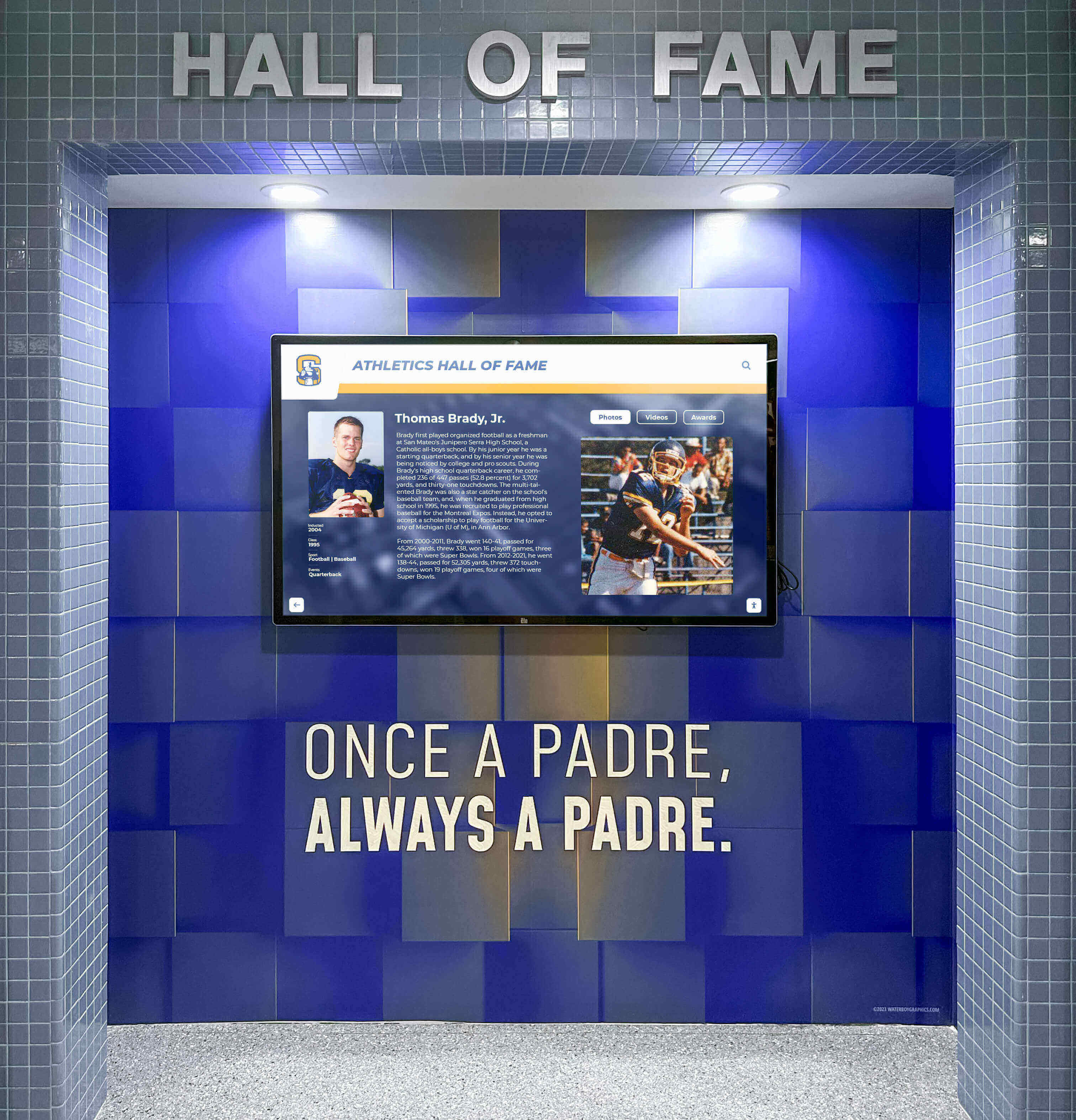
Construction Phase Installation Timing: Coordinating with Building Trades
Once construction begins, recognition display installation must sequence appropriately with other trades to prevent damage, coordination conflicts, and schedule delays. Understanding this sequencing ensures smooth implementation without costly rework or project disruptions.
Rough-In Phase: Infrastructure Installation (During Framing and Mechanical Systems)
The rough-in phase occurs after framing completion but before wall closure, when trades install concealed infrastructure within wall and ceiling cavities.
Recognition Display Infrastructure Activities:
Electrical Rough-In: Electricians install power circuits serving display locations. Conduit installation from electrical panels to rough outlet box locations behind planned display positions. Wire pulling through conduits after mechanical and other trades complete rough-in activities. Box mounting at heights coordinating with display locations—typically positioned directly behind display mounting centers. Blocking or backing installation within wall framing at display mounting heights providing structural support. Circuit labeling identifying recognition display circuits for future reference.
Data Cabling Installation: Network cabling contractors pull structured cabling to display locations. Cable routing from network distribution frames through cable tray or conduit pathways to display areas. Termination at wall-mounted outlet boxes or floor boxes for kiosk applications. Testing and certification verifying cables meet performance specifications. Documentation recording cable identifications, test results, and connection information.
Structural Backing Verification: Framers or general contractors install additional backing within walls if required. Plywood sheets or steel blocking spanning multiple studs distributing display mounting loads. Positioning corresponding with architectural drawings showing display locations. Verification measurements before wall closure ensuring backing location accuracy.
This Phase Timeline: Infrastructure rough-in typically occurs 50-70% through construction schedules, after structural and weatherproofing completion but before wall finishing trades begin work. Coordination occurs several months before display installation, requiring advance planning ensuring infrastructure aligns with upcoming display mounting requirements.
Wall Finishing Phase: Preparing for Display Installation (Drywall Through Painting)
Wall finishing encompasses drywall installation, taping, texture application, priming, and final painting. This phase prepares surfaces for display mounting while creating finished appearance surrounding recognition installations.
Critical Coordination Points:
Outlet Box Positioning Verification: As drywall installers close walls, confirm electrical and data boxes position correctly for display mounting. Boxes should locate directly behind display mounting centers at heights coordinating with mounting hardware specifications. Incorrect positioning discovered after drywall installation requires costly cutting and patching to relocate boxes. Physical verification during drywall installation prevents these corrections.
Wall Surface Preparation: Complete all texture, priming, and painting before display installation. Display mounting typically creates minor wall damage around mounting points despite careful installation. Completing finishes before mounting allows any necessary touch-up to occur after installation. Installing displays before painting completion creates masking challenges and potential overspray affecting display surfaces.
Mounting Location Marking: After painting completion, mark exact display mounting locations on finished walls. Transfer locations from construction drawings to physical walls using precise measurements. Mark mounting hole positions using manufacturer-supplied templates. Verify level and plumb before drilling to prevent crooked installations requiring remounting corrections.
Display Installation Phase: Hardware Mounting and Connection (Final Construction Period)
Physical display installation occurs late in construction sequencing after most trades complete work but before furniture placement and final cleaning.
Optimal Installation Timing:
Displays should be installed after wall finishes completion, painting and final cleaning, flooring installation, and adjacent millwork or casework placement. Installation should occur before furniture delivery and placement, final commissioning and testing, and building occupancy or opening ceremonies.
Installation Sequence:
Mounting Hardware Installation: Mount brackets or arms to finished walls using marked locations. Drill mounting holes through finishes into backing or structural supports. Install anchors appropriate for wall construction—toggle bolts for hollow walls, lag screws for wood backing, concrete anchors for masonry walls. Attach mounting plates or brackets using appropriate fasteners. Verify level and secure attachment before proceeding.
Display Attachment: Lift displays onto mounting hardware following manufacturer instructions. Commercial displays weighing 50-150 pounds typically require two-person installation for safety. Secure displays to mounting brackets using locking mechanisms or security fasteners. Verify secure attachment before releasing support—displays must not tip, rock, or show any movement indicating insufficient mounting.
Electrical and Data Connection: Connect power and network cabling to displays. Route cables through concealed pathways to recessed outlet boxes behind mounting locations. Make all connections with displays powered off to prevent electrical hazards. Verify cable seating in display connectors—loose connections cause intermittent operation and difficult troubleshooting. Organize excess cable lengths within recessed areas or cable management channels preventing visible clutter.
Computing Hardware Installation: For systems using external computers rather than display-integrated solutions, mount computing hardware in accessible locations. Small form-factor PCs often mount directly to display backs using VESA mounting patterns. Rack-mounted equipment requires coordination with network equipment rooms. Connect all necessary cables between computers and displays. Configure computer hardware addressing including static IP assignments or DHCP reservations.
Protective Measures During Construction: If substantial construction work continues after display installation, implement protective measures. Temporary coverings preventing scratches, impacts, or construction dust infiltration. Delayed power connection until protection removal prevents accidental operation during construction. Physical barriers guiding construction traffic away from newly installed displays. These protections prevent damage requiring expensive repairs or replacements.
Project Milestone: Physical installation completion allows subsequent software configuration and content development to proceed. This milestone typically occurs 85-95% through construction schedules.

Software Configuration and Content Development: Digital Commissioning
Physical hardware installation represents only half the implementation. Software configuration and initial content development transform installed displays into functional recognition systems ready for building occupancy.
Initial Software Setup (2-4 Weeks After Hardware Installation)
System Configuration Activities:
Network Configuration: Configure displays and computing hardware for facility network connectivity. Assign IP addresses coordinating with building network architecture. Configure network settings including gateway addresses, DNS servers, and subnet masks. Test network connectivity verifying displays can access internet resources for content management. Establish remote access methods enabling off-site system management and support.
Software Platform Installation: Install recognition software platforms managing content presentation and interaction. Cloud-based recognition systems typically require only configuration rather than local installation. On-premise solutions require software installation on computing hardware and initial database setup. Configure system preferences including display orientations, interaction timeouts, and automatic restart schedules. Establish administrative access accounts with appropriate permission levels.
Display Calibration: Configure display settings for optimal presentation quality. Brightness levels appropriate for installation lighting conditions—typically 300-400 nits for indoor applications. Color temperature settings creating natural-appearing images without excessive blue or yellow casts. Touch calibration if displays include interactive touch capabilities. Auto-off schedules conserving energy during unoccupied hours.
Content Management Setup: Configure content management systems enabling future updates. Establish administrative login credentials for staff who will manage content. Create organizational structures including categories, tags, and navigation hierarchies. Configure templates controlling recognition profile layouts and information presentation. Set up approval workflows if content requires review before publication.
Initial Content Development (4-8 Weeks Before Building Opening)
Recognition displays require initial content before building occupancy—empty displays create disappointing first impressions that undermine value propositions.
Priority Content Development:
Historical Recognition: Digitize existing recognition materials populating displays with institutional legacy. Scan photos from trophy cases, archives, and historical records. Extract information from physical plaques and existing recognition programs. Organize content chronologically creating sense of institutional heritage. This historical foundation demonstrates recognition technology celebrates tradition while embracing innovation.
Recent Achievements: Document current season or academic year achievements. Athletic team rosters, records, and competition results. Academic honors recognizing student scholarship and achievement. Arts program accomplishments celebrating creative excellence. Service recognitions acknowledging community contributions. Recent content demonstrates recognition programs remain active and current.
Featured Content: Identify highlighted inductees or achievements for prominent display rotation. Hall of fame members representing institutional excellence across eras. Record holders setting performance benchmarks other students pursue. Distinguished alumni demonstrating long-term impact of institutional experiences. Featured content creates engaging attract-mode displays drawing visitors toward interactive exploration.
Content Quality Standards: Establish consistent presentation standards maintaining professional appearance. Photo resolution requirements ensuring crisp display reproduction. Biographical information templates creating uniform content structure. Writing style guidelines maintaining appropriate tone and voice. Review processes catching errors before content publication. These standards prevent rushed initial content creation that compromises long-term impressions.
Sustainable Content Practices: Even during initial setup, establish practices supporting ongoing content management. Document content development workflows for future staff reference. Create style guides and templates simplifying future additions. Identify responsible staff members and establish update schedules. Develop alumni contribution processes enabling profile updates and submissions. These practices transform recognition displays from one-time projects into sustainable programs enhancing institutional culture continuously.
Recognition technology implementation extends beyond construction completion through initial content development establishing foundations for ongoing program success. Solutions like those from Rocket Alumni Solutions provide comprehensive support through this critical phase, ensuring recognition displays open with compelling content that builds immediate community engagement.
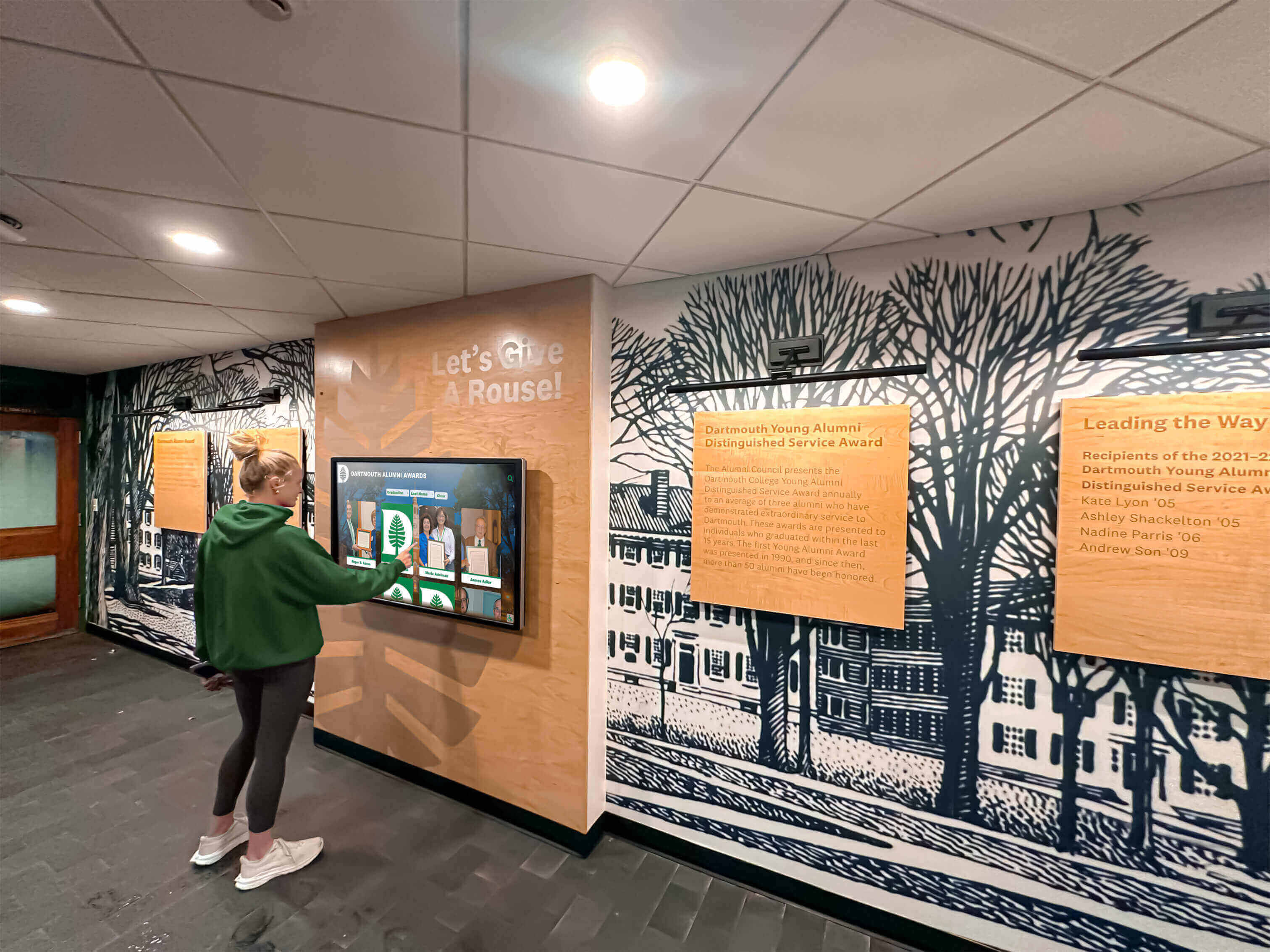
Infrastructure Requirements: Planning for Long-Term Success
Recognition displays require supporting infrastructure ensuring reliable operation throughout 7-10 year lifecycles typical for commercial display technology. New construction provides opportunities to implement robust infrastructure impossible to achieve cost-effectively in retrofit scenarios.
Electrical Power Requirements
Circuit Capacity Planning:
Commercial displays typically consume 200-400 watts during operation—equivalent to 2-3 standard light fixtures. While individual displays don’t require enormous power, multiple displays require appropriate circuit capacity preventing overload conditions.
Recommended Electrical Infrastructure:
Dedicated circuits serve recognition displays independently from general-purpose receptacle circuits. Individual displays can share circuits—typically 3-5 displays per 20-amp circuit depending on specific power consumption. Circuit-level surge protection preserves expensive display equipment from voltage spikes. Recessed outlet boxes locate directly behind display mounting locations concealing all connections. Adequate cable length allowances accommodate displays hanging away from walls during mounting. Labels identifying recognition display circuits within electrical panels simplifying future maintenance and troubleshooting.
Power Quality Considerations:
Clean, stable power extends display lifespan and prevents operational issues. Surge suppression protecting against lightning strikes and utility switching transients. Isolation from high-inrush loads like HVAC compressors preventing voltage sags during equipment starts. Proper grounding eliminating ground loop issues causing video interference or reliability problems. These power quality measures—straightforward to implement during construction—prevent chronic issues requiring extensive troubleshooting and corrections after building occupancy.
Network Connectivity Infrastructure
Modern recognition displays require reliable network connectivity supporting content management, remote monitoring, and sometimes internet-based content services.
Network Infrastructure Requirements:
Wired Ethernet Connections: Gigabit Ethernet connections provide reliable connectivity unaffected by wireless interference or capacity limitations. Category 6 or better structured cabling supports current and future bandwidth requirements. Dedicated network switch ports prevent bandwidth contention affecting display performance. PoE (Power over Ethernet) considerations if displays support power delivery through network cables—rare for large commercial displays but common for smaller installations.
Wireless Network Alternative: WiFi connectivity offers installation flexibility when structured cabling presents challenges. Enterprise-grade wireless access points positioned near display locations ensuring adequate signal strength. Separate SSIDs for recognition displays preventing interference from public guest networks. Network security configured appropriately—recognition displays represent potential network entry points requiring appropriate access controls. Wireless solutions work well for kiosk installations but wired connections generally preferred for wall-mounted installations where cable runs occur within walls during construction anyway.
Network Security Segmentation: Isolate recognition displays from sensitive building networks through VLAN segregation or firewall rules. Displays don’t require access to student information systems, financial databases, or other sensitive networks. Internet content filtering can apply different policies to recognition displays than instructional networks. Remote management access requires appropriate VPN or controlled access preventing unauthorized external connections. These security measures protect broader campus networks while allowing recognition displays the limited connectivity they require for content management.
Structural Mounting Considerations
Commercial displays and mounting hardware create structural loads requiring adequate wall support—particularly for large displays or multi-screen configurations.
Structural Requirements by Installation Type:
Standard Drywall Walls: 55-inch and smaller displays mount successfully to standard metal or wood stud framing using appropriate toggle bolts or lag screw anchors. Displays larger than 55 inches should mount to supplemental plywood backing or blocking within wall cavities. Horizontal blocking spanning multiple studs distributes loads preventing concentrated stress on individual fasteners.
Masonry and Concrete Walls: Large format displays mount successfully to masonry or concrete using appropriate concrete anchors. Brick or block walls may require backing plates distributing loads across multiple masonry units. Concrete walls provide excellent mounting substrates supporting virtually any display size.
Thin Partition Walls: Thin partition systems common in commercial construction may lack adequate depth for recessed electrical boxes or substantial mounting hardware. These conditions may require surface-mounted electrical components or freestanding kiosks rather than wall-mounted displays. Early coordination with architects identifies these constraints before design development proceeds too far for economical corrections.
Multi-Display Configurations: Extensive recognition walls incorporating 3-5+ displays require engineered mounting systems. Steel tube framing or commercial mounting grids distribute loads across larger wall areas. Structural engineering calculations verify wall systems support total combined loads. These engineered solutions allow impressive recognition installations without overloading building structures.
New construction allows structural accommodations impossible or extremely expensive to implement during renovations. Wall-mounted recognition systems achieve clean, integrated appearances when planned appropriately during design phases.

Budget Planning: Realistic Cost Expectations for New Construction
Recognition technology represents significant investment within overall facility budgets. Understanding realistic costs ensures appropriate funding allocation and prevents surprise expenses derailing implementation plans.
Hardware and Software Investment Ranges
Complete Recognition System Costs (2026):
Single Display Installations: Entry-level systems (43-55 inch displays with basic mounting and software) range $8,000-$15,000 including installation. Mid-range systems (55-65 inch commercial displays with enhanced features and comprehensive content management) cost $15,000-$25,000 complete. Premium installations (75+ inch displays with advanced interactive capabilities and extensive content libraries) require $25,000-$40,000 investment.
Multi-Display Recognition Walls: Two-display configurations creating complementary recognition zones cost $25,000-$45,000 complete. Three to five display systems creating comprehensive recognition galleries range $50,000-$90,000 including all hardware, software, installation, and initial content development. Extensive installations spanning multiple building areas or incorporating 10+ displays may exceed $150,000 depending on scope and features.
Cost Components Breakdown:
Commercial display hardware represents 35-45% of total project costs—$3,000-$12,000 per display depending on size and features. Mounting systems, enclosures, and installation labor comprise 15-25% of costs—$1,500-$6,000 per display location. Software platforms including content management systems represent 25-35% of budgets—$3,000-$10,000 for initial licensing and configuration. Infrastructure additions including electrical and data installation account for 10-15%—$800-$4,000 per display location. Initial content development and system setup represent remaining 5-10%—$500-$3,000 per display depending on content complexity.
Infrastructure Cost Considerations
Recognition display infrastructure costs vary substantially based on facility conditions and installation complexity.
Electrical Infrastructure Additions:
New construction electrical rough-in for recognition displays adds minimal cost—typically $300-$800 per display location including circuit installation, recessed outlet boxes, and conduit routing. Retrofit installations in completed buildings cost substantially more—$1,000-$3,000 per location requiring wall cutting, conduit fishing, patching, and painting. Dedicated circuits from distant electrical panels increase costs—add $200-$500 per 50 feet of circuit run from panels to display areas.
Data Network Infrastructure:
Structured cabling installation during new construction costs $150-$400 per display location including cable, termination, testing, and certification. Wireless access point additions if required range $800-$2,000 per access point including equipment, configuration, and installation. Managed network switches may require capacity additions—budget $100-$300 per display port for switch port additions. Advanced network segmentation or security features may require additional engineering and configuration—add 10-20% to base network costs for complex security requirements.
Structural Accommodations:
Standard mounting backing within wood or steel stud walls adds $50-$150 per display location during construction. Engineered mounting systems for multi-display configurations may cost $2,000-$8,000 depending on complexity and structural requirements. Custom millwork or architectural integration surrounding displays ranges $1,000-$5,000+ per location based on finish complexity.
Ongoing Operational Costs
Beyond initial capital investment, budget for ongoing operational expenses maintaining recognition systems throughout lifecycles.
Annual Operating Expenses:
Software maintenance and licensing: $800-$2,500 annually per display covering platform hosting, updates, and technical support. Content management services if outsourced: $1,500-$5,000 annually for ongoing profile additions, updates, and quality maintenance. Electricity consumption: $40-$100 annually per display at typical utility rates and operational hours. Routine maintenance and cleaning: $200-$500 annually per display for periodic professional servicing.
Long-Term Replacement Planning:
Commercial displays offer 50,000-70,000 hour operational lifespans. At typical school operational hours (10-12 hours daily during school year), expect 10-15 year hardware lifecycles before replacement becomes necessary. Budget $2,000-$6,000 per display for eventual hardware replacement when original displays reach end of useful life. Software platforms typically support display upgrades without requiring complete system replacements—content and configurations transfer to new hardware.
Comprehensive budget planning ensures recognition technology receives appropriate funding throughout project lifecycles rather than facing reduction or elimination during value engineering exercises or insufficient resources for long-term sustainability.
Construction Coordination: Working with Architects, Contractors, and Vendors
Successful recognition display implementation requires coordination among multiple project participants including building design professionals, construction contractors, display vendors, and school administrators.
Architect and Engineer Coordination
Design Phase Collaboration:
Schedule meetings during schematic design and design development phases specifically addressing recognition technology integration. Provide architects with display specifications, mounting requirements, and aesthetic preferences guiding design decisions. Review developing floor plans and elevations verifying display locations align with visibility, accessibility, and functional requirements. Request coordination sections showing display mounting details, infrastructure routing, and relationships with adjacent building elements. These collaboration activities ensure recognition displays receive appropriate attention rather than becoming afterthoughts discovered during construction when accommodation becomes difficult and expensive.
Construction Document Review:
Before construction bidding, thoroughly review specifications and drawings covering recognition displays. Verify display locations, mounting details, electrical and data infrastructure appear correctly throughout document sets. Confirm scope definitions clearly communicate contractor responsibilities versus owner-furnished equipment. Check that specifications reference current display models and mounting hardware rather than outdated products. Request clarifications or revisions addressing ambiguities before bidding—changes after contractor selection become expensive change orders. This careful review prevents costly construction issues and disputes.
General Contractor Coordination
Pre-Construction Planning:
Attend pre-construction meetings discussing recognition display installation requirements, scheduling, and coordination. Provide contractors with detailed installation instructions from display and mounting manufacturers. Discuss infrastructure rough-in timing, display delivery scheduling, and installation sequencing. Identify responsible subcontractors for electrical, data, and general installation work. Establish communication protocols for coordination questions and schedule adjustments. These discussions align contractor expectations with project requirements preventing misunderstandings and schedule conflicts.
Construction Phase Communication:
Maintain regular communication throughout construction addressing recognition display progress. Participate in construction meetings when recognition installation approaches. Conduct site visits during infrastructure rough-in verifying backing, electrical boxes, and data outlets locate correctly. Inspect completed infrastructure before wall closure—corrections after drywall installation become expensive. Coordinate delivery timing preventing premature equipment arrival requiring site storage in harsh construction conditions. Verify installation scheduling allows adequate time without construction rushing causing quality compromises.
Display Vendor and Installer Coordination
Vendor Selection and Contracting:
Select recognition technology vendors offering comprehensive services beyond just hardware supply. Evaluate content management platforms ensuring long-term usability and administrative convenience. Verify installer experience with similar school projects rather than generic commercial installations. Request references from recent comparable projects confirming quality and reliability. Establish clear scope definitions preventing ambiguity about vendor versus contractor responsibilities. Turnkey recognition providers often simplify coordination by managing hardware, software, installation, and content development as integrated services.
Installation Oversight:
Participate in installation verification even when vendors provide turnkey services. Verify mounting security, level installation, and proper connection of all power and data cables. Test interactive touch functionality across entire screen surfaces confirming no dead zones or calibration issues. Confirm displays power on reliably and boot into appropriate software applications. Check viewing angles from typical visitor positions ensuring no glare or reflection issues. Document any deficiencies requiring correction before final acceptance. This oversight ensures installations meet quality expectations and function reliably after substantial completion.
Training and Handoff:
Require comprehensive training before project closeout even if administration isn’t prepared for immediate operation. Document administrative procedures for content updates, user management, and routine maintenance. Obtain all necessary passwords, access credentials, and system documentation. Establish ongoing support contacts and procedures for technical assistance. Schedule refresher training sessions several months after opening when administrators actively manage content and encounter real-world questions. Complete handoff ensures school staff can successfully operate recognition systems long-term without excessive vendor dependence.

Post-Construction Optimization: Maximizing Long-Term Value
Recognition display implementation doesn’t conclude with building occupancy. Ongoing optimization, content development, and strategic management determine whether displays remain engaging and valuable or become expensive installations generating minimal return on investment.
Initial Launch and Promotion Strategy
Grand Opening Integration:
Feature recognition displays prominently during building dedication events and grand openings. Demonstrate interactive capabilities during facility tours showing visitors how to explore content. Include highlighted inductees or featured achievements in opening ceremony programs. Encourage guests to locate themselves, family members, or former teammates within recognition displays. This prominent introduction establishes recognition technology as important facility features rather than peripheral elements easily overlooked.
Community Awareness Building:
Communicate recognition display availability beyond opening events through multiple channels. Email announcements to alumni sharing new recognition programs and encouraging virtual exploration. Social media posts highlighting featured inductees and interesting historical content. Local media features presenting recognition technology that builds community culture. Student assemblies introducing displays and encouraging exploration during passing periods. Website integration providing remote access extending recognition beyond physical building locations. These communications maximize awareness and engagement potential rather than limiting displays to occasional discovery by random visitors.
Content Development Sustainability
Recognition displays require ongoing content additions remaining current and engaging throughout lifecycles.
Establish Content Workflows:
Assign clear responsibilities for recognition content management. Designate staff members authorized to update content and manage administrative functions. Create annual schedules for bulk content additions—new hall of fame inductees, season records, graduating senior recognitions. Develop submission processes enabling teams, families, and alumni to contribute content for consideration. Implement approval workflows maintaining quality standards before content publication. Document procedures ensuring consistency through staff changes inevitable over 10+ year display lifecycles.
Maintain Content Quality Standards:
Resist temptation to compromise quality standards maintaining professional appearance as content libraries grow. Enforce photo resolution requirements preventing pixelated images that undermine perceived value. Apply consistent formatting using templates and style guides ensuring unified presentation. Conduct periodic content audits identifying outdated information requiring updates or removal. Update interface navigation as content volume grows preventing overwhelming complexity as archives expand. Quality maintenance separates recognition programs that remain valuable from those that devolve into disorganized archives nobody explores.
Leverage Analytics for Improvement:
Modern recognition platforms provide usage analytics revealing which content resonates with audiences. Monitor most frequently searched profiles identifying popular interests and guiding feature content rotation. Track session duration indicating whether displays engage users or generate superficial interaction. Analyze device usage showing whether mobile web access complements physical displays. Identify underutilized categories suggesting content gaps or navigation improvements needed. These insights enable continuous improvement maintaining engagement as user expectations evolve and content libraries mature.
Technical Maintenance and System Updates
Routine Maintenance Requirements:
Commercial displays require minimal physical maintenance but benefit from periodic care. Clean display surfaces monthly using electronics-safe cleaners preventing fingerprint buildup from repeated touching. Verify mounting security annually ensuring displays remain firmly attached without developing play or movement. Test interactive touch responsiveness across entire surfaces confirming no dead zones requiring recalibration. Update software platforms and display firmware maintaining current features and security patches. These maintenance activities preserve display functionality and appearance throughout extended lifecycles.
Performance Monitoring:
Implement monitoring systems alerting administrators to potential issues before users report problems. Network connectivity monitoring detecting communication failures requiring troubleshooting. Display status monitoring identifying power issues or software crashes needing attention. Content delivery monitoring ensuring updates publish correctly and synchronize across multiple displays. Environmental monitoring if displays operate in challenging temperature or humidity conditions. Proactive monitoring prevents minor issues from becoming major failures disrupting recognition programs and undermining user confidence.
Future Enhancement Planning:
Technology evolves continuously throughout 10-15 year building lifecycles. Plan for eventual enhancements maintaining currency as expectations change. Hardware replacements as displays reach end of useful life allowing capacity increases and improved visual quality. Software platform upgrades adding features and capabilities unavailable during initial installation. Content expansion adding categories and depth as programs mature and archives grow. Interface redesigns modernizing appearance and interaction models as design standards evolve. Future-focused recognition platforms accommodate these enhancements without requiring complete system replacements, protecting initial investments while enabling continuous improvement.

Conclusion: Strategic Planning for Recognition Technology Success
Installing touchscreen displays within new school construction projects requires strategic planning throughout design and construction processes. The decisions made during programming, schematic design, and design development phases determine whether recognition technology integrates seamlessly into your facility or becomes expensive retrofit requiring compromises and additional investment.
Start recognition technology planning during earliest programming phases—not as construction approaches completion when accommodation becomes difficult or impossible without substantial changes. Involve architects, engineers, and contractors throughout design and construction coordinating infrastructure, mounting, and installation sequencing. Select comprehensive recognition platforms providing turnkey hardware, software, installation, and ongoing support rather than piecing together multiple vendors requiring extensive coordination.
Most importantly, recognize that physical installation represents only the beginning of recognition technology implementation. Initial content development, staff training, community promotion, and ongoing content management determine whether displays deliver promised benefits or become expensive disappointments generating minimal engagement and return on investment.
New gymnasium and facility construction represents ideal opportunities to implement recognition technology right from the start. By following appropriate planning timelines, coordinating infrastructure requirements, and establishing sustainable content practices, your recognition displays will celebrate achievement, build community pride, and enhance facility value for decades following building completion.
Ready to incorporate recognition technology into your new school construction project? Contact Rocket Alumni Solutions to discuss comprehensive planning, implementation support, and turnkey solutions ensuring recognition displays integrate seamlessly into your new facility while delivering maximum long-term value.































