The National Football League has created some of sports’ most iconic moments and legendary figures. From Jim Brown’s dominance in the 1960s to Tom Brady’s unprecedented championship runs, professional football’s impact on American culture extends far beyond the gridiron. Yet as we move deeper into the digital age, how we honor these NFL icons is evolving dramatically through interactive display technology that engages modern audiences while preserving football’s rich heritage.
In this comprehensive guide, we explore how interactive displays are transforming NFL recognition—from the Pro Football Hall of Fame in Canton, Ohio to team facilities across the league, and how football programs at all levels can leverage these same technologies to celebrate excellence. Whether you're an athletic director planning a facility upgrade, a museum curator designing exhibits, or simply a football enthusiast interested in how technology enhances sports legacy, you'll discover practical insights about modern recognition displays that honor NFL icons appropriately.
The Pro Football Hall of Fame: Setting the Standard for Interactive Recognition
Located at 2121 George Halas Drive NW in Canton, Ohio—the birthplace of professional football—the Pro Football Hall of Fame stands as professional football’s premier recognition institution. Since opening on September 7, 1963, the Hall has continuously evolved its displays to engage visitors while honoring the sport’s greatest contributors.
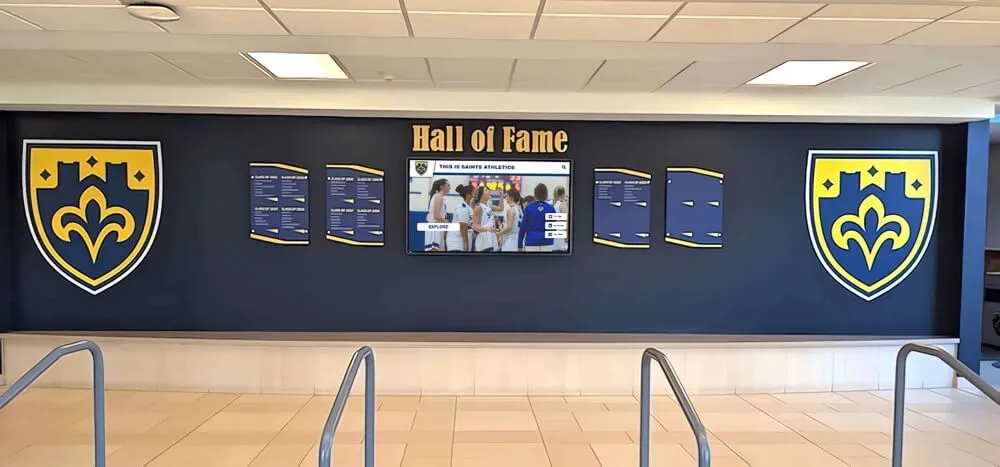
Modern Interactive Exhibits at Canton
The Pro Football Hall of Fame has embraced digital technology to create immersive experiences that bring football history to life. According to the Hall’s official information, visitors encounter touchscreen kiosks featuring bios, photos, and videos of Hall of Famers, allowing interactive exploration of each member’s career and impact.
The Lamar Hunt Super Bowl Gallery exemplifies this interactive approach, using artifacts, game footage, and interactive kiosks to tell the story of how the Super Bowl evolved into a global phenomenon. The museum’s visually dynamic two-level exhibit area in the original rotunda combines high-tech interactives with artifacts to document professional football’s complete story.
Visitors experience many hands-on features including a Madden EA Sports video game suite, skills challenges, and multimedia presentations showcasing legendary performances and unforgettable games. This blend of traditional artifacts with cutting-edge interactive technology creates engagement impossible with static displays alone.
The Class of 2025: Continuing the Legacy
The Pro Football Hall of Fame enshrined its Class of 2025 on August 2, inducting defensive back Eric Allen, defensive end Jared Allen, tight end Antonio Gates, and wide receiver Sterling Sharpe. As each new class enters the Hall, the museum updates exhibits to include their artifacts and stories, maintaining current relevance while preserving historical context.
Each Hall of Famer provides items for individual display cases, offering insight into their journeys to Canton. These personal artifacts combined with interactive biographical content create comprehensive recognition that honors complete careers rather than just statistics.
NFL Team Facilities: Celebrating Organizational Excellence
Beyond Canton’s national hall, NFL teams increasingly invest in sophisticated recognition displays within their own facilities—training complexes, stadiums, and practice facilities where interactive technology celebrates organizational history while motivating current players.

Team-Specific Recognition Programs
NFL franchises with rich histories—the Packers, Bears, Steelers, Cowboys, and others—maintain extensive recognition programs celebrating legendary players, championship seasons, and organizational milestones. Modern technology enables these programs to expand beyond limited physical space, accommodating comprehensive rosters while providing depth traditional plaques cannot match.
Interactive recognition walls allow visitors to explore complete franchise histories, searching by player, position, era, or achievement. A fan interested in legendary quarterbacks can instantly access profiles of franchise passers spanning decades, while someone researching championship teams can explore complete rosters with individual player contributions documented comprehensively.
Motivating Current Players Through Legacy
When today’s NFL players enter team facilities and see comprehensive documentation of legendary predecessors, the message becomes clear: excellence earns lasting recognition. Digital displays continuously remind athletes that their contributions will be preserved and celebrated, providing powerful motivation alongside competitive drive.
This recognition serves recruitment purposes as well. When teams court free agents or draft prospects visit facilities, impressive displays demonstrating organizational commitment to honoring player achievement communicate respect for athletes that influences decision-making beyond contract terms.
How Interactive Display Technology Works
Understanding the technology powering modern NFL recognition helps appreciate both capabilities and implementation considerations for organizations planning similar systems.
Touchscreen Interface Systems
Commercial-grade touchscreens form the foundation of most interactive displays. Unlike consumer televisions, these systems feature:
- Projected capacitive touchscreens responding to touch like smartphones rather than older resistive technology requiring pressure
- Commercial ratings for continuous operation rather than intermittent home use
- High brightness (400+ nits) maintaining visibility even in well-lit environments
- Vandal-resistant construction protecting equipment in public installations
- Multiple size options from 43" to 86" accommodating different viewing environments

Content Management Systems
Behind impressive visual displays sit sophisticated content management systems enabling non-technical staff to update information easily. Modern platforms provide:
- Web-based interfaces accessible from any computer without specialized software
- Media libraries organizing photos, videos, and documents systematically
- Template systems maintaining consistent visual presentation across all profiles
- Search functionality enabling visitors to find specific content quickly
- Analytics tracking revealing how visitors interact with displays
Solutions like Rocket Alumni Solutions specialize in recognition-focused content management, providing sport-specific templates and features purpose-built for celebrating athletic achievement rather than generic digital signage requiring extensive customization.
Multimedia Integration
The most engaging displays incorporate various media types creating rich storytelling experiences:
High-Resolution Photography: Professional action shots, candid images, historical photos documenting careers visually while maintaining quality across large display sizes.
Video Highlights: Game footage, interviews, documentary segments bringing achievements to life through motion and sound that static images cannot match.
Statistical Databases: Comprehensive career statistics searchable and comparable across players and eras, satisfying fans’ appetite for quantitative achievement documentation.
Interactive Timelines: Chronological presentations showing career progression, team evolution, and historical context placing individual achievements within broader narratives.
Audio Content: Play-by-play calls of legendary moments, player interviews, coach testimonials providing authentic voices adding personality to profiles.
This multimedia approach creates engagement driving longer viewing sessions while accommodating different visitor preferences—some want statistics, others seek narratives, many appreciate video highlights bringing memories to life.
Implementing Interactive Recognition: From Concept to Reality
Organizations planning NFL icons displays or similar recognition systems face systematic implementation considerations determining long-term success.

Phase 1: Strategic Planning (2-3 Months)
Define Recognition Scope and Criteria: Determine who receives recognition—Hall of Fame inductees only, all-time greats, record holders, or comprehensive rosters. Establish clear criteria ensuring consistent, defensible selection decisions the community understands and respects.
Assess Available Content: Inventory existing materials including historical photographs, game footage, statistical records, artifacts, and documentation. Identify content gaps requiring research or acquisition.
Budget and Resource Planning: Understand total project costs including hardware, software, content development, installation, and ongoing operation. Realistic budgets prevent underinvestment undermining impact or mid-project funding shortfalls.
Space and Location Analysis: Identify optimal display locations considering foot traffic, viewing angles, lighting conditions, and integration with existing spaces. Prime placement maximizes visibility ensuring recognition receives appropriate attention.
Phase 2: Technology Selection (1-2 Months)
Platform Evaluation: Compare available solutions considering functionality, ease of use, vendor support quality, total cost of ownership, and alignment with specific recognition needs. General digital signage platforms often require extensive customization, while purpose-built recognition systems like those designed for halls of fame offer sport-specific features and templates.
Hardware Specifications: Select display sizes appropriate for viewing distances, determine mounting approaches (wall-mounted, freestanding kiosks, or custom enclosures), ensure adequate network connectivity, and plan electrical requirements. Professional-grade equipment ensures reliability in high-traffic public installations.
Integration Planning: Consider how displays connect with existing systems—websites, mobile apps, social media, or facility management platforms. Integrated ecosystems provide better user experiences while simplifying administration.
Phase 3: Content Development (3-4 Months)
Content quality determines recognition impact. Comprehensive development includes:
Profile Creation: Write engaging biographical narratives for each honoree balancing factual achievement documentation with personal stories revealing character and journey. Effective profiles answer not just “what was achieved” but “how was it achieved” and “what does it mean.”
Media Processing: Scan historical photographs ensuring quality digital copies, digitize video footage from various formats, edit highlight reels emphasizing key moments, and optimize all media for display specifications.
Data Entry and Organization: Input statistical information, career timelines, awards and honors, and categorical tagging enabling search and filtering. Structured data allows powerful discovery features helping visitors find relevant content.
Quality Assurance: Verify factual accuracy through research and fact-checking, ensure consistent formatting and styling, test all interactive features, and gather feedback from sample users before public launch.
Phase 4: Installation and Launch (1-2 Months)
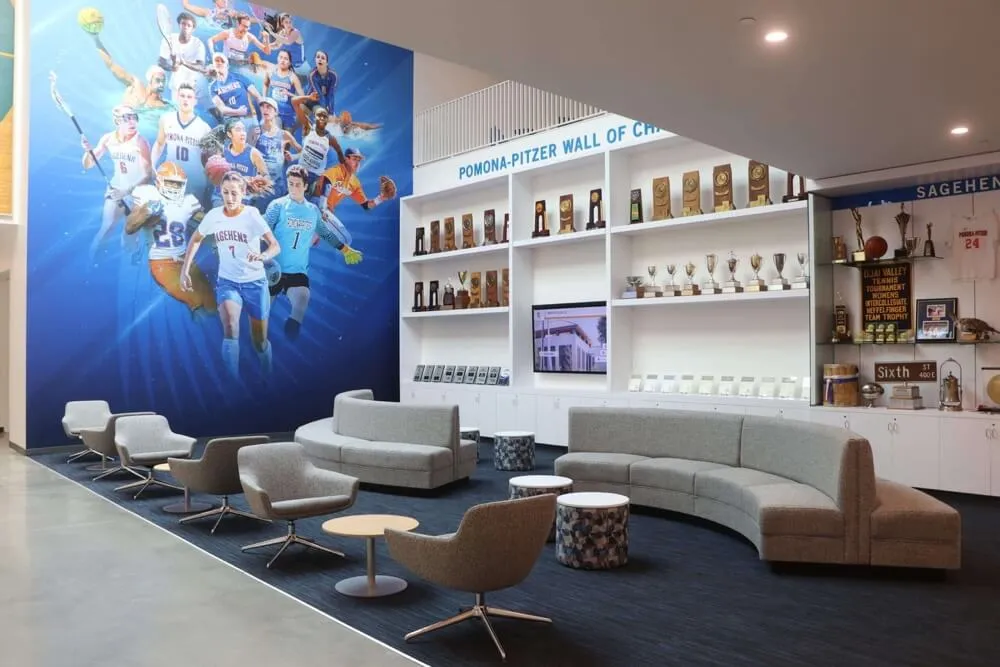
Physical Installation: Mount hardware securely with professional cable management, configure network connectivity, test all systems thoroughly, and train staff on basic operation and troubleshooting.
Soft Launch Testing: Before public unveiling, invite select groups to preview displays and provide feedback about functionality, content quality, and user experience. Address identified issues before formal announcement.
Public Launch Event: Coordinate unveiling with significant occasions—season openers, alumni weekends, or special ceremonies. Launch events generate media coverage and community excitement establishing recognition importance.
Ongoing Management Protocols: Establish clear procedures for content updates, technical maintenance, usage monitoring, and continuous improvement based on analytics and feedback.
College and High School Football Programs: Bringing NFL-Quality Recognition to All Levels
While most organizations cannot match the Pro Football Hall of Fame’s budget and scale, modern technology makes sophisticated recognition accessible for programs at all levels wanting to celebrate their own football icons.
High School Football Recognition
High schools with strong football traditions increasingly implement interactive displays honoring state champions, college signees, record holders, and distinguished alumni who played professionally. These systems inspire current players while building community pride around program excellence.
Digital recognition addresses persistent challenges facing high school programs:
Space Limitations: Physical plaques and trophies consume finite space, forcing difficult decisions about what receives recognition as history accumulates. Digital systems accommodate unlimited profiles without expansion requiring expensive facility modifications.
Budget Constraints: While initial digital investment exceeds basic plaques, long-term costs favor digital approaches. Adding new recognition requires only content development rather than manufacturing and installing physical displays costing $100-300 per inductee.
Content Depth: Traditional plaques list names and years with minimal context. Digital profiles include comprehensive statistics, career highlights, photos from playing days, current occupation information, and advice for current players—storytelling impossible with static displays.
Accessibility: Web integration allows alumni anywhere to view recognition, families to share achievements across social networks, and prospective students researching programs during recruitment.
College Football Programs
University programs leverage recognition displays across multiple purposes:
Recruiting Tools: During campus visits, prospects seeing comprehensive documentation of players who competed collegiately before successful professional careers understand program quality and development capabilities. Recognition demonstrates that choosing this university positions athletes for potential NFL futures.
Athletic Walls of Honor: Comprehensive recognition celebrating not just NFL-bound stars but all athletes who distinguished themselves through achievement, leadership, or character. Multi-tier recognition ensures everyone receives appropriate honor while maintaining special distinction for exceptional accomplishment.
Historical Documentation: Universities with century-plus football histories preserve institutional legacy through comprehensive digital archives documenting program evolution across eras, coaching tenures, conference affiliations, and playing styles.
Fundraising Integration: Recognition displays create compelling donor recognition opportunities. Alumni who played football often contribute generously to programs honoring athletic achievement and supporting current student-athletes.

Beyond Traditional Halls of Fame: Innovative Recognition Applications
Interactive display technology enables recognition applications extending beyond traditional hall of fame concepts.
Interactive Statistical Leaders Boards
Rather than static record boards requiring physical updates when records fall, dynamic digital systems automatically highlight current record holders while preserving historical context. Visitors can:
- Compare statistics across eras adjusting for rule changes and season length differences
- Filter by position or category focusing on specific achievements
- View progression over time understanding how records evolved
- Access complete context learning about games where records were set and circumstances surrounding achievements
Interactive record boards transform utilitarian statistical documentation into engaging exploration encouraging extended visitor interaction.
Championship Season Showcases
Hall of achievement displays can focus on specific championship seasons, providing complete documentation including:
- Full roster profiles for every player and coach contributing to championships
- Game-by-game results with scoring summaries and key statistics
- Playoff runs documented comprehensively from qualification through final victory
- Media coverage including contemporary newspaper articles and broadcast clips
- Personal reflections from participants sharing memories decades later
This comprehensive approach ensures championship stories receive recognition matching their significance rather than being reduced to single trophy and team photo.
Multi-Sport Recognition Integration
Many athletic programs seek comprehensive recognition across all sports rather than football-only displays. Modern platforms accommodate this through:
Unified Interface Design: Consistent navigation and presentation across sports maintains familiarity while allowing sport-specific content structures recognizing that football, basketball, and track require different statistical emphases.
Cross-Sport Search: Visitors can discover multi-sport athletes who competed in football and other programs, understanding complete athletic contributions rather than isolated single-sport participation.
Balanced Visibility: Rotating featured content ensures all sports receive appropriate promotion rather than major sports dominating minor programs despite equivalent achievement quality.
Engaging Younger Audiences: Social Media Integration and Mobile Access
Modern recognition systems must engage digital-native audiences expecting seamless cross-platform experiences rather than isolated physical displays.

Social Sharing Features
Built-in social media integration amplifies recognition reach exponentially:
- One-click sharing of individual profiles to Facebook, Twitter, Instagram, or LinkedIn
- QR code generation linking physical displays to specific online content
- Custom graphics automatically created for social posts maintaining brand consistency
- Hashtag integration tracking social media engagement and viral spread
When alumni share their recognition with personal networks, institutional visibility extends far beyond physical campus boundaries while facilitating reconnection among former teammates who lost touch over years or decades.
Mobile Companion Apps
Smartphone apps complement physical displays through:
Advanced Search: More sophisticated filtering and discovery than touchscreen interfaces accommodate Offline Access: Downloaded content viewable without network connectivity during facility tours Personal Collections: Users can favorite specific profiles creating custom collections Notification Systems: Alerts when new inductees from users’ eras or positions receive recognition Location Services: Context-aware content highlighting nearby displays or relevant historical locations
Mobile integration ensures recognition remains accessible beyond physical viewing hours and facility access limitations.
Web Platforms Extending Access Globally
Online hall of fame websites make recognition accessible worldwide, allowing:
- Alumni residing anywhere to explore recognition and share with families and professional networks
- Recruits researching programs to investigate tradition and player development before campus visits
- Media researching stories to access comprehensive biographical and statistical information
- Donors considering contributions to understand program impact and excellence
Web accessibility transforms recognition from local physical display into global engagement platform multiplying impact while requiring minimal incremental investment beyond initial content development.
Technical Specifications and Vendor Selection
For organizations evaluating recognition display systems, understanding key technical specifications and vendor selection criteria helps make informed decisions.
Hardware Considerations
Display Technology: LED-backlit LCD panels offering optimal brightness, color accuracy, and reliability. Avoid consumer-grade televisions lacking commercial durability ratings.
Touch Technology: Projected capacitive touchscreens (PCAP) providing smartphone-like responsiveness supporting multi-touch gestures. Older resistive touchscreens require pressure and lack modern interface fluidity.
Computer Systems: Embedded Android players for basic applications or Windows mini-PCs for advanced functionality. Cloud-based systems minimize local hardware requirements and simplify updates.
Mounting Options: Wall-mounted installations saving floor space, freestanding kiosks providing 360-degree visibility, or custom enclosures integrating with architectural elements.
Network Connectivity: Hardwired Ethernet providing most reliable connectivity, or enterprise WiFi when cabling proves impractical. Avoid consumer WiFi networks lacking sufficient bandwidth and reliability.
Software Capabilities
Content Management: Intuitive interfaces enabling non-technical staff to add content, modify existing profiles, upload media, and publish updates without IT department involvement.
Design Flexibility: Customizable templates accommodating institutional branding, visual identity, and unique content structures rather than rigid generic layouts.
Search and Discovery: Robust search supporting multiple criteria (name, year, position, achievement type, keyword) and intelligent filtering helping visitors find relevant content quickly.
Analytics and Reporting: Usage tracking revealing most-viewed content, popular search terms, session duration, and engagement patterns informing continuous improvement.
Scalability: Architecture supporting growth from dozens to thousands of profiles without performance degradation or platform migration.

Vendor Evaluation Criteria
Industry Experience: Providers with extensive recognition system implementation experience understand common challenges and proven solutions. Generic digital signage companies often lack sport-specific expertise.
Support Quality: Responsive technical support during critical times (game days, special events), comprehensive training for administrators, and proactive communication about updates and enhancements.
Long-Term Viability: Established companies with sustainable business models and extensive client bases provide better assurance of long-term platform support and continuous improvement.
Reference Quality: Successful implementations at comparable institutions provide valuable insight into vendor capabilities, support quality, and product reliability.
Rocket Alumni Solutions has implemented recognition systems across high schools, colleges, universities, and sports organizations nationwide. This extensive experience provides proven templates, reliable technology, responsive support, and continuous platform improvements benefiting all clients.
Measuring Success: Analytics and Impact Assessment
Effective recognition programs track metrics demonstrating value while identifying improvement opportunities.
Engagement Metrics
For digital displays with analytics capabilities, track:
Daily Interaction Counts: Total sessions and unique visitors revealing usage patterns and traffic variations across days, weeks, and seasons.
Session Duration: Average time visitors spend exploring content indicating engagement depth. Longer sessions suggest compelling content driving extended exploration.
Most-Viewed Content: Popular profiles, categories, or media types revealing visitor interests and content preferences guiding future development priorities.
Search Query Analysis: Common search terms showing how visitors discover content and what information they seek most frequently.
Peak Usage Times: Traffic patterns revealing when displays receive most attention informing content updates and promotional timing.
Qualitative Impact
Beyond quantitative data, assess broader influence through:
Stakeholder Feedback: Surveys and interviews gathering reactions from visitors, honored athletes, current team members, and institutional leadership about recognition program impact.
Recruitment Influence: Tracking whether prospects mention displays during visits, exit surveys assessing facility impressions, and monitoring commitment patterns before and after implementation.
Alumni Engagement Changes: Measuring giving participation rates, event attendance, volunteer involvement, and communication responsiveness comparing periods before and after recognition program launch.
Media Coverage: Documenting press mentions, social media engagement, and community visibility attributable to recognition displays and special events.
Community Pride Indicators: Assessing broader community sentiment about athletic programs through surveys, social media analysis, and public feedback channels.
Future Trends in Sports Recognition Technology
As technology advances, recognition displays will incorporate emerging capabilities creating even more engaging experiences.
Augmented Reality Integration
AR applications could allow visitors to:
- Point smartphones at displays to access additional content not visible on screens
- See historical moments overlaid on current facility spaces through location-based AR
- Interact with 3D models of championship trophies, uniforms, or equipment
- Trigger video playback by scanning player photos with mobile devices
Artificial Intelligence and Personalization
AI-powered systems might:
- Recommend content based on viewing history and expressed interests
- Generate natural language summaries of player careers or championship seasons
- Translate content automatically into visitors’ preferred languages
- Adapt interface complexity based on user technical proficiency
Virtual Reality Experiences
VR could enable:
- First-person perspectives of legendary plays from player viewpoints
- Virtual facility tours for remote visitors unable to travel to physical locations
- Immersive historical experiences placing users in championship moments
- Training simulations comparing user performance against NFL icons’ actual achievements
Advanced Analytics and Data Visualization
Sophisticated statistical analysis might:
- Compare performance adjusting for era-specific factors and rule changes
- Visualize career trajectories through interactive charts and graphs
- Simulate historical matchups using comprehensive statistical models
- Identify statistical patterns revealing factors contributing to greatness
Budget-Friendly Implementation Strategies
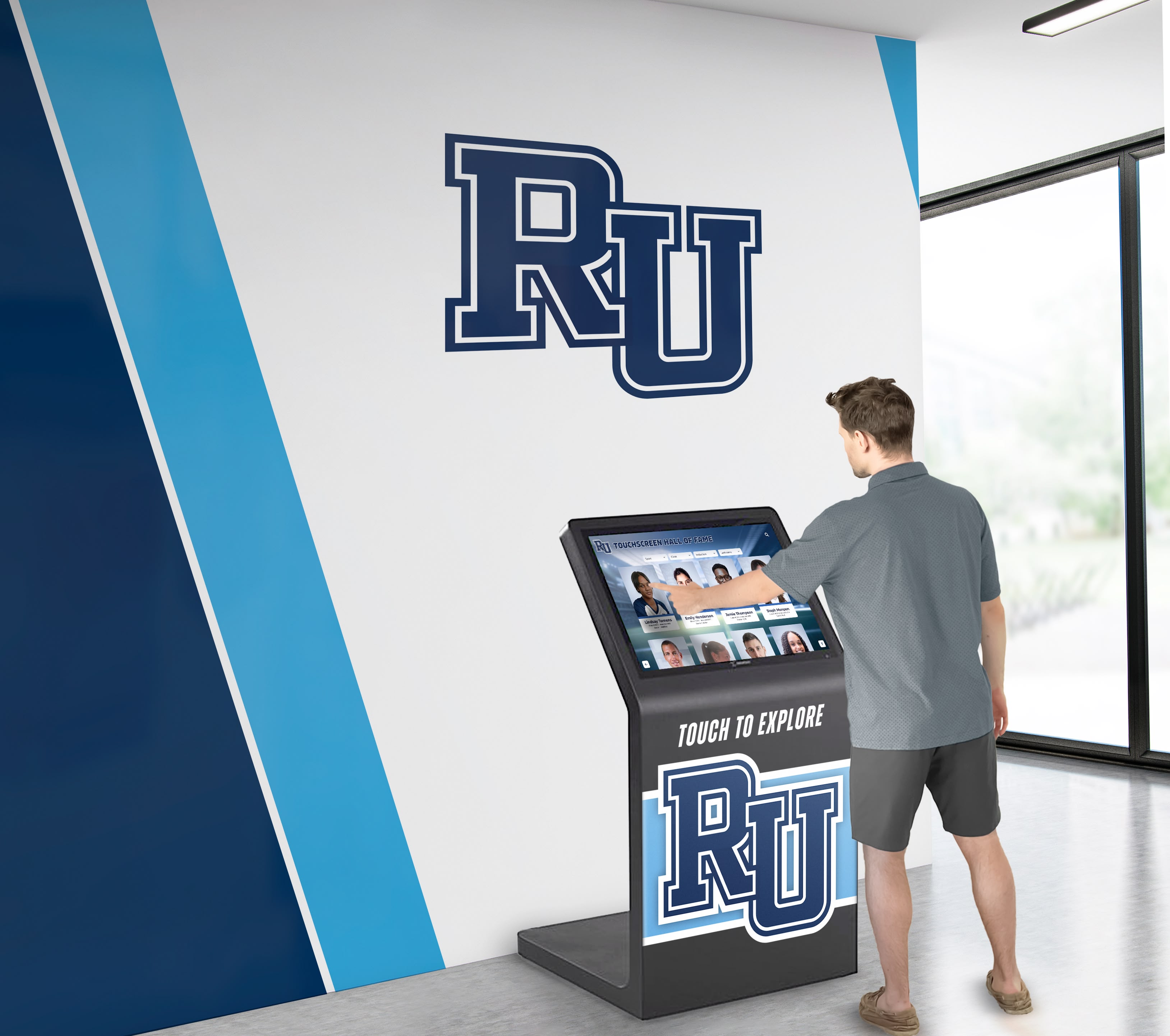
Organizations with limited resources can still create meaningful recognition through strategic approaches.
Phased Implementation
Rather than comprehensive systems immediately, begin with:
Initial Core Installation: Single display with 50-100 most significant profiles establishing foundation and demonstrating value before expansion.
Systematic Growth: Add content annually as budgets permit and value proves itself, gradually building toward comprehensive historical coverage.
Facility Integration: Install additional displays as facilities undergo renovation or expansion, incorporating recognition into broader capital projects.
Content Prioritization
Focus initial development on:
Recent Honorees: Alumni from recent decades for whom substantial content already exists and who maintain active institutional connections.
Highest-Impact Stories: Most distinguished alumni whose achievements provide compelling inspiration and strongest recruitment value.
Documented Achievements: Individuals for whom photographs, statistics, and biographical information are readily available minimizing research requirements.
Hybrid Approaches
Combine traditional and digital elements strategically:
Physical Recognition: Maintain signature plaques for highest-profile honorees satisfying stakeholders valuing traditional permanence.
Digital Expansion: Use interactive displays for comprehensive recognition of broader populations where physical space constraints would otherwise limit inclusion.
Web Integration: Develop robust online presence providing global access without requiring physical hardware beyond existing computer infrastructure.
Common Challenges and Practical Solutions
Organizations implementing NFL icons displays encounter predictable obstacles that proven approaches address effectively.
Limited Historical Content
Challenge: Many programs lack comprehensive photographic documentation, statistical records, or biographical information for historical figures.
Solutions: Conduct systematic archival research through yearbooks, media guides, and newspaper archives. Engage alumni through outreach requesting personal photos and memories. Start with streamlined profiles gradually enhanced as information surfaces. Acknowledge content gaps transparently rather than inventing information.
Technology Intimidation
Challenge: Non-technical staff feel overwhelmed by digital systems fearing inability to manage content updates independently.
Solutions: Select platforms specifically designed for non-technical users with intuitive interfaces. Invest in comprehensive training during implementation. Establish ongoing support relationships with vendors providing responsive assistance. Create clear documentation and procedures for common tasks. Start with simple updates building confidence before complex modifications.
Budget Constraints
Challenge: Recognition programs compete with numerous institutional priorities for finite resources.
Solutions: Frame recognition as investment delivering multiple returns across recruitment, engagement, and pride. Explore alternative funding including alumni donations, corporate sponsorships, and naming opportunities. Implement in phases spreading costs across multiple budget cycles. Demonstrate value through analytics justifying expansion investment.
Content Maintenance
Challenge: Keeping recognition current requires ongoing effort as new achievements occur and additional historical information surfaces.
Solutions: Establish clear responsibilities for regular updates as part of specific staff roles. Create annual review cycles systematically evaluating content currency and accuracy. Leverage content contributions from honored alumni and families reducing institutional research burden. Prioritize updates based on engagement analytics focusing effort on high-impact content.
Conclusion: Honoring NFL Icons Through Technology and Tradition
Interactive displays represent powerful tools for celebrating NFL icons—whether legendary Hall of Famers in Canton, franchise greats in team facilities, or distinguished alumni in high school and college programs. Modern technology enables recognition that traditional approaches cannot match in scope, depth, engagement, and accessibility while preserving the respect and permanence that honoring excellence demands.
The most successful implementations share common characteristics: clear vision for recognition purposes, thoughtful selection of appropriate technology, investment in compelling content development, strategic placement maximizing visibility, ongoing commitment to maintenance and enhancement, and genuine integration into institutional culture rather than isolated installations.
Whether honoring Tom Brady’s championships, Jim Brown’s dominance, or your own program’s legends, the principles remain consistent—celebrate achievement comprehensively, tell authentic stories, engage modern audiences through their preferred media, and create recognition worthy of the excellence it honors.
Ready to Honor Your Football Legacy?
Rocket Alumni Solutions helps organizations at all levels create compelling recognition displays celebrating football excellence through proven technology and comprehensive support.
Our specialized platform provides football-specific templates, intuitive content management, and extensive multimedia capabilities enabling you to honor NFL icons, college legends, or high school heroes with professional recognition systems designed specifically for athletic achievement.
Schedule a ConsultationFrom the Pro Football Hall of Fame’s state-of-the-art interactive exhibits to high school programs celebrating college signees and state champions, recognition technology has transformed how we honor football excellence. The question isn’t whether interactive displays deliver value—extensive evidence confirms they do—but whether your organization will embrace these tools to celebrate achievement while inspiring future generations.
Ready to explore how modern recognition displays can celebrate your program’s football icons? Discover how solutions like Rocket Alumni Solutions make professional-quality recognition accessible for programs at all levels, delivering unlimited capacity for comprehensive storytelling, instant content updates, powerful search and discovery, engaging multimedia integration, and lasting value across decades of operation.































