Your office lobby communicates organizational values before anyone speaks a word. Visitors form lasting impressions within seconds of entering your space, making lobby design one of your most strategic investments. Whether welcoming prospective students and families to a campus, greeting donors and community members at an institutional facility, or receiving business partners in a corporate setting, your entryway sets expectations for everything that follows.
Organizations increasingly recognize that effective lobby design extends beyond aesthetic appeal. The most successful spaces strategically combine brand identity, wayfinding functionality, recognition elements, and welcoming atmosphere into cohesive environments that engage visitors immediately while communicating professionalism and organizational culture authentically.
This comprehensive guide explores office lobby design ideas proven to create powerful first impressions, from strategic layout planning to interactive technology solutions that transform static entryways into dynamic spaces reflecting institutional excellence.
Successful lobby design requires balancing multiple objectives simultaneously: creating welcoming atmosphere that puts visitors at ease, communicating organizational identity and values visually, providing clear wayfinding and orientation, showcasing achievements and recognition, optimizing space for various visitor types, and ensuring accessibility for all users.
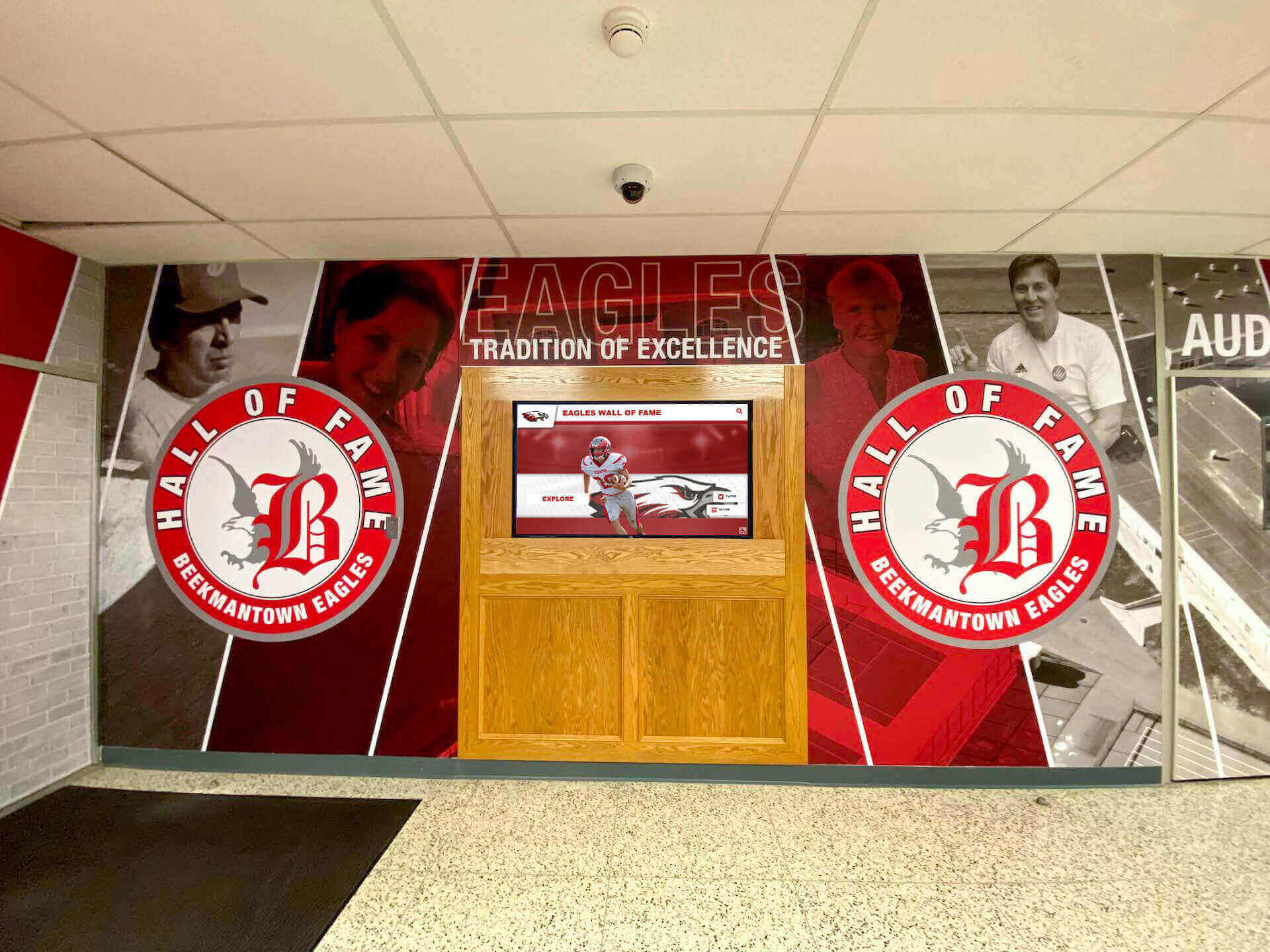
Well-designed lobbies strategically combine brand elements, recognition displays, and welcoming atmosphere
Essential Lobby Design Principles
Before exploring specific design elements, understanding foundational principles helps organizations make strategic decisions that maximize impact within budget constraints while creating spaces that remain effective across years.
First Impression Psychology
Research demonstrates that first impressions form within seven seconds of entry. During those critical moments, visitors subconsciously assess professionalism, trustworthiness, and organizational capability based entirely on visual and spatial cues.
Key Impression Factors:
Visual Coherence and Organization Cohesive design language throughout the lobby signals operational competence and attention to detail. Mismatched elements, inconsistent quality levels, or cluttered arrangements trigger subconscious concerns about organizational effectiveness regardless of actual capabilities.
Quality and Maintenance Standards Visible maintenance issues, dated materials, or worn furnishings communicate budget constraints or priorities not aligned with excellence. Premium materials and meticulous upkeep demonstrate commitment to quality that visitors extrapolate to organizational operations broadly.
Brand Alignment and Identity Lobby design should authentically reflect organizational character. Spaces feeling generic or disconnected from institutional identity create confusion about values and priorities, while authentic environments immediately orient visitors to organizational culture.
Spatial Planning and Flow Intuitive layouts reducing visitor confusion signal organizational thoughtfulness and user-centered thinking. Confusing spaces requiring extensive signage or staff direction suggest operational complexity visitors may associate with institutional interactions generally.
The most effective lobby designs address these impression factors systematically through strategic choices in layout, materials, technology, and content rather than leaving first impressions to chance.
Strategic Space Planning and Layout
Effective lobby design begins with intentional space planning that accommodates functional requirements while creating welcoming atmosphere and clear circulation patterns.
Reception and Check-In Areas
Reception areas anchor most lobby designs, requiring strategic positioning and appropriate scale for visitor volumes.
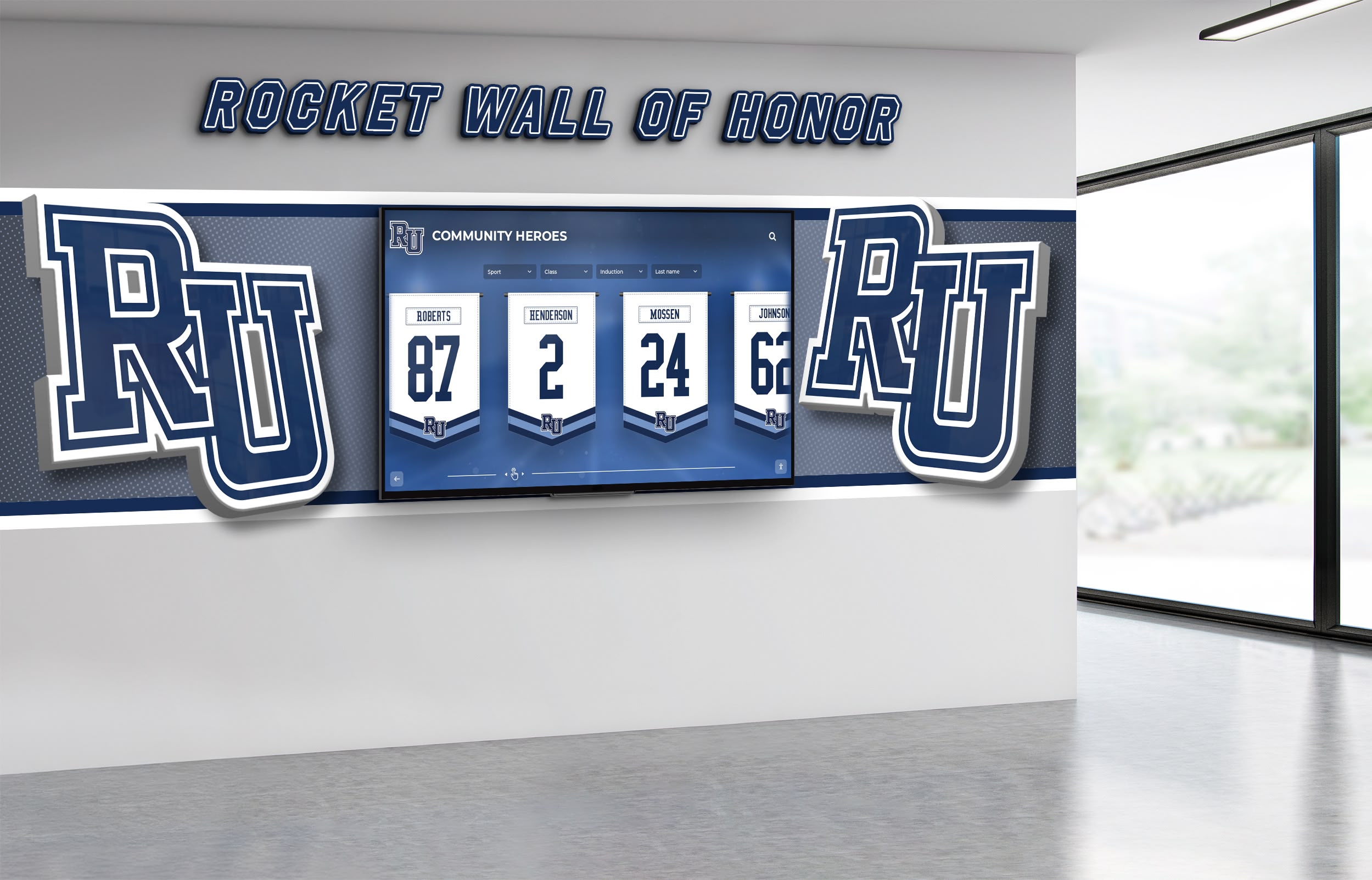
Reception areas benefit from adjacent recognition elements that engage waiting visitors
Reception Positioning Strategies:
Position reception desks where staff can greet entering visitors immediately while maintaining sight lines to all entry points. Central placement enables staff to assist visitors from multiple entrance points while monitoring overall lobby activity effectively.
Design reception areas at appropriate scale for typical visitor volumes without creating barriers that feel institutional or unwelcoming. Lower, more open reception configurations create approachable atmosphere while maintaining necessary functional workspace.
Incorporate adjacent waiting areas with comfortable seating positioned to allow natural conversation with reception staff. Waiting visitors should feel accommodated rather than dismissed, with thoughtful amenities like charging stations, reading materials, or engaging displays reducing perceived wait times.
Consider traffic flow patterns ensuring visitors approaching reception don’t create congestion blocking lobby circulation or preventing other visitors from accessing amenities or wayfinding elements.
Wayfinding and Navigation Elements
Even well-designed lobbies require clear wayfinding helping visitors navigate confidently without staff assistance for routine destinations.
Effective Wayfinding Approaches:
Visual Hierarchy and Signage Implement consistent signage systems using institutional brand standards with information organized by visitor priority. Primary destinations should be immediately visible while secondary information remains accessible without cluttering sight lines.
Intuitive Layout Logic Organize spaces following natural patterns visitors expect. Elevator banks near building cores, restrooms clearly marked near entries, and primary destinations visible from entry points reduce navigation confusion inherently.
Digital Directory Systems Interactive touchscreen directories enable comprehensive building information without physical signage overwhelming lobby aesthetics. Touchscreen kiosk solutions can incorporate maps, directories, event calendars, and recognition content through single installations.
Clear Sight Lines Maintain unobstructed views to major destinations from entry points when possible. Visual confirmation of destinations reduces anxiety and decision paralysis visitors experience in unfamiliar environments.
Effective wayfinding operates at both conscious and subconscious levels—visitors should reach destinations without consciously processing extensive directional information.
Waiting and Engagement Zones
Most lobbies require areas where visitors wait for appointments, meetings, or events. These spaces represent opportunities for engagement rather than merely accommodating necessary delays.
Waiting Area Optimization:
Flexible Seating Configurations Provide seating options accommodating different visitor types and group sizes. Individual chairs serve solo visitors, small groupings enable family conversations, and larger arrangements accommodate groups without forcing interaction with strangers.
Strategic Content Placement Position engaging content within natural sight lines from seating areas. Recognition displays, achievement showcases, institutional history presentations, or mission-focused content transforms waiting time into valuable engagement opportunities.
Comfort and Amenities Thoughtful amenities demonstrate visitor consideration: accessible power outlets for device charging, adequate lighting for reading or device use, comfortable temperature control, and acoustic management reducing noise disruption.
Technology Integration Many organizations incorporate digital displays in waiting areas presenting rotating content about programs, achievements, upcoming events, or institutional stories that educate visitors while they wait.
Well-designed waiting areas transform potentially negative experiences into positive engagement opportunities that advance organizational objectives.
Recognition and Achievement Displays
Lobby spaces provide premier locations for showcasing institutional achievements, recognizing contributors, and communicating organizational values through strategic recognition displays.
Digital Recognition Walls and Displays
Modern technology enables recognition solutions that traditional approaches cannot match in capacity, flexibility, and engagement potential.
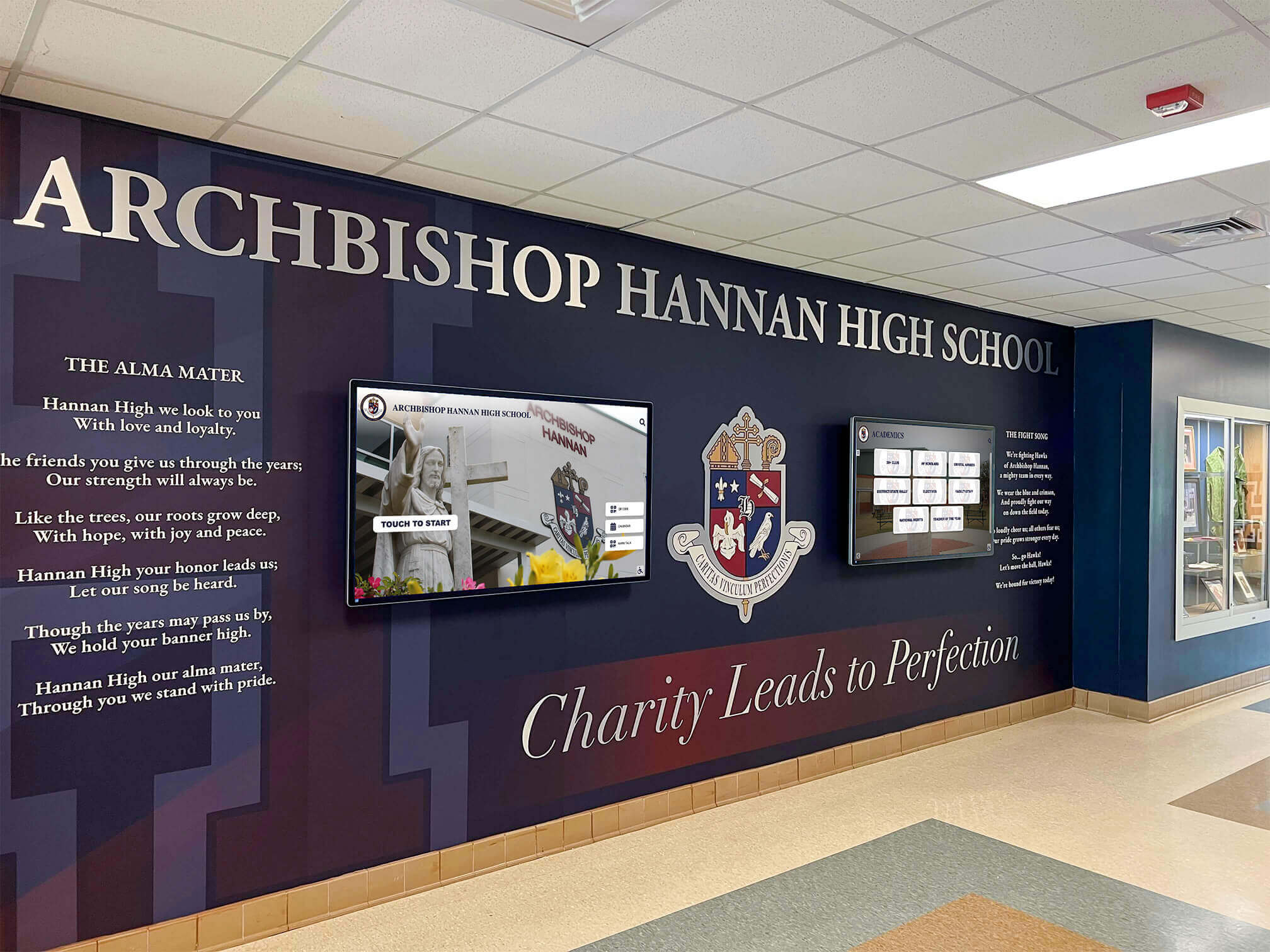
Digital recognition walls integrate seamlessly into professional lobby designs while providing unlimited content capacity
Advantages of Digital Recognition Solutions:
Unlimited Content Capacity Digital systems accommodate comprehensive recognition across all achievement categories without physical space constraints forcing difficult selection decisions. Schools can recognize academic achievements, athletic accomplishments, donor contributions, and alumni success stories through single installations.
Dynamic Content Updates Cloud-based content management enables regular updates without physical modification costs. Add new honorees instantly, rotate featured content seasonally, or update messaging for current events without renovation expenses or staff time installing physical changes.
Rich Multimedia Presentations Digital platforms support high-quality photography, video content, detailed narratives, and interactive elements that static displays cannot provide. Visitors can explore comprehensive achievement stories, browse historical archives, or search for specific individuals through intuitive touchscreen interfaces.
Professional Brand Integration Modern display solutions integrate institutional branding, color schemes, and design language consistently while adapting content to various recognition categories. This consistency reinforces brand identity while maintaining recognition flexibility.
Organizations like educational institutions, athletic facilities, corporate headquarters, and nonprofit organizations increasingly deploy digital recognition solutions as lobby centerpieces that simultaneously honor achievements and create engaging visitor experiences.
Traditional Recognition Elements
While digital solutions offer significant advantages, traditional recognition approaches maintain value when implemented strategically as lobby design components.
Physical Recognition Options:
Donor Recognition Walls Permanent recognition for major contributors through engraved plaques, etched glass, or dimensional lettering creates lasting tributes appropriate for transformational gifts. Many organizations combine permanent physical recognition for top donors with digital displays presenting comprehensive donor rosters across all giving levels.
Trophy Cases and Achievement Showcases Glass-front display cases housing athletic trophies, academic competition awards, or organizational accolades provide tangible achievement evidence. Strategic lighting, professional arrangement, and supporting contextual information maximize visual impact.
Historic Timeline Displays Wall-mounted timeline presentations documenting institutional history create visitor engagement while communicating organizational longevity and evolution. Combining archival photography, milestone narratives, and achievement highlights educates visitors about institutional heritage.
Mission and Values Statements Prominent display of mission statements, core values, or founding principles reinforces organizational identity. Thoughtful typography, quality materials, and strategic placement demonstrate commitment to stated principles rather than treating them as afterthoughts.
The most effective recognition strategies often combine traditional permanent elements for pinnacle achievements with flexible digital systems accommodating comprehensive ongoing recognition programs.
Brand Identity and Environmental Graphics
Lobbies provide opportunities for distinctive brand expression through environmental graphics, architectural elements, and material selections that differentiate institutional identity.
Visual Identity Integration
Consistent brand application throughout lobby environments reinforces organizational identity while creating cohesive professional atmosphere.
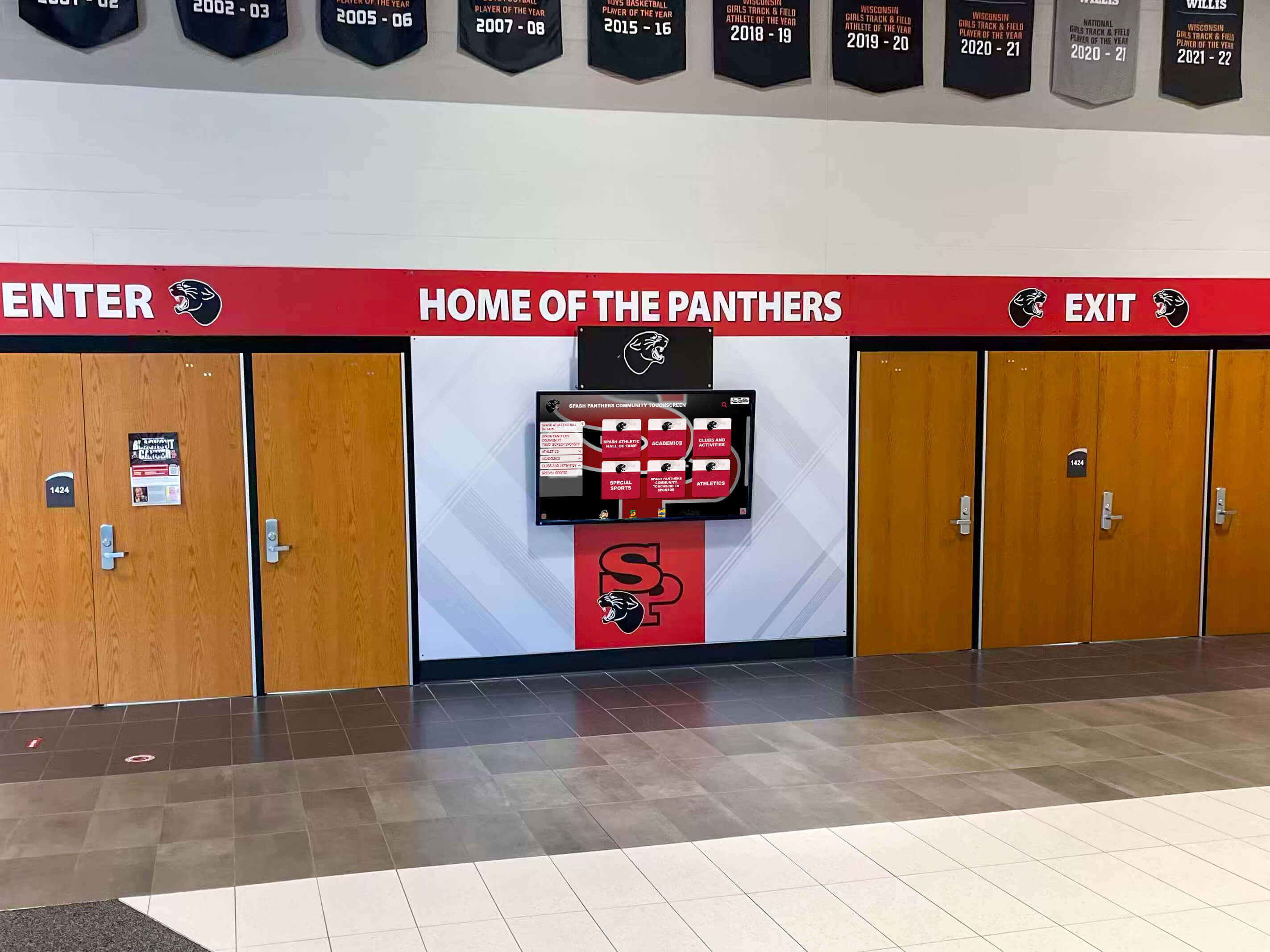
Strategic brand integration creates distinctive lobby environments that communicate institutional character
Brand Expression Strategies:
Color Palette Application Implement institutional color schemes through paint selections, furniture upholstery, flooring materials, accent walls, and graphic elements. Consistent color application creates immediate brand recognition while establishing desired emotional tone.
Architectural Graphics and Murals Custom wall graphics, institutional seals, mascot imagery, or mission-focused murals transform generic architectural spaces into distinctive branded environments. Professional installation and quality materials ensure longevity matching building lifecycles.
Typographic and Messaging Elements Dimensional lettering, vinyl graphics, or etched glass presenting organizational names, mottos, or key messages establish identity immediately upon entry. Typography selections should align with overall brand standards for consistency.
Material and Finish Selections Flooring materials, wall finishes, and furniture selections should reflect brand positioning. Premium materials support upscale positioning while more accessible finishes may align with mission-focused nonprofits emphasizing stewardship values.
Successful brand integration appears cohesive and intentional rather than overwhelming. Restraint and strategic emphasis create more powerful impact than comprehensive coverage of every surface.
Architectural Features and Focal Points
Distinctive architectural elements create memorable lobby experiences while providing natural focal points for visitor attention.
Architectural Design Elements:
Feature Walls Accent walls using distinctive materials—stone, wood, textured panels, or specialty finishes—create natural focal points for branding, recognition displays, or artwork. Feature walls direct visitor attention strategically while adding architectural interest.
Ceiling Design and Lighting Distinctive ceiling treatments, strategic lighting design, or architectural soffits draw eyes upward, increasing perceived space while creating opportunities for dramatic lighting effects highlighting key areas.
Flooring Patterns and Materials Custom flooring incorporating institutional logos, directional patterns guiding traffic flow, or material transitions defining functional zones adds design interest while serving practical wayfinding purposes.
Transparency and Natural Light Glass walls, clerestory windows, or skylights introducing natural light create welcoming atmosphere while reducing energy costs. Visual connection to exterior environments prevents lobbies from feeling enclosed or institutional.
Architectural investments create lasting value through features that remain effective across decades rather than requiring regular updates as trends evolve.
Technology Integration and Interactive Elements
Modern lobby design increasingly incorporates technology enhancing visitor experience, providing information access, and creating engagement opportunities.
Interactive Display Technology
Touchscreen displays transform lobbies from static environments into interactive experiences providing information access while showcasing institutional excellence.
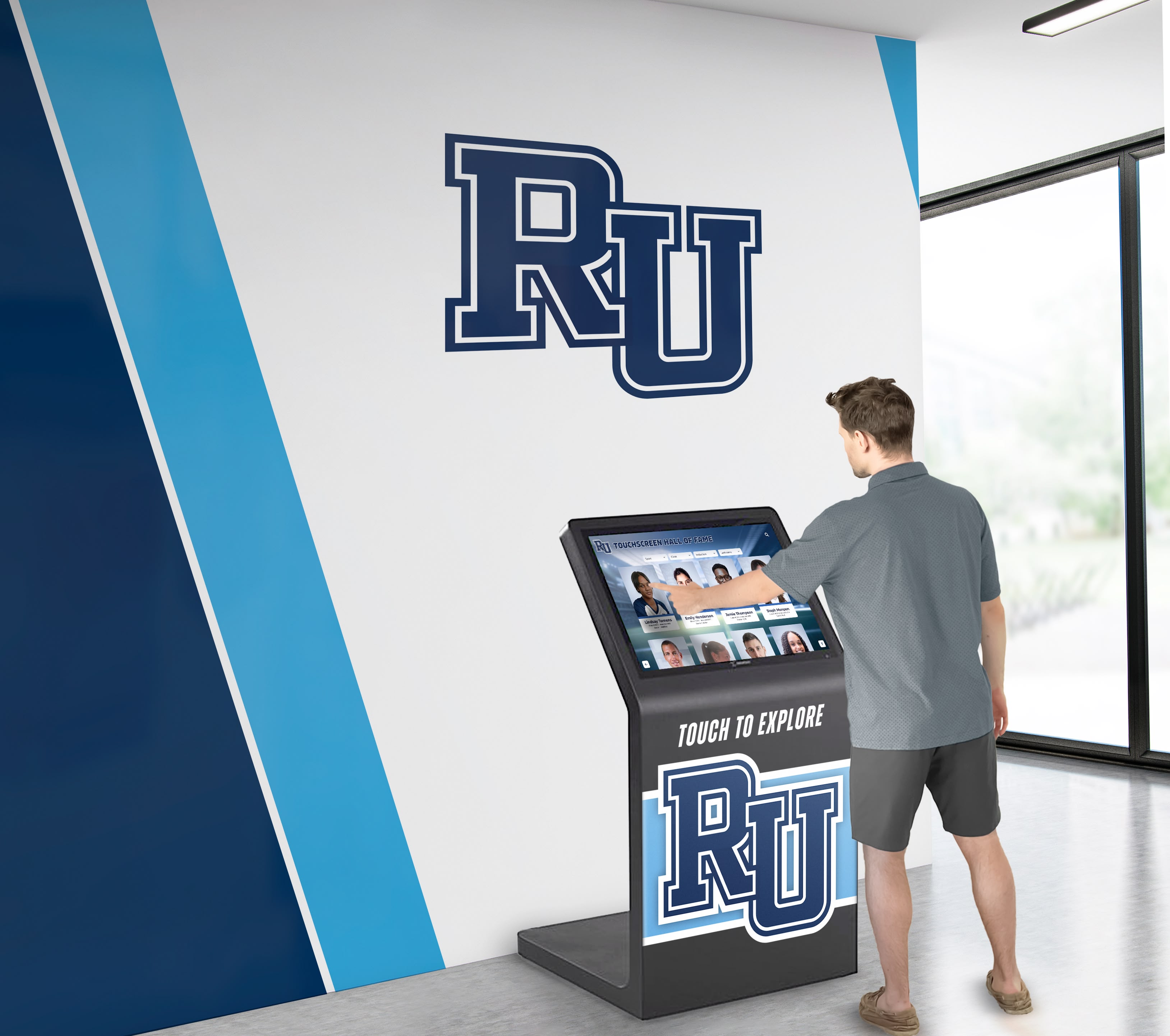
Interactive touchscreen technology enables comprehensive information access through intuitive interfaces
Touchscreen Application Opportunities:
Building Directories and Wayfinding Interactive directories provide comprehensive building information, department locations, staff directories, and navigation assistance through intuitive search and browse interfaces accessible to all visitor types.
Event Calendars and Scheduling Display upcoming events, facility schedules, room availability, or program calendars through automatically-updated content reducing staff time maintaining information currency while ensuring visitor access to current details.
Recognition and Achievement Galleries Digital walls of fame enable comprehensive recognition across unlimited categories—athletic achievements, academic excellence, donor contributions, alumni accomplishments, or employee milestones—through single installations accommodating growing recognition needs indefinitely.
Institutional Information and History Present organizational stories, mission information, program details, historical archives, or achievement showcases through engaging multimedia presentations educating visitors while they wait or explore facilities.
Self-Service Check-In Systems Reduce reception bottlenecks through visitor self-service check-in, appointment confirmation, or badge printing systems streamlining arrival processes while maintaining necessary security protocols.
Organizations implementing interactive technology benefit from secure touchscreen software preventing unauthorized access or content modification while ensuring reliable operation in public environments.
Digital Signage and Communication Displays
Non-interactive digital displays complement touchscreen technology by presenting rotating content, announcements, or brand messaging throughout lobby environments.
Digital Signage Applications:
Welcome Messages and Announcements Greet visitors with personalized welcome messages, daily announcements, upcoming event promotions, or emergency notifications updated centrally across distributed display networks.
Social Media Integration Showcase institutional social media feeds, event photography, or user-generated content creating dynamic lobby atmosphere reflecting current organizational activity and community engagement.
Wayfinding and Directional Information Display arrival information, daily event schedules with room assignments, or department directories through large-format screens visible throughout lobby spaces.
Achievement Highlights and Recognition Rotate featured recognition content highlighting recent achievements, upcoming events, or organizational milestones through visually engaging presentations updated remotely.
Combined interactive and passive display strategies create comprehensive lobby communication systems reducing staff burden while improving visitor information access.
Accessibility and Universal Design
Professional lobbies must accommodate all visitors regardless of mobility, vision, hearing, or cognitive differences. Universal design principles benefit everyone while ensuring legal compliance and ethical inclusion.
Physical Accessibility Requirements
Building codes establish minimum accessibility standards, but exceptional lobby design exceeds minimums creating genuinely welcoming environments for all users.
Critical Accessibility Considerations:
Circulation and Maneuvering Maintain clear paths of travel at least 36 inches wide accommodating wheelchairs, walkers, or other mobility devices. Design circulation routes without tight turns, level changes, or obstacles requiring navigation around fixed elements.
Reception Counter Accessibility Provide lowered reception counter sections no higher than 34 inches enabling wheelchair users to conduct business comfortably. Ensure adequate knee clearance beneath counters and clear floor space for approach.
Seating Options Include seating at various heights—standard chairs, raised seating for those with difficulty standing from low positions, and open areas accommodating wheelchairs within conversation groupings rather than isolated locations.
Automatic Door Operation Install automatic door openers at all entry points eliminating barriers for users with limited hand strength, those carrying items, or individuals using mobility devices.
Tactile and Visual Wayfinding Supplement visual signage with tactile elements including raised lettering, Braille translations, and high contrast color schemes enabling navigation for visitors with vision impairments.
Technology Accessibility Features
Interactive technology must serve all users through thoughtful accessibility implementation rather than treating it as afterthought compliance.
Digital Accessibility Requirements:
Mounting Height Considerations Install touchscreen displays at heights accommodating both standing users and wheelchair users, typically with screen centers between 40-48 inches from floor level enabling comfortable reach for diverse users.
Audio Description Options Provide audio output options describing screen content for visitors with vision impairments while ensuring audio privacy through headphone jacks rather than forcing public listening.
Alternative Input Methods Support multiple interaction modes beyond touch including voice commands, physical buttons for essential functions, or mobile device integration enabling personal device control for users unable to use touchscreens.
Clear Typography and Contrast Design interfaces using large, readable typography with high contrast ratios ensuring visibility for users with low vision. Avoid color as sole information indicator accommodating color blindness variations.
Simplified Navigation Implement intuitive navigation patterns with clear labels, logical organization, and forgiving error recovery enabling successful use by visitors with varying technical comfort and cognitive abilities.
Universal design creates better experiences for everyone—parents carrying children, visitors carrying packages, elderly users, or temporarily injured individuals—while ensuring equal access for users with permanent disabilities.
Maintenance and Longevity Planning
Effective lobby design considers long-term maintenance requirements and update flexibility ensuring spaces remain impressive across years without excessive ongoing costs.
Material Selection for Durability
High-traffic lobbies demand material selections balancing aesthetic appeal with practical durability under constant use.
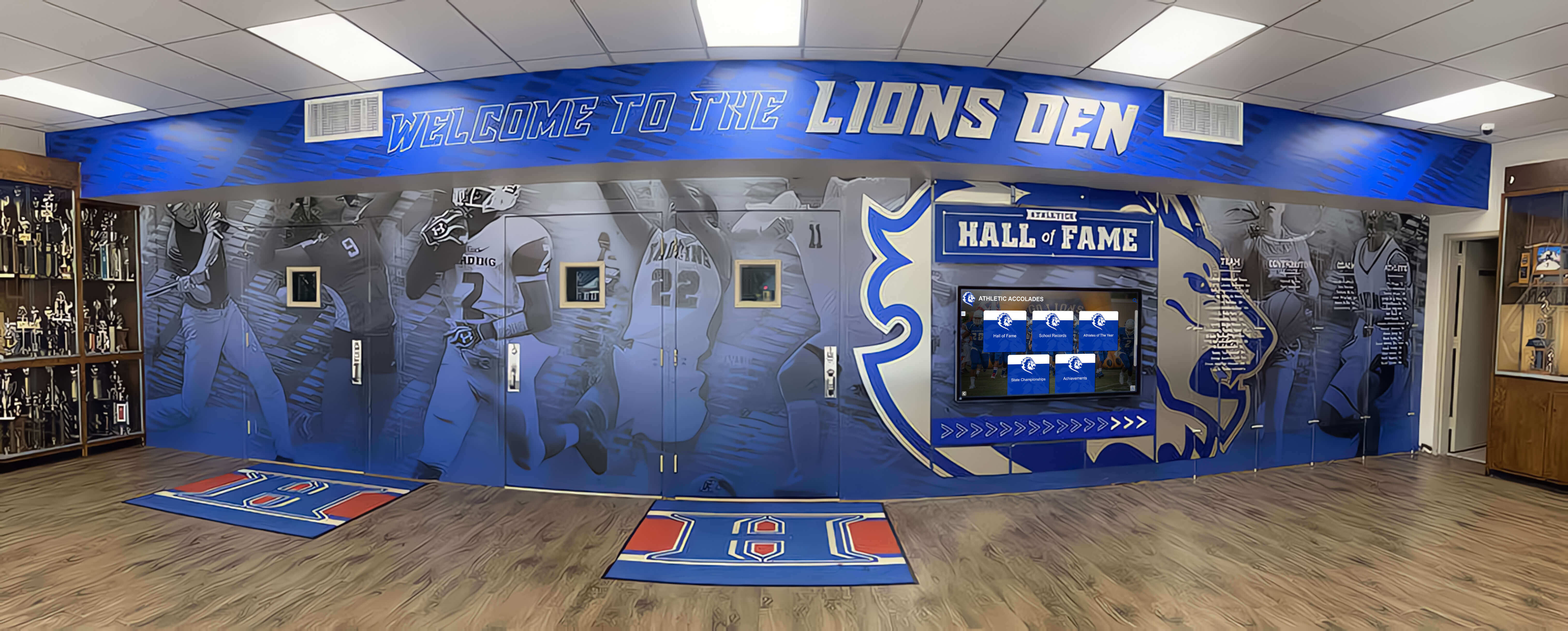
Strategic material selection ensures lobby designs maintain professional appearance across years of heavy use
Durable Material Strategies:
Flooring Selections Specify commercial-grade flooring materials engineered for heavy traffic including polished concrete, commercial tile, or high-performance vinyl plank systems. Residential-grade materials deteriorate quickly under institutional traffic volumes.
Wall Surface Treatments Select paint formulations or wall coverings designed for commercial applications with cleanability and impact resistance. High-traffic areas benefit from more durable materials like fabric-backed vinyl or rigid panels protecting wall surfaces.
Furniture Specifications Invest in contract-grade furniture designed for continuous institutional use rather than residential pieces appearing similar but lacking construction quality for sustained heavy use. Commercial furniture withstands decades of use while residential pieces fail within years.
Finish Maintenance Considerations Prefer finishes that age gracefully or can be refinished rather than materials showing every scratch or mark. Wood finishes, metal patinas, or textured materials hide minor wear while glossy surfaces or solid colors highlight every imperfection.
Initial investment in quality materials proves economical across typical 15-20 year lobby lifecycles compared to repeated replacement of inadequate materials.
Technology Lifecycle Management
Lobby technology requires planning for inevitable updates as capabilities advance and equipment reaches end-of-life.
Technology Planning Considerations:
Modular Infrastructure Design electrical, data, and mounting systems accommodating equipment updates without architectural renovation. Accessible conduit, generous power capacity, and standardized mounting systems enable display replacements without construction projects.
Content Management Flexibility Implement content management systems enabling internal staff updates without vendor dependency for routine changes. Cloud-based platforms with intuitive interfaces reduce ongoing costs while enabling timely content currency.
Scalability and Expansion Plan infrastructure supporting potential future display additions or technology enhancements as budgets allow or needs evolve. Installing excess conduit and power capacity during initial construction costs minimally compared to later retrofits.
Vendor Sustainability Select technology partners with established track records and long-term viability. Proprietary systems from unstable vendors create orphaned installations when companies cease operation.
Organizations deploying comprehensive recognition solutions benefit from vendors offering subscription models including ongoing support, content updates, and eventual equipment upgrades ensuring long-term value.
Budget Optimization Strategies
Effective lobby design achieves maximum impact within budget constraints through strategic prioritization and phased implementation rather than comprehensive approaches exceeding available resources.
High-Impact Investment Priorities
Limited budgets require focusing resources on elements delivering greatest impression impact rather than spreading funds across too many mediocre implementations.
Strategic Budget Allocation:
Entry Sight Lines Prioritize improvements visible from primary entry points where first impressions form. Areas visible upon entry deserve premium investment while spaces discovered later can utilize more economical solutions.
Focal Point Concentration Invest in one exceptional focal element—striking architectural feature, premium recognition display, or distinctive artwork—rather than multiple adequate installations. Memorable single elements create stronger impressions than numerous forgettable additions.
Foundation Quality Ensure foundational elements like flooring, lighting, and paint represent professional quality even if budget constraints limit additional enhancements. Poor foundations undermine expensive decorative additions.
Functional Essentials First Address necessary functional elements—adequate seating, clear wayfinding, accessible features—before decorative enhancements. Beautiful lobbies failing functional requirements frustrate visitors regardless of aesthetic appeal.
Technology ROI Analysis Evaluate technology investments considering both initial costs and ongoing value. Digital recognition displays with higher upfront costs but unlimited capacity and update flexibility often prove more economical than physical solutions requiring expensive modifications for changes.
Strategic prioritization enables professional results within realistic budgets rather than overextending resources attempting comprehensive implementations.
Phased Implementation Approaches
Organizations can implement lobby improvements incrementally, spreading costs across budget cycles while maintaining cohesive design direction.
Phased Development Strategies:
Master Plan Development Create comprehensive design vision even if budget requires multi-year implementation. Master planning ensures phases work together cohesively rather than creating disconnected improvements as individual budgets allow.
Infrastructure-First Approach Complete infrastructure improvements—electrical capacity, data cabling, lighting systems, or architectural modifications—before finished elements. Infrastructure retrofits after completion cost significantly more than installation during initial phases.
Modular Component Selection Choose recognition systems, furniture collections, or technology platforms supporting incremental expansion. Add display capacity, seating, or features over time without replacing initial investments.
Fundraising Integration Many organizations fund lobby improvements through donor campaigns, offering recognition opportunities for contributors. Donor recognition displays serve dual purposes acknowledging contributors while creating lobby focal points.
Phased approaches enable professional results achievable within annual budget cycles while working toward comprehensive long-term visions.
Measuring Lobby Effectiveness
Professional lobby design should create measurable improvements in visitor experience, brand perception, and organizational objectives rather than representing purely aesthetic investments.
Visitor Experience Metrics
Systematic measurement helps organizations understand lobby effectiveness and identify opportunities for optimization.
Key Experience Indicators:
Wayfinding Success Rates Monitor how frequently visitors require staff assistance finding destinations. Reduced directional questions indicate effective wayfinding design while persistent confusion suggests needed improvements.
Check-In Efficiency Track visitor processing times and reception area congestion. Efficient check-in processes reduce wait times and staff workload while improving visitor satisfaction.
Engagement Duration Observe how long visitors engage with recognition displays, information kiosks, or other interactive elements. Higher engagement indicates compelling content and intuitive design.
Accessibility Accommodation Document requests for accessibility assistance or accommodations. Frequent requests suggest design improvements needed for universal access.
First Impression Surveys Systematically survey visitors about initial impressions, wayfinding clarity, and overall experience. Structured feedback identifies strengths and improvement opportunities not apparent to staff familiar with spaces.
Regular measurement enables continuous improvement rather than assuming initial designs remain optimal as organizational needs or visitor expectations evolve.
Transform Your Lobby into a Strategic Asset
Effective office lobby design represents strategic investment in organizational success rather than optional aesthetic enhancement. Your lobby communicates values, honors achievements, guides visitors, and creates lasting impressions that influence perceptions across all subsequent interactions.
The most successful organizations approach lobby design systematically, balancing aesthetic appeal with functional requirements while incorporating recognition elements that engage visitors and communicate institutional excellence. Modern solutions like interactive recognition displays enable comprehensive approaches impossible with traditional methods while providing flexibility accommodating evolving needs across decades.
Whether planning new construction, renovating existing spaces, or optimizing current lobbies, strategic design transforms entryways from passive waiting areas into active engagement opportunities advancing organizational objectives while creating welcoming, accessible, professional environments serving all visitors effectively.
Create a Lobby That Reflects Your Excellence
Ready to transform your lobby into a space that makes powerful first impressions while showcasing your achievements comprehensively? Rocket Alumni Solutions specializes in interactive recognition displays that serve as compelling lobby focal points while honoring unlimited achievements across all categories.
Our TouchWall solutions integrate seamlessly into professional lobby designs, providing comprehensive recognition capacity, intuitive touchscreen interfaces, secure cloud-based content management, and ADA-compliant accessibility—all through elegant installations that enhance rather than overwhelm your space.
Schedule a consultation to explore how interactive recognition technology can transform your lobby into a strategic asset that engages visitors, communicates excellence, and creates lasting positive impressions.































