For decades, schools have accumulated thousands of precious photographs documenting generations of students, teachers, athletic achievements, performances, and milestone events. These old school photos—stored in dusty yearbooks, fading composite frames, forgotten filing cabinets, and deteriorating print collections—represent invaluable institutional memory. Yet most of this historical treasure remains inaccessible, hidden away where current students can’t discover it, alumni can’t revisit it, and the broader community can’t appreciate the rich heritage these images represent.
Modern digital display technology offers schools a transformative solution: converting old school photos into searchable, interactive digital archives that can be showcased on touchscreen displays, shared online, and preserved for future generations. This comprehensive guide explores everything schools need to know about digitizing historical photo collections and creating engaging digital displays that bring decades of memories back to life.
Schools implementing old school photos digital displays discover multiple benefits beyond simple preservation. Historical photos become discoverable through interactive touchscreen systems where visitors can search by name, year, or category. Alumni reconnect with their school years through accessible online archives. Current students gain appreciation for institutional traditions by exploring decades of history. Marketing teams access authentic content for communications. And perhaps most importantly, fragile historical materials are preserved digitally before they deteriorate beyond recovery.
Solutions like Rocket Alumni Solutions provide purpose-built platforms specifically designed for schools looking to digitize old photos and create interactive displays that honor institutional history while engaging modern audiences through intuitive technology.
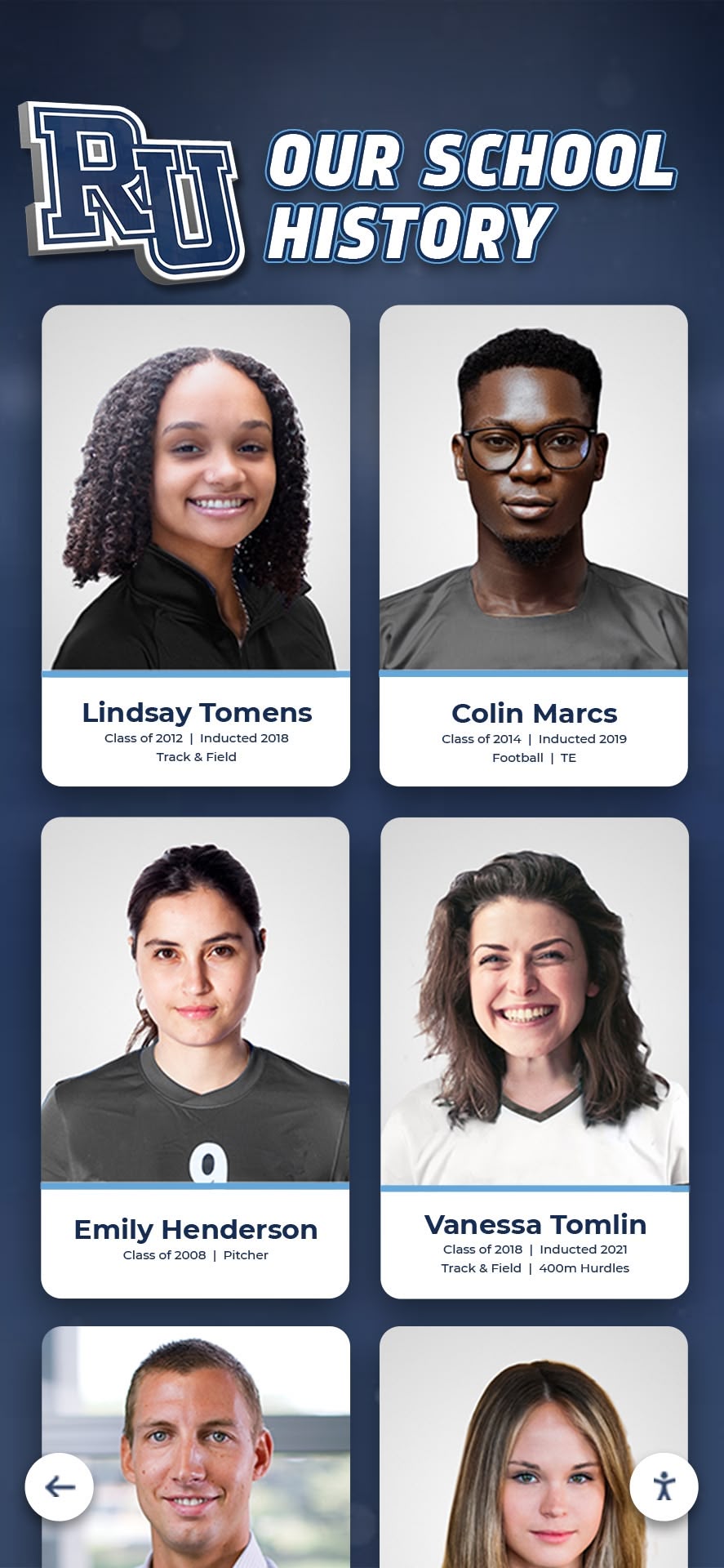
Interactive touchscreen displays transform old school photos from forgotten archives into engaging discovery experiences
Why Schools Should Digitize and Display Old Photos
Before investing time and resources into digitization projects, understanding the compelling reasons for bringing old school photos into the digital age helps build support and prioritize efforts.
Preservation of Deteriorating Historical Materials
Physical photographs inevitably deteriorate over time. Printed photos fade from light exposure and chemical degradation. Yearbook pages yellow and become brittle. Composite frames gather dust while mounting adhesives fail. Negatives stored in less-than-ideal conditions deteriorate beyond recovery. Without proactive digitization, schools risk losing irreplaceable historical documentation as materials degrade past the point where quality reproduction becomes possible.
According to the Library of Congress preservation guidelines, photographs stored in typical conditions can lose 50% of their quality within 50-75 years. Schools with founding decades in the mid-20th century face immediate urgency to digitize before materials become unusable. Digital preservation creates permanent backup ensuring future generations can access historical photos regardless of physical condition.
Making History Accessible to Current Stakeholders
Old school photos locked in storage rooms or displayed only in limited physical spaces serve minimal purpose. Students walk past hallways never knowing their school’s athletic programs won championships decades before they arrived. Alumni return for reunions unable to find photos from their graduating class. Prospective families touring campuses see only recent achievements without appreciating long traditions of excellence.
Digital displays and online archives transform accessibility. A single touchscreen installation in a school lobby can showcase thousands of historical photos from any year. Alumni anywhere in the world can explore their class photos from personal devices. Historical photos integrated into digital recognition displays become living resources rather than forgotten artifacts.
Strengthening Alumni Engagement and Connection
Research consistently demonstrates that nostalgia creates powerful emotional connections. Alumni who can easily access photos from their school years—seeing themselves, their classmates, their teachers, and their activities—feel stronger ties to their alma mater compared to alumni whose historical materials remain inaccessible.
Schools implementing alumni engagement through interactive recognition displays report significant increases in reunion attendance, giving participation, and general involvement. The ability to search for oneself in historical photo archives creates immediate personal relevance that generic institutional communications cannot match.
Engagement Benefits of Digital Photo Archives:
- Alumni spend 5-7 minutes exploring historical photo displays compared to 30 seconds viewing physical composites
- Social sharing of discovered photos extends institutional reach to alumni networks
- Photo-based communications generate 94% higher engagement than text-only content
- Historical photos provide conversation starters bridging generations during campus visits
- Digital archives enable personalized outreach referencing specific years and experiences

Celebrating Institutional Heritage and Traditions
Every school has unique stories, traditions, and defining moments embedded in historical photographs. Championship teams that established athletic programs. Early graduating classes that built foundations. Legendary teachers who shaped generations. Physical expansions that transformed campuses. These heritage elements create institutional identity differentiating schools from competitors.
Digital displays showcasing old school photos make heritage tangible and visible. School history timeline displays integrate historical photos with contextual narratives educating current community members about institutional evolution. Prospective families touring campuses gain appreciation for depth and continuity that recent photos alone cannot convey.
Supporting Marketing and Advancement Efforts
Authentic historical content provides powerful assets for institutional communications. Marketing teams need compelling visuals for anniversary campaigns, historical comparisons demonstrating growth, and nostalgic content for alumni publications. Development offices seek historical connections for major gift prospects and content for campaign materials demonstrating long-term impact.
When old school photos remain scattered in physical archives, communications teams struggle to access them efficiently. Organized digital collections with searchable metadata enable quickly finding relevant historical images for specific purposes. Integration with digital donor recognition displays can pair historical photos with information about supporters who enable continued institutional success.
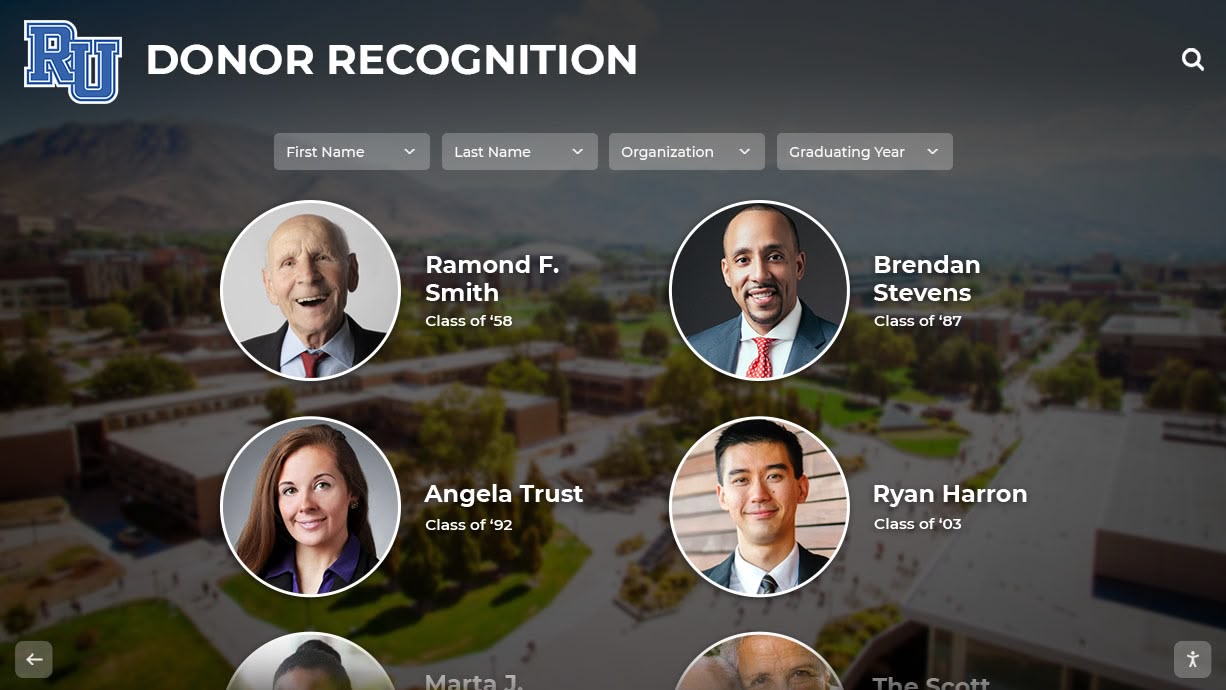
Combining historical and contemporary photos creates compelling narratives about institutional continuity and growth
Planning Your Old School Photo Digitization Project
Successful digitization projects begin with thoughtful planning addressing scope, priorities, resources, and desired outcomes.
Conducting a Comprehensive Photo Inventory
Before digitizing anything, understand exactly what historical photos exist and where they’re currently located:
Physical Photo Sources to Inventory:
- Yearbooks (published annuals containing class composites and candid photos)
- Printed class composite frames displayed on hallway walls
- Athletic trophy cases with team photos and championship documentation
- Administrative archives containing event photos and official documentation
- Faculty collections held by long-tenured staff members
- Photography studio archives from vendors who worked with your school
- Alumni association materials including reunion photos and historical donations
- Historical society or library collections featuring your institution
Digital Photo Sources to Survey:
- Previous digitization efforts that may be incomplete or disorganized
- School website archives containing historical content
- Social media accounts with historical “throwback” posts
- Yearbook publisher digital files from years they worked with your school
- Student information system photo databases from early digital years
- Previous recognition display files from retired systems
Create spreadsheets documenting each photo collection including approximate quantities, date ranges covered, current condition (excellent, good, fair, poor, critical), current location, ownership/copyright status if known, and digitization priority based on condition and value.
This inventory phase typically reveals surprising discoveries—complete decades thought lost, duplicate collections in multiple locations, or significant gaps requiring special efforts to fill.
Establishing Priorities and Phases
Most schools cannot digitize everything simultaneously. Strategic prioritization ensures highest-value content gets addressed first while creating momentum through visible progress:
High Priority Collections:
- Deteriorating materials at risk of permanent loss (critical condition photos)
- Milestone anniversary years approaching reunion planning cycles
- Founding decades and early institutional history with limited documentation
- Gaps in existing digital archives filling important historical periods
- Classes with upcoming major reunions (25th, 50th anniversaries)
- Championship teams and significant athletic achievements
Medium Priority Collections:
- Complete decades providing comprehensive historical coverage
- Recent classes (last 20-30 years) with potential alumni engagement value
- Faculty and staff historical photos documenting institutional continuity
- Special programs or discontinued activities worth preserving
Lower Priority Collections:
- Duplicate materials already preserved elsewhere in good quality
- Recent years existing in digital formats only requiring organization
- Materials with complex copyright or rights questions requiring resolution
Phased approaches enable launching displays with initial content while continuing digitization efforts. Many schools start with 3-5 priority decades spanning institutional history, then systematically fill gaps over subsequent years.
Determining Budget and Resources
Digitization projects require investment in equipment, services, staff time, or some combination depending on chosen approach:
Budget Components to Consider:
Equipment Costs:
- Flatbed scanners: $200-$2,000 depending on quality and features
- Photography equipment for composite frames: $500-$3,000
- Computer storage: $100-$500 for external drives and cloud subscriptions
- Digital display hardware: $3,000-$15,000 depending on size and capabilities
Service Costs:
- Professional yearbook scanning: $35-$75 per book
- Bulk photo digitization services: $0.25-$2.00 per photo depending on complexity
- Photo organization and metadata services: $25-$75 per hour
- Historical photo archive digitization: $5,000-$50,000+ for comprehensive projects
Staff Time Investment:
- Project coordination: 5-15 hours weekly depending on scope
- In-house scanning if applicable: 20-100+ hours depending on volume
- Photo organization and metadata entry: 10-50+ hours
- Quality control and verification: 10-30 hours
Platform and Display Costs:
- Digital display software subscriptions: $1,000-$5,000 annually
- Web-based archive hosting: $500-$3,000 annually
- Comprehensive recognition systems: $10,000-$30,000 initial investment
Most schools successfully complete digitization projects using hybrid approaches—professional services for bulk yearbook scanning combined with in-house organization and display implementation. This balances quality and efficiency while controlling costs.
Setting Clear Goals and Success Metrics
Define what success looks like for your digitization project:
Typical Project Goals:
- Preserve all historical photos from founding through present in digital formats
- Create searchable archive accessible to alumni worldwide
- Install interactive touchscreen displays showcasing historical photos in 3-5 campus locations
- Enable marketing team to quickly access historical photos for communications
- Increase alumni engagement metrics by 25-50% through accessible historical content
- Generate nostalgia-driven donations during capital campaigns using historical photos
Measurable Success Indicators:
- Number of photos digitized and organized
- Percentage of institutional history covered in digital archives
- Alumni usage statistics for online archives (views, searches, time spent)
- Interactive display engagement metrics (interactions per day, search queries)
- Alumni survey responses about accessibility and satisfaction
- Marketing team efficiency in accessing historical content
- Alumni giving and engagement trends following implementation
Clear goals guide all subsequent decisions while providing accountability for investment in digitization efforts.
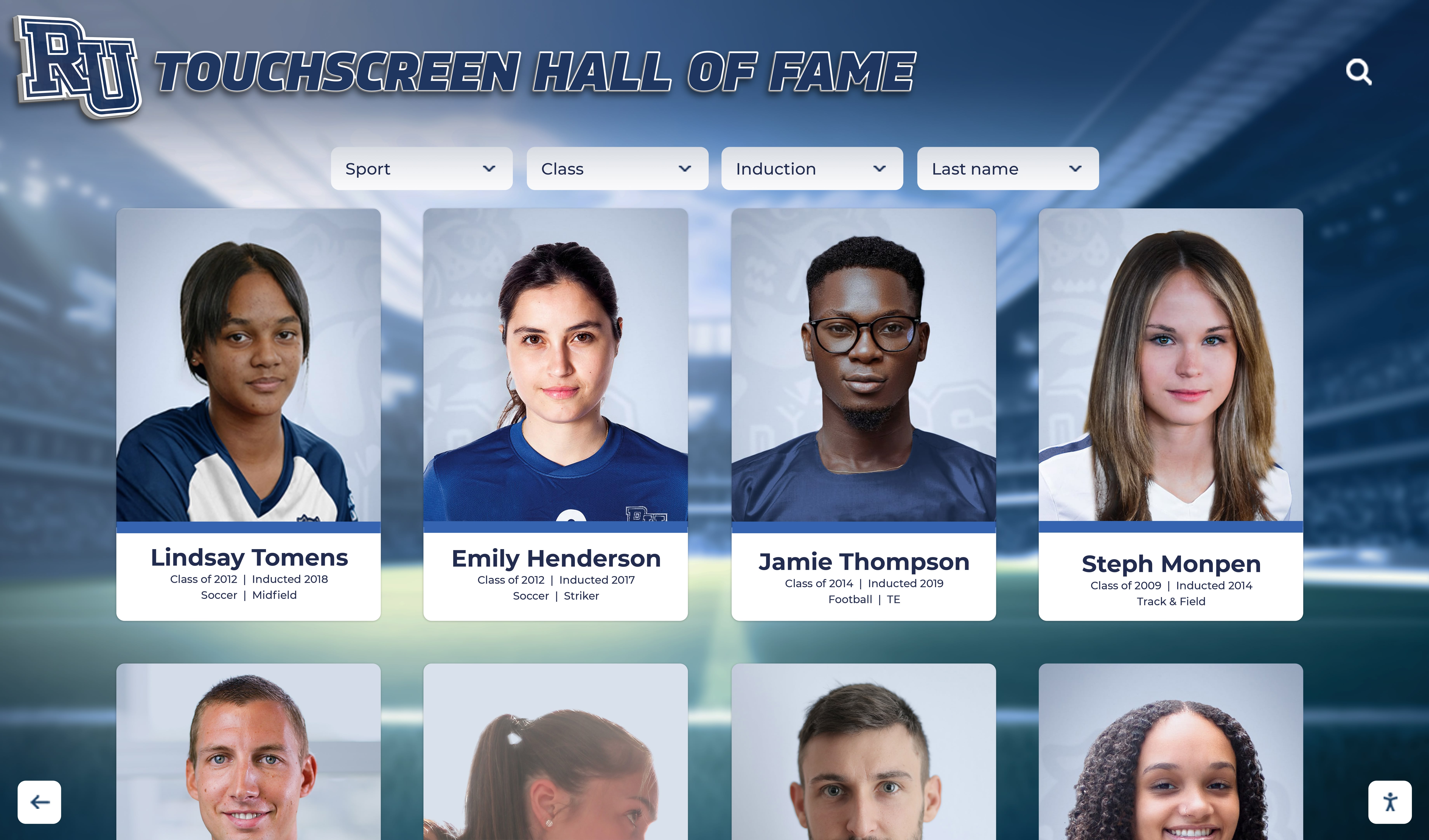
Well-organized digital archives enable finding specific individuals or years within seconds
Digitization Methods and Best Practices
Converting physical photos to digital formats requires appropriate techniques matching material types and quality requirements.
Yearbook Scanning Strategies
Yearbooks represent comprehensive photo collections requiring careful handling:
In-House Yearbook Scanning: If schools choose to scan yearbooks internally, proper techniques prevent damage while achieving quality results:
- Use flatbed scanners rather than sheet-feed models to avoid binding stress
- Scan at 300-600 DPI for balance between quality and file size
- Save as TIFF files for archival masters, JPEG for display versions
- Scan full pages including borders, cropping digitally later if needed
- Handle aged yearbooks gently, supporting bindings during scanning
- Clean scanner glass between pages preventing dust specks in scans
- Create consistent file naming: “Yearbook-1985-Page045.jpg”
- Budget 30-60 minutes per yearbook depending on page count and thoroughness
Professional Yearbook Scanning Services: Specialized vendors offer advantages for large collections:
- Experience handling fragile materials minimizing damage risk
- High-speed scanning significantly faster than in-house efforts
- OCR (Optical Character Recognition) making text searchable
- Individual portrait extraction from composite pages
- Metadata tagging and organization included
- Professional color correction and enhancement
- Typical turnaround: 2-4 weeks per batch of yearbooks
- Pricing: $35-$75 per yearbook, volume discounts available
Many schools use professional services for large historical yearbook collections while handling recent years internally as ongoing process.
Composite Frame Photography
Wall-mounted class composite frames require photography rather than scanning:
Photography Setup Requirements:
- Digital camera with 20+ megapixel sensor
- Tripod for stability preventing blur
- Even lighting avoiding glare on glass-covered frames
- Perpendicular positioning preventing distortion
- High-resolution capture enabling later cropping of individual portraits
- Remove frames from walls if possible for better lighting control
- Shoot in RAW format for maximum editing flexibility
Post-Processing Steps:
- Correct any perspective distortion from angled shooting
- Enhance contrast and sharpness diminished by glass covering
- Color correct for accurate reproduction
- Crop composite into individual portrait files
- Name files consistently: “1985-Smith-John-ClassPortrait.jpg”
Individual Print Scanning
Loose photo prints require different approaches:
Batch Scanning Techniques:
- Flatbed scanners accommodate multiple photos per scan if sizes allow
- Careful positioning prevents overlapping
- High-resolution scanning (400-600 DPI minimum) enables quality enlargement
- Consistent orientation speeds later digital processing
- Photo corners or guides maintain straight positioning
- Gentle handling prevents fingerprints and additional damage
Professional Photo Scanning Services: For large loose photo collections, professional services offer efficiency:
- Bulk pricing: $0.25-$2.00 per photo depending on size and complexity
- Fast turnaround processing hundreds or thousands of photos
- Professional color correction and damage repair
- Metadata creation from available information
- Appropriate for severely damaged photos requiring expert handling
Quality Standards and File Management
Establish standards ensuring digitized photos serve diverse purposes:
Technical Quality Standards:
- Resolution: Minimum 300 DPI for prints, 400x500 pixels minimum for portraits
- Color Accuracy: Neutral color balance representing originals faithfully
- Sharpness: Adequate focus for intended uses from thumbnails to enlargements
- Format: TIFF or high-quality JPEG for archival masters, optimized JPEG for web/display
- Backup: Three copies minimum (working drive, backup drive, cloud storage)
File Naming Conventions: Consistent naming enables organization and searching:
- Individual portraits: “Year-LastName-FirstName-Type.jpg” (1985-Smith-John-ClassPhoto.jpg)
- Class composites: “Year-Grade-Type.jpg” (1985-Senior-Composite.jpg)
- Event photos: “Year-EventName-Description.jpg” (1985-Homecoming-PepRally.jpg)
Folder Organization: Logical hierarchy facilitates navigation:
Historical Photos/
├── Class Composites/
│   ├── 1950s/
│   ├── 1960s/
│   ├── 1970s/
│   └── [continues by decade]
├── Individual Portraits/
│   ├── 1950/
│   ├── 1951/
│   └── [continues by year]
├── Athletics/
│   ├── Team Photos/
│   └── Action Shots/
└── Events/
    ├── Homecoming/
    ├── Graduation/
    └── [continues by event type]
Proper organization from the start prevents costly reorganization projects later when collections grow to thousands of images.
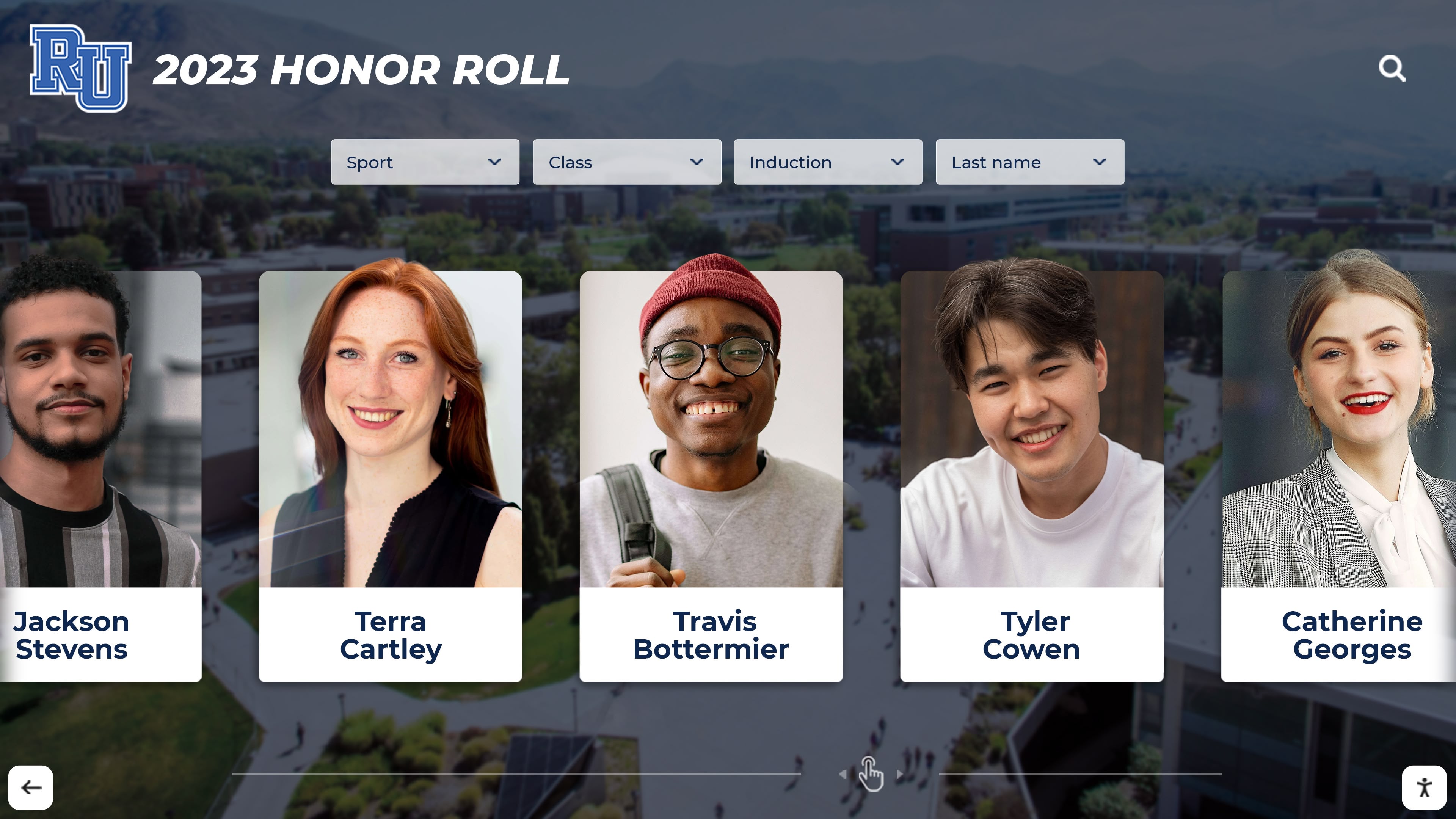
Professional digitization ensures historical materials are preserved before deterioration makes quality reproduction impossible
Creating Searchable Photo Databases
Digitized photos provide limited value without organization enabling people to actually find specific images.
Metadata Strategy for Historical Photos
Metadata—information about photos—transforms simple image files into searchable, discoverable resources:
Essential Metadata Fields:
- Date/Year: When photo was taken (or approximate date for undated photos)
- People Pictured: Names of individuals shown (when identifiable and permitted)
- Event/Context: What the photo documents (Senior Class 1985, Homecoming Game, etc.)
- Location: Where photo was taken if relevant and known
- Photographer: Credit for who captured the image when known
- Original Source: Where photo came from (1985 Yearbook p.42, Donation from John Smith, etc.)
- Keywords: Descriptive tags enabling discovery (basketball, graduation, pep rally, etc.)
- Rights/Permissions: Usage restrictions or permissions for photo sharing
Advanced Metadata for Enhanced Functionality:
- Biographical Information: Career achievements or life updates for alumni portraits
- Legacy Connections: Family relationships across different graduating classes
- Activity Participation: Sports, clubs, honors associating individuals with programs
- Historical Context: Significant institutional events or milestones depicted
- Preservation Notes: Condition of original, restoration performed, etc.
Manual vs. Automated Metadata Entry
Schools can apply metadata through various approaches:
Manual Metadata Entry:
- Staff or volunteers research and enter information for each photo
- Time-intensive but allows nuanced context and verification
- Essential for historical photos lacking existing documentation
- Appropriate for high-priority collections requiring thoroughness
- Typical speed: 20-100 photos per hour depending on information complexity
Automated Metadata from Sources:
- Extract text from yearbook pages using OCR technology
- Import data from alumni databases matching names to photos
- Use facial recognition to suggest identity matches for verification
- Batch-apply event and date information to entire photo groups
- Significantly faster but requires verification of accuracy
Hybrid Approaches: Most schools successfully combine methods:
- Automated batch application of basic metadata (year, source, event type)
- Manual entry for specific identification and biographical details
- Crowdsourced enhancement through alumni contributions (verified before publication)
- Phased approach prioritizing complete basic metadata for all photos, enhanced details added over time
Enabling Powerful Search Capabilities
Rich metadata enables the search functionality that makes digital photo archives valuable:
Search Methods to Enable:
- Name Search: Find all photos featuring specific individuals across years and events
- Year/Date Search: Browse graduating classes or specific time periods
- Keyword Search: Discover photos by subject, event type, or activity
- Category Filtering: Narrow results by photo types, sports, clubs, or departments
- Combined Searches: Enable complex queries like “basketball AND 1980s AND championships”
Modern digital recognition displays integrate powerful search with intuitive touchscreen interfaces enabling visitors to quickly find themselves, classmates, or specific events from decades of historical photos.
Crowdsourcing Historical Information
Alumni often possess knowledge about historical photos that institutions lack:
Crowdsourcing Strategies:
- Publish photos with known information, invite corrections and additions via comments
- Create “help identify” galleries for photos missing attribution
- Enable alumni to “claim” themselves in photos verifying identities
- Host events where alumni review historical photos adding context
- Provide secure submission forms for biographical updates and career achievements
Crowdsourcing transforms photo organization from staff burden into engagement opportunity. Alumni enjoy contributing knowledge while schools gain valuable information they couldn’t obtain otherwise. All crowdsourced content should undergo verification before permanent incorporation into archives.

Intuitive search functionality enables finding specific individuals or years among thousands of historical photos
Digital Display Solutions for Old School Photos
Digitized photos reach maximum value when displayed through engaging formats that bring history to life for current audiences.
Interactive Touchscreen Displays
Touchscreen systems transform static photo archives into engaging exploration experiences:
Touchscreen Display Capabilities:
- Browse decades of class photos through intuitive swipe and tap navigation
- Search by name to instantly locate specific individuals across multiple years
- Filter photos by category, sport, activity, or achievement type
- View high-resolution photos with biographical information and context
- Share discoveries via email or social media
- Track which photos generate most interest through analytics
- Update content remotely without physical display modifications
- Integrate historical and current content in unified systems
Strategic Installation Locations:
- Main entrances and lobbies for maximum visibility to all visitors
- Alumni gathering spaces creating conversation starters during reunions
- Athletic facilities connecting historical and current sports achievements
- Advancement offices supporting donor conversations about institutional impact
- Library or historical archives areas complementing physical collections
- Admissions tour routes showcasing traditions to prospective families
Schools implementing interactive touchscreen displays for historical photos report dramatic increases in engagement compared to static printed displays—visitors spend 5-8 minutes exploring interactive archives versus 30 seconds glancing at physical frames.
Web-Based Photo Archives
Online access extends historical photo reach beyond campus boundaries:
Web Archive Features:
- Secure online galleries accessible to authenticated alumni
- Public galleries showcasing selected historical photos for marketing purposes
- Mobile-responsive design for smartphone and tablet access
- Powerful search enabling alumni to find their specific class and classmates
- Social sharing capabilities amplifying institutional reach
- Download options for personal use and reunion planning
- Integration with alumni directories and giving platforms
- Comment sections enabling reminiscences and context (with moderation)
Web-based online digital hall of fame solutions ensure alumni anywhere in the world can access their school history, significantly expanding engagement compared to physical displays limited to campus visitors.
Digital Signage Integration
Display historical photos throughout campuses on digital signage:
Signage Display Strategies:
- Rotating slideshows featuring “Today in History” from past decades
- Thematic displays during Homecoming highlighting championship teams and spirit traditions
- Reunion weekend programming featuring classes celebrating anniversaries
- Monthly recognition of notable alumni with historical class photos
- Seasonal content showcasing historical photos from same time periods
- Countdown displays for milestone anniversaries showing historical progression
Digital signage provides ambient presence for historical photos throughout daily school life, creating continuous reinforcement of traditions and heritage without requiring active seeking by viewers.
Social Media and Marketing Applications
Historical photos provide compelling content for institutional communications:
Social Media Strategies:
- “Throwback Thursday” posts featuring historical class photos, teams, or events
- Anniversary commemorations highlighting milestone moments from institutional history
- “Then and Now” comparisons showing campus evolution and program development
- Alumni spotlights pairing current achievements with historical class photos
- Engagement campaigns asking alumni to identify themselves or share memories
Marketing and Communications Uses:
- Annual reports and impact summaries documenting long-term institutional success
- Capital campaign materials demonstrating tradition and sustainability
- Admissions materials showcasing depth of history and tradition
- Reunion invitations featuring class-specific historical photos
- Donor recognition connecting historical beneficiaries with current supporters
Accessible historical photo archives dramatically expand institutional communications capabilities by providing authentic, compelling visual content that generic stock photography cannot match.
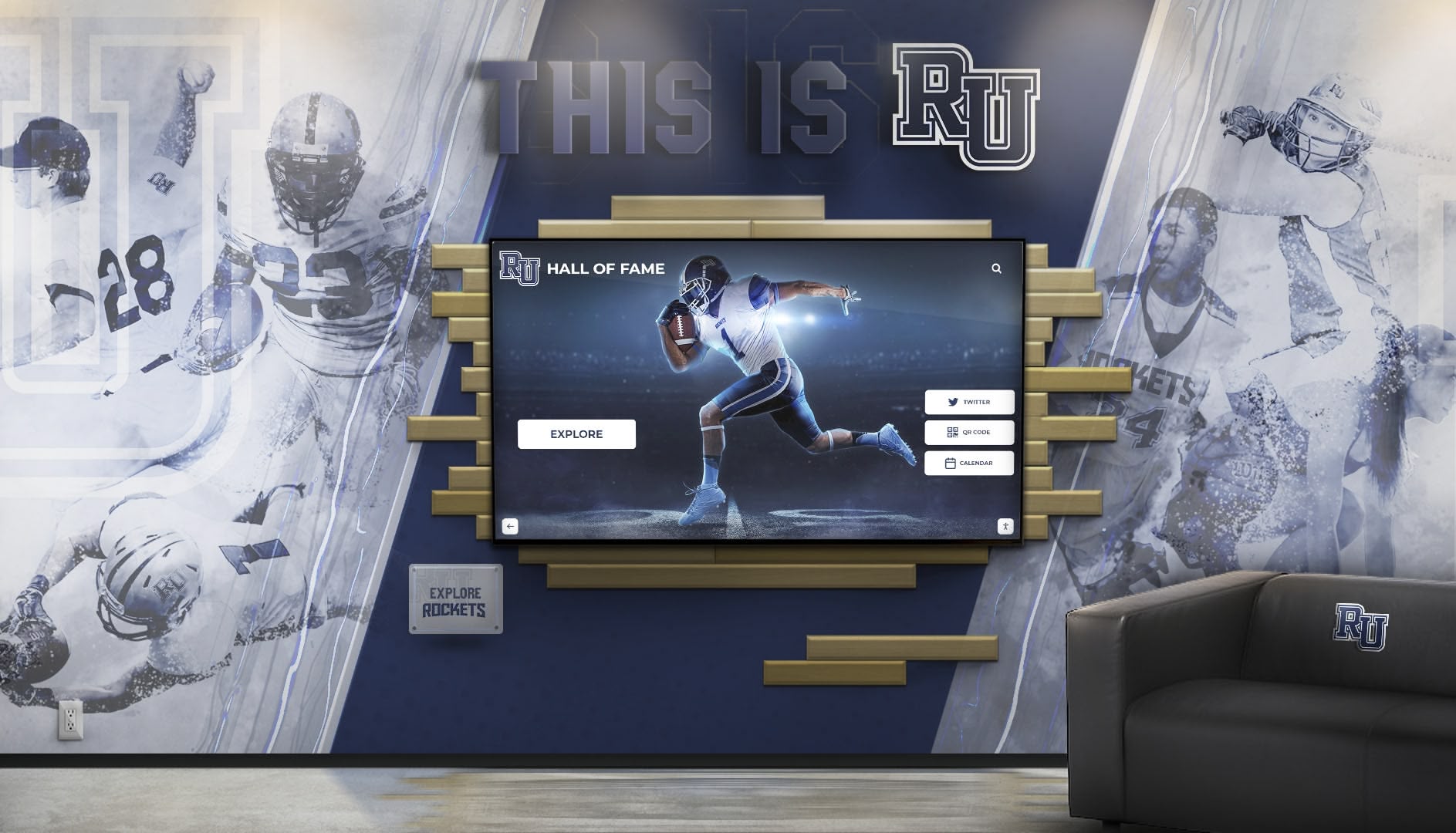
Digital displays showcase decades of history in spaces where printed frames could only feature a handful of recent years
Implementation Best Practices
Successful old school photo digitization and display projects follow proven approaches that maximize results while avoiding common pitfalls.
Phased Implementation Approach
Launch with achievable initial phase creating momentum rather than attempting everything simultaneously:
Phase 1: Foundation (Months 1-3)
- Complete photo inventory identifying all collections
- Establish priorities and create project plan
- Digitize highest-priority collections (milestone years, deteriorating materials)
- Implement basic organization and metadata systems
- Launch initial web archive or single touchscreen display with available content
Phase 2: Expansion (Months 4-9)
- Continue systematic digitization of priority collections
- Enhance metadata and organization based on initial experience
- Add additional display locations or expand online capabilities
- Develop crowdsourcing approaches for alumni contributions
- Integrate with existing school systems (alumni databases, communications platforms)
Phase 3: Comprehensive Coverage (Months 10-24)
- Fill historical gaps and complete remaining collections
- Implement advanced features (sophisticated search, biographical enhancements)
- Expand display network throughout campus
- Launch targeted engagement campaigns leveraging historical photos
- Establish ongoing processes for adding recent photos to historical archives
Phased approaches enable delivering value quickly while learning from initial implementation to inform subsequent expansion.
Quality Control Processes
Implement verification preventing errors that undermine archive credibility:
Critical Quality Checks:
- Identity Verification: Confirm names match correct individuals in photos (common source of errors)
- Date Accuracy: Verify graduation years and event dates against official records
- Duplicate Detection: Identify and consolidate duplicate photos from multiple sources
- Technical Quality: Ensure scans meet resolution and quality standards for intended uses
- Metadata Completeness: Confirm required information fields populated for all photos
- Privacy Compliance: Verify photos comply with institutional privacy policies and permissions
Quality issues discovered after publication require corrections that are more time-consuming than proper initial verification. Many schools involve alumni or long-tenured faculty in verification processes, catching errors that unfamiliar staff might miss while building engagement through contribution opportunities.
Privacy and Rights Considerations
Navigate permissions and privacy appropriately:
Privacy Best Practices:
- Review photo permission policies ensuring historical photos comply with current standards
- Provide clear opt-out processes for individuals preferring exclusion
- Consider graduated access levels (public vs. authenticated community vs. restricted)
- Address historical materials predating formal permission structures thoughtfully
- Establish responsive takedown procedures for legitimate concerns
- Document decisions about privacy approaches protecting institutional position
Copyright and Ownership:
- Determine copyright status for yearbooks and professional photography
- Obtain necessary permissions from photographers or studios when required
- Document provenance for donated materials
- Provide appropriate attribution for professional photography
- Understand fair use principles for educational purposes
- Consult legal counsel for ambiguous situations involving substantial collections
Sustainability and Maintenance Planning
Digital archives require ongoing management:
Maintenance Requirements:
- Annual addition of recent photos to historical archives
- Periodic metadata enhancement as new information becomes available
- Software and platform updates maintaining security and functionality
- Hardware refresh for display systems (typically 6-8 year lifespan)
- Backup verification ensuring preservation redundancy
- Content moderation if enabling crowdsourced contributions
- Analytics review informing content prioritization and feature development
Staffing and Resources:
- Designate responsible staff for ongoing archive management
- Budget annual time and financial resources for maintenance
- Develop documentation enabling staff transitions without knowledge loss
- Build institutional commitment ensuring project sustainability beyond initial champion
- Plan for technology evolution and format migration as standards change
Successful digital archives are living resources requiring ongoing care rather than one-time projects. Schools that fail to plan for sustainability often see valuable digitization investments deteriorate through neglect.
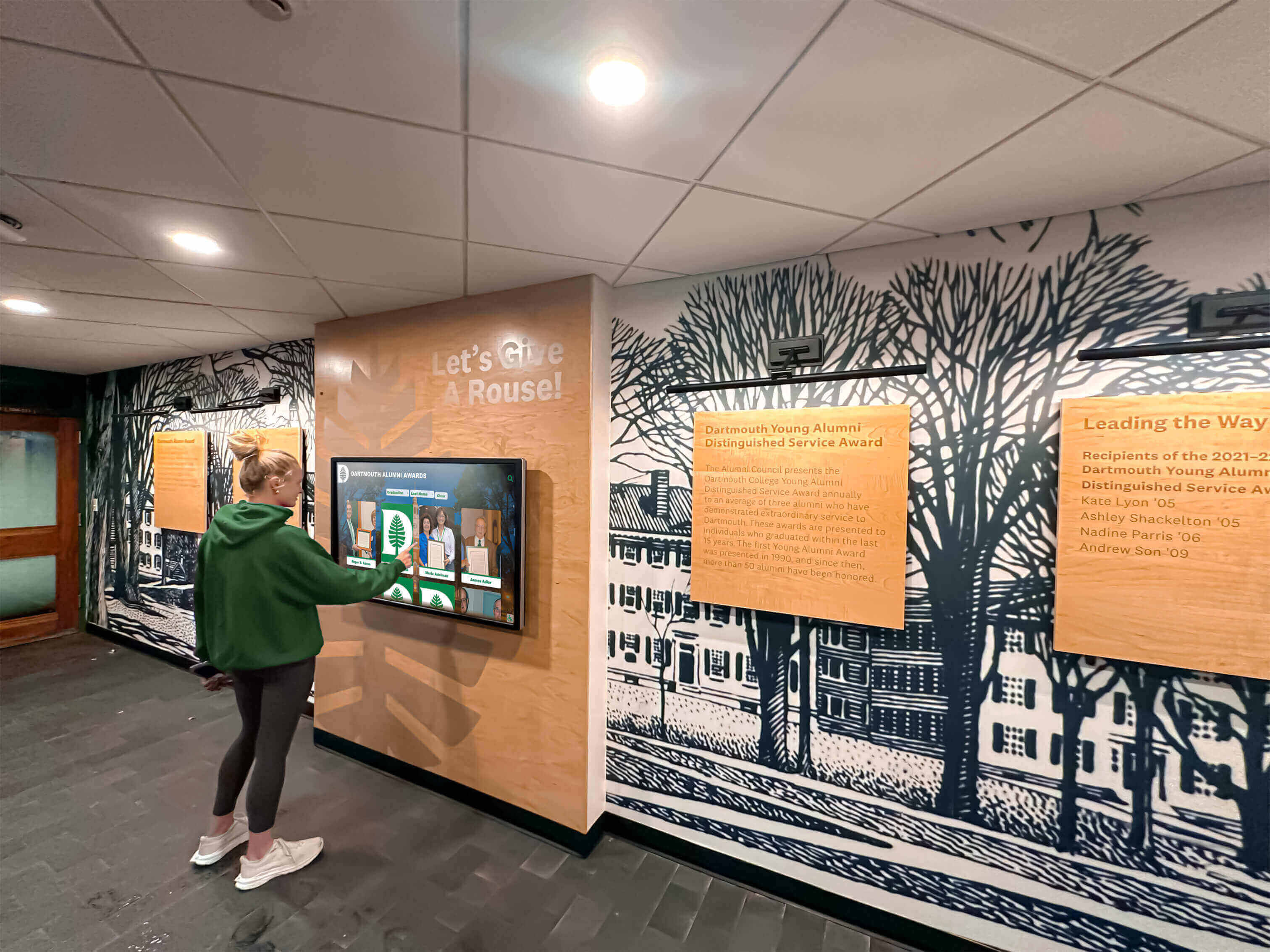
Systematic planning and quality processes ensure historical photo digitization projects deliver lasting value
Real Benefits Schools Experience
Schools successfully digitizing old photos and creating digital displays consistently report tangible benefits across multiple institutional priorities:
Enhanced Alumni Engagement
Historical photo accessibility creates powerful alumni connection points:
- Alumni spend significantly more time interacting with accessible historical photos compared to passive viewing of limited physical displays
- Reunion attendance increases when classes can easily access and share photos from their school years
- Alumni giving responds to nostalgia-driven campaigns featuring historical photos and heritage messaging
- Social sharing of discovered photos extends institutional reach into alumni networks organically
- Historical photos provide conversation starters during campus visits that deepen emotional connections
One school reported 43% increase in alumni event attendance after launching interactive recognition displays featuring decades of historical class photos, directly attributing improved engagement to accessibility of personal history.
Preserved Institutional Memory
Digitization protects irreplaceable historical materials:
- Physical photos continue deteriorating while digital copies remain pristine indefinitely
- Backup systems protect against loss from disasters affecting physical archives
- Digital formats enable restoration and enhancement impossible with originals
- Searchable archives prevent knowledge loss when individuals holding institutional memory retire
- Comprehensive coverage preserves complete history rather than selective highlights
Schools completing digitization projects consistently discover materials in worse condition than initially assessed, validating urgency of preservation efforts before further deterioration occurs.
Improved Marketing and Communications
Authentic historical content enhances institutional storytelling:
- Marketing teams access historical photos quickly for specific purposes rather than spending hours hunting through archives
- Anniversary campaigns and milestone celebrations leverage compelling visual content
- Admissions materials showcase depth of tradition differentiating institutions from competitors
- Social media engagement rates increase with nostalgic historical content
- Campaign materials demonstrate long-term institutional impact through visual progression
Communications directors report historical photo archives eliminate frequent roadblocks in content development, enabling projects that previously would have been abandoned due to difficulty accessing appropriate imagery.
Strengthened School Pride and Culture
Visible history reinforces community identity:
- Current students gain appreciation for institutional traditions by exploring decades of history
- Faculty and staff develop deeper institutional connection understanding heritage
- Prospective families touring campuses see continuity and tradition beyond recent achievements
- Community members recognize school as stable institution with lasting local presence
- School pride strengthens when history is visible and celebrated rather than hidden
Principals and heads of school frequently cite increased school spirit and community cohesion following implementation of systems making institutional history accessible and celebrated.
Conclusion: Bringing Old School Photos Into the Digital Age
Old school photos represent invaluable assets that most institutions dramatically underutilize. Thousands of images documenting decades of achievements, faces, traditions, and defining moments remain inaccessible—hidden in storage, deteriorating in filing cabinets, or displayed so limitedly that only handfuls of people ever see them. This represents both lost opportunity and genuine risk as irreplaceable historical materials deteriorate beyond recovery.
Modern digital display technology offers schools practical, affordable solutions for transforming scattered old photos into organized, searchable, engaging digital archives. Interactive touchscreen displays enable visitors to explore decades of history with intuitive search finding specific individuals or years instantly. Web-based archives extend access to alumni worldwide. Proper digitization preserves fragile materials before deterioration destroys them permanently. And strategic display of historical photos throughout campuses reinforces institutional heritage and traditions.
The investment required—whether professional services, staff time, equipment, or technology platforms—delivers returns across multiple institutional priorities simultaneously. Alumni engagement strengthens through accessible personal history. Marketing communications improve with authentic historical content. Institutional memory is preserved for future generations. Current community members gain appreciation for traditions and heritage. And development efforts benefit from nostalgic connections that historical photos uniquely create.
Schools at any digitization stage—from initial planning through comprehensive archives—benefit from purpose-built solutions designed specifically for educational institutions. Solutions like Rocket Alumni Solutions provide integrated platforms combining photo digitization support, searchable archive management, interactive touchscreen displays, and web accessibility in systems optimized for schools’ unique needs and resources.
Whether your old school photos currently sit in dusty yearbooks, fading composites, or forgotten storage rooms, the opportunity exists today to transform these hidden treasures into engaging digital displays that honor your institution’s past while strengthening connections with alumni and community members for generations to come.
Ready to bring your school’s historical photos to life through modern digital displays? Rocket Alumni Solutions provides comprehensive support from digitization planning through interactive display implementation, helping schools preserve and showcase decades of memories with systems designed specifically for educational institutions.































