High schools face a critical challenge in the digital age: decades of irreplaceable historical materials—yearbooks, photographs, newspaper clippings, athletic records, and institutional documents—deteriorate in storage rooms while remaining largely inaccessible to students, alumni, and researchers who could benefit from them. Paper yellows, photographs fade, and magnetic media degrades, threatening the permanent loss of institutional memory that defines school identity and community connections.
Online high school digital archives solve this preservation crisis while transforming static historical collections into dynamic, searchable resources accessible from anywhere in the world. Properly implemented digital archives protect fragile materials from further deterioration, enable instant discovery of specific individuals or events across decades of records, support alumni engagement through accessible memories, and provide educational resources connecting current students with their school’s rich history.
This comprehensive guide walks through the complete process of building effective online high school digital archives, from initial planning and material assessment through digitization strategies, organizational frameworks, platform selection, and ongoing maintenance. Whether you’re preserving a decade of recent materials or digitizing a century of institutional history, these proven approaches will help you create archives that serve your school community for generations to come.
Understanding Digital Archives for High Schools
Before beginning a digitization project, it’s essential to understand what makes digital archives valuable and how they differ from simple file storage.
What Are Online High School Digital Archives?
Online high school digital archives are organized collections of digitized historical materials made accessible through web-based platforms. Unlike physical archives limited to on-site access during specific hours, digital archives enable 24/7 worldwide access to institutional history through searchable databases with rich metadata.
Core Components of Effective Digital Archives:
Digital Content:
- Digitized yearbooks with full-page preservation
- Individual student and faculty photographs
- School newspapers and publications
- Athletic programs and event materials
- Administrative records and historical documents
- Audio recordings of performances and events
- Video footage of ceremonies and activities
- Architectural drawings and campus maps
Organizational Infrastructure:
- Comprehensive metadata describing each item
- Searchable databases enabling keyword discovery
- Hierarchical organization by year, type, and category
- Cross-reference systems linking related materials
- Rights management tracking permissions
- Version control for updated or corrected information
Technical Platform:
- Secure cloud storage with redundant backups
- Web interfaces for browsing and searching
- Access control managing public vs. restricted content
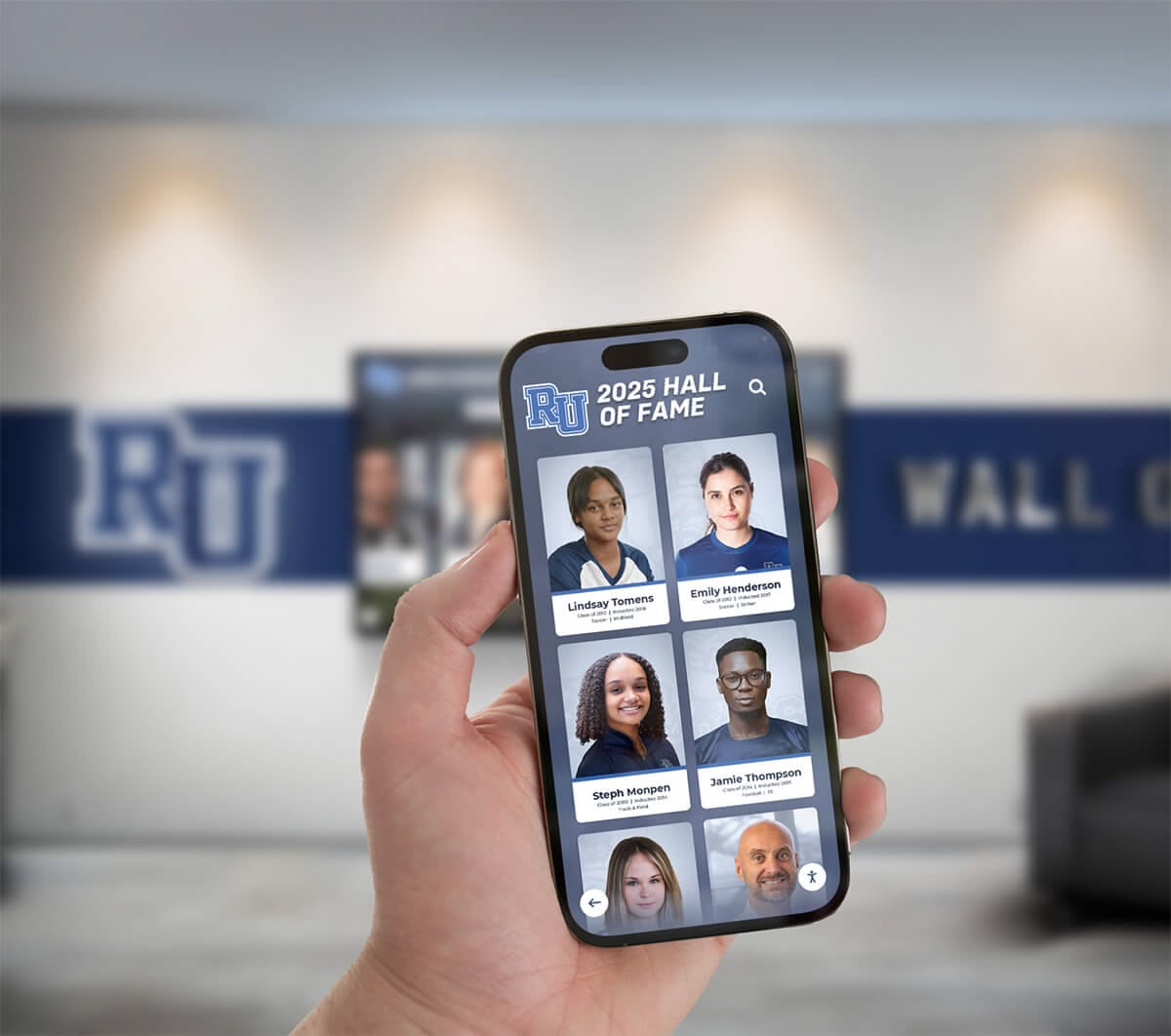
- Mobile-responsive design for smartphone and tablet access
- Integration capabilities with school websites and systems
The combination of quality digitization, thoughtful organization, and accessible technology transforms dusty archival boxes into valuable community resources that strengthen institutional identity and alumni connections.
Benefits of Digital Archives for High Schools
Schools investing in digital archives realize multifaceted benefits extending far beyond simple preservation.
Preservation and Protection:
Physical materials face constant threats—water damage from leaks or floods, fire, mold growth in humid environments, deterioration from handling, and gradual degradation of paper and photographic materials over time. Digital archives create permanent preservation copies protecting against these risks. While original materials still require proper storage, digital copies ensure institutional memory survives even if physical materials are damaged or lost.
According to preservation research, paper-based materials in typical school storage conditions lose readability within 50-100 years, while photographs fade significantly in similar timeframes. Digital preservation with appropriate backup strategies creates effectively permanent records available to future generations.
Accessibility and Discovery:
Traditional physical archives require visitors to travel to campus and search through poorly-indexed collections to find specific information. Finding a particular student’s photo in decades of yearbooks might require hours of page-by-page review. Digital archives with comprehensive metadata enable instant discovery—search for any name and immediately locate every mention across all archived materials.
This accessibility transforms archive usage patterns. Schools report 10-50x increases in archive engagement after digitization, with alumni worldwide accessing materials that previously sat unused in storage rooms. The ability to share discoveries via social media amplifies engagement, as alumni tag classmates and reminisce about shared experiences.
Alumni Engagement:
Digital archives create powerful alumni engagement opportunities by making school memories instantly accessible. Alumni exploring digital yearbook archives reconnect with classmates, rediscover forgotten activities, and maintain emotional connections to their alma mater. This engagement supports advancement efforts, as connected alumni show higher giving rates and reunion attendance.

Educational Applications:
Digital archives provide authentic primary source materials for current students studying local history, conducting genealogical research, or learning archival research skills. History classes analyze how the school and surrounding community evolved over decades. Journalism students examine how school newspapers covered historical events. Students researching school history displays gain hands-on experience with historical materials in their own institutional context.
Administrative Efficiency:
Administrators frequently need historical records for various purposes—verifying alumni graduation dates, sourcing photos for communications materials, researching institutional precedents, or responding to public records requests. Digital archives with effective search capabilities reduce staff time spent locating historical information from hours to minutes.
Community Building:
Accessible institutional history strengthens community identity by connecting past and present. Current students see themselves as part of continuing traditions. Parents discover their own yearbook photos while helping children apply. Faculty members research the evolution of academic programs. Local historians document community development. These connections build stronger school communities united by shared history and traditions.
Phase 1: Planning and Assessment
Successful digital archive projects begin with thorough planning that establishes clear objectives, assesses existing materials, and allocates appropriate resources.
Setting Clear Objectives
Define what you hope to accomplish with digital archives before making technology or process decisions:
Common Digital Archive Objectives:
- Preservation Priority: Protect deteriorating materials before permanent loss occurs
- Alumni Engagement: Create accessible resources strengthening alumni connections
- Educational Resource: Provide primary source materials for student learning
- Administrative Efficiency: Streamline access to historical records for staff needs
- Institutional Marketing: Showcase tradition and history to prospective families
- Community Service: Support local historians and genealogical researchers
- Comprehensive Documentation: Create complete institutional historical record
Most schools pursue multiple objectives simultaneously, but prioritization affects decisions about what materials to digitize first, how thoroughly to create metadata, what access controls to implement, and which display platforms to choose. A project primarily focused on alumni engagement might prioritize yearbooks and class photos, while preservation-focused initiatives might address deteriorating documents first regardless of popular interest.
Conducting a Content Inventory
Understanding what historical materials you possess forms the foundation for realistic project planning.
Systematic Inventory Process:
Physical Location Survey
- Walk through buildings noting displayed materials and storage areas
- Check libraries, administrative offices, athletic facilities, and archives
- Survey basements, closets, and rarely-accessed storage spaces
- Interview long-tenured staff about hidden collections
- Contact alumni associations about materials in their possession
Content Type Documentation
- Yearbooks (annual publications with photos and information)
- School newspapers (periodic publications covering current events)
- Athletic programs and event materials
- Photographs (formal portraits, candid images, event documentation)
- Administrative records (board minutes, reports, correspondence)
- Architectural materials (building plans, campus maps)
- Audio/visual materials (recordings, films, videos)
- Ephemera (tickets, programs, promotional materials)
Condition Assessment
- Excellent: Materials in pristine condition, no preservation concerns
- Good: Minor wear but structurally sound and fully readable
- Fair: Noticeable deterioration requiring careful handling
- Poor: Significant damage with readability concerns
- Critical: Severe deterioration requiring immediate preservation action
Volume Estimation
- Count items in each category (yearbooks, newspaper issues, loose photos)
- Estimate storage space occupied (linear feet, boxes, file cabinets)
- Document date ranges and completeness of series
- Note significant gaps in chronological coverage
This inventory reveals the scope of your digitization challenge and helps establish realistic timelines and budgets. Many schools discover surprising quantities of materials—forgotten boxes in basements containing decades of irreplaceable photographs, complete newspaper runs stored haphazardly, or duplicate yearbook collections scattered across multiple locations that can be consolidated.
Rights and Permissions Considerations
Digital archives that make materials publicly accessible online require careful consideration of intellectual property, privacy, and ethical concerns.
Copyright Issues:
School-created materials (yearbooks, newspapers, official publications) typically belong to the institution, giving schools the right to digitize and share them. However, content within those publications may have more complex ownership:
- Photographs: Schools hiring photographers typically own resulting images, but older contracts should be reviewed
- Student Work: Essays, artwork, and creative content by students may retain individual copyright
- Commercial Materials: Advertisements or licensed content may have restrictions
- Professional Photographs: Senior portraits taken by outside studios may have photographer copyright
Consult legal counsel if significant questions exist about digitization rights for major collections. For purely archival purposes (preservation without widespread public access), copyright concerns are often minimal, but public-facing online archives require more careful analysis.
Privacy Considerations:
Modern privacy expectations complicate sharing historical materials containing personal information:
- Student Records: Federal laws like FERPA restrict disclosure of certain educational records
- Minors: Historical photos of minors raise privacy questions even if taken decades ago
- Sensitive Information: Materials containing disciplinary records, health information, or other private details
- Contemporary Expectations: Alumni may object to online publication of materials they consider embarrassing
Many schools implement tiered access—public access for general yearbook content, restricted access requiring authentication for certain materials, and completely private digitization for preservation-only purposes. Clear policies established during planning prevent conflicts after implementation.
Phase 2: Digitization Strategies and Best Practices
Converting physical materials into quality digital formats requires appropriate methods matching content types, conditions, and intended uses.
Yearbook Digitization Methods
Yearbooks typically form the core of high school digital archives, containing photographs, names, and contextual information about students, faculty, and activities.
Scanning Approaches:
In-House Scanning:
- Flatbed scanners produce excellent results for yearbooks in good condition
- Scan at 400-600 DPI for archival quality capturing fine text details
- 300 DPI provides good balance for web-friendly file sizes
- Use book cradles or V-shaped supports protecting bindings
- Budget 30-90 minutes per yearbook depending on page count and thoroughness
- Total cost: $200-$800 scanner plus staff time
Best for: Small collections, recent yearbooks, schools with available staff time
Professional Scanning Services:
- Specialized vendors offer bulk yearbook digitization with expert handling
- Non-destructive scanning protects fragile bindings and aged paper
- Services typically include page scans, OCR text recognition, and metadata
- Professional results with minimal staff time investment
- Typical pricing: $50-$200 per yearbook based on condition and complexity
- Many services extract individual portraits from class composite pages
Best for: Large collections, deteriorating materials, comprehensive historical projects
For schools addressing decades of yearbooks, hybrid approaches often work well—professional services for bulk historical digitization combined with in-house scanning for recent years and ongoing annual additions. This balances quality, cost, and efficiency while building internal capabilities for long-term maintenance.
Photograph and Document Scanning
Beyond yearbooks, schools possess thousands of loose photographs, newspaper clippings, programs, and documents requiring different digitization approaches.
Photograph Scanning Specifications:
- Color Photos: Scan at 300-600 DPI in full color preserving accurate tones
- Black & White Photos: Scan at 400-600 DPI in grayscale mode
- Large Format Prints: May require specialized large-format scanners
- Fragile Materials: Consider photography rather than contact scanning
- File Formats: Save archival masters as uncompressed TIFF files, create JPEG display versions
For extremely fragile photographs, high-resolution digital photography using copy stands and appropriate lighting preserves materials without contact stress from scanning beds. This approach requires photographic expertise but protects irreplaceable originals.
Document Scanning Best Practices:
School newspapers, programs, and administrative documents require scanning approaches balancing readability with efficient workflow:
- Scan at 300-400 DPI for clear text reproduction
- Use automatic document feeders for loose pages in good condition
- Flatbed scan for bound materials or fragile documents
- Enable OCR (Optical Character Recognition) for text searchability
- Consider black & white scanning for text-only documents reducing file sizes
- Preserve color for materials where it provides meaningful information
Audio and Video Digitization
Historical recordings require specialized equipment and expertise transferring analog formats to digital preservation files.
Common Analog Formats Requiring Conversion:
- Audio: Cassette tapes, reel-to-reel recordings, vinyl records
- Video: VHS tapes, Betamax, 8mm film, U-matic tapes
- Specialized: DAT tapes, MiniDV, LaserDiscs
Analog media deteriorates significantly over time. Magnetic tapes (cassettes, VHS) have typical lifespans of 20-30 years before quality degradation becomes severe, making digitization urgent for materials from the 1980s-1990s. Film materials last longer but require specialized equipment for playback and transfer.
Most schools lack equipment and expertise for quality audio/video digitization. Professional media transfer services provide better results at reasonable costs ($10-$50 per tape depending on length and format) compared to attempting in-house transfers with consumer-grade equipment. Services focused on archival preservation include format documentation and uncompressed master files suitable for long-term storage.
Quality Control and Verification
Digitization projects require systematic quality assurance preventing errors that undermine archive value:
Critical Quality Checks:
- Completeness: Verify all pages scanned without missing sections
- Resolution: Confirm minimum DPI standards met for intended purposes
- Readability: Check that text remains legible in digital versions
- Color Accuracy: Ensure colors preserved faithfully in scans
- File Integrity: Validate files open correctly without corruption
- Proper Naming: Verify consistent file naming conventions followed
- Metadata Accuracy: Cross-check dates, titles, and descriptions against originals
Establish quality thresholds before beginning large-scale digitization. Acceptable error rates (typically 1-2% for missing pages or defects) prevent pursuing perfection at costs that make projects financially infeasible. Document quality standards and train scanning staff or vendors on specific requirements for your collection.
Phase 3: Organization and Metadata Creation
Quality digitization without thoughtful organization creates large collections of files as difficult to use as physical boxes in storage rooms. Comprehensive metadata and logical organizational structures transform file collections into valuable archives.
Establishing Organizational Frameworks
Hierarchical Organization Structure:
High School Digital Archives/
├── Yearbooks/
│   ├── 1950s/
│   │   ├── 1950/
│   │   │   ├── Full Pages/
│   │   │   ├── Individual Portraits/
│   │   │   └── Metadata/
│   │   ├── 1951/
│   │   └── [continues...]
│   ├── 1960s/
│   ├── 1970s/
│   └── [continues by decade...]
├── Newspapers/
│   ├── 1960s/
│   ├── 1970s/
│   └── [organized by decade and year]
├── Photographs/
│   ├── Athletics/
│   ├── Academics/
│   ├── Events/
│   └── Campus/
├── Documents/
│   ├── Administrative/
│   ├── Programs/
│   └── Publications/
└── Audio-Visual/
    ├── Audio/
    └── Video/
This chronological primary organization with category-based subdivisions enables intuitive navigation while supporting various content types. Schools adapt based on specific needs—religious institutions might organize by mission trips or spiritual events, specialized schools might emphasize program-specific materials, arts-focused schools might highlight performances and exhibitions.
Creating Comprehensive Metadata
Metadata—structured information describing digital objects—transforms simple file collections into searchable, discoverable archives. Time invested in quality metadata creation multiplies archive value exponentially.
Essential Metadata Fields for Yearbooks:
- Title: Official yearbook name and year (e.g., “The Pioneer 1985”)
- Publication Date: Year published
- Volume/Issue: Volume number if applicable
- Page Range: Total pages in yearbook
- Physical Description: Dimensions, binding type, condition
- Coverage: School year covered (often preceding calendar year)
- Publisher: Organization or company that produced yearbook
- Editor: Student editor(s) if known
- Copyright: Copyright holder and date
- Language: Primary language (typically English)
- Summary: Brief description of contents or special features
- Condition Notes: Physical condition issues affecting digitization
Essential Metadata Fields for Photographs:
- Subject/Description: What photo depicts
- People: Names of identified individuals
- Date: When photograph was taken (approximate if exact unknown)
- Location: Where photograph was taken
- Photographer: Who took photograph if known
- Event: Associated event or occasion
- Format: Original format (print, negative, slide, digital)
- Dimensions: Original size
- Copyright/Rights: Ownership and usage permissions
- Collection: Source collection or donor
- Original Location: Where physical original is stored
Advanced Metadata for Enhanced Functionality:
- Keywords/Tags: Controlled vocabulary terms enabling faceted searching
- Geographic Coordinates: Specific location data for mapping applications
- Related Materials: Links to connected items in archive
- Digitization Information: Scan date, resolution, technician, equipment used
- Preservation Notes: Conservation actions taken or needed
- Access Restrictions: Privacy or copyright limitations
- Usage Statistics: Tracking how often items are viewed or downloaded
Standardized metadata vocabularies (like Dublin Core or Darwin Core) ensure consistency and enable interoperability with other archives and research databases. Many digital asset management systems include metadata templates specifically designed for educational archives incorporating these standards.
Controlled Vocabularies and Tagging Systems
Consistent terminology in metadata enables effective searching and filtering. Without controlled vocabularies, some staff might tag football materials as “football,” others as “Football,” still others as “American Football,” and some as “Gridiron,” fragmenting search results.
Developing Controlled Vocabularies:
- Review existing terminology in your historical materials
- Establish preferred terms for common subjects, locations, and concepts
- Define hierarchical relationships (broader/narrower terms)
- Create synonym lists directing variant terms to preferred forms
- Document terminology decisions for consistent future application
- Implement in metadata systems through dropdown menus or autocomplete
Example controlled vocabulary for athletics:
Sports (broad category)
├── Football (preferred term)
│   └── Gridiron (use: Football)
├── Basketball (preferred term)
│   ├── Boys Basketball
│   └── Girls Basketball
├── Soccer (preferred term)
│   └── Football (non-US) (use: Soccer)
└── [continues...]
Phase 4: Platform Selection and Implementation
Digital archives require technology platforms balancing storage capacity, search capabilities, access controls, and user experience.
Platform Options for High School Archives
Purpose-Built Digital Archive Systems:
Commercial and open-source platforms designed specifically for archives offer comprehensive features:
Omeka (Open Source, Free):
- Widely used in educational and cultural institutions
- Supports Dublin Core metadata standards
- Flexible exhibition and collection organization
- Plugin architecture enabling customization
- Requires technical setup and server hosting
- Best for: Schools with IT staff available for implementation and maintenance
CONTENTdm (Commercial):
- Leading platform for academic and public libraries
- Robust metadata management and search
- Multi-format support (documents, images, audio, video)
- OCLC integration for library systems
- Professional implementation and support
- Pricing: Typically $3,000-$10,000+ annually based on collection size
- Best for: Large schools with substantial archival collections and budgets
Preservica (Commercial):
- Enterprise-grade digital preservation focused on long-term storage
- Automatic format migration and integrity checking
- Sophisticated access controls and workflows
- Comprehensive audit trails for institutional archives
- Higher cost suitable for well-funded programs
- Pricing: $10,000-$50,000+ annually
- Best for: Schools prioritizing preservation and compliance

Educational Technology Platforms:
Some schools leverage existing educational technology investments for archival purposes:
Google Workspace (Education pricing):
- Google Sites for archive presentation
- Google Drive for file storage
- Google Photos for image collections
- Familiar interfaces requiring minimal training
- Limited archival-specific features
- Best for: Small collections, budget-constrained schools
Microsoft SharePoint (Included in many education licenses):
- Document libraries with version control
- Metadata tagging and filtering
- Integration with existing Microsoft systems
- Can be complex to configure optimally
- Best for: Schools already using Microsoft infrastructure
Integrated Recognition and Archive Platforms:
Solutions designed specifically for schools combine archival capabilities with modern interactive displays:
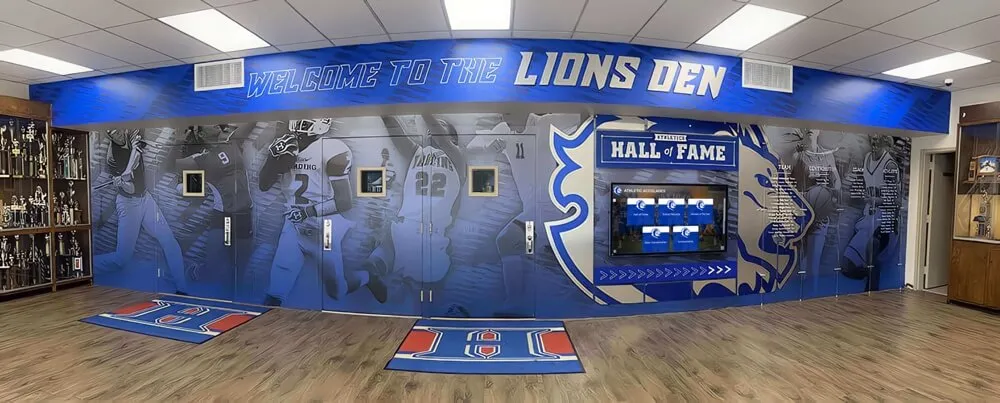
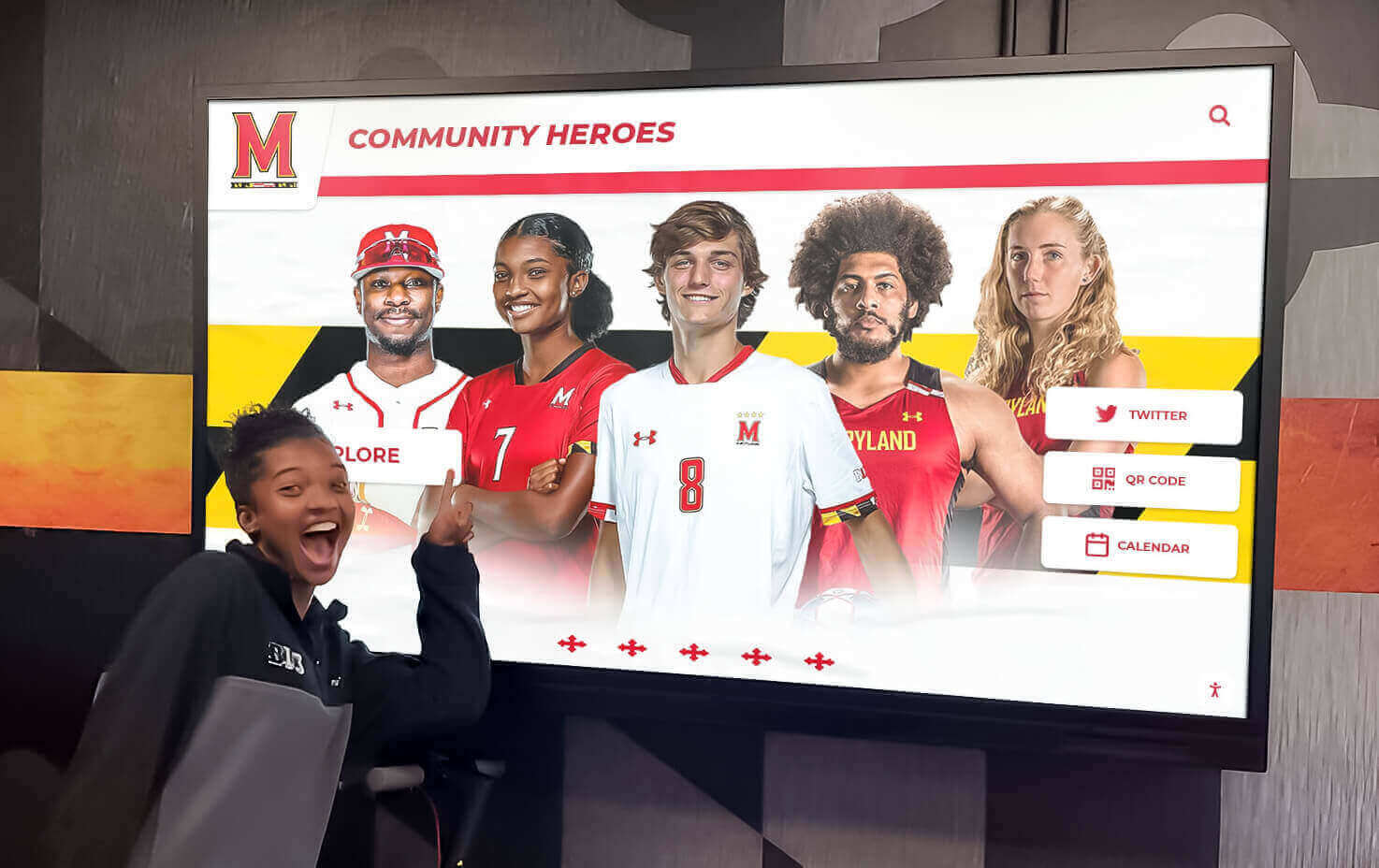
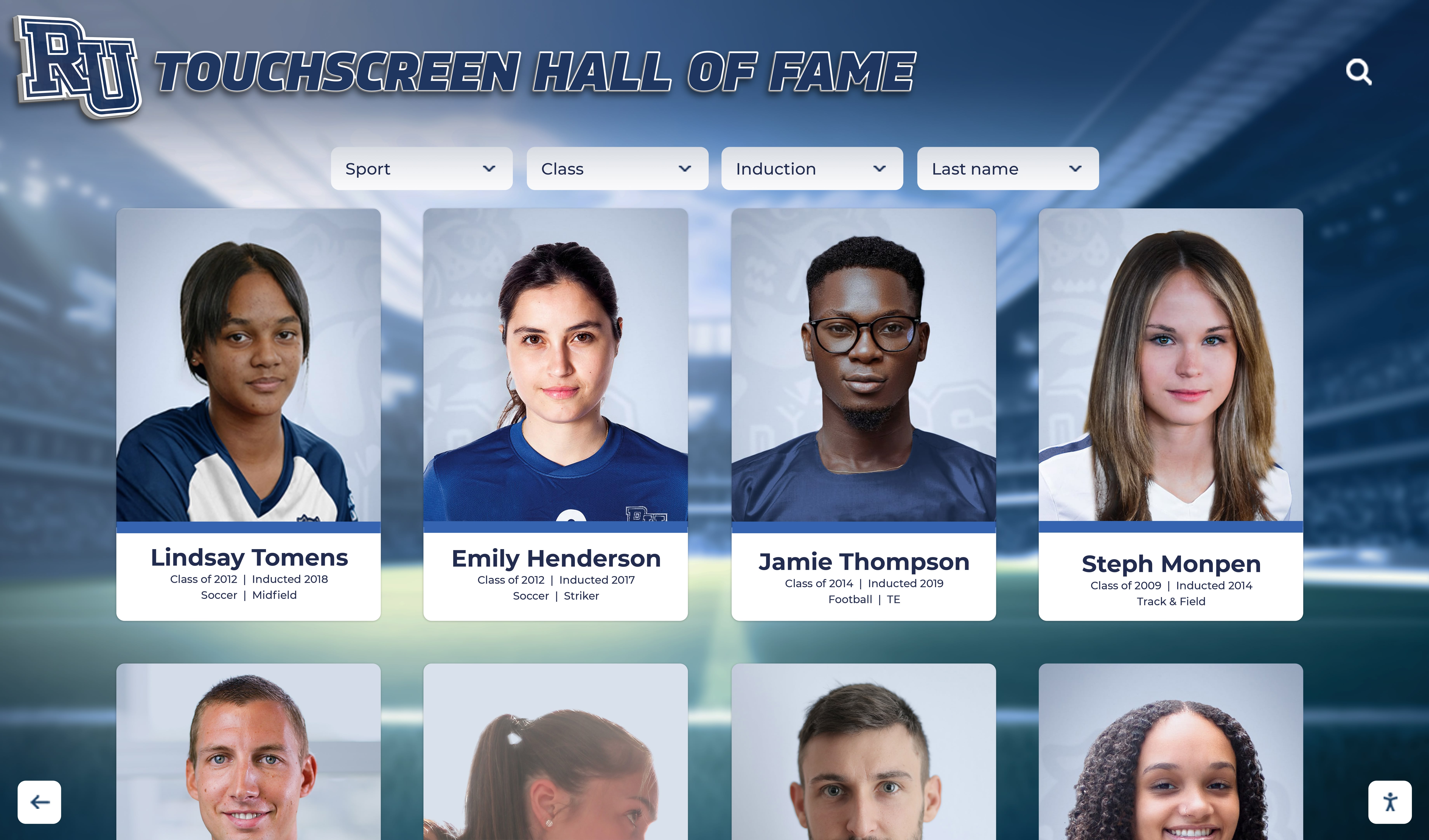
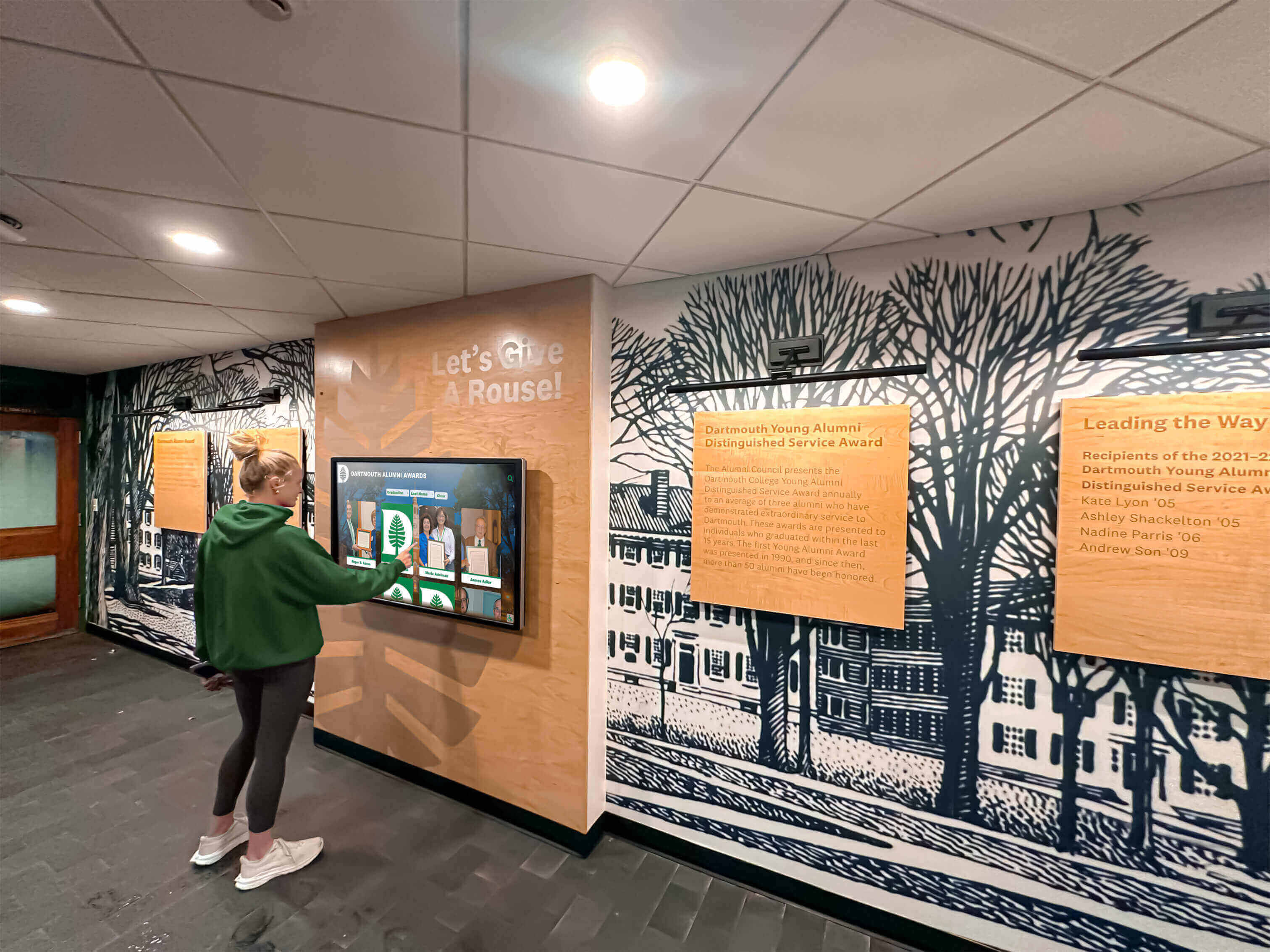
Schools implementing comprehensive recognition programs often choose integrated platforms combining digital archive hosting with interactive touchscreen displays and web accessibility. These solutions, like those offered by Rocket Alumni Solutions, provide complete ecosystems for preserving and sharing institutional history through both physical displays on campus and web-based access for distant alumni.
Key Advantages:
- Single platform managing archives and recognition displays
- Purpose-built for educational institutions
- Simplified training and support
- Integration of historical and current content
- Alumni engagement features built-in
- Professional implementation and ongoing maintenance included
This approach particularly suits schools prioritizing accessibility and engagement over pure archival functionality, as the systems emphasize user experience and discovery over archival standards compliance.
Access Control and Privacy Management
Digital archives require thoughtful access policies balancing openness with appropriate privacy protections.
Tiered Access Models:
Public Access (No restrictions):
- General yearbook content (photos, names, activities)
- School newspapers and publications
- Athletic records and team photos
- Historical photographs of events and facilities
- Materials over 75 years old (lower privacy concerns)
Authenticated Access (Login required):
- Recent yearbooks (last 10-20 years)
- Materials requested restricted by donors
- Content including minors with conservative privacy approach
- High-resolution versions requiring attribution tracking
Restricted Access (Permission required):
- Personnel records and administrative documents
- Materials including sensitive information
- Content with unresolved rights questions
- Collections donated with specific access restrictions
Private/Preservation Only (No access):
- Materials with privacy concerns preventing publication
- Content with copyright restrictions
- Digitization for preservation without distribution
Clear policies established before launch prevent confusion and complaints from alumni or community members surprised by online availability of historical materials they consider private.
Phase 5: Launching and Promoting Your Archive
Well-built archives deliver value only when target audiences know they exist and understand how to use them.
Soft Launch and Testing
Before widespread promotion, conduct limited testing identifying usability issues and technical problems:
- Staff Testing: Internal users test search, browsing, and download functions
- Focus Groups: Small groups of alumni explore archive providing feedback
- Technical Validation: Verify performance across devices and browsers
- Content Sampling: Check representative materials for quality and accuracy
- Load Testing: Ensure systems handle expected traffic volumes
Address discovered issues before public launch. It’s far easier to fix problems found by friendly testers than to respond to frustrated users encountering errors after official announcement.

Launch Communications Strategy
Announcement Campaign:
- School Community: Email announcements to faculty, staff, students, and families
- Alumni Database: Dedicated communications to alumni with archive details
- School Website: Homepage features and dedicated archive pages
- Social Media: Posts with sample content encouraging exploration
- Local Media: Press releases for community newspapers
- Reunion Groups: Targeted outreach to classes planning reunions
Compelling Launch Content:
Rather than simply announcing the archive exists, show compelling examples:
- “Find yourself in our newly-digitized yearbooks dating back to 1950”
- “Explore 70 years of school history from your phone or computer”
- Featured collections highlighting interesting historical materials
- “Blast from the past” posts sharing memorable photos from various decades
Training and Support Resources
User Documentation:
- Getting started guides for new users
- Search tips and advanced features
- Contribution guidelines for alumni submitting materials
- FAQ addressing common questions
- Video tutorials demonstrating key features
Ongoing Support:
- Designated contact person for archive questions
- Support tickets or email for assistance
- Office hours for in-person help
- Regular tips and features highlighting archive capabilities
Schools successfully implementing digital recognition displays often find that on-campus touchscreen kiosks require less training than web access, as intuitive touch interfaces feel familiar to users accustomed to smartphones and tablets.
Phase 6: Maintenance and Growth
Digital archives require ongoing maintenance ensuring long-term accessibility and expanding collections over time.
Annual Content Additions
Adding Current Year Materials:
Establish streamlined workflows incorporating new yearbooks, newspapers, and photos as they’re produced:
- Schedule Coordination: Plan with yearbook and publications staff for digital file delivery (typically April-June)
- Immediate Processing: Add new content shortly after school year ends while information is fresh
- Quality Review: Verify completeness and accuracy before publication
- Announcement: Communicate availability to graduating class and community
- Archive Integration: Incorporate into existing organizational structure and search systems
This annual cycle becomes routine, requiring only 5-15 hours of effort when established workflows are followed consistently.
Historical Expansion Projects
Continue improving archive comprehensiveness through ongoing historical digitization:
Filling Collection Gaps:
- Targeted Campaigns: Request specific missing years from alumni
- Community Partnerships: Collaborate with local historical societies and libraries
- Estate Donations: Accept materials from alumni families
- Professional Acquisition: Purchase rare materials from collectors or auction houses
- Vendor Discovery: Work with school photographers to locate archived photos
Many schools discover that launching initial archives prompts alumni to donate previously unknown materials. Publicizing collection gaps often yields community contributions filling those holes.
Technology Refresh and Migration
Digital systems require periodic updates maintaining functionality, security, and compatibility with evolving standards:
Regular Maintenance:
- Software updates and security patches (quarterly)
- Backup verification and testing (monthly)
- Performance monitoring and optimization (ongoing)
- User access review and cleanup (annually)
Long-Term Migration Planning:
Digital preservation research suggests file format migration every 5-10 years ensures long-term accessibility as technology evolves. JPEGs and PDFs created today will likely remain accessible for decades, but proprietary formats or less-common file types may require conversion to newer standards maintaining compatibility with future systems.
Hardware Refresh for Physical Displays:
Schools implementing on-campus interactive touchscreen displays should plan for hardware replacement every 6-8 years as commercial displays reach end-of-life. Proper planning includes capital budgets for refresh cycles ensuring continuous operation.
Best Practices and Common Pitfalls
Schools successfully implementing digital archives share common approaches and avoid predictable mistakes.
Dos and Don’ts
DO:
- Start with high-value or at-risk materials rather than attempting chronological completeness
- Invest adequate time in metadata creation—it multiplies archive value
- Create comprehensive documentation for future staff
- Engage alumni early through contribution campaigns and testing
- Establish clear policies for privacy and access before launch
- Celebrate milestones maintaining momentum and stakeholder support
- Plan for long-term maintenance from the beginning
- Use professional services for components beyond internal expertise
DON’T:
- Attempt perfection—launch with good coverage and improve continuously
- Discard physical originals immediately after digitization
- Ignore copyright and privacy implications
- Let scope creep derail focused projects
- Neglect quality control verification processes
- Underestimate ongoing maintenance requirements
- Assume current staff will always be available (document thoroughly)
- Rush implementation sacrificing quality for speed
Common Mistakes to Avoid
Insufficient Planning:
Schools jumping directly to scanning without planning organizational structures, metadata standards, and platform selection often create unusable collections requiring costly reorganization. Two weeks of planning saves months of later work.
Metadata Shortcuts:
Minimizing metadata to save time makes archives difficult to search and reduces their value dramatically. An organized collection with good metadata is far more valuable than a larger collection with poor descriptive information.
Technology Over-Investment:
Purchasing expensive enterprise platforms before understanding actual needs often results in underutilized systems and wasted budgets. Start with appropriate-scale solutions that can grow as programs mature.
Neglecting Backups:
Digital preservation requires robust backup strategies. Archives stored in single locations remain vulnerable to hardware failures, ransomware, or disasters. Follow 3-2-1 backup rules: 3 copies, 2 different media types, 1 offsite location.
Ignoring User Experience:
Archives built to archival standards but difficult to navigate or search see minimal use. Balance professional archival practices with user-friendly interfaces ensuring both preservation and accessibility.
Advanced Applications and Integrations
Comprehensive digital archives enable sophisticated applications extending beyond basic access.
Academic Integration
Curriculum Applications:
Digital archives provide authentic primary sources for various courses:
- History Classes: Analyze how school and community evolved over decades
- English/Writing: Study evolution of student writing and journalism
- Art Classes: Examine design trends and artistic styles across eras
- Research Skills: Learn archival research methods with institutional materials
- Digital Humanities: Apply computational analysis to historical collections
Projects incorporating local institutional history create more meaningful learning experiences than abstract examples from distant contexts. Students analyzing their own school’s yearbooks, newspapers, and photographs engage more deeply than when studying generic historical materials.
Alumni Relations and Development
Advancement Applications:
- Prospect Research: Identify potential major donors through historical records and achievement patterns
- Personalized Solicitations: Reference shared experiences and classmates in communications
- Reunion Planning: Provide historical materials for reunion programs and displays
- Legacy Recognition: Highlight multi-generational families across graduating classes
- Engagement Metrics: Track archive access as indicator of alumni affinity
Schools implementing comprehensive donor recognition systems often integrate historical archives with current recognition, showing donors’ class photos alongside their recent contributions and creating emotional connections between past experiences and present generosity.
Marketing and Communications
Institutional Storytelling:
Digital archives provide marketing teams with authentic historical content:
- Source materials for anniversary campaigns and milestone celebrations
- Illustrate institutional continuity and tradition in prospective student materials
- Create compelling social media content with “throwback” features
- Support press inquiries with historical context and imagery
- Demonstrate educational quality through distinguished alumni achievements
Community Service and Scholarship
Well-organized archives support external researchers and community historians:
- Local historians documenting community development
- Genealogists researching family histories
- Sociologists studying educational access and demographic change
- Journalists providing historical context for contemporary stories
- Preservation professionals learning digitization best practices
Measuring Success and Impact
Effective digital archives demonstrate value through various metrics and outcomes.
Quantitative Metrics
Usage Statistics:
- Total archive visits (web and physical displays)
- Unique users vs. returning visitors
- Most-viewed collections and items
- Search queries revealing user interests
- Download counts for available materials
- Geographic distribution of users
- Time spent exploring archives
- Referral sources driving traffic
Growth Metrics:
- Items digitized per month/year
- Collection completeness percentages
- Metadata quality scores
- Contributor participation rates
- Social media engagement with archive content
Qualitative Impact
Stakeholder Feedback:
- Alumni testimonials about rediscovered connections
- Faculty reports of classroom integration
- Administrative efficiency improvements
- Development office engagement metrics
- Community partner satisfaction
- Media coverage and recognition
Institutional Benefits:
Beyond measurable metrics, successful archives deliver broader institutional value:
- Strengthened sense of school identity and tradition
- Enhanced alumni emotional connection and engagement
- Improved institutional memory and administrative continuity
- Preservation of irreplaceable materials for future generations
- Positive community perception of school stewardship
Conclusion: Preserving History, Building Community
Online high school digital archives transform institutional memory from deteriorating collections in storage rooms into dynamic, accessible resources that preserve history while strengthening community connections. Properly implemented archives protect irreplaceable materials from ongoing degradation, enable instant discovery of specific information across decades of records, support alumni engagement through accessible memories, provide educational resources connecting current students with institutional legacy, and demonstrate responsible stewardship of community history.
The journey from assessment and planning through digitization, organization, and platform implementation requires significant investment of time, expertise, and resources. However, schools that successfully build digital archives consistently report that long-term benefits far exceed initial costs through enhanced preservation, increased accessibility, improved alumni relations, and strengthened institutional identity.
Whether you’re beginning with recent materials or tackling comprehensive historical collections, the systematic approaches outlined in this guide provide proven frameworks for success. Starting small with high-priority materials, establishing quality standards from the beginning, investing in comprehensive metadata, choosing appropriate technology platforms, and planning for ongoing maintenance create sustainable programs delivering value for decades to come.
Solutions like Rocket Alumni Solutions offer integrated platforms specifically designed for educational institutions, combining digital archive hosting with interactive recognition displays and web accessibility. These comprehensive systems enable schools to preserve institutional history while creating engaging experiences that connect generations of students, alumni, and community members without requiring extensive technical expertise.
Your school’s history—embodied in decades of yearbooks, photographs, documents, and recordings—represents irreplaceable community memory that defines institutional identity. By building comprehensive online digital archives, you protect those memories from loss while transforming static historical materials into living resources that strengthen connections, inspire current students through understanding of tradition, and preserve institutional legacy for future generations.
Ready to begin preserving your high school’s history through comprehensive digital archives? Explore how Rocket Alumni Solutions can help your school digitize, organize, and share institutional memory through integrated archive platforms combining secure storage, intuitive search, interactive displays, and web accessibility designed specifically for educational communities.































