Alumni directors and IT administrators evaluating software options inevitably encounter open source alumni management software during their research. The appeal is clear: no licensing fees, customizable code, community-driven development, and freedom from vendor lock-in. Yet many institutions that enthusiastically adopt open source solutions later migrate to commercial platforms after struggling with hidden costs, maintenance burdens, and feature limitations that only become apparent after implementation.
This guide examines open source alumni management software through a practical lens—identifying specific scenarios where these platforms excel and situations where commercial alternatives deliver better outcomes. You’ll discover the true total cost of ownership, technical requirements for successful deployment, and decision frameworks that align software choices with your institution’s resources and strategic goals.
Understanding Open Source Alumni Management Software
Before evaluating whether open source solutions fit your needs, understanding what these platforms actually offer—and don’t offer—prevents unrealistic expectations that lead to disappointment.
What Qualifies as Open Source Alumni Management Software
True open source alumni management software provides publicly accessible source code under licenses permitting modification and redistribution. Examples include platforms built on frameworks like Ruby on Rails, Django, or PHP that institutions can download, install on their own servers, and customize to specific requirements.
Some institutions confuse “free tier” commercial software with genuine open source solutions. A vendor offering limited free access to proprietary cloud software does not provide open source—you cannot access the underlying code, host it independently, or modify functionality.
Core Capabilities: Most open source alumni management platforms include contact databases storing graduate information, communication tools for email campaigns, event management for reunions and gatherings, basic fundraising tracking, and volunteer coordination features.
What’s Typically Missing: Enterprise-grade security certifications, integrated payment processing, sophisticated analytics dashboards, mobile-optimized interfaces, automated data imports from student information systems, and dedicated technical support.
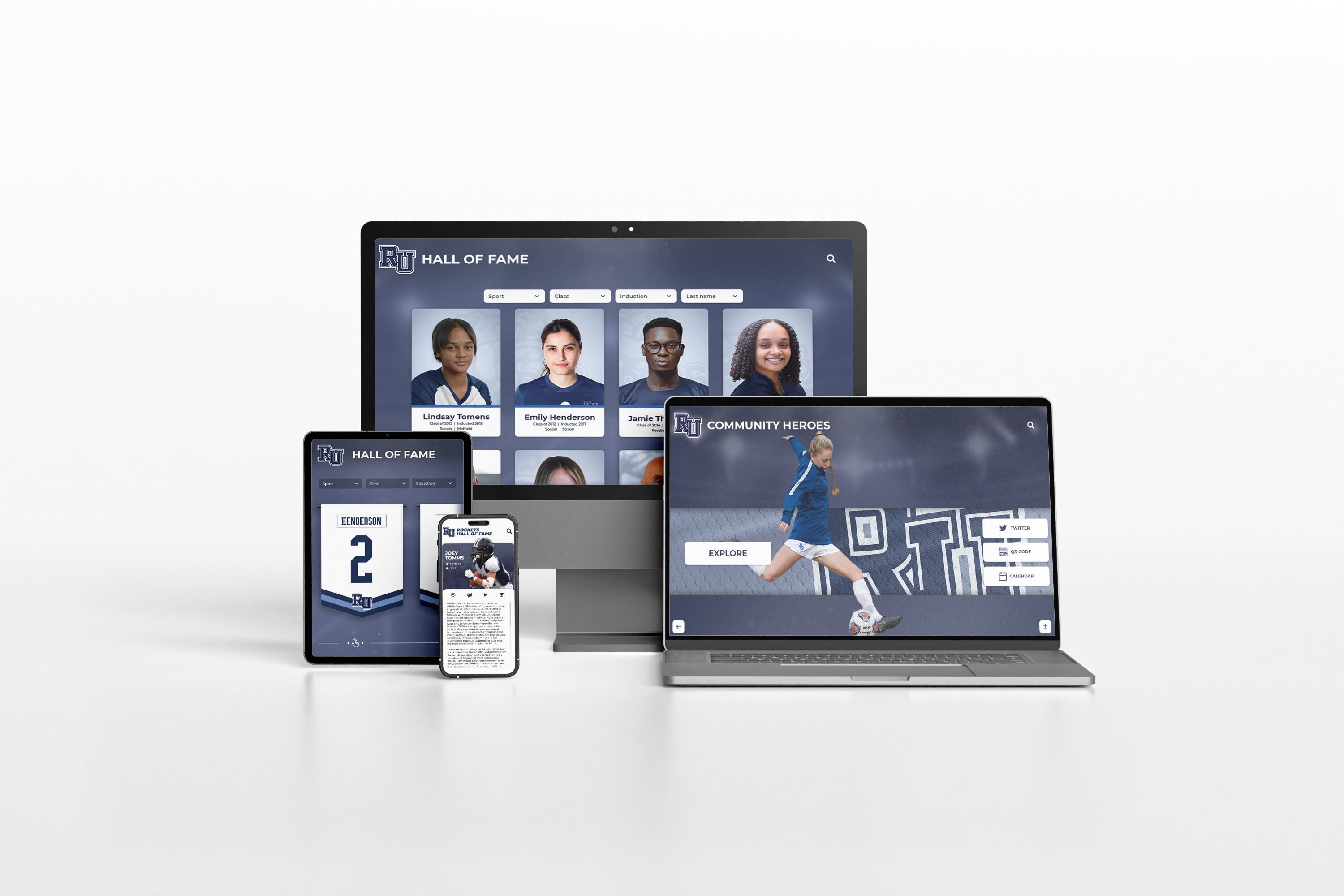
Modern alumni engagement requires seamless experiences across devices—a capability that demands significant development resources
The Hidden Cost Reality
The “free” label attached to open source software obscures substantial costs that become apparent only after implementation begins.
Initial Setup Costs: Installing open source alumni management software requires server infrastructure, database configuration, security hardening, and integration with existing institutional systems. Unless your IT team possesses specific expertise in the platform’s technology stack, expect consulting fees ranging from $5,000 to $25,000 for initial deployment.
Ongoing Maintenance: Software requires regular updates addressing security vulnerabilities, bug fixes, and compatibility issues when underlying technologies change. Budget 10-20 hours monthly for maintenance—either consuming internal IT capacity or requiring external support contracts.
Feature Development: When you need functionality the platform doesn’t include, you must either build it internally or hire developers. Custom feature development costs $75-$200 per hour depending on complexity and developer rates in your region.
Training and Documentation: Open source projects often lack comprehensive user documentation. Expect significant time investment creating internal training materials and troubleshooting common issues without vendor support resources.
Total Cost Comparison: Over a five-year period, institutions frequently spend $40,000-$100,000 on an “free” open source solution when accounting for implementation, maintenance, hosting, and development costs—often exceeding commercial platform costs while delivering fewer features.
When Open Source Alumni Management Software Works Well
Despite cost considerations, specific institutional profiles and use cases make open source solutions genuinely advantageous.
You Have Technical Resources In-House
Open source alumni management software becomes viable when your institution employs developers or IT professionals with expertise in the platform’s technology stack who can dedicate time to maintenance and customization.
Ideal Technical Profile:
- IT team with 3+ full-time staff members
- Developers experienced in the platform’s programming language
- Existing server infrastructure and database administration capacity
- History of successfully maintaining other open source applications
- Internal change management processes for software updates
Small schools with lean IT teams stretched across multiple priorities should recognize that open source platforms will either languish unmaintained or consume disproportionate resources better allocated to core academic technology needs.
Your Requirements Are Straightforward
Institutions with simple alumni engagement needs—basic contact database, email communications, event registration—can effectively use open source platforms without requiring extensive customization.
Use Case Examples:
- Small liberal arts colleges under 2,000 alumni tracking basic contact information
- Single-program graduate schools managing modest cohorts
- Regional alumni chapters needing simple event coordination
- Organizations prioritizing email communication over sophisticated multi-channel campaigns
Conversely, institutions running complex fundraising campaigns, managing large-scale reunion programs, or requiring integrated digital recognition displays will quickly encounter platform limitations.
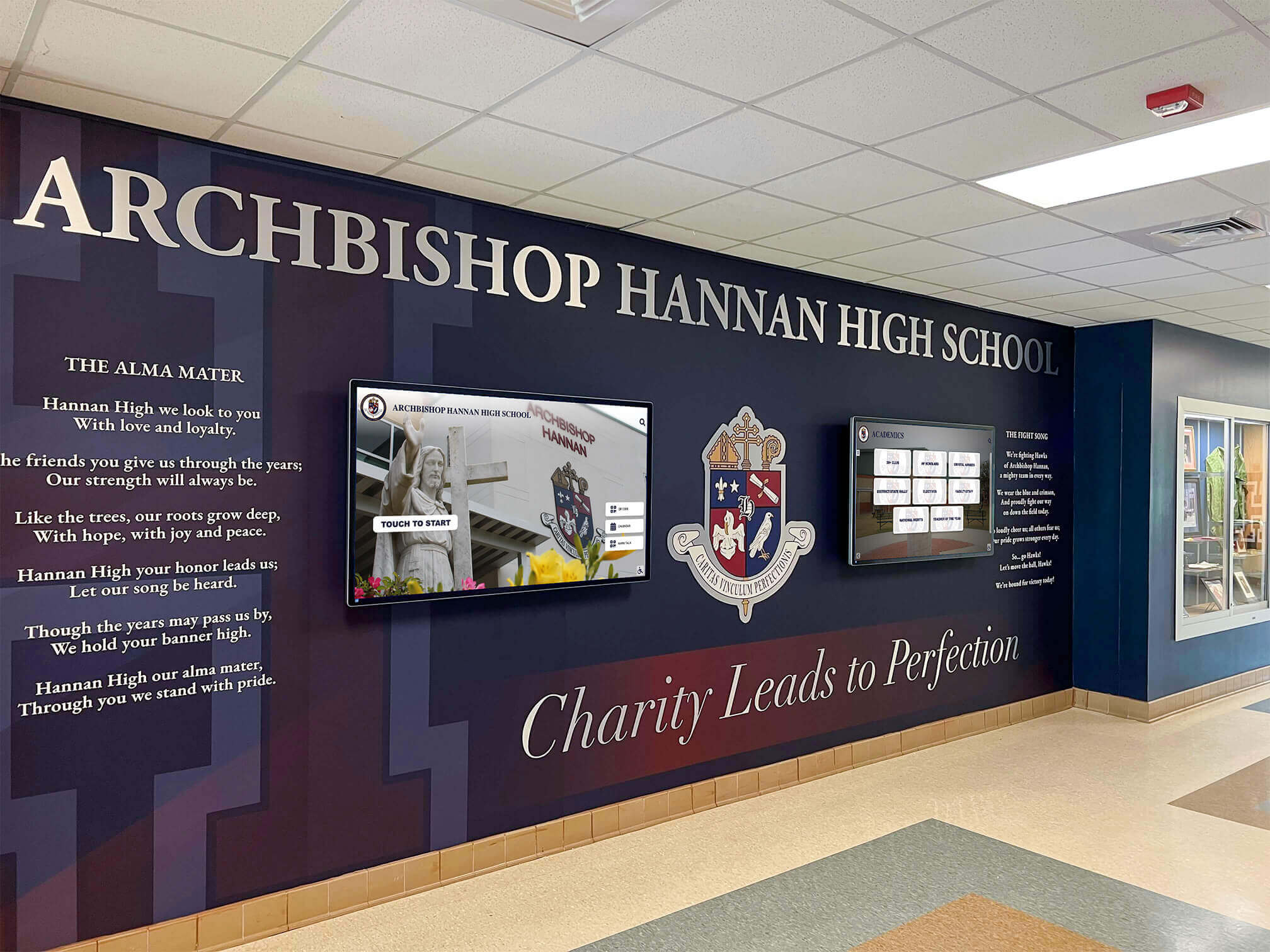
Comprehensive alumni engagement often requires integration between management software and physical recognition displays
You Need Maximum Data Control
Institutions with strict data sovereignty requirements, regulatory compliance needs, or security policies prohibiting cloud-hosted solutions benefit from self-hosted open source platforms.
Scenarios Favoring On-Premises Hosting:
- International institutions subject to data residency regulations
- Organizations managing highly sensitive alumni information
- Schools requiring integration with legacy on-premises systems
- Institutions with existing data center infrastructure and expertise
However, recognize that self-hosting shifts security responsibility entirely to your team. You must implement encryption, maintain security patches, conduct vulnerability assessments, ensure backup redundancy, and achieve compliance certifications—expertise that commercial vendors provide as standard services.
Budget Constraints Are Absolute
When genuinely no budget exists for commercial software licensing, open source platforms provide functional capabilities that exceed spreadsheet-based alumni management or no system at all.
Making It Work on Zero Budget:
- Leverage student workers studying computer science for implementation assistance
- Utilize existing campus server infrastructure
- Accept feature limitations and focus on core database functionality
- Plan minimal customization to reduce development needs
- Establish realistic expectations about what the platform can deliver
This approach demands honest assessment: if you can reallocate even $3,000-$5,000 annually, entry-level commercial platforms may deliver better outcomes than attempting to maintain open source software with insufficient resources.
When You Should Skip Open Source Solutions
Equally important is recognizing situations where open source alumni management software creates more problems than it solves.
Limited IT Resources
The most common mistake: institutions with small IT teams adopting open source platforms they cannot adequately support.
Warning Signs:
- IT staff already overwhelmed maintaining existing systems
- No internal expertise in the platform’s programming language
- History of abandoned technology projects due to resource constraints
- Expectation that “someone will figure it out” without dedicated assignment
- Reliance on part-time contractors with competing priorities
Campus technology initiatives require sustained attention. Platforms deployed enthusiastically but then neglected quickly become security liabilities hosting outdated software vulnerable to exploitation.
You Need Rapid Deployment
Open source implementation timelines typically span 3-6 months from initial installation to production readiness—unacceptable when launching time-sensitive alumni campaigns or initiatives.
Timeline Comparison:
- Open Source: 2-4 weeks installation, 4-8 weeks configuration, 2-4 weeks testing, 2-4 weeks training
- Commercial SaaS: 1-2 weeks implementation, immediate availability of standard features
Institutions preparing for major fundraising campaigns, milestone anniversaries, or reunion planning need systems operational quickly rather than consuming months in technical implementation.

Professional installations require vendor support and rapid deployment timelines that open source projects struggle to provide
Integration Is Critical
Modern advancement operations require seamless data flow between alumni management, student information systems, fundraising platforms, email marketing tools, and recognition displays.
Integration Challenges with Open Source:
- APIs often incomplete or poorly documented
- No pre-built connectors for common third-party platforms
- Custom integration development consuming 50-100+ hours per system
- Data synchronization errors requiring ongoing troubleshooting
- Version updates frequently breaking existing integrations
Commercial platforms provide maintained integrations with popular systems like Salesforce, Blackbaud, Mailchimp, and digital trophy case displays—functionality that would cost tens of thousands to replicate through custom development.
You Require Sophisticated Analytics
Data-driven advancement strategies depend on analytics revealing donor patterns, engagement trends, campaign effectiveness, and predictive modeling for targeted outreach.
Open source platforms typically offer basic reporting—contact lists, event attendance summaries, simple donation totals. Advanced capabilities like cohort analysis, engagement scoring, predictive giving models, and dashboard visualizations require either accepting limitations or investing in business intelligence tools and custom development.
Analytics Gap Example: A commercial platform instantly segments alumni by engagement score, identifying “lapsed donors with high event attendance” for targeted re-engagement campaigns. Achieving similar insights with open source software requires exporting data to Excel, manual analysis, and static reports rather than dynamic dashboards.
Support and Reliability Matter
When alumni management directly impacts fundraising goals, system downtime or unresolved technical issues carry real financial consequences.
Support Limitations:
- Community forums provide best-effort assistance without guaranteed response times
- No service level agreements ensuring uptime or issue resolution
- Troubleshooting problems may require days or weeks of forum research
- Critical bugs might remain unpatched until community developers volunteer time
- No vendor accountability when systems fail during critical campaigns
Consider whether your advancement operation can tolerate 24-48 hour outages or if you need guaranteed 99.9% uptime with professional support responding within hours.
Evaluating Hybrid Approaches
Rather than choosing exclusively between open source and commercial solutions, some institutions benefit from hybrid strategies combining both approaches.
Open Source for Data Warehouse
Use open source databases and tools for data warehousing and analytics while employing commercial software for user-facing alumni engagement functions.
Architecture Example:
- Commercial CRM handling daily alumni interactions and communications
- Open source data warehouse aggregating information from multiple systems
- Custom analytics dashboards built on open source business intelligence tools
- Automated data pipelines synchronizing between commercial and open source components
This approach leverages open source flexibility for analytics while ensuring reliable user experiences through commercial platforms.
Commercial Core with Open Source Extensions
Adopt commercial alumni management software for core functionality while building open source extensions for highly specific institutional needs.
Extension Examples:
- Custom web portals for alumni accessing institution-specific resources
- Specialized matching algorithms connecting alumni mentors with students
- Integration adapters linking commercial platforms to unique legacy systems
- Academic history archives with custom search and display features
This strategy minimizes custom development scope while addressing needs commercial software doesn’t fulfill.

Hybrid solutions often combine commercial engagement platforms with custom-built features for unique institutional requirements
Decision Framework: Choosing the Right Approach
Use this systematic evaluation process to determine whether open source alumni management software aligns with your institutional context.
Technical Capacity Assessment
Score your technical capacity (1 = low, 5 = high):
- In-house development expertise in platform technology: ___
- Available IT staff hours for ongoing maintenance: ___
- Server infrastructure and hosting capabilities: ___
- Security and compliance implementation skills: ___
- Integration development and API experience: ___
Total Score Interpretation:
- 20-25: Strong technical foundation for open source success
- 15-19: Possible but requires careful resource allocation
- 10-14: Significant risk; consider commercial alternatives
- Below 10: Open source will likely fail; choose commercial platforms
Requirements Complexity Evaluation
Assess your feature needs:
- Simple contact database with basic email: Open source viable
- Event management with registration and payment processing: Commercial recommended
- Sophisticated segmentation and predictive analytics: Commercial required
- Integration with 3+ existing systems: Commercial strongly recommended
- Custom workflows specific to your institution: Depends on development capacity
Cost-Benefit Analysis
Calculate five-year total cost of ownership:
Open Source:
- Initial implementation: $________
- Annual hosting and infrastructure: $________ × 5
- Annual maintenance (hours × hourly rate): $________ × 5
- Feature development: $________
- Training and documentation: $________
- Total: $________
Commercial Alternative:
- Annual licensing fees: $________ × 5
- Implementation/onboarding: $________
- Annual support: $________ × 5
- Total: $________
Cost difference: $________
Compare not just dollars but also opportunity costs—what else could IT resources accomplish if not maintaining alumni software?
When Rocket Alumni Solutions Makes More Sense
For many institutions, specialized commercial platforms purpose-built for alumni engagement deliver superior outcomes compared to general-purpose open source management software.
The Physical + Digital Integration Advantage
Alumni engagement increasingly combines digital communication with physical campus experiences. Rocket Alumni Solutions provides integrated systems connecting touchscreen recognition displays, web-accessible databases, and content management platforms—creating seamless experiences impossible through database-centric software alone.
Integrated Capabilities:
- Interactive touchscreen displays in high-traffic campus locations showcasing alumni achievements
- Web portals enabling global alumni access to the same recognition content
- Cloud-based content management requiring no technical expertise for updates
- Real-time synchronization between physical displays and online platforms
- Analytics tracking both on-campus interactions and web engagement
These multi-channel capabilities transform alumni recognition from static plaques or database records into engaging experiences that inspire current students while honoring graduates.
Purpose-Built for Recognition and Engagement
While general alumni management software treats recognition as one database category among many, specialized platforms optimize specifically for showcasing achievements and creating compelling narratives.
Recognition-Focused Features:
- Unlimited honoree capacity without space constraints limiting who can be recognized
- Rich multimedia storytelling through photos, videos, and biographical narratives
- Searchable interfaces enabling intuitive exploration by name, year, sport, achievement type
- Social sharing tools amplifying recognition reach beyond campus boundaries
- Mobile-responsive design ensuring excellent experiences on all devices
Athletic halls of fame, donor recognition walls, and academic achievement displays require specialized capabilities that general-purpose software doesn’t prioritize.
Zero Maintenance Burden
Rocket’s cloud-based platform eliminates the technical maintenance consuming resources with open source solutions.
What You Don’t Manage:
- Server infrastructure and hosting
- Security patches and vulnerability management
- Software updates and version compatibility
- Database backups and disaster recovery
- Integration maintenance as connected systems change
Advancement staff access intuitive content management tools without IT intervention, while automatic updates ensure access to latest features without migration projects.
Professional Implementation and Support
Unlike open source community forums, commercial platforms provide dedicated implementation assistance and responsive technical support.
Support Advantages:
- Structured onboarding process with timeline and milestones
- Training for staff on content management and administrative functions
- Guaranteed response times for technical issues
- Account management ensuring successful outcomes
- Continuous platform improvements based on user feedback across institutions
This professional support proves especially valuable for smaller institutions lacking extensive technical resources.
Making Your Decision
Open source alumni management software succeeds in specific contexts—institutions with technical resources, straightforward requirements, and commitment to ongoing maintenance. However, many schools overestimate their capacity to support these platforms while underestimating total costs.
Choose Open Source When:
- You employ developers with relevant expertise willing to dedicate time
- Requirements focus narrowly on database and basic email
- Data control needs mandate on-premises hosting
- Genuinely zero budget exists for commercial alternatives
Choose Commercial Platforms When:
- Limited IT resources cannot sustain ongoing maintenance
- You need rapid deployment for time-sensitive initiatives
- Integration with existing systems is critical
- Recognition and engagement rather than just database management drives strategy
- Professional support and guaranteed reliability matter
For institutions focused on creating compelling alumni recognition experiences that combine physical displays with digital engagement, specialized platforms like Rocket Alumni Solutions provide turnkey capabilities that would require years and hundreds of thousands of dollars to replicate through open source development. The question isn’t whether open source software is “free”—it’s whether the true total cost delivers outcomes justifying the investment of your team’s time and institutional resources.
Rather than viewing this as an either/or decision, consider what specific problems you’re trying to solve. Database management, communication tools, and data analysis each have different optimal solutions. The best alumni engagement strategies often combine multiple specialized tools—each excellent at its primary purpose—rather than forcing a single platform to address every need inadequately.
Ready to explore purpose-built alumni recognition solutions? Schedule a consultation to see how integrated physical and digital platforms create engagement experiences impossible through database software alone.































