Parent engagement is one of the most powerful predictors of student success, yet many schools struggle to maintain meaningful connections with families beyond back-to-school night and parent-teacher conferences. Over 90% of parents attend general school meetings, but true engagement goes far deeper than attendance—it’s about creating ongoing connections that keep families informed, involved, and invested in their child’s educational journey.
This comprehensive guide explores how digital recognition technology transforms parent engagement from sporadic interactions into continuous partnerships. Whether you’re an administrator seeking to strengthen family connections, a teacher looking to improve communication, or a parent advocate working to build community, these strategies will help you leverage modern recognition displays to create the family-school relationships that drive student achievement.
The gap between occasional parent involvement and deep family engagement represents one of education’s most significant opportunities. Research consistently demonstrates that when families feel connected to their child’s school, students achieve better outcomes, schools build stronger communities, and educators experience greater support and satisfaction.
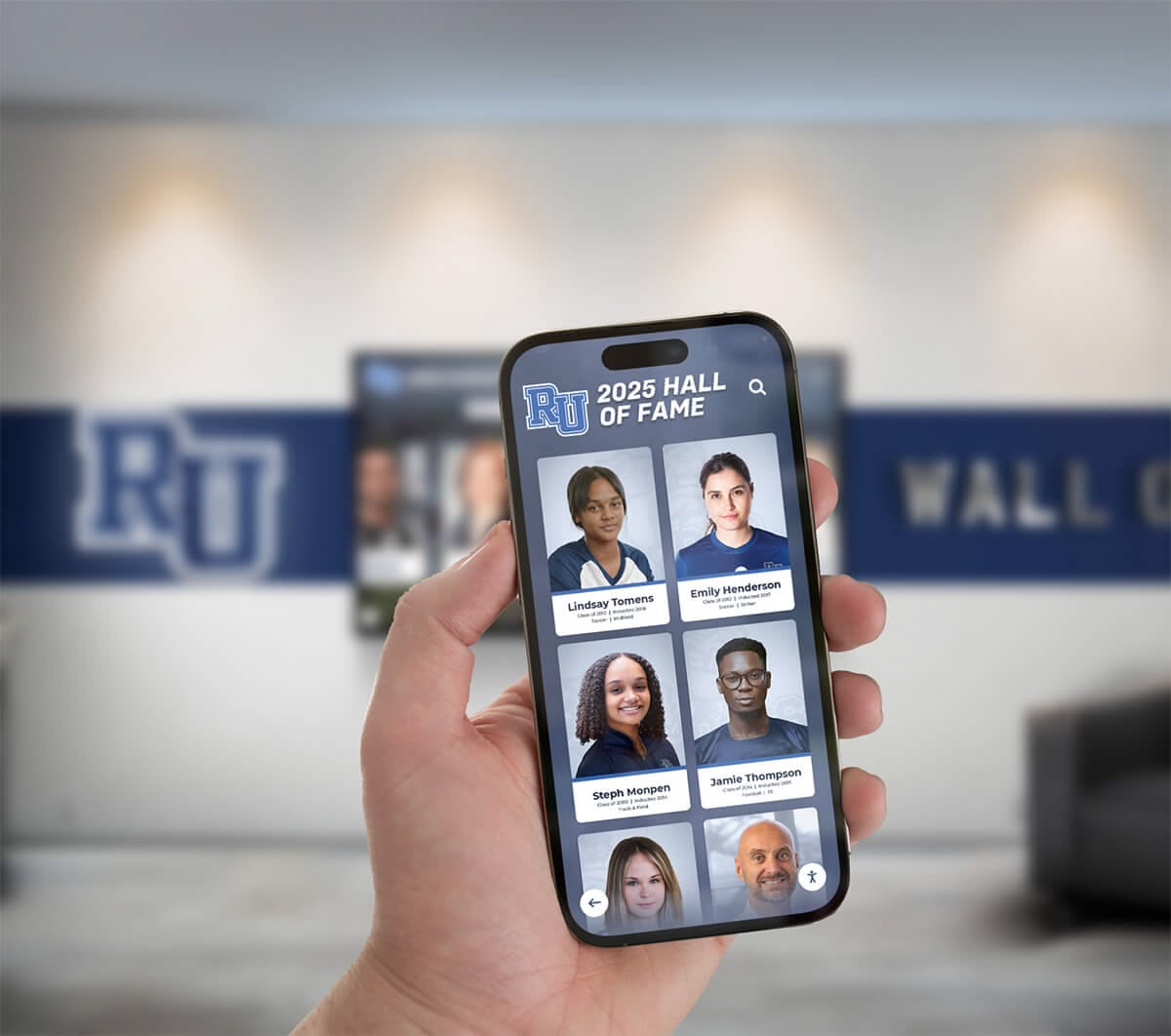
Modern digital recognition extends beyond campus walls, allowing parents to stay connected from anywhere
Understanding the Parent Engagement Challenge
Before exploring solutions, it’s essential to understand why parent engagement remains challenging despite universal recognition of its importance.
Common Barriers to Parent Involvement
Schools and families face multiple obstacles to meaningful engagement:
Time and Schedule Constraints
- Parents working multiple jobs or irregular schedules
- Difficulty attending daytime school events and meetings
- Limited time for volunteering or committee participation
- Conflicts between work responsibilities and school activities
- Single parents managing all household and parenting duties alone
Communication Gaps
- Information overload from multiple school communication channels
- Language barriers for multilingual families
- Technology access limitations for some households
- Inconsistent communication methods across different teachers and departments
- Difficulty knowing what questions to ask or how to stay informed
Psychological and Social Barriers
- Parents’ own negative school experiences creating reluctance
- Feeling unwelcome or intimidated in school environments
- Uncertainty about appropriate involvement levels
- Cultural differences in expectations around family-school relationships
- Socioeconomic factors creating feelings of inadequacy
Information Access Challenges
- Not knowing about student achievements until grades arrive
- Missing opportunities to reinforce positive behaviors
- Difficulty understanding what students are learning
- Limited visibility into school culture and community
- Disconnection from broader student experiences beyond their own child

Visible recognition displays create welcoming environments that invite parent connection
Why Traditional Engagement Methods Fall Short
Traditional parent engagement approaches have significant limitations:
Static Communication Channels
- Paper newsletters often lost or unread
- Email communications buried in overflowing inboxes
- One-way information flow without interaction opportunities
- Generic messaging failing to resonate personally
- Delayed recognition of student achievements
Limited Recognition Visibility
- Trophy cases updated infrequently with space constraints
- Awards assemblies requiring daytime attendance
- Recognition programs highlighting only traditional achievements
- Parents missing their child’s moments of honor
- No way for extended family to participate in celebrations
These limitations create situations where parents want to be engaged but lack the information, access, and connection points that make meaningful involvement possible.
How Digital Recognition Transforms Parent Engagement
Digital recognition displays address traditional engagement barriers through technology that keeps families connected, informed, and invested in school communities.
Real-Time Achievement Awareness
One of the most powerful aspects of digital recognition is immediate visibility:
Instant Recognition Updates
- Students honored immediately when achievements occur
- Parents notified through multiple channels about recognition
- Extended family can view achievements remotely
- No delay between accomplishment and celebration
- Maintains momentum and emotional connection to success
Comprehensive Achievement Coverage
- Recognition beyond limited trophy case space
- Multiple achievement categories visible simultaneously
- Academic, athletic, artistic, and character recognition equally valued
- Individual and group accomplishments both highlighted
- Historical archives preserving all recognition permanently

Interactive displays allow families to explore comprehensive achievement information at their convenience
Extending Engagement Beyond Campus
Modern digital recognition breaks down geographical and temporal barriers:
| Access Method | Parent Benefit | Engagement Impact |
|---|---|---|
| Web Access | View recognition from home, work, or anywhere | Parents stay connected despite schedule constraints |
| Mobile Optimization | Check achievements on smartphones during breaks | Casual browsing increases awareness of school activities |
| Social Sharing | Share student achievements with extended family | Amplifies pride and broadens support network |
| 24/7 Availability | Access information on parent's schedule | Removes time constraints from engagement |
| Search Functionality | Find specific students or achievement categories | Personalized experience increases relevance |
Creating Conversation Starters
Digital recognition provides natural opportunities for family discussions about school:
Strengthening Home-School Connection
- Parents see what school values through recognition choices
- Students proudly share achievements visible on displays
- Family conversations extend beyond “how was school today?”
- Siblings see older students’ achievements as aspirational models
- Grandparents and extended family stay connected to student experiences
This visibility transforms abstract school experiences into concrete talking points that strengthen family engagement with education.
Strategic Implementation: Eight Essential Elements
Successful parent engagement through digital recognition requires thoughtful implementation across multiple dimensions.
1. Diverse Recognition Categories That Resonate With All Families
To engage all parents, recognition must celebrate achievements every family values:
Academic Excellence and Growth
- Honor roll and grade-level achievements
- Subject-specific academic awards
- Academic improvement recognition celebrating growth
- Perfect attendance and effort awards
- Academic achievement recognition across all performance levels
Character and Citizenship
- Kindness and compassion recognition
- Peer support and mentorship achievements
- Community service and volunteer hours
- Leadership development and responsibility
- Positive attitude and resilience awards
Creative and Artistic Achievement
- Visual arts competitions and exhibitions
- Music performance and ensemble honors
- Theater and drama achievements
- Creative writing and publication recognition
- Digital media and design accomplishments
Athletic and Physical Achievement
- Individual and team athletic recognition
- Sportsmanship and leadership awards
- Fitness milestone achievements
- Multi-sport participation recognition
- Intramural and recreational sport involvement
Specialized Recognition Programs
- Student of the month programs highlighting different students
- Career and technical education achievements
- Special education milestone celebrations
- Newcomer and ESL program accomplishments
- Attendance improvement and engagement growth
When schools recognize diverse achievements, every parent sees their child’s potential for recognition, increasing investment in school community.
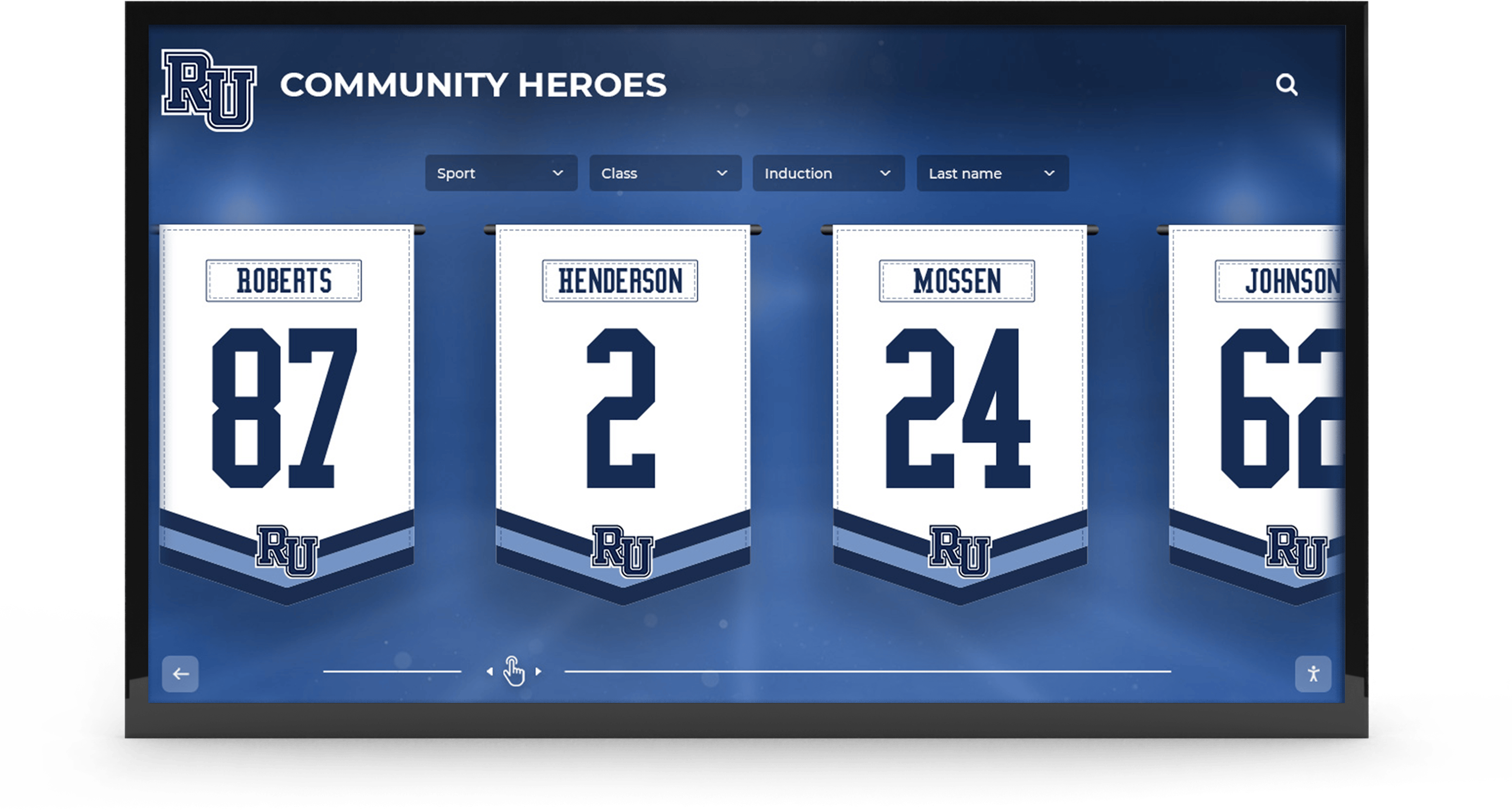
Diverse recognition categories ensure every family finds achievements to celebrate
2. Multi-Channel Communication Integration
Digital recognition works best as part of comprehensive communication strategy:
Notification Systems
- Email alerts when students are recognized
- SMS text notifications for immediate awareness
- Social media posts celebrating achievements
- Mobile app push notifications
- Weekly digest emails summarizing recent recognition
Coordinated Messaging
- Consistent information across all communication channels
- Teachers referencing recognition in individual student communications
- Principals highlighting recognition in newsletters
- Counselors using achievement visibility in student conversations
- Administrative staff directing visitors to digital displays
Parent Portal Integration
- Recognition information accessible through existing parent portals
- Links from grade reports to achievement displays
- Integration with student information systems
- Historical achievement records in permanent files
- Family account access for extended family members
According to research on digital school-home communication, 89% of parents in the 2015-16 school year received newsletters, emails, or notices from their child’s school, demonstrating the importance of multi-channel approaches.
3. Family-Friendly Display Placement and Design
Strategic placement ensures parents encounter recognition naturally:
High-Traffic Parent Locations
- Main office areas where parents check in
- Front entrance lobbies visible during drop-off and pick-up
- Athletic facility entryways before games and events
- Performing arts centers where parents attend concerts
- Cafeteria areas during family meal events
Welcoming Visual Design
- Clear, easy-to-read typography for quick scanning
- Intuitive navigation requiring minimal instruction
- Attractive visual presentation reflecting school pride
- Multilingual interface options for diverse families
- Accessible design accommodating all abilities
Interactive Features
- Touch capabilities inviting exploration
- Search functions helping parents find their student
- Filter options by grade level, activity, or date
- Photo galleries celebrating group achievements
- Video content bringing accomplishments to life
Solutions like interactive touchscreen displays create engaging experiences that transform passive viewing into active family participation.

Interactive features encourage parents to actively explore student achievements
4. Regular Content Updates That Maintain Parent Interest
Fresh, frequently updated content keeps parents checking back:
Update Frequency Best Practices
- Daily or weekly addition of new achievements
- Rotating featured content highlighting different categories
- Seasonal content reflecting current school activities
- Anniversary features celebrating historical achievements
- Content calendar approaches ensuring consistent freshness
Content Variety
- Individual student spotlight features with photos and stories
- Team and group achievement celebrations
- Behind-the-scenes glimpses of school activities
- Upcoming event previews building anticipation
- Historical throwback content connecting to school tradition
Parent-Generated Content
- Nomination systems allowing parents to suggest recognition
- Photo submission opportunities for events
- Testimonial features from parent perspective
- Alumni parent connections sharing experiences
- Family legacy content highlighting multi-generational attendance
Regular updates signal that recognition is current and relevant, encouraging parents to develop checking habits.
5. Privacy Controls That Respect Family Preferences
Respecting privacy builds trust essential for engagement:
Opt-In/Opt-Out Systems
- Clear processes for families to control student visibility
- Granular options choosing what information appears
- Easy methods for updating preferences
- Annual confirmation of privacy choices
- Age-appropriate consent processes for older students
Information Display Levels
- Full profiles with photos and detailed information
- Name-only recognition respecting privacy concerns
- Anonymous recognition for sensitive situations
- Password-protected extended information access
- Public versus restricted access areas
Cultural Sensitivity
- Understanding cultural norms around recognition and visibility
- Accommodating religious or cultural restrictions
- Flexible approaches respecting family values
- Translation services ensuring clarity of privacy options
- Regular communication about privacy protections
Thoughtful privacy approaches demonstrate respect for family preferences while maximizing appropriate recognition.
6. Extended Family and Community Inclusion
Broadening access amplifies engagement impact:
Grandparent and Extended Family Access
- Simple web interfaces for less tech-savvy family members
- Large text options improving readability
- Instructions in multiple languages
- Guest access codes for visiting relatives
- Printable versions for those preferring physical copies
Employer-Friendly Features
- Mobile access allowing quick checks during work breaks
- Social sharing enabling workplace celebration
- Time-stamped content showing when recognition occurred
- Compact views working on various device sizes
- Saved favorites for frequently checked students
Geographic Flexibility
- Remote family members stay connected from anywhere
- Military family support during deployments
- International relatives participate in celebrations
- Alumni parent connections showing institutional continuity
- Reunion memory walls bringing families together across years
When recognition extends beyond immediate parents to broader family networks, it strengthens community connections and amplifies support for students.

Mobile-friendly access allows extended family to stay connected from anywhere
7. Integration With Parent Volunteer and Support Programs
Recognition visibility can drive increased parent participation:
Volunteer Recognition
- Highlighting parent volunteers on displays
- Celebrating family involvement and contributions
- Parent appreciation programs showing gratitude
- Volunteer milestone achievements
- Community partner recognition
Parent Organization Support
- PTA/PTO officer recognition and appreciation
- Fundraising achievement celebrations
- Committee participation acknowledgment
- Special event volunteer teams
- Parent liaison program visibility
Mentorship and Support Roles
- Career day participant recognition
- Classroom volunteer appreciation
- Tutoring and academic support acknowledgment
- Athletic booster recognition
- Arts program supporter celebration
When parents see their contributions recognized alongside student achievements, it reinforces that family involvement matters and is valued.
8. Data-Driven Engagement Measurement
Tracking engagement metrics helps optimize approaches:
Quantitative Metrics
- Digital display interaction rates and dwell time
- Web portal access frequency and patterns
- Email open rates and click-through rates
- Social media engagement with recognition posts
- Parent event attendance trends
Qualitative Feedback
- Parent surveys on recognition awareness
- Focus groups discussing engagement experiences
- Individual parent interviews
- Teacher observations of parent conversations
- Student reports of family discussions
Continuous Improvement
- Regular analysis of engagement patterns
- A/B testing different communication approaches
- Adjustments based on demographic data
- Seasonal optimization recognizing changing schedules
- Technology updates maintaining accessibility
Real-World Impact: Engagement Outcomes
While specific case studies would require verified data, research on parent engagement and digital communication demonstrates measurable benefits:
Academic Performance Connections
According to research from the National Center for Education Statistics, family involvement is consistently linked to positive student outcomes:
Student Achievement Benefits
- Higher test scores and grades
- Better attendance and reduced tardiness
- Improved homework completion rates
- Increased graduation rates
- Greater likelihood of pursuing higher education
Behavioral and Social Benefits
- Reduced disciplinary incidents
- Improved social skills and peer relationships
- Enhanced self-esteem and motivation
- Better adaptation to school environment
- Increased extracurricular participation
School Climate Improvements
Strong parent engagement transforms overall school culture:
For Educators
- Increased teacher satisfaction and morale
- Reduced burnout and turnover
- Greater support for classroom initiatives
- Improved parent-teacher communication
- Enhanced professional reputation

Shared recognition experiences build stronger school communities
For Students
- Increased sense of belonging
- Greater awareness of achievement opportunities
- Improved peer relationships and school pride
- Enhanced motivation to pursue recognition
- Better understanding of school values
For Schools
- Positive community reputation
- Increased enrollment interest
- Greater community support and resources
- Improved fundraising and volunteer participation
- Enhanced alumni engagement as students become connected graduates
Community and Long-Term Benefits
Parent engagement creates lasting connections:
Immediate Community Impact
- Stronger neighborhood support for schools
- Increased local business partnerships
- Greater community attendance at school events
- Enhanced tax levy and bond issue support
- Improved community perception of education value
Long-Term Relationship Building
- Parents as lifelong school advocates
- Ongoing volunteer participation even after graduation
- Alumni parent connections and giving
- Multi-generational family school relationships
- Community leadership development
Overcoming Implementation Challenges
While digital recognition offers significant benefits, successful implementation requires addressing common challenges:
Budget Considerations
Schools often face financial constraints:
Affordable Implementation Approaches
- Phased implementation starting with single displays
- Grant funding through education foundations and corporate sponsors
- PTA/PTO fundraising specifically for recognition technology
- Sponsorship opportunities offsetting costs
- Existing technology repurposing and upgrades
Long-Term Value
- Reduced printing and physical display replacement costs
- Increased parent satisfaction and support
- Enhanced fundraising from engaged families
- Improved retention reducing enrollment loss costs
- Staff retention savings through better culture
Budget-conscious schools can explore budget-friendly digital recognition strategies.
Technology Access Equity
Not all families have equal technology access:
Bridging the Digital Divide
- Maintaining physical displays for campus access
- Printed recognition newsletters for those without internet
- Public library and community center access points
- School computer lab access during extended hours
- Mobile device lending programs
Multilingual Support
- Recognition content in multiple languages
- Visual-heavy designs reducing language barriers
- Translation services for parent communications
- Multilingual volunteer support at displays
- Cultural liaison assistance for diverse families
Accessibility for All Abilities
- ADA-compliant interfaces ensuring universal access
- Audio description options
- High-contrast visual modes
- Multiple input methods beyond touch
- Appropriate installation heights and clearances
Staff Training and Buy-In
Technology success requires educator support:
Professional Development
- Training programs ensuring comfortable use
- Clear protocols for recognition submission
- Administrative support staff assistance
- Ongoing technical support availability
- Peer mentoring and sharing best practices
Cultural Integration
- Recognition tied to existing programs
- Teacher input on recognition categories
- Shared ownership across departments
- Regular celebration of recognition program success
- Feedback loops for continuous improvement
Administrative Leadership
- Principal modeling of recognition importance
- Resource allocation demonstrating commitment
- Recognition of staff contributions to programs
- Protected time for recognition activities
- Celebration of engagement metrics improvements

Effective staff training ensures comfortable use and maximum program impact
Building Your Parent Engagement Strategy
Implementing effective parent engagement through digital recognition requires systematic planning:
Phase 1: Assessment and Planning
Understand Current State
- Survey parents about current engagement levels
- Identify existing communication channels and effectiveness
- Assess technology infrastructure and capabilities
- Evaluate current recognition programs and gaps
- Analyze demographic data on family technology access
Define Goals and Metrics
- Specific engagement targets (e.g., 75% of parents accessing displays)
- Desired behavior changes (increased event attendance, volunteering)
- Timeline for implementation and assessment
- Budget parameters and funding sources
- Success indicators and measurement methods
Phase 2: Technology Selection and Implementation
Choosing the Right Solution
- Screen size selection based on viewing distances
- Software capabilities matching engagement goals
- Integration with existing school systems
- Vendor support and training offerings
- Scalability for future expansion
Installation and Launch
- Strategic placement in high-parent-traffic areas
- Professional installation ensuring reliability
- Initial content population and testing
- Staff training and practice before public launch
- Phased rollout allowing adjustments
Solutions from providers like Rocket Alumni Solutions offer comprehensive platforms designed specifically for educational recognition.
Phase 3: Communication and Promotion
Launch Campaign
- Multi-channel announcement of new recognition programs
- Parent orientation sessions and tutorials
- Printed guides and QR codes for easy access
- Student ambassadors demonstrating displays
- Community event launch celebrations
Ongoing Promotion
- Regular reminders about recognition updates
- Featured recognition in other communications
- Social media highlights of display content
- Newsletter sections showcasing recent additions
- Automated notifications for new recognition
Phase 4: Sustained Engagement and Growth
Maintaining Momentum
- Regular content updates maintaining freshness
- Seasonal themes and special features
- Anniversary recognitions of past achievements
- Expanded recognition categories over time
- Technology updates and new features
Continuous Improvement
- Regular engagement metric review
- Parent feedback collection and response
- Technology optimization based on usage patterns
- Staff input on effectiveness
- Expansion to additional displays and locations
The Future of Parent Engagement
Digital recognition represents just the beginning of technology-enabled family-school partnerships:
Emerging Capabilities
Personalization and AI
- Customized content based on family interests
- Predictive suggestions for relevant recognition
- Natural language search capabilities
- Automated photo tagging and organization
- AI-powered personalization enhancing relevance
Enhanced Interactivity
- Virtual reality school tours for remote families
- Augmented reality features bringing recognition to life
- Interactive goal-setting linked to recognition
- Gamification encouraging positive behaviors
- Collaborative family challenges and achievements
Integration and Connectivity
- Seamless connection with learning management systems
- Integration with student information systems
- Social media platform native integration
- Smart home device compatibility
- Wearable technology notifications
Global Accessibility
- Real-time translation in any language
- Accessibility features for all abilities
- Low-bandwidth optimized versions
- Offline access capabilities
- Cross-platform synchronization
These emerging capabilities will further reduce barriers to parent engagement while creating more personalized and meaningful connections.
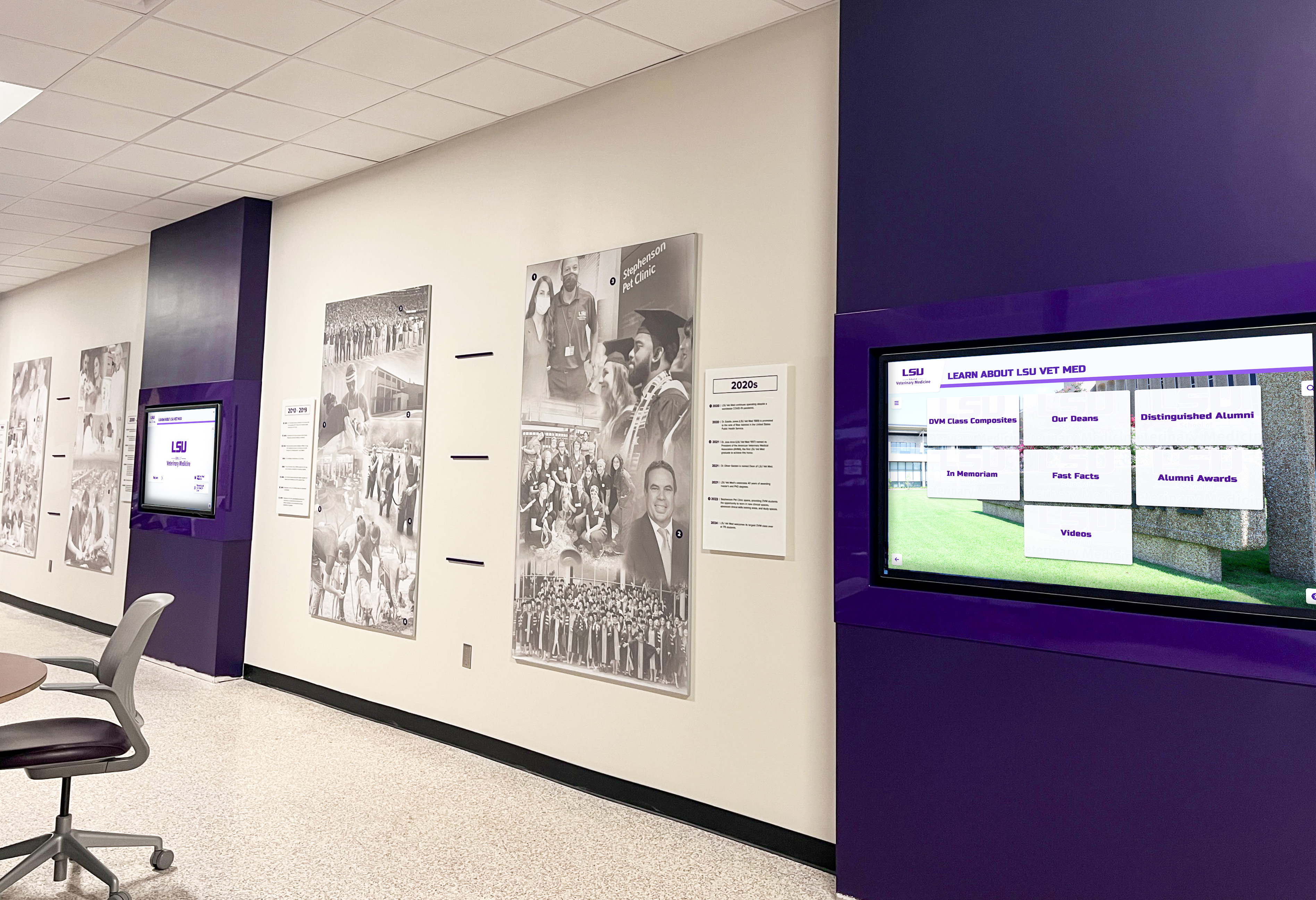
Advanced display technology creates engaging recognition experiences for families
Conclusion: Investing in Family Partnerships
Parent engagement represents one of education’s most powerful levers for student success, yet traditional approaches leave many families disconnected from school communities despite good intentions on all sides. Digital recognition displays break down barriers that prevent meaningful engagement by providing 24/7 access to information, celebrating diverse achievements, and creating natural conversation points that strengthen home-school connections.
The investment in digital recognition technology pays dividends far beyond the immediate costs. When parents feel connected to their child’s school, students achieve better outcomes, teachers experience greater support, schools build stronger communities, and families develop lasting relationships with educational institutions.
Ready to Transform Parent Engagement?
Discover how digital recognition displays can help you build stronger family-school partnerships, keep parents informed and involved, and create the connections that drive student success.
Explore Recognition SolutionsSuccessful parent engagement through digital recognition requires more than just installing technology—it demands thoughtful implementation that addresses family needs, respects privacy preferences, communicates effectively across multiple channels, and continuously evolves based on feedback and engagement data.
Start where you are with the resources you have. Even a single digital display in a main office area can begin transforming how families connect with your school. As you demonstrate impact through increased engagement metrics, expanded recognition programs become easier to justify and fund.
The families you serve want to be engaged. They want to celebrate their children’s achievements, support their school community, and stay connected to educational experiences. Digital recognition provides the visibility, accessibility, and connection points that transform that desire into sustained action.
Your school’s unique culture, values, and community provide the foundation. Digital recognition tools simply amplify what’s already there—the achievements worth celebrating, the students worth honoring, and the families eager to stay connected. By investing in technology that keeps families informed and involved, you create partnerships that benefit everyone: students achieve more, parents feel connected, teachers receive support, and schools build the strong communities that define educational excellence.
Ready to begin? Explore how interactive digital displays can strengthen your parent engagement strategy, or learn more about recognition programs that celebrate your entire school community while keeping families connected to student success.































