The Philadelphia Flyers stand among professional hockey’s most storied franchises, with a tradition built on championship success, legendary players, and the passionate “Broad Street Bullies” identity that defined an era. From Bobby Clarke’s leadership through Eric Lindros’s dominance to modern stars continuing the legacy, the Flyers’ rich history deserves recognition that matches its significance.
This comprehensive exploration examines how a Rocket Alumni touchscreen installation could honor Philadelphia Flyers excellence through interactive digital recognition. We’ll explore the franchise’s championship heritage, legendary players worthy of celebration, and how modern recognition technology creates engaging experiences for fans, corporate spaces, and hockey organizations at all levels seeking to preserve their own traditions.
The Philadelphia Flyers represent more than a hockey team—they embody a city’s sporting character, decades of championship pursuit, and the evolution of professional hockey itself. Understanding this tradition provides context for how digital recognition systems celebrate hockey excellence while inspiring current and future generations of players and fans.
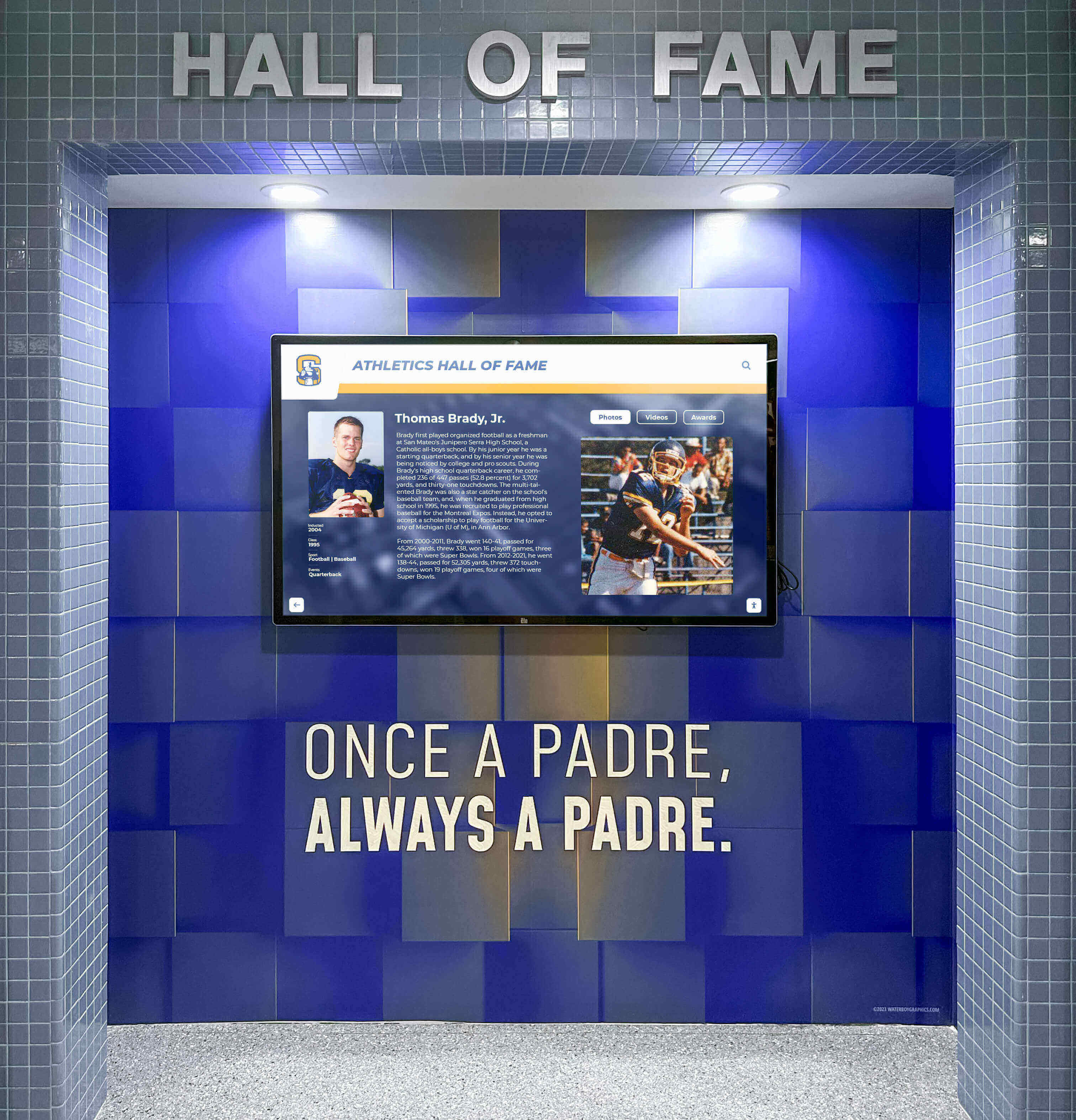
Digital recognition displays bring hockey history to life through interactive touchscreen technology
The Philadelphia Flyers: A Franchise Built on Championship Tradition
The Philadelphia Flyers entered the National Hockey League in 1967 as part of the league’s first major expansion, forever changing professional hockey’s landscape. Within just a few years, this expansion team would capture consecutive Stanley Cup championships while establishing an identity that resonates decades later.
Origins and Early Success
The Flyers franchise began play in the 1967-68 season, joining the NHL alongside five other expansion teams. Ed Snider, the team’s founder and chairman, envisioned creating not just a competitive hockey team but an integral part of Philadelphia’s sports culture.
Early struggles gave way to systematic building under general manager Keith Allen and coach Fred Shero. Through shrewd drafting, strategic trades, and development of a physical, determined playing style, the Flyers transformed from expansion newcomers into championship contenders within just seven seasons.
The Broad Street Bullies Era
The Flyers’ identity crystallized in the early 1970s through the “Broad Street Bullies” moniker—a reference to Philadelphia’s Broad Street and the team’s physically intimidating style. This approach combined skill, toughness, and tactical discipline in ways that revolutionized hockey strategy.
Key Characteristics:
- Physical, punishing play that wore down opponents
- Skilled forwards capable of explosive offensive production
- Defensive responsibility paired with offensive creativity
- Goaltending excellence providing championship-caliber consistency
- Team-first mentality prioritizing collective success over individual statistics
This philosophy culminated in back-to-back Stanley Cup championships in 1974 and 1975—the first expansion-era team to win hockey’s ultimate prize and the only expansion franchise to capture consecutive titles in their first decade.

Championship recognition preserves the defining moments that built franchise legacies
The 1974 Stanley Cup Championship
The Flyers’ first championship in 1974 represented a watershed moment for expansion hockey. After building through seven seasons of steady improvement, Philadelphia defeated the Boston Bruins—featuring legendary Bobby Orr—in six games to claim the franchise’s first Stanley Cup.
Championship Team Leaders:
- Bobby Clarke: Captain and Hart Trophy winner leading by example
- Bernie Parent: Conn Smythe Trophy winner with dominant goaltending
- Bill Barber: Dynamic scorer providing offensive firepower
- Rick MacLeish: Clutch performer in critical moments
- Fred Shero: Innovative coach implementing systems ahead of his time
The championship validated Philadelphia’s physical approach while proving expansion teams could compete with Original Six franchises that had dominated hockey for decades.
The 1975 Stanley Cup Championship
Defending championships proves historically difficult in professional sports, yet the Flyers captured their second consecutive Stanley Cup in 1975 by defeating the Buffalo Sabres. This back-to-back achievement cemented the Flyers’ dynasty status and demonstrated sustained excellence rather than a single championship season.
Bernie Parent again won the Conn Smythe Trophy, becoming the first player to earn playoff MVP honors in consecutive years. The championship run featured dominant performances, resilient comebacks, and the complete team play that defined Broad Street Bullies hockey.
For hockey programs seeking to honor their own championship traditions, digital record boards for ice hockey provide comprehensive recognition that traditional trophy cases cannot match, preserving championship details through interactive displays accessible to current and future generations.
Legendary Philadelphia Flyers Worthy of Recognition
The Flyers’ championship tradition was built by legendary players whose contributions shaped franchise identity and inspired generations of Philadelphia hockey.
Bobby Clarke: The Heart of the Franchise
Bobby Clarke epitomizes Philadelphia Flyers hockey—skilled, competitive, and relentlessly determined. Selected 17th overall in the 1969 NHL Draft despite concerns about his diabetes, Clarke became one of hockey’s greatest leaders while proving doubters spectacularly wrong.
Career Achievements:
- Three Hart Memorial Trophies as league MVP (1973, 1975, 1976)
- Captain of both Stanley Cup championship teams
- 1,210 points in 1,144 career games, all with Philadelphia
- Eight-time All-Star selection
- Hockey Hall of Fame inductee (1987)
Clarke’s competitive fire and two-way excellence defined Flyers hockey for 15 seasons. His leadership extended beyond statistics, as he embodied the work ethic and determination that became synonymous with Philadelphia hockey. His number 16 was retired by the franchise, ensuring his legacy remains permanently visible.
Beyond playing career, Clarke served as Flyers general manager, further cementing his connection to franchise success across multiple decades.

Interactive displays enable comprehensive player profiles with statistics, photos, and career achievements
Bernie Parent: Goaltending Greatness
Bernie Parent ranks among hockey’s elite goaltenders, with championship performances that defined playoff excellence. After stints with Boston and Toronto early in his career, Parent found his home in Philadelphia where he became the backbone of championship teams.
Legendary Achievements:
- Consecutive Conn Smythe Trophies (1974, 1975)
- Vezina Trophy winner (1974, 1975)
- Career .934 playoff save percentage remains exceptional
- Famous quote: “Only the Lord saves more than Bernie Parent”
- Number 1 retired by Philadelphia Flyers
- Hockey Hall of Fame inductee (1984)
Parent’s iconic white mask and butterfly goaltending style influenced generations of netminders. His playoff performances in back-to-back championship runs showcased goaltending at its finest, with save percentages and consistency that remain benchmarks decades later.
Bill Barber: Offensive Excellence
Bill Barber combined skill, production, and durability throughout a Hall of Fame career spent entirely with Philadelphia. Drafted 7th overall in 1972, Barber developed into one of hockey’s premier left wings while contributing to both championship teams.
Career Excellence:
- 420 goals and 883 points in 903 career games
- Eight-time All-Star selection
- Member of the famed LCB line (Reggie Leach, Bobby Clarke, Bill Barber)
- Number 7 retired by Philadelphia Flyers
- Hockey Hall of Fame inductee (1990)
Barber’s consistency proved remarkable—eleven consecutive 20-goal seasons demonstrated sustained excellence rather than brief peaks. His ability to produce offensively while maintaining defensive responsibility exemplified complete hockey play.
Eric Lindros: Dominant Power Forward
Eric Lindros brought size, skill, and intensity to Philadelphia in ways that revolutionized power forward play. Standing 6'4" and weighing over 230 pounds during his career, Lindros combined physical dominance with elite offensive skills rarely seen in such a large package.
Philadelphia Legacy:
- Hart Memorial Trophy (1995)
- Seven-time All-Star during Flyers tenure
- 372 goals and 659 points in 486 games with Philadelphia
- Dominated physically while producing elite offensive totals
- Number 88 retired by Philadelphia Flyers
- Hockey Hall of Fame inductee (2016)
Though Lindros’s career was impacted by concussions that forced early retirement, his dominance during healthy periods was unmatched. His ability to take over games through physical play, skilled puck-handling, and powerful shooting made him one of hockey’s most feared players during his prime.
Programs seeking to honor legendary athletes across multiple sports can explore famous alumni recognition strategies that celebrate diverse achievement while maintaining consistent presentation standards.
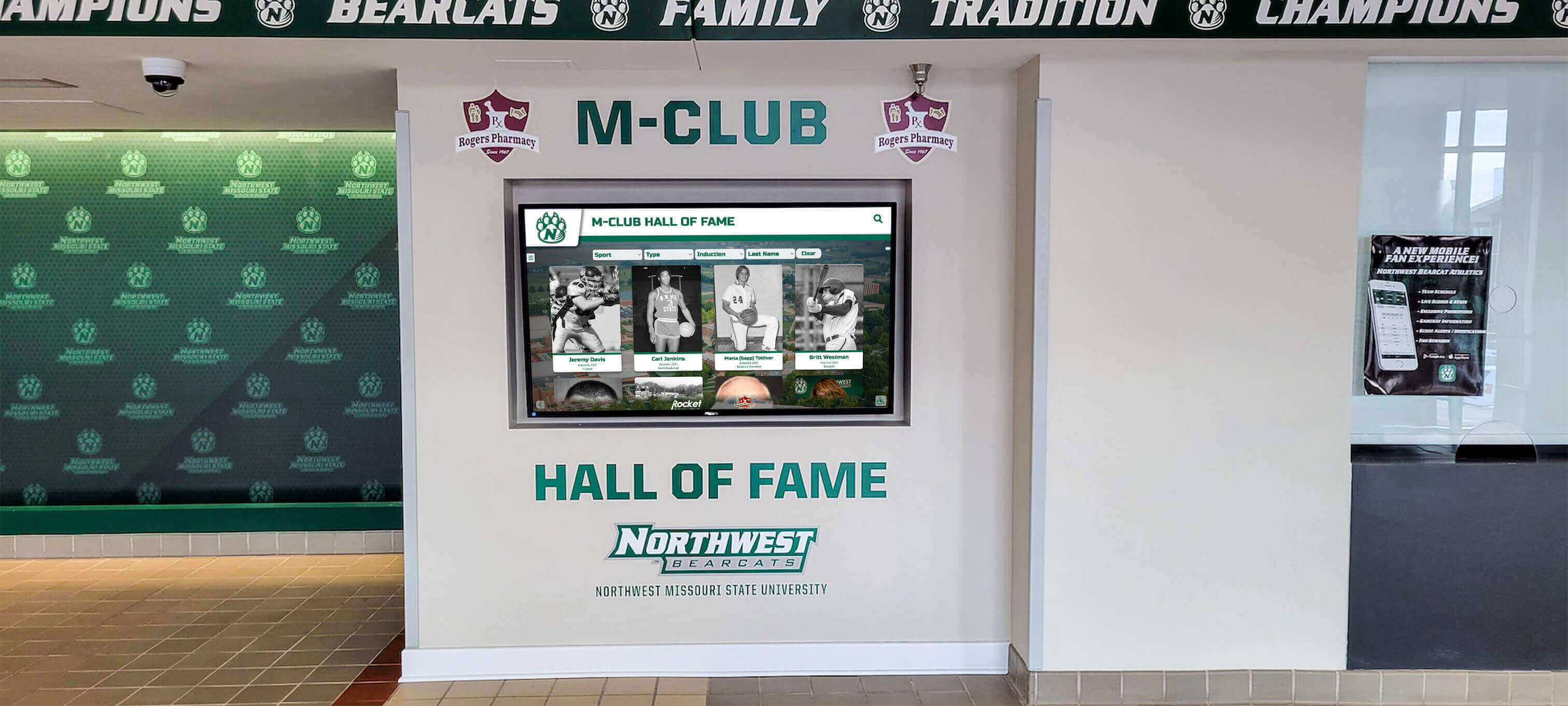
Comprehensive recognition walls honor multiple generations of hockey excellence
Additional Flyers Legends
Beyond these franchise pillars, numerous other Flyers deserve recognition for contributions to Philadelphia hockey excellence:
Mark Howe: Offensive defenseman and seven-time All-Star who revolutionized the position’s offensive potential
Tim Kerr: Power play specialist who scored 50+ goals four times despite playing in physical, defensive-oriented era
Rod Brind’Amour: Two-way center who won the Frank J. Selke Trophy during his Philadelphia tenure before captaining Carolina to a championship
Mark Recchi: Three-time Stanley Cup champion who provided offensive skill throughout his career, with his most productive years in Philadelphia
Claude Giroux: Modern era captain who became franchise leader in multiple offensive categories while representing Philadelphia excellence for over a decade
Each of these players contributed unique skills and achievements that enriched Flyers tradition, deserving recognition alongside the franchise’s most celebrated legends.
How a Rocket Alumni Touchscreen Would Celebrate Flyers Excellence
A Rocket Alumni touchscreen installation for the Philadelphia Flyers would transform static franchise recognition into an engaging, interactive experience celebrating the team’s rich history while serving multiple audiences—from passionate fans to corporate partners to youth hockey programs.
Comprehensive Player Profiles
Interactive digital displays enable depth impossible with traditional plaques or printed materials. Each Flyers legend would receive a comprehensive multimedia profile including:
Statistical Excellence:
- Complete career statistics (goals, assists, points, plus-minus, special teams)
- Season-by-season breakdowns showing progression and peak performance
- Playoff statistics highlighting championship contributions
- Franchise records held and ranking in team history
- Comparison tools enabling statistical exploration across eras
Multimedia Storytelling:
- Video highlights showcasing signature plays and defining moments
- Interview footage featuring players discussing their careers
- Historical photographs from rookie seasons through retirement
- Award ceremony footage and championship celebrations
- Audio clips from memorable broadcasts
Contextual Narratives:
- Biographical information and background stories
- Draft selection and path to NHL
- Career defining moments and breakthrough performances
- Personal reflections on Philadelphia experience
- Post-career accomplishments and continued franchise connection
This multimedia approach brings players to life in ways that pure statistics cannot achieve, creating emotional connections between fans and the athletes who built Flyers tradition.
For organizations implementing similar recognition technology, interactive hall of fame systems provide the comprehensive functionality needed for professional-quality presentations.

Intuitive touchscreen interfaces enable visitors to explore player profiles and statistics interactively
Championship Team Recognition
The Flyers’ two Stanley Cup championships represent franchise pinnacles deserving comprehensive celebration. A Rocket Alumni touchscreen would feature dedicated sections for each championship season:
1974 Championship:
- Complete roster with individual player profiles
- Season narrative from training camp through Finals victory
- Game-by-game playoff results and key moments
- Statistical leaders across all categories
- Championship game highlights and celebration footage
- Historical context about defeating Bobby Orr’s Bruins
- Conn Smythe Trophy winner Bernie Parent feature
1975 Championship:
- Back-to-back championship achievement context
- Complete roster and coaching staff recognition
- Playoff journey including comeback victories
- Bernie Parent’s consecutive Conn Smythe Trophy performance
- Championship parade and celebration documentation
- Long-term legacy and impact on franchise
These championship sections would transport visitors to those historic seasons, providing complete documentation that preserves these defining moments for generations who never witnessed them firsthand.
Stanley Cup Finals Appearances
Beyond championships won, the Flyers’ six additional Stanley Cup Finals appearances deserve recognition as demonstrations of sustained competitive excellence. Each Finals appearance would receive dedicated coverage:
- 1976 Finals (lost to Montreal Canadiens)
- 1980 Finals (lost to New York Islanders)
- 1985 Finals (lost to Edmonton Oilers)
- 1987 Finals (lost to Edmonton Oilers)
- 1997 Finals (lost to Detroit Red Wings)
- 2010 Finals (lost to Chicago Blackhawks)
Documenting these near-championship seasons demonstrates the franchise’s sustained pursuit of excellence while honoring teams that achieved significant success despite falling short of ultimate goals.
Franchise Records and Milestones
Interactive displays excel at presenting statistical information in engaging, explorable formats. The touchscreen would feature comprehensive record boards including:
Career Records:
- All-time leading scorers (goals, assists, points)
- Games played leaders showing longevity
- Plus-minus records demonstrating two-way excellence
- Goaltending records (wins, shutouts, save percentage)
- Penalty minutes leaders
Single-Season Records:
- Most goals, assists, and points in a season
- Best individual goaltending seasons
- Team performance records (wins, points, goal differential)
Franchise Milestones:
- 1,000-point scorers
- 500-goal scorers
- Players with retired numbers
- Hall of Fame inductees
- Award winners (Hart, Vezina, Selke, Norris, Calder)
Search and filtering capabilities would enable visitors to explore records by position, era, or achievement type, creating personalized discovery experiences based on individual interests.
Hockey programs at all levels benefit from digital record board technology that maintains comprehensive statistical histories while remaining easily updatable as new achievements occur.
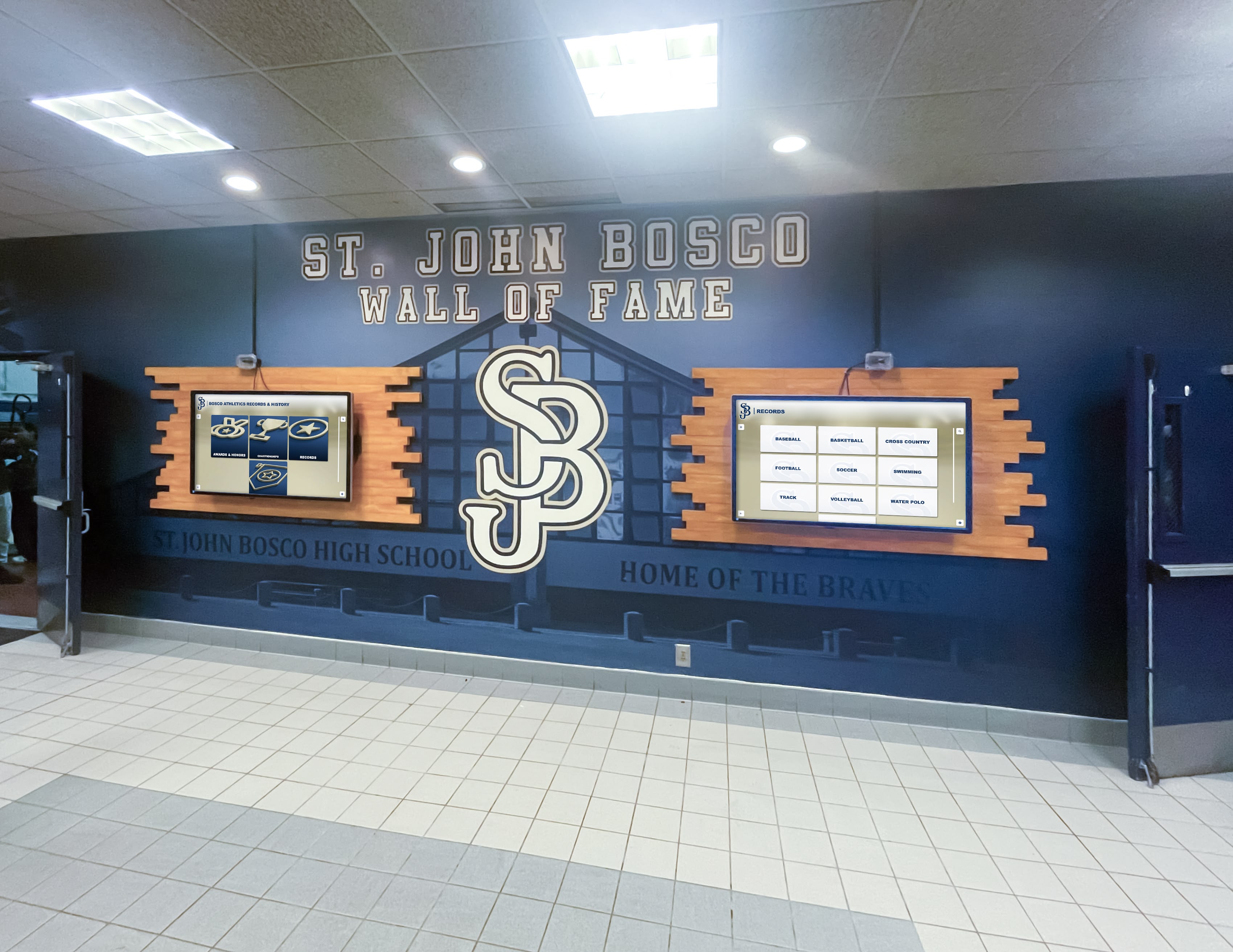
Multi-screen installations provide expanded capacity for comprehensive franchise recognition
Historical Timeline and Evolution
A chronological timeline feature would trace franchise evolution from 1967 expansion through the present, contextualizing achievements within broader NHL history:
Key Timeline Elements:
- Franchise founding and early years
- Building toward championship contention
- Broad Street Bullies era and championships
- Post-championship competitive years
- Transition generations and rebuilding periods
- Modern era success and current roster
- Coaching changes and front office evolution
- Arena history (Spectrum to Wells Fargo Center)
- Uniform and logo evolution
Interactive timeline navigation would enable visitors to explore specific eras in depth, discovering how franchise identity evolved while maintaining core values across generations of players and coaches.
Coaching Excellence Recognition
Beyond players, the Flyers’ coaching tradition deserves celebration. A Rocket Alumni touchscreen would honor legendary coaches including:
Fred Shero: Innovative tactician who led both championship teams while revolutionizing coaching approaches with detailed game planning and psychological motivation
Pat Quinn: Strong leader who guided competitive teams during transition eras
Terry Murray: Successful coach who led Flyers to Finals appearance
Ken Hitchcock: Winningest coach in franchise history who consistently fielded competitive teams
Each coaching profile would include career records, playoff success, tactical innovations, and player testimonials about their impact on individual careers and team culture.
Beyond Professional Hockey: Recognition for All Levels
While a Rocket Alumni touchscreen celebrating the Philadelphia Flyers would serve corporate, fan experience, and brand-building purposes, the same technology provides powerful recognition solutions for hockey programs at all competitive levels.
Youth and High School Hockey Programs
Youth hockey organizations and high school teams accumulate rich traditions deserving preservation and celebration. Digital touchscreens enable comprehensive recognition impossible with limited physical space:
Recognition Categories:
- Championship teams across all age divisions
- Individual achievement records (goals, assists, points)
- Players advancing to higher levels (junior, college, professional)
- Coaches building programs across decades
- Academic achievement demonstrating student-athlete balance
- Community service recognizing citizenship
- Alumni career paths showing life after hockey
These comprehensive recognition programs inspire current players by demonstrating concrete examples of what’s achievable through dedication, while honoring past players who built program foundations.
For high school athletic directors exploring recognition options, digital athletic displays provide frameworks for evaluating technology solutions and vendors.

School programs use digital recognition to celebrate athletic excellence across all sports
College Hockey Recognition
NCAA Division I, II, III, and club hockey programs face unique recognition needs given the combination of athletic excellence and academic achievement defining college athletics:
College-Specific Recognition:
- Conference championships and tournament success
- Academic All-American honors
- Major award winners (Hobey Baker, conference awards)
- NHL Draft selections and professional advancement
- Frozen Four appearances and national championships
- Alumni career achievement in hockey and other fields
- Historic rivalries and defining games
College programs benefit particularly from multimedia capabilities that showcase player development from freshman seasons through senior leadership roles, demonstrating growth over four-year careers.
Understanding college athletics hall of fame approaches provides frameworks applicable across all college sports including hockey.
Junior and Minor League Organizations
Junior hockey leagues and minor professional teams serve critical development roles in hockey’s talent pipeline. Recognition systems celebrating these organizations honor their unique missions:
- Player advancement tracking showing developmental success
- Championship recognition across multiple levels
- Import player contributions from international programs
- Coaching development and alumni coaching trees
- Alumni NHL success demonstrating program quality
- Community impact and local engagement
These organizations often operate with limited budgets, making the flexibility and cost-effectiveness of digital recognition particularly valuable compared to traditional physical displays requiring constant fabrication and updates.
The Technology Behind Interactive Hockey Recognition
Implementing effective digital recognition requires understanding the technology enabling these engaging experiences.
Hardware Components
Commercial-Grade Touchscreen Displays:
- 43"-75" screens sized appropriately for viewing distance and space
- Capacitive multi-touch technology for responsive interaction
- Commercial-grade panels rated for continuous operation
- High brightness (300-450 nits) for varied lighting conditions
- Anti-glare treatments for optimal visibility
- Portrait or landscape orientation based on content and space
Computing Hardware:
- Solid-state storage for fast content access
- Adequate RAM (8GB+) for smooth multimedia playback
- Graphics capability supporting high-resolution video
- Reliable commercial-grade components
- Network connectivity for remote content management
- Fanless designs reducing maintenance requirements
Installation Infrastructure:
- Professional mounting hardware ensuring safety
- Cable management maintaining clean aesthetics
- Electrical and network connectivity
- Environmental considerations (temperature, humidity, security)
- ADA-compliant placement and interaction heights

Touchscreen kiosks integrate seamlessly into existing athletic recognition displays
Software Platforms
The software platform fundamentally determines capabilities, usability, and long-term value. Solutions like Rocket Alumni Solutions provide purpose-built platforms specifically designed for sports recognition rather than generic digital signage adapted for the purpose.
Essential Software Capabilities:
- Intuitive content management requiring no coding expertise
- Cloud-based administration enabling remote updates
- Responsive touchscreen interfaces optimized for interaction
- Multimedia support (photos, videos, audio, documents)
- Search and filtering functionality
- Analytics tracking engagement and usage patterns
- Security features and access controls
- Regular updates adding features and capabilities
- White-label customization matching organizational branding
- Integration capabilities with external systems
Content Management Priorities:
- Visual editors enabling non-technical staff independence
- Drag-and-drop media upload
- Template-based content creation for consistency
- Bulk import for large datasets
- Scheduling and publishing workflows
- Multi-user access with appropriate permissions
- Preview capabilities before publishing
- Mobile-friendly administrative interfaces
The best platforms empower athletic directors, marketing staff, and administrators to manage content independently without relying on vendors for routine updates.
Analytics and Engagement Measurement
Digital recognition systems provide valuable data impossible with traditional physical displays:
Usage Analytics:
- Total interactions per day/week/month
- Peak usage times identifying when engagement occurs
- Average session duration
- Interactions per session
- Unique visitors versus repeat users
Content Performance:
- Most-viewed player profiles
- Most-popular search terms
- Category browsing preferences
- Video completion rates
- Featured content effectiveness
Optimization Insights:
- Navigation patterns showing how visitors explore
- Content gaps where additional profiles would add value
- Technical performance metrics
- Engagement comparison across multiple installations
These analytics inform content strategy, demonstrate return on investment, and enable continuous improvement based on actual user behavior rather than assumptions.
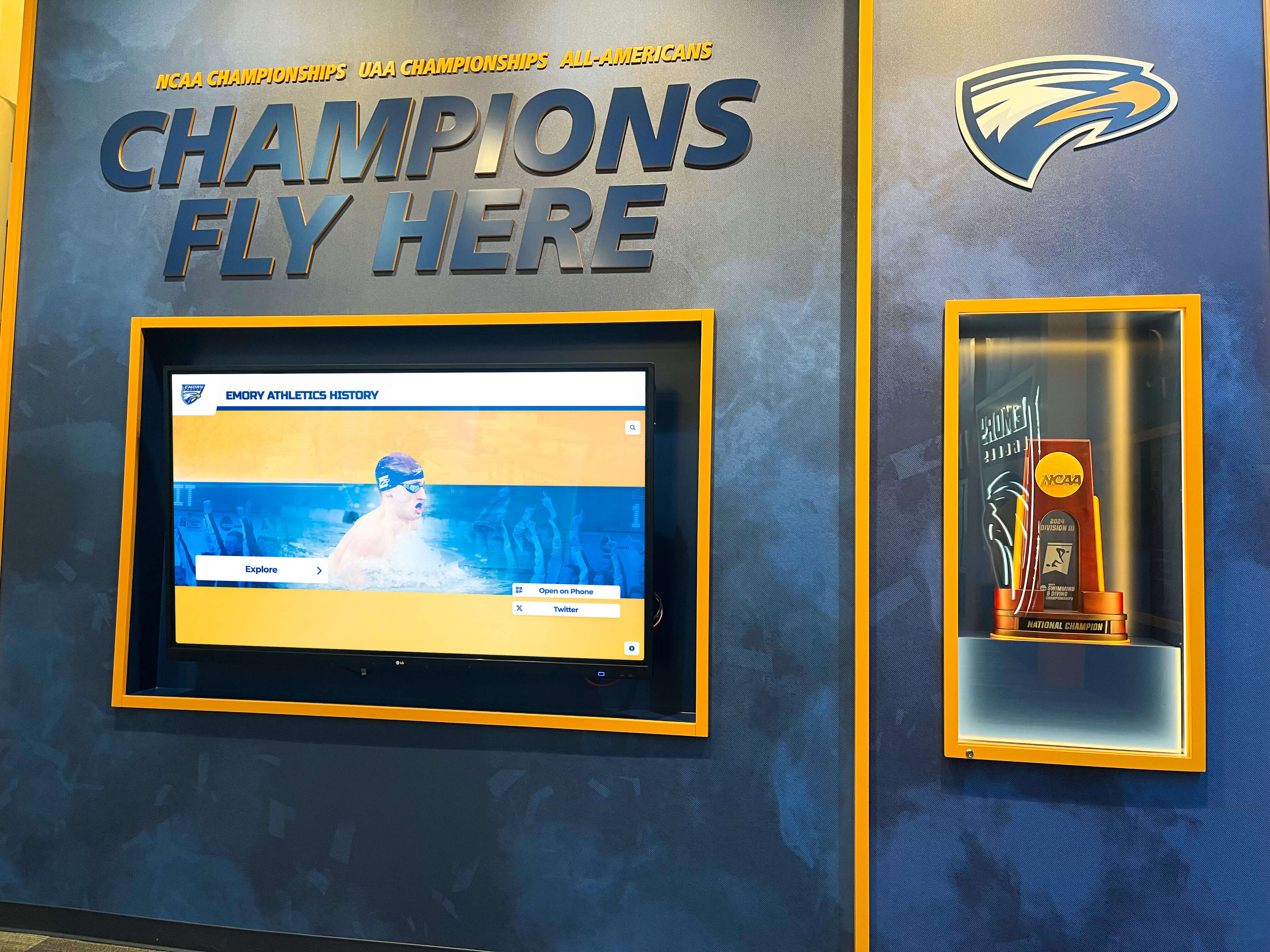
Modern athletic facilities feature integrated digital recognition celebrating championship excellence
Implementation Considerations for Hockey Organizations
Organizations considering digital recognition systems should address several key factors ensuring successful implementations.
Location and Visibility
Strategic placement maximizes visibility and engagement:
Ideal Locations:
- Arena main concourses and gathering areas
- Ticket office lobbies and fan service areas
- Team store locations where fans congregate
- VIP club levels and premium seating areas
- Practice facility lobbies
- Corporate office spaces
- Community hockey rink common areas
Placement should balance visibility with appropriate context—recognition displays feel most natural in spaces already associated with team history and tradition.
Content Development Strategy
Successful implementations prioritize content quality over rushing to launch:
Phased Approach:
- Phase 1: Recent era players with readily available content
- Phase 2: Championship teams and franchise legends
- Phase 3: Historical players requiring more research
- Phase 4: Statistical expansion and record boards
- Ongoing: Regular updates and new content additions
Starting with well-documented recent players allows earlier launch while research continues on historical figures requiring deeper archival work.
Content Sourcing:
- Team archives and historical records
- Media relations departments and press materials
- Player interviews and contributions
- Fan-submitted memories and photographs
- Hockey Hall of Fame resources
- League historical databases
- Media partner archives (television, radio, print)
Organizations implementing recognition programs benefit from content management best practices ensuring sustainable workflows beyond initial launch.
Budget Planning
Digital recognition represents significant but manageable investment:
Initial Costs:
- Commercial-grade touchscreen hardware ($3,000-$8,000+ per display)
- Computing components and mounting hardware
- Software licensing and implementation
- Professional installation
- Initial content development
- Launch event and promotion
Ongoing Costs:
- Annual software licensing or subscription
- Content development and updates
- Hosting and bandwidth
- Maintenance and technical support
- Periodic hardware updates
Most organizations find that digital recognition provides better long-term value than traditional fabricated displays requiring expensive updates, while delivering significantly enhanced engagement and flexibility.
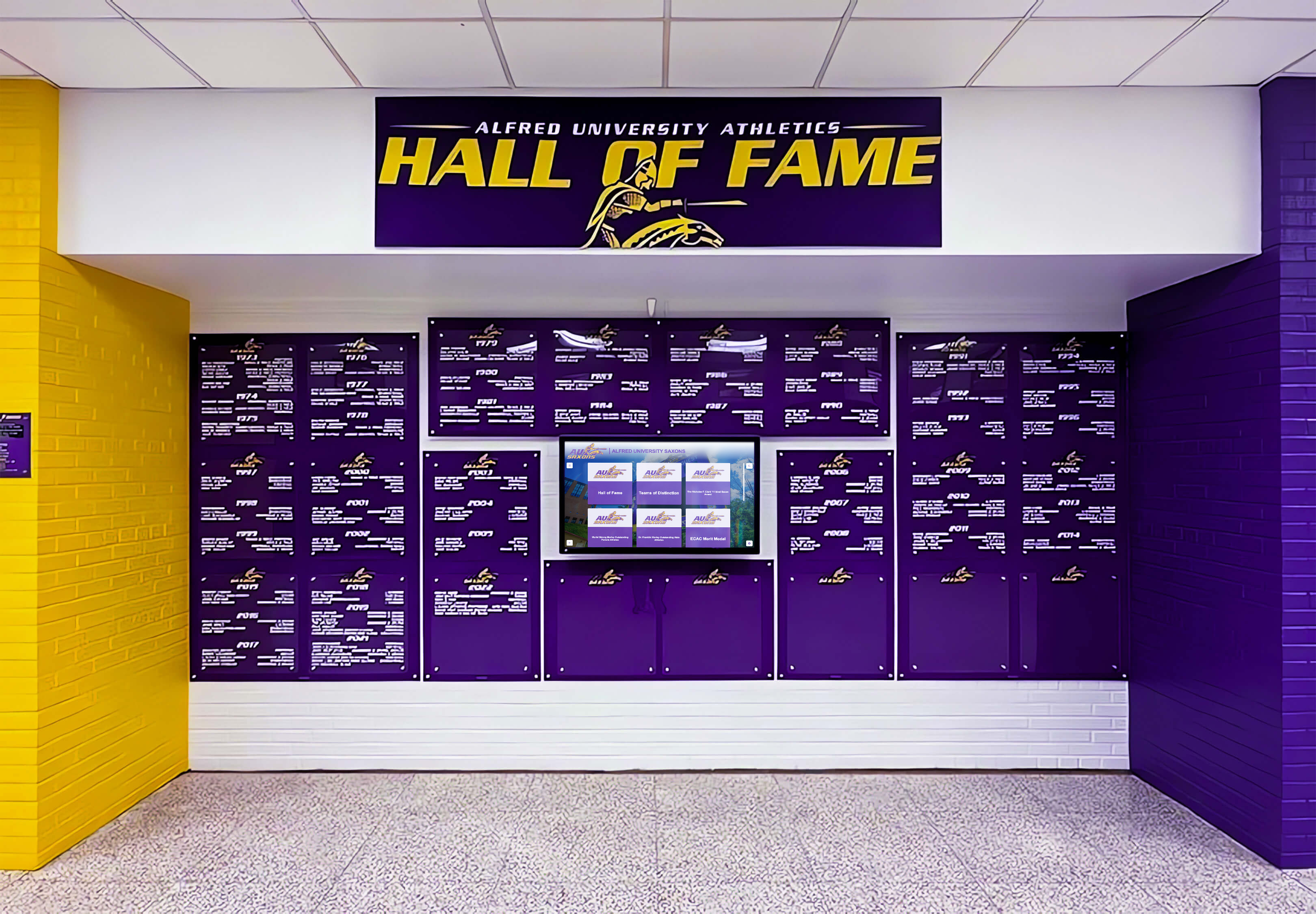
Comprehensive installations combine multiple screens with traditional design elements
Launch and Promotion
Successful implementations include strategic launch planning:
Launch Event Elements:
- Formal unveiling ceremony
- Featured legends and former players
- Media coverage and publicity
- Fan engagement activities
- Social media promotion
- Season ticket holder previews
- Corporate partner activation
Ongoing Promotion:
- Featured player rotations creating repeat engagement
- Social media content highlighting specific profiles
- Game-night promotions driving awareness
- Integration into fan experience programming
- Media mentions during broadcasts
- Website and mobile app integration
Recognition systems generate maximum value when actively promoted as living platforms rather than passive displays that fans encounter incidentally.
The Future of Hockey Recognition
Digital recognition technology continues evolving, bringing new capabilities that enhance engagement and storytelling.
Emerging Technologies
Artificial Intelligence:
- Automated content recommendations based on user behavior
- Natural language search enabling conversational queries
- Content gap identification suggesting expansion areas
- Predictive analytics forecasting engagement patterns
Augmented Reality:
- Mobile app overlays adding information to physical spaces
- AR jersey and equipment try-on experiences
- Historical game recreations viewable through devices
- Interactive statistics visualizations
Enhanced Video:
- 360-degree video for immersive experiences
- High-frame-rate replays showing plays in exceptional detail
- Multi-angle presentations of significant moments
- Virtual reality experiences recreating historic games
Social Integration:
- Real-time social media feeds from featured players
- Fan voting on various recognition categories
- Community memory sharing and storytelling
- Alumni networking facilitation
These emerging capabilities will make recognition increasingly immersive and engaging while maintaining focus on honoring achievements and preserving tradition.
Conclusion: Celebrating Hockey Excellence Through Modern Recognition
The Philadelphia Flyers’ rich tradition—from Broad Street Bullies championships through decades of competitive excellence—deserves recognition that matches its significance. A Rocket Alumni touchscreen installation would transform franchise celebration from static displays into engaging experiences that honor the past while connecting with modern audiences.
Whether celebrating NHL franchises like the Flyers or recognizing youth hockey programs building their own traditions, digital recognition technology provides powerful capabilities for preserving achievement, inspiring current players, and engaging communities around the sport they love.
The principles explored through this Flyers-focused examination apply universally across hockey recognition at all levels. Championship teams deserve comprehensive documentation. Legendary players merit multimedia tributes. Statistical achievements should remain accessible and explorable. And the traditions that define organizations must be preserved for generations who will carry them forward.
Modern recognition technology makes this elevated celebration practical, affordable, and sustainable. Solutions like Rocket Alumni Solutions provide purpose-built platforms combining professional-quality presentation with intuitive management, making comprehensive recognition accessible to organizations ranging from professional franchises to community youth programs.
Ready to celebrate your hockey tradition with interactive digital recognition? Whether honoring professional excellence or preserving youth program achievements, comprehensive recognition technology delivers engagement and impact that traditional approaches cannot match. Explore how modern recognition platforms can transform how your organization celebrates its hockey heritage while inspiring the next generation of players building tomorrow’s traditions.
Transform Your Hockey Recognition Program
Discover how interactive touchscreen displays can celebrate your hockey tradition through comprehensive player profiles, championship recognition, and engaging multimedia storytelling that honors the past while inspiring the future.
Schedule Your Consultation






























