Intent: Define, evaluate, and implement photo booth software solutions that transform interactive kiosks into engaging experiences for public events, institutions, and venues requiring self-service touchscreen capabilities.
The photo booth software market has experienced explosive growth, projected to reach approximately $1.5 billion by 2033 with a 15% compound annual growth rate, according to market research from Technavio. This surge reflects increasing demand for interactive experiences across schools, corporate events, retail environments, entertainment venues, and public facilities.
Organizations deploying photo booth software for kiosk applications need comprehensive guidance evaluating software capabilities, understanding hardware requirements, comparing pricing models, and implementing solutions that deliver professional results while supporting self-service operation in public environments where reliability and user experience quality directly impact institutional objectives.
This complete implementation guide provides event coordinators, facilities managers, IT administrators, and institutional leaders with actionable specifications for selecting, deploying, and managing photo booth software that transforms standard touchscreen kiosks into engaging interactive experiences supporting recognition programs, event engagement, and visitor interaction across diverse institutional settings.
Making informed software decisions requires systematically evaluating functional requirements, hardware compatibility, user experience design, security considerations, and total cost of ownership before committing to platforms that will power your interactive kiosk experiences for years to come.

Photo booth software enables engaging interactive experiences at events and public spaces
Understanding Photo Booth Software for Kiosk Deployments
Before evaluating specific platforms, establishing clear definitions prevents confusion about what constitutes photo booth software versus general touchscreen applications or digital signage solutions.
What Is Photo Booth Software?
Photo booth software is specialized application designed to capture, enhance, display, and share photos through self-service kiosk interfaces. Unlike traditional photography applications, photo booth software prioritizes touchscreen interaction, instant processing, social sharing capabilities, branding customization, and unattended operation suitable for public environments without staff supervision.
Core Photo Booth Software Characteristics include intuitive touchscreen interfaces optimized for finger interaction rather than mouse input, instant photo capture with camera integration, real-time image processing applying filters and effects, customizable branding overlays and templates, social sharing enabling immediate distribution via email, SMS, or QR codes, data collection capturing user information for lead generation or analytics, and remote management capabilities allowing administrators to monitor and update distributed deployments from centralized dashboards.
According to industry analysis from Exactitude Consultancy, the photo booth kiosk market reached approximately $600 million in 2024 and is projected to grow to about $1.2 billion by 2034, driven by increasing adoption in retail stores, shopping malls, entertainment venues, and educational institutions seeking engaging visitor experiences.
Photo Booth Software vs. Interactive Recognition Platforms
While photo booth software focuses primarily on image capture and sharing, interactive recognition platforms serve broader institutional needs showcasing achievements, history, and organizational accomplishments. Both utilize touchscreen kiosks, but functional priorities differ substantially.
Traditional Photo Booth Software emphasizes camera integration for live photography, instant print capabilities, social media sharing features, and temporary event deployment supporting short-term engagements like weddings, corporate events, or marketing activations.
Interactive Recognition Platforms like digital hall of fame solutions prioritize content management systems organizing institutional archives, searchable databases enabling visitors to explore historical records, persistent installations supporting long-term deployment, and administrative workflows enabling ongoing content updates maintaining current information.
Organizations must evaluate whether primary use cases require live photography capabilities central to photo booth applications or content-focused recognition displays showcasing existing media assets. Many institutions benefit from hybrid approaches supporting both photo capture at events and persistent recognition displays between events through adaptable touchscreen kiosk software platforms.

Modern kiosk software supports diverse applications from event photography to institutional recognition
Essential Features for Photo Booth Kiosk Software
Organizations should prioritize core capabilities that directly support intended use cases while avoiding feature bloat increasing complexity and cost without delivering proportional value.
Camera Integration and Image Capture
Professional photo booth software must seamlessly integrate with camera hardware supporting various capture methods. DSLR Camera Support provides highest image quality through professional-grade equipment like Canon or Nikon DSLRs, offering superior sensor performance, interchangeable lens flexibility, and manual control over exposure settings. According to Simple Booth’s analysis, DSLR integration remains the gold standard for professional event photography requiring maximum image quality.
Webcam and Built-In Camera Support offers cost-effective alternatives for applications where professional image quality proves less critical than convenience and budget. Modern high-resolution webcams deliver acceptable results for many organizational needs, particularly educational institutions and nonprofit organizations operating within constrained budgets.
360-Degree Camera Support represents emerging technology dominating recent sales, with 360-degree photo booths accounting for 40% of total photo booth units sold according to industry trend analysis. These immersive experiences create shareable content particularly popular for social media distribution, though hardware costs substantially exceed traditional camera setups.
Organizations implementing photo booth capabilities at school gala fundraiser events should evaluate whether event frequency and quality expectations justify DSLR investments or whether webcam alternatives provide adequate functionality for occasional use supporting recognition programs and engagement initiatives.
Touchscreen Interface Optimization
Touch interaction differs fundamentally from traditional mouse and keyboard navigation. Effective photo booth software implements responsive touch targets sized appropriately for fingers—minimum 44×44 pixels per accessibility guidelines—adequate spacing between interactive elements preventing accidental touches, gesture support for intuitive navigation patterns, visual feedback confirming touch registration within 100 milliseconds, and error prevention through clear labeling and confirmation prompts for irreversible actions.
Self-Service Operation represents critical requirement for unattended public kiosk deployments. Interfaces must guide users through complete workflows without staff assistance, providing clear instructions at each step, preventing user errors through intuitive design, handling edge cases gracefully when users deviate from expected patterns, and implementing automatic timeout mechanisms returning kiosks to home screens after periods of inactivity.
Schools deploying interactive touchscreen displays should test interfaces with diverse user groups including young children, elderly visitors, and people without technical backgrounds. Professional demonstrations often showcase optimized scenarios while actual public use reveals usability problems requiring interface refinements before successful deployment.
Real-Time Image Processing and Effects
Modern photo booth software applies instant enhancements transforming raw camera captures into polished images ready for sharing. AI-Powered Enhancement capabilities provide automatic background removal, lighting correction, skin smoothing, and color optimization without user intervention, delivering professional results from casual smartphone or webcam photography.
Customizable Filters and Effects enable organizations to brand photo experiences aligning with institutional identity or event themes. Common effects include vintage film styles, seasonal overlays, event-specific graphics, institutional logos and branding elements, and custom text templates celebrating specific occasions or achievements.
Green Screen Technology supports virtual background replacement, enabling creative possibilities ranging from branded environments to thematic settings supporting event concepts. However, green screen implementations require proper lighting and physical backdrop infrastructure beyond software capabilities alone.
Organizations implementing photo booths for college intramural sports recognition can leverage custom overlays celebrating team achievements, seasonal championship events, or institutional milestones while maintaining consistent brand presentation across all captured images.
Social Sharing and Distribution
Instant sharing capabilities transform photo booth experiences from isolated captures into social amplification opportunities extending event reach through participant networks. Integrated Sharing Methods include QR code generation enabling smartphone transfers, email distribution sending images to provided addresses, SMS delivery for immediate mobile sharing, direct social media posting to platforms like Facebook, Instagram, or Twitter, and cloud storage integration preserving images in accessible galleries.
Data Collection Integration enables organizations to capture user information during sharing processes, supporting lead generation for marketing purposes, attendance tracking for event analytics, contact list building for future communications, and engagement metrics revealing popularity patterns across different event elements.
According to photo booth software provider comparisons, platforms increasingly prioritize seamless social sharing as primary differentiator, recognizing that viral distribution through participant networks delivers value far exceeding isolated photo capture.

Social sharing capabilities extend event reach through participant networks
Hardware Specifications for Photo Booth Kiosks
Photo booth software capabilities depend fundamentally on compatible hardware supporting camera integration, touchscreen interaction, and reliable operation in public environments.
Touchscreen Display Requirements
Professional photo booth kiosks typically utilize 21-43 inch commercial-grade touchscreen displays featuring 10-point multi-touch PCAP (projected capacitive) technology enabling gesture recognition and responsive interaction. Display Specifications should include 1920×1080 Full HD resolution minimum for clear image preview and interface clarity, 450 cd/m² brightness minimum ensuring visibility in ambient lighting conditions, commercial-grade panels rated for 50,000+ hour continuous operation, anti-glare treatments reducing screen reflections in variable lighting, and IK08+ impact resistance protecting against physical damage in public settings.
Mounting Considerations affect accessibility and user experience quality. Freestanding kiosk enclosures provide portability supporting event-based deployment, wall-mounted installations offer permanent solutions for institutional lobbies, countertop configurations suit registration areas and information desks, and adjustable height mechanisms accommodate wheelchair users and children per ADA accessibility requirements.
Organizations deploying photo booth capabilities should coordinate hardware specifications with touchscreen software requirements ensuring compatible performance across complete integrated systems rather than discovering limitations after procurement commitments.
Camera Hardware Options
Photo booth software supports diverse camera types matching various quality and budget requirements. DSLR Cameras like Canon EOS Rebel series or Nikon D3500 deliver professional image quality with interchangeable lenses supporting various shooting scenarios, though costs typically range $500-$1,500 for body and suitable lenses.
Webcams represent budget-friendly alternatives with modern 4K models like Logitech BRIO delivering acceptable quality for many applications at $200-$300 price points. Built-in laptop or kiosk cameras provide lowest-cost options though image quality typically proves inadequate for professional applications beyond basic functionality demonstrations.
360-Degree Cameras like Insta360 or GoPro MAX enable trending immersive experiences, though $300-$500 hardware costs plus specialized mounting requirements substantially increase deployment expenses.
Schools implementing photo booths for athletic recognition programs should evaluate whether event frequency justifies professional camera investments or whether lower-cost alternatives provide adequate functionality for periodic special events supporting institutional engagement goals.
Computing Hardware and Performance
Photo booth software demands sufficient processing power for real-time image processing, effect rendering, and responsive interface performance. Minimum System Requirements typically include Intel Core i5 or AMD Ryzen 5 processors providing adequate multi-threaded performance, 8GB RAM minimum (16GB recommended for AI-enhanced processing), dedicated graphics cards with 2GB+ VRAM supporting hardware-accelerated effects, 256GB SSD storage ensuring fast application loading and image caching, and gigabit Ethernet or WiFi 6 connectivity supporting rapid image uploads and cloud synchronization.
Operating System Compatibility varies across platforms. Windows-based solutions dominate professional photo booth markets given broad camera hardware support, though Android platforms increasingly support USB camera connectivity while offering lower hardware costs through commodity tablets and industrial touchscreen panels.
Organizations should budget for commercial-grade computing components rather than consumer-grade alternatives. Professional deployments require reliability exceeding consumer expectations, particularly for unattended public kiosk operations where hardware failures create negative visitor experiences and operational disruptions.
Peripheral Hardware Integration
Complete photo booth systems often incorporate supplementary hardware enhancing functionality. Print Hardware enables instant photo printing through dye-sublimation printers like DNP or HiTi models delivering professional 4×6 or 5×7 prints within 30-45 seconds, though consumable costs of $0.25-$0.50 per print require budget consideration for high-volume events.
Lighting Equipment proves critical for consistent image quality, with ring lights or softbox configurations providing flattering illumination eliminating harsh shadows and compensating for variable ambient lighting conditions in event spaces.
Custom Enclosures transform off-the-shelf hardware into professional branded installations through powder-coated steel or aluminum housings, integrated cable management, security hardware preventing theft or tampering, and ventilation systems supporting reliable 24/7 operation in temperature-variable environments.
Organizations implementing photo booth capabilities for interactive announcements and event coverage should coordinate complete hardware ecosystems rather than isolated component procurement, ensuring integrated systems deliver cohesive experiences rather than fragmented assemblies revealing budget compromises.

Professional hardware integration delivers reliable photo booth experiences in public environments
Before You Start: Prerequisites for Successful Implementation
Thorough planning prevents costly mid-project changes and ensures solutions meet actual needs rather than assumed requirements.
Define Primary Use Cases
Document specific objectives photo booth deployments should achieve. Common purposes include event engagement at galas, fundraisers, or community celebrations, recognition program enhancement capturing inductee portraits or achievement celebrations, visitor experience improvement in campus tours, museum exhibits, or facility showcases, marketing activation supporting brand awareness or product launch campaigns, and data collection capturing leads, contact information, or attendee demographics supporting future engagement.
Success Metrics enable objective evaluation of deployment effectiveness. Establish measurable goals like target participation rates, social media impressions through shared content, lead generation quantities, visitor satisfaction improvements, or operational efficiency gains replacing manual photography workflows.
Schools implementing photo booths for college commitment day celebrations should align kiosk objectives with broader student recognition goals, ensuring tactical implementations support strategic priorities around student engagement, family involvement, and community building rather than isolated technology deployments disconnected from institutional mission.
Assess Deployment Environments
Evaluate physical locations where photo booth kiosks will operate. Environmental Factors include ambient lighting conditions affecting camera performance and screen visibility, electrical outlet proximity and amperage availability, network connectivity options and bandwidth adequacy, physical security considerations preventing theft or vandalism, space constraints affecting kiosk size and configuration, and traffic patterns determining optimal placement maximizing visitor access.
Temporary vs. Permanent Installation requirements differ substantially. Event-based deployments prioritize portability, quick setup/teardown, and battery operation supporting locations without convenient power access. Permanent installations emphasize durability, security fastening, architectural integration, and maintenance accessibility for long-term reliable operation.
Organizations should conduct site surveys documenting exact specifications before equipment procurement. Late-stage discoveries about space limitations, power availability, or network connectivity frequently force compromises reducing effectiveness or requiring expensive infrastructure modifications delaying deployments.
Establish Content Management Workflows
Identify who will manage photo booth operation, handle technical issues, process captured images, distribute content through marketing channels, and maintain equipment. Operational Responsibilities include pre-event setup and testing, real-time monitoring during events, troubleshooting technical problems, post-event content harvesting and organization, and ongoing maintenance ensuring continued reliability.
Organizations deploying photo booths for senior class recognition programs should designate clear ownership preventing responsibility gaps where critical tasks remain unaddressed. Event-based applications require coordination between multiple stakeholders including event organizers, communications teams, and technical support staff.

Clear operational planning ensures successful photo booth implementation and ongoing management
Core Walkthrough: Photo Booth Software Selection Process
Systematic evaluation processes prevent software mismatches undermining project success. Follow this phased approach for objective platform assessments.
Phase 1: Requirements Documentation
Create comprehensive requirements documents capturing must-have features versus nice-to-have capabilities. Technical Specifications include supported camera hardware and connectivity methods, operating system compatibility requirements, touchscreen interaction capabilities, image processing and effect options, sharing and distribution methods, data collection and analytics features, remote management and monitoring tools, and print hardware integration if physical output required.
Budget Parameters should document total project budget including software licensing, hardware procurement, installation costs, ongoing subscription fees, consumable expenses for printing, and technical support requirements. Clear budget boundaries prevent scope creep toward premium features delivering marginal value relative to cost increases.
Phase 2: Platform Research and Vendor Evaluation
Research available platforms matching documented requirements. According to comprehensive photo booth software comparisons, popular commercial platforms include Simple Booth HALO providing integrated hardware/software solutions ideal for professional events, Breeze Booth offering extensive customization for corporate brand activations, dslrBooth supporting 360-degree booth setups and multi-camera configurations, and Darkroom Booth providing flexible features for event photography professionals.
Evaluation Criteria should include feature alignment with documented requirements, pricing structure and total cost of ownership, vendor reputation and customer references, technical support quality and availability, update frequency and feature roadmap, and platform stability and long-term viability.
Organizations should shortlist 3-5 platforms warranting detailed evaluation based on initial research, then request demonstrations and trial periods enabling hands-on assessment under realistic conditions before purchase commitments.
Phase 3: Demonstration and Proof-of-Concept Testing
Request live demonstrations focusing on actual user experiences rather than administrative features. Testing Priorities include interface intuitiveness for first-time users without training, touch response accuracy and speed, camera integration and image quality, effect application speed and visual appeal, sharing process simplicity and reliability, and print quality if physical output required.
Diverse User Testing reveals platform realities that vendor demonstrations may obscure. Include children, elderly visitors, and people without technical backgrounds in evaluation processes. Observe whether users successfully complete photo capture and sharing without assistance, noting confusion points or abandoned interactions indicating usability problems requiring attention.
Schools evaluating touchscreen display solutions should test platforms at actual events under realistic conditions with real participants rather than controlled laboratory environments potentially masking operational challenges discovered only during production deployment.
Phase 4: Integration and Compatibility Validation
Verify compatibility between shortlisted software platforms and intended hardware. Technical Validation includes testing installations on actual deployment hardware, verifying camera connectivity and image capture quality, confirming touchscreen responsiveness and accuracy, validating network connectivity and upload speeds, testing print hardware integration if applicable, and reviewing security configurations and lockdown capabilities.
Organizations with existing infrastructure should evaluate integration requirements with institutional systems including single sign-on authentication for administrative access, content distribution channels for marketing teams, CRM platforms for lead management, and network security policies potentially restricting cloud services or external connectivity.
Phase 5: Total Cost of Ownership Analysis
Calculate complete costs across expected deployment lifespans—typically 3-5 years for event-based systems or 5-7 years for permanent installations. Cost Components include initial software licensing or perpetual purchase, ongoing subscription fees if applicable, hardware procurement expenses, installation and configuration labor, consumable costs for printing supplies, technical support subscriptions, training expenses, and anticipated hardware refresh or upgrade cycles.
Pricing Models vary substantially across platforms. Perpetual licenses require large upfront payments—typically $500-$2,500—but carry only modest annual maintenance fees. Subscription models spread costs through monthly or annual recurring payments ranging $20-$100+ per month depending on features and support levels.
Organizations comparing options should evaluate total five-year costs rather than initial purchase prices potentially obscuring long-term financial commitments. Budget platforms appearing attractive initially may carry hidden costs through limited features requiring expensive upgrades, inadequate support creating operational burdens, or consumable expenses exceeding alternative approaches.

Comprehensive cost analysis prevents budget surprises and ensures sustainable deployments
Implementation Checklist: Deploying Photo Booth Software
Structured implementation processes prevent common deployment problems and ensure smooth launches supporting successful events.
☐ Hardware Procurement and Assembly
Acquire all necessary hardware components and assemble complete systems before software installation. Hardware Components include commercial touchscreen display meeting size and specification requirements, computing hardware with adequate processing power, camera equipment appropriate for quality expectations, lighting gear ensuring consistent illumination, print hardware if physical output required, and custom enclosures or mounting hardware for professional presentation.
Organizations should conduct complete hardware testing before events, verifying all components operate correctly when integrated. Discover compatibility issues or performance limitations during testing phases rather than event days when problems create embarrassing failures undermining institutional credibility.
☐ Software Installation and Configuration
Install photo booth software according to vendor specifications and configure organizational branding elements. Configuration Steps include applying institutional logos and color schemes, creating custom overlay templates for events, configuring sharing methods and data collection forms, establishing administrative access credentials, setting timeout durations and idle behavior, and implementing security lockdown preventing unauthorized access.
Content Templates should be created before events supporting rapid deployment without last-minute design work under time pressure. Develop templates for common event types including athletic celebrations, academic recognitions, fundraising galas, and community gatherings, enabling quick customization while maintaining consistent brand presentation.
☐ Network and Connectivity Setup
Ensure reliable network connectivity supporting image sharing and remote management. Network Requirements include adequate bandwidth supporting image uploads—minimum 10 Mbps recommended for responsive performance, WiFi or Ethernet configuration with appropriate security credentials, firewall policies allowing required traffic for sharing services, and backup connectivity options like mobile hotspots preventing service interruptions if primary networks fail.
Organizations deploying photo booths for college tour experiences should coordinate network requirements with IT departments early in planning processes, obtaining necessary approvals and configurations before event dates when last-minute changes prove difficult or impossible.
☐ Pre-Event Testing and Rehearsal
Conduct comprehensive testing simulating actual event conditions before public deployment. Testing Procedures include end-to-end workflow validation from photo capture through sharing, interface navigation with diverse users, print output quality verification if applicable, lighting adjustment for various times and ambient conditions, and troubleshooting protocols for common issues.
Backup Plans should address potential failure scenarios including hardware malfunctions, network connectivity loss, software crashes or hangs, consumable depletion for printers, and power outages or equipment damage. Identify contingency responses enabling graceful degradation rather than complete service failure creating negative visitor experiences.
☐ Staff Training and Support Preparation
Train event staff on photo booth operation and basic troubleshooting. Training Content includes startup and shutdown procedures, assisting users navigating interface, addressing common user questions, basic troubleshooting for typical problems, escalation paths for technical issues requiring expert support, and content harvesting procedures after events.
Support Resources should include vendor contact information for technical assistance, quick reference guides for common operations, troubleshooting flowcharts for typical problems, backup hardware or equipment readily accessible, and designated expert users available during events for escalated issues.
Schools implementing photo booths for high school athletic celebrations should ensure multiple staff members understand basic operations, preventing single-person dependencies that create vulnerabilities during absences, vacations, or unexpected circumstances.
☐ Event Promotion and Usage Encouragement
Promote photo booth availability through appropriate channels maximizing participation. Promotional Methods include event website and registration materials, social media announcements showcasing features, email invitations to attendees, facility signage directing visitors to photo booths, and staff members proactively demonstrating capabilities to arriving guests.
Engagement Incentives encourage participation including social sharing contests with prizes, custom branded props enhancing photo creativity, real-time display slideshows featuring recent captures, and gamification elements tracking participation milestones.
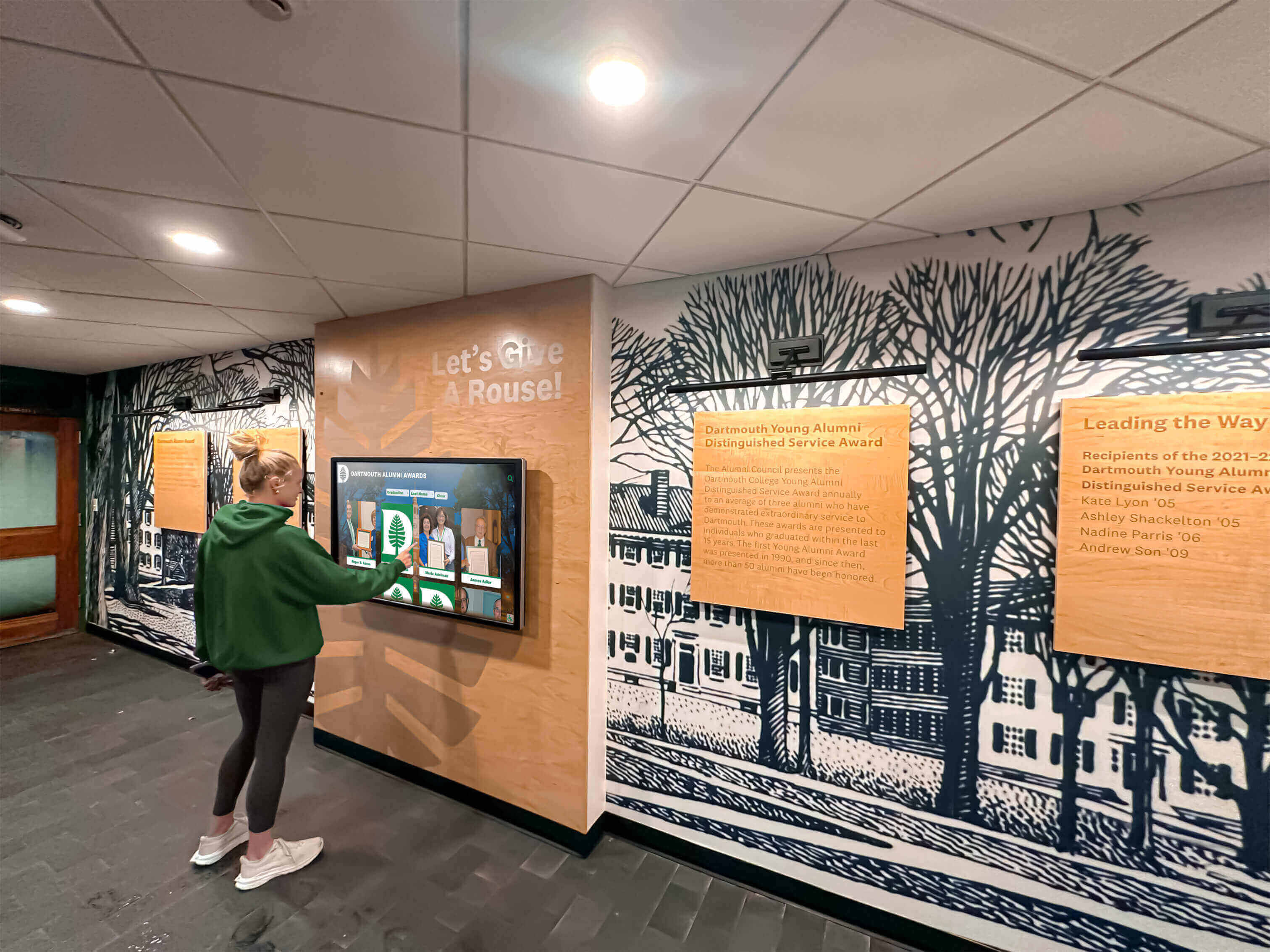
Effective promotion and staff training maximize photo booth engagement and success
Platform Recommendations: Matching Solutions to Use Cases
Different photo booth software platforms excel for specific deployment scenarios. Align platform selection with primary use case characteristics and organizational constraints.
Professional Event Applications
Organizations regularly hosting professional events like corporate galas, fundraising dinners, or marketing activations benefit from comprehensive commercial platforms providing reliability and advanced features. Simple Booth HALO delivers integrated hardware/software solutions with patented lighting technology, lead generation tools, social sharing capabilities, and professional support appropriate for high-stakes events where performance reliability proves critical.
Breeze Booth offers extensive customization supporting corporate brand activations and product launches through custom GIFs, branded overlays, multi-camera setups, and flexible configuration options enabling unique creative executions matching specific event themes.
These premium platforms typically command $1,500-$3,000+ for software licensing plus substantial hardware investments, justified by professional capabilities, reliability, and vendor support appropriate for mission-critical applications.
Educational Institution Deployments
Schools and universities implementing photo booths for recognition programs, student engagement, or campus events benefit from flexible solutions balancing functionality with constrained budgets. dslrBooth provides customizable screens and print templates, email/SMS/QR code sharing options, 360-booth support, and reasonable $350-$500 perpetual licensing appropriate for institutions requiring professional capabilities without enterprise pricing.
Organizations should evaluate whether photo booth capabilities align with broader digital recognition display strategies supporting institutional goals around student recognition, alumni engagement, and community building. Integrated platforms supporting both event-based photo capture and persistent recognition displays may deliver greater value than isolated photo booth applications.
Budget-Conscious Organizations
Nonprofit organizations and community groups with limited budgets benefit from entry-level platforms providing core functionality without premium features or pricing. Photo Booth Solutions offers Windows-based software starting around $200-$300 with basic capture, sharing, and printing capabilities adequate for periodic community events supporting engagement without substantial technology investments.
Budget platforms typically sacrifice advanced features like AI enhancement, extensive customization, or sophisticated analytics but deliver essential functionality enabling organizations to implement photo booth capabilities testing concepts before committing to premium alternatives if initial deployments prove successful.
Hybrid Recognition and Event Platforms
Organizations seeking unified solutions supporting both event-based photo capture and persistent interactive recognition displays should evaluate platforms designed for institutional deployment across diverse applications. Solutions like Rocket Alumni Solutions provide web-based architectures supporting flexible content including uploaded photo galleries, video content, searchable databases, and live social media feeds through unified touchscreen kiosk software platforms eliminating need for separate photo booth and recognition systems.
Hybrid approaches prove particularly appropriate for schools and universities where athletic facilities, alumni centers, or student unions benefit from permanent recognition displays complemented by event-based capture capabilities during games, galas, or campus celebrations—all managed through unified content management systems preventing operational silos and technology fragmentation.

Integrated platforms support diverse institutional needs from event photography to persistent recognition
Best Practices: Maximizing Photo Booth Success
Implementing photo booth software represents only first step toward successful deployment. Ongoing optimization based on usage patterns and participant feedback ensures continued effectiveness.
Optimize User Experience Through Testing
Conduct regular usability testing with diverse participant groups identifying interface improvements. Testing Methods include observing first-time users without assistance, collecting feedback through post-interaction surveys, analyzing completion rates and abandonment points, reviewing usage analytics revealing navigation patterns, and A/B testing interface variations measuring performance differences.
Continuous Refinement addresses discovered usability issues through simplified workflows reducing steps required for completion, clearer instructions and visual cues guiding users, improved error messaging helping users recover from mistakes, and enhanced visual design increasing engagement and professional perception.
Organizations should establish regular review cycles—quarterly or semi-annually—evaluating performance against success metrics and implementing improvements maintaining contemporary user expectations as interface standards evolve across consumer technology.
Leverage Social Sharing for Amplification
Maximize event reach through effective social sharing strategies extending impact beyond physical attendees. Sharing Optimization includes minimal friction requiring only one or two touches for distribution, instant delivery ensuring immediate gratification, high-quality image output encouraging sharing rather than deletion, and branded content naturally promoting institutional identity through participant networks.
Hashtag Strategies aggregate distributed content enabling tracking and amplification. Create event-specific hashtags promoted through signage, verbal announcements, and interface instructions, then monitor resulting posts for engagement metrics and content quality while resharing exceptional examples through institutional accounts.
Schools implementing photo booths for homecoming celebrations should coordinate social strategies with communications teams ensuring alignment with broader marketing initiatives while leveraging participant networks for authentic grassroots promotion exceeding institutional channel reach.
Capture Analytics for Continuous Improvement
Utilize usage analytics revealing patterns informing future improvements. Key Metrics include total participant counts and participation rates, popular sharing methods revealing preferred distribution channels, peak usage times informing staffing and infrastructure planning, common user errors indicating interface problems, and demographic patterns when capture mechanisms exist.
Data-Driven Decisions enable objective evaluation replacing subjective opinions with factual evidence supporting investment decisions, interface refinements, and feature prioritization. Organizations tracking comprehensive analytics demonstrate accountability supporting continued funding while identifying improvement opportunities maintaining contemporary user expectations.
Maintain Security and Privacy Compliance
Photo booth deployments collecting personal information or distributing captured images must comply with privacy regulations and institutional policies. Security Considerations include data collection transparency clearly explaining what information is captured and how it will be used, consent mechanisms ensuring participants understand and approve usage, secure storage protecting captured data from unauthorized access, retention policies deleting data after defined periods, and regulatory compliance with laws like GDPR, CCPA, or FERPA in educational settings.
Organizations should consult legal counsel and privacy officers before deploying photo booths collecting personal information, ensuring implementations comply with applicable regulations avoiding institutional liability while respecting participant privacy expectations.
Troubleshooting Tips: Common Issues and Solutions
Even well-planned implementations encounter problems. Recognize symptoms and apply appropriate remedies quickly minimizing event disruption.
Poor Image Quality or Lighting Problems
Symptoms: Photos appear dark, washed out, or unflattering with harsh shadows or color casts affecting subject appearance.
Common Causes: Inadequate or improper lighting, incorrect camera settings, environmental factors like backlighting, or low-quality camera hardware.
Solutions: Add professional lighting equipment like ring lights or softboxes providing flattering illumination, adjust camera exposure settings compensating for ambient conditions, reposition kiosks avoiding backlighting situations, or upgrade camera hardware if equipment limitations prove insurmountable.
Sharing Failures or Connectivity Issues
Symptoms: Photos fail sending via email or SMS, QR codes don’t generate, or social media posting fails despite user attempts.
Common Causes: Network connectivity interruptions, insufficient bandwidth during peak usage, firewall blocking required traffic, or service provider API limitations.
Solutions: Verify network connectivity and bandwidth adequacy, implement backup connectivity like mobile hotspots, coordinate firewall policies with IT departments allowing required traffic, or temporarily disable problematic sharing methods redirecting users toward functioning alternatives.
Hardware Malfunctions or System Crashes
Symptoms: Software freezes or crashes, touchscreen becomes unresponsive, camera fails to capture, or printer jams or stops producing output.
Common Causes: Software bugs or incompatibilities, hardware driver issues, resource exhaustion from memory leaks, overheating in inadequately ventilated enclosures, or component failures.
Solutions: Restart systems clearing memory and temporary states, update software and drivers to latest versions addressing known issues, implement scheduled automatic restarts during low-usage periods, improve ventilation preventing thermal throttling, or swap backup hardware if component failures occur.
Conclusion: Implementing Successful Photo Booth Software
Photo booth software for kiosk deployments transforms static institutional spaces into engaging interactive environments supporting events, recognition programs, and visitor experiences. Organizations that systematically evaluate functional requirements, understand hardware dependencies, plan comprehensive implementations, and optimize based on usage analytics create compelling experiences delivering measurable value supporting institutional objectives.
Purpose-built recognition platforms like Rocket Alumni Solutions provide comprehensive web-based solutions supporting both event-based photo capture and persistent recognition displays through unified content management systems. These integrated approaches eliminate technology silos while delivering professional capabilities appropriate for schools and nonprofit organizations seeking sophisticated functionality without complexity and costs of separate specialized systems.
Commercial photo booth platforms prove appropriate for professional event applications requiring maximum reliability, advanced features, and vendor support justifying premium pricing. Educational institutions and budget-conscious organizations benefit from flexible mid-tier solutions balancing functionality with constrained resources while maintaining professional capabilities adequate for most deployment scenarios.
Organizations implementing photo booth software should prioritize intuitive interfaces ensuring successful self-service operation, reliable hardware preventing embarrassing failures during high-visibility events, comprehensive testing revealing problems before public deployment, effective promotion maximizing participation and social amplification, and continuous optimization based on analytics and participant feedback ensuring sustained effectiveness.
Successful photo booth deployments result from matching software capabilities to actual organizational needs, preparing robust infrastructure supporting reliable operation, training staff managing events effectively, and maintaining security and privacy compliance protecting institutional interests. Organizations approaching implementations systematically create interactive experiences that engage audiences, extend event reach through social sharing, and deliver measurable returns justifying ongoing investments in touchscreen kiosk technology platforms.
Ready to Implement Professional Interactive Kiosk Solutions?
Discover how Rocket Alumni Solutions provides comprehensive touchscreen software supporting both event-based engagement and persistent recognition displays through unified web-based platforms. Our solutions deliver intuitive content management, WCAG compliance, professional templates, and real-time analytics through fixed annual pricing eliminating per-device cost scaling as deployments expand.
Schedule Your Free TouchWall DemoSources
- 5 Best DSLR Photo Booth Software Apps (2025) - Simple Booth
- An In-depth Comparison of Photo Booth Software Providers - Snapbar
- Top 8 Photo Booth Trends for Events in 2025 - Foto ATM
- The 13 Best Photo Booth Software - Honcho
- Photo Booth Kiosk Market Research - Exactitude Consultancy
- Photobooth Software And Apps Market Growth Analysis - Technavio































