In the competitive world of college athletic recruiting, few tools carry as much weight as a well-crafted player highlight tape. These carefully edited videos serve as your athletic resume, providing college coaches with immediate visual evidence of your skills, athletic ability, and game awareness. Yet despite their critical importance, many student-athletes and their families approach highlight tape creation without a clear understanding of what college coaches actually want to see.
Player highlight tapes have evolved significantly from the VHS compilations of decades past. Today’s digital recruiting landscape demands professionally edited, easily accessible videos that capture attention in the first 30 seconds and demonstrate specific skills coaches value most. With college coaches reviewing hundreds of recruiting videos annually—often spending less than two minutes on each—your highlight tape must stand out immediately or risk being overlooked entirely.
The stakes couldn’t be higher. According to recent data, fewer than 7% of high school athletes continue their athletic careers at the collegiate level. Among those who do earn opportunities, nearly all leveraged highlight tapes as essential recruiting tools. Yet many athletes undermine their recruiting prospects with poorly edited videos that fail to showcase their abilities effectively, include irrelevant content, or simply don’t reach the coaches they’re targeting.
This comprehensive guide demystifies the player highlight tape creation process, providing actionable strategies for every step—from understanding what coaches prioritize to filming techniques, editing best practices, platform selection, and distribution strategies that maximize your recruiting exposure. Whether you’re a freshman beginning your recruiting journey or a junior preparing for peak recruiting season, these insights will help you create highlight tapes that open doors to collegiate opportunities.
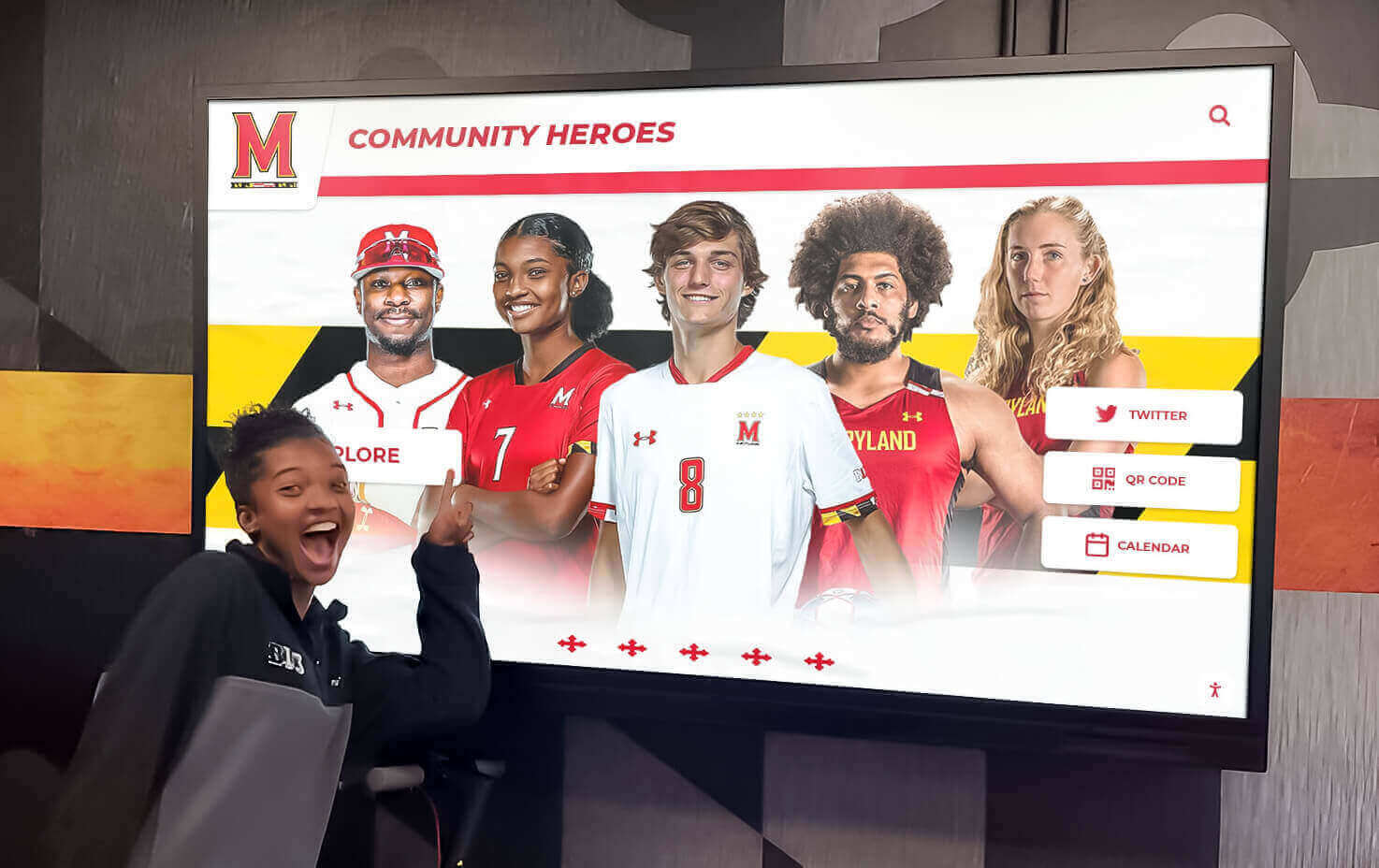
Modern athletes leverage digital platforms to showcase their highlight videos and athletic achievements
Understanding What College Coaches Want to See
Before filming a single clip or opening editing software, you must understand your audience—college coaches making rapid recruiting decisions based on limited information. Coaches don’t evaluate highlight tapes for entertainment value; they assess them as efficient scouting tools revealing whether athletes possess the physical abilities, technical skills, and game intelligence their programs require.
The Coach’s Perspective on Recruiting Videos
College coaches face overwhelming recruiting responsibilities. Division I coaches at major programs may evaluate 500+ prospective athletes annually while managing current rosters, game preparation, and countless other demands. This reality shapes how they approach highlight tape review—with limited time, specific priorities, and immediate decision-making criteria.
Time Constraints Matter: Research on coaching recruiting habits reveals that most coaches decide within 60-90 seconds whether to continue watching a highlight tape or move to the next prospect. Some coaches report making initial assessments in as few as 30 seconds. This isn’t callousness—it’s necessity driven by volume. Your highlight tape must capture attention immediately with your best content at the beginning.
Specific Skill Evaluation: Coaches don’t watch highlight tapes for general impressions. They’re evaluating specific positional requirements and technical capabilities. A basketball coach recruiting point guards specifically looks for ball-handling under pressure, court vision, passing accuracy, and defensive positioning. A volleyball coach evaluating outside hitters focuses on approach mechanics, arm swing, hitting placement, and defensive reading ability. Understanding what coaches value for your specific position transforms how you select and organize highlight content.
Game Footage Over Practice Highlights: While practice footage can demonstrate technique, coaches overwhelmingly prefer game footage showing performance under competitive pressure. Game clips reveal how athletes execute skills against real defensive pressure, make decisions at game speed, and handle competitive stress—attributes impossible to evaluate from controlled practice environments.
Critical Elements Every Highlight Tape Must Include
Regardless of sport or position, certain fundamental elements separate effective highlight tapes from amateur compilations that coaches dismiss quickly:
Opening Identification: The first 5 seconds should clearly display your name, graduation year, position, height/weight (when relevant), school/club team, and contact information. Coaches must immediately know who they’re watching and how to reach you if interested. Omitting this basic information forces coaches to search for details or simply move on to better-organized submissions.
Best Clips First: Your absolute best 3-5 plays belong at the beginning. Never organize chronologically or “save the best for last”—most coaches won’t reach the end. Lead with clips that showcase your highest-level skills, most impressive athleticism, or game-changing plays that immediately demonstrate why you deserve consideration.
Full-Speed Game Footage: Coaches need to see you performing at actual game speed against legitimate competition. Slow-motion has limited value and should be used sparingly, if at all. Most highlight tapes should consist entirely of regular-speed clips showing complete plays from start to finish, allowing coaches to evaluate your decision-making process and execution under pressure.
Clear Jersey Identification: Every clip should make it easy to identify you. If jersey numbers aren’t clearly visible, use discreet video annotations (circles, arrows, or name overlays) to help coaches track you throughout plays. Ambiguity forces coaches to work harder to evaluate you, decreasing the likelihood they’ll invest that effort.
Relevant Competition Level: Whenever possible, include game information showing competition quality—opponent names, tournament levels, or rankings. Dominant performance against weak competition impresses coaches less than solid performance against strong opponents. If you’ve competed against ranked teams, college-bound athletes, or at high-level showcases, ensure coaches know this context.

Interactive displays allow athletes and coaches to review detailed performance highlights and statistics
Sport-Specific Priorities
Different sports require different highlight tape approaches. Understanding these distinctions ensures your video showcases what coaches in your specific sport value most:
Basketball Highlights: Point guards should emphasize ball-handling, passing vision, and offensive orchestration. Shooting guards need shooting range, shot creation, and defensive capability. Posts and forwards should showcase rebounding, interior scoring, and defensive presence. All positions benefit from clips showing transition play, defensive communication, and basketball IQ moments.
Football Recruiting Tapes: Position-specific requirements vary dramatically. Quarterbacks must show arm strength, accuracy at all levels, decision-making under pressure, and pocket presence. Running backs need vision, burst through holes, elusiveness, and pass-catching ability. Linemen benefit from showcasing technique, leverage, and sustained blocking or pass-rushing ability across multiple plays.
Volleyball Highlight Videos: Outside hitters should display approach mechanics, hitting power and placement, passing reception, and defensive digs. Middle blockers need blocking technique, quick-set attacking, and transition speed. Setters must showcase decision-making, setting accuracy, and offensive tempo control. All positions benefit from defensive clips and serve effectiveness.
Soccer Recruiting Footage: Field players should demonstrate technical skills (first touch, passing accuracy, 1v1 ability), tactical awareness (positioning, supporting runs, defensive shape), and physical capabilities (speed, endurance, aerial ability). Goalkeepers need shot-stopping highlights, distribution quality, command of penalty area, and 1v1 situations.
Optimal Length and Structure for Recruiting Videos
One of the most common mistakes athletes make involves highlight tape length. The instinct to include more content—showcasing versatility, documenting improvement across seasons, or simply maximizing footage volume—typically backfires by diluting impact and testing coaches’ patience.
The 3-5 Minute Sweet Spot
Research consistently shows that 3-5 minutes represents the optimal length for most highlight tapes. This duration provides sufficient time to demonstrate key skills across multiple situations without losing coaches’ attention or including filler content that undermines your strongest material.
Why Not Longer?: Tapes exceeding five minutes rarely receive complete viewings. As length increases, completion rates drop dramatically. A 7-8 minute highlight tape might showcase your full skill set, but if coaches stop watching at minute three, they never see your best defensive plays, leadership moments, or technical versatility. Quality consistently outweighs quantity in recruiting video effectiveness.
Why Not Shorter?: While brevity has value, tapes under two minutes often fail to provide sufficient evaluation material. Coaches need to see repeated execution across multiple game situations, not just your single best play in each category. A 90-second tape might generate initial interest but may not provide enough substance for coaches to make confident recruiting decisions.
The First 30 Seconds Rule: Regardless of total length, your first 30 seconds are disproportionately important. If this opening fails to capture attention, coaches likely won’t continue watching. Front-load your very best clips—plays that immediately demonstrate elite athleticism, exceptional skill execution, or game-changing impact. Think of these opening seconds as your hook that earns coaches’ investment in watching the remainder.
Effective Highlight Tape Structure
Beyond total length, how you organize content significantly impacts viewer experience and coaching evaluation:
Opening Slate (5-10 seconds):
- Full name and graduation year
- Position and jersey number
- Height, weight, and relevant measurables
- Current team (school/club)
- Contact information (email and phone)
- Optional: GPA, test scores, and academic information
Best Plays Compilation (60-90 seconds):
- 8-12 of your absolute best plays
- Maximum impact moments showcasing athleticism and skill
- Mixed situations demonstrating versatility
- No particular organizational logic—just excellence
Skill-Specific Sections (60-90 seconds):
- Organized by key capabilities relevant to your position
- Multiple examples of each critical skill
- Demonstrates consistency, not just single standout moments
- Shows skill execution in varied game contexts
Additional Game Footage (30-60 seconds):
- Extended sequences showing sustained performance
- Full offensive or defensive possessions
- Demonstrates decision-making, positioning, and game intelligence
- Provides context beyond isolated highlight moments
Closing Slate (5 seconds):
- Repeat contact information
- Optional: upcoming tournament schedule
- Social media handles where appropriate
- Link to complete game footage if available
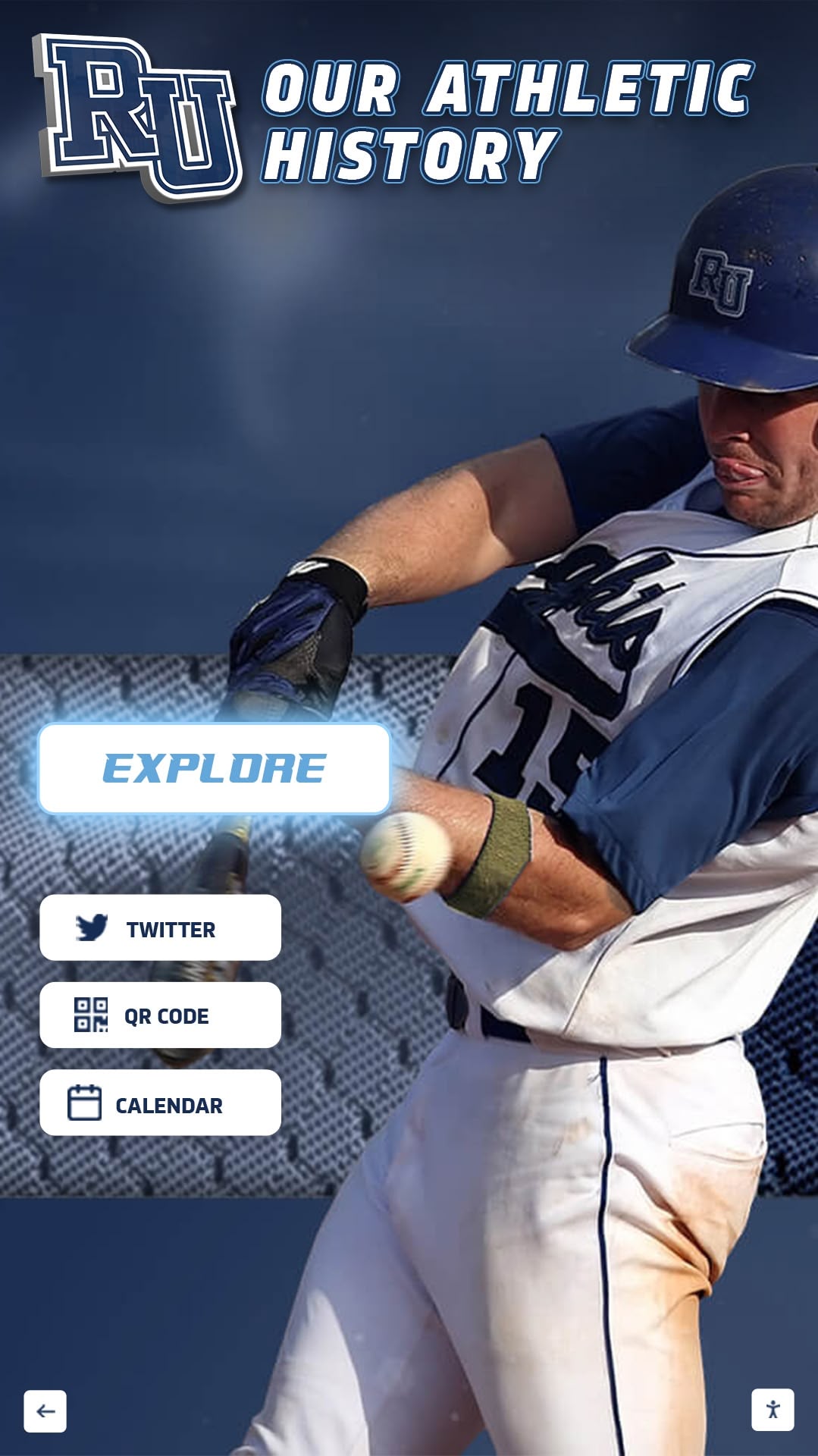
Schools showcase athlete achievements and highlight memorable plays through modern digital recognition systems
Filming and Recording Best Practices
Even exceptional athletic performance loses impact when captured with poor filming technique. While you don’t need professional broadcast equipment, fundamental filming principles dramatically improve highlight tape quality and coaches’ ability to evaluate your abilities effectively.
Camera Positioning and Angles
Elevated Side-Angle Perspective: For most team sports, filming from an elevated position at mid-court, mid-field, or along the sideline provides optimal viewing angles. This perspective allows coaches to see play development, positioning relative to teammates and opponents, and spatial awareness that low-angle filming obscures. Parents filming from bleachers naturally achieve this preferred angle.
Avoid End-Zone/Baseline Angles: Filming from directly behind goals or at court/field endpoints compresses depth perception, making it difficult for coaches to judge speed, spacing, and defensive positioning. These angles work occasionally for specific plays (particularly goal-scoring sequences) but shouldn’t comprise your primary footage.
Consistent Camera Position: When possible, maintain consistent filming positions across games and clips. This consistency helps coaches develop frame-of-reference for evaluating your movements, speed, and positioning compared to opponents. Constantly shifting perspectives can be disorienting and makes comparative evaluation more difficult.
Minimize Panning and Zooming: Excessive camera movement creates choppy, hard-to-watch footage. Set your frame wide enough to capture relevant action and keep the camera stable. Modern smartphones often include stabilization features that help, but conscious effort to minimize unnecessary camera motion produces significantly better results.
Video Quality Standards
Resolution Requirements: Standard HD quality (720p minimum, 1080p preferred) suffices for recruiting purposes. 4K resolution offers no meaningful advantage for highlight tape evaluation and creates unnecessarily large file sizes that complicate uploading and sharing. Most modern smartphones capture adequate HD video.
Lighting Considerations: Indoor sports face particular lighting challenges. Many gymnasiums have inconsistent or poor lighting that affects video quality. When possible, increase camera ISO settings to improve exposure in dim venues. Outdoor sports should avoid filming directly into sun, which creates silhouetting and visibility problems.
Audio Relevance: While audio quality matters less than visual content, excessive crowd noise, music, or commentary can distract from evaluation. Many athletes create highlight tapes without audio or add neutral background music. If including original audio, ensure it doesn’t detract from visual focus.
Weather and Outdoor Conditions: For outdoor sports, challenging weather affects both performance and video quality. Heavy rain, fog, or poor visibility creates difficult viewing conditions. When practical, prioritize footage from clear-weather games where visibility optimizes coaches’ ability to evaluate your performance.
Working With Team Videographers
Many high schools and club programs now record games, potentially providing higher-quality footage than parent filming. Leveraging these resources can significantly improve your highlight tape quality:
Establish Relationships Early: Connect with team videographers, AV departments, or parent volunteers handling recording duties. Explain that you need footage for recruiting purposes and ask about accessing recordings. Most programs accommodate these requests when asked respectfully and with advance notice.
Understand Access Limitations: Some schools or clubs face restrictions on sharing game footage due to opponent agreements, streaming service contracts, or conference policies. Clarify what footage you can access and in what format. Many programs provide YouTube or Hudl links where athletes can download clips.
Provide Specific Game and Time Information: When requesting footage from team archives, provide detailed information—specific games, quarters/periods, and approximate time stamps where key plays occurred. This specificity helps videographers locate your content efficiently and increases likelihood of receiving the footage you need.
Consider Professional Services: Athletes serious about high-level recruiting sometimes hire professional recruiting video services. Companies like Recruit Reels and Prospect Reels specialize in creating polished highlight tapes from provided footage, offering professional editing expertise and sports-specific knowledge about what coaches want to see. These services typically cost $200-600 depending on sport and complexity.
Editing Your Highlight Tape for Maximum Impact
Raw game footage, regardless of quality, requires editing to transform it into an effective recruiting tool. Strategic editing choices—which clips to include, how to order them, what transitions to use, and how to balance comprehensive demonstration with engaging pacing—separate amateur compilations from highlight tapes that capture and maintain coaching attention.
Editing Software Options
You don’t need expensive professional software to create effective highlight tapes. Several accessible options serve athletes at different experience levels:
Beginner-Friendly Options:
- iMovie (Mac/iOS): Free with Apple devices, offering intuitive interface, basic editing tools, and simple title/text features adequate for most highlight tapes
- Windows Video Editor (PC): Free with Windows 10/11, providing essential editing capabilities including trimming, music, and text overlays
- Hudl: Many athletes and teams already use Hudl for game analysis. The platform includes highlight creation tools specifically designed for athletic recruiting, with sport-specific templates and easy sharing features
Intermediate Options:
- Adobe Premiere Rush: Simplified version of professional software, offering more control than basic editors while remaining accessible to non-professionals ($9.99/month)
- DaVinci Resolve (Free Version): Professional-grade software with robust free version, steeper learning curve but powerful capabilities for athletes willing to invest time learning
- Final Cut Pro (Mac): Professional software popular among serious creators, one-time purchase ($299) offering extensive capabilities
What You Actually Need: Regardless of software, you only need basic capabilities—trimming clips, arranging sequences, adding text overlays, and exporting in standard video formats. Don’t let software choices delay your highlight tape creation. Start with whatever free option you have available and upgrade later if needed.
Clip Selection and Ordering
Quality Over Quantity: Resist the temptation to include every decent play. Coaches notice when highlight tapes include filler content that dilutes genuine excellence. Better to feature 15 exceptional plays than 30 mixed-quality moments. Each clip should showcase something specific and impressive about your abilities.
The Opening Impact: Your first clip sets the tone. Choose a play that immediately demonstrates why a coach should keep watching—a spectacular athletic achievement, exceptional skill execution, or game-changing impact play. This opening clip should provoke an immediate “wow” reaction that buys you goodwill for the remainder.
Demonstrate Consistency: After establishing impact with your best singular moments, show consistency by including multiple examples of key skills. If you’re a soccer striker, include 3-4 different goals from varied situations, not just your one bicycle-kick highlight. Coaches want to see repeatable skills, not lucky one-time occurrences.
Balance Offense and Defense: Unless your position is purely offensive or defensive, showcase both dimensions. Many athletes over-emphasize offensive highlights while neglecting defensive competency that coaches equally value. Two-way players who contribute across all game phases appeal more than one-dimensional specialists.
Show Clutch Performance: If you have footage of critical plays in high-pressure situations—game-winning shots, championship performances, or late-game defensive stops—include them. Coaches value composure and performance under pressure, attributes difficult to evaluate outside competitive contexts.
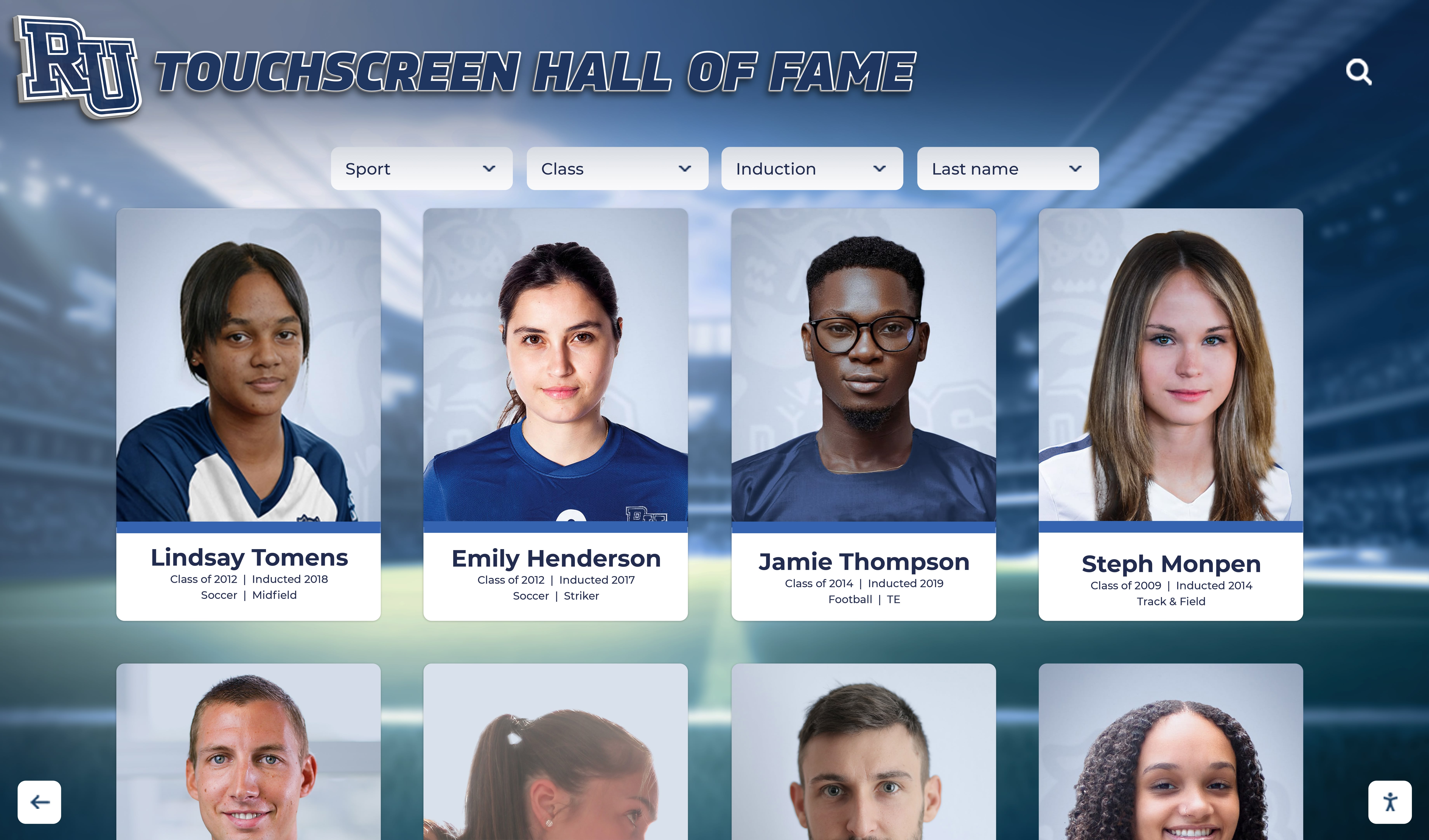
Digital recognition displays create engaging ways to showcase athletic achievements and performance highlights
Technical Editing Best Practices
Keep Clips Concise: Most individual clips should run 5-15 seconds, long enough to show complete plays but short enough to maintain pacing. Extended clips work for specific purposes (full offensive possessions, sustained defensive sequences) but shouldn’t comprise most of your content. Trim unnecessary lead-in and follow-through time.
Minimal Transition Effects: Avoid elaborate transitions, wipes, or special effects that distract from content. Simple cuts between clips work best for recruiting videos. Coaches focus on your athletic performance, not editing creativity. Fancy transitions often signal amateur production and can make highlight tapes feel less professional.
Strategic Use of Slow Motion: Use slow-motion sparingly and purposefully. A brief slow-motion replay highlighting perfect technique or showing an athletic movement’s specific mechanics can add value, but most of your content should run at game speed. Some coaches specifically request no slow-motion because they want to evaluate athletes performing at actual competitive tempo.
Text Overlays and Annotations: Use text sparingly to provide useful context without cluttering the screen. Appropriate uses include identifying you when jersey numbers aren’t clear, noting significant opponent quality, or labeling extended sequences showing specific skills. Keep text simple, readable, and non-distracting.
Music Selection: If adding music (optional but common), choose upbeat, energetic instrumental tracks without lyrics. Avoid copyrighted popular music that could cause platform removal. Numerous royalty-free music sources provide athletic-appropriate tracks. Ensure music volume doesn’t overpower original game audio when you want coaches to hear on-court communication or field sounds.
Export Settings: Export your final video in widely compatible formats—MP4 (H.264 codec) works universally. Resolution of 1080p provides optimal quality without excessive file size. Target file sizes under 500MB when possible for easier uploading and sharing, though quality shouldn’t be excessively compromised to meet arbitrary size limits.
Distribution Strategies That Reach College Coaches
Creating an excellent highlight tape accomplishes nothing if college coaches never see it. Strategic distribution across appropriate platforms, combined with proactive outreach to coaches at schools matching your athletic ability and academic interests, transforms your highlight tape from a finished product into an active recruiting tool generating real opportunities.
Primary Hosting Platforms
YouTube: The universal video platform remains the most widely used highlight tape host. Coaches familiar with YouTube appreciate the straightforward interface, reliable playback, and easy sharing. When uploading to YouTube:
- Use descriptive titles including your name, position, graduation year, and sport (Example: “John Smith - Point Guard - Class of 2026 - Basketball Highlights”)
- Write detailed descriptions including measurables, contact information, academic stats, and available tournament schedule
- Use relevant tags (your sport, position, graduation year, state, etc.)
- Set videos as “Unlisted” if you prefer they’re not publicly searchable but remain accessible via direct link
- Enable comments but moderate them to maintain professional appearance
- Create a dedicated channel for your recruiting content separate from personal videos
Hudl: Over 170,000 college teams use Hudl for recruiting, making it the platform most integrated into coaching workflows. Hudl offers significant advantages:
- Sport-specific organization and presentation
- Direct connection to coaches already using the platform for recruiting
- Easy-to-use highlight creation tools designed for athletes
- Profile sections for measurables, academic information, and contact details
- Analytics showing which coaches viewed your profile
- Integration with high school and club team accounts
Hudl’s college-coach-focused environment makes it particularly valuable despite being less universally known than YouTube. Many coaches check Hudl first when evaluating prospects.
NCSA Sports: The National Collegiate Scouting Association provides recruiting network services connecting athletes with college coaches. Their platform allows highlight tape hosting alongside academic profiles, athletic résumés, and tournament schedules. NCSA offers both free and premium services ($500-$3,000 for personalized recruiting support), with the free tier providing adequate platform access for self-directed athletes.
Hybrid Approach: The most comprehensive distribution strategy uses multiple platforms strategically. Host your primary highlight tape on both YouTube (universal accessibility) and Hudl (coach-specific platform), ensuring you’re visible wherever coaches look. Include both links in all recruiting communications, giving coaches options based on their preferences.
Reaching Out to College Coaches Directly
Posting highlight tapes online and hoping coaches discover them rarely succeeds. Proactive outreach to coaching staffs at schools matching your athletic ability, academic credentials, and geographic preferences drives recruiting success:
Research Target Schools: Identify 20-40 colleges at appropriate competitive levels where you could realistically contribute athletically and succeed academically. Consider division level honestly—Division III or strong D-II programs often offer better opportunities than sitting on D-I benches. Prioritize schools offering your intended major and fitting your geographic, financial, and cultural preferences.
Find the Right Coach Contact: Research team websites to identify appropriate contacts—recruiting coordinators, position coaches, or assistant coaches often handle initial prospect evaluation. Avoid sending generic emails to head coaches at large programs where assistants manage recruiting pipelines.
Craft Compelling Introduction Emails: Your initial outreach should be concise, personalized, and immediately provide coaches the information they need:
Subject line: [Your Name] - [Position] - [Graduation Year] - [High School/Club Team]
Body structure:
- Brief personal introduction with key measurables
- Why you’re specifically interested in their program (reference specific team characteristics)
- Academic information (GPA, test scores, intended major)
- Athletic résumé highlights (key achievements, team successes)
- Upcoming tournament/showcase schedule where they could evaluate you in person
- Direct links to your highlight tape on YouTube and/or Hudl
- Contact information and thank you for their time
Follow-Up Strategy: Coaches receive hundreds of recruiting emails. Follow up every 3-4 weeks with updates—new highlight clips, improved measurables, recent game results, or upcoming opportunities to see you compete. Persistence demonstrates genuine interest without becoming pestering when spaced appropriately.
Leverage Showcases and Camps: College camps and recruiting showcases provide in-person evaluation opportunities. When attending events at schools on your target list, ensure coaches know you’re attending and have reviewed your highlight tape before arrival. In-person performance confirming what coaches saw in video significantly advances recruiting relationships.
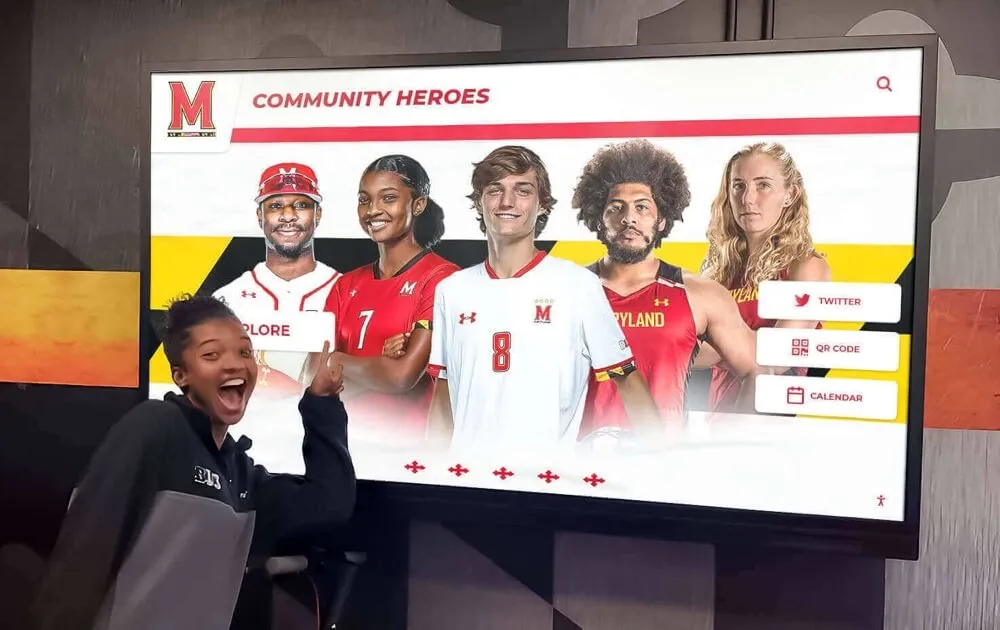
Modern schools recognize athletic achievements through engaging displays that inspire younger athletes
Showcasing Your Highlight Tape and Athletic Achievements
While highlight tapes serve as primary recruiting tools shared directly with coaches, comprehensive athletic recognition within your school community creates additional value—building program reputation, inspiring younger athletes, and documenting your athletic career beyond the recruiting process.
Integrating Highlight Tapes Into School Recognition
Forward-thinking athletic programs now incorporate highlight tapes into comprehensive recognition displays that celebrate athlete achievement while strengthening college recruitment efforts. Digital recognition systems transform traditional trophy cases into interactive platforms showcasing not just final achievements but the athletic excellence documented in recruiting videos.
Solutions like Rocket Alumni Solutions enable schools to create touchscreen displays featuring:
- Athlete profiles with embedded highlight tapes
- Career statistics and achievement timelines
- College commitment information and recruitment stories
- Program championship and tournament documentation
- Historical athletic excellence archives
These displays serve dual purposes—honoring current athletes while demonstrating program quality to prospective families evaluating schools. When middle school athletes visiting your campus see comprehensive recognition including highlight tapes of players who earned college opportunities, your program’s developmental reputation strengthens.
Documenting Your Athletic Journey
Highlight tapes represent snapshot moments in multi-year athletic careers. Comprehensive documentation extending beyond recruiting videos creates lasting records of your development:
Multi-Year Video Evolution: Consider maintaining annual highlight tapes showing year-over-year development. These chronological compilations demonstrate growth, skill refinement, and increasing competitive impact that single-year videos can’t capture. While not typically sent to coaches as primary recruiting tools, these developmental archives provide powerful perspective on your athletic journey.
Performance Statistics Tracking: Document measurable improvement alongside video highlights. Track relevant statistics, fitness benchmarks, and skill assessments across seasons. This quantitative data complements qualitative video evidence, creating comprehensive athletic profiles demonstrating commitment to improvement.
Achievement Documentation: Maintain records of awards, all-conference selections, tournament achievements, and team successes. When programs like Rocket Alumni Solutions feature you in athletic recognition displays, comprehensive achievement information enhances profile quality and inspirational impact.
College Commitment Recognition: When your highlight tape work pays off with a college commitment, ensure your achievement receives appropriate recognition. Many schools now feature college commitment displays celebrating students advancing to collegiate athletics, creating inspirational examples for younger athletes beginning their own recruiting journeys.
Supporting Younger Athletes in Your Program
As you navigate recruiting successfully, pay forward support that helped you by mentoring younger athletes in your program:
Share Your Highlight Tape Experience: Discuss what worked and what you’d do differently. Show examples of how you organized content, selected clips, and distributed tapes to coaches. Many younger athletes lack guidance in this process and benefit tremendously from peer mentorship.
Provide Filming Support: Offer to help underclassmen film games or edit highlight content. Your experience with the technical process positions you to teach fundamentals that might otherwise require expensive professional services.
Connect Them With Resources: Share platform information, editing tutorials, coach contact strategies, and recruiting timeline guidance. The knowledge you gained through trial and error can accelerate their preparedness for critical recruiting periods.
Model Professional Recruiting Behavior: Demonstrate appropriate coach communication, tournament preparation, and recruiting visit behavior. Younger athletes observe upperclassmen interactions and often model their own behavior accordingly. Your professionalism in recruiting processes sets positive examples.
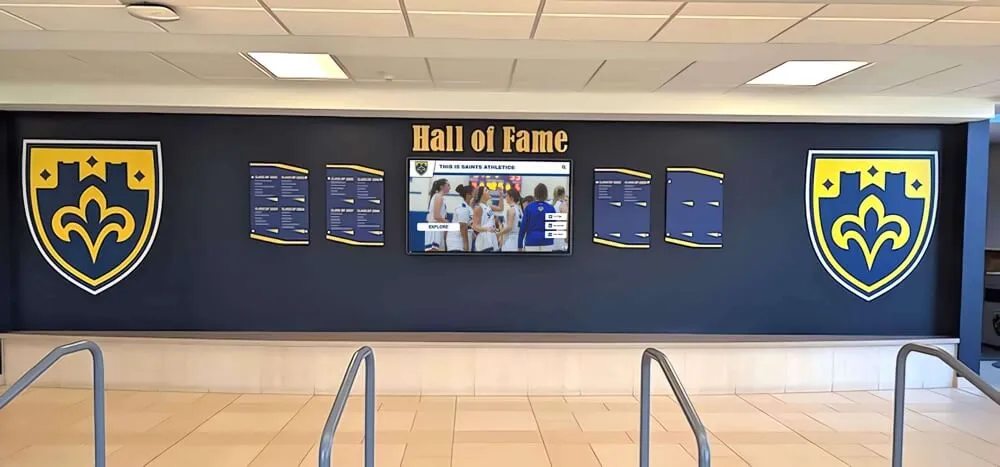
Comprehensive athletic recognition displays celebrate player achievements and inspire program excellence
Common Mistakes to Avoid
Understanding what makes highlight tapes effective is equally important as knowing what undermines them. Even athletes with genuine college-level ability sabotage recruiting prospects through preventable errors in highlight tape creation, presentation, or distribution.
Content and Editing Errors
Including Too Much Non-Highlight Content: The name “highlight tape” implies showing only highlights. Surprisingly, many athletes include ordinary plays that dilute exceptional moments. Every clip should showcase something specific and impressive. If you’re uncertain whether a play merits inclusion, it probably doesn’t.
Excessive Length: As discussed earlier, tapes exceeding 5-6 minutes rarely receive full viewings. Athletes often feel they need to show everything to prove versatility or compile years of footage into single videos. Coaches’ time constraints make brevity essential. When forced to choose between including more content or maintaining brevity, brevity wins.
Poor Video Quality: While professional production isn’t necessary, excessively grainy footage, unstable camera work, or visibility-compromising lighting undermines evaluation efforts. Coaches struggling to see what’s happening due to technical quality issues often move on rather than persist through difficult viewing experiences.
Inappropriate Music Choices: Music with explicit lyrics, aggressive themes, or overwhelming volume can create negative impressions. Keep music clean, energetic, and at moderate volume that doesn’t overpower game sounds. When uncertain, instrumental tracks remain safe choices that won’t inadvertently offend coaching staffs.
Missing Contact Information: Remarkably common, this basic error prevents interested coaches from reaching you. Every highlight tape should open and close with clear contact information—name, graduation year, phone number, email address. Don’t assume coaches will track down your information through other channels.
Unclear Player Identification: If coaches can’t easily identify which player you are in clips, they can’t evaluate you. Use jersey number references, on-screen circles or arrows, or brief text identification ensuring you’re obvious throughout footage. Ambiguity forces coaches to work harder to evaluate you, decreasing likelihood of thorough review.
Distribution and Communication Mistakes
Generic Mass Emails: Sending identical recruiting emails to dozens of coaches without personalization signals you’re not genuinely interested in their specific programs. Coaches recognize template emails and often delete them unread. Invest time researching schools and personalizing communications with specific references to programs, coaching philosophies, or team characteristics.
Inappropriate Timing: Understanding recruiting calendars matters. Different sports have designated evaluation periods, quiet periods, and contact windows regulated by NCAA rules. Sending highlight tapes during dead periods when coaches can’t respond or right before championship tournaments when coaches focus elsewhere reduces response likelihood. Research appropriate timing for your sport and target division levels.
Forgetting to Update Content: Your highlight tape should evolve throughout your career. Don’t send the same sophomore year tape to coaches during senior recruiting. Regularly update content with recent performances, improved skills, and current measurables. Outdated information suggests you’re not seriously engaged in recruiting process.
Neglecting Academic Information: College coaches recruit student-athletes, not just athletes. Failing to communicate academic credentials (GPA, test scores, class rank, academic awards) makes coaches uncertain whether you meet institutional academic standards. Strong academics can compensate for borderline athletic ability, while poor academic performance eliminates recruiting possibilities regardless of athletic talent.
Passive Distribution Strategy: Simply posting your highlight tape online and waiting for coaches to find it rarely succeeds. Successful recruiting requires proactive outreach—researching target schools, identifying appropriate coaching contacts, sending personalized introduction emails with highlight links, and following up with updates. Don’t expect coaches to discover you; make yourself impossible to miss.
Attitude and Professionalism Issues
Showboating or Taunting in Clips: Highlight tapes should showcase athletic ability and competitive excellence, not poor sportsmanship. Coaches notice celebrations that cross into disrespect, excessive showmanship, or taunting behavior. These clips raise character concerns that can eliminate recruiting interest regardless of athletic ability.
Social Media Inconsistency: Coaches increasingly review recruits’ social media presence. If your highlight tape projects serious, dedicated athlete persona while your social media shows constant partying, inappropriate content, or poor judgment, expect coaches to notice the disconnect. Ensure your entire digital presence reflects character you want coaches to associate with you.
Unrealistic Self-Assessment: Sending highlight tapes to exclusively Division I programs when your abilities fit Division II or Division III levels wastes time and creates disappointment. Honest self-assessment regarding appropriate competitive level opens doors to programs where you’ll contribute meaningfully rather than pursuing unrealistic aspirations.
Parent Over-Involvement: While parents appropriately support recruiting processes, some become overly aggressive in coach communication, demand improper attention, or create uncomfortable dynamics. Coaches recruiting you want to assess your maturity, communication skills, and independence. Parent involvement should support rather than overshadow your own recruiting engagement.
Advanced Strategies for Maximum Impact
Beyond fundamental highlight tape creation, athletes serious about optimizing recruiting prospects can implement advanced strategies that provide competitive advantages and increase coaching interest from programs at all levels.
Creating Position-Specific Tape Variations
While your primary highlight tape showcases comprehensive abilities, creating specialized versions targeting specific coaching priorities can enhance recruiting effectiveness:
Skill-Specific Focus Tapes: For complex positions with multiple responsibilities, consider creating 60-90 second skill-specific supplements. A quarterback might create separate short videos highlighting arm strength, accuracy, and scrambling ability. A volleyball player could develop specific clips for attacking, blocking, and defensive skills. These supplements allow coaches to quickly assess specific capabilities relevant to their system needs.
System-Appropriate Editing: Research offensive and defensive systems at target schools. A basketball player pursuing programs running motion offenses might emphasize passing, screening, and off-ball movement, while highlighting tapes for up-tempo transition programs should showcase speed, transition finishing, and defensive rebounding. Tailoring content emphasis toward specific system fit demonstrates recruiting intelligence and program-specific interest.
Leveraging Analytics and Statistics
Modern analytics-focused coaching staffs increasingly value data alongside video evidence:
Incorporate Performance Metrics: Overlay relevant statistics on specific plays—shooting percentages, completion rates, hitting efficiency, or serve reception grades. Context-appropriate statistics reinforce video evidence and appeal to analytically oriented coaching staffs. Keep statistical overlays clean and unobtrusive, supporting rather than cluttering visual content.
Create Statistical Summary Sections: Consider brief statistical summaries (10-15 seconds) within longer highlight tapes showing season or career numbers—scoring averages, efficiency metrics, advanced statistics relevant to your sport. These data snapshots provide quantitative context for qualitative video evidence.
Comparison to Level Standards: When applicable, show how your statistics compare to average performance at your competitive level. Above-average efficiency, production, or impact metrics help coaches contextualize your performance against typical athletes at similar stages.
Building Comprehensive Digital Recruiting Presence
Your highlight tape represents one component of comprehensive digital recruiting presence:
Personal Website or Profile: Consider creating simple athlete websites (using platforms like Wix, Squarespace, or WordPress) serving as recruiting hubs. Include embedded highlight tape, downloadable athletic résumé, academic transcript (if strong), tournament schedule, coach recommendation letters, and easy contact forms. Provide this URL in all recruiting communications as comprehensive information source.
Social Media Strategy: Use Twitter (now X) and Instagram strategically for recruiting. Post highlight clips, training videos, tournament results, and academic achievements. Follow and appropriately engage with coaches and programs you’re interested in. Maintain consistently professional content reflecting well on your character and commitment.
Email Newsletter Updates: For coaches you’ve established contact with, consider monthly email updates during peak recruiting periods. Share recent highlight clips, improved measurables, upcoming competition schedules, and relevant achievements. Brief, value-adding updates keep you top-of-mind without becoming annoying.

Interactive recognition systems showcase athletic excellence and recruiting achievements in engaging formats
Maintaining and Updating Your Recruiting Materials
Creating your initial highlight tape represents a significant investment of time and effort. However, recruiting is an ongoing process requiring regular content updates, strategic refinement, and evolving materials as your abilities develop and recruiting relationships progress.
When to Update Your Highlight Tape
Seasonal Updates: Create updated highlight tapes after each competitive season ends. Fresh content demonstrates continued development, recent performance, and current ability levels. Sending year-old footage when recent games show improvement represents missed opportunity to strengthen your recruiting profile.
Significant Skill Development: If you’ve made notable technical improvements, expanded your positional versatility, or overcome previous limitations, update your highlight tape reflecting these developments. Demonstrable skill growth appeals to coaches evaluating both current ability and development potential.
Competition Level Increases: When you compete at higher levels—varsity versus junior varsity, national tournaments versus local competition, or elite showcase events—create updated tapes featuring this elevated competition. Performance against stronger opponents carries greater recruiting weight than domination of weak competition.
Measurable Improvements: When measurables change significantly—you’ve grown taller, gotten faster, increased strength, or improved fitness testing results—update your introductory materials and consider whether new physical capabilities enable highlight-worthy plays your previous tape couldn’t showcase.
Tracking Coaching Engagement
Document Coach Interactions: Maintain spreadsheet tracking which coaches you’ve contacted, when you sent highlight tapes, whether they responded, and what next steps they suggested. This organization prevents duplicate outreach, ensures timely follow-up, and helps you recognize which schools show genuine interest versus polite acknowledgment.
Monitor Video Analytics: Platforms like YouTube and Hudl provide analytics showing view counts, watch duration, and geographic data. While these metrics aren’t perfect recruiting interest indicators, patterns can reveal which coaches are seriously evaluating you (multiple views, high watch completion) versus brief initial impressions.
Evaluate Response Patterns: Pay attention to which schools respond to outreach and how substantively they engage. Coaches requesting additional information, inviting you to camps, or asking about unofficial visit possibilities demonstrate significantly more interest than generic “thanks for your interest” responses. Focus recruiting energy where genuine opportunity exists.
Adapting to Recruiting Timeline Changes
NCAA Recruiting Rule Updates: Recruiting rules evolve regularly, affecting when coaches can contact athletes, observe competitions, and extend offers. Stay informed about rule changes relevant to your sport and graduation year. What worked for athletes two years ahead of you may not reflect current regulations governing your recruiting timeline.
COVID-19 and Emergency Modifications: Recent global circumstances created temporary recruiting rule changes and evaluation method adaptations. While many temporary modifications have ended, future unexpected circumstances may again alter recruiting processes. Maintain flexibility and adapt strategies to current environments rather than rigidly following outdated approaches.
Transfer Portal Dynamics: The college transfer portal has fundamentally altered recruiting dynamics, creating opportunities for some prospects while increasing competition for others. Be aware of how transfer trends in your sport affect recruiting timelines and scholarship availability at various competitive levels.
Conclusion: Turning Highlight Tapes Into Opportunities
Creating an effective player highlight tape requires more than simply compiling your best plays into a video file. It demands strategic thinking about coaching priorities, technical competence in filming and editing, proactive distribution to appropriate targets, and ongoing refinement as your abilities develop and recruiting relationships evolve.
The most successful recruiting videos share common characteristics—they immediately capture attention with exceptional opening content, maintain focus on relevant game footage demonstrating specific skills coaches value, provide clear identification and contact information, respect coaches’ time constraints with appropriate length, and present athletes in professional, respectful manners that reflect well on character alongside ability.
Yet highlight tapes alone don’t earn college opportunities. They function as essential tools within comprehensive recruiting strategies combining proactive coach outreach, strong academic performance, showcase event participation, tournament competition against quality opponents, and professional communication throughout the recruiting process. Athletes who view highlight tapes as static products often struggle; those who treat them as dynamic recruiting tools requiring regular updates, strategic targeting, and persistent follow-up consistently achieve better results.
As you create and distribute your highlight tape, remember that you’re not just showcasing athletic ability—you’re introducing yourself as a prospective student-athlete who’ll represent programs, institutions, and coaching staffs. Every clip selection, editing choice, communication, and follow-up reflects your character, maturity, and professionalism alongside your physical capabilities. Coaches recruit athletes they trust to represent their programs well in all circumstances.
Showcase Your Athletic Journey
Discover how Rocket Alumni Solutions helps schools create engaging digital displays celebrating athletic achievements, college commitments, and recruiting success stories that inspire future generations.
Learn More About Recognition DisplaysFor athletes committed to maximizing recruiting opportunities, investment in quality highlight tape creation pays dividends far exceeding the time and effort required. Whether you ultimately compete at Division I, II, or III levels, NAIA programs, or junior colleges, your highlight tape serves as the first impression and often decisive factor in whether coaches invest further evaluation time in your potential.
Start now, regardless of where you are in your athletic career. Freshmen and sophomores benefit from early tape creation even before serious recruiting begins—establishing baseline documentation of abilities, practicing filming and editing techniques, and understanding what coaches eventually want to see. Juniors entering peak recruiting windows should prioritize tape completion and distribution immediately. Seniors finalizing college decisions can still benefit from quality tapes when pursuing walk-on opportunities or demonstrating readiness to contribute immediately.
Your athletic journey represents years of dedication, sacrifice, and skill development. Ensure college coaches see what you’ve built through highlight tapes that properly showcase your abilities, character, and potential. The opportunities you create through strategic recruiting efforts—with highlight tapes as essential tools—can transform your educational and athletic future for years to come.
Additional resources for athletic achievement recognition and recruiting success can be found through digital banner recognition for championships and comprehensive guides to athletic program visibility that complement individual recruiting efforts.































