Intent: Define public library digital archive collections and demonstrate comprehensive access and preservation strategies
Public libraries have transformed from physical repositories of books into comprehensive digital cultural centers, preserving and providing access to millions of historical records, photographs, manuscripts, maps, audio recordings, and rare documents that document community heritage and enable research, genealogy, education, and cultural understanding. These digital archive collections break down geographic and temporal barriers, making treasures that once required in-person visits to specialized reading rooms accessible to anyone with internet connectivity.
Digital archive collections at public libraries serve diverse communities including genealogy researchers tracing family histories, historians documenting social movements and cultural change, educators seeking primary source materials for classroom instruction, journalists researching historical context for contemporary stories, and community members exploring local heritage and identity. Whether accessing established collections at major institutions or building new digital archives for smaller communities, understanding these systems empowers preservation of irreplaceable cultural memory while creating engagement opportunities strengthening community connections.
This comprehensive guide explores both how to effectively access existing public library digital archive collections and proven strategies for organizations building their own digital archives following library best practices. We examine major national collections, regional and local repositories, advanced search techniques, specialized research applications, and technical frameworks for creating sustainable digital archives that serve communities for generations.
Libraries worldwide have accelerated digitization efforts over the past two decades, driven by preservation imperatives protecting fragile materials, technological capabilities enabling affordable high-quality scanning, user expectations shaped by internet accessibility, and recognition that digital access dramatically expands who can engage with historical collections. According to the Digital Public Library of America, their platform now provides access to over 52 million records from collections across the country, demonstrating the scale of transformation in library services.

Modern digital archives organize historical records into searchable collections accessible from anywhere, transforming how communities preserve and access heritage
Understanding Public Library Digital Archive Collections
Before exploring specific collections or building your own archives, understanding what distinguishes effective digital archives from simple file storage establishes foundation for successful research or implementation.
What Makes Digital Archives Different from Digital Libraries
While often used interchangeably, digital archives and digital libraries serve different purposes:
Digital Archives focus on preserving unique, historically significant materials often available in only one location. Archives contain:
- Original manuscripts and correspondence
- Historical photographs and visual materials
- Institutional records and administrative documents
- Personal papers from notable individuals or families
- Maps, architectural drawings, and spatial documentation
- Audio recordings of oral histories and performances
- Video documentation of events and cultural activities
- Ephemera like posters, programs, and promotional materials
These materials are typically one-of-a-kind or exist in very limited quantities, making preservation and accessibility critical for ensuring cultural memory survives.
Digital Libraries primarily provide access to published materials like books, journals, newspapers, and periodicals that exist in multiple copies across institutions. While valuable, these materials lack the uniqueness that defines archival collections.
Public library digital archive collections combine both functions—preserving unique local materials while providing access to broader digitized published resources. A municipal library might digitize rare city planning documents (archival) while also providing access to historical newspapers (library).
Core Components of Effective Digital Archives
Comprehensive digital archives require multiple integrated elements:
High-Quality Digitization Professional-grade scanning or photography capturing sufficient detail for preservation and research purposes. Standards typically require:
- 400-600 DPI minimum resolution for documents and photographs
- Color calibration ensuring accurate reproduction
- Appropriate file formats balancing preservation (uncompressed TIFF) with accessibility (compressed JPEG or PDF)
- Metadata embedded in files documenting technical specifications
Comprehensive Metadata Structured information describing each item enables discovery and context:
- Descriptive metadata: titles, creators, dates, subjects, people, locations
- Technical metadata: file formats, dimensions, resolution, equipment used
- Administrative metadata: rights information, restrictions, source collections
- Preservation metadata: digitization dates, format migrations, checksums verifying file integrity
Without rich metadata, digital files remain difficult to find and understand, reducing archive value dramatically.
Sustainable Storage Infrastructure Long-term digital preservation requires:
- Redundant storage across multiple geographic locations
- Regular backup verification ensuring files remain uncorrupted
- Format migration planning for evolving technology standards
- Disaster recovery procedures protecting against data loss
- Access controls managing appropriate public versus restricted content
User-Friendly Access Platforms Intuitive interfaces enabling diverse users to search, browse, and utilize collections:
- Keyword search across full text and metadata
- Faceted browsing by date, subject, format, collection
- Preview capabilities showing thumbnails and summaries
- Download options for personal research use
- Citation generators helping researchers properly credit sources
- Mobile-responsive design supporting smartphones and tablets

Interactive kiosks and touchscreen displays bring digital archives into physical community spaces, making historical collections accessible without requiring personal devices
Accessing Major Public Library Digital Archives
Understanding where to find existing digital collections and how to search them effectively enables researchers to locate valuable historical materials.
National Digital Archive Platforms
Several major platforms aggregate collections from libraries, archives, and museums nationwide:
Digital Public Library of America (DPLA) The Digital Public Library of America serves as a comprehensive portal bringing together over 52 million records from collections across the United States. Rather than hosting materials directly, DPLA aggregates metadata and links from participating institutions, enabling single-interface searching across diverse repositories.
Key Features:
- Free, open access to all materials
- Advanced search with filtering by date, location, format, contributing institution
- Timeline visualization showing when materials were created
- Map view displaying geographic distribution of materials
- API access for developers building custom applications
- Exhibitions curating materials around specific themes
DPLA particularly excels for researchers needing to search broadly across institutions without knowing which specific library might hold relevant materials.
Library of Congress Digital Collections The Library of Congress Digital Collections provides access to millions of items from the largest library in the world, including:
- Historical photographs documenting American life from daguerreotypes through digital photography
- Manuscripts including personal papers of presidents, writers, activists, and cultural figures
- Maps showing geographic understanding and territorial evolution
- Sheet music and sound recordings preserving American musical heritage
- Motion pictures from early silent films through contemporary documentaries
- Newspapers from across the country dating to the 18th century
Advanced Research Capabilities: The Library of Congress offers sophisticated tools for serious researchers:
- Full-text search across digitized text using OCR (Optical Character Recognition)
- Subject heading browse using Library of Congress classification
- Rights and reproductions guidance for commercial or publication use
- API enabling programmatic access for computational research
- Finding aids describing archival collections in detail
Many researchers begin investigations at the Library of Congress due to comprehensive holdings and excellent finding aids helping navigate complex collections.
Smithsonian Institution Digital Collections The Smithsonian Libraries and Archives provides access to materials from multiple museums and research centers:
- Natural history specimens and field notes
- Art and design archives documenting American creativity
- Scientific papers and research materials
- Rare book collections spanning diverse subjects
- Trade literature and ephemera
The Smithsonian excels for researchers investigating scientific history, art, design, and material culture, with specialized collections unavailable elsewhere.
Regional and State Digital Archives
State-level initiatives preserve local history often absent from national collections:
State Library Digital Collections Most state libraries maintain digital archives documenting state history, government records, and local materials. Examples include:
- New York State Archives with government records and historical photographs
- North Carolina Digital Collections featuring state history and culture
- Pennsylvania State Archives Research Online with genealogical and historical resources
- California Digital Library aggregating materials from University of California campuses
These state-level resources typically provide richer local detail than national collections, making them essential for community history research.
Regional Consortia Collaborative digitization projects bring together multiple institutions:
- Mountain West Digital Library (Rocky Mountain region states)
- Empire State Digital Network (New York State institutions)
- Digital Library of Georgia (statewide library, archive, museum collections)
- Texas Digital Archive (Texas cultural heritage institutions)
Regional consortia often include smaller institutions that lack resources for independent digital initiatives, making materials available that might otherwise remain inaccessible.
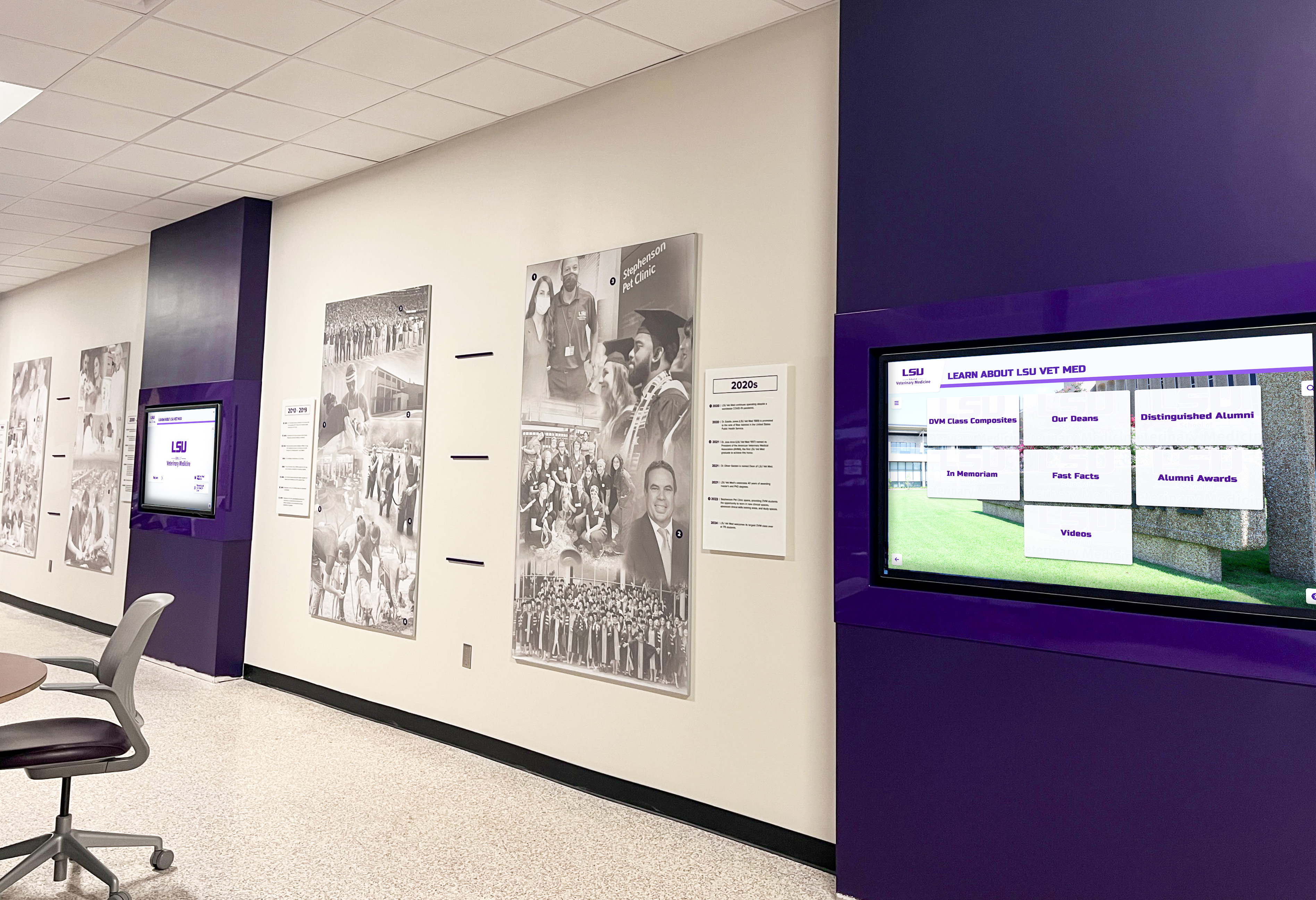
Multi-screen digital displays transform hallways and common areas into engaging spaces for exploring archived collections and institutional history
Major Municipal Public Library Collections
Large urban library systems maintain significant digital archives documenting city history:
New York Public Library Digital Collections NYPL Digital Collections is one of the most comprehensive municipal library digital archives, featuring over 900,000 digitized items including:
- Historical photographs of New York City documenting urban development
- Maps showing city evolution from colonial period through present
- Menus from restaurants dating back over a century
- Theatrical materials including playbills and scripts
- Rare books and manuscripts
- Print collections with posters, advertisements, and graphic design
NYPL’s collection particularly excels for researching urban history, immigration, cultural life, and social movements in America’s largest city. The system’s commitment to open access means most materials are freely downloadable without registration.
Chicago Public Library Digital Collections Chicago Public Library preserves materials documenting Chicago’s history including:
- Harold Washington Archives and Collections
- Neighborhood and community photographs
- World’s Columbian Exposition materials
- Civil rights movement documentation
- Municipal records and publications
Denver Public Library Digital Collections Denver Public Library offers over one million items focusing on Western American history:
- Colorado and Rocky Mountain photography
- Western migration and settlement materials
- Native American documentation
- Mining and railroad history
- Architectural photographs
These municipal collections provide unparalleled depth on local history while often including regional and national materials connected to local events and people.
How to Access and Search Digital Archives Effectively
Understanding search strategies and access methods maximizes research productivity in digital archives.
Getting Access to Digital Collections
Most public library digital archives offer tiered access:
Public Access (No Registration Required) Many collections provide open access to digitized materials without requiring user accounts. Materials designated as public domain or covered by open licensing enable immediate viewing and download. This approach maximizes accessibility while serving libraries’ educational missions.
Library Card Access Some institutions reserve certain collections for registered library patrons. If you live within the library’s service area, obtain a free library card enabling full access. Many libraries now offer digital library cards available to anyone online, expanding geographic access significantly.
Remote Access for Researchers Researchers affiliated with academic institutions often gain access through their university libraries’ reciprocal agreements. Contact your institutional library about accessing specific collections needed for research projects.
On-Site Access for Restricted Materials Rare or fragile materials, items with copyright restrictions, or collections with donor-imposed limitations may require in-person visits to library reading rooms. Digital surrogates of these materials might be available on-site even if not accessible remotely.
Advanced Search Strategies
Moving beyond simple keyword searches dramatically improves research effectiveness:
Boolean Search Operators Combine terms using logical operators:
- AND: Finds records containing all terms (“Portland AND photography”)
- OR: Finds records containing any term (“Seattle OR Tacoma”)
- NOT: Excludes terms (“Washington NOT D.C.”)
- Quotation marks: Searches exact phrases (“urban renewal”)
- Asterisk wildcard: Searches term variations (“photo*” finds photograph, photography, photographer)
Faceted Filtering Most digital archives offer filtering options that narrow results:
- Date ranges focusing on specific time periods
- Format types (photographs, documents, audio, video)
- Subject headings using controlled vocabulary
- Contributing institutions narrowing to specific collections
- Geographic locations for place-based research
- Languages for multilingual collections
Metadata Field Searching Advanced search interfaces enable searching specific fields:
- Creator/author for materials by particular individuals or organizations
- Title searching for known items
- Subject heading browse for topical research
- Location for geographic-specific materials
- Collection name for focused institutional searching
Visual Similarity Search Some platforms now offer reverse image search or visual similarity capabilities, enabling users to find visually similar items—useful for finding related photographs or documents with similar layouts.

Intuitive touchscreen interfaces make archive exploration accessible to all ages, encouraging intergenerational engagement with historical materials
Evaluating and Citing Digital Archive Materials
Critical evaluation ensures reliable research while proper citation enables others to verify findings:
Source Evaluation Questions
- Who created this material and for what purpose?
- When was it created and does the date match the described events?
- What perspective or bias might the creator have?
- Is this a primary source (created during events) or secondary source (created later)?
- How does this source compare with other materials on the same topic?
- What might be missing or excluded from this representation?
Understanding source context and limitations strengthens historical analysis and prevents misinterpretation.
Proper Citation Practices Digital archives typically provide preferred citation formats, but generally include:
- Creator/photographer/author name
- Title or description of item
- Date of creation
- Collection name and institution
- Persistent URL or identifier
- Date you accessed material
Example: “Jackson, William Henry. ‘Main Street, Telluride, Colorado.’ 1898. Denver Public Library Digital Collections, item XXX. https://digital.denverlibrary.org/item/XXX. Accessed November 25, 2025.”
Specialized Research Applications
Digital archives support diverse research applications requiring different strategic approaches.
Genealogy and Family History Research
Public library digital archives have revolutionized genealogy research by making previously inaccessible records available worldwide.
Key Genealogical Resources in Library Archives:
According to Family Tree Magazine, several public libraries maintain exceptional genealogical collections now largely digitized:
Vital Records and Documentation
- City directories listing residents by address and occupation
- Census records documenting household composition
- Birth, marriage, and death record indexes
- Newspaper obituaries and family announcements
- Funeral home records and cemetery documentation
- Naturalization papers and immigration records
Social History Materials
- School yearbooks showing students across generations
- Church records documenting religious community participation
- Organizational membership lists and directories
- Property records and tax assessments
- Court records including probate files revealing family relationships
Visual Genealogical Materials
- Family photographs in local history collections
- Portrait studios’ archived work showing community members
- Event photography documenting weddings, reunions, celebrations
- Community surveys photographically documenting neighborhoods
Digital archives enable genealogists to research ancestors without traveling to distant repositories, reducing research costs while expanding what’s possible to discover. Many researchers report that digital collections for genealogy provide access to materials they would never have known existed without keyword searchability across entire collections.
Historical Research and Scholarship
Academic historians leverage digital archives for research spanning social, political, cultural, and economic history.
Advantages for Historical Research:
- Access to primary sources from multiple institutions simultaneously
- Keyword searching enabling discovery of unexpected relevant materials
- Comparative analysis across geographic regions or time periods
- Digital annotations and note-taking integrated with sources
- Collaboration with distant colleagues sharing sources easily
- Reproducibility enabling other scholars to verify findings
Research Application Examples:
- Social historians studying everyday life through photographs, diaries, correspondence
- Political historians analyzing government documents, speeches, policy papers
- Cultural historians examining newspapers, advertisements, entertainment materials
- Economic historians reviewing business records, trade publications, financial documents
- Urban historians tracing city development through maps, planning documents, photographs
Digital archives have democratized historical research by reducing dependence on grant funding for travel to distant archives. Graduate students and independent scholars gain access to materials previously available only to researchers at well-funded institutions.
Educational Applications and Classroom Integration
Digital archives provide authentic primary sources for teaching across disciplines:
K-12 Educational Uses:
- History classes analyzing primary sources about local, regional, national events
- English/Language Arts studying historical documents as texts
- Art classes examining visual culture evolution
- Geography using historical maps showing spatial change
- Civics studying government documents and civic engagement
Many digital archives offer educational resources specifically designed for teachers including lesson plans, curated document sets, and student activity guides. The Library of Congress, for instance, provides extensive teaching with primary sources materials aligned with educational standards.
Higher Education Applications:
- Undergraduate seminars centered on deep primary source engagement
- Graduate research drawing on previously inaccessible materials
- Digital humanities courses teaching computational analysis of historical collections
- Public history programs developing online exhibitions from archived materials
- Archives and library science programs providing hands-on digitization experience
Solutions like those offered by Rocket Alumni Solutions help educational institutions combine historical archives with modern digital recognition displays, creating engaging ways for students to connect with institutional heritage while understanding archival practices.

Integrating digital archives with physical displays creates hybrid spaces where traditional artifacts complement searchable digital collections
Building Your Own Public Library Digital Archive
Libraries and organizations creating new digital archives follow proven frameworks ensuring sustainable, accessible collections.
Planning and Assessment Phase
Successful digital archive projects begin with thorough planning establishing clear objectives and realistic scope.
Needs Assessment Questions:
- What materials require preservation and increased accessibility?
- Who are the primary audiences for these materials?
- What research or community needs will archives address?
- What similar collections already exist at other institutions?
- What resources (funding, staff, technology) are available?
- What timeline is realistic for initial implementation and ongoing sustainability?
Collection Development Priorities
Determine which materials merit digitization priority:
- Preservation urgency: Deteriorating materials requiring immediate action
- Research demand: Frequently requested materials benefiting from improved access
- Uniqueness: Materials unavailable elsewhere
- Community interest: Collections generating strong public engagement
- Completeness: Filling gaps in existing digital coverage
According to digital archive best practices, starting with focused, high-value collections generates early success that builds stakeholder support for expanded initiatives rather than attempting comprehensive digitization immediately.
Policy Framework Development
Establish written policies governing:
- Collection scope: What materials fall within archive scope versus exclusions
- Copyright and rights management: Determining what may be digitized and shared publicly
- Access and use: Public versus restricted access, download permissions
- Donor agreements: Terms for accepting contributed materials
- Retention and deaccessioning: Criteria for removing materials from collections
- Preservation commitments: Standards for long-term digital preservation
Clear policies prevent later conflicts and ensure consistent practices across staff changes.
Digitization Implementation
Converting physical materials into quality digital surrogates requires appropriate equipment, techniques, and quality control.
Equipment and Infrastructure:
For Small to Medium Collections:
- High-quality flatbed scanner (Epson, Canon professional models)
- Overhead book scanner or V-shaped cradle for bound volumes
- Color calibration tools ensuring accurate reproduction
- Computer workstations for processing and metadata creation
- Network-attached storage for working files
- Cloud backup services for preservation copies
For Large or Specialized Collections:
- Large-format scanners for architectural drawings and maps
- Professional document scanning systems with automatic feeders
- Digital camera systems with copy stands for fragile materials
- Audio digitization equipment for cassettes, records, reel-to-reel
- Video capture systems for VHS, Betamax, film formats
- Professional scanning services for specialized materials
Digitization Standards:
Follow established technical specifications:
- Resolution: 400-600 DPI for documents and photographs, 300 DPI minimum for printed materials
- Color depth: 24-bit color for color materials, 8-bit grayscale for black and white
- File formats: Uncompressed TIFF for archival masters, JPEG or PDF for access copies
- Color management: Calibrated monitors and scanners ensuring accurate color
- Quality control: Systematic inspection catching missing pages, poor focus, incorrect resolution
Organizations building digital archives for schools and colleges often discover that hybrid approaches—professional services for bulk historical materials combined with in-house scanning for ongoing additions—optimize quality, cost, and sustainability.
Metadata Creation Workflows:
Comprehensive metadata transforms scanned files into discoverable archives:
Essential Metadata Fields:
- Title/Description
- Creator/Photographer/Author
- Date (creation date, not digitization date)
- Subject keywords and tags
- Format (photograph, document, map, audio, video)
- Collection name and source
- Rights statement and copyright status
- Physical location of original
Metadata Efficiency Strategies:
- Batch processing for similar materials sharing common metadata
- Template-based entry for repeated fields
- OCR processing enabling text search in documents
- Automated metadata extraction from file properties
- Controlled vocabularies preventing inconsistent terminology
- Quality review processes catching errors before publication
Many institutions implement two-tier metadata—basic descriptive information for all items enabling discovery, with enhanced detailed metadata for high-priority materials supporting in-depth research.
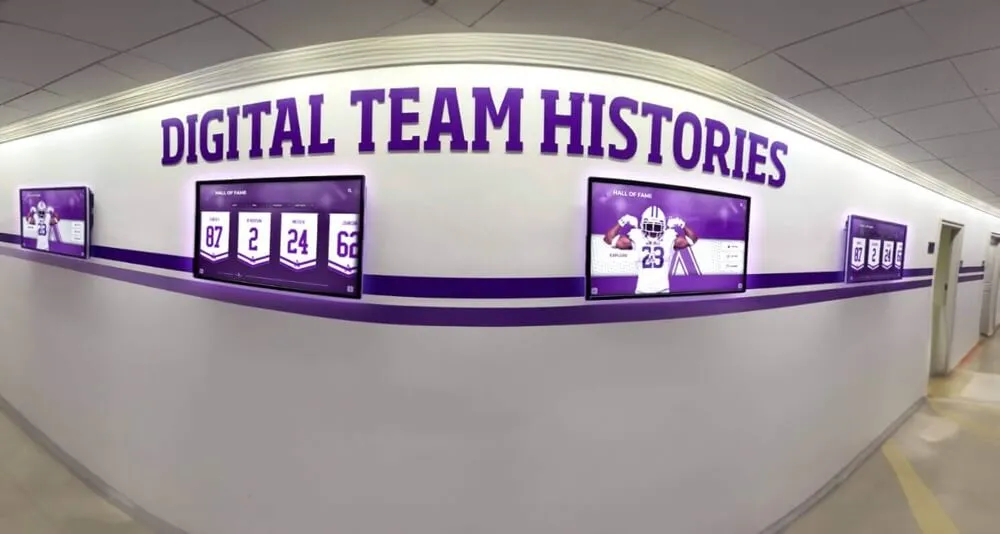
Strategic display placement in high-traffic corridors ensures archived materials become part of daily experience rather than hidden specialized resources
Platform Selection and Implementation
Choosing appropriate technology platforms balances functionality, usability, sustainability, and cost.
Open Source Options:
Omeka Purpose-built digital collection platform widely used in libraries, museums, archives:
- Free, open-source software
- Standards-based (Dublin Core metadata)
- Theme customization for unique branding
- Plugin architecture extending functionality
- Community support and documentation
- Requires technical setup and hosting
CollectiveAccess Museum and archive management system supporting complex collections:
- Free, open-source software
- Comprehensive metadata management
- Relationship mapping between items
- Multi-format support (objects, images, documents, video)
- Requires substantial technical expertise for setup
- Best for institutions with complex collections and IT resources
DSpace Institutional repository platform for academic libraries:
- Free, open-source software
- Designed for long-term preservation
- Standards-compliant for academic research
- Workflow management for submission and review
- OAI-PMH harvesting for aggregators
- Technical implementation required
Commercial Platforms:
CONTENTdm (OCLC) Leading digital collection management system:
- Comprehensive feature set for diverse materials
- Intuitive administrative interface
- Professional support and training
- Integration with library discovery systems
- Annual subscription: $3,000-$15,000+ based on collection size
- Best for libraries seeking turnkey professional solution
Luna Imaging (Ex Libris) Media management designed for visual collections:
- Optimized for photographs and images
- Zooming and detailed examination tools
- Comparative viewing for analysis
- Integration with educational platforms
- Pricing: $5,000-$20,000+ annually
- Best for institutions with primarily visual collections
Integrated Educational Platforms:
Educational institutions often benefit from platforms specifically designed for school and community archives combining historical preservation with interactive engagement. Solutions like Rocket Alumni Solutions provide:
- Cloud-based content management requiring no local servers
- Intuitive interfaces designed for non-technical staff
- Physical interactive displays for on-site engagement
- Web-accessible archives for remote access
- Mobile-responsive design supporting smartphones
- Professional implementation and ongoing support
These integrated approaches excel for community-focused institutions prioritizing engagement and accessibility over specialized archival features.
Accessibility Compliance:
Digital archives must meet accessibility standards serving users with disabilities:
- Alt text describing images for screen readers
- Transcripts for audio content
- Captions for video materials
- Keyboard navigation for touchscreen alternatives
- Sufficient color contrast for visual clarity
- Compatible with assistive technologies
Following Web Content Accessibility Guidelines (WCAG) 2.1 Level AA standards ensures archives serve all community members while meeting legal requirements under the Americans with Disabilities Act.
Storage, Backup, and Preservation
Long-term digital preservation requires systematic approaches protecting against technological change and storage media degradation.
Storage Infrastructure:
Follow the 3-2-1 backup rule:
- 3 copies of all important files (original plus two backups)
- 2 different media types (cloud storage, local servers, external drives)
- 1 offsite location protecting against local disasters
Cloud Storage Options:
- Amazon S3 (Glacier for archival storage)
- Microsoft Azure Blob Storage
- Google Cloud Storage
- Internet Archive (free for qualifying cultural institutions)
- Academic institutional repositories
- Specialized preservation services (Preservica, Archivematica)
Preservation Metadata: Document technical information enabling long-term management:
- File format specifications
- Software used for creation
- Migration history tracking format conversions
- Checksum values verifying file integrity
- Preservation actions taken
Format Migration Planning: Plan for evolving technology standards:
- Monitor format obsolescence risks
- Schedule periodic format assessments (every 5 years)
- Budget for migration projects converting to new standards
- Test migrations with samples before processing entire collections
- Document all migration decisions and processes
Many organizations partner with regional consortia sharing preservation infrastructure costs. State libraries often provide preservation services for local public libraries lacking resources for independent preservation programs.
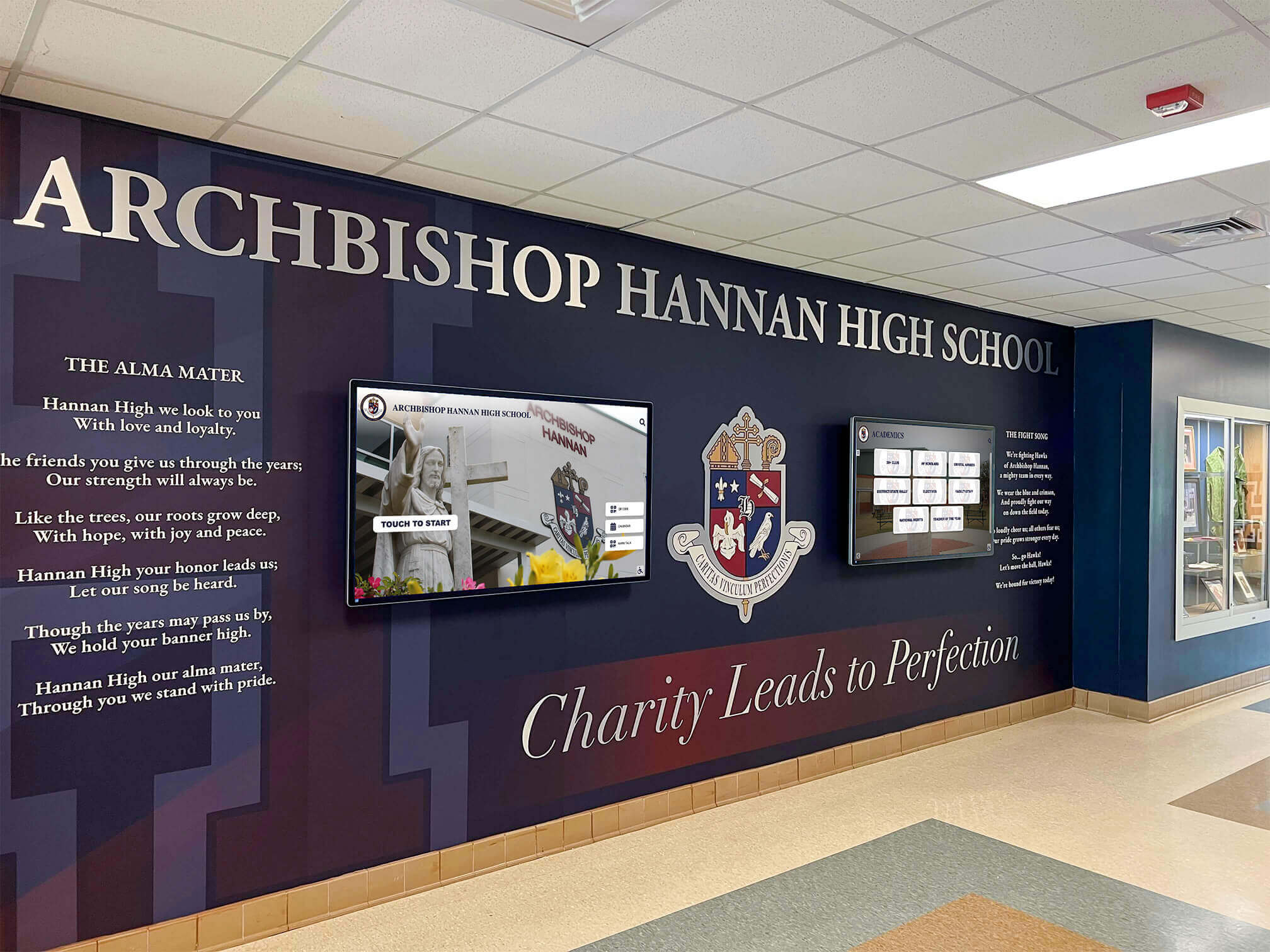
Blending traditional physical heritage elements with digital archive access creates compelling spaces celebrating history through multiple complementary formats
Marketing and Community Engagement
Well-built archives deliver value only when communities know they exist and understand how to use them.
Launch and Promotion Strategies
Announcement Campaign:
- Press releases to local media highlighting unique collections
- Social media campaigns showing compelling sample materials
- Email announcements to library users and community organizations
- Open house events inviting community exploration
- Demonstrations for civic groups and historical societies
- Presentations at schools introducing educational applications
Ongoing Engagement:
- Regular “collection spotlight” features highlighting interesting items
- Themed online exhibitions curating materials around topics
- Social media series sharing “on this day in history” materials
- Crowdsourcing campaigns requesting material identification or contributions
- Contests encouraging creative use of archival materials
- Partnerships with local historians and genealogical societies
Educational Programming
Workshops and Training:
- Genealogy research skills using digital archives
- Historical research methods and source evaluation
- Copyright and fair use in educational contexts
- Digital storytelling with archival materials
- Oral history techniques for community documentation
- Digitization basics for personal collections
School Partnerships: Programs connecting K-12 students with local history:
- Class visits to explore relevant curriculum materials
- Project-based learning using primary sources
- Student digitization projects adding to collections
- Writing contests using archival inspiration
- Documentary production drawing on archive materials
Many educational institutions implement school historical timeline displays combining archives with interactive presentations that engage students with institutional heritage.
Volunteer and Crowdsourcing Programs
Community Digitization: Engage volunteers in expanding collections:
- Scanning days where community members bring materials
- Take-home scanning projects with equipment lending
- Metadata creation parties identifying and describing materials
- Oral history volunteer corps conducting and transcribing interviews
- Subject expert assistance providing specialized knowledge
Collaborative Identification: Leverage collective knowledge:
- Social media posts requesting identification of unidentified photographs
- Online annotation tools enabling community contributions
- Memory collection forms gathering stories about historical events
- Transcription projects converting handwritten documents to searchable text
Measuring Impact and Success
Evaluating digital archive performance demonstrates value while revealing improvement opportunities.
Usage Metrics
Quantitative Indicators:
- Total visits and unique users
- Page views per visit indicating engagement depth
- Search queries revealing user interests
- Most-viewed items and collections
- Download counts
- Geographic distribution of users
- Referral sources driving traffic
- Returning users versus new visitors
User Behavior Analysis:
- Navigation paths through collections
- Abandoned searches suggesting needed improvements
- Time spent with materials
- Device types (desktop, mobile, tablet) informing responsive design
- Accessibility feature usage
Qualitative Impact
Stakeholder Feedback:
- User testimonials about research enabled
- Educator reports of classroom applications
- Genealogist success stories
- Scholar citations in publications
- Media coverage featuring collections
- Community partner appreciation
Institutional Benefits:
- Enhanced library visibility and reputation
- Increased visits to physical library locations
- Strengthened community partnerships
- Secured grant funding supporting expansion
- Recognition from professional organizations
- Regional or national awards
Many organizations discover that combining traditional archival collections with modern interactive recognition systems creates compelling experiences that increase community engagement with library services overall.

Thoughtfully designed interfaces make archive exploration intuitive for users unfamiliar with formal research methods, expanding who engages with historical collections
Sustainability and Long-Term Planning
Digital archives require ongoing commitment ensuring collections remain accessible and relevant.
Staffing and Organizational Structure
Essential Roles:
- Digital Archivist/Librarian: Overall program leadership and professional expertise
- Digitization Technician: Scanning and quality control
- Metadata Specialist: Descriptive information creation
- IT Support: Technical infrastructure and troubleshooting
- Public Services: User support and instruction
- Marketing/Communications: Promotion and community engagement
Small libraries might combine roles while larger institutions maintain specialized positions. Many libraries develop hybrid models combining permanent staff for core functions with part-time employees, interns, or volunteers for project-based work.
Funding Models
Sustainable Funding Sources:
- Operating Budget Integration: Treating digital archives as core library service with dedicated budget allocation
- Grants: Federal, state, and private foundation support for digitization projects
- Donor Support: Individual and organizational gifts designated for archives
- Endowments: Building permanent funds generating ongoing support
- Service Revenue: Fee-based services like custom scanning or image licensing
- Partnerships: Cost-sharing with other institutions or government agencies
Successful programs develop diversified funding rather than depending on single sources that might disappear.
Continuous Improvement Processes
Regular Assessment:
- Annual user surveys gathering feedback
- Usage analytics review identifying trends
- Peer institution comparison benchmarking performance
- Technology scanning monitoring emerging tools
- Staff training maintaining current expertise
- Policy review ensuring relevance
Iterative Enhancement:
- Collection expansion prioritizing high-demand materials
- Interface improvements based on user feedback
- Metadata enrichment adding detail to existing records
- Access expansion reducing restrictions where appropriate
- Integration improvements connecting with other systems
Common Challenges and Solutions
Organizations building digital archives encounter predictable obstacles. Understanding common challenges and proven solutions prevents frustration.
Challenge: Limited Technical Expertise
Many libraries lack staff with specialized digital archiving skills.
Solutions:
- Partner with library consortia providing shared technical services
- Hire consultants for initial setup and training
- Select user-friendly platforms minimizing technical requirements
- Leverage existing IT staff for infrastructure support
- Participate in professional development workshops
- Build gradually, gaining expertise through practice
Challenge: Copyright Uncertainty
Determining rights to digitize and share materials can be complex.
Solutions:
- Consult intellectual property attorneys when questions arise
- Digitize public domain materials (pre-1928 in U.S., generally)
- Obtain explicit permissions from copyright holders
- Implement takedown procedures for disputed materials
- Provide restricted access for preservation purposes only
- Focus on institution-created content with clear ownership
Challenge: Insufficient Storage and Bandwidth
Large digital files require substantial storage and network capacity.
Solutions:
- Use cloud storage scaling as collections grow
- Compress access copies while maintaining archival masters
- Implement content delivery networks (CDN) for distributed delivery
- Partner with academic institutions offering storage
- Join regional preservation networks sharing infrastructure
- Budget for storage as ongoing operational cost
Challenge: Low Awareness and Usage
Building excellent archives means little if communities don’t know they exist.
Solutions:
- Invest in sustained marketing and outreach
- Partner with schools and community organizations
- Create compelling online exhibitions showcasing materials
- Generate media coverage highlighting interesting discoveries
- Integrate archives into existing library programs
- Make archives highly visible on library websites and social media
Organizations implementing digital storytelling for athletic programs and community recognition often discover that physical displays drive awareness of online collections, creating multiple entry points for community engagement.
Future Trends in Public Library Digital Archives
Emerging technologies and evolving user expectations shape the future of digital archives.
Artificial Intelligence and Machine Learning
AI tools increasingly support archival work:
- Automated metadata generation: AI analyzing images and documents to suggest subjects, dates, locations
- Facial recognition: Identifying individuals across photograph collections
- Handwriting recognition: Transcribing cursive documents previously requiring manual transcription
- Audio transcription: Converting oral histories to searchable text automatically
- Predictive discovery: Recommending related materials based on research patterns
While AI tools improve efficiency dramatically, archival professionals emphasize human review ensuring accuracy and appropriate contextual understanding.
Augmented and Virtual Reality
Immersive technologies create new ways to experience archives:
- Virtual reality exhibitions recreating historical environments using archived materials
- Augmented reality overlays showing historical photographs at current locations
- 3D digitization enabling examination of objects from all angles
- Spatial audio recreating historical soundscapes
- Interactive timelines with embedded multimedia
Community-Driven Archives
Evolving models emphasize collaborative creation:
- Participatory archives where communities help describe and contextualize materials
- Mobile digitization bringing scanning to community events
- Social media integration enabling collective memory building
- Linked data connecting archives across institutions
- Decentralized storage using blockchain technologies
Integration with Modern Recognition Systems
Forward-thinking institutions combine historical archives with contemporary recognition, creating comprehensive platforms celebrating both heritage and ongoing achievement. Solutions like Rocket Alumni Solutions demonstrate this integration, enabling organizations to:
- Display historical photographs alongside current achievements
- Create searchable databases spanning decades
- Provide unified interfaces for exploring institutional history
- Support both web access and physical interactive displays
- Enable community contributions enriching collections
This integrated approach transforms archives from specialized research tools into engaging community resources that strengthen identity and connection.
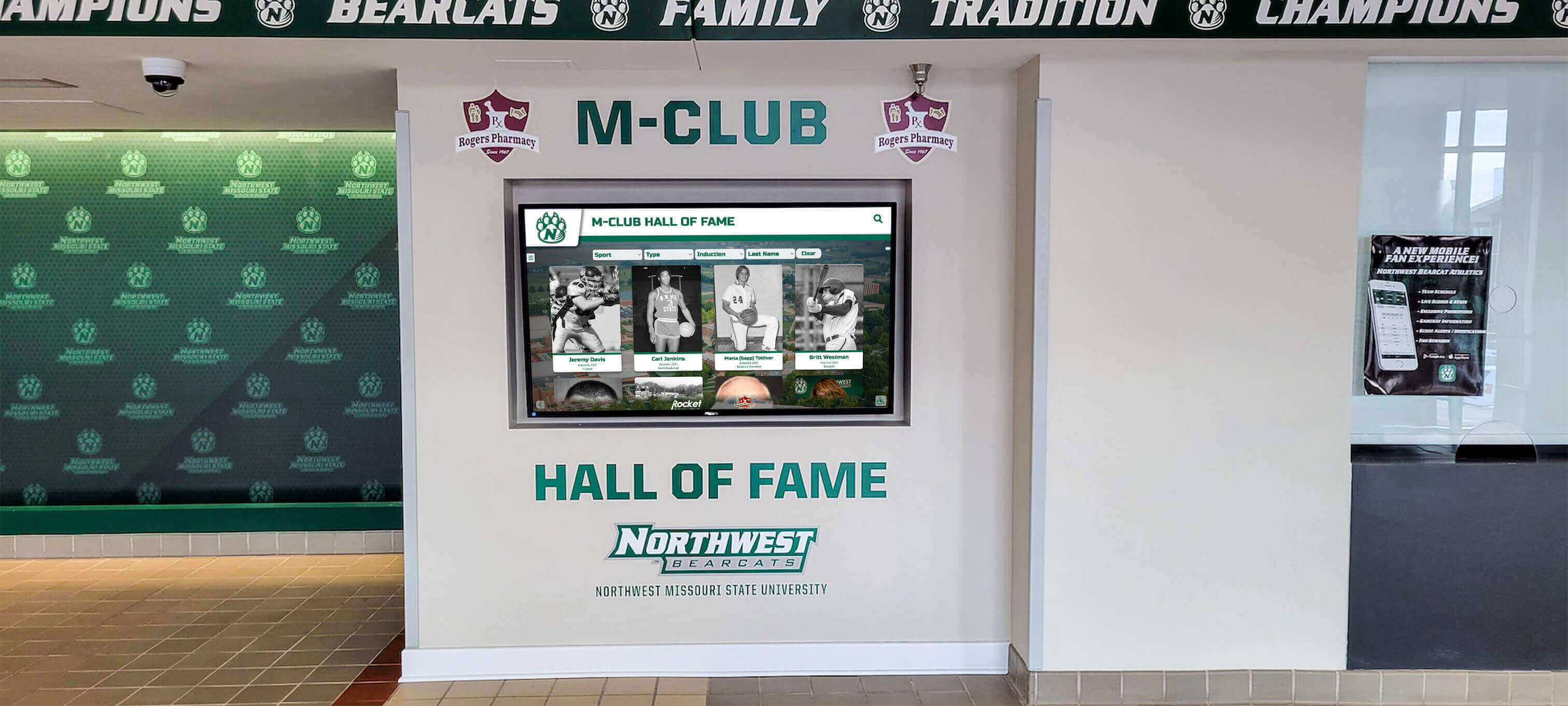
Combining historical archives with current recognition creates comprehensive narratives connecting past and present while honoring continuing traditions
Conclusion: Preserving Heritage, Building Community
Public library digital archive collections represent one of the most significant cultural achievements of the digital age—transforming access to historical materials that document community heritage, family histories, social change, and cultural evolution. Whether accessing established collections at major institutions like the Library of Congress, NYPL, or regional libraries, or building new digital archives for your own community, these resources enable preservation of irreplaceable cultural memory while democratizing access previously limited to privileged researchers.
Effective digital archives require comprehensive approaches combining high-quality digitization protecting information content, rich metadata enabling discovery and context, sustainable storage infrastructure ensuring long-term preservation, and user-friendly interfaces making materials accessible to diverse audiences with varying technical skills and research expertise. Organizations building new archives benefit from following library best practices while adapting frameworks to local contexts and community needs.
The transformation from physical repositories to digital access continues accelerating, with the Digital Public Library of America’s 52 million records demonstrating the scale of materials now freely accessible to anyone with internet connectivity. This accessibility revolution particularly benefits genealogy researchers tracing family histories, educators incorporating primary sources into instruction, historians conducting comprehensive research, and community members exploring local heritage and identity.
For organizations undertaking digital archive initiatives, systematic planning establishing clear objectives and realistic scope, professional digitization creating preservation-quality surrogates, comprehensive metadata enabling effective discovery, appropriate platform selection balancing functionality with sustainability, and sustained community engagement ensuring usage all contribute to successful implementation. Starting with focused, high-value collections generates early successes that build stakeholder support for expanded initiatives rather than attempting comprehensive coverage immediately.
Modern platforms specifically designed for educational and community institutions streamline implementation by providing purpose-built features, intuitive interfaces requiring minimal training, cloud infrastructure eliminating local server management, professional implementation support, and integrated systems combining historical archives with contemporary digital recognition. These comprehensive solutions enable organizations to focus on content and community rather than technical complexity.
Whether researching family history through genealogical collections, studying social movements through newspapers and organizational records, exploring architectural evolution through photographs and maps, or building new archives documenting your own community’s heritage, public library digital archives provide essential resources preserving the past while making history accessible for present exploration and future learning. The continued expansion and improvement of these collections ensures that community memories, personal stories, and cultural heritage survive to inform understanding and inspire connection across generations.
Sources:
- Digital Public Library of America
- Library of Congress Digital Collections
- New York Public Library Digital Collections
- Family Tree Magazine - Best Libraries for Genealogy Research
- Legacy Family Tree - Digital Collections and Genealogy
- Digital Resources - National Archives
- Chicago Public Library Digital Collections
- Denver Public Library Digital Collections































