Faith communities across denominations are discovering that traditional approaches to recognizing and engaging congregations no longer meet the needs of modern worship environments. From small neighborhood churches to large multi-site congregations, religious organizations face unique challenges in honoring faithful servants, celebrating ministry milestones, engaging diverse generations, and maintaining vibrant connections across their communities. Physical plaques, static bulletin boards, and printed directories that once served these purposes now feel increasingly limited in an era where people expect interactive, accessible, and meaningful digital experiences.
Religious worship touchscreen displays represent a transformative approach to congregation engagement that honors tradition while embracing technology that serves ministry purposes. These interactive systems create dynamic platforms for recognizing volunteers, celebrating donors, sharing ministry stories, welcoming visitors, and building community connections in ways that passive displays simply cannot achieve. When implemented thoughtfully with appropriate reverence for sacred spaces and ministry values, touchscreen displays become powerful tools that strengthen faith communities while advancing mission objectives.
Modern worship centers serve as gathering places for prayer, fellowship, education, service, and community building—each function requiring different types of communication and recognition. Digital displays that adapt to these varied needs while maintaining the dignity and reverence appropriate for religious settings provide unprecedented flexibility and engagement capabilities. Whether your faith community seeks to honor decades of volunteer service, recognize sacrificial giving, welcome first-time visitors, or share compelling ministry impact stories, interactive touchscreen systems offer comprehensive solutions that traditional approaches cannot match.
This comprehensive guide explores how religious worship touchscreen displays can transform recognition, engagement, and communication throughout your faith community. You’ll discover strategic planning approaches, content best practices, technical considerations, and proven implementation strategies that honor your traditions while leveraging technology to strengthen connections, inspire generosity, and celebrate the faithful servants who make ministry possible.

Modern touchscreen displays create welcoming focal points in worship center lobbies while providing interactive access to recognition and information
Understanding Religious Worship Touchscreen Display Applications
Religious organizations implement touchscreen displays for diverse ministry purposes, each addressing specific communication needs while supporting broader community engagement goals. Understanding these applications helps faith communities identify which capabilities align with their unique contexts, congregation demographics, and strategic priorities.
Volunteer Recognition and Appreciation
Volunteers form the backbone of religious communities, serving in countless capacities from worship leadership and children’s ministry to facility maintenance and community outreach. These faithful servants typically receive minimal compensation beyond the satisfaction of serving their faith communities, making meaningful recognition particularly important for sustained engagement and volunteer retention.
Traditional volunteer recognition methods—annual appreciation dinners, printed honor rolls in bulletins, or plaques in hallways—provide basic acknowledgment but offer limited storytelling capability and minimal ongoing visibility. Interactive touchscreen displays transform volunteer recognition by creating permanent, accessible platforms that honor service comprehensively while telling the stories behind years of faithful ministry.
Comprehensive volunteer recognition displays typically include service histories documenting years of involvement and roles served, ministry impact stories showing tangible differences volunteers made, personal testimonies from those who benefited from volunteer service, photos from ministry activities and special events, faith journey narratives explaining what motivates continued service, and family legacy recognition when multiple generations serve together. This depth of recognition validates volunteer contributions while inspiring others to discover their own service opportunities.
The approaches used in church sports touchscreen recognition demonstrate how digital platforms can celebrate volunteer coaches, administrators, and supporters whose dedication enables ministry programs to thrive—principles equally applicable across all ministry areas from worship teams to mission committees.
Donor Recognition and Stewardship
Financial generosity sustains every aspect of religious ministry, from facility maintenance and staff compensation to community outreach and mission support. Donors who contribute beyond regular tithes to fund building campaigns, program expansions, or special initiatives deserve recognition that honors their stewardship while inspiring continued generosity throughout congregations.
Interactive donor displays address common limitations of traditional recognition plaques by providing unlimited capacity for recognizing donors at all giving levels, instant updates when new contributions arrive without delays for plaque fabrication, rich storytelling that reveals donors’ faith motivations and ministry passions, flexible organization by campaign, giving society, or ministry area, and remote accessibility enabling distant members to view recognition from anywhere. Solutions like church interactive donor boards provide sophisticated platforms specifically designed for religious donor recognition that balances transparency with appropriate sensitivity regarding financial matters.
Effective donor recognition in religious contexts emphasizes ministry impact rather than merely listing contribution amounts. Displays connect giving to changed lives, supported mission work, enhanced worship experiences, strengthened youth programs, or expanded community service—demonstrating that recognition celebrates kingdom advancement rather than wealth accumulation. This focus maintains appropriate theological balance while providing the stewardship accountability faithful donors expect.
Historical Archives and Heritage Preservation
Faith communities accumulate rich histories spanning decades or centuries—stories of founding families, beloved pastors, significant events, facility transformations, and ministry evolution that shape congregational identity and inspire current generations. Yet much of this heritage remains hidden in storage closets, outdated photo albums, or institutional memory that fades as older generations pass away.
Digital touchscreen displays provide ideal platforms for preserving and sharing congregational heritage through interactive timelines documenting organizational development, historical photos from significant events and eras, profiles of influential leaders and members, facility transformation before-and-after comparisons, and anniversary milestone celebrations. This digital preservation ensures that heritage remains permanently accessible rather than deteriorating in basements or becoming lost when key memory-keepers relocate or pass away.
Interactive heritage displays prove particularly valuable for new members seeking to understand the faith communities they’re joining, young people discovering their congregational roots, and long-time members rediscovering forgotten stories from earlier eras. The principles of historical photo archives for schools apply equally well to religious organizations preserving decades or centuries of congregational heritage.
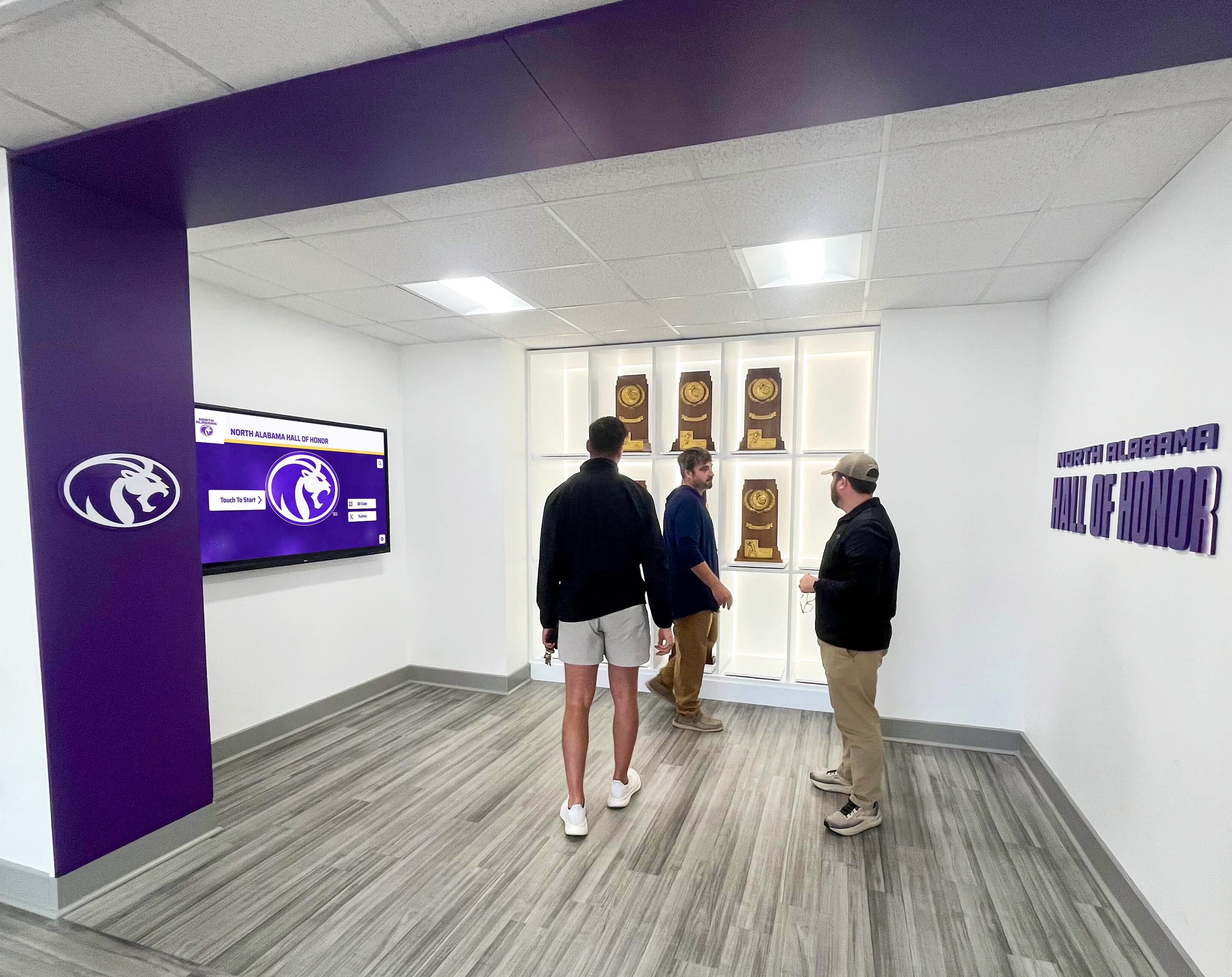
Multiple visitors can explore recognition content simultaneously, creating opportunities for conversation and community connection
Ministry and Program Showcases
Religious organizations typically operate diverse ministry programs—children’s education, youth activities, adult discipleship, mission work, community service, worship arts, and countless specialized ministries addressing specific needs. Each program deserves visibility that attracts participants, celebrates outcomes, and demonstrates organizational vitality to visitors evaluating church involvement.
Interactive displays create comprehensive ministry showcases featuring program descriptions and participation opportunities, impact stories from beneficiaries and participants, upcoming events and registration information, volunteer needs and service opportunities, photo galleries from recent activities, video testimonies from ministry leaders and participants, and measurable outcomes demonstrating ministry effectiveness. This comprehensive visibility helps visitors discover programs matching their interests while inspiring current members to explore new engagement opportunities beyond their current involvement.
Dynamic content capabilities enable displays to rotate featured ministries seasonally or coordinate with church calendars—highlighting children’s programs during family dedication seasons, showcasing mission work during mission emphasis months, or featuring community service initiatives during relevant cultural observances. This flexibility maintains freshness while ensuring all ministries receive appropriate visibility over time.
Visitor Welcome and Wayfinding
First-time visitors to worship centers often feel uncertain about where to go, who to contact, or how to engage with unfamiliar communities. This initial confusion can determine whether guests return or seek more welcoming environments elsewhere. Interactive touchscreen displays positioned strategically near main entrances provide welcoming tools that ease visitor anxiety while demonstrating organizational care for newcomers.
Visitor-focused content typically includes facility maps showing worship spaces, restrooms, nurseries, and ministry areas, service time information for various worship styles and age groups, staff directory with photos, roles, and contact methods, program overviews explaining ministries and participation processes, frequently asked questions addressing common visitor concerns, and connection opportunities for requesting information or follow-up. These resources enable visitors to orient themselves independently without requiring immediate staff assistance, reducing barriers to comfortable engagement.
Some faith communities integrate visitor check-in functionality enabling guests to provide contact information, request information, or indicate interests directly through touchscreen interfaces. This streamlined process feels modern and efficient while capturing connection data that supports follow-up stewardship and relationship building.
Multi-Purpose Communication Hubs
Beyond specific recognition or information applications, touchscreen displays serve as comprehensive communication platforms addressing diverse needs throughout faith communities. These multi-purpose hubs combine capabilities including event calendars and registration links, announcement rotations for upcoming activities, livestream information for online participation, prayer request submission and sharing, small group listings and connection opportunities, volunteer opportunity postings, community resource directories, and social media feed integration.
This comprehensive approach maximizes technology investment by serving multiple ministry purposes through single installations rather than requiring separate systems for each communication need. Unified platforms also create consistent user experiences—congregation members learn to check displays for any information need rather than wondering which system addresses their specific questions.
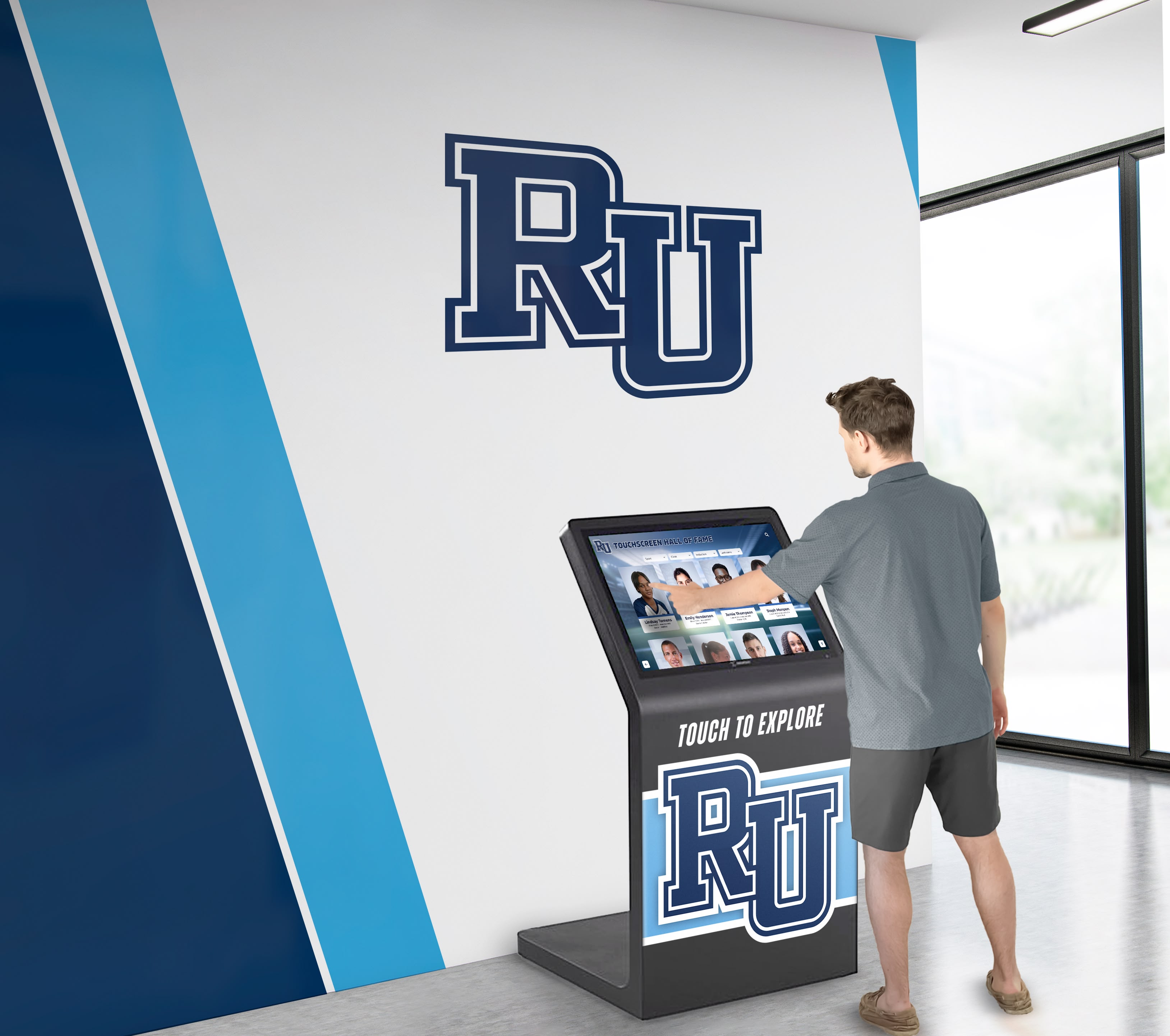
Intuitive touchscreen interfaces feel immediately familiar to users of all ages who interact with smartphones and tablets daily
Benefits of Interactive Displays for Religious Communities
Religious worship touchscreen displays deliver compelling advantages that extend far beyond what traditional static communication methods can achieve, creating value across multiple dimensions of congregational life and ministry effectiveness.
Unlimited Recognition Capacity Without Space Constraints
Physical recognition displays consume valuable facility space—a critical limitation in worship centers where every square foot serves ministry purposes. Trophy cases require wall space and floor clearance, framed photos demand hallway areas, and donor plaques occupy sanctuary or lobby walls that might better serve other functions. As congregations grow and recognition accumulates over decades, space constraints force difficult choices about removing historical recognition to accommodate current needs.
Digital displays eliminate these physical limitations entirely. A single touchscreen can showcase unlimited recognition spanning decades of volunteer service, multiple capital campaigns, comprehensive historical archives, and diverse ministry programs without requiring additional facility modifications as content grows. This unlimited capacity enables truly inclusive recognition that honors everyone contributing to ministry rather than only those whose recognition physically fits available wall space.
Enhanced Storytelling Through Multimedia Content
Static plaques and printed directories convey minimal information—typically just names, dates, and brief descriptions. This limitation prevents faith communities from sharing the complete stories behind recognition that reveal character, faith journeys, ministry impact, and the deeper significance that makes acknowledgment meaningful.
Interactive displays support photos, videos, audio recordings, text narratives, and document archives that bring recognition to life far beyond what passive displays communicate. A volunteer recognition profile might include photos from ministry events, video testimonies about service motivations, audio recordings of those impacted by the volunteer’s work, and detailed narratives contextualizing decades of faithful service within congregational history.
This multimedia richness creates emotional connections that inspire viewers while providing recognition depth that honored individuals and families genuinely appreciate. The comprehensive digital storytelling for athletic programs principles apply equally to religious contexts where complete stories demonstrate ministry impact while celebrating those who make it possible.
Improved Accessibility for Diverse Congregations
Modern faith communities span multiple generations with vastly different technological comfort levels and accessibility needs. Touchscreen displays address this diversity by providing intuitive interfaces familiar to younger generations raised with smartphones and tablets, text size adjustment and high contrast modes for vision-impaired users, audio descriptions and screen reader compatibility for blind or low-vision members, height-adjustable mounting accommodating wheelchair users, and multilingual content options serving diverse cultural communities.
This comprehensive accessibility ensures that recognition and information remain available to all congregation members regardless of age, ability, or language preferences. Religious organizations committed to inclusive community find digital platforms particularly valuable for demonstrating that all members matter equally regardless of accessibility needs.
Remote Access Extending Geographic Reach
Traditional physical displays benefit only those who visit facilities in person—a small fraction of total congregational reach when considering relocated members, college students, deployed military families, homebound elderly members, distant relatives, and online worship participants. This limitation means recognition investment reaches minimal audiences while missing opportunities to maintain connections throughout dispersed communities.
Web-based extensions of physical touchscreen displays enable anyone with internet access to explore recognition content from personal devices anywhere globally. The same recognition visible in worship center lobbies becomes accessible through responsive websites optimized for desktops, tablets, and smartphones. This extended accessibility exponentially increases recognition reach while serving relocated members who wish to maintain connection with faith communities that shaped their spiritual formation.
Dynamic Content Maintaining Freshness and Relevance
Static displays become invisible through familiarity—congregation members stop noticing unchanging content they pass repeatedly. This habituation undermines recognition value while creating impressions that organizations lack vitality or fail to celebrate current achievements and activities.
Digital platforms enable content rotation, seasonal updates, and responsive changes that maintain attention and demonstrate organizational vibrancy. Displays might feature different volunteer spotlights monthly, rotate ministry showcases aligned with church calendars, highlight current campaign progress, or showcase recent events through photo galleries. This dynamic approach keeps displays fresh and engaging rather than fading into background visibility.
Content updates occur remotely through cloud-based management systems requiring no facility visits or physical modifications. Authorized staff can add recognition, update information, or refresh content in minutes from any internet-connected device without technical expertise or coordination with multiple people for physical installation.
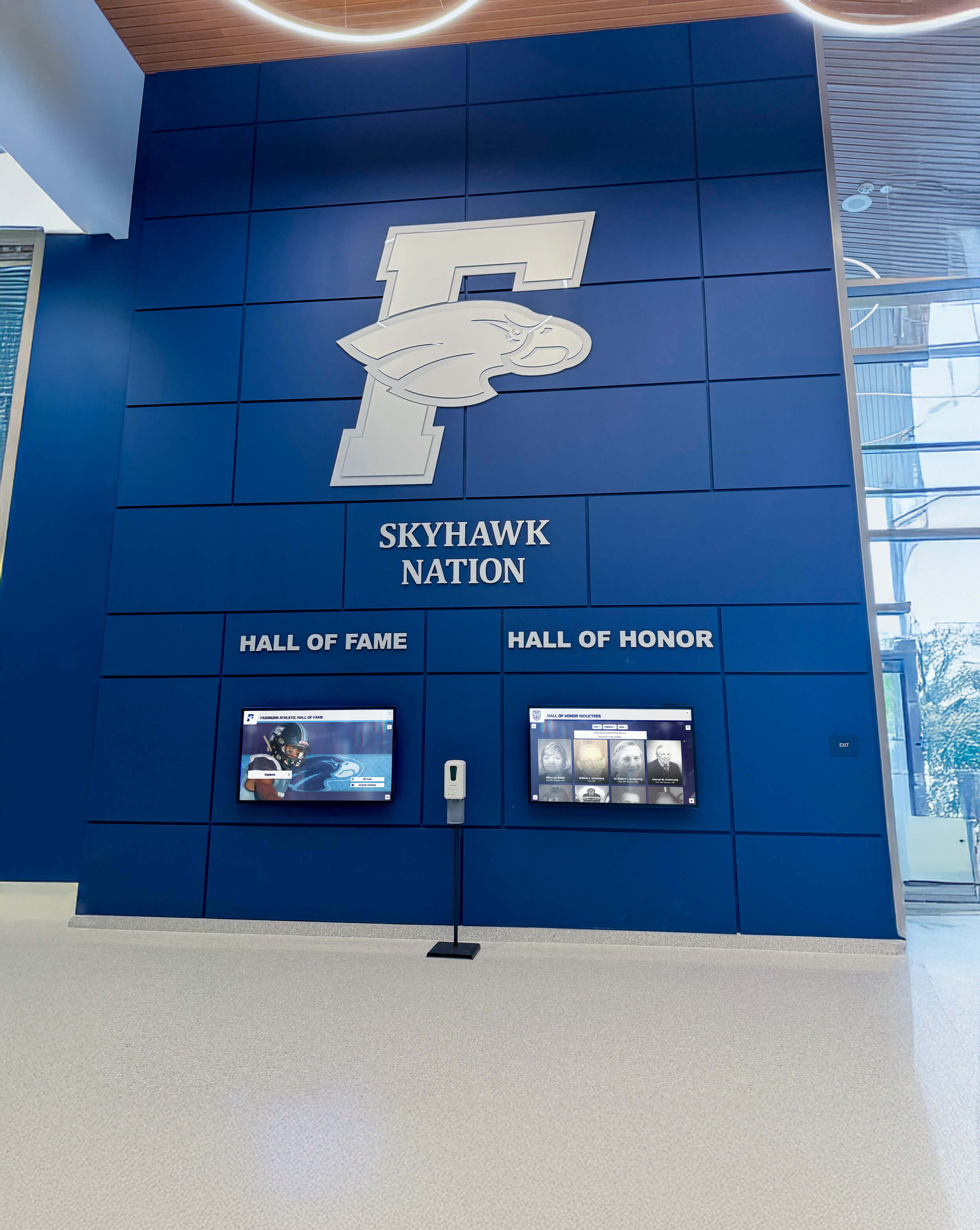
Professional installations create attractive focal points that demonstrate organizational quality while celebrating community
Planning Your Religious Touchscreen Display Implementation
Successful touchscreen recognition requires thoughtful planning that addresses technical considerations, organizational needs, theological appropriateness, and long-term sustainability within ministry budgets and volunteer capacity.
Defining Recognition and Communication Priorities
Begin by identifying specific purposes displays should serve within your unique congregational context. Useful assessment questions include what types of recognition do we currently provide inadequately, what congregational stories remain untold or inaccessible, what communication challenges frustrate staff and members regularly, which demographics do we struggle to engage effectively, what ministry purposes could improved communication advance, and how could recognition strengthen volunteer recruitment, donor stewardship, or community building.
This assessment creates clear purpose articulation guiding system selection, content strategy, and success measurement. Faith communities implementing displays to solve specific identified problems achieve greater results than those adopting technology without clear purposes or measurable goals.
Determining Optimal Display Locations
Strategic placement maximizes visibility and usage while supporting ministry objectives. Ideal locations typically include main entrance lobbies where all members and visitors naturally pass, fellowship halls hosting meals and community gatherings, sanctuary foyers connecting worship spaces with other facility areas, ministry wing hallways serving education and program activities, and administrative office areas where members conduct church business.
Consider placement supporting specific ministry goals. Displays near visitor welcome areas introduce newcomers to congregational life while demonstrating community vitality. Recognition visible from gathering spaces creates natural conversation starters during fellowship times. Displays in ministry areas inspire participants through relevant program stories and volunteer examples.
Evaluate technical requirements for potential locations including reliable electrical power access, network connectivity for content updates, appropriate lighting avoiding screen glare, adequate clearance for visitor interaction without obstructing circulation, and secure mounting preventing damage or theft in spaces accessible to public.
Establishing Realistic Budget Parameters
Comprehensive budgeting addresses both initial investment and ongoing operational expenses while demonstrating return on investment to leadership, finance committees, and congregations. Initial investment components typically include commercial-grade touchscreen displays and mounting systems ($8,000-$35,000 depending on size and quantity), content management software platforms ($3,000-$15,000), professional installation and network integration ($2,000-$8,000), initial content development and digitization ($5,000-$20,000 depending on recognition scope), and training and documentation ($1,000-$3,000).
Ongoing operational costs include software subscriptions and hosting ($1,500-$5,000 annually), content updates and maintenance ($2,000-$8,000 annually in allocated staff time or contract services), technical support and troubleshooting ($1,000-$3,000 annually), and periodic content enhancement through professional photography or video ($1,500-$5,000 annually).
Many faith communities fund recognition systems through designated capital campaign allocations, memorial gift programs, specific technology donors, or grants from foundations supporting religious organizations. Framing displays as ministry tools serving multiple purposes helps justify investment through their comprehensive value beyond single-function applications.
Selecting Appropriate Technology Partners
Technology provider selection significantly impacts long-term satisfaction, user experience, and ministry effectiveness. Evaluate vendors across dimensions including religious organization experience and reference customers, purpose-built recognition features versus generic digital signage, intuitive content management requiring minimal technical expertise, comprehensive training and responsive ongoing support, data security and privacy protection appropriate for religious contexts, integration capabilities with existing church management systems, and customization flexibility supporting denominational identity and theological values.
Solutions like Rocket Alumni Solutions specialize in recognition displays for educational and community organizations with implementations across diverse institutional contexts. While originally focused on schools and alumni associations, these platforms adapt well to religious organization needs through customizable templates, flexible content structures, and comprehensive support services.
Establishing Governance and Content Standards
Develop clear governance addressing who approves recognition and content, how volunteers access management systems, processes for reviewing submissions before publication, standards ensuring consistency and appropriateness, sensitivity protocols for handling deceased members or sensitive situations, and long-term responsibility for system maintenance and enhancement.
Written policies prevent confusion while ensuring systems remain professionally maintained with content reflecting organizational values. Address questions before problems arise—how are volunteers selected for recognition, what approval is needed for donor listing, how are factual disputes resolved, and who determines content priorities when space or attention is limited.
Assign specific staff or volunteer positions with display responsibility as part of formal role descriptions. When maintenance falls to “whoever has time,” systems inevitably become neglected as pressing immediate ministry needs take priority over updating recognition content.

Strategic placement in high-traffic circulation spaces ensures maximum visibility and convenient access for congregation members
Creating Compelling Content for Religious Audiences
Technology enables displays, but compelling content drives engagement and ministry effectiveness. Content that tells authentic stories, celebrates genuine faith, and honors people appropriately creates emotional connections while advancing organizational missions.
Writing Recognition Profiles That Honor Service
Individual recognition profiles form the foundation of most religious displays. Well-crafted profiles balance factual documentation with storytelling that reveals character, faith integration, and ministry impact. Effective profiles typically include full names and relevant family connections, years of membership and service, specific roles, ministries, or leadership positions, memorable contributions or defining characteristics, faith journey elements explaining spiritual motivations, and where appropriate, ministry impact testimonies from beneficiaries.
Write conversationally rather than in formal institutional language. Recognition should feel personal and warm rather than bureaucratic. Imagine addressing honored individuals’ families directly when crafting narratives—what would matter most to them about this person’s faith and service?
The most compelling profiles move beyond basic facts to reveal people behind achievements. Include anecdotes illustrating character, quotes about faith motivations, context explaining significance within congregational history, connections to broader ministry impact, and updates about continued spiritual growth or service demonstrating lasting influence.
Balancing Recognition Across Contribution Levels
Effective recognition honors all faithful servants appropriately without creating perceptions that some contributions matter less than others. This balance proves particularly important in religious contexts emphasizing that all members have equal value regardless of capacity to give time or resources.
Consider tiered recognition approaches that provide enhanced profiles with photos, videos, and detailed narratives for those with extraordinary decades of service or transformational contributions, standard profiles with photos and biographical information for sustained ministry involvement, and essential listings with names and service summaries for all volunteers and donors regardless of capacity. This differentiation ensures significant contributions receive appropriate distinction while guaranteeing all servants experience genuine appreciation validating their participation.
Integrating Faith and Theological Themes
Religious recognition should explicitly connect service and giving to spiritual formation, biblical principles, and faith convictions. This integration distinguishes faith-based recognition from secular acknowledgment while positioning displays clearly as ministry tools rather than merely organizational communication.
Consider incorporating relevant scripture passages connected to service, stewardship, or community, devotional content explaining theological foundations for recognition, testimonies about spiritual growth through ministry involvement, faith-based values emphasized throughout organizational culture, prayers or blessings associated with recognized ministries, and connections between practical service and spiritual discipleship.
This theological integration need not be heavy-handed. Brief scripture references, simple faith statements, or participant testimonies about how service strengthened spiritual life communicate integration naturally without feeling preachy or excessive.
Maintaining Accuracy and Appropriateness
Establish review processes ensuring recognition content maintains accuracy and appropriateness for sacred spaces and diverse audiences. Considerations include verifying facts through reliable records and multiple sources, confirming name spellings and biographical details with families, ensuring photo quality and appropriate resolution, reviewing content for potential cultural insensitivity or exclusion, confirming appropriate permissions for photo usage and testimony sharing, and maintaining consistent voice and editorial standards.
Inaccurate recognition proves worse than no recognition as errors communicate carelessness that dishonors those being celebrated. Invest time verifying details before publication rather than rushing content requiring later correction. When uncertain about facts, indicate approximations honestly rather than presenting guesses as certainties.
Showcasing Ministry Impact and Changed Lives
Connect recognition directly to ministry impact, demonstrating tangible differences contributions make in advancing missions, serving communities, and changing lives. Impact elements include stories of individuals whose lives transformed through ministries, mission work outcomes made possible by support, facility improvements enabling program expansion, community service reach and beneficiaries served, youth and children impacted through programs, and discipleship outcomes from spiritual formation initiatives.
This impact-focused approach demonstrates that recognition celebrates life change rather than merely acknowledging participation. It provides accountability transparency that faithful stewards expect while inspiring others to discover their own service opportunities through concrete examples of ministry effectiveness. The strategies from donor recognition ideas provide frameworks for connecting acknowledgment to measurable outcomes that advance organizational missions.

Custom branded displays reinforce organizational identity while maintaining appropriate reverence for sacred spaces
Technical Considerations for Worship Environments
Religious facilities present unique technical challenges requiring specialized considerations beyond standard commercial installations. Thoughtful attention to these factors ensures systems function reliably while respecting sacred spaces and worship activities.
Hardware Selection for Religious Settings
Choose commercial-grade displays designed for extended daily operation in public spaces rather than consumer televisions lacking reliability for continuous use. Critical specifications include display size appropriate for viewing distances and space constraints (typically 43-75 inches for most applications), brightness levels sufficient for ambient lighting conditions (400-700 nits for indoor spaces with good lighting control), touchscreen technology supporting multi-user interaction and frequent use, durable enclosures protecting against damage in public spaces, and quiet operation avoiding distracting noise during quiet worship or study activities.
Consider display orientation—vertical portrait installations work well for tall lobby spaces and volunteer recognition, while horizontal landscape orientation suits wide hallway locations and multimedia showcases. Some implementations use multiple coordinated displays creating comprehensive recognition environments throughout facilities.
Network Infrastructure and Connectivity
Reliable network connectivity enables remote content management, automatic updates, and web platform synchronization. Assess network requirements including wired Ethernet connections preferred over WiFi for reliability and security, adequate bandwidth for video content and high-resolution images, network security protocols appropriate for sensitive donor or member information, and backup connectivity options preventing downtime during network issues.
Work with technology committees or IT volunteers to ensure installations integrate appropriately with existing network infrastructure while maintaining security standards. Consider network segmentation separating public-facing displays from internal church systems protecting sensitive data.
Acoustic Considerations for Worship Spaces
Sound from displays can disrupt worship services, prayer times, or study activities if not carefully managed. Acoustic strategies include volume controls enabling appropriate levels for different times and spaces, directional audio focusing sound toward display areas rather than broadcasting throughout facilities, scheduled muting during worship services or quiet hours, and optional headphone jacks for private audio content viewing without disturbing others.
Position displays considering acoustic impacts—avoid locations immediately adjacent to worship spaces where sound might penetrate walls, and favor fellowship areas where conversational noise already exists naturally.
Lighting and Glare Management
Display visibility depends heavily on ambient lighting conditions and glare control. Lighting considerations include anti-glare screen treatments reducing reflection from windows or overhead lighting, adjustable brightness adapting to changing lighting conditions throughout days and seasons, strategic positioning avoiding direct sunlight and bright window locations, and architectural lighting designed to illuminate spaces without creating screen glare.
Visit potential locations at different times observing how natural and artificial lighting affect visibility. Morning locations with eastern exposure face different challenges than afternoon western locations or areas relying on artificial lighting throughout days.
Accessibility Compliance
Religious organizations should prioritize accessibility ensuring displays serve all congregation members regardless of ability. Important accessibility features include ADA-compliant mounting heights and approach clearances, screen reader compatibility for visually impaired users, high contrast display modes and text magnification options, audio descriptions supplementing visual content, caption support for video content, and adjustable interaction timers accommodating varied processing speeds.
These considerations reflect values of inclusion and welcome while ensuring compliance with applicable accessibility standards for religious organizations and public accommodations.

Clear visual design and intuitive navigation enable visitors to explore content confidently without requiring staff assistance
Launching and Promoting Your Display System
Even sophisticated recognition systems create minimal impact if congregations don’t know they exist or understand how to engage with them. Thoughtful promotion and ceremonial launch strategies maximize awareness while creating enthusiasm that drives usage and appreciation.
Planning Meaningful Dedication Ceremonies
Create ceremonial unveilings that celebrate recognition systems while honoring those featured in initial content. Effective launch events might include blessing or dedication prayers by religious leaders, remarks by pastors or ministry heads about congregational heritage and recognition importance, testimonies from featured volunteers or donors sharing service motivations, live demonstration of display features and navigation, reception allowing attendees to explore displays informally, and media coverage from church communications or local press.
Consider timing launches to coincide with natural celebration occasions like ministry anniversaries, capital campaign conclusions, significant congregational milestones, or seasonal celebrations. These connections create narrative coherence while maximizing attendance from those most interested in recognition content.
Developing Comprehensive Promotion Strategies
Multi-channel promotion ensures all relevant audiences learn about new recognition resources through their preferred communication methods. Channels include worship service announcements from pastoral staff or lay leaders, website homepage features with prominent links and explanation, social media campaigns showing display highlights and featured profiles, email newsletters to entire membership lists, bulletin inserts explaining features and encouraging exploration, facility posters positioned near displays themselves, video tutorials demonstrating navigation and search, and direct outreach to those featured in initial content.
Promotional materials should clearly communicate not just that displays exist, but why they matter and how people benefit from engaging. Emphasize discovery opportunities—finding yourself or loved ones, exploring congregational heritage, learning about ministries, and connecting with service opportunities.
Integrating Recognition Into Ministry Activities
Maximize impact by intentionally incorporating displays into ongoing activities and ministries. Integration opportunities include featuring displays during facility tours for prospective members, highlighting specific recognition during worship services when relevant, using recognition in new member orientation explaining congregational culture, incorporating content into ministry recruitment and volunteer mobilization, sharing recognition stories in sermons illustrating spiritual principles, and celebrating recent additions during stewardship campaigns or appreciation events.
These integrations position recognition as living ministry resources rather than static displays existing separately from core religious activities. When leadership references displays in teaching and communication, it signals importance while modeling engagement that congregation members then replicate.
Encouraging Ongoing Content Submission
Active systems grow continuously as new volunteers serve, donors give, and milestones occur. Develop processes encouraging members to submit content ensuring displays remain current and comprehensive. Submission strategies include online forms for suggesting recognition or updates, periodic campaigns requesting specific content types related to current emphases, dedicated email addresses for recognition submissions, social media hashtags for photo and story sharing, and seasonal recognition drives during volunteer appreciation or stewardship seasons.
Make submission processes simple and welcoming rather than bureaucratic or complicated. The easier participation becomes, the more content contributions you’ll receive. Accept informal submissions through multiple channels rather than requiring everyone to complete elaborate standardized forms.
Publicly acknowledge content contributors validating effort while encouraging continued participation. Simple recognition in newsletters, social media thanks, or email acknowledgments demonstrate appreciation while modeling desired behavior.

Branded displays reinforce organizational identity while celebrating achievements in professionally designed environments
Measuring Success and Demonstrating Ministry Value
Effective recognition programs demonstrate impact through quantifiable metrics and qualitative feedback that justify investments to leadership, finance committees, and congregations while identifying opportunities for continuous improvement.
Key Performance Indicators for Faith Communities
Engagement Metrics:
- Total interactions and unique visitors to physical displays over weekly, monthly, and annual periods
- Average session duration indicating content quality and visitor interest
- Most-viewed profiles revealing compelling stories and community influencers
- Search query patterns showing what information visitors seek most frequently
- Return visitor rates demonstrating sustained engagement rather than one-time curiosity
- Geographic distribution of web-based recognition access identifying distant member engagement
Ministry Impact Indicators:
- Volunteer recruitment inquiries attributed to recognition exposure and inspiration
- Donor retention rates comparing recognized versus non-recognized supporters
- Gift upgrade patterns following enhanced recognition or featured profile additions
- New member feedback about recognition influencing church selection decisions
- Volunteer retention improvements among those receiving meaningful acknowledgment
- Campaign success rates during periods with active recognition promotion
Operational Efficiency:
- Staff hours required for recognition management compared to previous physical plaque approaches
- Cost per recognized individual comparing digital systems to traditional methods over multi-year periods
- Content update frequency maintaining system currency and relevance
- System reliability metrics ensuring consistent availability during worship and events
- User satisfaction from surveys about recognition quality and meaningfulness
Gathering Qualitative Feedback
Quantitative metrics reveal behavior patterns but qualitative feedback explains experiences and guides improvements. Collection methods include brief surveys distributed via email or available at church asking about recognition experiences, focus groups with volunteers, donors, and members representing different demographics, anecdotal feedback documentation from casual comments and conversations, leadership team observations about recognition effectiveness, and visitor perspectives during new member orientation or connection processes.
Pay particular attention to feedback from those featured in recognition—do they feel honored appropriately, is information accurate and meaningful, do families appreciate how their loved ones are represented, and would they recommend participation to others facing recognition decisions. Their perspectives provide critical validation that systems achieve intended honoring purposes.
Demonstrating Return on Investment
Finance committees and congregations rightly question technology investments competing with direct ministry funding. Demonstrate value through comprehensive analysis comparing digital recognition costs over 5-10 year periods versus traditional plaque expenses for equivalent recognition scope, staff time savings enabling more ministry-focused work rather than administrative recognition management, volunteer retention improvements reducing recruitment and training costs, donor giving increases attributable to improved stewardship and recognition, new member growth influenced by welcoming systems and vibrant community demonstrations, and ministry effectiveness enhancements through improved communication and engagement.
Frame displays as ministry infrastructure supporting multiple organizational objectives rather than single-purpose expenses. When systems serve volunteer recognition, donor stewardship, heritage preservation, ministry promotion, and visitor welcome simultaneously, their comprehensive value far exceeds investments in single-function alternatives.
Overcoming Common Implementation Challenges
Faith communities implementing touchscreen displays encounter predictable obstacles. Understanding challenges and proven solutions ensures successful outcomes while avoiding frustrations that undermine effectiveness.
Challenge: Limited Technology Budget
Many congregations operate with constrained budgets prioritizing direct ministry over infrastructure, making significant technology investments difficult to justify or fund.
Solutions: Implement in phases starting with core functionality and single display locations, expanding as budgets allow and demonstrated value justifies investment. Seek specific donors interested in funding technology infrastructure or memorial gifts appropriate for lasting recognition systems. Calculate long-term cost comparisons showing eventual savings versus ongoing plaque expenses. Frame displays as multi-purpose ministry tools serving numerous functions beyond single recognition applications.
Challenge: Volunteer Capacity for Content Development
Creating compelling recognition content requires substantial time investment for research, writing, photo gathering, and accuracy verification. This work often falls to already-overburdened staff or volunteers managing multiple responsibilities.
Solutions: Divide content work among multiple people responsible for specific ministries or time periods. Recruit retired members with available time for historical research and content projects. Involve youth groups, confirmation classes, or other ministry groups in content development as service opportunities. Hire part-time assistance specifically for initial content development sprints. Implement with partial content growing over time rather than delaying indefinitely pursuing impossible comprehensive completion.
Challenge: Theological Concerns About Recognition
Some religious leaders express concern that public recognition conflicts with humility teachings or promotes pride rather than servant-heartedness.
Solutions: Emphasize biblical precedents for corporate thanksgiving and testimony encouraging others toward generosity and service. Frame recognition as sharing faith testimonies about God’s work through willing servants rather than personal achievement celebration. Provide robust anonymous options respecting various conscience convictions while enabling recognition for those comfortable with public acknowledgment. Craft recognition content emphasizing gratitude to God working through people rather than elevating individuals for capacity or accomplishment. Feature ministry impact outcomes prominently with recognition supporting rather than overshadowing kingdom work celebration.
Challenge: Privacy and Sensitivity Concerns
Congregations must balance recognition desires with privacy concerns, deceased member considerations, and sensitivity regarding financial information.
Solutions: Provide granular privacy controls enabling individuals to specify exactly what information appears publicly—name only, family inclusion, giving amounts, photos, or testimonies. Establish clear protocols for recognizing deceased members requiring family approval for profiles and content. Consider displaying only recognition levels rather than specific amounts reducing discomfort while maintaining tier differentiation. Enable donors and volunteers to update their own profiles and manage privacy settings through secure portals. Set system defaults to minimal information display requiring people to opt-in for enhanced profiles rather than opt-out from excessive detail.

Multiple coordinated displays throughout facilities create comprehensive environments celebrating community achievements and ministry impact
Future Trends in Religious Worship Technology
Understanding emerging technologies helps faith communities plan recognition programs remaining relevant for years while supporting future enhancements without requiring complete replacement.
Mobile-First Experiences
As smartphone usage dominates digital interaction, recognition systems must prioritize mobile experiences equal to or exceeding physical display functionality. Future platforms will seamlessly integrate with mobile apps enabling members to explore recognition, share testimonies, connect with ministries, and engage with content through devices they carry constantly. QR codes linking physical displays to mobile-optimized content will bridge environments, allowing members to begin exploration at church and continue at home or share with distant family.
Enhanced Personalization
Technology will enable increasingly personalized recognition experiences. Systems may suggest relevant profiles based on visitor ministry interests, automatically connect families to relatives’ service histories, showcase opportunities matching demonstrated passions, or adapt content based on user preferences and previous interactions. This personalization makes large recognition databases feel intimate and relevant to individuals exploring content.
Integration with Online Worship
As faith communities maintain hybrid worship models serving both in-person and online participants, recognition systems will integrate more seamlessly with digital worship platforms and streaming services. Online viewers might explore recognition during pre-service periods, with featured volunteers or donors highlighted during appropriate worship moments. This integration extends recognition impact to growing online worship communities rather than limiting benefits to physical facility visitors.
Advanced Analytics and Ministry Intelligence
Sophisticated platforms will offer increasingly powerful analytics showing detailed engagement patterns while enabling strategic optimization. Advanced capabilities might include predictive suggestions for content users likely to find interesting, personalized recognition feeds based on browsing history and stated interests, conversion tracking showing how recognition influences participation, volunteering, or giving, cohort analysis revealing how different demographic segments interact differently with content, and ministry effectiveness correlations connecting recognition to retention and engagement outcomes.
These analytics enable continuous improvement of recognition content and presentation maximizing ministry impact while providing accountability metrics demonstrating value to leadership and congregations.
Conclusion: Recognition That Strengthens Faith Communities
Religious worship touchscreen displays represent far more than acknowledgment systems—they embody congregational gratitude, inspire faithful service, strengthen member connections, and build communities united by shared commitment to ministry excellence and spiritual formation. While traditional plaques and bulletin boards served recognition purposes for generations, modern congregational expectations, technological capabilities, and ministry best practices demand more comprehensive, engaging, and sustainable approaches.
Digital recognition solutions overcome traditional limitations while adding capabilities that fundamentally transform ministry effectiveness. Unlimited capacity ensures every faithful servant receives appropriate acknowledgment regardless of contribution level. Instant updates provide timely recognition reinforcing positive behavior and demonstrating organizational responsiveness. Multimedia storytelling creates emotional connections inspiring continued service and peer encouragement. Remote accessibility serves distributed members equitably regardless of geographic location. Comprehensive analytics reveal patterns informing strategic optimization and resource allocation.
Successful implementation requires viewing recognition as strategic ministry infrastructure rather than one-time projects. Thoughtful planning addressing theological appropriateness, content approaches, technology selection, stakeholder engagement, and sustainability ensures programs deliver lasting value supporting ministry goals across pastoral transitions and programmatic changes. Ongoing commitment to quality, promotion, measurement, and optimization separates beloved ministry assets from underutilized displays gathering dust.
For faith communities ready to transform recognition and engagement, comprehensive solutions like those from Rocket Alumni Solutions provide proven platforms combining sophisticated technology with intuitive management, dedicated support, and deep understanding of community organization needs. From initial strategic planning through years of sustained engagement growth, the right partner makes the difference between displays and transformative recognition experiences celebrating your faith community while building stronger support for ministry advancement.
When faithful servants receive recognition genuinely honoring their service while demonstrating tangible ministry impact and spiritual formation, they become ambassadors inspiring others to join communities making eternal differences. This transformation from members to advocates represents the ultimate success of effective religious recognition programs—creating self-perpetuating cultures of service and generosity that advance kingdom work for generations to come.
The most effective religious worship touchscreen displays achieve what traditional recognition never could: they honor faithful servants appropriately, inspire continued service and giving through testimony and impact demonstration, engage multiple generations through accessible technology, and demonstrate the collective power of faith communities united in supporting ministry vision. When implemented thoughtfully with both technological excellence and theological integrity, these recognition systems become more than acknowledgment—they become ongoing testimonies to God’s provision through generous hearts committed to advancing His kingdom through local congregations serving their communities with excellence, compassion, and faithful stewardship.
Ready to Transform Your Congregation's Recognition and Engagement?
Discover how Rocket Alumni Solutions can help your faith community create engaging touchscreen displays that honor faithful servants, celebrate ministry impact, and strengthen community connections while respecting the sacred nature of your worship environment.
Schedule Your Free Consultation






























