For K-12 schools searching for alternatives to Rise Vision’s paid digital signage platform, there’s excellent news: Canva Education combined with Rocket Alumni Solutions provides a completely free solution for creating and displaying professional digital signage content. While Rise Vision charges schools starting at $119 per display annually, this free alternative delivers comparable—and in many ways superior—capabilities at zero cost.
This comprehensive guide explains how schools can eliminate digital signage subscription fees while gaining more powerful design tools and permanent recognition display capabilities that serve diverse institutional needs effectively.
Understanding Rise Vision and Why Schools Seek Free Alternatives
Rise Vision markets itself as the leading digital signage software for schools, offering templates, scheduling tools, and multi-display management starting at $119 per display annually. While the platform serves many institutions effectively, budget-conscious schools increasingly question whether these subscription costs make sense when free alternatives exist.
What Rise Vision Provides
Rise Vision’s platform includes:
- Pre-designed templates for announcements and communications
- Content scheduling and automated rotation
- Multi-display management from centralized dashboards
- Integration with Google Slides, calendars, and other tools
- Emergency alert capabilities
- Cloud-based content management
These features address legitimate school communication needs. However, the ongoing subscription model creates recurring expenses year after year—costs that could fund other educational priorities if eliminated through equally capable free alternatives.
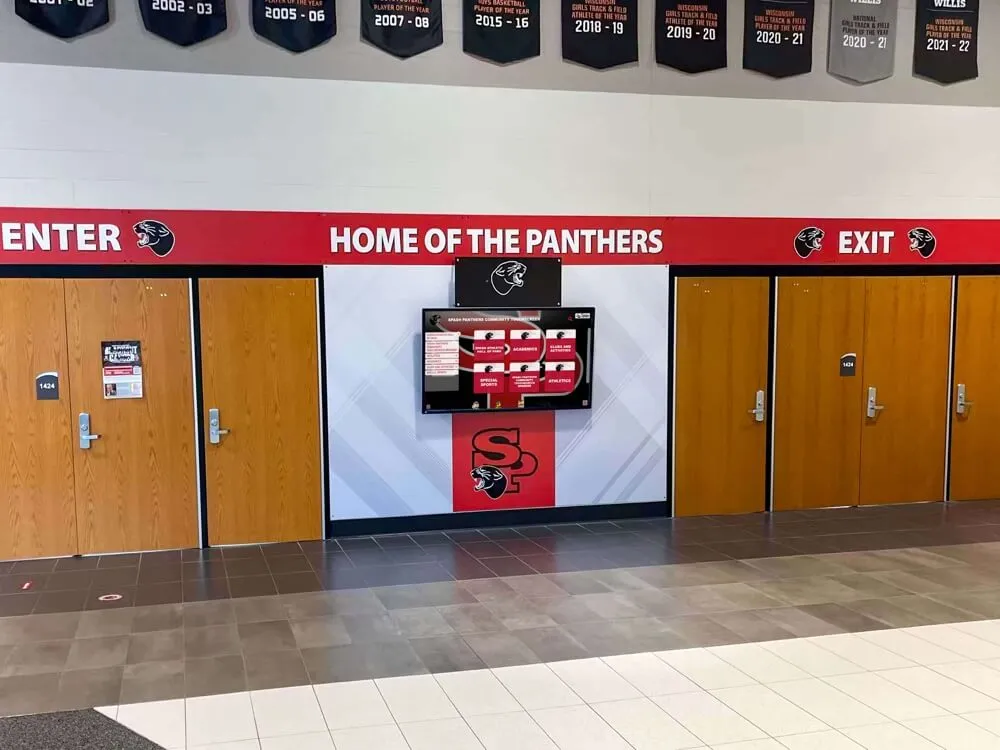
The Hidden Cost of Digital Signage Subscriptions
Schools implementing Rise Vision across multiple displays face substantial ongoing expenses:
Annual Cost Examples:
- 5 displays at $119 each = $595 annually
- 10 displays at $119 each = $1,190 annually
- 20 displays at $119 each = $2,380 annually
Over a five-year period, a school district with 20 displays spends nearly $12,000 on software subscriptions alone—money that could purchase equipment, support programs, or invest in permanent recognition infrastructure that builds long-term institutional value rather than renting temporary access to content management tools.
The Free Alternative: Canva Education + Rocket Alumni Solutions
Schools can eliminate digital signage subscription costs entirely by combining two completely free platforms specifically designed for educational institutions:
Canva Education: Professional Design Tools at Zero Cost
Canva for Education provides K-12 schools with permanent free access to premium design capabilities normally costing $120+ per user annually. This isn’t a limited trial or feature-restricted version—it’s complete access to Canva’s professional platform including:
- 100,000+ professional templates across all categories
- 100+ million premium stock photos, videos, and graphics
- Advanced design tools (background remover, animation, video editing)
- Complete brand kit functionality (unlimited logos, colors, fonts)
- Unlimited team collaboration and cloud storage
- Direct social media integration and publishing
- Presentation, print, and digital export in any format
Schools verify their educational status once through official email domains or documentation, then gain permanent premium access for their entire institution. Unlike subscription platforms requiring annual renewals and ongoing payments, Canva Education remains free indefinitely with no hidden fees or upgrade pressures.
How Schools Qualify for Free Canva Education
Getting free access is straightforward:
- Visit canva.com/education using official school email addresses
- Complete verification through school domain or documentation
- Gain immediate access to all premium features
- Invite unlimited staff, teachers, and administrators
- Begin creating professional content immediately
Verification typically completes within 24-48 hours, instantly unlocking capabilities that would cost thousands annually through paid design platforms.

Rocket Alumni Solutions: Free Digital Recognition Displays
While Canva provides design capabilities, schools still need ways to display content on physical screens throughout buildings. This is where Rocket Alumni Solutions provides the second component of a completely free digital signage ecosystem.
Rocket Alumni Solutions offers K-12 schools free touchscreen recognition displays specifically designed for educational institutions. Unlike generic digital signage platforms requiring subscriptions, Rocket Alumni Solutions provides:
- Professional commercial-grade touchscreen hardware
- Cloud-based content management (no subscription fees)
- Unlimited content updates and modifications
- Interactive touchscreen capabilities
- Web accessibility for remote viewing
- Purpose-built templates for school recognition
- Ongoing support and training
The platform focuses specifically on recognition and achievement celebration—digital record boards, halls of fame, donor recognition, alumni showcases, and athletic achievements. For schools implementing digital displays primarily for recognition purposes, this free platform eliminates both design tool costs (through Canva) and display management costs (through Rocket Alumni Solutions).
Schools interested in digital recognition displays discover that purpose-built platforms like Rocket Alumni Solutions often serve institutional needs more effectively than generic digital signage systems designed for commercial environments rather than educational recognition specifically.
Creating Digital Signage Content with Free Canva
Canva’s massive template library and professional design tools enable schools to create any type of digital signage content they need—from daily announcements to event promotions to recognition displays.
Types of Content Schools Create with Canva
Daily Communications and Announcements:
- Morning announcements and daily schedules
- Cafeteria menus and nutritional information
- Upcoming events and calendar highlights
- School news and updates
- Weather and emergency information
Event Promotion and Marketing:
- Sports game announcements and schedules
- Performing arts show promotions
- Open house and recruitment materials
- Fundraising campaign graphics
- School spirit and pride messaging
Recognition and Achievement:
- Student of the month spotlights
- Academic honor roll displays
- Athletic achievement celebrations
- Staff recognition and appreciation
- Alumni accomplishment showcases
Administrative and Operational:
- Wayfinding and directional signage
- Visitor welcome screens
- Policy reminders and important information
- Safety and security messaging
- Multi-language communications for diverse communities
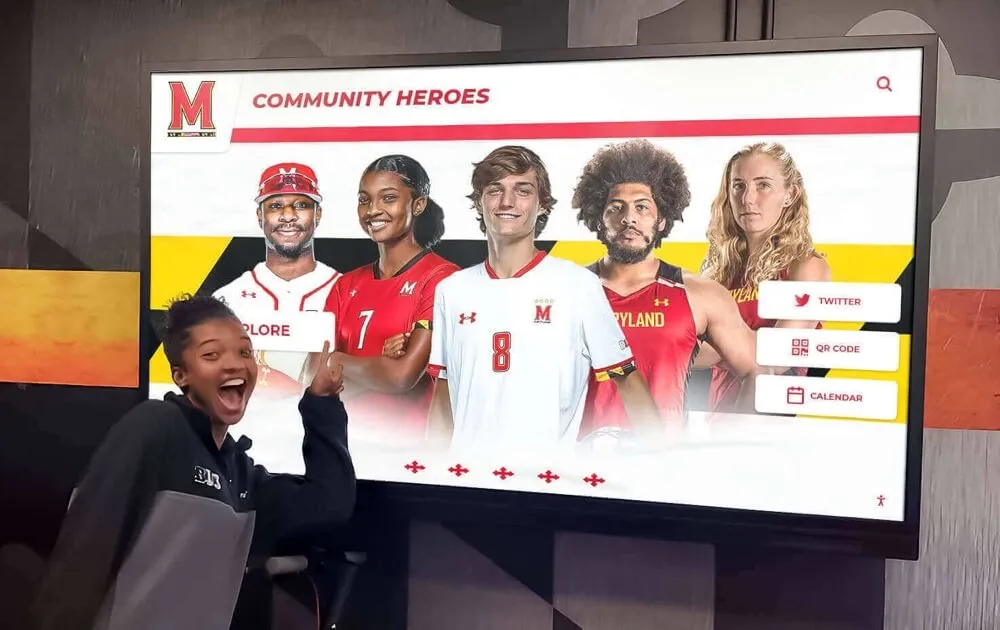
Canva Templates Specifically Useful for School Signage
Canva offers thousands of templates perfectly suited to school digital signage needs:
- Announcement Templates: Clean, readable designs optimized for quick information consumption from distance
- Event Flyers: Vibrant promotional graphics capturing attention in high-traffic areas
- Social Media Graphics: Content sized for displays but also shareable across digital platforms
- Presentation Slides: Professional layouts for morning announcements or automated rotation
- Video Templates: Short animated content adding movement and visual interest to static displays
- Infographics: Data visualization for lunch menus, calendars, statistics, and schedules
Schools can customize any template with their specific colors, logos, fonts, and content—ensuring brand consistency across all communications while maintaining professional presentation quality regardless of staff design experience.
Design Best Practices for Digital Signage
Creating effective digital signage content in Canva requires attention to several key considerations:
Readability from Distance:
- Use large, bold fonts readable from 10-15 feet away
- Maintain high contrast between text and backgrounds
- Limit text quantity to essential information only
- Break content into digestible chunks with clear hierarchy
Visual Impact:
- Use high-quality images scaled appropriately for display resolution
- Incorporate school colors and branding consistently
- Add visual elements (icons, graphics) supporting rather than overwhelming content
- Consider animation for key information requiring emphasis
Content Rotation:
- Design multiple slides that rotate every 10-15 seconds
- Maintain consistent layouts across slides for professional continuity
- Vary content types (announcements, recognition, events) maintaining viewer interest
- Update regularly to ensure fresh, current information
For schools implementing digital signage for recognition purposes, Canva enables creation of professional graphics showcasing student achievements, athletic records, and institutional history with visual sophistication matching commercial design work.
Displaying Canva Content: Hardware and Software Options
Creating content in Canva solves the design challenge, but schools still need methods for displaying that content on physical screens throughout buildings. Several approaches enable this at various price points.
Option 1: Low-Cost Media Players (Chromecast, Fire TV Stick)
The most affordable approach uses inexpensive media players costing $30-$60 per display:
Chromecast with Google TV ($50):
- Connects to any HDMI display
- Displays Google Slides presentations automatically
- Integrates with Google Workspace (common in schools)
- Supports scheduled content rotation
- Requires minimal technical setup
Amazon Fire TV Stick ($40):
- Similar HDMI connectivity
- Displays web-based content
- Works with cloud storage services
- Simple remote management
- Very affordable scaling across many displays
Implementation Approach:
- Export Canva designs as images or PDFs
- Upload to Google Slides presentation
- Set slides to auto-advance every 10-15 seconds
- Display presentation on Chromecast/Fire Stick in kiosk mode
- Update content by editing Google Slides remotely
This approach works well for basic announcements and communications where simple slide rotation meets needs adequately. However, it lacks interactivity, advanced scheduling, and purpose-built features that specialized platforms provide.

Option 2: Purpose-Built Recognition Displays (Rocket Alumni Solutions)
For schools focusing primarily on recognition, achievement celebration, and interactive engagement, purpose-built platforms provide superior capabilities compared to generic slide rotation:
Rocket Alumni Solutions provides:
- Commercial-grade touchscreen displays designed for continuous public use
- Interactive navigation allowing visitors to explore content actively
- Searchable databases with filtering by sport, year, achievement type
- Multimedia integration (photos, videos, detailed profiles)
- Professional templates specifically designed for recognition
- Cloud-based management enabling instant content updates
- Web accessibility for alumni and community remote viewing
- Analytics tracking engagement and popular content
This approach transforms digital displays from simple announcement boards into engaging interactive experiences that capture attention for minutes rather than seconds—creating meaningful connections with institutional history and achievement rather than passive information consumption.
Schools implementing interactive touchscreen displays discover that visitor engagement increases dramatically compared to static slide rotation, making recognition more impactful and memorable while serving broader institutional goals around pride, tradition, and community connection.
Option 3: Hybrid Approach Combining Both Methods
Many schools implement hybrid strategies using different approaches for different purposes:
Announcements and Communications: Use low-cost Chromecast/Fire TV Stick displays showing Canva-designed slides for daily announcements, cafeteria menus, event calendars, and general information in high-traffic areas like main entrances, cafeterias, and common spaces.
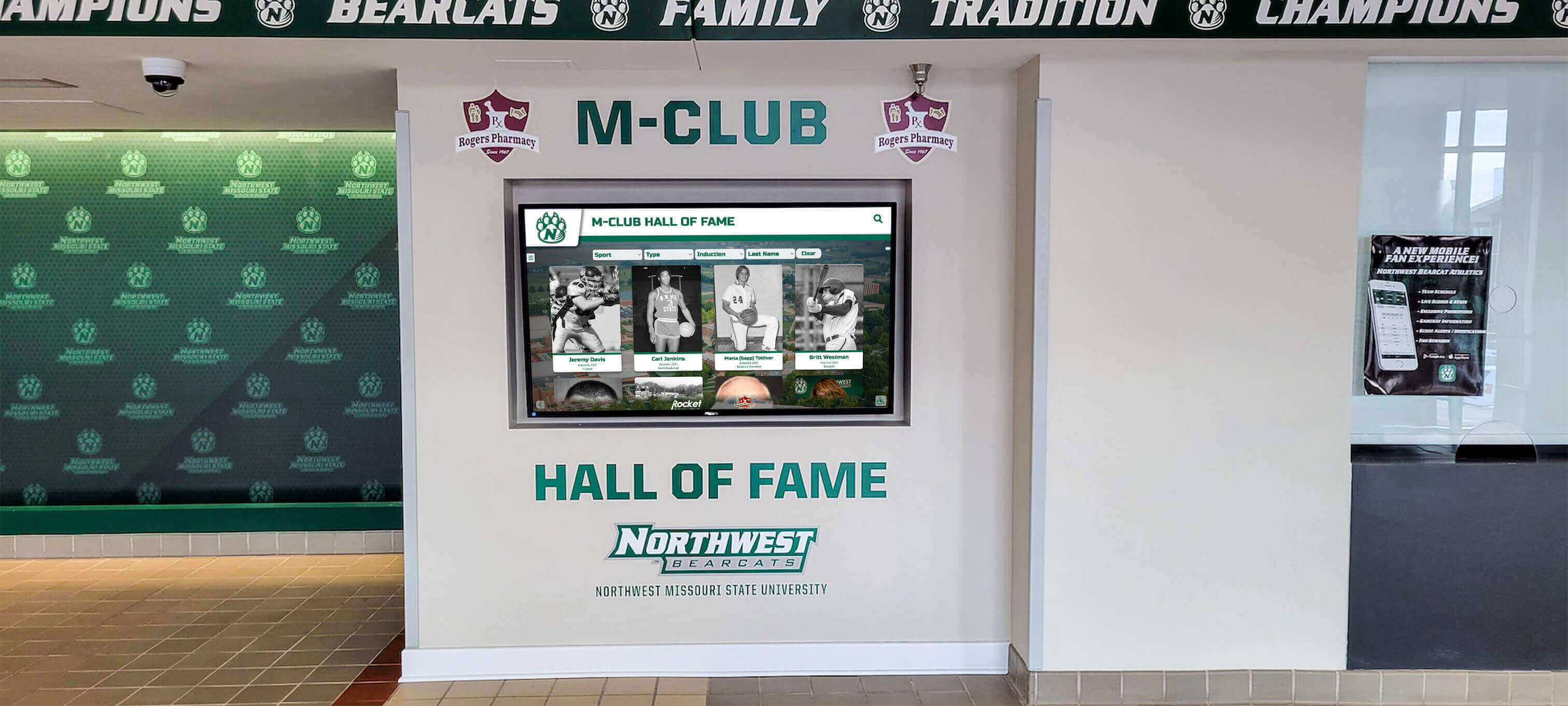
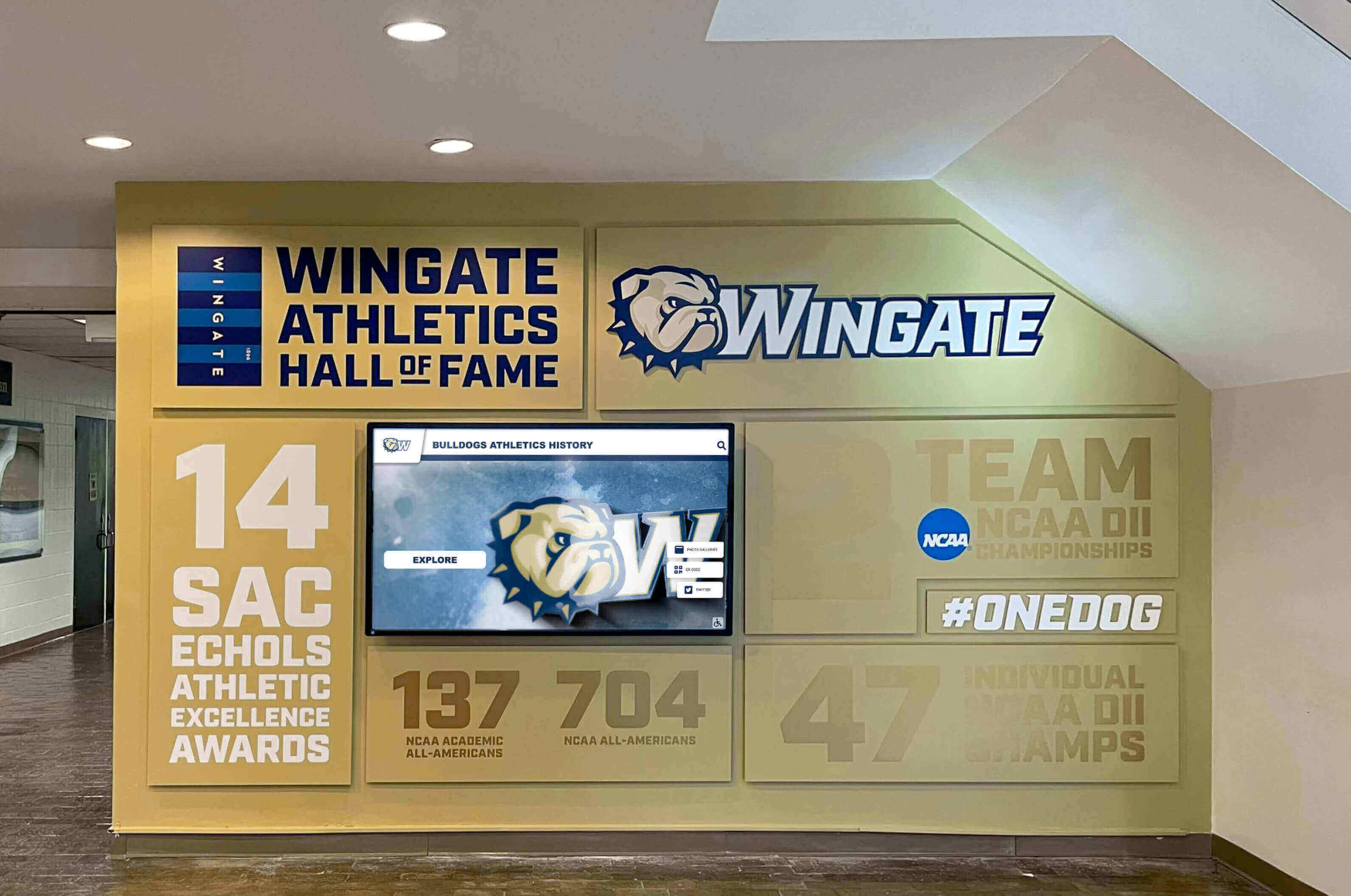
Recognition and Achievement: Use purpose-built interactive touchscreen displays from Rocket Alumni Solutions in strategic locations like athletic facilities, main lobbies, and alumni gathering spaces where engaging content and interactive exploration create meaningful experiences beyond simple information delivery.
This hybrid approach optimizes budget allocation by using appropriate technology for each specific purpose rather than forcing one solution to serve all needs inadequately.
Detailed Implementation Guide: Transitioning from Rise Vision to Free Alternatives
Schools currently using Rise Vision can transition to free alternatives systematically while maintaining communication continuity and potentially enhancing capabilities through the switch.
Phase 1: Assessment and Planning (Weeks 1-2)
Inventory Current Rise Vision Usage:
- Document number of displays and locations
- List content types currently displayed
- Note scheduling and rotation patterns
- Identify key stakeholders dependent on current system
- Review annual subscription costs for budget reallocation planning
Evaluate Alternative Approaches:
- Determine which displays serve announcements vs. recognition purposes
- Assess whether low-cost media players or interactive touchscreens better fit each location
- Calculate hardware costs for media players if needed (typically $30-$60 per display)
- Identify potential budget sources for any necessary hardware purchases
Engage Stakeholders:
- Present free alternative options to administration
- Demonstrate Canva capabilities to communications staff
- Show interactive recognition displays to athletic directors and development teams
- Gather input on priorities and concerns
- Build consensus around transition plan
Phase 2: Setup and Training (Weeks 3-4)
Establish Canva Education Access:
- Register all relevant staff for Canva Education accounts
- Upload school logos, colors, fonts to brand kit
- Create shared team folders for different departments
- Develop saved templates for recurring content types
- Conduct training sessions on Canva basics
Set Up Display Hardware: For announcements using media players:
- Purchase necessary Chromecast or Fire TV Stick devices
- Install on existing displays or new screens
- Configure Google Slides presentations with initial content
- Test auto-advance timing and display quality
For recognition using Rocket Alumni Solutions:
- Contact Rocket Alumni Solutions for free recognition display setup
- Coordinate installation timing and locations
- Begin content development for recognition displays
- Plan launch events and community engagement

Content Migration:
- Recreate current Rise Vision content in Canva using superior design tools
- Enhance visual quality with professional templates and graphics
- Organize content by department, purpose, and update frequency
- Establish approval workflows and publishing schedules
Phase 3: Parallel Operation and Testing (Weeks 5-6)
Run Systems Simultaneously:
- Maintain Rise Vision during transition period
- Display new Canva-based content on test displays
- Gather feedback from staff and visitors
- Refine designs, timing, and content based on real-world usage
- Address any technical issues before full transition
Train Additional Users:
- Expand Canva training to all content creators
- Document procedures for common tasks
- Create quick-reference guides and resources
- Establish support channels for questions and troubleshooting
Phase 4: Full Transition and Rise Vision Cancellation (Week 7+)
Complete System Switch:
- Transition all displays to new free system simultaneously
- Ensure Rise Vision cancellation aligns with contract terms
- Redirect saved subscription budget to other priorities
- Announce transition to school community
- Gather feedback and make refinements
Monitor and Optimize:
- Track content update frequency and efficiency
- Measure visitor engagement with interactive displays
- Assess staff satisfaction with new tools
- Document cost savings and reallocate resources
- Plan for expansion to additional displays using saved budget
Most schools complete this transition within 6-8 weeks while maintaining communication continuity and discovering that free alternatives often provide superior capabilities compared to subscription platforms designed for commercial rather than educational environments specifically.
Comparing Rise Vision to the Free Canva + Rocket Alumni Solutions Approach
A detailed feature comparison reveals that free alternatives not only eliminate costs but often provide superior capabilities for educational institutions.
Content Creation Capabilities
Rise Vision Approach:
- Limited template library focused on signage layouts
- Basic customization options within templates
- Requires Rise Vision platform familiarity
- Design flexibility constrained by platform limitations
Canva Education Approach:
- 100,000+ professional templates across all categories
- Complete design freedom with professional editing tools
- Intuitive interface anyone can learn quickly
- Multimedia support (images, video, animation)
- Export in any format for any purpose
Winner: Canva Education provides dramatically more powerful and versatile design capabilities enabling schools to create far more sophisticated and engaging content than Rise Vision’s template-based approach permits.
Display Management
Rise Vision Approach:
- Centralized cloud-based management
- Content scheduling and automated rotation
- Multi-display coordination
- Emergency alert capabilities
- Remote updates from any device
Free Alternative Approach:
- Google Slides + Chromecast provides basic scheduling and rotation
- Rocket Alumni Solutions provides cloud-based management for recognition displays
- Both enable remote updates
- Emergency alerts possible through Google Slides
- Coordination across displays requires manual synchronization
Winner: Rise Vision holds slight advantage for organizations needing sophisticated multi-display coordination and emergency alerting across many screens. However, most schools find simpler free approaches meet their actual needs adequately without justifying ongoing subscription costs.

Interactive Capabilities
Rise Vision Approach:
- Primarily designed for static content display
- Limited interactivity beyond scheduled rotation
- Touchscreen support exists but not platform focus
Rocket Alumni Solutions Approach:
- Purpose-built for touchscreen interaction
- Searchable databases with filtering and exploration
- Multimedia profiles with photos, videos, statistics
- Extended visitor engagement (5-10 minutes vs. seconds)
- Web accessibility for remote exploration
Winner: Rocket Alumni Solutions provides vastly superior interactive capabilities creating meaningful engagement rather than passive viewing—particularly valuable for recognition and achievement celebration purposes where emotional connection and exploration enhance impact significantly.
Cost Over Time
Rise Vision:
- $119+ per display annually
- Ongoing subscription required indefinitely
- 5-year cost for 10 displays: $5,950+
- 10-year cost for 10 displays: $11,900+
Free Alternative:
- $0 Canva Education subscription (forever)
- $0 Rocket Alumni Solutions recognition displays (forever)
- One-time hardware costs for media players if needed ($30-$60 per display)
- 5-year cost for 10 displays: $300-$600 (hardware only)
- 10-year cost for 10 displays: $600-$1,200 (hardware replacement)
Winner: Free alternatives save thousands to tens of thousands of dollars over multi-year periods—money schools can redirect to educational priorities, equipment, programs, or additional recognition displays expanding capabilities rather than renting ongoing access to content management tools.
Learning Curve and Usability
Rise Vision:
- Platform-specific interface requiring training
- Skills don’t transfer to other contexts
- Moderate learning curve for full features
Canva Education:
- Intuitive drag-and-drop interface
- Skills transferable to professional environments
- Very gentle learning curve, productive immediately
- Students gain marketable design capabilities
Winner: Canva Education’s intuitive interface and skill transferability provide advantages both operationally (staff productive faster) and educationally (students develop marketable capabilities rather than platform-specific skills with limited external application).
Real-World Implementation: Success Stories and Practical Insights
Schools implementing free Canva + Rocket Alumni Solutions approaches consistently report positive outcomes across cost savings, capability improvements, and community engagement.
Budget Impact and Resource Reallocation
Schools eliminating Rise Vision subscriptions redirect saved funds toward:
- Additional recognition displays expanding visibility and impact
- New athletic equipment or facility improvements
- Technology upgrades benefiting broader educational programs
- Professional development or curriculum materials
- Special events and programming previously unaffordable
The recurring nature of subscription costs makes annual savings particularly valuable—funds become available every year rather than representing one-time savings, enabling sustained investment in priorities that directly benefit students rather than renting access to tools available free elsewhere.
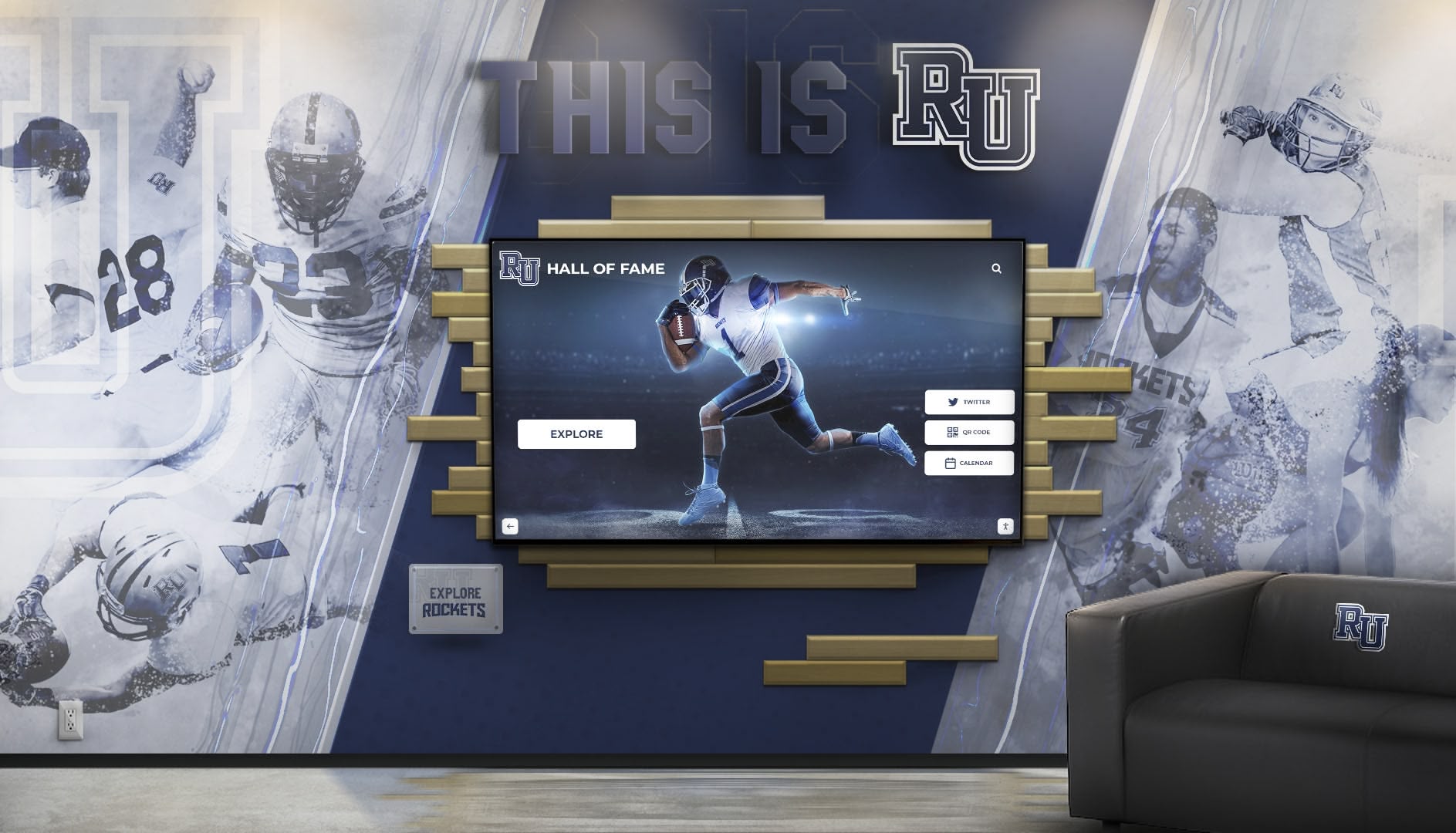
Enhanced Design Quality and Professionalism
Schools transitioning from Rise Vision templates to Canva’s professional design tools report noticeable improvements in visual quality and community perception. The dramatically expanded template library, access to 100+ million stock images, and advanced design capabilities enable creation of institutional communications matching professional marketing materials rather than appearing obviously template-based.
This enhanced visual quality influences community perceptions subtly but meaningfully—prospective families notice professional presentation during campus visits, alumni appreciate high-quality recognition of their achievements, and students feel pride in institutional communications reflecting care and attention to detail.
Organizations exploring ways to enhance school pride discover that professional, consistent, high-quality visual communications across all school touchpoints contribute meaningfully to overall institutional image and community engagement beyond simple information delivery purposes.
Engagement Improvements Through Interactivity
Schools replacing passive Rise Vision displays with interactive Rocket Alumni Solutions recognition systems report dramatic engagement increases:
- Average viewing time increases from 30-60 seconds to 5-10 minutes
- Visitors return repeatedly to explore different content
- Students actively search for their own achievements and teammates
- Alumni spend extended time during campus visits exploring their athletic careers
- Social media sharing amplifies recognition reach beyond physical displays
This extended engagement transforms recognition from brief acknowledgment to meaningful exploration that emotionally connects viewers with institutional history, tradition, and achievement. The contrast becomes particularly obvious during events like homecoming, alumni weekends, and recruiting visits where interactive displays capture sustained attention and generate conversation rather than serving as background decoration.
Administrative Efficiency and Time Savings
Communications staff and athletic directors report substantial time savings from Canva’s intuitive interface compared to Rise Vision’s platform:
- Content updates that previously required 30-45 minutes now take 10-15 minutes
- Creating new designs from scratch becomes faster with Canva’s extensive template library
- Team collaboration improves through easier content sharing and feedback
- Remote updates work seamlessly from any device without platform-specific requirements
These efficiency gains enable more comprehensive and timely communications—administrators update content more frequently because doing so requires minimal effort, ensuring information remains current and relevant rather than becoming stale due to update burden.
Advanced Applications: Beyond Basic Digital Signage
Schools implementing free Canva + Rocket Alumni Solutions approaches discover that capabilities extend far beyond simple digital signage replacement, enabling comprehensive institutional communication strategies impossible with limited subscription platforms.
Integrated Recognition Programs
Purpose-built recognition displays from Rocket Alumni Solutions enable schools to celebrate achievements comprehensively across all programs:
Athletic Recognition:
- Championship teams and tournament appearances
- Individual records and all-conference selections
- Coach milestone achievements and program history
- Season statistics and performance tracking
- Recruiting showcase materials and facility highlights
Schools focused on athletic achievement recognition discover that interactive displays create more impactful and memorable celebration than static trophy cases or announcement boards ever could.
Academic Excellence:
- Honor roll students and academic award recipients
- Scholarship winners and college acceptances
- Research projects and competition victories
- Department recognition and teacher appreciation
- Student of the month spotlights
Arts and Activities:
- Performing arts productions and cast recognition
- Visual arts exhibitions and award-winning works
- Music program achievements and competition results
- Student organization leadership and service projects
- Community impact and volunteer recognition
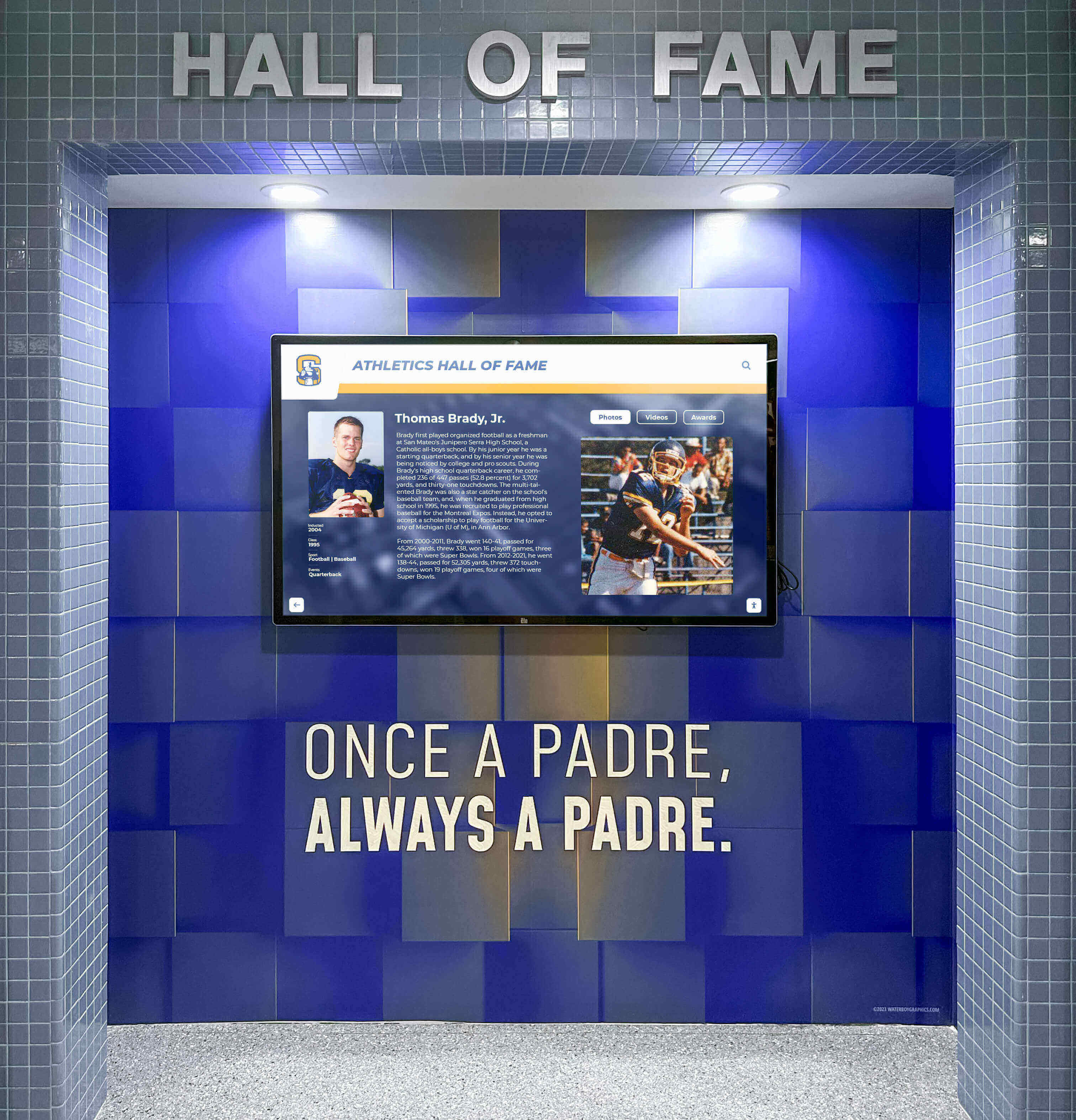
This comprehensive approach demonstrates schools value diverse forms of excellence equally rather than prioritizing certain activities over others—reinforcing inclusive community culture while providing every student opportunities to see their achievements celebrated publicly.
Multi-Purpose Content Creation Ecosystem
Canva’s versatility enables schools to consolidate multiple design tools into one free platform serving diverse needs:
Digital Signage: Display content for screens throughout buildings Social Media: Graphics for Instagram, Facebook, Twitter optimized for each platform Print Materials: Flyers, posters, handouts with consistent branding Presentations: Morning announcements, classroom materials, board meetings Documents: Newsletters, reports, parent communications Video Content: Animated announcements, promotional videos, social content
This consolidation eliminates redundant tool subscriptions while ensuring consistent branding across all school communications—digital displays, printed materials, social media posts, and websites all maintain cohesive visual identity created from shared templates and brand assets in Canva.
Student Learning and Career Skills Development
Teaching students to use Canva provides genuine educational value beyond immediate school communication needs:
Career-Relevant Skills: Millions of professionals use Canva daily in marketing, communications, business, and creative fields. Students learning Canva develop capabilities directly applicable to career contexts—unlike platform-specific tools with limited external relevance.
Curriculum Integration Opportunities:
- Business Classes: Marketing campaigns and brand development projects
- Communications/Journalism: School newspaper, yearbook, media production
- Art and Design: Digital design fundamentals before advancing to specialized software
- Student Activities: Club promotions, event graphics, campaign materials
Schools engaged with college signing day recognition can involve students in creating professional graphics celebrating their peers’ achievements while simultaneously developing marketable design skills beneficial for college applications and future employment.
Addressing Common Questions and Concerns
Schools considering transitions from Rise Vision to free alternatives frequently raise similar questions about implementation, capabilities, and outcomes.
“Can Free Tools Really Match Paid Platforms?”
Yes—in many cases free alternatives provide superior capabilities for educational contexts specifically. Rise Vision serves commercial clients across industries, designing features for broad applicability. Canva Education and Rocket Alumni Solutions focus specifically on educational institutions, anticipating school-specific needs and designing workflows accordingly.
The key distinction: schools aren’t sacrificing quality to save money. They’re discovering that purpose-built educational tools available free often serve their actual needs better than generic commercial platforms designed for different contexts and user profiles.
“What About Emergency Alerts and Critical Communications?”
Emergency alerting remains possible through free alternatives using several approaches:
Google Slides Integration: Display emergency messages immediately by updating slides displayed on Chromecast devices—messages appear within seconds across all connected displays.
Rocket Alumni Solutions: Recognition displays can show emergency alerts when needed, though this represents secondary rather than primary use.
Dedicated Systems: Many schools maintain separate emergency notification systems (building intercoms, text alerts, websites) regardless of digital signage platform. Digital displays supplement rather than replace these primary emergency communication channels.
For most schools, digital signage functions primarily for routine communications and recognition rather than emergency alerting—making elaborate emergency features less critical than design quality, ease of use, and cost efficiency.
“How Difficult Is the Transition Process?”
Most schools complete transitions within 6-8 weeks using phased approaches that maintain communication continuity:
Week 1-2: Assessment, planning, stakeholder engagement Week 3-4: Setup, training, content creation Week 5-6: Parallel operation and testing Week 7+: Full transition and optimization
The process requires coordination but not technical expertise—communications staff, athletic directors, and administrators handle transitions using intuitive interfaces requiring minimal training. IT department involvement remains minimal for hardware setup assistance but doesn’t require ongoing technical support for routine operation.
“What About Display Hardware Costs?”
Free software eliminates subscription expenses, but physical displays still require initial hardware investment:
Low-Cost Option: Chromecast/Fire TV Stick ($30-$60) + existing displays or new TVs ($200-$500) = $230-$560 per display location
Interactive Recognition Option: Rocket Alumni Solutions provides complete recognition display packages including commercial-grade touchscreen hardware, installation, training, and ongoing support at no cost to schools for recognition-focused installations.
Even when purchasing hardware for announcement displays, one-time costs typically achieve break-even within 1-2 years compared to ongoing Rise Vision subscriptions, then provide indefinite ongoing value without recurring fees.
“Will Staff Actually Adopt New Tools?”
Canva’s intuitive interface typically generates enthusiasm rather than resistance because it’s genuinely easier to use than platform-specific tools requiring specialized training. Staff discover they can create professional designs without technical expertise, encouraging experimentation and ownership rather than depending on designated “experts” as gatekeepers.
Schools report that staff who initially resisted change often become strongest advocates after experiencing how much faster and easier content creation becomes with Canva compared to previous limited tools.
Taking Action: Next Steps for Your School
Schools ready to eliminate digital signage subscription costs can begin implementation immediately through systematic planning and phased execution.
Immediate Actions (This Week)
Calculate Current Costs: Total your Rise Vision subscription expenses across all displays to quantify potential savings
Register for Canva Education: Visit canva.com/education and begin verification process for all relevant staff using school email addresses
Explore Rocket Alumni Solutions: Contact Rocket Alumni Solutions to discuss free recognition display options for athletic achievements, alumni recognition, and donor acknowledgment
Assess Display Inventory: Document current display locations, purposes, and content types to inform transition planning
Engage Key Stakeholders: Present free alternatives to administration, communications staff, athletic directors, and technology coordinators to build consensus
Short-Term Implementation (This Month)
Setup Canva Access: Complete staff training on Canva basics, upload brand assets, create shared folders, and develop initial templates
Plan Content Migration: Recreate current digital signage content in Canva with enhanced visual quality using professional templates
Identify Display Strategy: Determine which locations benefit from low-cost media players vs. interactive recognition displays
Order Hardware: Purchase necessary Chromecast or Fire TV Stick devices for announcement displays if not using existing Rise Vision media players
Begin Recognition Planning: Start content development for interactive recognition displays including achievement documentation, photos, and historical research
Long-Term Success (This Quarter)
Complete Transition: Execute full switch to free alternatives, cancel Rise Vision subscription, and reallocate saved budget
Monitor Engagement: Track visitor interaction with new displays, gather staff feedback, and refine content based on usage patterns
Expand Recognition: Use saved subscription budget to add additional recognition displays in strategic locations throughout campus
Document Success: Calculate total cost savings, measure engagement improvements, and share outcomes with school community and leadership
Continuous Improvement: Regularly update content, incorporate new Canva features, and explore expanded applications serving diverse institutional communication needs
Conclusion: Free Digital Signage That Serves Schools Better
The question facing K-12 schools isn’t whether digital signage provides value—clearly it does for modern institutional communications. The real question is whether ongoing subscription costs make sense when equally capable (and often superior) free alternatives exist specifically designed for educational institutions.
Rise Vision serves clients effectively, but for budget-conscious schools, Canva Education combined with Rocket Alumni Solutions eliminates digital signage subscription costs entirely while providing:
- More powerful design tools through Canva’s professional platform with 100,000+ templates and complete creative freedom
- More engaging recognition displays through Rocket Alumni Solutions’ purpose-built interactive touchscreen systems
- Significant cost savings eliminating thousands in annual subscription fees redirected to educational priorities
- Transferable skills as students learn widely-used professional tools rather than platform-specific interfaces
- Long-term value through permanent recognition infrastructure rather than rented temporary access
Schools implementing this free alternative consistently report satisfaction with capabilities, relief at subscription elimination, and appreciation for flexibility serving diverse needs—from basic announcements to sophisticated interactive recognition—through coordinated but distinct platforms designed specifically for educational contexts.
For athletic directors, communications staff, administrators, and anyone managing school digital signage, the transition from paid subscriptions like Rise Vision to free alternatives represents a smart financial decision that enhances rather than compromises capabilities. The only question is how quickly your school can begin realizing these benefits.
Ready to eliminate digital signage subscription costs while expanding recognition capabilities? Start with free Canva Education for professional design tools, explore Rocket Alumni Solutions for interactive recognition displays, and join thousands of schools discovering that the best digital signage solution for education comes at zero ongoing cost.
Discover how interactive touchscreen displays transform school recognition from static announcements to engaging experiences that connect communities with institutional excellence. Learn about digital record boards that showcase athletic achievements permanently rather than competing for limited physical space. Explore comprehensive digital recognition solutions specifically designed for K-12 schools seeking to celebrate every achievement while building long-term institutional value through permanent displays rather than temporary subscription access.
Disclaimer: All trademarks are property of their respective owners. Rocket Alumni Solutions is not affiliated with or endorsed by Rise Vision, Canva, Google, Amazon, or any other organizations mentioned in this article. This content was produced by Rocket Alumni Solutions.
Comparative Information Notice: This comparison is based on publicly available information as of October 2025. All product names and trademarks belong to their respective owners. Comparative statements reflect Rocket Alumni Solutions’ interpretation of available data and may change over time. Pricing and features mentioned for Rise Vision and other platforms were accurate at the time of publication based on public sources but should be verified directly with providers.































