Organizations considering touchscreen recognition displays face a common concern: hardware responsibility. When software providers offload hardware sourcing, installation, and support to third parties, institutions inherit coordination headaches, warranty confusion, and finger-pointing when issues arise. Rocket Alumni Solutions eliminates this friction by owning the complete kiosk stack—from commercial-grade displays to mounting hardware to ongoing technical support.
Unlike vendors who sell software and expect clients to manage hardware separately, Rocket provides complete solutions where Customer Success serves as the single point of contact for every aspect of your touchscreen display. This full-stack approach maintains uptime, simplifies troubleshooting, and delivers consistent outcomes for schools, universities, and organizations implementing digital recognition displays.

Professional installation and ongoing support maintain consistent operation in high-traffic display environments
The Full-Stack Difference: Hardware Through Support
Software-only providers typically stop at licensing. They may recommend hardware specifications, but procurement, installation, configuration, and maintenance become the client’s responsibility. This fragmented approach creates gaps where problems fall through cracks.
Rocket’s model provides:
- Hardware procurement: Commercial-grade touchscreen displays selected for institutional environments
- Professional installation: Certified technicians handle mounting, cabling, and network integration
- System configuration: Pre-loaded software, network setup, and display calibration
- Ongoing maintenance: System monitoring, software updates, and hardware health checks
- Single-point support: Customer Success team owns the entire relationship—no vendor blame games
This comprehensive approach means athletic directors and facility managers never troubleshoot driver conflicts, diagnose network issues, or coordinate between multiple vendors. One team owns uptime.
Commercial-Grade Hardware Built for Institutional Environments
Consumer displays fail in high-traffic institutional settings. Rocket specifies commercial-grade components designed for 12-16 hour daily operation, public interaction, and multi-year deployment cycles.
Display Specifications
Commercial touchscreen panels feature:
- Commercial panel ratings: 50,000+ hour MTBF (Mean Time Between Failures)
- Industrial touch technology: Infrared or projected capacitive sensors resistant to wear
- Anti-glare treatments: Viewable under institutional lighting conditions
- Temperature tolerance: Operation across facility climate ranges
- Portrait and landscape mounting: Flexible orientation for different spaces
These specifications matter when displays run continuously in gym lobbies, main entrances, and athletic facilities where ambient conditions and interaction frequency exceed residential use cases.
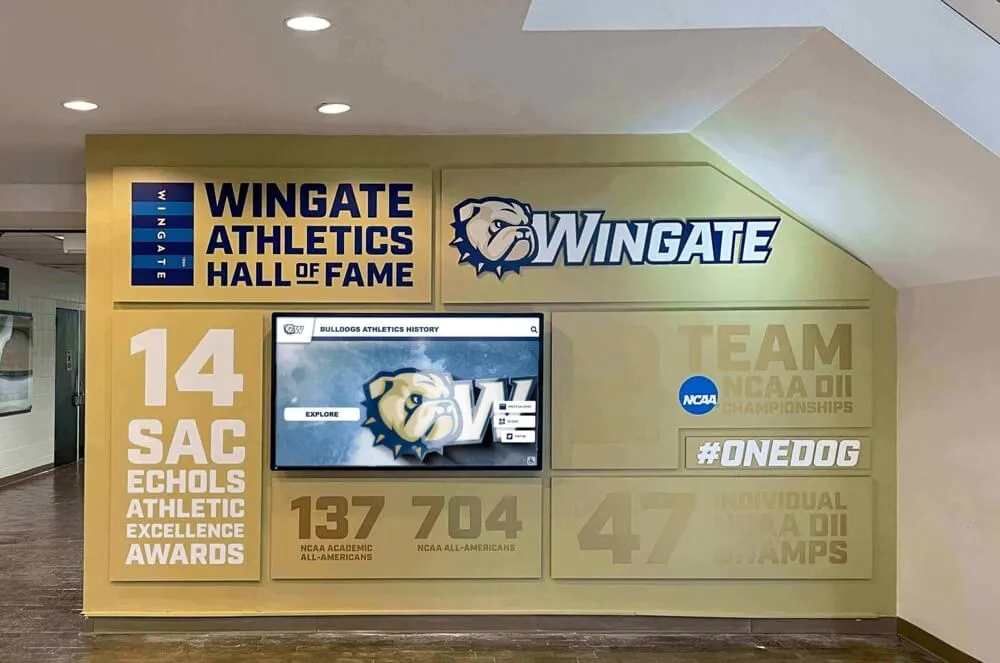
Commercial-grade displays withstand continuous operation in institutional environments
Mounting and Infrastructure
Professional installation includes:
- Wall assessment: Load capacity verification for secure mounting
- Cable management: Concealed power and network routing
- Height compliance: ADA-accessible positioning at appropriate viewing levels
- Security hardware: Tamper-resistant fasteners and enclosures
- Network integration: Hardwired Ethernet connections for reliability
Institutions receive complete installations where displays arrive configured, mounted, and operational—not boxed components requiring assembly.
Expert Installation: Site Assessment Through Go-Live
Installation complexity varies by facility age, wall construction, and network infrastructure. Rocket’s installation process accounts for these variables through structured phases.
Pre-Installation Site Assessment
Before installation day, technical teams evaluate:
- Structural considerations: Wall type (drywall, concrete, brick), stud location, load capacity
- Electrical access: Proximity to power, code compliance for new circuits if needed
- Network connectivity: Available ports, bandwidth verification, WiFi signal strength
- Environmental factors: Lighting conditions, HVAC airflow, physical clearances
- Accessibility requirements: Viewing height, approach space, interaction zones
This assessment identifies potential obstacles before technicians arrive, preventing installation delays and rework.
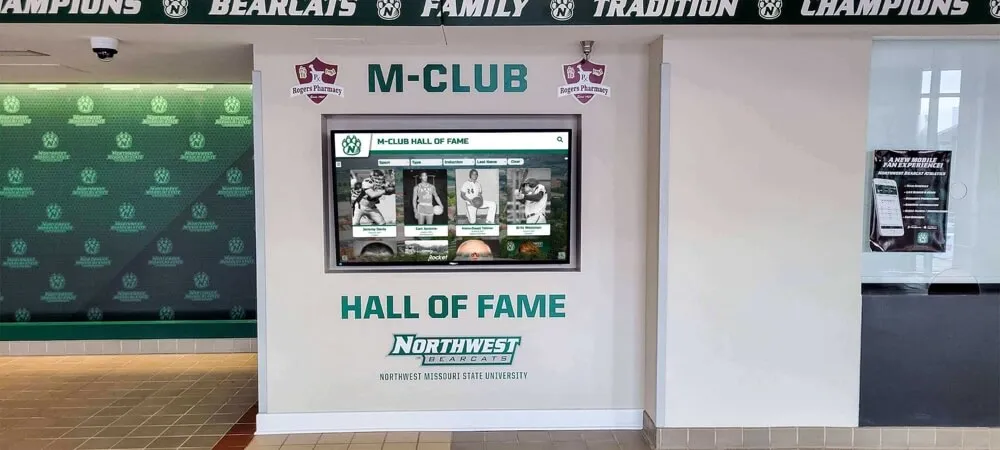
Proper assessment ensures displays integrate cleanly with existing architectural features
Professional Installation Execution
Certified installation teams handle:
- Physical mounting: Secure attachment to structural elements with appropriate hardware
- Cable routing: Professional wire management behind walls or in conduit
- Power connection: Code-compliant electrical hookup or coordination with facility electricians
- Network configuration: Hardwired Ethernet preferred for reliability, WiFi as fallback
- System testing: Touch calibration, network verification, software launch confirmation
Installations typically complete within 3-5 hours depending on complexity, with technicians leaving facilities operational and staff trained on basic navigation.
Configuration and Content Deployment
Post-installation configuration includes:
- Display settings: Brightness, color temperature, sleep timers for energy management
- Touch calibration: Precision adjustment for accurate interaction
- Network settings: Static IP assignment, DNS configuration, firewall coordination
- Software setup: Admin accounts, permission levels, initial content population
- Integration testing: QR code accessibility, web companion verification, analytics confirmation
Institutions receive systems ready for public interaction, not blank screens requiring days of additional setup.
Customer Success: Single Point of Contact for Every Issue
The Rocket difference emerges most clearly when problems occur. Software-only vendors direct hardware issues to manufacturers, creating coordination overhead and extended downtime. Rocket’s Customer Success team owns every support scenario.
Response and Triage
When displays malfunction, clients contact one team regardless of root cause:
- Software glitches: Content not updating, interface freezing, navigation errors
- Hardware failures: Dead pixels, touch responsiveness issues, power problems
- Network issues: Connectivity drops, slow performance, sync failures
- Content questions: Update procedures, layout adjustments, new feature requests
Customer Success triages issues, deploys fixes remotely when possible, and coordinates on-site service when physical intervention is required. Clients never navigate warranty procedures or track down hardware manufacturer support lines.
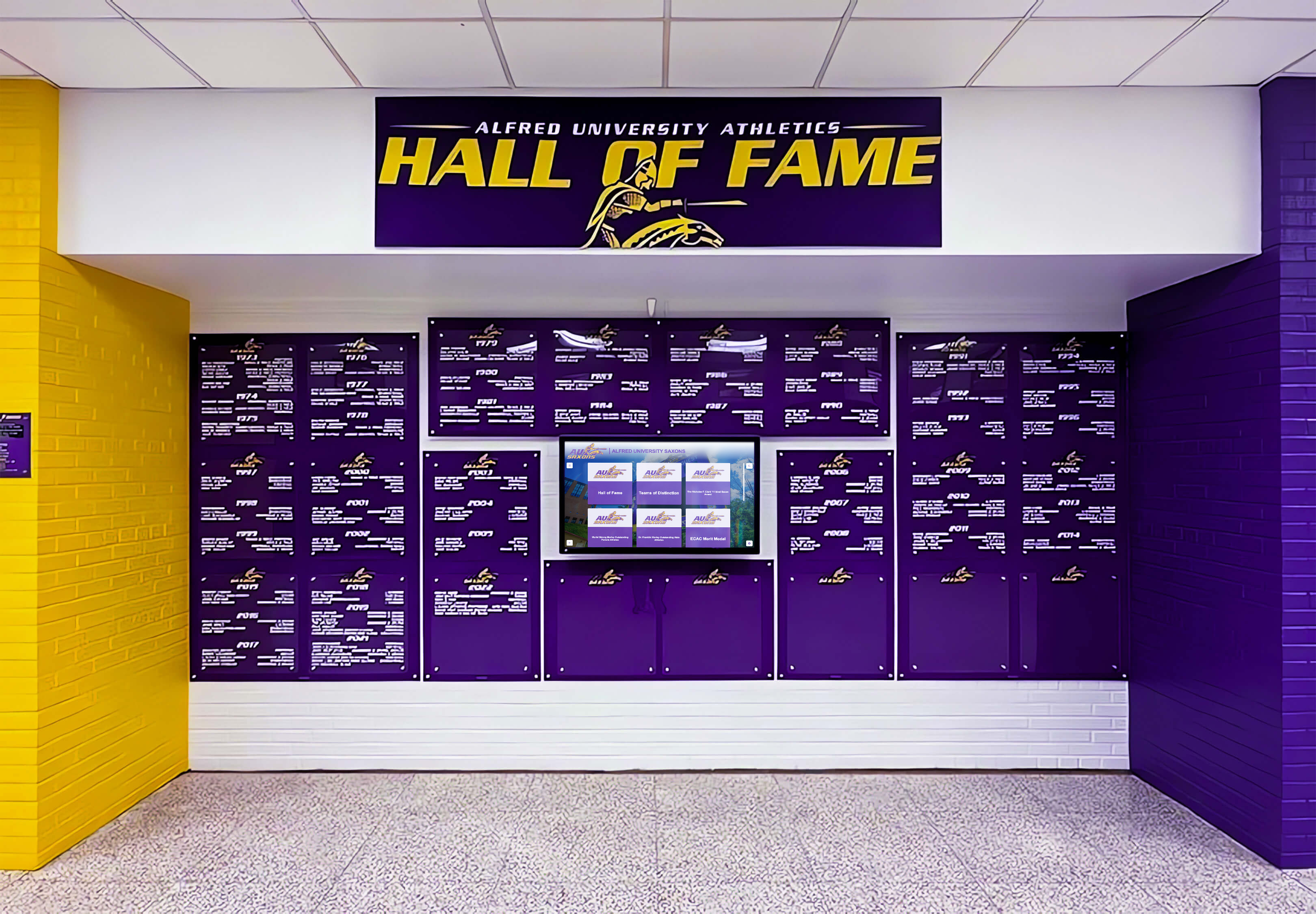
Responsive support keeps recognition displays operational for consistent visitor engagement
System Monitoring and Maintenance
Rocket monitors system health remotely:
- Connectivity tracking: Alerts when displays go offline
- Software version management: Automatic updates with rollback capability
- Content sync verification: Confirms scheduled updates deploy correctly
- Hardware diagnostics: Temperature monitoring, power event logging
- Usage analytics: Interaction patterns inform optimization recommendations
This monitoring approach identifies problems before clients notice them, preventing disruption during high-traffic periods like homecoming weekends or donor events.
Hardware Replacement and Restoration
When hardware fails, Rocket owns the outcome:
- Rapid diagnosis: Remote diagnostics determine component failures
- Parts procurement: Direct access to replacement components without client involvement
- On-site service: Technician dispatch for component replacement or full unit swap
- Warranty coordination: Rocket manages manufacturer warranty claims in the background
- Uptime restoration: Focus on speed over process—clients experience minimal downtime
Even when OEM warranties handle costs, Rocket manages the logistics so clients avoid coordinating shipments, tracking RMA numbers, or scheduling third-party service visits. The result is predictable uptime and simplified administration for institutional staff.
Integration with Existing Infrastructure
Touchscreen displays operate within broader institutional technology ecosystems. Rocket’s installation and support teams understand these integration requirements.
Network Integration
Displays connect to institutional networks:
- Firewall coordination: Identification of required ports and protocols for IT approval
- VLAN placement: Appropriate network segmentation for security and performance
- Authentication: Compatibility with 802.1X and certificate-based network access
- Bandwidth management: QoS settings to prioritize critical institutional traffic
- Remote management access: Secure remote administration for Customer Success
IT departments receive documentation of network requirements before installation, allowing advance configuration and preventing deployment delays.
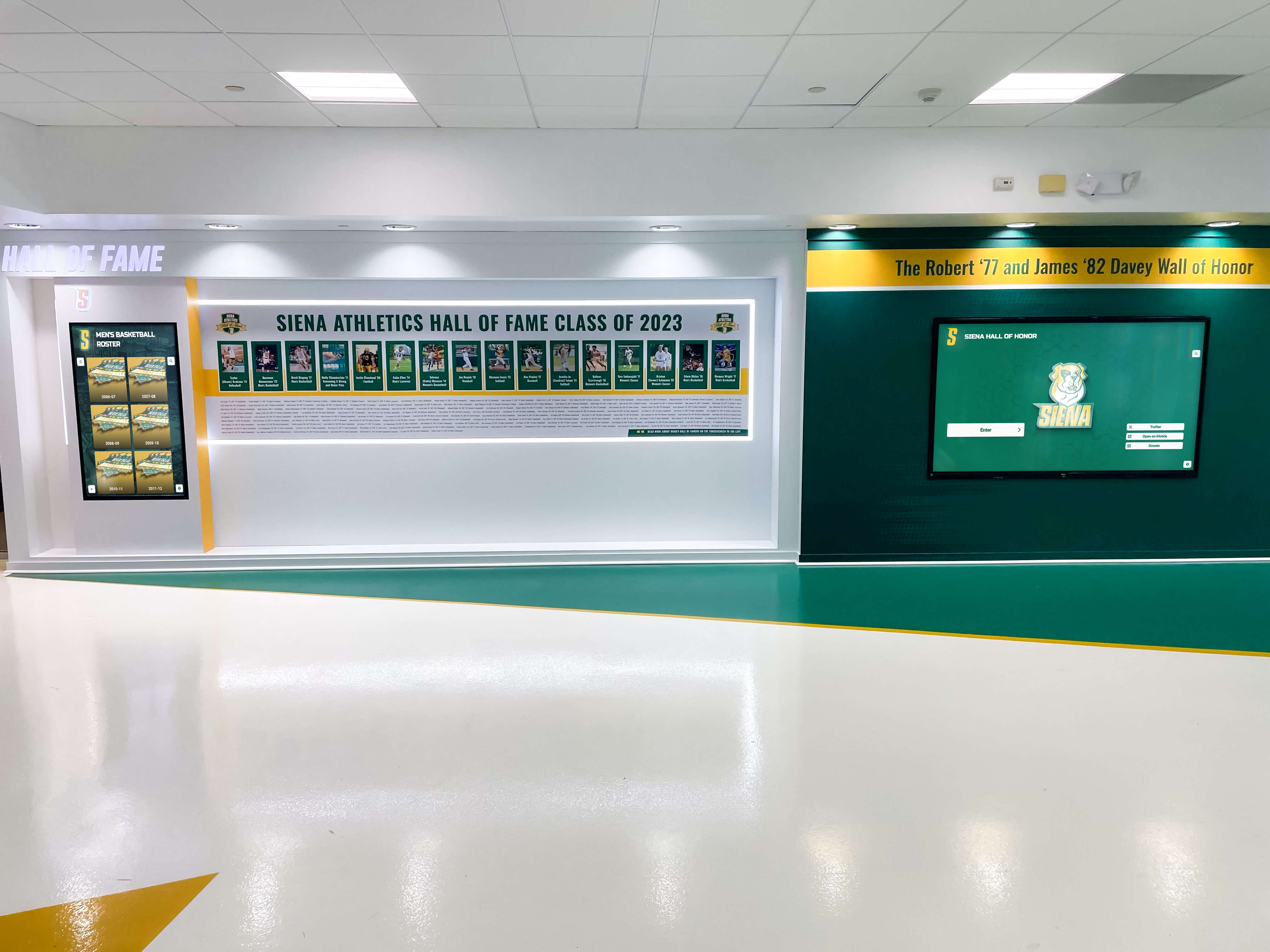
Clean connection with campus infrastructure supports consistent long-term operation
Power Management
Displays incorporate low-energy operation:
- Scheduled sleep modes: Automatic shutdown during facility closed hours
- Occupancy sensors: Wake-on-approach for energy savings in low-traffic periods
- Power event handling: Graceful shutdown and recovery during outages
- Energy monitoring: Consumption tracking for sustainability reporting
These features reduce operating costs while maintaining readiness during facility operating hours. Solutions like digital hall of fame displays need to balance engagement with operational efficiency.
Physical Security
Institutional environments require security considerations:
- Tamper-resistant enclosures: Prevent unauthorized hardware access
- Cable protection: Guards against accidental or intentional disconnection
- Surge protection: Defense against electrical events
- Mounting security: Anti-theft fasteners and reinforced brackets
These measures protect institutional investments while maintaining clean aesthetics.
Warranty Coverage and Long-Term Support
Hardware failures occur despite commercial-grade components. Rocket’s warranty and support structure provides predictable protection.
Standard Warranty Terms
Equipment includes:
- Hardware warranty: Multi-year coverage on displays, computers, and installation components
- Software licensing: Perpetual access to platform updates and feature releases
- Installation warranty: Workmanship guarantee on mounting and integration
Warranty terms vary by package configuration, with options for extended coverage matching capital planning cycles.
Post-Warranty Support Options
Beyond initial warranty periods, institutions access:
- Annual maintenance agreements: Continued Customer Success access, software updates, hardware health checks
- Component replacement programs: Simplified part procurement for aging systems
- Technology refresh cycles: Phased hardware upgrades as commercial displays reach end-of-life
- Expansion support: Adding displays or features to existing installations
These options preserve institutional investments while adapting to changing recognition needs. Organizations implementing athletic hall of fame displays benefit from support that extends across multi-decade facility lifecycles.
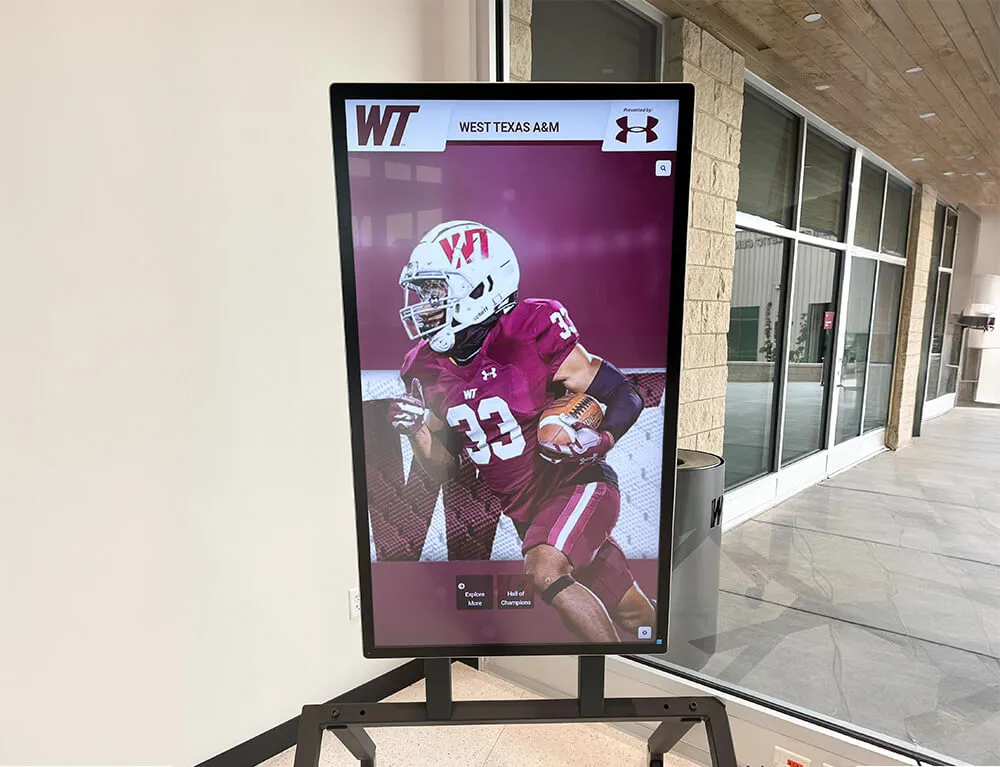
Long-term support partnerships ensure recognition displays remain current and operational
Training and Knowledge Transfer
Technical ownership means nothing if institutional staff can’t perform basic operations. Rocket’s implementation includes structured training.
Initial Administrator Training
Post-installation training covers:
- Content management: Creating profiles, uploading media, organizing categories
- Layout customization: Adjusting templates, modifying navigation, featuring content
- Publishing workflows: Scheduling updates, approving submissions, archiving outdated content
- User management: Creating admin accounts, assigning permissions, managing access
- Basic troubleshooting: Restarting displays, verifying network connections, checking sync status
Training occurs on-site with actual institutional content, not generic examples. Staff practice real workflows they’ll execute post-launch.
Ongoing Education
Customer Success provides:
- Video tutorials: Self-paced learning for specific features and workflows
- Documentation: Written guides covering common tasks and advanced features
- Webinar series: Quarterly sessions highlighting new features and best practices
- Direct consultation: Screen-sharing sessions for complex customizations or troubleshooting
This educational support ensures institutional knowledge persists through staff transitions and role changes. When new athletic directors or advancement professionals join organizations, training resources help them quickly master donor recognition displays without extended learning curves.
Scalability and Multi-Display Management
Institutions rarely deploy single displays. Recognition needs span athletic facilities, academic buildings, donor lounges, and administrative offices. Rocket’s platform and support structure accommodates growth.
Multi-Location Deployment
Organizations with multiple displays benefit from:
- Centralized management: Single dashboard controlling content across all locations
- Template replication: Consistent design standards applied to all displays automatically
- Location-specific content: Customization for individual buildings while maintaining brand coherence
- Coordinated updates: Simultaneous content deployment across entire campus
- Distributed monitoring: Health status tracking for entire display fleet
These capabilities allow institutions to start with single installations and expand as budgets permit, avoiding platform migrations as recognition programs mature.
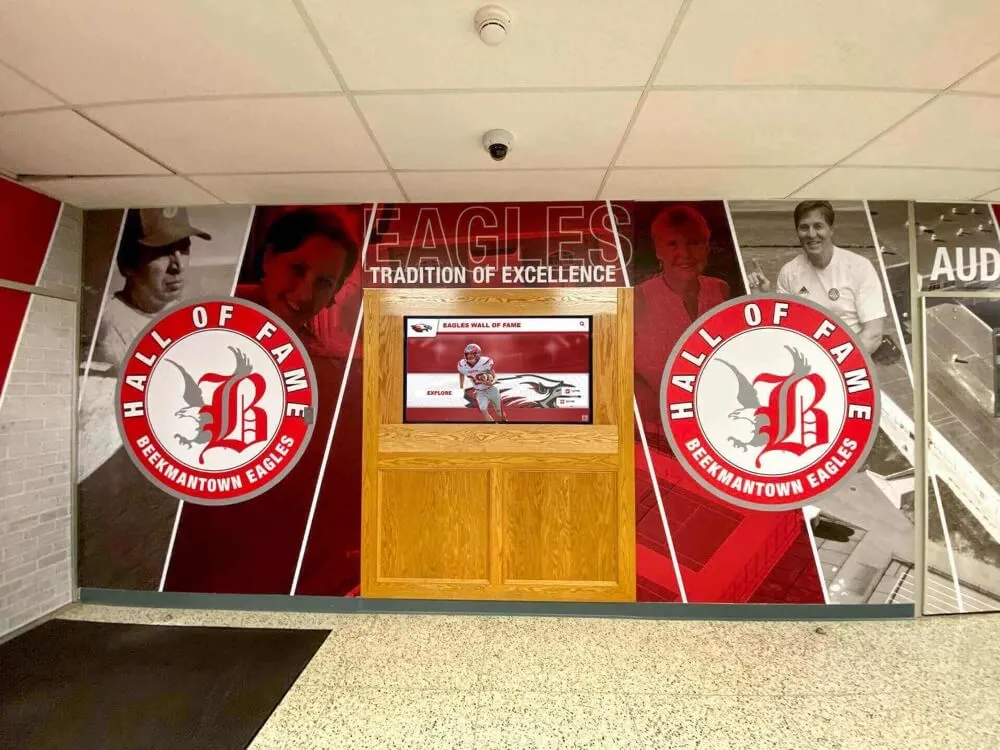
Scalable infrastructure supports growth from single displays to campus-wide recognition networks
Configuration Management
Multi-display environments require consistency:
- Standard hardware packages: Uniform components simplify spare parts inventory
- Configuration templates: Pre-defined settings deploy rapidly to new displays
- Network profiles: Saved connection settings speed installation in different buildings
- Permission structures: Role-based access appropriate for distributed content responsibility
Customer Success assists with architecture planning as organizations expand recognition programs, ensuring new displays integrate cleanly with existing infrastructure.
Real-World Deployment Scenarios
Understanding how full-stack support works in practice helps institutions evaluate fit for their environments.
Scenario: Multi-Building University Athletic Complex
A Division II university deploys six touchscreen displays across three athletic buildings: main gym lobby, field house entrance, aquatic center, training facility, and two locker room corridors. Each location features digital trophy case displays highlighting sport-specific achievements.
Rocket’s approach:
- Site assessment: Teams evaluate each location’s wall construction, power access, and network infrastructure
- Coordinated installation: All six displays installed over two days with minimal facility disruption
- Centralized configuration: Athletic department staff manage all displays from single dashboard
- Sport-specific content: Each location features relevant teams while sharing cross-sport records
- Unified support: Single Customer Success contact for all locations regardless of issue
When a display in the field house experiences touch responsiveness issues three months post-installation, the athletic director contacts Customer Success. Remote diagnostics identify a failing touch sensor. A replacement unit ships overnight, and a technician swaps the panel the following day. Total downtime: less than 24 hours. The athletic director never contacts a hardware manufacturer, researches warranty terms, or coordinates shipping logistics.
Scenario: Multi-Campus School District Implementation
A suburban school district implements recognition displays across five schools: two high schools, two middle schools, and the district administration building. Each location requires school digital signage solutions tailored to building populations.
Rocket’s approach:
- District-wide planning: Central IT department approves network requirements once, applies to all buildings
- Phased deployment: Installations occur during summer break to avoid academic disruption
- Building-specific content: Each school manages local recognition while district showcases system-wide achievements
- Tiered access: Building administrators control local content; district staff manage shared elements
- Fleet monitoring: Customer Success tracks all displays, identifying issues before building staff notice
When network changes during a fall infrastructure upgrade cause displays at three schools to lose connectivity, district IT contacts Customer Success. The support team identifies the configuration change, provides updated network settings, and remotely reconfigures all affected displays within an hour. Building staff never realize there was an issue.
Cost Considerations and Budgeting
Full-stack solutions carry different cost structures than software-only approaches. Understanding these differences helps with capital planning.
Initial Investment Components
Rocket’s package pricing typically includes:
- Hardware: Commercial display, mounting hardware, cables, network equipment
- Installation: Professional technician services, travel, mounting, configuration
- Software licensing: Platform access, admin accounts, feature set
- Initial content: Design services, content migration, template customization
- Training: On-site administrator education, documentation, ongoing webinar access
- Warranty: Multi-year hardware coverage, software updates, Customer Success access
This bundled approach provides predictable costs without surprise bills for components institutions might overlook when self-sourcing hardware.
Ongoing Operating Costs
Annual expenses include:
- Software platform: Subscription or maintenance fees for continued access
- Customer Success: Support services, proactive monitoring, priority response
- Content services: Optional assistance with ongoing updates, redesigns, feature additions
- Utilities: Minimal electricity costs for display operation
- Insurance: Coverage typically included in existing institutional property policies
These ongoing costs remain lower than traditional recognition approaches requiring regular plaque purchases, engraving services, and physical display renovations. Many institutions implementing digital donor walls find ROI through reduced annual recognition expenses within 2-3 years.
Budget Planning Approaches
Institutions structure financing through:
- Capital purchases: Direct acquisition funded through facility budgets or capital campaigns
- Operating leases: Spread costs over 3-5 years with upgrade options at term end
- Grant funding: Equipment purchases supported by donor gifts or foundation grants
- Department cost-sharing: Split expenses across athletics, advancement, and facilities
- Phased deployment: Initial single display followed by expansion as budgets permit
Customer Success teams assist with financial planning, providing detailed quotes that align with institutional budgeting cycles and procurement processes.
Comparison with Alternative Deployment Models
Understanding different vendor approaches clarifies Rocket’s full-stack value proposition.
Software-Only Providers
Vendors offering software licensing without hardware:
Client responsibilities:
- Research and select compatible hardware
- Purchase displays, computers, mounting equipment separately
- Coordinate installation with facilities teams or contractors
- Configure network settings and software installation
- Troubleshoot hardware issues through manufacturer support
- Manage warranty claims and replacement part procurement
Advantages:
- Potentially lower initial software costs
- Hardware flexibility for specific institutional needs
Challenges:
- Coordination overhead across multiple vendors
- Finger-pointing when problems span hardware/software boundaries
- Extended troubleshooting for technical issues
- Staff technical expertise requirements
Hardware-Bundle Resellers
Companies that package third-party hardware with software:
Typical approach:
- Specify hardware requirements
- Dropship equipment to institutions
- Provide installation guides for facilities teams
- Support software issues; redirect hardware problems to manufacturers
Advantages:
- Single purchase order for all components
- Verified hardware compatibility
Challenges:
- Installation remains client responsibility
- Hardware support routed through OEM channels
- Configuration and setup require technical staff
- No single point of contact for system-wide issues
Rocket’s Full-Stack Model
Integrated hardware, installation, and support:
Rocket responsibilities:
- Hardware selection, procurement, and quality assurance
- Professional installation with site assessment
- Complete system configuration and testing
- Ongoing monitoring and proactive maintenance
- Single-point support for all issues regardless of root cause
- Warranty management and hardware replacement coordination
Advantages:
- Turnkey deployment with predictable timelines
- No client technical expertise required
- Simplified troubleshooting and rapid issue resolution
- Long-term partnership with consistent support contact
Investment:
- Higher initial cost reflects comprehensive service delivery
- Predictable total cost of ownership through bundled support
- Reduced hidden costs from troubleshooting time and coordination overhead
For institutions prioritizing uptime and simplified administration, full-stack ownership justifies the investment through operational efficiency.

Reliable systems allow staff to focus on recognition content rather than technical troubleshooting
Implementation Timeline and Project Management
Understanding deployment timelines helps institutions plan launches around key events.
Pre-Installation Planning Phase (2-4 Weeks)
Activities include:
- Contract finalization: Purchase order processing, legal review, payment terms
- Site assessment scheduling: Coordinating facility access for technical evaluation
- Content planning: Defining recognition categories, gathering historical materials
- Network coordination: IT department firewall configuration, port assignments
- Facilities coordination: Scheduling installation windows, identifying electrical needs
Customer Success assigns dedicated project managers who coordinate these activities and maintain communication with institutional stakeholders.
Installation and Configuration (1-2 Days)
On-site work includes:
- Hardware installation: Physical mounting, cabling, power connection (3-5 hours per display)
- System configuration: Network setup, software installation, display calibration (2-3 hours)
- Content deployment: Initial data import, template application, navigation testing (1-2 hours)
- Staff training: Administrator education on content management (2-3 hours)
- Final testing: Verification of all features, issue resolution, acceptance sign-off (1 hour)
For single-display installations, most institutions complete installation in a single day. Multi-display deployments may span 2-3 days depending on locations and complexity.
Post-Launch Support Period (30-90 Days)
Initial operating period includes:
- Content refinement: Adjustments based on initial visitor feedback and usage patterns
- Feature optimization: Customization of layouts, navigation flows, and display settings
- Staff coaching: Follow-up training as questions arise during real-world operation
- Performance monitoring: Intensive tracking to identify potential issues early
- Satisfaction check-ins: Regular communication to ensure institutional expectations are met
This structured onboarding ensures institutions achieve operational proficiency before transitioning to standard ongoing support.
Future-Proofing and Technology Evolution
Hardware investments require consideration of technology lifecycles and upgrade paths.
Component Longevity
Commercial displays typically provide:
- Display lifespan: 50,000-70,000 operational hours (6-8 years at 12 hours daily)
- Touch technology: 35-60 million touches before degradation
- Computer components: 5-7 year useful life with potential for component upgrades
- Mounting hardware: 10+ years with proper installation
These timelines allow institutions to budget for eventual replacements while maximizing current equipment value.
Software Platform Evolution
Rocket’s cloud-based platform enables feature improvements without hardware changes:
- Interface updates: Design refreshes and UX enhancements deploy automatically
- New capabilities: Feature additions like enhanced search, multimedia support, accessibility tools
- Security patches: Ongoing protection against emerging threats
- Performance optimization: Speed improvements and efficiency gains
This separation of software evolution from hardware replacement extends useful life of physical installations. Organizations implementing touchscreen hall of fame solutions benefit from platforms that improve over time without requiring equipment replacement.
Upgrade Paths
When hardware reaches end-of-life, options include:
- Display-only replacement: Swap panels while retaining computers and mounting infrastructure
- Complete system refresh: New generation hardware with improved specifications
- Expansion opportunities: Add displays or features during upgrade cycles
- Trade-in programs: Credit for decommissioned equipment toward new installations
Customer Success teams provide advance notice when hardware approaches recommended replacement timelines, allowing institutions to plan capital expenditures appropriately.
Getting Started with Rocket’s Full-Stack Solution
Organizations interested in touchscreen recognition displays can initiate discussions through:
- Discovery consultation: Discuss recognition goals, facility constraints, and budget parameters
- Site evaluation: Technical assessment of proposed locations and infrastructure
- Proposal development: Detailed project scope, timeline, and investment breakdown
- Reference connections: Introductions to similar institutions using Rocket’s solutions
- Demo access: Hands-on interaction with platform features and interface
The goal is alignment on expectations, scope, and outcomes before commitment, ensuring projects proceed smoothly from contract through launch.

Successful implementations begin with thorough planning and clear scope definition
Conclusion: Hardware Ownership Matters
The distinction between software vendors and full-stack providers becomes apparent during installation challenges and hardware failures. Rocket Alumni Solutions’ decision to own the complete kiosk stack—from display procurement through ongoing support—reflects a commitment to uptime and client success.
When institutions invest in recognition technology, they prioritize engaging experiences for visitors, simplified administration for staff, and reliable operation through events and high-traffic periods. These outcomes require more than software licensing. They depend on professional installation, commercial-grade components, proactive monitoring, and responsive support that owns every aspect of the system.
Organizations evaluating touchscreen display solutions benefit from understanding vendor responsibility boundaries before deployment. Rocket’s full-stack approach eliminates the fragmentation that undermines other implementations, delivering turnkey recognition displays backed by Customer Success teams that own outcomes, not just software licenses.
For institutions ready to implement recognition displays without hardware coordination overhead, warranty complexity, or multi-vendor troubleshooting, Rocket Alumni Solutions provides the comprehensive ownership that transforms technology projects from IT headaches into engaging recognition experiences.
Book a demo to discuss hardware requirements, installation timelines, and support structures for your institution’s recognition program.































