The U.S. Open stands as one of tennis’s most prestigious Grand Slam tournaments, steeped in over 140 years of championship history. From the legendary battles on the courts of Flushing Meadows to the iconic champions whose names echo through generations, preserving and celebrating this rich heritage requires solutions that match the tournament’s world-class standards.
Modern sports venues face a critical challenge: how do you honor decades of athletic excellence while creating engaging experiences for fans who expect interactive, digital-first engagement? Traditional static displays—plaques, printed timelines, and trophy cases—cannot capture the dynamic energy of championship moments or provide the depth of storytelling that modern audiences crave.
This is where Rocket Alumni Solutions transforms sports recognition. By bringing interactive touchscreen technology to elite venues like the U.S. Open, digital recognition displays create immersive experiences that celebrate tennis history, engage visitors of all ages, and preserve championship legacies for future generations.
The evolution of sports recognition reflects broader changes in how we experience and interact with athletic history. Today’s fans don’t just want to read about legendary matches—they want to explore player statistics, watch highlight videos, discover championship timelines, and connect with the stories behind the trophies. Digital recognition displays make all of this possible in a single, engaging platform.

Interactive touchscreen displays bring championship history to life for visitors at world-class sporting venues
The Evolution of Sports Recognition at Premier Venues
Major sporting venues have long struggled with limited space for recognition displays. At tournaments like the U.S. Open, where champions span more than a century, physical space constraints force difficult decisions about which achievements to highlight and which to archive away from public view.
Traditional Recognition Challenges
Historic sports venues commonly face these limitations with traditional displays:
Space Constraints
- Trophy cases can only hold a fraction of championship history
- Wall plaques require expensive renovations to accommodate new champions
- Physical displays compete with revenue-generating retail and hospitality spaces
- Growing historical archives exceed available display capacity
Maintenance Burden
- Annual updates require physical engraving, printing, and installation
- Weather exposure damages outdoor recognition displays
- Vandalism and wear necessitate costly repairs and replacements
- Coordinating updates during active tournament seasons creates logistical challenges
Limited Storytelling Capability
- Static plaques provide only names, dates, and basic facts
- No ability to showcase video highlights or match footage
- Historical context and player stories remain inaccessible
- International visitors face language barriers with text-only displays
These limitations prevent venues from fully celebrating their rich histories while meeting modern visitor expectations for engaging, multimedia experiences.
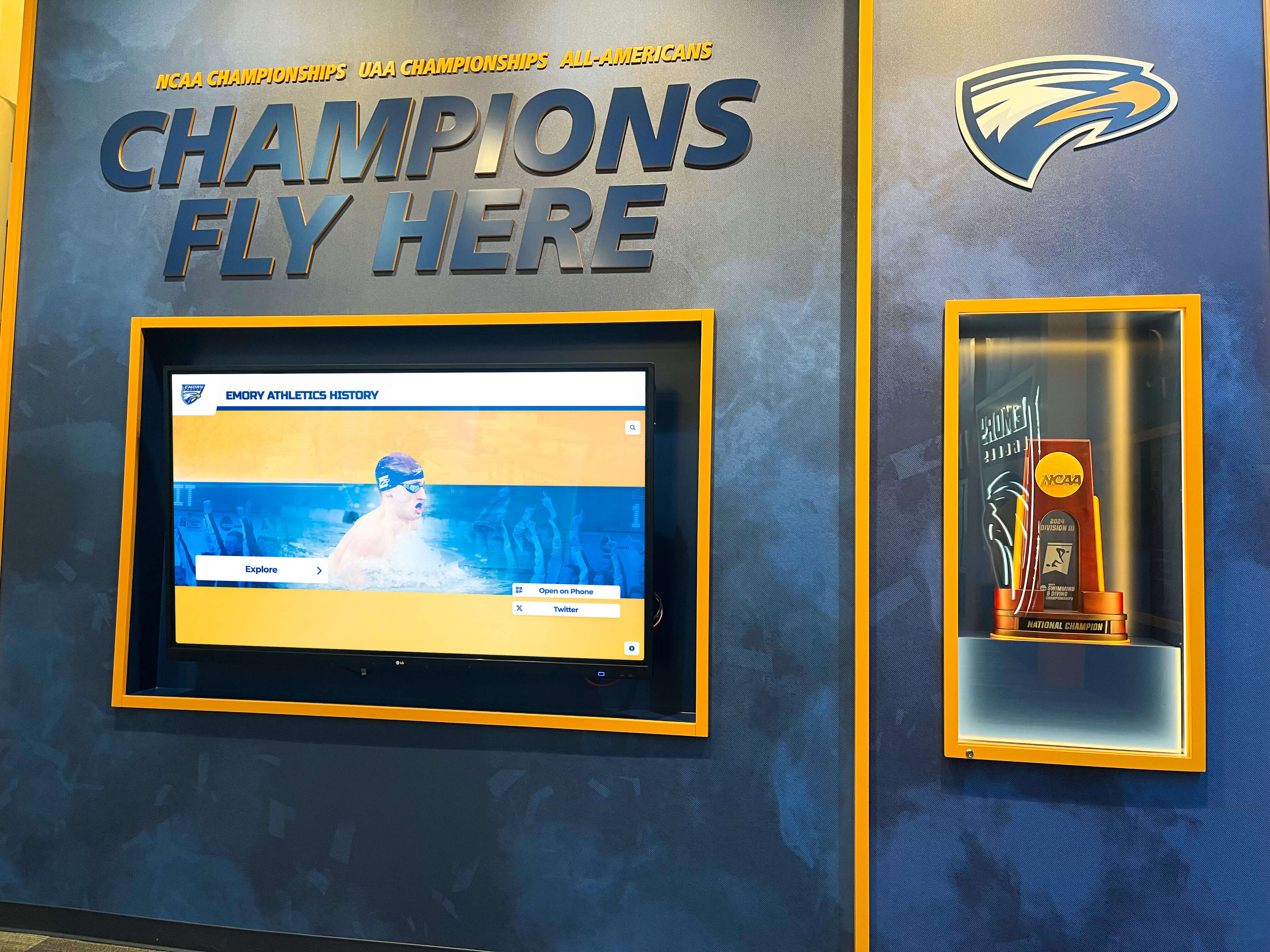
Traditional trophy displays honor champions but offer limited capacity for comprehensive historical recognition
Interactive Touchscreen Technology Revolutionizes Sports Recognition
Digital recognition displays like those from Rocket Alumni Solutions address every limitation of traditional approaches while introducing powerful new engagement capabilities.
Unlimited Recognition Capacity
A single touchscreen display can showcase unlimited champions, matches, and historical moments:
- Comprehensive Archives: Display every U.S. Open champion across singles, doubles, and mixed doubles categories from tournament history
- Detailed Player Profiles: Include career statistics, tournament records, memorable matches, and biographical information for hundreds of athletes
- Historical Timelines: Chronicle tournament evolution from the first championships to present day
- Multiple Sport Recognition: Showcase achievements across various sports and championship levels in unified displays
Solutions like Rocket Alumni Solutions eliminate the “who gets included” dilemma by providing capacity to honor every significant achievement without physical space limitations.
Rich Multimedia Storytelling
Interactive displays transform recognition from static information to engaging experiences:
Video Integration
- Championship match highlights showcasing pivotal moments
- Player interviews and reflections on career achievements
- Historical tournament footage documenting venue evolution
- Behind-the-scenes content revealing training and preparation
Dynamic Visuals
- Photo galleries capturing iconic championship moments
- Interactive statistics comparing records across eras
- Animated tournament brackets showing championship paths
- Before-and-after venue transformations
Searchable Databases Visitors can instantly find:
- Specific players, years, or championships
- Record holders and statistical leaders
- Country-specific champions
- Career head-to-head match results
This multimedia approach creates emotional connections with sports history that static displays cannot achieve. Visitors don’t just learn facts—they experience the drama, skill, and significance behind championship moments.

Interactive displays invite exploration and discovery, transforming passive viewing into active engagement
Key Features of Rocket Alumni Solutions at Elite Sporting Venues
When implemented at venues like the U.S. Open, Rocket Alumni Solutions touchscreen displays provide comprehensive recognition capabilities tailored to championship athletics.
Intuitive User Experience
The interface design prioritizes accessibility for diverse audiences:
- Multi-Touch Gestures: Natural swiping, pinching, and tapping interactions familiar from smartphones
- Large, Readable Text: Clear typography optimized for various viewing distances
- Logical Navigation: Intuitive menus organized by era, championship type, or player
- Quick Search: Instant access to specific champions, years, or records
- Attract Mode: Automated highlight reels draw visitor attention when not in active use
These design elements ensure visitors of all ages and technical abilities can easily explore championship history.
Remote Content Management
Cloud-based administration enables efficient recognition program management:
Instant Updates Tournament organizers can:
- Add new champions immediately after championship matches
- Update player statistics and records in real-time
- Schedule content to appear during specific tournament periods
- Correct information or add details remotely without on-site access
Centralized Control Facilities with multiple displays benefit from:
- Unified content management across all venue locations
- Consistent branding and presentation standards
- Role-based permissions for staff members
- Automated backups protecting historical content
This remote management capability proved particularly valuable during event operations when physical access to displays is limited but recognition needs remain urgent.

Commercial-grade touchscreen systems provide reliable operation during high-traffic tournament periods
Multi-Language Support
International sporting events like the U.S. Open welcome visitors from around the world:
- Automatic Language Detection: Displays adapt to visitor language preferences
- Comprehensive Translations: All content available in multiple languages including Spanish, French, German, Chinese, and Japanese
- Cultural Customization: Date formats, measurements, and conventions adjust appropriately
- Universal Icons: Intuitive symbols supplement text for enhanced accessibility
This multilingual capability ensures all visitors can fully engage with championship history regardless of language background.
Benefits for Sports Organizations and Tournament Venues
Implementing interactive recognition displays delivers measurable advantages beyond honoring athletic excellence.
Enhanced Visitor Engagement
Data from Rocket Alumni Solutions installations demonstrates significant engagement improvements:
- Visitors spend an average of 6-9 minutes interacting with sports recognition displays compared to 30-60 seconds viewing traditional exhibits
- 73% of visitors explore multiple sections or player profiles during single sessions
- Interactive displays generate 4-5x more social media posts and photo shares than static recognition
- Touchscreen kiosks rank among top visitor satisfaction elements in post-event surveys
This extended engagement creates memorable venue experiences that distinguish elite sporting facilities and encourage return visits.
Operational Efficiency
Digital displays reduce ongoing recognition program costs:
Maintenance Savings
- No annual printing, engraving, or fabrication expenses
- Elimination of physical installation labor for updates
- Weather-proof displays require minimal cleaning maintenance
- Commercial-grade components provide 6-8 year operational lifespans
Administrative Time Reduction Tournament staff report 80-90% less time spent on recognition program management after implementing digital solutions compared to traditional display maintenance.
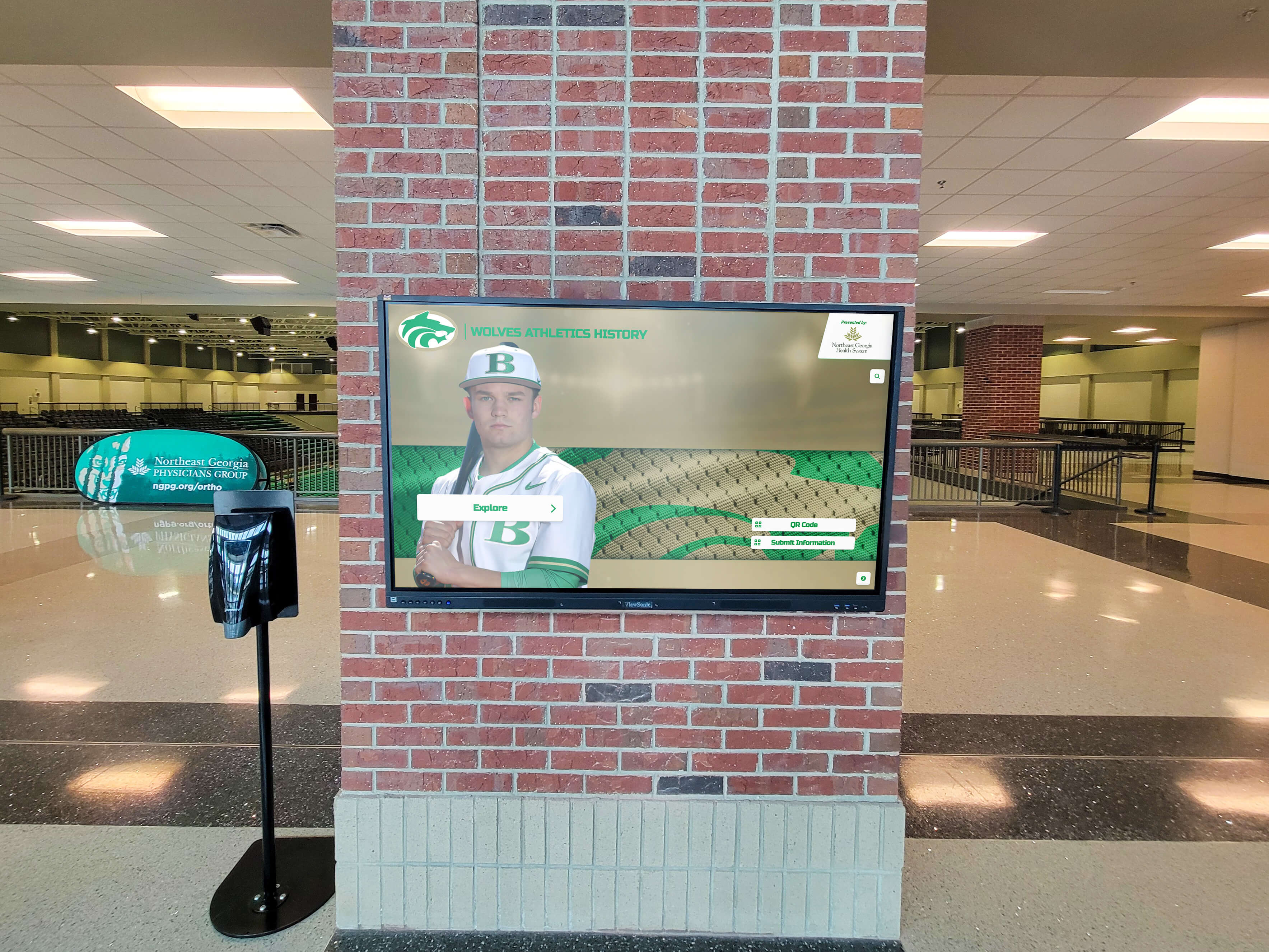
Strategic display placement maximizes visibility while complementing venue architecture and design
Space Optimization
Digital displays deliver comprehensive recognition in compact footprints:
- Single 55-inch display replaces 200-400 square feet of traditional wall plaques
- Freestanding kiosks fit in corridors, lobbies, and concourse areas without renovation
- Vertical mounting options utilize otherwise unused wall space
- Multiple displays can create immersive recognition galleries in premier areas
This space efficiency allows venues to maximize revenue-generating areas while still providing world-class championship recognition. Organizations can explore similar approaches through athletic history displays that showcase comprehensive sports legacies.
Brand Enhancement
Premium digital recognition reflects organizational values and standards:
- Modern touchscreen displays signal innovation and forward-thinking leadership
- High-quality interfaces demonstrate commitment to excellence matching on-field competition
- Interactive experiences create positive associations with organizational brands
- Customizable designs align perfectly with existing brand guidelines and aesthetics
For elite tournaments like the U.S. Open, recognition displays represent more than historical archives—they’re expressions of organizational excellence and attention to detail.
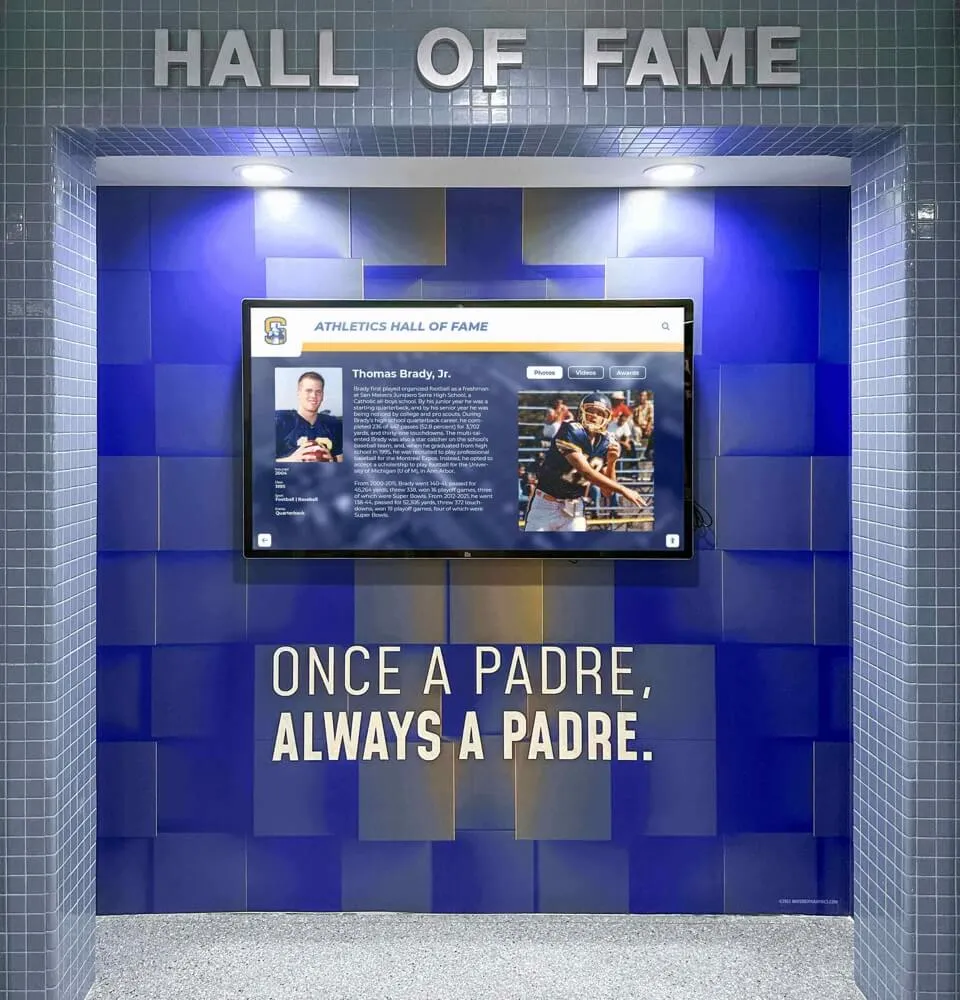
Custom-designed displays reflect organizational branding while creating cohesive venue experiences
Implementation Considerations for Major Sporting Venues
Successfully deploying interactive recognition at premier facilities like the U.S. Open requires careful planning across multiple dimensions.
Strategic Placement Planning
Display location dramatically impacts engagement and effectiveness:
High-Traffic Analysis Optimal locations include:
- Main entrance lobbies where visitors naturally gather
- Corridors connecting seating areas to concessions and facilities
- Hospitality areas where guests have time to explore
- Museum or heritage spaces dedicated to tournament history
- Outdoor plazas and gathering areas during event periods
Sightline Considerations
- Position displays at natural eye level for average adult height
- Ensure adequate clearance for groups to gather without blocking traffic
- Provide appropriate lighting avoiding glare on touchscreens
- Consider viewing angles for wall-mounted versus freestanding installations
Strategic placement ensures maximum visibility and engagement while maintaining smooth visitor flow during crowded tournament periods. Similar principles apply to donor recognition displays in various institutional settings.
Content Strategy and Organization
Thoughtful information architecture makes championship history accessible:
Intuitive Categorization Organize content through multiple navigation paths:
- Chronological: Browse by year, decade, or era
- By Championship: Singles, doubles, mixed doubles categories
- By Country: Explore champions by national origin
- Records and Statistics: Access career leaders and tournament records
- Featured Content: Curated stories highlighting significant moments
Content Depth Balance
- Provide quick overview information for casual browsers
- Offer detailed statistics and stories for passionate fans
- Include progression paths from summary to comprehensive profiles
- Use visual hierarchy guiding visitors through information layers
This multi-path approach accommodates diverse visitor interests from casual tourists to devoted tennis historians.
Technical Infrastructure Requirements
Reliable operation requires appropriate technical foundation:
Network Connectivity
- Dedicated network connection for content updates and management
- Sufficient bandwidth for high-resolution media streaming
- Backup connectivity ensuring operation during network disruptions
- Security protocols protecting display systems from unauthorized access
Power and Environmental Considerations
- Appropriate electrical capacity for commercial-grade displays
- Climate control protecting electronics in outdoor or semi-outdoor locations
- Physical security preventing tampering or damage
- Maintenance access for occasional service and cleaning
Organizations implementing digital recognition should work with experienced providers like Rocket Alumni Solutions who understand these technical requirements and ensure robust, reliable installations.

Proper installation ensures displays integrate seamlessly with venue infrastructure and aesthetics
Engaging Multiple Audiences Through Digital Recognition
Effective sports recognition serves diverse constituencies with varying interests and relationships to championship history.
Tournament Attendees and Visitors
For fans attending the U.S. Open, interactive displays provide:
- Pre-Match Entertainment: Engaging content while waiting for matches to begin
- Educational Context: Learning tournament history and significance
- Player Information: Detailed profiles on current competitors and their historical predecessors
- Photo Opportunities: Memorable interactions to share on social media
- Weather Delay Activities: Entertaining content during rain delays or scheduling changes
These engagement opportunities enhance overall tournament experiences beyond match attendance.
Alumni Athletes and Former Champions
For the athletes themselves, recognition displays offer:
- Career Documentation: Comprehensive records of their achievements and impact
- Legacy Preservation: Ensuring their accomplishments remain accessible to future generations
- Connection Points: Opportunities to revisit and share their championship moments
- Peer Recognition: Context showing their place among tournament greats
- Pride and Satisfaction: Visible appreciation for their athletic excellence
Many champions report that seeing themselves honored in modern, engaging displays provides deeper satisfaction than traditional plaques. Similar recognition approaches benefit various athletic programs through state championship displays and other digital solutions.
Young Athletes and Aspiring Champions
For junior players and tennis enthusiasts, interactive displays provide:
- Inspiration: Tangible examples of excellence to aspire toward
- Educational Value: Understanding what achievements define championship caliber
- Role Models: Accessible information about athletes who blazed trails
- Goal Setting: Visual representation of what success looks like
- Connection to History: Understanding the sport’s evolution and traditions
This inspirational function makes digital recognition particularly valuable for youth development programs and junior tournament events.
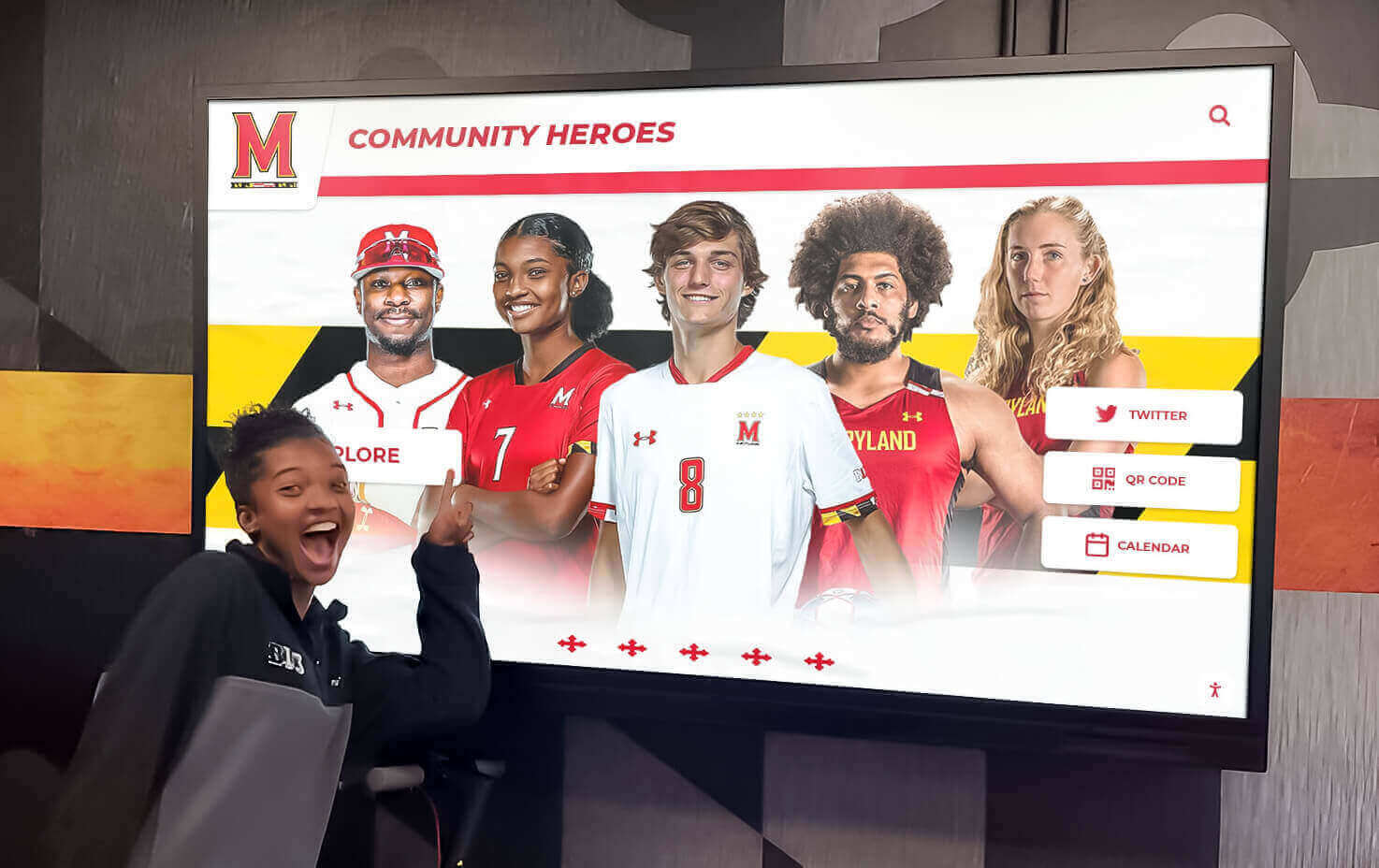
Interactive displays inspire young athletes by showcasing achievement pathways and championship excellence
International Audiences
Tennis’s global appeal requires recognition accessible to worldwide audiences:
- Cultural Inclusivity: Representing champions from diverse national backgrounds
- Language Accessibility: Multilingual content ensuring broad comprehension
- International Statistics: Records and achievements meaningful across regions
- Global Context: Explaining American tennis traditions to international visitors
This international orientation distinguishes tennis recognition from more regionally focused sports and demands flexible, culturally aware display systems.
Beyond the U.S. Open: Digital Recognition Across Sports and Institutions
While implementation at prestigious venues like the U.S. Open demonstrates premium capabilities, interactive recognition technology serves diverse organizations with varying scales and recognition needs.
Professional Sports Venues
Major league stadiums and arenas benefit from:
- Team history and championship recognition
- Player retirement ceremonies and number retirement displays
- Season highlights and memorable moments archives
- Fan engagement during game delays and intermissions
- Revenue opportunities through sponsored content integration
Professional organizations increasingly view digital recognition as essential fan experience elements rather than optional enhancements.
Collegiate Athletic Programs
University athletic departments leverage interactive displays for:
- Multi-sport recognition spanning diverse athletic programs
- Student-athlete academic achievement alongside athletic honors
- Recruiting tools showcasing program excellence to prospective athletes
- Alumni engagement connecting former athletes to current programs
- Fundraising support demonstrating donor impact and inspiring contributions
Many collegiate programs implement digital recognition through platforms explored in digital hall of fame planning guides and related resources.
High School Athletics
Secondary schools increasingly adopt interactive recognition for:
- Comprehensive athlete recognition across all sports and participation levels
- Academic and athletic balance highlighting student-athlete achievements
- Community pride strengthening school identity and spirit
- Alumni connections inspiring current students
- College recruiting support documenting athlete accomplishments
Digital solutions make sophisticated recognition accessible to schools regardless of athletic budget through flexible implementation options. Organizations can learn more about these approaches through 1000 point scorer recognition programs and similar athletic honor systems.
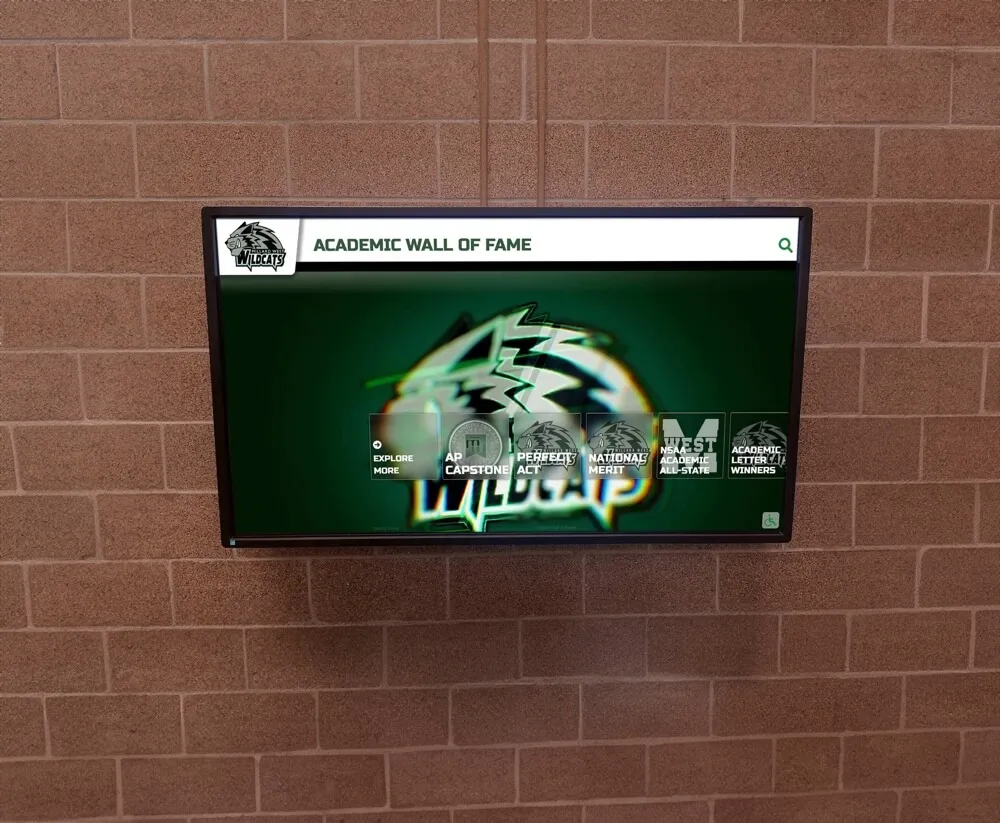
Schools of all sizes implement digital recognition celebrating student-athlete achievements and building community pride
Youth Sports Organizations
Community leagues, club programs, and youth tournaments utilize interactive displays for:
- Season-long recognition motivating participants throughout competition periods
- All-participant inclusion ensuring every athlete receives acknowledgment
- Parent engagement providing accessible documentation of children’s achievements
- Skill progression tracking showing development over time
- Positive reinforcement supporting youth development priorities
These applications extend recognition benefits beyond elite competition to grassroots sports participation.
Measuring Success: Analytics and Engagement Metrics
Modern digital recognition platforms provide data-driven insights demonstrating value and informing continuous improvement.
Quantitative Engagement Metrics
Rocket Alumni Solutions displays track:
Usage Statistics
- Total interaction sessions and unique users
- Average session duration and content depth
- Peak usage times and seasonal patterns
- Most-viewed profiles, championships, or content sections
- Search terms revealing visitor interests
Geographic Data
- Visitor origin through IP analysis for web-accessible displays
- Usage patterns during tournament periods versus off-season
- International versus domestic audience engagement
- Regional interest in specific athletes or championships
Social Media Impact
- Photo shares and social posts featuring displays
- Hashtag usage and online engagement generated
- User-generated content volume and reach
- Sentiment analysis of visitor reactions
These metrics demonstrate ROI and provide evidence for ongoing program investment.
Qualitative Assessment
Beyond numbers, successful recognition generates:
- Visitor feedback and testimonials expressing appreciation for interactive experiences
- Media coverage highlighting innovative recognition approaches
- Peer recognition through industry awards and best practice citations
- Stakeholder satisfaction from athletes, donors, and organizational leadership
- Cultural impact strengthening institutional identity and community connection
Regular assessment combining quantitative data with qualitative feedback enables continuous enhancement ensuring recognition remains engaging and effective.

Group engagement with interactive displays creates shared experiences and facilitates intergenerational storytelling
Technical Considerations and Best Practices
Successful long-term operation requires attention to hardware, software, and maintenance factors.
Hardware Selection
Commercial-grade displays designed for continuous operation provide reliability:
Display Specifications
- Commercial LCD panels rated for 16-24 hour daily operation
- Minimum 1920x1080 resolution (Full HD) with 4K options for premium installations
- Capacitive touchscreens supporting multi-touch gestures
- Anti-glare coatings for varied lighting environments
- Tempered glass protection preventing damage
Mounting and Enclosure
- Weather-resistant enclosures for outdoor or semi-outdoor installations
- Secure mounting preventing theft or tampering
- Cable management maintaining clean aesthetic appearance
- Adequate ventilation preventing overheating
- Accessibility compliance meeting ADA requirements
Software Platforms
Content management systems should provide:
- Intuitive interfaces enabling non-technical staff to manage content
- Flexible templates accommodating diverse content types and layouts
- Media libraries organizing photos, videos, and documents
- Permission systems controlling access appropriately
- Backup and recovery protecting against data loss
- Analytics dashboards presenting engagement metrics clearly
Organizations should evaluate these capabilities during vendor selection to ensure long-term management success.
Maintenance and Support
Ongoing operation requires:
Preventive Maintenance
- Regular screen cleaning maintaining display clarity
- Software updates ensuring security and functionality
- Hardware inspection identifying potential issues early
- Content audits keeping information current and accurate
Technical Support
- Responsive vendor assistance for troubleshooting
- Remote diagnostic capabilities minimizing on-site service needs
- Hardware warranty coverage for component failures
- Training refreshers as staff changes occur
Partnering with experienced providers who offer comprehensive support ensures displays remain operational and effective throughout their lifespan. Institutions can explore similar considerations through resources on touchscreen software for displays and related technical guides.
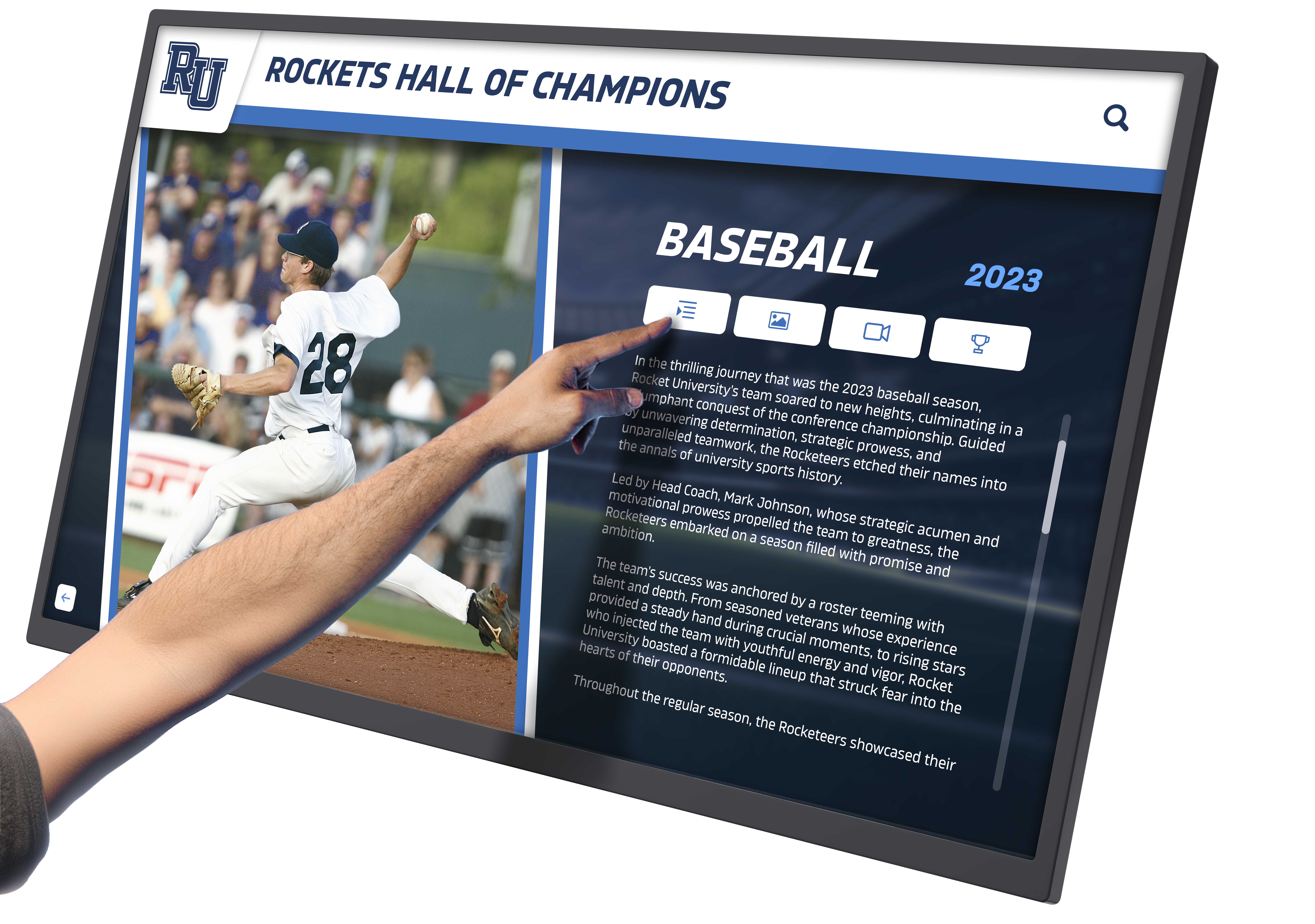
High-quality touchscreen interfaces and thoughtful content design create engaging, intuitive user experiences
The Future of Sports Recognition Technology
Interactive digital displays represent current best practices, but recognition technology continues evolving with emerging capabilities on the horizon.
Emerging Technologies
Future enhancements in development include:
Artificial Intelligence Integration
- Voice-activated navigation enabling hands-free interaction
- Personalized content recommendations based on viewing patterns
- Automated content generation from statistics and match data
- Real-time language translation expanding accessibility
- Facial recognition enabling customized experiences for returning visitors
Augmented Reality Extensions
- Smartphone apps overlaying additional content on physical displays
- Virtual trophy cases visible through AR glasses
- Interactive player comparisons placing historical and current athletes side-by-side
- Immersive match replay experiences
- Virtual photo opportunities with championship backdrops
Enhanced Interactivity
- Gesture control systems enabling touchless operation
- Multi-user simultaneous interaction supporting group exploration
- Gamification elements creating competitive discovery experiences
- Social media integration enabling direct sharing from displays
- Interactive quizzes testing tennis knowledge
These emerging capabilities will further enhance engagement while maintaining the core recognition mission of honoring athletic excellence.
Expanding Applications
Digital recognition will extend beyond traditional athletic contexts:
- Academic achievement recognition in educational institutions
- Donor appreciation displays in nonprofit and cultural organizations
- Employee recognition systems in corporate environments
- Community service honors in civic organizations
- Historical preservation in museums and heritage sites
The fundamental principles—comprehensive digital capacity, engaging interactivity, efficient management, and inclusive accessibility—translate effectively across recognition contexts. Organizations can explore these applications through resources on alumni recognition programs and similar institutional honor systems.
Conclusion: Transforming Athletic Recognition for the Digital Age
The presence of Rocket Alumni Solutions touchscreen technology at premier venues like the U.S. Open represents more than technological innovation—it reflects a fundamental shift in how sports organizations honor excellence and engage audiences. Interactive digital displays transform recognition from static archives into dynamic experiences that celebrate championship history while meeting modern expectations for digital engagement.
For tournament organizers, athletic directors, and sports facility managers, digital recognition delivers measurable benefits across multiple dimensions: enhanced visitor engagement, operational efficiency, space optimization, and brand enhancement. These advantages explain why elite venues increasingly view interactive displays as essential infrastructure rather than optional enhancements.
The technology democratizes sophisticated recognition, making capabilities once exclusive to major professional venues accessible to collegiate programs, high schools, youth organizations, and community leagues. Whether showcasing Grand Slam champions or celebrating youth league participants, the core value remains consistent: honoring achievement in ways that inspire, engage, and preserve legacies for future generations.
Transform Your Sports Recognition Program
Discover how Rocket Alumni Solutions can create engaging, interactive recognition displays that celebrate your athletic achievements and championship history.
Request Your Custom SolutionAs demonstrated at the U.S. Open and implemented across diverse sports organizations, interactive touchscreen recognition represents the present and future of athletic honor systems. The question facing sports programs is no longer whether to adopt digital recognition, but how quickly to implement solutions that serve athletes, engage fans, and preserve championship legacies with the excellence they deserve.
Organizations ready to elevate their recognition programs can explore comprehensive approaches through athletic hall of fame planning resources and begin their transformation journey. Every championship deserves celebration worthy of the excellence it represents—digital recognition ensures those honors endure and inspire for generations to come.
Ready to bring world-class recognition to your sports program? Explore how digital halls of fame can showcase your athletes’ achievements and championship history, or learn more about comprehensive athletic recognition solutions that engage audiences and honor excellence.































