Intent: Demonstrate how interactive touchscreen displays transform high school basketball venues from basic game-day locations into comprehensive recognition hubs that celebrate athletic achievement, engage spectators, and build lasting program legacy.
High school basketball games create natural gathering moments—hundreds of students, families, and community members converge on gymnasiums creating prime opportunities to celebrate athletic excellence and build program tradition. Yet most schools overlook these engagement windows, offering spectators nothing beyond watching the current game while decades of basketball achievement remains hidden in storage boxes or forgotten on dusty plaques.
Interactive touchscreen displays positioned strategically in basketball facilities solve this recognition gap by showcasing player profiles, historical statistics, championship seasons, and memorable moments through engaging multimedia presentations that transform wait times and halftimes into meaningful exploration of program excellence. This guide provides complete specifications, placement strategies, content recommendations, and implementation timelines for athletic directors ready to maximize their basketball venue’s recognition potential.
Basketball represents the heartbeat of many high school athletic programs. Winter game nights fill gymnasiums with school spirit, creating community connections extending far beyond final scores. Forward-thinking athletic directors increasingly recognize that game-day environments should celebrate not just tonight’s team, but honor the decades of players, coaches, and championships that built program tradition.
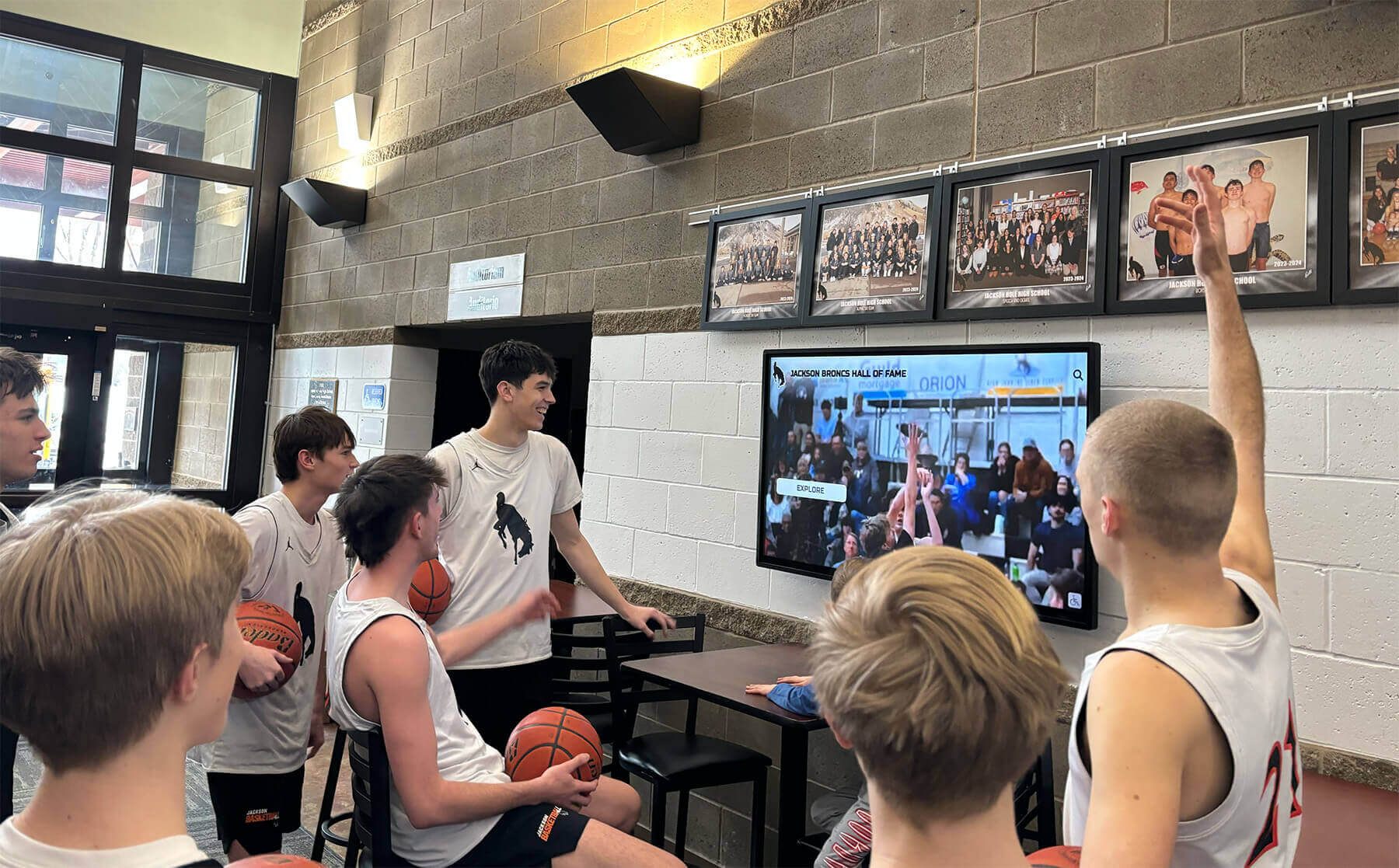
Why Basketball Venues Need Interactive Recognition Systems
Traditional basketball facility recognition typically consists of banner-covered walls displaying championship years, retired jerseys mounted in dusty cases, and maybe a record board listing top scorers from decades past. These static displays serve basic documentation purposes but fail to capitalize on basketball venues’ unique engagement advantages.
The Basketball Venue Recognition Opportunity
Captive Pre-Game Audiences: Spectators arrive 15-30 minutes before games, standing in lobbies or sitting in bleachers with nothing to occupy attention. This represents significant unexplored engagement time when fans would willingly explore basketball program history if presented accessibly.
Halftime Exploration Windows: 8-10 minute halftime breaks create perfect opportunities for fans to stretch legs while exploring interactive displays showcasing program achievements, player statistics, and historical moments they can’t access anywhere else.
Multi-Event Traffic Patterns: Basketball venues host dozens of games annually—varsity and JV contests, boys’ and girls’ teams, youth programs, and community events—generating thousands of visitor interactions over each season with properly positioned recognition systems.
Natural Alumni Gathering Spaces: Basketball games attract alumni returning to watch current teams. Interactive displays positioned in lobbies enable these graduates to find their own profiles, relive their playing days, and introduce their families to their basketball legacy, strengthening alumni connections to programs.
Community Pride Building: Comprehensive recognition visible during well-attended basketball games demonstrates program excellence to community members who may not regularly visit campus, building broader support for athletic programs beyond just current families.
Basketball facilities that only display current game-night activities waste significant recognition and engagement potential. Interactive touchscreen displays transform these venues into comprehensive celebration spaces honoring basketball tradition while engaging modern audiences expecting digital experiences.
Limitations of Traditional Basketball Recognition
Physical championship banners and trophy cases face inherent constraints that interactive systems overcome:
Space Scarcity: Gymnasium walls fill quickly with championship banners. Once wall space reaches capacity, programs face difficult decisions about removing older recognition to accommodate new achievements or leaving recent championships uncelebrated.
Information Limitation: A banner stating “2018 District Champions” provides minimal context. Who played on that team? What was their season record? What memorable games defined their championship run? Traditional static displays can’t answer these questions fans naturally want explored.
Update Complexity: Adding new banners or updating record boards requires contracted labor, expensive printing, and facility access coordination. Most schools update physical recognition once annually at best, meaning current season achievements remain unrecognized until the following year.
Accessibility Challenges: Banners mounted near gymnasium ceilings prove difficult to read from bleacher seating. Trophy cases positioned in dark corridors receive minimal visibility. Physical plaques lack organization enabling visitors to find specific players or seasons efficiently.
Engagement Limitations: Static displays offer no interaction beyond brief viewing. Spectators glance at banners during game breaks but gain minimal understanding of program history depth or individual athlete stories deserving comprehensive recognition.
Maintenance Deterioration: Banners fade, trophies tarnish, and physical displays accumulate dust, creating impressions of neglect rather than pride. Updating aging recognition creates additional expense and coordination complexity.
Solutions like Rocket Alumni Solutions address every limitation while providing capabilities physical recognition cannot match—unlimited capacity, rich multimedia content, instant updates, searchable organization, and engaging interactive experiences appropriate for modern audiences.
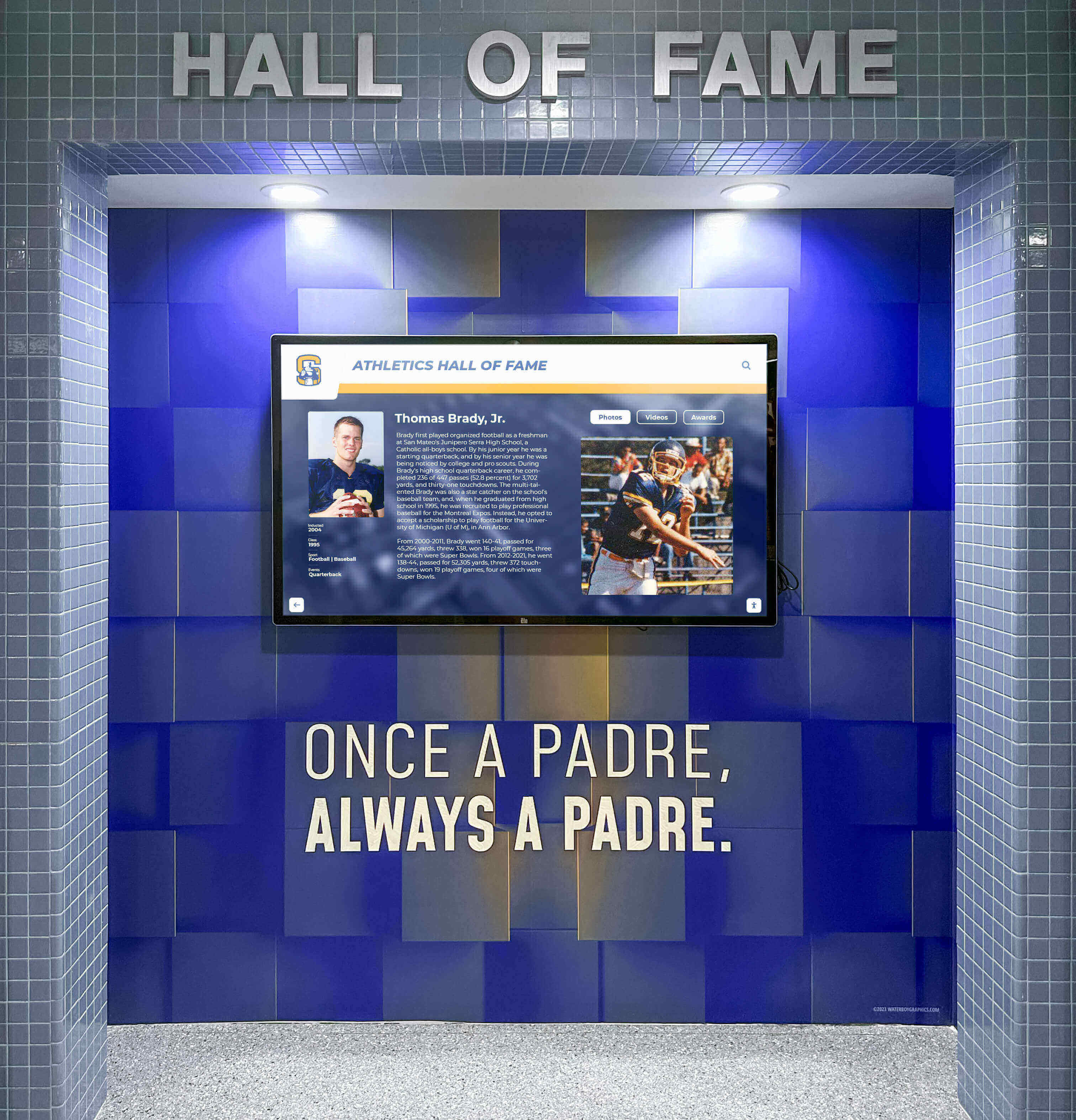
Technical Specifications for Basketball Facility Touchscreens
Athletic directors considering interactive recognition systems for basketball venues should understand essential technical requirements ensuring successful implementation that withstands high-traffic public environments.
Hardware Requirements and Specifications
Display Sizing by Location
- Main lobby installations: 55-65 inch displays ensure visibility across gathering spaces while maintaining intimate viewing for detailed content exploration
- Gymnasium entrance areas: 65-75 inch screens accommodate viewing from bleacher approaches and wider sightlines
- Concourse corridors: 43-55 inch displays suit narrower hallway installations where viewers interact from closer distances
- Coaches’ offices and athletic spaces: 43-50 inch screens provide appropriate scale for office environments and meeting rooms
Calculate display size by measuring viewing distance: the furthest regular viewer should be positioned no more than 2.5 times the screen diagonal measurement for comfortable viewing. A 65-inch display suits viewing from approximately 13 feet away, matching typical gymnasium lobby configurations.
Commercial-Grade Display Panels
Residential televisions lack durability for public athletic facility environments. Commercial displays provide:
- Extended operation ratings: 16-18 hour daily use capabilities versus residential 4-6 hour specifications
- Enhanced brightness: 350-500 nits maintaining visibility in various lighting conditions including bright gymnasium environments
- Ruggedized construction: Industrial-grade internal components designed for continuous public-space operation
- Temperature tolerance: Expanded operating ranges accommodating gymnasium climate variations
- Warranty coverage: Commercial warranties protecting against failures under demanding use patterns
Touchscreen Technology Options
Two primary touch technologies suit basketball facility installations:
Infrared Touch Systems: Infrared grids detect interruption when any object contacts the screen surface. Benefits include working with any touch object (fingers, styluses, gloves), supporting numerous simultaneous touch points enabling group interaction, lower cost for larger screen sizes, and proven reliability in educational environments. Infrared systems feature slightly raised bezels housing sensors—a minor cosmetic consideration for most athletic applications.
Capacitive Touch Systems: Capacitive panels detect electrical conductivity from conductive objects (skin contact or special styluses). Advantages include smooth glass surfaces with minimal bezels, generally more responsive tactile feel, and excellent durability. Capacitive technology costs more for large formats but provides premium responsiveness valued in high-visibility installations.
For most high school basketball facilities, either technology performs adequately—base selection on vendor ecosystem quality, available display sizes, and budget parameters rather than touch technology alone.
Mounting and Installation Considerations
Basketball facility installations require secure mounting preventing tampering while accommodating traffic flow:
- Wall-mounted configurations: Direct wall mounting using commercial-grade VESA brackets provides secure, space-efficient installation for lobbies and corridors
- Freestanding kiosk enclosures: Powder-coated steel enclosures with anchored bases enable placement in open areas without adjacent wall structures
- Recessed wall integration: Custom millwork integrating displays within architectural features creates premium aesthetic presentation for higher-budget renovations
- ADA compliance: Position interactive elements 15-48 inches above floor level with unobstructed forward approach enabling wheelchair accessibility
- Vandal-resistant features: Tempered glass front panels, tamper-resistant mounting hardware, and secured cable management protect against damage

Network Connectivity and Power Requirements
Network Infrastructure Needs
Interactive recognition systems require reliable network connectivity for content management and software updates:
Wired Ethernet (Strongly Preferred): CAT5e or CAT6 cabling provides secure, reliable connectivity ideal for permanent installations. Wired connections eliminate wireless security concerns while ensuring consistent performance regardless of WiFi congestion during well-attended games.
WiFi Connectivity: Dual-band 802.11ac or WiFi 6 capability enables wireless connection when running ethernet proves impractical. Ensure adequate signal strength at installation location and implement appropriate network security protocols isolating public-facing displays from sensitive district networks.
Bandwidth Requirements: Interactive recognition displays consume minimal bandwidth—typically 2-5 Mbps for normal operation with occasional spikes during content updates. Standard school network infrastructure easily accommodates these minimal requirements.
Power and Electrical Specifications
- Power consumption: Large-format displays typically draw 200-400 watts during operation, similar to desktop computers
- Dedicated circuits: Install displays on dedicated 15-amp circuits preventing breaker trips during high-demand events when multiple facility systems operate simultaneously
- Surge protection: Commercial surge suppressors protect against electrical spikes potentially damaging sensitive display components
- Power scheduling: Cloud-based management systems enable automated power-on scheduling for game days with automatic shutdown during non-operational periods, reducing energy consumption
Work with certified electricians for professional installation meeting local electrical codes and district safety requirements.
Software Platform Requirements
Hardware represents only half the implementation equation—software determines whether touchscreen systems create engaging recognition experiences or become expensive equipment students ignore.
Essential Software Capabilities
Purpose-built recognition platforms like Rocket Alumni Solutions provide specialized features generic digital signage lacks:
- Searchable profile databases: Visitors must quickly find specific players across decades of teams through intuitive name search and advanced filtering
- Biographical content organization: Rich player profiles incorporating photos, statistics, achievements, biographical narratives, and video highlights create meaningful recognition beyond basic name displays
- Intuitive touch navigation: Completely self-explanatory interfaces enable casual users—spectators who’ve never seen the system—to successfully explore content without instructions or training
- Cloud-based content management: Athletic staff update displays remotely from any internet-connected device without requiring physical display access or technical expertise
- Template systems: Pre-designed layouts maintain visual consistency while enabling content customization matching school branding and athletic program identity
- Automatic content rotation: When not actively touched, displays cycle through featured content attracting attention and showcasing recognition highlights
- Analytics and engagement tracking: Understanding which content resonates guides future content development through interaction tracking, popular searches, session duration monitoring, and content view patterns
Digital recognition systems specifically designed for athletic applications deliver substantially better experiences than repurposed advertising signage platforms lacking sports-specific features.
Strategic Placement Within Basketball Facilities
Display location determines visibility, engagement rates, and overall program impact. Strategic placement maximizes recognition value while respecting facility traffic patterns and operational requirements.
Primary Lobby Positioning
Main gymnasium lobbies represent optimal locations for flagship recognition installations:
Pre-Game Congregation Areas: Spectators naturally gather in lobbies while waiting for gymnasium doors to open before games. Interactive displays positioned prominently in these gathering spaces provide entertainment and engagement during wait periods that otherwise offer nothing beyond standing around.
High Visibility Central Locations: Mount displays on walls facing main entrance doors ensuring visitors immediately encounter recognition upon entering facilities. This prominent positioning signals that basketball achievement celebration represents institutional priority while maximizing daily exposure.
Adequate Interaction Clearance: Provide 4-6 feet of clear space in front of displays enabling individuals and small groups to interact comfortably without blocking lobby traffic flow. Avoid placing displays in narrow corridors where gatherings create congestion.
Appropriate Mounting Heights: Center display screens 48-60 inches from floor level, placing interactive elements at comfortable standing height for adolescents and adults while maintaining ADA accessibility compliance for wheelchair users.
Gymnasium Entrance Installations
Position secondary displays near gymnasium entry points creating recognition touchpoints at transition moments:
Bleacher Approach Corridors: Narrow hallways connecting lobbies to bleacher seating create natural choke points where spectators pause. Displays in these transition spaces capture attention during entry and halftime movements between gymnasium and lobby areas.
Home and Visitor Entry Vestibules: Dual displays flanking entry doors—one celebrating home team tradition, another showcasing current season highlights—create impressive visual statements while providing content variety encouraging exploration of both displays.
Behind-Bleacher Concourse Areas: For gymnasiums with concourse areas behind bleacher seating, displays positioned along these corridors engage spectators during halftime walks and concession trips without requiring lobby travel.
Athletic Wing Common Areas
Beyond game-day engagement, displays positioned in athletic department areas reach different audiences:
Athletic Director’s Office Lobbies: Displays in administrative areas engage visiting coaches, prospective athletes touring facilities, media members, and athletic department meeting attendees with comprehensive program history presentations building credibility and pride.
Team Meeting and Film Rooms: Secondary displays in spaces where basketball teams regularly meet reinforce program tradition while motivating current players through constant exposure to achievement standards set by previous teams.
Varsity Locker Room Entrances: Displays mounted outside locker rooms where teams gather before practices and games inspire daily through recognition of program legends whose jerseys current players now wear.
Comprehensive recognition strategies implement multiple displays creating recognition presence throughout basketball facilities rather than single isolated installations that many spectators never encounter.

Content Development for Basketball Recognition Displays
Quality hardware and software create recognition potential, but compelling content drives engagement and achieves program objectives. Before installation, develop comprehensive content plans addressing what achievements deserve recognition and how to present them engagingly.
Player Profile Content Components
Individual athlete recognition forms recognition system foundations. Comprehensive player profiles should include:
Essential Biographical Information
- Full name with graduation year
- Jersey number and playing position
- Height and physical attributes when relevant to achievements
- High school career span (freshman through senior years)
- Post-secondary plans including college commitments when applicable
Statistical Achievement Documentation
Basketball statistics provide objective evidence of excellence:
- Career and season point totals with per-game averages
- Field goal, three-point, and free throw percentages
- Rebounds, assists, steals, and blocks per game
- Individual game performance highlights (50-point games, triple-doubles, etc.)
- Career milestones like 1,000-point scorers deserving special recognition
- Basketball records broken or established
Honors and Recognition
- All-conference, all-district, all-region, and all-state selections
- Conference player of the year awards
- McDonald’s All-American or other national recognition programs
- Team captain designations
- Academic all-conference honors
- Sportsmanship awards and character recognitions
Multimedia Content Elements
Text and statistics tell partial stories. Visual content creates emotional connections:
- Action photography showing athletes competing at peak moments
- Team photos documenting rosters and group connections
- Awards ceremony images capturing recognition moments
- Video highlight compilations edited to 60-90 second lengths
- Coach testimonials explaining what made players exceptional
- Personal reflections from athletes about basketball impact
Comprehensive profiles typically contain 400-600 words of text plus 3-5 photos and optional video content, creating recognition depth that honors careers meaningfully rather than reducing athletes to simple name listings.
Team Season Documentation
Beyond individual players, document complete team achievements:
Season Overview Information
- Final record with conference and overall results
- Conference tournament and state playoff performance
- Coaching staff with head and assistant coach recognition
- Team captains and leadership
- Season narrative describing what made the team notable
Complete Roster Presentations
List all team members regardless of playing time, linking to individual player profiles where available. Recognition systems honoring only starters while omitting role players send problematic messages about program values. Every team member contributed to success and deserves acknowledgment.
Statistical Leaders and Awards
Document team statistical leaders in major categories plus all-conference selections and individual awards earned by team members during the season.
Memorable Game Highlights
Describe 3-5 most significant games including rivalry victories, playoff upsets, championship contests, and record-breaking performances with scores, key performers, and brief game narratives bringing seasons to life beyond mere statistics.
Championship Recognition
For championship teams, create comprehensive documentation including tournament bracket results, championship game details, celebration photos, and trophy or banner images preserving these defining program moments permanently.
Historical Content and Program Milestones
Program history content provides context demonstrating how current teams connect to decades of tradition:
Decade-by-Decade Program Overview
Present chronological program history organized by decade, highlighting:
- Coaching tenure timeline showing who led programs across different eras
- Championship season summary listing conference and state titles by year
- Notable individual players who defined each era
- Facility evolution documenting gymnasium construction and renovation
- Conference affiliation changes and competitive context shifts
Career Record Holders
Dedicated displays for all-time program records in major statistical categories create aspirational targets for current players while honoring historical excellence. Present records by category with:
- Record holder name with graduation year
- Record value with context (points per game, career total, single game, single season)
- Year or season when record was established
- Link to record holder’s complete player profile
Coaching Legacy Recognition
Basketball coaches who build sustained excellence deserve comprehensive recognition:
- Career coaching record with win-loss totals and winning percentage
- Championships won and significant achievements
- Coaching philosophy summary and program development contributions
- Notable players coached who achieved exceptional success
- Biographical information and career timeline
- Photos from different coaching career stages
Retired Jersey Recognition
Schools that retire jersey numbers should document these highest honors comprehensively explaining selection criteria, presenting all retired numbers with player stories, and providing historical context about what made these athletes worthy of this exceptional recognition.

Implementation Timeline and Project Planning
Successful recognition system deployment requires strategic planning ensuring all stakeholders understand implementation phases and required actions before displays become operational.
Pre-Implementation Planning Phase (60-90 Days Before Installation)
Needs Assessment and Goal Definition
Begin by clarifying recognition program objectives:
- What specific problems does recognition address (insufficient celebration, limited historical documentation, low alumni engagement)?
- What content categories receive priority (individual athletes, team championships, coaching legacy)?
- What audiences should the system primarily engage (current students, families, alumni, community)?
- How does recognition align with broader athletic department goals?
Clear objectives guide selection decisions and content development priorities.
Budget Development and Funding Identification
Create comprehensive budgets accounting for:
- Hardware costs including displays, mounting systems, and installation
- Software platform fees with implementation setup and annual subscriptions
- Initial content development investment for historical digitization
- Professional photography and videography for ongoing content creation
- Electrical and network infrastructure requirements
- Contingency reserves for unexpected complications (typically 10-15% of total budget)
Identify funding sources including district technology budgets, facility improvement allocations, athletic booster donations, alumni association contributions, and community sponsorship opportunities.
Stakeholder Engagement and Buy-In
Recognition programs succeed when key stakeholders understand and support initiatives:
- Present proposals to athletic directors, principals, and school boards
- Engage coaches in content planning and selection criteria development
- Consult booster organizations about funding partnerships
- Survey alumni about interest in contributing content and supporting initiatives
- Brief facilities staff about installation requirements and maintenance implications
Building broad support prevents implementation delays from unexpected objections while creating advocates who promote systems once operational.
Vendor Selection and Contracting
Research multiple recognition platform providers evaluating:
- Platform capabilities and sport-specific features
- Content management system usability for non-technical staff
- Hardware quality and commercial-grade specifications
- Implementation support and training offerings
- Ongoing technical support reputation and responsiveness
- Reference checks with similar schools using systems
- Total cost of ownership including all hardware, software, and support fees
Request demonstrations enabling staff to evaluate platforms firsthand before committing to multi-year relationships.
Installation and Setup Phase (30-45 Days)
Site Preparation and Infrastructure Installation
Before display delivery, complete necessary facility preparation:
- Electrical circuit installation with dedicated power and appropriate capacity
- Network cabling or WiFi access point installation ensuring connectivity
- Wall preparation including required structural reinforcement for heavy displays
- Millwork or custom mounting fabrication if integrating displays within architectural features
- ADA compliance verification ensuring appropriate clearances and accessible positioning
Coordinate with facilities staff and contractors scheduling work during periods minimizing disruption to athletic schedules and events.
Display Installation and System Configuration
Professional installation ensures proper mounting, connection, and initial configuration:
- Commercial-grade mounting hardware installation with proper wall anchors and seismic protection
- Display mounting with level verification and secure attachment
- Power and network connection with appropriate surge protection
- System software installation and initial configuration
- Touchscreen calibration and responsiveness testing
- Integration with content management platform and cloud services
Schedule installations during summer breaks or extended holiday periods when facilities experience reduced usage allowing adequate setup time without rushing.
Initial Content Population
Systems require substantial content before launch creating engaging experiences:
- Upload 20-30 complete player profiles spanning multiple decades demonstrating depth
- Document 5-10 team seasons with rosters and achievement summaries
- Create 3-5 featured content highlights promoting exploration
- Populate historical timeline with program milestones and coaching information
- Establish basic record board data for major statistical categories
Initial content needn’t be comprehensive but must provide enough depth that visitors find meaningful exploration opportunities validating continued engagement.
Training and Launch Phase (15-30 Days)
Staff Training and Content Development Workshops
Designated content managers require comprehensive training:
- Platform navigation and administrative interface orientation
- Profile creation workflows with template usage and customization
- Media upload procedures including photo optimization and video embedding
- Content scheduling and featured highlight management
- Search engine optimization best practices for profile discoverability
- Analytics interpretation for understanding engagement patterns
Provide written documentation supplementing hands-on training enabling independent operation without constant vendor support.
Soft Launch and Testing Period
Before official announcements, conduct preliminary operational periods:
- Enable displays during regular school days monitoring for technical issues
- Observe student interactions identifying navigation confusion or content gaps
- Gather informal feedback from early users about experience quality
- Test content management workflows ensuring staff can independently update material
- Verify network reliability and system stability under normal conditions
Address identified issues before official launch events creating polished experiences that build positive first impressions and enthusiasm.
Official Launch Event and Promotion
Formal unveiling creates excitement while demonstrating athletic department commitment:
- Schedule launch during well-attended basketball games maximizing visibility
- Invite local media generating coverage and community awareness
- Coordinate with school communications for newsletter features and social media promotion
- Present brief demonstrations showing content depth and navigation features
- Recognize donors or sponsors who funded implementation
- Encourage immediate exploration by students and families present for launch
Successful launches establish recognition systems as valued program additions rather than ignored technology installations.
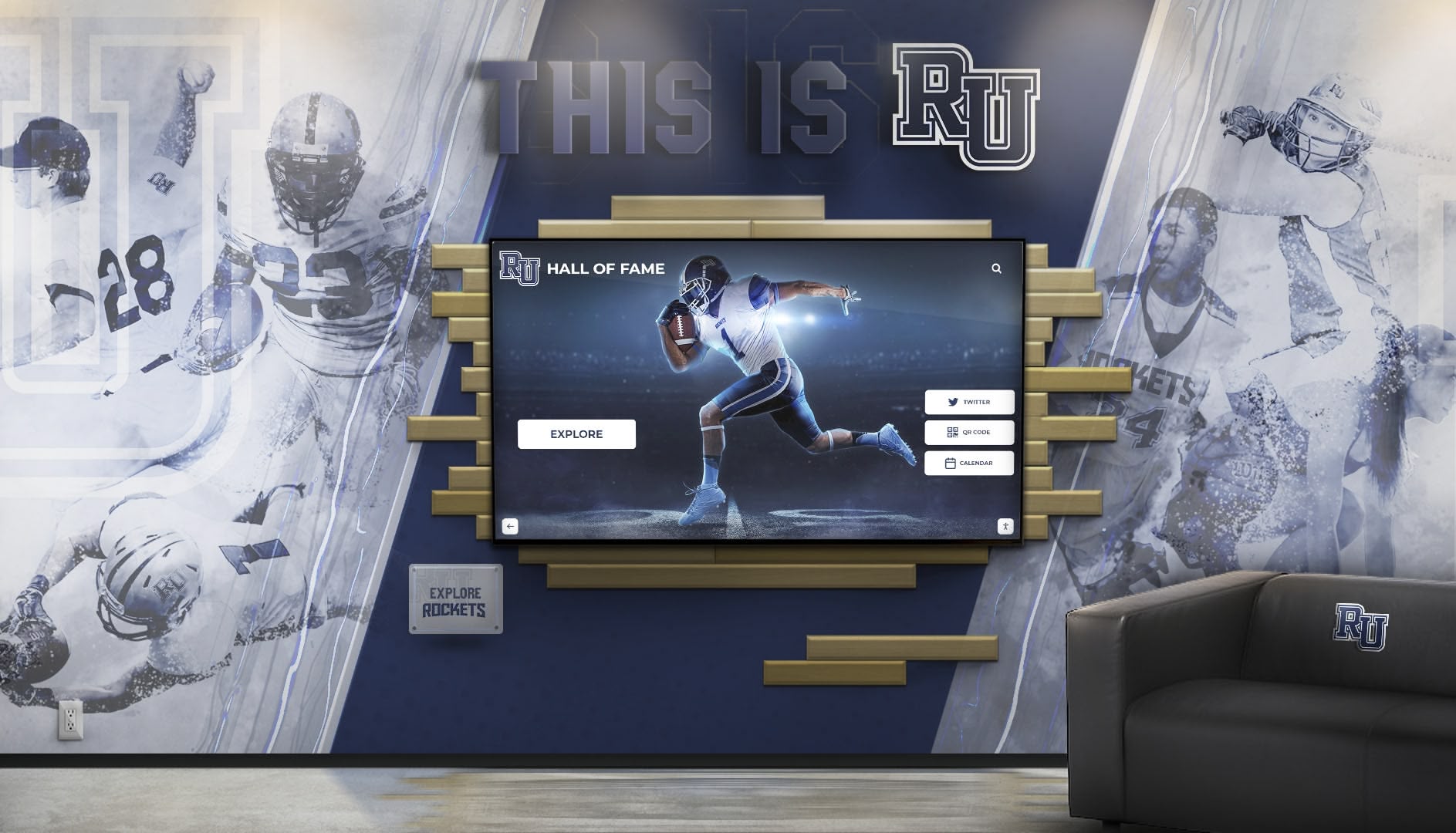
Ongoing Content Management and Program Maintenance
Recognition systems require sustained attention maintaining content currency, expanding historical archives, and ensuring technical reliability.
Sustainable Content Development Practices
Responsibility Assignment
Designate specific individuals for content management:
- Head basketball coaches providing player statistics and achievement verification
- Athletic director oversight ensuring consistent quality and appropriate content approval
- Athletic department secretary or assistant handling data entry and profile creation
- Student media assistants supporting photo editing and content preparation
- Booster volunteers digitizing historical materials and conducting alumni outreach
Clear responsibility prevents assumptions that “someone” will manage content resulting in nobody actually maintaining systems.
Annual Content Development Cycles
Establish predictable workflows integrated with athletic calendars:
- Pre-season: Update current team rosters with biographical information and photos
- Mid-season: Create featured content highlighting current season performances and milestones
- Post-season: Complete comprehensive season documentation with final statistics and achievements
- Summer: Focus on historical content development, alumni outreach, and profile expansion
Rhythmic content cycles prevent overwhelming work bursts while maintaining steady system growth.
Quality Standards and Approval Processes
Maintain consistent presentation through:
- Written style guides defining preferred terminology, formatting, and tone
- Photo specifications requiring minimum resolution and composition standards
- Fact-checking procedures verifying statistical accuracy before publication
- Administrative approval workflows for sensitive content or controversial selections
- Regular content audits identifying outdated material requiring updates
Historical Content Digitization Projects
Expand recognition depth through systematic historical documentation:
- Digitize archived yearbooks extracting player names, photos, and statistics
- Scan old newspaper articles documenting memorable games and achievements
- Interview retired coaches collecting oral histories and program development stories
- Conduct alumni surveys requesting career updates and biographical information
- Digitize trophy inscriptions and award records preserving formal achievement documentation
Dedicate specific periods (summer breaks, volunteer work days) to focused historical projects gradually building comprehensive program archives that generic record-keeping cannot match.
Technical Maintenance Requirements
Routine Maintenance Tasks
Regular upkeep ensures reliable operation:
- Weekly display cleaning using appropriate electronics-safe cleaning products removing fingerprints and smudges
- Monthly touchscreen responsiveness testing identifying degradation requiring attention
- Quarterly software updates implementing new features and security patches
- Annual professional inspection assessing mounting security and internal component health
Schedule maintenance during low-activity periods minimizing display downtime during high-traffic game days.
Troubleshooting Common Issues
Develop basic troubleshooting competencies:
- Display not powering on: Verify power connections, check circuit breakers, test alternate power sources
- Touchscreen unresponsive: Restart system, clean screen surface, verify network connectivity, contact technical support if problems persist
- Content not updating: Confirm network connectivity, verify content management system access, clear browser caches, check scheduled publishing dates
- Software performance degradation: Clear system caches, restart displays, verify adequate storage space, update software versions
Maintain vendor technical support contact information for issues exceeding internal staff troubleshooting capabilities.
Analytics Review and Optimization
Regularly analyze engagement metrics improving content effectiveness:
- Review weekly interaction counts identifying usage trends and popular times
- Examine most-viewed content revealing which athletes and teams resonate most with audiences
- Analyze search queries understanding what information visitors seek but struggle finding
- Assess session duration tracking whether content depth sustains interest
- Compare engagement rates between different locations informing future installation priorities
Data-driven refinements ensure recognition systems remain valuable rather than becoming outdated technology people stop using.
Measuring Recognition Program Success and Impact
Effective programs track meaningful metrics demonstrating value while identifying improvement opportunities.
Quantitative Engagement Metrics
Display Interaction Statistics
Cloud-based systems provide concrete usage data:
- Daily interaction counts: Track total sessions per day revealing overall engagement levels and seasonal trends
- Average session duration: Measure how long visitors spend exploring content indicating depth of engagement
- Popular content identification: Identify most-viewed profiles, teams, and features guiding content development priorities
- Search query patterns: Understand what information visitors seek informing content expansion
- Peak usage times: Recognize when displays receive greatest attention for optimal featured content scheduling
Establish baseline metrics immediately after launch enabling year-over-year comparisons demonstrating sustained value and usage growth.
Web and Mobile Access Analytics
Modern recognition platforms extend beyond physical displays through web accessibility:
- Monitor website traffic to recognition platform pages
- Track geographic distribution of online visitors revealing alumni engagement from distant locations
- Analyze device types used for access (mobile versus desktop) informing responsive design priorities
- Measure social sharing activity indicating content resonating enough to promote voluntarily
- Review referral sources understanding how users discover recognition content
Combined physical and digital analytics provide comprehensive engagement pictures impossible with traditional static displays.
Qualitative Impact Assessment
Numbers reveal usage patterns but qualitative feedback explains recognition value:
Student and Family Testimonials
Gather direct user feedback through:
- Brief surveys positioned near displays asking about experience quality
- Coach conversations with current players about recognition system impact on motivation
- Parent feedback during athletic events about appreciation for recognition comprehensiveness
- Alumni communications describing emotional reactions to discovering personal profiles
- Community member comments about enhanced perception of program excellence
Athletic Department Observations
Track operational indicators suggesting cultural impact:
- Alumni attendance at games potentially influenced by renewed connection through recognition
- Prospective athlete reactions during facility tours showcasing recognition traditions
- Booster organization enthusiasm potentially driven by visible celebration of program support
- Media interest in program history stories discovered through recognition content
- Coaching staff reports about player motivation increases tied to aspirations for future recognition
Program Reputation Enhancement
Monitor broader institutional perception shifts:
- District recognition as model program worthy of emulation by other schools
- Conference and state athletic association awareness of innovative recognition practices
- Grant funding success potentially enhanced by demonstrated commitment to comprehensive athlete recognition
- Recruitment competitiveness improvements potentially supported by visible tradition celebration
Qualitative assessments complement quantitative data creating comprehensive pictures of recognition program value extending beyond simple interaction counts.
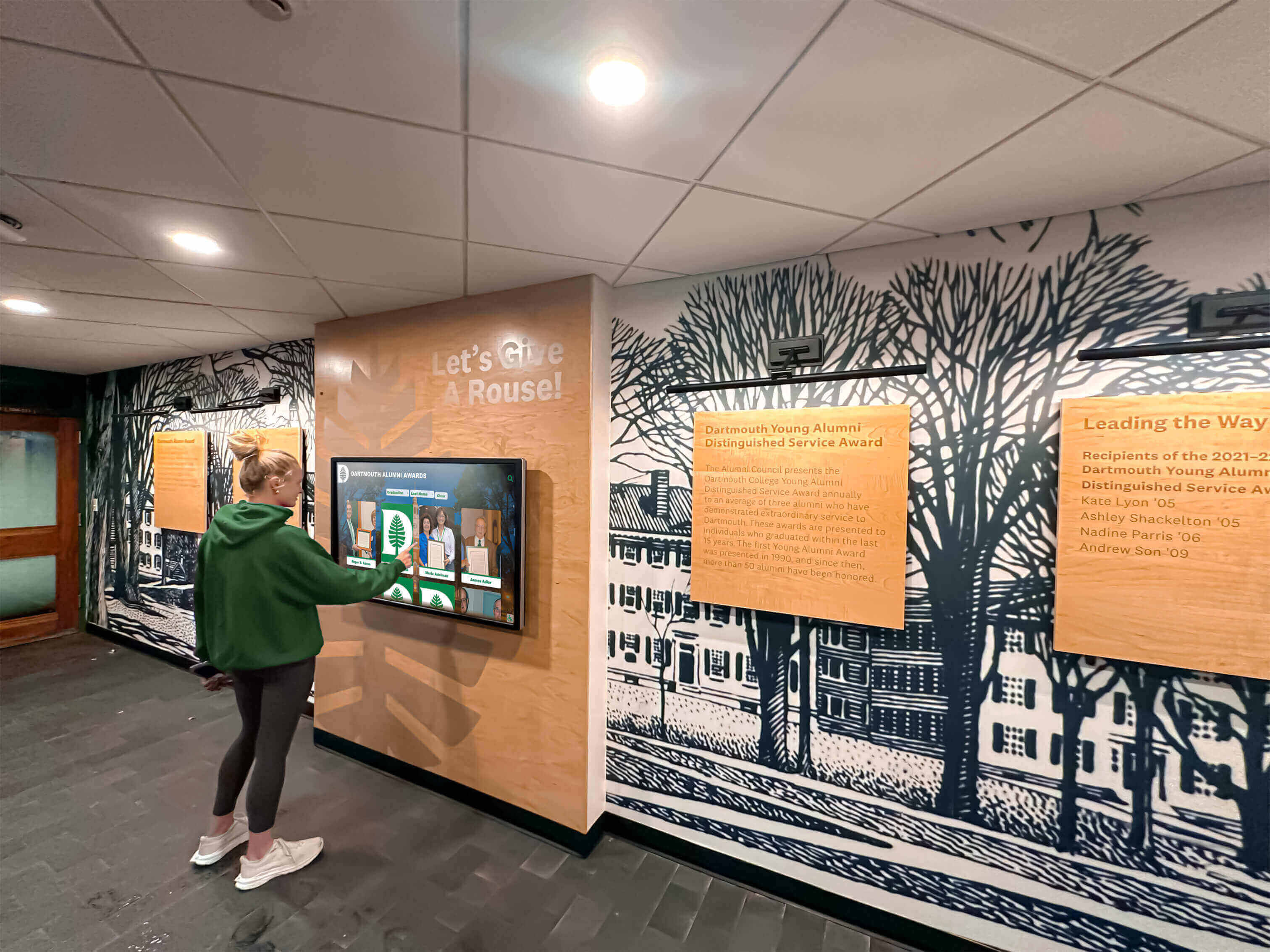
Budget Planning and Return on Investment
Recognition systems represent significant investments requiring financial planning and realistic cost-benefit analysis.
Comprehensive Cost Components
Initial Implementation Investment
Complete project costs include:
Hardware Costs ($5,000-$12,000 per display installation)
- Commercial touchscreen display panel (43-75 inches)
- Mounting hardware and brackets
- Protective glass or enclosure if freestanding kiosk configuration
- Computer components for standalone systems if not using integrated display computing
Software and Platform Fees ($2,000-$5,000 initial setup)
- Platform license and implementation fees
- Initial content management system configuration
- Template customization for school branding
- Staff training and orientation sessions
Installation and Infrastructure ($1,500-$4,000 per location)
- Electrical circuit installation and power connections
- Network cabling or WiFi infrastructure enhancement
- Professional display mounting and system installation
- ADA compliance verification and adjustments
Initial Content Development ($2,000-$8,000 depending on scope)
- Historical research and data collection
- Professional photography for current athletes and teams
- Yearbook digitization and archive scanning
- Initial profile creation for 30-50 athletes
Total initial investment for a single comprehensive display installation typically ranges from $10,000-$25,000 depending on display size, location complexity, and content scope.
Annual Ongoing Costs
Sustainable operations require budgeting for:
- Software subscriptions and cloud platform hosting ($1,500-$3,500 annually)
- Extended warranty coverage ($500-$1,000 annually)
- Ongoing content development including photography ($500-$2,000 annually)
- Technical support and maintenance contracts ($500-$1,500 annually)
- Energy consumption for display operation ($80-$150 annually per display)
Annual costs typically represent 15-20% of initial investment, creating 5-year total ownership costs of $18,000-$42,000 for representative installations.
Cost Comparison to Traditional Recognition
Traditional Physical Recognition Costs
Static championship banners, trophy cases, and plaques accumulate substantial expenses:
- Championship banner design and printing: $200-$500 per banner
- Trophy case construction: $2,000-$8,000 per case depending on size
- Engraved plaques: $50-$200 per individual plaque
- Annual updates requiring ongoing printing and installation labor
- Limited capacity requiring periodic replacement of older recognition to accommodate new achievements
Schools with strong basketball traditions easily spend $2,000-$5,000 annually on traditional recognition updates that provide minimal information, limited capacity, deteriorating presentation over time, and zero interactive engagement.
Digital Recognition Value Proposition
Interactive systems cost more initially but deliver superior long-term value:
- Unlimited capacity: Single display showcases more athletes than $20,000 worth of trophy cases occupying ten times the wall space
- Rich content depth: Multimedia profiles provide information value exponentially exceeding static plaques
- Instant updates: Eliminate ongoing printing and installation labor costs
- Enhanced engagement: Interactive exploration averages 5-7 minutes versus seconds glancing at traditional displays
- Dual-purpose functionality: Systems serve both game-day engagement and daily hallway recognition
Most athletic departments achieve return on investment within 4-6 years through eliminated traditional recognition costs while gaining substantially superior recognition capabilities and engagement impact.
Funding Sources and Strategies
Athletic Department Operating Budgets
Core funding typically comes from:
- Regular athletic department facility improvement allocations
- Technology refresh budgets supporting equipment modernization
- Conference or district grants for innovative program enhancements
Booster Organization Contributions
Athletic booster organizations frequently fund recognition systems as visible projects demonstrating support:
- General booster fundraising proceeds dedicated to facility improvements
- Specific recognition campaign fundraisers highlighting engagement benefits
- Naming opportunities for major donors funding installations
- Memorial contributions honoring deceased coaches or community supporters
Alumni Association Partnerships
Alumni organizations support projects strengthening connections between graduates and programs:
- Alumni engagement initiative funding tied to improved connection opportunities
- Reunion milestone fundraising (25th anniversary, 50th anniversary celebrations)
- Alumni donor recognition integrated within athlete displays
Community and Corporate Sponsorships
Local businesses value association with successful athletic programs:
- Recognition display sponsorships with appropriate business acknowledgment
- Multi-year sponsorship agreements spreading costs across budget cycles
- In-kind donations of professional photography, videography, or installation services
Phased Implementation Approaches
Budget constraints needn’t prevent starting recognition programs:
- Begin with single strategic display in highest-traffic lobby location
- Expand to additional locations after demonstrating initial success and value
- Grow content depth gradually rather than requiring comprehensive historical archives before launch
- Add advanced features (additional displays, enhanced content types) in subsequent budget years
Starting smaller with thoughtful scaling allows programs to begin delivering value while building stakeholder support for continued investment.
How Rocket Alumni Solutions Enables Basketball Recognition Excellence
Purpose-built platforms specifically designed for athletic recognition deliver substantially better experiences than generic digital signage repurposed for sports applications.
Platform Capabilities Addressing Basketball-Specific Needs
Sport-Optimized Templates
Basketball programs require different content structures than other sports. Rocket’s platform provides:
- Player profile templates optimized for basketball statistics and achievements
- Team season pages designed for roster documentation and championship recognition
- Record board formats specifically structured for basketball statistical categories
- Historical timeline presentations appropriate for program chronology
- Coach profile templates highlighting career records and program development
Sport-specific design eliminates extensive customization work required by generic platforms never designed for athletic recognition.
Comprehensive Content Management
Non-technical athletic staff easily manage recognition through:
- Intuitive web-based interfaces requiring no coding knowledge or technical training
- Drag-and-drop photo and video upload with automatic optimization
- Pre-formatted entry fields ensuring consistent presentation
- Bulk import capabilities for historical data from spreadsheets
- Scheduled publishing enabling advance content preparation with automatic future updates
- Mobile access allowing real-time updates from games and events
Systems designed for educational users reduce IT department burden while empowering athletic staff to maintain current, engaging content independently.
Interactive Navigation Features
Visitors explore content through:
- Powerful name search instantly finding specific players across decades
- Graduation year filtering exploring specific eras and class groups
- Achievement category browsing discovering all-state athletes or 1,000-point scorers
- Related content suggestions connecting teammates and contemporaries
- Statistical comparison tools enabling cross-era performance analysis
- Random discovery features encouraging serendipitous exploration
Interactive depth transforms passive viewing into engaging exploration sessions averaging 5-7 minutes—dramatically exceeding brief glances traditional displays receive.
Turnkey Implementation and Ongoing Support
Complete Solution Packages
Rocket provides comprehensive implementations including:
- Commercial-grade touchscreen hardware specified for educational environments
- Cloud-based content management platform with unlimited capacity
- Professional installation and system configuration
- Initial content setup consultation and template customization
- Comprehensive staff training with written documentation
- Ongoing technical support and platform updates
Schools receive fully operational systems without managing complex technology integration themselves.
Proven Success Across 1,000+ Installations
Extensive educational experience provides:
- Refined templates based on hundreds of basketball program implementations
- Tested hardware configurations proven reliable across diverse environments
- Responsive support staff familiar with common athletic department questions
- Continuous platform improvements informed by user feedback and educational trends
- Best practice recommendations drawn from successful programs nationwide
Schools benefit from partner expertise rather than pioneering implementation challenges independently.
Beyond Physical Displays: Web and Mobile Access
Modern recognition extends beyond facility installations:
- Responsive web interfaces accessible from any device worldwide
- Alumni access enabling graduates to explore profiles from distant locations
- Social sharing integration promoting recognition across personal networks
- Mobile optimization ensuring great experiences on smartphones and tablets
- Search engine optimization making program achievements discoverable online
Digital platforms transform recognition from location-limited physical displays into globally accessible celebrations reaching broader audiences than traditional trophy cases ever could.
Conclusion: Transform Basketball Venues Into Recognition Destinations
High school basketball games create natural community gathering moments—hundreds of spectators converging on facilities representing ideal opportunities to celebrate athletic excellence, honor program tradition, and build lasting connections between current teams and the athletes who preceded them.
Traditional static displays barely scratch recognition potential. Championship banners state facts without telling stories. Trophy cases fill quickly, forcing difficult decisions about what achievements deserve limited space. Physical plaques provide minimal information while requiring expensive updates and maintenance creating perpetual budget burdens.
Interactive touchscreen recognition systems solve every limitation while providing capabilities traditional approaches cannot match. Unlimited digital capacity ensures every deserving athlete receives comprehensive recognition. Rich multimedia content brings basketball careers to life through photos, statistics, videos, and biographical narratives. Intuitive touchscreen navigation creates engaging exploration experiences that captivate spectators during pre-game and halftime periods. Cloud-based management enables instant updates celebrating achievements while they’re fresh rather than waiting months for physical updates. Web accessibility extends recognition worldwide, enabling alumni anywhere to reconnect with programs and share profiles across social networks.
Strategic implementation positions displays in high-traffic lobbies and gymnasium entrances where thousands of visitors encounter recognition throughout basketball seasons and beyond. Comprehensive content celebrating individual players, team championships, coaching excellence, and program history creates depth that sustains engagement across repeated interactions. Sustainable management practices integrated with athletic calendars ensure systems remain current rather than becoming outdated archives students ignore.
The question facing athletic directors isn’t whether recognition matters—programs universally value celebrating achievement and building tradition. The question is whether basketball facilities will leverage modern technology creating recognition experiences appropriate for digital-native generations, or continue depending on static approaches that no longer engage contemporary audiences effectively.
Solutions like Rocket Alumni Solutions provide proven platforms specifically designed for high school athletic recognition. Purpose-built features address basketball-specific needs through sport-optimized templates, intuitive content management enabling operation by non-technical staff, engaging interactive navigation creating meaningful exploration experiences, and comprehensive support guiding successful implementation and sustained operation. Schools across the nation have transformed basketball facilities into recognition destinations that honor tradition while inspiring current athletes and engaging broader communities.
Transform Your Basketball Facility
Discover how Rocket Alumni Solutions can help you create engaging recognition displays that honor your basketball tradition while inspiring future athletes and building program pride.
Schedule Your Free TouchWall DemoYour basketball program’s history deserves celebration that matches its significance—recognition that’s comprehensive, engaging, permanent, and accessible to generations of athletes, families, and community members who built and continue building program excellence. The technology exists. The implementation support is available. The only remaining question is whether your program will lead this recognition revolution or continue managing the limitations of traditional approaches that no longer serve modern athletic programs effectively.
Ready to honor your basketball legacy? Explore how interactive touchscreen platforms can transform how you celebrate the athletes, coaches, and teams that built your basketball tradition and inspire those who will carry it forward.































