Small schools often hear they should stick with Google Slides loops or basic digital signage platforms instead of “over-engineered” solutions like Rocket Alumni Solutions. The argument sounds reasonable: if you only need to display a handful of photos, team rosters, and a calendar, why pay for a database-backed content management system with donor tracking, analytics, and structured storytelling?
This guide examines that question from every angle. You’ll see why the “overkill for small schools” claim misunderstands how digital recognition systems work, what costs actually matter, and why structured platforms reduce maintenance burden rather than increase complexity. By the end, you’ll have the decision framework to evaluate whether your school benefits from a lightweight display tool or a comprehensive recognition platform.
The “Overkill” Claim Rests on a False Assumption
When people say Rocket is overkill for small schools, they assume “depth” means “required complexity.” This assumption breaks down immediately when you examine how modern platforms actually work.
Features Don’t Force Complexity
Rocket can operate in simple mode from day one. A small school might use:
- Photo slideshows of championship teams
- Current athletic rosters by sport
- Weekly event calendar
- Basic announcements feed
None of these require touching donor tracking modules, analytics dashboards, or advanced database queries. The platform’s depth exists as capability, not obligation.
Compare this to software you already use. Microsoft Word includes mail merge, macros, XML editing, and dozens of obscure features most users never touch. Yet no one calls Word “overkill” for writing simple documents. The presence of advanced features doesn’t burden basic users—it provides growth capacity.
Digital recognition platforms work the same way. The interface can be curated to show exactly what the school wants. Unused features stay dormant until needed.
The Real Problem: Maintenance, Not Features
Small schools face a different constraint than large schools—not budget alone, but staff time. The typical scenario:
- One administrator manages multiple responsibilities
- Coaches volunteer to update their team pages
- The person who set up the original slideshow graduated three years ago
- Nobody remembers how to fix the playback when it breaks
A Google Slides loop starts simple. Then reality sets in:
Week 1: Athletic director exports 12 slides showing fall sports teams.
Week 8: Football coach emails new photos from homecoming. AD must open Slides, replace images, re-export, and restart playback.
Week 12: Volleyball finishes season. Rosters need updating. Basketball season starts. Calendar changes. Donor recognition for booster club needs to appear.
Week 15: Someone notices a typo on slide 7. AD must find the source file, fix it, re-export the entire presentation, upload to the display device, verify playback works.
Month 6: The display stops working. Nobody remembers which Google account owns the presentation. Password recovery takes two days. Playback resumes with outdated content because nobody wants to update it again.
This isn’t hypothetical. Small schools consistently report that manual content systems fail due to update burden, not technical complexity. The maintenance cost exceeds the initial simplicity benefit within months.
Structured Systems Reduce Labor, Not Increase It
Rocket’s database approach seems like engineering for its own sake until you understand what it prevents:
Single-source updates: Change a team photo once. It updates everywhere that photo appears—roster page, hall of fame, search results, athlete profiles. No finding and replacing instances across multiple slides.
Template consistency: Every athlete profile follows the same layout. No reformatting text boxes or worrying whether fonts match. Content creators focus on information, not design.
Permission workflows: Coaches can update their own teams without accessing other sports’ content. No central bottleneck waiting for the AD to process requests.
Automated validation: The system flags missing photos, incomplete fields, and broken references. Manual systems reveal errors only when someone notices them on the display.
For small schools where one person manages athletics, facilities, and community relations, reducing update time from 45 minutes to 5 minutes matters enormously. The structure isn’t overkill—it’s labor efficiency.
“Just a Few Photos” Never Stays Simple
Schools consistently underestimate content growth. What they think they want differs dramatically from what happens once the system exists.
Year One: Basic Display
The initial request sounds modest:
- Photos of last year’s state championship team
- Current varsity rosters
- Event calendar
Total content: maybe 30 photos, 12 team rosters, one calendar feed. A slideshow handles this fine.
Year Two: Expansion Begins
Once the display exists, requests accumulate:
- Add JV teams (another 12 rosters)
- Include coaches with bios
- Recognize senior night athletes
- Display donor recognition for booster club
- Add historical state championship teams from the 1980s and 1990s
- Link to college placement for recent graduates
Content has tripled. The manual slideshow that took 30 minutes to build now takes 90 minutes to update. Coaches stop sending updates because they know it creates work.
Year Three: System Strain
Accumulated requests continue:
- Add a Hall of Fame for retired jersey numbers
- Create an all-time scoring leaders board
- Add academic recognition (honor roll, National Honor Society)
- Display yearbook photos from past decades
- Add a second display in the elementary building
- Create mobile access so alumni can browse from home
The slideshow model collapses. Updating two displays doubles maintenance. Organizing 200+ photos by hand becomes unsustainable. The display shows increasingly outdated content because nobody has time to manage it.
Year Four: Re-Platform or Abandon
Schools face a choice:
Option A: Abandon the project. Turn off displays or let them show static content that never changes. Common outcome for small schools using manual systems.
Option B: Re-platform to a proper content management system. Requires migrating all content, retraining staff, and justifying a new budget allocation. Painful process that should have happened initially.
Option C: Already using a scalable platform. Simply turn on additional features as needs grow. No migration, no retraining, no budget crisis.
Schools that “keep it simple” initially often end up doing more total work than schools that choose structured systems from the start. The re-platform moment is expensive and disruptive.
The “90% Cheaper” Comparison Is Incomplete
Digital signage tools and Slides loops cost less upfront, but that comparison ignores total cost of ownership. The price delta narrows—and often reverses—once you account for labor, support, and expansion costs.
What the Cheap Alternative Includes
Basic digital signage subscription:
- Playback software: $15-30/month
- Content storage: included in subscription
- Basic scheduling: included
- Technical support: email-based, response within 1-3 business days
Total annual cost: $180-360
What the Cheap Alternative Excludes
Content creation labor: Someone must create slides, format layouts, source photos, verify information. At $30/hour loaded cost for staff time, 10 hours of initial setup costs $300. Monthly updates at 2 hours each cost $60/month ($720/year).
Support and training: When staff transitions occur or technical issues arise, troubleshooting falls entirely on school personnel. No dedicated support means problems persist until someone figures them out.
Expansion costs: Adding a second display requires duplicating content manually. Adding interactive features requires switching platforms entirely. Growth creates rebuild costs.
Reliability issues: Consumer-grade playback devices fail frequently. Displays go dark until someone notices and troubleshoots. Small schools often lack IT staff to resolve issues quickly.
What Comprehensive Platforms Include
Rocket and similar platforms bundle:
- Content management system with templates
- Data onboarding and migration assistance
- Structured workflows and permissions
- Ongoing platform support and training
- Design consultation and layout optimization
- Reliability monitoring and proactive maintenance
- Expansion capacity without platform switching
Total annual cost appears higher initially, but the comparison shifts when support and labor are factored in:
| Cost Category | DIY Signage | Rocket Platform |
|---|---|---|
| Software subscription | $300 | Included in annual fee |
| Initial setup labor (10 hours @ $30) | $300 | Onboarding assistance included |
| Monthly maintenance (24 hours @ $30) | $720 | Template-based updates (6 hours @ $30) = $180 |
| Support incidents (4 per year @ 2 hours) | $240 | Included in support plan |
| Design consultation | $0-500 | Included |
| Year 1 Total | $1,560-2,060 | $1,800-2,400 |
The gap narrows considerably. By year two, when expansion needs emerge or staff transitions occur, comprehensive platforms often cost less than supposedly “cheaper” alternatives once labor and rework are counted.
Maintenance Labor Is the Hidden Cost
Small schools rarely budget staff time accurately. Consider:
Photo sourcing: Coaches send images in inconsistent formats. Someone must request high-resolution versions, crop appropriately, rename files consistently. 30 minutes per batch.
Content accuracy: Verifying names, statistics, dates, and achievements. Cross-referencing sources. 15 minutes per profile.
Layout consistency: Ensuring text fits, images align, fonts match across 50 slides. 45 minutes per major update.
Playback management: Restarting displays after power outages, verifying content shows correctly, troubleshooting when things break. Variable, often 1-2 hours per incident.
For a small school where one person manages all this, time is the scarce resource. Tools that reduce maintenance time justify higher software costs through labor savings.
Small Schools Care About Donor Perception
Budget size doesn’t eliminate the need to impress stakeholders. The recognition display often occupies the most visible hallway, gym entrance, or lobby location. What that display communicates affects donor relationships, alumni engagement, and family perception.
Perception Drives Funding
Small schools depend heavily on community support:
- Booster clubs fund equipment and facility improvements
- Alumni donations support scholarship programs
- Local businesses sponsor teams and events
- Families choose schools partly based on perceived quality
The recognition display contributes to that perception. A polished, professional, easily updated display signals:
- Organizational competence and attention to detail
- Investment in honoring achievements
- Modern approach to community engagement
- Respect for those being recognized
A neglected display with outdated content, broken playback, and inconsistent formatting signals the opposite. Donors notice. Alumni comment. Families form impressions.
Credibility Affects Fundraising
When booster clubs approach potential donors, the school’s existing recognition systems provide evidence of how contributions will be honored. Schools using donor recognition displays demonstrate they can showcase supporters appropriately.
A searchable, maintained, professional display tells donors: “Your contribution will be honored permanently and presented well.” A cluttered slideshow or static plaque wall tells them: “We’ll add your name somewhere if we remember.”
The ROI isn’t in the screen itself—it’s in the credibility and engagement that the screen creates. Small schools can’t afford to project amateurism to the community they depend on for support.
Community Prestige Matters at Every Scale
Large schools with extensive athletics histories have obvious bragging rights. Small schools work harder to build prestige, making recognition systems proportionally more important.
Highlighting achievements well—state tournament appearances, academic honors, community service—elevates how the school is perceived. Parents considering enrollment, athletes choosing schools, and community members deciding whether to support the district all form opinions based on visible indicators of excellence.
Recognition displays are one of those indicators. Making them work well matters regardless of school size.

“No Touch” Doesn’t Invalidate Platform Value
Some small schools don’t want interactive displays. Budget, location, or preference drives them toward non-touch displays that cycle content automatically. This doesn’t mean comprehensive platforms lose value.
Touch Is One Interaction Mode
Rocket and similar platforms support multiple display modes:
Rotation mode: Content cycles automatically on a schedule. Photos, rosters, announcements, calendars appear in sequence. No touch required.
Featured stories mode: Highlight specific achievements, spotlights, or campaigns. Content changes weekly or monthly based on school priorities.
Schedule integration: Display upcoming events, game schedules, or facility calendars. Updates automatically from connected systems.
None of these require touchscreen interaction. The platform’s value comes from centralized management, consistent templates, and easy updates—not from touch capability specifically.
Managed Storytelling Displays
Even without touch, schools benefit from structured content management:
Consistent presentation: Every athlete, team, or honoree appears in the same professional format. No manual slide design.
Easy updates: Change photos, add new content, or fix errors from any web browser. No physical access to the display required.
Multiple display management: Update content once. It appears on all displays automatically. Synchronizes announcements across buildings.
Mobile and web access: Alumni can browse the same content from home. Families can share profiles on social media. The display content extends beyond the physical location.
Small schools using digital signage displays in non-interactive mode still benefit from structured content systems. The platform isn’t overkill just because some features go unused.
Flexibility for Future Needs
Starting with a non-touch display doesn’t preclude adding touch later. Schools commonly:
- Install a rotation display initially
- Add touch capability when budget allows
- Turn on interactive features without replacing the platform
Starting with a scalable system prevents needing to migrate when requirements change.
When the Simple Alternative Makes Sense
To make this analysis honest, let’s identify scenarios where lightweight tools actually fit better than comprehensive platforms.
Small School, Simple Needs, Specific Conditions
The “Slides loop” approach works when ALL these conditions hold:
One display, no expansion planned: You need exactly one screen showing limited content. No plans for additional displays, mobile access, or expanded recognition programs.
Dedicated owner who enjoys manual updates: One person volunteers to manage updates indefinitely. They find the process satisfying, not burdensome. They won’t leave, retire, or burn out.
No structured data needed: You never need to search, filter, sort, or report on content. No analytics about which athletes appear most, which sports get recognized, or how content grows over time.
Display is not strategic: The screen serves a purely functional role—showing schedules and photos. It’s not a donor touchpoint, alumni engagement tool, or community prestige indicator.
Budget is the only decision variable: Cost matters more than maintenance efficiency, future expansion, or staff time savings. The school has excess labor capacity but restricted cash.
If any of these conditions are false, the “overkill” claim weakens.
Practical Example: When DIY Works
Scenario: A school with 150 students wants to display game schedules and team photos in the gym. They have:
- One coach who loves technology and volunteers time
- No plans for expansion or additional features
- Limited budget for capital expenses
- Excess volunteer labor capacity
In this specific case, a Raspberry Pi running simple slideshow software might genuinely fit better than a comprehensive platform. The volunteer enjoys tinkering, time isn’t scarce, and growth isn’t planned.
However, this represents a narrow scenario. Most small schools face different constraints: limited staff time, growth potential, and strategic importance of recognition displays.

The Counter-Argument in One Sentence
Rocket isn’t overkill for small schools because the database and platform depth reduce maintenance burden, prevent future rebuilds, and provide a path from “simple display” to “community engagement tool” without switching systems.
The “overkill” claim focuses on features schools don’t use immediately while ignoring costs they will face inevitably: maintenance time, content growth, staff transitions, and expansion needs.
Structure Prevents Technical Debt
Software engineers use the term “technical debt” to describe shortcuts that create future costs. Choosing simple systems initially accumulates debt:
- Manual processes that must be maintained
- Inconsistent content that must be cleaned up
- Platform limitations that force migration
- Lost institutional knowledge when people leave
Structured systems from day one prevent this debt. The upfront cost is higher, but total lifetime cost is lower.
Depth Enables Optionality
Unused features aren’t waste—they’re options. Small schools gain flexibility:
Start simple: Display basic content initially. Learn the system. Build comfort.
Expand gradually: Add features as needs emerge or budget allows. Turn on donor tracking when fundraising begins. Enable mobile access when alumni request it. Add analytics when administration asks questions about recognition equity.
Respond to opportunities: When a donor offers funding, launch a Hall of Fame quickly using existing infrastructure. When school consolidation happens, merge historical content from multiple buildings without re-platforming.
Options have value even when not exercised immediately. That’s why comprehensive platforms aren’t overkill—they’re insurance against future constraints.
Real-World Implementation for Small Schools
Let’s examine how small schools actually use comprehensive platforms without overwhelming themselves.
Phased Implementation Approach
Smart small schools start small and expand intentionally:
Phase 1 (Months 1-3): Core Display
- Team rosters for current season
- Photo highlights from previous year
- Basic calendar feed
- Simple rotation display, no touch
Staff investment: 10 hours setup, 1 hour/month maintenance
Phase 2 (Months 4-9): Content Expansion
- Add historical state championship teams
- Include coach profiles
- Enable basic search functionality
- Maintain rotation mode, test touch occasionally
Staff investment: 5 hours content migration, 1.5 hours/month maintenance
Phase 3 (Months 10-18): Advanced Features
- Turn on touch for visitor interaction
- Add donor recognition module
- Enable mobile/web access for alumni
- Create Hall of Fame selection process
Staff investment: 3 hours configuration, 2 hours/month maintenance
This graduated approach prevents overwhelming small staffs while building toward comprehensive recognition systems. The platform supports this phasing naturally—features activate when needed, not before.
Minimal Viable Configuration
Small schools can run Rocket in “lean mode” indefinitely:
Content scope: 50-100 profiles maximum. Focus on current achievements rather than comprehensive history.
Update frequency: Quarterly major updates aligned with school year: fall sports (September), winter sports (January), spring sports (April), annual awards (June).
Features used: Photo displays, roster management, basic calendar. Ignore analytics, donor tracking, and advanced reporting.
Staff time: 15-20 hours/year total after initial setup.
This configuration delivers professional presentation and easy maintenance without demanding extensive staff engagement. The platform scales up when the school is ready, but doesn’t require it.
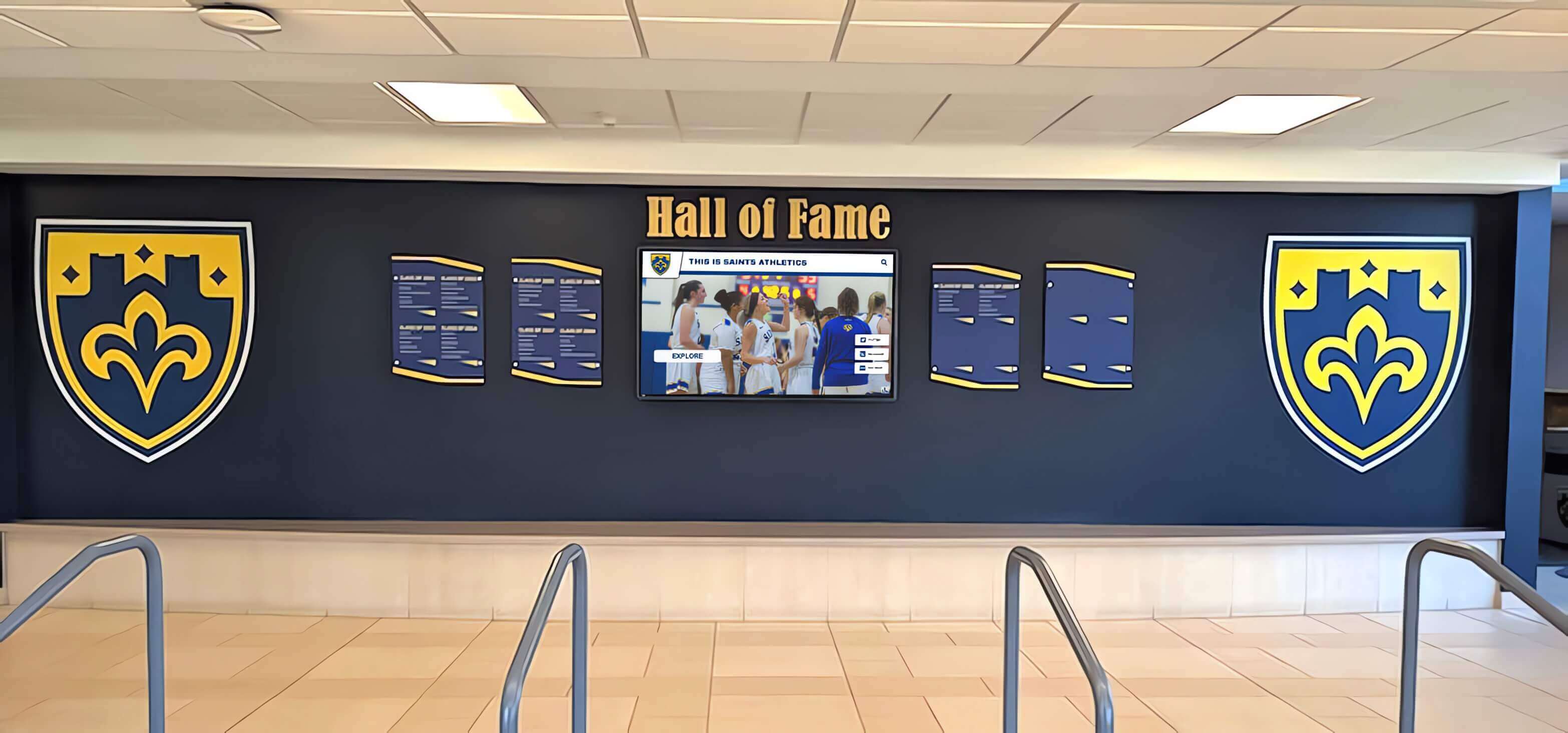
Addressing Common Small School Concerns
Small school administrators express specific reservations about comprehensive platforms. Let’s address each directly.
“We Can’t Afford the Upfront Cost”
Budget constraints are real. However, the comparison should factor labor savings and avoided future costs.
Creative funding approaches:
- Booster club fundraising specifically for the recognition system
- Memorial donor plaques that include recognition display funding
- Grant applications for educational technology upgrades
- Multi-year budget allocation spreading costs across fiscal years
Many small schools using touchscreen recognition displays fund them through community support rather than operational budgets. The display becomes a fundraising opportunity itself.
“We Don’t Have IT Staff to Support It”
Cloud-based platforms eliminate most technical support needs:
No on-site servers: The vendor hosts everything. No equipment to maintain locally.
Remote diagnostics: Problems get resolved without site visits. Vendor support accesses the system remotely.
Automatic updates: Software patches and feature additions happen automatically. No action required from school staff.
Simple troubleshooting: Most issues resolve by power cycling the display or checking network connectivity. Vendor support handles anything more complex.
Small schools without dedicated IT departments successfully operate these systems. The platform’s cloud architecture minimizes technical demands.
“Our Staff Won’t Learn New Software”
Change resistance is common but manageable:
Intuitive interfaces: Modern content management systems resemble familiar tools like WordPress or Facebook. Staff who can post updates to school websites can manage recognition displays.
Comprehensive training: Vendors provide initial training, video tutorials, and ongoing support. Learning curves are shorter than anticipated.
Gradual adoption: One motivated staff member starts. Others observe and learn. Adoption spreads organically rather than through forced training.
Template-driven workflows: Staff fill in fields rather than designing from scratch. Reduced creative burden means less to learn.
Schools report that resistance fades once staff experience how much easier updates become compared to manual systems.
“We’ll Never Use Most of the Features”
Unused features don’t create problems. They’re simply there when circumstances change.
No ongoing cost for unused features: You don’t pay extra for capabilities you ignore. The platform includes comprehensive tools at one price.
Interface hides complexity: If you don’t use donor tracking, those screens never appear in your workflow. Unused features stay invisible.
Flexibility as insurance: When leadership changes, priorities shift, or opportunities arise, existing platform capacity means you can respond quickly.
Think of unused features like safety equipment you hope never to need. Their value lies in availability, not utilization.

Comparing Total Cost of Ownership: 5-Year Analysis
To make informed decisions, small schools need realistic cost projections that include all factors, not just sticker prices.
DIY Slideshow Approach (5 Years)
| Cost Category | Year 1 | Years 2-5 | Total |
|---|---|---|---|
| Digital signage subscription ($25/month) | $300 | $1,200 | $1,500 |
| Setup time (10 hours @ $30) | $300 | - | $300 |
| Monthly maintenance (2 hours @ $30) | $720 | $2,880 | $3,600 |
| Major updates (8 hours/year @ $30) | $240 | $960 | $1,200 |
| Troubleshooting (4 incidents/year, 2 hours @ $30) | $240 | $960 | $1,200 |
| Staff transition training | - | $300 | $300 |
| Platform migration (if needed) | - | $2,000 | $2,000 |
| 5-Year Total | $1,800 | $8,300 | $10,100 |
Comprehensive Platform (5 Years)
| Cost Category | Year 1 | Years 2-5 | Total |
|---|---|---|---|
| Platform subscription | $2,400 | $7,200 | $9,600 |
| Onboarding assistance | Included | - | Included |
| Monthly maintenance (0.5 hours @ $30) | $180 | $720 | $900 |
| Major updates (2 hours/year @ $30) | $60 | $240 | $300 |
| Troubleshooting | Included | Included | Included |
| Staff transition training | Included | Included | Included |
| Platform migration | - | - | - |
| 5-Year Total | $2,640 | $8,160 | $10,800 |
The comprehensive platform costs $700 more over five years—about $12/month—while delivering:
- Reduced maintenance burden (75% less staff time)
- Professional support and training included
- No migration risk or cost
- Expansion capacity without re-platforming
- Superior presentation quality
When labor savings are factored accurately, cost differences shrink dramatically. The “90% cheaper” claim doesn’t survive realistic analysis.
Decision Framework: What’s Right for Your School?
Small school administrators can use this framework to evaluate whether comprehensive platforms or simpler tools fit their specific situation.
Score Your School’s Needs
For each factor, assign 0 (not applicable), 1 (somewhat applicable), or 2 (strongly applicable):
Growth and Expansion
- We anticipate adding more content over the next 2-3 years
- We might add additional displays in other buildings
- Our community often requests new recognition categories
- Our athletics programs are growing in size or success
Staff and Resources
- Staff time is limited and valuable
- The person managing updates has other significant responsibilities
- We experience staff turnover and need easy knowledge transfer
- We lack dedicated IT support
Strategic Importance
- Our display location is highly visible to visitors
- Donor and alumni engagement is important to our fundraising
- Community perception matters for enrollment and support
- We want recognition to reflect positively on school quality
Content Needs
- We have decades of history to potentially include
- We want to showcase detailed achievements, not just names
- Search and filtering would help visitors find specific people
- Mobile/web access would serve our alumni community
Total Score:
- 0-5 points: Simple tools probably fit well. Growth is limited, resources are available, strategic importance is low.
- 6-11 points: Mixed scenario. Consider comprehensive platform if budget allows, but simple tools might work.
- 12-16 points: Strong candidate for comprehensive platform. Multiple factors favor structured systems.
This framework replaces “Is Rocket overkill?” with “What does our specific situation require?”
Red Flags for Simple Systems
Certain situations make simple approaches risky regardless of budget:
Staff turnover expected: Manual systems lose institutional knowledge when people leave. Structured platforms document processes.
Multiple sports/programs: Coordinating updates across many teams creates complexity that manual systems handle poorly.
Community fundraising active: Donor recognition needs professional presentation. Simple slideshows don’t inspire confidence.
Historical content exists: Incorporating decades of photos and achievements overwhelms manual processes.
Multi-site operations: Managing content across buildings requires centralized systems.
If any of these red flags apply, comprehensive platforms deliver value that justifies cost.

Future-Proofing Small School Recognition
Technology decisions made today affect operations for years. Small schools should consider what happens over the system’s lifespan.
Scenarios That Break Simple Systems
School consolidation: Merging with another district requires combining recognition content. Manual systems make this painful.
Building renovation: New construction creates opportunities for expanded displays. Scalable platforms accommodate growth easily.
Anniversary milestones: Centennial celebrations or major anniversaries drive historical content projects. Structured systems handle archival material better.
Leadership transitions: New administrators often want to enhance recognition programs. Platform capacity enables their initiatives without rebuilding.
Community campaigns: Capital campaigns, booster fundraising, and donor recognition needs emerge unpredictably. Flexible systems respond to opportunities.
Schools using digital recognition systems adapt to these scenarios without crisis. Schools using manual systems face either expensive migrations or abandoning projects.
The Re-Platform Cost Nobody Budgets For
When simple systems fail, schools face hidden costs:
Content migration: Manually moving hundreds of photos and profiles to new systems. 20-40 hours of work.
Staff retraining: Learning entirely new tools. Lost productivity during transition.
Credibility gap: Period where displays are dark or show outdated content during migration.
Budget justification: Explaining why the initial system failed and additional investment is needed.
These costs often exceed the original savings from choosing simple systems. Schools that “pay a bit more initially” avoid paying much more eventually.
Platform Longevity Matters
Vendors matter as much as platforms. Small schools should evaluate:
Financial stability: Will this vendor exist in five years? Startups offer innovation but carry risk.
Client base: Do they serve hundreds of schools, providing stability through scale?
Support quality: Do existing customers report responsive, helpful support?
Development investment: Is the platform actively improved, or has it stagnated?
Schools don’t just buy software—they buy ongoing relationships. Choose vendors whose stability and support justify dependence.
Validation Checklist: Before You Decide
Use this checklist to confirm you’ve thoroughly evaluated options:
Requirements Documented
- Content volume estimated (current and 3-year projection)
- Update frequency defined (weekly, monthly, quarterly)
- Staff time availability calculated (hours/month available)
- Display locations identified (current and potential future)
- Strategic importance assessed (functional vs. donor touchpoint)
Cost Analysis Completed
- Hardware costs identified for all options
- Software/subscription costs calculated over 5 years
- Labor time priced accurately ($30-40/hour loaded cost)
- Support and training costs included
- Migration risk factored into simple system cost
Vendor Evaluation Performed
- Demo systems tested (not just watched videos)
- Reference checks completed (2-3 comparable schools)
- Contract terms reviewed (exit clauses, data portability)
- Support response times documented
- Upgrade path and future costs clarified
Stakeholder Input Gathered
- Athletic director input on content needs
- Administrator approval of budget allocation
- IT/facilities consultation on technical requirements
- Booster club feedback if they’re funding contributors
- Sample shown to staff who will manage updates
This validation prevents decisions based on incomplete information or misconceptions about what systems require.
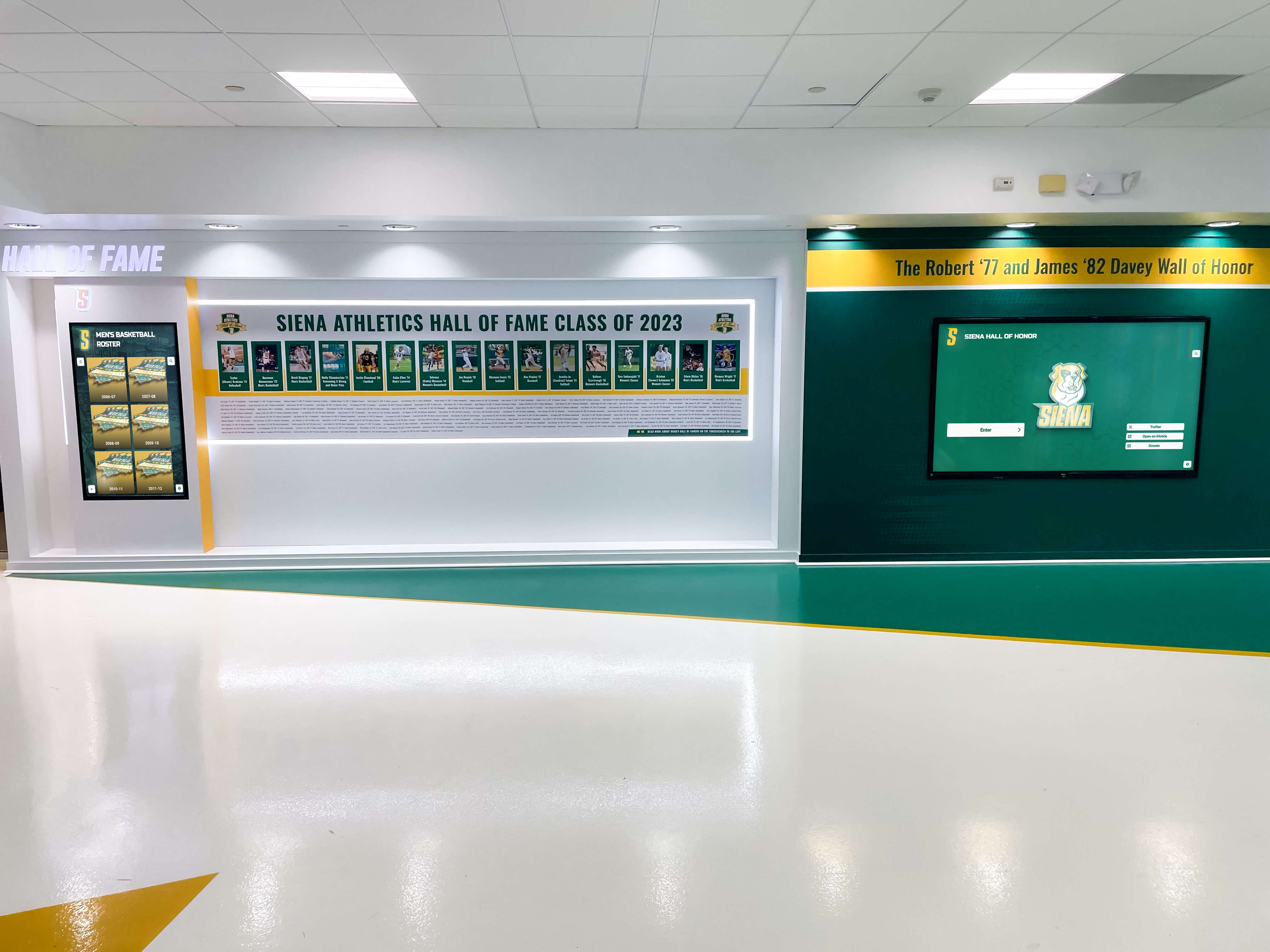
Implementation Best Practices for Small Schools
Small schools successfully implementing comprehensive platforms follow specific patterns that maximize value while controlling costs.
Start with Minimum Viable Content
Don’t try to digitize 50 years of history immediately. Launch with:
Current year: Present team rosters, recent photos, active programs Recent history: Previous 3-5 years of major achievements Historic highlights: State championships and major milestones only
Add historical depth gradually as time permits. The platform accommodates growth, so there’s no rush to complete everything initially.
Establish Sustainable Workflows
Create processes that work long-term:
Annual review cycle: Schedule content updates during consistent times (end of school year, before homecoming)
Distributed ownership: Coaches submit their own team updates using simple forms
Quality standards: Define minimum photo resolution, required fields, and naming conventions
Backup administrators: Train 2-3 people, so updates continue if someone is unavailable
Sustainable workflows matter more than comprehensive initial content.
Leverage Vendor Support
Comprehensive platforms include support for reasons—use it:
Initial content development: Many vendors offer onboarding assistance. Take advantage.
Troubleshooting: Don’t waste staff time debugging. Contact support immediately when issues arise.
Feature training: When you’re ready to use new features, request focused training sessions.
Annual check-ins: Schedule periodic reviews with vendor account managers to optimize usage.
Small schools that treat vendor relationships as partnerships get more value than schools that minimize interaction.
Communicate Progress and Value
Build stakeholder support by showcasing results:
Launch celebrations: Host ribbon-cutting events that highlight the new system
Regular updates: Share statistics about content growth, usage, or engagement
Donor recognition: When fundraising contributors are honored digitally, publicize it
Alumni engagement: Promote web access to historical content, driving traffic and interest
Demonstrating value ensures continued support and budget allocation.
The Small School Advantage
Paradoxically, small schools sometimes benefit more from comprehensive platforms than large schools do.
Faster Implementation
Large schools face bureaucracy: committees, approval chains, competing priorities. Small schools often move faster:
- Fewer stakeholders to align
- Simpler approval processes
- More flexible budget allocation
- Closer community connections
This speed advantage means small schools can implement comprehensive systems more smoothly despite resource constraints.
Tighter Community Connections
Small schools know their communities intimately:
- Administrators personally know honored athletes
- Alumni connections remain strong across generations
- Booster clubs actively engage with school leadership
- Family relationships span multiple students and programs
This closeness makes recognition systems more impactful. When the hall of fame includes personal stories, small schools tell them better. When donor relationships drive funding, small schools steward them more effectively.
Proportionally Greater Impact
A new recognition system represents a larger upgrade for small schools than large ones:
- Going from nothing to something is more noticeable than upgrading existing systems
- Community size means everyone sees and discusses new installations
- Donor visibility is higher when contributor pools are smaller
- Pride and prestige gains matter more when starting from lower baseline visibility
Small schools using school recognition displays effectively often generate more relative community impact than large schools making similar investments.
Moving Forward: Your Next Actions
Small school administrators who have read this guide should now understand why comprehensive platforms aren’t inherently overkill. Your immediate next steps:
Score your school using the decision framework provided earlier, identifying which factors apply to your situation.
Calculate realistic costs using the 5-year analysis approach, including labor time at accurate rates.
Identify your constraints honestly: Is budget truly limiting, or is it staff time, technical uncertainty, or risk aversion?
Request specific demos from vendors, testing with your actual content needs and staff capabilities.
Check references from schools similar in size and resources, asking specifically about maintenance burden and staff time.
For small schools seeking to honor achievements, engage alumni, and recognize community support without overwhelming limited staff resources, comprehensive platforms deliver value that justifies their cost. The question isn’t whether Rocket is overkill—it’s whether structured systems reduce your workload while improving your results.
See How Rocket Works for Small Schools
Rocket Alumni Solutions understands the unique constraints and opportunities small schools face. Our platform scales to your needs—start simple and expand when you're ready, or launch with comprehensive features from day one. Either approach works because the system adapts to your capacity and priorities.
We provide small schools with the same enterprise-grade platform used by large districts, but with implementation plans, training approaches, and support structures designed for limited staff and budgets. Our team helps you define minimum viable configurations, establish sustainable workflows, and grow recognition programs at your pace. Schedule a demonstration to see how Rocket prevents maintenance burden while delivering professional recognition that honors your community.
Frequently Asked Questions
How much staff time does Rocket actually require after initial setup?
Small schools typically report 1-2 hours per month for routine updates once the system is configured and initial content is loaded. This includes adding new team photos, updating rosters, and posting announcements. Major annual updates (adding championship teams, year-end awards, honor roll recognition) require 4-6 additional hours. The total annual time investment averages 20-30 hours, compared to 60-100+ hours for manual slideshow systems managing equivalent content. The time savings comes from template-driven workflows, single-source updates, and eliminated design work.
Can we start with basic features and add more complex ones later?
Yes, this is the recommended approach for small schools. Launch with simple rotation displays showing photos and rosters. As staff gain comfort and capacity increases, activate additional features: turn on touch interaction, enable search functionality, add donor recognition modules, create mobile access. The platform’s modular architecture supports graduated adoption. Many small schools operate in “lean mode” for 6-12 months before expanding feature use, and some remain at basic levels indefinitely. The depth exists when you need it, but doesn’t force complexity prematurely.
What happens if the person managing our display leaves?
Comprehensive platforms handle staff transitions better than manual systems because procedures are documented and workflows are standardized. The system itself contains instructions and templates that guide new administrators. Vendors typically provide transition training when schools notify them of staff changes. Small schools should designate backup administrators during initial implementation, ensuring at least two people understand basic operations. The most disruptive transitions involve manual systems where all knowledge exists in one person’s head and no documentation exists. Structured platforms prevent this knowledge loss.
Do we need special technical skills or IT support?
No specialized technical skills are required. If staff can update a school website or post to social media, they can manage cloud-based recognition platforms. The content management interface resembles familiar tools and operates through standard web browsers. Small schools without dedicated IT departments successfully operate these systems. Technical support comes from the vendor remotely—no on-site expertise needed. The most common “technical issues” involve network connectivity or display power, both simple to troubleshoot with vendor phone support.
How do we justify the cost to our board or community?
Frame the decision around total cost of ownership and strategic value rather than upfront price. Present the 5-year cost analysis showing labor savings. Emphasize how digital recognition programs support donor engagement and community pride, tying them to fundraising effectiveness and enrollment appeal. Consider booster club fundraising to spread costs beyond operational budgets. Some schools successfully position recognition systems as memorial or dedication opportunities, with naming rights and donor recognition integrated into the project. When presented as community engagement infrastructure rather than technology expense, justification becomes easier.
What’s included in vendor support, and what costs extra?
Standard support typically includes remote troubleshooting, software updates, platform hosting, and basic training. Most vendors offer unlimited support tickets via email or phone during business hours. Additional services that may cost extra include: on-site installation, custom design work beyond standard templates, extensive content digitization, specialized integrations with other systems, and extended warranty coverage. During vendor evaluation, request detailed support scope documentation and clarify what’s included in base pricing versus optional add-ons. Small schools should prioritize vendors offering comprehensive included support rather than unbundled models requiring separate purchases for each service.
Additional Resources
Small schools planning recognition systems may find value in related implementation guides:
- Budget-Friendly Digital Recognition for Small Schools - Cost reduction strategies and funding approaches
- School Digital Signage Implementation Guide - Technical requirements and installation planning
- Best Digital Hall of Fame Software for Schools - Platform comparison and vendor evaluation frameworks
- Athletic Hall of Fame Complete Guide for School Administrators - Selection criteria and content organization standards
- Donor Recognition Wall Ideas - Integrating fundraising recognition with athletic displays
These resources provide complementary frameworks that small school administrators can adapt to their specific situations. Together, they form a comprehensive planning toolkit for digital recognition projects in resource-constrained environments.































