In the heart of Silicon Valley, the SAP Center at San Jose stands as a premier destination for professional sports and entertainment. Since opening its doors in 1993, this iconic arena—affectionately known as “The Shark Tank”—has become home to the NHL’s San Jose Sharks and a beacon of innovation in sports venue technology. Among its most impressive features is the San Jose Sports Hall of Fame, a digital recognition experience that showcases how modern arenas use interactive displays to celebrate athletic excellence and engage visitors in meaningful ways.
In this comprehensive guide, we explore how SAP Center's interactive digital recognition displays demonstrate best practices for honoring sports legends in professional venues. Whether you're planning recognition systems for your arena, designing displays for your athletic facility, or interested in how technology transforms sports heritage preservation, you'll discover practical insights about interactive recognition that applies to venues at every level.
The Evolution of SAP Center at San Jose
Understanding SAP Center’s digital recognition systems requires context about this landmark venue. The arena represents more than three decades of Silicon Valley innovation applied to sports and entertainment.
From Vision to Reality
Plans for a San Jose arena began in the mid-1980s when a group of local citizens formed Fund Arena Now (FAN). The group contacted city officials and pursued potential sponsors and partners from the NHL and NBA. In the late 1980s, mayor Tom McEnery met with FAN, and subsequently a measure to allocate local taxes for arena construction came up for a public vote on June 7, 1988, passing by a narrow margin.
Construction of SAP Center began on June 28, 1990, and the arena officially opened on September 7, 1993. The construction cost was $162.5 million at the time. In 1991, soon after construction began, the NHL granted an expansion franchise to San Jose, bringing professional hockey to the South Bay.
Name Evolution and Technology Integration
The arena has evolved alongside technology trends. Originally known as San Jose Arena from 1993 to 2001, it became the Compaq Center at San Jose from 2001 to 2002, then HP Pavilion at San Jose from 2002 to 2013. SAP acquired the naming rights in June 2013, renaming it SAP Center at San Jose—a fitting partnership given SAP’s enterprise software expertise and the arena’s commitment to digital innovation.
This technology-focused identity extends throughout the facility, from advanced digital displays and interactive wayfinding systems to the comprehensive San Jose Sports Hall of Fame recognition platform that greets visitors at the main entrance.

Arena Specifications and Scale
SAP Center boasts a seating capacity of 17,562 for hockey games and 18,500 for basketball games. The arena is equipped with 66 luxury suites and 3,000 club seats, creating a venue that serves both mass audiences and premium experiences. This scale demands recognition systems that can engage diverse audiences efficiently—from casual visitors to dedicated fans seeking detailed historical information.
The San Jose Sports Hall of Fame: Digital Recognition Done Right
The centerpiece of SAP Center’s recognition program is the San Jose Sports Hall of Fame, a digital experience presented by SAP that highlights the region’s finest athletic talent across multiple sports. This installation demonstrates how professional venues implement interactive recognition that honors heritage while engaging modern audiences.
A Prominent Digital Welcome
As visitors enter SAP Center’s main entrance, they encounter a massive LED screen spanning most of the wall facing them. This prominent placement ensures maximum visibility and signals the arena’s commitment to celebrating athletic excellence from the moment guests arrive.
The digital display presents a rotating showcase of inductees, allowing the system to feature far more athletes than traditional static plaques could accommodate in the same physical space. This dynamic presentation keeps content fresh and engaging for repeat visitors while ensuring all honorees receive appropriate recognition.
Over 25 Years of Excellence
For more than 25 years, the San Jose Sports Hall of Fame has served as one of the Bay Area’s most prestigious annual sports recognition events. The program has honored over 120 South Bay sports legends representing diverse sports and eras, including Olympic figure skater Kristi Yamaguchi, football legend Jim Plunkett, Olympic medalist Tommie Smith, soccer icon Brandi Chastain, and legendary coach Bill Walsh.
This roster demonstrates the recognition system’s flexibility in accommodating multiple sports, achievement types, and career paths—from Olympic athletes to professional sports legends to influential coaches. Modern digital platforms excel at managing this diversity through sport-specific templates and flexible data structures.

Blending Digital and Traditional Recognition
While the digital LED display provides the focal point, SAP Center implements a hybrid approach combining modern technology with traditional elements. Along the public concourse, 120 bronze plaques honor inductees in the classic hall of fame tradition.
This blended approach addresses an important consideration for recognition programs: while digital displays offer dynamic content and enhanced engagement, some stakeholders value the permanence and tradition of physical recognition. Implementing both acknowledges these preferences while leveraging each medium’s strengths.
The digital displays handle rotating featured content, detailed biographical information, statistics, photographs, and video content that bronze plaques cannot accommodate. The physical plaques provide permanent commemoration in a format that resonates with traditionalists and creates photo opportunities for honorees and their families.
Key Features of Effective Arena Recognition Systems
SAP Center’s implementation illustrates several critical elements that make arena recognition systems effective at honoring heritage while engaging audiences.
Strategic Placement for Maximum Impact
Location determines whether recognition displays become destination experiences or overlooked background elements. SAP Center positions its digital hall of fame at the main entrance where all visitors encounter it naturally during their arena experience.
For venues planning recognition installations, consider:
High-Traffic Locations: Place displays where visitors naturally congregate—main entrances, lobbies, concourses, and waiting areas. Systems positioned off main paths receive minimal engagement regardless of content quality.
Pre-Event Timing: Visitors arriving before events typically have time to explore content. Recognition displays in these areas capture attention during these valuable pre-event minutes.
Multiple Touchpoints: Large venues benefit from distributed recognition—primary installations in premium locations supplemented by secondary displays throughout the facility ensuring comprehensive coverage.
Viewing Angles and Lighting: Professional installation considers sight lines, mounting heights, ambient lighting, and potential glare to ensure content remains visible and engaging in all conditions.
Content That Tells Complete Stories
Digital recognition succeeds when it moves beyond basic name-date-achievement listings to tell compelling stories that connect audiences emotionally to honored individuals.
Effective arena recognition content includes:
Comprehensive Biographical Narratives: Beyond statistics and awards, quality profiles explore personal journeys, challenges overcome, defining moments, and character qualities that made excellence possible. These narratives create emotional connections that raw achievement data alone cannot match.
Multimedia Integration: High-resolution photographs documenting careers, video highlights of signature performances, audio interviews or commentary, and documentary footage provide immersive experiences impossible with text-only recognition.
Historical Context: Information about the era when athletes competed, competitive landscape, rule differences, and contemporary events helps audiences appreciate achievements within proper perspective. A scoring record from 1970 means something different than the same achievement in 2020.
Achievement Documentation: Complete statistics and awards create authoritative records while satisfying visitors seeking specific information. This comprehensive documentation supports both casual browsing and detailed research.
Similar approaches work across venue types. Fenway Park’s interactive displays honor Boston Red Sox history with the same emphasis on complete storytelling and multimedia content that engages visitors before games and during facility tours.

Intuitive Navigation and Discovery Tools
Large recognition programs honoring many individuals require robust search and discovery functionality that allows visitors to find content that interests them personally.
Essential navigation features include:
Name Search: Direct access to specific individuals allows alumni, family members, or fans seeking particular athletes to locate profiles immediately without browsing through unrelated content.
Sport Filtering: In multi-sport recognition programs like San Jose’s, filtering by specific sports (hockey, figure skating, football, etc.) helps visitors focus on areas of personal interest.
Achievement Categories: Filtering by Olympic medalists, professional athletes, local legends, or other categories enables discovery based on achievement type rather than just names or sports.
Time Period Selection: Era-based browsing acknowledges that many visitors have particular decades of personal significance—their own playing years, when they attended games, or periods when they followed teams closely.
Keyword Search: Flexible search allowing visitors to find content by school attended, specific teams, notable games, or any other relevant terms accommodates diverse discovery needs.
These discovery tools transform recognition from passive viewing of predetermined sequences to active exploration driven by individual interest. This personalization dramatically increases engagement time and satisfaction.
Accessible Interfaces for All Audiences
Professional venues serve diverse audiences with varying technical comfort levels. Effective recognition systems accommodate this diversity through universally accessible interface design.
Key accessibility considerations include:
Touch-Friendly Design: Large touch targets, clear visual hierarchy, and intuitive gestures ensure visitors of all ages and technical abilities can navigate confidently. Interfaces designed for smartphone users feel immediately familiar.
Responsive Performance: Commercial-grade hardware and optimized software deliver instant response to touch input. Lag or unresponsive interfaces frustrate users and discourage engagement.
Clear Visual Design: High contrast, appropriate text sizes, strategic use of white space, and consistent layout patterns guide users through content without confusion.
Multiple Content Depths: Surface-level browsing provides quick overviews while allowing interested visitors to dive deeper into detailed content. This layered approach serves both casual browsers and dedicated researchers.
Solutions like purpose-built touchscreen software designed specifically for recognition ensure that non-technical venue staff can manage content while providing intuitive visitor experiences that encourage exploration.
Lessons from Professional Sports Venues
SAP Center joins a growing number of professional sports venues implementing interactive digital recognition. Examining multiple installations reveals patterns and best practices applicable to facilities at all levels.
Madison Square Garden’s Recognition Systems
New York’s legendary Madison Square Garden has integrated interactive displays throughout the facility celebrating the venue’s rich history across multiple sports and entertainment events. Madison Square Garden’s touchscreen recognition demonstrates how venues with decades of history can digitize and organize vast content archives into accessible, engaging experiences.
The Garden’s approach highlights the value of comprehensive historical documentation. When venues commit to thorough research, digitization, and organization of their heritage, the resulting recognition systems become authoritative resources that serve researchers, journalists, and historians alongside casual fans.
Multi-Sport Arena Recognition Strategies
Many professional venues host multiple sports teams, creating recognition challenges similar to what high schools and colleges face when honoring diverse athletic programs. These multi-sport environments require systems that:
Maintain Consistent Navigation: Regardless of sport, visitors should encounter familiar interface patterns and navigation structures that feel intuitive across the entire recognition program.
Allow Sport-Specific Customization: While maintaining consistency, each sport needs appropriate statistics, positions, achievement types, and terminology unique to that activity.
Enable Cross-Sport Discovery: Some athletes compete in multiple sports or transition from one sport to another. Recognition systems should accommodate these connections while maintaining sport-specific organization.
Balance Representation: Digital systems with unlimited capacity ensure all sports receive appropriate recognition rather than major revenue sports dominating while smaller programs receive minimal visibility.
Digital hall of fame platforms address these challenges through flexible data structures and templates that accommodate any sport while maintaining cohesive overall programs.
Technology Infrastructure Requirements
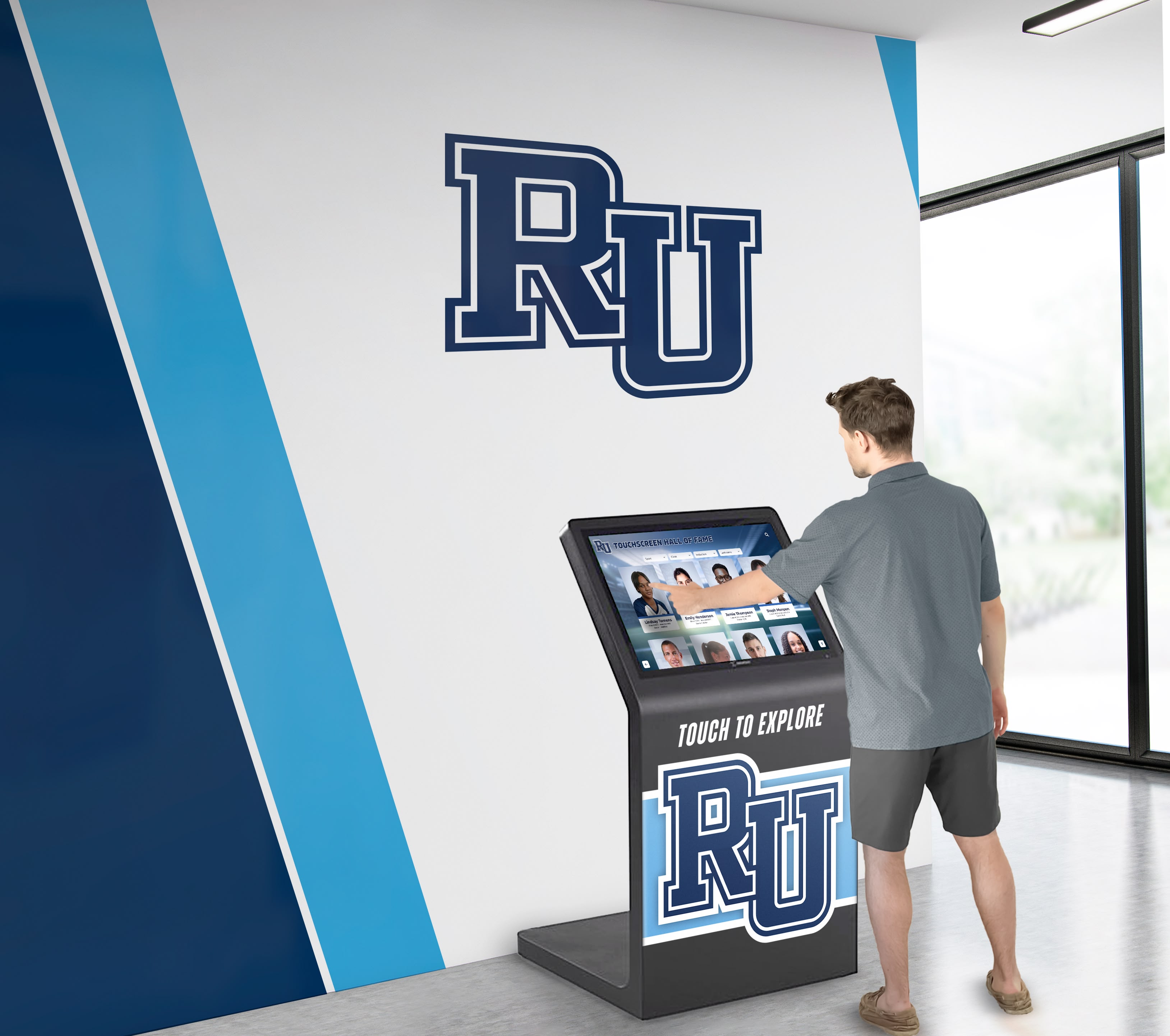
Professional arena installations reveal the technical infrastructure that supports reliable, engaging recognition systems accessible to thousands of daily visitors.
Commercial-Grade Hardware: Consumer televisions fail quickly in continuous-operation public environments. Professional displays rated for 16-24 hour daily operation deliver years of reliable service in demanding arena conditions.
Projected Capacitive Touch: Modern touchscreens use the same technology as smartphones, providing responsive multi-touch capability that feels familiar to users of all ages.
Reliable Network Connectivity: Cloud-based content management requires consistent, high-speed network infrastructure. Professional installations include redundant connectivity ensuring systems remain operational even if primary network connections fail.
Embedded Computing: Contemporary commercial displays typically include integrated computers running recognition software, eliminating external equipment that complicates installation and creates potential failure points.
Professional Installation and Mounting: Proper installation considers structural requirements, cable management, power planning, and environmental factors ensuring secure, reliable operation in high-traffic public spaces.
Remote Management Capabilities: Cloud-based systems allow authorized staff to monitor display status, update content, and address issues remotely without requiring physical access to hardware.
Bringing Arena-Quality Recognition to Educational and Community Facilities
While professional venues like SAP Center operate with substantial budgets, the underlying technology and approaches have become increasingly accessible for educational institutions and community organizations seeking to implement impressive recognition programs.
Athletic Facilities at High Schools and Colleges
High school and college athletic programs can implement recognition systems inspired by professional installations at appropriate scales:
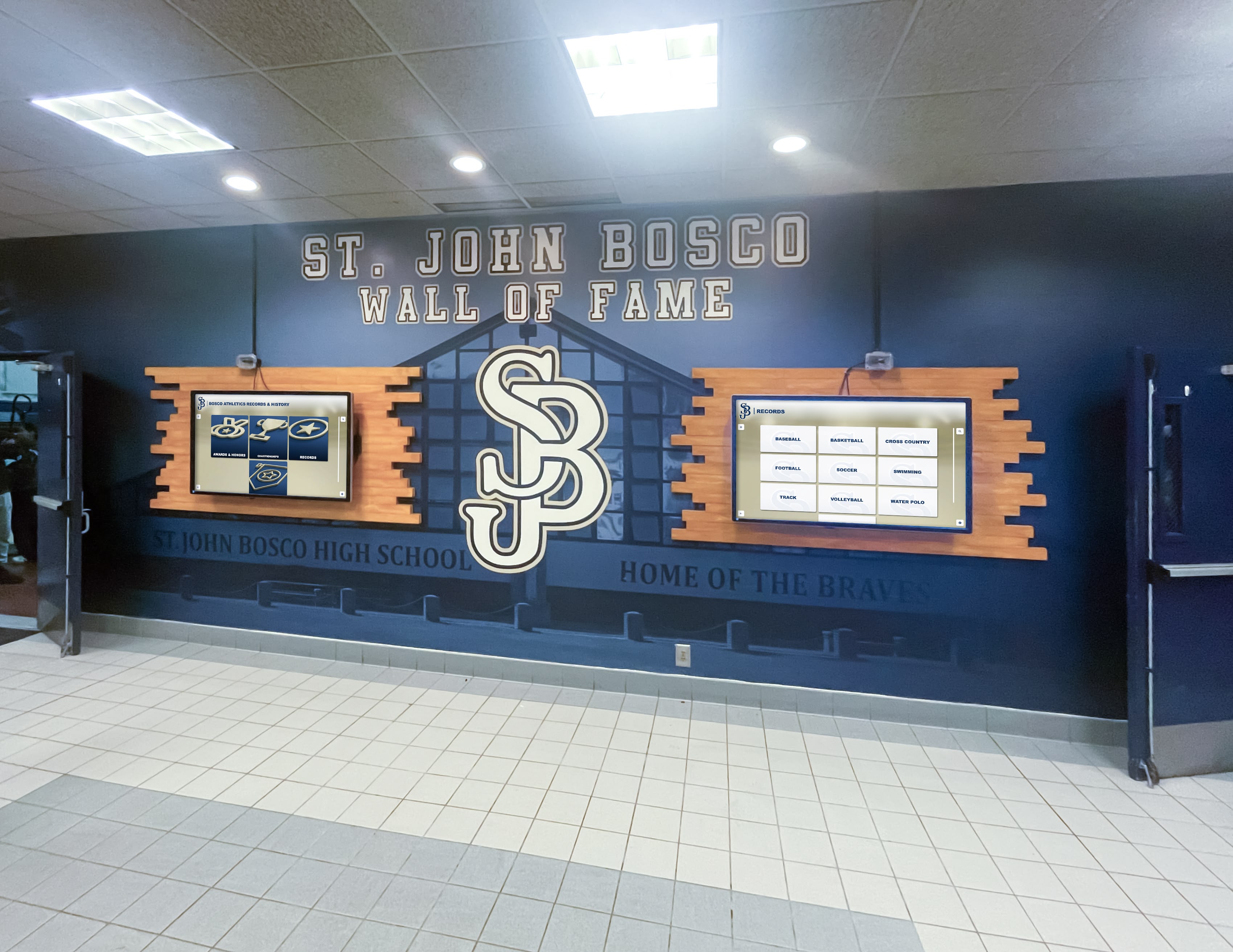
Multi-Sport Coverage: Comprehensive systems honor all athletic programs—football, basketball, baseball, soccer, track and field, swimming, and every other sport—ensuring balanced recognition across all teams.
Multiple Recognition Categories: Beyond individual athlete profiles, effective programs recognize team championships, record holders, all-conference selections, college signings, coaches, and other achievements contributing to athletic program excellence.
Historical Timeline Integration: Documentation of program history, facility evolution, significant games, and community impact provides context that enriches individual athlete recognition.
Alumni Connection Platforms: Recognition systems can facilitate connections between current athletes and distinguished alumni, supporting mentorship relationships and program tradition.
High schools implementing comprehensive athletic recognition might explore touchscreen wall systems designed specifically for secondary schools, which provide professional capabilities at scales and price points appropriate for educational institutions.
Arena-Style Recognition for Community Sports Organizations
Community sports complexes, recreation centers, and multi-use athletic facilities face recognition challenges similar to professional arenas—diverse sports, multiple age groups, community-wide participation, and limited physical space for traditional recognition.
Digital recognition addresses these challenges through:
Unlimited Capacity: Unlike physical trophy cases or plaque walls limited by available space, digital systems accommodate unlimited honorees across all programs, age divisions, and achievement types.
Flexible Organization: Content organized by sport, age group, season, achievement type, or any other relevant category enables intuitive discovery regardless of program complexity.
Regular Updates: Cloud-based management allows staff to add new champions, update records, and refresh content continuously rather than waiting for annual physical updates.
Accessible 24/7: Web-based recognition extends beyond physical displays, allowing community members to explore achievements from home, share profiles on social media, and maintain connections with facilities year-round.

Budget Considerations and Scaled Implementation
Organizations inspired by SAP Center’s comprehensive recognition but operating with limited budgets can implement systems strategically:
Starter Systems: Single-display installations featuring 50-100 profiles establish foundation programs demonstrating value while fitting modest budgets. Initial systems typically range from $8,000-$15,000 including hardware, software, content development, and installation.
Phased Expansion: Rather than comprehensive programs immediately, organizations can start with priority sports or achievement categories, adding coverage annually as budgets permit and value proves itself through initial installations.
Focused Content Development: Beginning with streamlined profiles for all honorees, then gradually enhancing high-profile individuals with additional photographs, videos, and narrative content spreads content development effort across multiple years.
Hybrid Approaches: Combining digital displays for comprehensive coverage with select physical recognition for highest-profile honorees provides cost-effective solutions that address diverse stakeholder preferences.
Planning Interactive Recognition for Your Venue
Facilities inspired by SAP Center’s approach should follow systematic planning processes ensuring implementations align with organizational goals and available resources.
Phase 1: Strategic Planning and Assessment
Define Recognition Scope: Determine who receives recognition, what achievement levels qualify, which sports or activities fall within scope, and whether the program covers only recent eras or extends to complete historical records. Clear criteria prevent future disputes and ensure consistent, defensible selection decisions.
Assess Existing Content: Inventory available photographs, biographical information, statistics, video footage, historical documents, and other materials. Identify content gaps requiring research, digitization, or acquisition.
Space and Location Selection: Identify optimal display locations considering foot traffic patterns, viewing angles, ambient lighting, power access, network connectivity, and integration with existing facility design. Prime placement dramatically impacts engagement.
Budget Development: Understanding complete project costs including hardware, software subscriptions, content development, professional installation, staff training, and ongoing operation prevents underinvestment that undermines potential impact.
Stakeholder Engagement: Gathering requirements from athletic directors, facility managers, alumni, coaches, development staff, and other stakeholders ensures recognition systems serve diverse organizational needs while building support for implementation.
Phase 2: Content Development and Management
Content quality determines whether recognition programs become valued community resources or overlooked displays:
Biographical Research: Comprehensive profiles require systematic research through yearbooks, media guides, newspaper archives, online databases, and direct outreach to honorees and their families. This research often represents the most time-intensive project phase but creates foundations determining long-term program value.
Statistical Compilation: Accurate, complete statistics establish authority and satisfy detail-oriented visitors. Verification through multiple sources ensures data quality that reflects well on recognition programs and honoring institutions.
Media Collection and Processing: Locating historical photographs, digitizing at appropriate resolution, identifying or creating video highlights, and processing all media according to display specifications ensures professional presentation quality.
Writing and Narrative Development: Transforming raw information into engaging narratives requires careful writing that balances factual accuracy with compelling storytelling, highlights individual character alongside athletic achievement, and maintains consistent voice across all profiles.
Organization and Tagging: Strategic application of categories, tags, keywords, and other metadata enables powerful search and discovery functionality allowing visitors to find content through diverse pathways.
Phase 3: Technology Implementation
Hardware Selection and Installation: Choosing appropriate display sizes, mounting systems, and computing infrastructure for specific environments, then executing professional installation ensuring secure mounting, proper cable management, and reliable operation.
Software Configuration: Implementing content management platforms, customizing templates and navigation structures, establishing user permissions and workflows, and configuring any integrations with other facility systems.
Content Loading: Importing developed content into management systems, configuring display templates and layouts, establishing automated rotation schedules, and comprehensively testing all functionality before public launch.
Training and Documentation: Educating staff responsible for ongoing management on content updating procedures, troubleshooting common issues, accessing support resources, and maintaining system security through updates and backups.
Soft Launch Testing: Inviting select groups to preview installations before public announcements allows identification and resolution of issues while gathering feedback informing refinements.

Phase 4: Launch and Ongoing Management
Public Launch Events: Coordinating unveiling with significant occasions—season openers, alumni weekends, homecoming, facility dedications—generates excitement, media coverage, and community awareness establishing recognition programs as valued facility features.
Regular Content Updates: Establishing protocols for adding new inductees, updating alumni career information, incorporating newly discovered historical content, and refreshing featured content maintaining relevance and encouraging repeat engagement.
Analytics Review: Monitoring usage data reveals which content receives most attention, popular search patterns, visitor engagement duration, and technical issues. These insights inform content priorities and continuous improvement.
Maintenance and Support: Routine display cleaning, software updates and security patches, performance monitoring, and responsive issue resolution ensure reliable operation maintaining professional impressions.
Community Engagement: Leveraging recognition content for social media, newsletters, fundraising communications, and recruitment marketing extends value beyond physical displays while driving facility traffic.
Integration with Broader Institutional Goals
Recognition displays function most effectively when integrated with comprehensive institutional strategies rather than existing as isolated technology projects.
Alumni Engagement and Development
Recognition creates powerful connections supporting advancement goals:
Reconnection Opportunities: Former athletes discovering their recognition often reconnect with institutions after years of limited contact. This renewed engagement can evolve into volunteer involvement, mentorship relationships, and philanthropic support.
Giving Motivation: Individuals who competed at institutions frequently contribute to programs honoring athletic achievement, seeing direct value in preserving their playing eras for current and future generations. Recognition demonstrates that contributions support meaningful heritage preservation.
Event Integration: Recognition installations provide natural focal points for reunions, hall of fame induction ceremonies, fundraising events, and homecoming activities. These recognition-centered events strengthen community bonds while advancing institutional missions.
Storytelling Content: Individual achievement stories featured through recognition provide compelling content for advancement communications, social media, fundraising appeals, and institutional marketing that resonates with diverse audiences.
Organizations seeking to integrate athletic recognition with advancement strategies might explore how recognition platforms specifically support advancement and marketing teams through content management, analytics, and integration capabilities designed for development operations.
Recruitment and Student Experience
Athletic recognition influences prospective students and enriches current student experiences:
Recruiting Impact: During campus visits, prospects viewing comprehensive athlete recognition understand program tradition and quality. Recognition demonstrates institutional investment in celebrating achievement—a powerful recruiting message.
Team Culture: Current athletes viewing recognition of predecessors understand they’re contributing to continuing traditions of excellence. These connections to legacy motivate performance while building program identity and pride.
Campus Community: Impressive recognition installations contribute to broader institutional pride benefiting recruitment across all programs while enhancing campus atmosphere for current students.
Family Engagement: Recognition resonates beyond athletes to parents and family members who share pride in athletic achievements. This family engagement strengthens institutional relationships extending beyond individual student enrollment.
Community Connections and Regional Identity
Recognition extends beyond internal institutional purposes to serve broader community engagement:
Public Access: When recognition displays remain accessible during facility public hours, community events, and tours, they strengthen connections between institutions and communities beyond direct affiliation.
Heritage Preservation: Athletic programs often represent significant aspects of community identity and history. Comprehensive recognition preserves this heritage for current and future generations regardless of direct participation.
Tourism and Venue Distinction: Impressive recognition installations can become destination attractions drawing visitors specifically to explore sports heritage, supporting broader economic development and tourism goals.
Media Resources: Comprehensive recognition programs serve journalists researching stories, authors writing books, historians documenting community heritage, and filmmakers creating documentaries, positioning institutions as authorities preserving important regional history.
Emerging Technologies Shaping Recognition’s Future
The recognition systems impressive today will continue evolving as emerging technologies mature and integrate into venue experiences.
Enhanced Interactivity and Personalization
Future recognition platforms will likely incorporate:
Augmented Reality Overlays: Mobile applications allowing visitors to point smartphones at physical spaces and see historical moments, athlete profiles, or achievement documentation overlaid through AR, blending physical and digital recognition experiences.
AI-Powered Recommendations: Systems learning from visitor behavior to suggest profiles or content based on viewing history, expressed interests, or demographic factors, creating increasingly personalized discovery experiences.
Conversational Interfaces: Voice-enabled or chat-based systems allowing visitors to ask questions in natural language rather than navigating structured menus, making complex content databases more accessible to diverse users.
Social Integration: Enhanced sharing capabilities allowing visitors to post favorite profiles directly to social platforms from displays, tag themselves in photos with recognition content, or connect with other visitors sharing similar interests.
Advanced Analytics and Insight
Sophisticated analysis capabilities emerging include:
Predictive Content Strategies: Analytics identifying which content types generate most engagement, optimal update frequencies, and effective feature rotation patterns that inform strategic content development.
Audience Behavior Mapping: Understanding how different visitor segments (age groups, alumni vs. general public, etc.) interact with recognition differently, enabling tailored experiences serving diverse needs simultaneously.
Content Gap Identification: Automated analysis revealing which athletes, sports, or eras receive disproportionate attention or neglect, informing prioritization of content development efforts.
Impact Measurement: Sophisticated tracking connecting recognition engagement to broader outcomes like alumni giving, recruitment yields, or community sentiment, quantifying recognition program value for institutional stakeholders.
Expanded Media Integration
Content capabilities continuing to advance include:
360-Degree Environments: Immersive video placing viewers courtside, fieldside, or in other perspectives impossible through traditional video, creating more engaging documentary content.
Interactive Statistics Visualization: Dynamic charts, graphs, and comparative tools allowing visitors to explore statistical relationships, compare players across eras, and analyze achievement patterns through interactive data exploration.
Crowdsourced Content: Platforms facilitating submission of photographs, memories, and stories from alumni and community members, enriching official recognition with personal perspectives while building engagement through participation.
Live Content Integration: Real-time statistics, current athlete information, and recently completed achievements automatically updating recognition platforms, ensuring content remains perpetually current without manual intervention.
Common Implementation Challenges and Practical Solutions
Organizations implementing recognition inspired by professional models like SAP Center encounter predictable obstacles that proven strategies address effectively.
Limited Historical Records
Challenge: Many programs lack comprehensive historical documentation—particularly photographs, statistics, and biographical information for athletes from decades before digital record-keeping.
Solutions: Systematic archival research through yearbooks, newspaper microfilm, media guides, and historical society collections often uncovers substantial material. Alumni outreach requesting personal photographs and memories supplements institutional archives. Starting with streamlined profiles acknowledging documentation limitations, then gradually enhancing as information surfaces, provides honest recognition while leaving room for future enrichment. Partnership with local historical organizations, libraries, or universities may provide research support and access to specialized archives.
Content Maintenance Requirements
Challenge: Keeping recognition current requires ongoing effort as new achievements occur, alumni career updates emerge, and additional historical content becomes available. Without sustainable processes, recognition stagnates and loses relevance.
Solutions: Establishing clear content management responsibilities within specific staff roles rather than assuming voluntary maintenance ensures accountability. Annual review cycles systematically evaluate currency and identify update priorities. Engaging honored individuals and families as content contributors reduces institutional research burden while building community connections. Student involvement through internships, sports management courses, or service learning projects provides labor for content development while offering educational value.
Technology Adoption Resistance
Challenge: Some stakeholders prefer traditional plaques and physical displays, viewing digital technology as impersonal, potentially unreliable, or incompatible with heritage preservation.
Solutions: Implementing hybrid approaches combining select physical recognition with comprehensive digital coverage addresses these concerns while leveraging each medium’s strengths. Demonstrating successful installations at comparable peer institutions provides concrete evidence addressing abstract concerns. Emphasizing that cloud-based digital systems often provide better long-term preservation than physical displays vulnerable to damage, deterioration, or loss helps reframe technology as enhancing rather than threatening heritage. Including skeptics in planning processes and incorporating their feedback builds investment in successful implementation.
Budget Constraints
Challenge: Comprehensive recognition competing with numerous institutional priorities for finite resources often faces budget limitations preventing ideal implementations.
Solutions: Phased approaches starting with core functionality and expanding annually as budgets permit and value demonstrates spread costs while proving concepts. Identifying alternative funding through alumni donations specifically supporting recognition, corporate sponsorships providing revenue in exchange for appropriate acknowledgment, or capital campaign integration positions recognition as essential facility components worthy of dedicated support. Starting with single displays featuring priority content establishes foundation programs at modest investment, typically $8,000-$15,000, making initial implementation accessible for most organizations.
Beyond SAP Center: Scaling Professional Approaches
While this guide focuses on SAP Center’s implementation, these principles and approaches scale effectively to venues of all sizes and budgets.
School and College Athletic Recognition
Educational institutions from high schools through universities can implement recognition inspired by professional venues while respecting different scales and resources. The same emphasis on comprehensive profiles, intuitive discovery, multimedia content, and accessible interfaces that makes SAP Center’s recognition engaging applies equally to high school athletic recognition programs celebrating state championships and distinguished athletes.
The technology platforms that power professional arena recognition increasingly serve educational markets with features, templates, and pricing appropriate for schools and colleges. This accessibility means that impressive recognition no longer requires professional sports budgets—strategic investment and thoughtful implementation deliver professional-quality results at educational institutions.
Community and Regional Recognition Programs
Community sports complexes, recreation departments, and regional sports organizations can implement comprehensive recognition celebrating broad participation. Community hall of fame programs using digital platforms accommodate unlimited participants across diverse sports and age groups while remaining accessible to community members beyond physical facility visits through web-based extensions.
The unlimited capacity that digital recognition provides particularly benefits community programs where inclusive participation matters more than elite selectivity. Rather than limiting recognition to small groups of highest achievers, community programs can celebrate youth participation, volunteer contributions, long-term involvement, and diverse achievement types that collectively define community sports culture.
Multi-Venue and Distributed Recognition
Some organizations coordinate recognition across multiple facilities or entire regions. Statewide athletic associations, multi-campus educational systems, or franchise organizations with many locations can implement unified recognition platforms managing distributed content through centralized systems. Cloud-based platforms handle complex organizational structures while maintaining consistent presentation across all locations, allowing centralized content management with distributed physical displays serving diverse audiences in different geographic areas.
Conclusion: Professional Recognition Accessible at Every Level
SAP Center at San Jose demonstrates how interactive digital recognition transforms sports heritage from static commemoration into dynamic engagement. The San Jose Sports Hall of Fame’s prominent digital displays, comprehensive historical coverage, and accessible interfaces illustrate best practices that professional venues worldwide are implementing to honor athletic excellence while serving modern audiences.
The principles evident in SAP Center’s approach—strategic placement for maximum visibility, comprehensive content telling complete stories, intuitive navigation serving diverse discovery needs, and reliable professional technology infrastructure—apply equally to athletic facilities at all levels. From professional arenas serving tens of thousands daily to high school gyms celebrating local excellence, the fundamentals of effective recognition remain consistent.
Perhaps most importantly, the technology that powers professional installations has become increasingly accessible. Recognition systems that once required massive custom development budgets now exist as purpose-built platforms specifically designed for honoring athletic, academic, and professional achievement. Solutions like Rocket Alumni Solutions provide schools, colleges, community organizations, and venues at every level with tools implementing professional-quality recognition without requiring extensive technical expertise or enterprise-scale budgets.
The question facing facilities with athletic heritage worth celebrating isn’t whether interactive recognition delivers value. Professional venues from SAP Center to Madison Square Garden and Fenway Park demonstrate that engaged visitors, enhanced recruitment, strengthened community connections, and preserved heritage justify investment. Rather, the question is whether your organization will embrace these proven approaches to honor achievement appropriately for audiences who increasingly expect interactive, comprehensive, and accessible recognition experiences.
Ready to Implement Professional Recognition at Your Facility?
Rocket Alumni Solutions helps athletic facilities, schools, and sports organizations create engaging digital recognition displays celebrating excellence through purpose-built technology and comprehensive support.
Our specialized platform provides sport-specific templates, intuitive content management requiring no technical expertise, unlimited content capacity, powerful search and discovery tools, and cloud-based systems accessible from physical displays and web platforms worldwide.
Schedule a ConsultationWhether honoring Olympic legends at professional arenas or celebrating conference championships at high schools, the fundamentals of effective recognition remain constant: comprehensive information, engaging storytelling, intuitive discovery, and accessible technology. From SAP Center’s San Jose Sports Hall of Fame to athletic facilities at educational institutions and community sports complexes, interactive recognition systems preserve heritage while connecting current and future generations to the achievements that define athletic excellence.
Your facility’s history—and the athletes who created it—deserve recognition worthy of their accomplishments. Interactive digital recognition provides tools delivering professional-quality honor at scales, budgets, and technical requirements appropriate for organizations at every level. The same approaches that make SAP Center’s recognition impressive and engaging can transform how your organization celebrates athletic excellence.































