School assemblies represent powerful opportunities to bring entire communities together, celebrate achievements, and build the collective spirit that defines exceptional educational institutions. Yet many schools struggle with assemblies that feel more like obligations than opportunities—students sit passively through lengthy presentations, attention wanders after the first few minutes, and the intended messages about achievement and community get lost in disengagement.
The difference between assemblies that inspire and those that students endure comes down to intentional design. Effective assemblies combine meaningful content with engaging formats that respect students’ attention while delivering messages that resonate beyond the gymnasium. When schools get assemblies right, these gatherings become highlights of the school calendar that students anticipate rather than endure—moments that strengthen connections, recognize achievements authentically, and reinforce the values that define school culture.
This comprehensive guide explores practical school assembly ideas proven to engage contemporary students while achieving meaningful institutional objectives. Whether you’re planning recognition ceremonies, spirit-building events, educational programs, or celebration assemblies, you’ll discover actionable strategies for creating experiences that students remember long after returning to class.
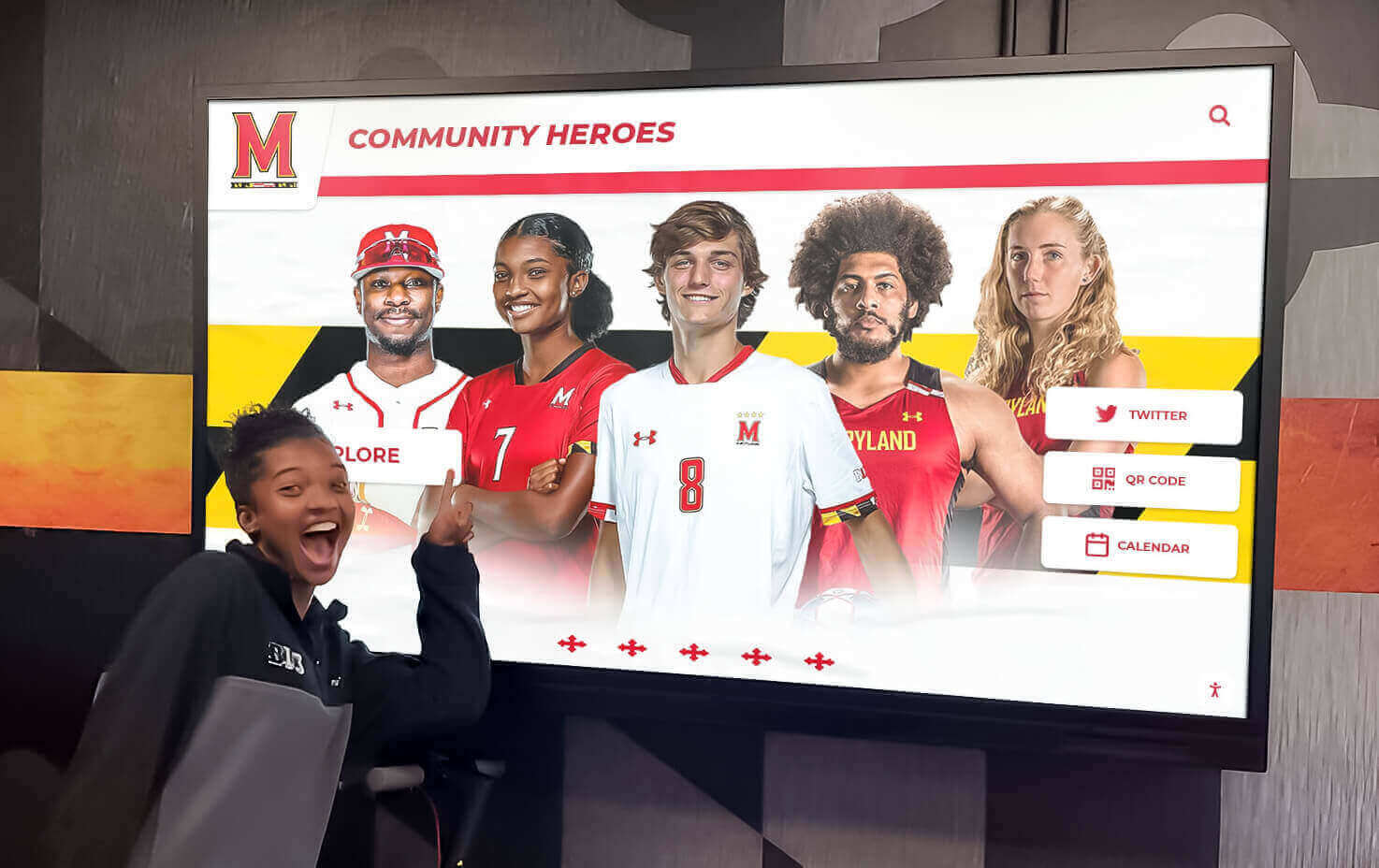
Interactive recognition creates engagement opportunities that extend assembly messages beyond single events
Understanding Modern Assembly Dynamics: What Works and What Doesn’t
Before diving into specific assembly ideas, it’s essential to understand what makes contemporary school assemblies effective. Student attention patterns, communication preferences, and engagement expectations have evolved significantly, requiring assembly formats that adapt to these realities rather than fighting against them.
The Attention Reality
Research consistently demonstrates that student attention during passive presentations declines rapidly after approximately 10-15 minutes. Traditional assembly formats featuring 45-60 minutes of speeches and presentations fundamentally misalign with how students process information effectively. Schools that create engaging assemblies structure programs around shorter segments with format variety, interactive elements maintaining active participation, visual components beyond static slides, peer involvement through student speakers and performers, and strategic pacing that builds energy rather than depleting it.
Authenticity Over Performance
Contemporary students possess finely-tuned authenticity detectors—they immediately recognize when assemblies feel scripted, forced, or disconnected from their actual school experience. Assemblies that resonate feature genuine student voices sharing real experiences, recognition that feels specific rather than generic, humor that emerges naturally rather than through forced jokes, content clearly connected to students’ daily lives, and speakers who communicate conversationally rather than formally.
Purpose-Driven Programming
The most effective assemblies maintain clear focus on specific, meaningful objectives rather than trying to accomplish too much simultaneously. Strong assemblies typically center on recognizing specific achievements with depth rather than surface acknowledgment, building spirit around upcoming events or challenges, educating about important topics through engaging formats, celebrating milestones that mark community progress, or inspiring action toward specific goals or initiatives.
Attempting to combine multiple unrelated purposes in single assemblies creates disjointed experiences that fail to deliver impact on any objective. Schools find greater success planning focused assemblies serving specific purposes well rather than generic gatherings trying to address everything simultaneously.

Year-round recognition displays reinforce messages introduced during assemblies, creating lasting visibility for achievements
Recognition Assembly Ideas That Actually Engage Students
Recognition represents one of the most common assembly purposes—honoring academic achievements, celebrating athletic accomplishments, acknowledging character demonstrations, or highlighting various student successes. Yet recognition assemblies often become tedious list-reading exercises that honor achievers while boring everyone else. These creative approaches make recognition assemblies engaging for entire student bodies while giving honorees meaningful acknowledgment.
Achievement Spotlight Format
Rather than recognizing dozens of students superficially, select 3-5 remarkable achievement stories to highlight in depth during each recognition assembly. Work with selected students beforehand to prepare brief presentations (2-3 minutes each) where they share their journey—the challenges faced, support received, lessons learned, and advice for peers pursuing similar goals. These personal narratives create emotional connection and inspiration that lists of names can never achieve.
Rotate recognition focus across different achievement domains throughout the year so various student populations see themselves represented—academic excellence one assembly, athletic achievements another, arts accomplishments, community service contributions, character demonstrations, or technical skill achievements in subsequent gatherings. This rotation ensures recognition assemblies feel relevant to different student groups rather than repeatedly honoring the same populations.
Peer Recognition Programs
Create assembly segments where students recognize classmates who made positive impacts on their experience. Several weeks before assemblies, open nomination processes where students can submit brief stories about peers who helped them, inspired them, or demonstrated school values in meaningful ways. Select compelling examples to feature during assemblies, with nominators presenting recognition to honorees while sharing specific stories about the impact these students created.
This peer-to-peer recognition format generates authentic emotional moments while demonstrating that impact doesn’t require exceptional talent—everyday actions of kindness, support, and character matter profoundly to school community.
Interactive Recognition Moments
Transform recognition from passive observation to active participation through interactive elements. When recognizing academic honor roll students, create brief “study tips speed share” where recognized students share their single best strategy with peers. For athletic achievements, feature quick skills demonstrations or training technique shares. Arts recognition might include brief performance excerpts. These interactive moments make recognition assemblies valuable for all attendees rather than only honored students and their families.
Digital Recognition Extensions
Recognition assembly impact extends far beyond the 45 minutes students spend in the gymnasium when schools create permanent digital recognition that visitors can explore throughout the year. Solutions like interactive digital displays enable schools to showcase assembly honorees through engaging formats that students, parents, and visitors interact with regularly in high-traffic areas.
Rocket Alumni Solutions provides purpose-built platforms for schools to create comprehensive digital recognition displays that feature students honored during assemblies alongside historical achievements, creating visible connection between current students and institutional legacy. These systems transform assembly recognition from fleeting moments into lasting celebration that reinforces achievement value throughout the school year.

Interactive displays enable students to explore achievement stories and school history beyond structured assembly time
Spirit-Building Assembly Programs That Generate Genuine Energy
Spirit assemblies aim to build enthusiasm, strengthen community identity, and generate excitement around upcoming events or challenges. The key to effective spirit assemblies lies in creating genuine participation rather than forced enthusiasm—giving students authentic reasons to engage rather than simply demanding school spirit.
Pep Rally Innovation
Traditional pep rallies often follow predictable formats that lose effectiveness through repetition. Innovative approaches maintain core spirit-building objectives while introducing fresh elements that capture attention. Consider competition-based formats where grade levels or houses compete in creative challenges—relay races, trivia contests, talent showcases, or school spirit demonstrations judged by panels including students, staff, and community members.
Video integration creates engagement through content students find genuinely entertaining. Pre-produce highlight reels featuring students (not just athletes), comedy sketches created by student media programs, or “day in the life” features showcasing different school community members. These video segments provide pacing variety while showcasing student creativity and diverse community perspectives.
Student Voice and Leadership
Spirit assemblies work best when students drive programming rather than adults simply performing for student audiences. Empower student government, leadership classes, or activities councils to conceptualize and execute significant portions of spirit assemblies. Student-led assemblies typically feature humor more aligned with peer sensibilities, format innovations adults might not consider, and authentic energy that’s difficult to manufacture through adult planning alone.
Provide students with genuine creative control while establishing clear boundaries around appropriate content, time constraints, and logistical requirements. This balance enables student innovation within necessary guardrails preventing inappropriate material or organizational chaos.
Themed Spirit Events
Thematic spirit assemblies create additional engagement through creative concepts that enable broader participation beyond typical performers. Consider themes like decades day celebrating different eras of school history, cultural celebration showcasing community diversity, career day featuring alumni in varied professions, “hidden talents” revealing unexpected student abilities, or “house pride” competitions for schools using house systems.
Themed assemblies enable diverse student participation—those uncomfortable performing in traditional pep rally formats might enthusiastically participate in theme-based activities that feel less performance-oriented.
Spirit Week Integration
Connect spirit assemblies to broader spirit week activities featuring daily participation opportunities. Structure assemblies as culminating celebrations showcasing spirit week participation through photo montages of daily themes, recognition of top-participating classes or groups, announcements of winners from week-long competitions, and previews of upcoming events students generated enthusiasm toward. This integration makes assemblies feel like authentic celebrations of community engagement rather than isolated events requesting enthusiasm that wasn’t previously building.
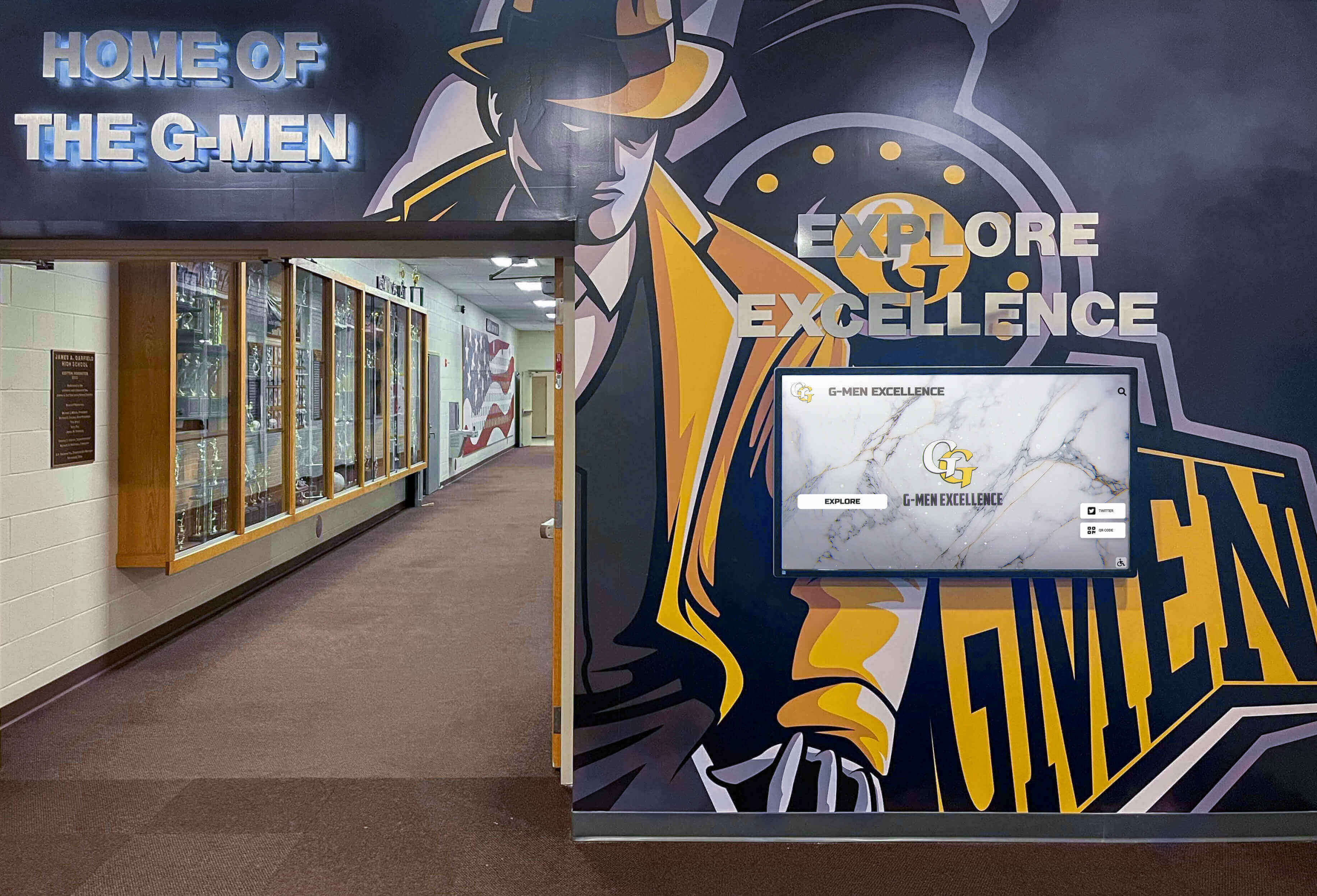
Integrated recognition displays celebrate achievements while building the visual environment that reinforces school spirit daily
Educational Assembly Concepts That Inform and Inspire
Educational assemblies introduce important topics, raise awareness about significant issues, or provide information students need for academic success or personal wellbeing. These assemblies face particular engagement challenges—students often perceive them as extended classes rather than special events. Creative approaches make educational assemblies valuable without sacrificing engagement.
Expert Panel Discussions
Rather than single-speaker presentations, organize panel discussions featuring multiple perspectives on topics. For college readiness assemblies, include recent graduates attending different institution types (community college, state university, private college, trade school) discussing their distinct experiences. Career exploration panels might feature professionals in related fields discussing various career paths and daily realities.
Panel formats create natural energy through dialogue between speakers, offer diverse perspectives preventing single viewpoints from dominating, enable efficient coverage of multiple aspects within limited time, and generate student questions more readily than single-speaker formats. Include student moderators asking questions developed through pre-assembly surveys identifying topics students genuinely want addressed.
Story-Based Learning
Educational messages resonate more powerfully through personal narratives than abstract information. When addressing topics like character education, mental health awareness, or overcoming adversity, feature speakers sharing authentic personal stories demonstrating concepts through lived experience rather than explaining them theoretically.
Alumni represent particularly powerful educational assembly speakers—they possess credibility with students as people who sat in the same gymnasium, navigated the same hallways, and faced similar challenges, yet now have perspective from life beyond school walls. Alumni panels discussing topics like navigating college transitions, career discovery, or personal growth journeys combine relatability with wisdom students find valuable.
Interactive Learning Stations
For certain educational topics, replace traditional assembly formats entirely with learning station approaches. Transform gymnasiums into multiple stations students rotate through in small groups, each offering different interactive experiences related to overall themes. This format enables hands-on learning, generates active participation, accommodates diverse learning preferences, reduces passive sitting time, and creates intimate environments where students ask questions they might not pose to entire auditoriums.
Learning station assemblies require more complex logistics but deliver engagement and retention superior to traditional formats for appropriate topics.
Student-Generated Content
Leverage student creativity to deliver educational messages through formats peers find engaging. Challenge classes, clubs, or student media programs to create videos, skits, infographics, or presentations addressing educational topics. Showcase these student-generated educational materials during assemblies, combining peer education with recognition of student work.
Student-created educational content often resonates more effectively than adult presentations because students naturally communicate in styles, with humor, and through references their peers connect with immediately.

Interactive technology enables deeper exploration of content introduced during assemblies, supporting lasting learning
Celebration Assembly Ideas for Special Occasions and Milestones
Celebration assemblies mark significant occasions—school anniversaries, major accomplishments, successful campaign completions, or milestone achievements. These assemblies should feel genuinely celebratory rather than perfunctory, creating positive emotional experiences that strengthen community bonds.
School Anniversary Celebrations
Milestone anniversaries (25th, 50th, 75th, 100th years) warrant special assemblies connecting current community to institutional history. Effective anniversary assemblies feature timeline presentations showcasing school evolution through decades, alumni panels representing different graduation eras sharing their memories and perspectives, historical artifact displays students can explore before or after assemblies, video montages combining historical photos with contemporary footage, and unveiling of anniversary commemorations like time capsules, plaques, or permanent displays.
Digital recognition systems enable schools to create interactive historical timelines students explore throughout anniversary years and beyond. These displays showcase school evolution while helping current students understand they’re contributing to ongoing legacies extending before and beyond their individual tenure.
Championship and Competition Celebrations
When teams or groups achieve significant competitive success, celebration assemblies recognize accomplishments while building community pride. Structure these assemblies to educate entire student bodies about achievements—many students know their school won championships without understanding the significance. Include context about competitive difficulty, explanations of what championships required, highlights showcasing key moments or performances, recognition of supporting cast beyond star performers, and perspective from coaches or directors about team development journeys.
Avoid celebration assemblies that feel like extended victory speeches from coaches. Focus on student voices sharing their experiences, challenges overcome, and what achievements meant to participants personally.
Campaign Success Celebrations
When schools complete successful fundraising campaigns, service initiatives, or participation drives, celebration assemblies recognize community efforts while reinforcing that collective action achieves meaningful results. Share specific impact stories showing how funds raised or service provided created real change, recognize top contributors and participants, present “by the numbers” data demonstrating cumulative impact, and unveil results like new equipment purchased, facilities improved, or programs launched.
These assemblies teach students that their individual contributions combine to create significant collective impact—valuable lessons extending beyond specific campaigns celebrated.
End-of-Year Celebration Assemblies
Final assemblies before summer break should feel celebratory rather than perfunctory. Effective year-end assemblies feature year-in-review videos highlighting memorable moments from throughout the year, class-by-class recognition giving each grade level moments of spotlight, previews of exciting plans for the upcoming school year, traditions marking transitions (like senior walk-throughs or grade advancement ceremonies), and positive, forward-looking messages from school leaders.
Coordinate end-of-year assemblies with student recognition programs that honor achievements from throughout the year while building anticipation for the next school year’s opportunities.

Permanent recognition displays maintain celebration visibility beyond single assembly events, reinforcing achievement value
Guest Speaker Assembly Best Practices
Guest speakers represent common assembly components—motivational speakers, educational presenters, community leaders, or notable figures sharing messages or expertise. Guest speaker assemblies can be either assembly highlights students reference for years or forgettable presentations that feel disconnected from school reality. These practices ensure guest speaker assemblies deliver value.
Strategic Speaker Selection
Choose speakers carefully based on specific objectives and genuine relevance to student lives rather than simply availability or cost. Effective guest speakers possess authentic credibility in areas they address—lived experience rather than only studied expertise, communication styles that connect with student audiences rather than lecture approaches, content clearly applicable to students’ actual circumstances, and ability to engage interactively rather than just present monologues.
Prior to booking, request video samples showing speakers with similar audiences, check references from other schools about engagement quality and appropriateness, and clearly communicate your specific objectives and student population characteristics enabling speakers to customize presentations appropriately.
Pre-Assembly Preparation
Maximize guest speaker impact through preparation activities that prime student engagement. Have speakers provide preview videos, articles, or discussion questions teachers can use in classes before assemblies, creating context for upcoming presentations and generating student questions to be addressed. Share student questions with speakers in advance enabling them to address topics students actually care about rather than assuming interests.
Brief speakers thoroughly about your school’s culture, current events affecting students, relevant sensitivities, and specific outcomes you hope assemblies achieve. This context enables speakers to customize rather than deliver generic presentations they might give anywhere.
Interactive Format Design
Even with guest speakers, maintain interactive elements preventing passive observation. Structure presentations to include small group discussions where students process content with peers, Q&A segments enabling student voices beyond speaker monologue, activities or demonstrations requiring student participation, and student response opportunities through polls, prompts, or challenges.
The most memorable speaker assemblies balance speaker expertise and storytelling with student participation and perspective sharing.
Follow-Up Programming
Don’t let powerful speaker messages end when assemblies conclude. Plan follow-up activities extending assembly content—classroom discussions processing key messages, assignments connecting speaker content to curriculum, school-wide challenges applying speaker principles, or ongoing programming building on themes introduced. This follow-up transforms assemblies from isolated events into launching points for sustained engagement with important topics.
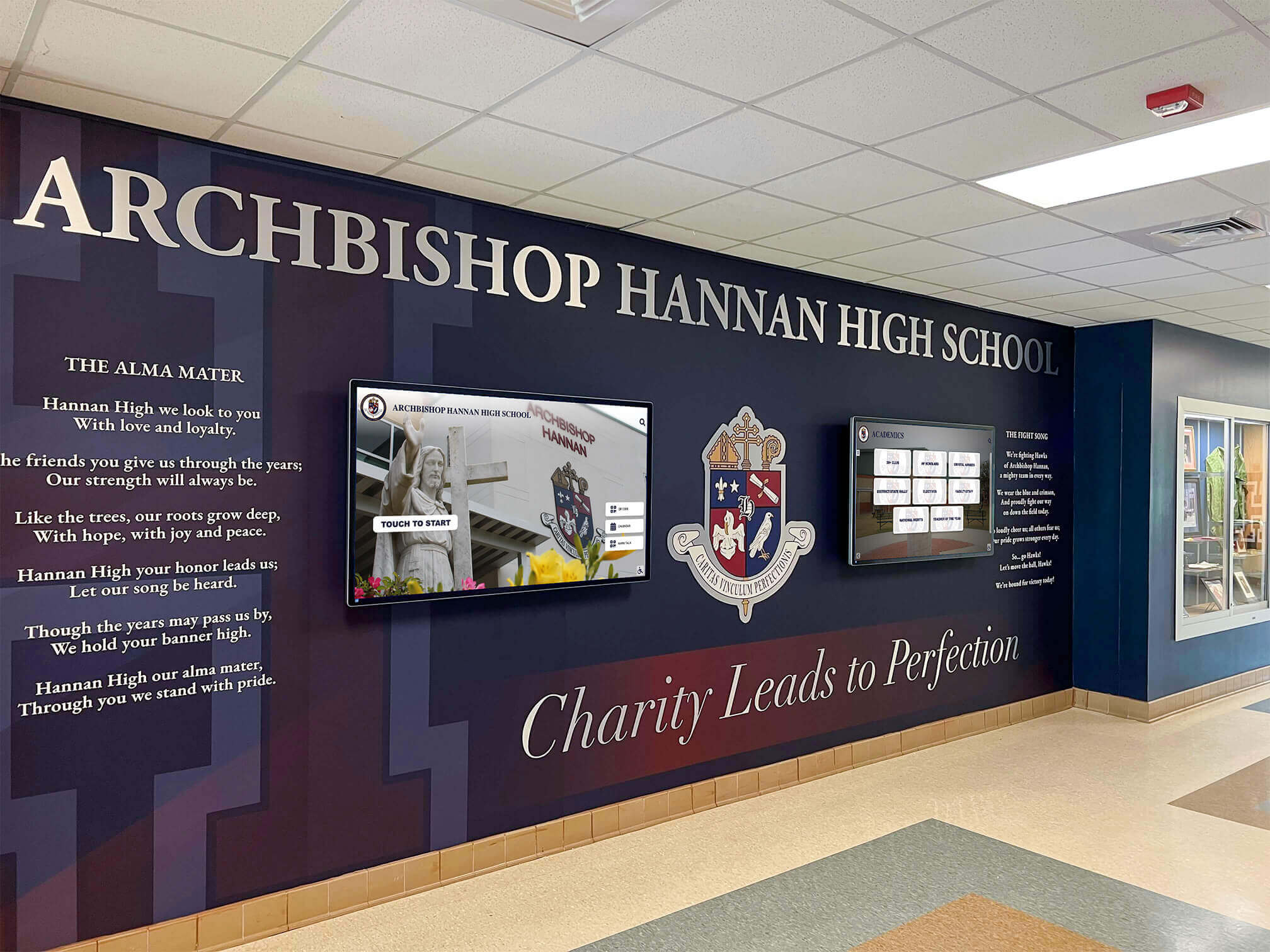
Strategic display placement in high-traffic areas ensures recognition visibility that reinforces assembly messages daily
Technical Considerations for Successful Assemblies
Even brilliant assembly concepts fail when undermined by technical problems—inaudible sound, invisible visuals, awkward transitions, or uncomfortable environments. These technical elements require as much attention as content planning.
Audio Quality
Nothing undermines assemblies faster than poor audio making speakers inaudible. Invest in quality sound systems appropriate for your assembly spaces, conduct sound checks well before assemblies begin testing every microphone and input source, position speakers strategically for even coverage throughout assembly spaces, have backup microphones and batteries immediately available, and assign technically competent staff members to monitor audio throughout assemblies ready to address problems immediately.
For assemblies featuring videos or music, test all audio sources at volumes matching actual presentation levels—audio that sounds fine quietly often distorts at full volume without proper equipment settings.
Visual Presentation
Visibility issues frustrate audiences and reduce engagement. Ensure projection screens are large enough for back-row viewing (minimum 150-inch diagonal for typical gymnasiums), position screens to avoid sightline obstructions from audience perspectives, test visibility from various seating locations during planning, use high-contrast color schemes on presentations (dark backgrounds with white/yellow text works well in gymnasiums), and minimize text on slides—images and brief phrases work better than dense information in large assembly spaces.
For video presentations, test content on actual projection equipment—colors, brightness, and clarity that look great on computer monitors often appear different through projectors in lit gymnasiums.
Audience Comfort
Physical comfort significantly impacts attention and engagement. Consider seating arrangements that accommodate assembly durations (extended floor sitting becomes uncomfortable), temperature control appropriate for crowded spaces (gymnasiums filled with bodies heat quickly), adequate lighting balancing visibility for presentations with enough illumination preventing drowsiness, accessible seating for students with mobility needs or other accommodations, and clear sight lines from all seating areas.
Plan assembly timing avoiding immediately after lunch when students feel drowsy or late in days when attention naturally diminishes. Mid-morning timing often works best for maximum student alertness.
Smooth Transitions
Poor transitions between assembly segments create awkward pauses that drain energy and attention. Script transitions between speakers, videos, and activities, clearly communicate transition cues to all participants and technical operators, have next speakers ready and positioned before being introduced, pre-load videos and presentations avoiding fumbling with files during assemblies, and practice complete assembly run-throughs identifying transition issues before students arrive.
Professional-feeling assemblies flow smoothly from segment to segment without awkward pauses or visible confusion among organizers.
Planning and Logistics: From Concept to Execution
Successful assemblies require careful planning and coordination of numerous details. This systematic approach ensures all elements come together effectively.
Assembly Planning Timeline
Begin planning major assemblies 6-8 weeks in advance:
6-8 Weeks Before:
- Identify assembly purpose and primary objectives
- Form planning committee with representative stakeholders
- Brainstorm format concepts and activities
- Research guest speakers or special participants if needed
- Reserve assembly space and establish date/time
4-6 Weeks Before:
- Finalize assembly format and segment structure
- Confirm speakers, performers, or special participants
- Begin developing scripts, presentations, and materials
- Identify student participants and begin rehearsals
- Plan technical requirements and equipment needs
2-4 Weeks Before:
- Complete content creation and finalize scripts
- Conduct initial rehearsals with student participants
- Create promotional materials building assembly anticipation
- Coordinate classroom preparation activities if relevant
- Confirm all technical equipment and test functionality
Week of Assembly:
- Conduct full run-through with all participants
- Finalize logistical details (seating, transitions, timing)
- Brief all staff members on roles and responsibilities
- Test all technical elements in actual assembly space
- Prepare backup plans for potential issues
Student Preparation
Assemblies work better when students understand expectations and purposes. Communicate assembly objectives to students beforehand through announcements or classroom discussions, explain participation expectations and appropriate behavior, build anticipation through promotional activities or teasers, and prepare students to engage actively rather than observe passively.
For recognition assemblies, notify honorees in advance so they’re prepared (and dressed appropriately) for public acknowledgment. Surprise recognition feels special in small groups but can create awkwardness in large assemblies.
Staff Coordination
Clear staff roles prevent organizational confusion. Assign specific responsibilities including assembly MC or program facilitator, technical operators managing sound, lighting, and video, student management for entry, seating, and dismissal, photographer/videographer capturing assembly moments, and backup coordinator ready to address unexpected issues.
Brief all staff members clearly on their responsibilities, timing, and coordination plans. Provide written role sheets preventing reliance on verbal instructions that might be forgotten in assembly activity.
Post-Assembly Follow-Through
Extend assembly impact through intentional follow-up. Share assembly highlights through school communications and social media, recognize student participants through additional channels, distribute relevant resources or materials to teachers for classroom follow-up, collect feedback from students and staff about what worked well and improvement opportunities, and incorporate strong elements into future assemblies while addressing any issues identified.
Document assemblies through photos and video serving both immediate communication purposes and future planning reference when organizing subsequent assemblies.
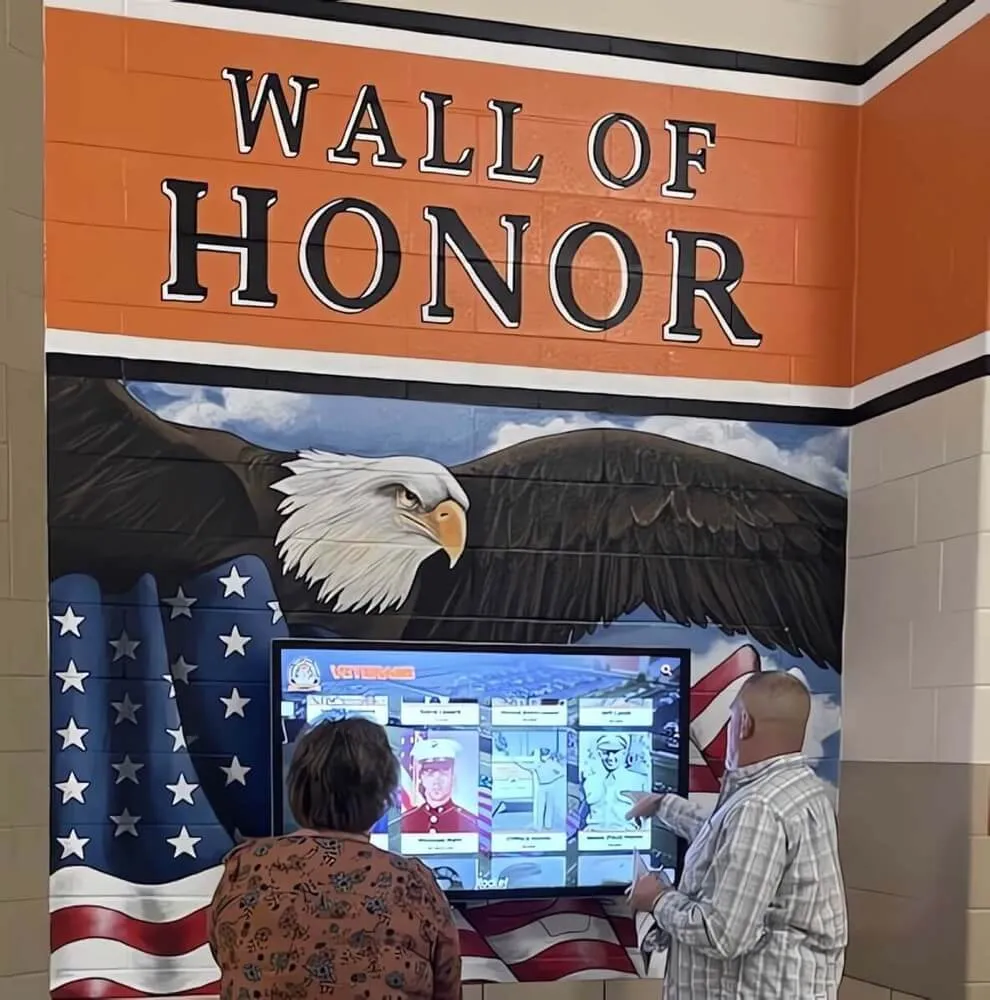
Creating spaces where community members can explore achievements independently extends assembly recognition beyond scheduled events
Sustaining Assembly Impact Beyond the Gymnasium
The most effective assemblies generate impact extending far beyond the 45 minutes students spend in seats. Strategic schools create systems reinforcing assembly messages throughout regular school experiences.
Digital Recognition Platforms
Recognition assemblies introduce honorees to entire communities, but their impact multiplies when accompanied by permanent digital recognition visible throughout school years. Digital recognition displays placed in high-traffic areas like main lobbies, cafeterias, or athletic facilities create year-round visibility for students recognized during assemblies.
These systems enable schools to showcase current honorees alongside historical achievements, creating visible connection between assembly recognition and ongoing institutional legacy. Students see that assembly honors become part of permanent school history rather than fleeting moments quickly forgotten.
Creating Recognition Archives
Document assembly recognition systematically, creating archives students, families, and future researchers can explore. Digital platforms enable schools to build comprehensive recognition databases featuring photos, achievement details, and personal stories from honored students. These archives serve practical purposes (researching historical achievements, identifying potential hall of fame inductees, connecting current students with alumni mentors) while demonstrating that school values recognition deeply enough to preserve it permanently.
Connecting Physical and Digital Recognition
The most powerful recognition systems integrate assembly programs with permanent displays visible throughout schools. When students recognized during academic achievement assemblies see their accomplishments featured on digital displays in main lobbies, it reinforces that their achievements matter beyond single recognition moments.
Schools using Rocket Alumni Solutions can seamlessly update their interactive displays following assemblies, ensuring recognized students appear immediately in high-visibility locations where entire school communities see their accomplishments daily. This integration transforms assembly recognition from isolated events into components of comprehensive recognition cultures valuing achievement consistently.
Building Recognition Traditions
The most meaningful assembly impact comes through consistent traditions students anticipate as defining elements of school culture. When quarterly recognition assemblies follow predictable yet engaging formats, students understand that achievement receives regular celebration. When annual spirit assemblies mark traditional milestones, communities develop shared experiences connecting graduating classes across generations.
These traditions build identity—“this is what we do here”—that strengthens institutional culture more powerfully than any single assembly, regardless of quality, can achieve alone.
Building Your Assembly Program: Next Steps
Creating engaging assembly programs requires intentional planning, creative thinking, and commitment to genuine student engagement over perfunctory tradition maintenance. Schools that invest in developing meaningful assembly experiences find that these gatherings strengthen culture, build spirit, and create community connections that benefit institutions long after students return to classrooms.
Start by evaluating your current assembly programming honestly—which assemblies genuinely engage students, which feel like obligations, and what opportunities exist for innovation? Gather feedback from students, staff, and families about assembly experiences and improvement ideas. Then begin implementing strategies from this guide systematically, starting with one or two assemblies where focused improvement can demonstrate what’s possible before expanding approaches across entire assembly calendars.
Remember that effective assemblies balance meaningful content with engaging delivery, respect student attention patterns while achieving important objectives, and create experiences students value rather than endure. When schools approach assemblies with these priorities, these gatherings become highlights of school experience rather than interruptions to it.
Most importantly, consider how assembly recognition and messages can extend beyond single events through year-round visibility. Digital recognition solutions enable schools to maintain consistent celebration of the achievements and values introduced during assemblies, creating reinforcement that keeps important messages visible throughout students’ daily experiences.
Your school’s assembly program represents powerful opportunities to shape culture, celebrate community, and inspire students. With thoughtful planning and creative execution, these gatherings can become the meaningful, memorable experiences that students reference for years as defining elements of their educational experience.































