The most effective school foyer displays combine recognition walls, alumni highlights, donor acknowledgment, and interactive touchscreens into a single entrance experience that communicates institutional pride the moment visitors walk through the door. Rather than blank walls or generic signage, a purpose-designed foyer recognition wall tells your school’s story to every prospective family, returning alumnus, and community donor who enters the building—making that first impression work as hard as any admissions brochure or athletics program.
A school’s front entrance is its most-visited square footage. Prospective students, parents attending events, alumni returning for reunions, donors on facility tours, and accreditation visitors all pass through the foyer first. What they see in those opening seconds shapes everything that follows. Schools that treat the foyer as prime recognition real estate—rather than an afterthought—report stronger first impressions, higher alumni giving engagement, and measurable improvements in prospective family feedback during campus tours.
This guide covers the recognition content that belongs near a school entrance, practical placement decisions for touchscreen displays, a zone-by-zone checklist, and specific ideas your team can implement this semester.

A well-placed foyer touchscreen invites every visitor to explore the school's recognition story before a tour even begins
What Makes a School Foyer Display Effective
Not every display earns a second glance. The foyer environment is high-traffic and low-dwell—visitors are moving, orienting themselves, and often accompanying someone else. Effective foyer recognition has three qualities:
- Immediate legibility. A visitor 10–15 feet away should understand the display’s purpose in under five seconds.
- Layered depth. Up close, or on a touchscreen, the same display rewards slower exploration with names, stories, and dates.
- Institutional alignment. The content should reflect what the school values most—academic excellence, athletic tradition, service, alumni success—not generic stock imagery.
Digital and interactive displays excel at all three because they can present a bold visual identity at a distance while providing unlimited profile depth for visitors who stop and engage.
8 School Foyer Recognition Wall Ideas
1. Alumni Achievement Wall
An alumni wall in the foyer is the single most versatile recognition investment a school can make. It tells every visitor—prospective, returning, or first-time—that graduates go on to accomplish meaningful things. Content typically includes notable alumni from each decade, their career paths, and a brief quote or connection to their time at the school.
For schools with deep alumni networks, an interactive alumni engagement display replaces hundreds of framed photos with a searchable, touchscreen interface that never runs out of wall space. Visitors can search by graduation year, career field, or achievement type—an experience that static plaques simply cannot replicate.
What to include:
- Headshot and name
- Graduation year and current role
- One-sentence highlight of their impact
- Optional: video clip or extended profile on touchscreen
2. Donor Recognition Panel
Capital campaigns, endowments, scholarship funds, and facility upgrades are often made possible by donors whose names belong near the entrance. A foyer donor panel acknowledges this publicly in the highest-visibility space on campus.
Digital donor panels have a practical advantage over etched stone or laser-engraved plaques: they can be updated instantly when a new gift is received, a naming threshold is crossed, or a giving society reaches a new tier. This responsiveness turns donor recognition from a one-time event into an ongoing relationship.
Foyer donor display options:
- Giving-level tiers (Founding Circle, Legacy Partners, Annual Fund Leaders)
- Named scholarship beneficiaries with student photos
- Building or room naming acknowledgments with historical context
- Live campaign progress toward a current fundraising goal
3. Athletic Hall of Fame Section
Championship banners belong in gyms. But an athletic hall of fame in the foyer—featuring record-holders, college-bound athletes, and team milestone seasons—reaches audiences who may never walk past the gym display cases.
A foyer athletic recognition section works especially well for schools with strong sports traditions looking to engage visiting families who are evaluating athletic programs. Highlighting milestone achievements like 1,000-point scorers in a prominent entrance location shows prospective athletes that individual excellence is celebrated, not just team wins.
Keep the foyer athletic section curated rather than comprehensive—a touchscreen can hold every record, but the foyer display should surface the moments that define the program’s identity.
4. Academic Honors Showcase
Test scores and rankings belong in printed materials. Foyer academic displays work best when they feature the humans behind the achievements: National Merit Scholars by name, valedictorians across multiple graduating classes, college placement highlights, and competition winners from Science Olympiad, debate, or academic bowl.
This content resonates strongly with prospective families touring the school, as it answers the implicit question: “What does a student who succeeds here look like?” Pairing academic highlights with student photos and brief profiles makes the recognition feel personal rather than statistical.
For ideas on structuring academic achievement content, see academic achievement display ideas for schools.
5. Historical Archive Panel
Every school has a founding story, a period of growth, and landmark moments worth preserving. A foyer history panel—whether a physical timeline mural, framed photo collection, or interactive digital archive—anchors the school’s identity in a narrative that spans decades.
Historical archive content is particularly effective for schools approaching significant anniversaries, transitioning through facility renovations, or seeking to deepen community connection with long-term alumni and families. Digitized yearbook photos, newspaper clippings, and archival images give the display visual texture that modern photography alone cannot provide.
6. Visitor Welcome and Wayfinding
Not every foyer display element needs to be about the past. A digital welcome panel that acknowledges today’s date, current events (“Welcome, Class of 2028 Campus Visit Day”), or live schedule information serves visitors immediately upon arrival.
Pairing recognition content with wayfinding reduces the friction of the visitor experience: one display can feature alumni recognition on an ambient loop, then shift to an interactive mode where a parent can locate the admissions office or gymnasium without hunting for a paper map.
7. Community and Service Recognition
Schools that prioritize service learning, volunteerism, or community partnership often overlook foyer space as a place to honor that work. A community recognition section—highlighting student volunteer hours, service award recipients, partner organizations, or Eagle Scout and Gold Award achievers—broadens the recognition story beyond athletics and academics.
This content is especially effective in foyers of schools visited by grant-makers, accreditation teams, or community foundation representatives, for whom visible service recognition signals institutional values alignment.
8. Interactive Touchscreen Kiosk
A touchscreen kiosk consolidates all of the above into a single, self-service display that never requires a staff member to operate. Visitors browse at their own pace, search for specific names, watch video highlights, and explore the school’s history on their own terms.
Platforms like Rocket Alumni Solutions enable schools to manage all content—alumni profiles, donor tiers, athletic records, academic honors—from a single web-based dashboard and push updates to the foyer display in real time. When a new scholarship donor makes a gift or a student wins a state title, the foyer display reflects it the same day.
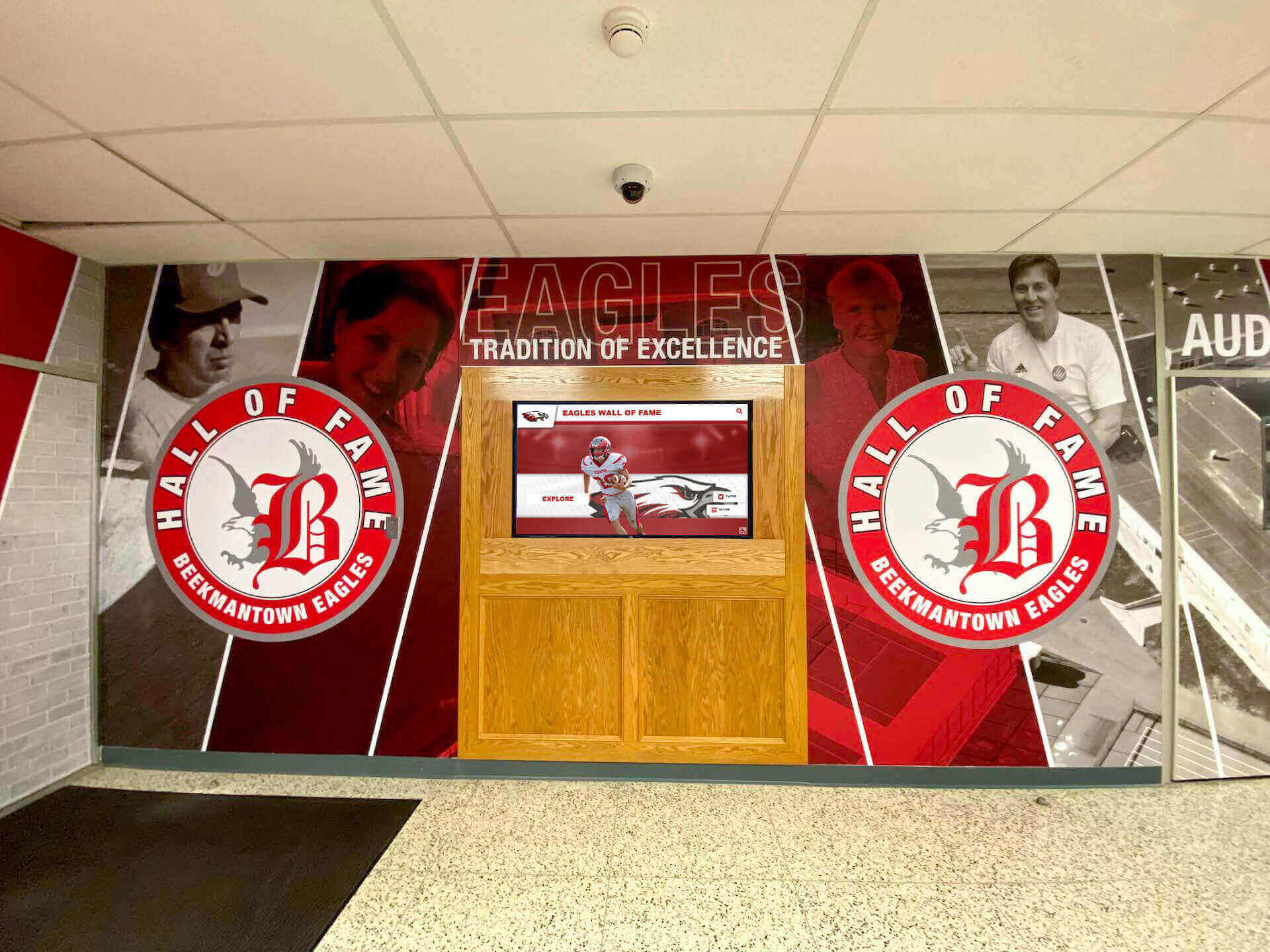
Physical murals and digital displays can work together in a foyer recognition zone, with the screen handling depth and the mural providing immediate visual impact
School Foyer Display Zone Checklist
Use this checklist when auditing your current foyer or planning a new recognition installation:
| Zone | Content Type | Display Format | Typical Placement |
|---|---|---|---|
| Immediate entry (0–10 ft) | School identity, current welcome | Digital signage or mural | Eye-level, centered on entry wall |
| Primary recognition wall | Alumni, athletic, academic highlights | Touchscreen kiosk or large-format display | Main lobby wall, perpendicular to traffic flow |
| Donor acknowledgment | Named gifts, giving societies | Dedicated panel or kiosk section | Near administrative entry or main corridor |
| Historical archive | Founding story, milestone moments | Timeline mural + digital layer | Side wall or corridor leading from foyer |
| Wayfinding | Campus map, directional signage | Static + optional digital update panel | Directly visible from main entrance |
| Community recognition | Service awards, partner acknowledgment | Rotating digital display or bulletin area | Secondary wall or alcove |
Before finalizing your foyer plan, verify:
- At least one recognition element is visible without entering past the reception desk
- Touchscreen height is accessible for wheelchair users (interactive zone between 15–48 inches per ADA guidelines)
- Content reflects current school year—no more than 12 months stale
- Alumni content spans multiple decades, not just recent graduates
- Display resolution is sufficient for legibility at peak viewing distance
- Network connectivity is available for digital displays requiring live updates
Where to Place a Touchscreen in a School Foyer
Placement determines engagement. A touchscreen positioned correctly in a school foyer becomes a natural stopping point; placed poorly, it becomes furniture visitors walk past.
Optimal placement principles:
Off the main traffic path, but adjacent to it. Position the display where visitors naturally slow down—beside a reception desk, near a seating area, or at the edge of a hallway leading deeper into the building. A screen directly in a walking path creates congestion; one just off it invites voluntary engagement.
Visible from the entrance door. The display should be readable—at least its headline content—from the moment visitors enter. If a visitor has to walk 30 feet before they see it, you’ve lost the first-impression opportunity.
Near natural gathering points. Foyers where prospective families wait for a tour guide, where athletes sign in for events, or where alumni check in for reunions are ideal for touchscreen placement. Waiting and browsing pair naturally.
Lit appropriately. Overhead lighting that creates glare on screen surfaces is the most common installation oversight. Anti-glare screen coatings help, but positioning the display away from direct overhead fixtures or windows facing the screen surface is the better long-term solution.
Paired with a physical anchor. A touchscreen alongside a mural, a trophy case, or a mounted school crest performs better than one standing alone. The physical element draws visitors toward the space; the digital element rewards them for stopping.
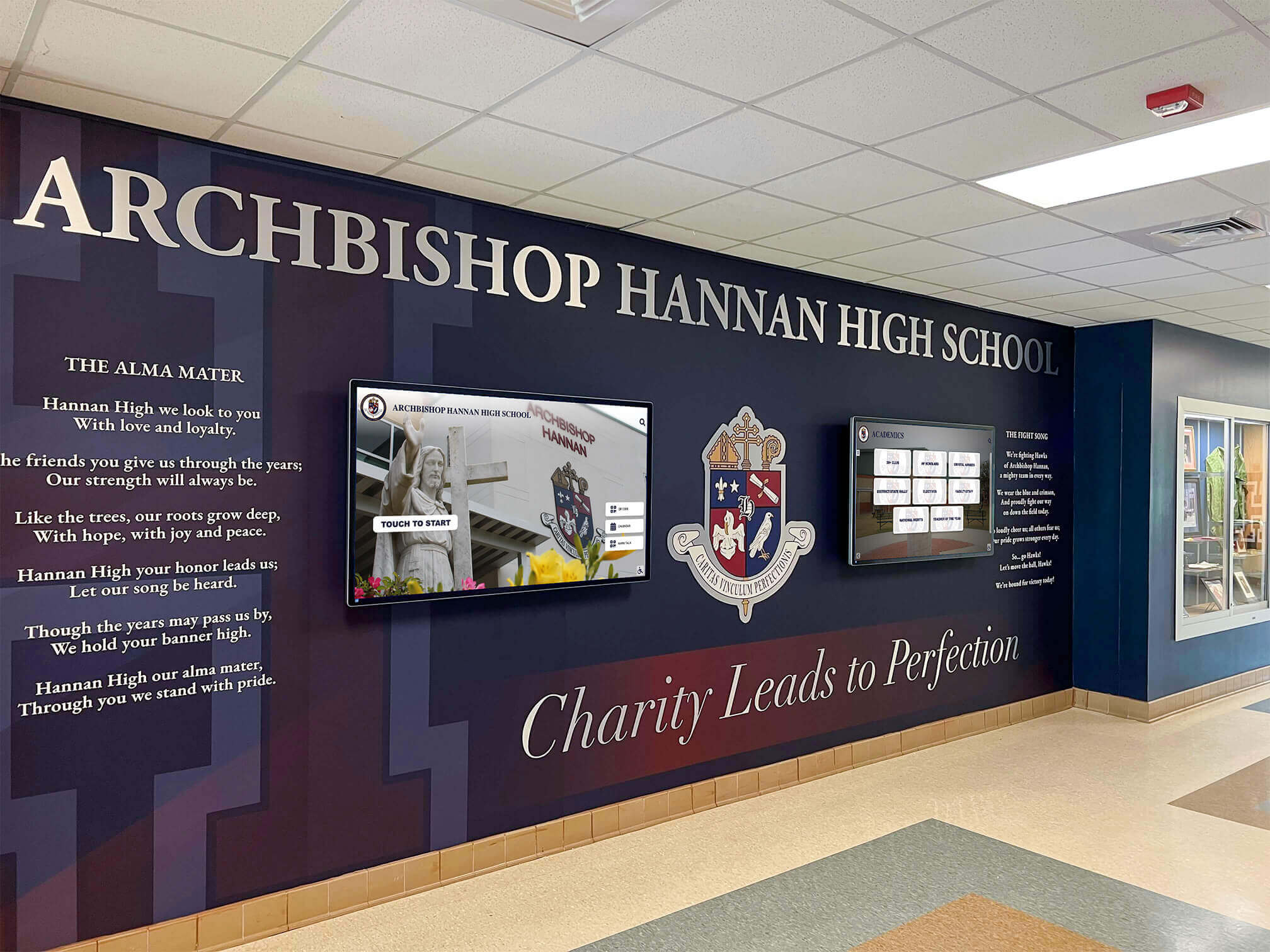
Pairing school crest murals with digital display screens in the foyer creates visual hierarchy that draws visitors toward the recognition content
Content That Belongs Near a School Entrance
Not all recognition content is equal in a foyer context. Some content is better suited to interior hallways, gymnasiums, or dedicated hall-of-fame spaces. Here’s how to allocate content effectively:
Strong foyer content:
- Distinguished alumni (career highlights, photos, graduation year)
- Major donors and naming gifts
- School mission statement and values
- Current-year academic and athletic highlights (rolling update)
- Founding story or milestone anniversary content
- College placement summary for current graduating class
- Community partnership and service recognition
Better placed deeper in the building:
- Full roster-level statistics and individual game records
- Comprehensive year-by-year championship archives
- Detailed booster club rosters
- Department-specific award histories
The distinction is reach versus depth. Foyer content should reach the widest possible audience with the most compelling stories. Detailed archives are better placed where motivated visitors—alumni, recruits, donors doing due diligence—will seek them out intentionally.
For schools planning seasonal refreshes of foyer content, back-to-school recognition display ideas offer a practical framework for rotating content each fall to feature incoming student leaders, new alumni inductees, and current athletic rosters.
Foyer Displays for Different School Audiences
The same foyer serves multiple audiences across a single week. Planning content with each in mind ensures the display works across visits:
Prospective students and families (admissions tours): Lead with academic achievement, college placement outcomes, and alumni career trajectories. These visitors are evaluating whether your school produces the outcomes they’re investing in.
Returning alumni (reunions, events): Prioritize historical content, recognizable faces from their era, and recent updates to the alumni recognition program. Alumni who see themselves or their classmates represented become advocates.
Donors and major gift prospects (facility tours): Donor recognition panels and named scholarship acknowledgments need to be current and prominent. A gift that isn’t visible in the foyer within a reasonable timeframe sends the wrong message about institutional stewardship.
Athletic recruits and their families (recruiting visits): Athletic hall of fame content, milestone records, and college placement statistics for recent athletes address the specific questions this audience brings to campus.
Community visitors (events, performances): Service recognition, community partnership acknowledgments, and a clear school identity communicate welcome to visitors who may have limited prior relationship with the institution.
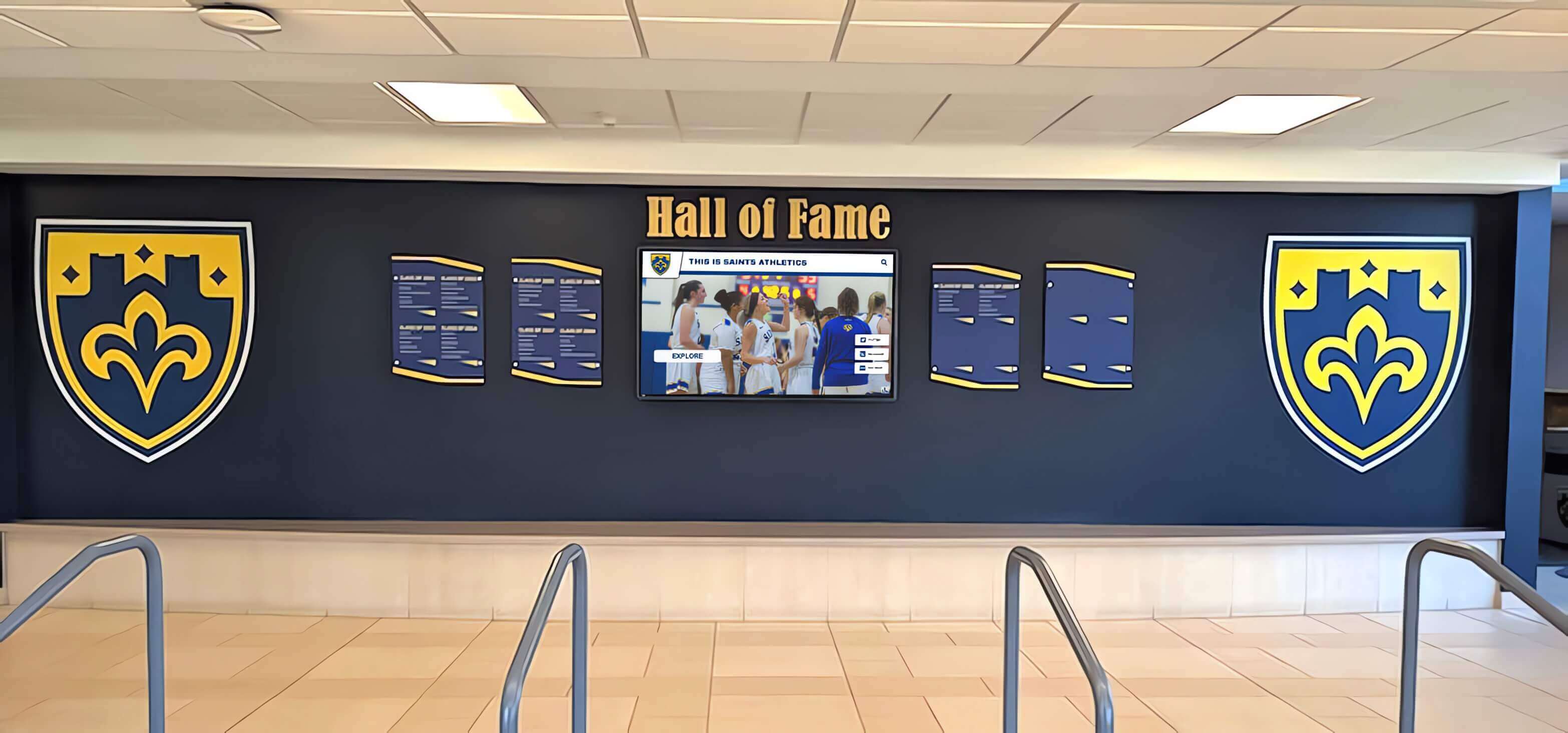
Combining physical recognition elements like shields with digital screens creates a foyer display that works at every distance
FAQ: School Foyer Recognition Displays
What is the best type of display for a school foyer? A 55–65 inch commercial-grade touchscreen kiosk is the most versatile option for most school foyers. It combines the visual impact of a large digital display with interactive browsing capabilities, and it can surface multiple content types—alumni, donors, athletics, academics—without requiring separate physical panels for each category.
How do you keep foyer recognition displays current without a dedicated staff member? Cloud-based content management systems let administrators update display content from any web browser without needing IT support or on-site access to the hardware. Schedule a quarterly content review cadence—new inductees in September, athletic highlights mid-season, academic honors in spring—and assign update responsibility to a specific role (communications director, athletics director, advancement office) rather than an individual.
How much wall space does a school foyer recognition installation require? A single touchscreen kiosk requires as little as 4–6 square feet of floor or wall space. A fuller installation combining a recognition mural, dedicated donor panel, and interactive kiosk typically occupies 10–20 linear feet of wall space. Most schools retrofit foyer recognition into existing alcoves, beside reception desks, or along corridor walls without major renovation.
Should a school foyer recognition display include current students or only alumni? Both. Current student recognition—honor roll, athletic leaders, student government—makes the foyer relevant to the community today and gives students a stake in the space. Alumni recognition adds historical depth and aspirational context. The strongest foyer displays layer both, connecting current students to the graduates who came before them.
What is the typical cost of a foyer touchscreen recognition display for a school? Hardware and software for a single-screen interactive foyer kiosk typically ranges from $8,000–$20,000 depending on screen size, mounting configuration, and content management features. Annual software and support costs generally run $2,000–$5,000. Many schools fund foyer recognition installations through capital campaigns, alumni giving programs, or named-gift opportunities that offset or fully cover the investment.
Ready to Transform Your School Foyer?
Rocket Alumni Solutions helps schools design and install foyer recognition displays that make powerful first impressions—interactive touchscreens, alumni walls, donor panels, and more, all managed from a single easy-to-use platform.
Schedule a Free Consultation






























