Walk into any school building and within seconds, signage communicates volumes about institutional priorities, organizational effectiveness, and community culture. Effective school signage does far more than mark restroom locations or point toward the main office—it creates welcoming environments where students feel valued, visitors navigate confidently, parents engage meaningfully, and community members understand the institution’s commitment to excellence and inclusion.
Yet many schools struggle with signage systems that create confusion rather than clarity. Outdated directional signs point to relocated classrooms, inconsistent branding undermines professional appearance, critical safety information remains invisible during emergencies, student achievements go uncelebrated in static displays requiring constant physical updates, and accessibility requirements get overlooked leaving some community members unable to navigate independently.
This comprehensive guide explores evidence-based school signage best practices spanning wayfinding systems, digital communication displays, recognition signage, safety and compliance requirements, and accessibility considerations—providing facilities managers, administrators, and district leaders with actionable frameworks for creating cohesive signage systems that serve every community member effectively.
School signage represents one of the most visible yet frequently underestimated aspects of facility management. Strategic signage systems support multiple critical functions including wayfinding that enables independent navigation for all visitors, communication that keeps community informed about events and important information, recognition that celebrates student achievement and institutional excellence, safety compliance that protects community members during emergencies, brand reinforcement that strengthens institutional identity and pride, and accessibility that ensures equal access regardless of physical or cognitive abilities.
When schools approach signage strategically rather than reactively—replacing failing signs one at a time as problems arise—they create integrated systems that transform campus environments while supporting operational efficiency and educational mission fulfillment.

Effective school signage combines traditional wayfinding with digital displays creating comprehensive communication systems
The Strategic Importance of Effective School Signage
Before exploring specific signage categories and implementation strategies, understanding why school signage matters helps prioritize these investments and secure necessary resources.
First Impressions and Campus Culture
School signage creates powerful first impressions for prospective families, substitute teachers, guest speakers, and community visitors. According to facility management research, visitors form initial perceptions of organizational professionalism and culture within the first 3-5 minutes of campus arrival—largely based on environmental cues including signage quality, consistency, and clarity.
Schools with cohesive, professional signage systems communicate attention to detail, respect for visitors, organizational competence, commitment to accessibility and inclusion, and pride in institutional identity. Conversely, facilities with inconsistent, outdated, or inadequate signage create impressions of disorganization, inattention to visitor experience, and lack of investment in facility quality.
These first impressions significantly influence family enrollment decisions, community support, volunteer willingness, and overall institutional reputation within local areas.
Operational Efficiency and Time Savings
Poor signage creates constant operational inefficiencies. Office staff spend substantial time providing directions to confused visitors rather than completing core responsibilities. Students arrive late to class because they cannot locate rooms in complex buildings. Substitute teachers waste instructional minutes searching for classrooms. Emergency responders lose critical seconds during crises trying to locate specific building areas.
Effective wayfinding signage dramatically reduces these inefficiencies, enabling independent navigation that frees staff time, maximizes instructional minutes, reduces student tardiness, and ensures emergency responders can quickly reach any campus location.
Safety and Emergency Response
During emergencies, clear signage literally saves lives. Visitors unfamiliar with buildings need immediate exit identification. Emergency responders require clear room numbering to locate specific areas quickly. Students and staff need visible assembly points. Crisis situations leave no time for confusion about navigation or safety procedures.
Schools must design signage systems specifically considering emergency scenarios, ensuring that critical safety information remains visible, understandable under stress, consistently maintained, and compliant with all relevant codes and regulations.
Supporting Educational Mission Through Recognition
Recognition signage celebrating student achievement, institutional history, and community contributions directly supports educational missions by making excellence visible and aspirational, connecting current students to institutional legacy, reinforcing values and priorities through visible celebration, motivating continued achievement across student populations, and building school pride and community identity.
Traditional recognition signage—engraved plaques, static trophy cases, printed honor rolls—struggles with space limitations restricting whose accomplishments receive visibility, maintenance requirements as names tarnish or plaques deteriorate, flexibility constraints making updates difficult and expensive, engagement challenges as static displays fail to capture attention, and accessibility issues for visitors with visual impairments.
Modern digital recognition displays address these limitations while dramatically expanding recognition capacity and engagement.
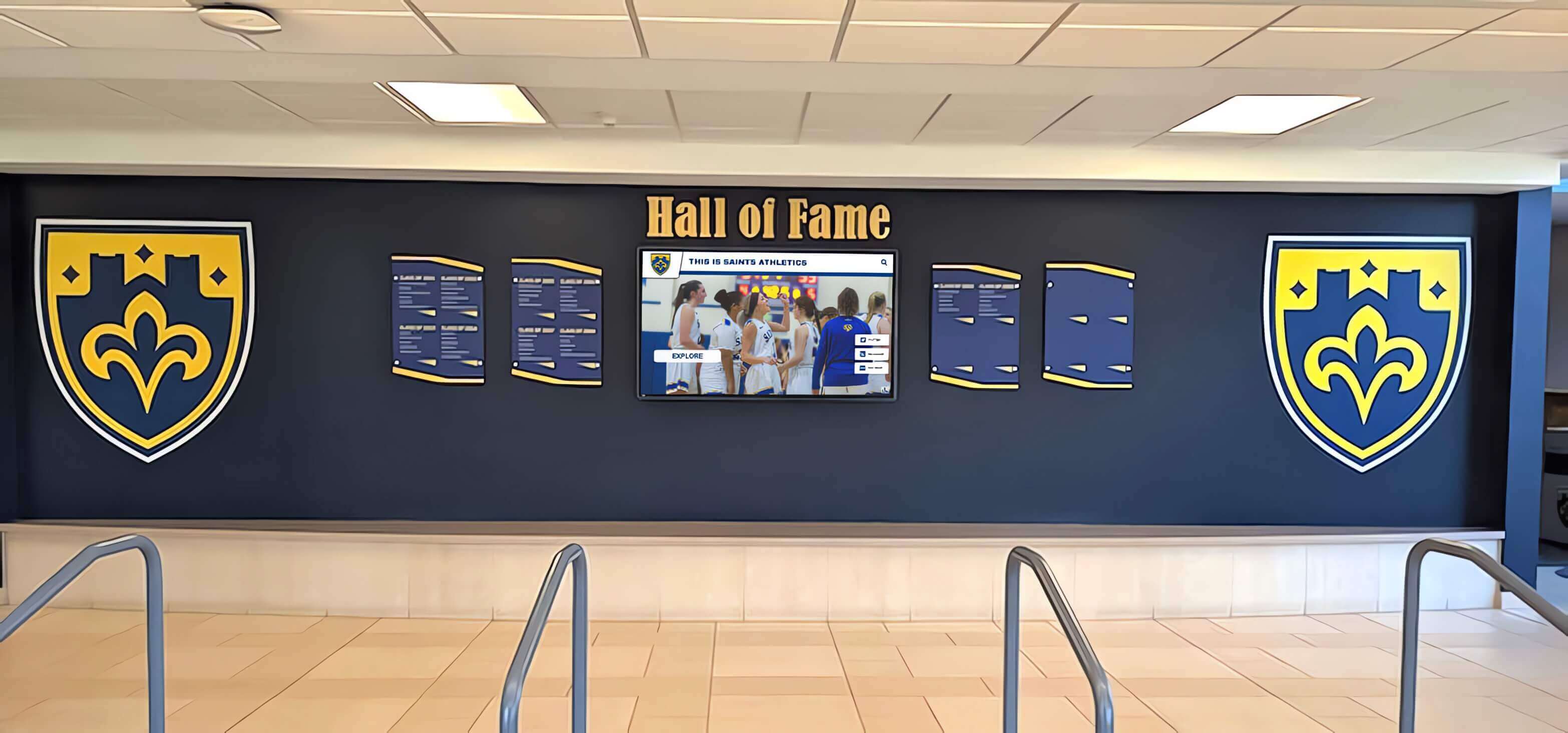
Strategic entrance signage establishes institutional identity while welcoming visitors to campus
Wayfinding Signage: Creating Intuitive Campus Navigation
Effective wayfinding represents the foundation of comprehensive school signage systems, enabling all visitors—including those unfamiliar with campus layouts—to navigate independently and efficiently.
Understanding Wayfinding Hierarchy
Professional wayfinding systems organize information across distinct hierarchy levels, each serving specific navigation needs. Identification signage marks specific locations including building names and addresses, main entrances, room numbers and names, department locations, and special facilities. These signs answer “Where am I?” and confirm arrival at intended destinations.
Directional signage provides navigation guidance through arrows and distance information, decision point placement at hallway intersections and stairwells, clear destination naming, and consistent visual systems enabling quick recognition. These signs answer “How do I get there?” and guide visitors from current locations to intended destinations.
Informational signage supplies detailed information including building directories, campus maps, operating hours, parking regulations, and visitor procedures. These signs answer “What do I need to know?” and provide context supporting effective navigation decisions.
Regulatory signage communicates rules and restrictions such as no entry areas, authorized personnel only spaces, security requirements, smoking policies, and other facility regulations. These signs answer “What am I allowed to do?” and ensure compliance with institutional policies and legal requirements.
Comprehensive wayfinding systems integrate all hierarchy levels, creating seamless navigation experiences where visitors always know their current location, understand how to reach intended destinations, access necessary contextual information, and comply with relevant regulations.
Strategic Placement Principles
Effective wayfinding depends as much on strategic placement as clear design. Signs must appear at decision points where visitors need navigation information including parking area exits, building entrances, hallway intersections, stairwell landings, and elevator lobbies. According to wayfinding experts, signs should appear slightly before decision points—not at the exact moment visitors must choose directions—providing time to process information before making navigation choices.
Consistent placement patterns reduce cognitive load. When directional signs always appear on right walls at intersections, visitors unconsciously know where to look without conscious searching. This consistency enables faster navigation while reducing missed signs and wrong turns.
Visibility considerations require clear sightlines ensuring signs remain unobstructed, appropriate mounting heights (typically 60-72 inches to sign center for primary wayfinding), adequate lighting including emergency lighting systems, and contrasting backgrounds distinguishing signs from surrounding environments.
Room Numbering and Naming Systems
Logical, intuitive room numbering dramatically improves wayfinding effectiveness. Best practice numbering systems incorporate floor identification (100s on first floor, 200s on second, etc.), logical sequencing (odd numbers on one hallway side, even numbers on opposite side), consistent increments enabling visitors to estimate distance, and building codes for multi-building campuses.
While standardized numbering improves navigation, many schools balance numbers with names that provide meaningful context—“Science Lab 2” or “Music Room” communicate more information than “Room 207” alone. Effective systems incorporate both numbers for systematic navigation and names for meaningful identification.
Consistency matters enormously. When room 215 sits between rooms 218 and 220 rather than following logical sequence, visitors become confused and lose trust in wayfinding systems. Schools implementing new numbering schemes should ensure perfect logical consistency even if this requires renumbering many spaces.
Exterior Wayfinding and Campus Navigation
While interior wayfinding typically receives primary attention, exterior signage enabling visitors to locate correct buildings and parking areas proves equally critical. Comprehensive exterior wayfinding includes clear campus entrance identification, building identification visible from parking areas and primary pathways, parking area signage designating visitor, staff, and student zones, pedestrian pathway guidance to main entrances, and campus maps at strategic exterior decision points.
Multi-building campuses particularly benefit from consistent building identification and clear directional signage between facilities. Emergency vehicles must quickly locate specific buildings—exterior identification supporting rapid emergency response can prove life-saving during crises.
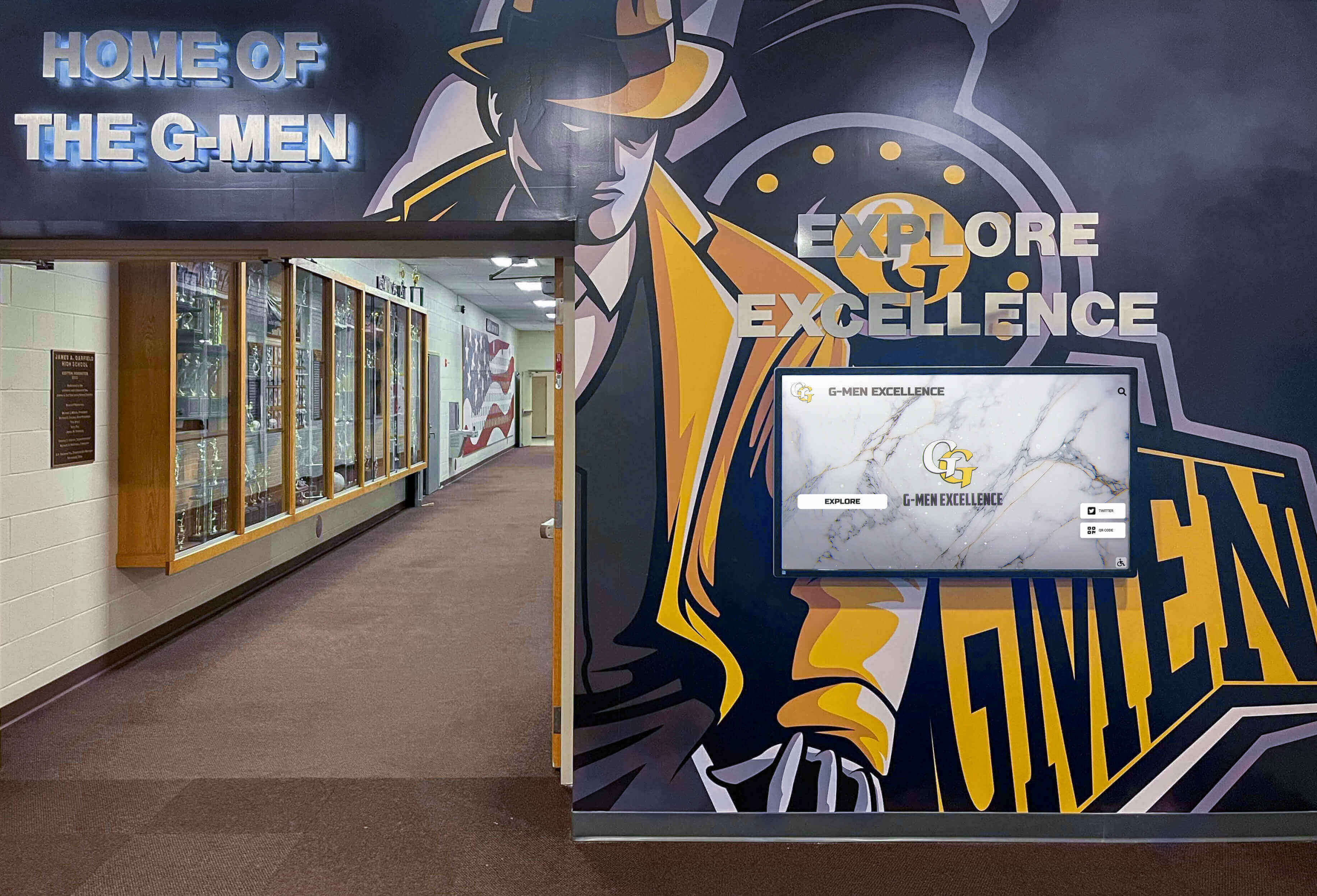
Comprehensive hallway signage integrates wayfinding, recognition, and school identity elements
Digital Display Signage: Modern Communication Infrastructure
Digital displays have evolved from novelty additions to essential communication infrastructure enabling dynamic content, timely information distribution, and engaging visual communication impossible with static signage.
Strategic Digital Display Applications
Schools implement digital displays across diverse applications, each serving specific communication needs. Main entrance displays welcome visitors while providing real-time information including daily announcements and schedule changes, upcoming event calendars, emergency alerts and critical communications, recognition spotlights celebrating achievements, and directional assistance for special events.
Hallway communication displays keep student and staff populations informed throughout buildings with lunch menus and daily schedules, club meeting announcements, sports scores and upcoming games, academic recognition and honor rolls, safety reminders and health information, and celebration of student work and projects.
Library and media center displays support learning environments through research resource highlights, new book arrivals and recommendations, study skill tips and academic support information, college and career information, and student research project showcases.
Athletic facility displays celebrate sports programs and athletes with game schedules and results, athlete recognition profiles and records, team statistics and season information, historical championship documentation, and motivational content supporting athletic programs.
Administrative area displays inform visitors in office spaces with procedure information and required documentation, staff availability and contact information, volunteer opportunities and community engagement, and district news and policy updates.
Schools implementing digital signage content strategies report dramatically improved communication effectiveness compared to bulletin boards requiring physical posting.
Content Management and Update Workflows
Digital display effectiveness depends entirely on content quality, relevance, and timeliness. Displays showing outdated information become ignored background noise rather than valuable communication tools. Effective content management requires clear ownership with designated individuals responsible for specific display content, scheduled review cycles ensuring regular content updates and relevance verification, submission workflows enabling departments and groups to request content, approval processes maintaining quality standards and appropriate messaging, and automated scheduling rotating content and highlighting time-sensitive information.
Many schools implement cloud-based content management systems enabling remote updates from any internet-connected device, scheduled content publication automating routine updates, template libraries ensuring consistent visual quality, multi-display management updating content across numerous screens simultaneously, and role-based permissions allowing appropriate access levels.
Solutions like Rocket Alumni Solutions provide purpose-built platforms specifically designed for educational institutions, offering intuitive interfaces requiring no technical expertise while supporting sophisticated content scheduling and management capabilities.
Design Best Practices for Digital Content
Even compelling information fails when presented poorly. Effective digital display content follows proven design principles including high contrast between text and backgrounds ensuring readability from distance, appropriate text sizes visible from typical viewing distances, limited content per screen preventing information overload, brief display duration (typically 7-10 seconds per content item), visual hierarchy emphasizing most important information, consistent branding reinforcing institutional identity, and dynamic elements attracting attention without creating distraction.
Professional templates dramatically improve content quality while reducing creation time. Rather than designing each announcement from scratch, staff can populate proven templates ensuring consistent quality and visual professionalism even without graphic design expertise.
Interactive Touchscreen Applications
While passive digital displays serve communication needs, interactive touchscreen systems enable active engagement and personalized information access. Interactive applications include campus directory systems helping visitors locate staff and departments, wayfinding maps providing directions to specific rooms, event calendars allowing exploration of upcoming activities, recognition databases enabling search of achievement archives, historical archives preserving institutional memory, and resource directories connecting families to services and support.

Interactive touchscreens transform signage from passive information to active engagement opportunities
Touchscreen wayfinding proves particularly valuable in large facilities where visitors struggle navigating complex floor plans. Interactive maps allow visitors to search for specific rooms, view current locations, receive step-by-step directions, and access information about departments and staff—all through intuitive interfaces familiar from smartphone experiences.
Recognition Signage: Celebrating Achievement and Building Culture
Recognition signage serves educational missions by making excellence visible, motivating continued achievement, connecting students to institutional legacy, and building community pride and identity.
Traditional Recognition Signage Limitations
Traditional approaches to recognition signage face significant constraints. Physical trophy cases offer extremely limited space, forcing schools to choose whose accomplishments receive visibility and often relegating older achievements to storage. Static plaques become outdated quickly, requiring expensive re-engraving or replacement as new achievements occur. Honor roll boards accommodate only current semester recognition with previous achievements disappearing from view. Athletic record boards require physical updates each time records fall.
These limitations mean that most student achievements never receive lasting recognition simply due to physical space constraints. The star quarterback’s records appear on lobby walls while equally deserving band students, academic achievers, and community service leaders go uncelebrated because no space remains.
Digital Recognition Solutions
Digital recognition displays eliminate traditional space constraints while offering capabilities impossible with static signage. A single touchscreen can showcase unlimited students across unlimited achievement categories with searchable databases enabling quick location of specific individuals, filtering and sorting across achievement types, years, and categories, detailed profile pages telling complete achievement stories, photo galleries and multimedia content, and historical archives preserving decades of accomplishments.
According to user engagement research, visitors typically spend less than one minute viewing traditional trophy cases but average 7-8 minutes actively exploring interactive recognition displays. This extended engagement creates deeper connections with institutional culture while ensuring recognition reaches broader audiences.
Schools implementing comprehensive digital trophy case solutions report transformative impacts on school pride and community engagement.

Modern recognition displays provide unlimited capacity while creating engaging experiences
Recognition Content Organization
Effective recognition displays organize content enabling intuitive exploration across multiple dimensions. Chronological organization allows browsing by year, decade, or era showing institutional evolution over time. Category-based organization separates athletics, academics, arts, service, leadership, and other achievement types enabling focused exploration.
Individual profiles provide detailed information including achievement descriptions and context, relevant dates and timeframes, photographs documenting accomplishments, statistics and records where applicable, and biographical information and current updates.
Team and group recognition celebrates collective achievements including championship teams, academic competition groups, performing arts ensembles, student government leadership, and graduating class accomplishments.
Searchable databases enable instant location of specific names, years, achievement types, or other criteria within comprehensive collections. This search functionality proves particularly valuable for alumni returning to campus decades after graduation who can instantly locate themselves and classmates within historical archives.
Balancing Multiple Recognition Priorities
Schools celebrate achievements across numerous domains—athletics, academics, arts, service, leadership, diversity, and more. Comprehensive recognition systems ensure balanced visibility rather than over-emphasizing specific achievement types. Digital platforms make this balance achievable by dedicating specific sections to different achievement domains, rotating highlighted content ensuring diverse recognition, creating equal-quality presentation regardless of achievement type, enabling equivalent search and exploration across all categories, and preserving complete historical records across all recognition types.
This balanced approach ensures that academic recognition receives visibility equal to athletic achievements while arts programs, community service, and leadership accomplishments gain appropriate celebration.
Safety, Compliance, and Regulatory Signage
Beyond communication and recognition, schools must implement signage meeting numerous safety codes, legal requirements, and regulatory standards.
Emergency and Evacuation Signage
Life safety codes mandate specific emergency signage including illuminated exit signs visible from all areas, evacuation route maps posted throughout buildings, assembly point identification in exterior areas, emergency contact information and procedures, fire extinguisher and safety equipment locations, and emergency services access information.
Emergency signage must meet rigorous standards including photoluminescent or illuminated visibility during power outages, standardized symbols ensuring universal understanding, high-contrast designs ensuring visibility under stress, weather-resistant materials for exterior signage, and consistent placement enabling quick location during crises.
Regular inspection and maintenance ensure emergency signage remains functional when needed. Burned-out exit sign bulbs, faded evacuation maps, or damaged assembly point markers can prove catastrophic during actual emergencies.
ADA Compliance and Accessibility Requirements
The Americans with Disabilities Act establishes specific signage requirements ensuring accessibility for individuals with disabilities. Permanent room identification signs must incorporate raised characters and Grade 2 Braille, mount at specific heights (48-60 inches to sign baseline), include appropriate visual contrast for low-vision visitors, and follow standardized pictogram designs.
Directional and informational signage requires high-contrast text and backgrounds (typically 70% minimum contrast), appropriate text size based on viewing distance, non-glare finishes preventing reflection interference, and consideration of cognitive disabilities through clear, simple language.
Digital displays supporting accessibility incorporate screen reader compatibility for interactive touchscreens, audio description options for visual content, adjustable text size and contrast settings, simple navigation interfaces, and physical mounting heights compliant with accessibility standards.
Schools implementing ADA-compliant digital displays ensure recognition and communication systems serve entire communities regardless of physical abilities.
Building Code and Safety Compliance
Beyond ADA requirements, numerous building codes and safety regulations affect school signage including fire code requirements for exit signage and occupancy load postings, hazardous material identification in appropriate areas, restricted area marking for authorized personnel only spaces, stairwell identification and floor numbering, and room capacity information for assembly areas.
Compliance failures risk substantial fines, liability during incidents, and loss of occupancy certificates. Facilities managers should conduct regular signage audits verifying continued compliance as codes evolve and facilities change.

Comprehensive signage systems integrate wayfinding, branding, recognition, and safety elements
Signage Design and Branding Consistency
Cohesive visual systems distinguish professional signage from random collections of mismatched signs creating confused rather than unified campus environments.
Establishing Signage Standards and Guidelines
Schools with effective signage systems develop comprehensive standards documentation covering color palettes and institutional brand colors, typeface selections and font usage guidelines, logo placement and sizing requirements, sign mounting heights and placement standards, material specifications and durability requirements, and design templates for common sign types.
Documented standards ensure consistency as new signs get added over time, multiple vendors produce signs for different projects, staff changes occur in facilities or communications departments, building additions or renovations require signage updates, and various departments create supplementary signage.
Without documented standards, signage systems gradually deteriorate into visual chaos as each new sign follows different design principles based on whoever created it.
Material Selection and Durability
Appropriate material selection balances durability, aesthetics, maintenance requirements, and budget considerations. Interior signage typically employs acrylic, aluminum, vinyl, high-density foam, or digital displays. Exterior signage requires weather-resistant materials including powder-coated aluminum, HDU (high-density urethane), certain composite materials, illuminated channel letters, or weather-rated digital displays.
Durability considerations include expected lifespan and replacement cycles, resistance to vandalism and abuse particularly in high-traffic areas, maintenance requirements and cleaning methods, mounting system reliability and security, and total cost of ownership including initial investment and ongoing maintenance.
Schools should prioritize quality materials in high-visibility areas like main entrances while potentially accepting lower-cost solutions in less prominent locations. False economy often results when cheap signage requires frequent replacement—higher initial investment in durable materials typically reduces long-term costs.
Signage Hierarchies and Visual Systems
Effective signage systems employ visual hierarchies distinguishing information importance through size, color, placement, and design treatment. Primary wayfinding receives largest, most prominent signs with consistent placement and high visibility. Secondary information uses smaller, less prominent signage appropriately subordinate to primary systems. Tertiary details appear in smallest formats appropriate for close viewing.
Color coding can enhance wayfinding through wing or floor identification, department distinction, or grade level differentiation when applied consistently and documented clearly. However, color systems must never serve as sole identification methods since color-blind visitors cannot distinguish certain color combinations.
Integrating Traditional and Digital Elements
The most effective signage systems thoughtfully integrate traditional static signs with digital displays creating complementary rather than competing systems. Static signage handles permanent information including room identification, directional wayfinding, safety and compliance information, and brand elements and architectural identity. Digital displays address dynamic content including daily announcements and schedule changes, rotating recognition and celebrations, time-sensitive event information, and detailed interactive content.
This integration acknowledges that certain information types suit specific signage formats. Room numbers don’t require digital displays since they rarely change. Daily announcements shouldn’t require printing and posting paper signs when digital displays enable instant updates.
Planning and Implementing Comprehensive Signage Systems
Schools rarely have opportunities to implement complete signage systems from scratch. Strategic planning enables phased implementation improving systems systematically while managing budget constraints.
Conducting Signage Audits
Comprehensive signage improvement begins with thorough assessment of current systems identifying what exists, what’s missing, what needs replacement or updating, what creates confusion or fails to serve intended purposes, and what opportunities exist for improvement. Systematic audits document location and condition of all existing signs, gaps where signage is missing or inadequate, compliance issues requiring correction, inconsistencies undermining system coherence, and priority ranking based on needs and available resources.
Involving diverse perspectives improves audit effectiveness. Facilities staff understand maintenance and durability challenges. New teachers and staff identify wayfinding gaps experienced as newcomers. Visitors with disabilities reveal accessibility barriers. Students provide insights into which communication approaches reach them effectively.
Developing Implementation Plans and Budgets
Signage improvements often span multiple years due to budget limitations. Strategic phasing prioritizes highest-impact improvements including critical safety and compliance corrections, main entrance improvements creating positive first impressions, primary wayfinding systems enabling basic navigation, and high-visibility recognition displays demonstrating commitment to celebrating achievement.
Lower priorities might include secondary wayfinding refinements, decorative elements and enhanced branding, comprehensive digital display networks, and replacement of functional but dated signage.
Budget planning should address sign fabrication and materials, professional design services, installation labor and equipment, digital display hardware and software, content management systems and training, and ongoing maintenance and updates.
Many schools pursue grant funding for specific signage categories particularly digital recognition installations which may attract donor funding as lasting, visible contributions.
Selecting Vendors and Partners
Quality signage systems require expertise schools typically don’t possess internally. Vendor selection should evaluate experience with educational facilities specifically, portfolio quality and design capabilities, material expertise and durability knowledge, installation quality and project management, maintenance and warranty support, and cost competitiveness balanced against quality.
For digital display systems, additional considerations include content management system usability, training and support quality, cloud platform reliability and security, hardware quality and warranty terms, and integration capabilities with existing school systems.
Solutions like Rocket Alumni Solutions specialize specifically in educational recognition and communication displays, offering purpose-built platforms, comprehensive implementation support, intuitive content management, and ongoing training and assistance designed for school environments and staff capabilities.
Installation and Project Management
Signage installation in occupied school buildings requires careful planning minimizing disruption to educational programs. Considerations include scheduling work during breaks or after school hours, coordinating with custodial and maintenance staff, protecting building finishes during installation, managing debris and workspace cleanliness, and ensuring security of work areas and expensive equipment.
Digital display installation involves additional technical considerations including electrical service and circuit capacity, network connectivity requirements, mounting system structural adequacy, climate control and ventilation needs, and cable management and wire concealment.
Professional installation ensures proper mounting, appropriate height and positioning, secure attachment meeting safety codes, clean finished appearance, and full functionality testing before acceptance.

User-friendly interfaces encourage active exploration rather than passive viewing
Maintaining and Updating Signage Systems
Initial implementation represents only the beginning of effective signage management. Ongoing maintenance and updating ensure systems remain functional, accurate, and valuable over time.
Preventive Maintenance Schedules
Regular maintenance preserves signage appearance and functionality through cleaning removing dirt and graffiti, hardware inspection ensuring secure mounting, lighting system checks replacing burned bulbs, digital display maintenance cleaning screens and checking functionality, and damage repair addressing vandalism or wear promptly.
Documented maintenance schedules assign clear responsibilities and ensure consistent attention. Facilities staff should incorporate signage into regular building maintenance rather than addressing issues only reactively after failures occur.
Content Update Workflows
Digital displays require regular content management maintaining relevance and engagement. Effective workflows establish content calendars planning seasonal and event-specific content, submission processes enabling various departments to request content, approval requirements maintaining quality and appropriateness, publication schedules automating routine updates, and archive management removing outdated content.
Many schools designate communications coordinators or administrative assistants responsible for display content management, providing training on content management systems and establishing clear procedures for routine updates. Without clear ownership, display content becomes stale and displays lose value as community members learn they show outdated information.
System Evolution and Continuous Improvement
As schools grow, facilities change, technology advances, and community needs evolve, signage systems must adapt through periodic audits reassessing effectiveness, stakeholder feedback identifying confusing or missing elements, technology upgrades incorporating improved capabilities, expansion addressing new spaces and programs, and standards refinement improving consistency and quality.
The most effective schools treat signage as dynamic systems requiring ongoing attention rather than static installations completed once and forgotten. Regular small improvements maintain system effectiveness while preventing major problems requiring expensive comprehensive replacements.
Measuring Signage System Effectiveness
Understanding whether signage investments deliver intended value requires systematic assessment beyond subjective impressions.
Quantitative Metrics
Measurable indicators reveal concrete system performance including reduction in directional questions asked of office staff, decreased student tardiness in complex buildings, faster emergency response times during drills, increased engagement time with digital recognition displays, web traffic to digital content platforms, social media sharing of recognition content, and visitor feedback scores in campus tours and events.
Before-and-after measurements document improvement value. If office staff field 50 directional questions daily before wayfinding improvements but only 10 afterward, the time savings justify system investment while improving visitor experience.
Qualitative Feedback
Beyond numbers, stakeholder perceptions reveal system effectiveness through new student and staff onboarding experiences, visitor impressions during campus tours, substitute teacher feedback about navigation ease, emergency responder assessment of building identification, family engagement with digital recognition content, and community comments about professional appearance.
Regular stakeholder surveys or informal feedback collection provide ongoing insights enabling continuous refinement. Questions like “How easy was it to locate your destination?” or “Did you find the information you needed?” reveal specific pain points requiring attention.
Return on Investment Analysis
For administrators evaluating signage investments, ROI calculations consider reduced administrative time spent providing directions, decreased printed communication materials replaced by digital displays, improved recruitment conversion rates from positive campus impressions, increased alumni giving attributed to recognition engagement, avoided compliance penalties from code violations, and reduced emergency response time during incidents.
While some benefits prove difficult to quantify precisely, comprehensive consideration of direct cost savings, operational efficiencies, risk mitigation, and strategic benefits typically demonstrates strong returns justifying quality signage system investments.
Future Trends in School Signage
Understanding emerging signage trends helps schools plan investments remaining relevant for years rather than becoming quickly outdated.
Advancing Digital Display Technologies
Display technology continues rapid evolution including increased resolution and clarity, reduced cost per square inch of screen area, improved energy efficiency reducing operating costs, enhanced touchscreen responsiveness and durability, integration with mobile devices enabling personal interaction, and AI-powered content personalization adapting to viewer interests.
Schools planning digital display investments should consider upgrade paths and future-proofing options rather than implementing systems becoming obsolete within a few years.
Enhanced Wayfinding Technologies
Traditional static wayfinding increasingly incorporates digital enhancements including mobile-integrated wayfinding apps providing turn-by-turn navigation, QR codes on static signs linking to detailed digital information, augmented reality wayfinding overlaying directions on camera views, beacon-based indoor positioning enabling precise location services, and voice-activated wayfinding interfaces supporting accessibility.
These technologies enhance rather than replace traditional wayfinding, providing additional options serving diverse navigation preferences and capabilities.
Sustainability and Environmental Considerations
Growing environmental awareness influences signage decisions through energy-efficient digital displays reducing power consumption, sustainable materials with recycled content or lower environmental impact, solar-powered exterior displays eliminating electrical requirements, reduced waste through digital content replacing printed materials, and long-lifespan materials reducing replacement frequency.
Schools emphasizing sustainability may prioritize these considerations in signage specifications demonstrating environmental commitment while often reducing long-term operating costs.
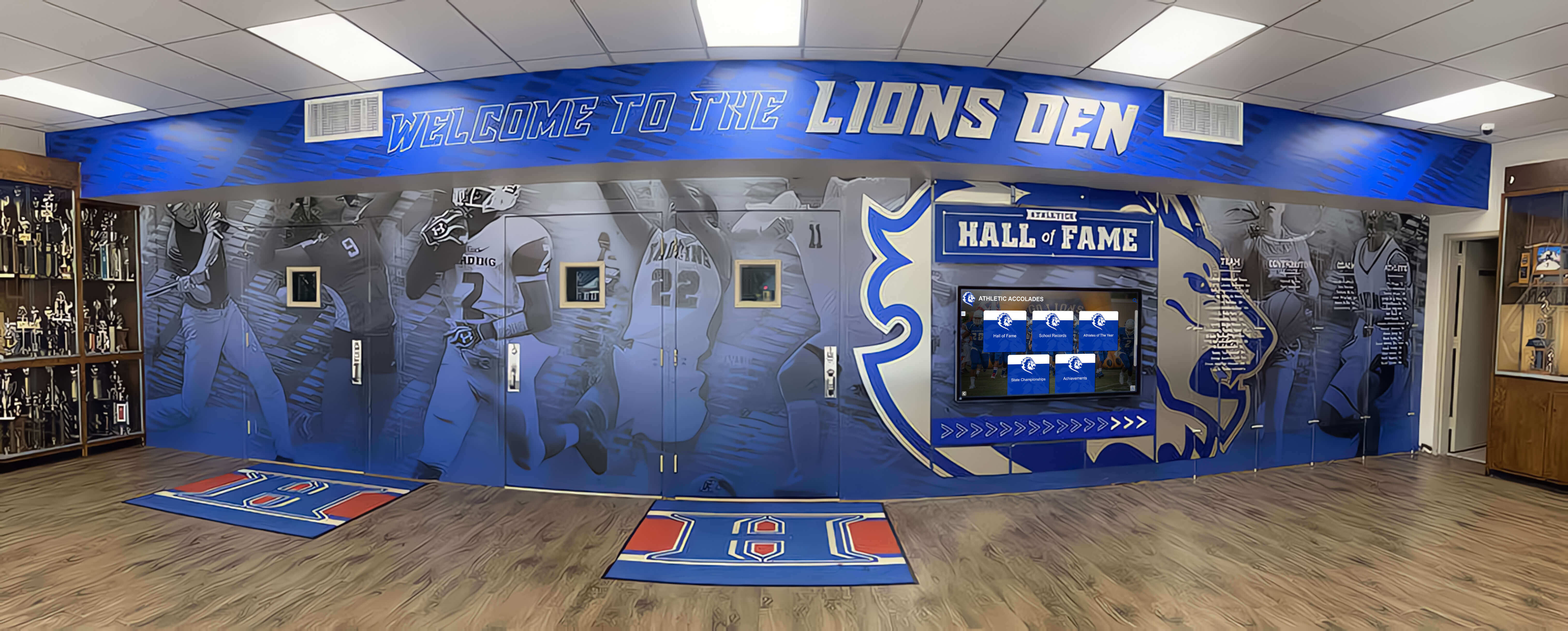
Complete signage systems create cohesive environments supporting wayfinding, communication, and school pride
Common Signage Challenges and Proven Solutions
Schools implementing signage improvements encounter predictable obstacles. Understanding common challenges and proven solutions ensures successful outcomes.
Challenge: Limited Budgets
Comprehensive signage improvements often carry substantial costs exceeding available budgets.
Solutions: Implement phased approaches addressing highest priorities first, seek designated donations from families or community members for specific signage elements, apply for facility improvement grants, partner with student organizations fundraising for recognition displays, and prioritize areas creating greatest impact including main entrances and primary wayfinding.
Challenge: Multiple Stakeholders and Competing Priorities
Athletic departments want lobby displays celebrating sports achievements while arts programs seek equal recognition and administrators prioritize communication functions.
Solutions: Implement comprehensive digital systems like Rocket Alumni Solutions accommodating unlimited content across all priority areas, establish content schedules ensuring balanced rotation across programs, involve diverse stakeholders in planning ensuring all voices influence design, and document decisions and rationales creating shared understanding of approaches.
Challenge: Maintaining Content Freshness
Digital displays quickly lose value when content becomes stale and outdated but busy staff struggle finding time for regular updates.
Solutions: Select content management systems designed for non-technical users requiring minimal time, establish clear ownership with specific individuals responsible for updates, create simple submission processes enabling various departments to provide content easily, implement automated content scheduling reducing manual work, and develop content libraries with evergreen materials requiring less frequent updating.
Challenge: Accessibility Compliance Complexity
Schools struggle understanding complex ADA requirements and ensuring full compliance.
Solutions: Engage accessibility consultants conducting comprehensive audits and providing detailed recommendations, partner with specialized vendors experienced in compliant educational signage, utilize digital display platforms purpose-built with accessibility features, document accessibility standards in signage guidelines, and conduct regular compliance reviews as standards evolve.
Creating Your School Signage Action Plan
Schools ready to improve signage systems should follow systematic planning processes ensuring successful implementation.
Phase 1: Assessment and Priority Setting (Months 1-2)
Conduct comprehensive signage audit documenting existing systems, identifying gaps and deficiencies, noting safety and compliance issues, and gathering stakeholder feedback. Define clear objectives determining what signage improvements should accomplish—better wayfinding, enhanced communication, increased recognition, improved safety, stronger branding, or full accessibility.
Prioritize improvements based on safety criticality, compliance requirements, high-impact visibility, budget availability, and stakeholder priorities.
Phase 2: Planning and Design (Months 2-4)
Develop signage standards and design guidelines, create detailed implementation plans with specific timelines and responsibilities, secure necessary budgets and approvals, select vendors and implementation partners, and finalize designs for initial phase installations.
Phase 3: Implementation (Months 4-12)
Begin with highest-priority improvements, manage installation minimizing educational disruption, provide training on digital content management systems, document maintenance procedures and responsibilities, and communicate improvements to stakeholders.
Phase 4: Maintenance and Continuous Improvement (Ongoing)
Implement regular maintenance schedules, establish content update workflows, gather ongoing stakeholder feedback, assess system effectiveness using defined metrics, and plan subsequent improvement phases addressing remaining priorities.
Ready to Transform Your School's Signage System?
Discover how Rocket Alumni Solutions can help your institution create welcoming, navigable environments through comprehensive digital recognition displays, interactive wayfinding systems, and communication platforms designed specifically for educational settings. Our expert team provides complete support from planning through successful implementation.
Explore Signage SolutionsConclusion: Signage Systems That Serve Educational Communities
Effective school signage creates welcoming environments where students feel celebrated, visitors navigate confidently, community members stay informed, safety receives appropriate priority, and institutional identity shines clearly. Strategic signage systems transform confusing campuses into intuitive environments while supporting operational efficiency, educational mission fulfillment, and positive community impressions.
The best school signage practices combine proven wayfinding principles ensuring independent navigation for all visitors, modern digital displays enabling dynamic communication and unlimited recognition, thoughtful design creating cohesive visual systems, rigorous safety and accessibility compliance protecting all community members, and sustainable implementation approaches balancing ambition with practical resource constraints.
Schools approaching signage strategically rather than reactively create systems delivering lasting value far exceeding initial investments. Whether starting with comprehensive facility-wide improvements or beginning with focused high-impact installations, whether installing impressive entrance displays or implementing practical wayfinding systems, whether celebrating athletic achievements or honoring academic excellence—proven practices and powerful platforms enable effective signage supporting your unique institutional needs and goals.
Modern technology platforms from providers like Rocket Alumni Solutions make comprehensive digital signage achievable for schools of all sizes, combining intuitive content management with sophisticated display capabilities specifically designed for educational institutions. These purpose-built systems eliminate traditional recognition space constraints while creating engaging experiences that transform passive viewing into active community engagement.
Your school community deserves signage systems that guide confidently, inform effectively, celebrate meaningfully, and welcome warmly. Begin implementing these best practices today, creating environments where every community member can navigate independently while understanding that their institution values excellence, accessibility, and professional quality in every visible detail.































