Every school accumulates achievements worth celebrating—championship trophies, academic honors, community service awards, and historical milestones. The question facing administrators isn’t whether these accomplishments deserve recognition, but rather how to display them effectively when physical space remains limited and achievements continue accumulating year after year.
This guide examines practical school trophy case ideas across traditional and digital approaches. You’ll find design principles, spatial planning considerations, organization strategies, and implementation options that help you showcase decades of achievement without the limitations of fixed glass cases.
The Space Challenge with Traditional Trophy Cases
Schools face a fundamental problem with traditional trophy display: achievements accumulate faster than available display space. A high school producing twenty championship teams, fifty academic all-state students, and dozens of community service award recipients each year quickly exhausts even generous trophy case capacity.
The typical solution—rotating trophies in and out of display, relegating older achievements to storage, or limiting which accomplishments receive recognition—creates problems of its own. Athletes and students whose awards were removed feel their contributions were diminished. Parents question why some achievements receive permanent display while others don’t. Historical context disappears when older trophies go into storage.
This capacity constraint forces administrators into difficult decisions about what deserves recognition and what gets relegated to boxes in the basement. The core issue isn’t the physical trophy cases themselves, but rather the fundamental limitation of fixed display space in an environment where achievements continue accumulating indefinitely.
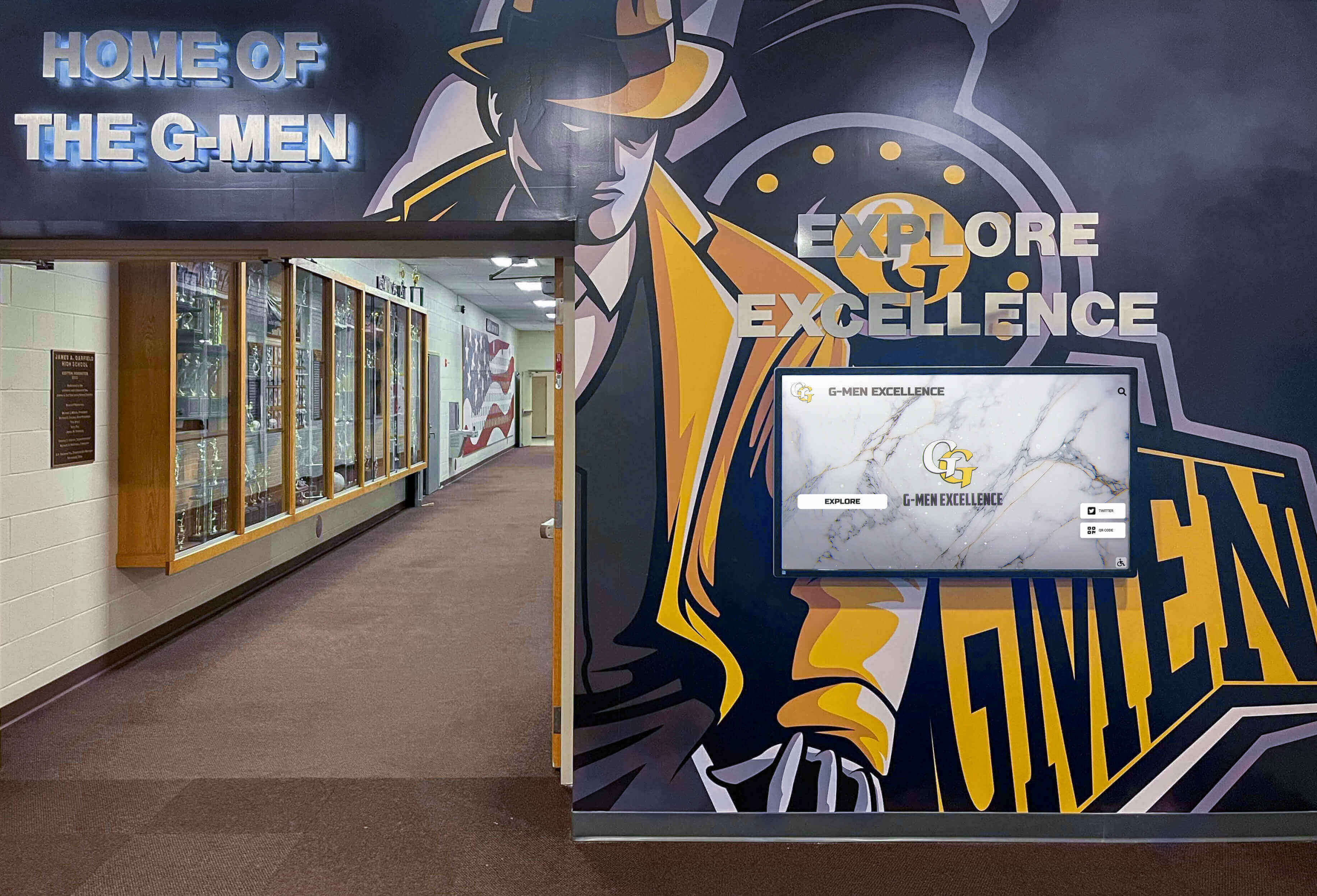
Traditional Trophy Case Design Principles
When planning physical trophy cases, several design principles help maximize impact and usability.
Location Selection
Trophy case placement significantly affects their effectiveness. High-traffic areas like main entrance lobbies, cafeteria corridors, and gymnasium entrances ensure maximum visibility. Avoid placing cases in isolated hallways or locations that only certain student populations frequent.
Consider sight lines—cases should be visible from multiple approach angles. Corner installations that students walk past without noticing fail to serve their recognition purpose. Central lobby locations or corridor positions where students naturally congregate provide superior visibility.
Lighting Requirements
Proper lighting transforms trophy displays from cluttered shelves into impressive showcases. Internal LED lighting strips installed at the top of cases provide even illumination without the heat issues of older incandescent fixtures. Adjustable fixtures allow you to highlight specific awards or create focal points.
Natural lighting creates challenges—direct sunlight fades ribbons, degrades photographs, and creates glare that makes plaques unreadable. If cases must be positioned near windows, use UV-filtering glass and adjustable blinds to protect contents while controlling glare.
Organization Strategies
Logical organization helps visitors navigate trophy displays and understand achievement context. Common organization frameworks include:
Chronological arrangement: Organizing awards by year creates clear historical progression. This approach works well for schools emphasizing tradition and legacy, allowing visitors to trace program development over decades.
Sport or category grouping: Clustering all football trophies together, all academic awards together, and all music achievements together helps visitors find specific accomplishments. This method works for schools with particularly strong programs that generate numerous awards in specific categories.
Achievement level organization: Grouping state championships separately from regional victories and district awards creates clear achievement hierarchies. This approach emphasizes the most significant accomplishments while still recognizing all levels of success.
Rotating spotlight displays: Designating specific case sections for rotating monthly or seasonal spotlights allows recent achievements to receive temporary prominence before moving to permanent display locations. This creates opportunities to celebrate current students while maintaining comprehensive historical displays.

Materials and Construction Considerations
Trophy case construction impacts both aesthetics and long-term maintenance requirements.
Frame Materials
Aluminum frames provide lightweight construction, resistance to corrosion, and modern appearance. They accommodate large glass panels without excessive structural bulk. Anodized finishes resist scratches and maintain appearance with minimal maintenance.
Wood frames create traditional, substantial appearance that complements historic school architecture. Oak, walnut, and maple offer durability and can match existing millwork. However, wood requires more maintenance and may warp with humidity changes in buildings without climate control.
Steel frames deliver maximum security and structural support for heavy trophy loads. Powder-coated finishes provide durability and color matching to school colors. Steel construction costs more initially but provides longest service life for high-use environments.
Glass Options
Standard float glass provides clear visibility at the lowest cost but offers no security features. Tempered glass provides better impact resistance and safety—when it breaks, it shatters into small granules rather than dangerous shards.
Laminated glass sandwiches plastic interlayers between glass panels, providing security against vandalism while maintaining clarity. Even when broken, the plastic layer holds glass fragments together. This option makes sense for schools concerned about theft or vandalism.
Low-iron glass eliminates the greenish tint visible in standard glass edges, providing superior clarity for high-end installations. The increased cost makes sense for featured cases in main lobbies but may be unnecessary for secondary locations.
Locking Mechanisms
Keyed locks provide basic security but create key management challenges—when staff turns over, unauthorized copies may exist. Consider who needs case access for award additions and trophy cleaning, then provide only that number of keys.
Electronic locks with programmable access codes eliminate key management issues. Administrative staff can change codes when personnel changes occur. Some systems log entry times, creating accountability for case access.
Accessibility Requirements
ADA guidelines don’t specifically regulate trophy cases, but if cases include interpretive text or interactive elements, accessibility considerations apply. Mount informational plaques at heights readable from wheelchairs. Ensure adequate clear floor space in front of cases for wheelchair users to approach. If touchscreen directories or interactive elements are added, mount them within the 15-48 inch height range measured to the center of the interactive area.

Creative Physical Display Ideas
Beyond standard rectangular glass cases, several creative approaches showcase achievements while solving specific challenges.
Wall-Mounted Shadow Boxes
Individual shadow boxes mounted in grid patterns allow flexible display expansion—add new boxes as achievements accumulate. This approach works particularly well for uniform award types like letterman’s jackets, championship plaques, or individual athlete recognitions.
Shadow boxes provide better protection than open shelving while creating visual interest through dimensional depth. Group related achievements together while maintaining clean grid alignment. This method particularly suits schools with architectural features like brick walls or wood paneling where built-in cases are impractical.
Rotating Display Carousels
Mechanical rotating displays increase capacity within limited footprint by presenting different awards as the carousel turns. Manual rotation by visitors creates interactive engagement, while motorized systems can cycle through displays automatically.
The primary limitation involves maintenance—mechanical systems require upkeep, and motors eventually fail. Manual rotation provides reliability but depends on visitor engagement. This approach works well for highlighting seasonal achievements, rotating monthly spotlights, or featuring different sports as their seasons progress.
Floor-Standing Pedestal Cases
Pedestal cases positioned in open floor areas provide 360-degree visibility and create impressive focal points in large lobbies or atriums. They work particularly well for featuring singular major achievements like state championship trophies or historically significant awards.
Floor cases require significant clearance—ADA guidelines specify minimum 36-inch clear paths around obstacles. Verify that positioning floor cases won’t create circulation problems during peak transition periods when hundreds of students move through spaces simultaneously.
Built-In Millwork Integration
Custom millwork integrating trophy display with other lobby functions creates cohesive design. Combined trophy cases, school store windows, main office service counters, and display cases present unified aesthetic while serving multiple purposes.
This approach requires significant initial investment but provides permanent solution suited to the specific space. Work with architectural millwork contractors who can match existing finishes and design details. Built-in solutions make particular sense during renovation projects or new construction when millwork contractors already have job mobilization costs.
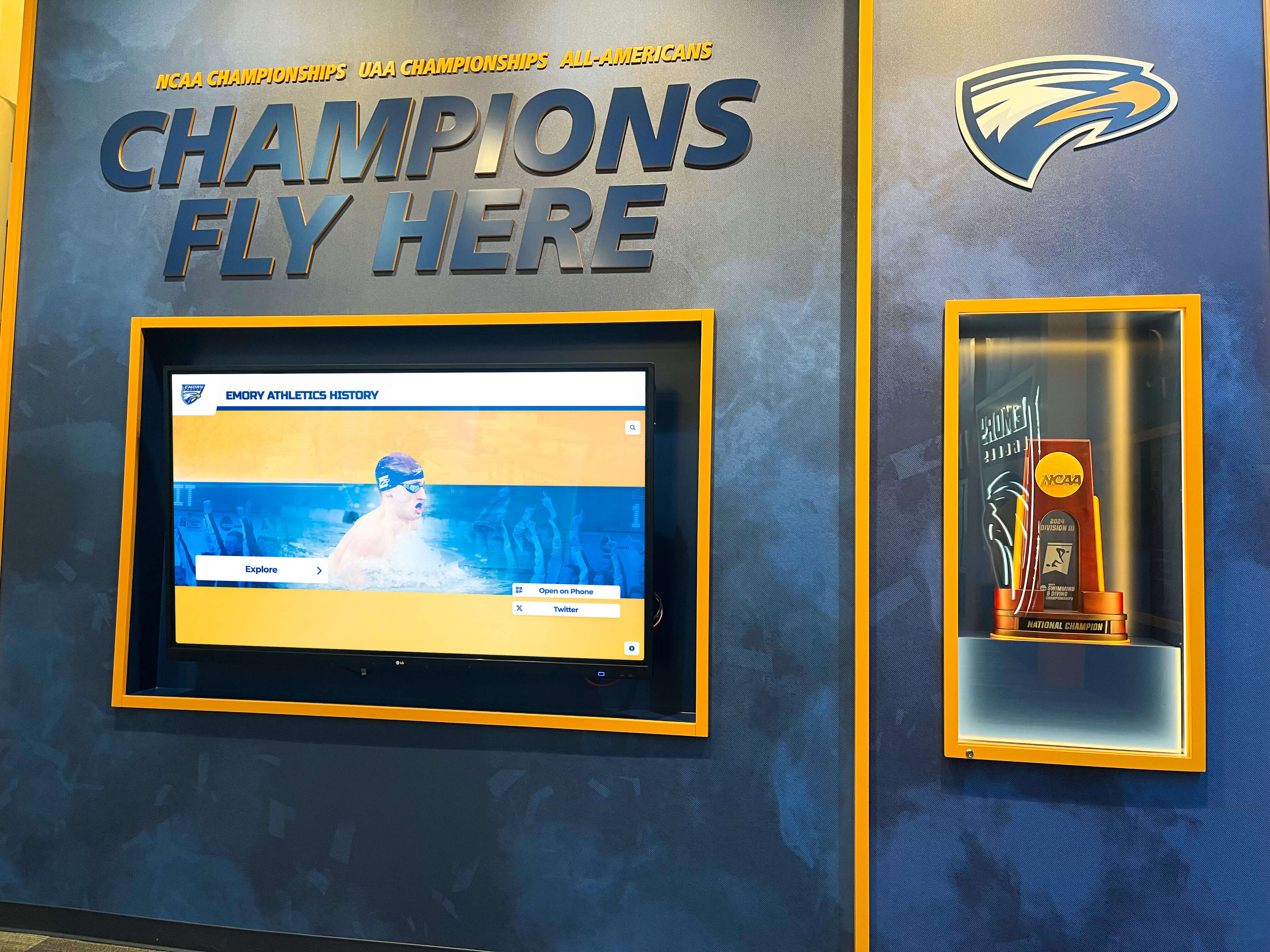
Digital Trophy Display Solutions
Digital recognition systems eliminate the fundamental space constraints of physical trophy cases. Solutions like Rocket Alumni Solutions provide unlimited capacity for showcasing achievements through interactive touchscreen displays that never run out of room.
Advantages of Digital Recognition Systems
Unlimited capacity: Digital displays accommodate every achievement without space constraints. Schools can recognize every state qualifier, honor roll student, championship team member, and award recipient without prioritizing which accomplishments deserve display space.
Rich multimedia content: Beyond static trophies and plaques, digital systems present game highlights, championship photos, athlete statistics, historical context, and personal stories. A state championship receives more meaningful recognition through video clips, team rosters, season statistics, and coach interviews than a trophy alone can convey.
Remote content management: Cloud-based systems allow staff to add achievements from any location without physically accessing display hardware. Athletic directors traveling with teams can update recognition boards from their phones. This eliminates scheduling complexity around case access for content updates.
Search and discovery: Interactive touchscreens let visitors find specific athletes, search by graduation year, filter by sport or achievement type, and explore connections between current students and alumni relatives. This discovery capability provides engagement impossible with static displays.
Consistent presentation: Digital templates ensure visual consistency regardless of who creates content. Every achievement receives professional formatting, proper photo composition, and complete information. This eliminates the aesthetic chaos of physical cases where trophy sizes, plaque materials, and mounting methods vary widely.
Implementation Considerations
Schools implementing digital recognition systems should address several technical requirements:
Network connectivity: Cloud-based content management requires reliable internet connectivity at display locations. Wired Ethernet connections provide superior reliability compared to WiFi. If wireless is the only option, verify signal strength at proposed locations and consider whether metal construction or concrete walls will interfere with connectivity.
Power requirements: Commercial displays typically draw 200-400 watts. Verify electrical capacity at proposed locations and ensure displays have dedicated circuits separate from HVAC equipment or machinery that causes voltage fluctuations. Wall-mounted displays need outlets behind or adjacent to mounting locations—extension cords violate electrical codes for permanent installations.
Mounting surface assessment: Commercial displays weigh 40-100 pounds depending on size. Drywall alone cannot support this weight. Concrete walls provide ideal mounting surfaces. Wood stud walls require locating studs and using lag bolts into structural members. Document any obstructions within five feet of proposed locations including fire extinguishers, exit signs, or door swing radius.
Content migration planning: Schools with existing physical trophy cases need strategies for digitizing historical achievements. This typically involves photographing trophies, transcribing plaque text, researching missing information, and organizing content by category and year. The initial content development represents significant work but creates permanent digital archive.

Hybrid Approaches: Combining Physical and Digital
Many schools find optimal solutions combine physical trophy displays with digital systems. Physical trophies provide tangible connection to achievements, while digital systems solve capacity limitations and provide rich context.
Featured Physical Displays with Digital Archives
Reserve physical trophy cases for the most significant achievements—state championships, national awards, or historic milestones—while digital systems provide comprehensive archives of all achievements. This approach lets visitors see and photograph major trophies while accessing complete achievement histories through interactive screens.
Position digital displays adjacent to physical cases, creating natural progression from featured physical trophies to comprehensive digital archives. Clear signage directs visitors to touchscreens for additional information, athlete profiles, and historical context.
Rotating Physical Displays with Permanent Digital Records
Use physical cases for rotating spotlights on current achievements while maintaining permanent digital archives. Each month or season, update physical cases to reflect recent accomplishments. Digital systems preserve recognition for all achievements regardless of whether they currently appear in physical displays.
This approach solves the “disappearing award” problem where students feel forgotten when their trophies are removed from display. Physical recognition provides immediate visibility for current achievements, while digital systems ensure permanent recognition that never gets relegated to storage.
QR Code Integration
Physical trophy plaques can include QR codes linking to digital profiles with game highlights, athlete statistics, team rosters, and historical context. This bridges physical and digital recognition, letting visitors who prefer tangible trophy displays still access rich multimedia content.
Implement QR codes with backup URL shortlinks printed below—some visitors may not know how to scan QR codes or may prefer typing addresses. Use professional QR code generators that allow custom URL destinations and provide usage tracking so you can measure engagement levels.
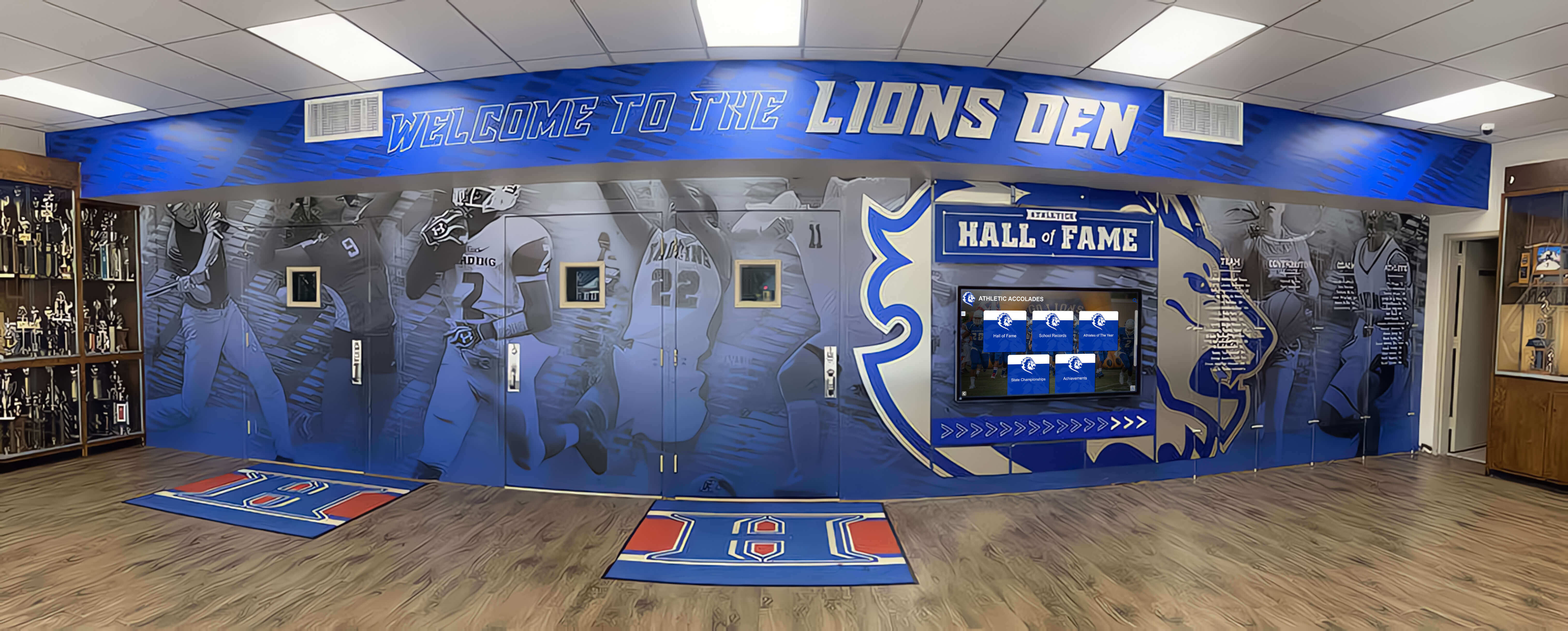
Academic Achievement Recognition
While athletic trophies receive prominent display, academic achievements often receive less visible recognition despite equal or greater importance. Schools need recognition strategies that celebrate intellectual accomplishments with the same prominence as athletic victories.
Academic Award Categories Worth Recognizing
Individual academic honors: National Merit Scholars, AP Scholars, valedictorians, salutatorians, perfect ACT/SAT scorers, and students accepted to competitive universities deserve recognition alongside athletic achievements. Academic recognition programs motivate students and communicate that schools value intellectual achievement.
Competitive academic teams: Debate teams, math leagues, science olympiad, robotics competitions, quiz bowl, and mock trial teams compete and win championships just like athletic teams. Their achievements deserve equivalent recognition through trophy displays and digital showcase platforms.
Honor roll and academic excellence: Semester honor roll lists, academic letter awards, and departmental excellence awards recognize consistent academic performance. While individual semester honor rolls may not warrant permanent trophy case space, digital displays can maintain comprehensive academic recognition databases.
Scholarship recipients: Students receiving significant scholarships represent both individual achievement and institutional success. Recognizing scholarship totals demonstrates the value universities place on your students while motivating younger students to pursue similar opportunities.
Balancing Athletic and Academic Recognition
Schools committed to comprehensive achievement recognition need strategies ensuring academic accomplishments receive visibility proportionate to their importance:
Equivalent display space allocation: If physical trophy cases dedicate 75% of space to athletics, consider whether this accurately reflects your institutional values. Allocating display space proportional to school priorities communicates what the institution truly values.
Integrated digital systems: Rather than separating athletic and academic recognition, digital displays can present unified achievement databases. Visitors browse by achievement type, graduation year, student name, or any other category. This integration reinforces that excellence takes many forms.
Cross-recognition for multi-talented students: Many students excel both athletically and academically. Digital systems can highlight these connections—showing that the quarterback who led the team to state championships also achieved National Merit Scholar status. These stories resonate with students and demonstrate that athletic and academic excellence aren’t mutually exclusive.
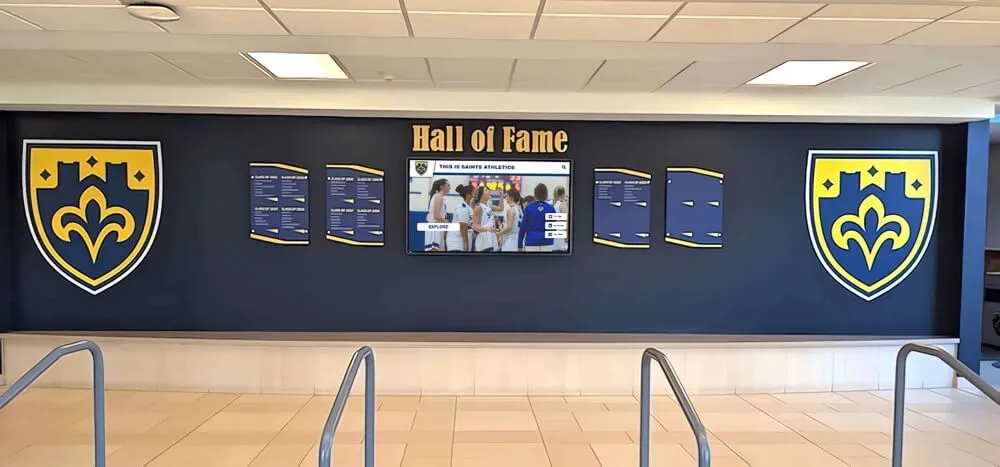
Maintenance and Long-Term Management
Trophy displays require ongoing maintenance to remain effective recognition tools. Neglected cases with dusty trophies, yellowed photos, and burned-out lights communicate institutional neglect rather than pride in achievement.
Physical Case Maintenance Requirements
Regular cleaning schedules: Glass surfaces require weekly cleaning during high-traffic periods to remove fingerprints and dust. Interior shelving needs monthly dusting. Annual deep cleaning should include removing all items, cleaning shelves thoroughly, and checking lighting fixtures.
Lighting maintenance: LED lighting systems can last 50,000 hours, but fixtures still fail eventually. Develop relationships with electrical contractors who can replace ballasts, rewire fixtures, or upgrade to newer LED systems as needed. Inconsistent lighting with some sections dark while others remain lit looks unprofessional.
Lock and hinge maintenance: Hinges on heavy glass doors develop play over time, causing doors to sag and alignment issues that prevent proper closing. Annual maintenance should include adjusting hinges, lubricating locks, and ensuring doors close securely. Broken locks compromise security and allow unauthorized case access.
Climate control considerations: Buildings without climate control experience humidity fluctuations that can damage awards. Moisture causes ribbons to mold, corrodes metal trophies, and warps wooden plaques. Consider installing small dehumidifiers in cases in buildings without HVAC systems.
Digital Display Maintenance
Digital systems require different maintenance compared to physical cases:
Screen cleaning: Touchscreen displays accumulate fingerprints that reduce visual quality and impair touch sensitivity. Clean screens weekly using microfiber cloths and screen-safe cleaning solutions—never use ammonia-based cleaners that damage anti-glare coatings.
Software updates: Cloud-based content management systems update automatically, but display hardware may require periodic firmware updates. Work with vendors to establish maintenance schedules and determine whether updates can be deployed remotely or require on-site service.
Content audits: Digital systems make adding content easy, but this can lead to quality degradation as various staff members create content with inconsistent formatting, incomplete information, or poor photo quality. Annual content audits identify and correct quality issues while removing outdated information.
Hardware refresh planning: Commercial displays have 5-7 year service lives before backlight degradation, dead pixels, or failed components justify replacement. Budget for hardware refresh cycles rather than waiting for complete failures.
Budget Planning Frameworks
Understanding cost structures helps administrators make informed decisions between traditional cases, digital systems, or hybrid approaches.
Traditional Trophy Case Investment
Basic wall-mounted trophy cases with aluminum frames, standard glass, and simple lighting start around $2,000-3,000 for 4-foot sections. Custom millwork with premium materials, specialty lighting, and museum-quality glass can reach $15,000-25,000 for comparable capacity.
Installation labor adds $500-2,000 depending on mounting surface conditions, electrical work requirements, and contractor rates in your region. Factor in ongoing maintenance costs for cleaning, repairs, and eventual refinishing as frames age.
The hidden cost involves capacity constraints. When cases fill completely, expanding requires purchasing additional cases, finding suitable wall space, and potentially reconfiguring entire display areas. These expansion costs compound over time.
Digital Recognition System Investment
Entry-level digital recognition systems with 55-inch displays, basic content management, and wall mounting start around $7,000-10,000. Mid-range systems with larger displays, advanced features, and comprehensive content migration assistance range from $15,000-25,000. Premium installations with multiple displays, custom kiosk enclosures, and extensive content development can reach $30,000-50,000.
However, digital systems eliminate expansion costs—adding more achievements requires no additional hardware or installation. Annual software subscription fees typically run $1,500-3,000 but include hosting, updates, and technical support.
Calculate total cost of ownership over 10-year periods. Traditional cases require multiple expansion cycles as space fills. Digital systems require hardware refresh after 5-7 years but never run out of capacity.
Funding Strategies
Booster club partnerships: Athletic booster clubs often fund recognition displays honoring the teams and athletes they support. Work with booster leadership to identify fundraising opportunities specifically for recognition projects.
Memorial donations: Families of deceased alumni, staff, or community members sometimes seek meaningful ways to honor their loved ones. Memorial donations funding recognition displays create lasting tributes while solving school funding challenges.
Corporate sponsorships: Local businesses may sponsor recognition displays in exchange for tasteful sponsor recognition. Digital displays can include rotating sponsor acknowledgments without compromising the primary achievement recognition purpose.
Capital campaign integration: Major capital campaigns for facility renovations or new construction should include recognition display components. Donors contributing to athletic facility improvements often appreciate that their gifts include systems celebrating achievements in those facilities.
Alumni fundraising: Alumni who benefited from school programs often support initiatives recognizing achievement. Alumni fundraising campaigns emphasizing how recognition systems inspire current students can generate significant support.
Making Your Decision: Key Considerations
Selecting between traditional trophy cases, digital systems, or hybrid approaches requires evaluating several factors specific to your situation.
Space Availability
Schools with ample wall space in prominent locations can implement traditional cases successfully. Schools facing severe space constraints benefit most from digital solutions that eliminate capacity limitations.
Achievement Volume
Programs generating modest achievement volumes—perhaps 10-20 significant awards annually—can manage with traditional cases for decades. Highly successful programs generating 100+ annual achievements quickly exhaust any reasonable amount of physical case space.
Budget Constraints
Tight budgets may favor traditional cases with lower initial costs. However, calculate total cost including multiple expansion cycles over 10-20 years. Digital systems often provide better long-term value despite higher initial investment.
Desired Functionality
If your primary goal involves displaying physical trophies for visitors to see and photograph, traditional cases serve this purpose well. If you want searchable databases, multimedia content, remote management, and unlimited capacity, digital systems provide capabilities impossible with physical cases.
Staff Technical Comfort
Traditional cases require no technical expertise beyond unlocking doors and arranging awards. Digital systems need staff comfortable with web-based content management interfaces. Most systems offer training and technical support, but verify your team has capability or willingness to learn new technology.
Institutional Values
What message do you want recognition systems to communicate? Traditional trophy cases emphasize tangible achievements and historical continuity. Digital recognition displays demonstrate innovation and comprehensive recognition. Your choice communicates institutional priorities to students, staff, and visitors.
Implementation Timeline
Successful trophy display projects require methodical planning. Use this timeline framework adapted to your specific situation:
3-6 Months Before Installation
Form planning committee: Include athletics staff, facilities management, IT department, booster representatives, and administrative leadership. Document decision-making authority for each aspect of the project.
Document requirements: Catalog existing achievements requiring display. Project future capacity needs based on historical achievement rates. Identify all locations being considered and document site conditions.
Budget development: Calculate realistic project costs including equipment, installation, content development, and ongoing maintenance. Identify funding sources and secure budget approval.
Vendor selection: If pursuing digital solutions, request proposals from multiple vendors. Evaluate systems based on features, costs, technical requirements, and vendor support. For traditional cases, get quotes from multiple contractors or case manufacturers.
2-3 Months Before Installation
Technical site preparation: Complete electrical work, network drops, and wall reinforcement before installation day. Schedule inspections to verify all preparation work meets code requirements.
Content preparation: Photograph existing trophies, transcribe plaque text, collect athlete photos, research missing information, and organize content by category. For digital systems, this preparation enables rapid deployment once hardware is installed.
Final design approval: Review and approve final designs, layouts, color schemes, and mounting specifications. Verify ADA compliance and obtain necessary permits for electrical or structural work.
Installation Month
Installation supervision: Facilities staff should supervise installations to ensure contractors follow specifications and don’t damage building systems. Document any issues immediately.
System testing: For digital systems, verify network connectivity, test touchscreen responsiveness, confirm content displays correctly, and validate content management system access.
Staff training: Train everyone who will manage displays on content updates, basic troubleshooting, and whom to contact for technical support.
Post-Installation
Formal dedication: Consider hosting dedication ceremonies for major recognition installations. Invite donors, booster club members, recognized athletes, and school community members.
Usage monitoring: Track how visitors engage with displays. For digital systems, review analytics showing which content receives most views. For traditional cases, observe which locations and arrangements draw most attention.
Regular maintenance: Implement cleaning schedules, establish content update procedures, and budget for ongoing maintenance. Recognition systems only remain effective with consistent upkeep.
Conclusion: Recognition That Grows With Achievement
The question facing schools isn’t whether achievements deserve recognition, but rather how to implement recognition systems that grow with accomplishment without space constraints, quality degradation, or perpetually rotating awards in and out of limited display space.
Traditional trophy cases serve schools with modest achievement volumes, ample display space, and preference for physical trophy presentation. Digital recognition systems solve capacity limitations while providing searchable databases, multimedia content, and recognition for unlimited achievements.
Many schools find hybrid approaches combining featured physical displays with comprehensive digital archives provide optimal solutions—honoring the tangible presence of major trophies while ensuring every achievement receives permanent recognition.
The recognition system you implement today will serve your school for decades. Choose solutions aligned with your institutional values, achievement volume, space availability, and long-term vision. Most importantly, choose systems that communicate to every student that their achievements—whether athletic, academic, artistic, or service-oriented—receive the recognition they deserve.
Ready to explore how your school can implement recognition displays that never run out of room? Schedule a TouchWall consultation to discover digital recognition solutions designed specifically for schools committed to celebrating every achievement.































