The promise of digital hall of fame software is compelling: unlimited recognition capacity, dynamic content updates, engaging multimedia experiences, and modern touchscreen interaction that resonates with today’s students and alumni. Yet despite these advantages, many schools find themselves months into implementation wishing they had made different choices. The regrets vary—from systems that prove too complex for staff to manage, to generic digital signage platforms that lack essential recognition features, to underpowered hardware that frustrates users, to vendors who disappear after installation leaving schools stranded with technical issues.
These problems rarely stem from digital recognition being the wrong choice. Instead, they result from rushing the decision-making process without fully understanding what separates effective recognition systems from disappointing investments. Schools face pressure to modernize quickly, salespeople emphasize flashy features over practical functionality, and limited technical expertise makes it difficult to evaluate competing claims. The result: expensive mistakes that undermine recognition programs rather than enhancing them.
The good news is that these pitfalls are entirely avoidable when schools approach digital hall of fame purchases with informed strategies and clear evaluation criteria. Understanding where others have gone wrong enables you to ask the right questions, recognize warning signs, and ultimately select solutions that deliver on their promises while fitting your school’s unique needs, budget, and technical capacity.
This comprehensive guide examines the most common reasons schools regret their digital hall of fame investments, reveals the hidden costs and complications that surprise buyers, and provides practical frameworks for making confident decisions that serve your community for years to come. Whether you’re just beginning to explore digital recognition or reconsidering an unsatisfactory existing system, these insights will help you avoid expensive mistakes while identifying solutions truly designed for educational recognition.

Many schools wish they had taken more time to evaluate their digital recognition options before committing to a solution
Problem 1: Choosing Generic Digital Signage Instead of Purpose-Built Recognition Software
The most common and costly mistake schools make is purchasing generic digital signage platforms marketed for general announcements, event calendars, and wayfinding, then attempting to adapt them for recognition purposes. These systems fundamentally lack the features that make digital halls of fame effective.
Why Generic Signage Falls Short
Generic digital signage excels at displaying rotating announcements, cafeteria menus, and event schedules—content that cycles continuously without user interaction. Recognition programs require fundamentally different capabilities that broadcast-style signage simply doesn’t provide.
Missing Interactive Features: Traditional digital signage displays content in preset sequences without user control. Visitors cannot search for specific individuals, filter by sport or year, explore detailed profiles, or navigate through categories. This passive viewing experience defeats the primary advantage of digital recognition—enabling people to discover and explore achievement histories through intuitive interaction. When parents visit to find their athlete’s records or alumni return seeking classmates, generic signage offers no way to access specific information quickly.
Limited Content Depth: Digital signage platforms structure content as brief announcements or simple image slides designed for glancing at while passing by. Recognition profiles require rich biographical information, multiple photos, achievement histories, statistical records, video testimonies, and contextual details that tell complete stories. Generic platforms lack the database architecture and profile structures needed to organize and present this depth meaningfully.
No Search or Discovery Tools: Perhaps the most frustrating limitation is the inability to search. Recognition systems must enable visitors to find specific people by name, graduation year, sport, achievement type, or other relevant criteria. Without search functionality, even comprehensive content becomes largely inaccessible—visitors would need to watch content cycle through hundreds of profiles hoping their specific interest appears, an impractical approach that quickly leads to abandonment.
Inadequate Content Management: Generic signage platforms assume simple content that changes occasionally—updating a cafeteria menu or adding event announcements. Recognition programs contain hundreds or thousands of individual profiles requiring ongoing additions, corrections, and enhancements. Managing this volume through systems designed for basic announcements creates administrative nightmares of scattered files, unclear organization, and no systematic way to track what’s been added or what needs updating.
Schools that select generic signage for recognition quickly realize they’ve purchased display screens without recognition capabilities. The approaches used in proper digital halls of fame demonstrate the substantial feature differences between broadcast signage and true recognition platforms.

Purpose-built recognition software enables intuitive searching and profile exploration—features generic signage lacks
Questions to Ask Before Purchasing
Protect yourself from generic signage mislabeled as recognition software by asking vendors these specific questions:
- Can visitors search for specific individuals by name without staff assistance?
- Does the system support detailed multi-page profiles with biographies, photos, videos, and statistics?
- How do users filter recognition by sport, year, achievement type, or other categories?
- What’s the maximum number of individual profiles the system can accommodate?
- Can visitors explore content at their own pace rather than watching preset rotation sequences?
- Does the platform include dedicated content management for recognition data structures?
Vendors offering true recognition platforms will answer these questions confidently with feature demonstrations. Those selling repurposed signage will deflect to talk about screen quality, mounting options, or vague promises that “customization can add those features”—expensive customization that still won’t match purpose-built systems.
Problem 2: Underestimating Content Management Complexity
Schools often focus almost entirely on hardware—screen size, resolution, touchscreen quality—while underestimating the ongoing content management that determines whether recognition programs thrive or languish with outdated information. The reality is that content creation and maintenance represent far more work than initial hardware installation, and systems that make this difficult doom recognition programs regardless of how impressive the displays appear.
The Content Management Reality Check
Initial Content Development: Before your digital hall of fame can launch, someone must gather, digitize, verify, and upload all existing recognition content. For schools with decades of history, this means researching hundreds or thousands of honorees, scanning physical photos, digitizing paper records, verifying spelling and dates, writing biographical profiles, and organizing everything into logical categories. This work typically requires 100-300 hours depending on recognition scope and available source material. Schools that skip thorough planning and pilot this work with a small sample often discover six months after purchase that they lack capacity to complete content development, leaving impressive hardware displaying minimal information.
Ongoing Updates: Recognition programs require continuous maintenance as new athletes earn records, students receive academic honors, teams win championships, and alumni achieve distinctions. Without simple update processes, this ongoing work becomes overwhelming. Staff need to add new profiles, update existing information when people accomplish additional achievements, correct errors discovered by community members, enhance profiles with new photos or videos, and adjust categories as recognition needs evolve. Systems requiring technical expertise for basic updates create bottlenecks where recognition lags months behind current achievements because the one person who knows how to update content is overloaded with other responsibilities.
Multiple User Challenges: Effective recognition often involves distributed responsibility—athletic directors manage sports recognition, development staff handle donor acknowledgment, alumni coordinators oversee distinguished graduate profiles, and administrative staff add academic honors. Systems that lack role-based access control and intuitive interfaces for non-technical users create frustrating situations where only one or two people can update content, becoming overwhelming bottlenecks as recognition grows. The best content planning strategies for digital halls of fame address these workflow challenges upfront rather than discovering them after purchase.
Template Limitations: Some schools discover too late that their chosen platform uses rigid templates that can’t accommodate their specific recognition categories. A system designed primarily for athletic recognition may lack appropriate structures for academic scholars, arts achievements, or community service. Platforms requiring vendor involvement for any template modifications create ongoing expenses and delays every time your recognition needs expand beyond initial implementation scope.

Content management simplicity determines whether recognition programs remain current or become neglected over time
Red Flags That Signal Future Content Management Problems
Watch for these warning signs during vendor demonstrations and conversations:
- Vendors focus on hardware features while providing vague answers about content management specifics
- Demonstrations show impressive displays but skip the actual process of adding or updating content
- No clear path for non-technical staff to make routine updates without IT department involvement
- Content must be updated through code editing, FTP file transfers, or other technical processes
- Adding new recognition categories or fields requires vendor customization at additional cost
- No content preview capability before publishing updates to live displays
- Unclear or complicated workflow for multiple staff members updating different recognition areas
- Limited or no training included in implementation packages
Solutions like Rocket Alumni Solutions specifically address these content management challenges through cloud-based platforms accessible to non-technical users, role-based permissions enabling distributed responsibility, intuitive forms requiring no coding knowledge, flexible templates accommodating diverse recognition needs, and comprehensive training ensuring staff confidence in managing systems independently.
Problem 3: Purchasing Inadequate or Inappropriate Hardware
While software capabilities matter most for long-term satisfaction, hardware decisions create immediate problems when schools select consumer-grade equipment inadequate for public touchscreen applications or choose display configurations that don’t match their specific spaces and usage patterns.
Consumer vs. Commercial Hardware: A Costly Distinction
The price difference between consumer televisions and commercial-grade touchscreen displays tempts schools facing tight budgets. A consumer 55-inch TV costs $500-800 while commercial touchscreen displays run $3,000-6,000 for similar sizes. However, this apparent savings quickly becomes expensive when consumer equipment fails under public use conditions.
Durability and Longevity: Consumer displays are designed for home use—several hours daily in climate-controlled environments with occasional remote button presses. Recognition installations operate 8-12 hours daily in high-traffic areas with constant touchscreen interaction, temperature fluctuations, and no rest periods. Consumer displays typically fail within 12-24 months under these conditions, requiring expensive replacements. Commercial displays are engineered for continuous 24/7 operation over 50,000+ hours (6+ years), with robust touchscreens designed for thousands of daily interactions. The three-year total cost of ownership for commercial displays often runs lower than consumer equipment when accounting for replacements and lost functionality during failures.
Touchscreen Quality: Consumer “touchscreen” TVs typically use infrared grids creating frustrating user experiences with poor accuracy, slow response, and difficulty detecting multiple simultaneous touches. Users must press firmly and precisely, creating perceptions that systems are broken even when functioning as designed. Commercial capacitive touchscreens respond instantly to light touches with smartphone-like precision, supporting multi-touch gestures that feel natural to users accustomed to tablets and phones. Poor touchscreen responsiveness undermines even excellent software—visitors assume systems don’t work and stop trying to interact.
Brightness and Visibility: Consumer displays optimize for dim home theater viewing with 250-350 nits brightness. Schools install recognition in lobbies, hallways, and athletic facilities with significant ambient lighting from windows and overhead fixtures. Consumer displays appear washed-out and difficult to read in these conditions. Commercial displays offer 450-700 nits brightness maintaining visibility even in brightly-lit spaces. The considerations outlined in guides about choosing the best touchscreen for schools highlight these critical hardware differences.

Commercial-grade hardware designed for continuous public use prevents the frequent failures that plague consumer equipment
Size and Configuration Mismatches
Even schools purchasing appropriate commercial hardware sometimes select sizes or mounting configurations that don’t match their specific situations:
Displays Too Small for Viewing Distances: A 43-inch display works well for individual up-close interaction but disappears when mounted in large lobbies where people view from 15-20 feet away. Vendors sometimes recommend smaller displays to reduce costs without adequately considering where installations will actually be viewed. Displays should be sized based on both primary interaction distance and secondary visibility from common viewing angles.
Portrait vs. Landscape Orientation: Recognition content often works better in portrait (vertical) orientation, particularly for individual profiles displayed in card or column layouts. Some schools purchase landscape displays because they’re more common and slightly cheaper, then discover their recognition layouts look awkward or waste substantial screen space. Clarify whether your content works better in portrait or landscape orientation before finalizing hardware.
Single Display vs. Multi-Screen Arrays: One large display serves most recognition needs efficiently, but some spaces benefit from multiple coordinated screens creating comprehensive recognition environments. Schools sometimes purchase single displays that feel lost in large spaces when multi-screen arrays would have created appropriate visual impact. Conversely, others invest in unnecessary multiple displays when single installations would serve their needs while reducing costs and complexity.
Mounting Accessibility Issues: Schools occasionally mount displays at heights convenient for adults but too high for younger students, or in locations that become crowded bottlenecks during busy transition periods. Mounting decisions should consider accessibility standards, primary user demographics, traffic flow patterns, and how interaction affects circulation in surrounding spaces.
Problem 4: Vendor Support and Service Issues
Schools rarely consider post-installation support until they need it and discover their vendor has disappeared, provides minimal assistance, or charges exorbitant fees for basic help. Support quality often makes more difference to long-term satisfaction than initial feature sets.
Warning Signs of Inadequate Vendor Support
No Dedicated Support Contact: Some vendors provide generic support email addresses or ticket systems without dedicated representatives familiar with your specific installation. Problems disappear into queue systems where you wait days or weeks for responses from whoever happens to pick up your ticket. Effective vendors assign dedicated support contacts who understand your configuration and can provide personalized assistance.
Limited Training: Vendors who provide only generic written documentation or brief recorded video tutorials leave staff struggling to understand systems independently. Comprehensive implementation includes live training sessions covering all administrative functions, opportunities to practice with your actual content, documentation tailored to your specific configuration, and follow-up training for new staff members joining over time.
Unclear Response Time Commitments: Vague promises to “respond as quickly as possible” mean nothing when your display malfunctions before a major event and you need immediate assistance. Professional vendors specify guaranteed response times for different priority levels—critical system failures within 2-4 hours, feature questions within one business day, enhancement requests within one week, for example.
Hidden Ongoing Costs: Some vendors include first-year support in purchase prices then charge substantial annual renewal fees for continued assistance. Others provide “free” support but charge for any actual help received beyond answering basic questions. Clarify exactly what support is included, for how long, what renewal costs look like, and what triggers additional charges beyond base agreements.
Outsourced or Overseas Support: Vendors outsourcing support to third-party call centers or offshore teams create communication challenges, knowledge gaps about specific systems, and cultural disconnects that frustrate schools needing help. While offshore support isn’t inherently problematic, it requires well-designed processes and excellent documentation that many vendors lack.
Schools working with specialized recognition vendors like Rocket Alumni Solutions benefit from teams focused exclusively on educational recognition rather than general signage, creating deeper expertise in the specific challenges schools face and the proven approaches that deliver results.

Responsive, knowledgeable vendor support makes the difference between systems that thrive and those that become abandoned frustrations
Questions to Evaluate Vendor Support Quality
- Who specifically will be our primary support contact, and how do we reach them?
- What are your guaranteed response times for critical issues versus routine questions?
- What training is included in implementation, and is follow-up training available for new staff?
- What exactly is covered under standard support, and what triggers additional charges?
- Can you provide references from schools who’ve worked with you for 3+ years?
- How do you handle major software updates—are they included or separately charged?
- What happens if our primary support contact leaves your company?
- Do you provide both phone and email support, and during what hours?
Vendors confident in their support capabilities will answer these questions specifically and connect you with long-term clients who can share their experiences. Those with inadequate support will deflect to talking about features, minimize support needs, or provide vague reassurances without specifics.
Problem 5: Failing to Plan for Integration and Scalability
Schools often purchase recognition systems thinking only about immediate needs without considering how displays will integrate with other school systems or how recognition programs might expand over time. These oversights create expensive complications as needs inevitably evolve.
Integration Considerations
Website Integration: Many schools want recognition visible both on physical displays and accessible through school websites, enabling distant alumni to explore achievements remotely. Some recognition platforms operate entirely separately from websites, requiring completely separate content management for physical and web-based recognition. Better solutions share content between physical displays and web platforms automatically—updates made once appear everywhere, eliminating redundant work while ensuring consistency. The capabilities shown in interactive alumni recognition displays demonstrate how physical and digital recognition can work together seamlessly.
School Information System Data: Recognition often overlaps with data managed in student information systems, alumni databases, athletic management platforms, or donor management systems. Systems that integrate with these existing platforms can automatically pull updated rosters, sync biographical information, import athletic statistics, or coordinate with advancement data. Schools using standalone recognition systems without integration capabilities face endless manual data entry and synchronization challenges keeping multiple systems aligned.
Social Media and Digital Communications: Effective recognition programs create shareable content that extends institutional pride beyond physical facilities. Systems enabling easy social media sharing, email campaign integration, or content embedding in digital newsletters multiply recognition impact. Platforms lacking these capabilities limit recognition to whoever physically visits displays, missing opportunities to engage broader communities.
Authentication and Access Control: Schools implementing recognition on networked displays must ensure appropriate security—content management shouldn’t be accessible to everyone on school networks. Systems that integrate with existing authentication (Google Workspace, Microsoft 365, etc.) simplify administration while maintaining security standards. Those requiring separate account management create ongoing administrative overhead managing another set of credentials.
Scalability Planning
Starting Small, Growing Large: Many schools wisely implement recognition in phases—beginning with core hall of fame categories then expanding to academic honors, donor recognition, historical archives, and other areas as budgets allow. Systems that limit content volume, restrict category types, or require expensive upgrades for expanded recognition create frustrating situations where initial success is constrained by platform limitations. Evaluate whether platforms accommodate growth without fundamental replacement or expensive add-ons.
Multiple Display Locations: Schools sometimes start with single recognition displays then want to add locations throughout campuses as benefits become apparent. Some systems require expensive licensing for additional displays or operate as separate standalone installations without centralized content management. Better platforms enable unlimited displays managed through unified systems—create content once, determine which displays show it, and manage everything from single dashboards.
Additional Use Cases: Recognition platforms might eventually serve additional purposes beyond initial implementation—wayfinding directories, event schedules, emergency notifications, student showcase displays, or donor honor rolls. Systems flexible enough to accommodate diverse content types provide better long-term value than narrowly-focused platforms requiring separate systems for each purpose. The comprehensive approaches outlined in digital recognition system buyer’s guides emphasize this flexibility importance.
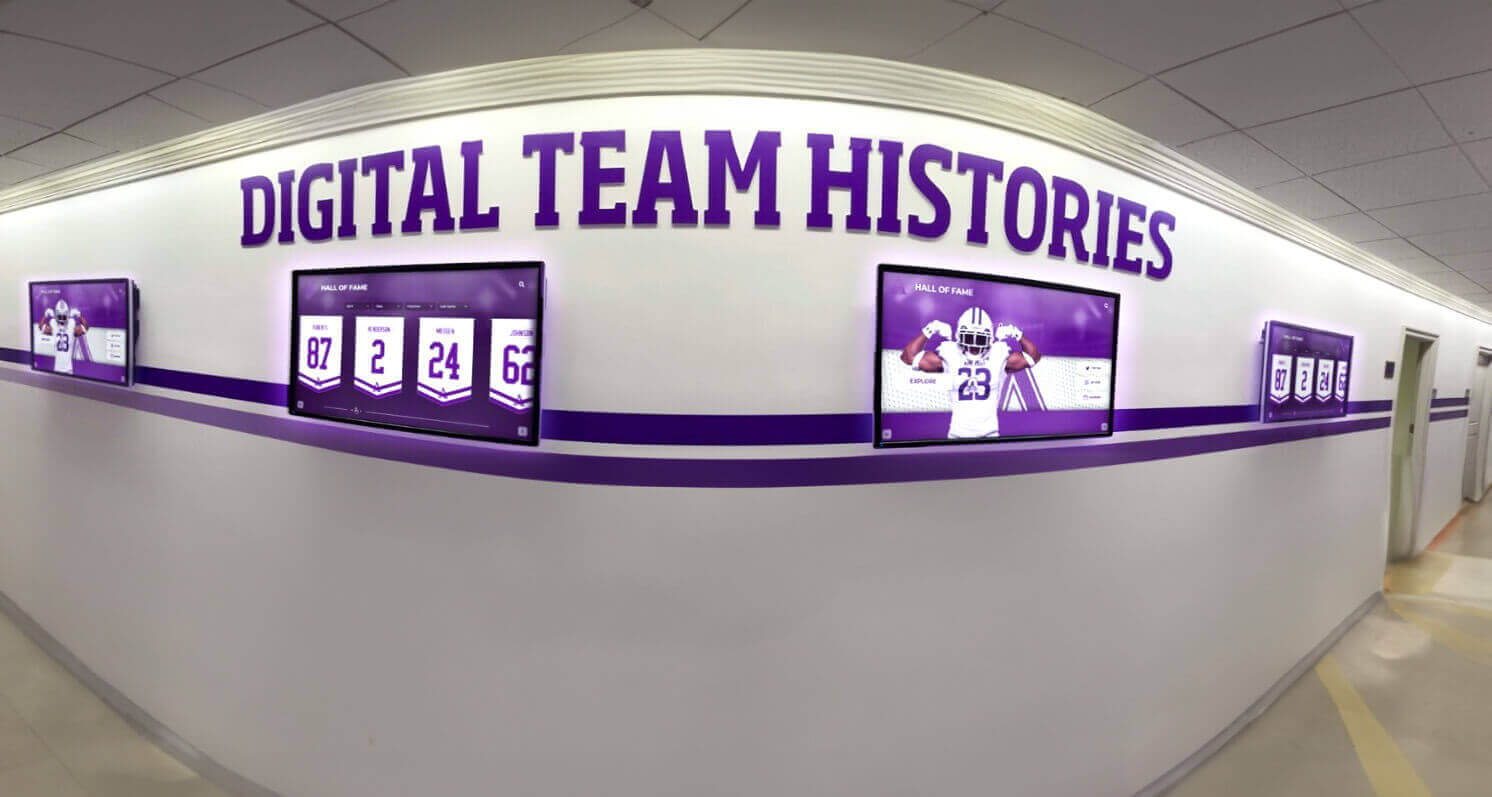
Systems designed for scalability accommodate growth from single displays to comprehensive campus-wide recognition environments
Future-Proofing Questions
- Can the system integrate with our existing school information, alumni, or athletic management systems?
- How does recognition appear on our website—separate management or shared content?
- What’s included in base pricing versus additional licenses for expanded content or displays?
- Can we add displays in other locations later without buying completely new systems?
- How do major software version updates work—automatic and included or separate purchases?
- What happens if we want to add recognition categories not currently in templates?
- Can visitors easily share recognition profiles via social media or email?
Systems truly designed for education recognize that schools’ needs grow and change, building flexibility and expansion capability into fundamental platform architecture rather than treating growth as afterthought add-ons.
Problem 6: Budget Surprises and Hidden Costs
Schools allocate budgets based on initial quotes without fully understanding the total cost of ownership extending beyond hardware and software into ongoing expenses that accumulate significantly over recognition systems’ multi-year lifecycles.
Common Hidden Costs
Annual Software Subscriptions: Many recognition platforms charge recurring annual fees for cloud hosting, content management access, software updates, and basic support. While subscription models align vendor incentives with ongoing client success, schools sometimes budget only for initial purchase without accounting for $1,500-5,000 annual renewal fees. Clarify all recurring costs upfront rather than discovering them when first-year “included” subscriptions expire.
Content Development Services: Schools that lack time or expertise for content creation sometimes need to hire vendors or contractors for initial digitization, profile writing, photo editing, or data organization. These services can add $5,000-25,000 to projects depending on scope. Understanding your internal capacity for content work versus needing external assistance helps create realistic budgets that include these often-overlooked expenses.
Network Infrastructure Upgrades: Recognition displays require reliable network connectivity for content updates, remote management, and cloud synchronization. Schools with outdated network equipment, insufficient coverage in installation locations, or inadequate bandwidth sometimes face unexpected costs upgrading infrastructure to support recognition systems. Professional vendors conduct site surveys identifying these needs before installation rather than discovering problems during setup.
Mounting and Installation Modifications: Hardware costs sometimes include basic mounting brackets but not the labor and materials for professional installation addressing specific facilities challenges—reinforcing walls for heavy displays, running conduit for clean power and network connections, creating ADA-compliant approaches, or building custom cabinetry integrating displays into existing architectural elements. Comprehensive project budgets include these installation realities rather than assuming simple mounting suffices.
Template Customization: Recognition needs that don’t fit vendor’s standard templates require custom development work—additional design, programming, testing, and implementation support to create layouts supporting your specific content structures. Some vendors include reasonable customization in base pricing while others charge substantial fees for any deviation from standard templates. Clarify these parameters during vendor evaluation rather than after purchase contracts are signed.
Training and Onboarding: While basic training is typically included, comprehensive training for multiple staff members, refresher sessions for new personnel, advanced feature training, or on-site training rather than remote webinars sometimes incurs additional costs. Understanding exactly what training is included and what costs extra helps schools plan for adequate staff preparation without budget surprises.
Creating Realistic Total Cost of Ownership Projections
Rather than focusing solely on initial purchase price, evaluate recognition investments across realistic 5-7 year ownership periods including:
Initial Investment:
- Display hardware, computers, mounting equipment
- Recognition software licenses
- Professional installation and network integration
- Initial content development (internal time or external services)
- Staff training and onboarding
- Custom design or template modifications
Annual Recurring Costs:
- Software subscription or maintenance fees
- Cloud hosting and data storage
- Technical support and help desk access
- Content updates and ongoing management (staff time allocation)
- Occasional content enhancement (professional photography, video production)
Periodic Expenses:
- Replacement of failed components (even commercial hardware eventually needs service)
- Major software upgrades or platform migrations
- Expansion to additional display locations
- Content refreshes or recognition redesigns every 3-5 years
When comparing vendors, calculate these comprehensive costs rather than just initial quotes. A system with higher upfront costs but inclusive ongoing support and no recurring fees might prove less expensive over five years than cheaper initial alternatives with substantial annual subscriptions and frequent additional charges.
How Rocket Alumni Solutions Addresses These Common Problems
Schools researching digital recognition solutions naturally wonder what differentiates vendors who consistently deliver successful implementations from those leaving clients with regrets. Rocket Alumni Solutions specifically designed their platform and service approach to address the exact problems that create dissatisfaction with digital hall of fame investments.
Purpose-Built Recognition Platform
Unlike repurposed digital signage or generic content management systems, Rocket Alumni Solutions developed their platform exclusively for recognition applications in schools, universities, athletic organizations, and community institutions. This focus means every feature addresses actual recognition needs rather than general display requirements:
- Intuitive Search and Discovery: Visitors easily find specific individuals, filter by category, explore related profiles, and navigate through decades of recognition without training or assistance
- Unlimited Content Depth: Comprehensive profile structures accommodate rich biographies, multiple photos and videos, detailed achievement records, and statistical data telling complete stories
- Flexible Template Architecture: Recognition categories adapt to diverse needs—athletics, academics, arts, community service, donor acknowledgment, historical preservation—without requiring custom development for common use cases
- User-Friendly Content Management: Non-technical staff independently add profiles, update information, upload media, and maintain recognition currency through intuitive cloud-based interfaces requiring no coding knowledge
The platform’s foundation in actual school recognition needs means capabilities align with how educational institutions actually work rather than forcing schools to adapt to generic tools. The comprehensive approaches shown in their touchscreen hall of fame solutions demonstrate this recognition-specific design philosophy.
Comprehensive Implementation Support
Rocket Alumni Solutions recognizes that technology alone doesn’t create successful recognition—schools need strategic guidance, hands-on assistance, and ongoing support ensuring systems deliver lasting value:
- Strategic Planning: Pre-implementation consultation helps schools define recognition goals, plan content strategies, identify stakeholders, and create realistic timelines matching available resources
- Content Development Assistance: Hands-on help with initial content creation, digitization workflows, template customization, and organizational structures that scale as recognition grows
- Thorough Training: Live training sessions teaching both system administration and content best practices, with follow-up support ensuring staff confidence managing platforms independently
- Responsive Ongoing Support: Dedicated support contacts, guaranteed response times, included software updates, and proactive outreach checking on implementation success
This comprehensive support approach addresses the reality that most schools lack in-house expertise with recognition technology, providing the guidance needed for confident decision-making and successful long-term outcomes.
Proven Hardware Recommendations
Rather than selling hardware directly, Rocket Alumni Solutions provides informed guidance on commercial-grade touchscreen options matching each school’s specific needs, budgets, and installation environments. This vendor-neutral approach ensures schools get equipment truly suited to their situations rather than whatever hardware a vendor has in inventory. The detailed information in their hardware selection guides helps schools make informed decisions considering durability, touchscreen quality, brightness, sizing, and mounting appropriate for intended locations.
Integration and Scalability
Rocket Alumni Solutions designs platforms anticipating that recognition programs evolve and expand over time:
- Web Platform Integration: Recognition appears on both physical displays and school websites through unified content management—update once, publish everywhere automatically
- Flexible Licensing: Start with core recognition and add categories, displays, or features as needs and budgets allow without platform replacement
- API Connections: Integration capabilities with student information systems, alumni databases, and athletic management platforms reduce manual data entry
- Social Sharing: Built-in capabilities enabling visitors to share recognition profiles via social media, email, or embedding in digital communications
This growth-friendly approach means initial investments remain relevant as schools’ recognition needs expand rather than becoming limitations requiring expensive platform replacements.
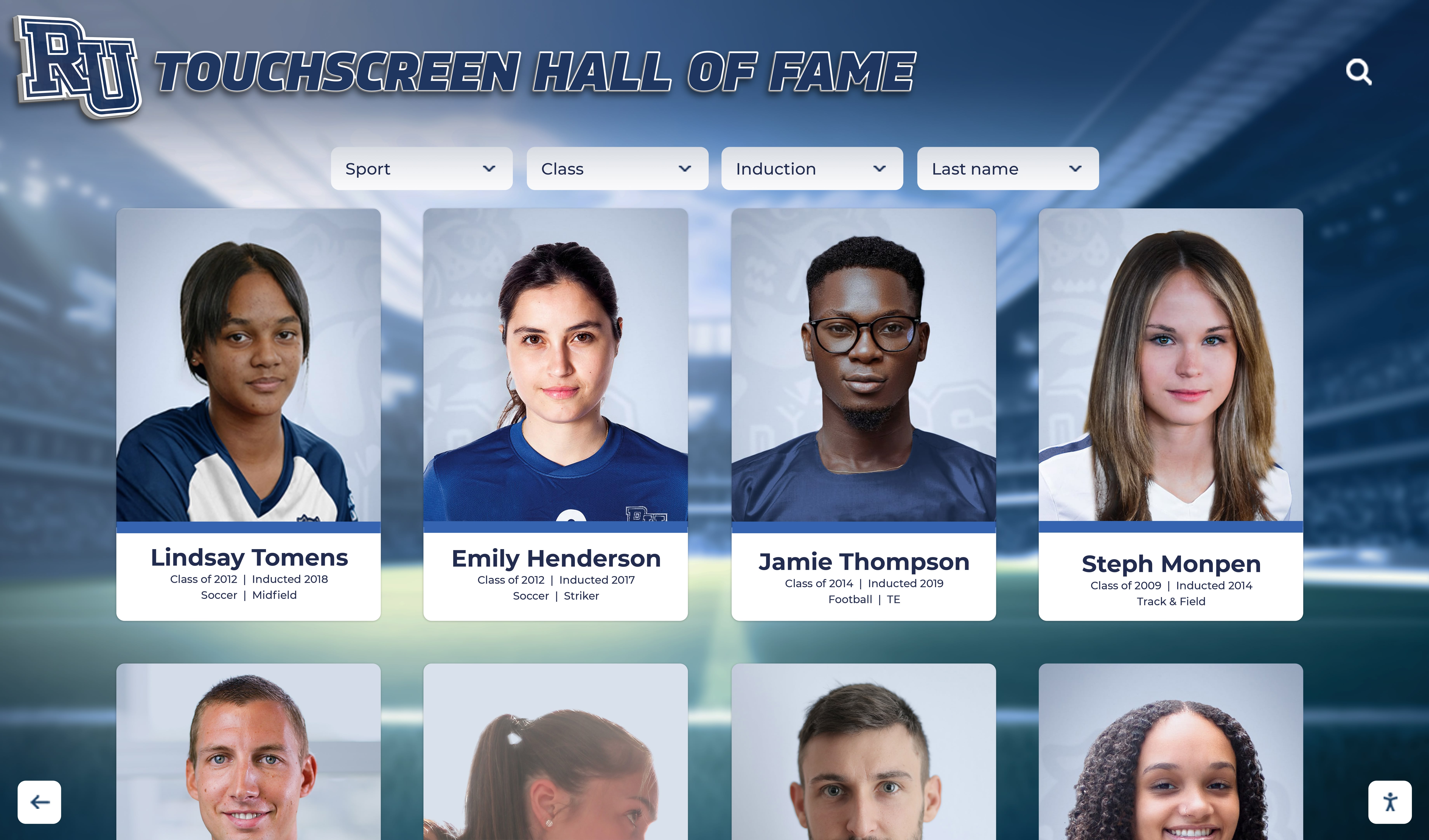
Purpose-built recognition platforms provide the features, support, and scalability that generic solutions lack
Transparent Pricing and Total Cost Clarity
Rocket Alumni Solutions provides comprehensive pricing including all implementation elements—software, training, support, hosting, and updates—creating clear understanding of both initial investment and ongoing costs. This transparency enables realistic budgeting without unexpected fees surprising schools after contracts are signed.
While not the cheapest option when evaluating only initial purchase prices, comprehensive total cost of ownership analysis typically shows strong value when accounting for included support, unlimited content capacity, regular feature enhancements, and reliability reducing expensive troubleshooting or replacement costs common with cheaper alternatives.
Creating Your Digital Recognition Evaluation Framework
Rather than rushing into digital hall of fame purchases based on sales presentations or focusing exclusively on initial costs, successful schools develop systematic evaluation frameworks ensuring thorough assessment of competing options across dimensions that determine long-term satisfaction.
Essential Evaluation Criteria
Recognition-Specific Features:
- Can visitors easily search for specific individuals and filter by relevant categories?
- Does the system support detailed multi-page profiles with biographical depth?
- How many individual profiles can the platform accommodate?
- Can users explore content at their own pace rather than watching preset rotations?
- Are navigation and interaction intuitive for visitors without training?
Content Management:
- How difficult is it for non-technical staff to add or update profiles?
- Can multiple administrators manage different recognition areas simultaneously?
- What training and documentation support content management?
- How flexible are templates for different recognition categories?
- Can content be previewed before publishing to live displays?
Hardware Quality:
- Is recommended hardware commercial-grade designed for continuous public use?
- What touchscreen technology provides responsive, accurate interaction?
- Is brightness adequate for intended installation locations?
- What warranty and support covers hardware failures?
- Does size and configuration match your specific spaces?
Vendor Support:
- Who is your dedicated support contact, and how are they reached?
- What response time guarantees exist for different priority levels?
- What training is included versus additional cost?
- Can you speak with long-term clients about their support experiences?
- How are software updates and enhancements handled?
Integration and Growth:
- Does recognition work on both physical displays and school websites?
- Can the system integrate with existing school data platforms?
- What’s included in base licensing versus expansion costs?
- How easily can you add displays, content, or features later?
- Are there artificial limits on content volume or user accounts?
Total Cost of Ownership:
- What’s included in initial investment versus ongoing annual costs?
- Are software updates, hosting, and basic support included or separately charged?
- What triggers additional fees beyond base agreements?
- What’s the realistic 5-year total cost across all expense categories?
- How does total cost compare to vendor alternatives?
Reference Checking and Due Diligence
Sales presentations showcase carefully selected successes while minimizing challenges. Speaking directly with schools using systems for multiple years reveals realities vendors don’t advertise:
Questions for Current Client References:
- How closely does day-to-day reality match what vendors promised during sales process?
- What problems or challenges have you encountered, and how responsive was vendor support?
- If starting over, would you choose this solution again or consider alternatives?
- What percentage of your recognition content is currently active and maintained versus abandoned?
- How difficult is content management for your staff—does it actually work as advertised?
- What unexpected costs arose beyond initial budget projections?
- How has vendor relationship been during contract renewals?
Contact multiple references spanning recent implementations and 3+ year installations—recent clients share fresh perspectives on implementation while long-term users reveal whether systems remain valuable over time or become neglected frustrations.

Systematic evaluation across essential criteria helps schools avoid regrettable purchases and select solutions that deliver lasting value
Trial and Demonstration Requirements
Insist on comprehensive demonstrations using your actual content rather than generic vendor samples. Upload representative profiles, attempt common management tasks, explore visitor interaction, and evaluate how systems actually work with your specific recognition needs. Vendors confident in their platforms welcome thorough evaluation while those with limitations try to rush decisions before weaknesses become apparent.
Conclusion: Making Confident Digital Recognition Decisions
The schools that regret rushing into digital hall of fame software share common themes—they focused on flashy features over practical functionality, failed to adequately evaluate content management complexity, underestimated total cost of ownership, or trusted vendors without thorough due diligence. These mistakes are entirely avoidable when schools approach recognition technology investments with informed strategies and systematic evaluation frameworks.
The promise of digital recognition remains compelling and achievable when schools select purpose-built platforms designed specifically for educational recognition rather than repurposed generic tools. Systems like those from Rocket Alumni Solutions demonstrate that recognition technology can deliver on its potential—unlimited content capacity, intuitive user experiences, simple content management, reliable hardware, and responsive support that ensures long-term success.
Taking time for thorough evaluation pays dividends throughout recognition systems’ multi-year lifecycles. The additional weeks spent comparing alternatives, checking references, testing platforms with actual content, and clarifying total costs prevent years of frustration with inadequate systems, overwhelming management complexity, or vendors who disappear when problems arise.
Your school’s recognition program deserves technology that enhances rather than hinders your ability to celebrate achievements, engage communities, and honor those who make your institution exceptional. By learning from the regrets others experienced and applying systematic evaluation approaches, you can confidently select solutions that serve your community effectively for years to come while avoiding the expensive mistakes that leave too many schools wishing they had made different choices.
The most successful digital recognition implementations share common characteristics—purpose-built platforms addressing actual school needs, comprehensive vendor support ensuring confident management, reliable commercial-grade hardware, realistic budgeting covering total ownership costs, and thorough upfront evaluation preventing regrettable rush decisions. These principles apply regardless of school size, recognition scope, or budget constraints, creating frameworks for confident decisions that transform recognition programs while avoiding the pitfalls that undermine so many digital hall of fame investments.
Ready to Explore Digital Recognition Without the Common Pitfalls?
Discover how Rocket Alumni Solutions can help your school create engaging recognition displays through purpose-built platforms, comprehensive support, and proven implementation approaches that deliver lasting value.
Schedule Your Free Consultation






























