Spirit week represents one of the most anticipated traditions in high schools across America—a celebration of school pride, community, and student creativity that brings together the entire campus in shared excitement. From themed dress-up days and competitive challenges to pep rallies and culminating homecoming events, spirit week creates memories that students carry long after graduation. Yet many schools struggle to maintain energy and participation throughout the week, with engagement tapering off after initial enthusiasm. Traditional static posters announcing daily themes and hand-tallied paper scorecards fail to generate the ongoing excitement and friendly competition that define truly memorable spirit week celebrations.
The digital revolution in school recognition has transformed how schools can showcase spirit week festivities. Modern touchscreen displays enable real-time scoring updates, dynamic photo galleries, live competition rankings, and engaging visual content that keeps students invested throughout the entire week. When schools implement strategic digital display systems for spirit week, they create visible, exciting celebrations that inspire participation, document memorable moments, and build the lasting school pride that strengthens educational communities.
This comprehensive guide explores how schools can leverage digital display technology to elevate spirit week celebrations from routine annual events into highly engaging, well-documented traditions that maximize participation, celebrate creativity, and create lasting impact for students, families, and school communities.
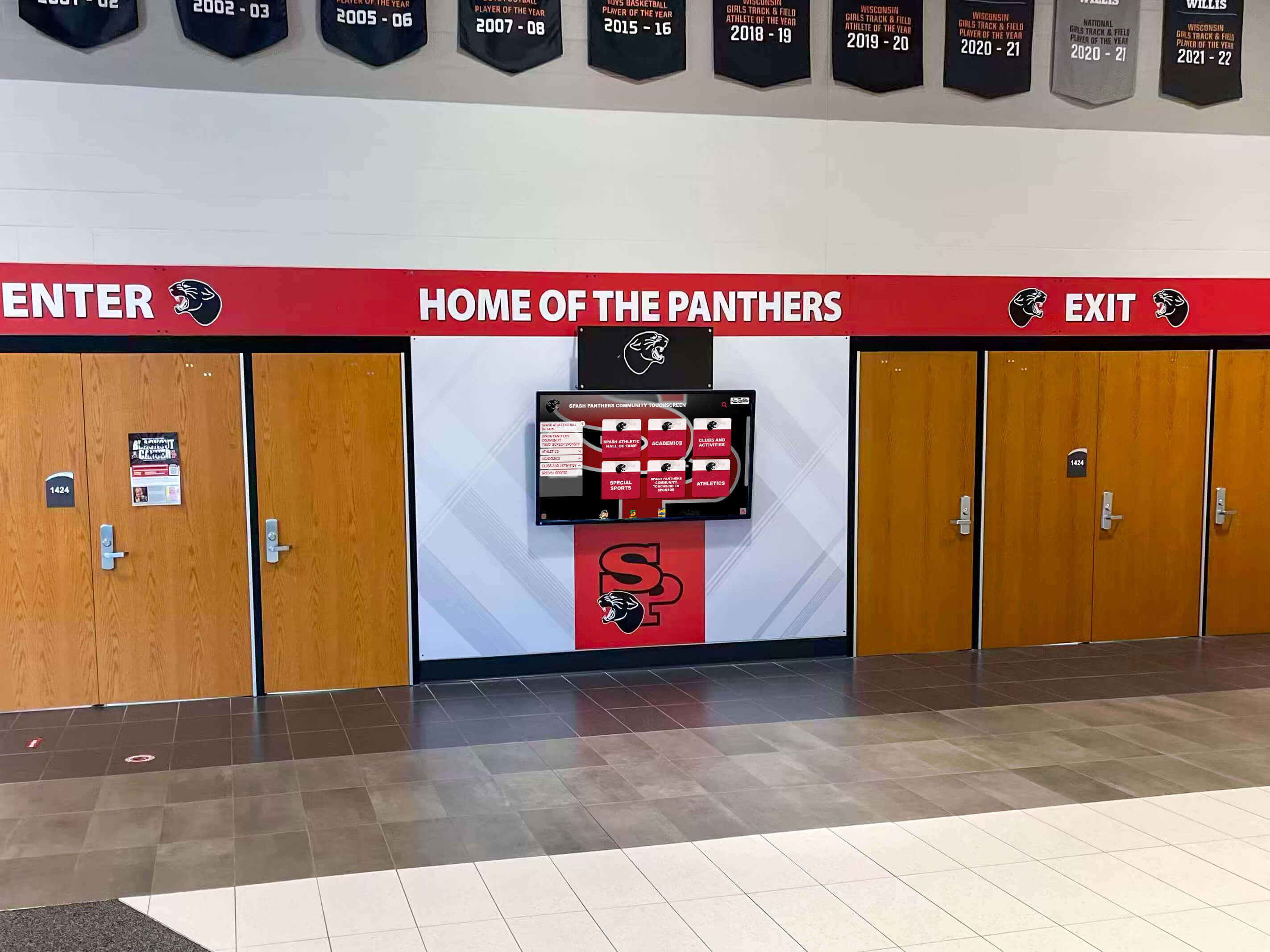
Digital displays at school entrances set the tone for engaging spirit week celebrations that honor tradition and community
Why Digital Displays Transform Spirit Week Celebrations
Traditional spirit week recognition relied on handmade posters, morning announcements, and hallway bulletin boards—approaches that struggle to maintain visibility and excitement across multiple days of activities. Digital display systems address these limitations while creating unprecedented opportunities for real-time engagement and comprehensive documentation.
Real-Time Score Updates Build Sustained Competition
The most compelling advantage digital displays offer for spirit week is the ability to showcase live, updated rankings that maintain competitive energy throughout the entire celebration. When students can check current standings between classes, see their grade level’s performance, and track how yesterday’s costume day participation affected overall scores, they remain engaged rather than losing interest after the first day or two.
Real-time scoring transparency also ensures fairness credibility. Students understand exactly how points are awarded, can see their contributions reflected immediately, and recognize that competition remains dynamic until the final tally. This transparency prevents the skepticism that sometimes accompanies spirit week competitions where scoring methods remain unclear or results appear predetermined.
Traditional approach challenges included delayed score reporting—often students didn’t learn daily results until the following morning, limited visibility—paper scoreboards in single locations reached only students who happened to pass by, lack of detail—simple point totals provided no context about specific events or participation rates, and static information—once posted, content couldn’t be updated without physical replacement.
Digital displays eliminate these limitations through instant updates published remotely from any device, multiple display locations throughout campus ensuring broad visibility, comprehensive breakdowns showing scoring across different categories and events, and dynamic content rotation highlighting various aspects of spirit week simultaneously.
Photo Galleries Celebrate Participation and Creativity
Spirit week generates countless memorable moments—creative costume interpretations, enthusiastic hallway decorations, lunchtime competition highlights, and spontaneous displays of school pride. Digital displays transform these fleeting moments into lasting celebrations by showcasing photo galleries that honor student creativity and participation.
Rather than limiting recognition to single “best costume” winners announced during morning messages, digital galleries can feature dozens or hundreds of students across all grade levels and participation categories. Every student who dressed for theme days, contributed to hallway decorating, or participated in lunchtime activities can see themselves celebrated on prominent school displays.
Photo gallery capabilities include scrolling slideshows cycling through hundreds of images, categorization by day, event, or grade level enabling targeted browsing, touchscreen interaction allowing students to pause, zoom, or navigate galleries manually, and social media integration where displays can pull tagged images from Instagram or school accounts automatically.
This comprehensive photo recognition accomplishes multiple objectives simultaneously—validates effort for all participants beyond just winners, creates shareable content families celebrate across social media, documents spirit week comprehensively for institutional memory, and generates ongoing engagement as students revisit displays seeking their photos.

Interactive displays create gathering points where students explore spirit week content and celebrate community achievements
Event Schedules and Daily Themes Maximize Participation
Clear, visible communication about spirit week schedules directly impacts participation rates. Digital displays positioned in high-traffic locations—main entrances, cafeterias, athletic facilities—ensure all students encounter daily theme reminders and event schedules multiple times throughout each day.
Dynamic scheduling displays offer significant advantages over static printed schedules including prominent countdowns to upcoming events building anticipation, detailed descriptions of daily themes with costume examples and guidelines, real-time changes if weather forces event rescheduling, and embedded video content showing previous years’ highlights or explaining activity rules.
For schools implementing comprehensive homecoming festivities, digital displays create unified communication platforms connecting spirit week to broader celebration programming while maintaining clear organization preventing schedule confusion.
Historical Documentation Preserves School Traditions
Spirit week represents institutional tradition that gains meaning through accumulated history. Digital archive systems preserve each year’s spirit week documentation—photos, scores, themes, winners, participation statistics—creating comprehensive historical records that future students explore years later.
Historical archives serve multiple valuable purposes including helping spirit week planning committees reference successful themes and activities from previous years, enabling alumni to reconnect with spirit week memories decades after graduation, providing new students and families with context about school traditions and culture, and creating perspective about program evolution showing how spirit week adapted across generations.
Solutions like digital recognition displays from Rocket Alumni Solutions enable schools to maintain unlimited historical archives without physical storage constraints, making decades of spirit week documentation accessible through searchable, browseable digital interfaces.
Essential Features of Spirit Week Digital Display Systems
Effective spirit week digital platforms require specific capabilities that address the unique needs of week-long celebrations involving multiple events, numerous participants, and dynamic scoring.
Cloud-Based Content Management
Spirit week coordinators need ability to update display content instantly from any location—whether in their offices, at home during evening planning sessions, or even using smartphones while supervising hallway decoration judging. Cloud-based content management systems provide remote access ensuring displays always show current information without requiring physical hardware access.
Essential management capabilities include intuitive drag-and-drop interfaces requiring no technical training, bulk photo uploading enabling hundreds of images added simultaneously, scheduled publishing so content updates automatically at predetermined times, role-based permissions allowing multiple staff members to contribute appropriately, and mobile-responsive dashboards enabling updates from smartphones and tablets.
Schools report 80-90% reduction in administrative time managing spirit week displays after transitioning from physical poster creation and bulletin board updates to cloud-based digital systems. The time savings allow coordinators to focus on program quality and student engagement rather than logistics of manual display updates.
Interactive Touchscreen Capabilities
Passive viewing of static content generates limited engagement. Interactive touchscreens transform spirit week displays into experiences students actively explore rather than passively notice while passing between classes.
Interactive features that drive engagement include searchable photo galleries where students locate specific friends or grade levels, detailed score breakdowns students can drill into for category-by-category analysis, previous years’ archives students explore discovering school history, embedded video content showcasing spirit week highlights and memorable moments, and social sharing buttons enabling direct posting to personal accounts.
When students actively engage with spirit week displays—spending 3-5 minutes exploring content rather than glancing briefly at static posters—they develop deeper investment in celebrations while spreading awareness through conversations about what they discovered.
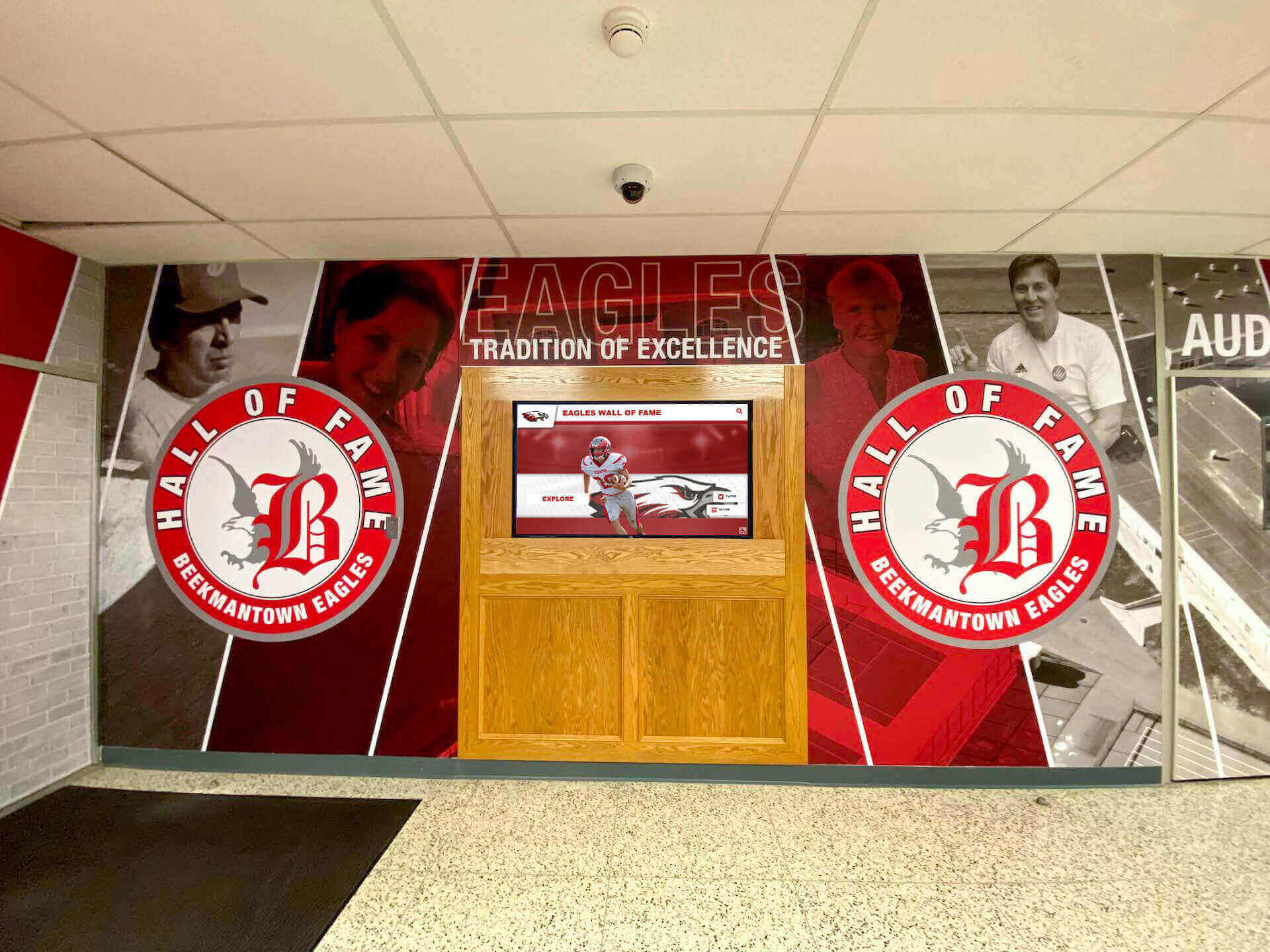
Interactive displays in prominent locations become focal points for spirit week celebration and student engagement
Multi-Display Network Coordination
Strategic spirit week recognition requires displays in multiple campus locations—main entrances for family visibility, cafeterias where students gather daily, athletic facilities connecting to homecoming events, and main hallways ensuring all students encounter content regularly.
Networked display systems enable centralized management where content published once appears instantly across all campus displays, location-specific content so cafeteria displays emphasize lunchtime competitions while entrance displays focus on daily themes and schedules, synchronized timing ensuring content rotates consistently creating unified messaging, and remote monitoring confirming all displays operate correctly without requiring physical checks.
Schools implementing comprehensive student recognition programs across multiple display locations report significantly higher community awareness and program impact compared to single-location installations.
Integration with Existing School Systems
Spirit week digital displays deliver maximum value when integrated with broader school recognition and communication platforms rather than operating as isolated systems.
Valuable integrations include connection with student information systems for automatic enrollment and grade-level data, links to school social media accounts pulling tagged images automatically, coordination with school calendar systems syncing spirit week schedules, and compatibility with school websites embedding display content online.
Integrated approaches prevent duplicate data entry, ensure consistency across platforms, enable broader content distribution, and position spirit week displays as components of comprehensive school recognition ecosystems rather than standalone initiatives.
Planning and Implementing Spirit Week Digital Displays
Successful implementation requires strategic planning addressing content development, scoring systems, hardware placement, and sustainable management approaches.
Developing Comprehensive Spirit Week Scoring Systems
Fair, transparent scoring directly impacts spirit week credibility and sustained participation. Digital displays enable sophisticated scoring approaches that traditional paper methods cannot support.
Multi-Category Point Systems
Rather than single overall scores, effective digital scoring breaks down points across multiple categories creating diverse participation pathways. Categories might include daily theme participation percentages, lunchtime competition results, hallway decoration quality and creativity, social media engagement and spirit posts, community service hours during spirit week, and attendance at pep rallies and evening events.
Multi-category scoring ensures students with varied interests and comfort levels find ways to contribute points to their grade or house teams. Academic-focused students contribute through attendance and academic competitions, creative students excel in decorating and costume categories, athletic students dominate physical competitions, and socially-engaged students drive participation numbers and social media presence.
Transparent Point Allocation
Digital displays should clearly communicate how points are awarded including specific point values for each event or activity, criteria judges use for subjective categories like hallway decorations, bonus point opportunities for exceptional participation, and real-time accumulation so students see contributions reflected immediately.
Transparency prevents the suspicion and disengagement that occurs when scoring seems arbitrary or predetermined. When students understand exactly how their participation matters and can verify their contributions appeared in totals, they maintain trust in competition fairness and stay engaged throughout the week.
Automated Calculation and Updates
Manual score tallying creates opportunities for errors while requiring significant staff time. Digital scoring systems with automated calculation accept results entry from authorized staff and instantly update totals, rankings, and displays across campus.
Automation benefits include elimination of mathematical errors, instant publishing without delays, audit trails documenting all score entries, and freed staff time for student engagement rather than administrative calculation.
For schools implementing weekly top performers recognition programs alongside spirit week, automated scoring systems provide consistent infrastructure supporting multiple recognition initiatives.
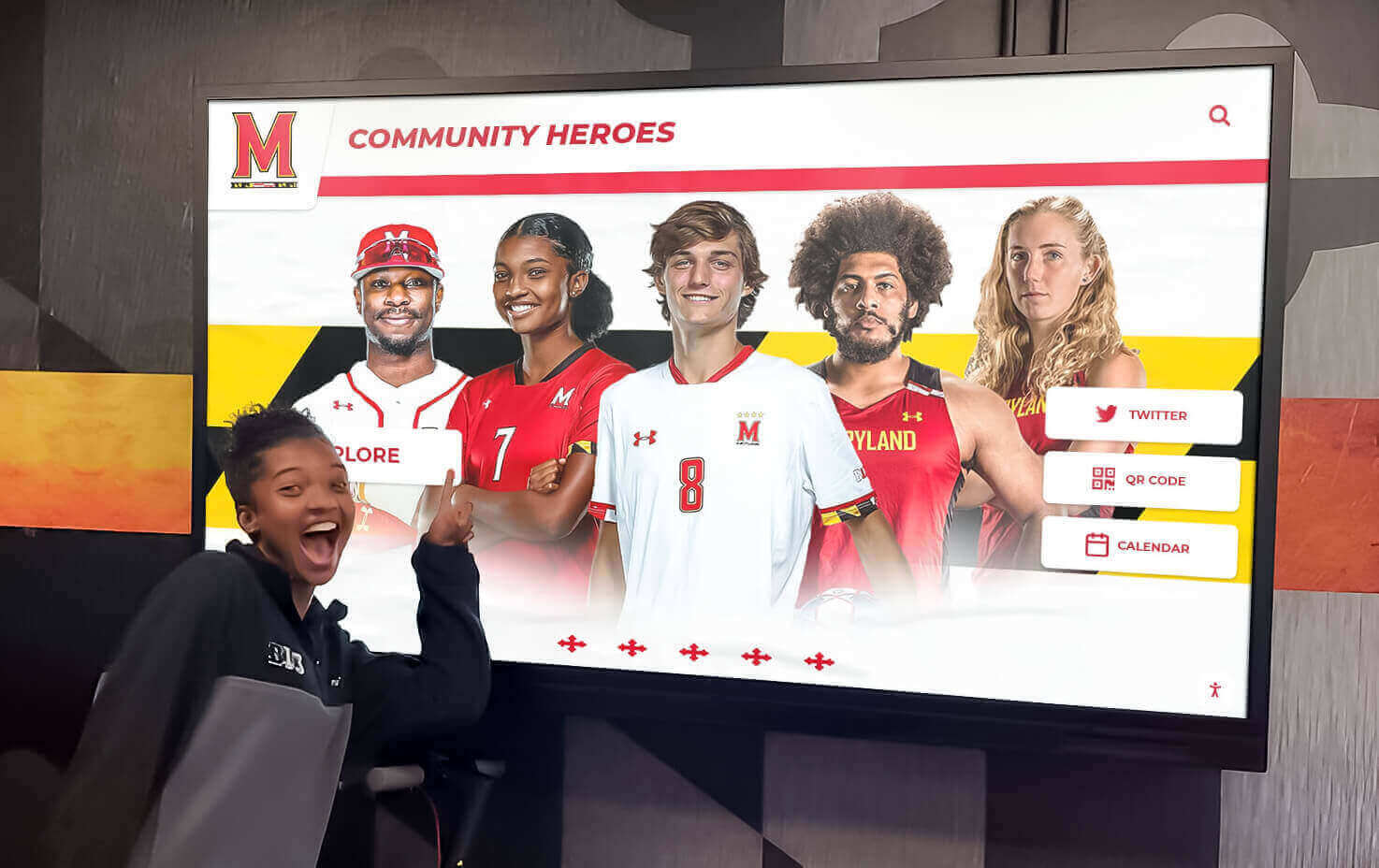
Interactive displays enable students to explore detailed score breakdowns and competition categories
Content Development and Photo Management
Spirit week generates enormous volumes of visual content requiring systematic management approaches preventing overwhelming coordinators while ensuring comprehensive recognition.
Designated Photography Teams
Rather than relying on single coordinators to document all activities, recruit student photographers from journalism classes, yearbook staff, or photography clubs to cover different events and grade levels simultaneously. Provide clear guidelines about photo composition, appropriate content, and privacy considerations while empowering student teams to capture comprehensive documentation.
Student photographers benefit through gaining real-world experience while reducing burden on adult coordinators who cannot be everywhere simultaneously. Their peer perspective often captures more authentic moments than adult-taken photographs.
Streamlined Submission Processes
Create simple submission systems where students, staff, and families can contribute spirit week photos through email uploads to designated address, online forms with file attachment capabilities, social media tagging using official spirit week hashtags, or mobile apps if school uses student engagement platforms.
Crowdsourced photo collection expands documentation beyond what official photographers capture while creating engagement as students anticipate seeing their submitted photos appear on displays.
Photo Review and Approval Workflows
All submitted content requires review ensuring appropriateness before publication. Digital content management systems enable efficient review through batch approval interfaces showing multiple photos simultaneously, quick approval/rejection decisions with one-click controls, automated inappropriate content flagging based on image analysis, and clear documentation of who reviewed and approved content.
Metadata and Organization
Tag all photos with relevant metadata facilitating future searching and browsing including date and specific event, grade level or house if relevant, location on campus, photographer credit, and descriptive keywords.
Comprehensive metadata transforms photo archives from chronological image dumps into browseable, searchable collections where students can locate specific events, grade levels, or previous years’ activities decades later.
Strategic Hardware Placement and Installation
Where displays are positioned significantly impacts visibility, engagement, and overall program effectiveness.
High-Traffic Entry Points
Main school entrances represent ideal locations for spirit week displays because all students pass through daily ensuring universal exposure, families and visitors encounter displays during drop-off and pick-up, prospective students and families touring school see vibrant spirit celebration, and prominent placement communicates institutional priority on school culture.
Entry displays should emphasize current day themes, upcoming events, and overall competition standings creating immediate awareness for everyone entering campus.
Student Gathering Spaces
Cafeterias, common areas, and designated student lounges where students spend extended time between classes or during lunch provide opportunities for deeper engagement. Students gathering in these spaces have time to interact with touchscreen features, explore photo galleries thoroughly, and discuss spirit week with friends while viewing displays.
These locations work well for more detailed content including comprehensive photo galleries, in-depth score breakdowns by category, and embedded video content requiring longer viewing times.
Athletic Facilities
Connecting spirit week displays to athletic facilities capitalizes on existing school pride environments while linking spirit celebrations to homecoming games and athletic events typically culminating spirit weeks.
Positioning displays in gymnasium entrances, fieldhouse hallways, or stadium concourses ensures athletes, families attending games, and community members at events encounter spirit week content reinforcing connections between academic spirit traditions and athletic pride.
Specialized Event Locations
Consider temporary or mobile displays at specific spirit week events including pep rallies showing real-time scoring and photo highlights, hallway decoration judging areas displaying evaluation criteria and past winners, and outdoor festival spaces if spirit week includes carnival or fair components.
Strategic placement creates immersive experiences where spirit week celebration surrounds students throughout campus rather than being confined to single locations.
For detailed guidance on displaying school history comprehensively including spirit week traditions, explore approaches integrating historical archives with current celebrations.
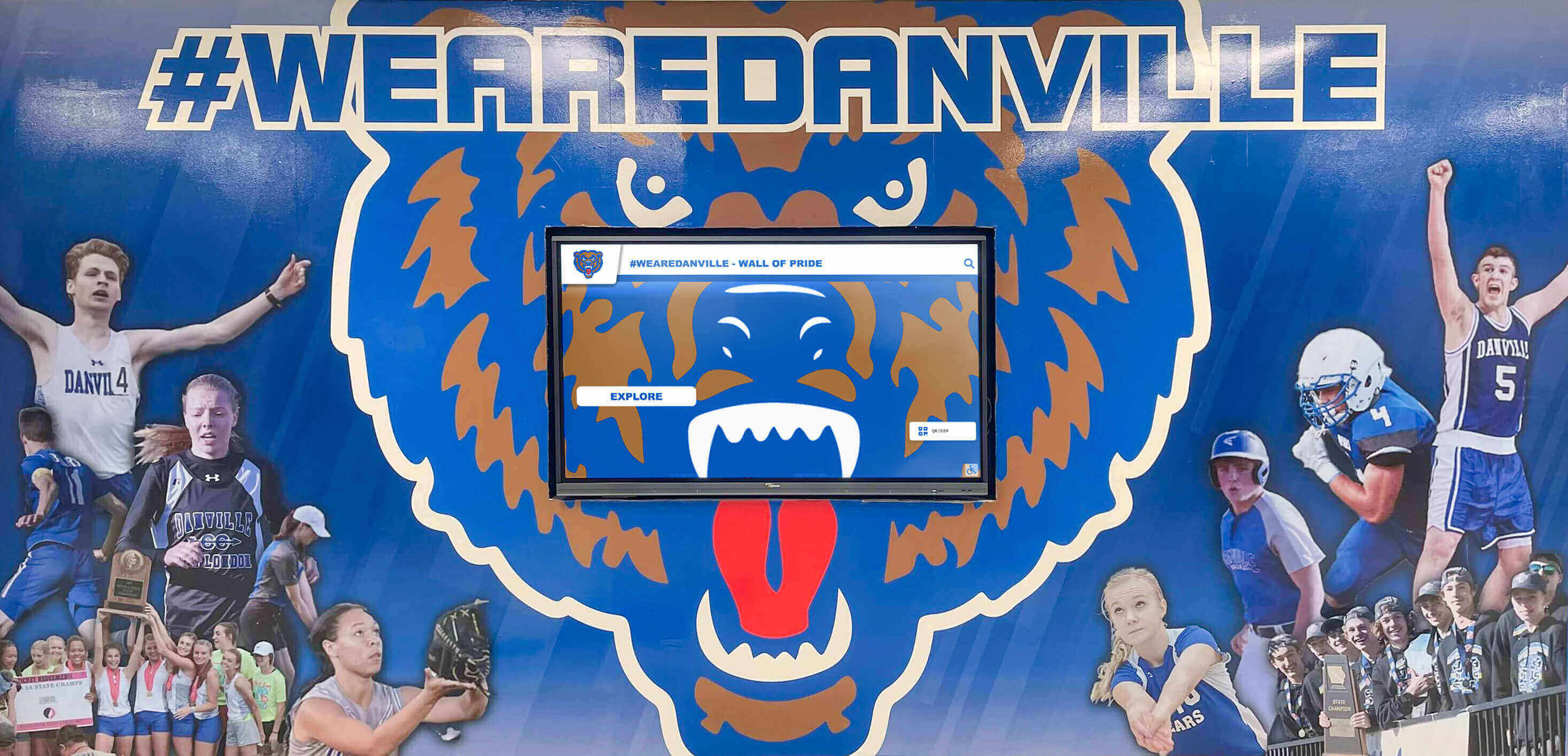
Athletic facility displays celebrate spirit week traditions alongside broader school heritage and achievement
Sustainable Management and Staffing Models
Spirit week digital displays require ongoing content management throughout the celebration week and historical documentation after events conclude. Sustainable approaches prevent coordinator burnout while ensuring quality implementation.
Distributed Content Management
Rather than single coordinators managing all content, distribute responsibilities across multiple individuals including lead coordinator with overall vision and final approval authority, event-specific managers updating scores and results for competitions they oversee, student photography leads organizing student photographer teams and collecting daily images, social media managers capturing and curating online content, and grade-level advisors ensuring their students’ participation receives appropriate recognition.
Distributed management prevents bottlenecks, leverages diverse expertise, and creates backup coverage when individuals have conflicts or need assistance.
Student Leadership Opportunities
Engage student government, National Honor Society, or leadership classes in spirit week digital display management providing authentic learning experiences while supporting school programs. Students bring technical fluency with social media and digital platforms often exceeding adult capabilities while offering peer perspectives on what content and features engage their classmates most effectively.
Student roles might include daily theme photography and documentation, social media monitoring and content curation, score entry and tracking for designated events, peer promotion encouraging classmate participation, and creative content development for displays.
Post-Spirit Week Documentation
After spirit week concludes, systematic documentation ensures preservation for future reference while maintaining displays showcasing celebration highlights. Post-event tasks include final score verification and winner announcement, comprehensive photo archive organization with metadata, creation of highlight video compilations set to music, publication of complete results on school website, and thank you recognition for all coordinators, judges, and contributors.
Completed archives serve planning purposes for future years while maintaining institutional memory and providing content for recruiting and community relations purposes.
Measuring Spirit Week Digital Display Impact
Systematic assessment demonstrates program value while identifying improvement opportunities for future years’ celebrations.
Quantitative Engagement Metrics
Display Interaction Statistics
Modern touchscreen systems provide detailed analytics about how students engage with content including total number of unique sessions, average session duration showing engagement depth, most-viewed content pages revealing what interests students most, peak usage times informing optimal content scheduling, and search terms entered indicating what students seek.
These metrics demonstrate concrete usage patterns validating investment in digital systems while informing content strategy improvements.
Participation Rate Analysis
Compare participation rates across different spirit week events and categories over multiple years assessing whether digital displays correlate with increased engagement. Track daily theme participation percentages, lunchtime competition attendance, hallway decoration team participation, social media engagement with official spirit week hashtags, and pep rally and event attendance.
Year-over-year improvements following digital display implementation provide evidence of positive impact on school culture and student engagement.
Content Submission Volumes
Measure crowdsourced participation through photo submissions from students and families, social media posts using spirit week hashtags, and student-generated content shared through official channels.
Growing submission volumes indicate increased community investment in spirit week as families actively participate rather than passively observing school activities.
Qualitative Feedback Assessment
Student Surveys and Focus Groups
Gather structured feedback from students about awareness of daily themes and schedules through digital displays, perceived fairness of scoring and competition, enjoyment of spirit week activities overall, and suggestions for future improvements.
Student voice provides essential perspectives about what works and what needs enhancement from those most directly experiencing spirit week programming.
Staff and Family Observations
Collect feedback from staff supervising spirit week events and families attending culminating celebrations about visible student enthusiasm and participation, quality and comprehensiveness of recognition through displays, communication effectiveness about schedules and themes, and overall impression of school spirit culture.
External perspectives help evaluate how spirit week appears to broader school community beyond student participants.
Comparison to Previous Years
Qualitative assessment should compare current year experiences to previous spirit weeks before digital display implementation noting differences in energy and enthusiasm levels, equitable recognition across grade levels and participant types, documentation quality and comprehensiveness, and lasting impact on school culture.
Long-term staff and family members provide valuable perspective on how spirit week evolution affects broader school community pride and engagement.
For schools implementing academic recognition programs alongside school spirit initiatives, consistent assessment approaches enable comparative analysis across different recognition program types.
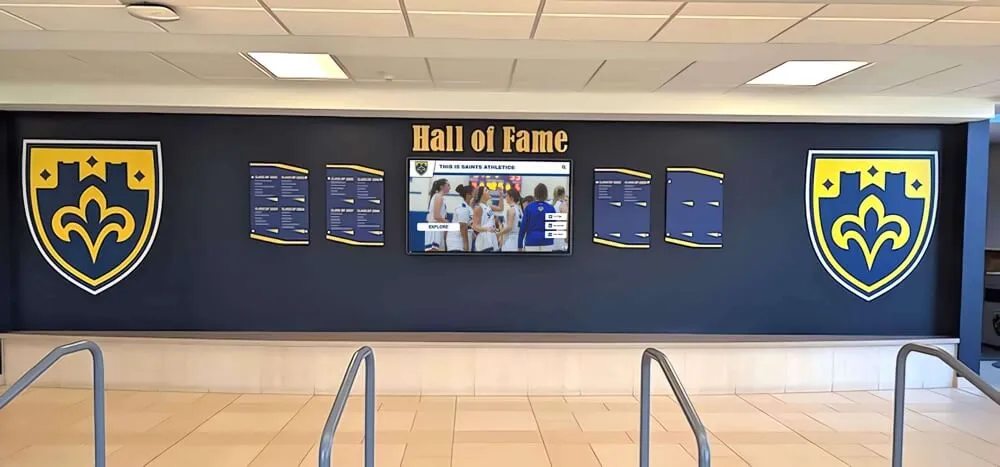
Comprehensive display systems celebrate spirit week alongside ongoing academic and athletic recognition creating unified school pride environments
Technology Considerations and Platform Selection
Choosing appropriate digital display technology requires evaluation of several technical factors affecting implementation success and long-term satisfaction.
Display Hardware Requirements
Screen Size and Resolution Recommendations
Spirit week content benefits from large displays enabling visibility from distance and accommodation of rich visual content. Recommended specifications include minimum 55-inch diagonal screen size for hallway installations, 65-75 inch displays for large gathering spaces like cafeterias and gymnasiums, Full HD (1920x1080) minimum resolution with 4K preferred for detailed photos, and commercial-grade displays designed for continuous operation rather than consumer televisions.
Larger, higher-resolution displays create more impactful visual experiences while ensuring content remains clear and readable from typical viewing distances in school environments.
Touchscreen Capabilities
Interactive touchscreens enable active student engagement rather than passive viewing. Touchscreen considerations include commercial-grade touchscreen technology designed for heavy public use, responsive multi-touch capabilities supporting intuitive gesture controls, durable surface materials resisting scratches and damage, and ADA-compliant mounting heights ensuring accessibility for all students.
While non-interactive displays cost less initially, touchscreen capabilities dramatically increase engagement value justifying additional investment.
Installation and Mounting
Professional installation ensures safety, proper operation, and compliance with building codes. Installation requirements include secure wall mounting or freestanding kiosk enclosures, electrical connections to reliable power sources, network connectivity through WiFi or preferred wired Ethernet, protective measures if displays installed in high-traffic areas, and appropriate mounting heights balancing visibility with safety.
Schools should budget for professional installation by experienced commercial display installers rather than attempting DIY approaches risking damage or improper setup.
Software Platform Evaluation Criteria
Content Management System Features
Intuitive content management separates useful systems from those requiring extensive technical expertise. Essential CMS capabilities include browser-based access requiring no software installation, drag-and-drop content uploading and organization, WYSIWYG visual editing so administrators see exactly how content will appear, bulk operations enabling efficient management of large photo collections, and scheduled publishing automating content updates at predetermined times.
Platforms designed specifically for educational institutions typically offer more relevant features and better support than generic digital signage systems requiring extensive customization.
Scalability and Future Growth
Spirit week displays often represent entry points to broader digital recognition initiatives. Evaluate platforms’ scalability including ability to add displays without significant additional cost or complexity, support for diverse content types beyond spirit week applications, integration capabilities with other school systems, long-term vendor stability and support commitment, and flexibility to evolve as needs change without wholesale platform replacement.
Solutions like Rocket Alumni Solutions provide comprehensive platforms supporting spirit week alongside academic recognition, athletic achievement celebration, alumni engagement, and broader institutional heritage preservation through unified systems rather than fragmented point solutions.
Training and Support Resources
Even intuitive systems require initial training and ongoing support. Evaluate available learning resources including comprehensive documentation and video tutorials, responsive technical support through phone, email, or chat, user community forums where schools share best practices, regular training webinars introducing new features, and assigned account representatives familiar with your specific implementation.
Strong support infrastructure ensures schools maximize platform capabilities rather than using only basic features due to insufficient guidance.
Cost Structure and Budget Planning
Digital display implementations involve both initial and ongoing costs. Budget considerations include hardware expenses for displays, mounts, and touchscreen components, installation costs for professional mounting and configuration, software licensing through annual subscriptions or one-time purchases, cloud storage fees for photo archives and video content, ongoing maintenance and support contracts, and staff training time during implementation period.
Schools typically find comprehensive platforms with inclusive pricing more cost-effective than à la carte systems requiring separate payment for each feature or capability. Transparent pricing models enable accurate budget planning without unexpected costs emerging after deployment.
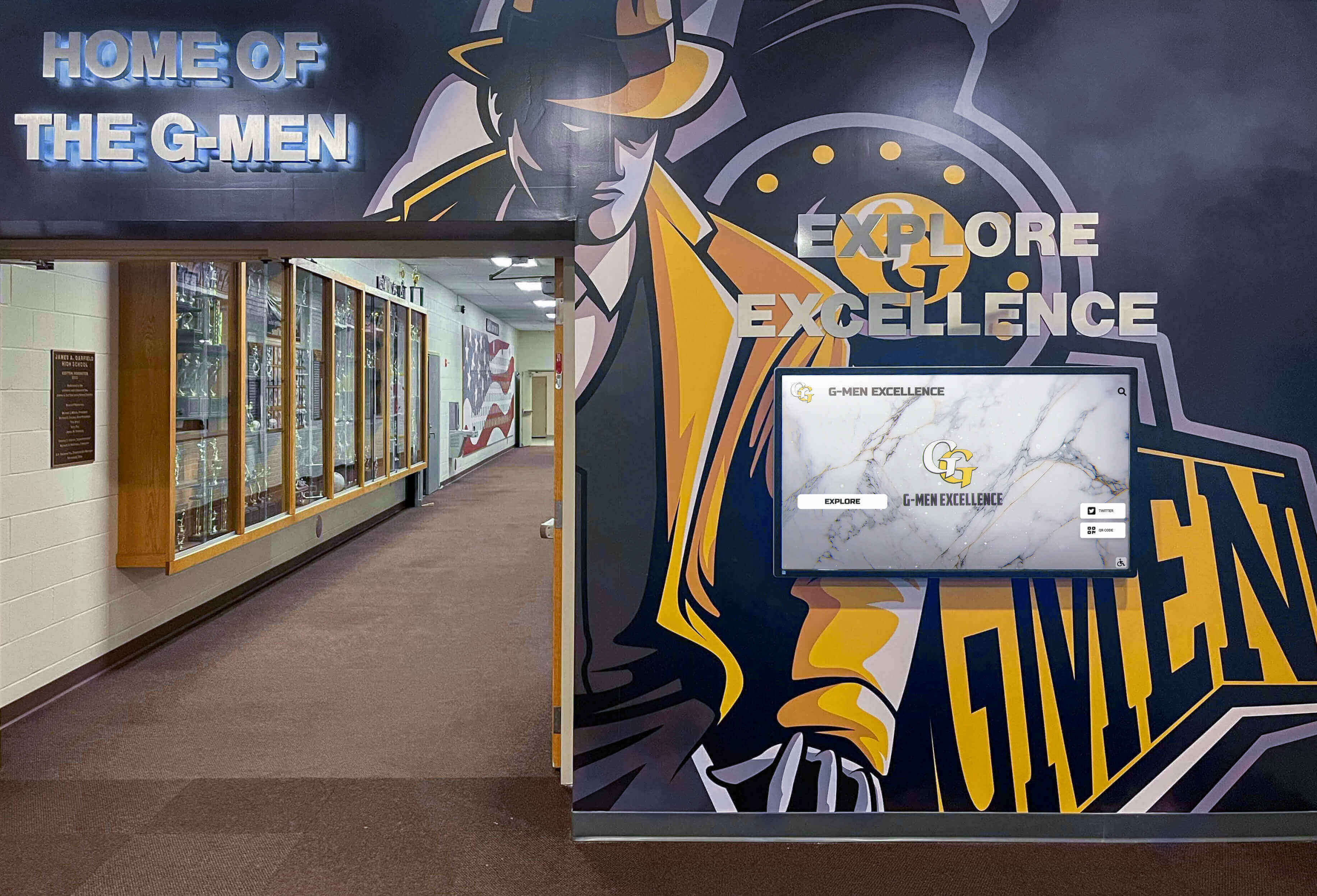
Modern digital displays integrate seamlessly with traditional school recognition elements creating cohesive pride environments
Best Practices for Spirit Week Digital Display Content
Creating engaging, effective display content requires attention to design principles, accessibility standards, and strategic messaging approaches.
Visual Design Principles
High-Quality Imagery
Spirit week photo quality directly affects display impact. Photography best practices include sufficient lighting avoiding dark, unclear images, appropriate framing keeping subjects centered and clearly visible, action capture freezing motion without blur, varied perspectives incorporating close-ups, wide shots, and creative angles, and consistent editing maintaining professional appearance across all photos.
Invest time training student photographers on basic technique ensuring consistent quality across hundreds of images rather than extensive post-event editing correcting preventable issues.
Readable Text and Typography
Text appearing on displays must remain readable from typical viewing distances. Typography guidelines include large font sizes with 72-point minimum for headlines and 36-point minimum for body text, high contrast between text and backgrounds ensuring readability, simple sans-serif fonts avoiding decorative styles difficult to read quickly, limited text density preventing overwhelming visual clutter, and strategic use of school colors maintaining brand consistency.
Design templates incorporating these principles enable consistent, professional appearance across all spirit week content without requiring design expertise.
Brand Consistency
Maintain visual consistency with school branding including official school colors as primary palette, incorporation of school logos and mascots appropriately, consistent formatting across different content types, and professional quality reflecting positively on institutional image.
Brand-consistent displays reinforce school identity while creating polished appearance that students, families, and visitors appreciate.
Accessibility and Inclusive Design
Digital displays must accommodate diverse abilities ensuring all community members can access content. Accessibility considerations include physical mounting at heights enabling wheelchair users to interact with touchscreens, high contrast viewing modes for visual accessibility, text-to-speech capabilities for screen reader compatibility, closed captioning for any video content, and simple, intuitive navigation requiring minimal instruction.
Accessible design benefits everyone, not just those with specific disabilities, by creating clearer, more user-friendly experiences for all students and families.
Content Rotation and Variety
Dynamic Content Scheduling
Prevent monotony through content rotation cycling different material throughout each day. Rotation strategies include alternating between score updates, photo galleries, event schedules, and video content, scheduling specific content for relevant times such as lunchtime competition highlights during lunch periods, featuring different grade levels or houses in rotation ensuring equitable visibility, and refreshing content multiple times daily maintaining interest for students who pass displays frequently.
Dynamic rotation ensures displays always show something different encouraging repeated viewing rather than single glances.
Balance Between Current and Historical Content
While emphasizing current year’s spirit week, periodically incorporate historical content showing previous years’ celebrations, throwback photos from decades past, evolution of traditions over time, and alumni reflections on their spirit week memories.
Historical context enriches current celebrations by demonstrating enduring traditions while creating connections across generations of students.
User-Generated Content Integration
Feature student-submitted photos and social media content alongside official documentation creating more authentic, diverse perspectives. User-generated content strategies include curated social media feed displays pulling hashtagged posts automatically, student photo submissions organized by category or event, peer quotes and reactions about spirit week experiences, and crowd-voted content where community selects featured material.
Peer content often resonates more authentically with students than adult-curated material while increasing engagement as students seek their contributed content.

Touchscreen interaction creates personal connections to spirit week content and school traditions
Conclusion: Building Lasting Spirit Through Digital Innovation
Spirit week represents far more than a week of costume days and competitions—it embodies the shared identity, pride, and community bonds that define exceptional school cultures. When schools implement strategic digital display solutions for spirit week celebrations, they transform routine annual events into highly visible, engaging traditions that maximize participation, celebrate every contribution, and create lasting impact extending far beyond the celebration week itself.
The digital revolution in school recognition has eliminated the constraints that historically limited spirit week acknowledgment—no longer must schools choose which participants to recognize due to bulletin board space limitations, no longer do score updates lag a day behind creating disengagement, no longer are memorable moments lost because no one captured photographs. Modern digital display systems enable comprehensive celebration of all participants, real-time competition transparency maintaining excitement throughout the week, unlimited photo documentation honoring every contribution, and permanent archives preserving institutional tradition for future generations.
Successful implementations share common characteristics including strategic hardware placement in multiple high-traffic locations, intuitive content management enabling efficient updates throughout busy spirit week, fair, transparent scoring systems students trust and understand, comprehensive photo recognition celebrating all participants, and seamless integration with broader school recognition ecosystems.
Schools implementing these best practices report measurable improvements in spirit week participation rates across all student populations, sustained enthusiasm throughout entire celebration rather than day-one peaks, increased family engagement through shareable photo content, and strengthened school pride extending beyond spirit week into daily culture.
For schools ready to elevate spirit week celebrations from routine annual traditions into cornerstone community-building experiences, modern digital display solutions provide proven, accessible pathways to engagement, recognition, and lasting pride. Whether implementing first-time digital systems or enhancing existing recognition programs, the strategies explored throughout this guide offer practical frameworks creating spirit week celebrations that truly honor every contribution while building the shared identity and pride that define exceptional educational communities.
Ready to Transform Your School's Spirit Week?
Discover how Rocket Alumni Solutions' digital display systems can help you create engaging spirit week celebrations with real-time scoring, comprehensive photo recognition, and lasting documentation that builds school pride year-round.
Schedule Your Free Consultation






























